Prices start from Rs. 79,999 with sale offers available
Features include Google’s Tensor G4 processor and long-term Android updates
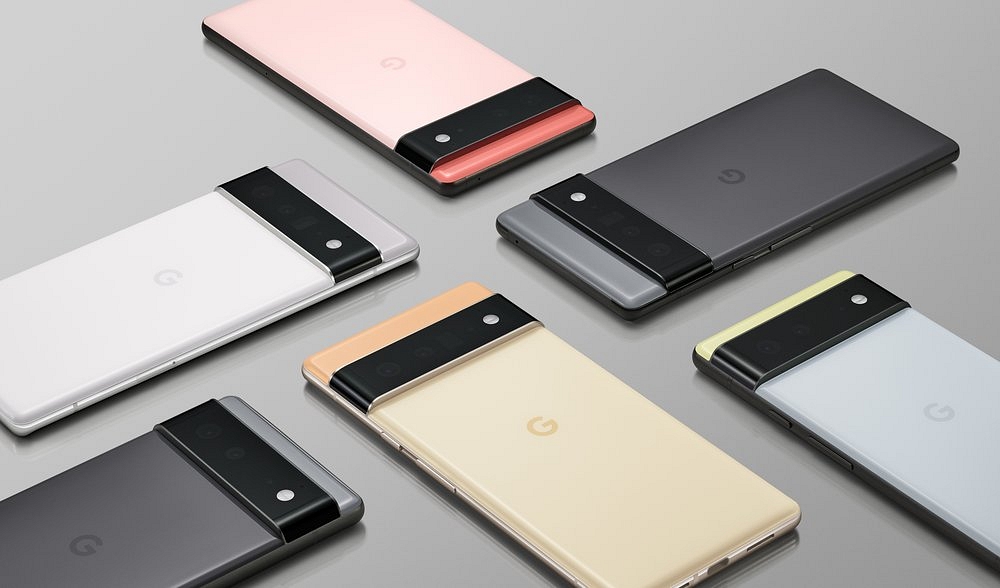
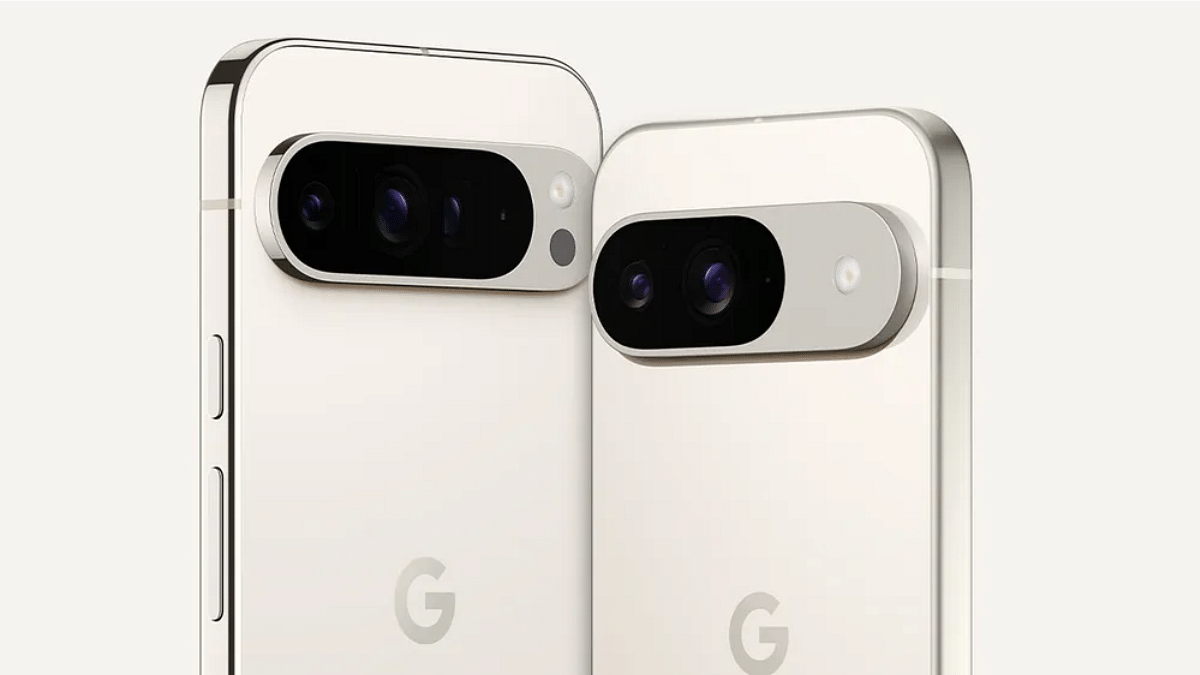
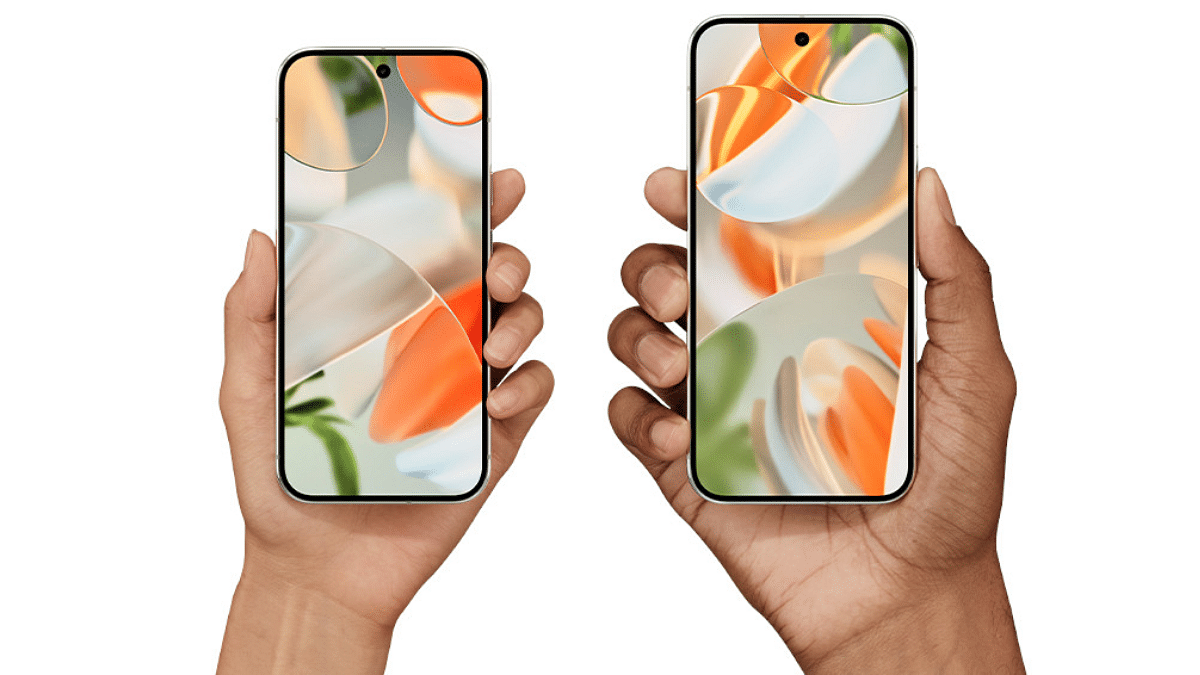
Google has officially launched its much-awaited Pixel 9 series in India. Not just one, the tech giant has introduced three devices: Pixel 9, Pixel 9 Pro, and Pixel 9 Pro XL. The new Pixel 9 series promises advanced technology, powerful camera features, and the pure Android experience. Here’s a quick look at what each of these new Pixel devices offers.
OS: Android 14 with 7 years of OS and security updates.
Price: Starting at Rs. 79,999 for the 128GB variant.
Pixel 9 Pro
Display: 6.3-inch LTPO OLED, 1280 x 2856 pixels, 1Hz-120Hz adaptive refresh rate, Corning Gorilla Glass Victus 2.
Camera: Triple rear setup: 50MP wide, 48MP ultrawide, 48MP telephoto, Super Res Zoom up to 30x, 5x optical zoom.
Battery: 4700mAh, 45W fast charging, wireless charging supported.
RAM & Storage: 16GB RAM, 128GB to 1TB storage options.
Price: Starting at Rs. 1,09,999.
Pixel 9 Pro XL
Display: 6.8-inch LTPO OLED, 1344 x 2992 pixels, 2000nits local brightness, 3000nits peak brightness, Corning Gorilla Glass Victus 2.
Camera: Triple rear setup: 50MP wide, 48MP ultrawide, 48MP telephoto, Super Res Zoom up to 30x.
Battery: 5,060mAh, 45W fast charging, wireless charging supported.
RAM & Storage: 16GB RAM, 128GB to 1TB storage options.
Price: Starting at Rs 1,24,999.
For the tech geeks, stay updated with the latest cutting-edge gadgets in the market, exclusive tech updates, gadget reviews, and more right on your phone’s screen. Join Giznext’s WhatsApp channel and receive the industry-first tech updates.
Google launches its first foldable smartphone in India
Features include an 8-inch inner display, Tensor G4 chipset, more
Priced at Rs. 1,72,999, the phone offers 7 years of OS and security updates
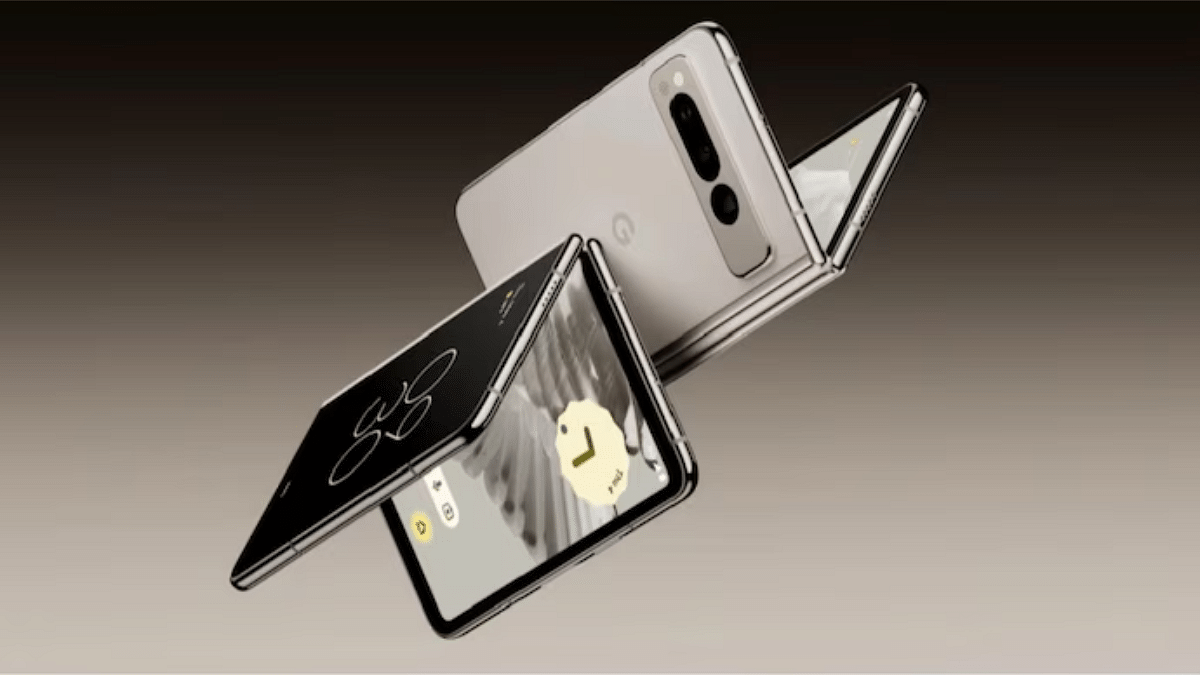
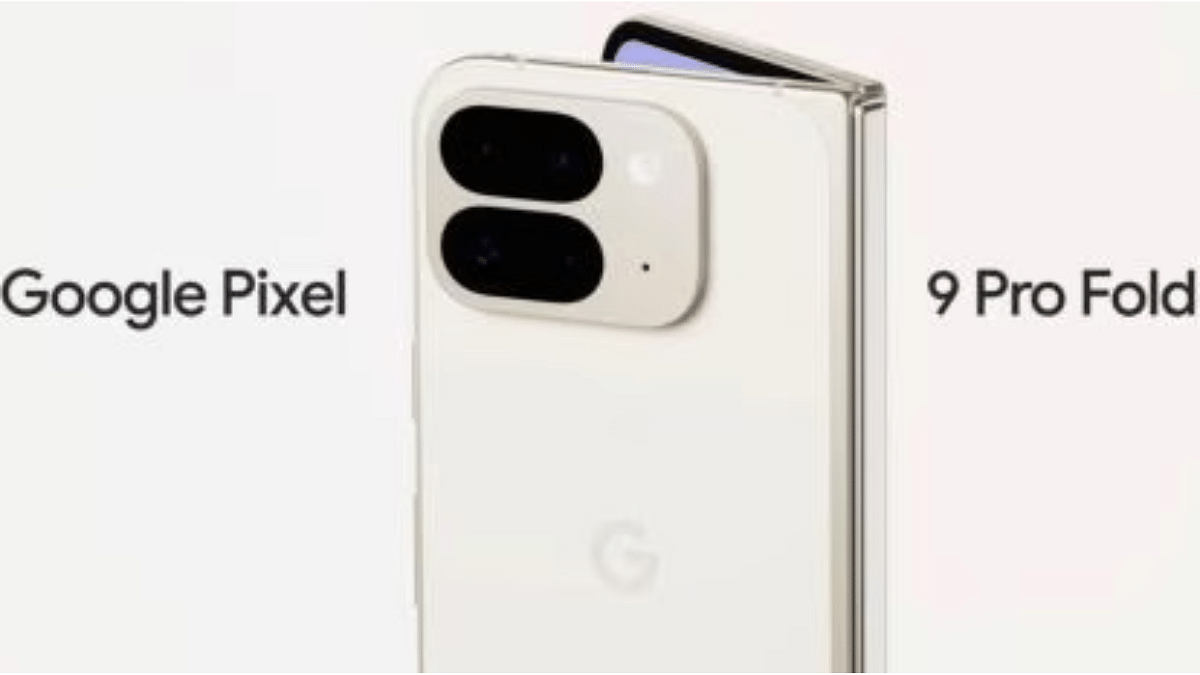
During the ‘Made by Google’ event, the tech giant has unveiled its first foldable smartphone in India, named the Pixel 9 Pro Fold. The smartphone is all set to compete against Samsung Galaxy Z Fold 6 and Vivo X Fold 3 Pro. Here are the top features of this newly launched foldable phone from the house of Google that sets them apart from its competitors.
Google Pixel 9 Pro Fold: Top Features
Display (Inner)
8-inch Super Actua Flex
Display (Outer)
6.3-inch Actua
Chipset
Google Tensor G4
RAM
Up to 16GB
Storage
Up to 512GB
Rear Camera
48MP + 10.5MP + 10.8MP
Front Camera
10MP + 10MP
Battery
4,650mAh
OS Updates
7 years of OS and security updates
Colors
Obsidian, Porcelain
Display
The Pixel 9 Pro Fold comes with an 8-inch Super Actua Flex display on the inside. It features a 120Hz refresh rate and peak brightness of 2,700 nits. The outer display is also noteworthy. It flaunts a 6.3-inch Actua display that shares the same high refresh rate and brightness.
Performance
Under the hood, the Pixel 9 Pro Fold uses Google’s latest Tensor G4 chipset. The smartphone is designed to handle demanding tasks with ease. This latest foldable device further offers up to 16GB of RAM and 512GB of internal storage.
Camera System
Photography fanatics will love the triple rear camera setup on the Google Pixel 9 Pro Fold. It carries a 48MP primary camera, a 10.5MP ultra-wide lens, and a 10.8MP 5x telephoto camera. Additionally, there are two 10MP sensors on the inner and outer displays for selfies, video calls, and Face Unlock.
AI-Powered Features
Google has integrated smart AI features into the Pixel 9 Pro Fold. It also includes the new ‘Add Me’ feature that allows to add yourself to photos taken by someone else. The ‘Made You Look’ feature uses the outer display to grab attention while the inner display captures the moment. For multitaskers, there is Gemini with Split Screen feature. This enables you to manage multiple tasks simultaneously.
Durability And Battery Life
The Pixel 9 Pro Fold has a hinge made from multi-alloy steel and an aluminum alloy cover. It is IP68-rated for water and dust resistance. This foldable device houses a 4,650mAh battery that promises up to 24+ hours of usage.
Price And Availability
The Pixel 9 Pro Fold from the house of Google is priced at Rs. 1,72,999 in India. The smartphone will be available in two colors, i.e., Obsidian and Porcelain. The device will be exclusively sold on Flipkart.
For the tech geeks, stay updated with the latest cutting-edge gadgets in the market, exclusive tech updates, gadget reviews, and more right on your phone’s screen. Join Giznext’s WhatsApp channel and receive the industry-first tech updates.
OPPO celebrates its OPPO Members’ Mega Sale Day anniversary
Announces exclusive offers on the latest products
The sale will continue until August 31
OPPO has introduced a new feature called Livephoto in its latest Reno12 series. This feature helps to capture short-moving pictures via the main camera, wide-angle, or tele-photo lens. But what sets the feature apart is its integration with AI Touch-ups. It enhances photos by automatically optimizing lighting, colors, and other elements for clarity. Users can choose different keyframes, creative effects, and edit photos before sharing them with others.
OPPO Members’ Mega Sale Day Anniversary: Special Offers
OPPO is offering exclusive deals across its e-store and retail outlets in celebration of the second anniversary of OPPO Members’ Mega Sale Day. The deals and offers will last till August 31. Members can enjoy amazing offers on products such as the Reno12, Reno12 Pro, F27 Pro+, IoT devices, accessories, and other smartphones. OPPO has also rolled a range of deals for their offline customers. Some of them are:
Avail up to 10 percent cashback and no-cost EMI for up to six months from leading banks such as SBI Cards, HDFC Bank, One Card, Kotak Bank, Bank of Baroda, DBS, and Federal Bank.
New postpaid customers with plans of Rs. 649 and above can enjoy benefits worth Rs. 2,250 from Reliance Jio.
Get zero down payment schemes from leading financiers on the purchase of the latest OPPO devices.
The e-store customers of OPPO can also get variety of offers:
OPPO Exclusive Raffle: Participate in the raffle to win assured prizes. It includes the OPPO Reno12, F27 Pro, F25 Pro+, exclusive coupons, and reward points.
Up to 68 percent Discount: On the latest OPPO smartphones bundled with Enco Buds 2.
My OPPO Program Offers: Users can activate their membership and enjoy assured rewards and 8.8X reward points on OPPO smartphone purchases.
Exclusive Member Discounts: Get additional discounts on accessories with prices starting at Rs. 88.
Limited Time Coupons, Exchange Bonuses: Avail coupons and bonuses, including up to Rs. 4,888 on exchanges and extra discounts for old users of Reno8/8T, A18/A38/A78.
For the tech geeks, stay updated with the latest cutting-edge gadgets in the market, exclusive tech updates, gadget reviews, and more right on your phone’s screen. Join Giznext’s WhatsApp channel and receive the industry-first tech updates.
Google is expected to release new lineup of Pixel series
You can watch livestream on Google’s official YouTube handle
The annual Made by Google event is just days away. It is all set to happen on Tuesday (August 13) at 10:30 PM IST. This year’s event promises to be an exciting one with potential releases for new devices and announcements. Here’s how you can watch the livestream and what you can expect.
Pixel 9 Series: Google is expected to come up with Pixel 9, Pixel 9 Pro and Pixel 9 Pro XL. These smartphones will be powered by Tensor G4 chipset. The new Pixel 9 Pro Fold is also expected to be unveiled later than the other models.
Pixel Buds Pro 2: The new Pixel Buds Pro 2 is expected to feature a new design, improved ANC and a bigger battery. They will be available in Charcoal, Porcelain, Aloe and Hot Pink.
Pixel Watch 3: The Pixel Watch 3 may be unveiled in 41mm and 45mm sizes, featuring 2,000 nits bright OLED screens, thinner bezels and improved battery life.
Android 15: Two new AI features and improvements will be added, namely ‘Stealth Identity Lock’ and ‘Private Location’. Additionally, it will improve fraud detection and automatic app archiving.
New AI Features: One can expect new upgrades to Google’s Gemini AI chatbot in addition to new AI features like ‘Add Me’ for group photos and ‘Pixel Screenshots’ for searchable phone activities.
For the tech geeks, stay updated with the latest cutting-edge gadgets in the market, exclusive tech updates, gadget reviews, and more right on your phone’s screen. Join Giznext’s WhatsApp channel and receive the industry-first tech updates.
Apple MacBook series is amongst the top performance-oriented laptops available in the market. Both MacBook Air and MacBook Pro notebooks have emerged as the first choice for creative and professional users globally. The ultra slim form factor and the ability to handle even the most extensive of computing tasks have made Apple MacBook popular amongst the consumers.
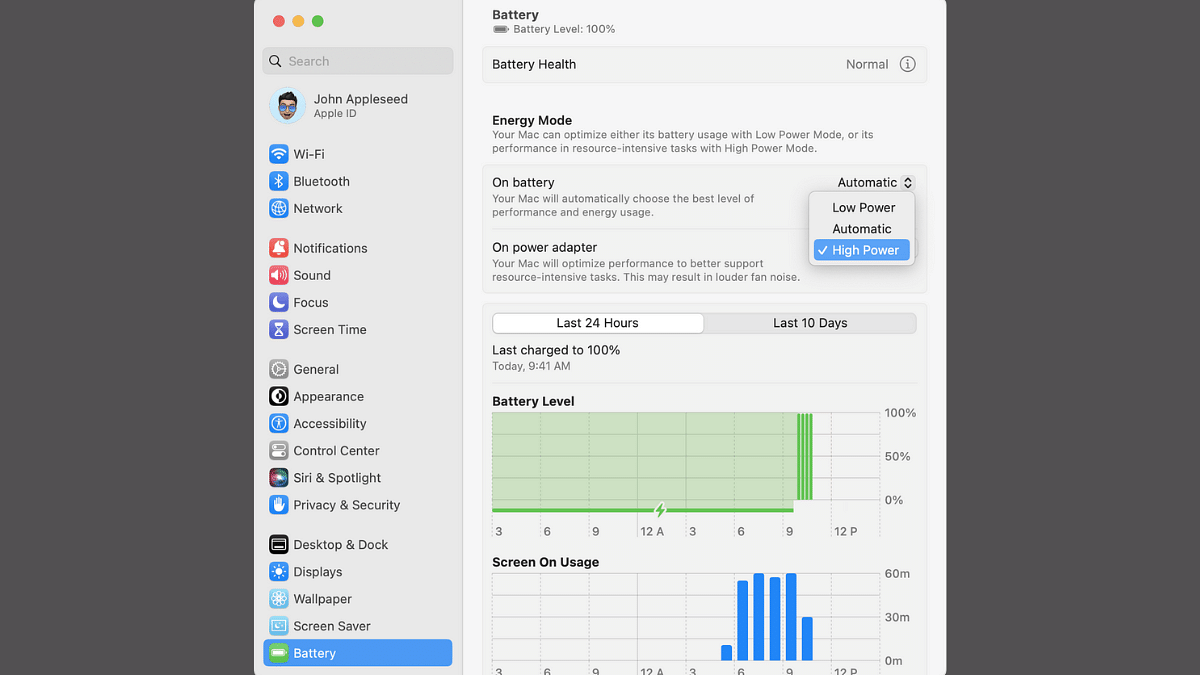
Apple has been following a trend of bringing in more powerful iterations of MacBook laptops each year integrated with the latest M series chipset. While every new generation of Apple MacBook gets more powerful, Apple additionally provides a feature that can help you with further performance refinements you get with these laptops. Called High Power Mode, the performance-enhancement feature is made available to all MacBook Pro models (MacBook Pro 14-inch and 16-inch) which you can enable to get better speeds and reliability with overall performance. Unaware of the steps though? Well, he gave got it covered for you. Take a look below:
For the tech geeks, stay updated with the latest cutting-edge gadgets in the market, exclusive tech updates, gadget reviews, and more right on your phone’s screen. Join Giznext’s WhatsApp channel and receive the industry-first tech updates.
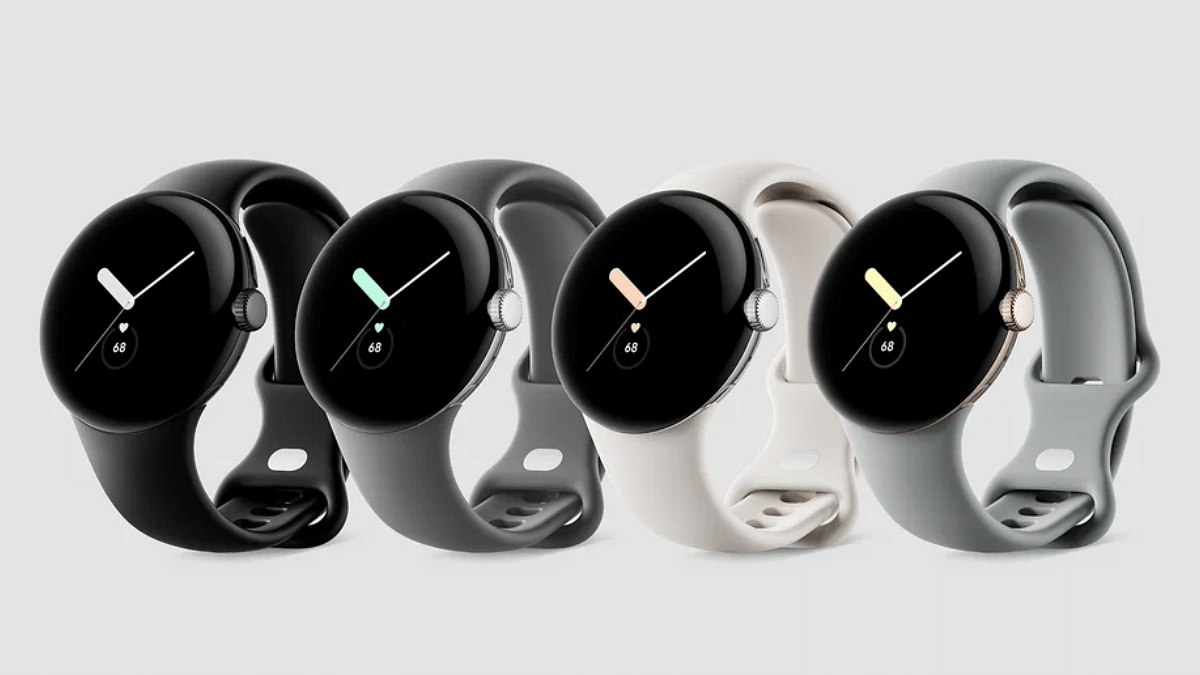
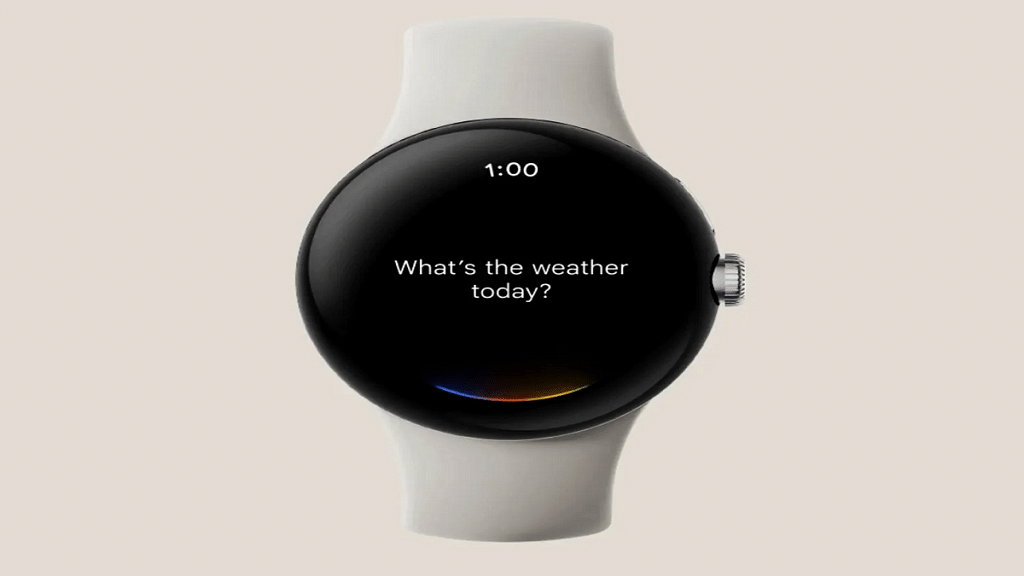
Most of smartwatch including Pixel watch comes with own set of watch faces
One can use photos as watch face on smartwatch
Option available with certain limitations
Android ecosystem has evolved extensively over the last decade. Now, this OS offers compatibility with devices beyond smartphones and tablets. Google has also developed an OS for smartwatches allowing a swift pairing and seamless user experience when connected with smartphones. The smart wearable technology has also witnessed huge advancements in regards to tech and integration of health and safety features. Certainly, smart wearables are the best solution for health monitoring today; specifically for the individuals with a fast paced lifestyle.
Options for customizations with integrated watch faces is one of the best smartwatch features offered across almost every model from different brands. However, you only get to select the built-in watch faces with your smartwatch. While there could be options ranging from 100 watch faces irrespective of the models, it surely is a fun idea to upload your own photos as watch face on your smartwatch.
Thankfully, Google has a solution for the same where in it allows smartwatch users to use photos as watch face. But there’s a small catch to it. What is the catch and the steps to use photos as smartwatch face? Read on below:
For the tech geeks, stay updated with the latest cutting-edge gadgets in the market, exclusive tech updates, gadget reviews, and more right on your phone’s screen. Join Giznext’s WhatsApp channel and receive the industry-first tech updates.
Google has made it possible for all smartphone users to set up photos as watch face on smartwatch. But the catch here is this feature is currently available for Google Pixel Watch smartwatch users. Users who own a Pixel Watch can setup photos as watch face. Also, it would be required for the Pixel Watch owners to install the latest version of Pixel Watch app as well as Photos on their smartphones.
The flagship smartphone is available starting at Rs. 62,999
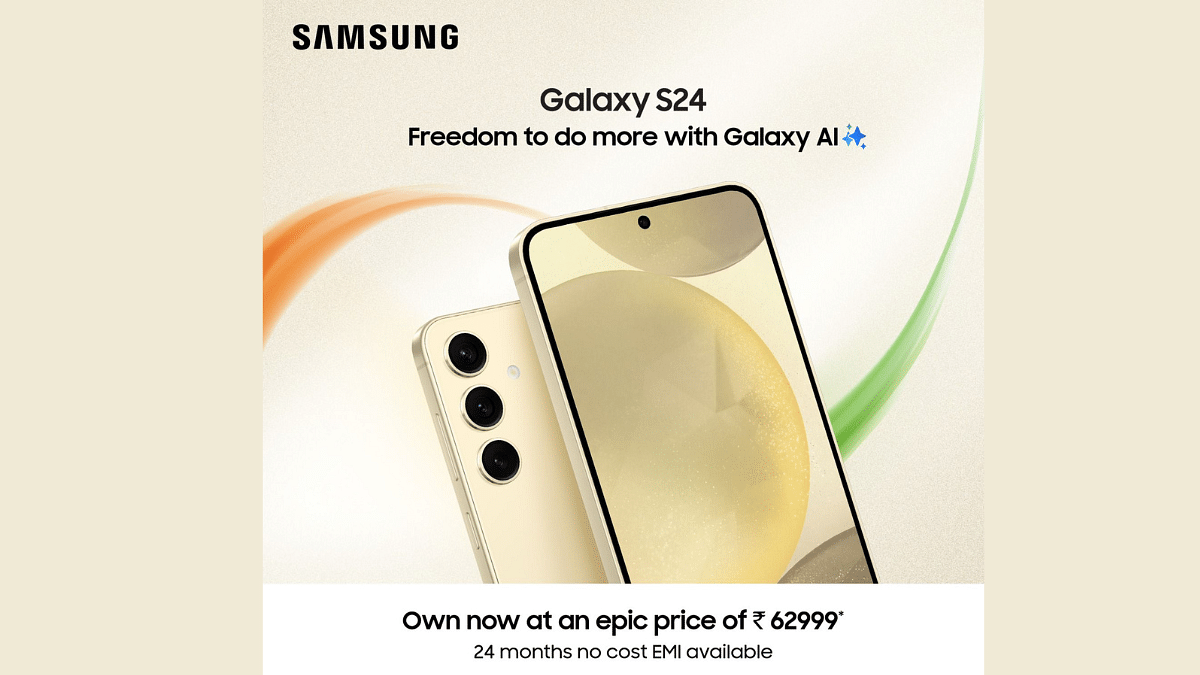
Recently, Samsung announced a great Independence Day Deal on its flagship smartphone, Galaxy S24. Starting August 8, the starting price of Rs. 74,999 for the device will be reduced to a never-before-seen price of Rs. 62,999. This limited-time deal is the perfect time if you wish to upgrade your smartphone experience.
Samsung is making it even more affordable by providing a convenient 24-month no-cost EMI option. This will allow the customers to spread the payment over two years without any added interest.
The Samsung Galaxy S24 is not just another smartphone. It is a breakthrough in mobile AI technology. Galaxy AI, which Samsung installed on this phone, improves the device’s primary features, especially communication. One of its notable features is Live Translate. It offers two-way, real-time speech and text translations during phone calls, all within the native app. Impressively, the Interpreter mode provides real-time translations in a split-screen view for face-to-face interactions. This works even in the absence of Wi-Fi or cellular connectivity.
To ensure that your communication is understood exactly as you intend, the phone also features Chat Assist. It is also planned to assist you in fine-tuning the conversational tone you use in messaging and other applications.
The Samsung Galaxy S24 also has Note Assist tool. It helps to streamline the note-taking process via AI to write summaries and templates with pre-made layouts with Samsung Notes. Transcript Assist is revolutionary for people who depend on voice recordings. It helps to transcribe, summarize, and even translate recordings, even when multiple speakers are involved.
Not only this, the Galaxy S24 also introduces a new way to search with its gesture-driven Circle to Search feature. It is developed in collaboration with Google. This feature represents a milestone in how users can interact with their phones. This makes search simpler and more efficient.
For the tech geeks, stay updated with the latest cutting-edge gadgets in the market, exclusive tech updates, gadget reviews, and more right on your phone’s screen. Join Giznext’s WhatsApp channel and receive the industry-first tech updates.
Realme is back with another number series within just a few months of bringing in the Realme 12 lineup. This time the company has introduced the Realme 13 series which comes with the promise of offering the best-in-class camera performance combined with AI. This time as well, the new lineup comes with dual variants including the Realme 13 Pro and the Realme 13 Pro+.
The new series is equipped with Realme’s Hyperimage+ camera system, a vivid screen, fast charging enabled battery module, and more. But does the new models makes it worth a buy when we speak of overall features and performance? At Giznext, we have received the Realme 13 Pro+ for review and in this article, we are sharing the long term user review. Read on to find out of the Realme 13 Pro+ is really worth an investment for its price range starting under Rs. 35,000:
For the tech geeks, stay updated with the latest cutting-edge gadgets in the market, exclusive tech updates, gadget reviews, and more right on your phone’s screen. Join Giznext’s WhatsApp channel and receive the industry-first tech updates.
The Pros
Luxurious Design And Comfortable Grip
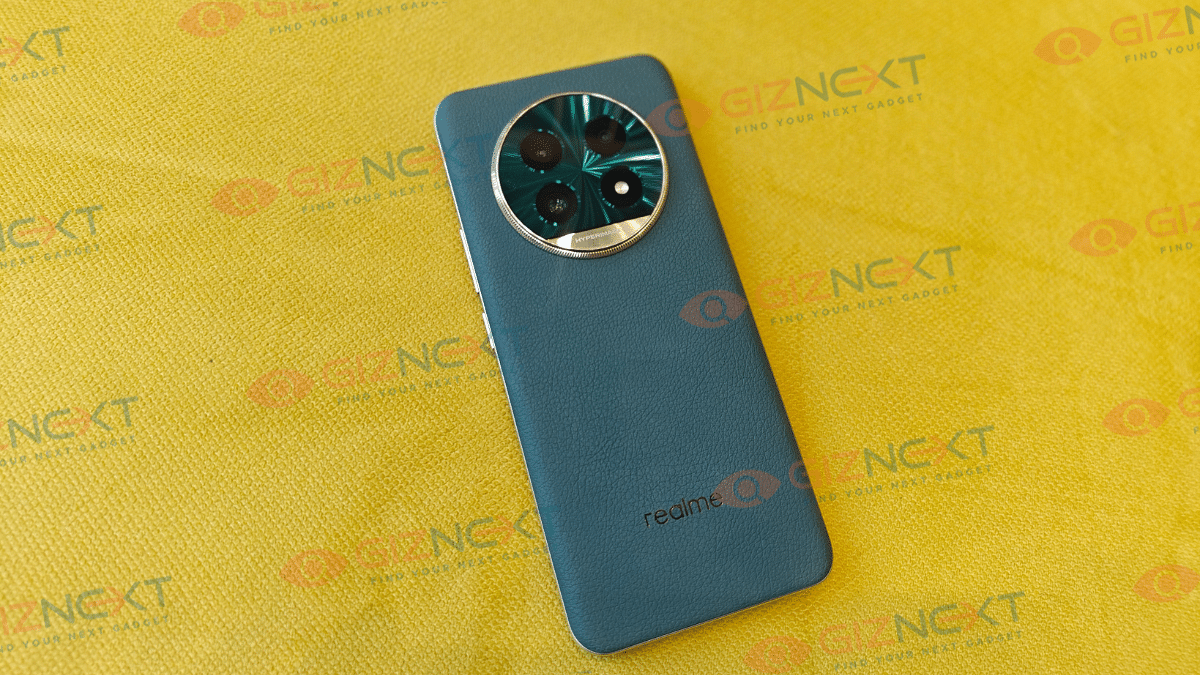
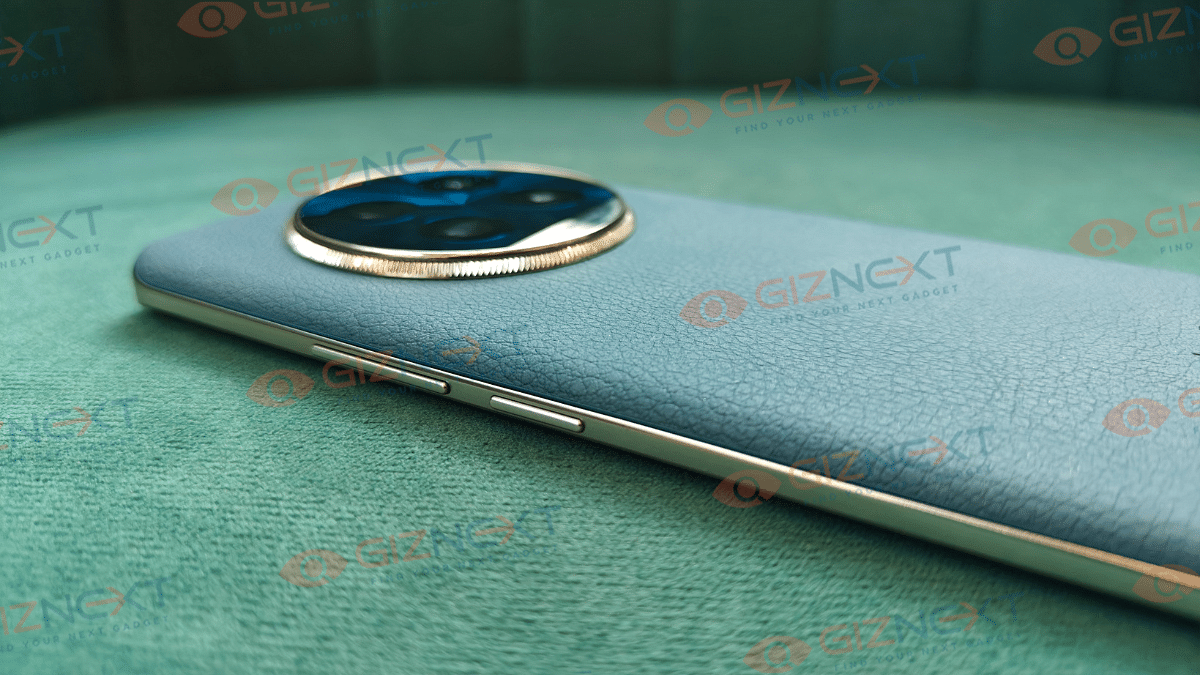
Realme has got its game better with smartphone designs over the last few years. The company has introduced some of the classiest handsets even in the budget segment. The number series has been getting fairly decent makeover and the 13 Pro+ isn’t different. You can opt from the Monet Gold and Emerald Green shades where the former gets Monet-inspired light and shadow texture flow on the back, while the latter offers a textured vegan leather design.
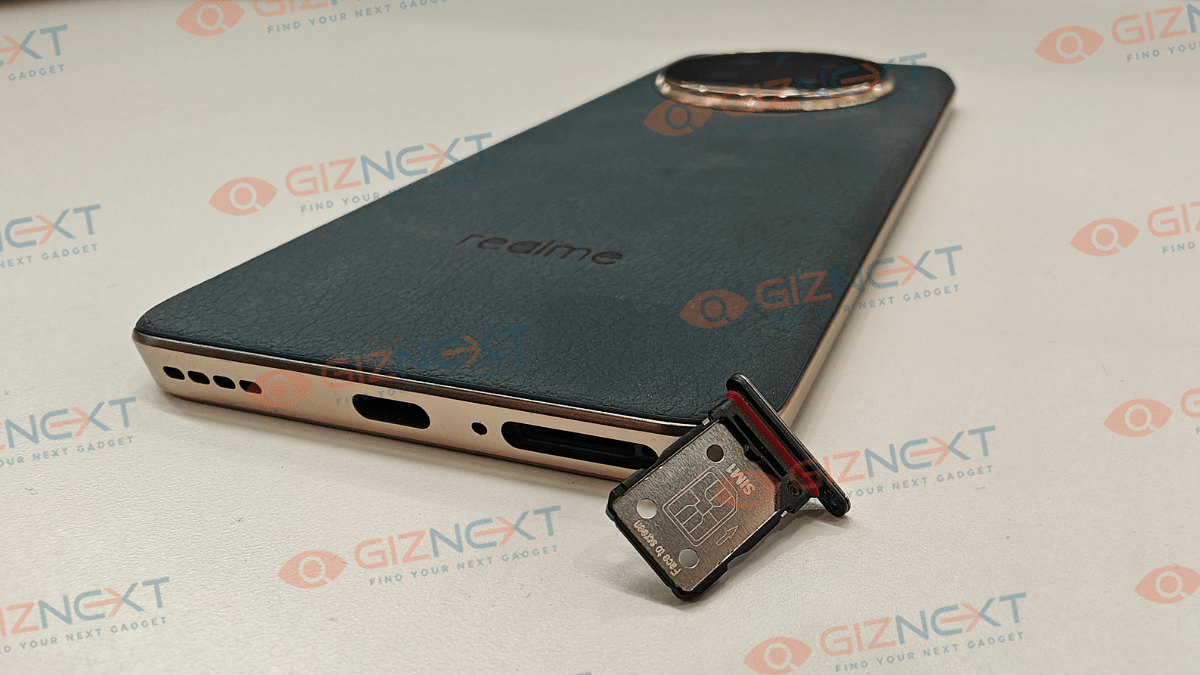
We have received the Emerald Green shade which undeniably feels all luxurious to touch and hold. The phone is also slim which allows for a slip-free and comfortable grip. The large circular camera island with a metallic ring does add to the looks overall. This handset gets an IP65 certification which makes it dust and water splash resistant.
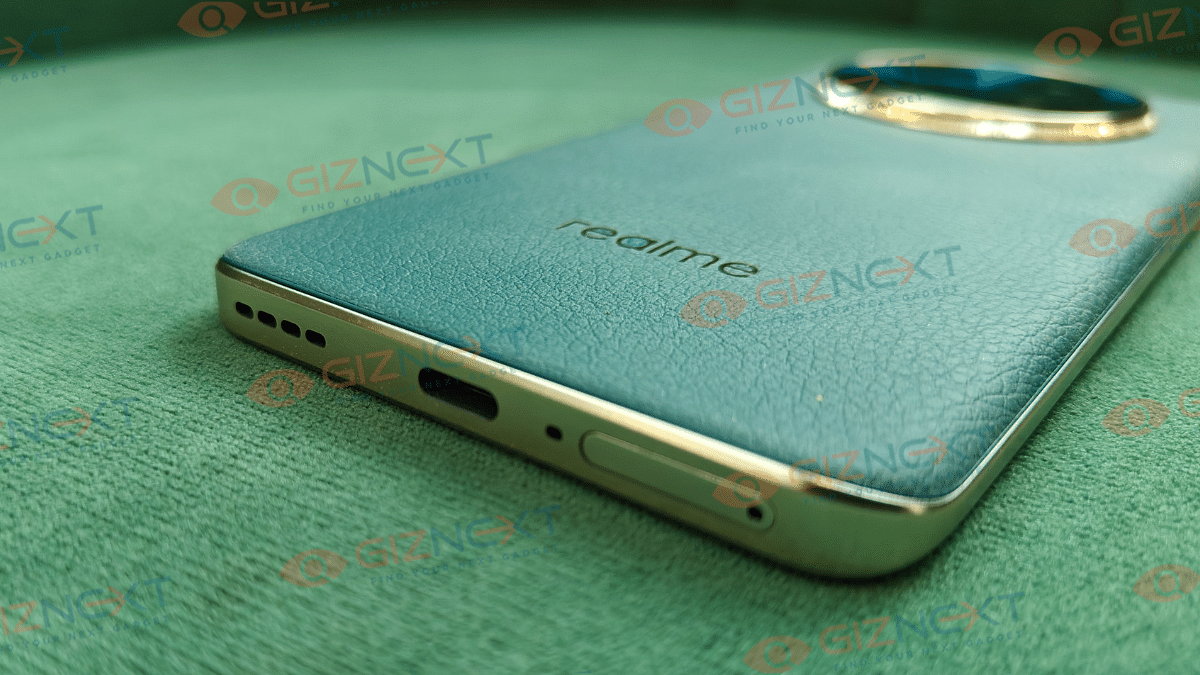
This is necessary feature that keeps you worry free in case of emergency rains and similar scenarios outdoors. If we speak of the ports and keys, all get a standard placement. The right spine accommodates the volume rockers followed by the power key, whereas the bottom panel has the USB Type-C port positioned between the speaker grille and the SIM card tray. Up front, the things are pretty neat too. The curved display us rounded off with slim bezels and a punch-hole camera cutout on the top. The While the design language of the Realme 13 Pro+ is all premium, you would find it familiar when compared to its predecessors.
Realme has loaded the 13 Pro+ with one of the solid camera hardware further refining its capabilities with AI features. The hardware comprises of a 50MP primary sensor which is a Sony LYT-600 Periscope lens with an f/2.65 aperture and OIS support. The secondary telephoto sensor is also a 50MP lens but is a Sony LYT-701 sensor with OIS support and 3x optical zoom. There is an 8MP ultra-wide sensor as well which comes with 112° FoV and f/2.2 aperture.
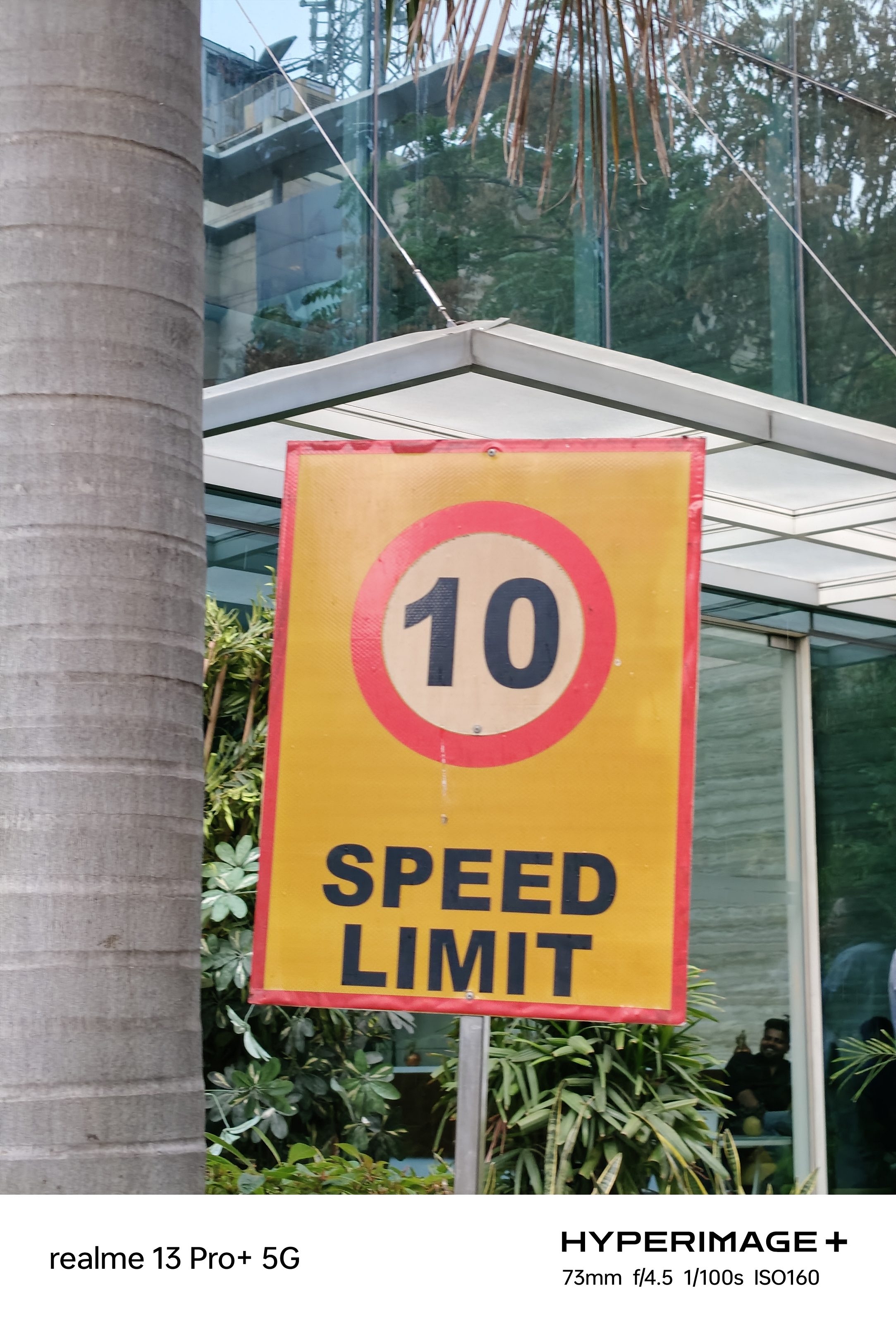
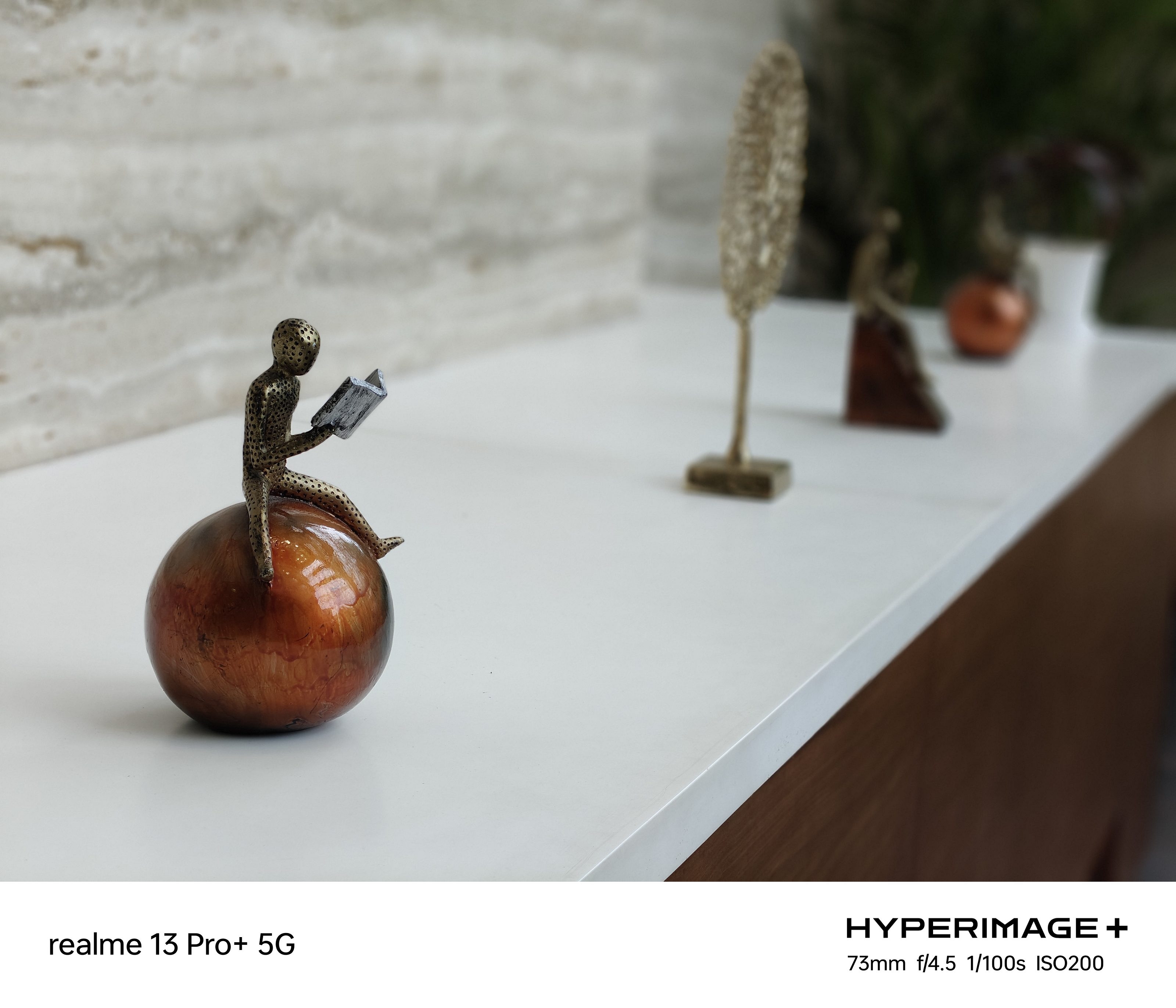
Performance-wise , the Realme 13 Pro+’s cameras definitely offer an improved performance when compared with the previous-gen model. Thanks to the added AI tech, optics is much better with capturing details in every click. The images snapped are brighter with the larger sensor which is capable of intaking more light now. Also, the dynamic range has improved with specifically with the daylight shots. You’ll be impressed with the level of detailing each snap captured with the Realme 13 Pro+ has.
AI Portrait
AI Portrait
AI Portrait
With this Realme number series phone, you’ll also get high-quality of portrait shots. The background blurs don’t appear gimmicky. Rather, all these bokeh shots have ample detailing to the subject. Realme has also thrown in the HYPERIMAGE+ camera tech which uses three-later AI photography architecture to boost the image quality. It helps with retaining natural color tones so that the photos doesn’t look artificial with color production.
As for the night photography, the Realme 13 Pro+’s primary camera setup does a decent job here as well. The quality is much better than the previous-gen models and you’ll be able to capture images with low noise during night. Of course, you can enable the dedicated Night Mode for enhanced picture clarity in low-light conditions.
Videos recorded are of high quality as well. The Realme 13 Pro+ can record 4K @ 30fps, 1080p @ 60fps and 30fps, and 720P @ 60fps / 30fps videos. You can always opt for the highest 4K @30 fps setting to record clear and crisp video quality. Specifically, if you are content creator, you will be satisfied with the camera’s performance overall.
Realme 13 Pro+ is a powerhorse with its capacious 5,200 mAh battery pack. You generally get to see a standard 5,000 mAh or lower battery capacity in this segment. However, the extra power with the battery is essential to drive the unit for more than a day; specifically, with moderate to light usage. Even with an extensive usage, you can expect the Realme 13 Pro+ to last more than half a day on a single charge.
If you intend to play graphic hungry, you wound’t have to worry about the battery getting drained too quickly. In fact, you would need a re-plug towards the end of the day and with the compatible 80W Fast charging, expect faster refuels as well. That said, it takes less than an hour for the battery to get a full re-charge from 0- 100 percent using the 80W fast charger.
Crisp And Vivid Display Enhances Visual Experience
Display game is also getting stronger for Realme. The Realme 13 Pro+ has been packed with a tall 6.7-inch display. The panel used for this latest Realme number series phone is 10-bit AMOLED which delivers exceptional quality with a variety of content. The panel has an FHD resolution support and 120 Hz refresg rate which further helps with a smooth picture production.
Now, the panel brightness has also improved when its compared with the Realme 12 Pro+. The latest model supports 2000 nits of peak brightness which is higher than the 950 nits brightness levels offered by the previous-gen model. We had no difficulties with watching content under direct sunlight which makes it less straining on the eyes. Visuals with OTT and other streaming platforms have been solid too. You get clear visuals while watching online TV shows or movies. The similar is the experience with gaming visuals, where you get vivid visuals even with graphic-intensive games.
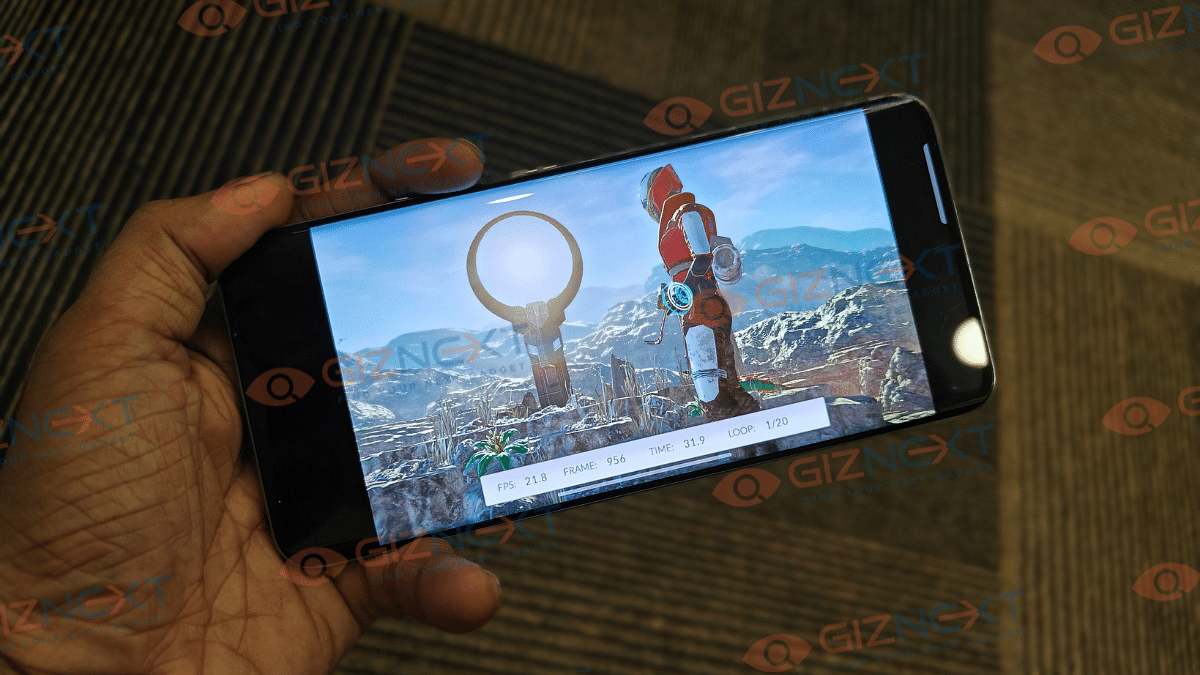
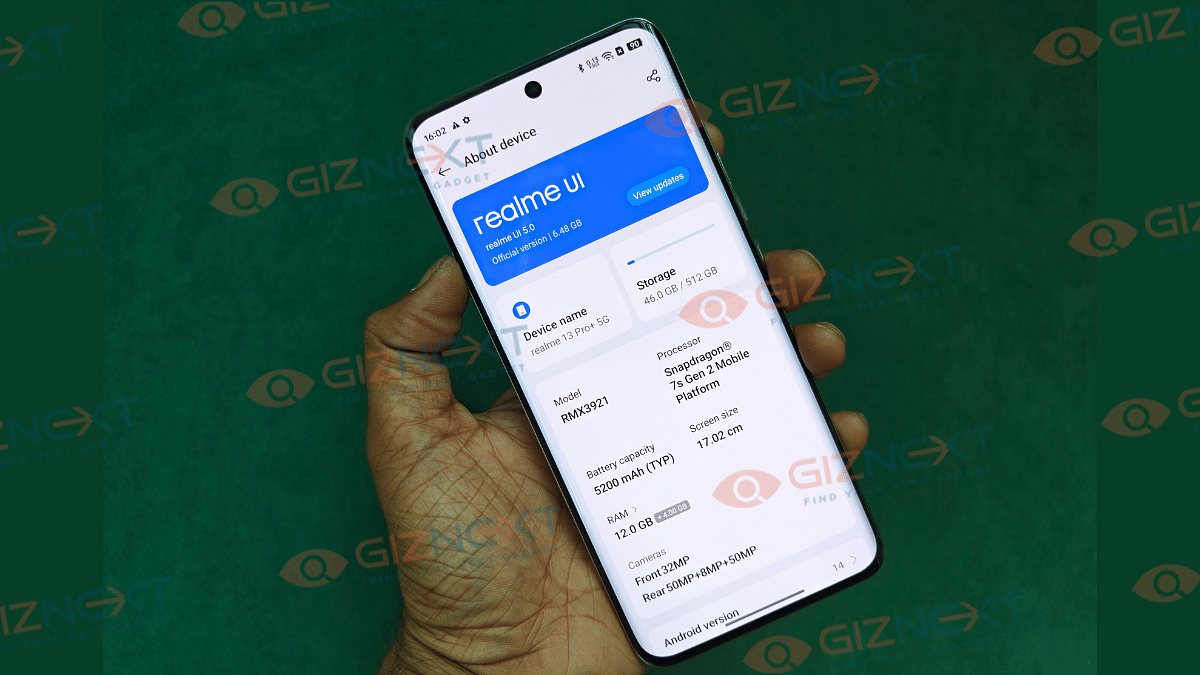
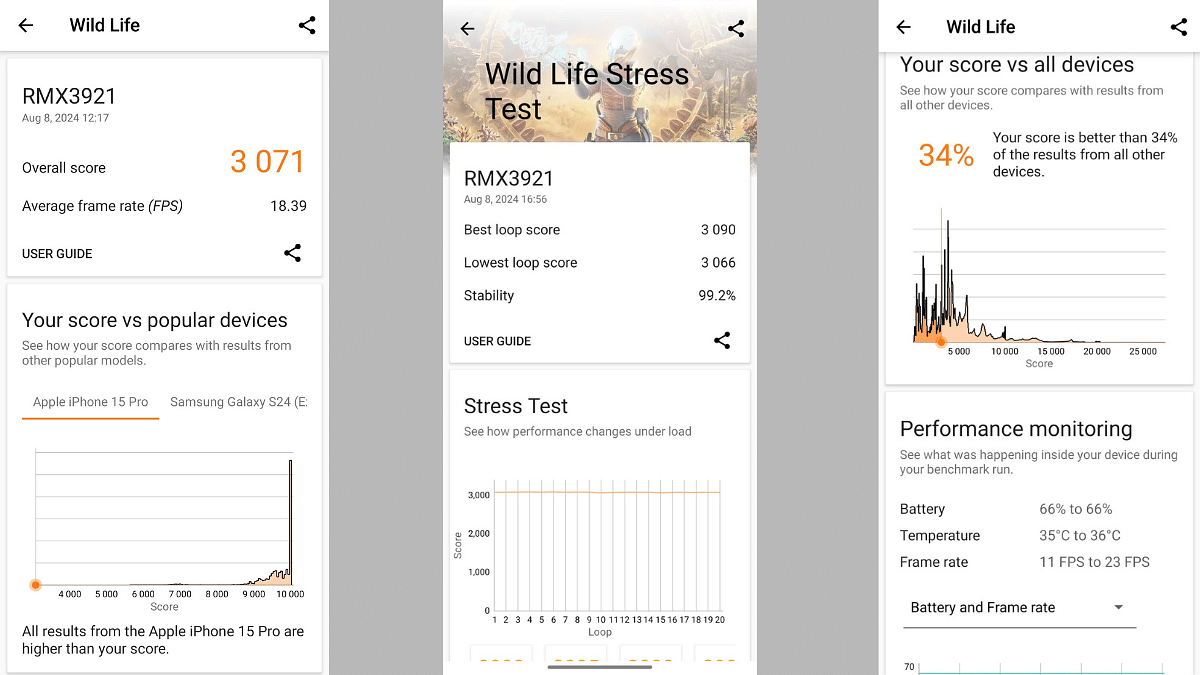
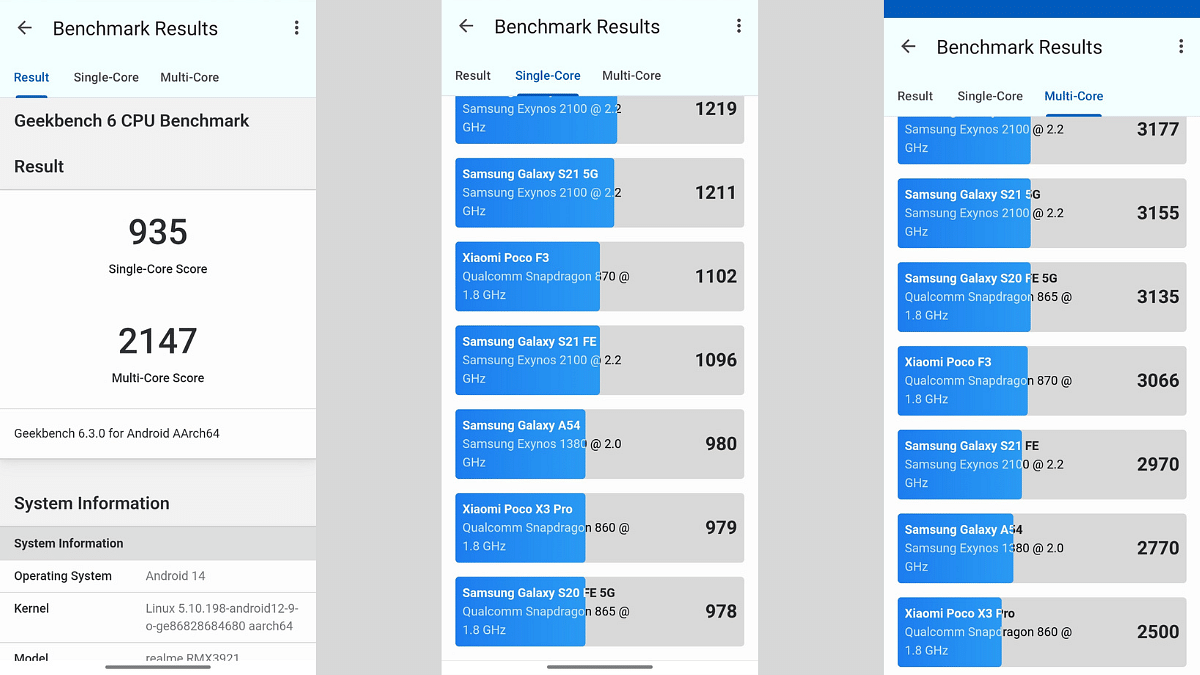
The Realme 13 Pro+ has the Snapdragon 7s Gen 2 processor under its hood. While this Qualcomm chipset is primarily designed for the premium mid-tier Android phones, it is the same as used by the Realme 12 Pro+. This is the sole factor why the chipset is being tagged in the cons section. Otherwise, the Realme 13 Pro+ is a good performer irrespective of the tasks thrown at it.
The phone can smoothly process heavy apps and games and you’ll also hardly notice any major lags with its performance. The lowest RAM is 8GB, while the highest RAM option available is 12GB. Both these variants are capable of providing a smooth multitasking irrespective of the number of the apps that are running in the background.
You also won’t notice any major heating issues while using the Realme 13 Pro+ extensively. The 9-layer cooling system combined with a large tempered VC (vapor chamber) helps with the heat dissipation. You might come across slight warm up when the device is plugged in for charging and is being used with some extensive app simultaneously. But that wouldn’t be anything you need to be concerned about.
Just like its predecessor, the Realme 13 Pro+ also features a hybrid SIM slot. This means you will be limited with using one SIM card and one microSD card simultaneously. Now, this could be a bummer for the audiences who prefer a dedicated 3-way SIM slot which allows using dual SIM cards along with a microSD card for storage expansion. This is one of the only few cons that you get with the Realme 13 Pro+. However, the onboard up to 512GB storage is sufficient for storing general files and documents also the captured high-res photos and videos.
The Realme 13 Pro+ comes as one of the most solid contenders in the premium mid-tier segment with a starting price range under Rs. 35,000. It’s AI enabled camera is undeniably the standout highlight which lets you capture your favorite moments with unmatched clarity. This phone with a luxurious design and well-loaded hardware makes it a worthy buy if your budget doesn’t exceed over Rs. 35,000. Consider it if your requirement is a photography-centric handset that can also take on extensive operations including gaming.
Emergency calls only error is common for Android users
Network issues can be the reason
Inactive SIM card could be another reason for this error
Manual troubleshooting can fix these errors
Smartphones today play a pivotal role for connectivity be it general telecom or even internet. While user case scenarios with smartphones nowadays is endless, calling and texting still is one of the major functions for which we need this handheld gadget. Both Android and iOS smartphones need a SIM card from a registered telecom brand for calling. And with modern smartphones, audio over the calls is crystal clear. Despite being all advanced, there are scenarios when you might see Emergency Calls Only error on your Android smartphones.
This might happen in areas where there is low network coverage. What if you are in one of those areas which has strong network but still are getting the Emergency Calls Only error? Well, it could be annoying, specifically if you are traveling and are unaware of the neighborhood and surroundings. What should you do in such scenarios to fix the ‘Emergency Calls Only’ error on your smartphone? We have listed the steps with which you can fix this issue. Take a look:
For the tech geeks, stay updated with the latest cutting-edge gadgets in the market, exclusive tech updates, gadget reviews, and more right on your phone’s screen. Join Giznext’s WhatsApp channel and receive the industry-first tech updates.
Steps To Fix Emergency Calls Only Error On Android Smartphones
1. Try Rebooting Your Smartphone
This is one of the basic fix that you can try to get rid of the Emergency Calls Only error on your Android smartphone. Just press an hold the power key or power key+ volume up key to reboot your smartphone. Your phone will reset the network during the reboot and the error might get resolved.
2. Try Airplane Mode Setting
Another quick fix for the Emergency Calls Only error on your smartphone is manually enabling and disabling the Airplane mode. Again, this setting will reset the mobile network so that the network reception is back online and the Emergency Calls Only error is removed.
3. Check Your SIM Card Status
Often inactive SIM card can lead to Emergency Calls Only error on your smartphone. Ensure that your SIM card is enabled for it to work properly with calling and messaging. The steps for the same are mentioned below:
On your Android smartphone, go to the Settings menu
Go to the Mobile network option
You will see the SIM cards listed. Tap on the SIM card which is being used for calls and texting
Enable the SIM card for the services to be active
Enable Data roaming and VoLTE calls as well is the settings are disabled
You need to keep the ‘Preferred network type’ Automatic
4. Try Manually Updating Network Provider
If the Emergency Calls Only error persists, you can try with manual network provider selection. To do so, follow the steps mentioned below:
Head to the Settings menu on your smartphone
Select the Mobile network option
Tap on the SIM card whose network preference you need to change
Now, go to the Operator setting and disable the Auto-select option
You will now be shown the list of available networks from different providers select any one of them
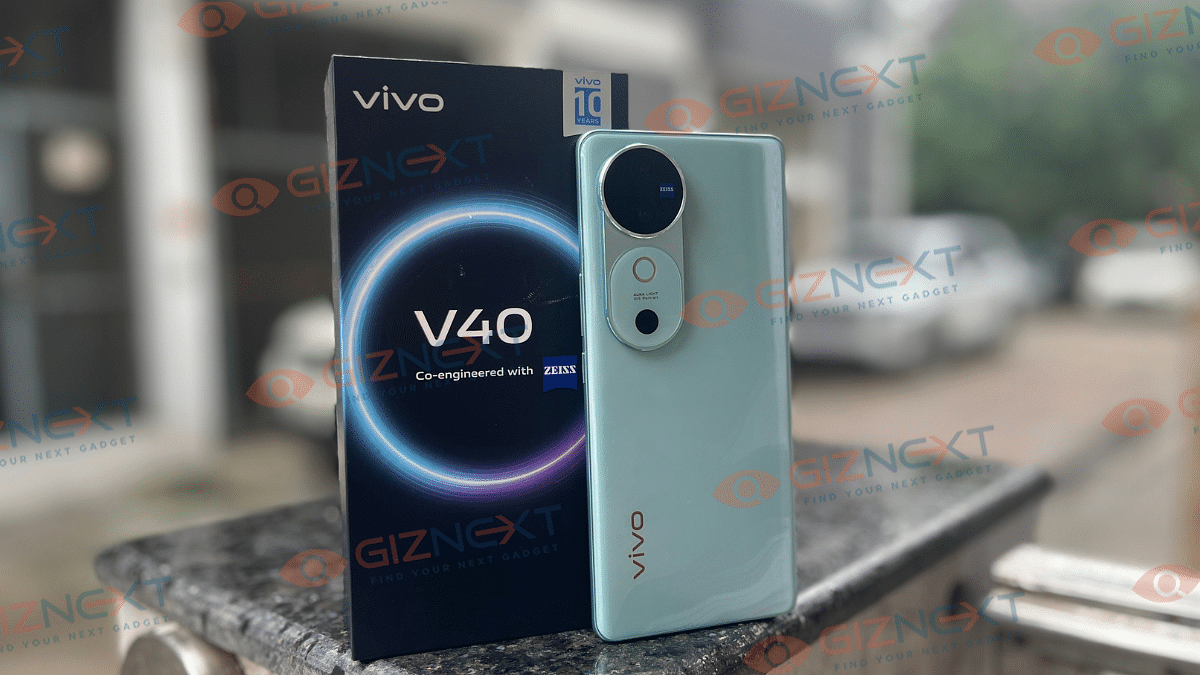
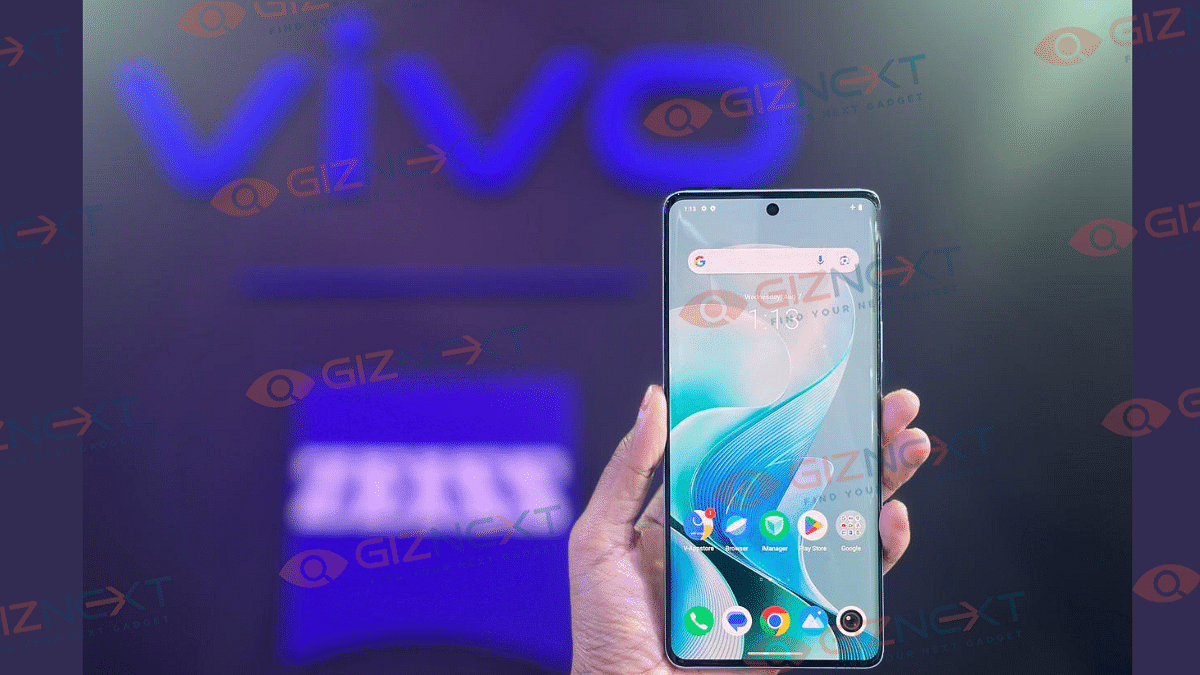
The Vivo V40 is finally here. Yes, we have got another affordable smartphone from the house of Vivo. Successor to the last year’s Vivo V30, this smartphone is a tone down version of its elder brother Vivo V40 Pro. It has got Zeiss dual optics and does especially well for portraits. And today, I am super excited to share my hand-on experience with the newly launched Vivo V40. The phone is a standout in the mid-range category and trust me it’s got a lot to offer. From a slick design to a camera collaboration with Zeiss, there is a lot to talk about. Let’s dive right in and get to know if it’s a great purchase in a crowded mid-range market.
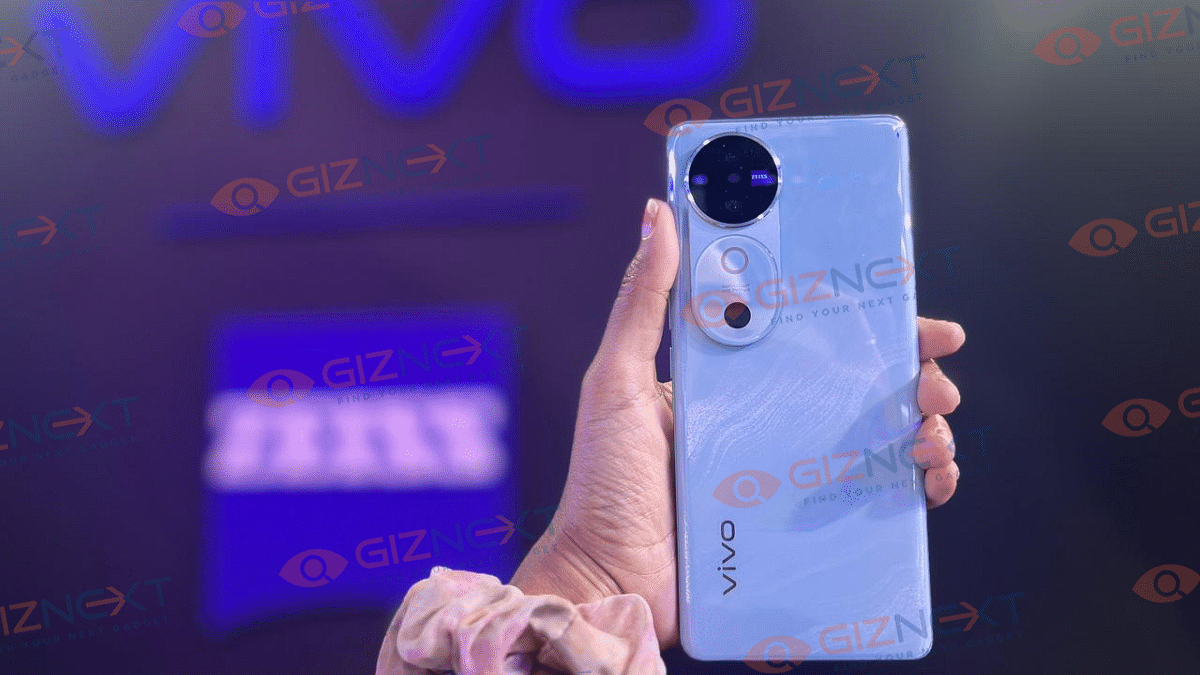
First things firsts, the premium glass design of the Vivo V40 is absolutely stunning. It has solid metallic frames, a curved screen and an extremely slim profile, which definitely makes it ahead of many rivals. You can get this Vivo smartphone in three colors, that is, Lotus Purple, Titanium Grey, and Ganges Blue that I received for this review. This is personally my favorite color variant. Its rear features a texture of flowing water that appears to honor the glorious journey of India’s most important river- Ganga. The particles shimmer as the phone is rotated gently which looks great. The device weighs just 193 grams which makes it super easy to hold and use it with one hand. The pleasant curvature of the back further enhances the comfortable grip.
Coming to the button placements and ports, the phone features volume rockers and a power button on the right. A dual SIM slot, primary microphone, USB Type-C connector, and speaker grill are all jammed onto the bottom section. There’s an additional microphone up top.
Now coming to the camera module. Well, its unique and eye-catching. It includes two 50MP Zeiss lenses. Right below, it has the right LED which the company named it Aura light for special portrait photography. The front punch-hole of the phone holds a 50MP selfie camera. The fingerprint sensor is an optical in-display kind. It has good haptic feedback. Plus, it has got an IP68 rating, making it water and dust resistant. So, no worries if you got caught in the rain.
Overall, the Vivo V40, without any doubt, stands out as one of the finest-designed phones in its segment. This smartphone doesn’t look like any other phone out there, and I love it.
Bright And Beautiful Display
The Vivo V40 features a 6.78-inch AMOLED display with a 1.5k resolution. The curved screen complements the design perfectly. If I talk about one of its standout features, then it is the peak brightness of 4500nits. This means you will have no trouble seeing your screen even in the bright sunlight. The colors are vibrant, thanks to its 1.07 billion color output.
You have got various screen color modes, i.e., standard (default), professional, and bright, from which you can select your preferred one. It also got smart switch that helps you choose between 60Hz or 120Hz. With the V40’s visual upgrade, apps like Netflix and YouTube have better color and contrast for more dramatic display effects.
Overall, the display is just a treat for your eyes, whether you are watching videos or scrolling through social media.
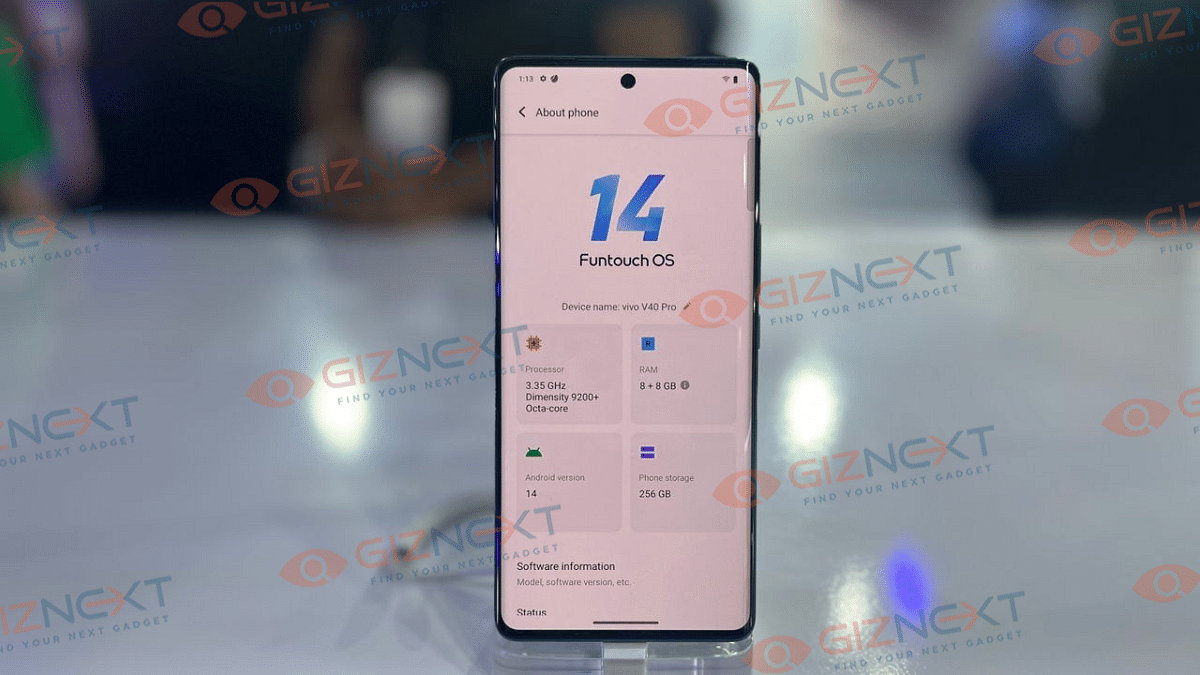
The Snapdragon 7 Gen 3 chipset powers the Vivo V40’s internal components. This is a high-performance chip which is manufactured in a 4nm process. It has 128GB of internal storage and 8GB of RAM. This combination ensures smooth performance, whether you are multi-tasking or gaming. I played some high-end games on medium settings and it handled them like a champ with no heating issues even after an hour-long session.
In terms of software, the phone is powered by Funtouch OS 14 on top of Android 14. It offers improved multitasking, a smoother visual experience, enhanced personalization, and a lock screen clock with three layout styles and eight font styles, among other features. Also, it comes with this new AI erasing feature which we had already seen on other phones.
In addition to three years of Android security updates, Vivo offers software support for at least two generations of Android OS upgrades. At the very least, you should be able to get security updates for three years along with updates to Android 15 and 16.
Zeiss Collaboration Shines
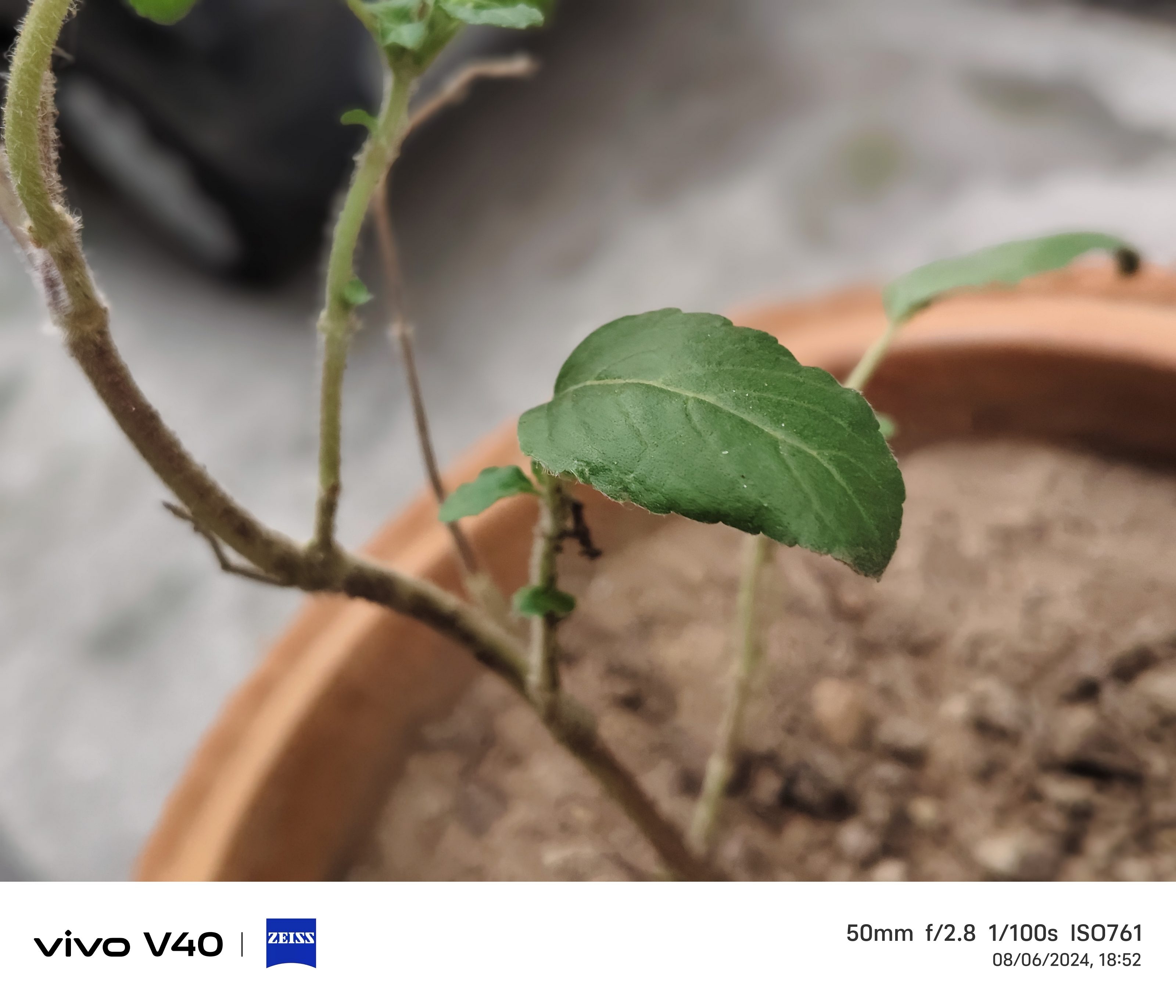
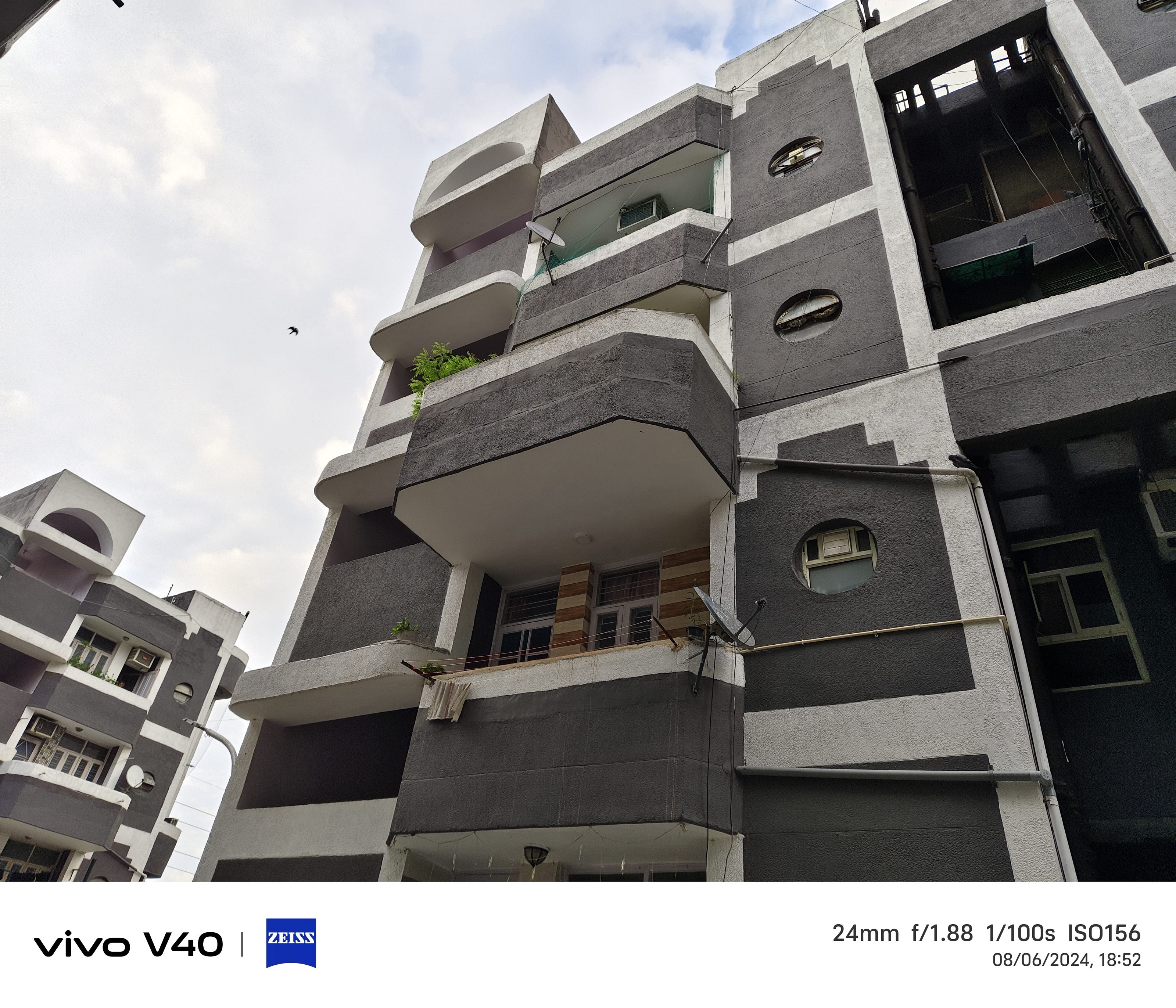
Now, let’s talk about the cameras, which is definitely the highlight of the Vivo V40. The smartphone comes with a dual 50MP rear camera setup. It has a 50MP Zeiss OIS Main Camera and a 50MP Zeiss ultra-wide camera. It has got many features like AR stickers, Pro mode, extended exposure, 50MP mode, supermoon, and much more.
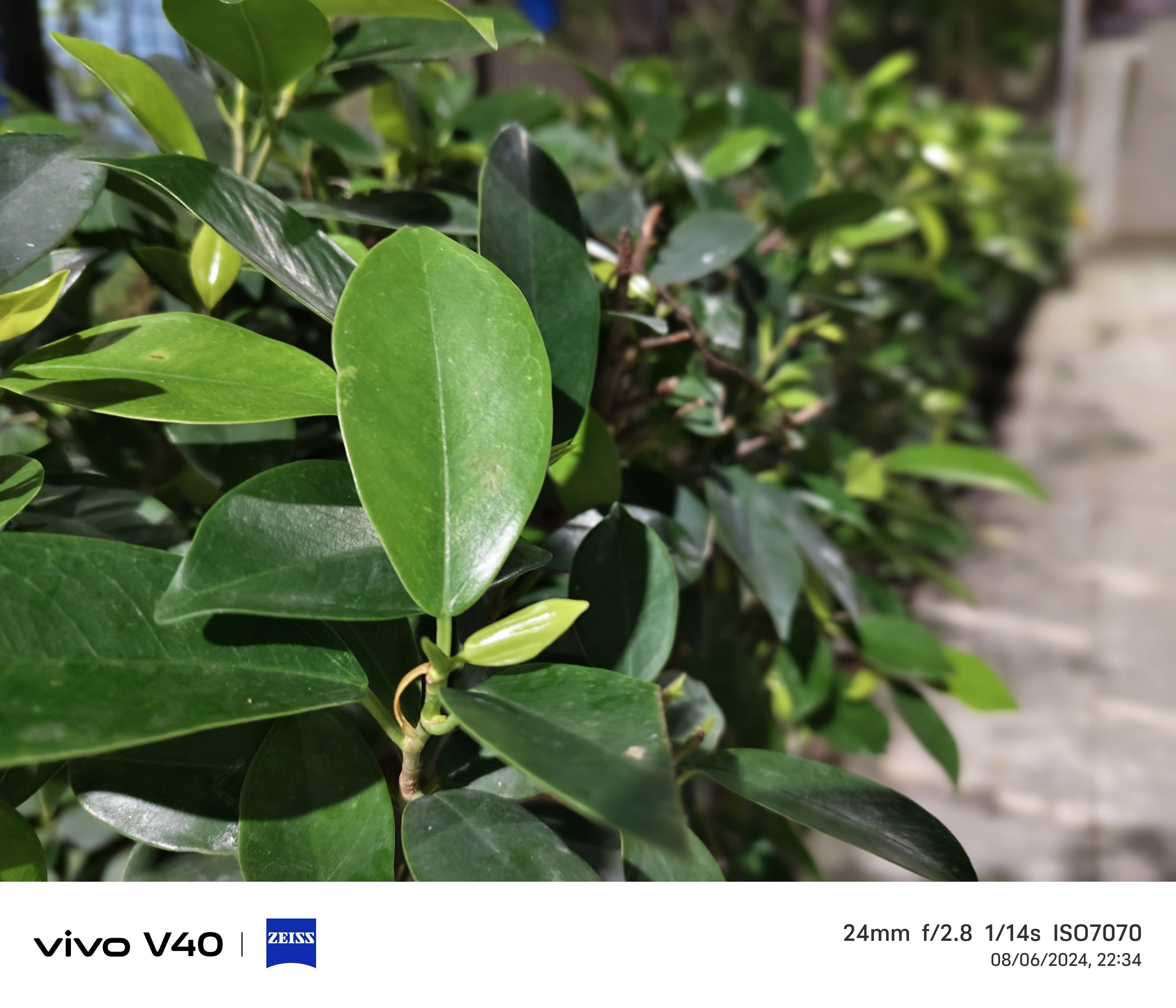
The primary camera, with its OIS, captures crisp and detailed images. Daylight photos have great dynamic range. And while they can be slightly oversaturated, I found it perfect for social media. The wide-angle lens is great for capturing expansive landscapes, though it lacks a bit of detail compared to the main lens.
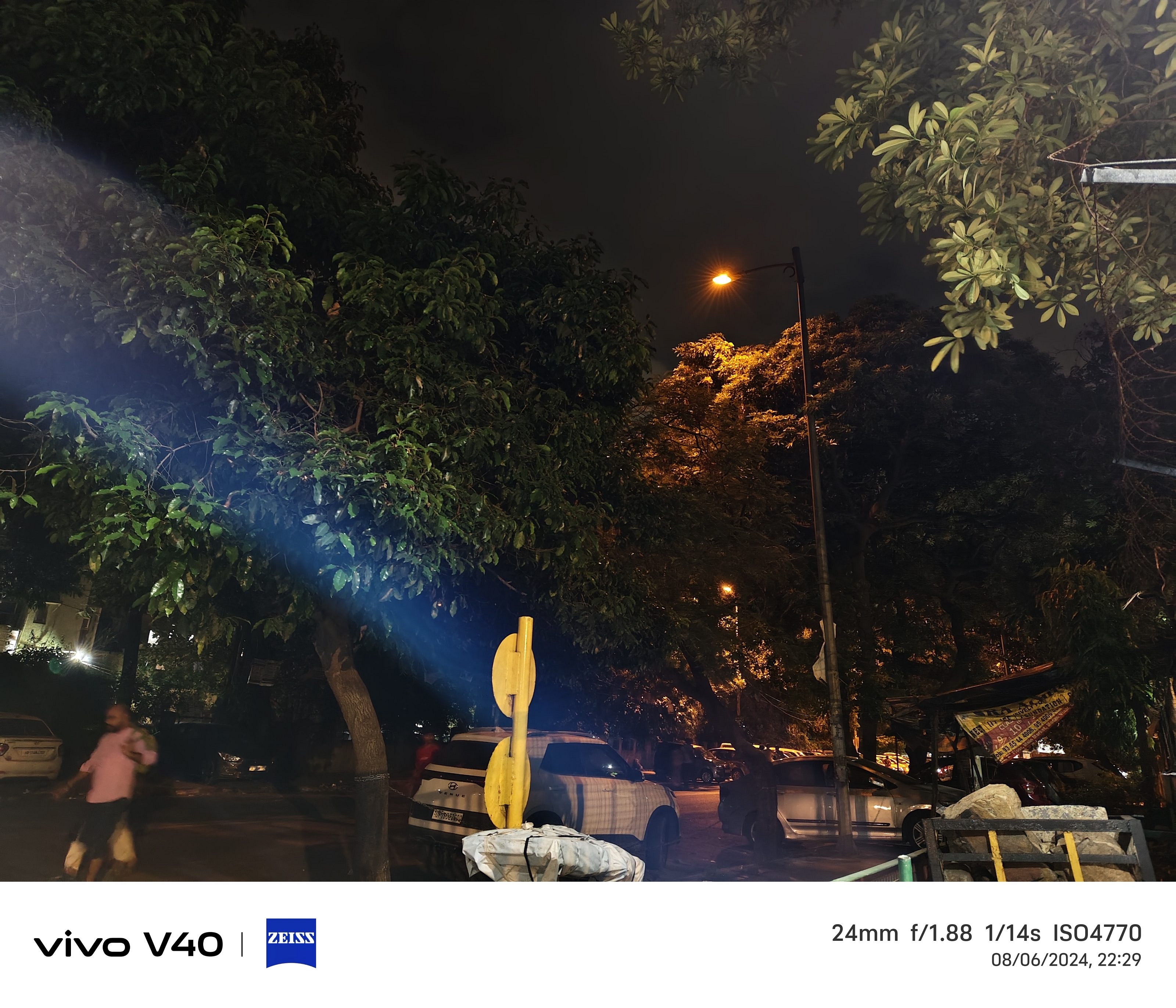
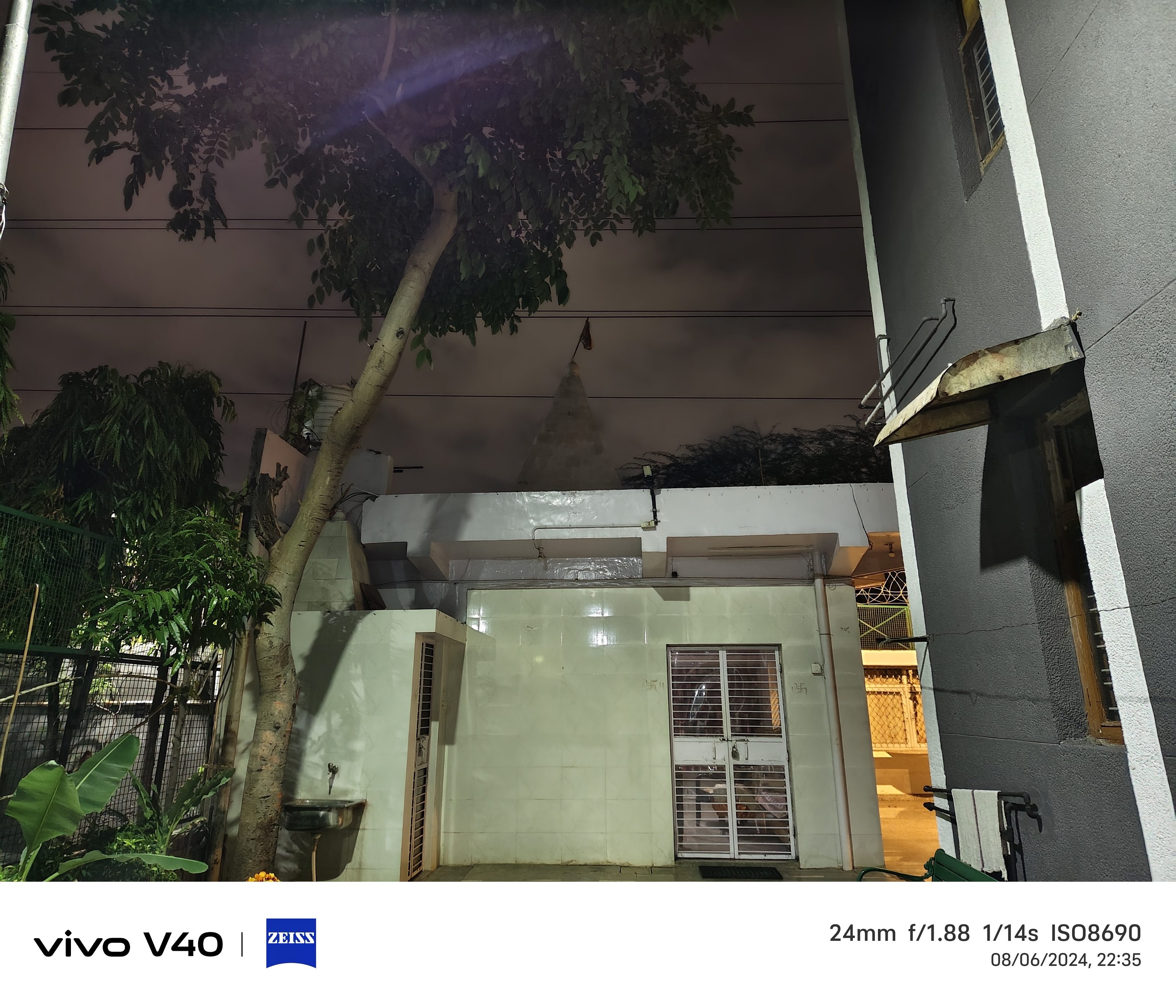
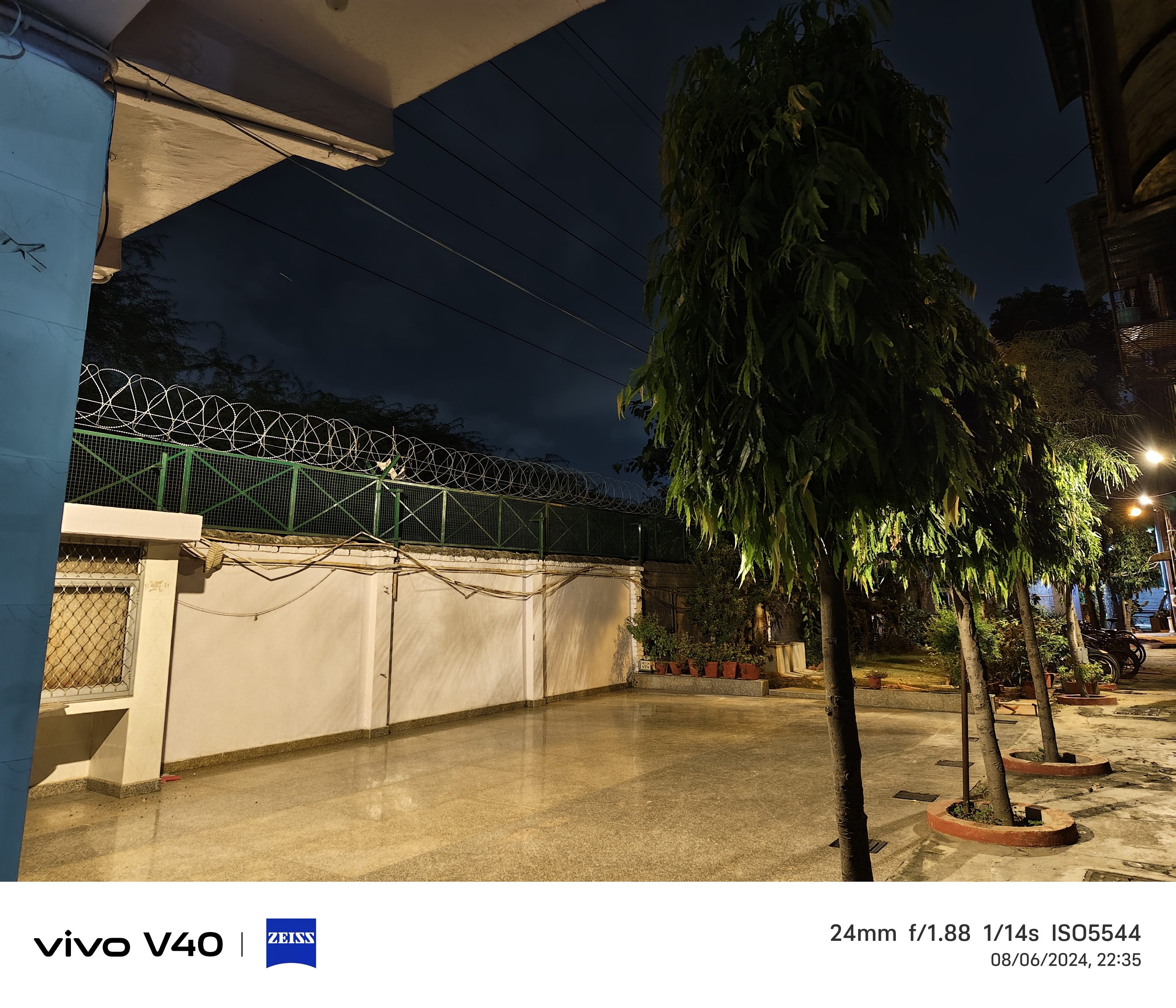
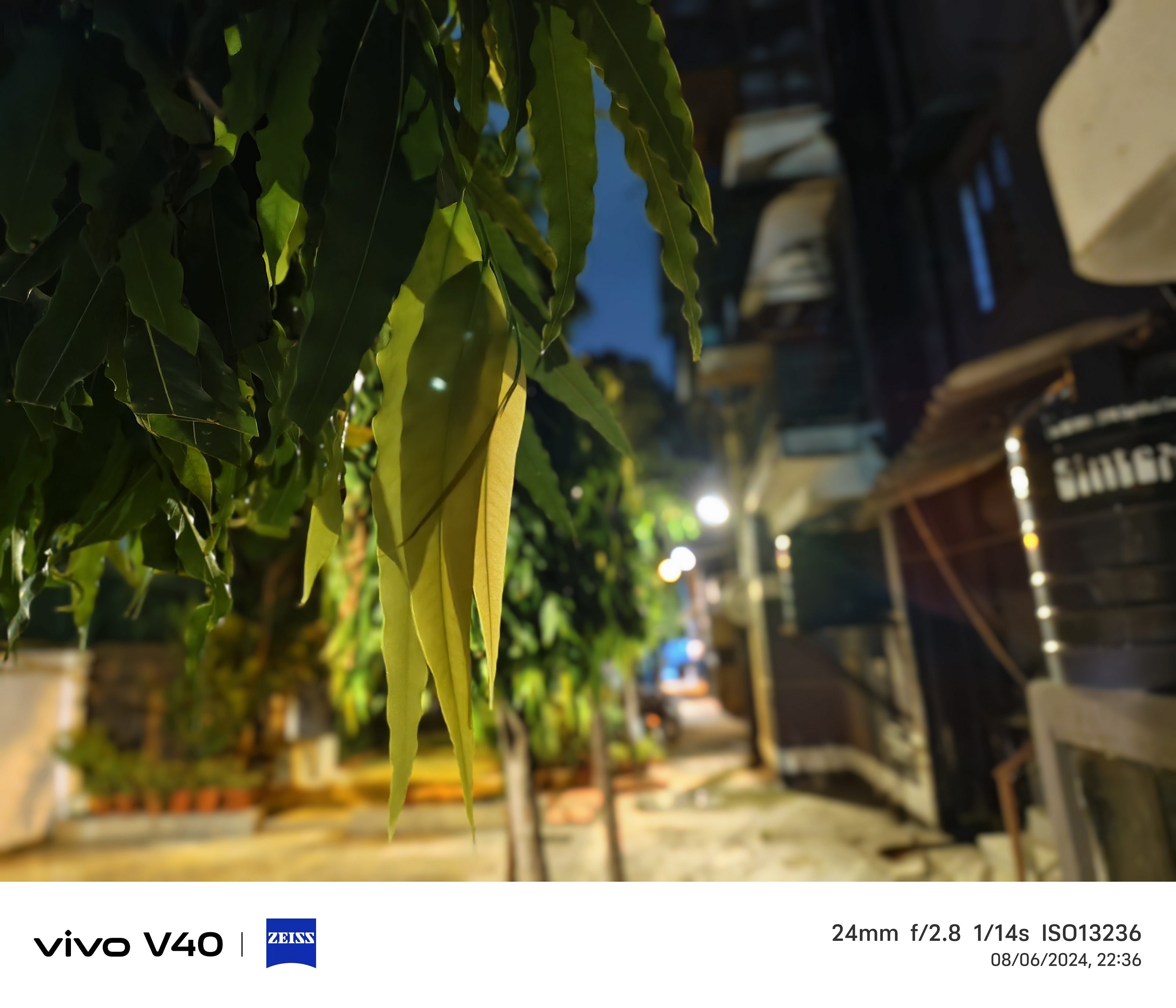
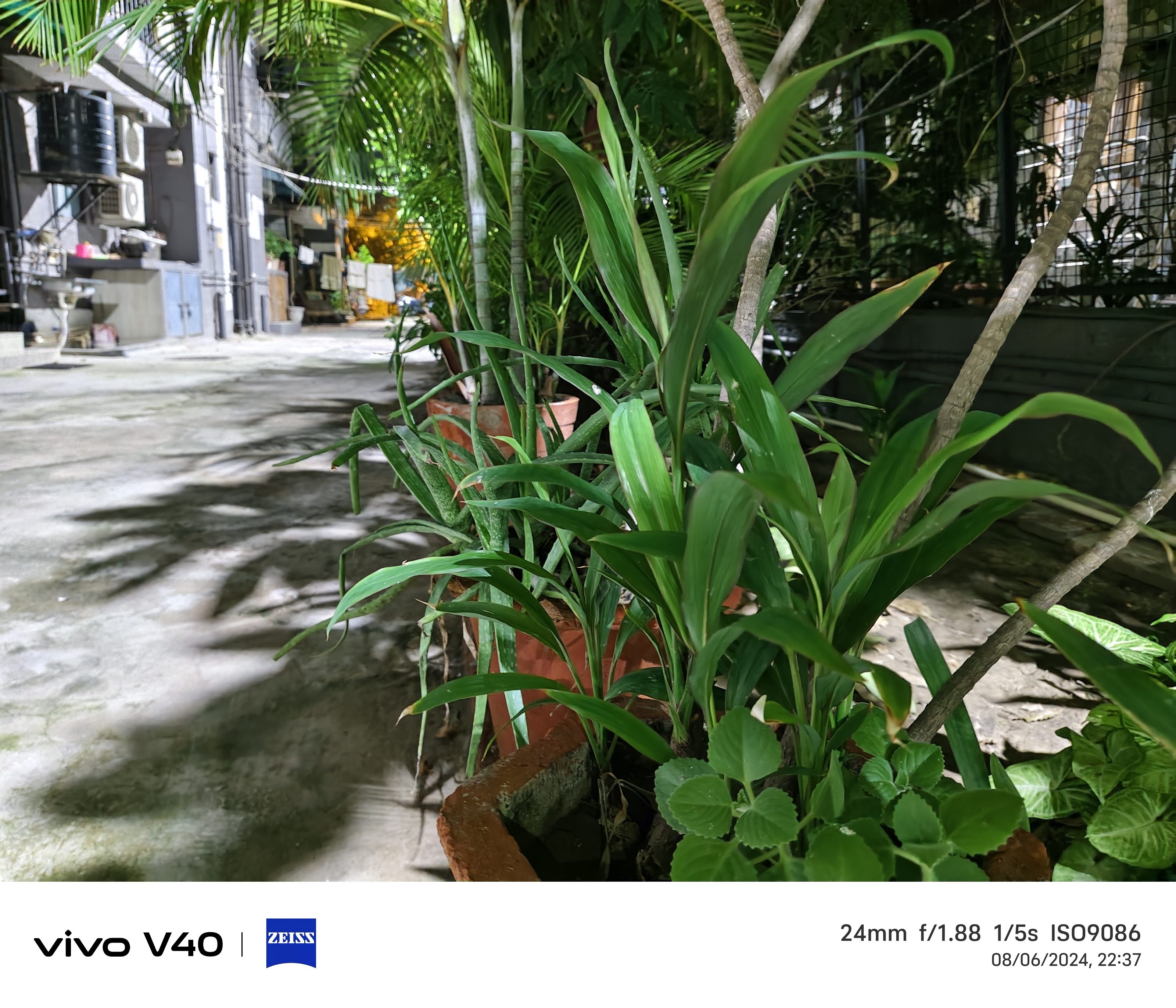
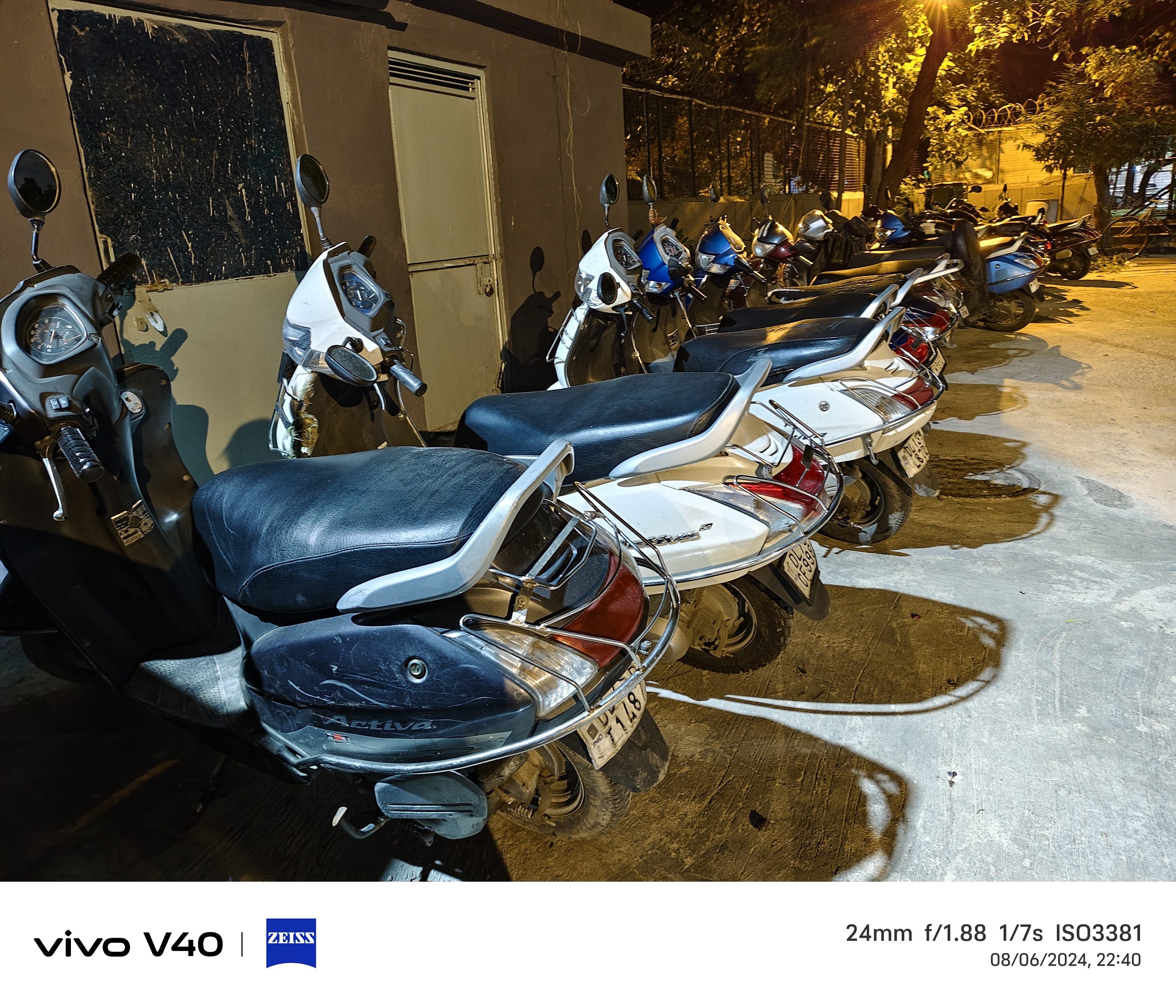
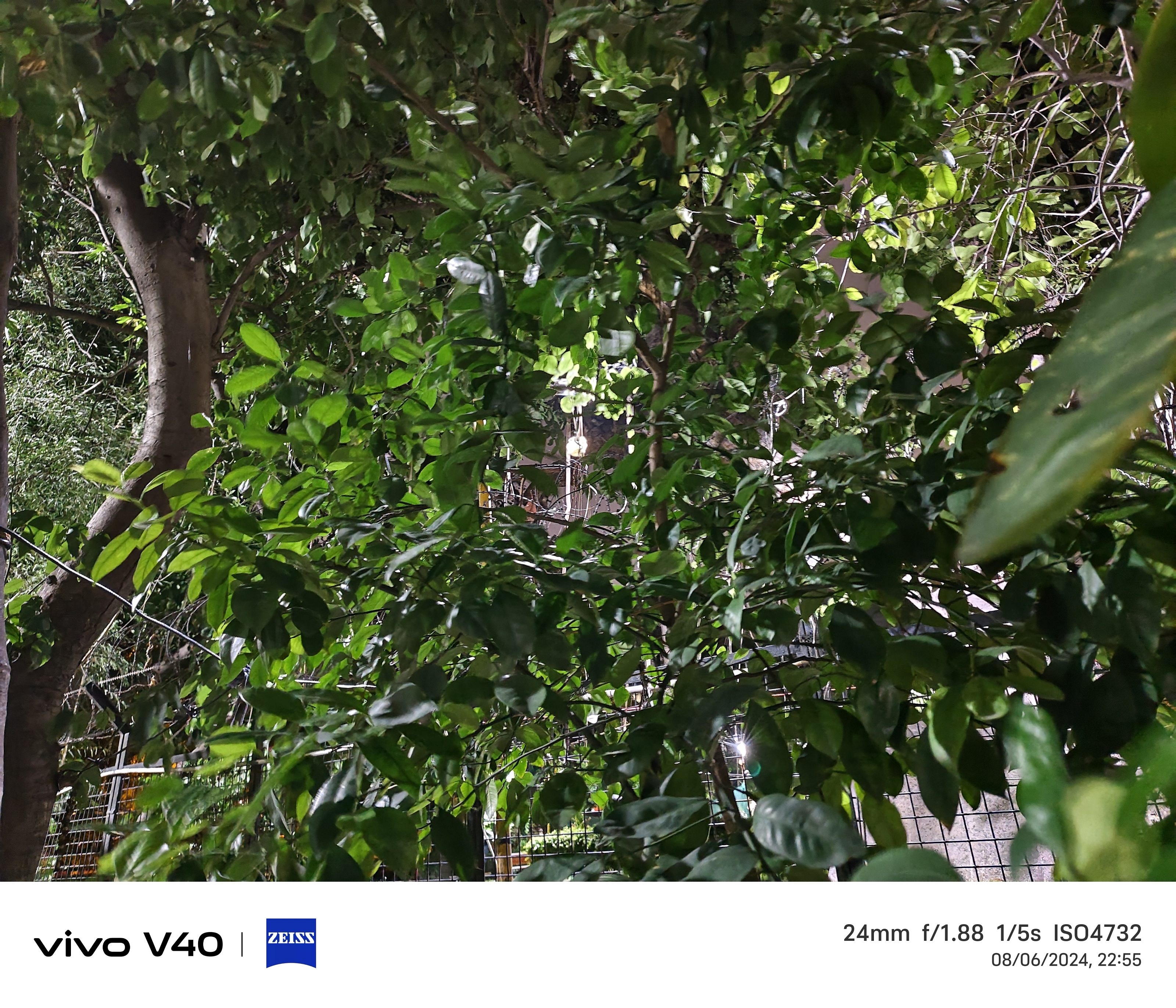
Better light intake is made possible by the F2.0 aperture, which produces crisp nighttime landscapes and portraits. OIS ensures detailed nighttime photographs by minimizing blur from trembling hands. The night mode automatically switches to ultra dark mode when there is extremely little light, which is better but takes a few seconds to process.
Aura Light
The 50MP front-facing camera is great for selfies. It offers a wide-angle 92-degree field of view. Portrait mode is accurate, with perfect edge detection and background separation.
The front and back cameras can record 4K video at 30fps. And let’s not forget the Aura Light feature, which is three times brighter than the previous generation. It is customizable and perfect for low-light conditions. It undoubtedly gives your portraits that extra pop.
Battery Lasts All Day
Despite its slim design, the Vivo V40 packs a 5,500mAh battery that easily lasts a full day with moderate usage. And when you do need to charge, the 80W fast charger juices it up to 100 percent in just about 30 minutes. No more waiting around for your phone to charge.
Pricing
The starting price of the Vivo V40 is Rs. 34,999 for 8GB + 128GB model. You have to pay Rs. 36,999 for 8GB + 256GB variant and Rs. 41,999 for 12GB + 512GB model. The sales of the Vivo V40 is scheduled to begin on August 19.
The Vivo V40 is a great mid-range smartphone with top-notch features. Its stylish design, bright AMOLED display, smooth performance, and impressive camera setup make it a great choice for anyone looking for a balanced and reliable smartphone. Not only this, the collaboration with Zeiss brings a professional touch to your photography. If you’re in the market for a new phone, the Vivo V40 is definitely worth considering.
For the tech geeks, stay updated with the latest cutting-edge gadgets in the market, exclusive tech updates, gadget reviews, and more right on your phone’s screen. Join Giznext’s WhatsApp channel and receive the industry-first tech updates.