10 percent instant savings when using an SBI credit card
This festive season, Amazon is leveling up the gaming experience with its Gaming Fest. The sale is live until September 5. Gaming enthusiasts have a golden opportunity to upgrade their gadgets with top gaming laptops from popular brands like Asus, Dell, HP, Lenovo, and MSI. Additionally, customers can enjoy up to 10 percent instant discounts on SBI credit card and credit card EMI transactions.
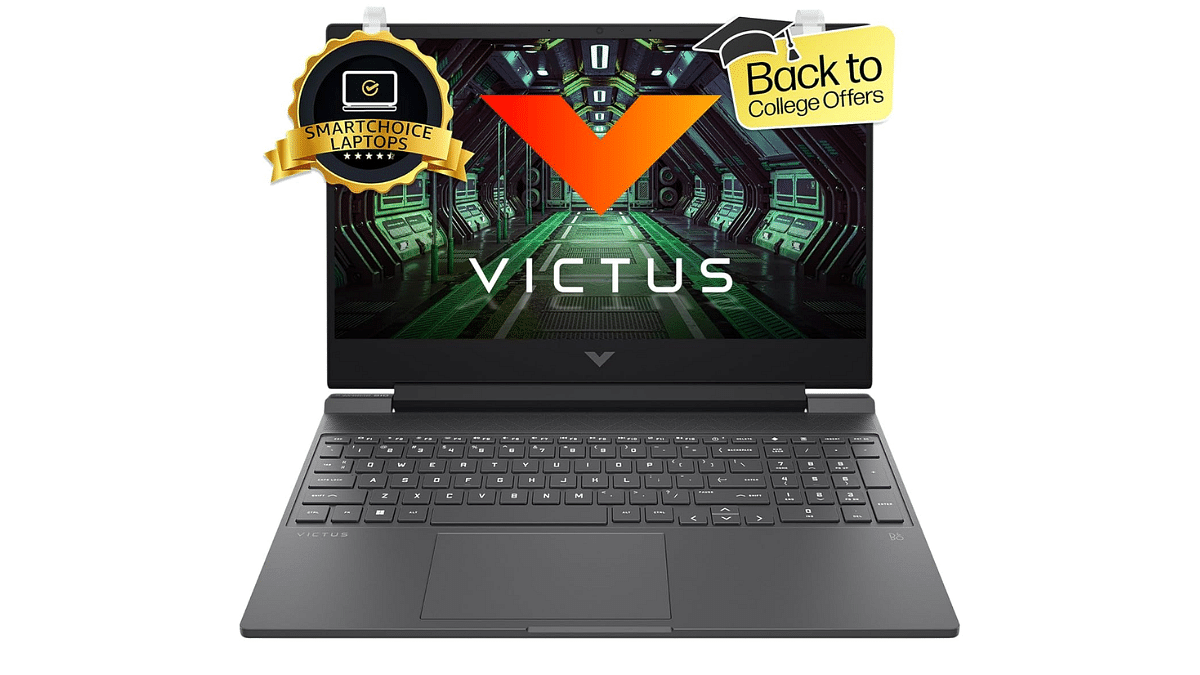
For gamers seeking a balance between performance and value, the HP Victus 15 gaming laptop is an ideal choice. It comes with a 13th generation Intel Core i5 processor, RTX 4050 GPU, FHD display with a 144Hz refresh rate. This laptop is perfect for both casual and competitive gaming.
Display
15.5-inch
Hard Disk
512GB
CPU
Core i5
RAM
16GB
OS
Windows 11 Home
Special Feature
Anti-Glare Screen
Graphics Card
Dedicated
Colors
Silver
Dell G15-5530 Gaming Laptop
The Dell G15-5530 gaming laptop is a powerhouse. It has an RTX 3050 GPU, a 13th generation Intel Core i5 processor, and other features. Its 120Hz refresh rate FHD display offers a sharp visual experience.
Display
15.6-inch
Hard Disk
1TB
CPU
Core i5
RAM
16GB
OS
Windows 11 Home
Special Feature
Backlit Keyboard
Graphics Card
Dedicated
Colors
Dark Shadow Gray
Lenovo LOQ Gaming Laptop
The Lenovo LOQ gaming laptop offers a great gaming experience with its 12th generation Intel Core i5 processor. Its FHD display with a 144Hz refresh rate ensures crisp visuals and fluid gameplay.
Display
15.6-inch
Hard Disk
512GB
CPU
Core i5
RAM
16GB
OS
Windows 11
Special Feature
Anti-Glare Coating
Graphics Card
Dedicated
Colors
Luna Grey
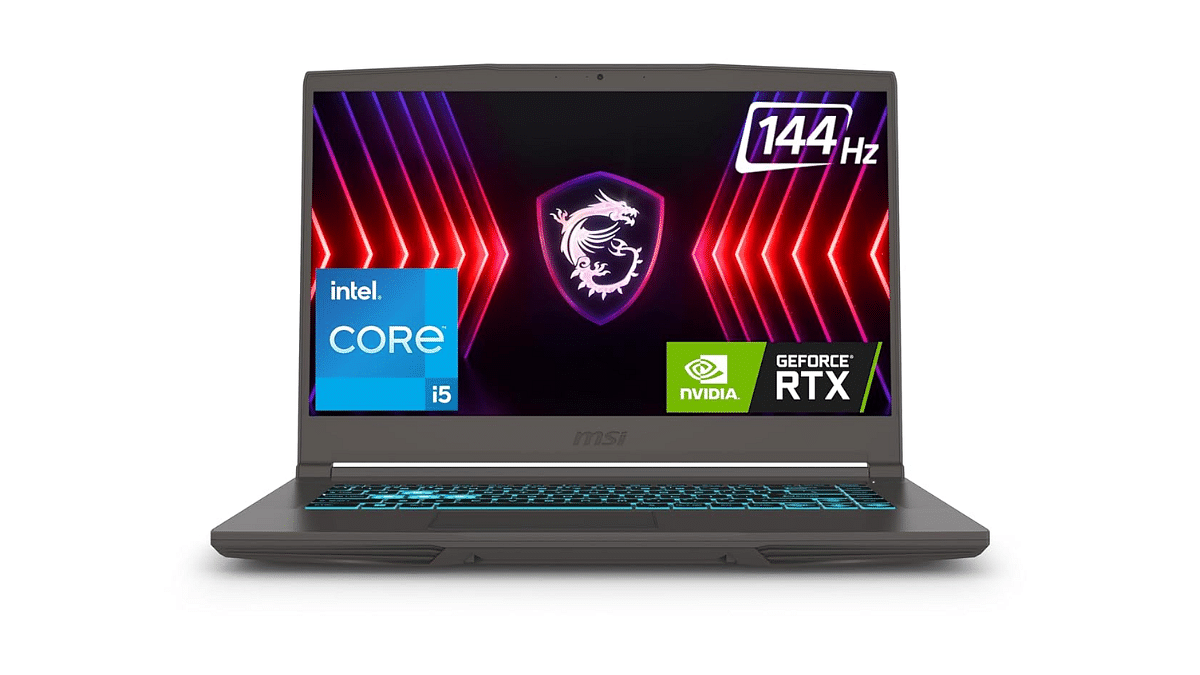
MSI Thin 15 Gaming Laptop
Performance and mobility are key features for gamers who choose the MSI Thin 15 gaming laptop. For those who wish to enjoy gaming while on the road, it is ideal.
The Asus TUF Gaming F17 laptop features an 11th generation Intel Core i5 processor, RTX 2050 GPU, 8GB RAM, and a 512GB SSD. This combination ensures smooth gameplay and quick load times.
Display
17.3-inch
Hard Disk
512GB
CPU
Core i5
RAM
8GB
OS
Windows 11 Home
Special Feature
HD Audio, Anti-Glare Coating, Backlit Keyboard
Graphics Card
Dedicated
Colors
Graphite Black
For the tech geeks, stay updated with the latest cutting-edge gadgets in the market, exclusive tech updates, gadget reviews, and more right on your phone’s screen. Join Giznext’s WhatsApp channel and receive the industry-first tech updates.
Apple AirPods offer wide compatibility with a variety of gadgets
AirPods compatibility with MacBook is swift
Pairing issues if there can be fixed manually
Apple is amongst the top favorites when we speak of consumer tech brands specifically smartphone OEMs with a niche for premium product range. The Apple iPhone series is the world’s most powerful smartphone lineup today so is the MacBook laptop series which is also taking care of the premium end consumers. Besides smartphones and tablets, Apple has also created its expertise with audio products and has been the first in the lot to introduce the concept of truly wireless earbuds with the AirPods.
Apple AirPods offer a wide range of connectivity and can be paired up with mobile devices beyond iOS, PadOS and MacOS. Of course, the pairing is seamless with the Apple devices running on these platforms. While the pairing process of AirPods with iPhone and other Apple products is swift, there could be scenarios when you experience pairing issues with your AirPods and MacBook. What can be done in such situations? Are there any troubleshooting steps that you can perform to connect AirPod with MacBook? We have listed the steps for a quick fix below:
If you are experiencing connection issues while pairing your AirPod with MacBook, you can perform a few steps for a fix. But before you proceed, ensure the MacBook with which the AirPod is being paired runs on the latest macOS version. You can manually update the OS version and then perform the remaining steps.
Step 1: Power on your Apple MacBook
Step 2: Get the AirPods that you need to connect with the MacBook and put them inside the charging case. Ensure both earbuds are getting charged.
Step 3: Now, on your MacBook go to the Apple Menu and select System Settings.
Step 4: Tap on Bluetooth.
Step 5: Select the AirPods as the audio device if the they are already connected to the MacBook.
Step 6: If the AirPods show up as connected but they aren’t working, you will need to remove it from the paired list. Tap on the X to delete the AirPods from the connected devices list.
Step 7: Now, put the earbuds back in the case and close the lid for 15 seconds. Re-open the case’s lid after 15 seconds.
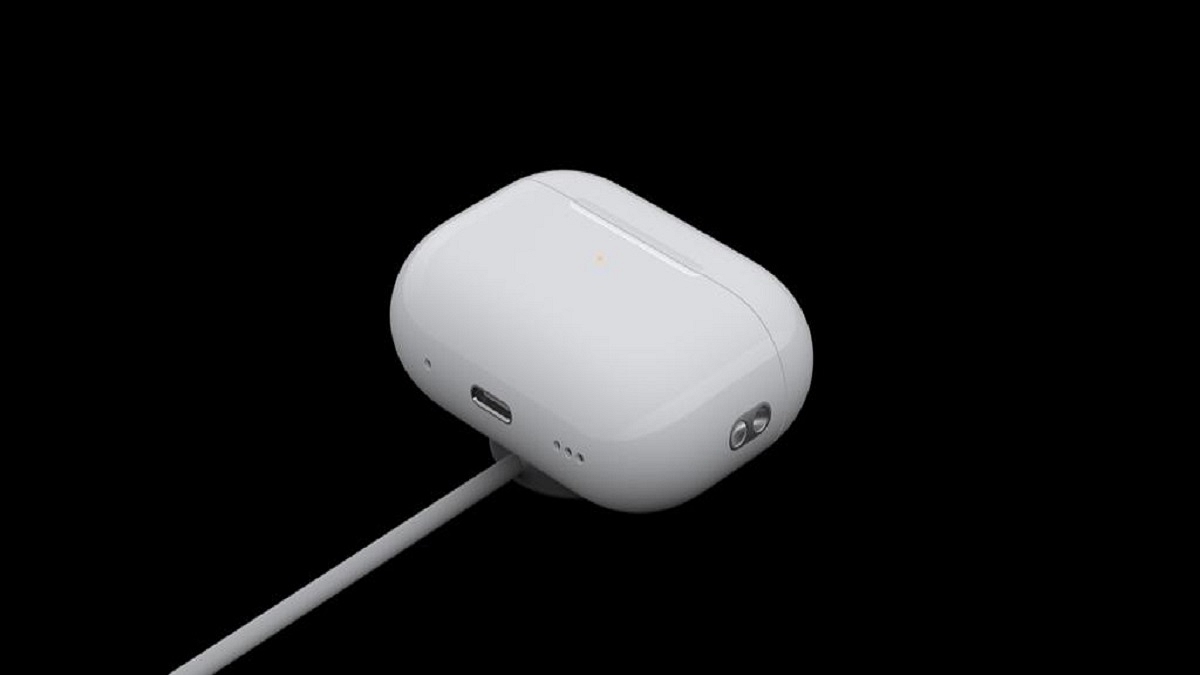
Step 8: You will now need to tap a hold the setup button on your AirPod’s charging case for 10 seconds. Wait for the white LED to flicker which will be an indication for the active pairing status.
Step 9: Bring the charging case with the AirPods inside right next to the MacBook. Make sure the lid is open.
Step 10: Complete the on-screen steps for the pairing.
Step 11: You might need to reset your AirPods if the aforementioned steps don’t fix the pairing issue. And if still the issue persists, you might need a service center visit.
Dedicated battery saver mode helps with extra backup
Battery drainage can be controlled with different steps
Android OS is currently the most advanced mobile operating system. Developed by Google, Android has been the driving force behind smartphones and tablets and off late is powering new-generation smart TVs, and also automotive in the form of Android Auto. With Android OS, you can get done with a whole range of customizations and optimizations on your smartphones. From display, audio, to performance, Android OS allows optimizing various features on the device.
Battery backup is one such crucial element which can be optimized using the Android OS. In fact, if you own an Android smartphone or tablet, you can keep a check on the battery drain status of your device and can easily fix if there are some issues. What all can you do to maximize the battery backup of your Android device and how can you avoid battery drainage. We have shared the tips and tricks below:
For the tech geeks, stay updated with the latest cutting-edge gadgets in the market, exclusive tech updates, gadget reviews, and more right on your phone’s screen. Join Giznext’s WhatsApp channel and receive the industry-first tech update
Android Battery Saver Tips: What All You Do To Reduce Battery Drain And Extend Its Life?
Disable any active screen saver: By turning off any active screen saver, you can get an extended backup on a single charge.
Activate Auto Brightness and reduce high brightness levels: The screen brightness levels of your Android smartphone is a determining factor for the battery consumption which when reduced consumes lower power.
Restrict apps that consume battery extensively: Mobile apps that drain battery faster when restricted helps with an extended battery life
Enable Dark theme: You can activate the Dark theme on your Android devices. With darker app backgrounds, the battery consumption becomes limited.
Limit active internet connection usage: By keeping the internet connections deactivated when not in use, the device gets an extended battery life. You can enable directly disable Wi-Fi, Bluetooth, and mobile new when not in use and also activate the airplane mode for the same.
Disable GPS and Location services when not required: If you deactivate the GPS and location services, the battery drainage is low. This is another quick setting that you can toggle off for saving battery.
Use dedicated power saving mode: This will come in handy when your device is almost out of juice and has only limited battery percentage remaining. Enabling this mode will ensure battery drainage is at the lowest speeds.
Avoid keeping the device’s screen active: You need to avoid performing those actions that keeps the screen awake. For instance, if a video playback is going on and the device is not in use, it will drain the battery faster. Hence, it is advised that you keep the phone’s screen locked when not in use without any screen saver or similar apps running in the background.
Always use official power adapter: Charging you device with a non-compatible or a different company’s charger can have effect on your device’s battery health. Hence, ensure to use the power adapater that ships with your device.
By using these settings, you can easily keep a check on the battery health of your Android smartphone/ tablet and reduce excessive drain. These steps will also help with improving the battery health overall and extend its life cycle.
Multiple upgrades over its successor (Realme 12+ 5G)
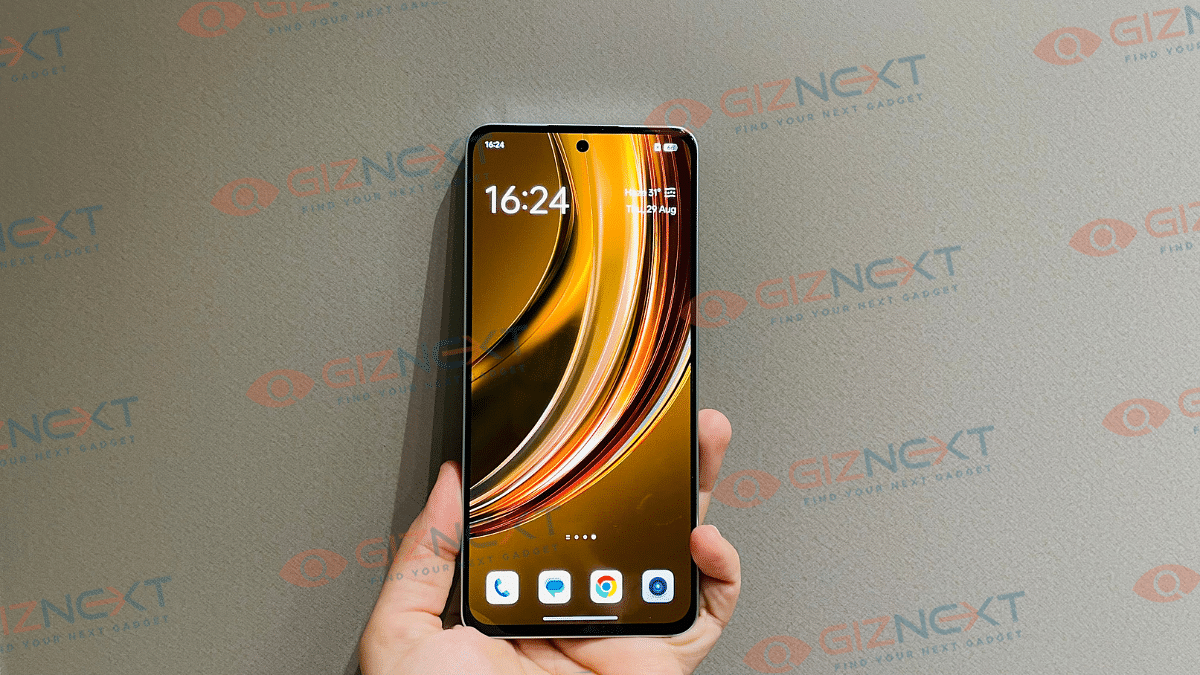
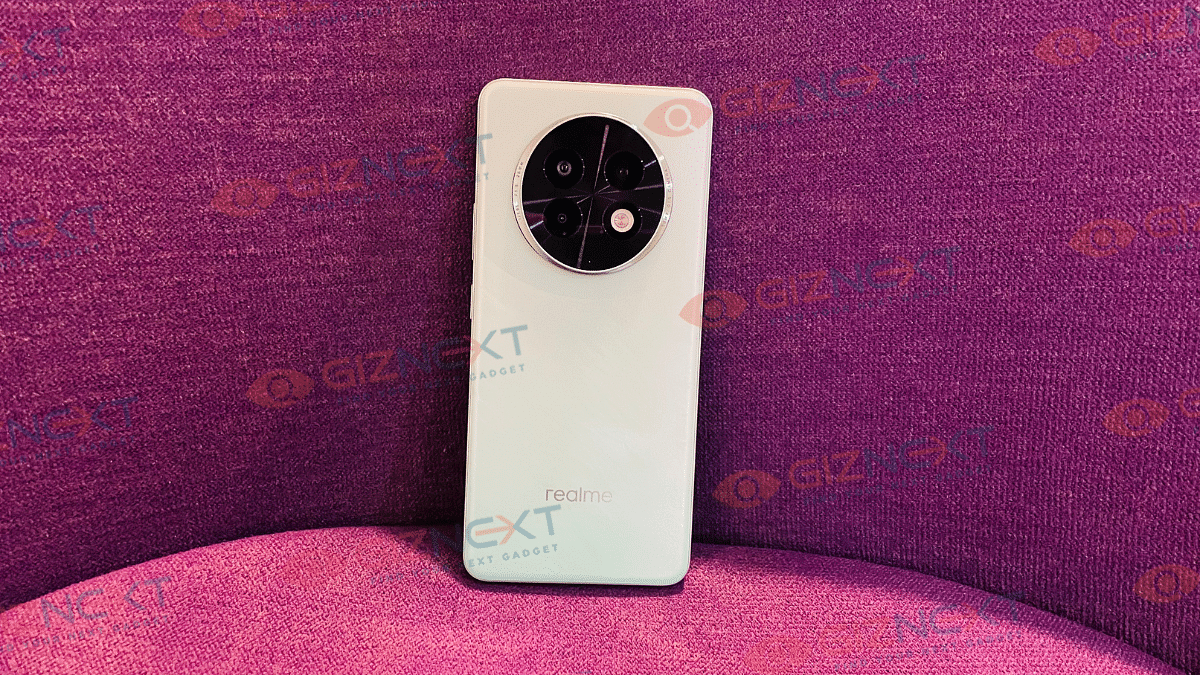
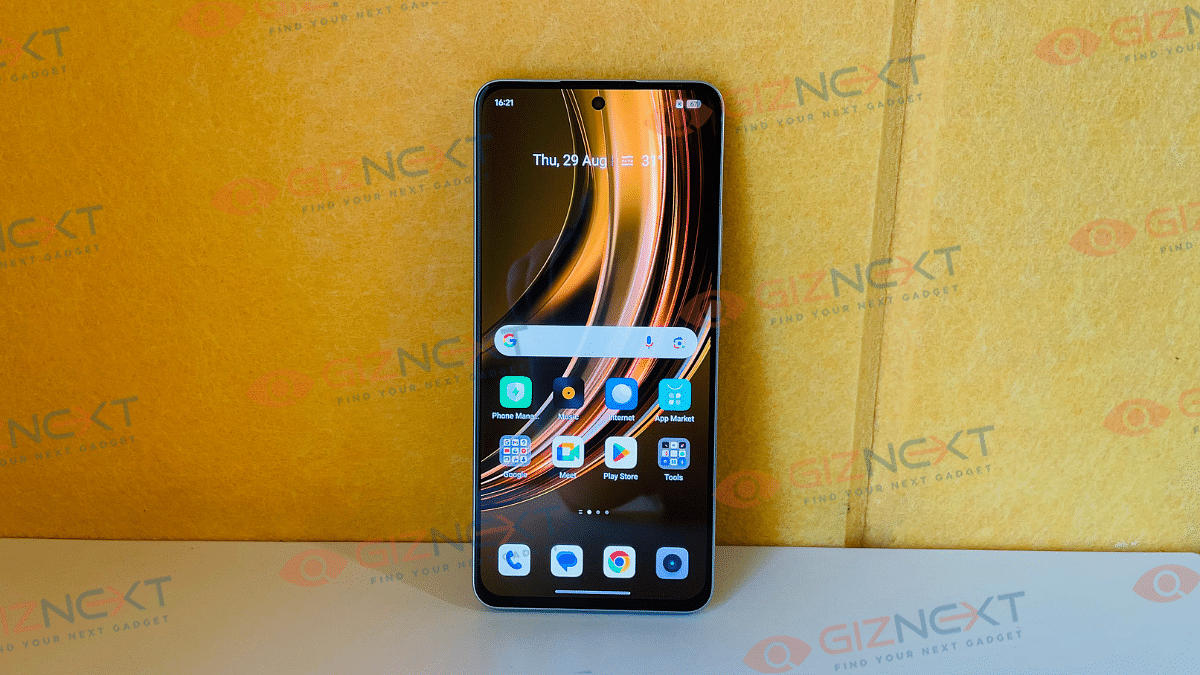
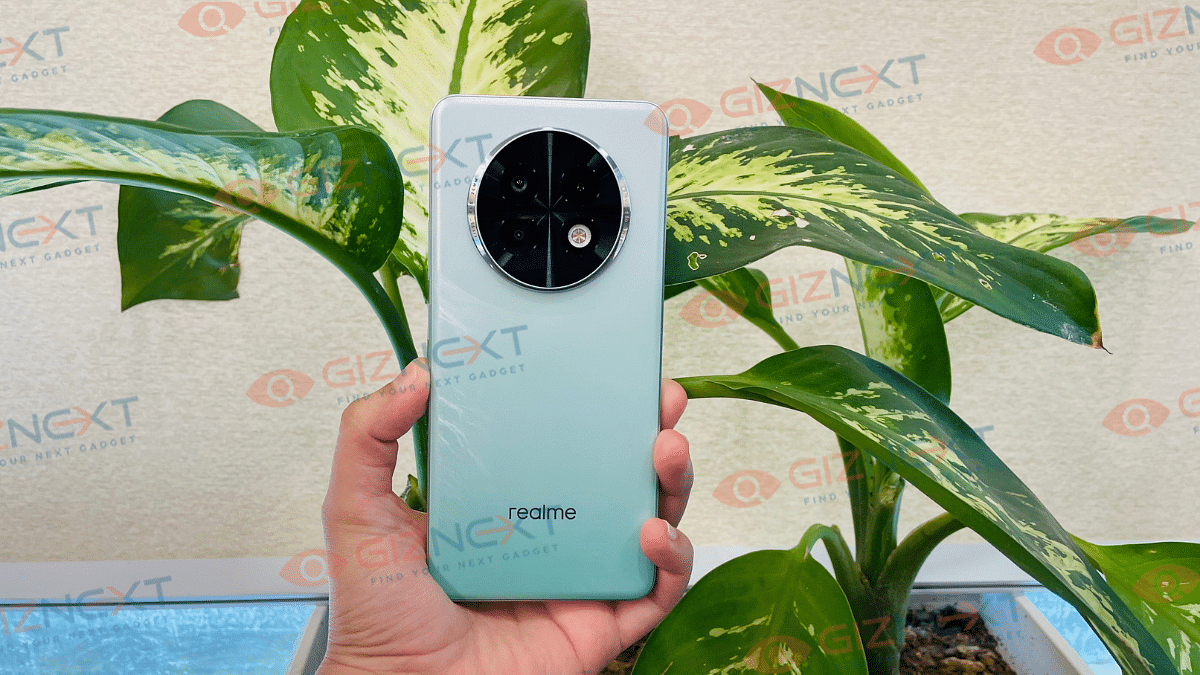
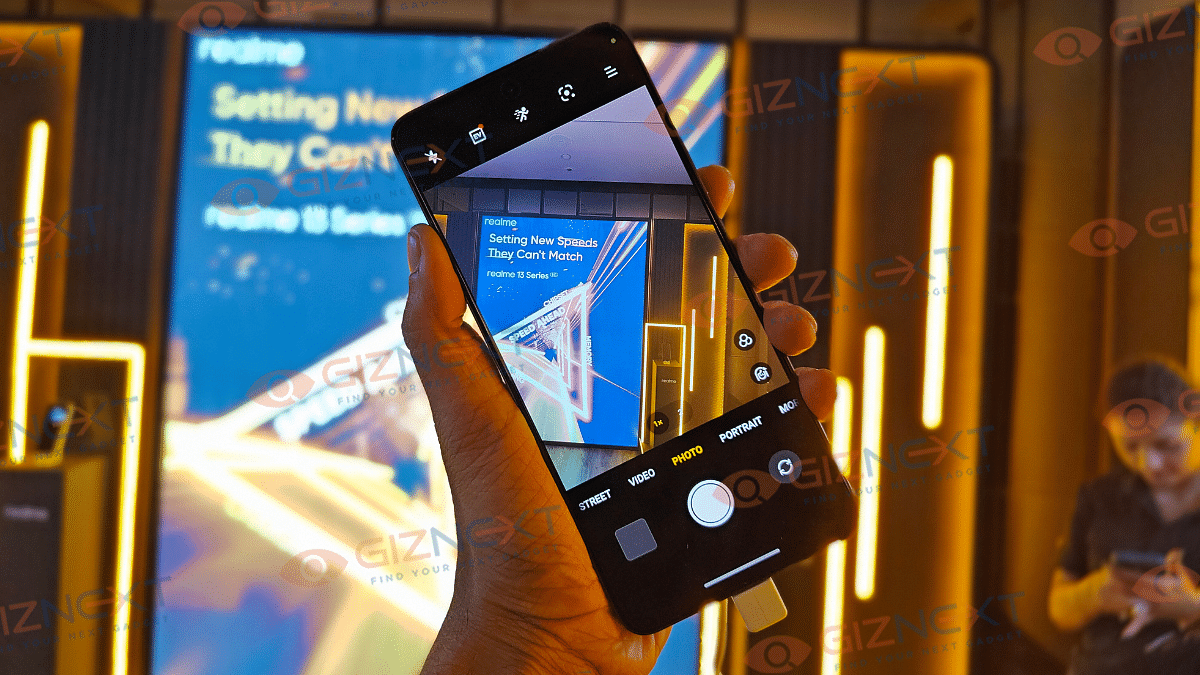
Realme’s Number series has been refreshed once again in India. The Realme 13+ 5G and the Realme 13 have arrived joining the Realme 13 Pro+ which was launched a few months back in the country. The Realme 13+ 5G is the mid-trim which has received decent updates over its precursor with its focus being on majorly performance that too at a reasonable price range. Giznext attended the Realme 13+ 5G’s official launch event and got to experience the handset. In this article we are sharing the first impressions of the Realme 13+ 5G. Read on to know if it is worth an upgrade if you are planning its purchase:
For the tech geeks, stay updated with the latest cutting-edge gadgets in the market, exclusive tech updates, gadget reviews, and more right on your phone’s screen. Join Giznext’s WhatsApp channel and receive the industry-first tech updates.
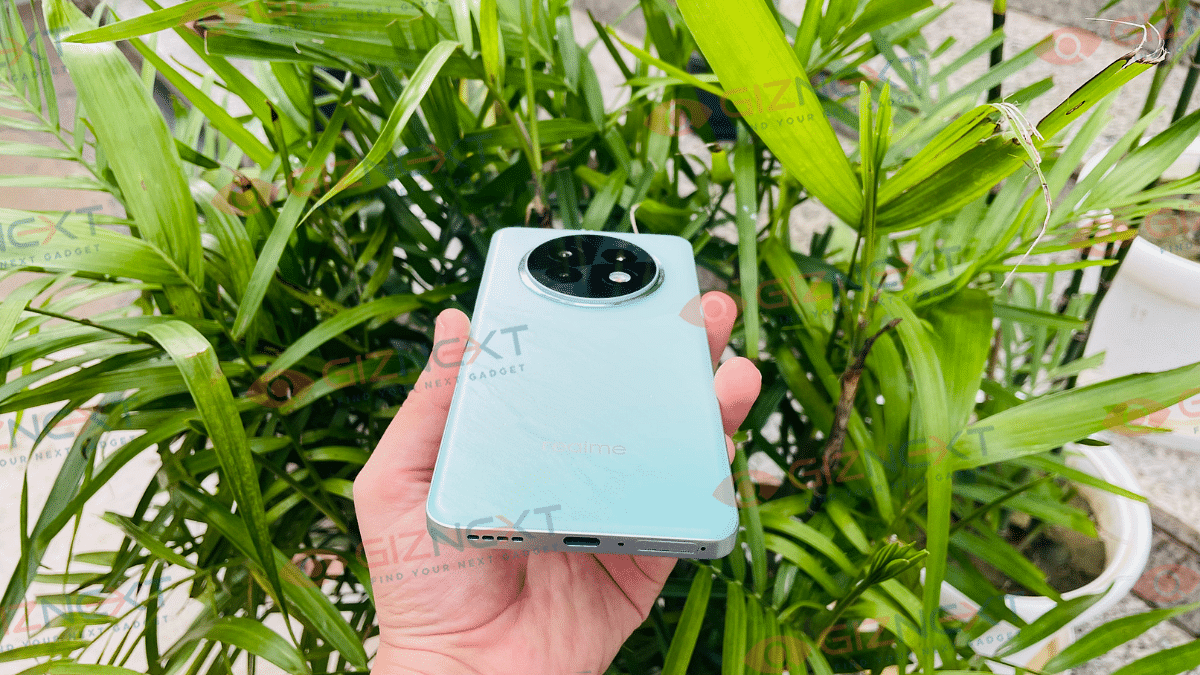
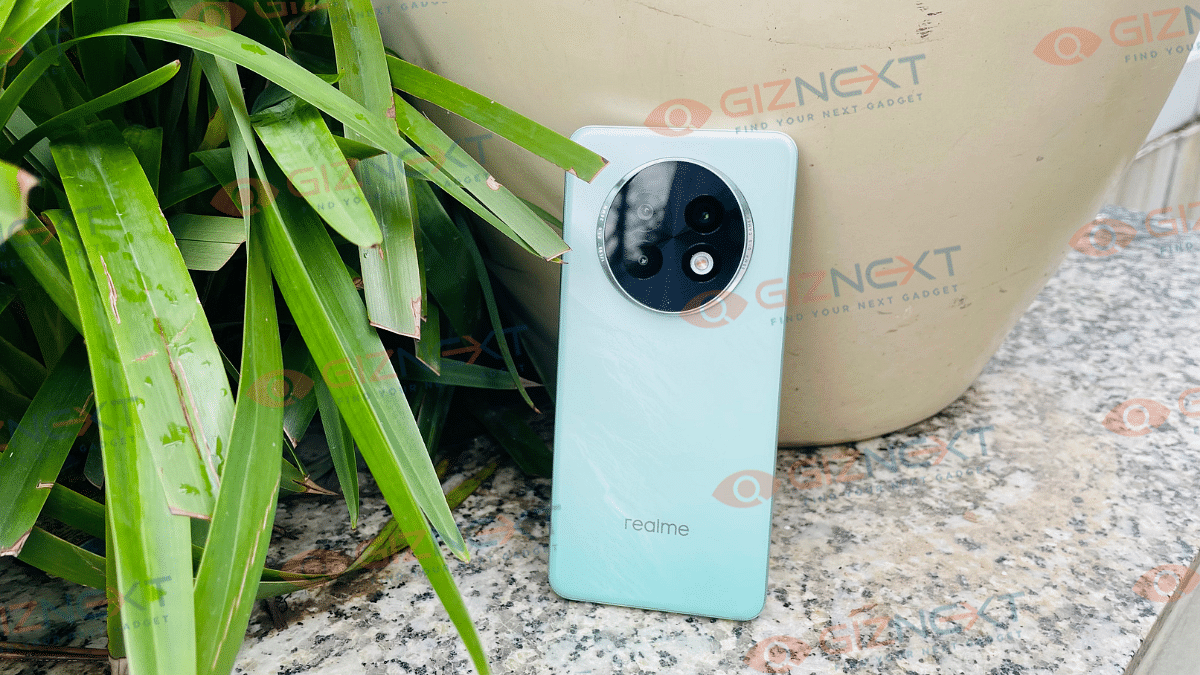
Realme latest number series phones flaunts a familiar yet an updated design. The rear panel gets the standard plastic construction, but the frames are metallic. The large circular camera island is similar to its older sibling. The flat edges of the frame allows a firm and comfortable grip.
Upfront too, the Realme 13 Pro+ gets a neat finish with ultra-thin bezel profile and tiny punch hole cutout upfront. Ports placements are standard too, the right panel has the lock and volume keys, whereas, the left panel is kept barren.
The Type-C port, SIM card tray, and the speaker grille at the bottom. Victory Gold, Speed Green, and Dark Purple are the some of the cool color options that you can opt from. The design aesthetics of the Realme 13 Pro+ 5G is modern and will catch your attention without questions.
The Realme 13+ 5G has a big screen upfront measuring at 6.67-inches. Panel used by Realme this time is the E4 AMOLED which has 1080 x 2400 pixels FHD+ resolution. At the first glance itself, you’ll easily figure out how vibrant the screen panel is.
It produces rich color tones which will get you hooked to the screen while streaming high-res videos or gaming. With the added HD10 compatibility, the Realme 13+ 5G will be capable of streaming 1080p videos online. The screen of the Realme 13+ 5G incorporates an in-display scanner for biometrics.The brightness levels are also at par with the rivals. It offers up to 2000 nits of peak brightness which makes reading content under harsh sunlight a comfortable experience.
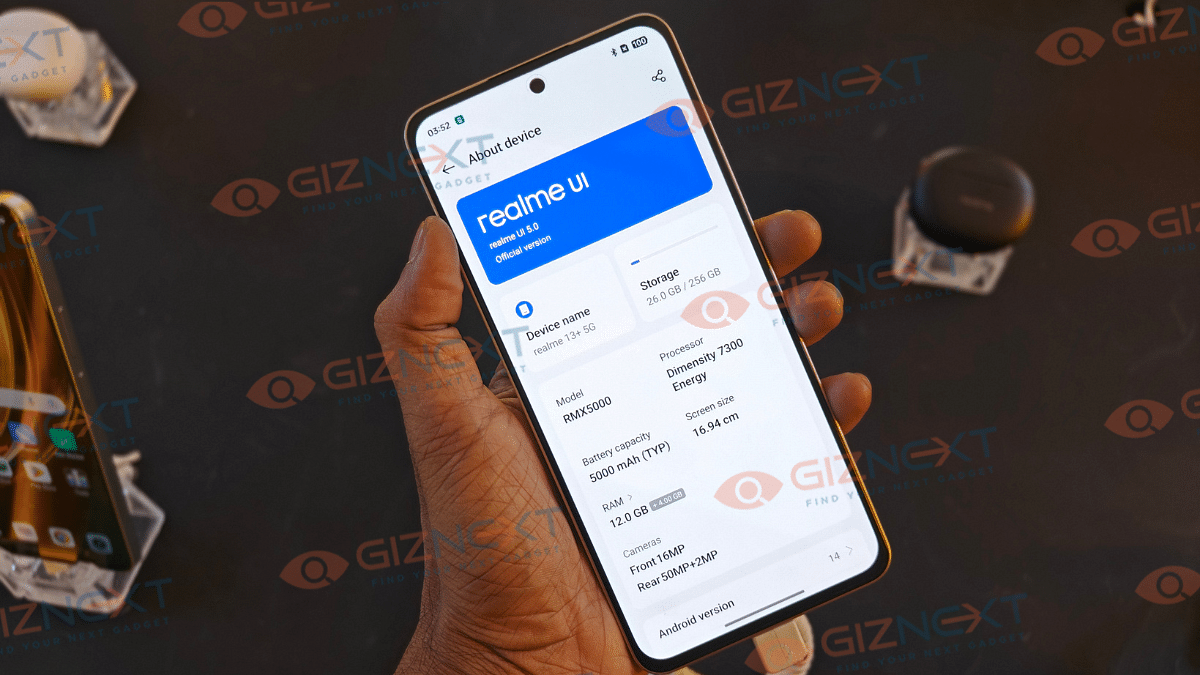
Realme is betting high on the performance delivery with the 13+ 5G. The latest number series Realme handset employs the MediaTek Dimensity 7300 chipset under its hood. This new MediaTek mid-tier SoC is fabricated using the thin 4nm TSMC process and can easily handle all kinds of extensive usage. In fact, with up to 12GB RAM option, it become more potent with performance delivery.
Realme has additionally thrown in a large VC chamber and the GT Mode making this an optimum gaming device. The efficient hardware can be expected to keep the device’s temperature in check during extensive gaming. During the brief usage, we could feel the speedy response this phone offers. While we are yet to test it to its full potential, we expect it be a reliable daily driver. We will be sharing our thorough feedback with its performance handling, so stay stuned
Realme 13+ 5G comes with the Android 14 OS installed which is topped with the Realme UI 5.0 interface. With numerous customizations and AI features, the UI of the Realme 13+ 5G is indeed an upgrade. The handset will be getting up to two years of major Android update and up to 3 years of security updates. The UI while receiving improvements still retains bloatware which you can’t remove permanently.
The third-party apps beyond Realme and Google are primarily social media apps. What’s missing here is the wide range of AI features as we got to see with its older sibling., i.e, the Realme 13 Pro 5G. The AI features would have been an added bonus here.
Realme 13+ 5G First Impressions: Battery And Fast Charging
Realme 13+ 5G gets ample juice for a full day of backup with its 5,000 mAh battery. The mid-range hardware will help with slower battery drain speeds. On the other hand, the 67W fast charging will ensure rapid refueling speeds. We are yet to test the exact battery backup and the fast charging speeds. But our hopes are high with this handset.
Realme 13+ 5G First Impressions: Camera Performance
Realme has been solidifying its game in the optics segment. We have seen the powerful cameras equipped inside the Pro variant. The 13+ 5G is also loaded with a decent optics hardware where at the rear it houses the flagship 50MP Sony LYT-600 main sensor with an f/1.88 aperture and OIS support.
This primary camera is combined with an additional 2MP depth sensor which has an f/2.2 aperture.Speaking of the selfie snapper, a 16MP sensor with an f/2.45 aperture is packed inside the tiny punch-hole cutout upfront. The camera quality seems promising during our initial testing. The clarity levels as well as the depth effects added with the bokeh shots looks good. Though, we be resting our verdict for the review which will be pushed in a few days.
Realme 13+ 5G is getting the mid-range segment heated up. The notable upgrades it has received over its predecessor gets its game stronger. With a starting price under Rs. 25,000 and a focus on performance, this new Realme number series phone seems like a value-for-money deal. But let’s wait for the final review where we will highlight its true potential.
Available from October 1 in the US with 4G and 1,450mAh battery
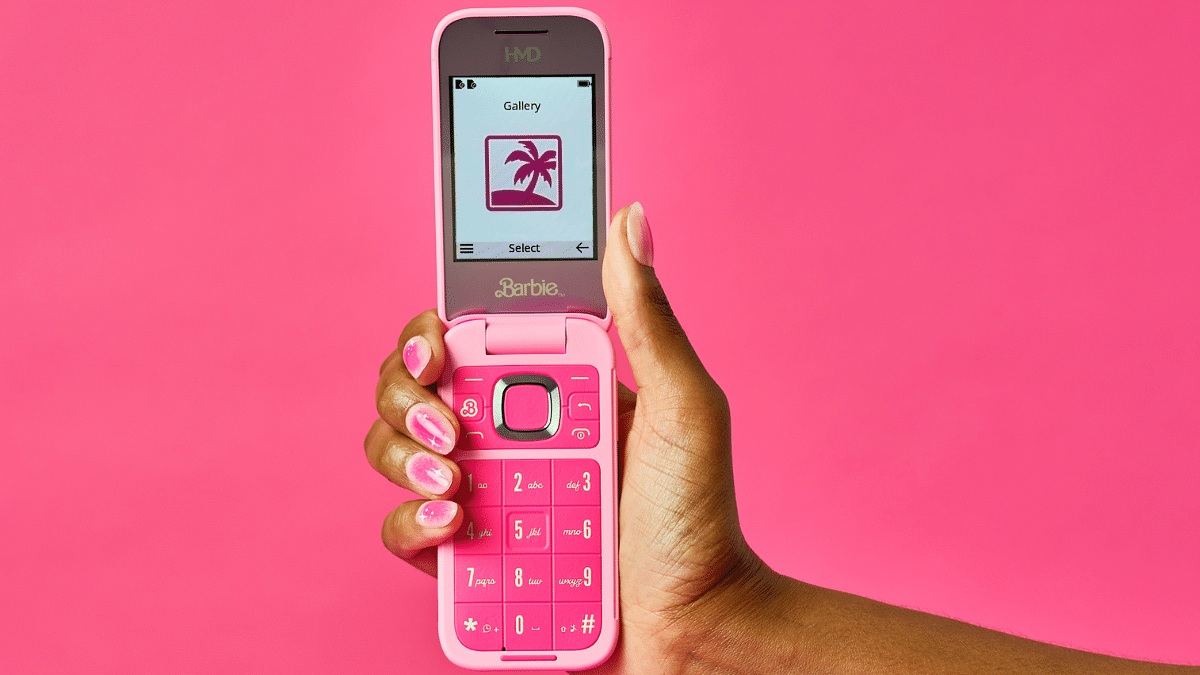
The Barbie Phone has finally been released by HMD Global. This vintage flip phone is both fashionable and practical. This phone, which is completely covered in pink, is simply more than a device—it’s a fashion statement. The HMD Barbie Flip Phone is designed to be the perfect accessory for admirers of Barbie, from its all-pink body to the Barbie-themed accessories. Let’s get into the details of this device.
Classic Flip Phone Design: The HMD Barbie Phone brings back the beloved flip phone design. This makes it a perfect blend of nostalgia and contemporary style.
Barbie Aesthetics: The phone features an all-pink body, including a pink battery and a pink charger. It’s packed in a jewelry box, complete with beaded lanyards, charms, two extra back covers, stickers, and gems.
Mirror Display: The external display doubles as a mirror. This adds a fun and functional twist to your everyday phone usage.
Exclusive Barbie-Themed Features: The phone comes with a beach-themed Malibu Snake game and a Barbie-themed UI that brings a touch of fun to every interaction.
HMD Barbie Phone: Specifications
Display: The phone features a 2.8-inch QVGA main display and a 1.77-inch QQVGA cover screen.
Processor: It is powered by the Unisoc T107 SoC, paired with 64MB of RAM and 128MB of internal storage. The storage is expandable up to 32GB via a MicroSD card.
Barbie-Themed UI: The S30+ OS is customized with a Barbie-themed interface.
Unique Keypad Design: The iconic pink keypad comes with hidden designs that light up in the dark.
Camera: The phone sports a 0.3MP rear camera with an LED flash.
Battery: It is equipped with a 1,450mAh removable battery that offers up to nine hours of talk time.
Connectivity: The phone supports 4G, Bluetooth 5.0, a 3.5mm audio jack, and a USB Type-C port.
The HMD Barbie Phone is priced at $129 (approx. Rs. 10,800) in the US. It will be available for purchase starting October 1. The pre-orders opening on September 23 via the HMD US website. The phone comes in a single Power Pink colorway. Currently, there is no confirmation regarding the phone’s launch in India.
For the tech geeks, stay updated with the latest cutting-edge gadgets in the market, exclusive tech updates, gadget reviews, and more right on your phone’s screen. Join Giznext’s WhatsApp channel and receive the industry-first tech updates.
Three new electric cars from Maruti Suzuki launching soon
Portfolio to include one electric hatchback and one electric MPV
eVX already confirmed to be Maruti’s debut electric SUV
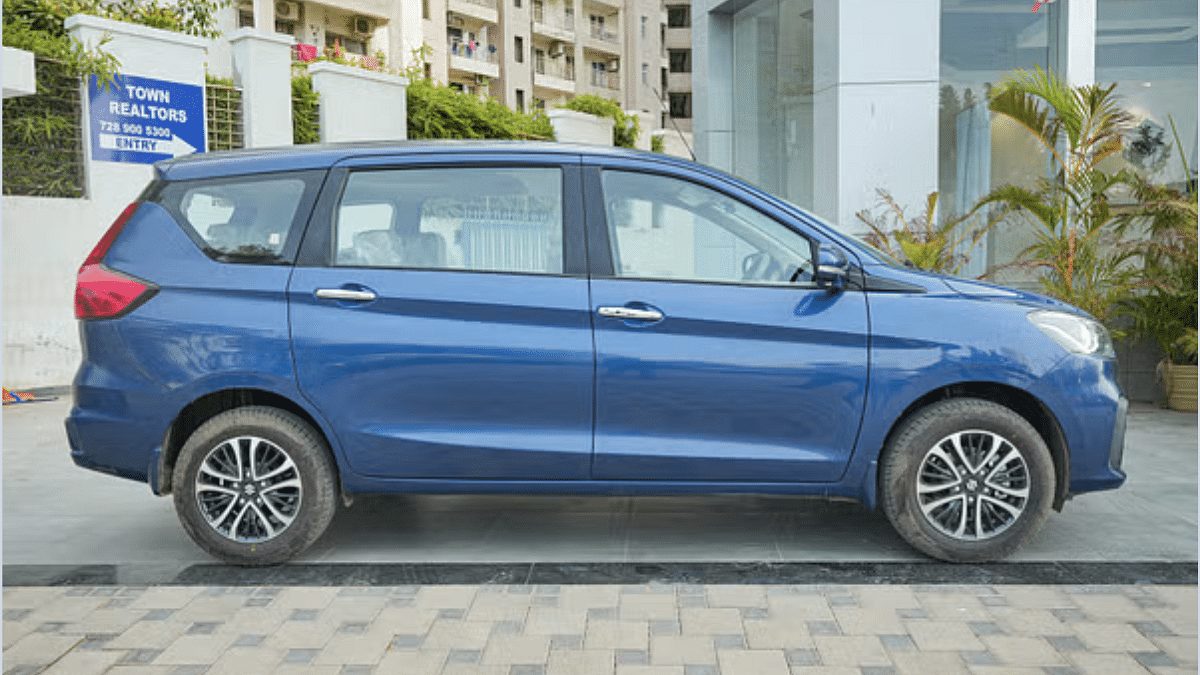
Maruti Suzuki eVX is taking up all the headlines now. The electric SUV from the company will also be the debutant EV model of the brand whose arrival is tipped for 2025. There have been several rumors that have indicated more EVs from Maruti in the future. Besides the eVX electric SUV, Maruti is now said to be working on two new EV models which will be launched soon in the country. The upcoming portfolio is said to include an electric hatchback and an electric MPV. Which are these remaining two models that Maruti plans to launch post the eVX? All details are below:
Three New Maruti Suzuki Electric Vehicles Heading To India
The upcoming Maruti Suzuki electric fleet is said to comprise three models. Besides the eVX, the company is also said to launch an electric hatchback called eWX and an electric MPV (Multi Purpose Vehicle) which bears an internal codename YMC. The remaining two models of the Maruti Suzuki EVs will likely be debuting after the eVX which is slated for 2025 launch in the country. Here’s what all we can expect from the upcoming Maruti Suzuki’s EV fleet.
Currently, only the eVX’s details are available primarily which have been shared by multiple leaks and rumors. The information is slightly limited when we speak of the eWX and the YMC variant. Starting with the eVX, it will be a mid-size electric SUV that is coming as a rival to the likes of the MG ZS EV, Tata Curvv EV, and the upcoming Hyundai Creta EV.
The eVX has been showcased as a concept and the test mules have also been spied multiple times online. The e-SUV will get a coupe-style designing which seems to be the new trend with EVs. The eVX is confirmed to be built on the Born Electric platform which has been developed in collaboration with Toyota.
If we go by the leaks, Maruti could equip the eVX with dual battery pack options. The low-end trims of the eVX will likely employ a 48 kWh battery, whereas, the high-spec trims are expected with a bigger 60 kWh battery pack. While the exact range is not confirmed, the eVX could possible make a run of up to 550 km with a full battery charge cycle.
Maruti eWX Electric Hatchback, YMC Electric MPV Expected Details
Moving on to the eWX, it is said to be an electric hatchback which also has been showcased but internationally. Introduced during the Japan Mobility Show, the Maruti Suzuki eWX is expected to take on the affordable electric hatchs including the Tata Tiago EV. This EV will use a different platform than the eVX, i.e., K-EV platform. No other information is available as of now. However, its is being anticipated the eWX will be going official by 2026- 2027 globally including India.
Next in line is the Maruti’s electric hatchback, i.e, YMC (internal codename for the EV). It is rumored to be loosely based on the Ertiga ICE model featuring an all-electric drivetrain. This upcoming EV is expected to share the same Born Electric platform as the eVX which has been designed in association with Toyota. The YMC is further said to borrow features and powertrain from the eVX electric SUV. As far as the launch is concerned, the YMC electric MPC is also heading to India by later 2026.
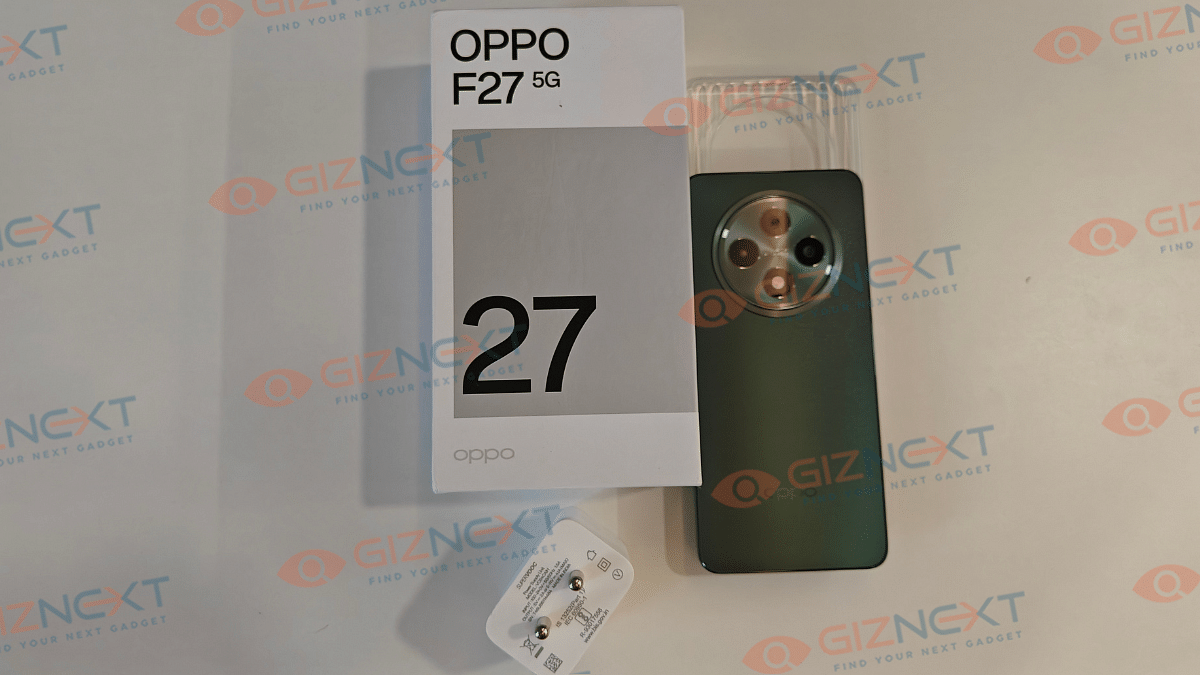
OPPO has been pretty aggressive with new product launches in the recent months. After refreshing its popular “Reno” and “K” smartphone lineup, the brand has again brought in a new option for the mid-tier consumers in India. The latest entrant is from the OPPO F series called the F27 5G which intends to take on the mid-range segment with its performance centric hardware. OPPO’s affordable smartphones have been proving as solid daily drivers meeting expectations of the users. The vanilla F27 5G will be joining its sibling F27 Pro flaunting a trendy design language and well-rounded spec-sheet (at least on papers). Does this phone packs all the necessary punch in real and will it make it worth an investment starting at Rs 22,999? Well, you’ll have to read the comprehensive review below to find out the same. To further simplify it for you, we have broken down the reviews in pros and cons.
For the tech geeks, stay updated with the latest cutting-edge gadgets in the market, exclusive tech updates, gadget reviews, and more right on your phone’s screen. Join Giznext’s WhatsApp channel and receive the industry-first tech updates.
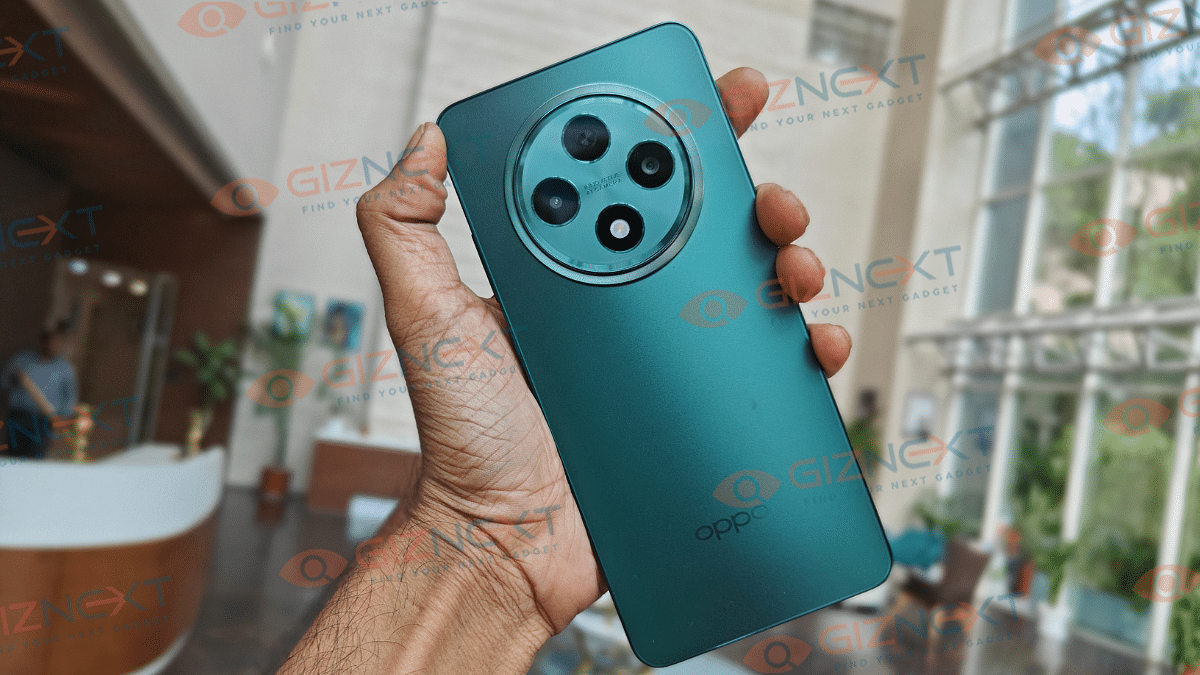
OPPO has been designing appealing smartphones that grabs your instant attention which is the case with the F27 5G as well. With its metallic flat frame design, it feels familiar as the previous-gen model. However, Cosmos Ring camera island wrapped with Halo Light gets it the necessary distinctions. You essentially get a vibe of a luxury mechanical watch dial with the rear camera module. This Halo Light glows with notifications such as calls, messages and also charging adding on its unique design approach. Seems like, it’s the new trend with smartphone designing; specifically in the mid-range segment.
As we mentioned earlier, you can select from Amber Orange and Emerald Green shades where we received the latter for review. Keeping the durability in check is the high-strength alloy framework construction along with IP64 certification. Thankfully, the rear panel isn’t a smudge or fingerprint magnet which is a big respite as you easily get to flaunt the unit without any case.
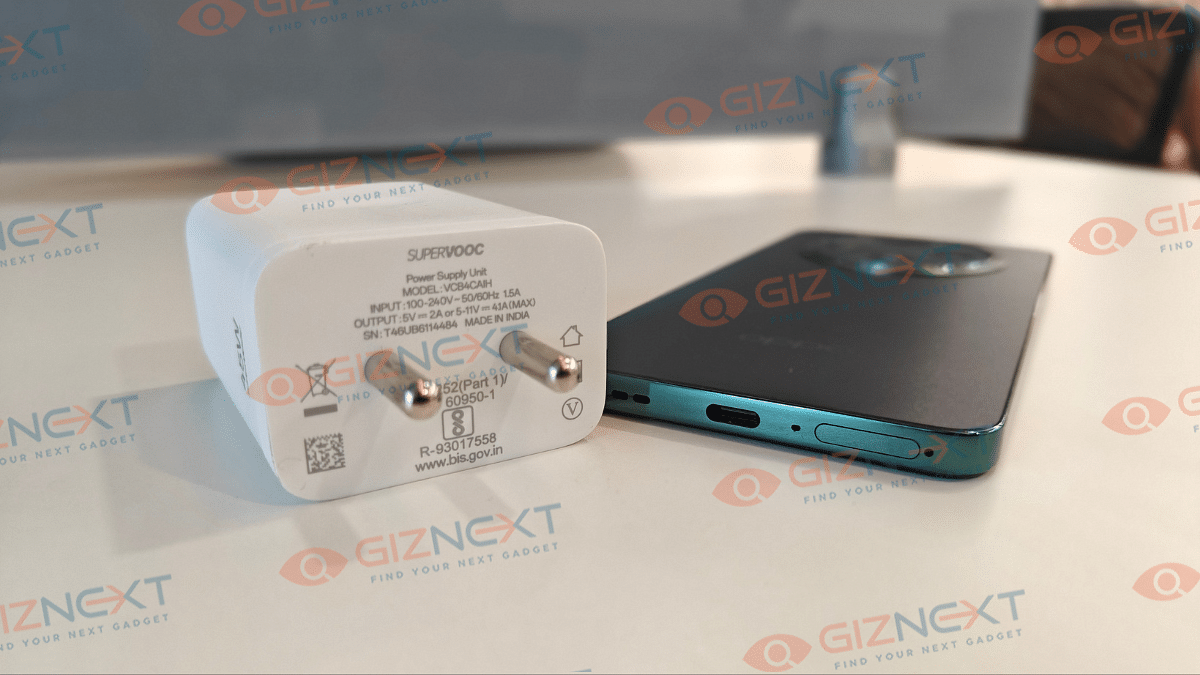
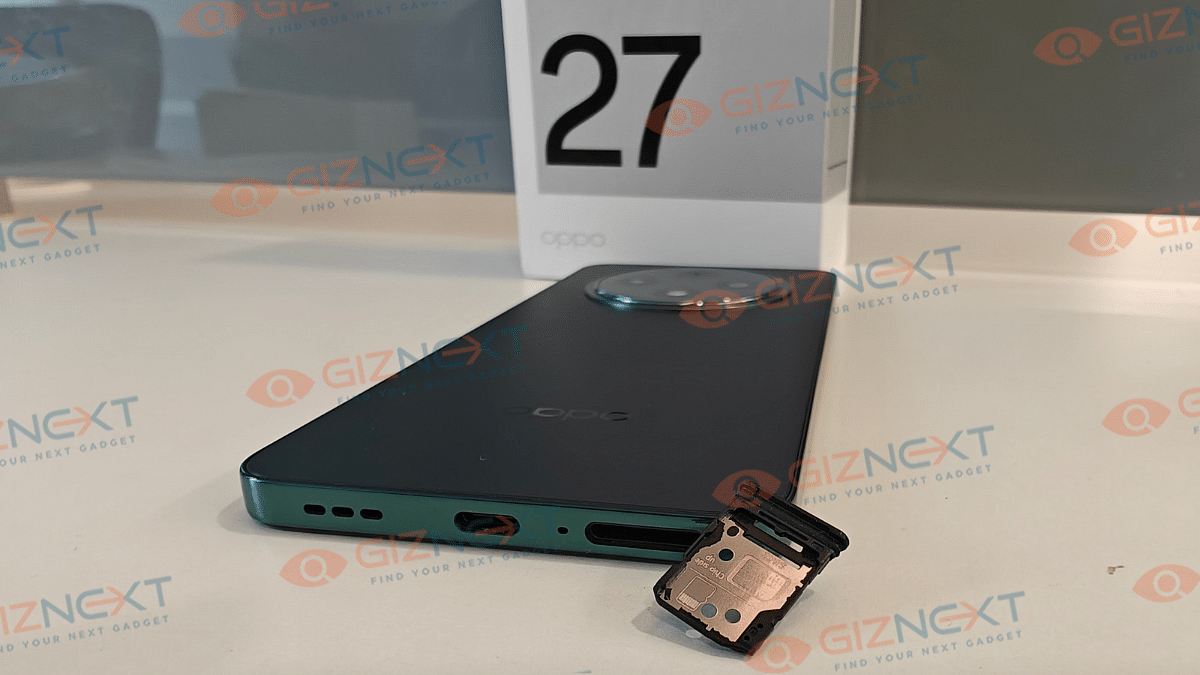
However, using a standard case is always an added protection which you shouldn’t avoid. If we speak of the overall usability, the OPPO F27 5G with its compact design is easier to use with a single hand. But if it’s gaming or some extensive app use, you might need both your hands for the operations. The power and volume key on the right spine are nimble with clicks. At the bottom panel, you get the USB Type-C port sandwiched between the SIM card tray and the speaker grille which is a usual design pattern we see with OPPO handsets.
OPPO has used a dual lens setup for the primary optics on the F27 5G. The main sensor tucked inside the round camera island is a massive 50MP lens with an f/1.8 aperture. It is clubbed with a 2MP secondary sensor to add bokeh effects. If you have used OPPO smartphones in the past, you might already be a fan of the ultra-clear photos which they provide with different backgrounds or scenarios.
The F27 5G’s main 50MP sensor also does a good job while capturing details. The clarity levels are great when you snap your memories in daylight. Edge detection is to the point and so is the dynamic range. You wouldn’t find the images casting any unnatural or oversaturated tones when the lighting conditions are apt.
There is dedicated Hi-Res shooting mode which you can use to snap natural sceneries and stationary objects with highest level of detailing. Other modes that you can access from the camera app include Pro, Portrait, Pano, and Night. You can also capture Time-Lapse and Slow-Mo videos using the F27 5G both of which offer a decent output when put to test.
While the daylight camera performance of the OPPO F27 5G is satisfactory, that might not be the exact case with the low-light shots. No, we aren’t saying the quality is bad, rather, it is average when we compare it with the daylight shots. Grains and noise is visible with the photos that are captured in night. And the Night Mode doesn’t make any significant enhancements. It does refine the image quality but not as expected with flagship grade cameras.
That said, the star of the camera performance is the Portrait mode. The bokeh effects that are added to the shots when clicked using the portrait mode looks natural. The subject is well defined with respect to the blurred backgrounds. OPPO has also kept in mind the advancing AI technologies driving the modern-age smartphones and have ensured users get to experience the same with the F27 5G.
The AI Eraser 2.0 is one of the best AI features improving the entire photography experience. This tool is handy to get rid of any unwanted person or object that could be photobombing your shot. And it’s a clean experience using this AI eraser tool. AI Smart Image Matting 2.0 and AI Studio are the remaining AI camera features that you get to use with the F27 5G for an enhanced photography experience.
If we speak of the selfie camera, you get a 32MP lens inside the punch-hole cutout upfront which comes with an f/2.4 aperture. Now, if you are one of those selfie fanatics or a budding content creator, this massive selfie snapper gets your job done with high quality output. The self portraits are ultra-clear that you can easily flaunt at social media platforms.
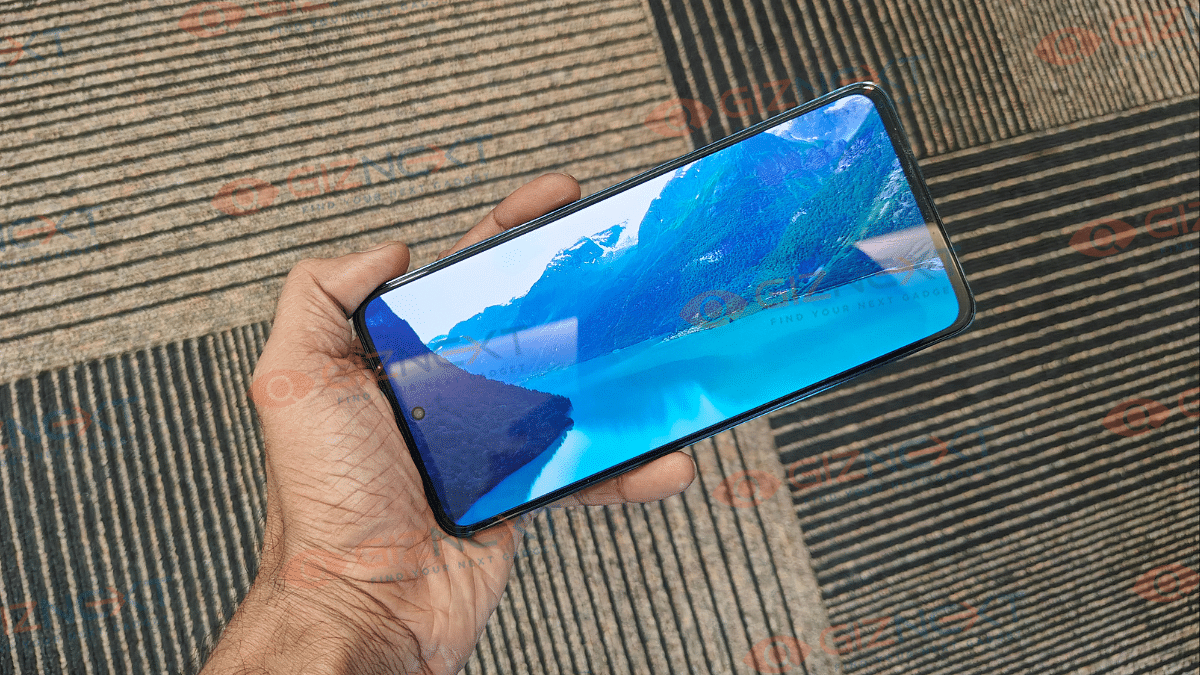
OPPO F27 5G is a visual delight when you binge through shows and movies on its screen. The 6.67-inch tall panel of the F27 5G gets an FHD+ resolution support and also has a dynamic 120Hz refresh rate. If your are amongst those users who are mostly on phone’s screen for entertainment, you’ll be deligted with the vivid visuals the F27 5G’s offers. The screen looks accurate with color production and provides high-resolution output with online streaming and also video playback via offline directory.
What further impressed us is the brightness levels of the F27 5G’s screen. This panel comes with an overall and peak brightness levels of 1200 nits and 2100 nits respectively. With such high peak brightness, you hardly strain your eyes while viewing content under harsh or direct sunlight. Gaming visuals are smooth too and you can enable medium to high settings for display while engaging with graphic intensive games.
The F27 5G integrates dual stereo speakers to produce loud and clear sound output which is firther combined with Ultra Volume Mode. This special sound mode allows tuning the audio levels to up to 300% with which you can enjoy your music listening or movie/ show watching experience without pairing any external speakers.
The OPPO F27 5G gets its juice from a 5,000 mAh battery pack. While this is standard setup you find across mid-range and affordable phones, it has enough juice to drive the unit for an entire day when usage is restricted to general. This means web browsing, calling, messaging, and occasional media playback won’t drain the handset entirely by the end of the day. You might need a second plug-in by the end of the day if the usage has been extensive. For instance, constant gaming or HD video playback will drain the battery faster. With its 45 W Supervooc fast charging, the refuel time also gets significantly reduced to less than an hour.
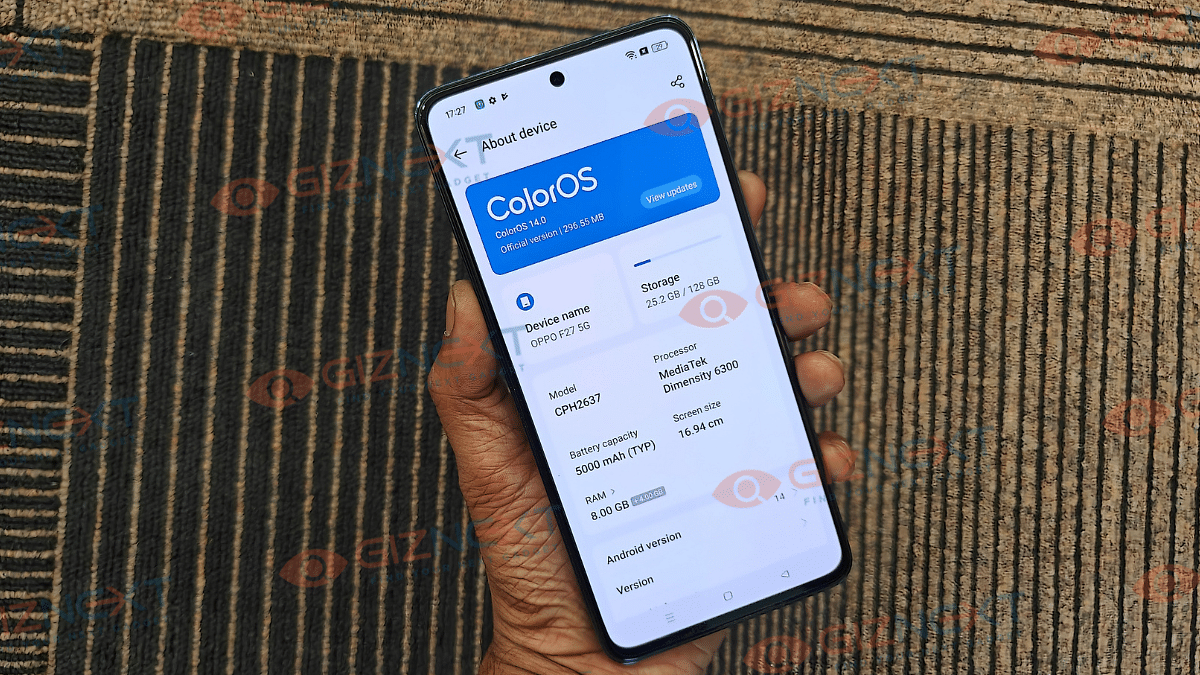
OPPO has surely designed the F27 5G as a well-rounded package which is driven by the octa-core MediaTek Dimensity 6300 chipset. The mid-tier 5G chipset from MediaTek is efficient with performing a variety of tasks without any noticeable lags or stutters. But for a price range starting over Rs. 20,000, we would have preferred slightly better processor. Nevertheless, you still don’t get any disappointments with the performance and can complete any task with ease.
You don’t have to worry about the F27 5G’s multitasking capabilities. With an onboard 8GB RAM, the handset switches effortlessly between the apps that are running in the backgroun. In fact, the app boot time is also quick. But the sole option for 8GB RAM is one pf the only few cons that you get with this handset.
OPPO F27 5G is launched with dual storage options which includes 128GB and 256GB. Also, you can expand the onboard storage by using an external microSD card. But since it comes with a hybrid SIM card slot, you can only use one SIM and a mmicroSD card simultaneously. There isn’t any provision with which you could use dual SIM cards and an external SD card together.
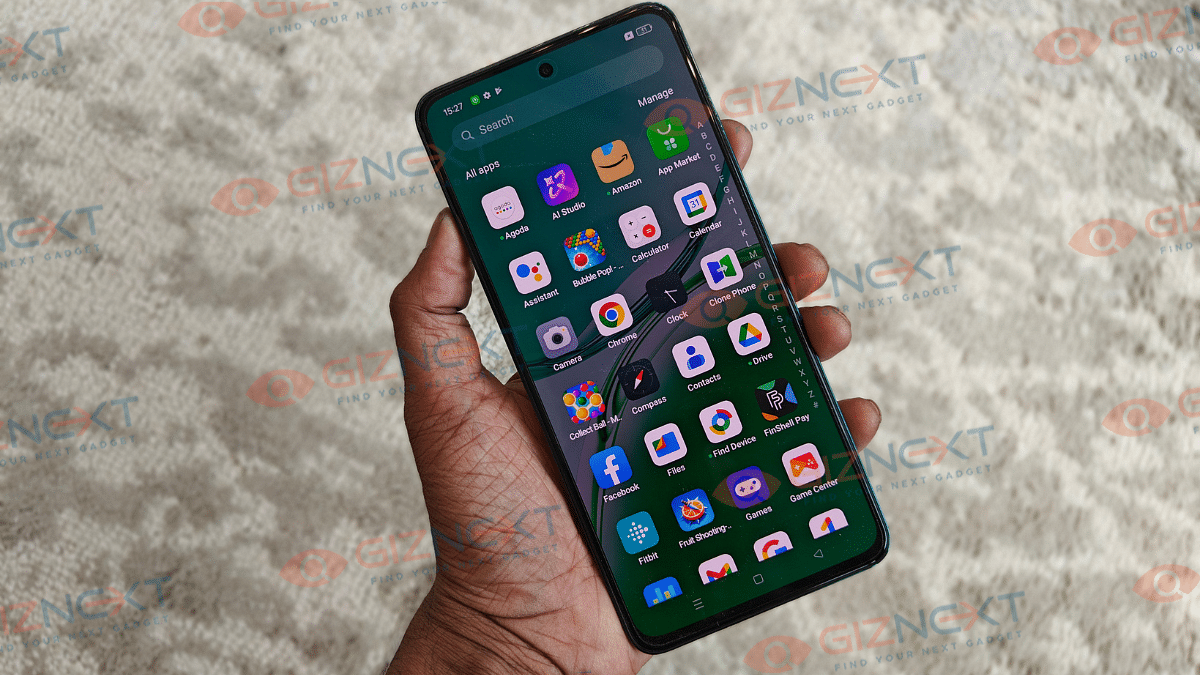
OPPO has installed the latest firmware inside the F27 5G, i.e., Android 14 OS which is topped with ColorOS 14.0.1 UI. Now, the UI has definitely advanced and is much smoother than the previous iterations. However, the UI is still a bit cluttered and is loaded with bloatware. Our preference has been a stock Android UI, but the pre-installed third party apps can be beneficial for certain user group.
Internet on Mac can be accessed using an iPhone or iPad
Personal hotspot feature on Mac comes handy
Both Mac and the iPhone/ iPad needs to be within a range to use personal hotspot
Apple MacBook is amongst the most advanced laptop lineup which is catering to all premium end consumers. Apple has been consistently upgrading the MacBook lineup with industry-leading hardware which has ensured its popularity doesn’t fade away despite the hefty competition in the market. The new-generation MacBook laptops have become more reliable with speeds and overall performance. Internet connectivity as well as usage is faster than ever with all MacBook models. If you already own a MacBook, you must be using it for daily web activities including browsing, downloading files, and also for streaming services.
Pairing the MacBook with an available internet connection is hardly an issue. But what would you do if you need internet for emergency services and don’t have access to any active or safe network? Well, if you have your iPhone or iPad nearby, you can have this situation handled. We are guiding you with the steps that will help you connect your MacBook to internet using an iPhone or an iPad. Take a look at the steps below:
For the tech geeks, stay updated with the latest cutting-edge gadgets in the market, exclusive tech updates, gadget reviews, and more right on your phone’s screen. Join Giznext’s WhatsApp channel and receive the industry-first tech updates.
Steps To Use Internet On MacBook Using iPad, iPhone (Wi-Fi Method)
Step 1: Get the MacBook and the iPhone or iPad with which you will initiate the internet connection
Step 2: Ensure both the Mac and the iPad or iPhone are logged in with the same Apple ID
Step 3: From the MacBook settings, click on the Wi-Fi Status icon
Step 4: You need to select your iPhone or the iPad in the next step
Step 5: Use the personal hotspot on the respective iPhone or iPad to get the internet connection activated on your
It is worth adding that the personal hotspot feature must be enabled before you perform the above steps. This will ensure you can get connected to internet on your MacBook swiftly.
One can locate nearby services including emergency
Locations can be searched manually as well as via voice commands
Apple is not just known for its flagship grade iPhone smartphone series but also other consumer tech gadgets such as tablets, laptops, TVs. The company has also curated a strong portfolio with the smart wearables in the last few years. Apple Watch is amongst the top selling smart watch lineup which also happens to be most tech-advanced.
With Apple Watch series smartwatches, you can keep a tab of time and also health on-the-go. Apart from this, Apple Watch series has also become capable of providing navigational services at a glance and with just a few taps, you can find nearby locations including emergency services using Apple Watch. What’s the trick to setup and use navigational services or Maps app on Apple Watch? Take a look at the steps below:
For the tech geeks, stay updated with the latest cutting-edge gadgets in the market, exclusive tech updates, gadget reviews, and more right on your phone’s screen. Join Giznext’s WhatsApp channel and receive the industry-first tech updates.
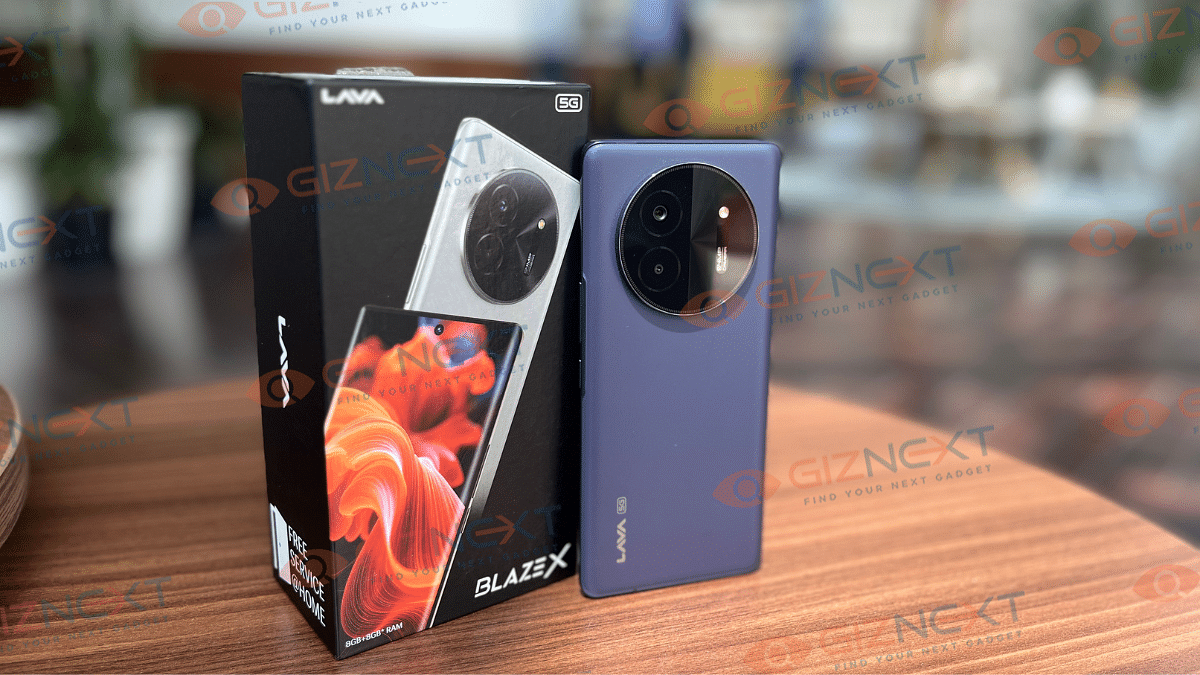
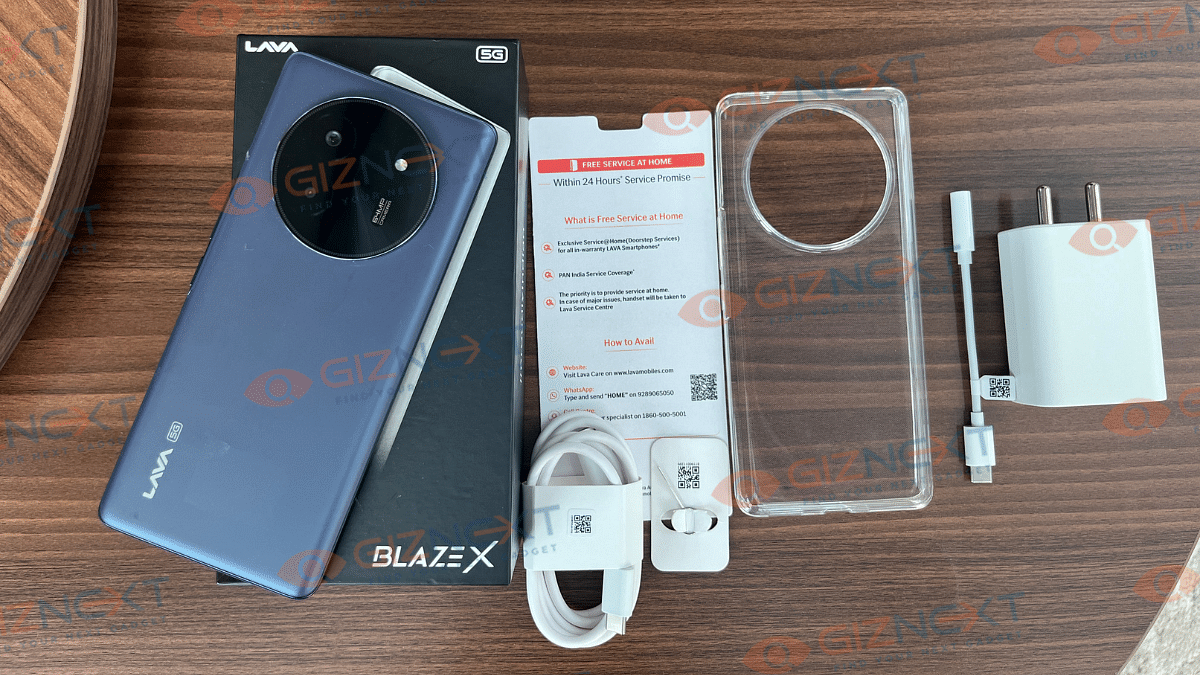
Are you on a search for the perfect budget smartphone? And not just affordable, but also filled with features that make you feel like you have hit jackpot? Well, you need not to worry. The newest player from Lava in the ever competitive under Rs. 15,000 segment is here, that is Blaze X. The smartphone has a sleek design, curved AMOLED display, and battery that lasts a long time. What’s more? While most budget phones come loaded with unwanted apps and ads you wish you could get rid of, Blaze X gives you a simple, ad-free UI experience. But can it shine bright in the fiercely competitive market of budget smartphones? Let’s take a closer look and find out in this in-depth review.
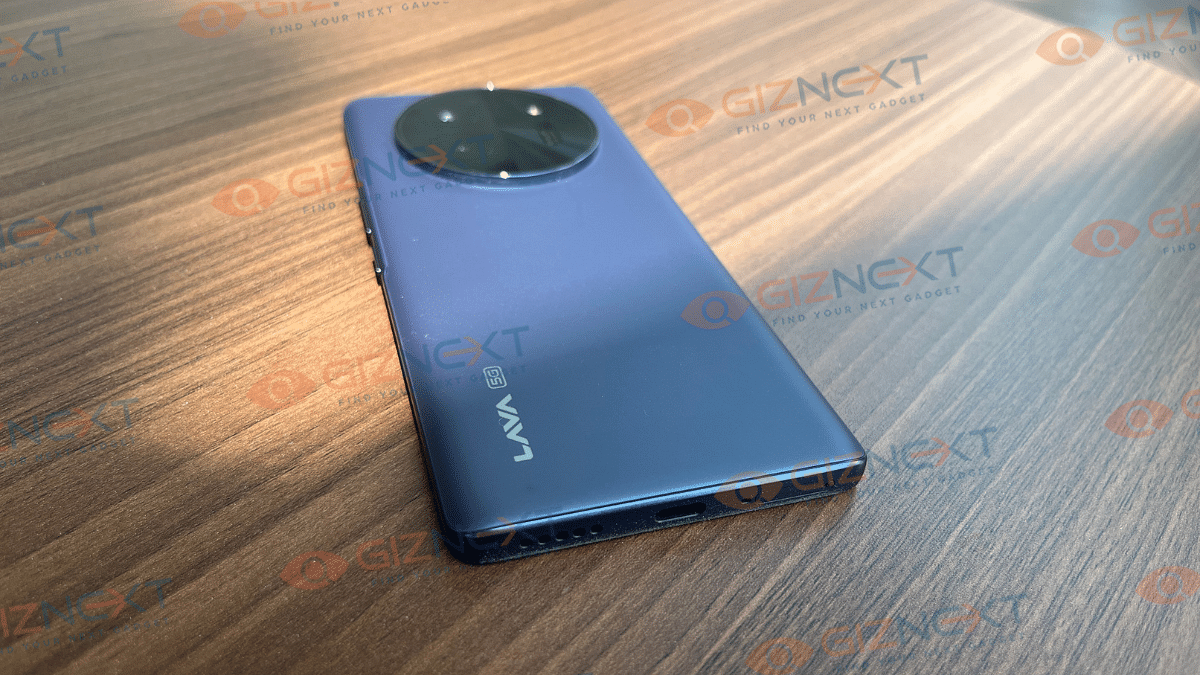
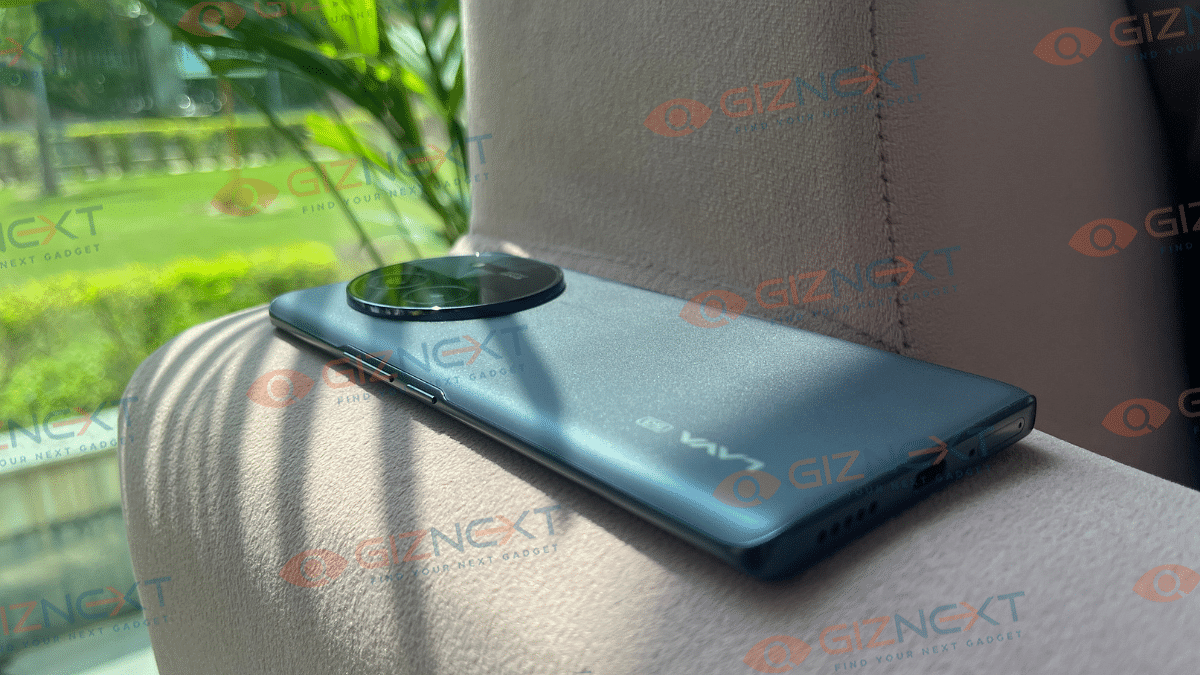
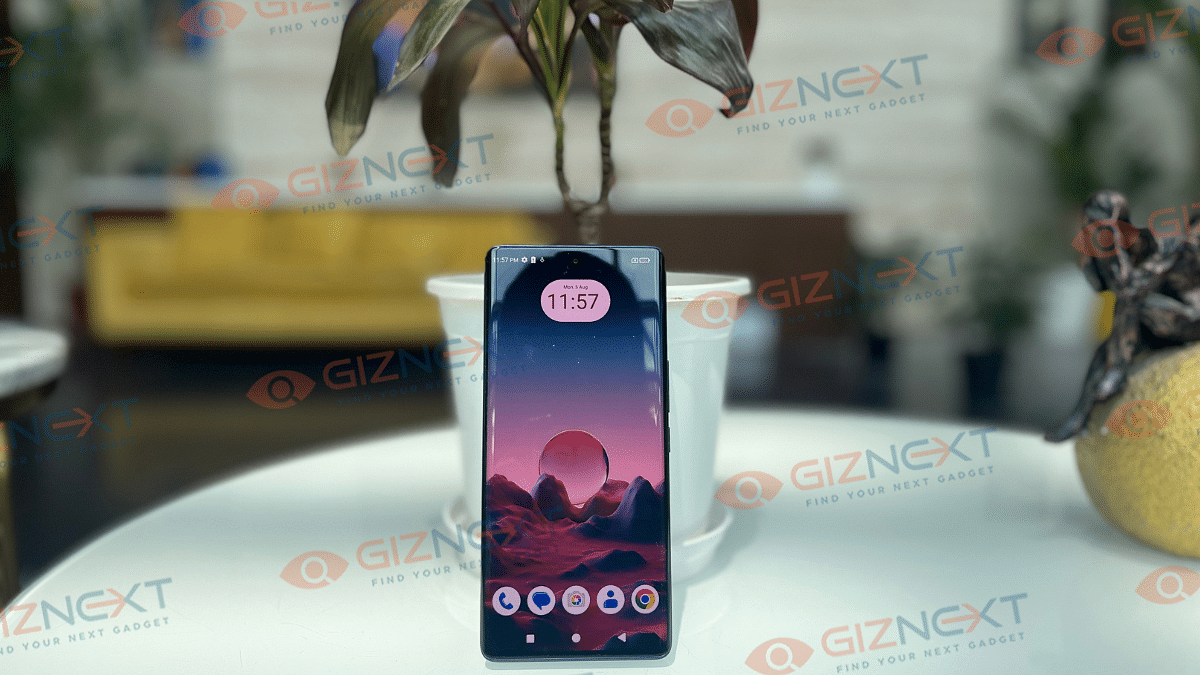
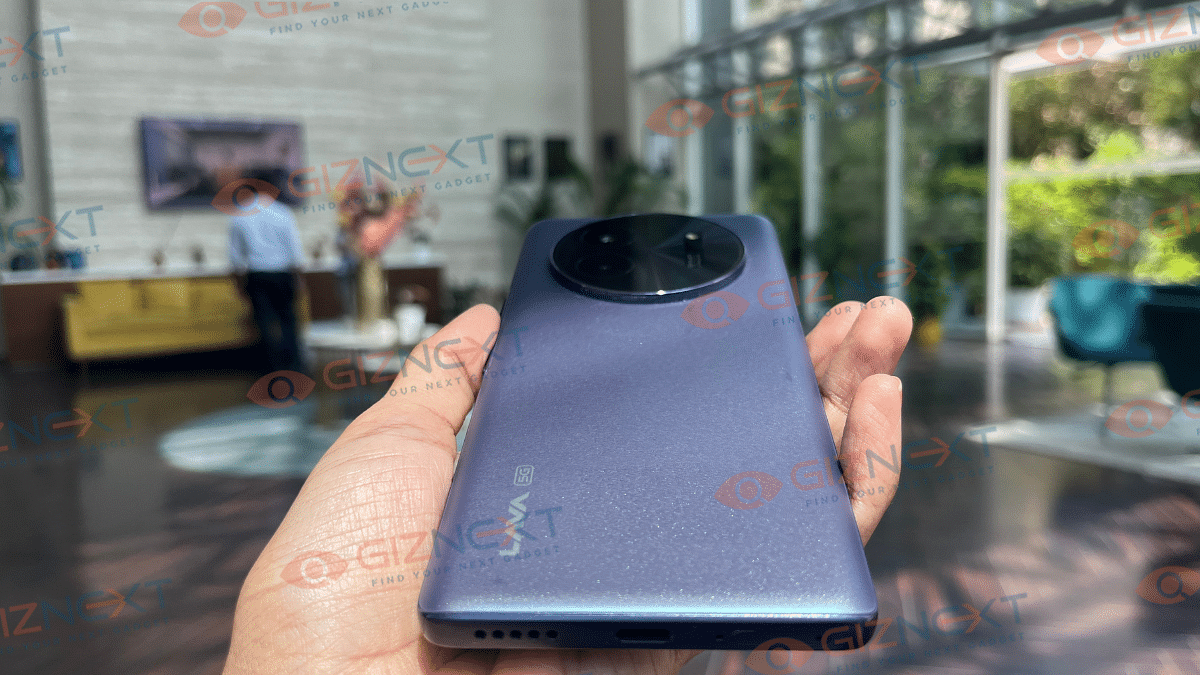
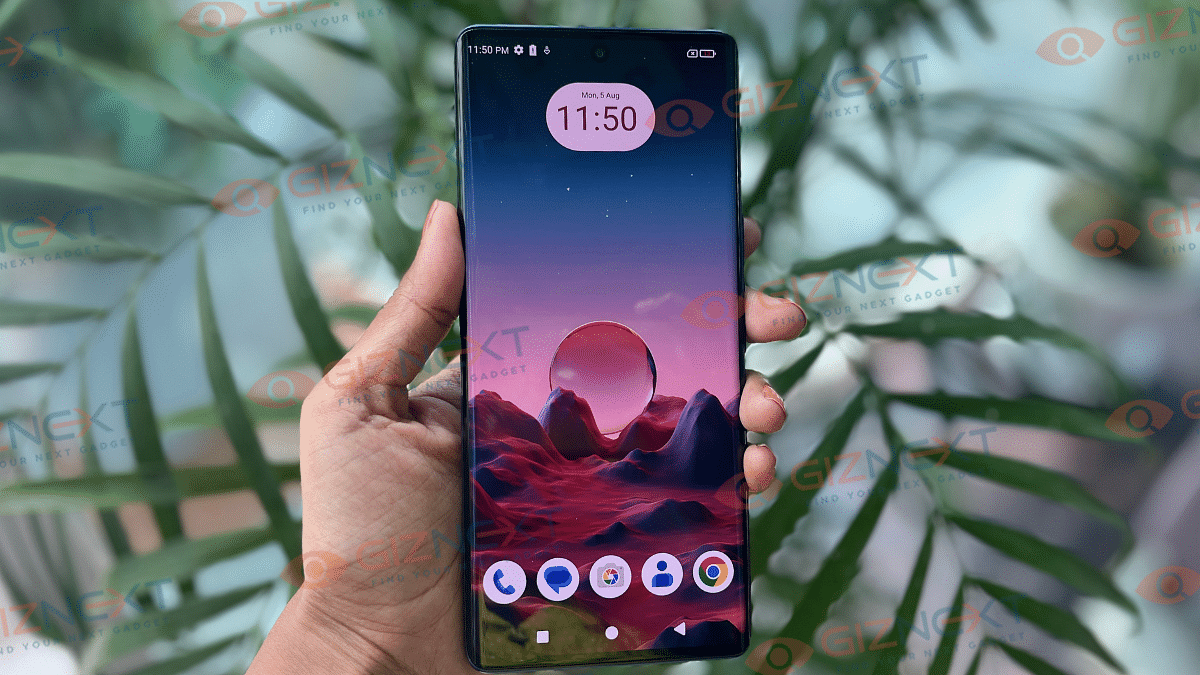
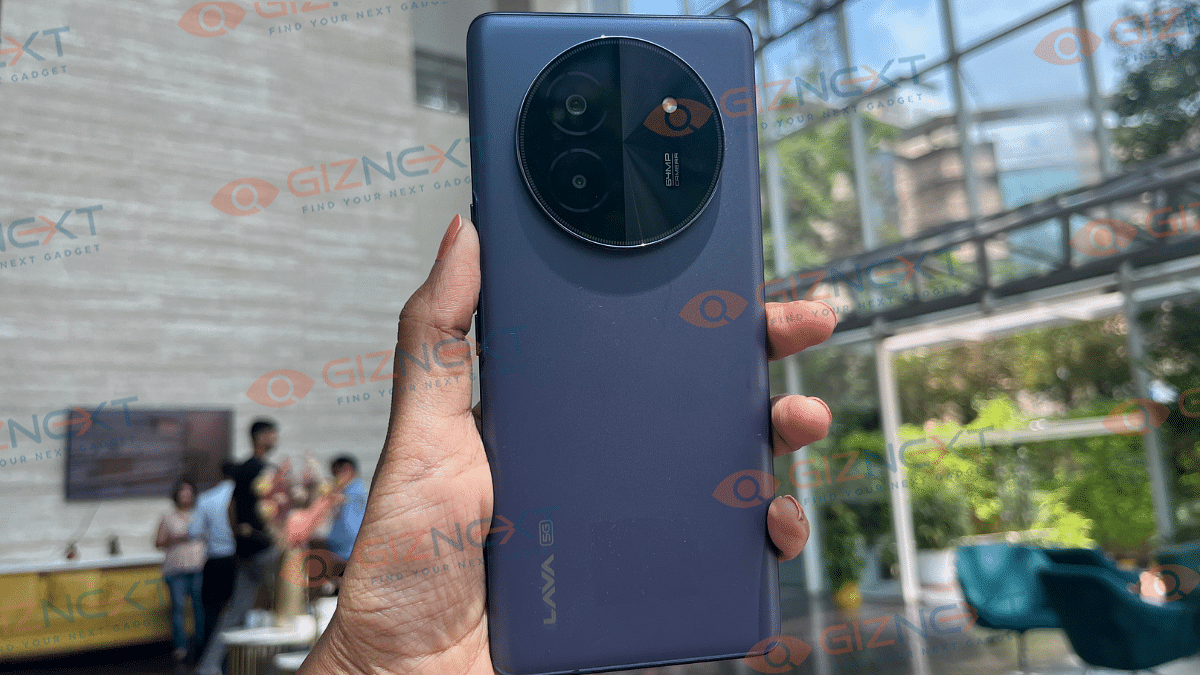
The first time I held the Lava Blaze X in my hand, I noticed how effortlessly it blended simplicity with sophistication. What really stands out is the minimalistic design. It’s a head-turner for sure. It has a rear matte-finish that feels smooth to the touch and also helps you stay away from those annoying fingerprints. The device has gracefully curved edges and thin bezels. This definitely adds to its premium look, making it a pleasure to hold.
The front camera is tucked away in a small punch hole cutout. It gives you more screen space to enjoy your content. And now the back. Well, it’s a clean slate, save for a dual-camera setup that is neatly position in the top-left corner. Yes, camera bump is there, but it is subtle enough not to cause any wobble when you lay the phone flat.
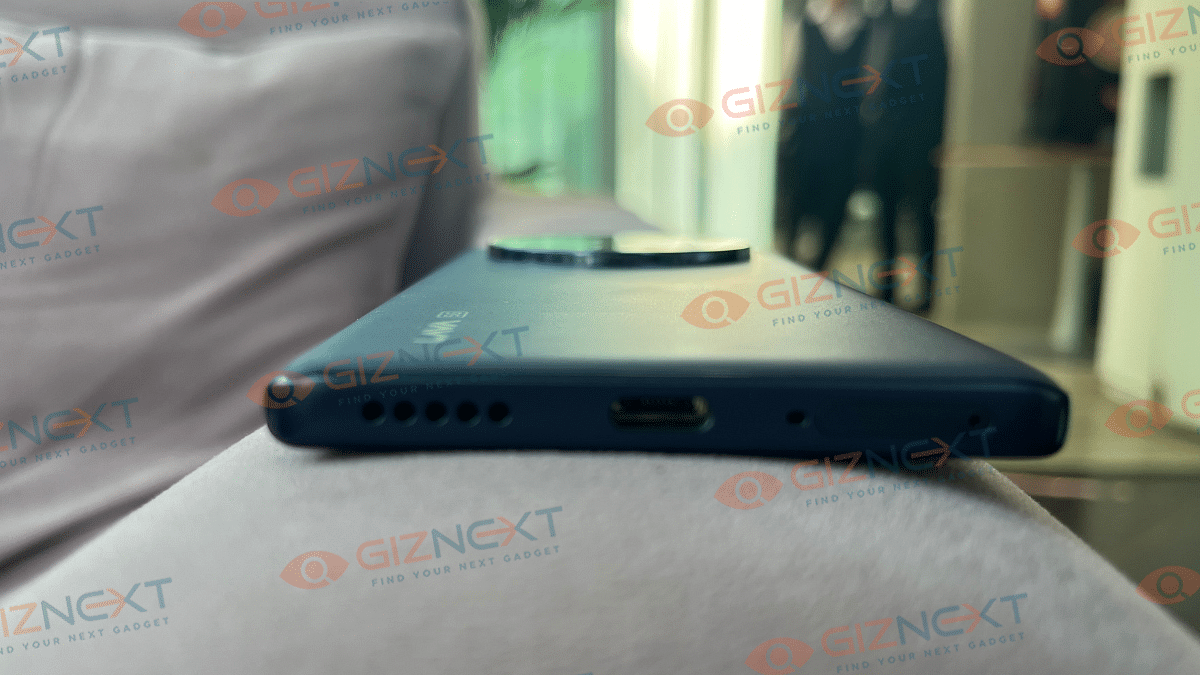
Ergonomically, Lava has nailed it. On the right side, there are power and volume buttons. They are positioned low enough that you don’t have to stretch your thumb awkwardly to reach them. And I love it. Unfortunately, the Blaze X skipped the 3.5mm headphone jack. However, Lava has included a Type-C connector in the box, so that you won’t be left hanging. How thoughtful.
Overall, the Lava Blaze X’s design is not just about looking good, but also feeling good in your hand as well as being easy to use on a daily basis.
Display
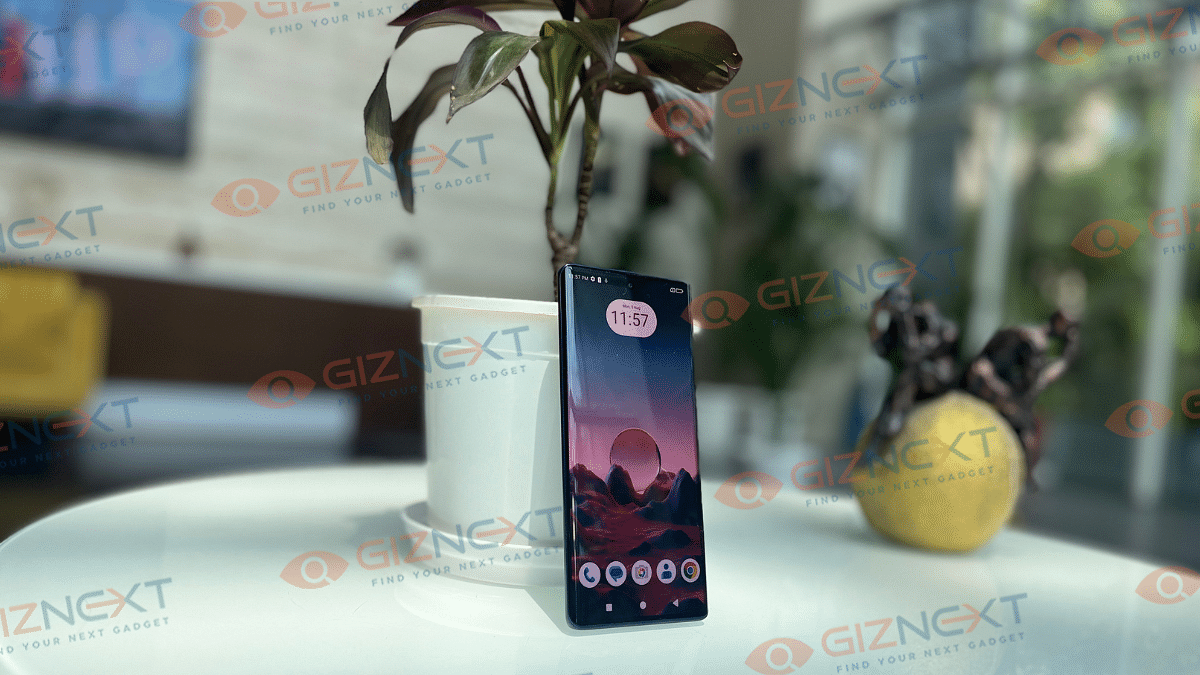
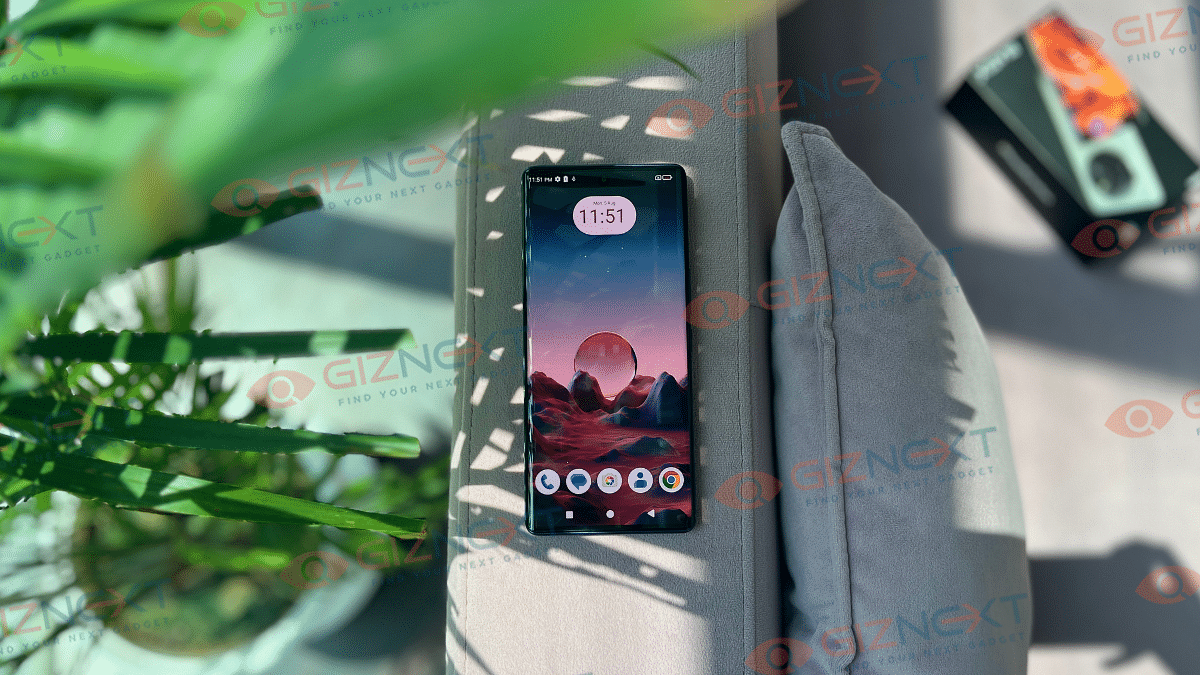
Arguably, the shining star of the Laval Blaze X is its display. When you power on the device, the first thing you will notice is how stunning the 6.67-inch curved AMOLED screen looks. With a peak brightness of 800nits, the display shines in outdoor visibility. Even under the direct sunlight, I didn’t have to squint or search for shade to see what was on screen. Also, let’s not forget about its 120Hz refresh rate. I have always been a lover of smooth scrolling, and Blaze X delivers in its spades. Be it browsing apps or taking notes, every swipe scroll feels smooth and responsive. Also, there’s the in-display fingerprint sensor, which is pretty responsive.
I have personally used many budget smartphones, but this one? It has a different league altogether. The colors are vibrant and the visuals are sharp, all thanks to its HD+ resolution. Whether I am scrolling through Instagram, watch a YouTube video, or just reading articles, everything looks lively.
I used the Lava Blaze X for around 10-15 days as my daily driver. If I talk about its performance, I would say that it falls into the “above average” category. The device is powered by the MediaTek Dimensity 6300 processor, up to 8GB RAM and 128GB memory. Together, they make a fairly smooth experience, at least for the basics. Whether I was scrolling through social media, making calls, or texting, the phone handled it all without breaking a sweat. However, the Blaze X showed a few signs of struggle when it came to multitasking. Switching between apps was not as snappy as I’d hope. Also, there was occasional lags that reminded me that I was using a budget phone. But for casual use, it is perfectly fine. If you’re someone who likes to juggle multiple apps at once, you might find yourself wishing for a bit more horsepower.
Gaming on the Blaze X is a mixed bag. It can handle demanding games, but you will need to lower the graphics settings to keep things running smoothly. During my time with the smartphone, I did not experience any excessive heating. It stayed cool and comfortable, which is more than I can say for some other phones in this price range.
Now, one of the standout features for me was the stock Android 14 experience. It is clean, bloatware-free, and simple. There’s no clutter or unnecessary apps, which is a rare find in budget smartphones. However, the phone does come with some trade-offs. The lack of advanced multitasking features is noticeable and the limited software support. It has just one OS upgrade and two years of security updates, that means the Blaze X might not age as gracefully as some of its competitors.
Overall, the Lava Blaze X delivers decent performance for everyday tasks. But, if you are looking for a phone that can handle more intensive use, you might find it a bit underwhelming.
Camera
The Lava Blaze X sports a dual rear camera setup. It has a 64MP primary sensor and a 2MP macro lens. The photos I took during the day were packed with detail, and the colors, while slightly punchy, were pleasing to the eye. Sure, they are a bit more vibrant than real life, but that just means fewer filters are needed before sharing on Instagram, definitely a win in my book.
Coming to the low-light photography, it is where the Blaze X shows its limitations. The images tended to lack the sharpness and detail that the camera otherwise handles well in brighter conditions. Even so, I did manage to capture some vivid images, though the colors were more saturated than I’d like.
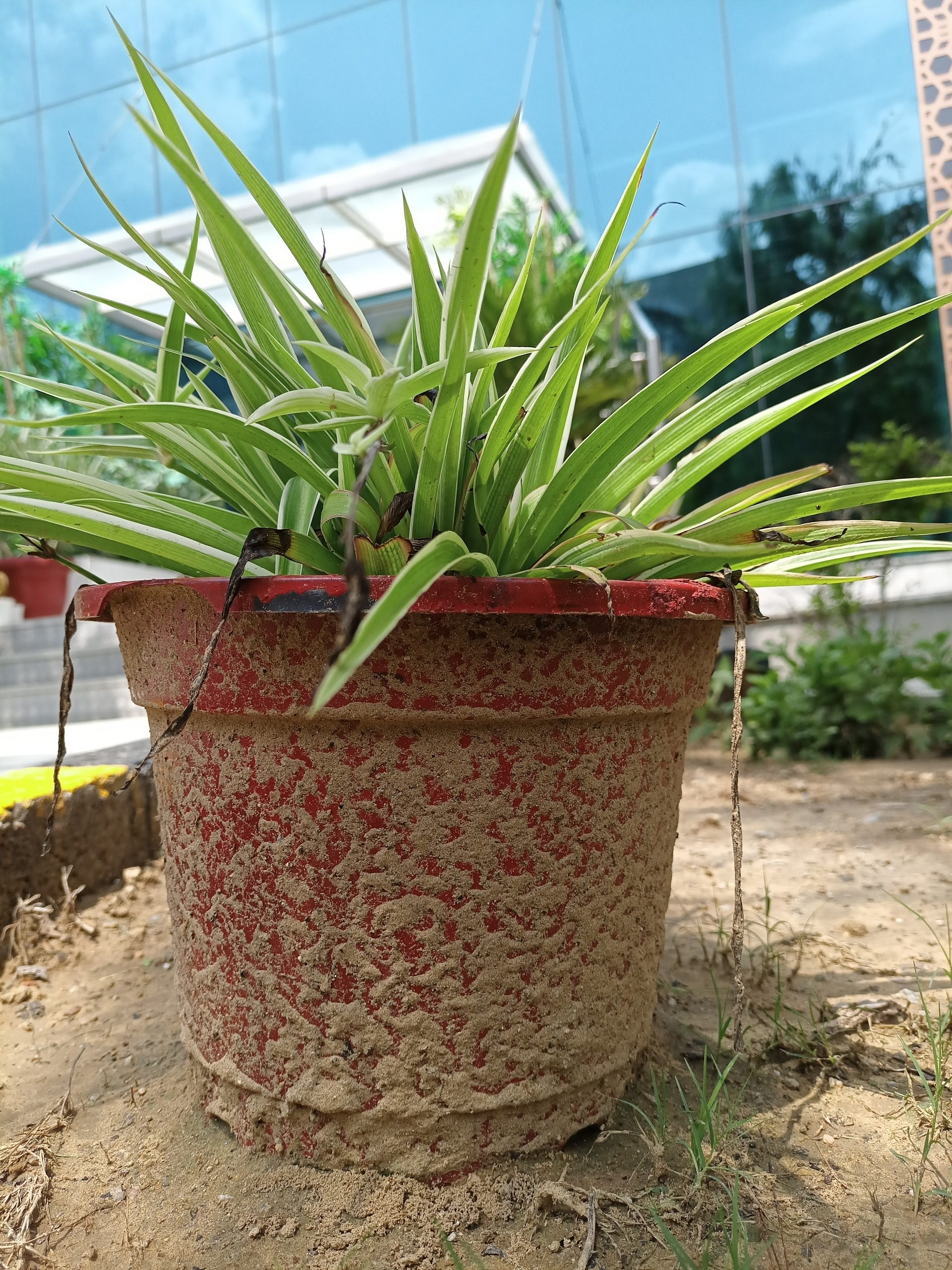
One of the interesting features of the Blaze X’s camera is its AI mode. Unlike some phones where AI is always on by default, you need to switch it on manually here. I played around with this feature, clicking pictures with AI both on and off, and I noticed that AI mode adds a bit more texture to the images. It is a subtle difference, but one that photography enthusiasts might appreciate.
AI Off
AI On
AI Off
AI On
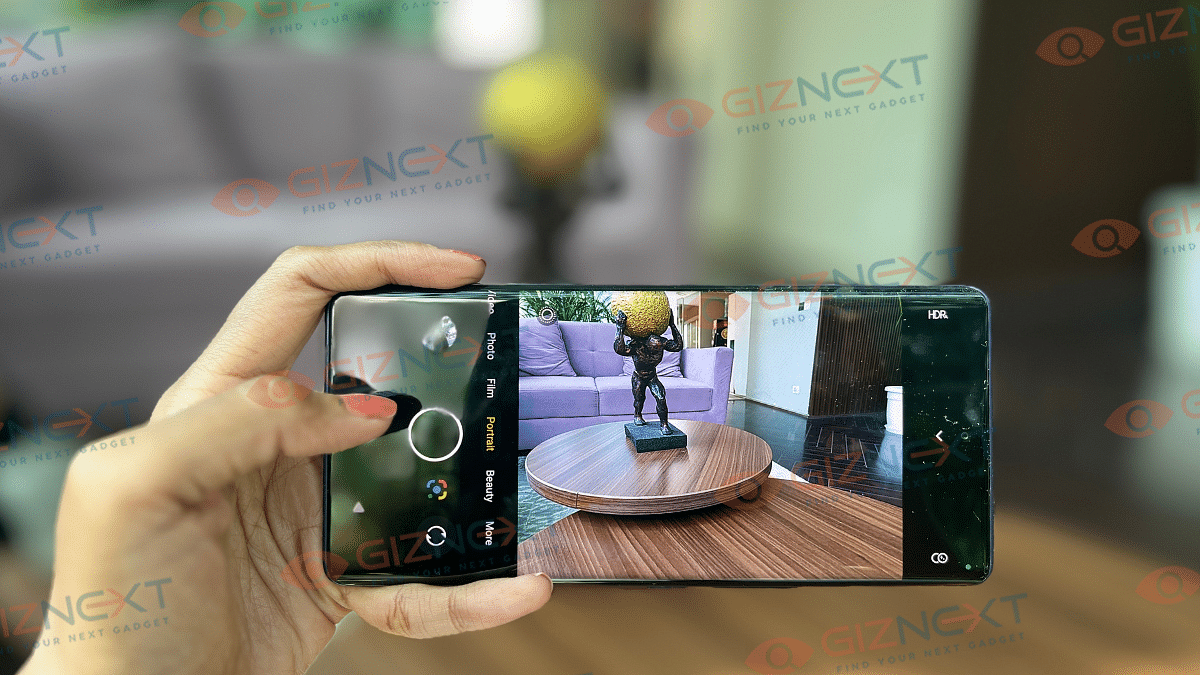
The Portrait mode on the Blaze X also deserves a mention. The edge detection is surprisingly accurate, which is impressive given that even higher-end smartphones sometimes struggle with this.
Speaking of the front camera, the Blaze X sports a 16MP shooter. It is pretty good for selfies, though I noticed that it doesn’t always nail the focus. Occasionally, when I tapped to focus on a subject, the final image turned out blurry. Although, it’s not a deal-breaker, but something to be aware of if selfies are a big part of your smartphone usage.
Beauty Mode
Normal
Zoom performance on the Blaze X is decent as well. The 3x zoom gets the job done, and while it’s not mind-blowing, it’s more than acceptable for a device in this price range.
5x Zoom
10x Zoom
Overall, the camera on the Lava Blaze X is a decent performer, especially considering its budget-friendly price.
Battery
When it comes to battery life, the Lava Blaze X doesn’t disappoint. The device is powered by 5,000mAh battery. On a full charge, the phone easily lasted me through an entire day of typical use.
What’s even better is the 33W fast charging support via the USB Type-C port. During my usage, it didn’t take long to get the Blaze X powered up and ready to go again. This is always a plus if you’re on the move and don’t have time to sit around waiting for your phone to charge. Overall, the battery performance is impressive.
The Lava Blaze X stands out in the budget segment. It has a sleek design, vibrant display, decent camera performance, and impressive battery life. While it has some limitations in multitasking and low-light photography, it offers good value for its price. The phone is a solid choice for budget-conscious users.
For the tech geeks, stay updated with the latest cutting-edge gadgets in the market, exclusive tech updates, gadget reviews, and more right on your phone’s screen. Join Giznext’s WhatsApp channel and receive the industry-first tech updates.