
Key Highlights
- Apple AirPods, AirPods pro firmware update enhances performance
- Released as OTA
- Manual steps can be performed to check and update AirPods firmware
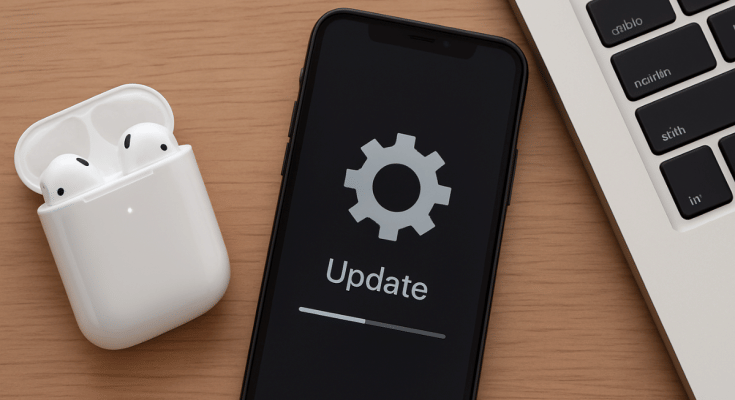
Apple is consistent with releasing OTA updates for its mobile devices and gadgets to boost overall performance and security. While OS updates are common for iPhones, iPads, and MacBooks, they also are for rolled out to smart accessories including the Apple Watch and Air Pods TWS. For the latter, it’s rather less talked about with most of you likely being unaware of any firmware rollout for AirPods and AirPods Pro. That wouldn’t be the case going forward. In this guide, we are making it easier for you to check and update your AirPods/ AirPods Pro firmware easily with just a few taps.
For the tech geeks, stay updated with the latest cutting-edge gadgets in the market, exclusive tech updates, gadget reviews, and more right on your phone’s screen. Join Giznext’s WhatsApp channel and receive the industry-first tech updates.
Also Read: Instagram Edits: New Standalone Editing Insta Tool? 10 Easy Steps To Use!
Steps To Check AirPods, AirPods Pro Firmware Version

Step 1: Pair your AirPods with your iPhone
Step 2: Go to the Settings menu on your iPhone
Step 3: Navigate to the Bluetooth Settings
Step 4: Tap on the “i” icon placed next to the AirPod’s name
Step 5: Now, head to the About section where the firmware version will be listed.
Steps To Update Apple AirPods Firmware To The Latest Version

Step 1: Check the iPhone or iPad’s iOS version. Update it if required to proceed to the next step.
Step 2: Connect your iPhone or iPad or Mac to Wi-Fi and then make sure the AirPods are within range of the device.
Step 3: Pair the AirPods with the iPhone/ iPad/ or Mac.
Step 4: Keep the AirPods in the charging case and ensure the lid is shut.
Step 5: Connect the AirPods’ charging case to a power source
Step 6: Now, wait for at least 30 minutes for the firmware update to be installed
Step 7: Open the charging case and re-pair the AirPods with the iPhone/ iPad or any other compatible device you want.
Step 8: Do verify the firmware version by following the procedure mentioned above
Also Read: WhatsApp Advanced Chat Privacy: How To Add Extra Safety Layer For WhatsApp Chats?
Apple AirPods, AirPods Pro Firmware Update: Why Is It Important?
Apple AirPods and AirPods Pro firmware update are crucial and it is advised that you install the updates once available. All such firmware updates released for AirPods, AirPods Pro, or AirPods Max ensure these TWS earbuds functions properly and the bugs (if any) are fixed. Overall, the firmware updates enhances the AirPods performance by improving the connectivity, optimising battery life, and refine sound output.
