Categories
Accessories Comparison Featured

Xiaomi Redmi Buds 5 vs Realme Buds Air 5: Full Comparison

Choosing the right pair of wireless earbuds can be tricky, especially when you’re on a budget. Two popular options that have recently captured attention are the Xiaomi Redmi Buds 5 and the Realme Buds Air 5. But which one should you pick? Let’s dive into a detailed comparison to help you decide.

FeatureXiaomi Redmi Buds 5Realme Buds Air 5
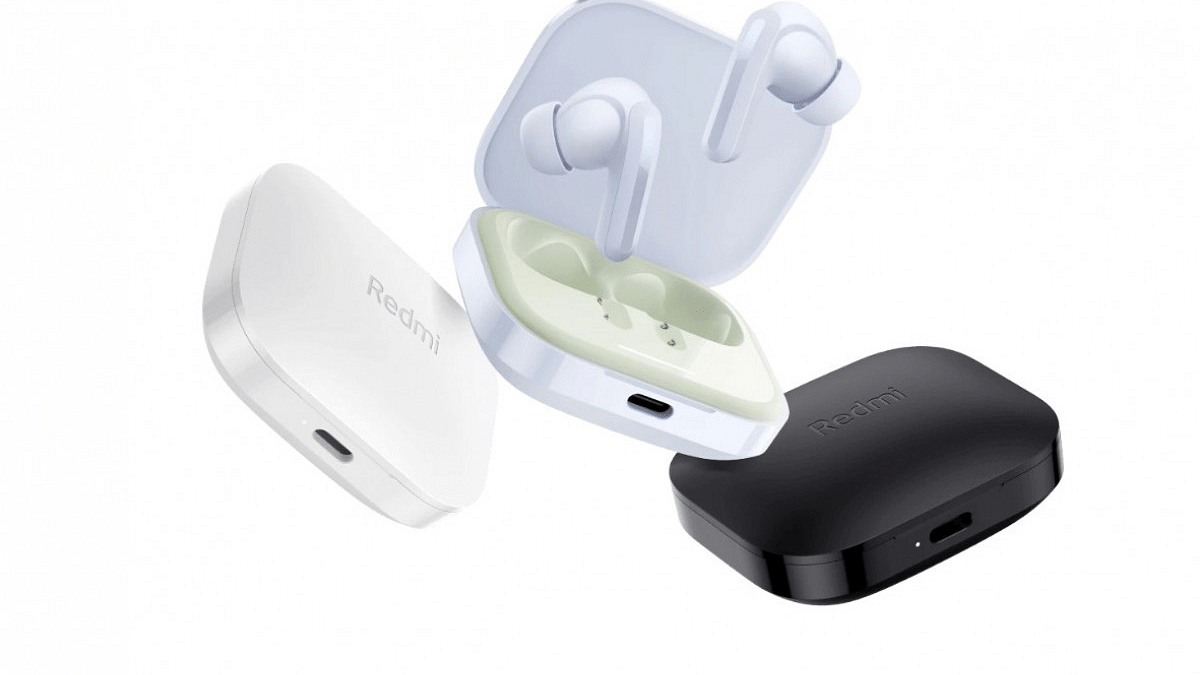
DesignIn-ear canalphone design, interchangeable ear tips, 42g weightIn-ear canalphone design, interchangeable ear tips, 38g weight, IPX5 water resistance
PerformanceDynamic drivers, 46dB ANC with three transparency modesDynamic drivers, 20 Hz – 40,000 Hz frequency response, 50dB ANC
ConnectivityBluetooth 5.3, HSP, HFP, A2DP, AVRCPBluetooth 5.3, A2DP, AVRCP, HFP, HSP
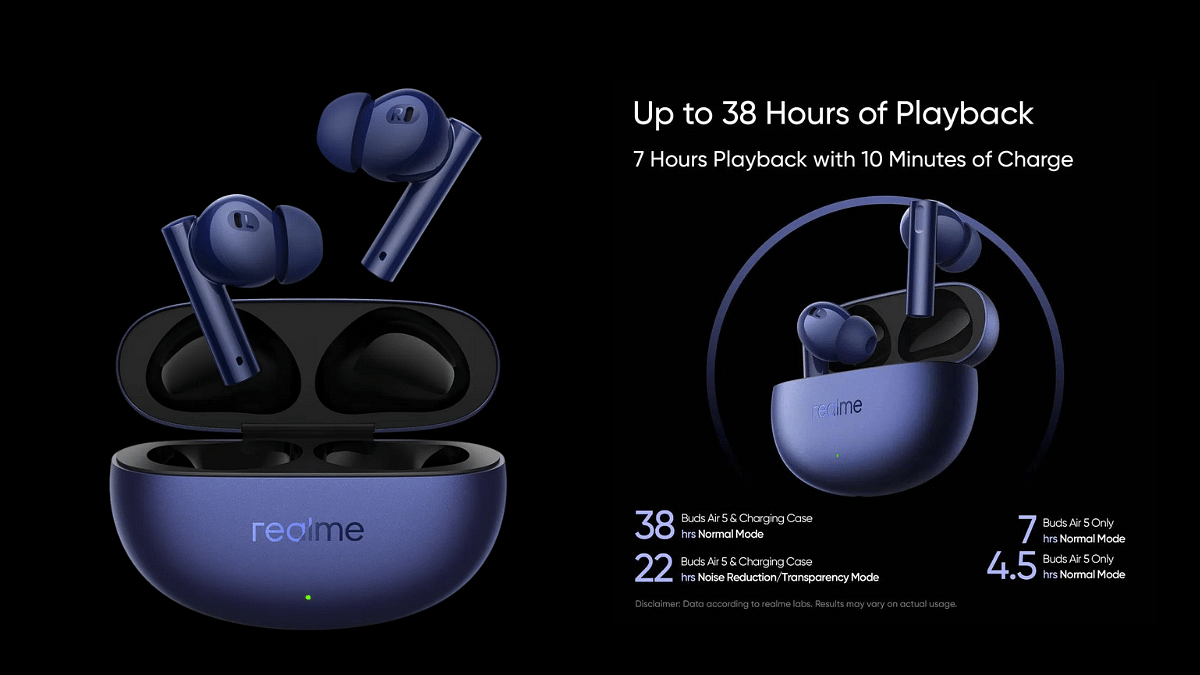
Battery LifeUp to 40 hours with case (ANC off), 10 hours standalone (480mAh case, 54mAh earbuds)Up to 38 hours with case, up to 7 hours with 10-minute charging
PriceStarting at Rs. 2,999Starting at Rs. 3,699

Also Read: Google Gemini Advanced vs ChatGPT Plus: A Head-to-Head Comparison

Xiaomi Redmi Buds 5 vs Realme Buds Air 5: Design

Both earbuds boast an in-ear canalphone design for a snug fit and passive noise isolation. They also offer interchangeable ear tips for personalized comfort. The Redmi Buds 5 are slightly heavier at 42 grams, while the weight of Buds Air 5 is about 38 grams.

Also Read: SSD vs HDD for Laptops: Ultimate Guide to Choosing the Right Storage

Xiaomi Redmi Buds 5 vs Realme Buds Air 5: Performance

Both earbuds utilize dynamic drivers, but the Redmi Buds 5 lack information about frequency response and driver size. The Realme Buds Air 5 boast a wider frequency response of 20 Hz to 40,000 Hz, suggesting potentially richer sound. However, real-world testing is crucial for a definitive verdict.

The Buds Air 5 take the lead here with their impressive 50dB ANC, effectively blocking out ambient noise. The Redmi Buds 5 comes with 46dB active noise cancellation with three transparency modes which can be useful for noise-sensitive users.

The Redmi Buds 5 come with a foldable design for compact storage, while the Buds Air 5 offer IPX5 water resistance, making them sweatproof.

Also Read: OnePlus 12 vs Google Pixel 8: A Detailed Comparison of Specs, Features, and Price

Xiaomi Redmi Buds 5 vs Realme Buds Air 5: Connectivity, Battery
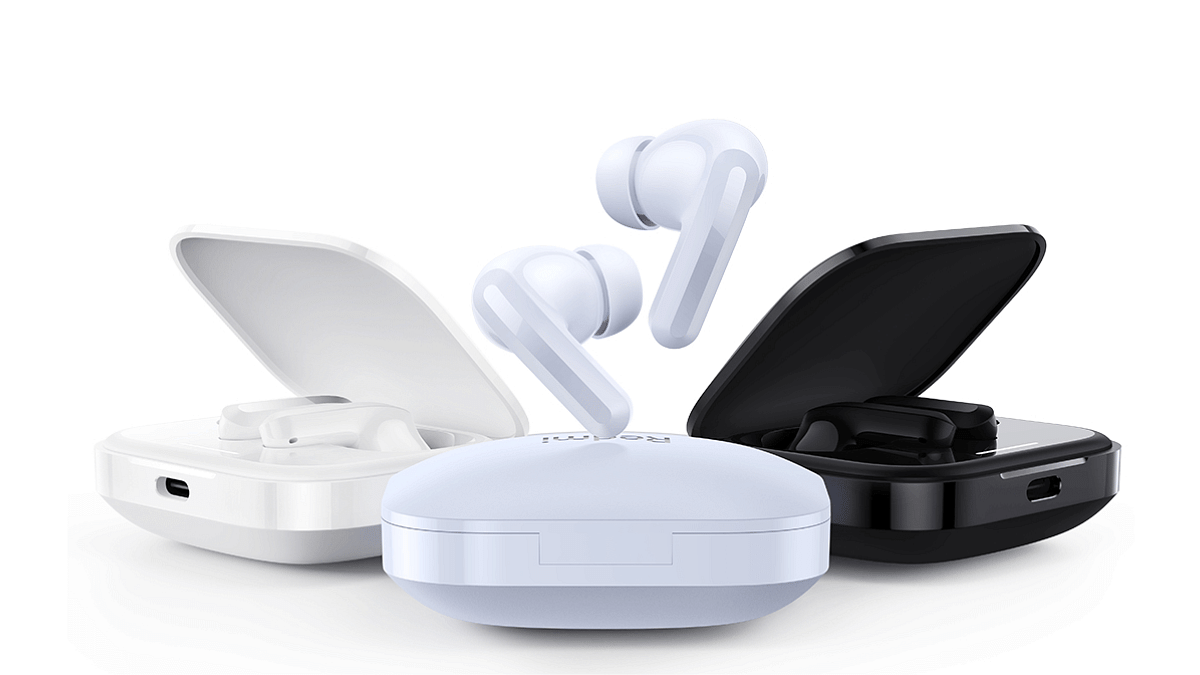
Both utilize Bluetooth 5.3 for stable connections and feature auto-pairing. The Redmi Buds 5 supports HSP, HFP, A2DP, AVRCP Bluetooth profiles, while the Buds Air 5 mention A2DP, AVRCP, HFP, and HSP. Both offer basic call and music controls.

Both offer long-lasting playtime, with the Redmi Buds 5 claiming 40 hours with the 480mAh charging case (ANC off) and 10 hours for the earbuds alone with 54mAh battery capacity. The Buds Air 5 also boast 38 hours with the case and upto 7 hours of playtime with 10 minute charging.

Also Read: OnePlus Buds 3 vs OnePlus Buds Z2: True Wireless Earbuds Compared

Xiaomi Redmi Buds 5 vs Realme Buds Air 5: Price and Availability
The Redmi Buds 5 hold a slight edge with their starting price of Rs. 2,999 compared to the Buds Air 5’s Rs. 3,699. Both are readily available, so the price difference might be the first deciding factor.

Also Read: Redmi Buds 5 Launched In India: Hybrid ANC, 38h Battery, Starting at Rs.2,999

Final Verdict
The Xiaomi Redmi Buds 5 offer a competitive price and a comfortable fit whereas the Realme Buds Air 5 with ANC, a wider frequency response, and water resistance, but their slightly higher price tag might be a deterrent.

Ultimately, the best choice depends on your priorities and budget.

Categories
Apps Featured How To

How To Create Quick Replies In Google Messages On Android

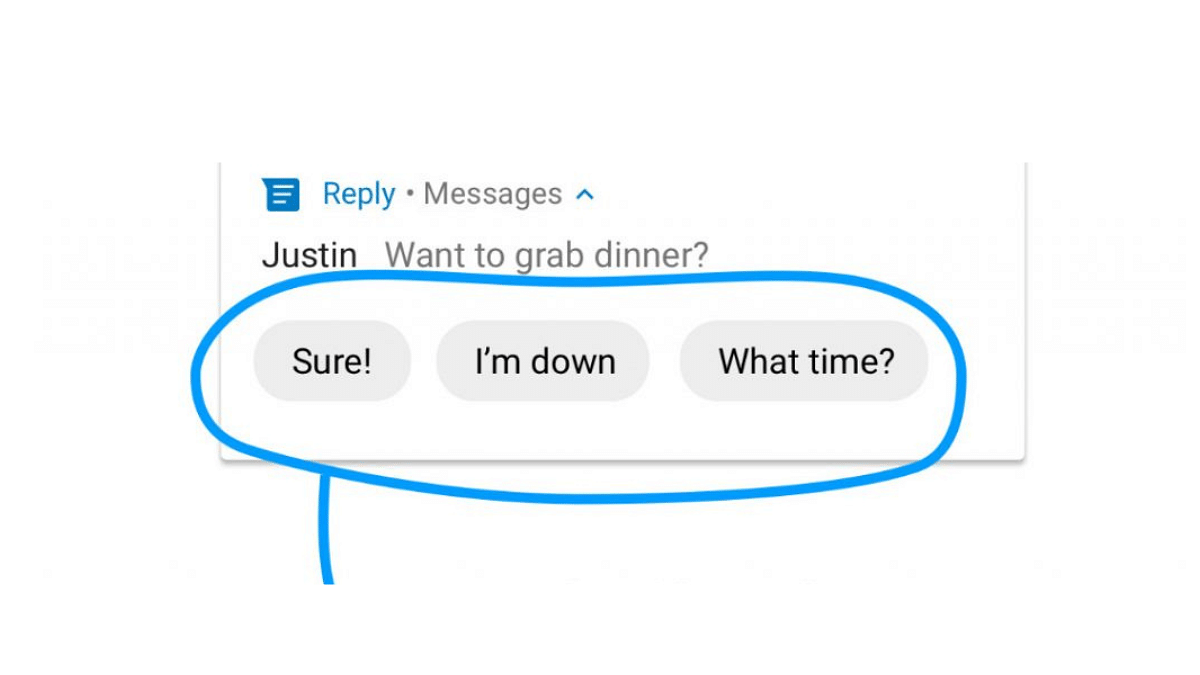
In today’s fast-paced world, navigating the constant influx of messages requires efficient tools. Google Messages recognizes this need and offers “Quick Replies,” a feature that fosters swift and personalized communication.

Also Read: Google Gemini Advanced vs ChatGPT Plus: A Head-to-Head Comparison

Why Quick Replies?

Quick Replies are pre-written responses you can send with a single tap, saving you valuable time and effort. Whether you’re responding to a quick question, acknowledging a message, or expressing your thanks, Quick Replies allow for efficient communication without sacrificing personality.

Also Read: How To Create Stickers On Instagram With Cutouts

Setting Up Quick Replies:

  1. Open the Menu: Tap your profile picture in Google Messages and head to “Messages Settings.”
  2. Enable/Disable Suggestions: Toggle “Suggestions” on or off. When enabled, Google Messages will suggest context-based quick replies.
  3. Edit or Remove Existing: Tap existing suggestions to edit or delete them.
  4. Add Your Own: Tap the “+” icon and type your desired response. Hit “Save” to add it to your list.

Also Read: How To Withdraw Amazon Pay Balance To Your Bank Account: A Step-by-Step Guide

Additional Tips:

  • Google Messages might also suggest “smart replies” based on message content. These cannot be edited or saved as custom replies.
  • Specific steps and options may vary slightly depending on your device and Android version.

Also Read: How To Use Google Collections As Your Ultimate Web Archive

Remember:

  • Choose Quick Replies that are relevant to your frequent conversations.
  • Keep them concise and clear for easy understanding.
  • Update your list regularly to reflect your evolving communication needs.

By utilizing Quick Replies, you can effectively manage your message inbox while maintaining a personal touch in your communication. This feature empowers you to streamline your interactions and optimize your time spent messaging.

Categories
Featured Info Laptop

Asus ROG Zephyrus G16 OLED Gaming Laptops Launched In India: Specs, Price

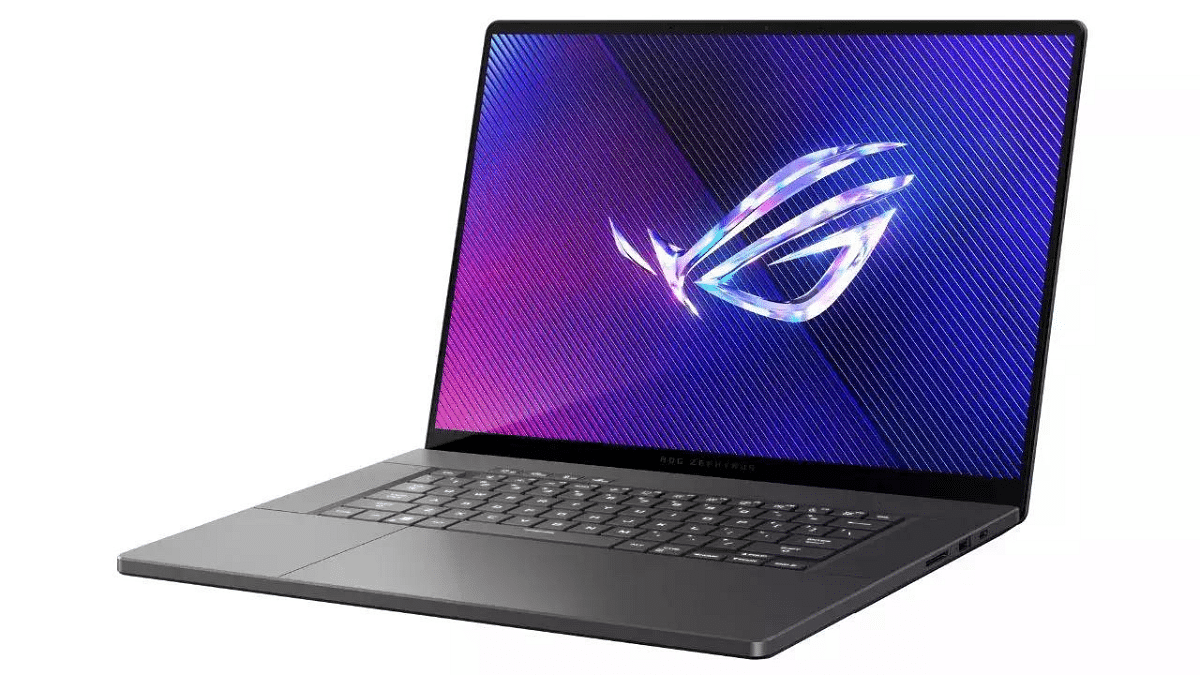
Asus has launched a diverse range of gaming laptops and desktops in India, catering to various preferences and budgets. This exciting lineup includes the first-ever ROG laptop with an OLED display: the Zephyrus G16. Let’s delve into the key highlights:

Also Read: SSD vs HDD for Laptops: Ultimate Guide to Choosing the Right Storage

ASUS ROG Zephyrus G16 OLED:

  • Starting at Rs. 1,89,990: This premium laptop boasts a stunning 16-inch OLED display with a 2.5K resolution, 240Hz refresh rate, and 0.2ms response time.
  • AI-Ready performance: Powered by up to an Intel Core i9 processor and NVIDIA RTX 4090 GPU with MUX Switch and Advanced Optimus support.
  • Efficient cooling: Features 2nd gen Arc Flow fans and a redesigned air outlet for optimal thermal management.
  • Thin and lightweight design: Enjoy portability without compromising power.

Also Read: Top 5 Gaming Laptops With 12th Gen Intel Core Processor Under 1 Lakh

ASUS ROG Strix SCAR 16 & 18:

  • Starting at Rs. 2,89,990: These laptops offer a distinctive design with signature ROG RGB accents and powerful performance.
  • 16-inch or 18-inch displays: Both options feature a 240Hz refresh rate, peak brightness of 1100 nits, and Dolby Vision support.
  • Latest hardware: Up to Intel Core i9-14900HX processor and NVIDIA GeForce RTX 4090 GPU with a max TGP of 175W.
  • Advanced Optimus technology: Ensures optimal graphics performance.

Also Read: Top High-End Gaming Laptops With Intel Core i9 Processor

ASUS ROG Gaming Desktops:

  • ROG G22 (starting at Rs. 2,29,990): This compact desktop features an Intel Core i7 processor and NVIDIA GeForce RTX 4070 graphics card, offering powerful performance in a space-saving design.
  • ROG G13 (starting at Rs. 1,39,990): A more affordable option with a range of configurations to suit different budgets.

Also Read: Best Year-End Deals On Amazon: Get up to 50% Discount On Business Laptops

Additional Highlights:

  • ASUS Consumer Desktop S501 (Rs. 87,990): A budget-friendly option for those seeking a desktop gaming setup.
  • Early adopter deals: Purchase select ROG laptops between Feb 14-20 and receive a free TUF Gaming H3 headset.

With this diverse lineup, Asus caters to a wide range of gamers in India. Whether you prioritize portability, cutting-edge performance, or affordability, there’s a ROG option waiting to be unleashed.

Categories
Apps Comparison Featured Info

Google Gemini Advanced vs ChatGPT Plus: A Head-to-Head Comparison

Google One AI Premium Plan (Gemini Advanced) and ChatGPT Plus, both offer impressive capabilities, but choosing the right one depends on your specific needs and preferences. Let’s dive into a comparison to help you make an informed decision.

Also Read: Update: ChatGPT Introduces Memory Feature – What It Means for You

Google Gemini Advanced vs ChatGPT Plus: Features

1. AI Engine:

  • Google One AI Premium Plan: Gemini, Google’s advanced AI tool, excels in diverse tasks like writing, translation, and information retrieval.
  • ChatGPT Plus: Boasts access to GPT-4, OpenAI’s most powerful language model, for cutting-edge writing, coding, and creative content generation.

2. Customization:

  • Google One AI Premium Plan: Currently lacks customizability options for Gemini.
  • ChatGPT Plus: Offers “GPT Builder,” allowing you to tailor your own GPT model for specific needs.

3. Accessibility:

  • Google One AI Premium Plan: No guaranteed access during peak times.
  • ChatGPT Plus: Ensures general access even during peak usage hours.

4. Speed:

  • Google One AI Premium Plan: Response times may vary depending on usage.
  • ChatGPT Plus: Prioritizes faster response times for a smoother experience.

5. Additional Features:

  • Google One AI Premium Plan: Includes 2TB cloud storage, expert support, family sharing, photo editing tools, and dark web monitoring.
  • ChatGPT Plus: Offers priority access to new features and improvements.

Also Read: How to Use Gemini AI as Your New Assistant on Android (Step-by-Step Guide)

Google Gemini Advanced vs ChatGPT Plus: Price

ChatGPT

Both services have similar price tags, with Google One AI Premium Plan starting at Rs. 1950 and ChatGPT Plus slightly higher at Rs. 1960. The decision boils down to which features hold more value for you.

Also Read: Google’s AI: Bard or Gemini? What You Need To Know About The Rebranding

Which One To Choose?

  • Versatility and Value: If you need a well-rounded package with AI capabilities, cloud storage, and extra features like photo editing and dark web monitoring, Google One AI Premium might be your best bet.

  • Cutting-Edge AI and Customization: If you prioritize raw AI power, personalized language models, and guaranteed access during peak times, ChatGPT Plus could be your ideal choice.

Remember, the AI landscape is dynamic. Both Google and OpenAI are constantly pushing boundaries. Keep an eye out for future developments and updates that might influence your decision down the road.

Categories
Accessories Featured Info

Apple Vision Pro India: Man Seen Wearing Headset in Bengaluru

Key Highlights

  • Vision Pro Debuts: US-Only Launch at $3,499
  • Spotted in India? User Photos Spark Speculation
  • International Release Pending: US ID & Apps Required

Apple’s highly anticipated Vision Pro mixed-reality headset has caused a stir thanks to a photo circulating online, allegedly showing a man wearing the device in Bengaluru, India. However, before you get too excited, there’s a crucial catch.

Also Read: Safer Internet Day 2024: Top 5 Apple Features You Need to Know

Vision Pro: US-Only for Now

Apple launched the Vision Pro on February 2nd, but only in the US. There’s no official word on India availability just yet, and considering the headset’s premium price tag of $3,499 and sold-out status, owning one outside the US presents several challenges.

Also Read: How to Use Gemini AI as Your New Assistant on Android (Step-by-Step Guide)

The Bengaluru Sighting: What We Know (and Don’t Know)

X (formerly Twitter) user named Ayush Pranav posted a picture online claiming to have spotted someone wearing the Vision Pro in Bengaluru’s Indiranagar neighborhood. The man in the photo, identified as @waitin4agi_, hasn’t confirmed how he acquired the device or where his Apple ID originates.

Also Read: How To Create Stickers On Instagram With Cutouts

Why Buying Abroad Isn’t an Option (Yet)

Even if you managed to buy a Vision Pro outside the US, it wouldn’t function properly. Apple requires a US-based Apple ID and US-purchased apps for full functionality.

Also Read: Is Apple Vision Pro Ready? Viral Videos Prompt Safety Discussions

What’s Next?

Apple CEO Tim Cook compared the Vision Pro’s debut to the iPhone and iPod, calling it “like nothing the world has ever seen before.” While the Bengaluru sighting might not be directly linked to an official India launch, it highlights the growing international anticipation for this innovative device.

Apple hasn’t announced a timeline for international availability, but the positive US reception suggests wider expansion could be on the horizon. Stay tuned for official updates to see when the Vision Pro might grace streets outside the US, including those in Bengaluru.

Categories
Apps Featured Info

Update: ChatGPT Introduces Memory Feature – What It Means for You

Key Highlights

  • ChatGPT learns & recalls info for smoother conversations.
  • Users can now manage what’s remembered, forget & turn it off.
  • Chats stay private, data opt-out & temporary chats available.

ChatGPT, the popular AI chatbot known for its engaging and informative conversations, has unveiled a game-changing feature: memory. This innovative addition promises to revolutionize the way users interact with the chatbot, offering a level of personalization and efficiency never seen before.

Also Read: Is Google’s Gemini A Better ChatGPT Alternative? Let’s Find Out!

What Does the Memory Feature Do?

Imagine having a conversation with a friend who remembers everything you’ve talked about. It allows the chatbot to:

  • Remember specific details you discuss, like your preferences, hobbies, or past conversations.
  • Tailor its responses to your individual needs and interests, making them more relevant and helpful.
  • Save you from repeating yourself, eliminating the need to re-explain things in different chats.

Also Read: Chatgpt Vs Microsoft Copilot: Which One Is A Better AI Tool?

You’re in Control of Your Memories

ChatGPT

Privacy is paramount, and ChatGPT puts you in control. You can:

  • Tell ChatGPT to remember or forget specific information.
  • Manage your memories through settings, choosing what to keep and what to delete.
  • Turn off the memory feature entirely if you prefer anonymous chats.

Also Read: Have You Tried Google’s ImageFX Yet? Learn How To Use This New AI Image Generator

Testing and Transparency

The memory feature is currently in a pilot phase, with plans for wider rollout soon. This ensures the company gathers valuable user feedback before making it available to everyone. OpenAI, the developers behind ChatGPT, are committed to transparency and ethical AI development. They emphasize that:

  • Your conversations are private and secure. Memories aren’t linked to specific chats, and deleting a chat doesn’t erase associated memories.
  • You can opt out of contributing your data for model improvement if you prefer.

Also Read: ChatGPT Is Now Available On Android Starting Next Week

Temporary Chat:

If you prefer fleeting conversations, ChatGPT offers a “temporary chat” option. This ensures your interactions are self-contained, leaving no trace in the memory or model training.

Also Read: Is Google’s Gemini A Better ChatGPT Alternative? Let’s Find Out!Google’s AI: Bard or Gemini? What You Need To Know About The Rebranding

What’s Coming Up?

ChatGPT

ChatGPT’s memory feature is a significant step forward in AI-driven interactions. By fostering personalized and efficient conversations, it has the potential to:

  • Enhance user experience and satisfaction.
  • Boost the effectiveness of AI applications in various fields.
  • Shape the future of human-computer interaction.

Categories
Accessories Featured Info

Thermal Printers: Explore Types, Uses, & Key Features

Thermal printers, with their innovative heat-based technology, offer a compelling alternative to traditional ink-based printers. Their speed, reliability, and minimal maintenance make them ideal for a wide range of applications. But choosing the right thermal printer requires understanding the different types, their uses, and key features.

Also Read: Fujifilm Link Series Smartphone Printers Launched In India: Price Starts At Rs. 10,999

Thermal Printing: Types

  • Direct Thermal: Cost-effective for labels, receipts, and short-term prints, but susceptible to fading over time.
  • Thermal Transfer: Offers enhanced durability and is perfect for long-lasting prints like barcode labels and product tags, using wax or resin ribbons for transfer.

Also Read: Best All-In-One Printers To Buy For Home Use In India

Thermal Printers: Pros and Cons

Pros:

  • Blazing Speed: Ideal for high-volume printing needs.
  • Maintenance-Free: No cartridges, minimizing upkeep.
  • Cost-Effective: Direct thermal printing eliminates ink costs.
  • Quiet Operation: Perfect for noise-sensitive environments.

Cons:

  • Fading: Direct thermal prints can fade with heat or light exposure.
  • Limited Color: Mostly monochrome printing, not ideal for color-intensive tasks.
  • Material Compatibility: Not suitable for all materials.
  • Specialized Paper: Requires heat-sensitive paper for optimal results.

Also Read: Best Printers With Scanners Available In India

Choosing Your Thermal Printer:

  • Application: Direct thermal for short-term needs, thermal transfer for lasting prints.
  • Resolution: Higher resolution for fine details like barcodes.
  • Volume: Industrial-grade for high volume, desktop for moderate needs.
  • Speed: Match your workflow demands.
  • Media: Ensure compatibility with your desired materials (labels, tags, paper).
  • Connectivity: Choose USB, Ethernet, or wireless based on your setup.

Also Read: Best Wireless Printers To Buy In India: Check Out The List

Thermal Printer: Key Features

  • Print Resolution: Measured in dots per inch (DPI), higher resolution means sharper images. Consider 203 DPI for basic printing, 300 DPI for barcodes, and 600 DPI for high-quality images.
  • Printing Speed: Measured in millimeters per second (mm/s), faster speeds are ideal for high-volume printing. Look for speeds ranging from 100 mm/s for basic needs to 300 mm/s for demanding tasks.
  • Media Handling: Choose a printer compatible with your desired media size and type, including labels, tags, and paper rolls.
  • Connectivity Options: USB is common, but Ethernet or Wi-Fi might be necessary for network printing or mobile printing capabilities.

Also Read: Top Four Photo Printers Under Rs. 15,000 In India: List Inside

Additional Tips:

  • Price: Thermal printers vary in price depending on features and capabilities.
  • Brand Reputation: Opt for reputable brands known for reliability and quality.
  • Warranty: Look for a printer with a decent warranty period.
  • Customer Support: Ensure the manufacturer offers good customer support.
  • Read Reviews: Check user reviews to gain insights into real-world experiences.

By understanding the different types, uses, and key features of thermal printers, you can make an informed decision and choose the perfect printer for your needs. Remember, the right printer can enhance your efficiency and save you money in the long run.

Categories
Apps Featured Info

How Gmail is Reducing Unwanted Emails in 2024: Here’s What’s Changing

Key Highlights

  • Gmail cracks down on bulk senders with new rules.
  • One-click buttons let you ditch unwanted emails instantly.
  • Non-compliant emails face rejection from April, rising over time.

Tired of your Gmail overflowing with unwanted promotional emails and spam? Google’s got your back! They’re implementing a multi-pronged approach to significantly reduce spam emails, promising a cleaner, more manageable inbox for users. Here’s what you need to know:

Also Read: How to Draft Emails with Voice in Gmail: A Step-by-Step Guide

Targeting Bulk Senders:

Google’s focus is on bulk email senders, who often bombard users with unwanted messages. New policies require these senders to:

  • Authenticate their messages: This ensures messages are legitimate and not spoofed.
  • Only send to opted-in recipients: No more unsolicited emails! Senders must have valid consent from recipients.

Also Read: Is Google’s Gemini A Better ChatGPT Alternative? Let’s Find Out!

One-Click Unsubscribe Ease:

Say goodbye to buried unsubscribe links! By June 2024, all commercial and promotional emails from bulk senders must have a prominent, one-click unsubscribe button. Opting out will be easier than ever.

Also Read: Gmail App Now Offers Built-in Translation Feature: Here’s How To Use It

Implementation Timeline:

Here’s how Google’s plan unfolds:

  • February 2024: Bulk senders who don’t comply receive temporary errors – a warning to address issues.
  • April 2024 onwards: Google begins rejecting a portion of non-compliant emails, gradually increasing over time. This incentivizes senders to comply.

Also Read: Gmail Tips And Tricks: How To Secure Your Google Account With Two-Factor Authentication

Impact on Senders:

Failing to comply with Google’s new requirements means your emails won’t reach Gmail users. This incentivizes senders to prioritize user preferences and clean up their practices, ultimately leading to a healthier email ecosystem for everyone.

Also Read: Is Google Deleting Your Gmail Account Next Month? Here’s The Truth

What Does This Mean for You?

  • Less time spent wading through spam.
  • More control over your inbox with easy unsubscribe options.
  • A more reliable and trustworthy email experience.
  • A potential shift towards more relevant and personalized email marketing.

While it might take some time for the full impact to be felt, Google’s new anti-spam measures mark a significant step toward a cleaner, more user-friendly inbox. So, rejoice, email users! The fight against spam is finally gaining traction, and your inbox is about to become a much more pleasant place to be.

Categories
Apps Featured Info

Don’t Get Hacked! Update Chrome ASAP Following Govt Warning

Key Highlights

  • Update now to avoid high-risk attacks in India.
  • CVE-2024-1283 & 1284 open doors to data theft & DoS.
  • Update Chrome for Windows, Mac & Linux to versions 122.0.6167.162+

Indian government’s cybersecurity watchdog, CERT-In, has issued a critical alert urging Google Chrome users in India to update their browsers immediately. This urgent warning comes after discovering multiple “high-risk” vulnerabilities in Google Chrome versions 122.0.6167.160 and before, affecting both Windows and macOS/Linux users.

Also Read: Google Maps Levels Up: Android Users Gain Access To iOS Exclusive Weather Feature

What’s the Threat?

These vulnerabilities, identified as CVE-2024-1283 and CVE-2024-1284, pose a serious threat as they allow remote attackers to:

  • Execute arbitrary code: This could lead to attackers taking complete control of your device, potentially stealing sensitive information or launching denial-of-service attacks.
  • Exploit “Use after free” and “Heap buffer overflow” vulnerabilities: These technical terms essentially mean attackers can manipulate the browser’s memory, creating openings for malicious code injection.

Also Read: Is Google’s Gemini A Better ChatGPT Alternative? Let’s Find Out!

Who’s Affected?

If you’re using Google Chrome for Windows version 122.0.6167.160/161 or before, or Google Chrome for Mac/Linux version 122.0.6167.160 or before, you are at risk.

Also Read: Google Chrome’s New Feature: You Can Easily Monitor Tab RAM Usage Now

Stay Safe, Update Now!

The good news is there’s a simple solution: update your Google Chrome browser immediately. Head over to Chrome’s “Settings” menu, click “About Chrome,” and follow the prompts to download and install the latest update.

Google has released security fixes specifically addressing these vulnerabilities in the latest stable channel update.

Remember: Updating your browser takes just a few minutes but can save you from major headaches and security risks. Don’t wait, update Chrome today and stay safe online!

Also Read: How To Use Google Collections As Your Ultimate Web Archive

Stay Vigilant and Protect Yourself:

This Google Chrome vulnerability alert highlights the importance of staying updated with the latest security patches. Here are some additional tips:

  • Enable automatic updates: Set your browser to automatically download and install updates as they become available.
  • Be cautious of suspicious links: Don’t click on links or download attachments from unknown sources.
  • Use a strong password and consider a password manager: A strong and unique password helps protect your data from unauthorized access.
  • Install a reputable antivirus/antimalware software: This can offer additional protection against malicious threats.

By staying informed and taking proactive steps, you can significantly reduce your risk of falling victim to cyberattacks. Remember, updating your software and practicing safe online habits are crucial for protecting your data and privacy in today’s digital world.

Categories
Featured Gaming Info

Valentine’s Day Gift: Surprise Your Gamer Partner With These Top-Rated Budget Gaming Phones

Looking for the perfect Valentine’s Day gift that speaks to your gamer partner’s heart? Ditch the roses and chocolates this year and surprise them with a powerful new gaming phone that will take their mobile gaming experience to the next level!

1. Realme Narzo 60 5G

This phone boasts a unique leather design that turns heads, along with a large 6.43-inch AMOLED display with a 90Hz refresh rate for smooth gameplay. The powerful MediaTek Dimensity 6020 chipset handles demanding games with ease, paired with 8GB RAM and 256GB storage for quick loading and multitasking. Capture stunning moments with the 64MP rear sensor and 16MP selfie camera. Plus, the massive 5000mAh battery keeps the fun going for hours.

Reasons to buy:

  • Unique design
  • Powerful performance
  • Large display with high refresh rate
  • Long-lasting battery

2. OnePlus 10R 5G

This sleek phone features an impressive 50MP camera setup with a high-quality Sony sensor, alongside a 120Hz AMOLED display for crisp visuals. Powered by a powerful processor and a 5000mAh battery with 80W fast charging, it promises smooth gameplay and extended usage. Special features like a Hyperboost gaming engine and Alexa Hands-Free enhance the experience.

Reasons to buy:

  • Flagship-level camera
  • Immersive display with high refresh rate
  • Powerful processor and fast charging
  • Special gaming features

3. Redmi Note 13 5G

This phone packs a punch with its high-end features at a budget-friendly price. The 6.67-inch FHD+ OLED displayboasts a 120Hz refresh rate for smooth visuals, while the Mediatek Dimensity 6080 processor and 12GB RAM ensure seamless performance. The 108MP AI triple camera setup captures detailed photos, and the 5000mAh battery with 33W fast charging provides long-lasting power.

Reasons to buy:

  • High-end features at an affordable price
  • Smooth display with high refresh rate
  • Powerful processor and ample RAM
  • Long-lasting battery with fast charging

4. Samsung Galaxy S21 FE 5G

This phone boasts the powerful Snapdragon 888 processor with 8GB RAM for smooth performance, while the pro-grade camera system captures stunning photos and videos. The 6.4-inch Dynamic AMOLED 2X display with a 120Hz refresh rate delivers an immersive viewing experience. With an IP68 water resistance rating and Gorilla Glass Victus protection, it’s built to last.

Reasons to buy:

  • Powerful processor and ample RAM
  • Pro-grade camera system
  • Immersive display with high refresh rate
  • Durable design

5. Realme 11 5G

This phone offers a vibrant 6.72-inch IPS LCD display with a 120Hz refresh rate for smooth visuals. Powered by the MediaTek Dimensity 6100+ chipset and 8GB RAM, it delivers smooth performance for casual and intense gaming alike. The 108MP main camera captures clear photos, while the 5000mAh battery with 67W fast charging ensures you can game all day long.

Reasons to buy:

  • Vibrant display with high refresh rate
  • Smooth performance
  • Powerful camera
  • Long-lasting battery with fast charging

Remember, the perfect gift is one that shows you care and understand your partner’s interests. With this guide, you’re sure to find the ideal budget-friendly gaming smartphone that will make their Valentine’s Day truly unforgettable!