As the Assistant Editor, Sandeep is generating tech-oriented content and also monitoring the content published on the website. He has over six years of experience in tech journalism and has expertise in product reviews, news articles, listicles, and media campaigns.
Instagram is a widely popular social media app for photo sharing and short videos called Reels. The brand has added numerous upgrades to its Android and iOS apps to ensure a premium user experience. The desktop version of Instagram isn’t far behind and offers most of the features that are available with the mobile version of the app.
Instagram also is gaining popularity with budding content creators and entrepreneurs. The photo-sharing app has monetized its platform and is giving an opportunity to the audience to earn monetary benefits and also get a wider customer reach by endorsing their products.
And you don’t have to restrict yourself to using the default English language on the app. In addition to English, Instagram has support from multiple other international languages. If you are from India, you can also set the default language to Hindi. Setting up a default native language on Instagram allows easy usage and a better understanding of the features.
It also gets easier to navigate through the app and uses all features, tools, and services that are offered by Instagram when you change the native language settings. But what all steps do you need to perform in order to change the default language settings on the Instagram app? We have listed down all the steps for your ease:
Steps To Change Instagram Default App Language Settings On Android
Step 1: Open the Instagram app on your Android phone and tap on the profile option. You can locate this profile icon at the bottom right of the app homepage.
Step 2: Click on the More option (three horizontal lines) located on the top right.
Step 3: Tap on Settings (gear icon).
Step 4: Click on Account.Step 5: Scroll down to the Language option.
Step 6: Select the appropriate language that you wish to set as default.
Qualcomm Snapdragon 782G is the newest octa-core premium mid-range chipset fabricated using 6nm process
The Snapdragon 870 processor features octa-core CPU cluster and is based on 7nm fabrication
GPU compatibility is Adreno 642L with the SD 782G chipset and Adreno 650 with the SD 870
Memory support is LPDDR5 on both chipsets
Qualcomm has launched several new mobile processors for Android smartphones as well as tablets. The Snapdragon 8 Gen 1 and the Snapdragon 782 processors are the brand’s latest generation chipsets for Android gadgets. Both these octa-core processors are designed for premium 5G phones oriented toward gaming.
The latter comes as an upgrade to the Snapdragon 778G which is the most popular premium mid-tier chipset with gaming capabilities. We previously compared both these chipsets to analyze the performance difference. Now, we are doing a comparison between the Snapdragon 782G and the Snapdragon 870 SoC to see which one offers better performance.
Qualcomm Snapdragon 782G Vs Snapdragon 870: CPU and GPU Differences
Chipset
Qualcomm Snapdragon 782G
Qualcomm Snapdragon 870
CPU
octa-core CPU
octa-core CPU
GPU
Adreno 642L
Adreno 650
Memory
LPDDR5
LPDDR5
Fabrication
6nm
7nm
Like most of the premium mid-range and flagship chipsets, the Snapdragon 782G and the Snapdragon 870 processors feature an octa-core CPU cluster but with a different fabrication process. The Snapdragon 782G chipset uses a 6nm process, contrary to the 7nm TSMC fabrication used by the Snapdragon 870 chipset. The frequency range is 2700 and 3200 MHz respectively.
If we speak of the core clusters, the Snapdragon 782G features one Cortex-A78 core with 2.7GHz clock speed, three Cortex-A78 cores with 2.2GHz clock speed, and four Cortex-A55 cores with 1.9GHz clock speed. The Snapdragon 870 chipset has a single Cortex-A77 core with 2,42GHz clock speed, three 2.42Ghz Cortex-A77 cores, and four Cortex-A55 cores with 1.8GHz clock speed. Power delivery is equivalent by both Snapdragon 782G and the Snapdragon 870 chipsets. But the thinner fabrication process is an advantage for the SD 782G.
Snapdragon 782G Vs Snapdragon 870 SoC: GPU Comparison
In terms of GPU, the Snapdragon 870 takes the lead with the Adreno 650GPU integration. On the other hand, the Snapdragon 782G processor has the Adreno 642L GPU compatibility which has 1.1 Vulkan, 2.0 OpenCL, and 12 DirectX versions. The Snapdragon 870 chipset’s GPU frequency is around 675MHz, but this statistic is currently not confirmed by Qualcomm. Nevertheless, the graphics rendering capacity is good with both of these chipsets with the least lags and stutters while gaming and with other graphic extensive tasks.
Snapdragon 782G Vs Snapdragon 870 Processor: Memory. Multimedia (ISP)
Both Snapdragon 782G and the Snapdragon 870 processor have the same memory compatibility. Qualcomm has used the same LPDDR5 RAM support, however, the memory frequency delivered is different. While the Snapdragon 782G chipsets offers a 3200MHz memory frequency, the Snapdragon 870 processor offers a 2750 MHz memory frequency. The maximum memory compatibility remains the same with both processors, i.e, 16GB.
Storage compatibility differs with the Snapdragon 782G processor supporting UFS 2.2, UFS 3.0, and UFS 3.1 memory types, while the Snapdragon 870 processor supports just UFS 3.0 and UFS 3.1 memory.
Moving on to display resolution., the Snapdragon 870 supports 2160 x 3840 pixels max display resolution. The Snapdragon 782G comes with 1080 x 2520 pixels max display resolution support. Maximum camera resolution is up to 200MP with both these chipsets. The Snapdragon 870 gets an edge with up to 8K video recording and playback support instead of 4K@30fps supported by the Snapdragon 782G chipset.
Performance delivery is undeniably high-end when we speak of these two processors. The CPU and GPU performance is powerful and both these processors deem fit for gaming and even general tasks.
Infinix Zero 5G 2023 with upgraded hatrdware launched in global markets
Packs Dimensity 1080 chipset combined with 8GB RAM+ 256GB storage
Sports 120Hz FHD+ LCD display
50MP triple rear and 16MP selfie camera
5,000 mAh battery with 33W fast charging
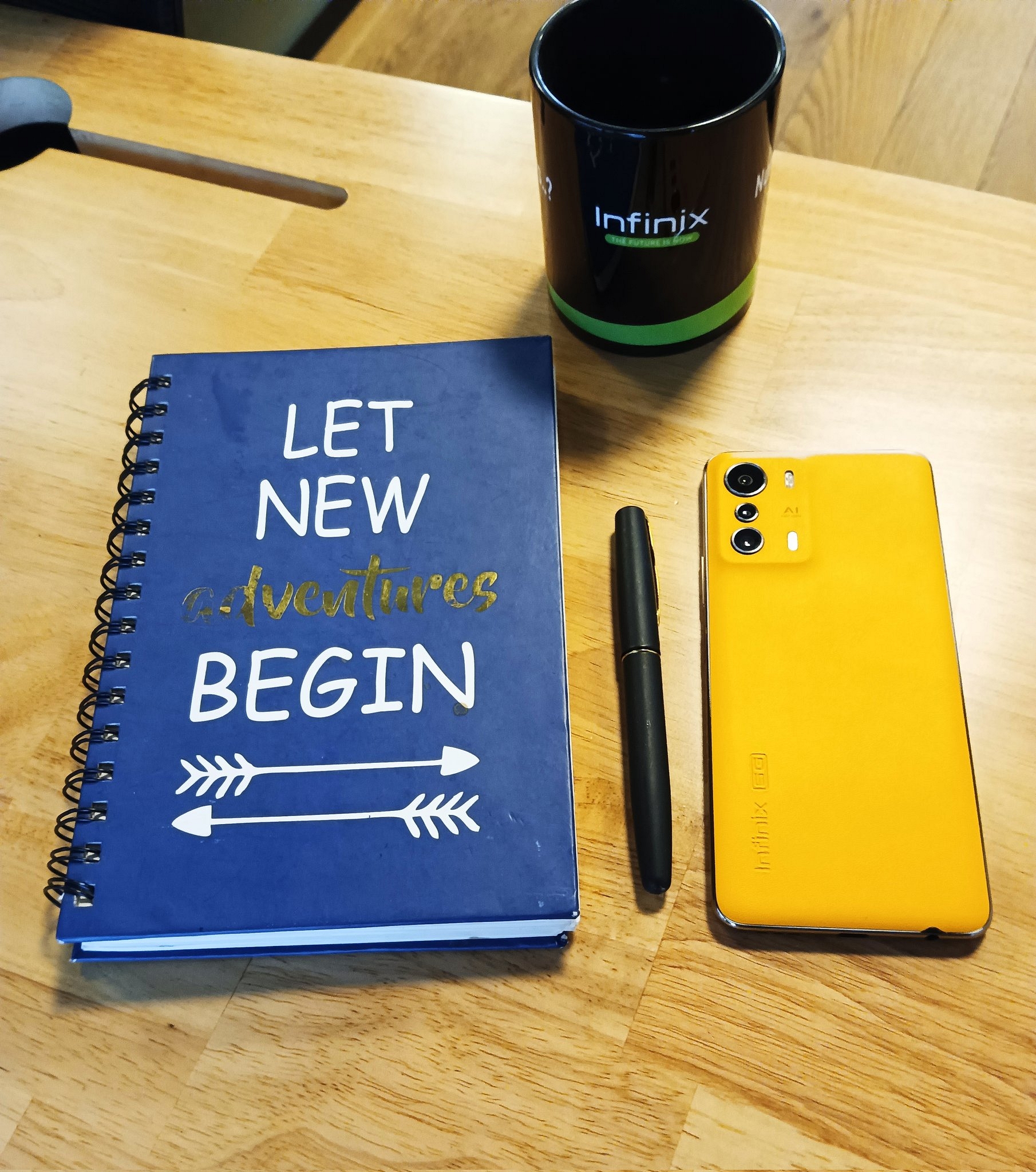
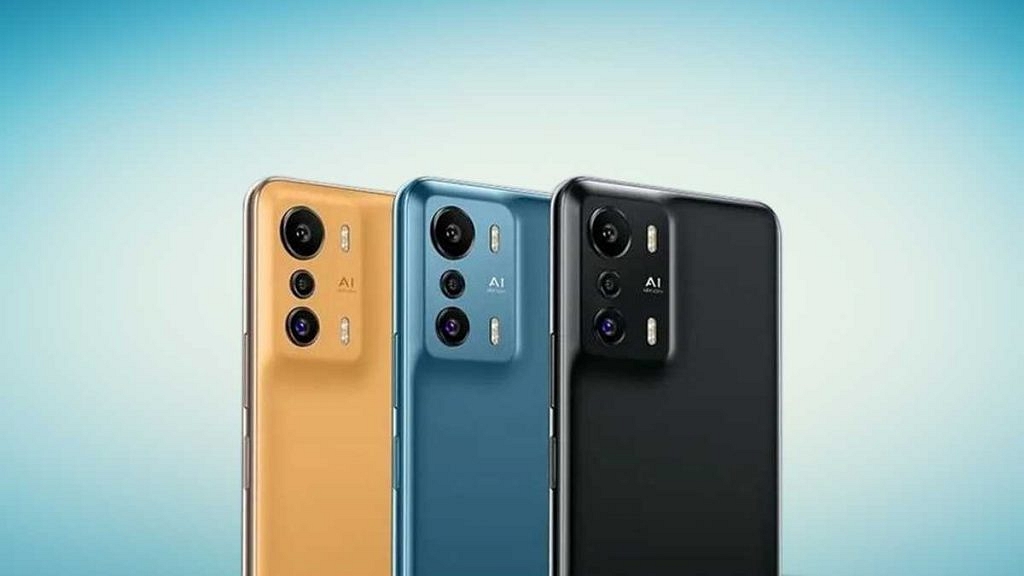
Infinix has introduced a new budget Android phone in its Zero series dubbed Zero 5G 2023. This is a successor to the Zero 5G which Infinix launched at the beginning of this year. The Infinix 5G Zero 5G 2023 model has been packed with a bunch of upgrades under the same skin as the previous-gen model. Check out the latest Infinix budget 5G phone specifications and features and pricing details below:
Infinix Zero 5G 2023 Specifications: What’s Changed?
Infinix Zero 5G 2023
Specifications
Display
6.78-inch LCD 120Hz Refresh rate FHD+ resolution
Camera
50MP Triple (rear) 16MP (Selfie)
Chipset
MediaTek Dimensity 1080
Configuration
8GB RAM+ 256GB storage
Battery
5,000 mAh
Fast Charging
33W
Price
Rs. 19,000 (Approx)
Infinix has kept the same design language on the Zero 5G 2023 as the first model. However, the primary hardware changes include the chipset and camera. The standard Zero 5G uses the octa-core MediaTek Dimensity 900 chipset, while the latest Zero 5G 2023 runs on the octa-core Dimensity 1080 chipset.
The processor is combined with Mali G68 GPU and is said to offer 10 and 8 percent improved CPU and GPU performance. The Dimensity 1080 chipset on the latest Infinix Zero 5G phone is clubbed with 8GB RAM. The device is announced with up to 256GB storage configuration and will ship with Android 12-based XOS 12 UI.
The display panel used is IPS LCD that is 6.78 inches tall along with a 2460 x 1080 pixels screen resolution. The Zero 5G 2023’s display supports a high refresh rate of 120Hz and 500 nits peak brightness levels. The panel makes a room for a tiny punch-hole housing a 16MP selfie camera.
The Infinix Zero 5G 2023 model features an updated camera setup at the rear comprising a 50MP main sensor. The brand has used a total of three cameras where the main lens gets paired up with a pair of 2MP sensors for depth and macro shots respectively.
The camera setup on the new Infinix Zero 5G 2023 model also has several shooting modes including Super Night which is dedicated to low-light photography. The Infinix Zero 5G 2023 integrates a fingerprint scanner on the right panel similar to the first gen model for biometrics. The handset further uses a 5,000 mAh battery unit combined with 33W fast charging to keep the lights on.
Infinix Zero 5G Price, Color Options, India Launch Date
The Infinix Zero 5G 2023 model is currently announced in the global markets in a single 8GB RAM and 256GB storage configuration that costs $239. This is approximately Rs. 19,000 in India. However, Infinix has not just shared any details related to the Zero 5G 2023 India launch and sale details. As for the color options, this handset comes in black, white, and orange shades.
Smartphones and tablets are the most versatile gadgets for the current generation. The latter is becoming popular amongst consumers for offering endless possibilities with general as well as professional tasks. We even have tablets that can transform into laptops using compatible accessories such as wireless keyboards and stylus pens. Tablets with S Pen make for the best gadgets for graphic designers.
Portability and high-end creative tools and app support adds to the popularity of tablets amongst the user base. Apple and other premium OEMs such as Samsung, Xiaomi, and others have multiple options that are designed for general users but also for graphic designing. We have compiled a list of the best tablets that deem fit for creative users and graphic designers. Let’s take a look:
Tablet for Graphic Designing
Price In India
Apple iPad Pro
Rs. 1,12,990
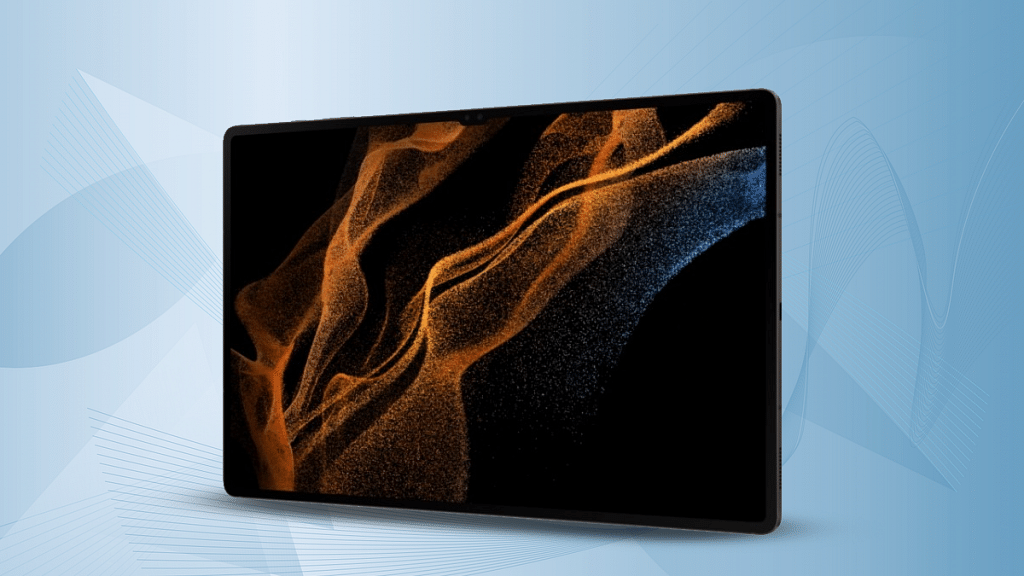
Samsung Galaxy Tab S7
Rs. 37,998
Xiaomi Pad 5
Rs. 26,999
Realme Pad X 5G
Rs. 19,999
Apple iPad Pro 11-inch Tablet
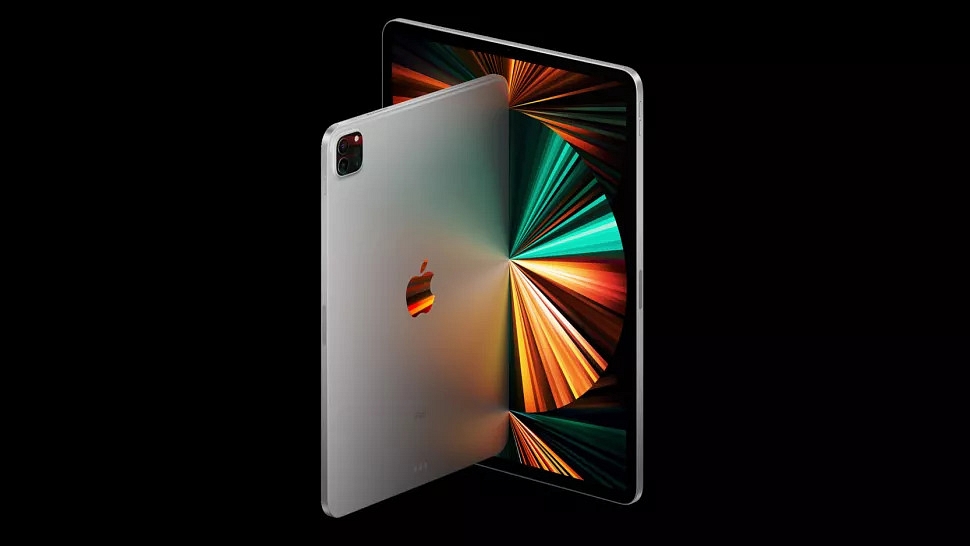
The Apple iPad Pro 11-inch tablet is a popular choice for creative users. Powered by the Apple M1 chipset, the iPad Pro 11-inch is a performance-oriented tablet that can easily handle extensive tasks along with graphic designing requirements. Its 11-inch Liquid Retina display with ProMotion and True Tone technologies makes it apt for creative users. This tablet is compatible with Apple Pencil to let you draw with accuracy. The iPad Pro comes with a starting price of Rs. 1,12,900 in the country.
The Samsung Galaxy Tab S7 is another premium Android tablet that is best suited for designing and illustrative tasks. The Galaxy Tab S7 tablet features a vibrant 12.4-inch display with 1600 x 2560 pixels screen resolution and S-pen support. The tablet offers a rich experience with graphic designing as well as other tasks such as web browsing and gaming. It is powered by the Snapdragon 750G processor which is a premium mid-range chipset from Qualcomm designed for Android smartphones and tablets. The Galaxy Tab S7 is selling at around Rs. 37,998 via Amazon.
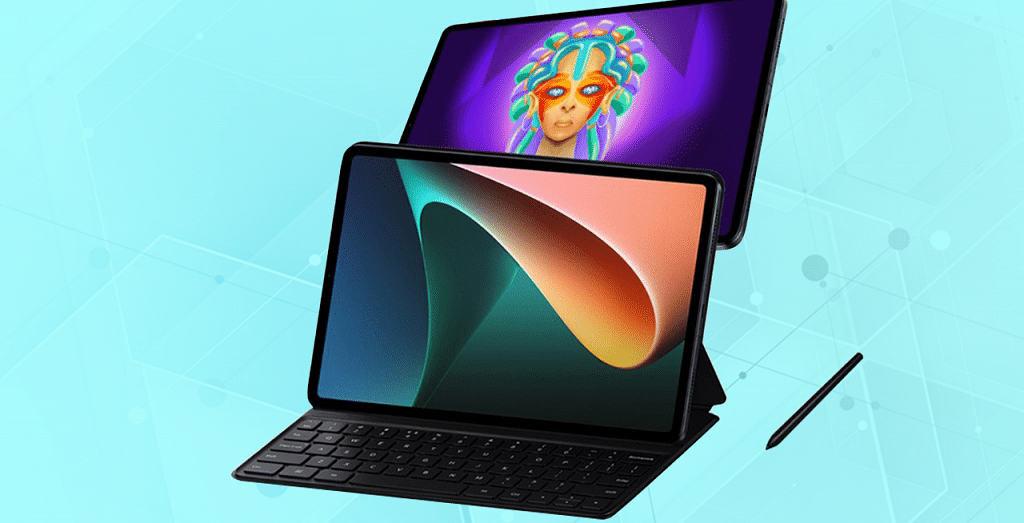
Premium Android tablets make for the best options for all kinds of tasks. The Xiaomi Pad 5 is another model that you can consider for your graphics and illustration jobs. This chipset is powered by the octa-core Snapdragon 860 processor which is combined with 6GB RAM and 128GB storage configuration. The premium 10.95-inch display with Dolby Vision and 120Hz refresh rate. This tablet also has S pen compatibility with which you can easily complete all graphic and illustrative tasks flawlessly.
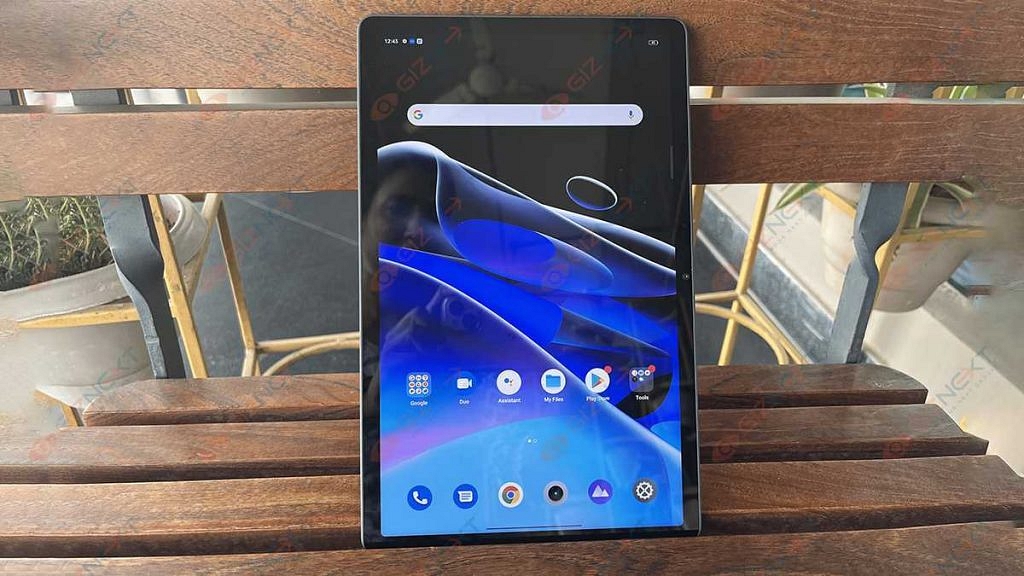
Realme is a recent player in the tablet market with the Pad X 5G being its capable and powerful option for graphic designers and illustrators. The Realme Pad X 5G is also the first 5G mid-range Android tablet from the brand with high-end features such as octa-core Snapdragon 695 chipset, a WUXGA+ display panel, 13MP main camera, and more. The added support for Realme Pencil makes it the best option for graphic designers in India. The Realme Pad X can be purchased starting at Rs. 19,999 via Flipkart.
Windows 11 is a feature-loaded operating platform for laptops and PCs. Microsoft released this latest edition of Windows OS as an upgrade to Windows 10 with multiple new tools and features. This new version is also improved with the security aspects and overall user experience. The connectivity aspects are also enhanced and support for the latest networks has also been added.
Wireless connectivity is also better with Windows 11 machines and pairing Bluetooth devices is now a hassle-free task. All modern smartphones, tablets, and other compatible gadgets can be easily paired with a Windows 11 laptop or PC. While the Bluetooth pairing issue is least experienced with Windows 11 laptops/ PCs, it can occur randomly at any point.
It could be a general issue that can be fixed with basic troubleshooting steps and a visit to the service centers could be avoided. The Bluetooth issue pairing issue could randomly occur when you try connecting devices such as wireless audio devices including headphones and TWS earbuds. But if you are unaware of the troubleshooting steps to fix Bluetooth issues with Windows 11 OS, this article will help you with the steps:
Steps To Troubleshoot And Fix Bluetooth Pairing Issues With Windows 11 OS Laptop
Step 1: Check if the Bluetooth adapter on your laptop/PC is on. You can either check this via Bluetooth quick settings. Go to the Settings app and select Bluetooth & Devices option. Toggle on the Bluetooth settings if it’s off.
Step 2: Reboot the Bluetooth device that needs to be paired with the laptop or PC. Turn it off and wait for a few seconds before powering it on. This shall resolve general connectivity issues. Also, do check if the device is within range, otherwise, pairing won’t be successful.
Step 3: Turn off Airplane mode on your laptop or PC. This is one of the reasons that affect Bluetooth connectivity on laptops and PCs.
Step 4: Unplug and replug any Bluetooth device that is connected to the laptop/ PC.
Step 5: If this also doesn’t work, try re-pairing the Bluetooth device. First, remove the paired device and then re-initiate the connectivity process.
Step 6: You can also try rebooting the Windows 11 laptop or PC after performing the above steps. This should resolve the pairing issue.
Step 7: Running the Windows diagnostics test will also help you to identify and resolve the issue with Bluetooth. If there is any hardware issue, you will be notified and get it fixed from repair centers.
To sport a 6.67-inch curved display and a triple rear camera setup
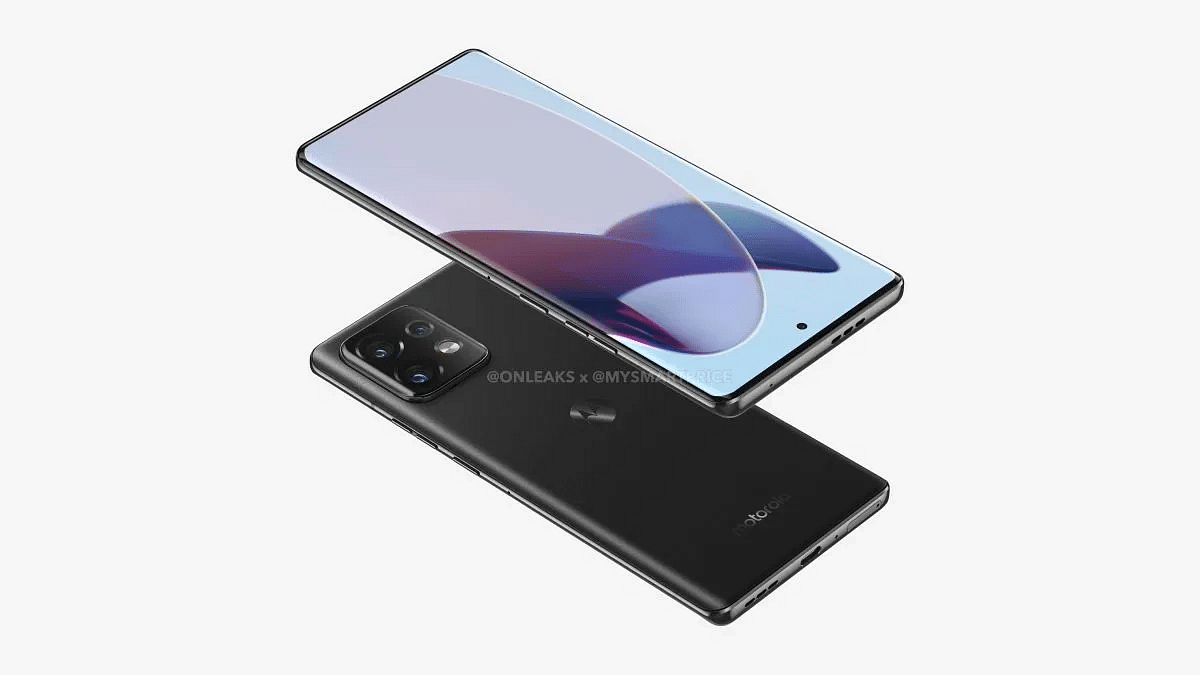
Motorola is all set to bring its new-generation flagship X series phone to the market. The Motorola X40 Pro aka the Motorola Edge 40 Pro is confirmed to debut this month in China. Motorola has announced the arrival of the X40 series phone along with the chipset details. Ahead of the launch, leaks are consistently contributing to the additional details. The 5K renders along with the 360-degree video of the Motorola X40 Pro/ Edge 40 Pro have surfaced.
Motorola X40 Pro/ Edge 40 Pro
Key Specs
Dimensions
161.3 x 73.9 x 8.6mm
Display
6.67-inch curved
Chipset
octa-core Snapdragon 8 Gen 2
Camera
Triple rear
Android version
Android 13 OS
Motorola X40 Pro/ Edge 40 Pro Design Leaked Just Ahead Of China Launch
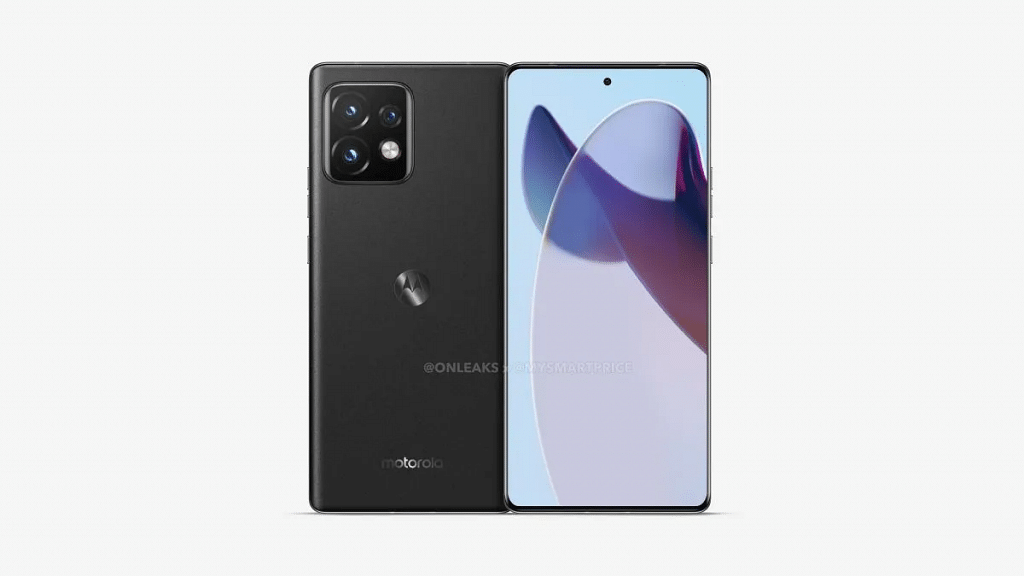
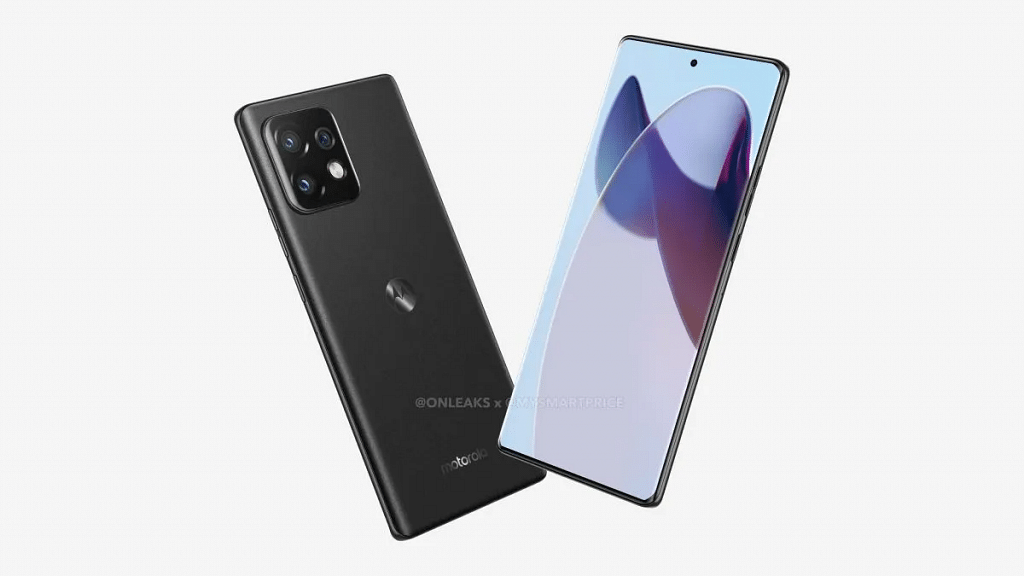
Mysmartprice in association with tipster @Onleaks has leaked the 5K renders along with the 360-degree video that reveals the complete design of the Motorola X40 Pro/ Edge 40 Pro. The leaked renders show both fasciae as well as the rear panel’s design of the upcoming Motorola flagship phone. The front panel has a tall display with curved edges and a centrally-aligned punch-hole camera cutout.
The Motorola Edge 40 Pro aka the X40 Pro’s right spine will accommodate the volume rockers and the power key. The back panel features a subtle design. A square-shaped camera module is packed on the top-left corner, while the iconic Moto logo is etched at the center of the back panel. Also, the device is rumored to feature a glass back panel to add a premium factor to the design.
At the bottom, the Edge 40 Pro has a USB Type C port along with a speaker grille, microphone, ad SIM card tray. It seems like Motorola has ditched the 3.5mm audio port and has opted for a dual speaker system. The second speaker grille is mounted at the top panel. The color option leaked is black. However, Motorola is expected to release a bunch of other color options as well.
Motorola Edge 40 Pro/ X40 Pro Expected Features And Specs
The publication has shared a bunch of other details as well such as the dimension and display size. The report suggests the Motorola X40 Pro/ Edge 40 Pro will measure 161.3 x 73.9 x 8.6mm in dimensions. The protruding camera module at the rear will be 10.8mm thick. Moving up front, the Motorola X40 Pro is leaked with a 6.67-inch display.
Screen resolution and panel type aren’t confirmed just yet. Bit since this a flagship grade phone, we would possibly see an FHD+ or QHD AMOLED screen with 120Hz or above refresh rate. The Motorola X40 Pro is already confirmed to run on the Snapdragon 8 Gen 2 chipset and could ship with up to 12GB RAM.
Optics hardware remains unknown, but there is a possibility Motorola carries forward the 200MP main camera from the previous gen model. We are yet to get the details, but are expecting some more information ahead of the launch.
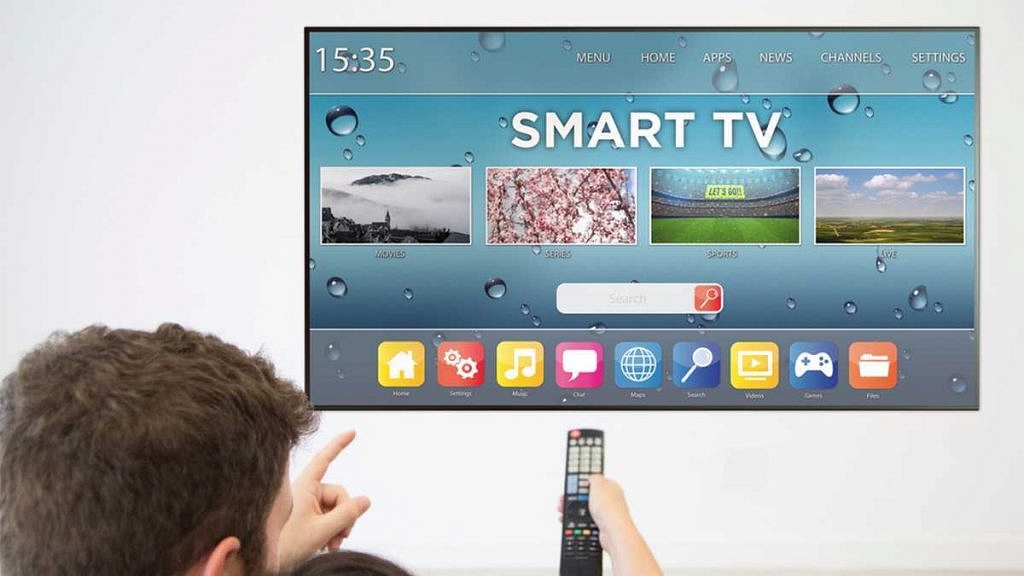
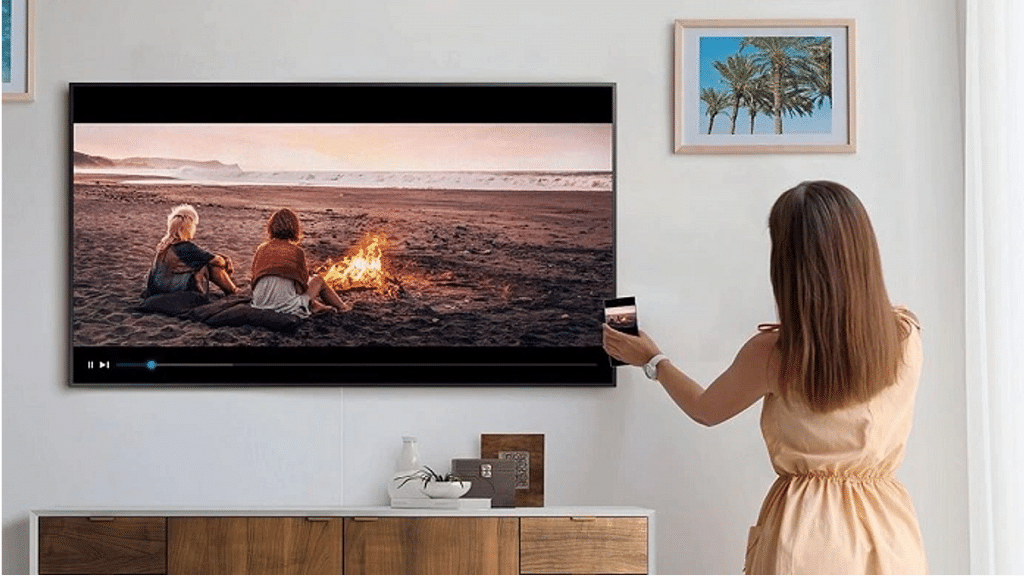
Unlike traditional TVs, modern-day units offer internet and Bluetooth connectivity for an improved user experience. TV manufacturers are also ensuring the visual experience is top-notch by equipping high-resolution panels along with HDR certification and Dolby Vision support. Smart features and control are also gradually becoming a new norm with smart TVs.
You don’t have to burn a hole in your pocket to buy a large-screen smart TV with a vibrant display and smart features such as wireless connectivity and dedicated digital voice control support. Multiple brands are enabling their smart TVs with Google Assistant and Alexa for easy controls using voice commands.
With so many options available for the audiences, it gets difficult to pick one option that offers all the required features at a reasonable price. If you are also confused and are unable to decide which smart TV with voice control makes for the best buy, this article will be your guide. Here we have compiled some of the best smart TVs equipped with voice control features (Google Assistant and Alexa support) that you can buy in India.
TV Model
Voice Control Feature
Price In India
Xiaomi MI TV 5a series
Yes
Starts at Rs. 15,499
OnePlus TV Y1 series
Yes
Starts at Rs. 15,999
Samsung Crsytal Neo 4K smart TV
Yes
Starts at Rs. 31,990
OenPlus TV Y1s series
Yes
Starts at Rs. 37,999
Xiaomi MI TV 5a Series Smart TV With Voice Control
Xiaomi is a popular Chinese consumer electronics brand with a specialty in smartphones and related accessories. However, Xiaomi is also well-received in the smart TV segment and has the MI TV 5a and 5X series as the most recent offerings. The Xiaomi MI TV 5a comes in three different panel sizes including 32-inch, 40-inch, and 43-inch.
It is amongst the most affordable smart TVs that bring along digital voice assistant compatibility. You can use Google Assistant for voice commands on this smart TV. This is an HD Ready smart TV with a display resolution of 768 x 1366 pixels and support for over 5000+ apps including Prime Video, YouTube, Disney+ Hotstar, and more. The Xiaomi MI TV 5a series price in India starts at Rs. 15,499.
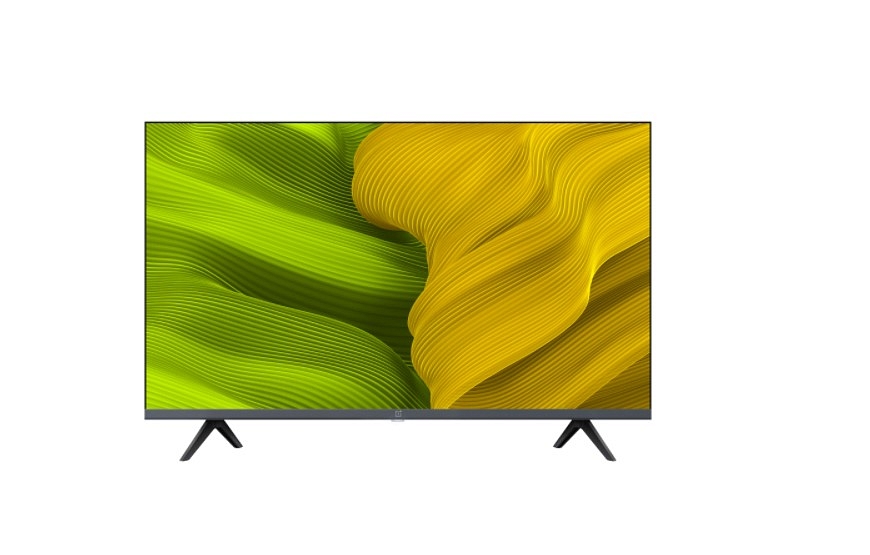
OnePlus TV Y1s is amongst the top selling smart TVs in the mid-tier segment. The OnePlus Y1s smart TV also comes in multiple screen sizes including 32-inch and 43-inch. This smart TV comes with digital voice assistant support. In addition to Google Assistant, the OnePlus TV Y1s is also integrated with Amazon Alexa compatibility.
The FHD display on this OnePlus smart TV supports a 60Hz refresh rate and 1080 x 1920 pixels screen resolution. It is based on Android TV 11 platform and has third-party app compatibility as well. OnePlus is selling the Y1s series starting at Rs. 15,999 in the Indian market.
Samsung Crystal 4K Neo Series Ultra HD Smart LED TV
Samsung is another strong player in the TV market and has multiple lineups for audiences. The Crystal 4K UHD TV with 2160 x 3840 pixels screen resolution is one of the best deals for users looking for a high-end TV with all possible smart features including voice assistant support. You can access Google Assistant services for voice control on the Samsung Crystal 4K Neo series TV. The 43-inch variant of this smart TV will cost around Rs. 31,990 via Amazon.
OnePlus TV U1S Series With Integrated Alexa Support
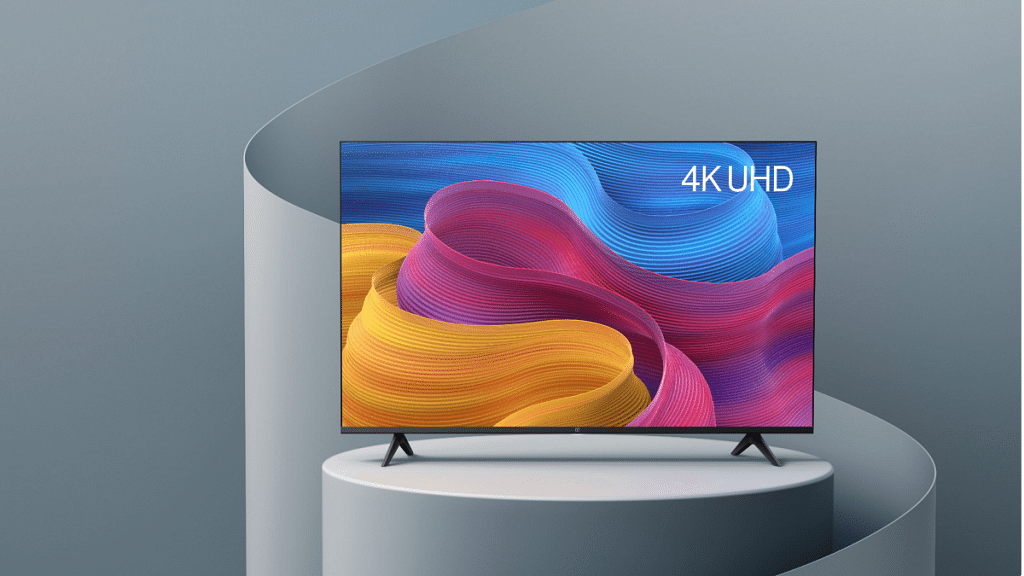
If you need a premium range smart TV equipped with a large 4K UHD panel, the OnePlus TV U series makes the best fit. The OnePlus TV U1S series comes with 50-inch, 55-inch, and 65-inch panel sizes all of which support 2160 x 3860 pixels resolution. The OnePlus TV U series is further integrated with HDR 10, HLG, MEMC, and a Gamma Engine. Similar to the OnePlus TV Y1 series, the OnePlus TV U1S lineup is also integrated with Alexa and Google Assistant support. Starting price range of this OnePlus TV lineup is Rs. 37,999 in India.
Social media apps gave seen a boom in the last few years, specifically with the youth grabbing professional opportunities from such platforms. Instagram is one such popular app that has gained popularity amongst both general users and content creators. The photo-sharing app is offering endless possibilities to creators and business users to get a better reach of the audience. But for general users as well, Instagram still is one of the best apps for entertainment.
When you create an Instagram profile, you can add a small bio along with a profile pic and your name. This helps your contacts to reach out easily. Besides, if you are a content creator, your Instagram name and description help your audience to find your account.
Having a vibrant Instagram profile is the best way to grab a large user base. In addition to the content such as photos and reels videos, profile names, and bios written in a fancy font will definitely steal some stares. In fact, you might have come across multiple such profiles where the names are written in stylish fonts. Wondering if that’s possible with any general account. Well, the answer is yes.
Instagram lets you add and edit your profile name. However, the text is simple and there is no option to add stylish fonts directly from the app. But that doesn’t stop you from adding a fancy touch to the profile name. We have listed the method with which you can create a stylish Instagram name and bio.
How Can You Create Stylish Instagram Names On Android, iOS
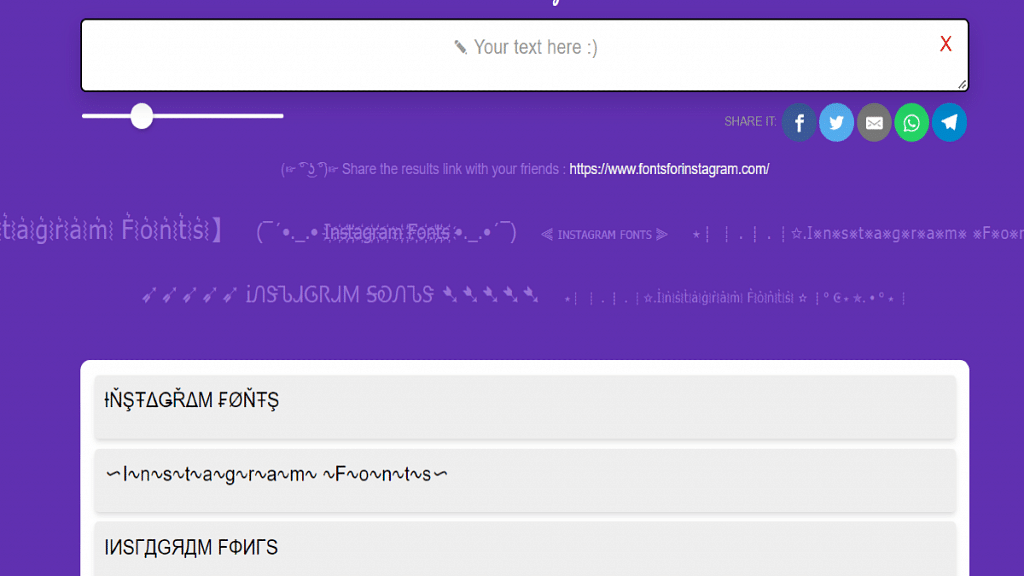
As mentioned above, Instagram doesn’t provide the option to type text in fancy fonts so that you can use it for a profile name and description. Also, most of the in-house smartphone keyboards come void of this fancy text feature. The trick is to use a fancy text writer website or mobile app. You can find a plethora of fancy text converter apps on Android and iOS app stores, download any of those apps to create a stylish Instagram name. The remaining steps are listed below:
Step 1: Open Instagram mobile app on your smartphone (Android or iOS). Note, you can create a stylish Instagram name using the desktop version on laptops and PCs.
Step 2: Go to your profile page.
Step 3: You will see the Edit Profile option under the profile name and bio. Tap on it.
Step 4: Now, copy the fancy text that you have converted using a fancy text creator mobile app or website.
Step 5: Go back to the Edit Profile option on the Instagram app and paste the stylish font name that you have copied from the fancy text creator app.
Step 6: You can also change the description in fancy font.
Step 7: Save the changes. Your Instagram name will now be displayed in a stylish font.
Dedicated charging protection features such as short circuit and overheating protection
Cons
Average plastic body material
Not super fast charging
Mobile phones have gradually paved their way into the daily lifestyle of the general public. Our reliance on these handheld gadgets has been exponential, specifically in the last decade the demand has been high with fully loaded Android/ iOS smartphones. Tech brands are also bringing in new smartphone accessories that are useful in daily life scenarios. We not only have major smartphone OEMs competing in the digital accessories space but also some emerging homegrown brands that are creating a niece in this segment with new products.
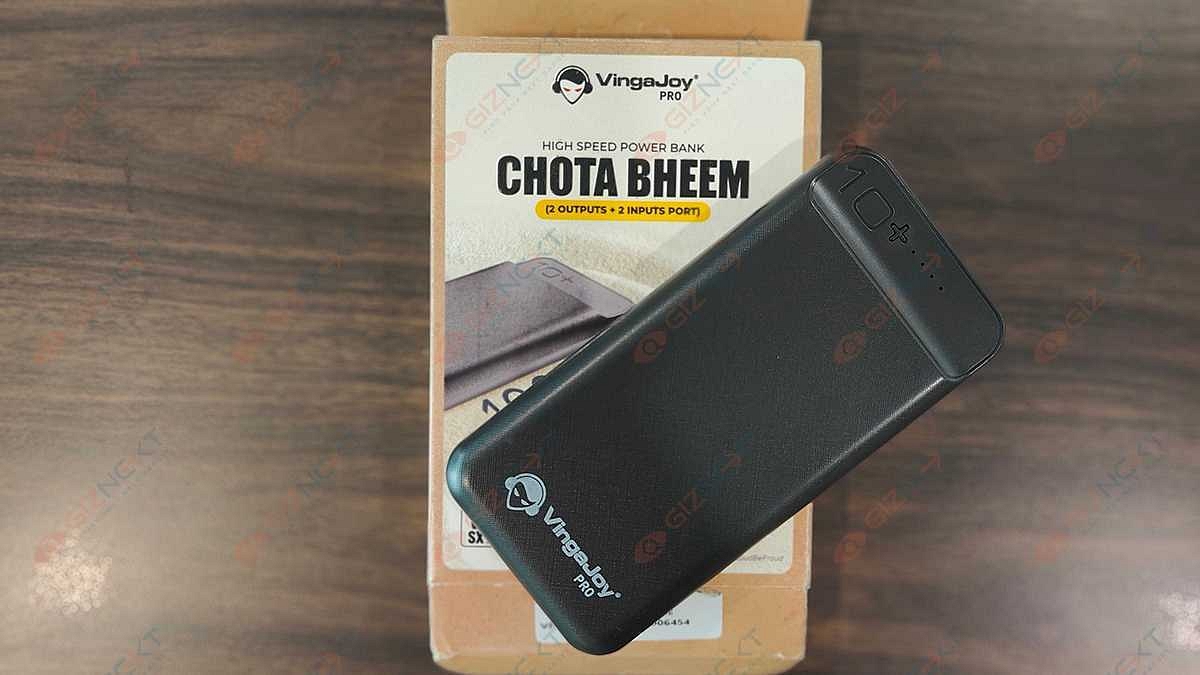
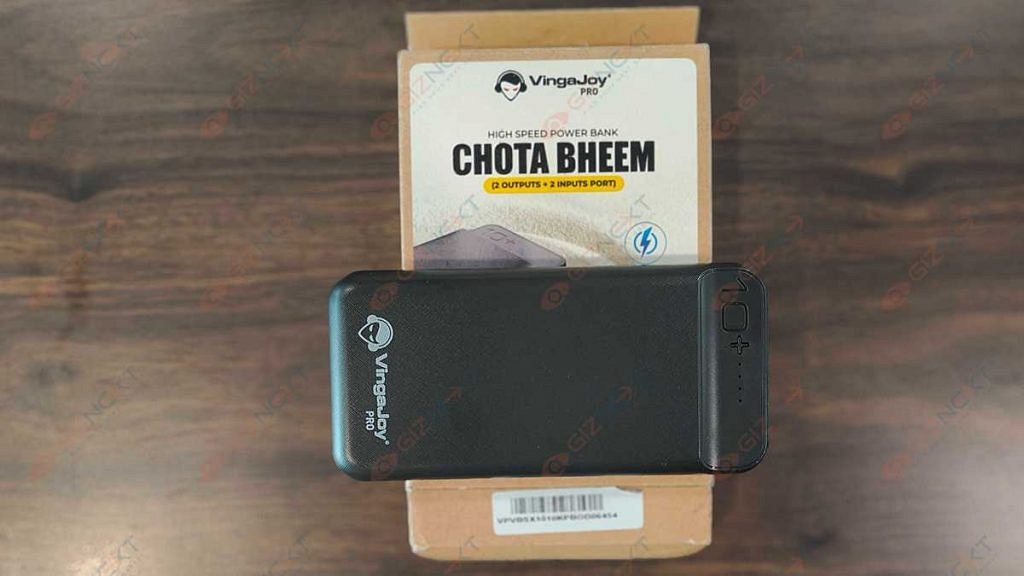
One such brand is VingaJoy which is rather new in the digital accessories segment and has introduced multiple products such as wireless neckbands and power banks. The VingaJoy Chota Bheem VB-SX10 is the latest edition to the brand’s power bank product lineup featuring a sleek design and large battery capacity for multiple device refuels.
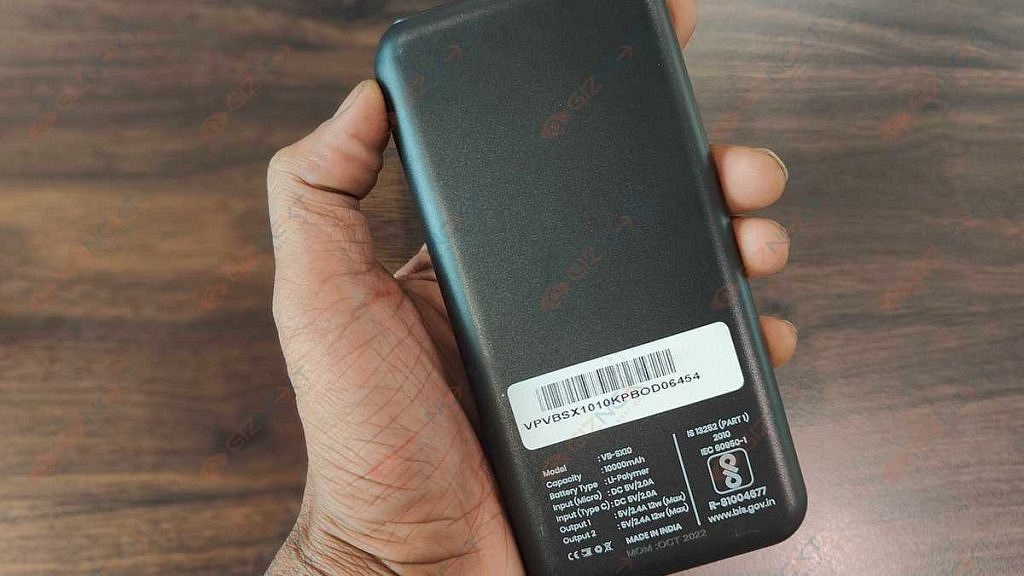
The VingaJoy VB-SX10 is a portable power bank that is Made in India and offers a 10,000 mAh battery capacity to charge a standard phone more than once. At Rs. 2,790, this is one of the cheapest 10,000 mAh powerbank available in the Indian market. But is it worth buying? We have done a quick review of this affordable powerbank that will help you decide if it’s worth buying.
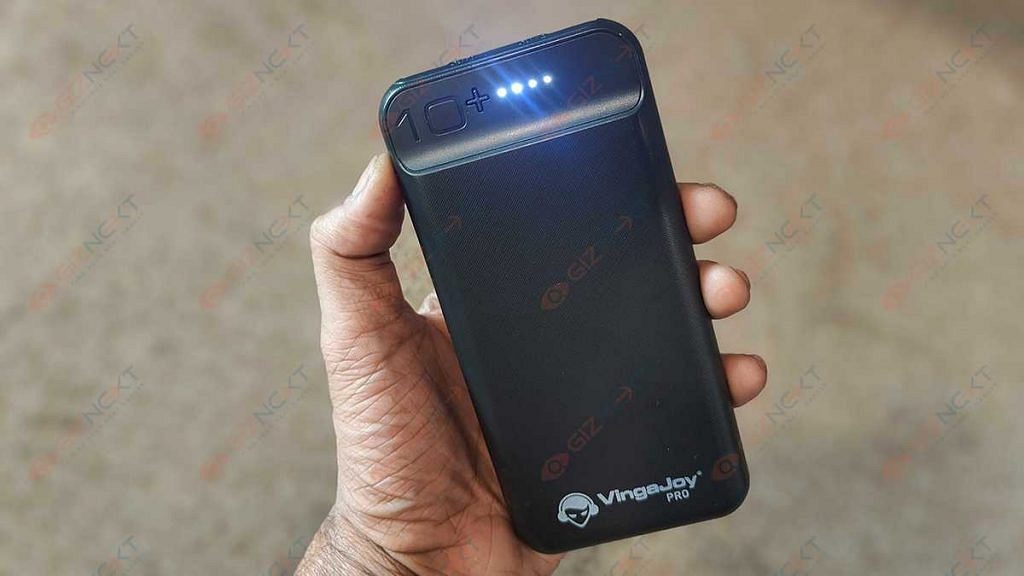
As you would expect with a budget power bank, the built material used by the VingaJoy Chota Bheem VB-SX10 is plastic. The material quality is decent and doesn’t feel all cheap. In fact, the lightweight design is an added benefit. It makes this power bank an ideal gadget for users who are frequently traveling or run out of smartphone battery rapidly due to extensive usage.
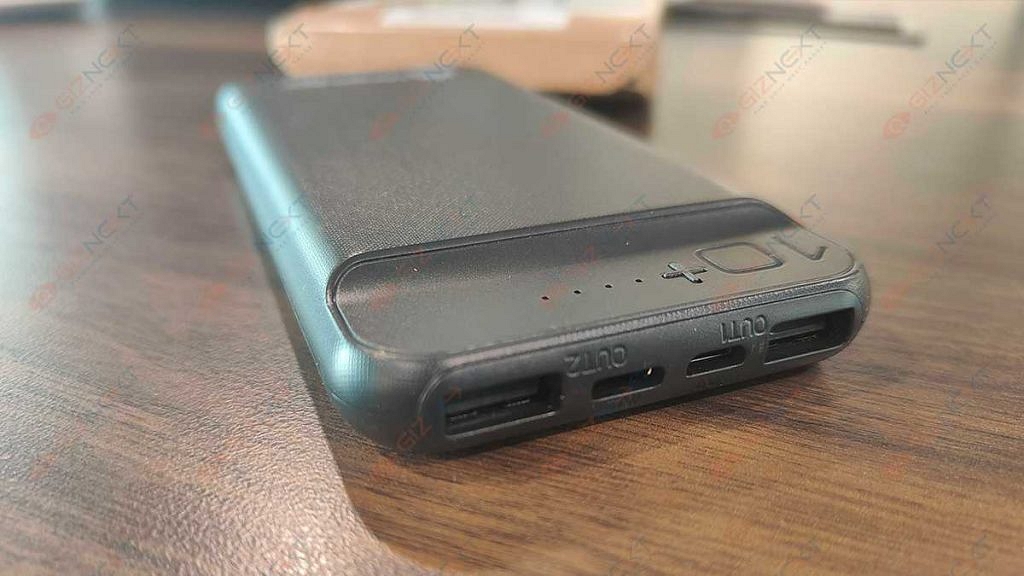
Not just smartphones, the VingaJoy VB-SX10 power bank can charge a whole range of other gadgets such as tablets, cameras, and headphones. There are LED’s on the top along with the power key that keeps users notified of the battery status and if the powerbank needs a replug.
The ports are placed at the bottom. There are two input (Type-C/ V8) and two output charging points each with 2.0A power capacity. With this users get the option to charge two devices simultaneously. Overall design language of the VingaJoy VB-SX10 powerbank is practical for daily usage.
VingaJoy VB-SX10 Powerbank Review: Charging Features
The VingaJoy VB-SX10 power bank has some useful charging features that ensure safe and effective charging of smartphones and other gadgets. The brand has added multiple features such as overheating and short-circuit protection.
In addition to this, this powerbank is also equipped with overcharge protection which is a must to keep unwanted damages and accidents at bay. The powerbank doesn’t heat up when you keep it plugged in for hours.
These aforementioned charging features add to the overall security with the usage of this powerbank. All these features offers protection to both the connected gadgets as well as the powerbank itself. It’s good to see that the brand is offering these additional security layers at an affordable price.
VingaJoy VB-SX10 Powerbank Review: Battery Backup And Charging Speeds
The VingaJoy VB-SX10 powerbank has a total battery capacity of 10,000 mAh. Now, this is ample for smartphones, tablets, and other digital accessories such as smart wearables, and wireless audio accessories. The wireless portable design makes it easy to plug in any of the aforementioned gadgets.
Besides, the availability of dual output ports aids with multiple products charging at once. The charging speeds offered by the VingaJoy VB-SX10 is average. It isn’t a super fast but takes over an hour on average to refuel a smartphone battery (4,000 to 5,000 mAh).
You can easily use this powerbank twice to charge your smartphone with a battery capacity range of 4,000 to 5,000 mAh. If you are wondering how much time will it take to recharge this powerbank itself entirely, then its close to two hours. You can use both standard or fast charging power bricks to charge this powerbank.
VingaJoy VB-SX10 Powerbank Final Verdict: Should You Buy?
With numerous options available for audiences demanding a budget portable powerbank with high battery capacity, it might be difficult to select the best available option. The VingaJoy Chota Bheem VB-SX10 is an ideal pick that not only fits your budget but also handles all your charging requirements.
The travel-friendly design makes it practical for daily usage. If you have budget constraints and still don’t wish to compromise on quality, the VB-SX10 powerbank makes for a good buy.
Tecno Phantom X2 leaked video reveals design and full specs
Tecno Phantom X2 Pro also tipped to launch on December 7 in Dubai
Tecno Phantom X2 will be driven by MediaTek Dimensity 9000 chipset
64MP triple rear camera and 32MP selfie camera tipped
Might ship with Android 13 OS and 5,100 mAh battery
Tecno is ready to add a new model to its popular Phantom smartphone series. The Phantom X2 is the purported successor to the Phantom X that is scheduled to launch next month in Dubai. The brand earlier teased the arrival of the Phantom X2 via its official social media handles. Now, the leaks are contributing the remaining set of details such as design and hardware related to the next Phantom series Tecno phone. Here is what we know:
Tecno Phantom X2 Design Leaked Online
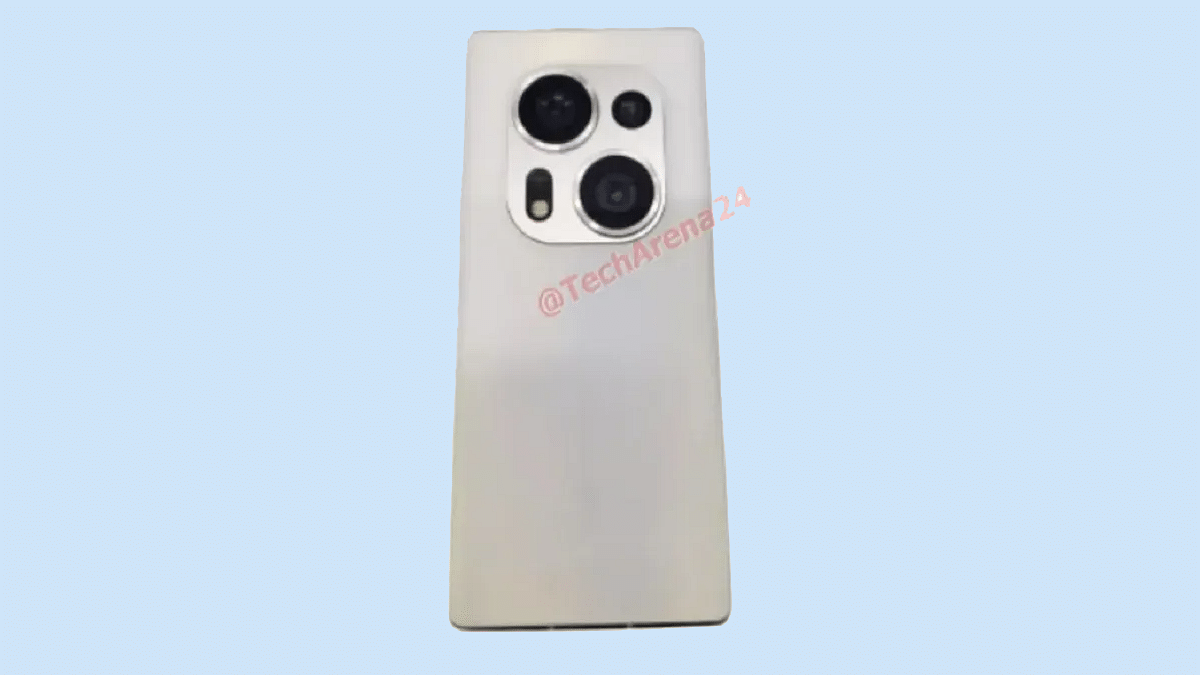
The Tecno Phantom X2 key details including the design language and the key features have been leaked on YouTube on the channel Tech Arena24. The leaked exclusive video of the Tecno Phantom X2 shows both rear and the front panels. It is confirmed the handset will flaunt a curved display design borrowed from the previous model.
The placement of the punch-hole cutout isn’t visible, but its placement could be at the center or the upper left corner of the display. The leaked Tecno Phantom X2 video also shows a white paint job on the back and a large square camera island at the center top housing three cameras and an LED flash (two large and one small sensor).
This handset could come with an in-display fingerprint scanner instead of a side-mounted fingerprint scanner. Besides the primary design language, the tipster has also leaked the key specifications that will be offered by the Tecno Phantom X2. Below are the details:
Tecno Phantom X2 Leaked Specifications And Features
Tecno Phantom X2
Key Specifications
Display
120Hz Curved AMOLED
Camera
64MP triple (rear) 32MP (selfie)
Chipset
octa-core Dimensity 9000
Battery
5,100 mAh
Fingerprint scanner
In-display
Ever since Tecno confirmed the upcoming Phantom X2 launch, the rumor mill started suggesting the use of the Dimensity 9000 chipset under its hood. The same processor has been tipped by the new leak along with at least 8GB RAM and 128GB onboard storage. There is no confirmation of the availability of any other RAM or storage variant.
This new leak also hints at a 120Hz display on the Phantom X2. However, the panel resolution and the type are not revealed. Nevertheless, we would likely see an FHD+ AMOLED screen on this new-generation Tecno Phantom series model.
At the rear, the triple rear camera setup is rumored to pack a 64MP main sensor. The remaining cameras are unknown, however, we are expecting a combination of an ultrawide lens and a portrait/ depth sensor. Going by the leak, Tecno will be adding a 32MP camera up front to capture selfies and for video calling. Completing this phone’s spec sheet will be a 5,100 mAh battery aided by fast charging technology. Unfortunately, the exact charging speeds remain a mystery at this point.
The Tecno Phantom X2 series is said to compromise two models. In addition to the vanilla Phantom X2, the brand is also said to introduce the Phantom X2 Pro on December 7 in Dubai. The details related to the Pro model are yet to surface, But we will keep you posted with the latest information on both these Phantom X2 series phones.