Categories
Apps Featured How To

WhatsApp UPI Payment: How To Setup Bank Account, UPI For Money Transactions On WhatsApp

WhatsApp has integrated numerous new features into its messaging application on the Android and iOS mobile ecosystems. The brand has also released multiple of these features to the WhatsApp Web version as well in the last few years. WhatsApp is amongst those few messaging applications that is based on an end-to-end encryption chat system with which it becomes most secure for personal and private messaging.

WhatsApp isn’t solely upgrading its platform for an improved texting experience. The changes and features added in the last few years have also enhanced the experience of voice/video calling directly from the app and sharing data such as media files and location. But that’s not it, WhatsApp is modernizing itself with the given market trend and has also integrated payment services including UPI.

With the WhatsApp UPI integration, users now can easily make payments at local retailers and vendors easily. Suppose you are a frequent WhatsApp user and want to send or receive money from any of your friends or family who isn’t using any other specific UPI or digital payment app.

In that case, WhatsApp will be of great use. WhatsApp has simplified the payment transfer process using the messaging application directly. A dedicated option has been added for UPI payments on WhatsApp. If in case, you wish to use WhatsApp as the primary app for UPI transfers beyond messaging, you should know the steps to set up this feature. In this article, we have listed the method to set up payments on WhatsApp and send/ receive money using WhatsApp UPI. Take a look:

How To Setup Bank Account For WhatsApp UPI Transactions

You must make sure the bank account you are planning to link to your WhatsApp for UPI payments. The account should be of an Indian bank in order to support UPI payments. Also, the primary phone number registered with the bank and WhatsApp should be the same.

Step 1: Launch WhatsApp and open the chat window or the tap on the contact to whom you wish to send money.

Step 2: Select the Payments option. You can also do this by tapping on Attach and then Payment.

Step 3: Enter the amount that you wish to send as UPI via WhatsApp and click Next.

Step 4: You’ll see Get Started option. Tap on it.

Step 5: The Terms and Privacy Policy window will open up. Click Accept and Continue.

Step 6: Now, the list of banks will show up on your screen. Select your bank name.

Step 7: Tap on the Verify via SMS option and then select Allow.

Step 8:  Select the bank account from which you want to send or receive money.

Step 9: Click Continue to verify your debit card details.

Step 10: Once the card is added cross check the details and then tap  Verify card.

After the card has been added and UPI has been setup, you’ll be able to send money using WhatsApp. The remaining steps are listed below:

Step 1: Open the chat or the contact to whom you wish to send money via WhatsApp UPI.

Step 2: Tap on the Payments Icon (Rupee symbol)

Step 3: Enter the amount that you want to transfer.

Step 4: Select Next and then tap on Send Payment option.  You will need to enter the UPI PIN to complete the payment transfer.
Categories
Comparison Info Mobile

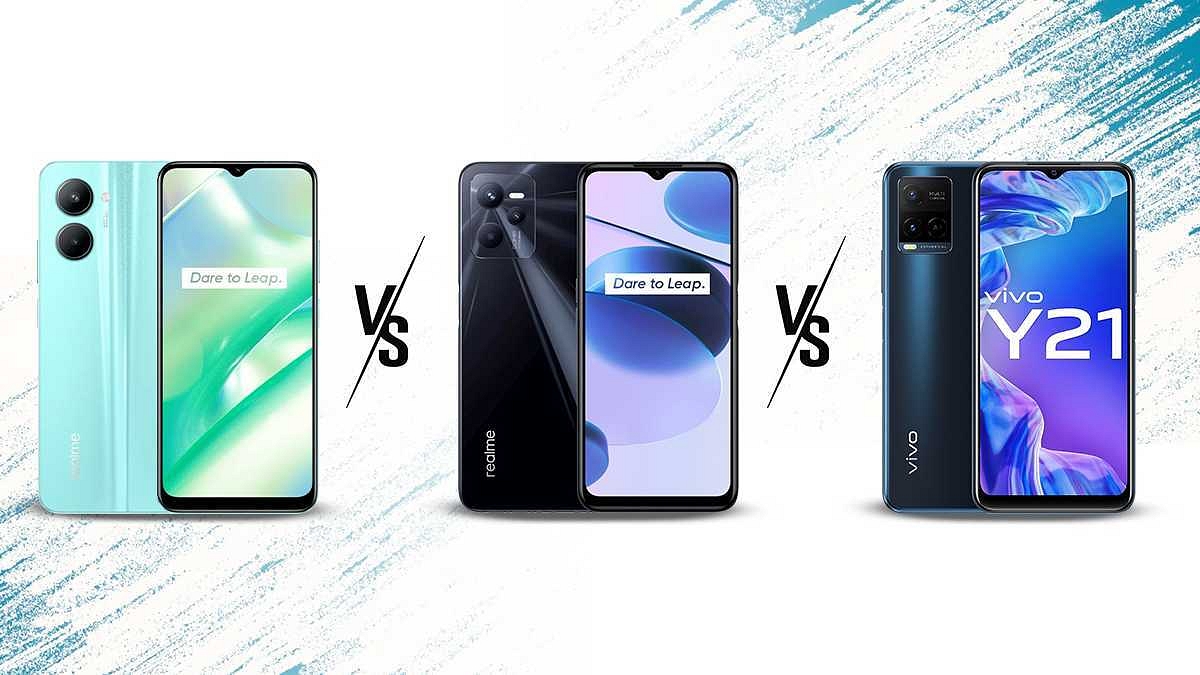
Realme C33 Vs Realme C35 Vs Vivo Y21: Trending Budget Mobile Comparison

Realme has been aggressive with new smartphone launches; specifically in the budget segment. The company has just unveiled its latest bet in the entry-level segment in the form of the Realme C33. The Realme C series has been popular in the budget segment and we have multiple models in this lineup that are selling like hot cakes.

The Realme C35 is another good example of a popular budget Realme phone which has an affordable price tag and modern hardware features. Vivo is one of the prime rivals for Realme in all smartphone categories. The Chinese tech giant has been in this game for a long and has specialized in bringing feature-rich pocket-friendly phones to the market.

The Vivo Y21 is another top contender in the budget segment with features such as dual cameras and a 720p display. How do these three phones compare in terms of hardware features, find out the details in this comparison article:

Realme C33 Vs Realme C35 Vs Vivo Y21: Display Specifications

All three budget Android phones in this list use an IPS LCD screen for visuals. However, the screen size and resolution vary. The Realme C33 which is the latest model in this lot features a 6.5-inch display that supports a standard 720 x 1600 pixels HD+ resolution.

The display offers a 20:9 aspect ratio and 270 PPI pixel density. The Realme C35’s IPS LCD panel is 6.6-inches in size but supports 1080 x 2408 pixels FHD+ screen resolution. The display has a 401 PPI pixel density and an 80.4 percent screen-to-body ratio. The display on this Realme C series phone has Panda Glass protection.

The Vivo Y21 also has a standard 720p HD+ display that delivers an aspect ratio of 81.8 percent and has 270 PPI pixel density. The large screen size is the biggest benefit of all three models in this list. But for better quality with the visuals, it would be wise to select the Realme C35.

Realme C33 Vs Realme C35 Vs Vivo Y21: Camera Specification Comparison

The Realme C33 is an entry-level handset that has dual rear cameras. The main camera packed inside the Realme C33 is a 50MP AI lens that has PDAF (Phase Detection Autofocus) and an f/2.8 aperture support. There is also an additional 0.3MP sensor for bokeh effects with an f/2.8 aperture. Realme has added multiple camera modes and support for 720p@30fps video recording.

The Realme C35 has three cameras like its sibling where the main sensor is a 50MP lens with an f/1.8 aperture and PDAF. It is clubbed with a 2MP macro sensor that has an f/2.4 aperture and a 0.3MP depth lens with an f/2.8 aperture. It has a higher video recording support of 1080p@30fps.

Vivo has also used a dual camera setup on the Y21. This budget Vivo phone features a 13MP main camera sensor with PDAF and an f/2.2 aperture and a 2MP additional lens for macro photography. The imaging setup is more powerful on the Realme C35 with the handset offering an extra sensor compared to the remaining two models.

However, the imaging performance will be decent with the Realme C33 and the Vivo Y21 in general. In the selfie camera department, the Realme C35 and the Vivo Y21 take the lead with an 8MP selfie snapper. The Realme C33 ships with a smaller 5MP selfie camera.

Realme C33 Vs Realme C35 Vs Vivo Y21: Chipset, RAM, Storage

Realme has used a Unisoc Tiger series chipset to power the Realme C35 and the Realme C33. The former runs on the Unisoc Tiger T616 processor which is built on a 12nm fabrication process. The Realme C33 also uses this same chipset under the hood for power delivery. However, Vivo has instead used the MediaTek Helio P35 chipset which is also based on a 12nm fabrication process like the Unisoc T612 octa-core chipset.

The Realme C33 is available with 3GB / 4GB RAM and 32GB/64GB storage, while the Realme C35 can be purchased with up to 6GB RAM and 128GB storage configuration. The firmware version is different with both these chipsets.

The former is released with Android 12 OS, while the latter has the older Android 11 OS pre-loaded. The Vivo Y21 comes with a single 4GB RAM option. However, the storage options are dual including 64GB and 128GB. Note, all these budget phones also feature dedicated microSD card support in case of extra space requirements.

Realme C33 Vs Realme C35 Vs Vivo Y21: Battery, Fast Charging

The battery capacity packed inside the Realme C33, Realme C35, and the Vivo Y21 is 5,000 mAh. Only the Realme 35 and the Vivo Y21 come with fast charging support. They both offer 18W fast charging. All three phones are equally capable, however, the Realme C35 has slightly better camera hardware and display specifications.

Categories
Comparison Featured Mobile

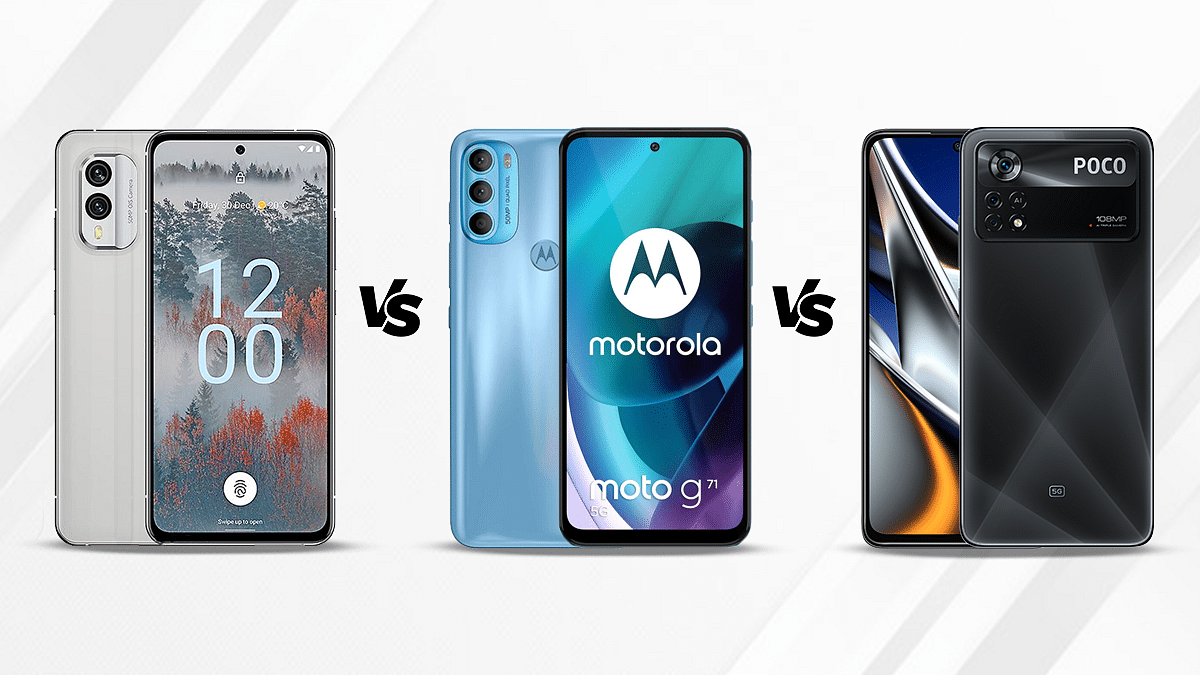
Nokia X30 5G Vs Poco X4 Pro 5G Vs Nokia G60 Comparison: Mid-Range 5G Phone You Should Consider

The mid-range smartphone industry is getting all the attention from smartphone OEMs and general consumers. The trend has seen a surge with the integration of 5G chipsets with new-generation mid-range and premium mid-range products. HMD Global is the latest brand to add multiple new products to this lineup including the Nokia X30 5G and the Nokia G60 5G.

We already have compared these two models along with the Motorola Moto G71 5G. In this article, we have replaced the Moto G71 5G with the Poco X4 Pro 5G which is another popular mid-range phone with a 5G network and capable hardware features. Let’s see which out of these three Android smartphones is best for daily usage:

Nokia X30 5G Vs Poco X4 Pro 5G Vs Nokia G60: Display Comparison

Nokia X30 5G flaunts a premium AMOLED display which is 6.43-inches in size. The display gets 1080 x 2400 pixels FHD+ screen resolution and has a 20:9 aspect ratio. The screen offers a screen-to-body ratio of 85 percent and has 409 PPI pixel density. It is layered by a Corning Gorilla Glass Victus protection and offers 700 nits peak brightness level and 90Hz refresh rate.

The Poco X4 Pro 5G is packed with a Super AMOLED display that is 6.67-inches and has an 86 percent screen-to-body ratio. The panel offers a 1080 x 2400 pixels screen resolution and 120Hz refresh rate which is higher that that of the Nokia X30 5G. The Poco X4 Pro 5G’s display is protected by the Corning Gorilla Glass 5 Victus protection.

The Nokia G60 is the only model in this list that features an IPS LCD screen instead of an AMOLED or Super AMOLED panel. The display measures 6.58-inches in size and has the same 1080 x 2400 pixels FHD+ screen resolution as the remaining two models.

The display has a 120Hz refresh rate and 400 nits of peak brightness levels. Out of the three models, the Poco X4 Pro 5G has the best screen for gaming as well as video playback (FHD). The Nokia X30 is the second and the Nokia G60 is the last on this list.

Nokia X30 5G Vs Poco X4 Pro 5G Vs Nokia G60: Camera Hardware Comparison

In terms of imaging hardware, the Nokia X30 5G is packed with two rear cameras and the setup includes a 50MP main camera with an f/1.8 aperture and OIS support. The secondary sensor at the back is a 13MP ultrawide sensor that has an f/2.4 aperture and 123-degree FoV. The camera setup offers several shooting modes along with 1080p@30 and 1080p@60fps video recording.

The Poco X4 Pro 5G uses three rear cameras for primary photography. The main camera is a bigger 64MP lens with PDAF and an f/1.8 aperture which gets additional support from an 8MP ultrawide angle sensor with 118-degree FoV, and a 2MP macro sensor with an f/2.4 aperture. The camera setup here also offers multiple shooting modes including HDR and others for a better photography experience. However, the video recording capability with this model is limited to 1080p@30fps only.

The Nokia G60 competes with these two models with its triple lens camera setup that comprises a 50MP main sensor. Accompanying the main camera is a 5MP ultrawide angle sensor and a 2MP lens. The video recording support here is identical to the Poco X4 Pro 5G, i.e., 1080p@30 fps.

Speaking of the selfie cameras, the Nokia X30 5G and the Poco X4 Pro 5G uses a 16MP selfie snapper, while the Nokia G60 has an 8MP snapper for self-portraits. Again, the Poco X4 Pro 5G takes the lead in the camera department as well followed by the Nokia X30 5G and the Nokia G60.

Nokia X30 5G Vs Poco X4 Pro 5G Vs Nokia G60: Chipset, RAM, Storage

Nokia has used the same Snapdragon 695 processor to drive both the X30 5G and the G60. This 5G chipset by Qualcomm is based on a 6nm fabrication process and has octa-cores. Poco has also packed the Snapdragon 695 chipset inside the X4 Pro 5G. So, you get the same power delivery and performance aspects from all three phones in this list.

The octa-core 5G mid-range chipset gets Adreno 619 GPU support which is used to render all the graphics. The firmware pre-installed is Android 12 OS on the Nokia X30 5G and the Nokia G60, whereas, the Poco X4 Pro 5G ships with the dated Android 11 OS.

Speaking of the configurations, the Nokia X30 5G can be purchased with 6GB/8GB RAM and 128GB/256GB storage. Notably, this handset doesn’t come with external microSD card support. Poco has launched the X4 Pro 5G with 6GB/8GB RAM and up to 256GB storage option. The Nokia G60 has 4GB/6GB RAM and 64GB/128GB storage.

Nokia X30 5G Vs Poco X4 Pro 5G Vs Nokia G60: Battery Specifications

The Nokia X30 5G is equipped with a 4,200 mAh battery with 33W fast charging support. Poco has used a bigger 5,000 mAh battery unit which gets 67W fast charging support, while the Nokia G60 has a 4,500 mAh battery unit with 20W fast charging technology. The Poco X4 Pro 5G is the safest bet in terms of battery backup and faster-charging speeds. Overall as well, the Poco X4 Pro 5G is better than the remaining two in the camera and display department.

Categories
Comparison Featured Tablet

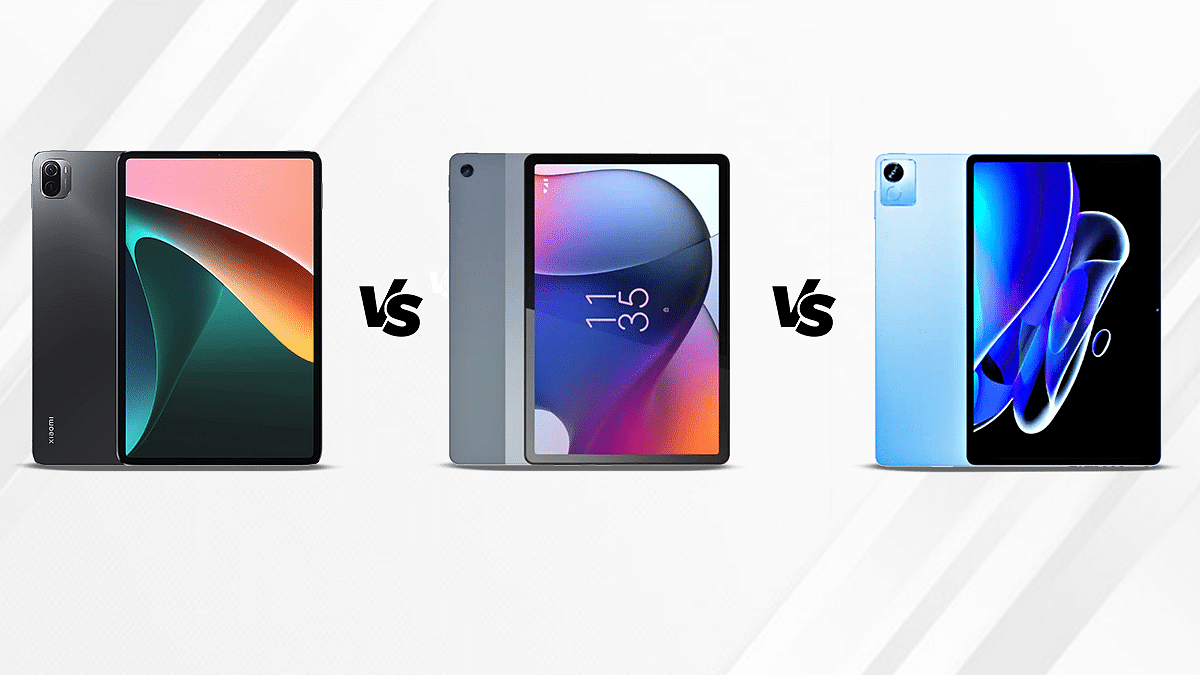
Xiaomi Pad 5 Vs Moto Tab G62 Vs Realme Pad X Tablet Comparison: Which Premium Mid-Range Tablet Leads?

We have seen multiple new tablet launches in India in the last few months. Even smartphone OEMs have started flooding this market with new products in all categories. Xiaomi Pad 5 is one of the best premium mid-range Android tablets available in the country below Rs. 30,000 price mark. Realme and Motorola, known for introducing high-end smartphones, are also strengthening their tablet portfolio with new variants. The former had recently released the Realme Pad X which is the first mid-range 5G tablet in the country, while the latter introduced the Moto Tab G62 a few weeks earlier. We are comparing all three tablet models in this article. Check the hardware differences here:

Xiaomi Pad 5 Vs Moto Tab G62 Vs Realme Pad X: Display Specification Comparison

The Xiaomi Pad 5 has a massive 11-inch screen which has an 82.8 percent screen-to-body ratio. The Xiaomi tablet’s display comes with an aspect ratio of 16:10 and delivers a 2K resolution of 1600 x 2560 pixels. The screen is HDR10 certified and also has Dolby Vision support. Further enhancing the visual experience is a 120Hz refresh rate.

Motorola has also used an IPS LCD display on the Moto Tab G62. The display is slightly smaller compared to the Xiaomi tablet. It measures 10.6-inches and has a screen-to-body ratio of 80.2 percent. The display further supports 1200 x 2000 pixels screen resolution and 220PPI pixel density.

As for the Realme Pad X 5G, the tablet is packed with a 10.95-inch display. It is also an IPS LCD panel like the remaining two models. The Realme tablet’s display supports the same pixel resolution as the Motorola tablet, i.e., 1200 x 2000 pixels. The LCD screen on this tablet doesn’t have HDR certification. The overall visual experience would be best with the Xiaomi Pad 5 in this list, the remaining two models will offer a decent viewing experience.

Xiaomi Pad 5 Vs Moto Tab G62 Vs Realme Pad X: Chipset, RAM, Storage Differences

The Xiaomi pad 5 has been launched with the Snapdragon 860 chipset. The octa-core Qualcomm processor is built on a 7nm fabrication process and has Adreno 640 GPU support for graphics. The processor used by the Realme Pad X is the Snapdragon 695, also an octa-core chipset by Qualcomm that is built on a 6nm fabrication process. The processor on both these tablets comes with 5G network compatibility and can easily handle multitasking and gaming.

The power delivery on the Motorola Tab G62 is handled by the octa-core Qualcomm Snapdragon 680 chipset. Unlike the other two models, this chipset offers standard 4G network support. The processor gets Adreno 610 GPU compatibility for graphics. While this is a standard 4G chipset, it is powerful enough for all daily and extensive tasks. 

Speaking of the configurations, the Xiaomi Pad 5 tablet has 6GB/ 128GB, 6GB/256GB RAM, and storage variants. The Moto Tab G62 offers a single 4GB RAM and 128GB storage configuration, whereas the Realme Pad X comes with 4GB RAM/ 64GB storage option and 6GB RAM/ 128GB storage option. The Android version pre-installed in the Xiaomi Pad 5 is Android 11 OS. Only this tablet has the older Android firmware, while the remaining two models (Moto Tab G62 and the Realme Pad X 5G) ships with the Android 12 OS. All these models have a custom user interface on top of the Android firmware.

Xiaomi Pad 5 Vs Moto Tab G62 Vs Realme Pad X: Camera Specifications

The camera sensor is single on all three tablets. The Xiaomi Pad 5 offers a 13MP main camera that has an f/2.0 aperture. It has a dual-LED flash system, HDR, Panorama, and Portrait shooting modes, and can record 4K@30fps and 1080p@30fps videos. Motorola, on the other hand, has used an 8MP single rear camera with a f/2.2aperture on the Moto Tab G62.

This tablet’s camera also has multiple shooting modes to improve the photography experience. The video recording capabilities with the Moto Tab G62 is 1080p@30fps. Lastly, the Realme Pad X 5G also features a single 13MP main rear camera that can record 1080p@30fps videos.

The selfie camera packed inside the Xiaomi Pad 5 is an 8MP lens. This same snapper is used by the remaining two tablets for self-portraits and video chats.

Xiaomi Pad 5 Vs Moto Tab G62 Vs Realme Pad X: Battery, Fast Charging Specifications

The Xiaomi Pad 5 draws power from an 8,720 mAh battery unit which is clubbed with 33W fast charging. The Moto Tab G62 features a 7,700 mAh battery unit which has 20W fast charging support. The Realme Pad X 5G is equipped with an 8,340 mAh battery unit which has 33W fast charging support.

Categories
Comparison Featured Mobile

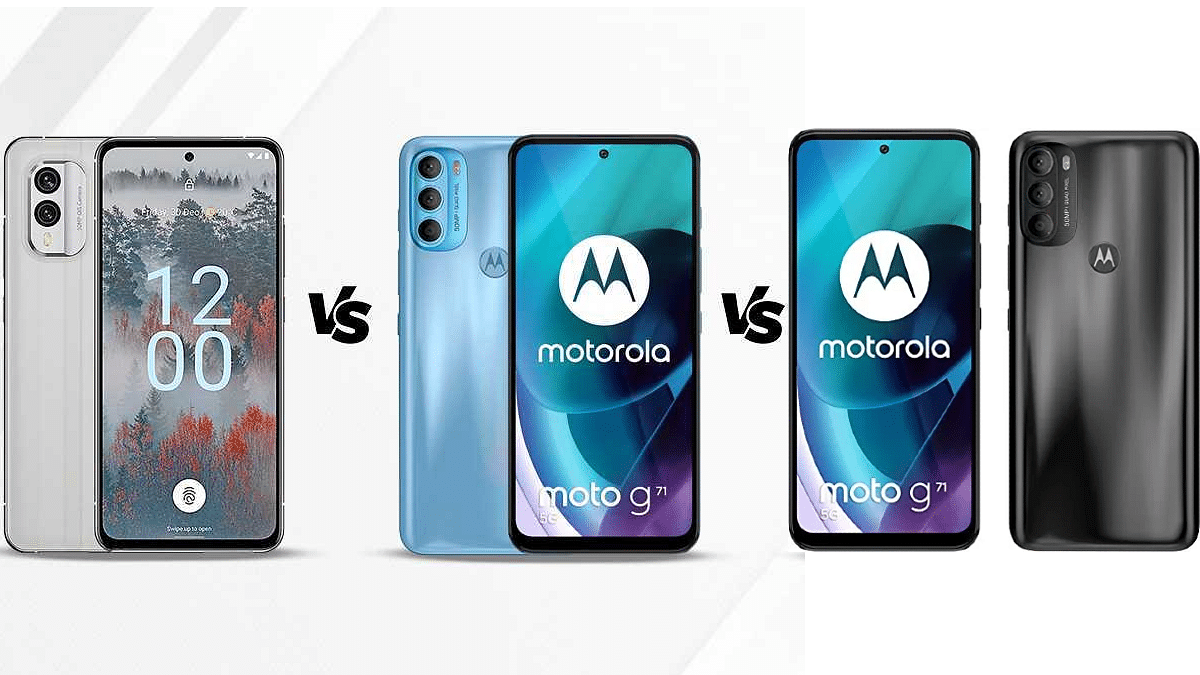
Nokia X30 5G Vs Nokia G60 Vs Motorola Moto G71 5G: Top Latest Premium Mid-Range Mobile Comparison

Nokia just got done with new product launches at the IFA 2022 event. The Finnish tech giant refreshed its popular X series with the Nokia X30 and also released the Nokia G30, Nokia C30, and the Nokia T1. Out of all these models, the Nokia X30 is grabbing all the attention for its environment-friendly design and premium mid-tier hardware. The Nokia G60 is also a capable mid-range phone that has marked its entry into the mobile space.

But which of these two Nokia launches packs all the punch? Well, this comparison article will answer your queries. Also, we are throwing in another popular mid-range 5G model to the mix that has the same chipset as the Nokia X30 5G. The Moto G71 5G is the model we are speaking of. Let’s take a look at the hardware differences between the Nokia X30 5G, Nokia G60, and the Motorola Moto G71 5G.

Nokia X30 5G Vs Nokia G60 Vs Motorola Moto G71: Display Specs

Starting with the newest of the lot, i.e., the Nokia X30 5G, it is packed with an AMOLED display which is 6.43-inches in size. The panel comes with an 85 percent screen-to-body ratio and an FHD+ resolution of 1080 x 2400 pixels. The display is layered with the Corning Gorilla Glass Victus protection and has a peak brightness level of 700 nits. The display also offers a 90Hz refresh rate that allows for a smooth gameplay experience and also scrolling feedback.

The Nokia G60 is a step behind the Nokia X30 5G in the display department. Instead of an AMOLED panel like the Nokia X30, the Nokia G60 offers a standard IPS LCD screen that is 6.58-inches in size. The Nokia G60’s LCD screen supports an FHD+ resolution (1080 x 2400 pixels) and has Corning Gorilla Glass 5 protection against scratches. The refresh rate here is higher compared to the X30 at 120Hz.

Lastly, the Motorola Moto G71 also has an AMOLED display. The screen size and resolution is similar to the Nokia X30. It has a 6.4-inch AMOLED display with an 80.3 percent screen-to-body ratio and a 20:9 aspect ratio.

The Moto G71 5G screen has a pixel density of 411 PPI and an FHD+ resolution (1080 x 2400). If bigger screen size is your requirement rather than the panel quality, you can consider the Nokia G60. However, for better visual feedback, the Nokia X30 makes for the best choice besides the Moto G71 5G.

Nokia X30 5G Vs Nokia G60 Vs Motorola Moto G71: Camera Specification Comparison

Photography is another major factor why smartphone users are opting for models that offer a premium imaging experience. And brands have been improving camera hardware with mobile devices. The Nokia X30 is embedded with a dual rear camera setup where the primary sensor is a 50MP wide lens with an f/1.8 aperture and PDAF (Phase Detection Autofocus) support.

The main camera is combined with a 13MP ultrawide angle sensor with an f/2.4 aperture. The camera app has a bunch of advanced shooting modes that elevate the photography experience. The video recording capabilities with the Nokia X30’s rear camera is 1080p@30/60fps.

Moving to the Nokia X30, this model has a triple rear camera module, unlike the X30 5G which offers just two cameras. This Nokia phone is packed with a 50MP primary camera with an f/1.8 aperture and PDAF support. The additional sensors include a 5MP ultrawide sensor with an f/2.2 aperture and a 2MP depth lens with an f.2.4 aperture. This model supports 1080p@30fps video recording and also has extra shooting modes for improved imaging experience.

The Moto G71 5G’s camera hardware also comprises three sensors at the back. The setup comes with a 50MP main sensor that has an f/1.8 aperture and PDAF support. Additional sensors include an 8MP ultrawide angle sensor and a 2MP macro lens. This variant gets the same 1080p@30fps video recording support as the Nokia G60.

Talking of the selfie cameras, the Nokia X30 5G and the Moto G71 5G features a 16MP camera for self-portraits, while the Nokia X30 5G is equipped with a smaller 8MP selfie lens. The camera performance is good on all three handsets in this list. But the presence of additional sensors on the Moto G71 5G and the Nokia G60 should impress more consumers.

Nokia X30 5G Vs Nokia G60 Vs Motorola Moto G71 5G: Processor, RAM, Storage Configuration

The processor powering all three models, i.e., the Nokia X30 5G, Nokia G60, and the Motorola Moto G71 5G is the same. They all are powered by the Snapdragon 695 processor. This is a new 5G chipset by Qualcomm designed for premium mid-range phones fabricated using a 6nm process.

The octa-core chipset gets Adreno 619 GPU support which is capable to render intensive graphics without any hiccups. Performance delivery is good with this chipset and all three phones can easily take on extensive tasks and gaming with ease.

Speaking of the configurations, the Nokia X30 5G comes with up to 8GB RAM and 256GB native storage capacity. The RAM capacity is the same on the Moto G71 5G as well. However, the onboard storage capacity offered is up to 128GB. Whereas, the Nokia G60 comes with up to 6GB RAM and 128GB storage capacity.

Nokia X30 5G Vs Nokia G60 Vs Motorola Moto G71 5G: Battery Comparison

The battery capacity of the Nokia X30 is 4,200 mAh which has 33W fast charging support. The Nokia G60 features a slightly bigger 4,500 mAh battery but has a lower 20W charging speed. On the other hand, the Moto G71 5G has a 5,000 mAh battery unit which gets 33W fast charging support.

Categories
Featured Mobile

Realme C33 Under Rs. 10,000 Can Be Your Best Buy: Launched With 50MP Camera, HD+ Display In India

Realme has once again expanded its budget smartphone series in India with the launch of the Realme C33. The latest Realme C series phone is launched in the sub Rs. 10,000 price bracket and offers a slim profile along with some modern set of features. The Realme C33’s key highlights include a 50MP AI camera, an HD+ display, and a massive 5,000 mAh battery capacity. Here are the upgrades the Realme C33 brings to the table:

Realme C33 Price In India, Buying Guide

The Realme C33 has been launched in India with a starting price tag of Rs. 8,999. The brand sells the handset with 3GB RAM and 32GB storage at this price. The latest budget Realme C series phone can also be purchased with a higher 4GB RAM and 64GB storage option that can be purchased at Rs. 9,999.

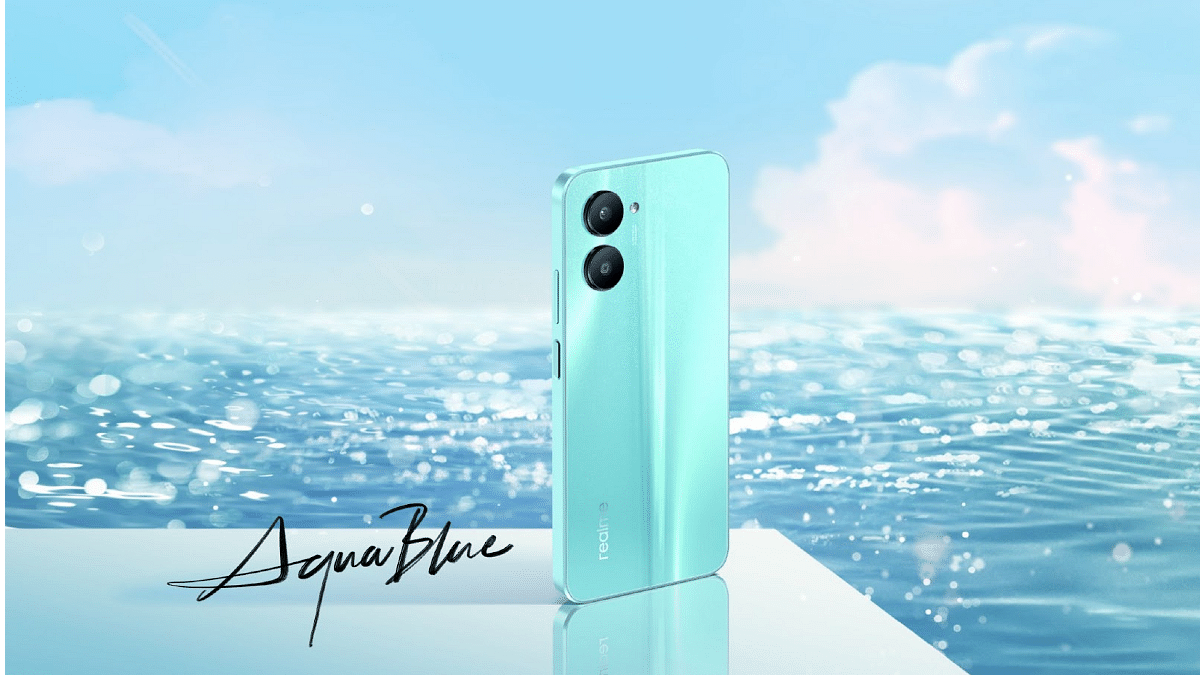
The affordable price tag combined with good features has been the selling point of the Realme C series. The same will likely be the case with the Realme C33. As for the color variants, the Realme C33 can be purchased in Aqua Blue, Sand Gold, and Night Sea shades. Realme will be hosting the Realme C33’s first sale on September 12. The handset will be sold online via Flipkart and realme.com. It will also be available for sale via partner retail channels.

Realme C33 Specifications And Features: Here’s What’s Upgraded

The Realme C33 has been launched with a 6.5-inch display. Now, this has been a standard screen size we have seen with budget Realme phones including a couple of older Realme C series models. The display comes with a standard 720p HD+ resolution and 60Hz refresh rate.

First Budget Phone With 50MP Camera Under Rs. 10,000

We have seen smartphone OEMs upgrading their game with budget smartphones. With the C33, Realme has done the same. The company has packed the C33 with a 50MP AI camera which is first for any budget handset in this segment. The main camera gets multiple shooting modes for an enhanced user experience.

Some of the modes are HDR, Panorama, Bokeh, and Time Lapse. The camera also has a dedicated Night mode for low-light photography. For the selfie fans, this budget Realme phone uses a 5MP selfie snapper. It features an AI Beauty mode for bright and vivid self-portraits.

Powerful Chipset Tucked Inside Ultra Slim Profile

The Realme C33 is one of the slimmest phones in its league. It comes with an 8.3mm ultra-slim profile that allows for a lightweight comfortable grip. The handset flaunts a uni-cover and comes void of a camera bump. The Unisoc T612 octa-core chipset is packed inside this ultra-slim body for power delivery.

The Realme C33 will ship with Realme UI-based Android 12 OS and will have up to 4GB RAM and 64GB storage configuration. The device gets its fuel from a 5,000 mAh battery which has around 37 days of standby.

Categories
Featured Mobile

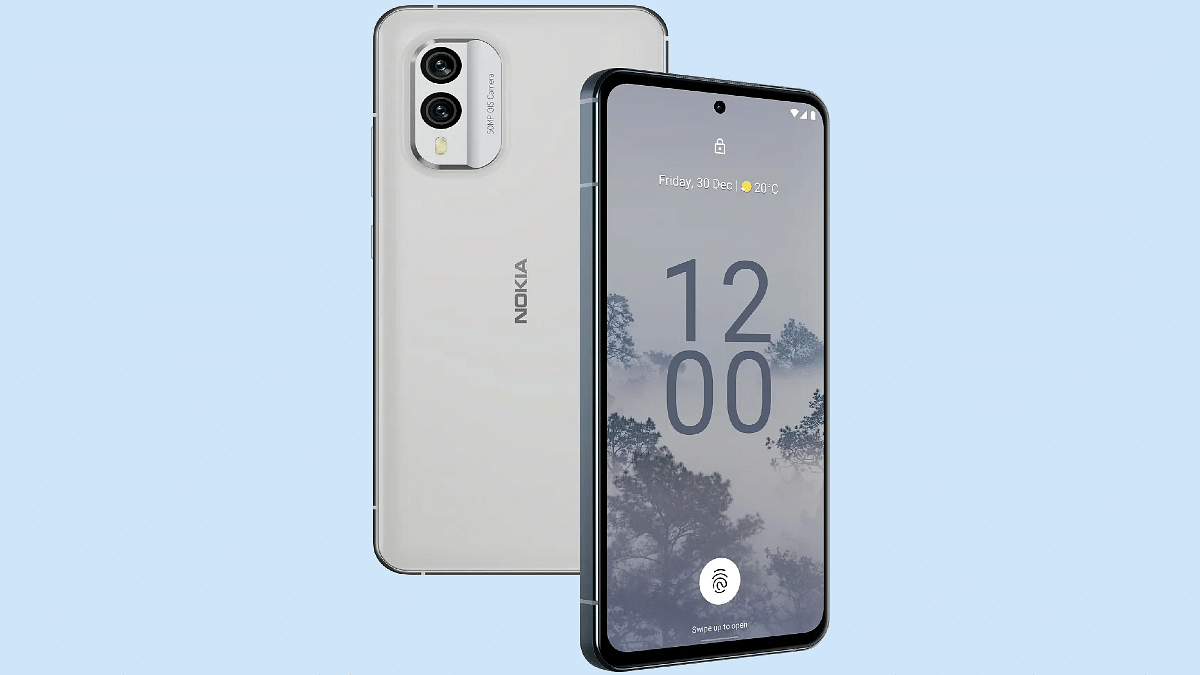
Nokia X30 5G With Snapdragon 695, 50MP Dual Cameras Marks Debut At IFA 2022: Features That Make It Unique

At the IFA 2022 ( Internationale Funkausstellung Berlin) event, the Finnish smartphone giant HMD Global revamped its product lineup with the launch of three new Nokia smartphones. The brand unveiled the Nokia X30 5G alongside the Nokia X60 5G, Nokia T1, and the Nokia C31. The company is touting the Nokia X30 5G as one of the world’s most environmentally friendly phones. How does the handset redefine smartphone designing technology and what all features does it offer? Also, when can we expect the company to release the Nokia X30 5G in the Indian market and how much is it expected to cost? Read on here:

Nokia X30 5G Design And Specifications: What’s Different?

The Nokia X30 5G is designed using recycled materials. The company has used 100 percent recycled aluminum and 65 percent recycled plastic material to craft the X30 5G. Using recycled material makes it stand out from the crowd for being environmentally friendly. The environment-friendly design is further complemented by an IP67 certification that safeguards it from dust and water splashes.

Speaking of the features, the Nokia X30 5G is a premium mid-range Android phone that is packed with an AMOLED screen. The display on the latest Nokia 5G handset measures 6.43-inches. It supports 1080p FHD+ screen resolution and has 700 nits peak brightness level that makes it sufficiently bright under direct sunlight.

The X30 5G’s display further supports a 90Hz refresh rate and is layered with the Corning Gorilla Glass Victus protection against scratches and drops. Under the hood, the Nokia X30 5G employs the latest Qualcomm mid-range 5G chipset, i.e., the octa-core Snapdragon 695 chipset.

The processor comes with Adreno 619 GPU support for graphics. For multitasking, this handset has 6GB/ 8GB RAM compatibility. Nokia has launched the X30 5G with 128GB and 256GB storage configurations and has also added support for an external microSD card for additional storage requirements.

Moving on to the camera hardware, the Nokia X30 5G has a dual-lens camera module at the back. The setup includes a 50MP main sensor and a 13MP secondary lens which is an ultrawide sensor. The device is packed with a 16MP camera up front to capture selfies and for video chats on the go.

The device will come pre-loaded with Android 12 OS and will offer a stock Android UI. This is another big highlight of the latest Nokia X series phone. Lastly, a 4,200 mAh battery unit drives the handset which has 33W fast charging support.

Nokia X30 5G: Expected Price In India, Sale Date

The Nokia X30 price is around Rs. $529 which if translated into Indian currency is around Rs. 42,200. However, Nokia is yet to announce the X30 5G’s official India launch date and the pricing details. The exact price could be lower compared to the international market. This is based on our speculation considering the hardware features. We are expecting Nokia to announce the X30 5G availability details soon for the Indian market and will keep you posted with the details.

Categories
Chipset Comparison Featured

Qualcomm Snapdragon 695 Vs MediaTek Dimensity 920 Mid-Range Mobile Chipset Comparison

Key Highlights

  • The octa-core 5G Snapdragon 600 series processor is 5G enabled
  • Realme unveiled its first-ever 5G tablet called the Realme Pad X 5G powered by the Snapdragon 695 processor
  • Dimensity 920 is the finest bet in the mid-range mobile chipset department

Qualcomm Snapdragon 695 chipset is a new mobile processor that is driving the new-generation mid-range Android phones. The octa-core 5G Snapdragon 600 series processor is 5G enabled and is even being used with tablets. Realme recently unveiled its first-ever 5G tablet called the Realme Pad X 5G powered by the Snapdragon 695 processor. Several other competent handsets are integrated with this chipset for a powerful daily performance.

MediaTek, on the other hand, has the Dimensity 920 as its finest bet in the mid-range mobile chipset department. The Xiaomi 11i Hyper Charge, Redmi Note 11 Pro/ Pro Plus, and the Poco X4 (NFC) are a few of the popular handsets equipped with the octa-core Dimensity 920 chipset. This 5G processor is also well known for its powerful performance delivery. We have compared both of these popular mid-range chipsets in this article in terms of CPU, GPU, Memory, and Multimedia (ISP).

Qualcomm Snapdragon 695 Vs MediaTek Dimensity 920: CPU Comparison

Qualcomm and MediaTek both fabricated the Snapdragon 695 and the Dimensity 920 chipset using a 7nm fabrication process. The Qualcomm chipset has octa-cores including two Cortex-A78 cores clocked at 2.2GHz and six Cortex-A55 cores clocked at 1.7GHz. The Dimensity 920 is also an octa-core chipset that has the same two Cortex-A78 cores clocked at 2.2GHz and six Cortex-A55 cores clocked at 2GHz.

The Snapdragon 695 chipset is designed on the ARMv8.2-A Instruction set and has a frequency range of 2200MHz, while, the Dimensity processor also has the same Instruction set (ARMv8.2-A) and the frequency range, i.e., 2200MHz. Both these 5G chipset pack ample punch for multitasking and gaming.

Snapdragon 695 Vs Dimensity 920: GPU Comparison

The Qualcomm Snapdragon 695 chipset has the Adreno 619 GPU support which is designed on Adreno 600 architecture. The GPU delivers around 840MHz of frequency range and has 128 shading units. This processor has a 1.1 Vulkan version, 2.0 OpenCL version, and 12 DirectX version. On the other hand, the Dimensity 920 processor has the IMG BXM-8-256 GPU compatibility which is based on the PowerVR B-series chipset. The Vulkan, OpenCL, and DirectX version is the same as the Qualcomm processor. Similar to the CPU, the GPU performance is also similar on both these chipsets. They both are capable of easily rendering intense graphics with multimedia as well as gaming.

Also Read | Qualcomm Snapdragon 695 Vs MediaTek Dimensity 1300 5G Chipset: Quick Comparison

Categories
Featured How To Mobile

Forgot Vivo Phone App Lock, Screen Lock Password? Here’s How To Reset Password With Or Without Security Code

Smartphones nowadays are one of the most commonly used gadgets by the masses for communication and also entertainment, photography, and gaming. Vivo is one of the largest players in the smartphone industry that has several lineups catering to affordable and premium users. The Chinese maker is consistently improving the user experience with its smartphones by integrating the best and newest technologies.

Vivo also provides a secure ecosystem for its smartphones and users. Most Vivo budget smartphones are packed with basic security features such as PIN and password protection. Face Unlock is another common security feature that you will find on Vivo handsets.

If you buy a mid-range or premium range Vivo smartphone, you’ll get an additional physical security feature including a side, rear, or under-display fingerprint scanner. While setting up a Vivo smartphone, you get the option to add any of the aforementioned security layers. You can set up File Safe or privacy app lock for specific apps to safeguard your data.

If you are using a Vivo phone, you can also add a screen lock that can be unlocked using the PIN and password protection. It’s difficult to breach the security layers on Vivo smartphones. This is why it could be a task for you to login into a locked Vivo smartphone. Only a correct password or fingerprint is required to unlock the Vivo phones. But what if you have forgotten the password if you have modified it recently? In that case, you can reset the password by following the steps below:

What To Do If Forgot Privacy Space Or App Lock, File Safe Password On Vivo Phones?

 Step 1: Open the Settings menu on your respective Vivo smartphones. Note, that the steps mentioned here will work for Funtouch OS 3.0 and above versions.

Step 2: Scroll down to the Fingerprint, face, and password option.

Step 3: Click on Security.

Step 4: Tap on Privacy and app encryption.

Step 5: Select the Forget password option.

Step 6: You’ll get the security answer option where you can enter the answer that you must have added while setting up the app lock. Simply verify and reset the password set for apps or file safe. If in case, you don’t remember the security answer, you can follow the on-screen steps to retrieve and change the old password for app lock.

How Can You Unlock Vivo Phones’ Screen Password If Forgotten?

The steps to reset the password on any Vivo handset if you don’t remember it is quite easy.

Step 1: Lock your Vivo phone to launch the lock screen. If it’s already locked and you have forgotten the password, follow the remaining steps listed below.

Step 2: Enter the incorrect password five times. This will take you to the password reset screen.

Step 3: You will see the Forgot password option. Tap on it.

Step 5: The password recovery option will open up. Enter the security answer and reset your password.

How To Reset Vivo Phone Password If You Don’t Remember Security Answer?

Step 1: You can use perform these password reset steps if you don’t remember the security answer on FunTouch OS 3.0 and above versions.

Step 2: Open the Settings menu.

Step 3: Click on the Fingerprint, face password option.

Step 4: Tap Security.

Step 5: Click ‘turn off Lock Screen password and Privacy and app encryption.

Step 6: Reset the security question and use when the next time your device is locked and you don’t remember the password. Notably, these steps will only work if you are able to enter the phone.

Categories
Featured How To Mobile

OnePlus Call Being Recorded Notification: How To Stop ‘Call Is Now Recording’ Message On OnePlus 10T, 10 Pro, OnePlus 9, 8 Series

Key Highlights

  • Call recording is one nifty feature in OnePlus devices
  • The audio message notification can be annoying and might affect the secrecy aspect
  • Users can turn off the call is now recorded message on their OnePlus 10 series

OnePlus is one of the most advanced players in the Android smartphone market. The brand has earned a high rapport for being a flagship killer with its value flagship phones. The OnePlus 10 series is currently the brand’s latest bid in the flagship smartphone category.

The OnePlus 10R, OnePlus 10 Pro, and the OnePlus 10T 5G are the latest generation premium range 5G smartphones by OnePlus in India and the global markets. Like most of the premium range smartphones, the latest lot is also available with top-tier hardware and firmware.

Also Read: WhatsApp Call Recording: Here’s How You Can Easily Record Call On Android And iOS

OnePlus uses Google’s Android services for both its mid-range premium smartphones and tops it with a custom OxygenOS interface on top. And like most of the OEMs, OnePlus also makes sure to add additional security features to its smartphone lineups. Be it the OnePlus Nord or the high-end OnePlus handsets, you’ll get all kinds of privacy aspects present. The same is the case with the new OnePlus 10 models.

With OnePlus devices, call recording is one nifty feature that can be useful in numerous scenarios. However, as soon as you push the recording key on any OnePlus handset, specifically the recent models, you will get a warning notification saying “this call is now being recorded”. We got this notification while recording calls using the latest OnePlus 10T.

Also Read: OnePlus 11 5G Full Review: A Step Ahead In The Right Direction!

This audio message notification can be annoying and might affect the secrecy aspect. However, strict guidelines have been issued by the Indian government for recording calls and audio without other user’s concern. Google has also released similar guidelines and removed third-party apps that support call recording from the Play Store.  

Also Read: OnePlus 10T Review: Speed Performance And Reliability At Its Best

Also, the “call is now being recorded” announcement is not just with the OnePlus 10T but other recent and previous-gen models including the OnePlus 10 Pro, OnePlus 10R, OnePlus 9 series (all models), OnePlus 8 series, and the OnePlus Nord models. Is there any way with which you can turn off the call is now recorded message on your OnePlus 10 series or any of the aforementioned models? We have listed the working way for the same:

Cal Now Being Recorded Message On OnePlus 10 Series And Other Models

Stop OnePlus Automatic Voice Call Recording Message Notification Via Different Text-To-Speech Engine

You can alter the default dialler app engine and start making calls on the OnePlus 10 series and previous-generation models including the OnePlus 9 and OnePlus 8 series and also the OnePlus Nord models. TTSLexx is one of the best options for the same. You can download this using the Google Play Store and then follow the remaining steps listed below:

Step 1: Open the Google Play Store and search the TTSlexx app.

Step 2: Once the app is installed go back to the OnePlus 10 and other models’ settings menu.

Step 3: Scroll to the Text-To-Speech option.

Step 4: You’ll see the service engine option. Tap on it and select TTSlexx instead of Google.

Step 5: Now, open the phone’s settings app again and go to the App’s page.

Step 6: Select Google Phone dialler.

Step 7: Clear the cache and storage. If you don’t clean the Google dialler app’s cache files, the TSSlexx wouldn’t function properly.

Step 8: Now, make calls and record audio without notifying the end users on your OnePlus 10 and other recent models.

Also Read | Here’s How To Stop Call Recording Warning On Android Phones

Using OnePlus Stock Dialler App

As mentioned above, OnePlus uses Google’s dialler app on all its smartphone lineups. The same is the case with the OnePlus 10 series phone and the previous-gen models. But the stock dialler app isn’t available on the Google Play Store for direct download. You’ll need to download the apk file separately online.

Also Read: Unable To Cast Screen On OnePlus TV? Quick Fix Guide To Resolve Chromecast/Miracast Issue With OnePlus Smart TVs

To do so, you can open any web browser on your respective smartphones and download the stock OnePlus dialler app. We are adding a new link here with which you can easily download the secondary dialler app for OnePlus. Make sure you have allowed outside sources from the settings to complete the installation process. The remaining steps are below:

Step 1: To make a call, open the stock OnePlus dialler app on your respective OnePlus 10 or other models.

Step 2: Make sure you set this app as default to record calls. You can do so from your phone’s setting menu.

Step 3: Now, toggle on the automatic recording option within this app. To do so, click on the app’s setting menu and scroll to the call recording option.
Step 4: Set automatic recording on. With this, the calls will be recorded without any sound as soon as it’s received/made.

Also Read | Stop Call Recording Announcement On Realme Smartphones: Here’s How