Categories
Featured How To Tablet

What Is Auto Click (dwell timing) Feature On Android Tablet: How To Use It?

Google is offering a wide range of services for smartphones and tablets falling in the Android ecosystem. The search giant is making consistent upgrades with Android OS driving new-generation smartphones and tablets. Google is currently developing Android 13 which as the name suggests is the 13th generation of the company’s in-house mobile operating system. With the Android OS, Google has opened up new opportunities for smartphone and tablet users.

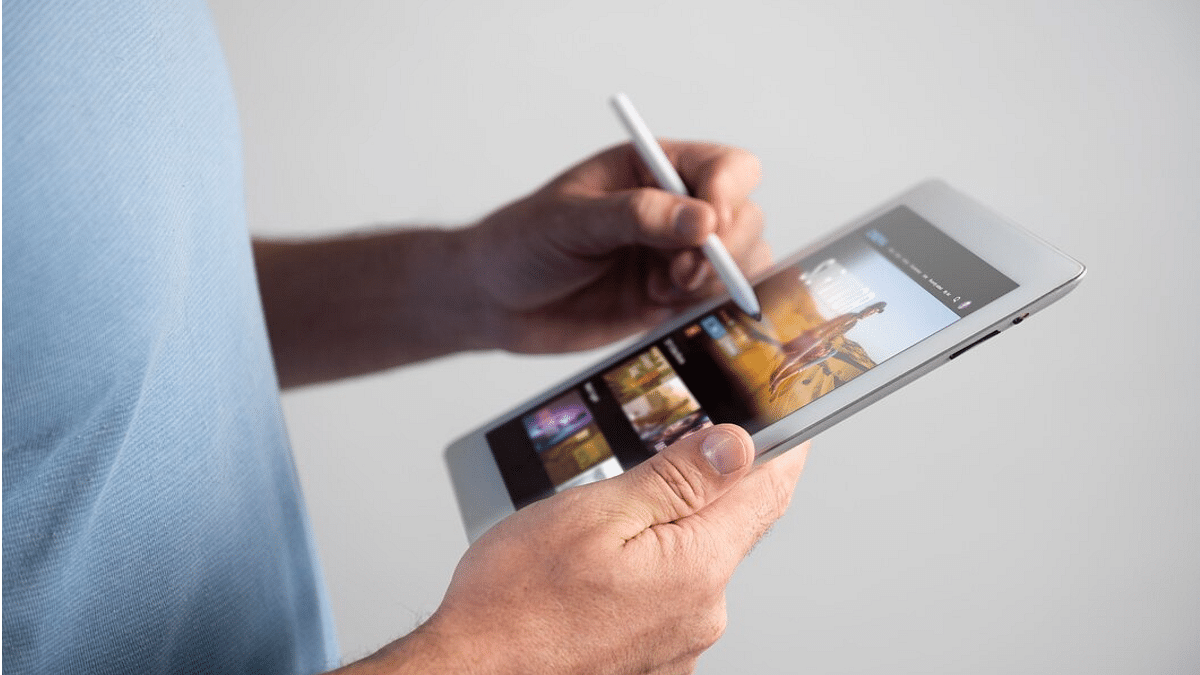
And we have seen some major upgrades with tablet hardware and the user interface. The user possibilities are endless with big-screen tablets. That’s one of the reasons why laptops are somewhat getting replaced with new-age Android tablets. A stylus pen support for creative work is one of the most prominent highlights of modern tablets. Connecting a wireless keyboard or mouse for professional tasks is another.

You can easily convert your tablet into a portable laptop-style gadget by adding a wireless keyboard or mouse to the device. After connecting a mouse, you can use the Auto click (dwell timing) feature available with Android 11.0 and above versions. This option lets you set automatic cursor actions when it stops moving for a certain period.

Google has designed this feature for users with motor impairment. You need a tablet with Android 11 OS or above to use this feature. Android mobile users can also try this feature. Once a successful connection is established between the tablet and the wireless mouse, you can set up the Auto click (dwell timing) feature.

Step 1: On your tablets, open the Settings app.

Step 2: Scroll down to the Accessibility tab.

Step 3: Locate the Auto Click (dwell timing) option. This option could be present with the ‘Click after pointer setting’ name in some select tablet models.

Step 4: Now, you can set the preferred automatic clicks timer. The automatic click will happen as per the timer you will select. You can choose from Short (0.2 seconds), Medium (0.6 seconds), Long (1 second), or custom.

How Can You Use The Auto Click (dwell timing) Feature Post Setup

Step 1: Scroll the cursor to the position you want to click.

Step 2: Stop using or moving the mouse once you are on the required position.

Step 3: The auto click will happen as per the time frame you have selected during the setup.

Categories
Chipset Comparison Featured

MediaTek Helio G35 Vs Qualcomm Snapdragon 662 Processor: Mid-Range Mobile Chipset Comparison

MediaTek Helio G series has some powerful chipsets for budget and premium Android smartphones. The Helio G37 is one of the brand’s gaming chipsets for mid-range smartphones. The Infinix Hot 12 and Motorola Moto G22 are some of the recent Android budget phones equipped with this gaming MediaTek processor.

Qualcomm, on the other hand, has been marking its presence in the mobile chipset industry with Snapdragon series processors. The Snapdragon 662 is the company’s bet in the mid-range segment. A bunch of popular phones with this processor have been competing with the lot mentioned above. The Poco M3, Xiaomi Redmi 9 Power, and the Vivo Y51A are a few of examples. But, why are we speaking of both these chipsets? Well, we have done a quick comparison between both these mid-range chipsets. Read on here:

MediaTek Helio G35 Vs Qualcomm Snapdragon 662 Chipset: CPU, GPU Differences

MediaTek’s Helio G35 processor is built on 12nm fabrication with a 2300MHz frequency range. The processor has octa-cores including four Cortex-A53 cores clocked at 2.3GHz and the other four clocked at 1.8GHz. The Qualcomm Snapdragon 662 processor is also an octa-core chipset but is fabricated using 11nm process and has 2000MHz frequency range. This processor has four Cortex A73 cores and four Cortex A53 cores clocked at 2.3GHz and 1.8GHz respectively.

The Helio G35 gets PowerVR GE8320 GPU integration with 650MHz base frequency. The processor has two execution units and 96 shading units. The GPU integrated within the Helio G35 is the Adreno 610, a part of Adreno 600 Architecture. It has a 650MHz GPU frequency, two execution units, and 32 shading units. Both these MediaTek and Qualcomm processors feature the same 1.1 Vulkan version and DirectX 12 version. Both the chipset brands have designed the SD 662 and the Helio G37 as a capable processors that can offer a smooth daily user experience and also perform lag-free with apps.

Helio G37 Vs Snapdragon 662 Processor: Memory, Multimedia (ISP)

The MediaTek Helio G37 processor comes with LPDDR4X RAM support. This is the same with the Snapdragon 662 processor. The memory frequency range is different. The Helio G37 processor has a 1866MHz memory frequency range, while the Qualcomm Snapdragon chipset has a 1600MHz memory frequency.

Both Helio G37 and the SD 662 have up to 8GB maximum RAM support. The storage compatibility is eMMC 5.1 on both chipsets. However, the Snapdragon variant has an additional UFS 2.1 storage. The Helio G37 has 1080 x 2400 pixels max display resolution support, while the Snapdragon 662 has 1080 x 2520 pixels display resolution compatibility (maximum).

The former offers 1 x 25MP and 2x 13MP max camera resolution whereas, the SD 662 has 1x 48MP and 2x 16MP max camera resolution. The video playback compatibility is 4K@30fps with the Snapdragon chipset and 1k@30fps with the MediaTek processor.

Categories
Chipset Comparison Featured

Unisoc T606 Vs MediaTek Helio G35 Entry-Level Chipset Comparison

Key Highlights

  • Unisoc T606 vs. MediaTek Helio G35 Comparison
  • Entry-Level Chipset: Features and Specs
  • You can make Informed Choices for Budget Smartphones

Unisoc is one of the emerging players in the mobile chipset market. The brand has created its niche with budget smartphone processors and we have seen multiple popular OEMs integrating a Unisoc series chipset into their entry-level phones. Realme, Micromax, and a couple of noted Android mobile players are a few examples.

On the other hand, primary mobile chipset players, including MediaTek and Qualcomm, are also frequently designing new mobile chipsets for entry-level phones. The former even has game-centric chipsets for affordable Android phones. The MediaTek Helio G35 is of the most commonly found chipsets in the entry-level segment. How well does it compete against the Unisoc T606 in terms of GPU and CPU performance? Let’s find out:

Unisoc T606 Vs MediaTek Helio G35 Processor: CPU Comparison

The Unisoc T606 entry-level chipset has octa-cores and is designed using a 12nm fabrication process. The Instruction set is ARMv8.1-A with a base frequency of 1600MHz. The chipset is equipped with two Cortex A-75 cores and six Cortex-A55 cores clocked at 1.6GHz respectively.

MediaTek has also fabricated the Helio G35 processor on a 12nm fabrication process. This processor is based on an ARMv8.2-A Instruction set and has a 2300MHz base frequency. This low-end gaming processor has eight Cortex-A53 cores clocked at 2.3GHz. Both these chipsets’ CPU performance is powerful for daily tasks such as web browsing, media playback, and also occasional gaming. But the Helio G35 is a bit better with performance optimization.

Unisoc T606 Vs MediaTek Helio G35 Chipset: GPU Comparison

The GPU integrated with the Helio G35 is the IMG PowerVR GE8320 which is based in Rougue Architecture and has a 680MHz frequency range. The MediaTek Helio G35 has the Mali-G57 MP1 GPU integration which uses Valhall architecture and offers a 650MHz frequency range.  

The Unisoc T606’s GPU has 16 shading units compared to 32 shading units of the Helio G35. The former’s OpenCL version is 2.0, OpenCL version is 1.0, and DirectX version is 11. The latter’s Vulkan version is 1.1, OpenlCl version is 1.2, and DirectX version is 12.

Unisoc T606 Vs MediaTek Helio G35 Processor: Memory, Multimedia (ISP)

The Unisoc T606 and the MediaTek Helio G35 have the same LPDDR4X RAM memory support. Both chipsets have also identical 1600MHz memory frequency but the max memory size support is different. The Unisoc T606 only supports up to 8GB RAM, whereas, the MediaTek Helio G35 has up to 6GB RAM compatibility. The former supports eMMC 5.1, UFS 2.0, and UFS 2.1 storage types, while the latter comes with only eMMC 5.1 storage.

Unisoc has made the T606 compatible with a max display resolution of 1080 x 2160 pixels and a max camera resolution of 1x24MP and 2x16MP. The display resolution support with the Helio G35 is 1080 x 2400 pixels, while the camera resolution is 1x25MP and 2x 16MP. The video recording and video playback compatibility is the same with both processors, i.e., 1K@30fps and 1080p@60fps respectively.

Categories
Chipset Comparison Featured

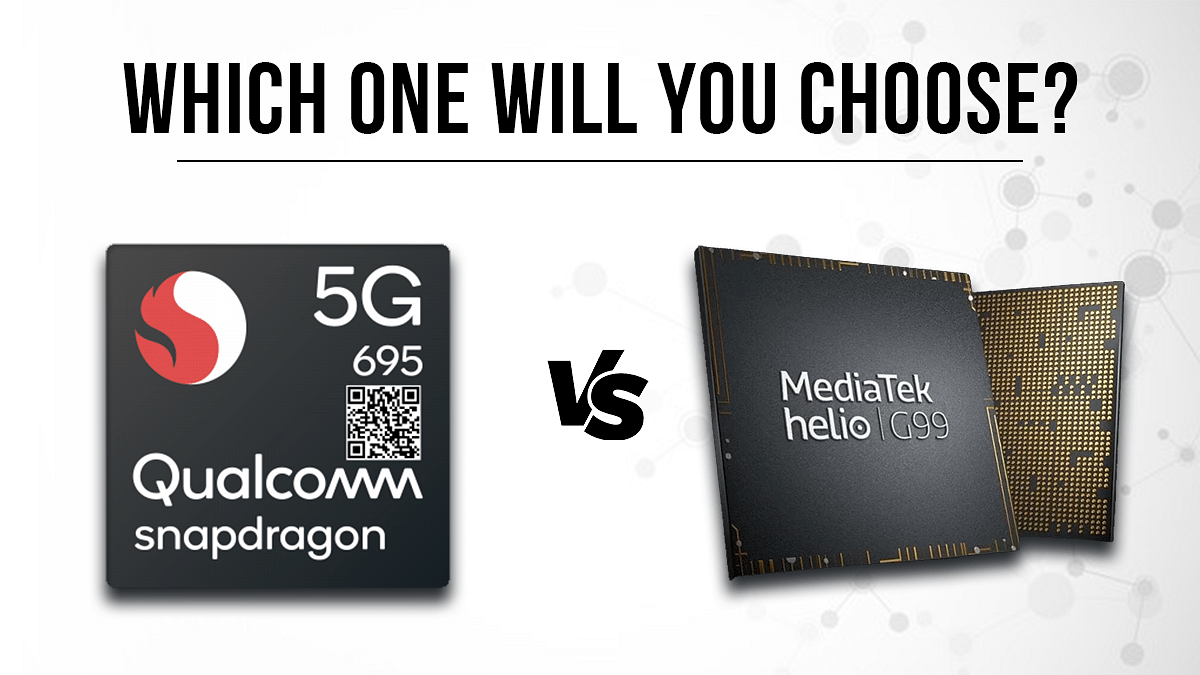
Qualcomm Snapdragon 695 Vs MediaTek Helio G99 Chipset: Quick Comparison

Key Highlights

  • Qualcomm Snapdragon 695 is built on the ARMv8-A Instruction set and has a total frequency of 2000MHz.
  • The SD 695 is built on an 11nm fabrication process
  • Below is the comparison of Qualcomm Snapdragon 695 Vs MediaTek Helio G99 Chipset.

Qualcomm had released the Snapdragon 665 octa-core 5G chipset for mid-range Android smartphones. Multiple smartphone OEMs have used this chipset in recent times for their new product lineup. MediaTek is one of Qualcomm’s biggest contenders in this race and has the Helio G99 processor to take on the Snapdragon 665 processor. In this article, we compare these processors’ CPU, GPU, and Memory compatibility.

Key Features Snapdragon 695 5G Helio G99
CPUocta-coreocta-core
GPUAdreno 610 GPUMali-G57 GPU
MemoryLPDDR4X RAMLPDDR4X RAM
StorageeMMC 5.1 and UFS 2.1.UFS 2.1

Qualcomm Snapdragon 695 Vs Helio G99 Chipset: CPU Performance

The Qualcomm Snapdragon 695 processor is built using 11nm fabrication process, whereas, the Helio G99 gaming chipset is built using a thinner 6nm process. The SD 695 is built on the ARMv8-A Instruction set and has a total frequency of 2000MHz. This mid-range Qualcomm octa-core chipset has four Cortex-A73 cores clocked at 2GHz and four Cortex A53 cores clocking at 1.8GHz.

MediaTek’s Helio G99 is based on the ARMv8.2-A instruction set and has a 2200MHz base frequency. This processor has two Cortex A-76 Cores clocked at 2.2GHz and six Cortex-A55 cores clocked at 2GHz. Both chipsets are good with power delivery and can handle media playback and gaming decently.

Also Read: Qualcomm Snapdragon 8 Gen 2 Vs MediaTek Dimensity 9200 Chipset Comparison: Most Advanced 5G Flagship Mobile Processor?

Snapdragon 695 Vs MediaTek Helio G99 Processor: GPU Performance

The Qualcomm Snapdragon 695 processor ships with the Adreno 610 GPU which is designed on the Adreno 600 architecture. This GPU has a frequency range of 600MHGz and offers two execution units. The MediaTek Helio G99’s Mali-G57 MC2 GPU is designed on the Valhall architecture with two execution units and 32 shading units. The GPU performance of both the Qualcomm Snapdragon 695 and the Helio G99 is good with the hardware being apt to render even extensive graphics smoothly.

Also Read: MediaTek Dimensity 9200 Processor Vs Qualcomm Snapdragon 8 Gen 1 Chipset: High-End Mobile Chipset Comparison

Qualcomm Snapdragon 695 Vs MediaTek Helio G99: Memory, Multimedia (ISP)

The memory compatibility with both Qualcomm Snapdragon 695 and the Helio G99 processor is LPDDR4X. The maximum RAM memory allocation with the Snapdragon chipset here is 8GB, while the Helio G99 chipset has up to 10GB memory support. The former has a memory frequency of 1866MHz, while the latter has a 4266MHz memory frequency. The storage compatibility with the SD 695 is eMMC 5.1 and UFS 2.1. The MediaTek Helio G99 comes with single UFS 2.2 memory compatibility.

The multimedia aspects of the Snapdragon 695 and the Helio G99 is same with the max display resolution (1080 x 2520). The max camera resolution varies with the Snapdragon chipset offering support for 1x 48MP and 2x 16MP cameras. The MediaTek chipset offers 1x 10⁸MP and 2x 16MP max camera resolution compatibility. The video recording supports is 4K@30fps with the Snapdragon 695 and 2K@30fps with the Helio G99.

Also Read: MediaTek vs Exynos Chipset Comparison: Which one is Better? Pros, Cons, And More
Categories
Apps Featured Info

What Are Netflix Secret Codes: How To Watch Hidden TV Shows And Movies On Netflix Using Secret Codes

Netflix is amongst those platforms that have redefined the experience of binge-watching TV shows and movies on desired screens. You just need a smartphone, tablet, or PC to tune into your favorite shows or movies. It wouldn’t be wrong to say Netflix has become the preferred platform for entertainment on the go. When you scroll through the Netflix homepage, you can see all the latest and trending movies and shows.

But with such a vast library, it must become confusing at times to select the perfect movie or show to watch. But not all TV shows or movies are in direct sight when you scroll through the Netflix app catalog. While you can easily scroll through the listed genres of movies and shows, a plethora of content is hidden on Netflix and you would need some secret codes to watch them.

What Are Netflix Secret Codes? How To Use Netflix Secret Codes?

The Netflix secret code is one of the handiest features offered by the OTT giant. This option lets you scroll through and watch from the list of movies that are hidden on the platform and not visible in direct sight; even when you search movies directly from the genre. Just for reference, you’ll be able to scroll through TV Shows, Movies, and Categories if you use the Netflix app. For the hidden movie and show library, you will have to use the secret codes manually.

But in order to use the Netflix Secret codes, you will need to have the subscription plans active. If you don’t have purchased any of the available subscription plans, you wouldn’t be able to watch movies using the secret codes. And to watch movies using the secret codes on Netflix, you can simply type http-//www.netflix.com/browse/genre/ followed by the secret code. Below is the entire list of Netflix secret codes with which you can browse through the hidden movies and shows library-

List Of Full Secret Codes For Movies And Shows On Netflix

  1. Anime- 7424
  2. Action Comedies- 43040
  3. Adventures- 7442
  4. Adult Animation- 11881
  5. Alien Sci-Fi- 3327
  6. Anime Action- 2653
  7. African Movies- 3761
  8. Action Thrillers- 43048
  9. Action Sci-Fi & Fantasy- 1568
  10. Anime Comedies- 9302
  11. Art House Movies- 29764
  12. Anime Dramas- 452
  13. Action & Adventure- 1365
  14. Asian Action Movies- 77232
  15. Anime Fantasy- 11146
  16. Basketball Movies- 12762
  17. Baseball Movies- 12339
  18. Biographical Dramas- 3179
  19. Boxing Movies- 12443
  20. British TV Shows- 52117
  21. Biographical Docs- 3652
  22. B-Horror Movies- 8195
  23. Chinese Movies- 3960
  24. Classic Comedies- 31694
  25. Classic Action & Adventure- 46576
  26. Classic Foreign Movies- 32473
  27. Classic Movies- 31574
  28. Classic Sci-Fi & Fantasy- 47147
  29. Classic TV Shows- 46553
  30. Classic Thrillers- 46588
  31. Classic War Movies- 48744
  32. Classic Musicals- 32392
  33. Children & Family Movies- 783
  34. Comedies- 6548
  35. Classic Westerns- 47465
  36. Classic Dramas- 29809
  37. Classic Romantic Movies- 31273
  38. Courtroom Dramas- 2748
  39. Crime Documentaries- 9875
  40. Cult Comedies- 9434
  41. Comic Book and Superhero- 10118
  42. Country & Western/Folk- 1105
  43. Cult Horror Movies- 10944
  44. Dark Comedies- 869
  45. Dramas based on real life- 3653
  46. Dutch Movies- 10606
  47. Deep Sea Horror Movies- 45028
  48. Experimental Movies- 11079
  49. Epics- 52858
  50. Eastern European Movies- 5254
  51. Fantasy Movies- 9744
  52. Family Features- 51056
  53. Football Movies- 12803
  54. Foreign Action & Adventure- 11828
  55. Faith & Spirituality Movies- 52804
  56. Foreign Comedies- 4426
  57. Foreign Sci-Fi & Fantasy- 6485
  58. Foreign Gay & Lesbian Movies- 8243
  59. Foreign Horror Movies- 8654
  60. French Movies- 58807
  61. Foreign Documentaries 5161
  62. Food & Travel TV- 72436
  63. Greek Movies- 61115
  64. Gay & Lesbian Dramas- 500
  65. Gangster Movies- 31851
  66. Gay & Lesbian Dramas- 500
  67. Horror Movies- 8711
  68. Historical Documentaries- 5349
  69. Independent Comedies- 4195
  70. Independent Action & Adventure- 11804
  71. Indian Movies- 10463
  72. Independent Thrillers- 3269
  73. Independent Dramas- 384
  74. Italian Movies- 8221
  75. Irish Movies- 58750
  76. Japanese Movies- 10398
  77. Kids’ TV- 27346
  78. Korean TV Shows- 67879
  79. Korean Movies- 5685
  80. Latin American Movies- 1613
  81. Monster Movies- 947
  82. Military Documentaries- 4006
  83. Military Action & Adventure- 2125
  84. Middle Eastern Movies- 5875
  85. Martial Arts, Boxing & Wrestling- 6695
  86. Miniseries- 4814
  87. Mysteries- 9994
  88. Music & Concert Documentaries- 90361
  89. Pol Psychological Thrillers- 5505
  90. Political Documentaries- 7018
  91. Political Dramas- 6616
  92. Period Pieces- 12123
  93. Romantic Foreign Movies- 7153
  94. Romantic Independent Movies- 9916
  95. Rock & Pop Concerts- 3278
  96. Romantic Comedies- 5475
  97. Russian- 11567
  98. Reality TV- 9833
  99. Sci-Fi Adventure- 6926
  100. Scandinavian Movies- 9292
  101. Sci-Fi Horror Movies- 1694
  102. Sci-Fi Dramas- 3916
  103. Science & Nature Documentaries- 2595
  104. Science & Nature TV- 52780
  105. Silent Movies- 53310
  106. Showbiz Dramas- 5012
  107. Slasher and Serial Killer Movies- 8646
  108. Southeast Asian Movies- 9196
  109. Spanish Movies- 58741
  110. Social & Cultural Documentaries- 3675
  111. Steamy Romantic Movies- 35800
  112. Spy Action & Adventure- 10702
  113. Spiritual Documentaries- 2760
  114. Supernatural Horror Movies- 42023
  115. Steamy Thrillers- 972
  116. Spy Thrillers- 9147
  117. Sports Movies- 4370
  118. Sports Documentaries- 18
  119. Stand-up Comedy- 11559
  120. Soccer Movies- 12549
  121. Supernatural Thrillers- 11140
  122. Teen TV Shows- 60951
  123. Teen Screams- 52147
  124. Teen Comedies- 3519
  125. Travel & Adventure Documentaries- 1159
  126. Vampire Horror Movies- 75804
  127. Zombie Horror Movies- 75405
Categories
Featured How To Mobile

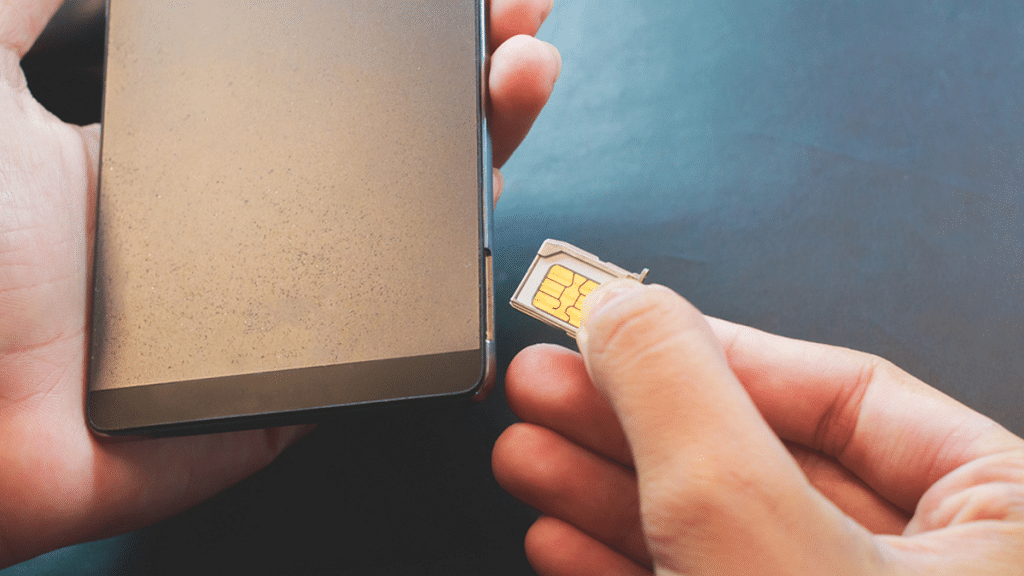
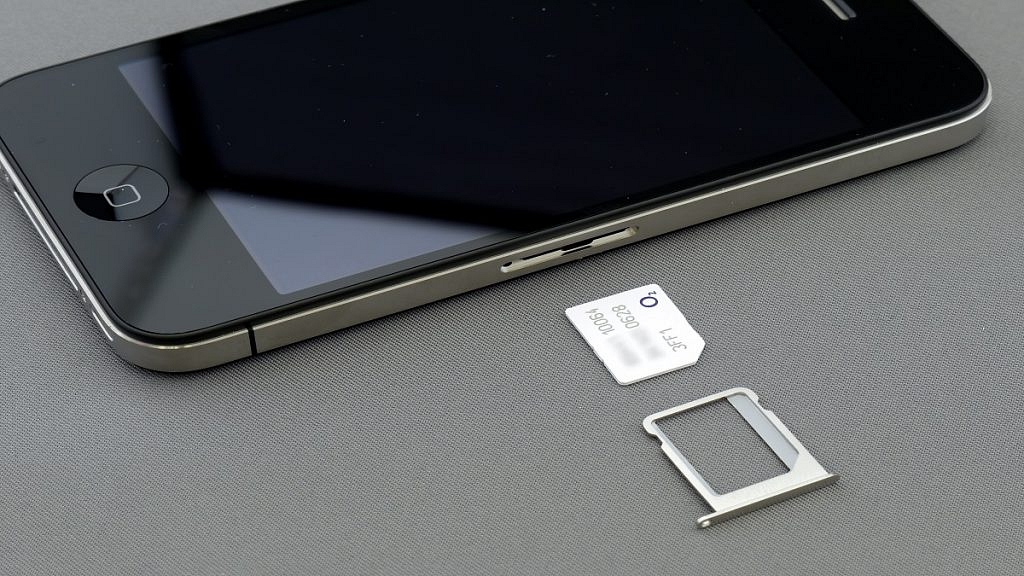
How To Check Number Of Sim Cards Registered On Your Name And ID: How To Block Unauthorized SIM Cards Issued On Your Name?

Key Highlights

  • Check and block linked SIM cards.
  • 18 SIM cards per ID/Aadhar.
  • TRAI’s portal for SIM verification.

If you are a smartphone user, chances are you must be using one primary SIM card for your smartphone. If it’s a dual SIM phone, you might have two SIM cards from a single or different operator. But have you ever wondered if unauthorized SIM cards are issued in your name or ID cards? If yes, how many of them are there is one big query that every single user has.  

Safeguarding Against SIM Card Fraud With TRAI’s Dedicated Portal

This is one concern that is constantly rising amongst smartphone users with the increasing digital and cyber attacks. You might land in trouble if any fraudulent activity is being carried out using the SIM card issued under your ID and name that you are unaware of. And to check if any SIM card is issued on your ID or is linked to your Adhar Card, you don’t have to visit any operator store physically.

Also Read | Lost Reliance Jio SIM Card? Here’s How To Block And Resume Your Jio Number

You can easily check how many SIM cards are linked to your ID and block them using your smartphone or laptop/PC. This will not only save you time but also extra hassles and physical effort. Just for reference, the Telecom Regulatory Authority Of India (TRAI) has also certain guidelines set for SIM card registry in India. A user can have 18 SIM cards issued on the same ID or Adhar Card.

To minimize such fraudulent activities, TRAI has created a dedicated portal where you can not only check the exact number of SIM Cards registered with your ID and also block the ones you aren’t aware of.

Also Read | No SIM Card Error: How To Fix No SIM Card Detected/ SIM Toolkit Issue With Smartphones

How To Check The Number Of SIM Cards Issued On Your Name Or ID

Step 1: On your laptops/ PCs or smartphones, launch any web browser such as Google Chrome, Firefox, or Opera.

Step 2: Type www.tafcop.dgtelecom.gov.in and hit enter.

Step 3: Now, enter your primary mobile number on the home screen.

Also Read | Annoyed With Unwanted Calls On Your IPhone? Here’s How To Block Any Phone Number On iPhone

Step 4: Tap on the Request OTP option.

Also Read |Want To View Instagram Story Secretly Without Notifying Contacts Or Followers: Here’s How

Step 5: Now, enter the OTP that you have received on your primary mobile number.

Step 6: As soon as you complete step 5, you will see the list of the mobile numbers that have been issued on your Aadhar card or are linked to your name and ID.

Step 7: If you see any unknown mobile number, you can proceed to raise a complaint request to block it.

Also Read | How To Disable the ‘This Call Is Now Being Recorded’ Warning On OnePlus

How Can You Block Or Deactivate Extra/ Unauthorised SIM Cards Registered With Your Name Or Aadhar Card

Step 1: Identify the number that you haven’t purchased or got issued under your Aadhar Card or name.

Step 2: Select the number on the TRAI portal.

Step 3: Raise a complaint that it doesn’t belong to you or is fraudulent.

Step 4: TRAI will process the request to block or deactivate the SIM and will also provide a specific ticket ID for this request. You can easily keep a track of the request and see how long the deactivation process will take.

Also Read | Stop Call Recording Announcement On Realme Smartphones: Here’s How

Categories
Featured How To TV

Apple TV Features: How To Setup Apple TV Remote In Control Centre And Use iPhone, iPad As Remote

Apple is not just popular for iPhones or iPads. The Cupertino Giant is well-known for its Mac notebooks, laptops, and Apple TV lineup (smart TVs). Like iPhones and its other popular products, Apple makes sure it uses top-tier hardware for its smart TV lineup. Siri  Remote is one of the prime accessories that ships with Apple TVs. As the name suggests, the Siri Remote is a wireless remote accessory enabled with the digital voice assistant Siri.

But Apple has also made it possible for users to control Apple TVs using Apple iPhones and iPads, or even iPod touch. This option is also available for compatible AirPlay 2 devices. This is a useful feature that becomes a savior at times you aren’t able to find the TV remote.

In such scenarios, you don’t have to wait to buy a new Apple TV remote and rather can use the range of available Apple devices at your place to control the audio and video playback on your Apple TVs. You would first need to add the Apple TV remote to Control Centre only then you will be able to complete the setup. Below are all the steps to add and setup Apple TV Remote to the control center so that you can use your iPhone or iPad as a remote:

Steps To Add Apple TV Remote To Control Center

Step 1: Make sure the device to be connected (iPhone or iPad) is running on the latest firmware version (iOS and iPadOS). If the devices are already using the latest firmware build, they will be automatically added to the Control Center. Just for reference, the Apple TV Remote feature in the Control Center is compatible with Apple TV 4K, Apple TV HD, Apple TV (3rd Gen), and compatible AirPlay 2 models.

Step 2: If in case your device is running on the older iOS or iPadOS version, you will need to complete the procedure manually. In such scenarios, go to the device settings first.

Step 3: Click on the Control Center option.

Step 4: Select the Add “+” icon placed right next to the Apple TV Remote tab.

How To Complete Apple TV Remote Setup In Apple TV Control Center

Step 1: Launch the Control Center app on your respective Apple devices.

Step 2: Scroll to the Apple TV Remote option.

Step 3: Click on the Apple TV or smart TV from the list on the screen.

Step 4: You will see a bunch of on-screen instructions. Follow the steps and enter the four-digit passcode that you will receive on the connected iPhone or iPad. You will need to use the Siri Remote to enter the four-digit passcode into the Apple TV. This is for 3rd Gen Apple TVs. Once you complete these steps, you’ll be able to use your iPhones, iPads, and iPod Touch as your Apple TV Remote.

Categories
Featured How To TV

Samsung TV Tips And Tricks: How To Use Tap View And Multi View Screen Sharing Feature On Samsung TVs

Samsung is one of the largest players in the big screen markets. The South Korean tech giant has shown its expertise with smart TVs and monitors and is meeting the user requirements with feature-rich products in this segment. Samsung smart TVs v tech advanced features that you would expect on any premium range smart TV.

You can use the internet, connect wireless accessories, and much more with modern Samsung smart TVs. Screen sharing is another useful option that most of the new-generation Samsung smart TVs allow. Samsung is also known for adding customized features to its smart TV range. And since we are speaking of screen sharing, the Tap View and Multi-View features are two of these features that help with easy screen sharing.

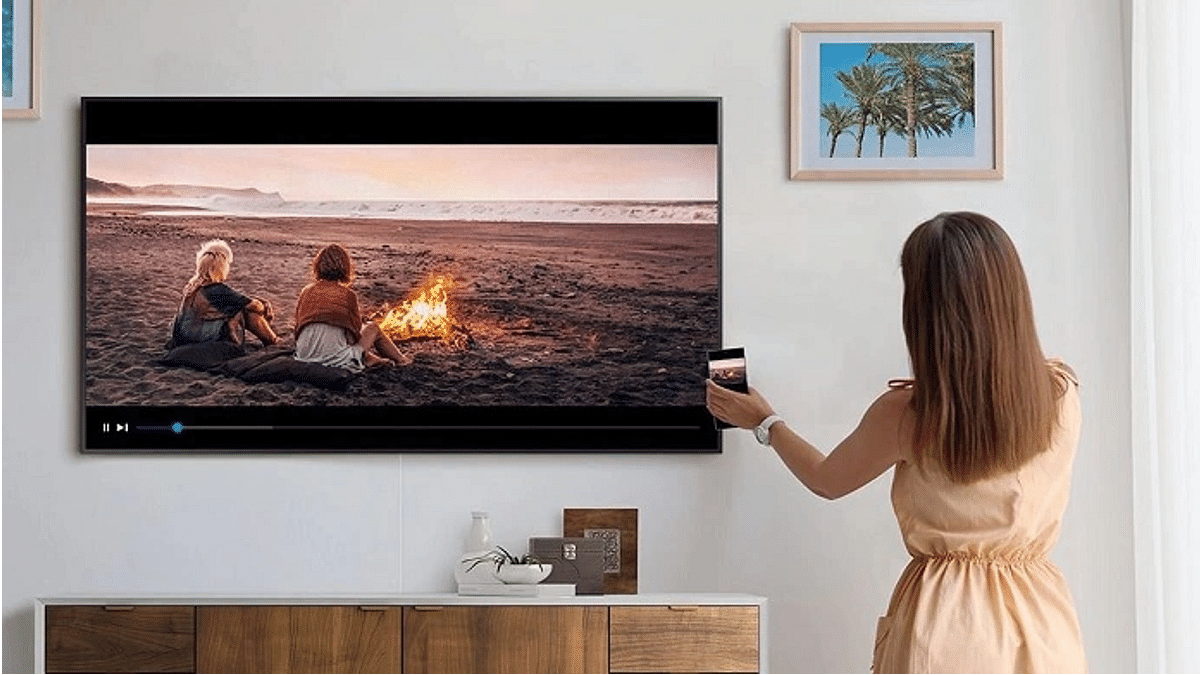
The Tap View feature lets you transfer content including photos and videos from your smartphones and other mobile devices including tablets to your smart TV. On the other hand, the Multi View feature allows users to view a split screen for different content types simultaneously on the TV. The Multi View option on Samsung smart TVs also lets users sort content and allot screen size (small or large) respectively.

How To Use Tap View On Samsung Smart TV For Screen Sharing

In order to use the Tap View and Multi View feature on your Samsung smart TV, you would need to have the Samsung SmartThings app installed on your respective phones. If you don’t have this app, make sure you do that from Google Play Store or Apple App Store on your respective Android phones or iPhones.

Step 1: Launch the SmartThings mobile application on your respective smartphones.

Step 2: Click on the Settings menu from the app’s home screen.

Step 3: Scroll to the Tap View option and toggle it on.

Step 4: Now, move your smartphone closer to the TV and wait for the Allow phone presence option on the app. That’s all you need to activate the Tap View screen sharing feature on Samsung smart TVs.

Precautions You Need To Take While Using Tap View Feature

You must take certain precautions while using the Tap View feature on Samsung smart TVs. One is primarily to avoid damage on the screen or corner of the TV.  You can avoid accidental cracks by avoiding tapping on the screen or the corners. You can tap on the top or the side of the TV frame to avoid damage while using the Tap View feature.

How To Use Multi View Screen Option For Split Screen View On Samsung TVs?

The method varies for using the Multi View feature on Samsung smart TVs. It depends on the type of device that is connected to the smart TV. You will simply need to toggle on the screen mirroring option if it’s a smartphone or mobile device.

On the other hand, if it’s an external device such as a gaming console, you will need to select open the Content Menu and then select the required device from the list. You can drag and adjust the screen sizes and placement of the content with the Multi View option.

Categories
Chipset Comparison Featured

Qualcomm Snapdragon 778G Vs MediaTek Helio G96 Chipset: Quick Comparison

Smartphones are modern gadgets that have become more of a necessity than a luxury. You get many options ranging from gaming to photograph-oriented handsets in the market if you step out to buy one. The ecosystem is primarily divided between Android and iOS smartphones. The former gets power delivery either from a Qualcomm or MediaTek series chipset.

The Snapdragon series processors compete with MediaTek’s Helio and Dimensity processor lineups in all segments including budget, mid-range, and premium. Qualcomm’s Snapdragon 778G chipset is one of the most popular smartphone OEMs for premium mid-range products. MediaTek has Dimensity 800 series and the Helio G80/90 series processors that rival this octa-core 5G Qualcomm processor. If you wish to read their CPU and GPU performance comparison, read on below:

Qualcomm Snapdragon 778G Vs Helio G96: CPU Performance

Qualcomm and MediaTek have designed the Snapdragon 778G and the Helio G96 octa-core processors on ARMv8.4-A and ARMv8.2-A instruction sets respectively. The SD 778G is built on a thinner 6nm fabrication process, whereas, the Helio G96 is based on a 12nm fabrication process.

The octa-core Qualcomm SD 778G has one 2.4GHz Cortex-A78 core, three Cortex-A78 cores with 2.2GHz clock speed, and four Cortex-A55 cores with 1.9GHz clock speed. MediaTek’s octa-core Helio G96 processor comprises two Cortex-A76 cores with 2.05GHz clock speed and six Cortex-A55 cores clocked at 2GHz. CPU performance is good with both these chipsets. Since they both are game-centric processors, expect a good gameplay session with smartphones integrated with these two chipsets.

Snapdragon 778G Vs Helio G96 SoC: GPU Support

Speaking of the GPUs, Qualcomm has packed the Snapdragon 778G chipset with Adreno 642L GPU. This GPU Is built on Adreno 600 architecture with two execution units and 384 shading units. On the contrary, the Helio G96 has the Mali G57 MC2 GPU integrated which is based on Valhall architecture. This octa-core MediaTek processor has 32 shading units. Graphics rendering will be decent with both these chipsets; specifically the Snapdragon 778G which can deliver some high-end graphics smoothly.

Snapdragon 778G Vs Helio G96 Chipset: Memory, Multimedia (ISP)

In terms of memory, the Qualcomm Snapdragon 778G processor has LPDDR5 RAM compatibility compared to the LPDDR4X RAM support on the Helio G96. The memory frequency of the Qualcomm processor is 3200MHz, while, the Helio G96 comes with 2133a MHz memory frequency.

The max memory allocation on the Qualcomm Snapdragon 778G processor is 16GB, whereas, the Helio HG96 has 10GB max memory allocation size. Qualcomm has added UFS 2.1, UFS 2.2, UFS 3.0, and UFS 3.1 storage support. However, MediaTek has only added support for eMMC 5.1 and UFS 2.2 storage support.

In terms of memory (ISP) compatibility, the Qualcomm Snapdragon 778G chipset has a 1080 x 2520 pixels max display resolution and 1x192MP, 2x36MP max camera resolution. This processor can record 4K@30fps videos and has H.264, H.265, VP8, and VP9 video codes.

The audio codec support with this processor is AAC, AIFF, CAF, MP3, MP4, and WAV. The Helio G96 supports these same audio codecs. However, the MediaTek processor supports a lower max camera resolution of 1x 10⁸MP, 2x 16MP, and also 2k@30fps/ 1K@60fps video recording.

Categories
Chipset Comparison Featured

Qualcomm Snapdragon 870 Vs Dimensity 920 Chipset: Best Flagship Grade Mobile Processor

Qualcomm and MediaTek have a wide portfolio of mobile chipsets. The former is catering to the mobile brands with Snapdragon series processors, whereas, the latter provides Helio and Dimensity series mobile chipsets. A major chunk of Android smartphone OEMs source chipsets from these two brands for their product lineups. Both these chipset brands are integrating some of the best technologies with new-generation offerings.

Qualcomm and MediaTek compete with each other in the flagship range segment with their Snapdragon 870 and the Dimensity 920 SoCs. Both these mobile processors are known for their powerful performance and 5G network capabilities. Let’s see how the Snapdragon 870 and the Dimensity 920 chipsets compare in terms of CPU and GPU performance.

Qualcomm Snapdragon 870 Vs MediaTek Dimensity 920: CPU Comparison

Starting with the Snapdragon 870 processor, this high-end Qualcomm processor comes with octa-cores including one Cortex-A77 core with a 3.2GHz clock speed, three 2.42GHz Cortex-A77 cores, and four Cortex-A55 cores with 1.8Ghz clock speed. This processor is designed using ARMv8.2-A Instruction set with a frequency range of 3200MHz.

The MediaTek Dimensity 920 processor is based on a 6nm fabrication process, unlike the Snapdragon 870 SoC which is built on a 7nm fabrication process. The premium MediaTek processor also has octa-cores with two Cortex-A78 cores clocked at 2.5GHz and six Cortex A-55 cores clocked at 2GHz.

This processor is also built on the same ARMv8.2-A Instruction set and has a 2500MHz frequency range. Performance delivery by both these chipsets is premium where you experience minimum lags with gaming and multitasking.

Snapdragon 870 Vs Dimensity 920 Chipset: GPU Comparison

Qualcomm’s flagship grade Snapdragon 870 chipset employs Adreno 650 GPU to render graphics. This GPU is based on the Adreno 600 architecture and has two execution units and 512 shading units. MediaTek has integrated the Dimensity 920 processor with the Mali-G68 MC4 GPU which is based on Vallhall 2 architecture.

This octa-core processor has four execution units and 64 shading units which is lower compared to the Snapdragon processor. Both processors have identical 1.1 Vulkan version, 2.0 OpenCL version, and 12 DirectX version. Similar to the CPU, both these chipsets are packed with powerful GPUs for rich graphics on the screen.

Snapdragon 870 Vs Dimensity 920 Processor: Memory, Multimedia (ISP)

The memory type supported by both Qualcomm Snapdragon 870 and the Dimensity 920 chipset is LPDDR5. However, the former offers a 2750MHz memory frequency, while the latter has a 3200MHz memory frequency range. The maximum memory allocation on both chipsets is 16GB. The storage compatibility with the Snapdragon 870 is UFS 3.0 and UFS 3.1, whereas, the Dimensity 920 comes with UFS 2.1, UFS 2.2, and UFS 3.1 storage. The additional storage format support is one of the perks of the MediaTek chipset.

Moving on to multimedia compatibility, the Qualcomm SD 870 offers 2160 x 3840 pixels max display resolution and 1x 200MP/ 2x 25MP maximum camera resolution. This 5G Qualcomm chipset is capable of recording and playing 8K@30fps and 4K@60fps videos. It has the H.264, H.265, VP8, and VP9 video codecs and AAC, AIFF, CAF, MP3, MP4, and WAV audio codec support.

The MediaTek Dimensity 920 processor has 1080 x 2520 pixels max display resolution and 1x 10⁸MP/ 2x 20MP max camera resolution support. This processor is capable of recording and rendering 4K@30fps videos. The audio codecs with this chipset are AAC, AIFF, CAF, MP3, MP4, and WAV, whereas the video codecs are H.264, H.265, AV1, and VP9.