Categories
Featured How To Laptop

How To Fix Wi-Fi Connection Issues In Windows 11: Check Steps Here

Key Highlights

  • Wi-Fi connectivity issues in Windows 11 are among the most frequent problems
  • It could be caused by a missing, out-of-date wireless network driver
  • Removing and reinstalling your Wi-Fi driver could be helpful

One of the most annoying problems you can experience is when your Wi-Fi stops working. And on Windows 11, Wi-Fi connectivity issues are among the most frequent problems. User complaints regarding slow Wi-Fi and error messages like “Limited Access” or “No Internet Access” are common.

Most likely, you are not connected to your network and are unable to access the internet if you are unable to access your email, browse the web, or stream music. Here are some things you can do to solve the issue.

Also Read | Here’s How You Can Recover Lost Or Deleted Data In Windows 11 Laptops, PCs

Method 1: Remove And Reinstall Wi-Fi Driver

Windows 11 Wi-Fi issues could be caused by missing, out-of-date, or damaged wireless network drivers since they frequently conflict with systems or devices. Therefore, removing and reinstalling your Wi-Fi driver could be a recipe for dealing with Windows 11’s Wi-Fi issue.

We advise you to make a restore point before moving further with the steps in case something goes wrong. With the help of a backup of crucial Windows operating system files and configuration settings, a restore point enables you to return the system to a previous time.

Step 1: Open the program by searching “device manager” in the Windows search box.

Step 2: Double-click Network Adapters. Select Uninstall device from the context menu when you right-click the WiFi driver.

Step 3: Click Uninstall in the pop-up Windows.

Step 4: Restart your computer. After that, it will automatically search your system for stored drivers (which might not be the most recent version) and install them.

Step 5: Reconnect the Wi-Fi and check for any improvement.

Also Read | Effortless Typing In Laptop/PC: Here’s How To Use Voice Typing Feature On Windows 11 To Type Without Keyboard

Method 2: Run The Network Troubleshooter

Windows comes with powerful troubleshooters by default. It can locate and resolve issues with the Internet, audio, printer, update, and many other things.

Step 1: Press the Windows key and ‘I’ to open the settings on your keyboard.

Step 2: In the System tab, search ‘Troubleshoot’ and select it.

Step 3: Tap on ‘Other troubleshooters’.

Step 4: Next to Internet connections, click “Run.”

Step 5: In the pop-up Windows, select ‘Troubleshoot my connection to the Internet’.

Your internet connection should be detected by the troubleshooter as it runs. Watch to see if it uncovers anything while you wait.

For the tech geeks, stay updated with the latest cutting-edge gadgets in the market, exclusive tech updates, gadget reviews, and more right on your phone’s screen. Join Giznext’s WhatsApp channel and receive the industry-first tech updates.


Categories
Featured Telecom

RIL AGM 2022: Reliance To Launch Jio 5G Services By Diwali This Year

Key Highlights

  • Reliance Jio 5G service to launch by Diwali this year
  • Mukesh Ambani announced Rs. 2 lakh crore investment in deploying 5G services
  • New Jio AirFiber launched in India

Today was the 45th annual general meeting of Reliance Industries Ltd. RIL Chairman and Managing Director Mukesh Ambani addressed the meeting and said that the company has made overall growth across all of its sectors and has become the first corporate in India to cross $100 billion in yearly revenues.

Jio 5G services will be accessible in Delhi, Mumbai, Kolkata, and Chennai by Diwali, according to Mukesh Ambani’s announcement. According to him, Reliance Jio’s 4G network has 421 million subscribers to mobile broadband services. By December 2023, Jio intends to roll out complete pan-India coverage.

Ambani said, “I want to announce the next leap forward that Jio is creating in digital connectivity, especially in fixed broadband. And that is JIO 5G services. Using 5G technology, we can dramatically reduce latency or lag, and deliver breakthrough increases in broadband speed, network capacity, and the number of connected users.”

Reliance will launch Jio 5G across multiple major cities, including the metropolises of Delhi, Mumbai, Kolkata, and Chennai, within the next two months, by Diwali, Ambani added.

During his speech, RIL Chairman Ambani said that Jio 5G will connect over 100 million homes with “unparalleled digital experiences and Smart Home solutions”. He further said that they will catapult tens of millions of small businesses and small merchants to great heights that will empower them with cutting-edge, plug-and-play solutions delivered from the Cloud.

The telecom company has further committed Rs. 2 lakh crores in order to roll out the 5G services. The company will start rolling out 5G in key cities before covering pan-India by December 2023, Mukesh Ambani added.

Apart from this, he pointed out, “Our company became India’s first corporate to cross $100 billion in annual revenues. Reliance’s consolidated revenues grew 47 percent to Rs 7.93 lakh crore, or $104.6 billion.”

Jio Chairman Akash Ambani also announced Jio AirFiber while speaking at the AGM. He said, “the idea of Jio 5G’s ultra-high-speed fixed-broadband is much more exciting. We are calling it Jio AirFiber since you can get fiber-like speeds wirelessly over the air without any cords. It would be quite simple to swiftly connect your house or office to gigabit-speed internet with Jio AirFiber.”

He said that the company has created a Jio AirFiber Home Gateway, a wireless, simple, single-device solution. Simply pick it up, plug it in, and turn it on. That’s it.

“Your home now has a personal Wi-Fi hotspot that is connected to True 5G for ultra-fast internet. Additionally, there are no unsightly wires entering your home because it is an end-to-end wireless solution,” said Akash Ambani.

Categories
Featured Gaming Info

BGMI Unban Date Rumors Surfaces Online: Everything You Need To Know

On the Indian government’s orders, BGMI was removed from Google and Apple’s online stores around a month ago. Due to an alleged privacy violation, MEITY issued a prospective suspension on the game’s purchases and downloads.

Since then, online rumors about the game’s revival have surfaced online. Indian gamers are eager to find out if Krafton has provided any information regarding the Battlegrounds Mobile India unban date.

Images Of BGMI Unban Date Surface On Internet

Recently, an image of Battlegrounds Mobile India’s return has appeared online. Based on the image, the popular game was ready to return to the Google Play Store and Apple App Store on August 22. However, it has been days since then, and Indian users are still unable to access Battlegrounds Mobile India yet.

The graphic also revealed an imaginary timeline for the game’s unbanning. It stated that on the specified date, at 4:00 PM IST, iOS gamers would be able to access BGMI. Additionally, it specified that on the same day, from 12:30 PM to 7:30 PM IST, it will be accessible to Android gamers. The widely circulated image, however, turned out to be fake and unreliable.

Towqeer Gilkar, a co-founder of Stalwart Esports, recently used his popular Instagram account to hold a live session and post a story highlighting the game’s unban. Towqeer said during the live session that the game would return sooner than anticipated. Ideally, it would return within a month.

He continued by saying that the relevant authorities had called a meeting, and numerous notable figures, including him, had attended. He claimed that everyone put gave their best effort with the goal of bringing BGMI back. He thinks the popular title will return shortly because the meeting came to a successful conclusion. Fans and players should be aware that Krafton India has yet to make any formal announcement regarding the lifting of the ban from Battlegrounds Mobile India since MEITY is yet to lift the ban from Battlegrounds Mobile India. This emphasizes how much longer it will be until there is any notification about the unban date.

Categories
Featured Gaming Mobile

Best Gaming Phones To Buy In India Under Rs. 20,000

Typically, playing games on your smartphone is fun and interesting. Among the most played games by players are mobile games like Fortnite, FreeFire, and PUBG Mobile. These days, it’s all the rage for most people, and the main factor in that popularity is the fact that you no longer need the most expensive smartphones to enjoy gaming. The best gaming mobile phones under Rs. 20,000 are more than capable of providing a great gaming experience. Here is the list of best gaming phones you can opt for under Rs. 20,000.

Poco X3 Pro

The Poco X3 Pro is one of the top gaming smartphones under Rs. 20,000 thanks to its Qualcomm Snapdragon 860 processor. The chipset gives players a decent gaming experience. The smartphone has up to 256GB of internal storage and up to 8GB of RAM. Powered by a 5,020mAh battery, the handset runs Android 11 OS. The Poco X3 Pro can be purchased online for Rs. 16,999 in India.

Realme Narzo 30 Pro

The Realme Narzo 30 Pro sports a 6.5-inch Full HD+ resolution display. It supports a refresh rate of 120Hz and has a 20:9 aspect ratio. The device is powered by the MediaTek Dimensity 800U processor under the hood with 5G network support. It further has up to 8GB RAM and up to 128GB storage options to choose from. Besides, microSD cards of up to 256GB can also be used to increase the storage capacity. The Realme Narzo 30 Pro is available for sale for Rs. 16,990 in India.

iQOO Z3 5G

The iQOO Z3 5G features the Qualcomm Snapdragon 768G processor. This is coupled with up to 256GB of storage and 8GB of RAM. The handset is also rated IP52 dust and water-resistant. As for the display, the iQOO Z3 5G has a 6.58-inch IPS LCD screen with Full HD+ quality. It supports a refresh rate of 120Hz and a touch sampling rate of 180Hz. Funtouch OS 11.1 based on Android 1 powers the iQOO Z3 5G. The device will cost you Rs. 19,990 in India.

Categories
Featured How To Smart Watch

Apple Watch: Here’s How You Can Create And Share Watch Faces

Key Highlights

  • Apple Watch faces show time and info
  • You can share faces with others on watchOS 7 or later
  • Series 1 and 2 can’t receive shared faces

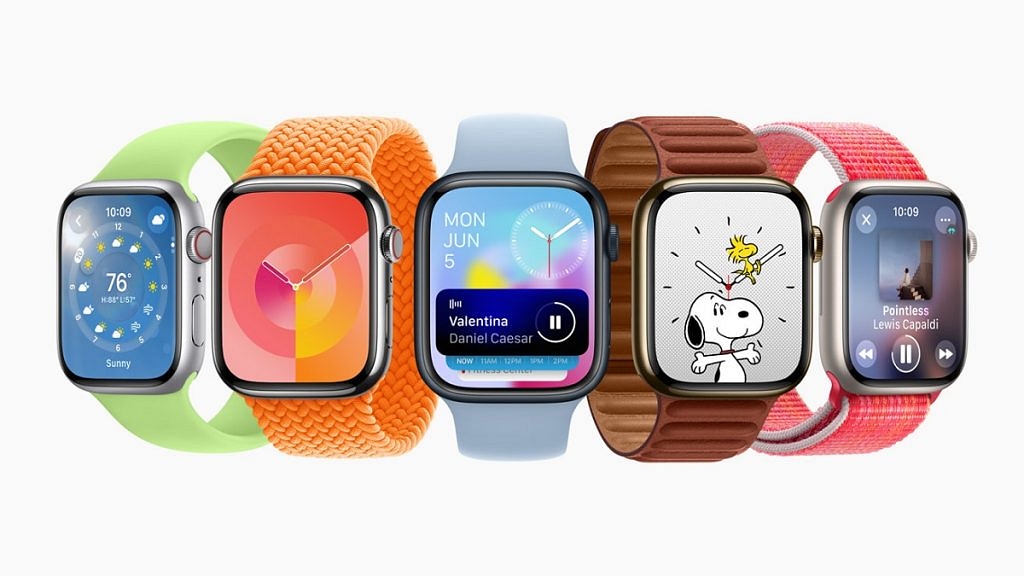
The Apple Watch’s backbone is its watch faces. Not only does it help you tell time, but you can also get all the important information you need at a glance by personalizing the faces and adding complications.

Additionally, you can share your Apple Watch face with anyone, including your loved ones and friends. The only prerequisite for sharing your preferred Apple Watch face is that the recipient must also have an Apple Watch running watchOS 7 or later. This implies that you are unable to exchange faces with someone still sporting an Apple Watch Series 1 or 2. In this article, we explain to you how to create and share your Apple Watch face with a friend or family. Let’s check it out.

Also Read | Want To Use Your Photos As Smartwatch Face? Here’s How To

How To Create A Custom Apple Watch Face?

Step 1: Touch and hold the screen, select the watch face you want to use, scroll through the options, or hit the ‘+’ icon to start again with a new watch face, then tap Edit.

Step 2: Swipe left to reach the finish if a watch face offers complications, which are displayed on the final screen. Some watch faces don’t have complications. And while some just provide one or two, others provide six or more.

Step 3: Toggle the Digital Crown to select a different complication if needed after tapping a particular complication to select it.

Step 4: Press the Digital Crown to save your selections once you’ve finished choosing any custom complications.

How To Share A Watch Face From Apple Watch?

Step 1: Ensure the watch face you wish to share is active.

Step 2: On your Apple Watch screen, long press the watch face.

Step 3: Click on the ‘Share’ button.

Step 4: Then, tap ‘Add Contact’.

Step 5: Now, click on the contact you want to send the watch face to.

Step 6: Tap the number you want for that contact.

Step 7: If you wish to add a message, click ‘Create Message’. Then, tap ‘Send’.

Also Read | OnePlus Watch 2R Alternatives: Top Three Picks For Your Next Smartwatch

How To Share A Watch Face From iPhone?

If you don’t want to share from your Apple Watch, you can always share your favorite watch faces from the Watch app on your iPhone. Here’s how to do it:

Step 1: From your Home screen, open the Watch app.

Step 2: Tap the watch face you wish to share.

Step 3: Click the ‘Share’ button.

Step 4: Tap the sharing method you wish to use. AirDrop, email, message, or other.

Step 5: Find the contact you want to send the watch face to and tap ‘Send’. That’s it.

Many watch faces require specific watch models. Specifically, some don’t work with Apple Watch Series 3 and require Apple Watch SE and Apple Watch Series 4 or later.

For the tech geeks, stay updated with the latest cutting-edge gadgets in the market, exclusive tech updates, gadget reviews, and more right on your phone’s screen. Join Giznext’s WhatsApp channel and receive the industry-first tech updates.

Categories
How To Mobile

iOS 16 Tips And Tricks: How To Make Siri Announce Notifications On iPhone

Apple has incrementally improved the built-in Siri speech assistant in iOS 16, which is currently in beta. These changes include enhanced offline support, the ability to end calls using Siri, and new accessibility capabilities.

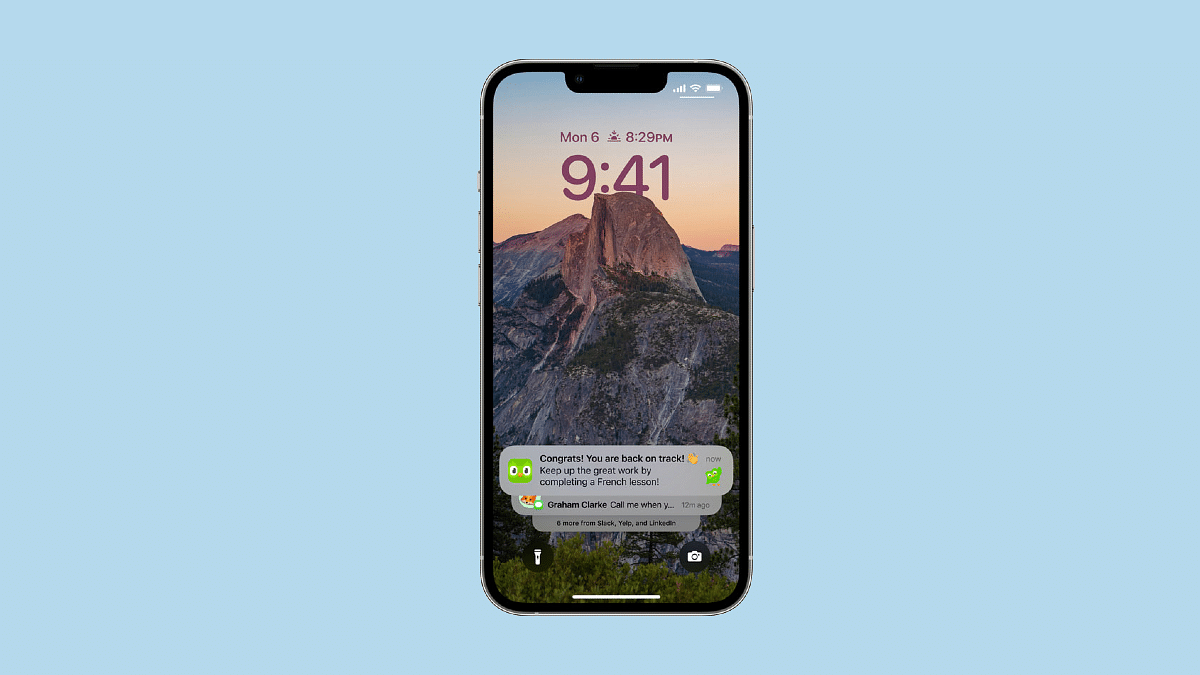
One of these brand-new accessibility improvements is the ability to have Siri use your iPhone’s speakers to announce notifications and incoming calls. Despite being made public, iOS 16 won’t be made available to the general public until Apple releases the iPhone 14 in September 2022.

This is a useful upgrade over iOS 15, where Siri’s announce notifications feature previously only functioned with Made for iPhone hearing aids or compatible AirPods or Beats headphones.

How To Make Siri Announce Notifications On iPhone?

Enabling the ‘Announce Notifications’ is very easy with the required software build. To enable the feature in iOS 16, all you have to do is follow these simple steps:

Step 1: On your iPhone, open the ‘Settings’ app.

Step 2: Scroll down and select ‘Accessibility’.

Step 3: Select ‘Siri’ in the ‘General’ section by scrolling down.

Step 4: Turn on the switch next to ‘Announce Notifications’ on the speaker by swiping down to the ‘Spoken Responses’ section.

Step 5: There ought to be a brand-new ‘Announce Notifications’ menu. Choose the apps that you want Siri to announce notifications from.

Step 6: There should also be a choice to ‘Announce When to Connect to Headphones’ available. If you want Siri to announce notifications when your headphones are attached, choose this option.

Siri notifies you of new messages, calls, or notifications when connected to one of the compatible headphones, your iPhone or iPad is locked, and the screen is off. And Siri listens to messages and notifications after reading them, so you can respond without saying “Hey Siri” first.

If you turn on ‘Reply Without Confirmation’, Siri will send replies to apps that support replies without first reading the message over. Therefore, we recommend enabling this option only if you trust that Siri can understand you.

Categories
Featured Laptop Leaks

Xiaomi Notebook Pro 120G Is Coming To India On August 30: Features, Price, And More

Key Highlights

  • Xiaomi is set to launch Notebook Pro 120G laptop in the Indian market
  • It will feature a 2.5K resolution display
  • Xiaomi hasn’t given up a lot of information yet

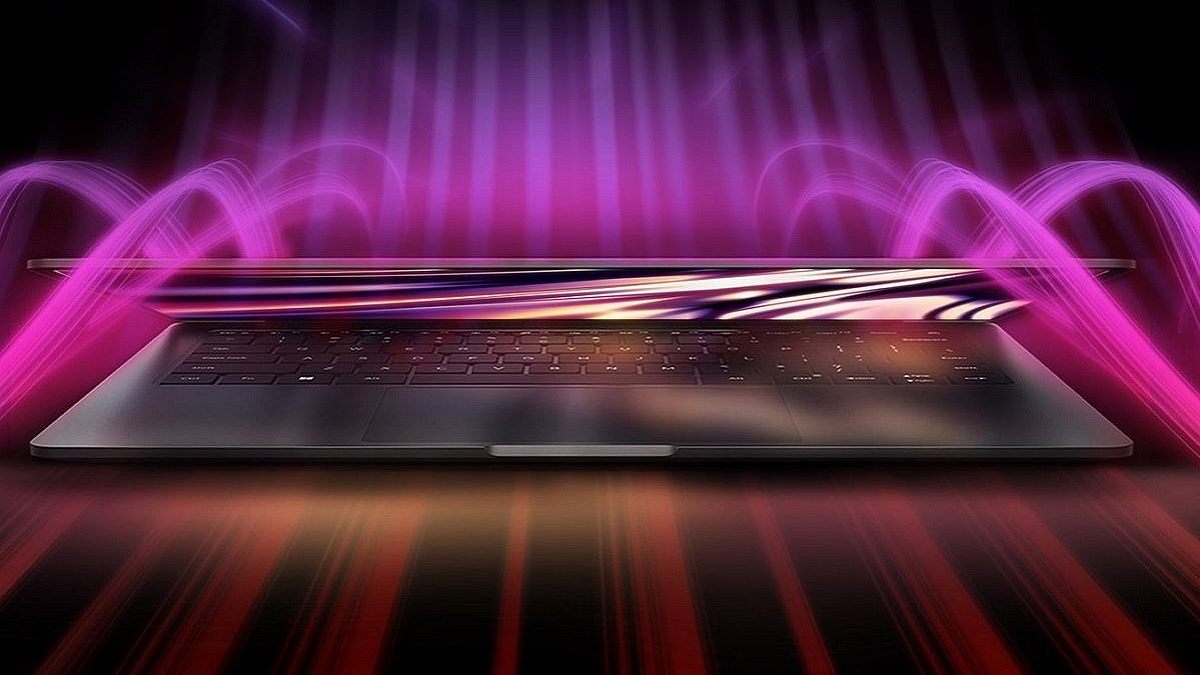
The Xiaomi NoteBook Pro 120G laptop is all set to launch in India on August 30. This new laptop is an upgrade to the existing Mi Notebook Pro launched in 2021.

The Xiaomi Notebook Pro 120G will come with a fast 120Hz display along with a 2.5K resolution and 12th Gen Intel Core i5 H-series processor. it will feature NVIDIA’s GeForce MX550 graphics. Besides, it seems that the design will remain largely the same as its predecessor. Here’s all you need to know:

Xiaomi Notebook Pro 120G Specifications (Expected)

The Xiaomi NoteBook Pro 120G will feature a 2.5K resolution and a quick 120Hz display. The laptop’s NVIDIA GeForce MX550 graphics and 12th generation Intel Core i5 H-series CPU have also been confirmed. The Xiaomi NoteBook Pro 120G will likely have the same design as its predecessor.

According to sources, the Xiaomi Notebook Pro 120G will have a faster display, CPU, and graphics. However, additional information from sources claims that the laptop is missing an extra USB Type-A connector. Apart from this, there isn’t a lot of information available about the NoteBook Pro 120G from Xiaomi.

Xiaomi Notebook Pro 120G Price (Expected)

Xiaomi NoteBook Pro 120G is expected to be priced similar to the Mi NoteBook Pro, which costs around Rs. 53,999 with an 8GB RAM and Intel Core i5-11300H CPU. However, the company has not yet provided any information on the laptop’s price.

Mi Notebook Pro (2021): Specifications

The Mi Notebook Pro sports a 14-inch, 2.5K display and has an all-metal unibody design. The screen has a 16:10 aspect ratio and a 60Hz refresh rate maximum. It further supports 100 percent of the sRGB color gamut.

Additionally, the laptop has an 11th Gen Intel Core i5-11370H CPU, which can be combined with up to 16GB of 3200MHz DDR4 RAM. It has 512GB of NVMe SSD storage in addition to Intel Iris Xe graphics. The Intel Core i5-11300H processor model is presently sold by Xiaomi in the Indian market.

The Mi laptop has a 70WHr battery and supports 65W USB Type-C charging. It also has USB Type-C, Thunderbolt 4, HDMI, and other connectivity options.

Categories
Featured Gaming

Destiny 2: Minimum System Requirements, How To Download And Play

Destiny 2 is a free-to-play online-only multiplayer first-person shooter video game created by Bungie. It was made available on the PlayStation 4, Xbox One, and Windows as a pay-to-play game. The game is a follow-up to Destiny from 2014 and its expansions, although Destiny 2 was commended for having a “more robust story” and a fully developed antagonist.

The storyline of the game is that the alien race Cabal attacks the last secure city on Earth under the direction of warlord Dominus Ghaul. As a result, humanity loses its last haven and the city’s Guardians’ authority is diminished.

In this scenario, the players take on the role of the Guardians and embark on a quest to replenish their strength and discover a method of defeating Ghaul as well as his Red Legion army and take back the Last City.

Destiny 2: System Requirements

Since Destiny 2 can be played on a computer, some users may wonder what the system requirements are and worry that their computers won’t be able to run the game. In this part, we have mentioned the minimum system requirements that are needed to play Destiny 2. Let’s check them out:

Destiny 2 Minimum System Requirements

RAM: 6GB RAM.

Storage Space: 105GB available space.

CPU: Intel Core i3-3250 3.5 GHz or Intel Pentium G4560 3.5 GHz / AMD FX-4350 4.2 GHz.

OS: Windows 7 / Windows 8.1 / Windows 10 64-bit (latest Service Pack).

GPU: Nvidia GeForce GTX 660 2GB or GTX 1050 2GB / AMD Radeon HD 7850 2GB.

These are only the bare minimum requirements for Destiny 2 that will let you run the game, but the screen settings (such as shadow, lighting, anti-aliasing, motion blur, vertical synchronization, etc.) should be the lowest and the frame rate will hardly exceed 30.

Of course, depending on the game, the specific gaming performance of PCs that have just met the minimal requirements may vary.

How To Download And Play?

As for the download, you can simply visit the official website of Bungie and download the game after carefully following all the instructions.

The fact that Destiny 2 supports up to four people is one of its strongest aspects. Before the combat starts, the other players are typically instructed to walk through an instructional section. The controls are easy and simple, which is good for those who do not want to get too attached to any weapon or fighting scheme.

Categories
Apps Featured How To

You Can Now Order Food In Train Through WhatsApp: Here’s How

Key Highlights

  • Order food on trains with seat delivery and tracking
  • Zoop and Jio Haptik simplify ordering via WhatsApp
  • Use your PNR to order at scheduled train stops

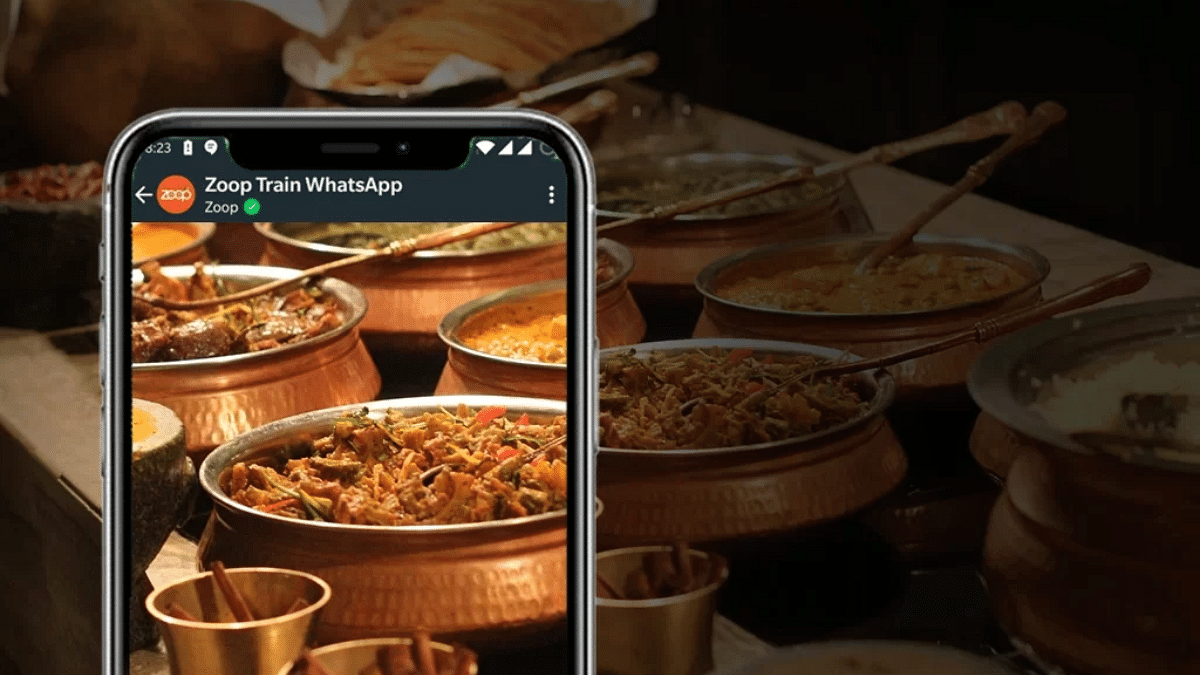
Railway passengers can now order food and have it delivered right to their seats with real-time order tracking, comments, and assistance. Wondering how? Zoop, a food delivery service run by the Indian Railway Catering and Tourism Corporation (IRCTC), has teamed up with Jio Haptik to make ordering meals on trains quicker and more convenient.

The self-service food delivery platform for WhatsApp is powered by Haptik’s advanced Conversational Commerce capabilities, allowing customers to purchase food and have it delivered right to their seats. With the new service, passengers can place food orders at specific eateries located at scheduled train stops by using their PNR numbers.

Also Read | WhatsApp AI Tips And Tricks: How Can You Create And Edit Animated AI Images In WhatsApp

How To Order Food On Zoop’s WhatsApp Chat Bot?

Without the inconvenience of downloading an additional app, the WhatsApp service enables you to use Zoop to smoothly order meals at any forthcoming station at your convenience. Users can monitor real-time meal tracking, provide feedback, and get assistance with their orders directly from the chat. Here are a few simple steps on how to use the Zoop WhatsApp service.

Step 1: Open WhatsApp on your mobile phone.

Step 2: Use your WhatsApp number to text “Hi” to the Zoop WhatsApp chatbot at +917042062070.

Step 3: In response to your query, Zoop will offer you a number of options, including Order Food, Check PNR Status, and Track Order, among others.

Step 4: You must select the option that says “order food” if you want to do so.

Step 5: You will then need to enter your 10-digit PNR number.

Step 6: You will now be required to confirm your PNR as well as other information.

Step 7: You will be prompted to select the station where you would like your food delivered after you have confirmed all the details.

Step 8: Then, select the dish you want to eat.

Also Read | Enhance WhatsApp Security: How To Protect IP Address On WhatsApp Calls And Silence Unknown Callers?

Step 9: After placing your order, you will receive an order summary, and you must then proceed to make the payment.

Step 10: As you indicate a payment method and affirm your number for further communication, your order will be placed.

For the tech geeks, stay updated with the latest cutting-edge gadgets in the market, exclusive tech updates, gadget reviews, and more right on your phone’s screen. Join Giznext’s WhatsApp channel and receive the industry-first tech updates.
Categories
Accessories Info

Sony Launches Three New Models Of Its X-Series Wireless Speakers

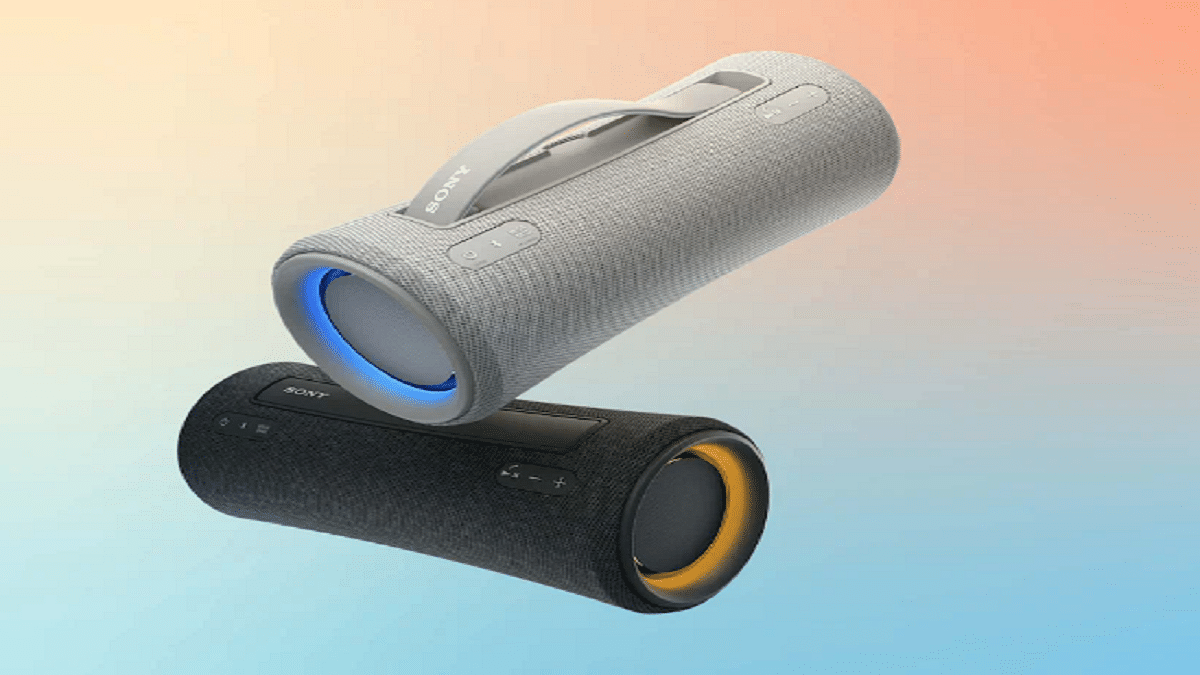
Sony India added three more models—the SRS-XG300, SRS-XE300, and SRS-XE200—to its remarkable line of portable speakers. These speakers are loaded with high-quality, expansive sound, strong sound pressure, and deep, punchy bass. This allows you to spread the fun wherever you are.

XG300, SRS-XE300, And SRS-XE200: Features

Sony’s unique X-Balanced Speaker Unit is used in the SRS-XG300, SRS-XE300, and SRS-XE200 to improve sound quality and power. The XG300 is the largest speaker in the group, measuring 318 x 138 x 136mm and weighing 3KG. It features LED lighting effects and up to 25 hours of playtime. The XE300 has a 24-hour playback capacity and a 10-minute quick charge that provides 70 minutes of playback. There are 16 hours of playtime on the smaller XE200.

All three speakers have IP67 water and dust protection, Bluetooth 5.2 multipoint connectivity, support for Google Fast Pair, and support for the SBC, AAC, and LDAC audio codecs. In case you quickly need to mute yourself during a call, they also include a manual switch for the built-in microphone and Echo Canceling, which promises optimal voice recording.

Sony is making it simpler for users to reproduce the experience of listening to live music with its wireless speakers by including ‘The Live Sound Mode’. The DSP technique maintains the primary sound while dispersing the background noise to produce a convincing three-dimensional sound.

Another distinctive feature from Sony that amplifies the bass is ‘Mega Bass’. You can easily dial up the bass to achieve a deep and powerful bass sound by turning on Mega Bass. The SRS-integrated XG300’s front tweeter, Mega Bass capabilities, and deep, club-like bass provide listeners with crystal-clear high-frequency sounds.

Additionally, each of the three speakers has a USB Type-C connector for charging. The speakers make charging quick and simple, while also offering a complete user experience.

XG300, SRS-XE300, And SRS-XE200: Price And Availability

The SRS-XG300 will be available in India for Rs. 26,990. Whereas the SRS-XE300 and SRS-XE200 will cost you Rs. 19,990 and Rs. 12,990, respectively.

As for the availability, the SRS-XG300 wireless speakers will be available from August 25, 2022, onward, via Sony retail stores, the www.ShopatSC.com platform, significant electronic retailers, and other e-commerce websites in India. On September 10, 2022, the SRS-XE300 will go on sale, and on September 30, 2022, the SRS-XE200.