Categories
Featured How To Printers

How To Print From Wirelessly-Connected Printer? Here Are The Steps

Key Highlights

  • Untethered connectivity on a printer is currently a requirement
  • The absence of a physical connection to a computer or phone might make setting Printer difficult
  • Users need to connect a wirelessly connected printer to a network

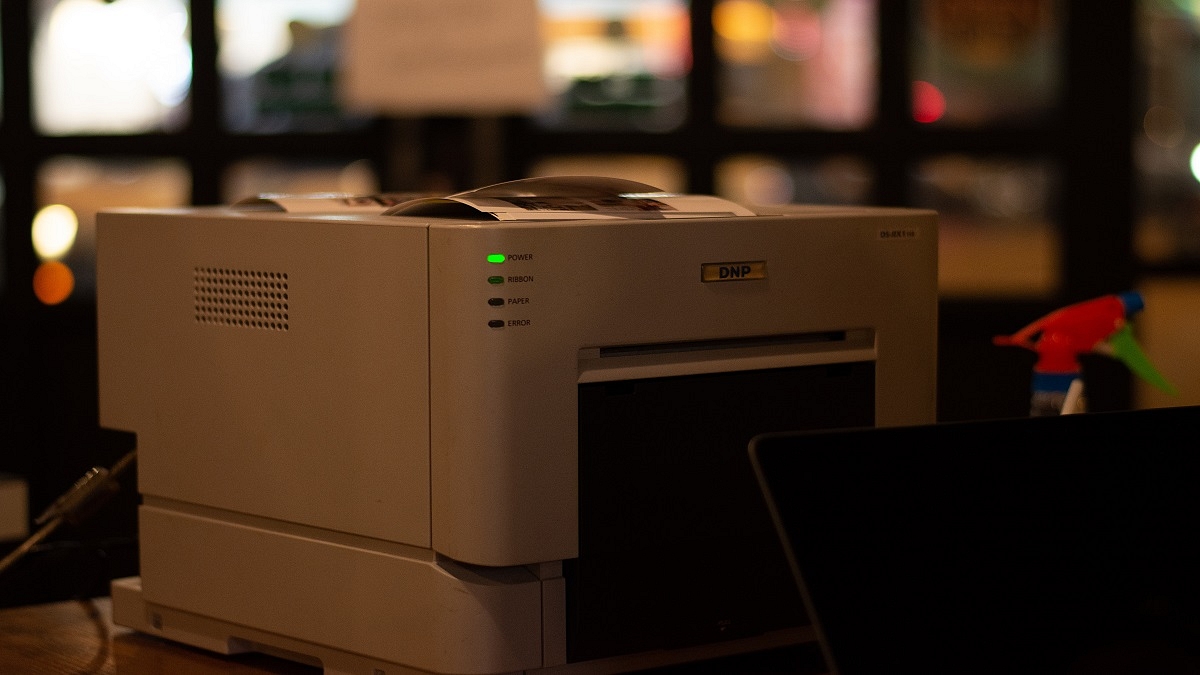
Due to the fact that many of us still choose hybrid working, untethered connectivity on a printer is currently a requirement. This enables the connection and printing from a device from more than one computer.

Whether Wi-Fi or Bluetooth, wireless printers can be placed almost anywhere without having to worry about cable clutter. Although they simplify life once they are operating, the absence of a physical connection to your computer or phone might make setting them up and using them more difficult.

So, if you need to print from a wireless printer, we are here to help. This post will walk you through adding your printer to your wireless network so you can print documents and images without annoying cords. Also Read | How To Add A Default Wireless Printer In Mac Devices

Step 1: Connect Your Printer To A Wireless Network

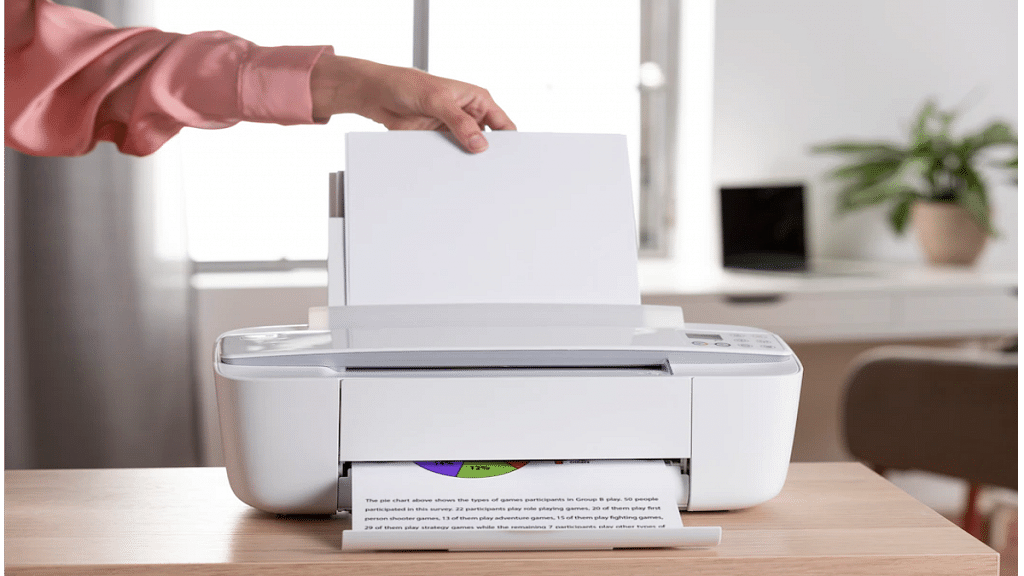
You must first connect a wirelessly connected printer to a network in order to print from it. Any PC or Mac can easily set up a wireless printer, and depending on the model, you can also print wirelessly from an Android, iPhone, or iPad. However, we will outline the procedures for connecting it to Windows and Mac in this article.

  • Put the printer in your wireless router’s coverage area.
  • Turn the printer on. There is no need to first connect the printer to a computer because you will be connecting to the wireless network directly from the printer.
  • Join your wireless network to the printer. Depending on the printer, the method will change. Your Wi-Fi network name (SSID) and password are requirements.

Step 2: Add A Printer To A Windows Computer

Connect your printer to the wireless network. The wireless network where your computer and printer are connected must be the same.

  • In the lower-right corner of your computer’s screen, click the Windows Start menu.
  • Click the Settings icon and then go to Devices.
  • Click Printers & Scanners.
  • When your PC discovers the printer, click ‘Add printers and scanners’.
  • Click your printer’s name and then click Add Device. This will your printer to your PC.
  • Depending on the app you are using, you can find the ‘Print’ option under the ‘File’ menu, or by clicking the icon with three dots in the upper-left corner.

How To Connect A Printer To A Mac?

Step 1: Connect your printer to the Wi-Fi network.

Step 2: Update your Mac. This will ensure that your computer has the most recent printer data. This step is not required if your printer supports AirPrint.

Step 3: Click the Apple Menu and then System Preferences.

Step 4: Click Printers & Scanners.

Step 5: Click ‘+’ at the bottom of the box with all the connected printers on the left. Your Mac will search for wireless network-connected printers.

Step 6: Click Add after selecting your printer. Your printer is connected through this.

How To Print Through A Wirelessly-Connected Printer?

Step 1: Choose the file you wish to print, then open it on your computer screen.

Step 2: Simultaneously press the Ctrl and P keys on your keyboard.

Step 3: Choose the printer you want to send the task to when the printing pop-up option displays on your computer’s screen.

Step 4: Modify your print settings if necessary. This step is optional.

Step 5: To add the job to the printer’s print queue and wait for it to finish, click the Print button on the screen. That’s all.

Also Read | How To Print Borderless Images Using Modern Printers: Steps Guide

Categories
Leaks Tablet

Apple iPad 2022 CAD Renders Leaked: Everything You Need To Know

Key Highlights

  • Apple iPad 2022 CAD renders disclose design
  • It might feature a larger display
  • The device might have a USB Type-C connection

Apple has long been rumored to update the entry-level iPad this year. According to previous leaks and speculations, the device might switch to USB Type-C for charging and data transfer as well as have a faster chipset. Now, some rather unpolished CAD renderings of the upcoming device have surfaced via a case maker. We can see the tablet’s design and some other important aspects from these RAW CAD renderings. Let’s look at the CAD renderings and other information for the upcoming Apple iPad.

iPad 2022 CAD Render Reveals Design

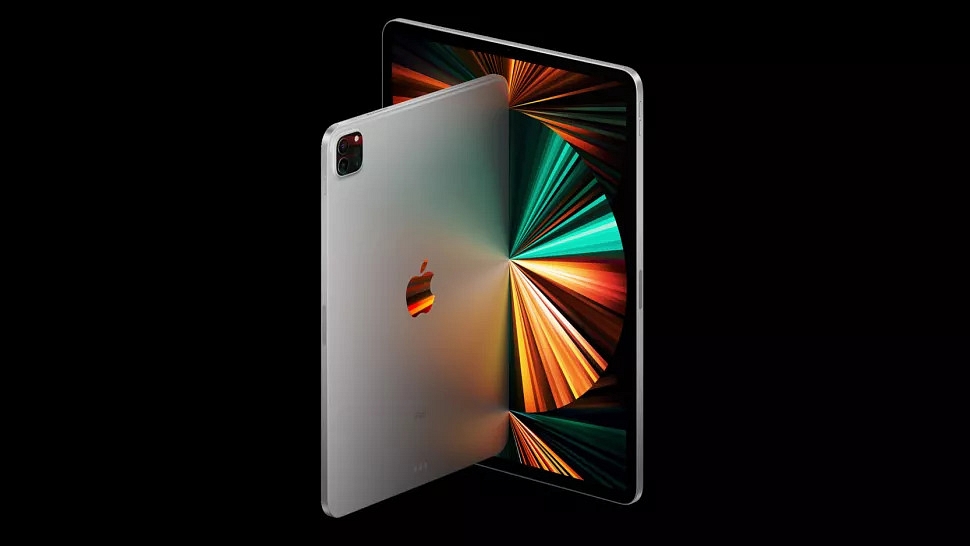
Renders depict a camera island with one sensor and an LED flash on the back. With the camera on the top bezel and the Touch ID fingerprint sensor integrated into the Home button, it displays the front layout from the previous model. Despite the rumored switch to a 10.5-inch or 10.9-inch screen, up from the existing 10.2-inch, those bezels are still considerable. The Apple logo can also be seen on the rear.

In addition, according to the images, we can see the speaker out on the top and bottom of the tablet. This leads us to believe that the iPad will have a quad-speaker configuration. The power button is also visible up top. The volume rockers are visible to the side. The CAD images of the device have a red mark on them; therefore, the location of the charging port is still unknown. It’s still unclear whether Apple will switch to Type-C or keep with the lighting port. A report from a couple of months back suggests that the Cupertino-based company might bring the USB Type-C port for the new iPad.

Apple iPad 2022 Specifications (Expected)

The Apple A14 chip, which is also found in the iPad Air 4th generation and the iPhone 12 series, is expected to power the new Apple iPad. A 5G network is also supported by the SoC. Additionally, Apple may use a larger 10.5-inch or 10.9-inch Retina display. Finally, the iPad is anticipated to include a USB Type-C connection and ship with the most recent version of the iPad OS.

Categories
Featured Mobile Reviews

Tecno Camon 19 Neo Review: Design Is The Key Takeaway

Key Highlights

  • Tecno has progressively established a reputation as a formidable rival in the inexpensive market
  • Tecno Camon 19 Neo is the brand’s mid-range device
  • The price of the single 6GB/128GB variant is Rs. 14,999

Pros

  • Stylish design
  • Good camera
  • Decent battery

Cons

  • IPS LCD panel
  • Average performance

Tecno has gradually made a name for itself as a strong competitor in the affordable segment. The latest mid-range offering by the Transsion Holdings-backed brand is the Tecno Camon 19 Neo. The latest budget Android device by Tecno just arrived at Giznext for an in-depth review. It is priced at Rs. 14,999 for the single 6GB / 128GB model. Let’s try and figure out where the Tecno Camon 19 Neo stands in the face-off competition from its rivals.

What’s Inside The Box?

  • Tecno Camon 19 Neo (main unit)
  • 18W charger
  • USB Type-C cable
  • Soft transparent case
  • User manual
Tecno Camon 19Specs
Display6.9-inch IPS LCD
1080p resolution
Cameras48MP triple (rear)
32MP (front)
Chipsetocta-core Helio G85
Android OSAndroid 12
Battery5,000 mAh
18W Fast charging

Design

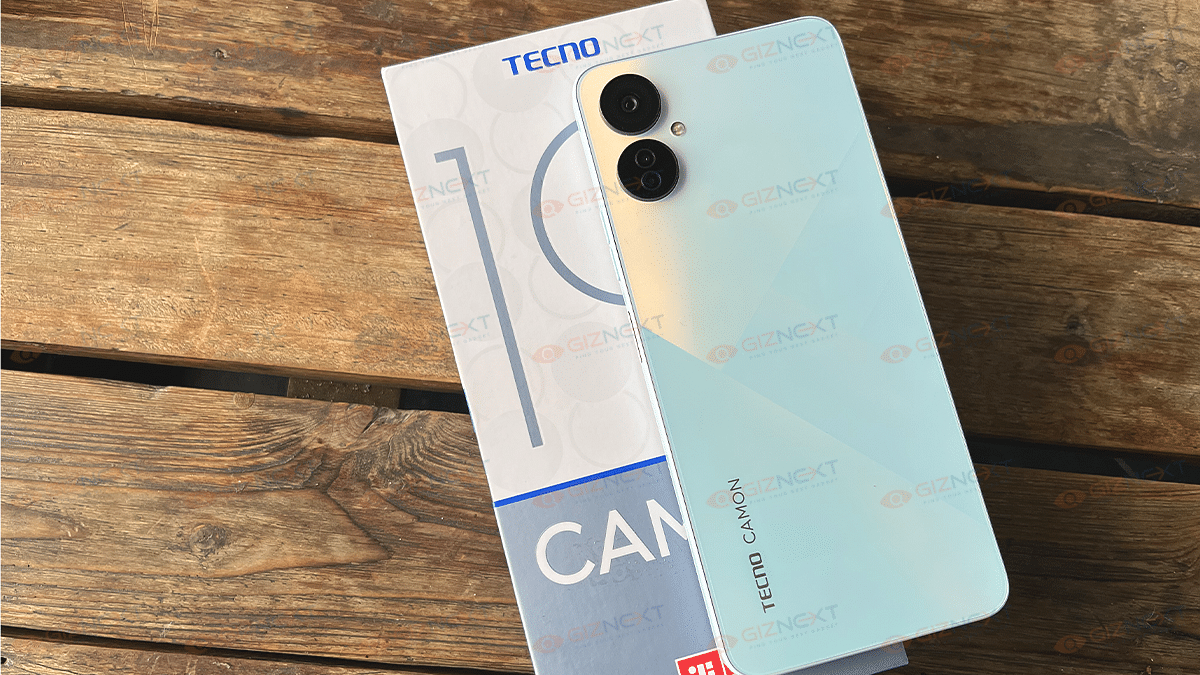
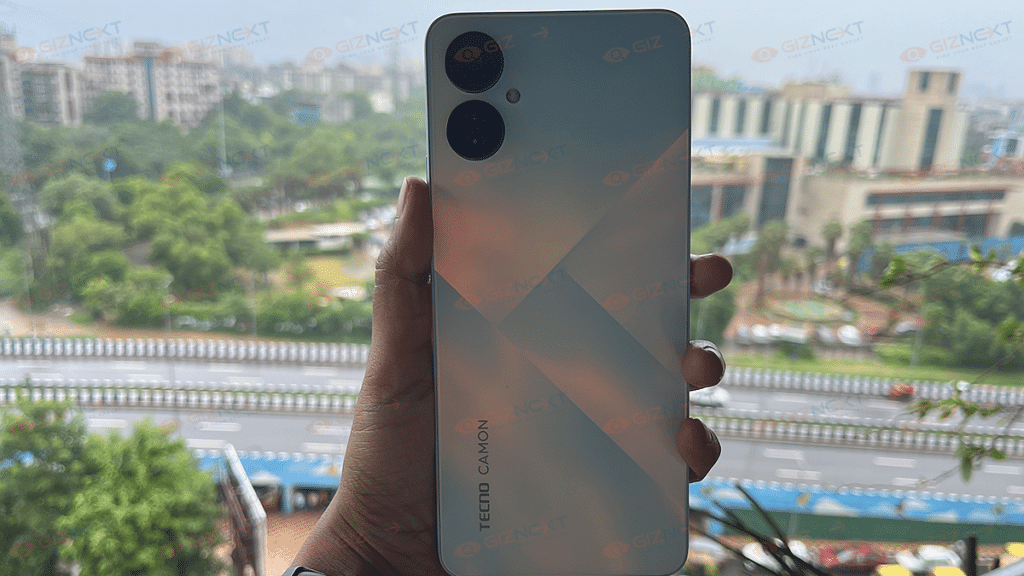
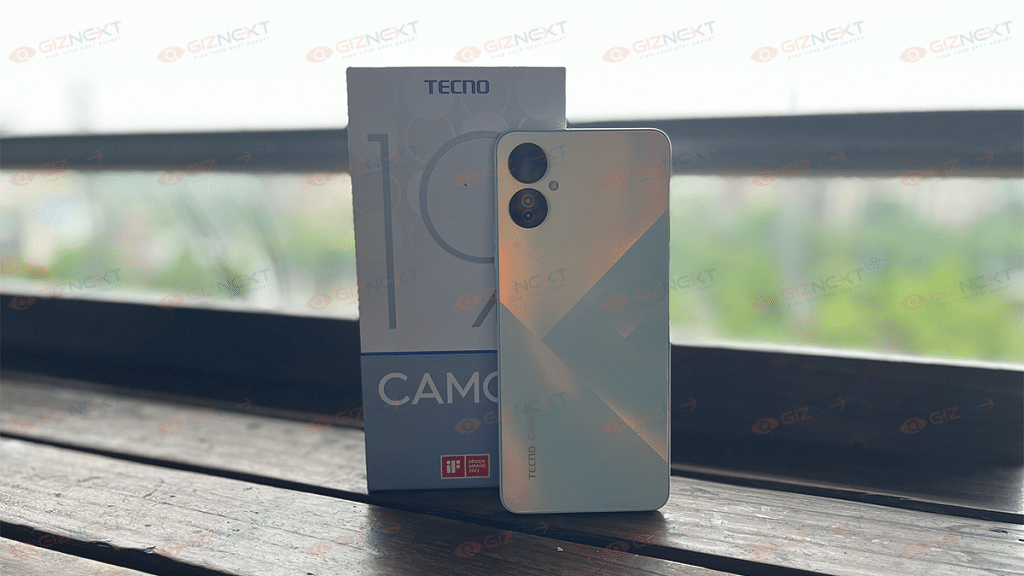
The Tecno Camon 19 Neo’s key selling point is the geometric color-shifting frost pattern on the back. It comes in Dreamland Green, Ice Mirror, and Eco Black colors. We are using the Ice Mirror variant. It has a frosted appearance similar to glass and is made of polycarbonate. Smudges are therefore no longer a bigger issue. The phone feels comfortable to hold and it fits well in the hands.

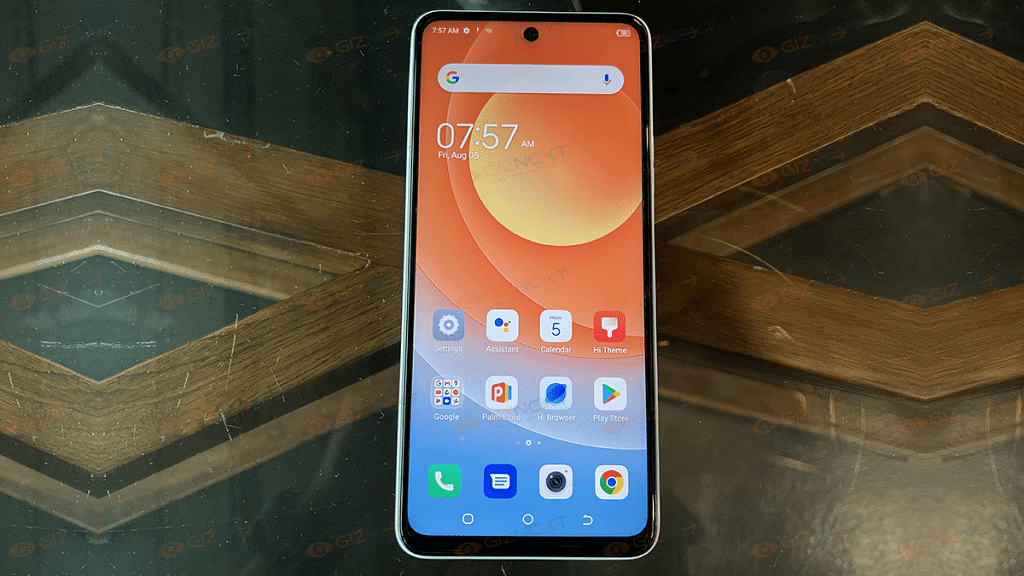
On the back, it has two camera rings that house three sensors and an LED flash. The triple camera setup is situated uniquely with one lens serving as the housing for two sensors. On the front, it has a simple punch-hole that carries the selfie camera.

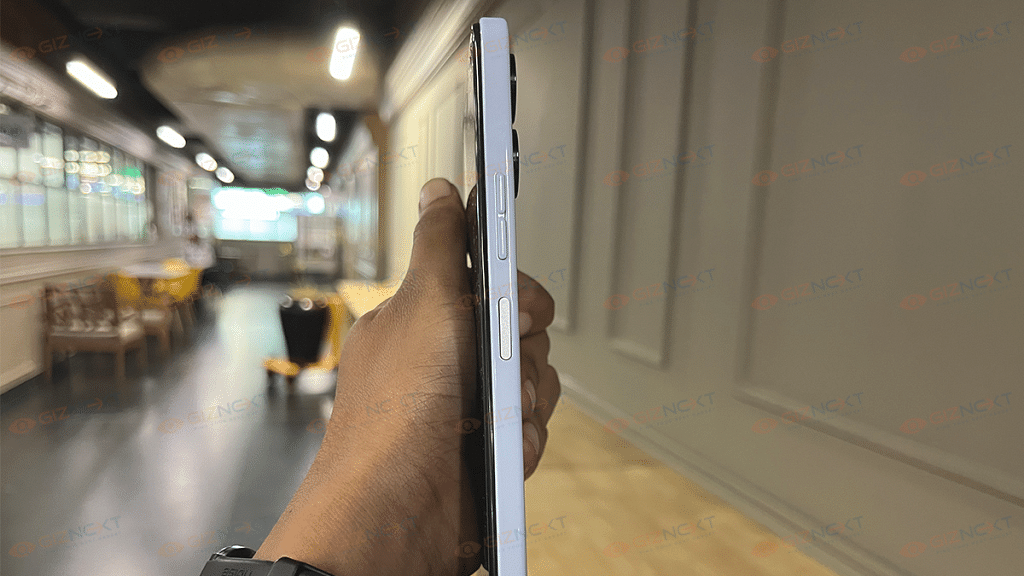
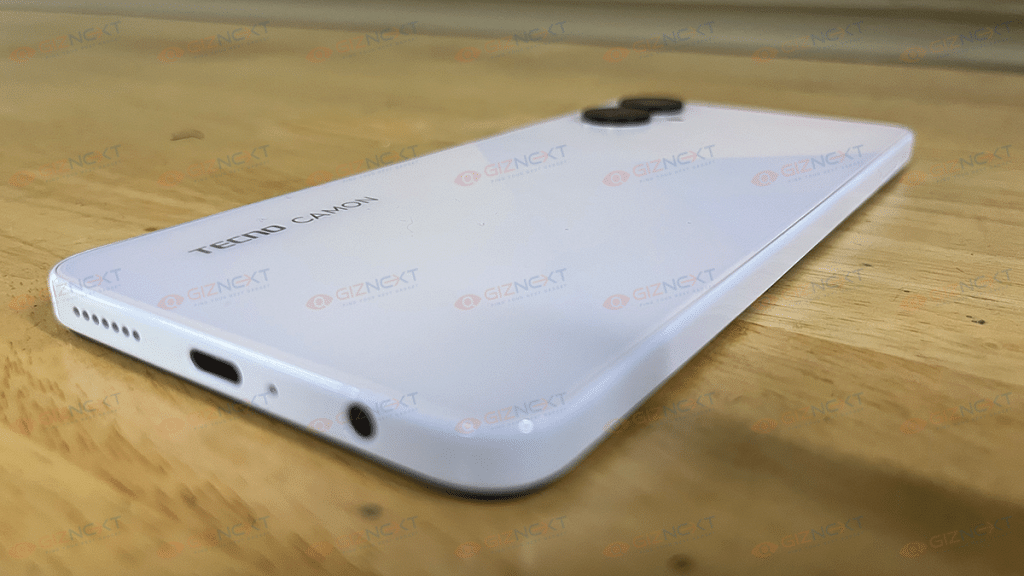
On the right side of the frame, the phone has the volume rocker and power button. The latter doubles up as the fingerprint scanner. On the bottom frame, the speaker and USB Type-C port are located. Also, the 3.5mm headphone jack survives with no sign of vanishing from the mid-range segment which is good.

Overall, it has a boxy design with flat edges that gives it a premium look. Be it outdoors or indoors, the light reflected on each of the indices brings out a unique look every time. With the Camon 19 Neo, Tecno definitely got the design elements right as it brings a notable improvement over the previous model. The design of the Camon 19 Pro looks elegant and beautiful.

Also Read: Phantom X Vs OPPO Reno 8 Vs Motorola Edge 30: Trending Premium Mid-Range Phones Comparison

Display

The display of the Tecno Camon 19 Neo is an IPS LCD which is a bit disappointing to see on a mid-range device. Many popular devices from Samsung and Xiaomi provide AMOLED panels within the same budget range.

The large 6.8-inch display of Camon 19 Neo comes with FHD+ resolution which is a saving grace of the device. Although the display doesn’t get particularly bright in direct sunshine, the colors are vibrant.

The phone arrives with a thin protective film on the screen. It may not be as long-lasting as tempered glass, but does its job of keeping scratches at bay. Overall, the display is passable at best. However, it is nothing stellar to be the main selling point for the device.

Also Read: Qubo MagZap Z3 Wireless Charger Review: Functional And Affordable

Performance

The Tecno Camon 19 Neo is a decent performer. It comes equipped with the MediaTek Helio G85 processor. It’s a 12Nm processor built on an octa-core 2 2.0GHz Cortex-A55 design. It is not up to the mark when we compare it with the other phones in this category. However, it is a trade-off for the high-end design you receive at this price.

The phone is perfect for light usage like browsing social media or watching YouTube. In a moderate setup, the processor can also handle lightweight games and graphics-intensive games. But the typical user should not worry as the device does a great job at heat management. The RAM fusion option also helps the phone run smoothly.

In addition to the 6GB onboard RAM, you will be able to get an extra 5GB of memory from the ROM. This will take an effective RAM count to 11GB when necessary.

The phone further comes with the latest Android version so software is not going to be an issue. Like all other Tecno phones, you will be getting the HIOS 8.6 based on Android 12.

Also Read: Best Samsung And Tecno Smartphones With 7,000mAh Battery In 2022

Camera

Given its price, the Tecno Camon 19 Neo’s camera is going to leave many amazed. The triple camera setup on the rear has a 48MP main sensor. The other two accompanying sensors are a 2MP depth sensor and a QVGA sensor.

The primary 48MP camera does a decent job. Images look bright and sharp in outdoor and well-lit environments. Although there is a built-in portrait mode, the edge detection is still subpar. It sometimes captures the edges brilliantly but occasionally falls short. Its back camera might be like the sensors of other mid-range devices. But its selfie camera sets the league high.

It has a 32MP front camera that makes it among the best mid-range phones for selfies. Images looked great from the front camera but lacked the wide-angle view. With dual LED flash on the front side, you won’t need to worry about finding an illuminated spot for night selfies. The camera fares well in dimly-lit conditions.

On the other hand, the videography is only available in 1080p at 3ofps. Although the sensor can push higher resolutions, it is constrained by the chipset.

Also Read: Tecno Pova 3 Vs Tecno Pova 2: Quick Specification Comparison

Battery

Tecno Camon 19 Neo comes with NFC connectivity which is a feature we seldom see at this price. It comes with a 5,000mAh battery. On a single full charge, it can run for six to seven hours of continuous usage. Additionally, Tecno offers an 18W fast charger that can fully charge the gadget in just over an hour.

Tecno Camon 19 Neo Review: Final Verdict

No doubt, it is an impressive smartphone in its own class. The phone has a few things going for it, such as a set of decent cameras, a stylish design, and satisfactory battery life with respect to its price tag. However, there is also some room for improvement in performance wise. All in all, this is a good value-for-money device that you should consider buying.

For the tech geeks, stay updated with the latest cutting-edge gadgets in the market, exclusive tech updates, gadget reviews, and more right on your phone’s screen. Join Giznext’s WhatsApp channel and receive the industry-first tech updates.

Categories
Apps Info

WhatsApp Privacy Hacks: Tips You Must Follow To Stay Safe

For instant messaging and phone calls, WhatsApp is our go-to app. The fact that you can message, call, and video call contacts from one platform make things much easier for us. Also, since WhatsApp’s chats and calls are end-to-end encrypted, users don’t have to worry about anyone intercepting their messaging or their calls.

However, while your calls and messages are safe, there are numerous bad elements out there that scam, manipulate and harass people on the platform. To stay safe from people like these, here are some simple steps you can follow:

Enable Security Notifications

Users are informed when there is a security risk to their chats using WhatsApp’s security notifications. WhatsApp uses end-to-end encryption when chatting between two devices. A brief notification informing all chats of the change is sent out in the event that one of the two accounts is transferred to a new device. Therefore, if your WhatsApp account is compromised and accessed from a different location, your contacts will be aware if the feature is enabled.

Two-Step Verification

WhatsApp offers a two-step verification option as an additional security measure. To prevent anyone who is not on your contact list from seeing your texts, all you have to do is make a practical 6-digit PIN code (not your birthday). Go to Settings > Account > Two-step verification > Enable to activate the option. Additionally, include your email address so you can reset your PIN if you forget it.

Tweak Your Privacy Settings

It is advised to adjust the privacy settings if you don’t want others to be able to download your profile photo. Simply setting last seen, profile photo, about, and status to either ‘my contacts’ or ‘only me’ will make the necessary changes.

How to change the privacy preference is shown here. Tap the three dots in the top right corner of WhatsApp when it is open on your phone. The leading tile will launch WhatsApp Settings > Account > Privacy, where you can choose your preferred settings.

Lock Your WhatsApp Account

The social messaging service gives users access to a special fingerprint lock feature. Even if someone manages to get hold of your phone, the feature helps to prevent them from accessing your WhatsApp chats (unlocked). Open WhatsApp > Settings > Account > Privacy to enable the feature. After selecting the privacy tab, go to the bottom and select the fingerprint lock option. Additionally, you can change the timing of the lock screen and enable “show content notifications.”

Categories
Accessories Featured Info

Philips Launches ‘Sneaker Cleaner GCA1000/60’ In India: Know Price And Features

Key Features

  • Philips Sneaker Cleaner launched in India
  • It caters to the rapidly growing sneaker community in India
  • The Sneaker Cleaner is priced at Rs. 2,595

India’s sneakerheads won’t have to worry about cleaning their shoes any more thanks to a nifty solution from Philips. A new product from the home appliance company has been introduced to meet the needs of the nation’s growing sneakerhead population. In order to capitalize on the growth that Indian sneaker culture is seeing, Philips has introduced the GCA1000/60, a new sneaker cleaning that is a first-of-its-kind product from the company.

The Philips Sneaker Cleaner GCA1000/60 is an automated cleaning device. This helps sneakerheads always keep their sneakers or shoes spotless, clean, and crease-free. Here is everything you should know about the newly released product:

Philips Sneaker Cleaner: Features

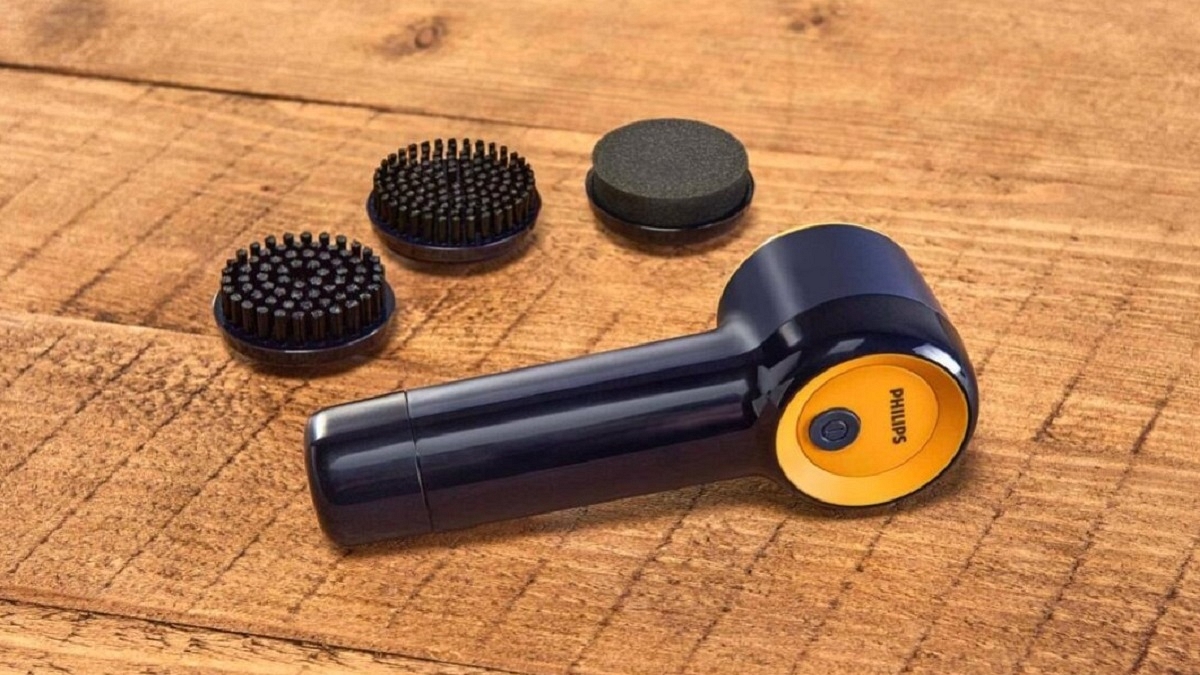
The Philips Sneaker Cleaner GCA1000/60 is a portable handheld sneaker cleaner that promises to make cleaning your sneakers “a seamless, hassle-free, and affordable experience.” It features a motor with 500 RPM.

The Philips Sneaker Cleaner GCA1000/60 further has an IPX5 waterproof rating. The cordless sneaker cleaner weighs 0.35 kg which makes it lightweight and portable. The cleaner automates the rubbing and scrubbing part of cleaning sneakers. It comes with effective bristles and a water-resistant head, which works at a touch of a button. The device further comes with four 6V AA battery and claims to have a run time of 80 minutes.

The Hard Brush is best for deep cleaning tough surfaces like textured rubber or shoe soles, while the Soft Sponge is best for delicate fabrics like PVC, leather, and suede. Apart from this, it has a water-resistant head that ensures the device remains safe. The Soft Brush has multipurpose usage and is ideal for mesh and canvas.

Philips Sneaker Cleaner: Price And Availability

The price of the ‘Sneaker Cleaner GCA1000/60’ in India is set at Rs. 2,595. The product comes with two years of worldwide guarantee and has a Black and Yellow color combination. It is exclusively available for sale through Philips Domestic Appliances e-store.

Categories
Featured Leaks Mobile

Samsung Galaxy Z Fold 4, Galaxy Z Flip 4 Cases Leak: All You Need To Know

Key Highlights

  • Cases design for the Galaxy Z Fold 4, Galaxy Z Flip 4 leaked
  • Both the smartphones are now available for pre-order
  • The devices will be unveiled on August 10

The Samsung Galaxy Unpacked 2022 event is around the corner. We are just a week away from the launch event where the South Korean tech giant will introduce two new foldable smartphones along with new smartwatches and Galaxy Buds TWS. However, leaks continue to occur on a regular basis.

The latest leaks show off cases for the Samsung Galaxy Z Fold 4 and Galaxy Z Flip 4 foldable devices. It shouldn’t be surprising that the cases don’t appear all that different because while the designs of the two phones have been modified, the basic concepts remain the same.

Samsung Galaxy Z Fold 4, Galaxy Z Flip 4: Case Designs Leaked

The Galaxy Z Flip 4 and the Galaxy Z Fold 4 appear to have silicone covers with straps made by Samsung. The white Z Flip 4 cover comprises white top and bottom halves that are connected by an orange strap. The white Silicone Cover with Strap for the Galaxy Z Fold 4 contains an orange strap to hold the phone. A white silicone piece further shields that strap. The device’s hinge, though, doesn’t seem to be protected in any way by the case.

In addition to these cases, Samsung also created the Clear Cover with Ring and the Flap Leather Cover for the Galaxy Z Flip 4. In addition to this, there is a Slim Standing Cover for the Galaxy Z Fold 4. This is great for propping the foldable up as a tablet during video calls and while watching videos and photos.

Samsung Galaxy Z Fold 4, Galaxy Z Flip 4: Launch Date

The Samsung Galaxy Z Fold 4 and the Galaxy Z Flip 4 foldable phones will be launched on August 10, 2022, during Samsung’s Galaxy Unpacked event. Although the launch event will take place virtually, interested people can watch it live on Samsung’s website and YouTube channel on August 10 at 6:30 PM.

Samsung Galaxy Z Fold 4, Z Flip 4 Now Available For Pre-Order

The upcoming foldable smartphones are already available for pre-order. According to the South Korean tech giant’s Indian division, customers can pre-reserve the Next Galaxy Fold and Flip smartphones for a small token price and receive certain additional perks at the time of the launch.

By paying a nominal fee of Rs. 1,999 on Samsung’s website and through Samsung Exclusive Stores, users who are eager to be among the first to obtain the Galaxy Fold 4 and the Galaxy Flip 4 will be able to pre-reserve or pre-order their foldable devices.

Categories
Featured Info Laptop

Asus Vivobook S 14 Flip, Zenbook 14 Flip OLED, And Vivobook 15 (Touch) Launched In India

Key Highlights

  • Asus unveils new laptops in India
  • The new lineup includes Asus Vivobook S 14 Flip, Zenbook 14 Flip OLED, And Vivobook 15 (Touch)
  • The starting price is Rs. 49,990

Asus introduced a compelling lineup of laptops today for the Indian market. Zenbook 14 Flip OLED, Vivobook S 14 Flip, and Vivobook 15 (touch) are among the new lineup of laptops. The new laptops, which have a starting price of Rs. 49,990, are stated to have compact and sleek designs, offer great performance, and enable users to multitask.

Asus Vivobook S 14 Flip

The 14-inch IPS panel on the Asus Vivobook S 14 Flip has a Full HD+ resolution of 1920 x 1200 pixels and a 16:10 aspect ratio. The touchscreen panel is 300 nits bright. Additionally, the laptop has been certified with TUF Rheinland for low blue light emissions.

The AMD Ryzen 5 5600H with AMD Radeon Graphics and the Intel Core i512500H with Intel Iris Xe graphics versions of the Asus Vivobook will both be available in India.

Asus Zenbook 14 Flip OLED

The Zenbook 14 Flip OLED is features 14-inch, 2.8K, 90Hz OLED touchscreen. It offers a screen-to-body ratio of 88 percent, a 16:10 aspect ratio, 550 nits of brightness, and a 4-sided NanoEdge design. The laptop can differentiate between 4,096 levels of pressure sensitivity and also enables stylus input.

The display of the Asus Zenbook 14 Flip OLED can be flipped to any position thanks to its 360-degree ErgoLift hinge. It has 16GB of LPDDR5 RAM on all variants and the most recent gaming-grade Intel 12th Gen H-series processors.

Asus Vivobook 15 (Touch)

Vivobook 15 is a sleek and lightweight device providing the experience of a 15.6-inches full HD screen with slim bezels with an immersive 82 percent screen-to-body ratio. The company claims that the Vivobook 15 is sleeker and lighter than its predecessors with an improved screen, a larger battery, and improved computing capabilities. The device’s overall weight has decreased from 1.9kg to 1.7kg.

Asus Vivobook S 14 Flip, Zenbook 14 Flip OLED, And Vivobook 15 Touch Price

The price of Vivobook S 14 Flip in India starts from Rs. 66,990. While the pricing for Zenbook 14 Flip starts from Rs. 99,990 and Vivobook 15 at Rs. 49,990 onwards. These newly launched Asus laptops will be available online and offline retail outlets such as Asus e-store, and Amazon.in, Flipkart, and Multi-Brand retailers.

Categories
Featured Home Appliances Info

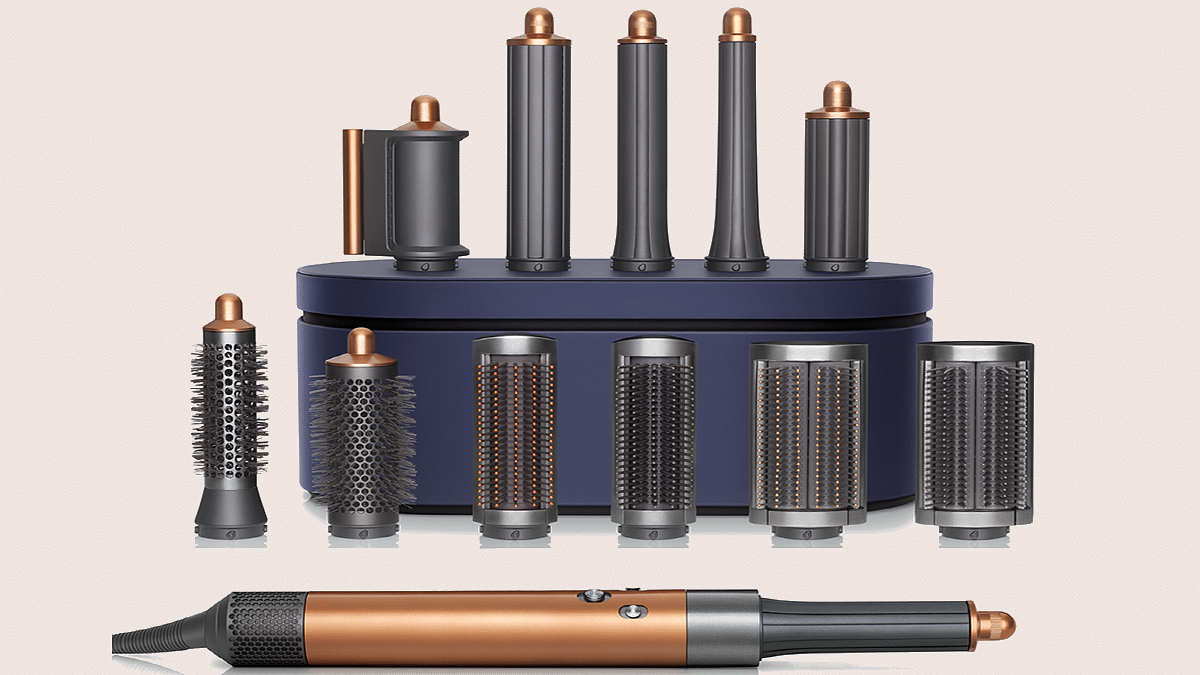
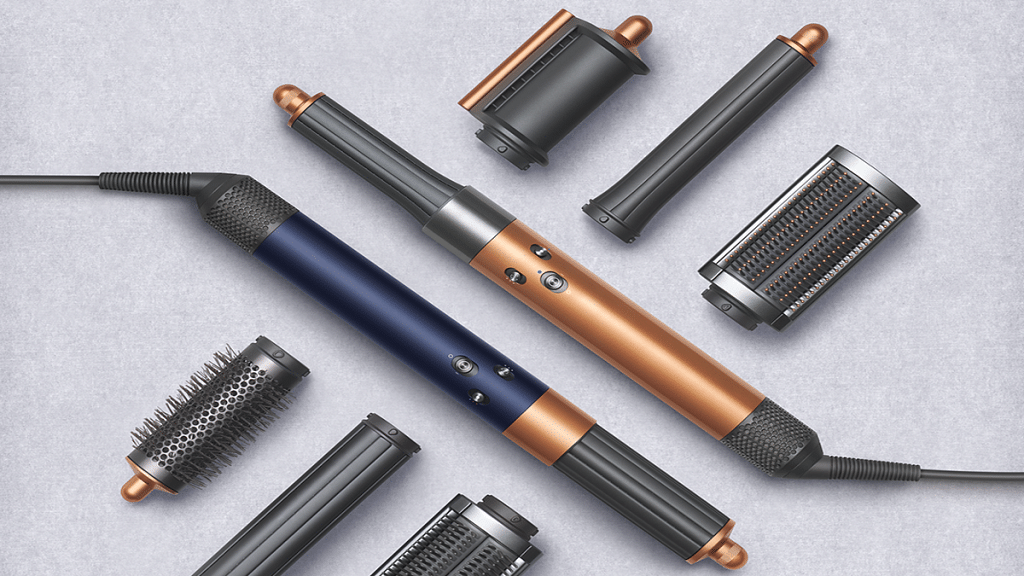
The Next Generation Dyson Airwrap Multi-Styler Is Here: Check All Details

Key Highlights

  • Dyson Airwrap multi-styler launched in India
  • It is re-engineered for faster, easier styling
  • Airwrap multi-styler is priced at Rs. 45,900

Since most people cannot afford the luxury of a professional hairstyle, the next best thing is to equip yourself with dependable, effective hair products to use at home. In order to better serve the Indian market, Dyson today introduces the next generation of the Airwrap multi-styler.

Curls and waves can be achieved more quickly and easily with the next-generation styling barrels’ spinning cool tip and without risking heat damage. Users can now style the full head, creating both clockwise and counterclockwise curls and waves. And this, without having to switch attachment mid-style thanks to the combination of the results previously obtained with two barrels into one attachment.

For the first time, the existing Dyson Airwrap styler owners can upgrade to these modern attachments while keeping their original unit. This is based on the sustainable mindset adopted throughout the development of the machine. Designing in the digital world reduces reliance on physical prototypes and dramatically reduces energy and material consumption.

Dyson Airwrap Multi-Styler: Efficient Engineering

The motor in the Dyson Airwrap multi-styler drives the device through to increased effectiveness and performance, ultimately leading to less energy consumption.

The Coanda effect, which enables users to curl, wave, smooth, and dry hair without the need for severe heat, is at the core of the Airwrap story. This effect is powered by a rapid, high-pressure motor. When air is driven at the proper speed and pressure, it naturally follows an adjacent surface, entraining the surrounding air and its accompanying hair in the Coanda phenomenon.

The Dyson Airwrap multi-styler reduces the need for intense heat and protects the hair from unnecessary damage by providing wet to dry styling using powerful and accurate airflow on damp (80 percent dry) hair.

An all-new dual-purpose Coanda smoothing dryer and redesigned brush attachments enable precision shaping with improved Coanda performance. The Coanda smoothing dryer, which combines two attachments into one, conceals flyaways in a single pass without using severe heat and switches from a strong drier to a smoothing dryer with the flip of a switch.

Dyson Airwrap Multi-Styler: Price And Availability

The new Dyson Airwrap multi-styler will be sold for Rs. 45,900 from August 3, 2022. The new attachments are entirely compatible with current machines. Owners can upgrade their complete set of attachments for Rs. 14,900. To buy, you can visit the Dyson Demo shops and experience the Dyson Airwrap multi-styler.

Categories
Featured Info Mobile

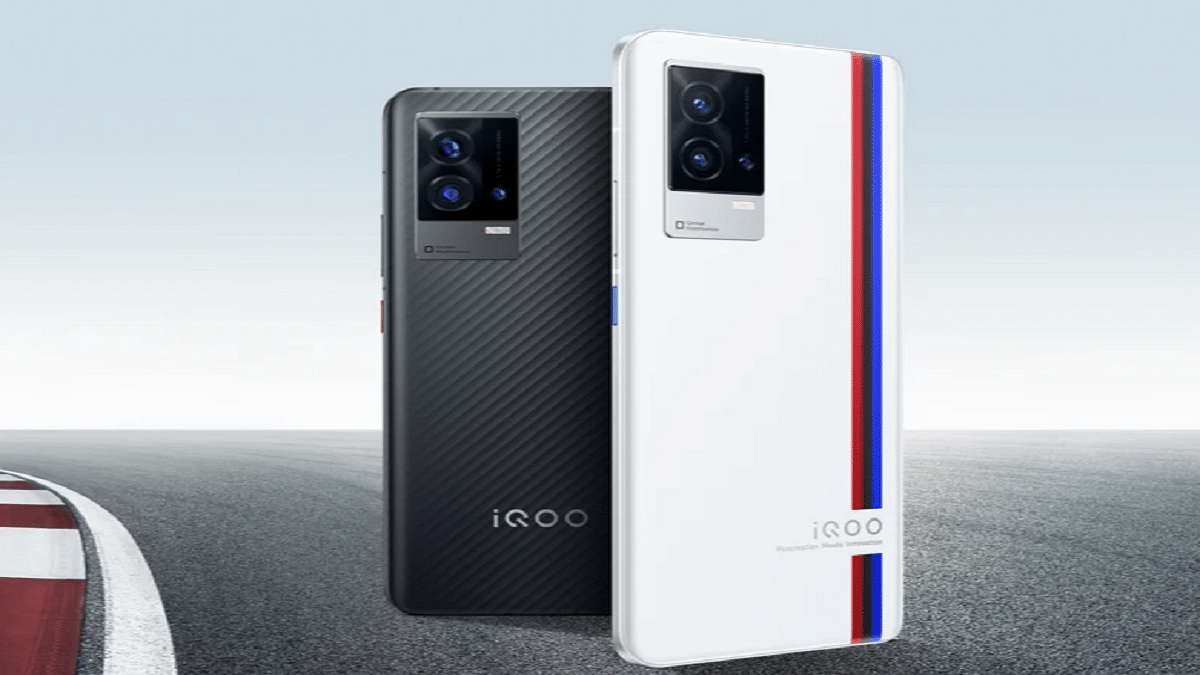
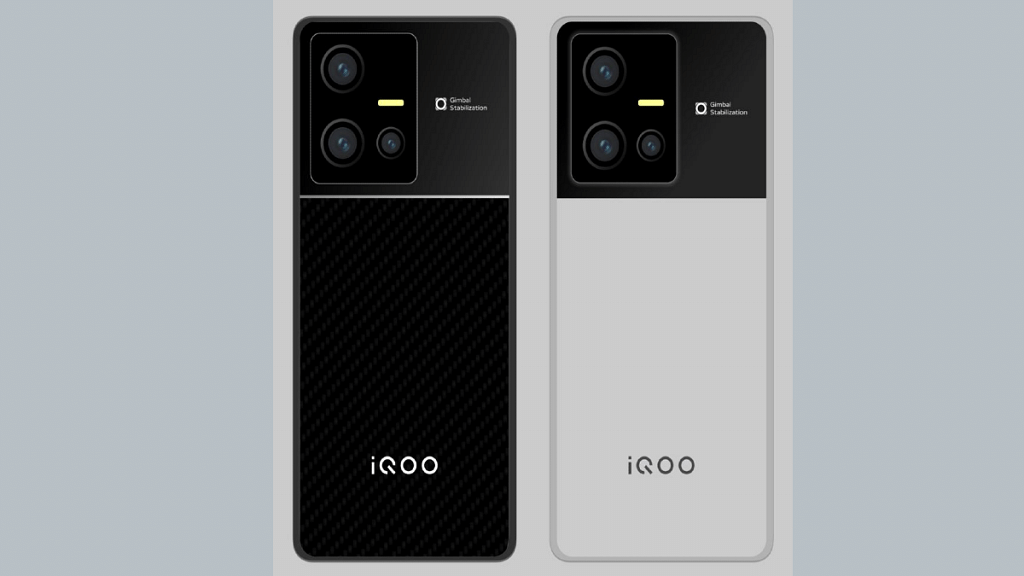
iQOO 9T With Snapdragon 8+ Gen 1 Chipset Launched In India: All Details

Key Highlights

  • iQOO 9T has been launched in India
  • It is powered by the Snapdragon 8+ Gen1 chipset
  • The starting price of iQOO 9T in India is Rs. 49,999

The iQOO 9T is finally now official in India. Touting it as ‘India’s most powerful smartphone, it comes with the Snapdragon 8+ Gen 1 chipset. Also, the device has a Vivo V1+ display chip that allows real-time extreme night vision. The key specifications include a 120Hz AMOLED display with FHD+ resolution, Android 12 OS, 50MP primary camera, and a 16MP selfie snapper on the front. Here’s everything you need to know about the latest iQOO 9 series:

iQOO 9T Specifications

The iQOO 9T comes with a 6.78-inch E5 AMOLED screen with Full HD+ resolution. The display is capable of peak brightness of 1500 nits and a refresh rate of 120Hz. The smartphone is powered by the Snapdragon 8+ Gen 1 CPU. It has up to 12GB of RAM and 256GB of internal storage. The device further uses the customized interface on top of the Android 12 operating system.

For extended gaming sessions without getting too hot, the iQOO 9T smartphone now has a vapour cooling mechanism. It is among the heaviest in its sector, weighing about 205 grams. As for security, the smartphone has an in-display fingerprint sensor.

Moving to the optics, the smartphone comes with a triple rear camera configuration. It has a 50MP GN5 sensor with OIS, a 13MP ultrawide-angle sensor, and a 12MP telephoto sensor. The device further packs a 4700mAh battery capacity that supports 120W charging.

In addition, the iQOO 9T has stereo speakers, Hi-Fi audio, and no 3.5mm audio port. 5G, 4G LTE, Wi-Fi 6, Bluetooth 5.2, GPS, and a USB Type-C port for charging and data transfer are among the connectivity features.

iQOO 9T Price In India

The 8GB / 128GB variant of the iQOO 9T costs Rs. 49,999 in India. The 12GB RAM/256GB storage model is also available for Rs. 54,999. As part of the launch offer, paying with an ICICI Bank card will save you Rs. 4,000. Besides, early purchasers receive an iQOO Gamepad worth Rs. 3,999. Starting at 12.30 PM IST today, the device will be available for purchase on the company’s website and from August 4 on Amazon.

Categories
Featured How To Mobile Tablet

Use Live Text With iOS 15 On iPhone And iPad: Here’s How

With the release of iOS 15, many new features have been added and some handy features flew under the radar. This is the case with Live Text, a new feature for iPhone and iPad available as part of iOS 15 and iPadOS 15 respectively. It uses built-in smarts to analyze your photos for text and make them interactive so you can copy, translate, or do anything you can do with digital text on your iPhone or iPad.

How To Enable Live Text On iPad And iPhone

In iOS 15 and iPadOS 15, Live Text is enabled by default. But, in case you disabled it not knowing what it was, here’s how to reactivate this handy feature.

Step 1: Go to Settings.

Step 2: Tap on ‘Camera’.

Step 3: Go to ‘Live Text’ and enable it.

Live Text can recognize information in photos and online images so you can make calls, send emails, get directions, and more with just a tap. Point your camera at a photo or image that contains text and click the Live Text button.

How To Use Live Text In The Camera App

Live Text is also available in the Camera app and when using the camera with other apps like Notes and Reminders. It requires iPhone XS, iPhone XR, or later with iOS 15 or later. To turn on Live Text for all supported languages, you need to follow these steps:

Step 1: Open the Camera app on your iPhone or iPad.

Step 2: Point the camera at the text you’d like to select.

Step 3: When the device detects text, the Live Text feature will be activated, the text will be surrounded by a yellow box, and a new icon will appear in the lower right corner. Click the icon to ‘grab’ the text.

Step 4: Select the section of text you want to use and tap to either Copy, Select All, Translate or Share depending on what you want to do with the text. To select a specific portion of captured text, long press the text to select it. For phone numbers, tap the number on the screen to initiate a call on your device.

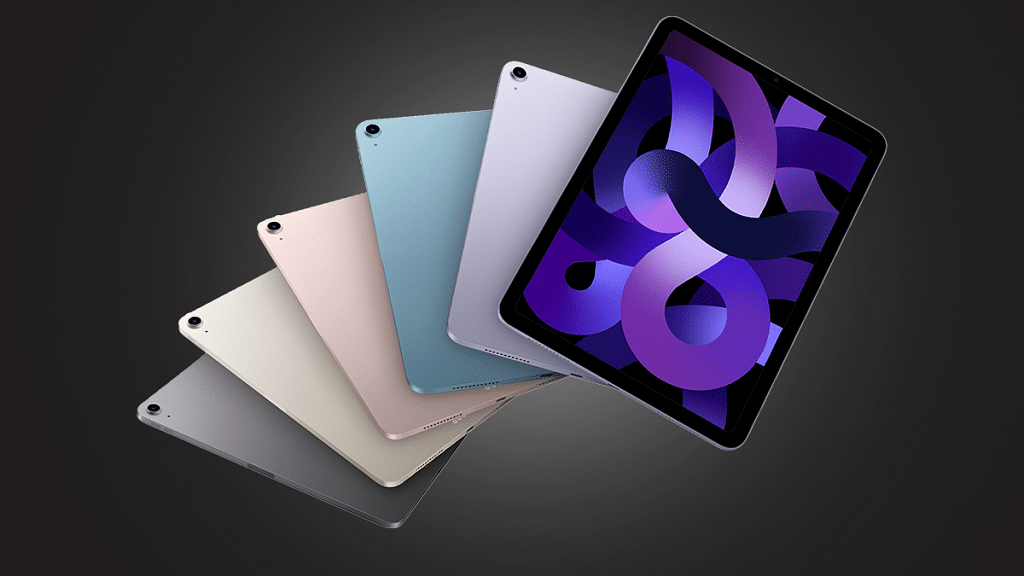
Additionally, iPad Pro 12.9-inch (3rd generation) and later models, iPad Air (3rd generation), iPad Pro 11-inch (all models), iPad mini (5th generation), and iPad (8th generation) with iPadOS 15.1 or later are all compatible with Live Text.