Categories
Featured How To

Wrong Name, Address On Your Aadhaar Card? Here’s How To Update It

Aadhaar card is one of the most important documents in the nation. It contains several crucial details about citizens including names, addresses, photos, biometric data, and more. But what would you do if your Aadhaar card contained an error? You would have it fixed, right? But how? Here, we’ll explain.

Your Aadhaar needs to be error-free as it is one of the most crucial documents required to verify your identity and complete official tasks. Online corrections for errors in your name, address, date of birth, and other information on your Aadhaar card are simple to complete. You simply need to adhere to a few basic instructions.

How To Update Your Aadhaar Card Online?

According to the official website of UIDAI, an individual is permitted to change their name on the Aadhaar Card only twice. The date of birth and gender of the Aadhaar card holder can be changed only once.

Steps To Update Your Aadhaar Card

Step 1: Go to the official UIDAI web portal.

Step 2: On the top left corner of the website, click on ‘My Aadhaar’.

Step 3: Go to the section ‘Update Your Aadhaar’ and click the ‘Update your Demographics Data Online’ option.

Step 4: After tapping on it, you will get to the official website of the UIDAI Self Service Update Portal.

Step 5: Log in with your 12-digit Aadhaar number. Click on Send OTP after filling the captcha. An OTP will be sent to your registered mobile number.

Step 6: A new page will load after you enter the OTP. Now, you have to provide your personal information including your name, address, and date of birth.

Step 7: Select the section where you want to make the changes. You can now get the option to change your name, date of birth, and address. Click on update name if you wish to update your name.

Step 8: To change the name, you must have ID proof. You must upload your PAN card, driver’s license, voter ID card, and ration card as identification proof.

Step 9: Once you are done with filling in all the details, a verification OTP will be sent to your registered mobile number and you will need to verify it. Now, you can save the changes.


Categories
Gaming Info

Garena Free Fire Redeem Codes For 26 June 2022: Check Steps To Redeem

Garena Free Fire is one of the most exciting battle royale games to play. It has gained a lot of popularity in India particularly in the absence of PUBG Mobile. Today, it is one of the most popular games in the world and has a high rating on the Google Play Store. In the game, players can create their own strategies such as landing positions, acquiring weapons and supplies, and engaging in combat with the enemy.

How To Redeem Garena Free Fire Codes For 26 June 2022

Garena Free Fire has exclusive rewards and in-game items that players look forward to every day. One of the most demanding items in the game has always been Free Fire Redeem codes. Here’s how to redeem the codes:

Step 1: Go to the official website of Free Fire redeem code redemption.

Step 2: Log in to your account using Twitter, Facebook, Google, and Apple IDs.

Step 3: Copy and paste any of the above-listed redeem codes into the text box.

Step 4: Press the confirm button to continue.

You can check the embedded game mail section for the rewards. It might take around 24 hours for the rewards to show up in the game mail section of the players.

Here Are The Garena Free Fire Max Redeem Codes For Today, June 26, 2022

Garena Free Fire Redeem codes help to unlock resources that are otherwise too hard to get in the game. Also, they get a chance to win exclusive free rewards like vouchers and many more. For the players, new redeem codes for 26 June 2022 have been released.

  • FR7E VR5B 6YNM
  • FBNO IRU9 8YT6
  • FK4T 87G6 VT5R
  • FAV4 BNKE RF8G
  • FRTF 234I R9TY
  • F7YC TGDB ENMR
  • FKOY H98B 7VY6
  • FGFY VGHD BE54
  • FD2E RBTN 6M7U
  • FK8I V8C7 X65S
  • F4DF ECVR 4B5U
  • FON9 B8V7 C6DT
  • FI6G D765 45Q1

It should also be noted that the Free Fire Redeem Codes have a claim limit. If the redeem code fails, maybe they have been already claimed by too many other people. However, there is always another day for fresh new codes. Check back here every day for Garena Free Fire’s new redeemable codes.

Categories
Featured How To Mobile

Adjust The Flashlight Brightness On Your iPhone: Here’s How

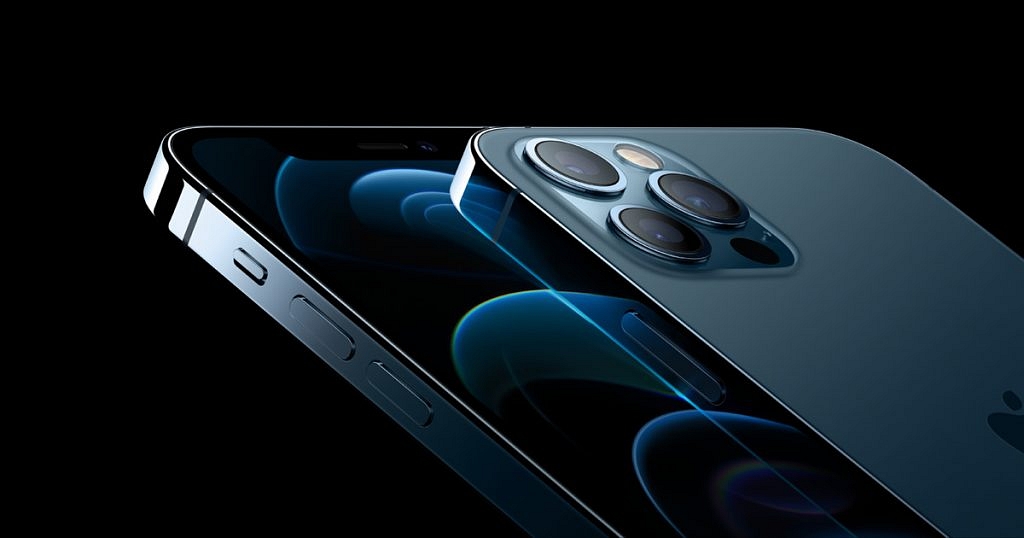
Apple iPhones come with a flashlight feature. The LED flash that is a part of the phone’s rear camera system can be used as a flashlight. When you don’t want to wake up people or pets by turning on the lights, this feature is quite useful.

A good thing about the iPhone flashlight is that it is bright. Like, it can help you find a dropped key in the middle of the night in an open field. A bad thing about it is that it can be ‘Bright’. Well, the iPhone’s Control Center allows you to adjust the LED flash’s brightness, too.

If you are new to iPhones, here’s a step-by-step guide that will help you turn the flashlight on or off and adjust its brightness:

How To Brighten Or Dim The iPhone’s Flashlight Using Control Centre

On your iPhone or iPad, you can adjust the flashlight’s brightness using the device’s Control Centre. Check out the steps:

Step 1: On your iPhone or the iPad, swipe down from the upper-right corner to access the Control Centre.

Step 2: Next, the iPhone or the iPad

Step 3: Now, press and hold the flashlight button.

Step 4: Now, drag the slider up or down to set the desired brightness on your iPhone or iPad.

How To Turn On/Off The Flashlight On Your iPhone Using Control Centre

Using the Control Centre on your iPhone or iPad, you can activate the flashlight. Follow these steps to turn on the flashlight on your device:

Step 1: On your iPhone or the iPad, swipe down from the upper-right corner to access the Control Centre.

Step 2: Click on the Flashlight button.

Step 3: Tap the Flashlight button again to turn off the flashlight.

How To Turn On/Off The iPhone Flashlight Using Siri

You can activate the flashlight on your iPhone or iPad in a number of different ways. Asking Siri to complete the task is among the simplest methods to go about it. All you have to do is say, “Hey Siri, will you turn on my flashlight?”. You can also say “Hey Siri, turn on my flashlight”. Likewise, you can turn off the flashlight by saying, “Hey Siri, turn off my flashlight.”

Categories
Featured Mobile

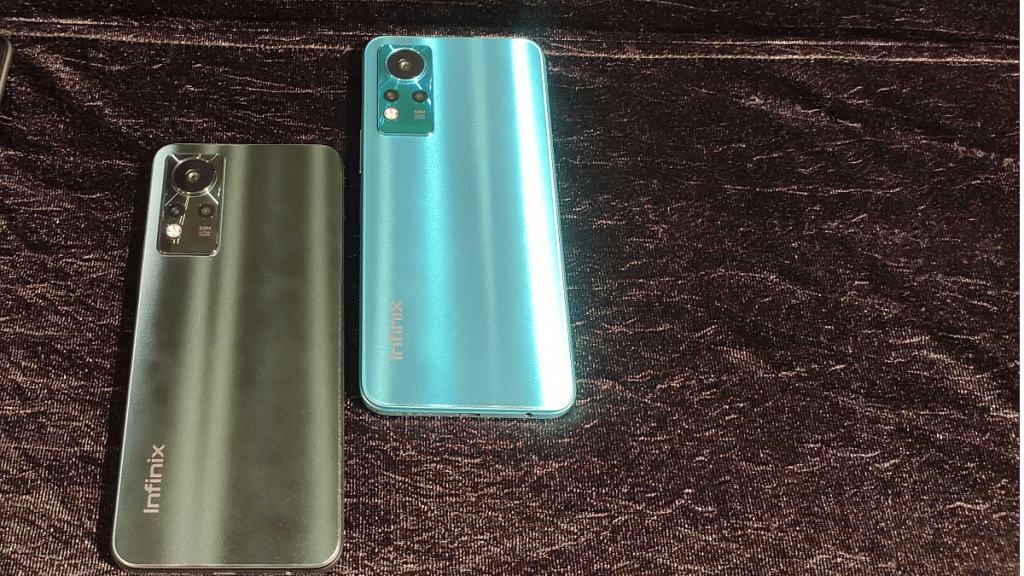
Flipkart Electronics Sale: Buy Infinix Note 11 AMOLED Display Phone Under Rs. 10,000

Key Highlights

  • Flipkart Electronics Sale 2022 is back
  • Infinix Note 11 is available at Rs. 8,549 during the sale
  • The sale will be live until June 29

For those who are waiting to lay their hands on their favorite Infinix devices, now is the perfect opportunity to make it happen. At the ongoing Flipkart Electronics sale, the premium smartphone brand from the Transsion group has come up with massive discounts on its most popular recent models.

The 4GB / 64GB model of the Infinix Note 11 is priced at Rs. 10,499 in India. During the sale, you can purchase the handset at Rs. 8,549. Besides, the Infinix Note 11 6GB / 28GB variant is priced at Rs. 12,499. You can get it at Rs. 10,499. The sale started on June 23 and will go until June 29, 2022.

Infinix Note 11: Offers And Discounts

You can get a 10 percent instant additional discount with purchases made from your SBI Credit Card. On any debit and credit card transactions, customers are eligible for a prepaid discount worth Rs. 1,000. In addition to this, you can purchase the Infinix Note 11 (4/64) for the lowest cost of an AMOLED smartphone. The smartphone is available for sale at only Rs. 8,549 during the sale.

Infinix Note 11: Specifications

The Infinix Note 11 features a 6.7-inch FHD+ AMOLED display with a water drop style notch. The display has a 20:9 aspect ratio and a 180Hz touch sampling rate. The display has Gorilla Glass 3 for protection.

Under the hood, the Infinix Note 11 comes equipped with the MediaTek Helio G88 processor. It has up to 6GB LPDDR4x RAM and up to 128GB eMCP storage. The smartphone runs on Android 11-based XOS 10 out of the box.

Talking about the optics, the smartphone sports a triple camera setup on the back. It consists of a 50MP primary lens, 2MP depth sensor, and AI lens. As for selfies and video calls, it has a 16MP camera at the front.

The Infinix Note 11 is backed by a 5,000mAh battery with 33W fast charging support. For security purposes, the phone features a side-mounted fingerprint.

The Infinix Note 11 is available in three color options, i.e., Graphite Black, Celestial Snow, and Glacier Green.

In addition to this, the Flipkart Electronics Sale 2022 is also offering a huge discount on Infinix Note 11s, Infinix Hot 11s, Infinix Zero 5G, and more.

Categories
Comparison Featured Smart Watch

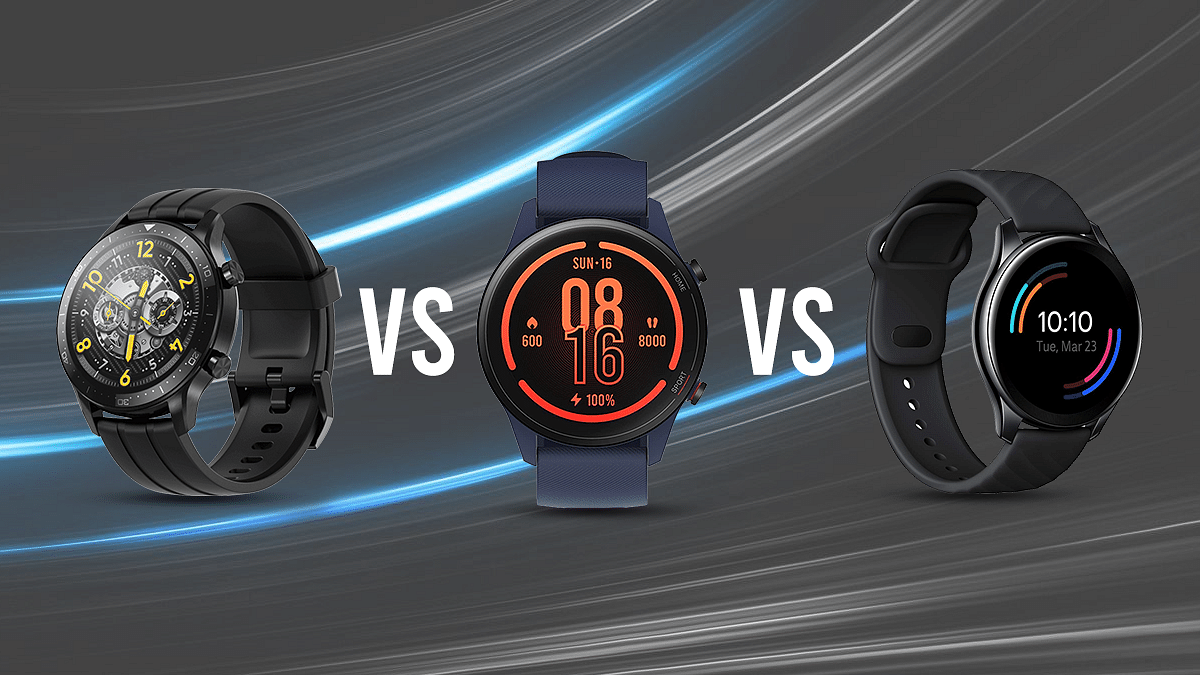
Xiaomi Watch Revolve Vs Realme Watch S Pro Vs OnePlus Watch: Which Is Better?

Key Highlights

  • Mi Watch Revolve is the company’s first smartwatch in the premium segment
  • It takes on the likes of the Realme Watch S Pro and the OnePlus Watch
  • These smartwatches have nearly identical features

The market for smart wearables in India has grown significantly in recent years as we witnessed numerous smartwatch launches. The Mi Watch Revolve by Xiaomi is the company’s first smartwatch in the premium segment. It is a rebranded Xiaomi Mi Watch Color which is available overseas for quite some time.

The Xiaomi Watch Revolve takes on the likes of the Realme Watch S Pro and the OnePlus Watch which have nearly identical specs. So, let’s get into our comparison between the Xiaomi Watch Revolve, Realme Watch S Pro, and the OnePlus Watch if you’re wondering which one is the better purchase. Also Read | Amazfit Bip U Pro Vs Noise ColorFit Pro 4 Max Smartwatch: Best Pocket-Friendly Smartwatch To Buy In India

Design And Display

The Xiaomi Watch Revolve measures 53.3 x 46.2 x 11.4 mm in dimension. It has a stainless-steel frame and a plastic back. The watch isn’t different from its counterparts in terms of display specs. The Xiaomi Watch Revolve features a 1.39-inch AMOLED display with a 454 x 454 pixels screen resolution. Its display has the Corning Gorilla Glass 3 protection.

On the other hand, the Realme Watch S Pro has a stainless-steel build. Its dial has a Circular Flat design and the strap is made of silicon. It sports a 1.39-inch AMOLED display with a resolution of 454 x 454 pixels and a max brightness of up to 450 nits. The watch has 2.5D Corning Gorilla Glass protection. It comes with an always-on feature.

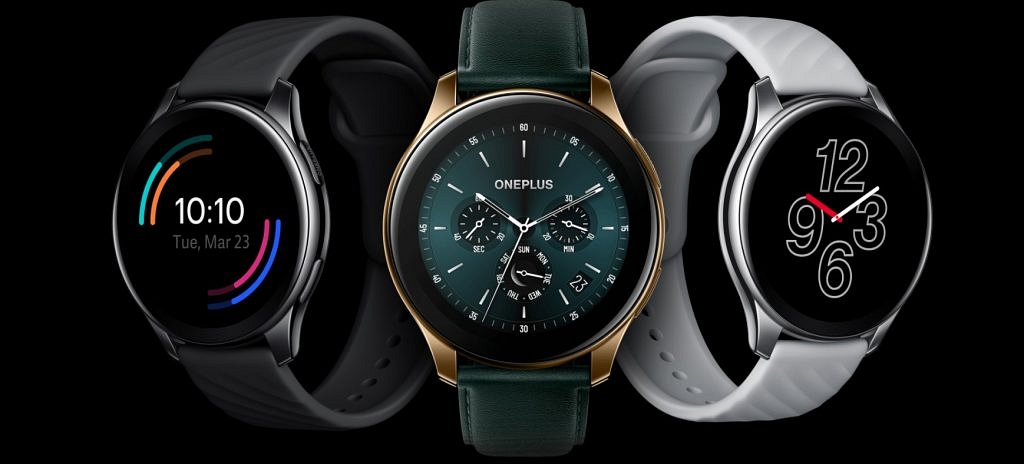
Moving to the OnePlus Watch, it offers a classic circular design. The case is made of polished stainless steel and has traditional lugs for fluoroelastomer straps. The watch also has an identical 1.39-inch AMOLED display with the Always-On feature. Overall, all the three watches are identical and have a standard built quality.

Features And Operating System

The Xiaomi Watch Revolve, Realme Watch S Pro, and the OnePlus Watch have a blood oxygen sensor, heart rate measurement monitor, and sleep tracker. However, the Realme Watch S Pro has a feature called sedentary reminder which reminds the users that it’s time for movement and stretching. For those who work for long hours, this is a great feature.

However, the Realme Watch S Pro misses out on the stress monitor as the Xiaomi Watch Revolve and OnePlus Watch. The standard step tracker feature is present on all three watches.

The Realme Watch S Pro runs on an unnamed custom OS. On the other hand, the OnePlus Watch runs on a custom OS by OnePlus.

Battery And Connectivity

The Xiaomi Watch Revolve packs a 420mAh Li-Po battery. It supports GPS and GLONASS for navigation and supports Bluetooth 5.0 wireless connectivity.

The Realme Watch S Pro has a 420mAh battery on board. It has Dual Satellite GPS and Bluetooth 5.0 BLE.

On the other hand, the OnePlus Watch has a 402mAh battery. It has a claimed battery life of 14 days. Also, it is equipped with Warp Charge. As for connectivity options, it has Bluetooth 5.0 for wireless compatibility with smartphones and tablets.

The Xiaomi Watch Revolve and the Realme Watch S Pro have a bit higher battery capacity than the OnePlus Watch. But all three watches have a similar battery life lasting up to 14 days. It also depends upon the user whether you actively use the watch for sports activities and make it your phone companion or you are a casual user.

Price Comparison

The Xiaomi Watch Revolve is available at Rs. 10,999 in India. The Realme Watch S Pro is the cheapest among the three, priced at Rs. 9,999. The OnePlus Watch is a bit pricey at Rs. 13,998. Overall, the Realme Watch S Pro is a good buy under Rs. 10,000. It has an array of watch faces and a better 6-axis accelerometer. It is one of the best watches in its segment.

Also Read | Fitbit Versa 2 Vs OPPO Watch Vs Noise Colorfit Pro 2: Which Smartwatch Wears The Crown?

Categories
Comparison Featured Mobile

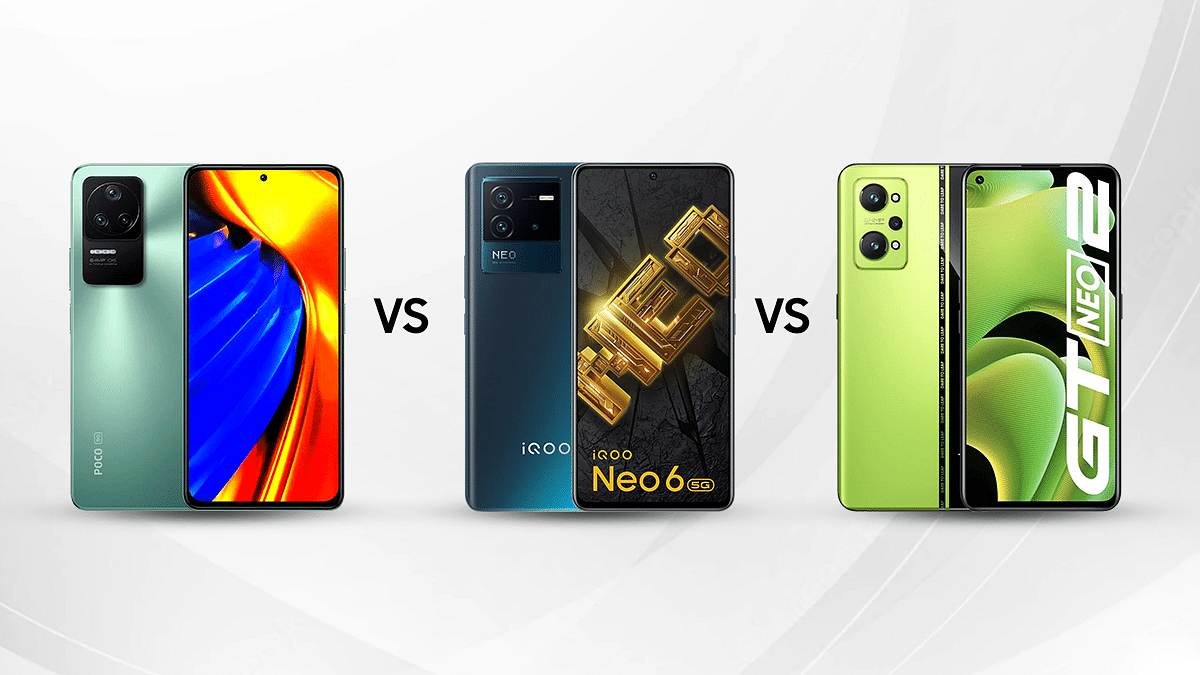
Poco F4 5G Vs iQOO Neo 6 5G Vs Realme GT Neo 2 Full Specs Comparison: Best Premium Mid-Range Android Phone In India?

Poco has announced a new mid-range smartphone ‘Poco F4’ in the Indian market. One of its major rivals is the iQOO Neo 6 5G and Realme GT Neo 2 which share similar specifications as the Poco F4.  Also, all three smartphones are powered by Qualcomm’s Snapdragon 870 chipset. So, the question is, which out of the three is a better choice to go for? Let us compare the specifications of the Poco F4 5G, iQOO Neo 6 5G, and the Realme GT Neo 2 and find out which one to go for.

Display

The Poco F4 5G features a 6.67-inch E4 AMOLED display with a refresh rate of 120Hz. The panel further comes with HDR10+ certification and Dolby Vision support.

Meanwhile, the iQOO Neo 6 features a tad smaller 6.63-inch display which is also an E4 AMOLED panel with a refresh rate of 120Hz, FHD+ resolution, and HDR10+ certification. However, it does not support Dolby Vision.

Coming to the Realme GT Neo 2 5G, the device is packed with a 6.62-inch E4 AMOLED display with a refresh rate of 120Hz and FHD+ resolution.

Overall, the display of the Poco F4 5G, iQOO Neo 6 5G, and the Realme GT Neo 2 is good enough to use in any condition. But we prefer the Poco F4 5G’s display as it comes with Gorilla Glass 5 protection and offers a smoother experience.

Processor

Under the hood, the Poco F4 5G, iQOO Neo 6 5G, and the Realme GT Neo 2 are powered by the Qualcomm Snapdragon 870 chipset. While all three smartphones have a maximum of 12GB of RAM, Poco F4 has LPDDR5 RAM along with 3GB virtual RAM support, while the Neo 6 has LPDDR4X RAM. All three handsets have up to 256GB of internal storage.

The Neo 6 comes with up to 4GB of extended RAM. On the other hand, the Realme GT Neo 2 also features Dynamic Ram Expansion of up to 7 GB. This is the largest dynamic ram expansion you would find on any premium mid-tier Android phone in the market.

All three smartphones run on the Android 12 operating system. The Poco F4 runs a tweaked version of MIUI 13. On the other hand, the Neo 6 runs on Vivo’s FunTouch OS. Coming to the Realme GT Neo 2, the handset ships with a custom Realme UI 2.0 interface.

In general use, all three smartphones – the Poco F4 5G, iQOO Neo 6 5G, and the Realme GT Neo 2 – offer similar performance and you can bet on any of these models for intensive and standard tasks.

Camera

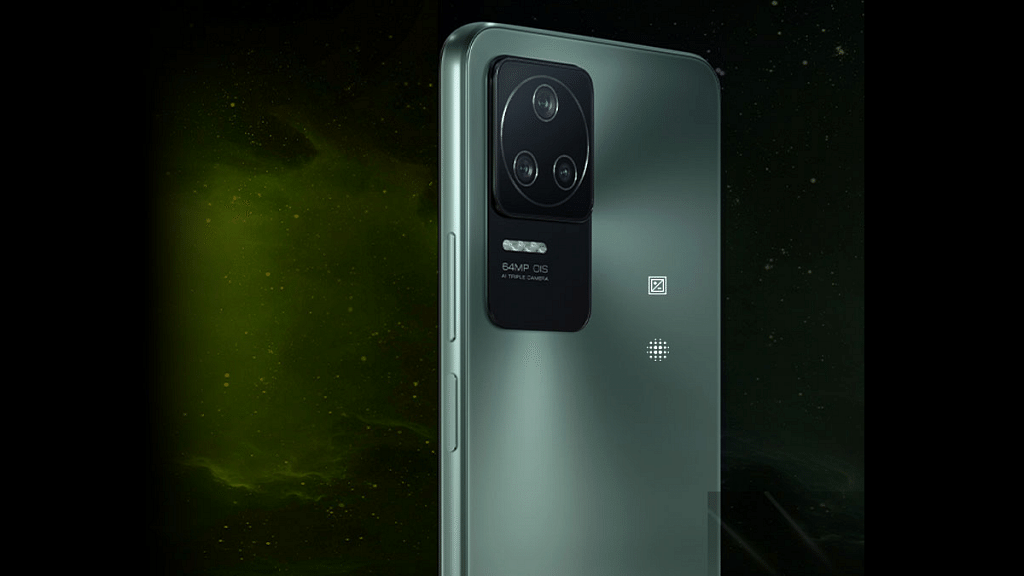
The Poco F4 5G, iQOO Neo 6, and the Realme GT Neo 2 offer a similar triple camera setup. All three smartphones have a 64MP main camera, an 8MP ultra-wide camera, and a 2MP macro camera.

The Poco F4 5G has an OmniVision OV64B primary camera. On the other hand, the iQOO Neo 6 5G has a Samsung GW1P main sensor. Meanwhile, Realme used the Sony IMX682 camera in the GT Neo 2.

When it comes to selfies, the Poco F4 5G offers a 20MP front camera. The iQOO Neo 6 and Realme GT Neo 2 are equipped with a 16MP selfie camera.

Because of its better Sony IMX682 sensor, the Realme GT Neo 2 has been called a winner in this category.

Battery

For power delivery, the Poco F4 5G comes with a 4,500mAh battery capacity. It supports 67W fast charging. Coming to the iQOO Neo 6 5G, the device packs a 4,700mAh battery with 80W rapid charging support. Moving to the Realme GT Neo 2, the smartphone has a 5,000mAh battery compatible with 65W Super Dart charging facility. If you wish to go for bigger battery size, the Realme GT Neo 2 is the best fit, however, for faster-charging speeds, you should opt for the iQOO Neo 6 5G.

Verdict

The high-end variant of the Poco F4 5G which offers 12GB RAM and 256GB of internal storage is priced at Rs. 32,999. The same configuration of the iQOO Neo 6 costs Rs. 33,999. Besides, the Realme GT Neo 2 will cost you a little higher Rs. 38,999.

If price is the key deciding feature, the Poco F4 5G clearly tops in this comparison. Besides, if you are ready to spend more money on better cameras and a massive battery capacity, the Realme GT Neo 2 is a good choice.

Categories
Accessories Featured Info

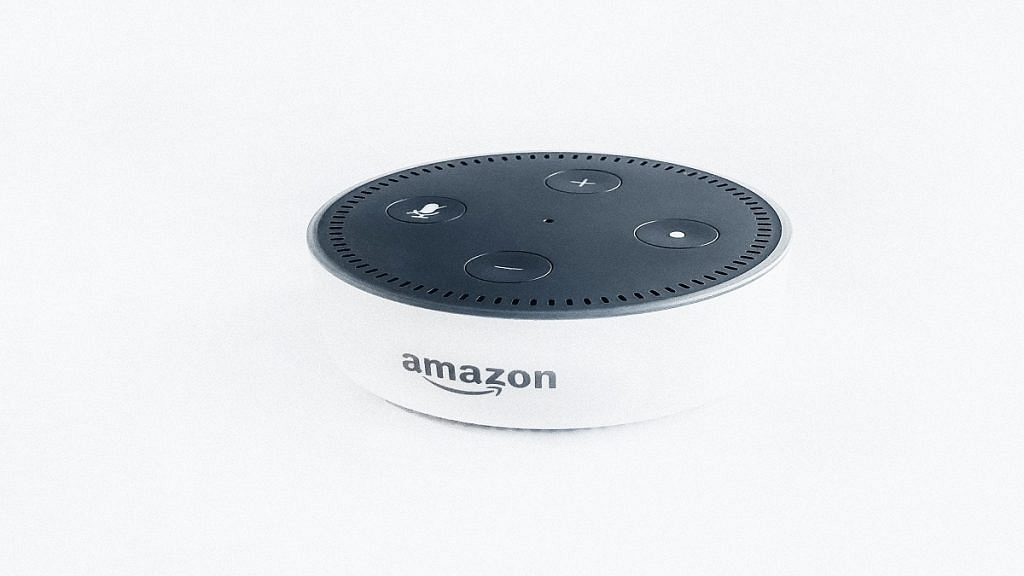
Amazon Alexa Might Soon Speak In Your Late Relative’s Voice

Key Highlights

  • Amazon Alexa might speak in the voice of a deceased relative
  • Alexa will be able to hear that person speak for a minute and mimic the voice
  • Amazon said it wants to make memories last

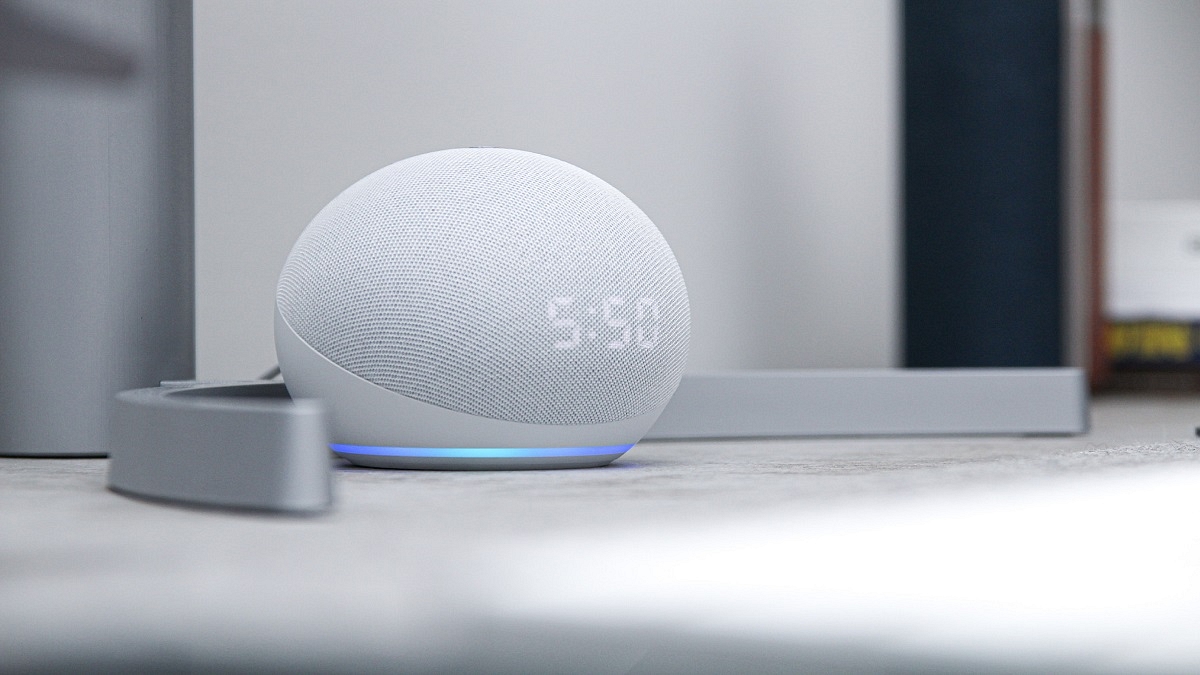
Imagine if your smart speaker starts speaking in the voice of a deceased family member. Does it sound creepy or would it make you happy? Amazon is developing a feature that will let Alexa mimic the voice of your dead relative.

The new feature was described as a way to “make memories last” on Wednesday at Amazon’s Re: MARS (Machine Learning, Automation, Robots, and Space) conference.

Senior Vice President of Alexa Rohit Prasad gave a brief demonstration of a potential future function for Alexa, i.e., the ability to mimic voices. It’s equally shocking—or even more so—that Alexa would be able to imitate the voices of people we’ve lost or who are no longer with us.

While announcing the feature, Rohit Prasad stated that although artificial intelligence (AI) cannot take away the sadness of losing a loved one, “it can absolutely make the memories last”.

Prasad then played a video in which a young child asked Alexa “Can grandma finish reading me The Wizard of OZ”. On hearing the request, Alexa acknowledges the child’s request in her usual voice and begins reading in the child’s grandmother’s voice after responding “okay”.

It’s unclear how far along the feature is in development or when Alexa voice assistants might start receiving it. However, it does raise concerns regarding this technology being misused by cybercriminals and scammers. This could be misused that allow people to use the voice of celebrities or other people without their consent.

How Does This Feature Work?

If you’re curious as to how this feature works, Amazon told Engadget that the new talent of Alexa can produce a synthetic voiceprint of a person’s voice after listening to a recording of it for less than a minute.

The advancements that the company has achieved in text-to-speech technology are what drive it. Amazon recently released a whitepaper outlining these improvements in which it claimed that a “Voice Filter” may be used to mimic speech for Alexa in as little as one minute.

Categories
Auto Tech Featured

Xiaomi Electric Scooter 4 Pro Launched: Check Features And Price

Key Highlights

  • Xiaomi launched the Electric Scooter 4 Pro
  • The new electric scooter has three driving modes
  • The electric scooter features a 700W rated motor

Xiaomi unveiled the new Electric Scooter 4 Pro in the global market. The new electric scooter is the successor to the Xiaomi Electric Scooter Pro 2 and comes with a compact form factor.

The Xiaomi Electric Scooter 4 Pro is bigger in dimension and has higher performance numbers. It is 16.5 kg in weight, 1,198 x 484 x 1,240 mm in dimension, and has a carrying capacity of up to 120 kg. There is currently no information on its availability in India.

Xiaomi Electric Scooter 4 Pro Features

The Xiaomi Electric Scooter 4 Pro can output up to 700W of electric power with a maximum speed of 25 km/h and a 45 km range. The company states that the electric scooter has a rated power of 350W.

The brand-new Xiaomi Electric Scooter 4 Pro comes with a 446Wh battery capacity. The company claims that it can deliver up to 45 km of riding range on a single charge. In addition to this, riders will also be able to go at a top speed of 25 kmph.

The Electric Scooter 4 Pro allegedly has an improved double-action disc brake on its back wheel, better control effectiveness, an E-ABS system on its front wheel, and a form of kinetic energy recovery system (KERS). The scooter is fitted with 10-inch tubeless self-sealing tires that make it tires puncture-resistant with Xiaomi DuraGel.

Three-speed settings are available in the new electric scooter. Matching a walking speed of up to 6 kmph is the first mode. You can travel at a top speed of 20 kmph in the second mode. The third mode of the scooter enables a top speed of 25 kmph for the user. The user only needs to double-tap the power button to change modes.

Xiaomi Electric Scooter 4 Pro Price And Availability

Xiaomi has not announced the Electric Scooter 4 Pro’s release date yet. At the moment, it will only affirm that it will reveal availability at a later time with no specific timing given. However, the company states that when the scooter eventually does hit the market, it will debut for €799 (roughly Rs. 65,726).

Categories
Featured How To Mobile

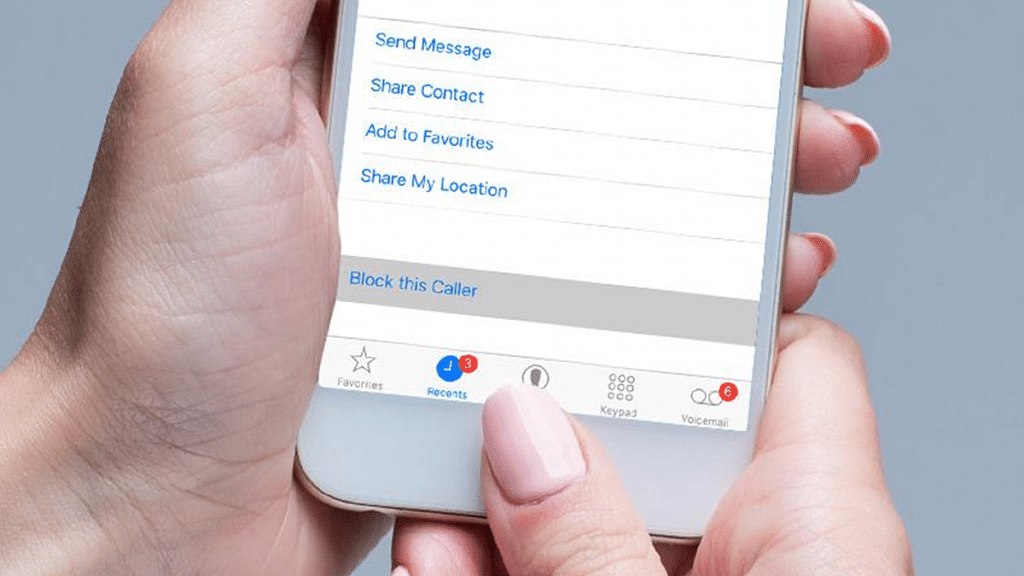
How To Record Calls On An iPhone? Here Are The Steps

Recording a phone call on an Android smartphone is quite simple. However, things get tricky on the iPhone as they don’t ship with a built-in call recorder. Apple doesn’t really provide third-party apps access to the Phone app or the ability to record the microphone. Therefore, iPhone owners who want to record calls on their phones must hunt for alternatives. In India, there are a few options for recording calls on an iPhone.

One could desire to record a call for several reasons. It might be an interview, a crucial discussion, or anything else that could be useful in the future. We can assist you if you’re unsure of how to record an iPhone call.

How To Record Calls On An iPhone

You can record calls on the Apple iPhone using a few different methods. Some of these techniques call for additional hardware such as a recording device or an extra phone.

Steps To Record A Call On iPhone Using Apple’s Voice Memo App

Using Apple’s Voice Memo app is one of the simplest ways to record calls on the iPhone. In order to record the calls, you’ll need a second device like an iPhone, iPad, iPod, or Mac.

You can make the call on your iPhone and record it as a voice note on the Apple device you’re using, using the Voice Memo app. However, in order to record a call using this method, you’ll need to place the call on a loudspeaker. Here’s what you need to do once you have the step-up ready:

Step 1: On your iPhone or iPad, open the Voice Memos app.

Step 2: Tap the record button to start recording.

Step 3: Once you are done with the recording, press the button again.

Record A Call On iPhone Using A Third-Party App

You can use third-party apps to record calls on your iPhone. But some apps may cost you money. There are several free apps such as Rev Voice Recorder, Otter, TapeACall Pro, and Phone Call Recorder – ACR. These are available for free on the App Store that lets you record your calls. You can even share your recordings without paying anything. You will only be asked to pay if you want the recorded call to be transcribed.

Categories
Featured Info

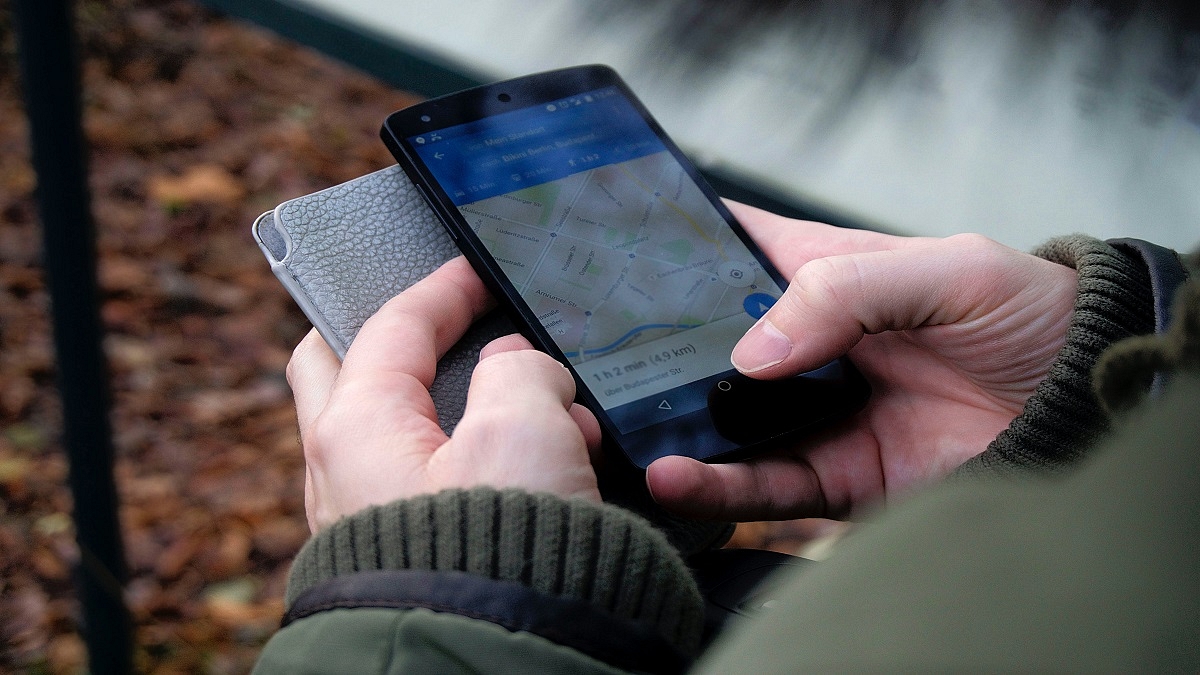
Google Maps, Search Now Has An ‘LGBTQ+ Owned Businesses’ Label

Key Highlights

  • Google is adding the ‘LGBTQ+ Owned’ label on Maps and Search
  • The new label is available for US locations only
  • Google added the capability to report harassment to the new LGBTQ+ label

As the Pride month continues, Google has taken an initiative to support LGBTQ+ owned attributes to business profiles Search and Maps. The LGTBQ+ label is an addition to a variety of other labels on Google Maps. These attributes are designed to aid users in finding and supporting local businesses.

The new label joins the current options available to merchants including Black-owned, Latino-owned, veteran-owned, and women-owned businesses. The ‘LGBTQ+ friendly’ and ‘transgender safespace’ labels that are displayed on company profiles on Search and Maps are further expanded with this label.

The tech giant announced that the new LGBTQ+ label will be accessible to businesses in the US. Its availability in the other markets is at large. In order for them to use it, their profiles must be validated. The company said that once verified profiles apply for the label, their business will show up as LGBTQ+ owned on Maps, as well as on Search.

On a support page, Google states that self-identification is optional and is presently only available to retailers with US locations. The identification attributes can be used by customers to filter for businesses.

Business owners need to go to their profile, click on “edit profile,” and then choose “business details” in order to add the label. There will be a list of categories that business owners can choose from under the “more” option.

Additionally, Google has also added the option to report any harassment to the new LGBTQ+ label. This tool becomes a part of the set of resources that are already provided by Google Maps for people looking for LGBTQ+ friendly businesses. “LGBTQ friendly” and “Transgender safespace,” among others are some of the labels that are aimed at helping such people.

Although it’s currently a US-only initiative, it’s unclear whether Google will add more labels to Google Search and Maps in the UK. According to Google, the decision was made as the number of Americans identifying as LGBTQ+ members have grown.

Google has not specified when or if the new LGBTQ+ label will be made available to businesses outside of the US – at least in markets where the LGBTQ population is acknowledged.