Say hello to Shweta, a tech fan who's hooked on keeping up with all things tech. When she's not exploring the latest gadgets, she's diving into a good book, clicking photos as an amateur photographer, or enjoying classic movies and music. With her love for both tech and creativity, Shweta adds her own touch to tech news in a way that's easy to understand and enjoy.
Meta AI for informative talks, ChatGPT for creativity
Meta AI on Meta platforms, ChatGPT with “freemium” model
Both prioritize safe AI, but with unique strengths
In today’s tech-driven world, chatbots powered by advanced AI are changing how we interact with technology. Let’s take a closer look at two major players in this field: Meta AI, developed by Meta (previously Facebook), and ChatGPT, created by OpenAI. Understanding the differences between them can help you choose the right one for your needs. Also Read | Google’s Gemini Outperforms ChatGPT in Multi-Discipline Benchmarks, Report Claims
Meta AI: The Chatbot Librarian
Meta AI is still in development and aims to create chatbots that can have detailed and informative conversations. It uses Meta’s vast knowledge and understanding of social interactions to make AI companions that are well-rounded.
ChatGPT: The Creative Assistant
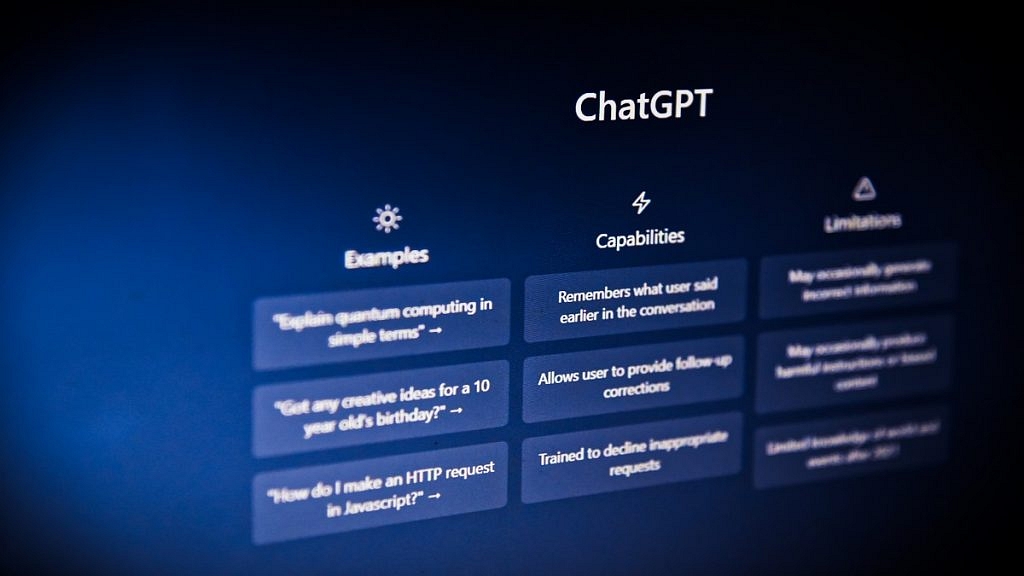
On the other hand, ChatGPT is already out there and excels at generating creative text in various forms like poems, code, and scripts. It’s known for being able to follow instructions and complete tasks through conversation.
Meta AI Vs. ChatGPT
Think of Meta AI as a digital librarian. It can search and analyze information from the internet using Google Search, ensuring its responses are accurate. You can ask it about complex topics, translations, or even help with creating different types of content.
ChatGPT, on the other hand, is more about creativity. It can brainstorm ideas for your next blog post, write funny pieces, or even code a basic program based on your instructions.
Where To Find Them
Meta AI is mainly integrated into Meta’s platforms like Facebook Messenger and WhatsApp. This makes it easier for users and businesses to interact in a controlled environment while Meta fine-tunes the technology before releasing it widely.
ChatGPT, however, is available through a “freemium” model. While there’s a free version with limitations, you can opt for a paid version for more features and broader access.
Safety First
Both Meta and OpenAI are committed to responsible AI development. They train their chatbots to give accurate and unbiased responses while avoiding harmful content. But like with any new tech, there’s always a risk of misuse. It’s important to use these chatbots responsibly and stay aware of potential risks.
AI chatbots are evolving rapidly. Meta AI’s focus on real-world information could lead to chatbots becoming virtual assistants, helping with complex tasks and managing information overload. Meanwhile, ChatGPT’s creativity could make it a valuable tool for artists, writers, and programmers.
Choosing The Right Fit
Ultimately, the best chatbot for you depends on your needs. If you want reliable information and engaging conversations, Meta AI might be the way to go. But if you need help sparking creativity, ChatGPT could be perfect. As these technologies develop, the possibilities for AI chatbots are endless.
Amazon Music’s Maestro creates playlists from text inputs, in beta for US users
Available to Amazon Music Unlimited subscribers
Maestro offers instant playlist access at no extra charge
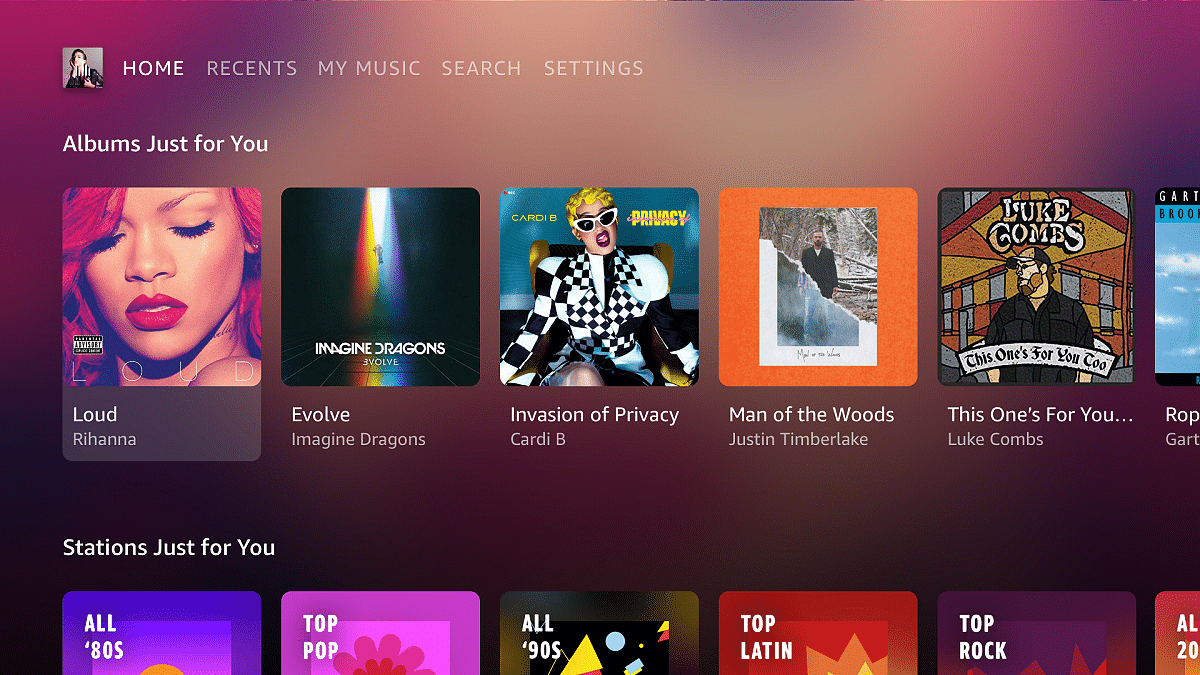
Amazon Music, a popular music streaming platform, has launched a new tool called Maestro. Maestro uses AI to create playlists based on text or text-and-emoji inputs. It’s like having a personal DJ, but with AI doing the mixing. Currently in beta testing, Maestro is only available to users in the US. Also Read | Spotify’s New: Personalized Playlists Made Simple With AI Prompts
How Does It Work?
It’s super easy. You just type in what you want to listen to or how you’re feeling, and Maestro does the rest. You can even talk to it using speech-to-text. So, if you’re feeling left out because your friends are hanging without you, just say it, and Maestro will whip up a playlist based on that.
Where Can You Find It?
Maestro lives in the Amazon Music mobile app, so you can’t access it on the web or your TV. It’s all about the phone for now.
How Is It Different From Spotify’s AI?
Well, both Amazon Music Maestro and Spotify’s AI Playlist do the same thing: create playlists based on what you ask for. But Maestro is still in the US and only for Amazon Music Unlimited subscribers, while Spotify’s AI works for Premium users in the UK and Australia.
Right now, if you’re one of the lucky beta testers in the US with a Prime membership or using the ad-supported version, you can get a sneak peek for free. Amazon Music Unlimited subscribers can dive right in and save their playlists without any extra charge.
Conclusion
Amazon Music Maestro is like having a music-savvy friend who’s always ready with the perfect playlist. Just tell it what you want, and it’s on it. And while it’s still getting started, it’s already making waves among music lovers. So, if you’re in the US and itching to try it out, keep an eye out for Maestro in your Amazon Music app.
Xiaomi’s Smarter Living 2024 event introduces new gadgets in India
Expected items: TWS earbuds, Redmi Pad SE, robot vacuum, hair dryer
Redmi Pad SE features high-res display, fast processor, long battery
Xiaomi’s big event, Smarter Living 2024, is set to take place in India on April 23. At this event, Xiaomi shows off its latest smart devices that can make your life better. They promise to introduce products that will change how you live, work, and have fun. You can even check out teasers of these cool new gadgets on Xiaomi’s website. Also Read | Living Smarter: Home Automation Trends And Global Tech Leaders Of 2024
New Products On The Horizon
From the teaser image, it looks like Xiaomi will unveil several exciting gadgets. These include new TWS earbuds, a tablet, a robot vacuum cleaner, and a hair dryer. One of the tablets might be the Redmi Pad SE, which was first released in China in August 2023. Even though the pictures on the microsite are blurry, you can still guess what these new products are.
Redmi Pad SE Specs
The Redmi Pad SE offers an 11-inch display with vivid visuals and a high refresh rate, ensuring smooth navigation. Powered by the Qualcomm Snapdragon 680 Mobile Platform, it delivers decent speed and performance for various tasks. With options of 4GB, 6GB, or 8GB of RAM and 128GB of storage, expandable via microSD, it provides flexibility and ample space for your files and apps.
Running on Android 13 with MIUI 14, it offers a seamless user experience. Equipped with rear and front cameras, it captures moments and facilitates video calls. Additional features like a headphone jack, stereo speakers, and Dolby Atmos enhance audio quality. Connectivity options include Wi-Fi, Bluetooth, and USB Type-C port for versatile usage. Its large battery ensures extended usage without needing frequent recharges, making it ideal for long-term use.
While we don’t have all the details yet, we can expect to learn more about these exciting new products in the coming days. Keep an eye out for updates on Xiaomi’s Smarter Living event, where they’ll reveal all the cool features of their latest gadgets.
Twitter, or X as it’s sometimes called, has announced a big change: new users will have to pay to join. Elon Musk broke the news, saying that from now on, people who sign up for X will need to pay a “small” fee. This fee covers everything from liking and posting to replying and bookmarking tweets. Also Read | Planning To Leave Twitter? Here Are The Best Twitter Alternatives To Download
Spotting The Shift
The first to catch wind of this change was an account called X Daily News. They noticed that the text on the website had been updated. Now, it says that new users will have to pay a small yearly fee to use the social network.
Where It’s Happening
According to X Daily News, this payment policy was already happening in New Zealand and the Philippines. They say it was a test to see if it could help stop spam and make the site better for everyone.
Musk’s Take
Elon Musk chimed in on Twitter, explaining that charging new users is the only way to stop the flood of bots. Bots are automated accounts that can do things like post spam. Musk worries that bots are taking up all the good usernames and making it hard for real people to join.
Unfortunately, a small fee for new user write access is the only way to curb the relentless onslaught of bots.
Current AI (and troll farms) can pass “are you a bot” with ease.
While Musk thinks charging will help fight spam, he hasn’t said exactly how it will work. Some people worry that spammers might just pay the fee or make lots of accounts to keep sending spam. Plus, some users might not want to join X if they have to pay when other social networks are free.
The fee seems to be around $1, since it’s $1.75 in New Zealand money. Right now, only people in New Zealand and the Philippines have to pay.
Musk’s Concerns
Elon Musk has been speaking out about spam and bots on Twitter for a while. He’s worried that the ads on Twitter make it easy for fake accounts to thrive. Musk thinks that Twitter might be exaggerating how many real users it has, which could trick advertisers and investors.
Apple looks to India for iPhone camera parts, possibly moving away from China
Murugappa Group gains edge as potential supplier for Apple
Apple aims for local production of iPhone camera modules in India to improve operations
Apple is in talks with Indian companies Murugappa Group and Titan to make parts for iPhone camera modules. This could change where Apple makes some of its products, moving some operations from China to India, according to The Economic Times. Also Read | Apple Music Tips And Tricks: Here’s How To Create Collaborative Playlists
Finding Indian Suppliers
By teaming up with Titan or Murugappa Group, Apple hopes to find suppliers for important parts of its smartphone cameras. The deal might be finished within five to six months, sources told the news outlet.
Murugappa Group’s Advantage
The Murugappa Group, especially with its recent purchase of Moshine Electronics, has a leg up. A source mentioned in the report suggests that in the future, Murugappa Group might even be able to make the image sensors for Apple.
Choosing Between Titan and Murugappa Group
Titan, a company under the Tata Group, specializes in making precise parts for watches and jewelry. However, compared to the Murugappa Group, which works in many sectors including auto parts and abrasives, Titan might come in second. Apple seems to favor Murugappa Group because of its recent acquisition of Moshine Electronics, a camera module maker based in Noida.
Apple aims to make more parts of its iPhones in India. By focusing on making camera modules locally, Apple hopes to improve its supply chain in India. This move could also solve some of the challenges Apple faces in its Indian operations.
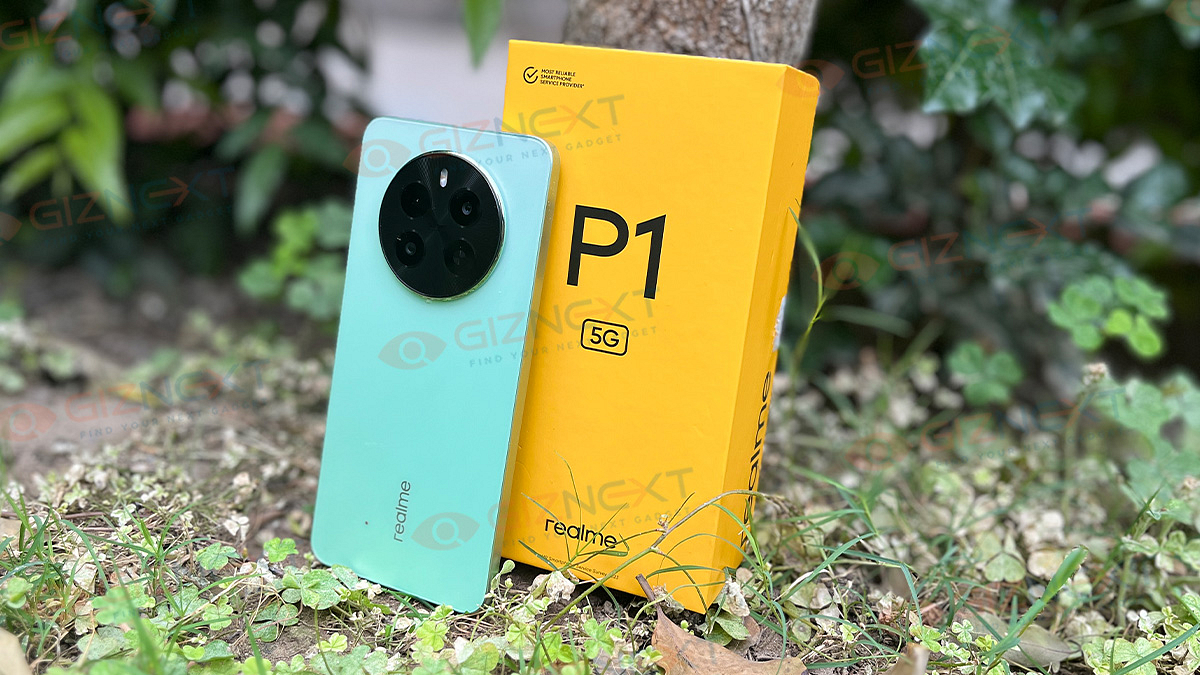
Step into the fast-paced ground of mid-range smartphones, and you’ll find a multitude of contenders competing for your attention. But amidst this bustling battleground, one brand shines brightly with its fusion of originality and affordability: Realme. Now, the company is introducing the Realme P1 5G, a star in their new ‘Power’ series. It’s sleek, it’s fast, and it’s got a camera that’s ready to capture all your adventures. But in a world where every device claims the crown, does the Realme P1 5G truly command the spotlight it deserves? Let’s roll up our sleeves and dive into our review to find out. Also Read | Realme Narzo 70 Pro Review In Five Points
Pros
Cons
Good display
Average camera
Decent performance
Ads and bloatware
Good battery life
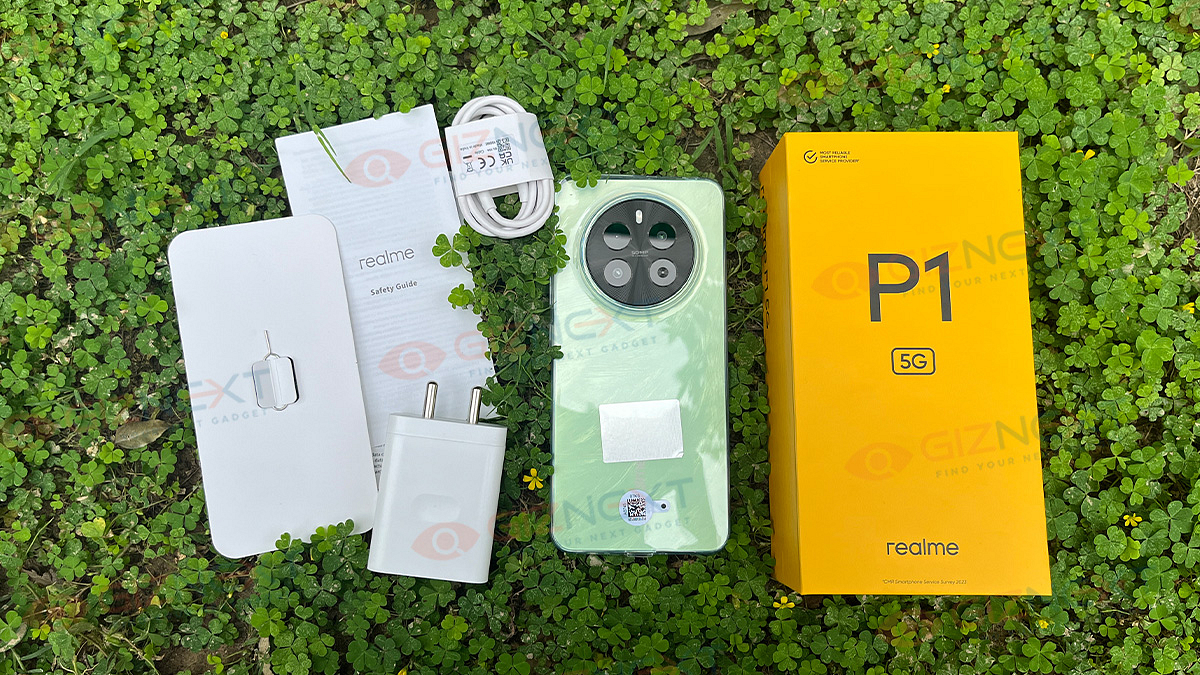
What’s Inside The Box?
Realme P1 5G handset (Peacock Green)
45W charger
USB Type-A to Type-C cable
SIM ejector tool
TPU case
User manual
Design: Thin And Sleek
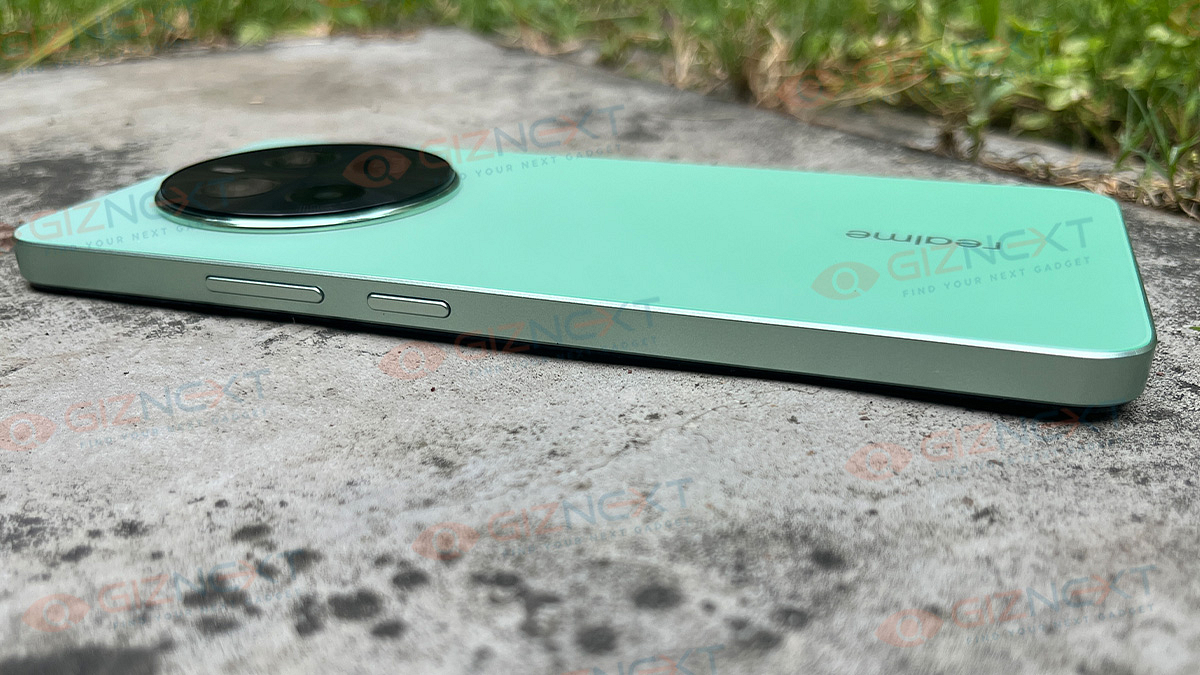
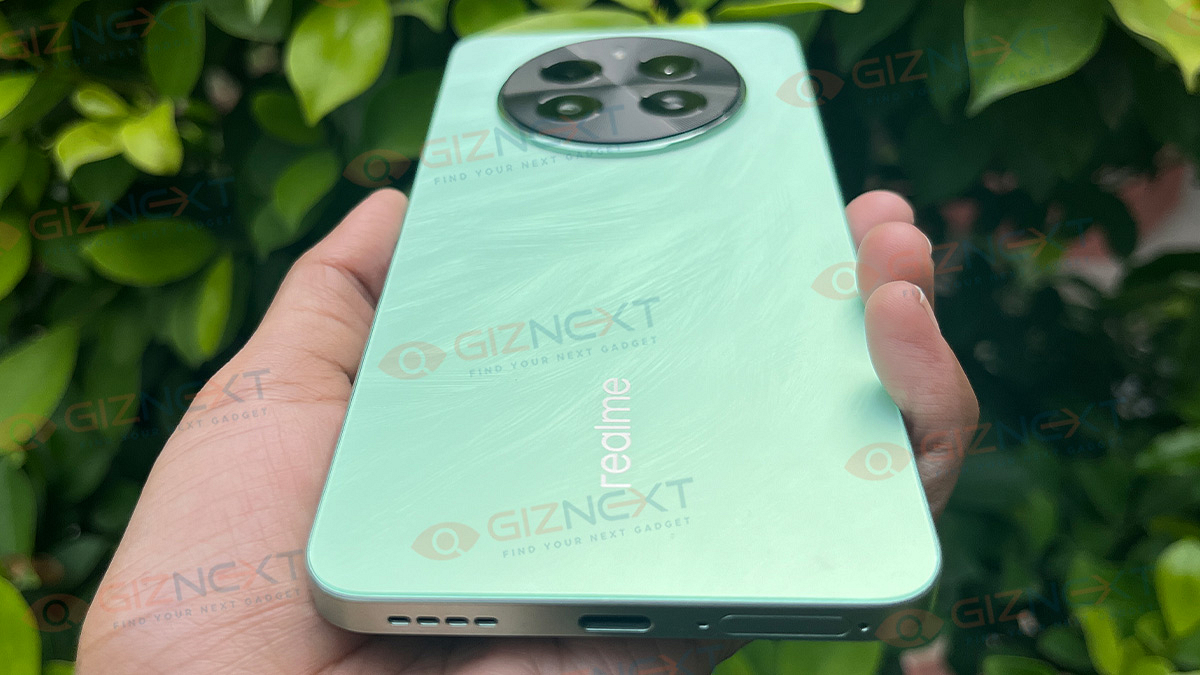
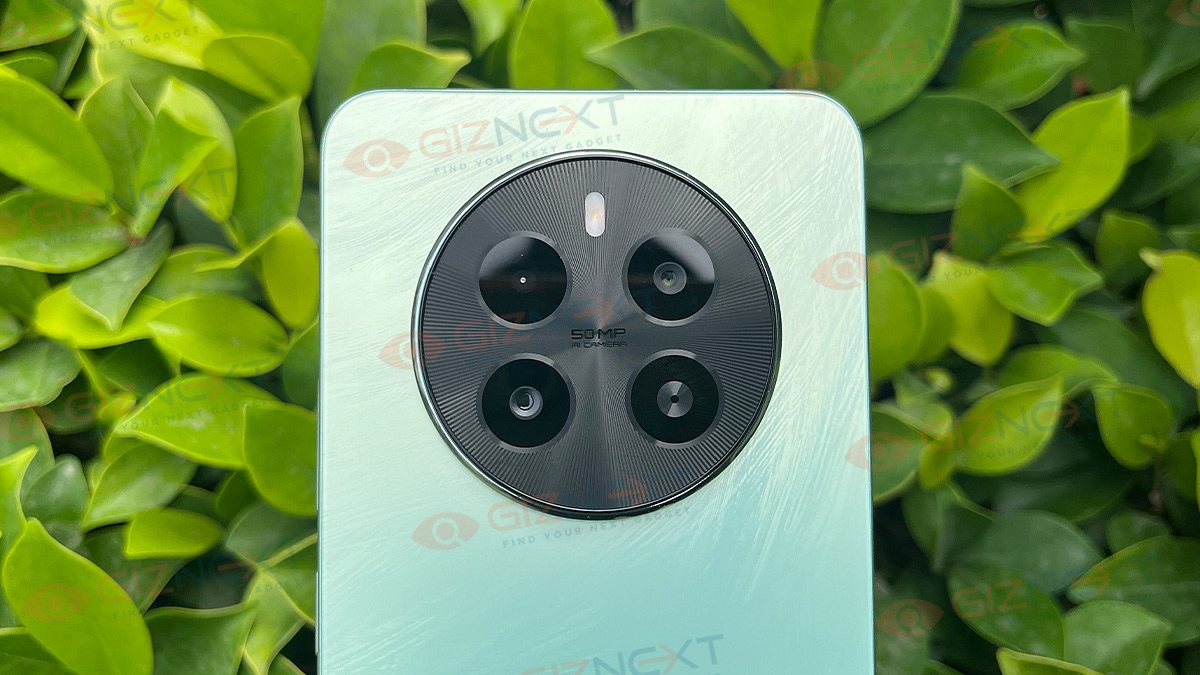
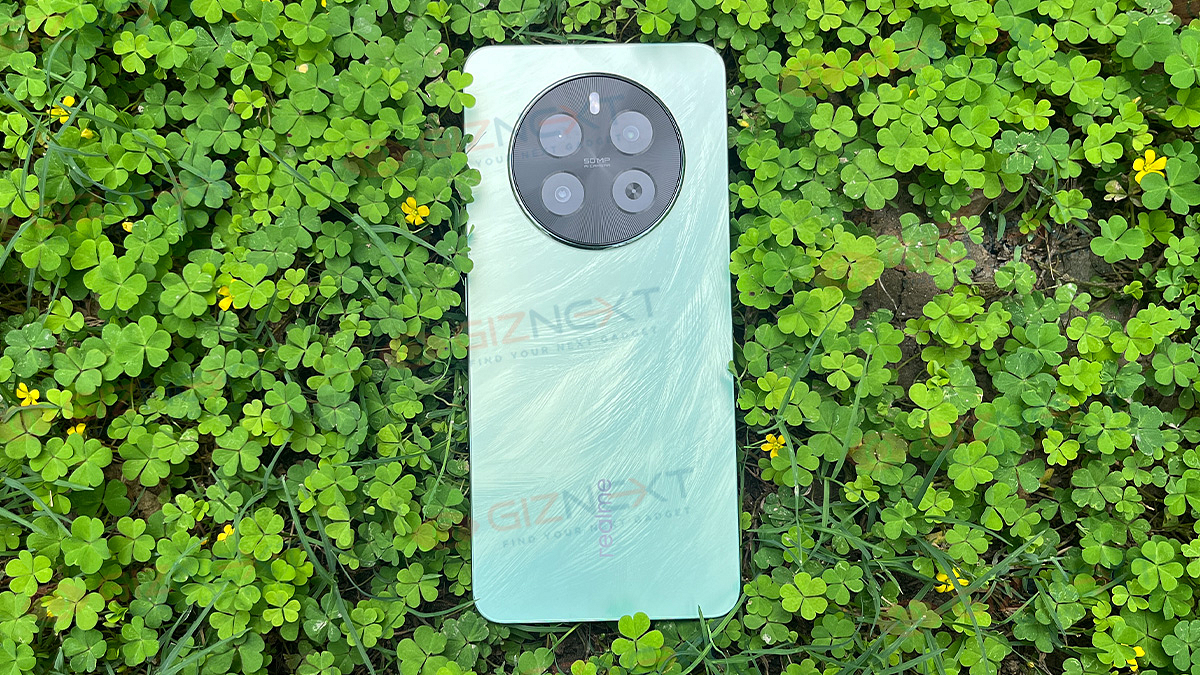
The Realme P1 5G does not bring anything totally new to the table. It sports the same circular camera design we’ve seen before on Realme 12 series. However, its back panel has this cool feather-like texture that catches the light just right, topped with a smooth matte finish. The device is available in two different colors: Peacock Green and Phoenix Red. We’ve got our hands on the Peacock Green one for this review, and let me tell you, it’s easy on the eyes.
Now, when you flip it over, you’ll notice how thin and sleek it is. It’s got a flat screen, which is pretty standard in this price range. The frame and back are made of polycarbonate, par for the course in this budget bracket. Up top, you’ll get a headphone jack and microphone, along with the earpiece and proximity sensor. The power button and volume rockers are placed on the right side, while the left side stays neat and flat.
Peek at the bottom, and you’ll get the USB-C port, speaker grill, and SIM card tray. It’s versatile, able to hold either a nano SIM card and micro-SIM card or a microSD card. So, you’ve got options. Moreover, the Realme P1 5G comes with an in-display fingerprint scanner that works like a charm, recognizing your touch flawlessly every time. Plus, with dual stereo speakers supporting Dolby Atmos and an audio jack, you’re in for a treat with every sound, making the Realme P1 5G a feast for both your eyes and ears.
The real MVP of the Realme P1 5G? That eye-catching display, hands down. The smartphone features a 6.67-inch FHD+ AMOLED screen with a buttery-smooth 120Hz refresh rate. It’s like diving into a whole new world every time you use it—whether you’re binge-watching your favorite shows, diving into the latest games, or simply scrolling through social media, this display pulls you right in. With a peak brightness of 2000 nits, it sets a new standard in its price range. Even under the direct sunlight, you won’t miss a thing—it’s crystal clear.
There’s more. HDR support takes things up a notch, making colors pop and contrasts deeper. It’s like having a mini theater right in your hands, especially when you’re watching HDR content on streaming platforms. Sure, the bezels could be slimmer to keep up with the latest trends, but they’re not a deal-breaker.
Performance: Power-packed Performance
The Realme P1 5G packs a punch with its MediaTek Dimensity 7050 chipset, a great choice for its price tag. It’s built on TSMC’s 6nm advanced process, boasting a Mali-G68 GPU, Cortex-A78 @2.6GHz, and Cortex-A55 @2.0GHz. Though the haptics aren’t mind-blowing, they do the job just fine. When it comes to memory and storage, it has a configuration with up to 8GB of RAM and 256GB of internal storage.
During my usage, the device feels smooth as butter, never lagging in any of my tasks. Realme claims this smoothness will last a solid four years, though I can’t personally confirm that. Since this phone is all about performance, it’s only fair we put it through some gaming. So, I played BGMI. You can set the graphics to Medium or High and the frame rate to Very High. With High graphics and Very High frame rate, you’ll get a stable 55 to 60fps during gameplay. And heating? Well, it’s not an issue here. Thanks to the 7-layer 3D VC cooling system, the device stays cool even during intense sessions.
On the software part, the device runs on Realme UI 5.0, based on Android 14, which offers a ton of customization options. You can tweak fonts, icons, wallpapers, and themes to your heart’s content. Plus, you can sync system icon colors with your wallpaper for a slick look, and even jazz up your Always-on Display with a Bitmoji. Not only this, the P1 5G is loaded with innovative features like Dual Carrier Aggregation, Floating Window for multitasking, Flash Capsule, Microsoft Sync, and more.
The company is promising three years of Android updates and four years of software updates which is pretty impressive. If you’re familiar with Realme phones from before, you’ll feel right at home with the software. The only hiccup you might encounter is dealing with a bit of bloatware—the phone comes with a fair amount of pre-installed apps. But don’t worry, you can uninstall some of them if they’re not to your liking.
Camera: Capturing Decent Shots
Let’s take a look at the Realme P1 5G’s camera setup. It’s got a dual-camera setup on the back, starring a 50MP Samsung sensor as its main lens, alongside a 2MP macro lens. Oh, and let’s not forget the 16MP front camera for all your selfie needs.
When the sun’s shining bright, that 50MP lens works wonders, capturing crisp shots with oodles of detail, punchy colors, and just the right amount of contrast. Plus, there’s a neat 2x toggle for those close-up shots, though it’s basically just a cropped version of the regular shot. Portrait mode? It’s got that too, with a nice bokeh effect to make your subjects pop.
But when the lights dim, things get a tad tricky. Without OIS, the camera struggles a bit, even with Night Mode lending a hand. You might notice some noise and lack of detail creeping in.
Now, onto the modes. The portrait mode is decent, but the edge detection could use a tune-up for crisper shots. Zooming in? No problem, the 2x zoom does a good job, especially when there’s plenty of light to play with.
Selfie time! The 16MP front camera snaps pleasing selfies, though it has a habit of smoothing faces a tad too much and messing with skin tones.
And for videos, the Realme P1 5G can shoot up to 4K at 30fps or up to 1080p at 60fps with EIS or Ultra Steady mode. Stick to 1080p for stable videos with good dynamic range.
The battery life of the Realme P1 5G is top-notch. Throughout my usage, I consistently enjoyed around nine hours of screen-on time on one charge. Even when idle, the drain was a mere 2 percent per hour.
And when you’re running low on juice, fear not. The device supports 45W SUPERVOOC fast charging, and the charger is included right in the box. You can go from 50 percent to 100 percent in just 20-25 minutes.
Giznext’s Final Verdict
The Realme P1 5G brings a lot to the table: a MediaTek Dimensity 7050 chip, a silky-smooth 120Hz AMOLED display, and great battery life, all without breaking the bank. It’s not just about what’s inside, though—the design is sleek and the phone feels stylish and sturdy. Performance is smooth without any lag. But, it’s not all sunshine and rainbows. There are some drawbacks, like ads in the software and a camera that’s just average. So, if you’re on the hunt for a wallet-friendly phone that delivers solid performance and features for under Rs. 15,000, the Realme P1 5G definitely deserves a spot on your list.
Meta AI improves WhatsApp and Instagram with personalized features
Access Meta AI directly through the apps’ search
Enhances user experience and aids targeted advertising
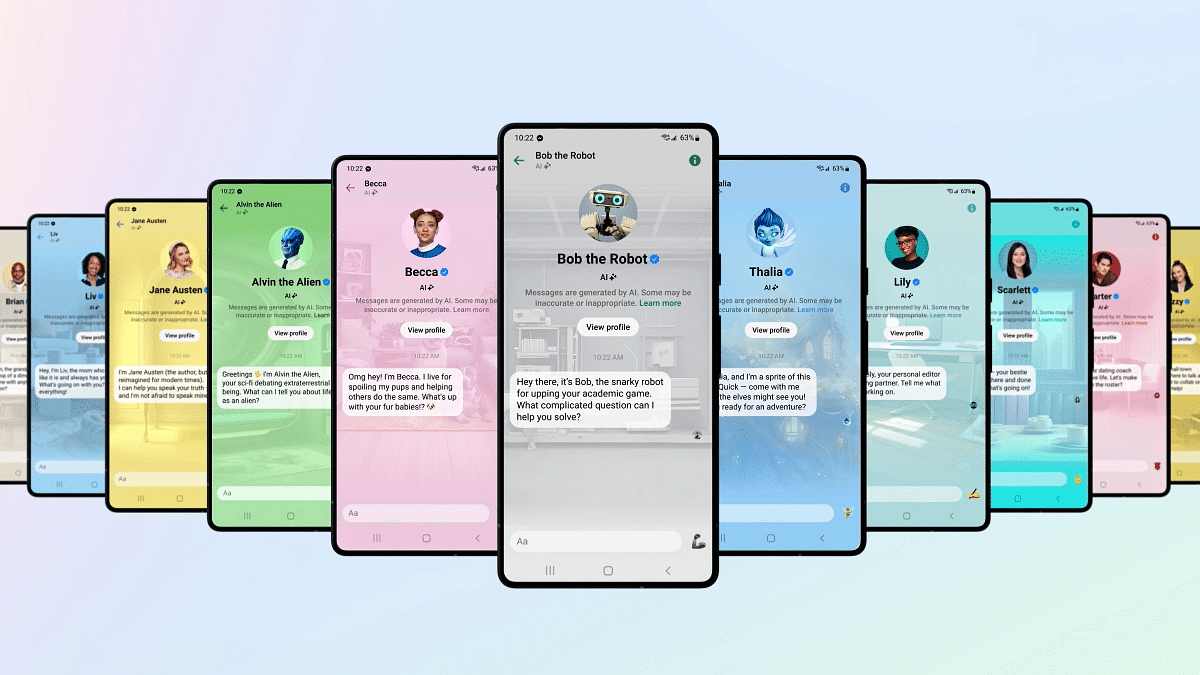
WhatsApp and Instagram users are in for a treat as Meta, the parent company of these popular social media platforms, has initiated limited testing of Meta AI features. This move aims to enhance user experience and engagement by integrating AI directly into the messaging and photo-sharing apps. Also Read | Best Government Apps Offering AI Chatbot Support
How To Use Meta AI On WhatsApp
Locate the Meta AI Icon: To begin, open WhatsApp and navigate to the bottom right corner of the screen where you’ll find the Meta AI icon.
Access the Meta AI Chatbox: Click on the icon to access the Meta AI chatbox, where you can engage with the AI directly
Engage with Meta AI: Once in the chatbox, users can ask the AI various questions, generate images, and even discuss their interests, all within the familiar WhatsApp interface.
How To Use Meta AI On Instagram
Update and Open Instagram: Ensure you have the latest version of the app from the PlayStore or AppStore, then open Instagram.
Tap the Search Button: Look for the search button located at the bottom of the screen and tap on it.
Activate Meta AI: Upon accessing the search bar, you’ll notice a ‘Blue Ring’ indicating Meta AI availability. You can then type your questions or use the microphone to interact with the AI.
According to reports from the Financial Times, Meta AI is positioned as a “fun product” for users, offering recommendations and a new search feature. While this adds to the user experience, it also holds significance from a business perspective. Chatbots, including Meta AI, have the potential to gather vast amounts of user data, enabling better targeting of content and advertisements. This data-driven approach can enhance Meta’s ability to connect with its target audience effectively.
Conclusion
The introduction of Meta AI on WhatsApp and Instagram signifies a step towards more personalized and interactive experiences for users. By seamlessly integrating AI into these platforms, Meta aims to enrich user interactions while also leveraging the data generated to improve its services and offerings. As the testing phase progresses, users can expect further enhancements and innovations, making their social media experience more engaging and enjoyable.
Pixel 9 adding Emergency SOS for satellite communication during crises
Activation like iPhones, but availability and cost unclear
Might offer free trial, like Apple
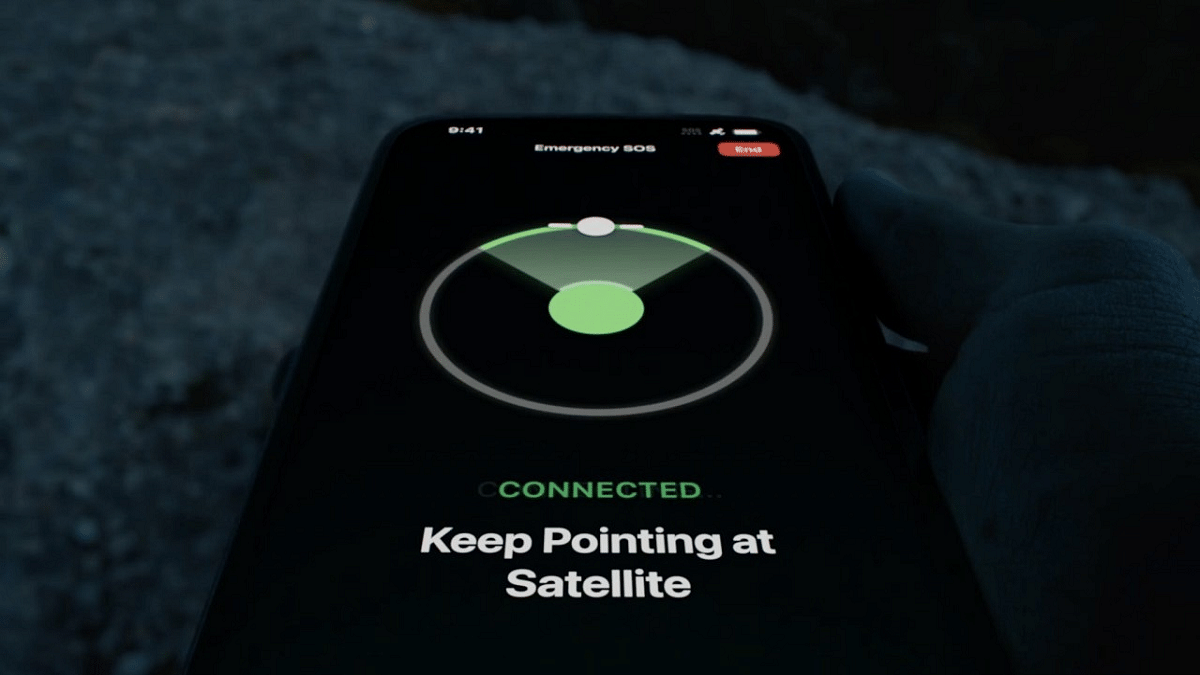
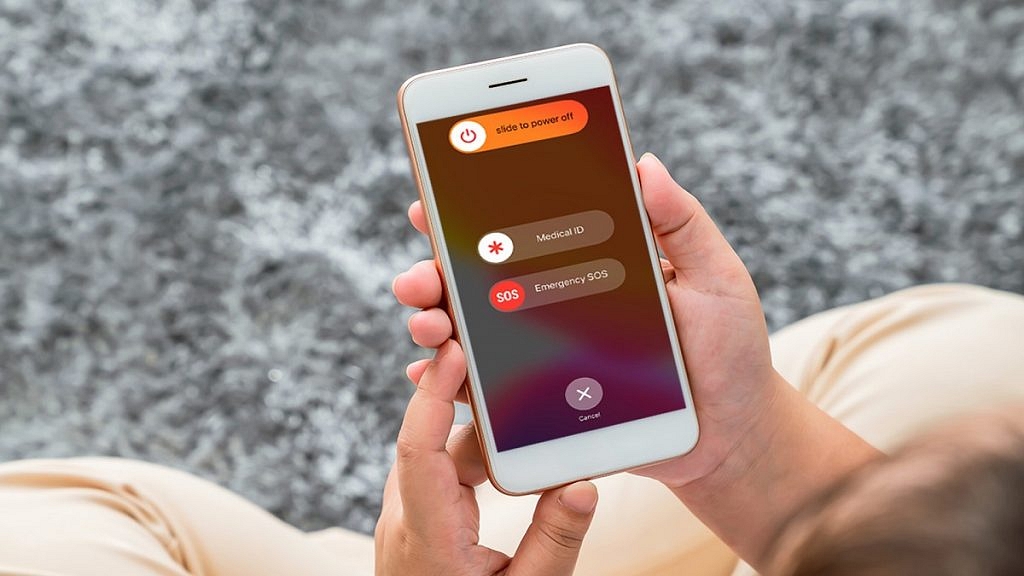
Google aims to bring its Pixel phones closer to challenging the iPhone, with plans to incorporate one of Apple‘s advanced features, Emergency SOS, into the upcoming Pixel 9. A new report suggests that Google is developing an emergency communication feature akin to Apple’s Emergency SOS for the Pixel 9 and the next Pixel Fold. This will enable users to make calls and send texts via satellite during emergencies. Also Read | Turn On Emergency SOS Feature On Android Phone: Here’s How
Development Of Emergency SOS Feature
According to a report from Android Authority, the emergency SOS feature for this year’s Pixel phone is currently in development. A video accompanying the report demonstrates the activation process. This involves users answering a series of questions before the phone establishes satellite communication. Questions may pertain to the nature of the emergency, presence of individuals in distress, and involvement of hazards like fire or weapons.
Potential Partnerships
Google may collaborate with T-Mobile, a prominent US carrier, to offer this feature. T-Mobile had previously announced a partnership with SpaceX for satellite messaging, with ongoing testing as of January. Alternatively, leaks suggest Google might consider Garmin as the satellite service provider.
The availability of this emergency service on the Pixel 9 and its potential cost remains uncertain. Google may initially offer it for free, similar to Apple’s strategy, providing users with a trial period to assess its utility. Apple recently extended the free trial period for its Emergency SOS via Satellite feature, suggesting a similar approach could be adopted for the Pixel 9.
Conclusion
With plans to integrate advanced emergency communication features into the Pixel 9, Google aims to enhance its competitiveness against the iPhone. The potential partnership with carriers and the pricing strategy will shape the accessibility and adoption of this feature among Pixel users.
Portable drives and video tools enhance efficiency
In today’s work landscape, from home offices to café corners, the hybrid work culture is the new norm. Technology has become our reliable ally, aiding a smooth transition for the workforce. As we adapt to this ever-changing world of work, our tech needs have evolved too, leaning towards ergonomic and portable solutions. Let’s ensure we have our gadgets handy amidst all the chaos. Also Read | Best Smart Gadgets Under Rs. 5,000
SanDisk Ultra Dual Drive Go USB Type-CTM
For mobile users seeking productivity, this flash drive is a must-have. With hybrid work setups and work-from-home options, it facilitates smooth file transfers between various devices, including the latest iPhone 15. Featuring USB Type-C and Type-A connectors, USB 3.2 Gen 1 interface, and a read speed of up to 400 MB/s, it ensures quick data transfers. With vibrant color options and a 1TB capacity, it caters to diverse preferences. The SanDisk Memory Zone software aids effective memory and content management, while data security concerns are addressed with the option to separate personal files.
WD Elements SSD
This pocket-sized SSD offers performance for those needing portable storage. With read speeds of up to 400MB/s and storage capacities up to 2TB, users can efficiently transfer large files, enhancing daily tasks’ productivity. Its plug-and-play functionality allows immediate use, seamlessly fitting into any workflow. The drive’s durability, drop-resistant up to 2 meters, and compact design suit the on-the-go lifestyle of busy professionals. Whether at work or leisure, the WD Elements SSD empowers users to manage their content across various devices, making it an essential workplace companion for remote work or hybrid models.
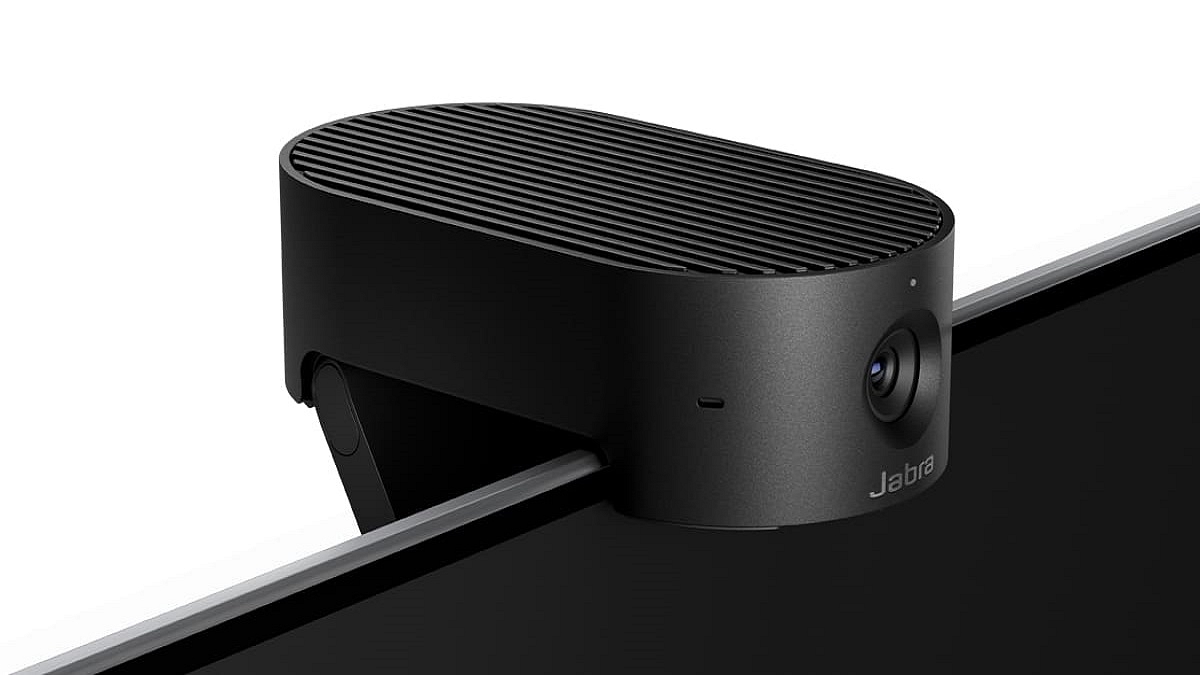
This plug-and-play camera elevates video conferencing with real-time 4K Ultra-HD image quality and minimal latency. Featuring AI-driven Intelligent Zoom and Intelligent Lighting Optimization, it ensures top-notch video quality and user-centric experiences. The PIP mode enhances presentations, while robust onboard AI processing enhances security. Its integrated privacy cover offers control over visibility, making it adaptable and user-friendly. Seamlessly integrating with leading UC platforms, the PanaCast 20 is an ideal choice for today’s knowledge workers.
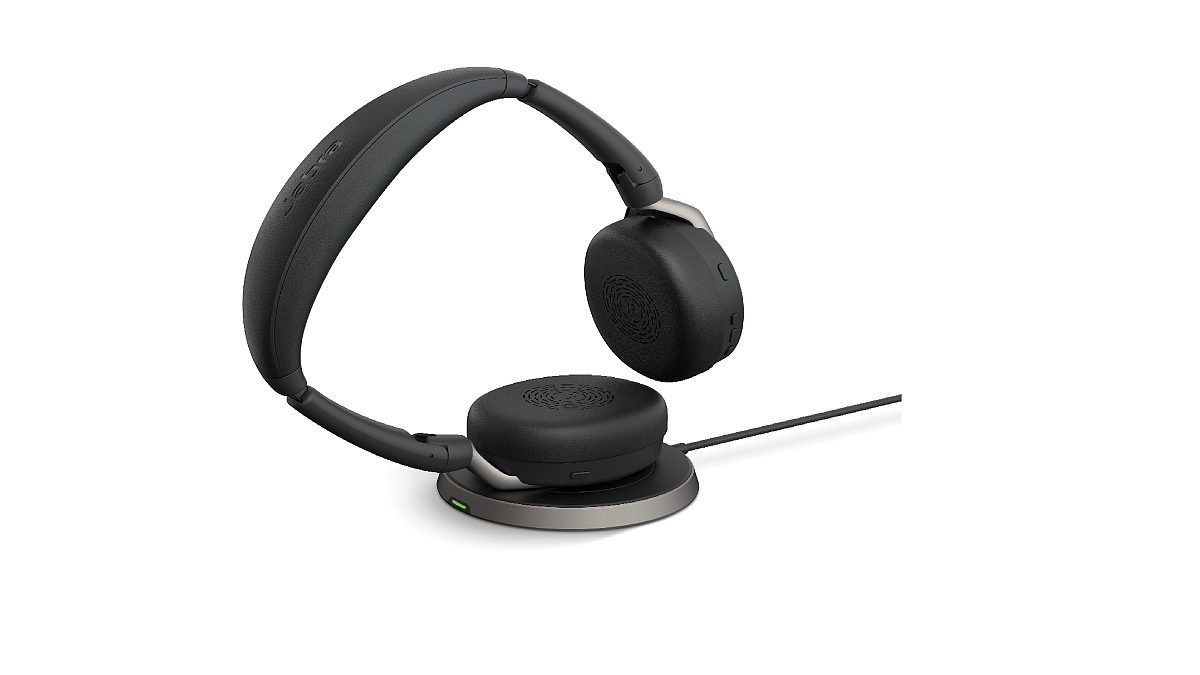
Jabra Evolve2 65 Flex
Designed for ultimate portability, this professional headset features best-in-class Hybrid ANC and Jabra ClearVoice microphones for clear communication in noisy environments. Enjoy great comfort with Jabra Air Comfort technology and premium sound from 28mm custom speakers. Certified for leading virtual meeting platforms, it offers up to 30m/100ft wireless range and personalization options with Jabra Sound+ and voice assistants. With up to 20 hours of talk time, it’s an ideal companion for on-the-go knowledge workers.
Gadgets offer both enjoyment and online safety for kids
Parents can easily keep track of their children’s online activities
Colorful designs, long battery life, and simple controls make these gadgets perfect for young users
In today’s world, parents worry a lot about their kids using the internet and other digital stuff. They want their kids to be safe and smart when they play with technology. But don’t worry, there are some cool gadgets out there that can help both parents and kids. Let’s check out four of them. Also Read | How To Set Up Parental Controls On Dish TV: A Step-by-Step Instructions
These headphones are not only for listening to music but also for looking cool. They come in different colors and have LED lights that kids will love. The battery lasts a really long time, and they charge super-fast. Kids can use them with a wire or go wireless. Plus, they’re really comfy to wear all day. And if there’s any problem, don’t worry. The company promises to fix it within 24 hours.
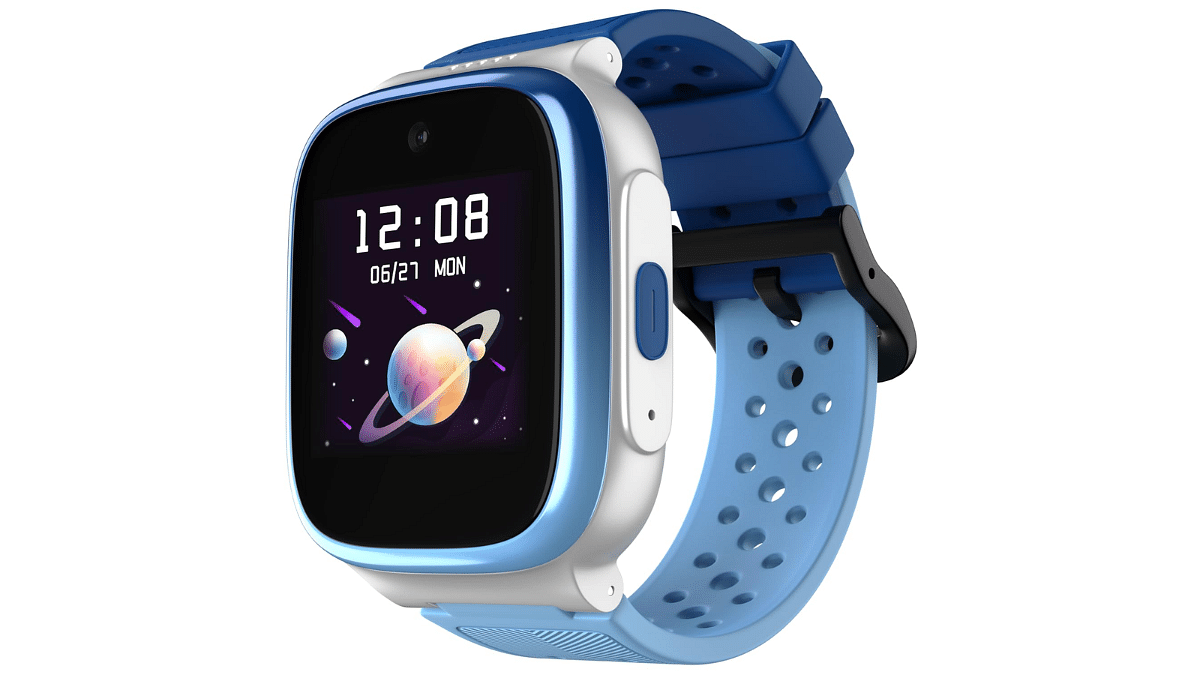
2. Noise Explorer Kids Smartwatch
This smartwatch is perfect for parents who want to keep track of their kids. It can show where your child is, make video calls, and even remind them of their daily habits. It also has a special mode for when kids are at school. The battery lasts for three days, and it can store lots of pictures too.
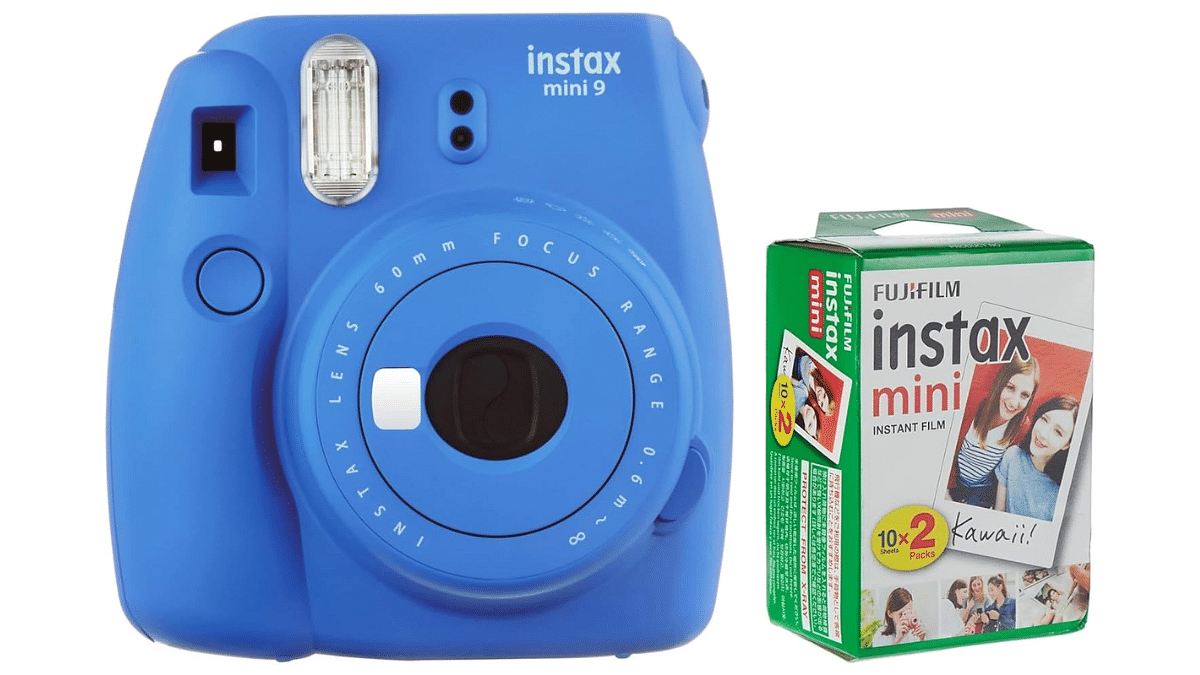
3. Fujifilm Instax Mini 9 Instant Camera
Kids love taking pictures, and this camera is perfect for them. It’s easy to use and comes in many colors. Plus, it’s not too expensive. The camera turns off by itself when not in use to save battery, and the batteries last for a long time. It also has a flash for taking pictures in the dark.
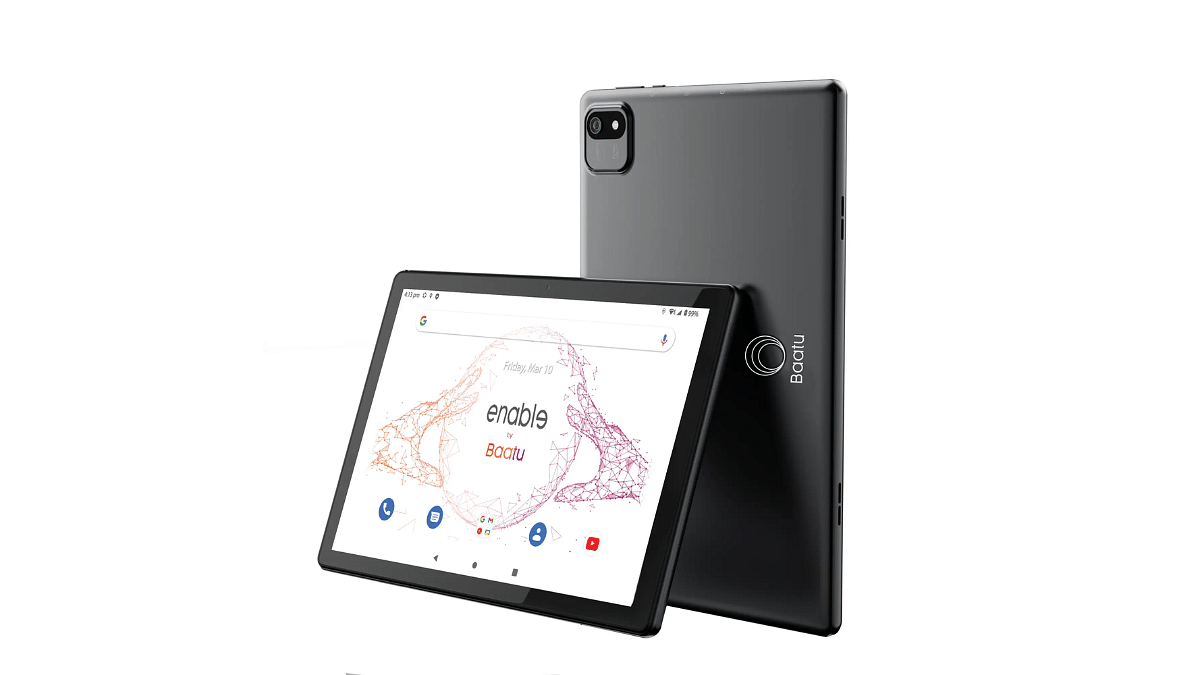
Baatu Technologies made a special tablet called the Enable Tab. It’s like a regular tablet but with extra safety features for kids. Parents can use it to see what their kids are doing online. The tablet works together with a special app called Baatu Parenting App. This way, parents can keep an eye on their kids and make sure they’re safe while having fun online. The tablet has a big screen, good speakers, and a strong battery that lasts a long time.
Conclusion
These gadgets are awesome because they help kids have fun with technology in a safe way. Parents can feel good knowing their kids are learning and having fun responsibly. So, let’s embrace the digital world together.