Offers quick booking and registrations of Ola e-scooters and motorcycles
One-day delivery service also available via Hyperservice program
Ola Electric has introduced yet another program for rapid sales. After the Hyperservice plans, the E2W manufacturer has bow launched Hyperdelivery services in India. Under this new scheme Ola Electric will be providing single day booking and delivery services for its e-scooter and e-motorcycle range. Let’s explore the services and offers that Ola Electric is bringing with Hyperdelivery in India.
Ola Electric is trying all possible ways to bounce back in the business after the challenges dealt in the recent times. To provide a better customer experience, the company has come up with Hyperdelivery plans. This new service will make it possible for the interested customers to book and registration their preferred Ola electric scooters and e-motorcycle models within just a few hours.
The pilot phase for the Ola Hyperdelivery has kickstarted in Bangalore. The electric two wheeler manufacturer is further planning to expand this service across remaining Indian cities in the current quarter itself. The rollout will be taking place in phases with the list of remaining cities to be revealed yet.
That said, customers can visit the nearby Ola Electric dealerships and stores to make the same-day registrations and receive the deliveries of the e-scooters and e-motorcycles. Ola further clarifies that it has implemented AI-powered automation for Hyperdelivery services. The brand is working on to make the buying experience smoother for the customers by cutting down on the lengthy delivery process.
New Ola E-Scooters And E-Motorcycles Launching Next Year
Ola also is in works to expand its product portfolio. The brand will be launching multiple new e-scooter and e-motorcycle models next year. As per the estimated timeline, the S1 Sports based on the S1 Gen 3 platform, followed by S2 platform based S2 City, S2 Sports, and S2 Tourer will be launched in Q2 of FY26. Likewise, S3 series will get new models including S3 Grand Adventure, S3 Grand Tourer, and other models.
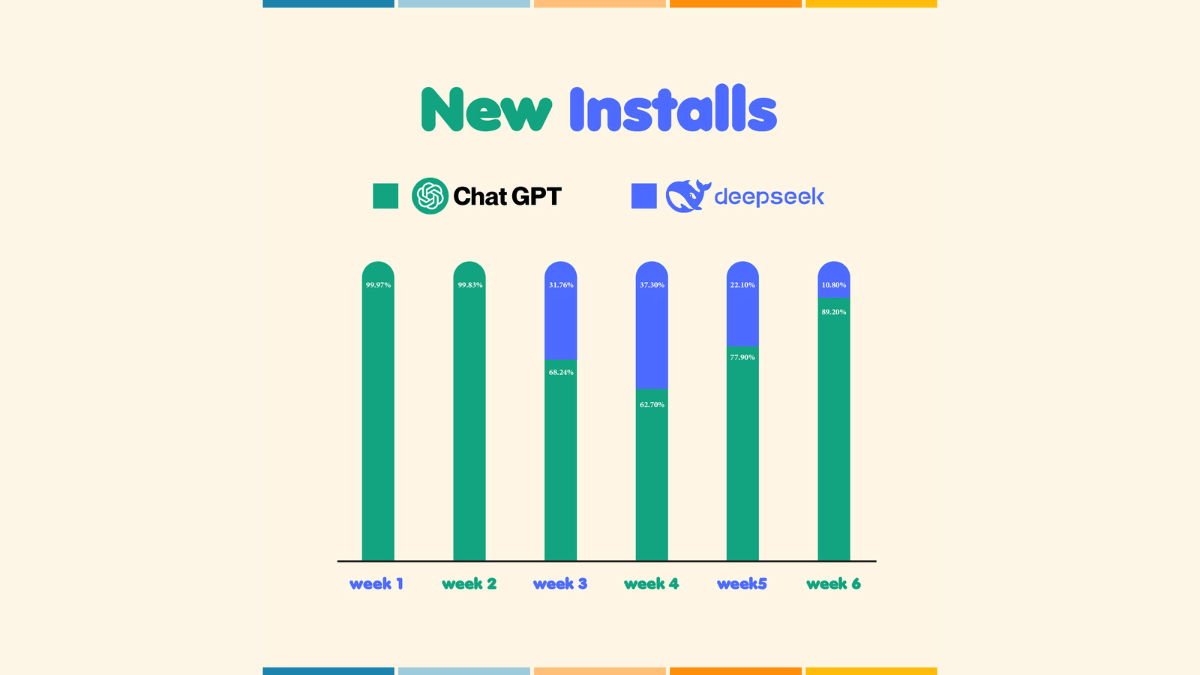
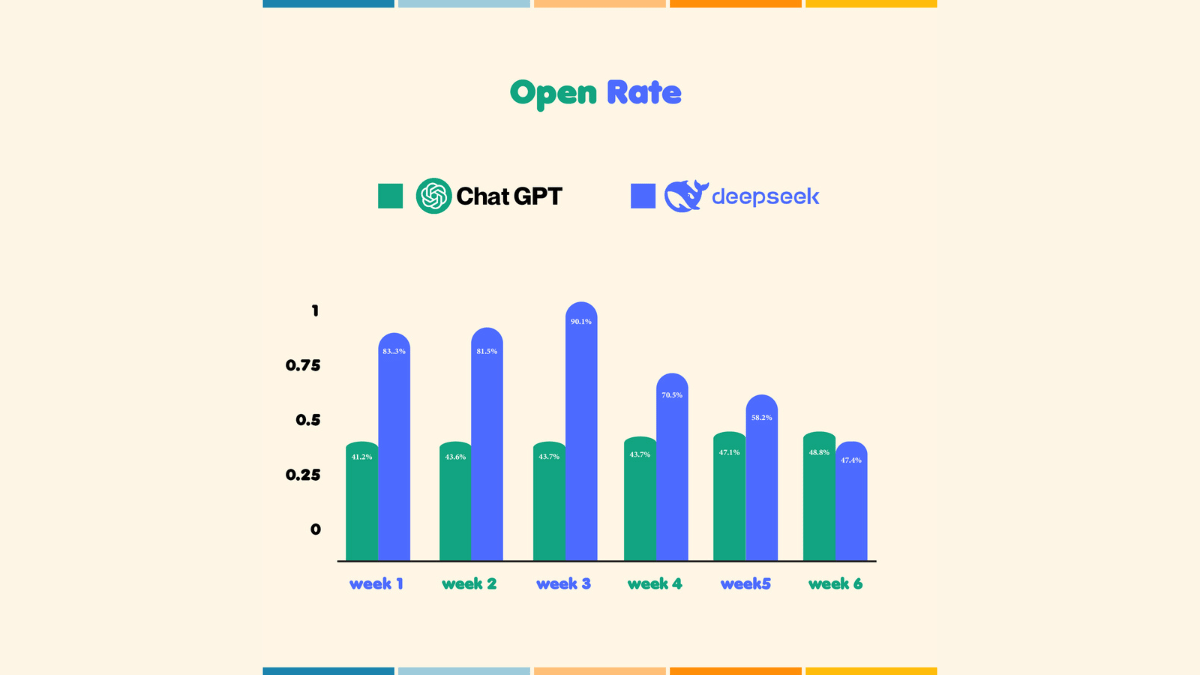
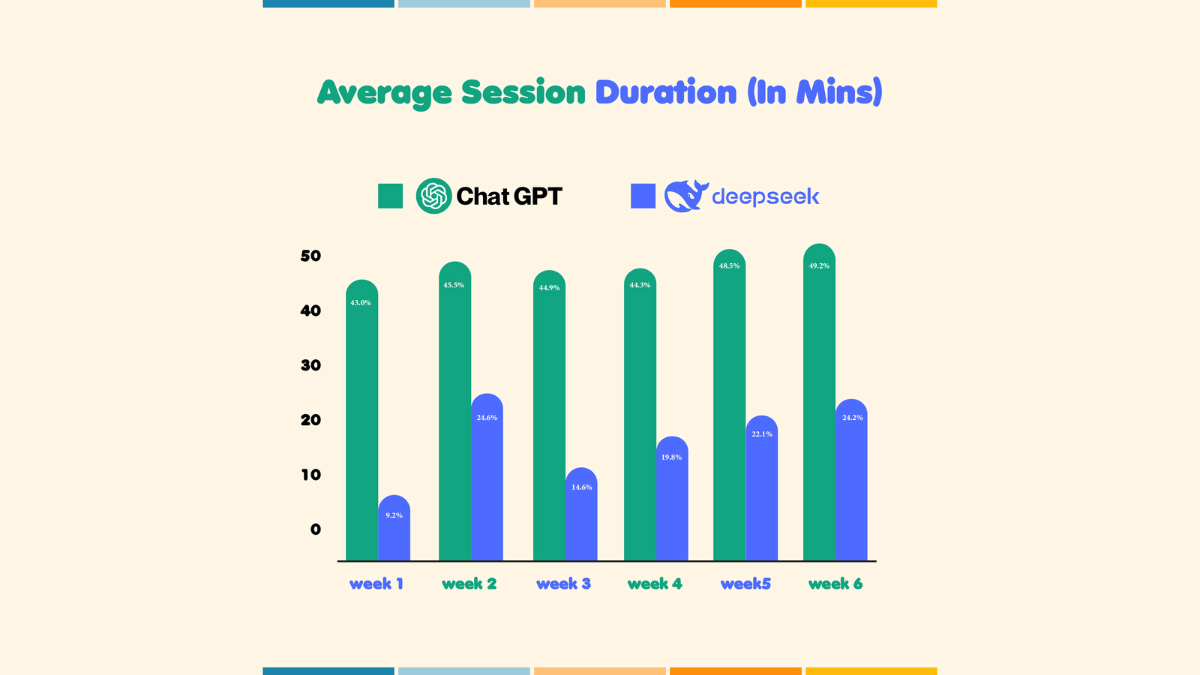
The AI chatbot space just got a whole lot more interesting with the entry of DeepSeek. It is a promising new player that caught early attention but quickly faced the reality of stiff competition from OpenAI’s ChatGPT. A recent study by Bobble AI’s Market Intelligence division dives into the first six weeks of DeepSeek’s launch. It uncovers key insights about user behavior, app installs, and engagement trends. Here’s a closer look at how DeepSeek performed and what it means for the future of AI chatbots.
Engagement Drop: A sharp decline in usage after Week 3 suggests that users weren’t fully convinced.
ChatGPT’s Consistency: The reigning chatbot retained user loyalty with strong and stable metrics.
Room to Grow: DeepSeek must evolve quickly to compete in a fast-moving market.
Bobble AI’s CEO Ankit Prasad summed it up best, “Marketing can spark interest, but performance drives long-term success.” DeepSeek has shown potential, but to truly challenge ChatGPT, it must now focus on consistent innovation and user-centric improvements. The race is on, and DeepSeek has everything to prove.
For the tech geeks, stay updated with the latest cutting-edge gadgets in the market, exclusive tech updates, gadget reviews, and more right on your phone’s screen. Join Giznext’s WhatsApp channel and receive the industry-first tech updates.
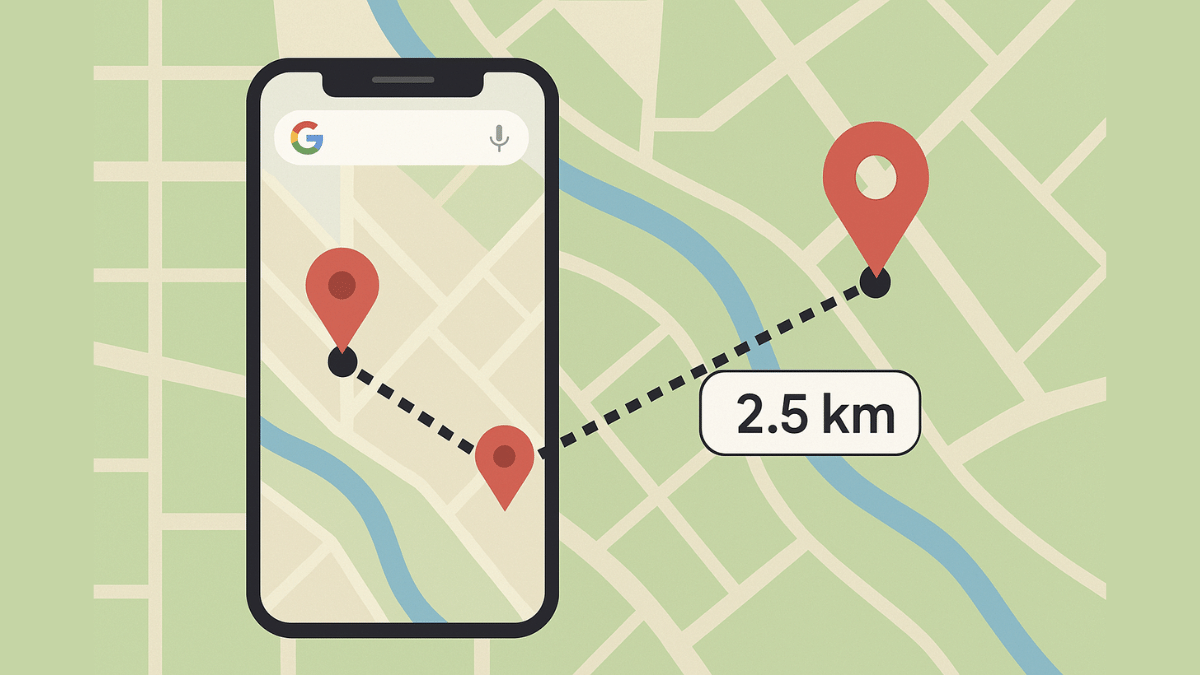
Desktop version also supports distance measure feature
Google Maps is one of those reliable navigation apps that besides helping us to get directions also helps with trip planning and more. Maps have also simplified lives of tourists by offering the option to find nearby hot spots, emergency services, fuel stations, and what not. With such a long list, it might be a possibility that you miss out on some of the coolest features that Google Maps offer. One of such feature is the option to measure distance between two or more points. And Maps allows to do so with pinpoint accuracy. Here’s how you can use this simple Google Maps trick for you journey planning.
For the tech geeks, stay updated with the latest cutting-edge gadgets in the market, exclusive tech updates, gadget reviews, and more right on your phone’s screen. Join Giznext’s WhatsApp channel and receive the industry-first tech updates.
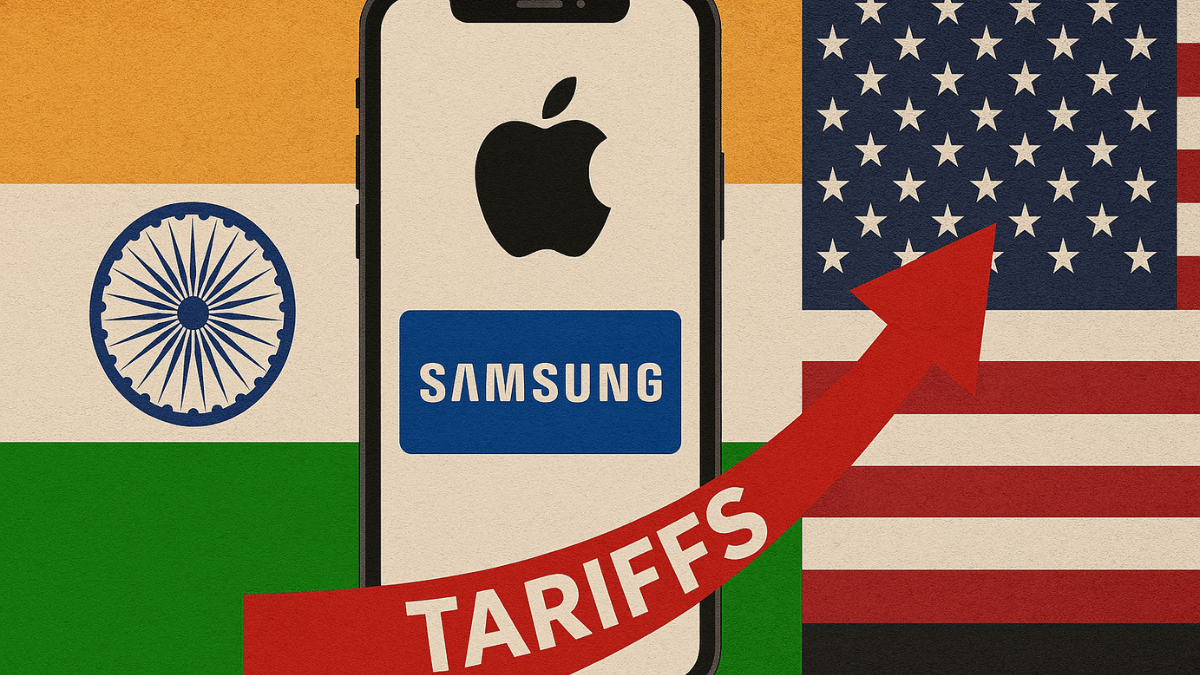
Rising US tariffs on China and Vietnam are pushing Apple and Samsung to shift manufacturing to India. The ‘Make in India’ initiative is gaining momentum as companies look to avoid steep import duties while boosting supply chain resilience for the US market.
Both Apple and Samsung are now looking at India not just for local sales but as a major production and export base for the US, a move triggered by new tariffs announced by the Trump administration.
Apple Prioritizes India For US Shipments
Apple has already begun using its Indian production facilities to ship iPhones to the United States. The goal is to sharply reduce dependence on China, which now faces a 54 percent tariff on exports to the US. India, by comparison, faces a relatively lower tariff of 26 percent, making it a more attractive option.
Foxconn And Tata Driving Local iPhone Production
Apple’s Indian manufacturing is being handled by Foxconn and the Tata Group. Tata recently acquired production assets from Taiwanese firms Wistron and Pegatron, strengthening its role in Apple’s supply chain. Industry insiders say this could lead to a significant expansion in Apple’s Indian operations, especially if the brand avoids setting up new plants in other low-tariff countries like UAE, Saudi Arabia, or Brazil.
Potential Surge In iPhone Exports From India
iPhone shipments to the US from India are expected to surge past the current $10 billion estimate. A lot will depend on how the geopolitical trade negotiations evolve, but Apple appears committed to leveraging India’s manufacturing ecosystem for future growth.
Samsung May Shift Exports From Vietnam To India
For Samsung, the scenario is equally urgent. Its Vietnamese factories currently export around $55 billion worth of goods, but a 46 percent tariff may push the company to pivot to India’s Noida plant, which already produces flagship models like the Galaxy S25 and Fold.
India’s Global Manufacturing Role Strengthens
Trade negotiators are closely monitoring these changes. With countries like Vietnam proposing zero-duty exports, India is using the opportunity to push its global manufacturing ambitions and strengthen bilateral trade negotiations with the US.
As tariff dynamics continue to evolve, India’s role as a global smartphone manufacturing hub is set to grow, potentially redefining the future of tech exports.
For the tech geeks, stay updated with the latest cutting-edge gadgets in the market, exclusive tech updates, gadget reviews, and more right on your phone’s screen. Join Giznext’s WhatsApp channel and receive the industry-first tech updates.
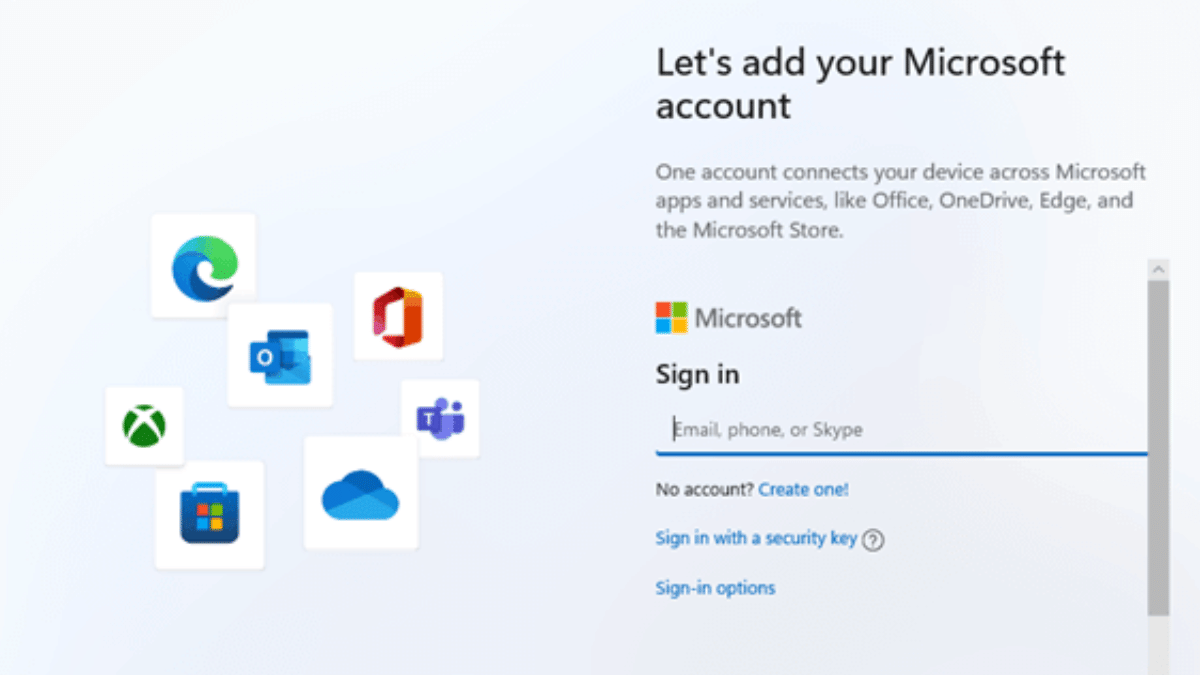
Want to install Windows 11 but don’t want to create or sign in with a Microsoft account? Well, you are not alone. With Microsoft pushing users towards its online account system, many people prefer a good old local account for privacy and simplicity. However, there’s still a clever workaround that works with the latest Windows 11 24H2 update. Whether you are doing a clean install or setting up a new laptop, this guide will walk you through the current method to bypass the Microsoft account requirement.
Step-by-Step: Install Windows 11 Without A Microsoft Account
Here’s how to do it:
Step 1: Begin the Windows 11 installation. When you reach the ‘Choose your country or region’ screen, pause. This is where you prepare to block the mandatory Internet connection check.
Step 2: Press Shift + F10 to launch the command prompt window.
Step 3: Type this command exactly: OOBE\BYPASSNRO and press Enter. Your PC will restart and bring you back to the same setup screen, now with the Internet check bypassed.
Step 4: Once the system reboots, press Shift + F10 again. In the Command Prompt, type ipconfig /release and hit Enter. This will disable the network. Alternatively, unplug your Ethernet cable or turn off your Wi-Fi.
Step 5: Close the command prompt and go through the region and keyboard selection screens as usual.
Step 6: When Windows asks to connect to a network, click on ‘I don’t have Internet’.
Step 7: You will be prompted with ‘Continue with limited setup.’ Click it, and Windows will let you create a local account.
Step 8: Now you will see the screen asking ‘Who’s going to use this device?’ Enter a name, set a password (optional but recommended), and continue the installation.
With this method, you can successfully install Windows 11 without a Microsoft account, even on the latest 24H2 build. It’s a simple trick but gives you full control over your setup and privacy.
For the tech geeks, stay updated with the latest cutting-edge gadgets in the market, exclusive tech updates, gadget reviews, and more right on your phone’s screen. Join Giznext’s WhatsApp channel and receive the industry-first tech updates.
WhatsApp requires an active internet connection for message sending messages and media
It can also be used without internet
This method required workaround via linked devices feature
WhatsApp is the modern day messaging app on which we rely for daily texting and media transfers. The instant messaging mobile app has definitely simplified our lives and remain the top preferred choice for all personal and professional conversations. But to use all WhatsApp services a smartphone with working internet is must. Or not? Ever imagined using WhatsApp without both internet and your smartphone? That too, without compromising on privacy and security aspects keeping your chats all private? What if we tell you there’s a workaround where you can use WhatsApp without your smartphone and internet. Fone out more below:
For the tech geeks, stay updated with the latest cutting-edge gadgets in the market, exclusive tech updates, gadget reviews, and more right on your phone’s screen. Join Giznext’s WhatsApp channel and receive the industry-first tech updates.
Is It Possible To Use WhatsApp Without Internet Or Your Smartphone?
While there is no direct option to use WhatsApp without internet on your smartphone, there are a bunch of few features that can help you with all your conversations. There is the Schedule messages feature that comes handy when you know you won’t be able to access internet for WhatsApp and yet need your messages to be delivered on time.
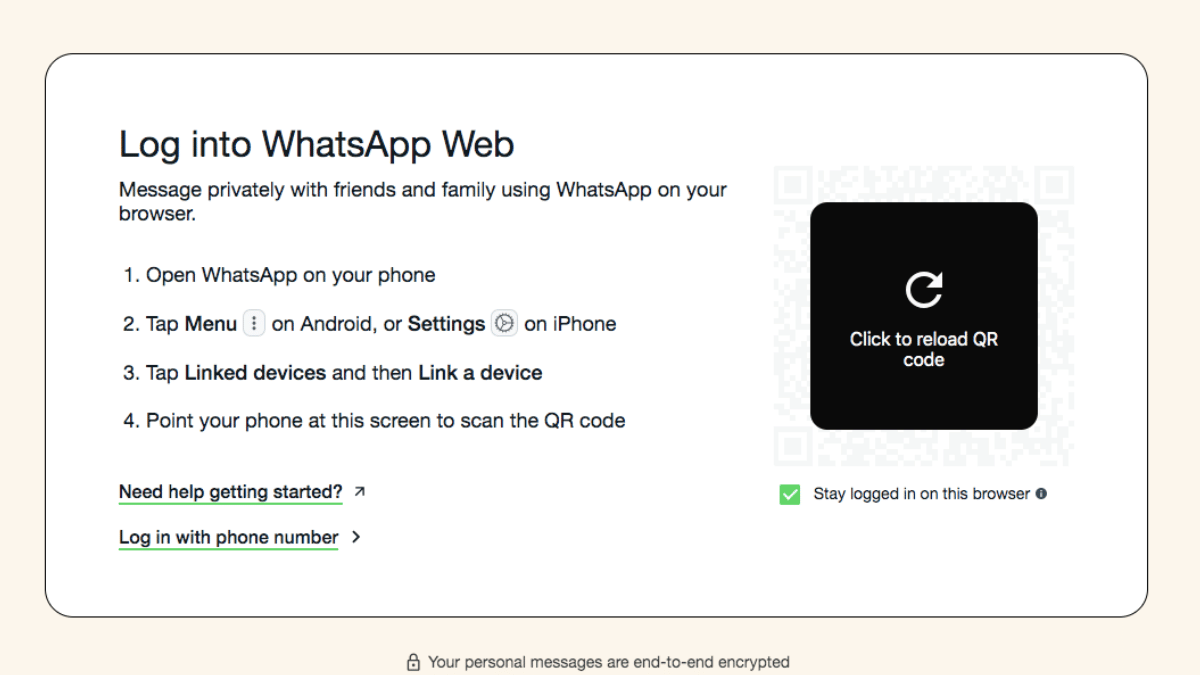
But if in case your smartphone battery is drained and it can get switched off any moment, then the Linked Devices feature is what comes to the rescue. You can continue with your chats on a separate smartphone/ laptop, or PC via this WhatsApp feature. This paired device functions independently from the primary device while providing all levels of safety.
Scammers trick people into merging calls to steal OTPs and money
Never merge calls with unknown numbers or share OTPs
Report suspicious calls to your bank and the cybercrime helpline (1930)
A new scam is on the rise in India. The fraudsters are tricking people into merging calls and unknowingly sharing their OTPs. This allows scammers to complete unauthorized transactions and steal money. Authorities have warned users to be extra cautious and avoid merging calls with unknown numbers. Let’s get to know more.
A scammer calls, pretending to be a friend or someone who got your number from a known contact.
They ask you to merge the call with another number, claiming it’s your friend or a bank representative.
The second call is actually an OTP verification call from your bank and the scammer tricks you into sharing the OTP.
Once the OTP is shared, the fraudster completes the transaction and steals money from your account.
How To Protect Yourself
Never merge calls with unknown numbers: Be cautious when someone asks you to add another caller.
Verify the caller’s identity: If someone claims to be your friend or a bank official, call them back on a trusted number to confirm.
Report suspicious OTP requests: If you receive an OTP for a transaction you didn’t request, call 1930 (cybercrime helpline) and notify your bank immediately.
Why You Should Be Concerned
A recent survey found that over one-third of people in India have been victims of online scams. According to a report by global analytics firm FICO:
60 percent of people received scam messages.
54 percent knew someone who had been scammed.
The number of people losing more than Rs. 8 lakh doubled in 2024 compared to 2023.
What To Do If You Merged A Call With A Scammer?
Don’t share any OTPs or personal details.
Hang up immediately and contact your bank.
Call 1930 to report the scam.
Monitor your bank account for suspicious transactions.
Scammers are finding new ways to trick people, but awareness is the best protection. Never share OTPs over the phone, and always verify calls before taking action.
For the tech geeks, stay updated with the latest cutting-edge gadgets in the market, exclusive tech updates, gadget reviews, and more right on your phone’s screen. Join Giznext’s WhatsApp channel and receive the industry-first tech updates.
EVs have popularised the concept of sustainable mobility making rides not just efficient but also environment friendly. India has emerged as one of the biggest markets for EVs; specifically E2Ws. This rapid transition has led every auto manufacturer to switch to electric mobility market and it’s now almost every alternate month we come across a new launch or similar developments in E2W or E4W category. We have been doing a weekly wrap up doing a recap of the highlights from the EV industry. In the Week 14 of 2025, we got to see a new e-scooter, spy shots of an upcoming Hyundai 3-row e-SUV, and more. In this article, we are doing a quick wrap up of the top headlines from the EV market:
For the tech geeks, stay updated with the latest cutting-edge gadgets in the market, exclusive tech updates, gadget reviews, and more right on your phone’s screen. Join Giznext’s WhatsApp channel and receive the industry-first tech updates.
VLF, the Italian EV maker has introduced a new special edition of the Tennis e-scooter. That latest model launched by the brand is the Tennis Milano Edition which sports sleek and modern design inspired by the tennis sports and streets of Milan. The special limited Edition Tennis e-scooter model also gets performance boost and is equipped with a swapabble battery pack using which it can deliver over 130 km range on a full charge. Read More
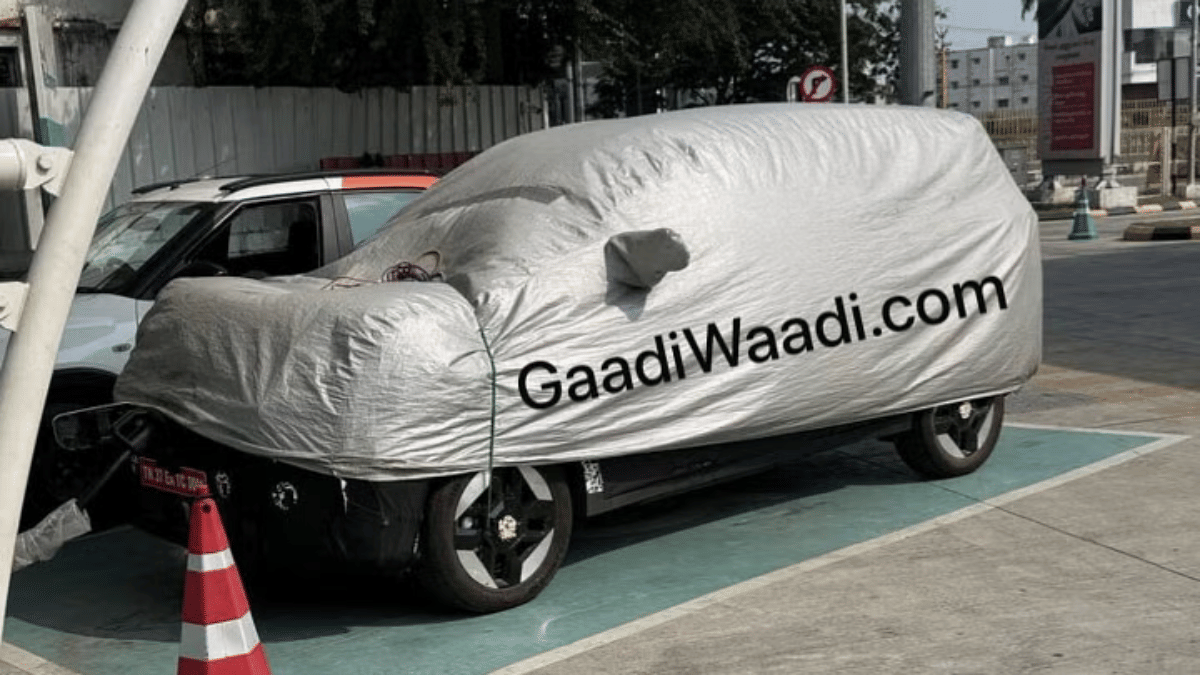
Hyundai is also likely working n a new EV model for India. After the Creta EV and the Ioniq 5, Hyundai could launch an all-electric version of the Alcazar EV. Recent spy shots of the 3-row e-SUV suggests it could be the next E4W from the company in India. Spotted with heavy camouflage at a charging station, the Alcazar EV is seen with a front-mounted charging socket and sleek connected LED light bar at the rear.
Kinetic Greens is set to launch a new version of the E-Luna moped. The patent images for the upcoming E-Luna electric moped has surfaced revealing the design tweaks. The patent images reveal a new quadrilateral-shaped box with triangular contours mounted on the floor board. Rumors indicate it to be the casing for the swappable battery module. The current-gen E-Luna comes with a fixed battery setup. With the updated design Kinetic Greens is expected to make E-Luna a complete ride solution for last mile deliveries as well as general public who need a daily commute EV. Read More
Ola Electric despite being in all soup with unresolved consumer complaints, crashing stocks, and multiple summon notices from the government is planing to expand it EV portfolio next year as well. After starting its innings with the launch of the Ola S1 Gen 3 e-scooters, the brand will be launching new models backed by the new-gen S2 platform. Upcoming E2Ws from Ola will be the S2 City and S2 Sports e-scooter models for family-centric audiences. Additional models which Ola is planning to launch in 2026 includes the S2 Tourer, S3 Grand Adventure, and S3 Grand Tourer.
Virtual events include Mehendi, Sangeet, and Shaadi
Celebs and gamers join the celebration online
Krafton India is setting a new benchmark in immersive digital experiences by transforming matchmaking into match-making. With India’s biggest ever in-game wedding celebration, BGMI is celebrating the real-life love story of two gamers in an unforgettable campaign that fuses fashion, music, pop culture, and gaming. Here’s everything you need to know about this one-of-a-kind gamer wedding.
Meet The BGMI Couple: From Squad Mates To Soulmates
Tanupreet and Jaspreet, known in-game as OnFire X Hades and OnFire X Veronica, first met while teaming up in BGMI. What started as a casual squad-up in Meerut turned into a real-life love story. Now, a full-blown digital wedding. Their love story is at the heart of this campaign, connecting with millions of fans and gamers across India.
Virtual Wedding Festivities: Save The Dates
BGMI has planned an elaborate lineup of in-game and online celebrations that mirror the grandeur of a big fat Indian wedding:
April 8: Mehndi
April 9: Sangeet Night featuring Benny Dayal
April 11: The Grand Shaadi
Gaming Meets Glamour With Celebrity Power
Designer Ritu Beri has created exclusive wedding outfits for the couple, blending high fashion with BGMI’s iconic game elements.
Benny Dayal will set the virtual Sangeet stage on fire with his energetic performance.
Popular names like Tanmay Bhat, Purav Jha, and Mritika Trivedi have already unboxed special BGMI wedding invites, kicking off the celebrations.
Olympic champion Neeraj Chopra is joining in with a playful post expressing mock disappointment at not being invited.
Influencers like Mortal, Scout, Kashvi, and Mamba are also getting in on the action by unboxing invites and sharing content.
This campaign is more than a wedding. It’s a celebration of BGMI’s vibrant community. Players can expect:
In-game events and activations
Exclusive content drops
Celebrity appearances and collaborations
Live updates on BGMI’s official YouTube, Instagram, and Facebook channels
Join the party, follow the buzz, and witness India’s most epic gamer wedding.
For the tech geeks, stay updated with the latest cutting-edge gadgets in the market, exclusive tech updates, gadget reviews, and more right on your phone’s screen. Join Giznext’s WhatsApp channel and receive the industry-first tech updates.
AI-enabled apps and tools can be used for travel and vacation planning
Finding cheap flight an train tickets is now possible via AI tools
Pre-reservations of hotels and resorts can also be done via AI apps
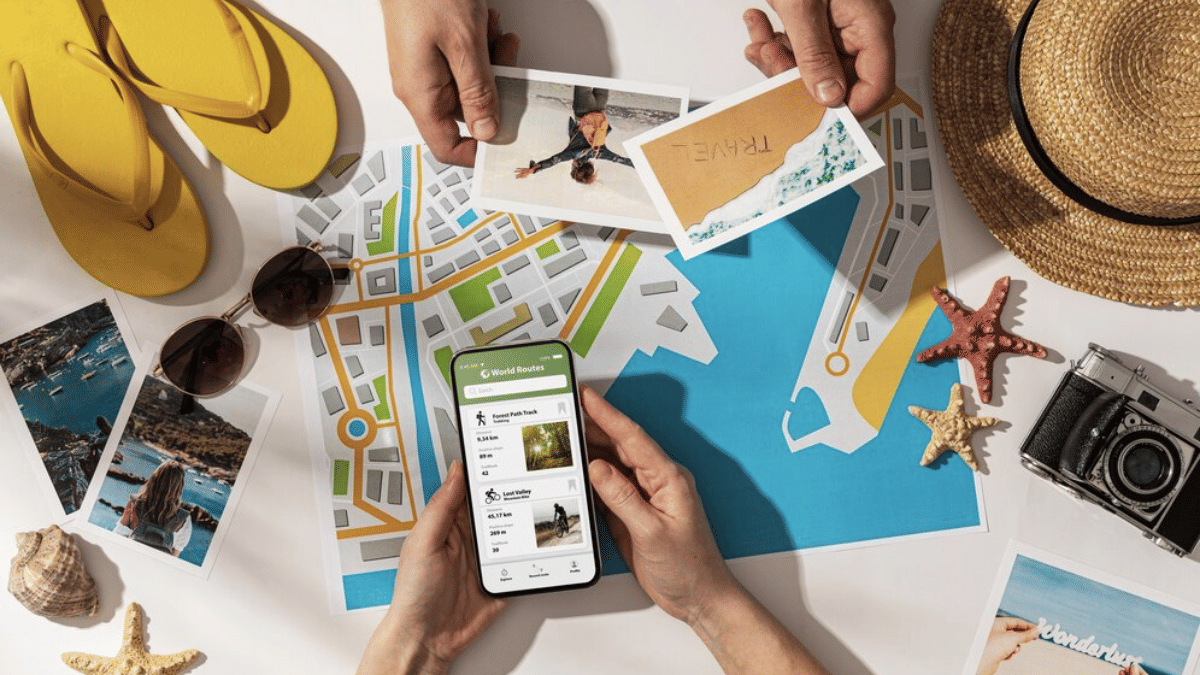
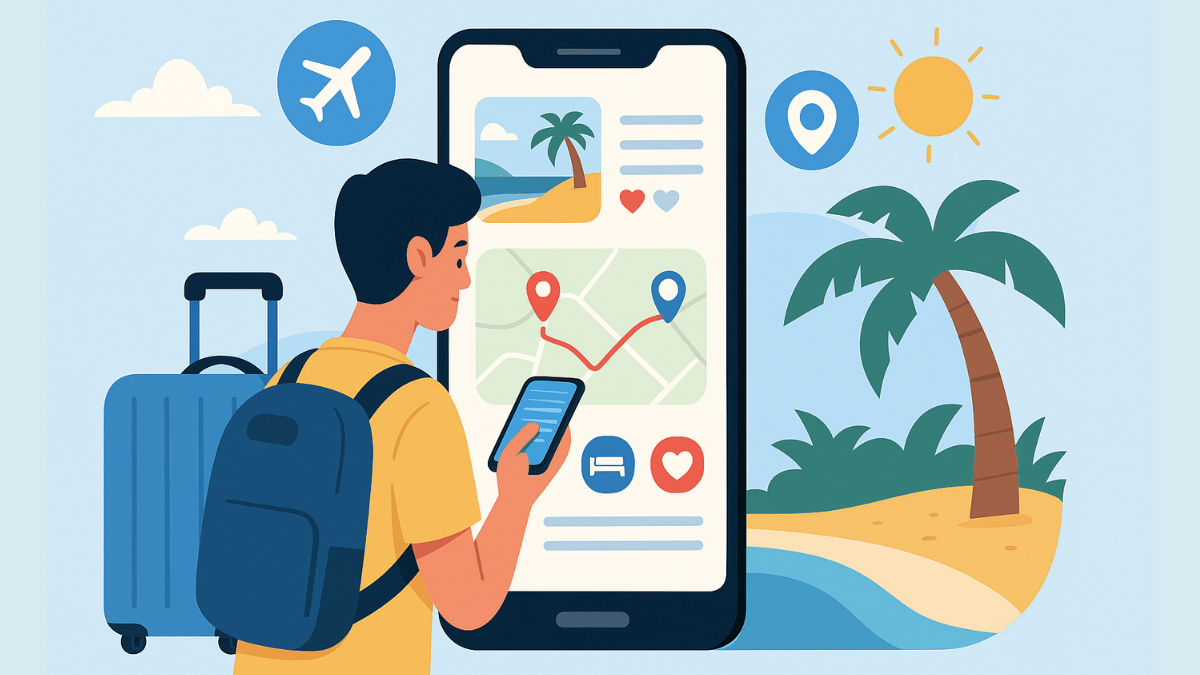
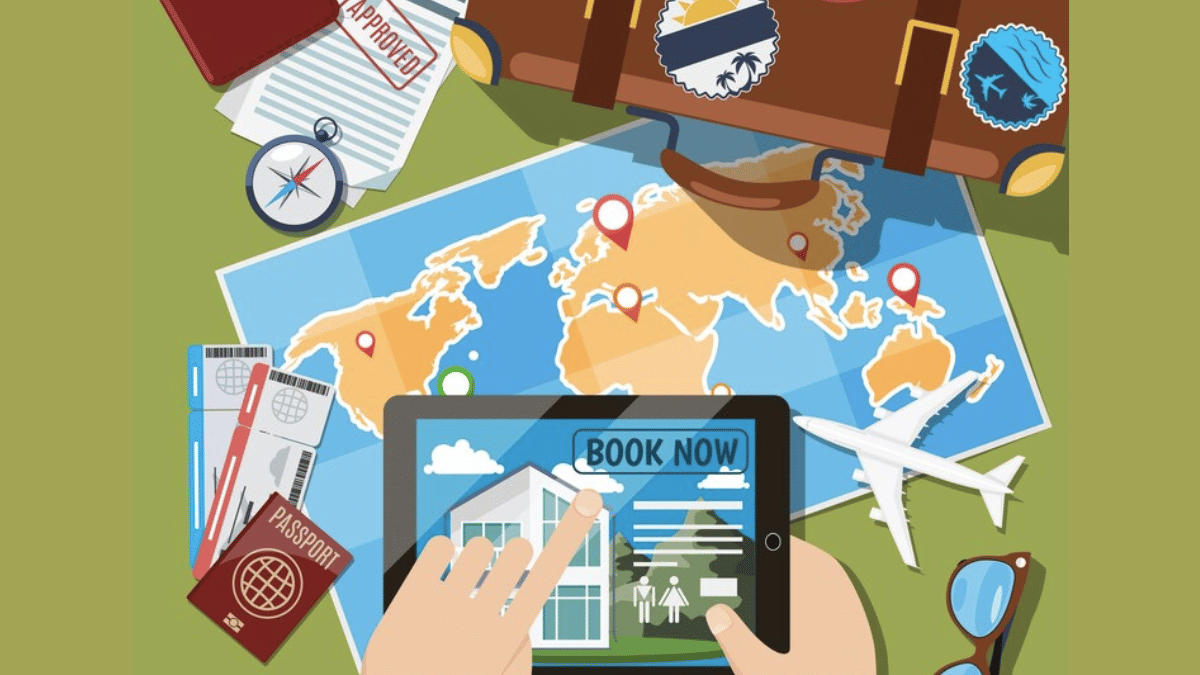
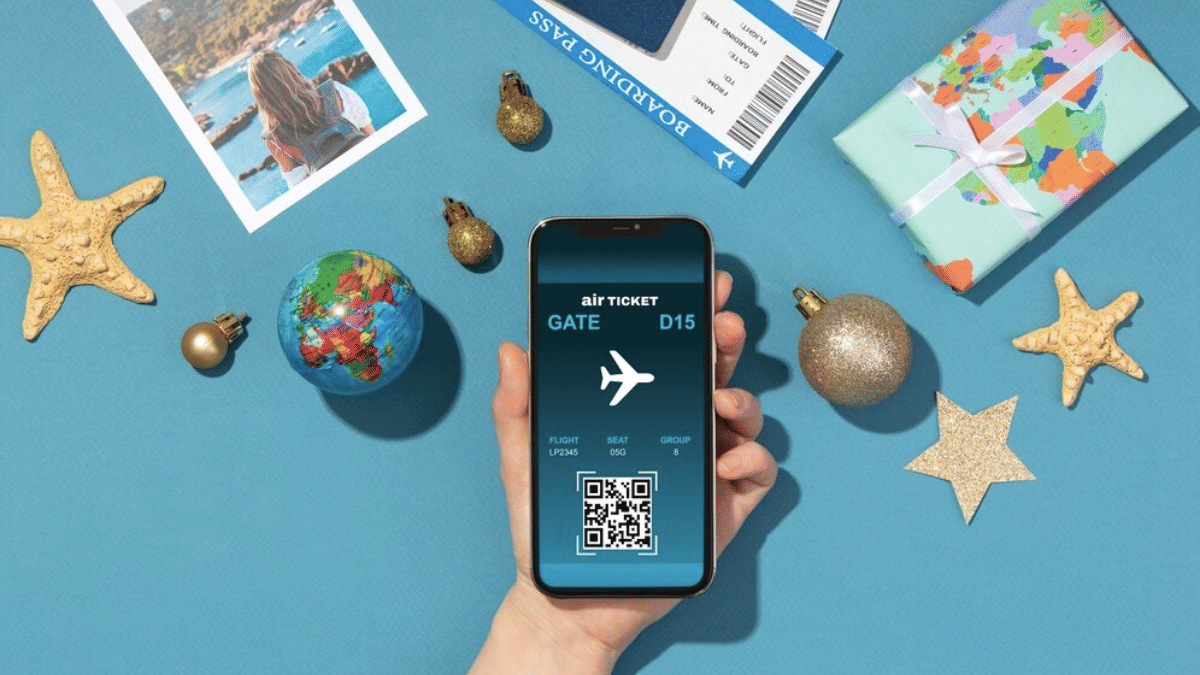
With exams getting over, vacation planning is likely going on with full swing amongst families and friends. We believe you might have started that long tiring search for the best destination to travel this summers. For the ones planning a trip to Himalayas, beaches, or even international destinations, AI chatbot and tools can come to the rescue. With travel apps and agencies getting onboard with AI tech, planning travel and vacations is simple than ever. From reserving flight/ train tickets, to booking accomodations and finding route suggestions, all can be done without much efforts using AI. Let’s explore the ways that can help you plan your vacations this summer to your favourite destination.
For the tech geeks, stay updated with the latest cutting-edge gadgets in the market, exclusive tech updates, gadget reviews, and more right on your phone’s screen. Join Giznext’s WhatsApp channel and receive the industry-first tech updates.
How To Use AI For Summer Travel Planning Effortlessly
1. Use AI Apps/ Tools To Find Cheapest Flights & Hotels
Most of the popular travel app such as Google Flights MakeMy Trip, Ixigo, Scyscanner have incorporated AI to help users search for cheapest flight/railways tickets along with stays. This helps with advance planning while keeping a check on the budget.
Can help with prediction and tracking cheapest flight tickets along with the month or timeline when the fares are lowest.
Allows price comparison for tickets for different airlines and hotels
One can also get discounts and offer alerts using AI travel apps and tools
Expert Tip: MakeMyTrip and Goibibo travel apps are best for making last-minute bookings for hotels. Both platforms offers deals and packages for long as well as short stay options.
2. Create Customised Travel/ Stay Itinerary Using AI
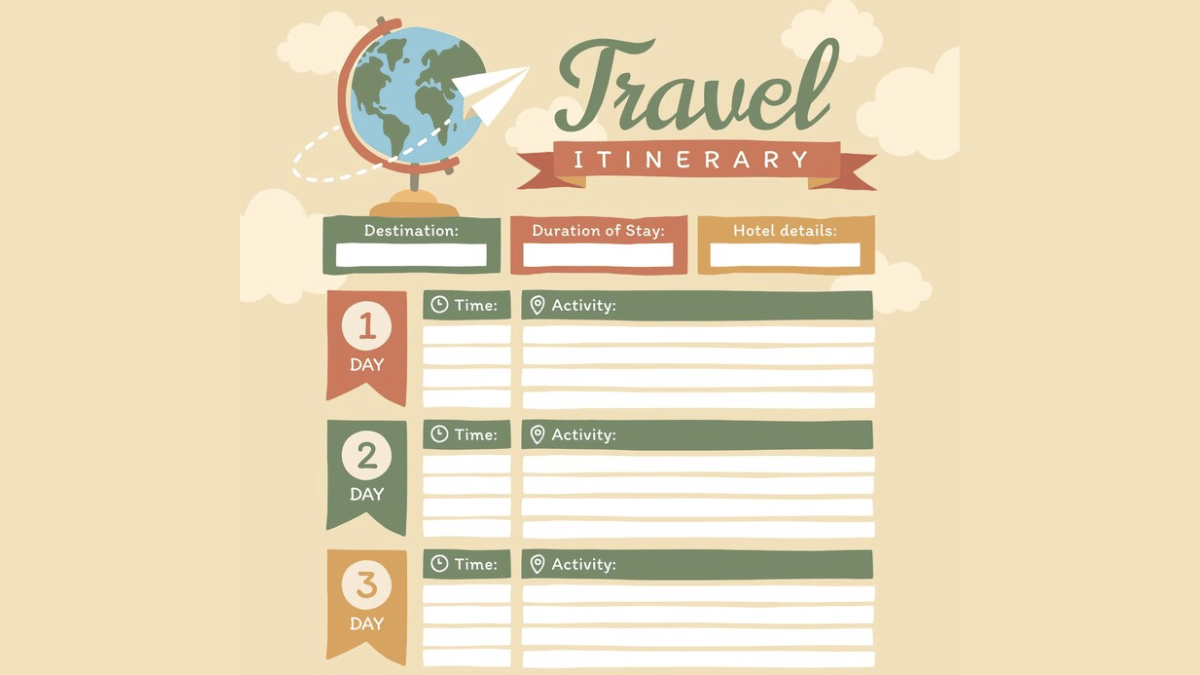
AI tools besides helping to find cheapest flights and hotels can help you create a customised itinerary as well. You can make use of ChatGPT and Gemini AI for the same. All you need is to share details of the journey including dates, number of days of the trip, your preferences while travelling, and also budget. Adjustments and further customisations can be done using the same AI chatbots.
Domestic travel via trains and busses makes more sense of your destination is roughly an overnight journey. IRCTC, the official Indian Railways train booking app is now AI-enabled and can help with all bookings with just a few taps. Likewise, you can use RedBus app for reserving bus tickets for your destination. The AI integrated in these apps helps with faster and confirmed ticket booking. Additional tasks that these helps with are:
AI apps can also help you keep a check on the weather which is necessary before you hit the roads. This is specifically if you are planning your visit to destination with high chances or rainfall or snowfall or extreme heat conditions. You can check early weather predictions (Week-wise or month-wise) using AccuWeather, Rainbow weather, and others are AI-enabled and can predict weather effectively allowing you to plan your travel well in advance.
AI travel apps can also help you with effective budget management for your summer vacation travels. And for the international travellers, currency apps such as Instarem and Niyo Global can help you with rate conversions. Users can also keep a track of their travel expenses and expenditure further making it simple to avoid overspending of funds.
Travelling is essential for reviving your brain and energies and also for new experiences and memories. However, unplanned vacations or travels can be a nightmare if you are planning to visit an entirely new destination. And if you are with our family, it is always advised to make bookings well in advance. Specifically, when the tourist season is at peak, finding stays and travel options could be difficult. Hence, AI tools can make our jobs much easy by planning our trips, train/ flight, and hotel reservations.