Categories
Featured How To Laptop

30+ Windows 11 Essential Keyboard Shortcuts: Speed Up Your Workflow

Key Highlights

  • Windows 11 keyboard shortcuts helps boost productivity
  • Multiple tasks can be done with just a few key taps
  • Shortcuts can be applied in apps and softwares
  • Multimedia, text editing, settings app, and other shortcuts supported via keyboard

If you are using a laptop or a PC, there is a high probability of it being a Windows-powered machine. Microsoft’s PC operating system, Windows has been evolving with a steady pace bringing in host of friendly features. Windows OS over the year has also become more reliable and fast. Thanks to the updated keyboard shortcuts getting some of the complex tasks done has become as easy as a few key taps.

You all must be aware of the basic keyboard shortcuts such as undo, redo, and copy/ paste texts, documents. But that’s just the tip of the iceberg. You can perform a plethora of tasks typing in keys collectively. Here in this article, we have listed over 30 essential Windows 11 keyboard shortcuts that will help speed up your workflow while boosting your overall productivity. Let’s take a look:

For the tech geeks, stay updated with the latest cutting-edge gadgets in the market, exclusive tech updates, gadget reviews, and more right on your phone’s screen. Join Giznext’s WhatsApp channel and receive the industry-first tech updates.

Also Read: Google Maps Quick Hacks: How To Enable Google Maps 3D View On Desktop

Top Windows 11 Keyboard Shortcuts For Accessibility

Windows 11 Keyboard Shortcut Actions
Press Right Shift key for eight secondsEnable or disable Filter Keys
Press Left Alt+left Shift+Print screenHigh Contrast on or off
Press Left Alt+left Shift+Num lockMouse Key on or off
Hit Shift key five timesSticky Keys on or off
Press Ctrl+ETo Open Search bar (works with most apps and webpages)
Press Windows logo  key+ATo open Quick Settings menu
Press Windows logo  key+Ctrl+CTo Turn on or off color filters
Press Windows logo  key+HActivate voice typing feature
Press Windows logo  key+Ctrl+NTo open Narrator settings
Press Windows logo  key+Ctrl+STo enable Windows Speech Recognition
Press Windows logo  key+Ctrl+OTo enable On-Screen Keyboard
Press Windows logo  key+UTo open Accessibility Settings
Windows logo  key+WTo open Widgets

Also Read: How to Draft Emails with Voice in Gmail: A Step-by-Step Guide

Windows 11 Quick Keyboard Shortcuts For Music And Videoplayback in Apps

You can use Windows 11 keyboard shortcuts to manage your media play back as well. This can be done in any of the apps including Windows media player on which you are watching movies or shows.

Windows 11 Keyboard shortcuts for Movies and TVActions
Press Alt + EnterPlay videos in full-screen
Press EscTo exit full-screen
Press EnterTo select the object in focus
Press Spacebar/Ctrl + PTo Play or pause videos ( works only when a video is in focus)
Press Alt + Left arrow key or Windows logo key  + Backspace To go back to the previous screen
Press Ctrl + TTo enable or disable repeat mode
Press F7Mute
Press F8Increase volume levels
Press F9Decrease volume levels

Also Read: Android Tips And Tricks: How To Check And Share Wi-Fi Password

Windows 11 Keyboard Shortcut For Game bar

You can summon the Game bar during a gaming session and make use of multiple key combinations for quick actions.

Windows 11 Keyboard ShortcutActions
Press Windows key  + GTo launch Game bar during gaming
Press Windows logo key  + Alt + GTo record the screen (last 30 seconds)
Press Windows logo key  + Alt + RFor recording (start or stop)
Press Windows logo key  + Alt + Print ScreenCapture screenshot of the gameplay
Press Windows logo key  + Alt + TRecording timer (show or hide)
Press Windows logo key  + Alt + MMicrophone (turn on or off)
Press Windows logo key  + Alt + BBroadcast (enable or disable)
Press Windows logo key  + Alt + WCamera activate

Categories
Featured Info Mobile

Nothing Phone (3a), Phone (3a Pro) Debuts In India: Top Specs Highlights

Key Highlights

  • Nothing Phone (3a) series launched
  • Retains exclusive Glyph lights design
  • Snapdragon 7s Gen 3 drives both Nothing Phone (3a) models
  • Nothing Phone (3a) price starts at Rs. 24,999
  • Nothing Phone (3a Pro) price starts at Rs. Rs. 29,999 

Nothing, the Carl Pei-led OEM has launched its latest smartphone lineup, the Nothing Phone (3a). The succesor to the Nothing Phone (2a) series comes with two new models called the Nothing Phone (3a) and the Nothing Phone (3a Pro). The succeeding lineup is upgraded with larger AMOLED displays, Snapdragon 7s Gen 3 chipset, and more. Nothing Phone (3a) series is priced starting at Rs. 24,999 in India and will be available in multiple configurations. Let’s take a quick look at the specs highlights of both Nothing Phone (3a) and the Nothing Phone (3a Pro).

For the tech geeks, stay updated with the latest cutting-edge gadgets in the market, exclusive tech updates, gadget reviews, and more right on your phone’s screen. Join Giznext’s WhatsApp channel and receive the industry-first tech updates.

Also Read: OnePlus 13 Vs Vivo X200 Pro Vs iQOO 13: Battle Of Android Flagships

Nothing Phone (3a), Nothing Phone (3a Pro): Display Specs

Display Nothing Phone (3a)Nothing Phone (3a Pro)
Size 6.77-inch 6.77-inch
Panel type AMOLEDAMOLED
Resolution FHD+ (1080 x 2392 pixels)FHD+ (1080 x 2392 pixels)
Refresh rate 120Hz120Hz
Peak Brightness 800 nits typical / 3000 nits peak brightness800 nits typical / 3000 nits peak brightness
ProtectionPanda GlassPanda Glass

Both Nothing Phone (3a) models feature the same large AMOLED screen with an FHD+ resolution and 120Hz refresh rate. The big screen will be suitable for all high-res video playback and gaming.

Also Read: Realme P3 Pro 5G Review: An All-Rounder Under Rs. 25,000?

Nothing Phone (3a), Nothing Phone (3a Pro): Camera Specs

ModelNothing Phone (3a)Nothing Phone (3a Pro)
Main camera 50MP main sensor with f/1.88 aperture and OIS 50MP main sensor with f/1.88 aperture and OIS
Secondary camera 8MP ultra-wide camera with f/2.2 aperture and 114° FoV8MP ultra-wide camera with f/2.2 aperture and 114° FoV
Third camera 50MP Samsung telephoto with 2x zoom 50MP Sony LYT-600 3x periscope telephoto with 3x zoom
Selfie camera 32MP with f/2.2 aperture 50MP with f/2.2 aperture

Camera hardware is also similar on both Nothing Phone (3a) models. While the primary and secondary sensor remains the same, the third camera is different on the Phone (3a) and the Phone (3a Pro). Selfie snapper packed inside the vanilla unit is a 32MP lens, while the Pro model gets a bigger 50MP selfie lens.

Also Read: Realme 14 Pro Plus Review: Redefining Midrange Smartphone Luxury?

Nothing Phone (3a), Nothing Phone (3a Pro): Performance

ModelNothing Phone (3a)Nothing Phone (3a Pro)
ChipsetSnapdragon 7s Gen 3 Snapdragon 7s Gen 3
Fabrication process 4nm4nm
GPUAdreno 720Adreno 720

Nothing Phone (3a) series gets Qualcomm’s latest mid-range 5G chipset under the hood. Both Nothing Phone (3a) and the Nothing Phone (3a Pro) features the Snapdragon 7s Gen 3 chipset that will allow swift gaming and multitasking experience.

Also Read: Oppo Find X8 Pro Review: The King Of Smartphone Zoom And Portraits

Nothing Phone (3a), Nothing Phone (3a Pro): Battery Specs

ModelNothing Phone (3a)Nothing Phone (3a Pro)
Battery 5,000 mAh5,000 mAh
Fast Charging 50W50W
Categories
Featured Mobile

Best Nothing Phone 3a Alternatives: Better Options At Similar Prices

Key Highlights

  • Nothing Phone 3a has been launched at MWC 2025 in Barcelona, Spain
  • OnePlus Nord CE 4, Vivo T3 Pro, and iQOO Z9s Pro are great alternatives
  • The price of Nothing Phone 3a starts at Rs. 24,999

The Nothing Phone 3a has just been launched. The smartphone brings its signature transparent design, Glyph LED system, and AI-powered features. But if you are looking for a smartphone with similar specs at a competitive price, there are several great alternatives to consider. Whether it’s battery life, camera capabilities, or performance, these options offer a solid experience. Let’s take a look at the best alternatives to the Nothing Phone 3a.

Also Read | Poco M7 5G Alternatives: Best Budget 5G Phones You Can Buy In March 2025 In India

Nothing Phone 3a: Top Alternatives

SpecsNothing Phone 3aOnePlus Nord CE 4 5GVivo T3 ProiQOO Z9s Pro
Display6.77-inch AMOLED, 120Hz6.7-inch AMOLED, 120Hz6.7-inch AMOLED, 120Hz6.7-inch AMOLED, 120Hz
ProcessorSnapdragon 7s Gen 3Snapdragon 7 Gen 3Snapdragon 7 Gen 3Snapdragon 7 Gen 3
RAM + Storage8GB + Up to 256GB8GB + Up to 1TB8GB + Up to 256GBUp to 12GB + Up to 256GB
Rear Camera50MP + 8MP (ultrawide) + 50MP (telephoto)50MP + 8MP50MP + 8MP50MP + 8MP
Front Camera32MP16MP16MP16MP
Battery5,000mAh5,500mAh5,500mAh5,500mAh
OSNothing OS 3 (Android 15)Android 14 (OxygenOS)Android 14Android 14
Starting PriceRs. 24,999Rs. 22,997Rs. 22,999Rs. 22,999

OnePlus Nord CE 4 5G

If you are looking for a performance-driven smartphone with OxygenOS, the OnePlus Nord CE 4 5G is a great pick.

  • Processor: Qualcomm Snapdragon 7 Gen 3
  • Display: 6.7-inch AMOLED, 120Hz refresh rate
  • Cameras: 50MP (OIS) + 8MP ultrawide, 16MP front camera
  • Battery: 5,500mAh with SuperVOOC fast charging
  • Storage: 256GB internal, expandable up to 1TB
  • Build & Features: IP54 splash resistance, in-display fingerprint sensor

With a slightly larger battery and expandable storage, the Nord CE 4 5G is a solid alternative to the Nothing Phone 3a, especially for users who want a near-stock Android experience.

Vivo T3 Pro

Vivo’s T3 Pro is another decent alternative. The device offers a large AMOLED display and a capable camera setup.

  • Processor: Snapdragon 7 Gen 3
  • Display: 6.77-inch AMOLED, 120Hz refresh rate
  • Cameras: 50MP main + 8MP ultrawide, 16MP front camera
  • Battery: 5,500mAh with Flash Charging
  • Storage: 256GB (non-expandable)
  • Build & Features: IP64 rating, in-display fingerprint sensor

The Vivo T3 Pro matches the Nothing Phone 3a’s design language and display size while adding a Smart Aura Light for better low-light photography.

Also Read | Vivo T3 Pro 5G Review: Mixed Bag Or Real Deal?

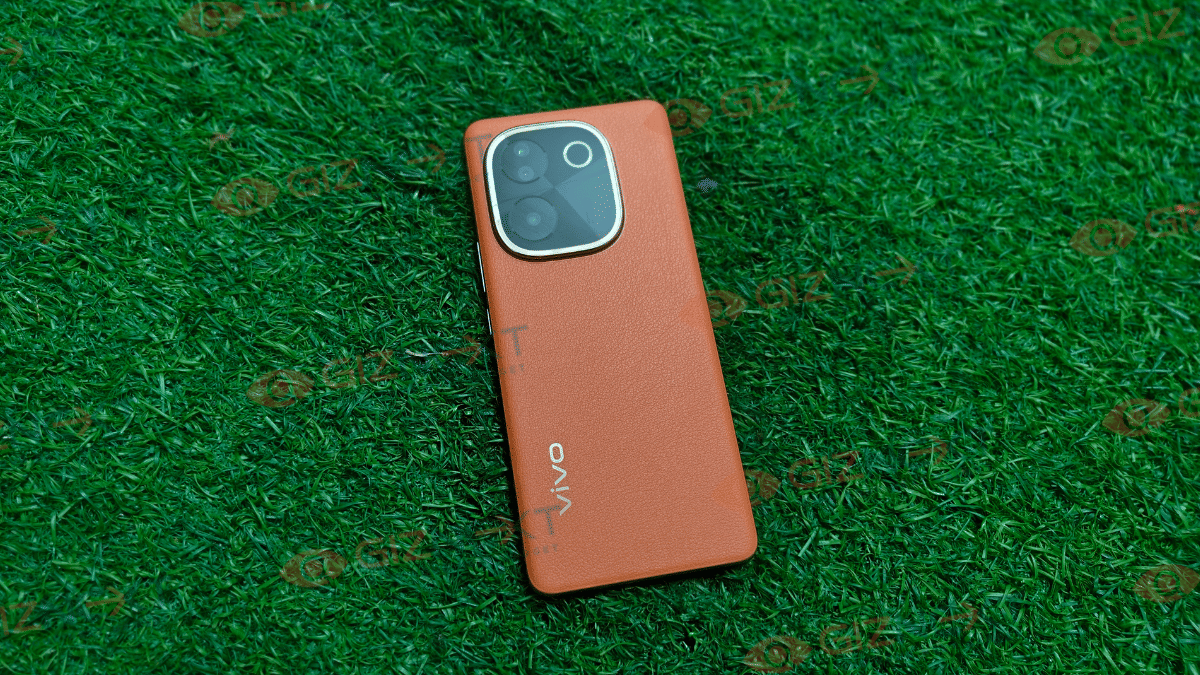
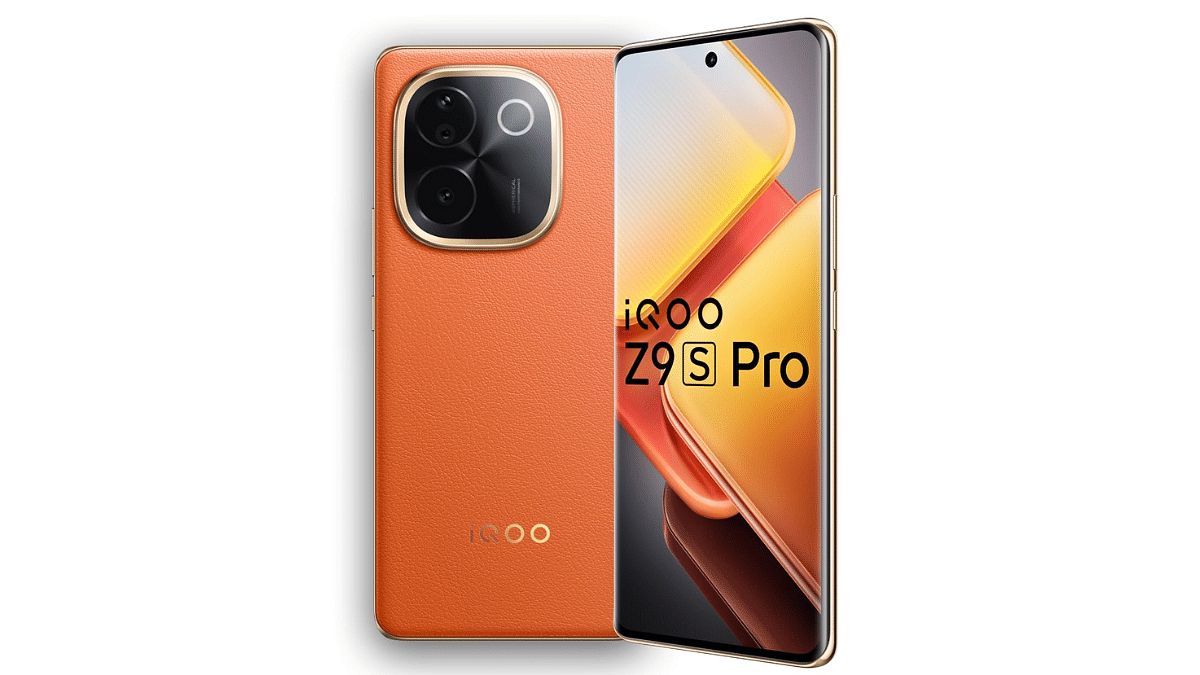
iQOO Z9s Pro

For those who prefer gaming and high-speed performance, the iQOO Z9s Pro is worth considering.

  • Processor: Snapdragon 7 Gen 3
  • Display: 6.77-inch AMOLED, 120Hz refresh rate
  • Cameras: 50MP + 8MP dual camera setup, 16MP front camera
  • Battery: 5,500mAh with Flash Charging
  • Storage: 256GB (non-expandable)
  • Build & Features: IP64 rating, VoLTE, in-display fingerprint sensor

The iQOO Z9s Pro focuses on high-speed performance and smooth multitasking, making it a strong competitor to the Nothing Phone 3a.

Also Read | Nothing Phone (2a) Plus Alternatives: Four Top Smartphone Rivals

Conclusion

While the Nothing Phone 3a offers a unique transparent design and Glyph interface, these alternatives provide similar specs at competitive prices. Whether you prioritize battery life, gaming, or camera performance, there’s a great option to fit your needs.

For the tech geeks, stay updated with the latest cutting-edge gadgets in the market, exclusive tech updates, gadget reviews, and more right on your phone’s screen. Join Giznext’s WhatsApp channel and receive the industry-first tech updates.

Categories
Apps Auto Tech Featured How To

Apple CarPlay Tips And Tricks: How To Use SharePlay And CarPlay Together For Music Playback In Car

Key Highlights

  • Apple CarPlay allows seamless pairing between iPhone and car infotainment system
  • SharePlay an CarPlay can be clubbed for music playback
  • Pairing allowed via QR code

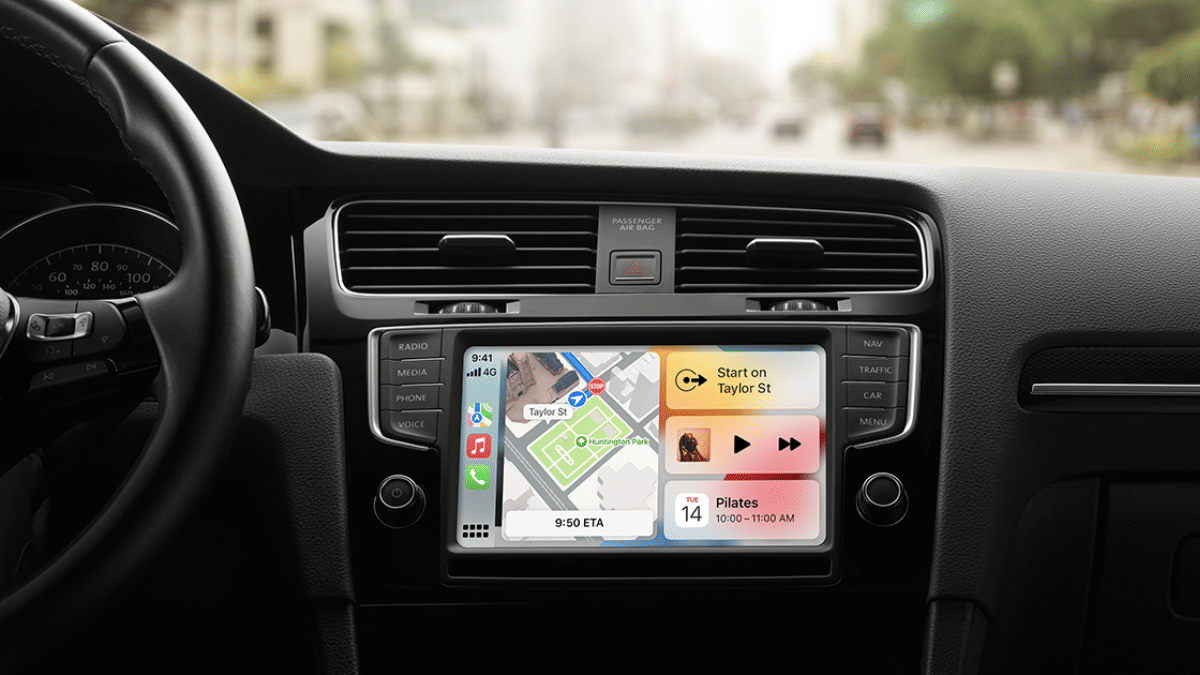
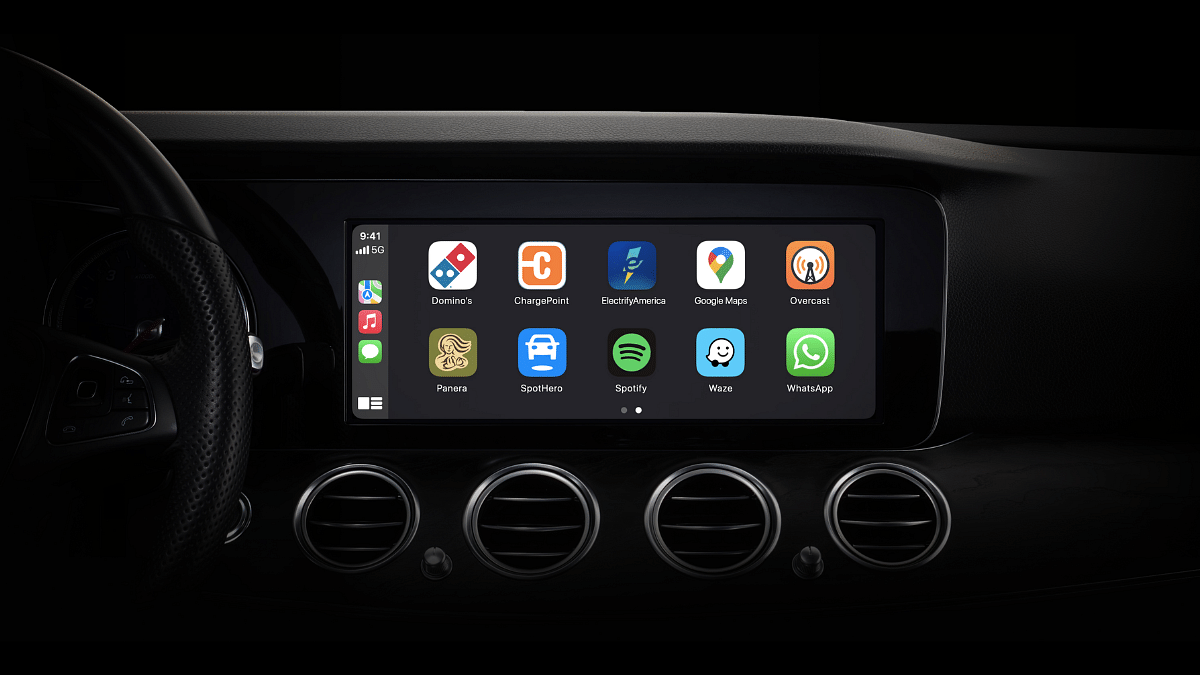
Apple Car Play is definitely an advanced ecosystem designed for the connected car technology allowing us to mirror iPhone application on the car’s infotainment system. With Apple Car Play we can make use of advanced navigational features and also entertainment on-the-go with just a few taps. Apple has also made SharePlat compatible with CarPlay giving passengers an exclusive music playback control during their car rides. This is one of those features that will surely make your road trip memorable. Let your friends and family control and queue songs together and get the road trip rolling. But before that, take a quick look at the specs and see how this feature can be enabled using your iPhone.

For the tech geeks, stay updated with the latest cutting-edge gadgets in the market, exclusive tech updates, gadget reviews, and more right on your phone’s screen. Join Giznext’s WhatsApp channel and receive the industry-first tech updates.

Also Read: How To Maximize iPhone Battery Health: Tips & Tricks

iOS, iPhone Requirements, Compatibility

iOS Version: iOS 17 and above

iPhone Variant: All iPhone models running on iOS 17 or iOS 18

Apple Music Subscription: Required

Also Read: Apple Maps Address Update: How To Setup, Modify Home Address On Apple Maps

Steps To Activate And Sync SharePlay And Car Play

Everyone using the iPhone in the car should make their contacts discoverable which will allow easy pairing and sync between SharePlay, CarPlay, and he infotainment module of the car. To make the contacts discoverable the steps should be followed on all the iPhones that are being used for the simultaneous music playback

Step 1: Open Settings menu on your iPhones.

Step 2: Go to the Apps sections.

Step 3: Scroll to the Music option and enable Discoverable by Nearby Contacts option.

Step 4: A notification will pop up on the respective iPhones’ Lock Screen. Hit the ‘Connect’ option.

Step 5: Click on the passenger’s device name and hit the Okay icon. Once this step is completed, the passenger will be able to synch and queue songs using their iPhones.

Also Read: How to export WhatsApp chat as pdf

Steps To Generate QR Code For SharePlay Joining

Step 1: On the CarPlay’s Now Playing screen, locate the key and tap on it.

Step 2: A QR code will be displayed on the infotainment screen

Step 3: Using the iPhone camera app, passengers in the car can scan the QR code and get connected with SharePlay and CarPlay for music playback.

Categories
Auto Tech Featured

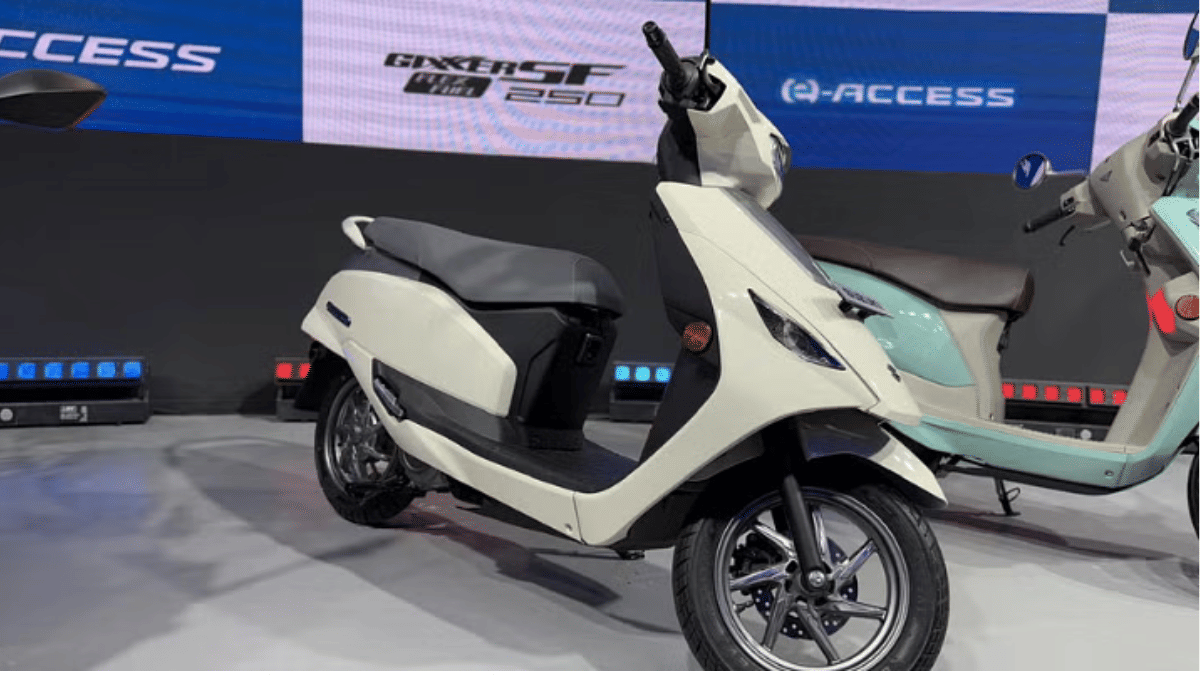
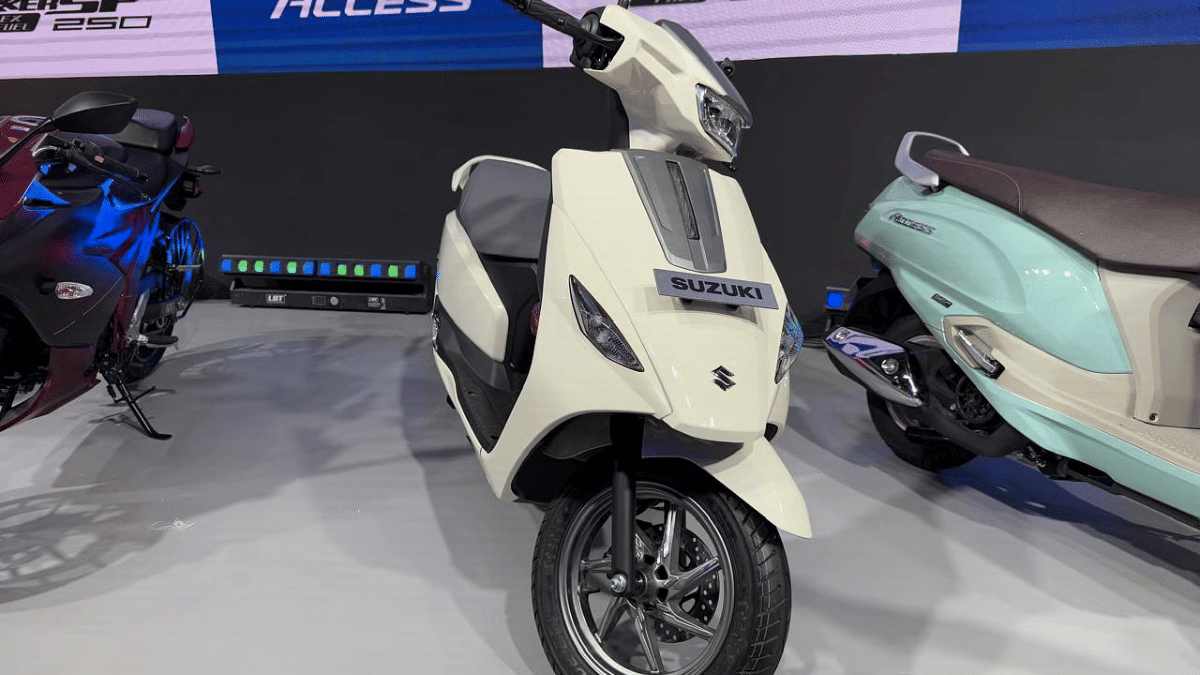
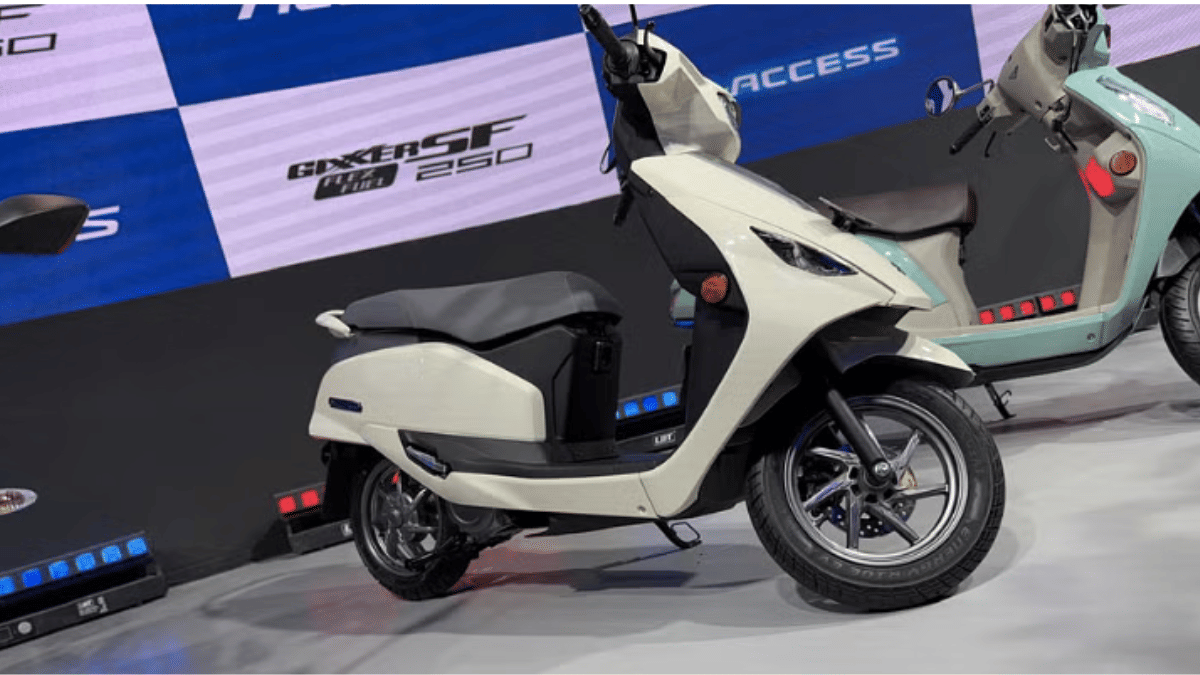
Suzuki e-Access Electric Scooter Launch Preponed? Expected Timeline, Features

Key Highlights

  • Suzuki could launch Access electric scooter
  • Was showcased at Bharat Mobility Global Expo this year
  • Launch likely preponed for festive season
  • Will come with a 3.07 kWh LFP battery

Bharat Mobility Global Expo 2025 was the centerstage for all newly released and upcoming EVs this year. Suzuki e-Access has been one of the anticipated electric scooters which finally broke covers in its production-spec avatar at the Auto Expo with the brand hinting its official debut later this year. But seems like the company is instead planning an early launch of its first electric scooter. What is the timeline being tipped for Suzuki e-Access India launch? Find out the details below:

For the tech geeks, stay updated with the latest cutting-edge gadgets in the market, exclusive tech updates, gadget reviews, and more right on your phone’s screen. Join Giznext’s WhatsApp channel and receive the industry-first tech updates.

Also Read: Week 9 2025 EV News Wrap Up: Top Headlines From The E2W, E4W Industry

Suzuki e-Access Electric Scooter Launch During Festive Season

Suzuki e-Access electric scooter is making its official sometime during the festive season this year. As per the information available, the e-Access will be launched between August to September 2025. The exact date still remains at large. The Japanese two auto maker is expected to pit its first electric scooter against some of thee popular offerings such as the Bajaj Chetak, Ola S1 Gen 3, and Ather Rizta in the Indian market.

In addition to the e-Access, Suzuki is also rumored to launch the Burgman electric scooter in India. There have been several reports indicating its arrival. However, no official timeline has been shared yet.

Also Read: Kia EV2 Concept Unveiled: Smallest Kia EV Set For 2026 Debut

Suzuki e-Access Electric Scooter: What To Expect?

The Suzuki e-Access electric scooter will offer a practical and comfortable design with decent storage space. It will be featuring a 3.07 kWh LFP battery pack using which it is said to deliver up to 95 km range on a full charge. The e-Access electric scooter will further be backed by a 4.1 kW electric motor which will produce a peak torque of up to 15 Nm.

Categories
Featured Mobile

Poco M7 5G Alternatives: Best Budget 5G Phones You Can Buy In March 2025 In India

Key Highlights

  • Poco M7 5G packs a big display, long battery, more
  • Realme C65, Infinix Hot 50, Moto G35 are top alternatives
  • Pick based on display, performance, and software

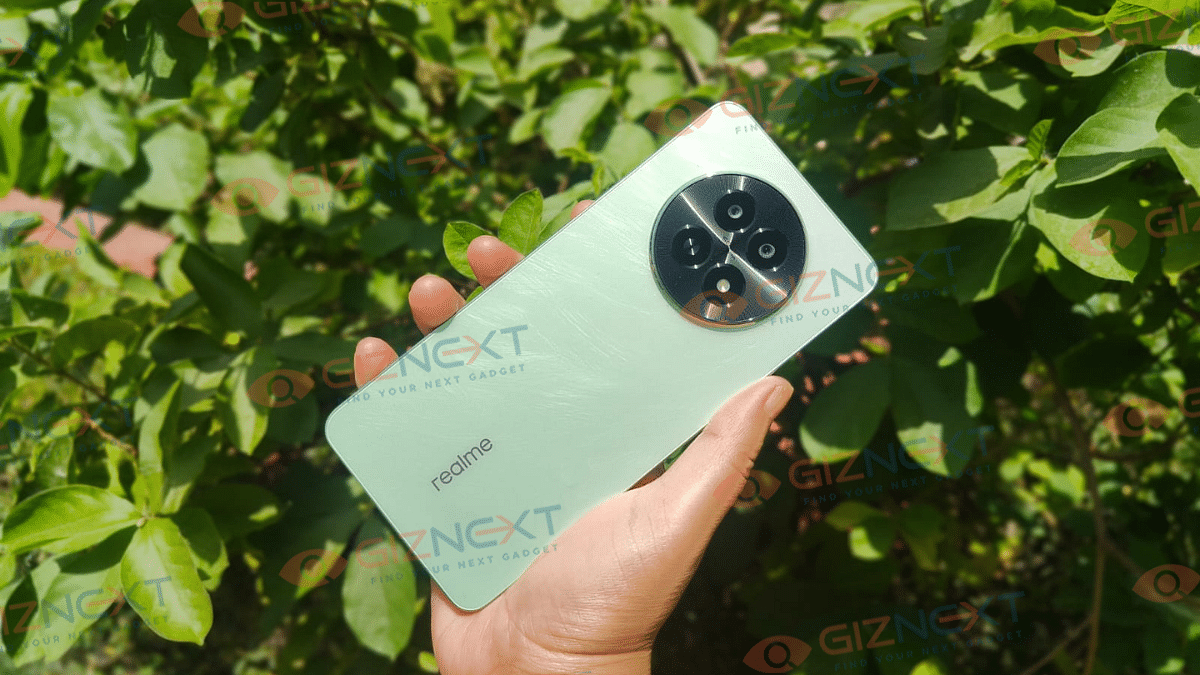
Poco has introduced the Poco M7 5G in India. The smartphone offers great features at an affordable price. Starting at Rs. 9,999, this smartphone comes with a 6.88-inch LCD display with 120Hz adaptive refresh rate, a Snapdragon 4 Gen 2 processor, and a 50MP primary camera. With a 5,160mAh battery and 18W fast charging, it is a great option for budget-conscious buyers. However, if you are looking for alternatives in a similar price range, here are some good options to consider.

Also Read | Samsung Galaxy S25 Ultra Alternatives: Top Premium Camera Phones Of 2025

Poco M7: Top Alternatives

SpecsPoco M7 5GInfinix Hot 50 5GMoto G35 5GRealme C65 5G
Display6.88-inch LCD, 120Hz6.7-inch LCD, 120Hz6.72-inch IPS LCD, 120Hz6.72-inch LCD, 120Hz
ProcessorSnapdragon 4 Gen 2MediaTek Dimensity 6300Unisoc T760MediaTek Dimensity 6300
RAM + StorageUp to 8GB + 128GB4GB RAM +  128GB4GB RAM +  128GB6GB RAM +  128GB
Rear Camera50MP + 2MP48MP + 2MP50MP + 2MP Depth Sensor50MP Primary Sensor
Front Camera8MP8MP8MP8MP
Battery5160mAh5000mAh5000mAh5000mAh
OSHyperOS custom skin (Android 14)XOS 14.5 (Android 14)Android 14Realme UI 5.0 (Android 14)
Starting PriceRs. 9,999Rs. 9,899Rs. 9,999Rs. 10,975

Realme C65 5G

The Realme C65 5G is a decent choice for those who want a stylish yet powerful smartphone. It comes with:

  • Easy to hold with 7.89mm slim design
  • Mini Capsule 2.0 for notifications, similar to Apple’s Dynamic Island
  • MediaTek Dimensity 6300 processor
  • A clean UI experience with minimal bloatware

Also Read | Realme C65 5G Long Term Review: The Pros And Cons

Infinix Hot 50 5G

If you are looking for a lightweight and sleek alternative, the Infinix Hot 50 5G is a great pick. It offers:

  • 188g weight and 7.8mm thickness
  • A minimalistic design with a clean software experience
  • MediaTek Dimensity 6300 processor
  • 6nm chipset architecture for better efficiency

Moto G35 5G

The Moto G35 5G is a budget-friendly smartphone from Motorola with a focus on performance and display. Key highlights include:

  • 6.72-inch Full-HD+ IPS LCD screen with a 120Hz refresh rate
  • Unisoc T760 chipset (6nm architecture)
  • 4GB LPDDR4x RAM and 128GB UFS 2.2 storage
  • Decent brightness levels, though visibility in direct sunlight could be a challenge.

Also Read | Nothing Phone (2a) Plus Alternatives: Four Top Smartphone Rivals

Which One Should You Pick?

  • If you want a stylish design and unique features, go for the Realme C65 5G
  • If you prefer a lightweight phone with clean software, Infinix Hot 50 5G is a good choice
  • If a high refresh rate display and good performance matter most, the Moto G35 5G is worth considering.

Choose based on your preference for design, software, or performance. Each of these alternatives brings something unique to the table, making them great choices in the under Rs. 10,000 price segment.

For the tech geeks, stay updated with the latest cutting-edge gadgets in the market, exclusive tech updates, gadget reviews, and more right on your phone’s screen. Join Giznext’s WhatsApp channel and receive the industry-first tech updates.

Categories
Apps Featured How To

Use AI Like a Pro on iPhone 16 Series: Check Steps To Integrate ChatGPT with Apple Intelligence

Key Highlights

  • Appl 16 series leverages AI features for enhanced experience
  • CharGPT and Apple Intelligence can be integrated together
  • Features can be accessed via Siri

Apple’s iPhone 16 series has been groundbreaking in terms of tech advancements. And the new premium Apple smartphone lineup is in-line with the latest trends, i.e., AI integration. Apple is redefining its enitre ecosystem by leveraging artificial intelligence. Surely, the Cupertino giant doesn’t want to left behind in this race and have integrating OpenAI’s ChatGPT with its Apple Intelligence platform.

Apple is promising a whole new user experience with AI-backed Siri. Now, users can get better personalised experience with AI-enabled productivity tools such as Notes and Mail, while receiving contextual responses across compatible iOS devices such as iPhones, iPads, and MacBooks. What are the steps that you need to follow to integrate ChatGPT with Apple Intelligence to make Siri more smarter? We have made it easier for you by listing the step-by-step guide here: Take a look:

For the tech geeks, stay updated with the latest cutting-edge gadgets in the market, exclusive tech updates, gadget reviews, and more right on your phone’s screen. Join Giznext’s WhatsApp channel and receive the industry-first tech updates.

Also Read: Maruti eVitara Crash Test Images Gets Viral: Secures 5 Star Ratings?

Steps To Enable ChatGPT Extension In Siri

Step 1: Unlock your iPhone 16 handset and head to the Settings menu.

Step 2: Scroll down to the Apple Intelligence section and tap on it.

Step 3: Now, clock on the Siri icon.

Step 4: Select the ChatGPT option

Step 5: Tap on the Set up icon

Step 5: Select the desired usage option. If you have an existing ChatGPT account then select “Use ChatGPT with an existing account”. If you are using ChatGPT for the first time or don’t wish to use it with any account, select, use “ChatGPT without an account option”.

Also Read: Google Photos Image Flip Feature: How To Use?

How To Disable ChatGPT And Sir Integration In iPhone 16 Series?

Step 1: Re-launch the Settings app on your respective iPhone 16 units

Step 2: Go to the Apple Intelligence option

Step 3: Clock on Siri

Step 4: Select ChatGPT and toggle off the ChatGPT extension.

Categories
Apps Featured

Legends Never Die: Five Iconic Anime Series That Still Rule The World

Key Highlights

  • Iconic anime with legendary stories
  • Unforgettable characters and battles
  • Must-watch for every anime fan

Anime has gained worldwide popularity for its fascinating stories, stunning visuals, and unforgettable characters. Some anime series have left a lasting impact, becoming must-watch classics. If you are looking for the best anime to watch, here are five titles you shouldn’t miss.

Also Read | Catch ‘Em All In Hindi: Pokémon Go’s Latest Language Addition

Five Best Anime Series To Watch

Anime TitleWhere to watch
Death NoteNetflix
Attack On TitanPrime Video
Dragon Ball ZPrime Video
NarutoNetflix
Demon SlayerNetflix

1. Death Note

A mind-bending thriller, Death Note follows Light Yagami, a student who discovers a notebook with the power to kill anyone. As he tries to create a “perfect world,” a genius detective, L, challenges him in an intense battle of wits.

2. Attack On Titan

This action-packed series takes place in a world where humanity is on the brink of extinction due to giant creatures called Titans. With unpredictable plot twists, breathtaking battles, and deep themes, Attack on Titan is a masterpiece.

3. Dragon Ball Z

One of the most iconic anime series, Dragon Ball Z follows Goku and his friends as they protect Earth from powerful villains. With intense battles, unforgettable transformations like Super Saiyan, and a legacy spanning decades, this series remains a fan favorite worldwide.

4. Naruto

A story of determination and friendship, Naruto follows a young ninja who dreams of becoming the Hokage, the strongest ninja in his village. Filled with inspiring moments, powerful battles, and unforgettable characters, it’s a must-watch.

5. Demon Slayer

Known for its breathtaking animation and emotional storytelling, Demon Slayer follows Tanjiro Kamado, a boy who becomes a demon hunter after his family is attacked. The stunning visuals and heart-touching moments make it a fan favorite.

Also Read | Pokémon Go Tips & Tricks: 10 Ways To Catch Rare And Legendary Pokémon

Conclusion

These five anime series offer action, adventure, and deep storytelling, making them some of the best of all time. Whether you are new to anime or a long-time fan, these shows are worth watching.

For the tech geeks, stay updated with the latest cutting-edge gadgets in the market, exclusive tech updates, gadget reviews, and more right on your phone’s screen. Join Giznext’s WhatsApp channel and receive the industry-first tech updates.

Categories
Auto Tech Featured

Week 9 2025 EV News Wrap Up: Top Headlines From The E2W, E4W Industry

Key Highlights

  • New premium Kinetic electric scooter to launch this year
  • MG Comet EV Blackstorm Edition launched
  • Revolt RV BlazeX e-motorcycle debuts
  • Kia unveils new EV lineup

Electric vehicles production have peaked globally and India is not left out. We are witnessing a massive breakthroughs in the EV market and this week has been no different either. From latest electric two and four wheeler launches to the spy shots of upcoming EVs getting leaked online, the week 9 of 2025 has been quite interesting. Here’s a quick wrap up of the top headlines from the EV industry:

For the tech geeks, stay updated with the latest cutting-edge gadgets in the market, exclusive tech updates, gadget reviews, and more right on your phone’s screen. Join Giznext’s WhatsApp channel and receive the industry-first tech updates.

Also Read: Range Anxiety Vs. Charging Infrastructure: Addressing Common EV Concerns

MG Comet EV BlackStorm Launched

JSW MG Motor India has added a new variant of its most compact electric car in India. The Comet EV BlackStorm Edition went official this week whose highlight is the all-black Starry Night shade along with red inserts. The Comet EV BlackStorm Edition’s interiors also gets updated with new theme combining the black and red inserts. This special Edition of the Comet EV gets the same underpinnings at the existing models including 41.4bhp RWD electric motor linked with a 17.3 kWh battery. The Comet EV BlackStorm Edition can provide up to 213 km range in a single battery charge. Read More

Also Read: EV Charging Tips And Tricks: Seven Ways To Find EV Charging Stations Across India

Revolt RV BlazeX E-Motorcycle Launched

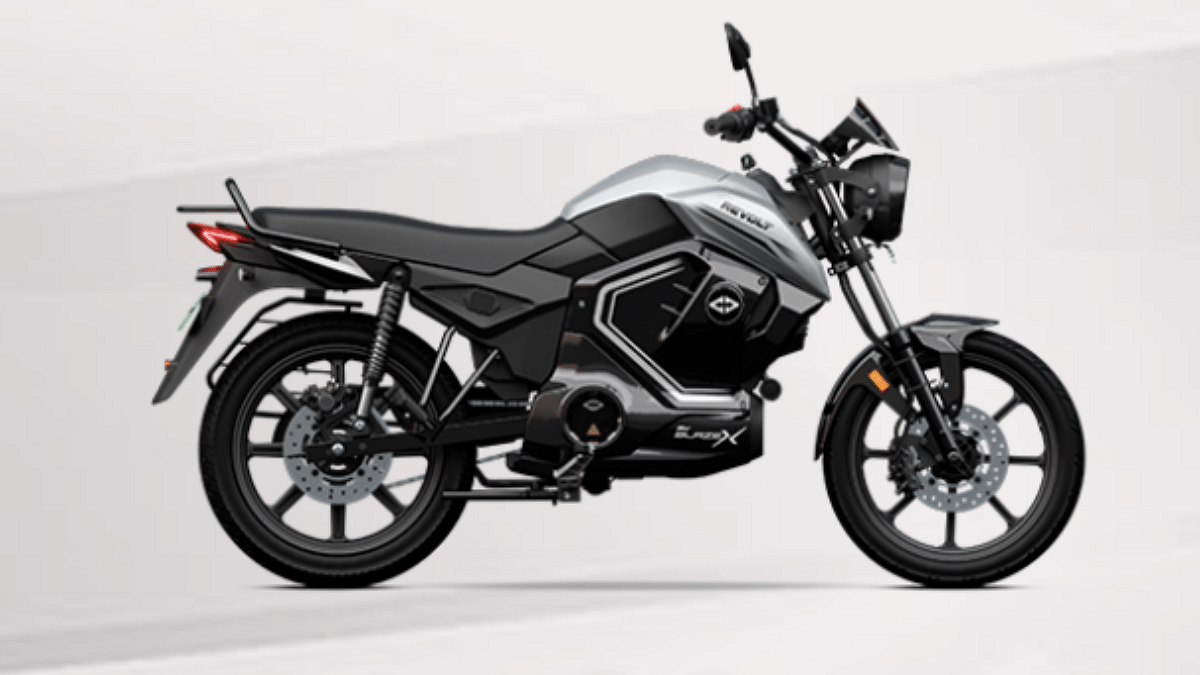
Revolt Motors have introduced its latest electric motorcycle model in India — the RV BlazeX. The latest offering from the company comes as a affordable daily ride solution with its comfortable seating and modern features. It has a 6-inch digital LCD instrument cluster which displays real-time navigations and supports OTA (over-the-air) updates as well. Backed by a 3.24 kWh battery, the RV BlazeX can reach up to 150 km on a full charge. Read More

Also Read: EV Range Anxiety: How To Locate Nearest EV Charging Station Using Google Maps

New Premium Kinetic Electric Scooter Under Development

Kinetic Green will soon be expanding its profile with the launch of a new electric scooter in India. The upcoming electric scooter which Kinetic is launching in India is the FLX. Arriving as a premium contender in the E2W segment, the Kinetic FLX is expected to compete against the Ather Rizta, Hero Vida, and the Ola S1 Gen 3 e-scooter range. Additionally, Kinetic Green is also working along with Yulu to develop a new battery portable and swappable battery module for the Luna e-Moped. Read More

Also Read: MG Motor India Caps Windsor EV Free Charging Offer: Impact On Buyers

Upcoming Toyota Electric Coupe SUV Teased

Toyota is getting ready for a new coupe electric SUV launch. A mystery model is teased sporting sloping roofline, hammerhead LED headlamp design, and rear LED lightbar. The upcoming Toyota EV will be unveiled globally on March 11, 2025 and is said to be based on the bZ3C fastback. Read More

Also Read: Vespa Working On A New Electric Scooter For India: Production To Commence Locally

Maruti eVitara Crash Test Images Leak

Maruti Suzuki will be launching the eVitara electric SUV this year and have already showcased the final production versions at the EICMA 2024 and the Auto Expo 2025. And now more hype is being created for Maruti’s first EV. A series of snapshots showing the eVitara going through crash tests have gone viral online. However, the leaked images are said to be from an internal crash testing program rather than the external agencies such as BNCAP and GNCAP.


Categories
Apps Featured

Work Smarter, Not Harder: Top Five AI Tools To Maximize Productivity

Key Highlights

  • AI tools help automate tasks, saving time and effort
  • They improve writing, organization, and design efficiency
  • Using AI can boost productivity and streamline workflows

Artificial Intelligence (AI) is changing the way we work, making tasks faster and more efficient. Whether you’re a student, professional, or business owner, AI tools can help you save time and improve productivity. Here are five of the best AI tools to boost your efficiency.

Also Read | Best Ways to Search By Image Online and Best Reverse Image Search Tools

ChatGPT: AI Writing Assistant

ChatGPT is an advanced AI chatbot that helps with writing, research, and idea generation.

  • Assists in writing articles, emails, and reports
  • Summarizes long content into easy-to-understand points
  • Provides creative ideas for brainstorming sessions
  • Answers queries with relevant and detailed explanations
  • Helps with coding by generating snippets and debugging code

Grammarly: Error-Free Writing

Grammarly is an AI-powered writing assistant that ensures your text is polished and professional.

  • Detects grammar, spelling, and punctuation errors
  • Provides clarity and style suggestions to improve readability
  • Checks for plagiarism to ensure originality
  • Offers tone adjustments to match different writing styles
  • Works across emails, documents, and social media platforms

Notion AI: Smart Task Management

Notion AI enhances productivity by organizing information and automating note-taking.

  • Summarizes lengthy documents into concise notes
  • Automates task management with reminders and to-do lists
  • Helps with knowledge management by structuring data efficiently
  • Generates action points from meetings automatically
  • Assists in drafting emails and project plans

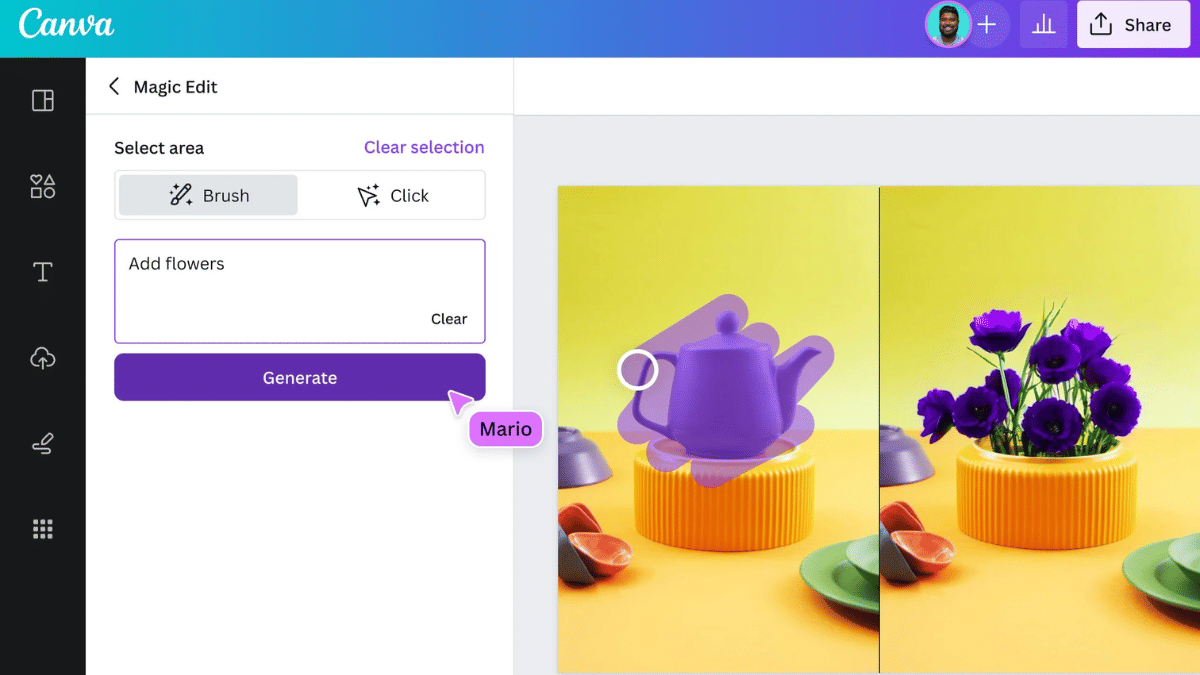
Canva AI: Easy Graphic Design

Canva AI simplifies design tasks, making professional-quality visuals accessible to everyone.

  • Suggests templates and layouts for quick designs
  • Enhances images with AI-powered editing tools
  • Generates social media posts, presentations, and marketing materials
  • Offers automatic background removal and resizing options
  • Provides AI-powered text and font suggestions for better design impact

Also Read | Best Apps And Tools To Download High Quality Instagram Status On Any Phone

Otter.ai: Automatic Transcriptions

Otter.ai is a speech-to-text tool that makes recording and reviewing conversations effortless.

  • Converts speech into text in real time
  • Identifies speakers and differentiates voices
  • Syncs with calendars to record and transcribe meetings automatically
  • Generates summaries and key takeaways from discussions
  • Allows easy sharing and searching of transcripts for future reference.

AI tools can make daily tasks easier and more efficient. Whether you need help with writing, organizing, or designing, these tools can save you time and effort. Try them out and boost your productivity.

For the tech geeks, stay updated with the latest cutting-edge gadgets in the market, exclusive tech updates, gadget reviews, and more right on your phone’s screen. Join Giznext’s WhatsApp channel and receive the industry-first tech updates.