Categories
Featured How To Printers

How To Add A Default Wireless Printer In Mac Devices

Printers are an essential tool for students and working professionals. While the digital transition is at its peak, printers still platy a vital role in our daily lives. The modern day printers are all advanced and lets users scan and fax from the same machines. HP, Epson, Canon, and Samsung are the noted players in the printer market in India offering a wide range of models.

Printers have also evolved with the technolgy the same way other mainstream consumer gadgets such as smartphones, tablets, laptops, and PCs. The services have also improved with the new-gen printers. For most of the general issues, you can try quick fixes at home to avoid visits to service centres.

The latest generation printers have wide range of connectivity options and also compatibility with multiple operating system including Microsoft Windows and Mac OS. We have previously shared some of the tips and tricks to resolve issues with Windows OS. Here we are sharing the steps to add a wireless printer to your Mac OS-powered device.

How To Add A Bluetooth Or Wireless Printer In MacOS

As mentioned above, this articles is centred around the method to add a Bluetooth printer to a Mac OS laptop or PC. If your MAC laptop or PC is Bluetooth-enabled then you can easily pair a wireless printer. Additionally, you can alo give prints using USB Bluetooth adapter that you have used to pair the Mac device and the PC.

Step 1: Open your Mac laptop or PC and check if the system firmware is up to date. You wouldn’t need to check this if the printer to be connected is one from the AirPrinter series.

Step 2: Complete the printer setup by filling up ink cartridges and papers.

Step 3: Turn on the printer.

Step 4: On your Mac device, tap on the Apple menu option.

Step 4: Click on System preferences.

Step 5: Tap in the Printers and Scanners option.

Step 6: Click on the Add option.

Step 7: Select the Default option.

Step 8: In the pop up screen, you’ll see the printer name in the list of printers. Select the appropriate printer.

Step 9: The wireless printer will now be set as default in your Mac laptop or PC. You can directly give print commands from the Mac device.

Categories
Accessories Featured

Five Best Wireless Earbuds Under Rs. 2,000 You Can Buy In India

Key Highlights

  • The under Rs. 2,000 list also includes the Boat Airdopes 121v2
  • Realme, Noise, and Boat are quite popular brands in the 2K segment
  • Most earbuds come with big batteries in this price range

Wireless earbuds are everywhere. Once you get outside of your home, it seems like everyone has at least one pair. The demise of the 3.5mm headphone connector is the main cause of the truly wireless earbuds market’s explosive rise. Nowadays, except few entry-level and mid-range models, no phone comes with the jack. This is why users have switched to wireless earbuds. Another factor contributing to people’s comfort with wireless earbud use is their affordability.

Today, decent wireless earbuds can be purchased for under Rs. 2,000. In the sub-Rs 2,000 segment, earbuds from brands like Realme, Noise, Boat, and Oppo are quite popular. In this article, we have rounded up the five best wireless earbuds you can buy in India for under Rs. 2,000.

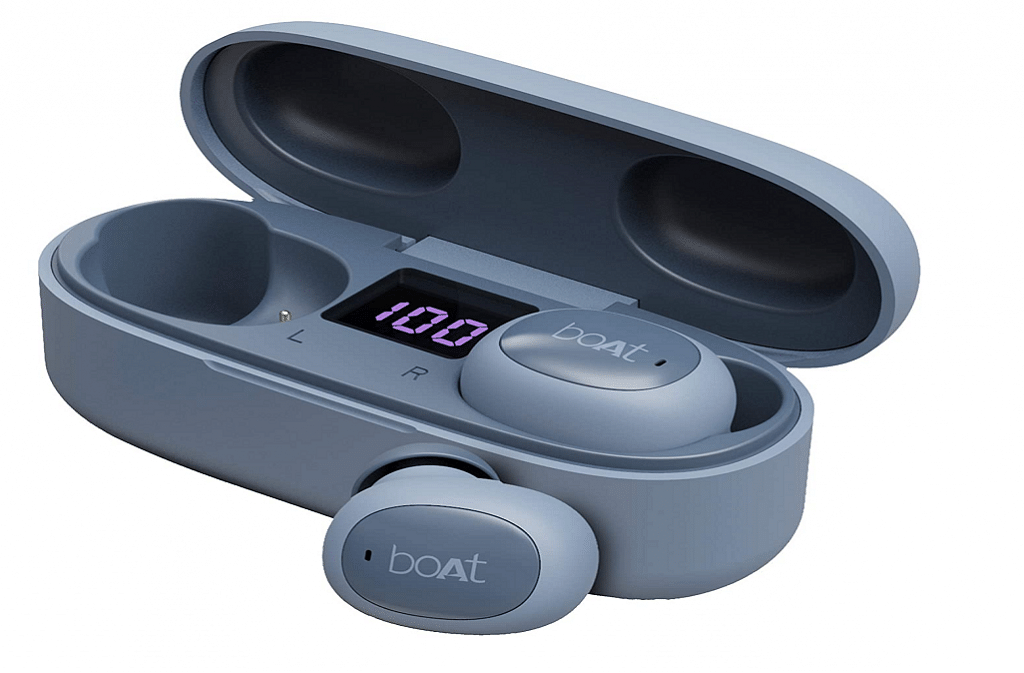
Boat Airdopes 121v2 True Wireless Earbuds

Pros

  • Good build quality
  • Decent Bluetooth range
  • Small and lightweight

Cons

  • Slippery in nature
  • Can connect to only one device at once

The Boat Airdopes 121v2 True Wireless Earbuds have a double-tone finish. With each charge, it provides up to 3.5 hours of constant playback and an extra 10.5H recess with the included charging case. With Bluetooth v5.0, the earbuds provide a truly remote experience for continuous sound. It contains decent 8mm drivers that emit a vibrant audible experience throughout the day. You can buy the Boat Airdopes 121v2 True Wireless Earbuds on Amazon for Rs. 999.

Realme Buds Wireless 2 Neo

Pros

  • Good build quality
  • Magnetic instant connection feature
  • The noise cancellation feature works well

Cons

  • No simultaneous two-device connection
  • Only IPX4 water resistance rated

The Realme Buds Wireless 2 Neo is one of the best neckband-style wireless earbuds. They offer an enormous 17 hours of continuous listening time and a sound profile that is bass-heavy. Additionally, they have a quick magnetic connection, so turning them on and off requires only pulling the buds apart or joining them. Also, you get an 88ms ultra-low latency option for smooth video playback and gaming. The earbuds have quick charging capabilities and are water-resistant to IPX4 standards. The Realme Buds Wireless 2 Neo is priced reasonably at Rs. 1,199 on Flipkart.

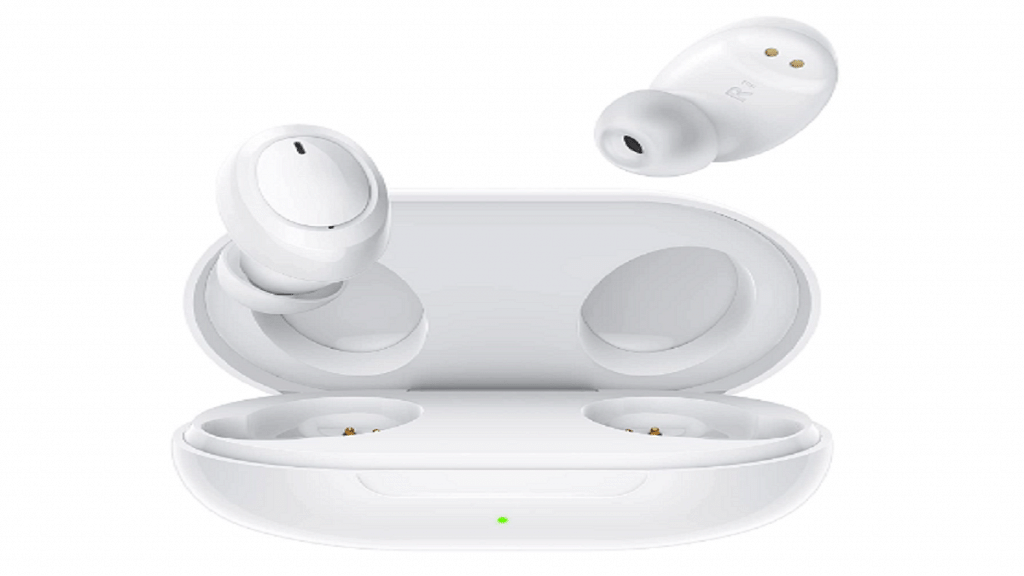
Oppo Enco W11

Pros

  • Decent and practical design
  • IP55 rating
  • Responsive touch gestures

Cons

  • No direct app supports

The Oppo Enco W11 has grabbed the position in our list of the best wireless earbuds under Rs. 2,000. The earbuds come in a pill-shaped design with both case and earbuds. They have a cutting-edge AI noise reduction algorithm that makes your calls clear even in noisy environments. In addition to this, the earbuds are IP55 water and dust-resistant. The Oppo Enco W11 is available for sale on Flipkart for Rs. 1,899.

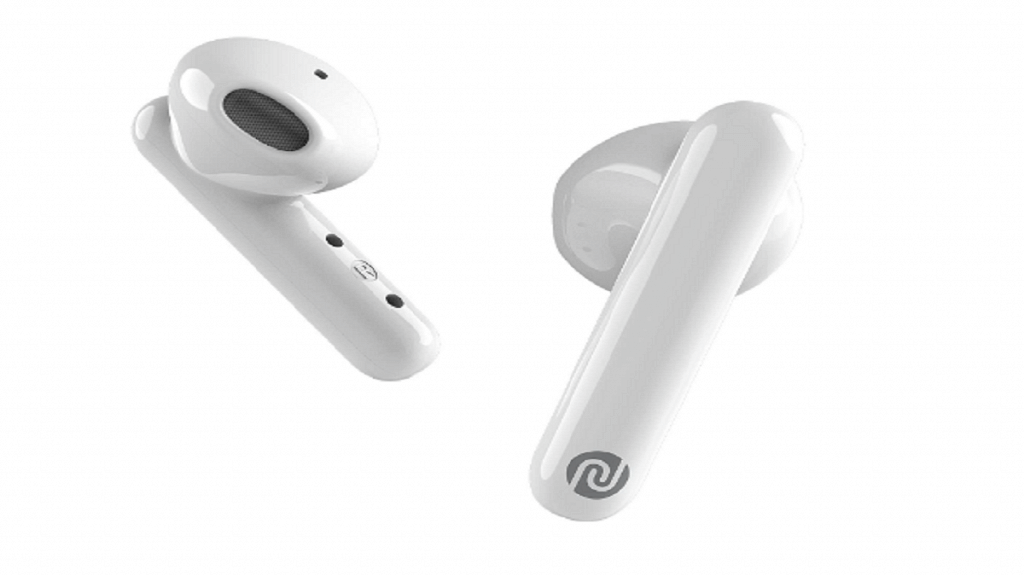
Noise Air Buds

Pros

  • Stylish look
  • Offers loud sound
  • Lightweight and comfortable

Cons

  • Average sound quality
  • Low bass

The AirPods-like design of the Noise Air Buds will appeal to many people. The 13mm drivers that come with it enable balanced sound. The earbuds support IPX4 water and dust protection and have a 20-hour playback time. They are further compatible with Bluetooth 5.0, so you can effortlessly pair them with any Android phone, iPhone, and laptop. The Noise Air Buds will cost you Rs. 1,499 on Amazon in India.

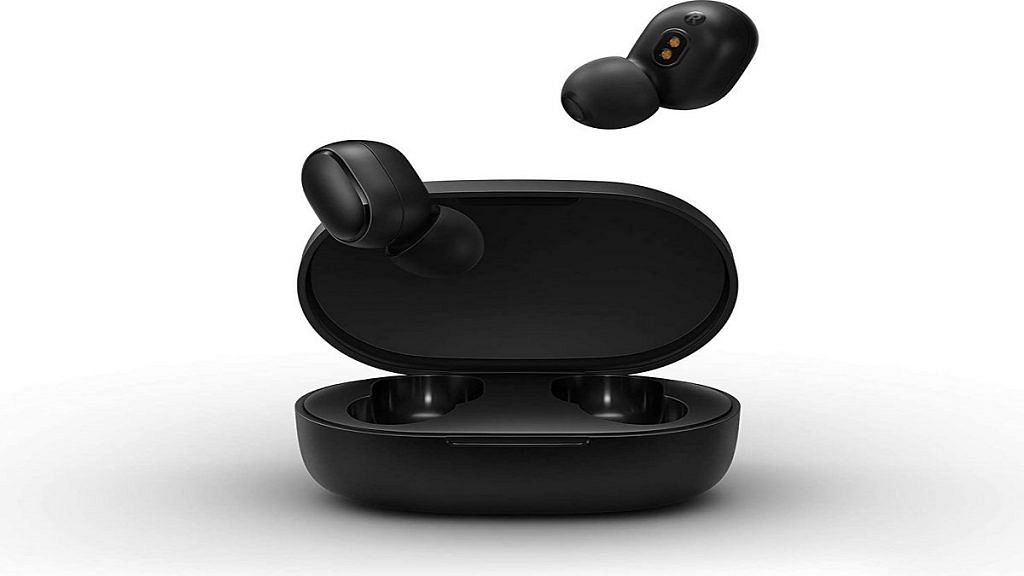
Redmi Earbuds 2C

Pros

  • DSP ENC
  • Voice assistant and IPX4 rating
  • Sleek and stylish design

Cons

  • No touch controls
  • Earbud buttons’ can’t control music

The Redmi Earbuds 2C has an in-ear design that resembles a button. With the charging case, they offer 12 hours of playback duration; however, using just the earbuds gets you about four hours. The pop-one button design on the earbuds allows users to perform tasks including playing and pausing music, answering calls, enabling the voice assistant, muting and unmuting the earbuds, and switching between calls. The Redmi Earbuds 2C cost Rs 1,479 on Amazon.

Categories
Featured Info Telecom

Airtel Gives The Best Download Speed, Jio Leads In Availability: OpenSignal

Key Highlights

  • OpenSignal has come up with its latest Mobile Network Experience Report
  • Airtel wins in the video experience, game experience, and voice app experience categories
  • The report also named Jio best in 4G coverage experience

The latest Mobile Network Experience Report has been released by OpenSignal, a global provider of independent insights and data integrating network experience and market performance across convergence, wireless, and broadband operators.

According to the report, Airtel is the “outright” winner in the categories of video experience, gaming experience, and voice app experience. The company was also recognized as the winner in the category of “Best Download Speed Experience” in the survey. The average user recorded 13.6Mbps which was 0.3–0.6Mbps faster than the competition and nearly 10.6Mbps faster than BSNL.

After reviewing consumer mobile network experiences across India’s four major mobile network providers for a period of 90 days beginning on June 1, 2022, and concluding on August 29, 2022, Opensignal came to its conclusions. Performance was assessed both nationally and in 22 telecom circles.

“Airtel has the edge when it comes to quality of experience on Indian mobile networks. When streaming videos, playing multiplayer mobile games, or using OTT voice services via mobile networks, our Airtel users had the best possible experience,” says the report.

Reliance Jio Is The Leader In Availability And 4G Coverage

In the category of Coverage, Reliance Jio takes home all three awards. It has won both the prizes for 4G availability and availability in general once again.

According to the report, “Our Indian users were able to spend the highest percentage of time (99.4%) connected to mobile broadband services on Jio’s 4G network.” Apart from this, Jio also won the 4G Coverage Experience Award. Jio users connected to 4G in the largest percentage of locations visited by users in India which is 95 out of 100.

Categories
Featured Info Tablet

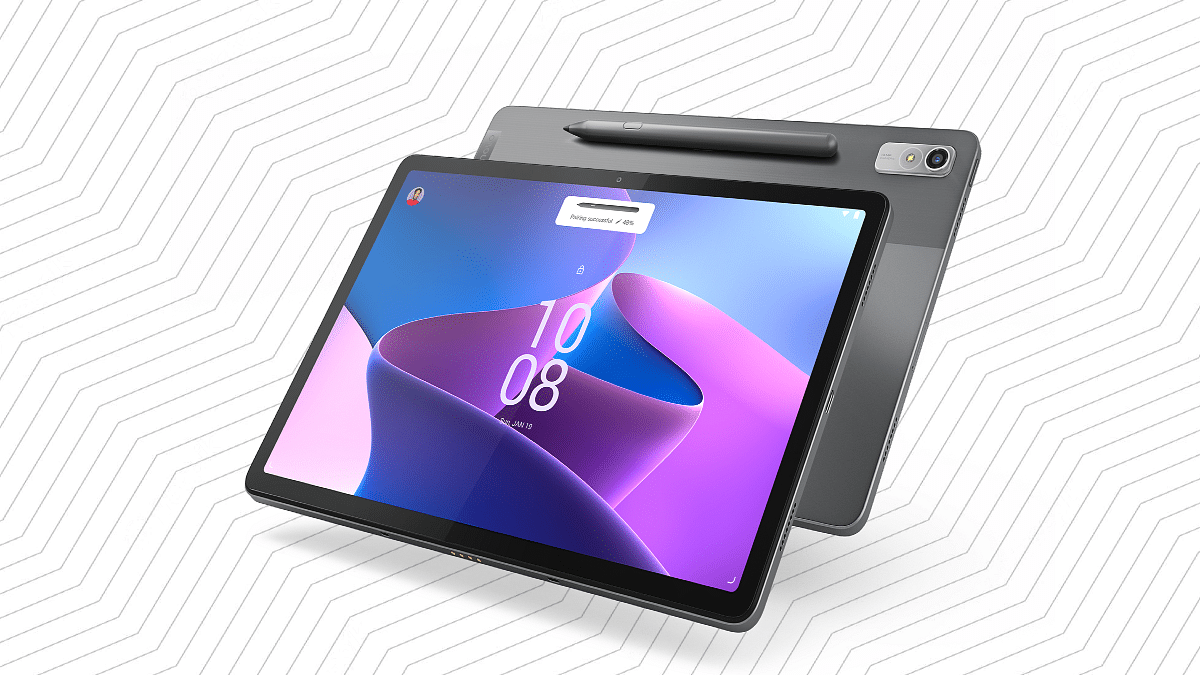
Lenovo Tab P11 Pro (2nd Gen) Premium Android Tablet With MediaTek Kompino 1300T Chipset, Precision Pen 3 Debuts In India; Price, Full Specifications

Key Highlights

Lenovo Tab P11 Pro (2nd Gen) Announced in India

Octa-core MediaTek Kompino 1300T chipset under the hood

8GB RAM and 256GB storage configuration launched

13MP rear camera and 8MP selfie camera

8,200 mAh typical battery capacity

Lenovo has added a new Android tablet to its product lineup in India. The brand has refreshed the Tab P11 series with the launch of the Tab P11 Pro (2nd Gen). The latest tablet from Lenovo is a premium range Android tablet similar to its successor, i.e, the standard Tab P11 Pro. The upgrades along with the pricing details are mentioned below:

Lenovo Tab P11 Pro (2nd Gen) Key Features And Specifications

The latest Tab P11 Pro (2nd Gen) tablet brings along a bunch of internal upgrades compared to its predecessor. We have broken down all the hardware aspects for your convenience.

Design And Display

The Lenovo Tab P11 Pro (2nd Gen) tablet wears a dual-tone design. The company used a glass-like finish at the rear, adding to its premium appeal. The tablet is lightweight and weighs around 480 grams making it easily portable. The display tucked inside the Tab P11 Pro (2nd Gen) measures 11.2-inches in size.

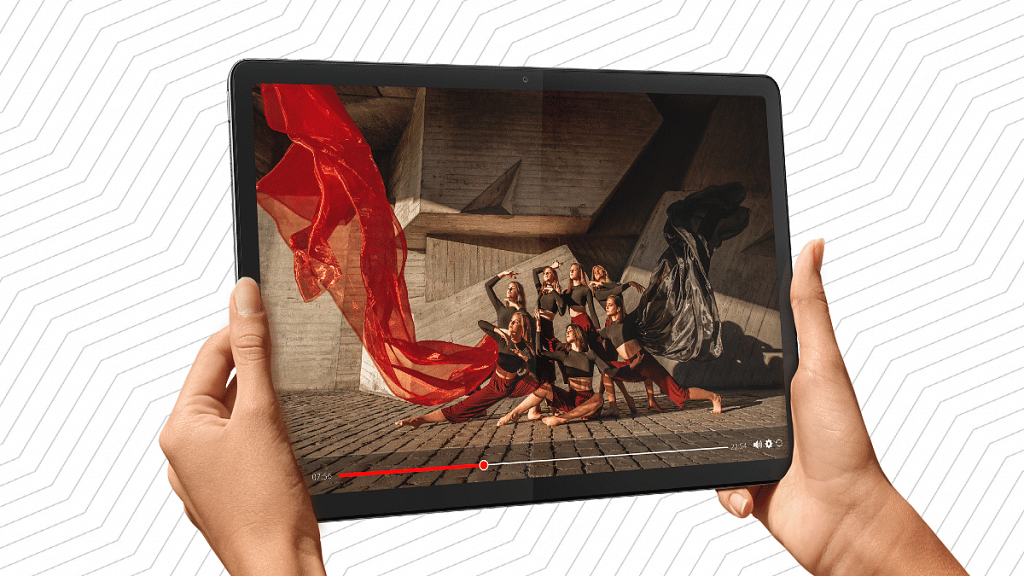
The premium tablet’s display panel type is OLED which is impressive with visual quality. The screen comes with an aspect ratio of 15:9 and supports a 1536 x 2560 pixels screen resolution and 120Hz refresh rate. The tablet’s display supports 600 nits peak brightness levels and is Dolby Vision certified. The screen also supports HDR 10+ for an immersive viewing experience.

Camera And Audio

The Lenovo Tab P11 Pro (2nd Gen) tablet is equipped with a single front and rear camera setup in the imaging department. Lenovo has used a bigger 13MP main RGB camera at the back. Upfront, this tablet has an 8MP snapper for selfies and video calling.

The camera hardware is decent for general photography and video conferencing. Audio delivery is handled by a quad-speaker system from JBL. The tablet also features Dolby Atmos support.

Processor And Configuration

The performance delivery on the Lenovo Tab P11 Pro (2nd Gen) is handled by an octa-core MediaTek Kompino 1300T processor. The premium mid-range chipset is clubbed with a single 8GB RAM. The tablet offers 256GB onboard storage capacity. The tablet is pre-loaded with Android 12 OS.

Connectivity, Battery

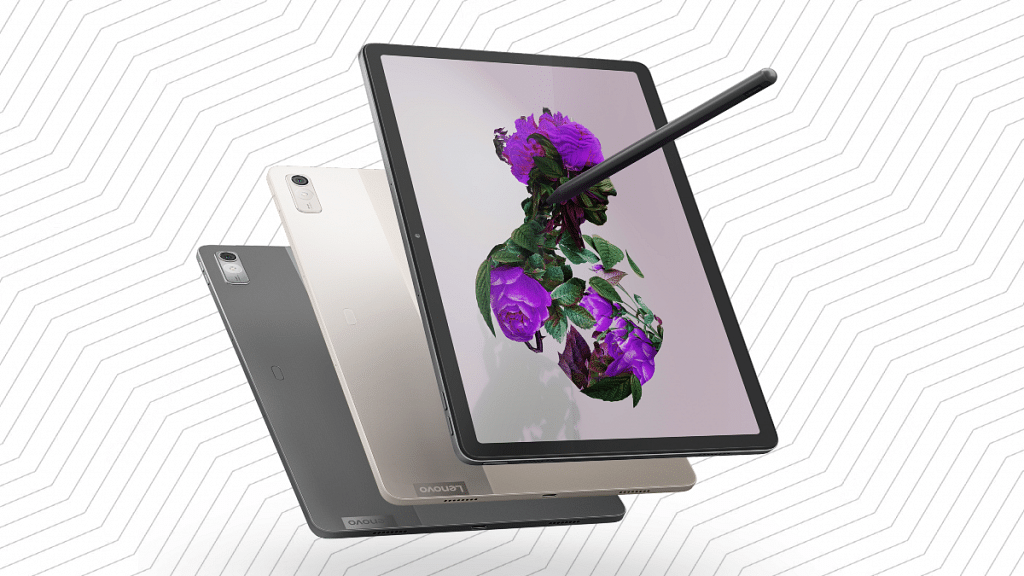
The Lenovo Tab P11 Pro (2nd Gen) tablet comes with a Precision Pen 3 stylus pen support that can latch magnetically to the tab. The tablet also comes with wireless keyboard support. The tablet features Wi-Fi 6 and Bluetooth wireless connectivity. The battery packed inside is an 8,200 mAh typical capacity with 10V charging.

Lenovo Tab P11 Pro (2nd Gen) Price In India

The Lenovo Tab P11 Pro (2nd Gen) ships with a single 8GB RAM and 256GB storage configuration that is priced at Rs. 39,999. The tablet will be available for purchase via Amazon, Lenovo.com, and Lenovo Exclusive stores starting October 17 in India.  If we speak of the competition, the Samsung Galaxy Tab S7 FE and the Apple iPad Mini are among the top contender for this tablet.

Categories
Apps Featured How To

Google Maps Tips & Tricks: Here’s How To Check Air Quality Index In Your Area

Key Highlights

  • Google Maps can help you check the AQI around you
  • This can help you make informed decisions about going out
  • This feature is currently available across many countries including India and US

It is the time of the year again when the air quality around us gets worse than it has ever been. Weather changes, festive firecrackers, the harvest, and car pollution will all affect air quality. Everyone’s health is put at risk by the poor air quality with heart and respiratory conditions, especially those who have asthma.

It is advised that people limit their outside travel at this time. Additionally, before traveling, check the air quality index to prevent health issues. To help you with that, Google provides a feature that will tell you the current air quality index of locations you are planning to visit.

Users can check an area’s air quality index using a dedicated tool in Google Maps. You can monitor the air quality wherever you go or wherever you live with the help of this feature. You can then schedule your outside activities in accordance with your newfound understanding of your surroundings. You can just forgo going outside if the air quality is high or extreme, and stay inside instead.

How To Check Air Quality Index On Android And iOS Using Google Maps?

You can use Android and iOS devices to track the air quality using Google’s air quality tool. Consequently, assisting you in deciding whether it is safe for you to go outside. Let’s check out how Google’s air quality feature functions.

Step 1: On your Android or iOS devices, launch Google Maps.

Step 2: After that, search for the location or tap on the target button in order to pinpoint your current location.

Step 3: Once the location is set, click on the layers button available at the top right corner of your screen.

Step 4: You will see options for Map types and Map details. Under Map details, select “Air Quality” by tapping it.

Step 5: Now, you can view the National AQI’s air quality data on Google. That’s all.

Categories
Chipset Comparison Featured

Qualcomm Snapdragon 750G Vs MediaTek Dimensity 800 Chipset Comparison: Which Mid-Range 5G Chipset Is Better?

Key Highlights

Qualcomm Snapdragon 750G has an octa-core CPU and 8m fabrication

MediaTek Dimensity 800 is fabricated using a 7nm process

Snapdragon 750G has Adreno 619 GPU

Dimensity 800 has Mali-G57 MC4 GPU

Smartphone OEMs are looping in the latest hardware innovations to design their products. All modern days smartphones are relying on MediaTek and Qualcomm chipsets to power their mid-range and flagship Android phones. We just compared two of the most competent chipsets from both these brands including the Dimensity 700 and the Snapdragon 750G. In this article, we are pitting down another budget 5G chipset by MediaTek, i.e., the Dimensity 800 against the Snapdragon 750G. Which one out of the two has a better CPU architecture and overall performance? Read on the details here:

Qualcomm Snapdragon 750G Vs MediaTek Dimensity 800: CPU Architecture

The CPU core cluster is octa-core on both MediaTek Dimensity 800 and Snapdragon 750G mobile processors. However, the fabrication process is 8nm on the Snapdragon 750G, while the Dimensity 800 has a thinner 7nm fabrication process. The CPU frequency is 2200MHz with the Snapdragon 750G and 2000MHz with the Dimensity 2000.

If we speak of the cluster design, the Snapdragon 750G chipset has 2.2Ghz Cortex-A77 cores and six Cortex-A55 cores clocked at 1.8GHz. The higher frequency range is an advantage of the Snapdragon 750G when we consider the performance deliver aspect.

Qualcomm Snapdragon 750G Vs MediaTek Dimensity 800: GPU Architecture

The Qualcomm Snapdragon 750G octa-core Chipset has the Adreno 619 GPU support for graphics. The GPU integrated delivers around 825MHz frequency range with two execution and 128 shading units. On the contrary, the MediaTek Dimensity 800 processor has the Mali-G57 MC4 GPU that churns out around 650MHz of GPU frequency with four execution units and 64 shading units. Graphics rendering is good with both these mobile processors.

Snapdragon 750G Vs Dimensity 800: Memory, Multimedia (ISP)

Speaking of the memory type, it’s LPDDR4X RAM with both Snapdragon 750G and Dimensity 800 processor. The memory frequency is 2133MHz with both these chipsets but the maximum memory support is 12GB and 16GB with Snapdragon 750G and the Dimensity 800 respectively. The storage compatibility is UFS 2.1, UFS 2.2, and UFS 3.0 with the SD 750G and UFS 2.2 with the Dimensity 800.

The maximum display resolution is 1080 x 2520 pixels with both of these chipsets. The maximum camera resolution is 1 x 192MP and 2 x 32MP with the SD 750G and 1 x 80MP and 2 x 32MP with the Dimensity 800. The video recording support is 4K@30fps with both these processors.

Categories
Featured Info Laptop

Infinix Launches 11th Gen INBook X2 Plus Laptop In India: Know Price And Specifications

Key Highlights

  • Infinix unveiled INBook X2 Plus in India
  • The laptop features a bigger 15.6-inch display
  • The price of Infinix INBook X2 Plus starts at Rs. 32,990

Infinix INBook X2 Plus launched in India. The laptop has been made official alongside the Infinix 43 Y1 TV in the nation. The INBook X2 Plus is an enhanced version of his INBook X2 with a 14-inch display. The X2 Plus comes with a larger 15.6-inch screen. Here’s all that you need to know about the newly launched laptop.

Infinix INBook X2 Plus Laptop Specifications

The 15.6-inch display of the Infinix INBook X2 Plus features a Full HD resolution of 1,920 x 1,080 pixels, a 100 percent sRGB color gamut, a 72 percent NTSC color gamut, and a brightness of 300 nits. The Infinix INBook X2 Plus has a metal body made of an aluminum alloy that is 1.58kg in weight and 14.9mm thick.

The laptop is powered by the 11th gen Intel Core i3-115G4, Core i5-1155G7, and Core i7-1195G7 GPU. The other CPU models offer Iris Xe graphics while the i3 chip has Intel UHD graphics. The laptop has 8GB or 16GB of LPDDR4x RAM installed. It has NVMe PCIe 3.0 SSD storage capacities of 256GB or 512GB.

The Infinix INBook X2 Plus has a 1080p webcam which is coupled with dual-LED fill lights as well as dual microphones. As for connectivity, it has one USB Type-C port for charging and data transfer, WiFi 6, one USB Type-C port for data transfer, one HDMI 1.4 port, one SD card slot, two USB 3.0 ports, and a 3.5mm headphone/microphone combination jack.

The Infinix INBook X2 Plus has a 50Wh battery and runs Windows 11 Home. It further supports Type-C rapid charging at 65W PD 3.0. The company claims that it can provide up to 10 hours of video playback on a full charge.

Infinix INBook X2 Plus Laptop Price

The Infinix INBook X2 Plus will be sold in India starting on October 18, 2022. It will only be offered for sale on Flipkart. The INBook X2 Plus’s Core i3 + 8GB RAM + 256GB storage model costs Rs. 32,990. The laptop’s Core i3 + 8GB RAM + 512GB storage edition is priced at Rs. 35,990.

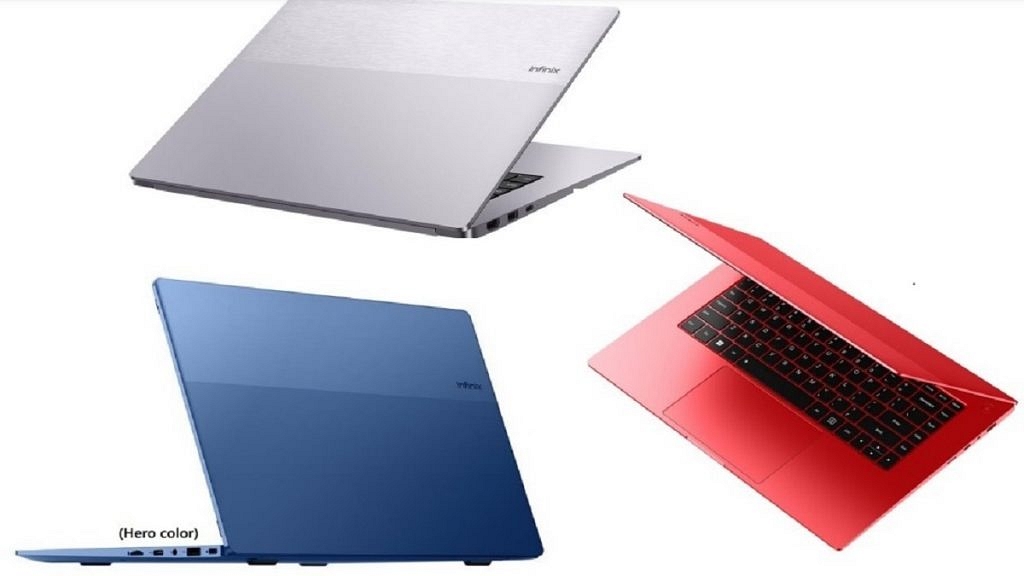
The Core i5 + 8GB RAM + 512GB storage model is priced at Rs. 42,990. On the other hand, the highest variant providing Core i7+ 16GB RAM + 512GB storage will cost you Rs. 52,990. The laptop will be available for purchase in Grey, Blue, and Red color variants.

Categories
Featured How To TV

How To Resolve Payment Issues With In-App And Game Purchases, Subscriptions In Smart TVs

Android TV ecosystem is evolving with modern days technologies. Brands are incorporating the latest hardware innovations so that users get the best audio-video experience with large screens. And there is a horde amongst the manufacturers to offer all its consumer base a premium viewing experience at an affordable price tag.

We have multiple dedicated smart TV brands and smartphone OEMs that are catering to the audience in the smart TV market. And a majority of the brands are using Android services for their TVs. With Android smart TVs, you can also use third-party apps and games. You can download and install not just free apps but also paid apps. Making third-party app purchases is also a simple process when you do it on smart TVs.

You can try multiple payment methods to make new in-app purchases. The procedure remains the same as on smartphones and tablets or laptops/ PCs. But what if you are unable to make payments or go ahead with in-app purchases? Adding different payment methods to Google Play is one of the easiest ways in such cases. The solution is listed below:

How To Fix Payment Issues With App Purchases In Smart TVs

Buy services on other Android devices and then access on smart TVs.

Step 1: On any of your Android devices including a smartphone, laptop, or tablet, launch any web browser and go to play.google.com.

Step 2: Now, sign in to the Android TV with the same account.

Step 3: Find the content or the app that you wish to buy.

Step 4: If you are making an app purchase, complete the payment using your other Android device.

Step 5: If the content is related to a movie or show, you can do that on your other device and then watch it on your smart TV.

How Can You Start A New Subscription On Another Device?

Step 1: Open the website or the app whose subscription you wish to purchase.

Step 2: Now, make the payment on the website or the app.

Step 3: Go to your Android TV and hit back from the remote to dismiss any payment error message.

Step 4: Sign in to your account on the smart TV and start using the subscription services.

Categories
Accessories Featured Info

Noise Introduces Next Gen Audio TWS ‘IntelliBuds’ In India

Key Highlights

  • Noise launched next-gen audio TWS in India
  • Noise Intellibuds is packed with features like gesture control, hot voice command, and more
  • The new TWS is priced at Rs. 4,999

With the launch of IntelliBuds, Noise introduced Next Gen Audio in India. Noise IntelliBuds, the second invention from the brand’s tech incubator, Noise Labs, is powered by Bragi. The new product is intended to add a new audio experience and alter how users interact with their gadgets. Here’s everything you need to know about the newly launched device:

Noise IntelliBuds: Features

Noise IntelliBuds offer industry-leading features like Gesture Control, Hot Voice Command, Music Sharing directly from earbuds, Transparency Mode, and Customized Equalizer that integrates seamlessly into our daily lives for the first time in India.

Users of the Gesture Control feature can nod their heads to accept calls while shaking their heads to refuse them. The device has trained its algorithms to work in a variety of situations including standing, sitting, walking, running, and climbing stairs. The company added that it has a customized equalization and transparency mode.

Users of the Hot Voice command can answer incoming calls by saying, “Hey headphones,” followed by the commands Accept or Reject and Play/Pause/Next/Previous for music, the company said.

Noise IntelliBuds is India’s first gesture-controlled TWS. They come enabled with an AI neural net which has been rigorously trained for weeks and months to detect and identify intentional nod and shake head movements from unintentional ones after initial calibration.

To experience a new level of personalization, the buds can be coupled with the “NoiseFit Smart” app. The new TWS states that one charge will provide nine hours of battery life and 36 hours of playtime. In addition to this, it comes with a 600mAh battery.

Noise IntelliBuds: Price And Availability

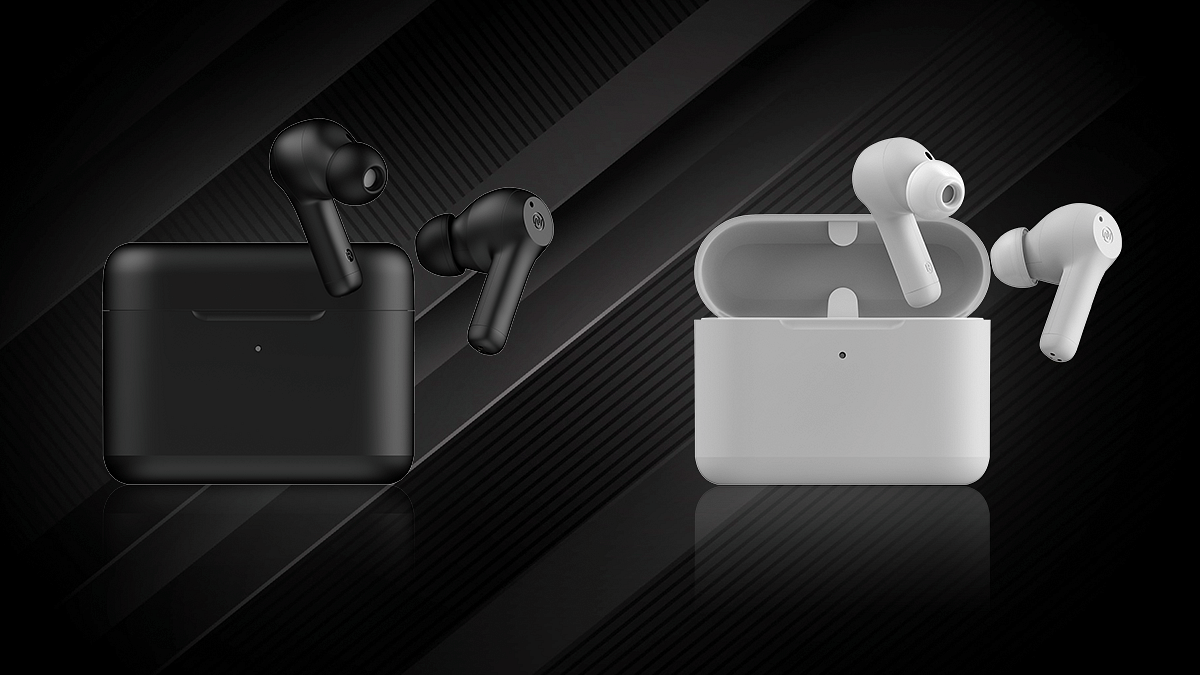
Prior to the Diwali gift-giving season, Noise released the device which is priced at Rs. 4,999. The Noise IntelliBuds will be available in a black and white color variant starting at 12 noon on October 14 at GoNoise.com. The new TWS will be available in black and white color variants.

Categories
Featured Info Laptop

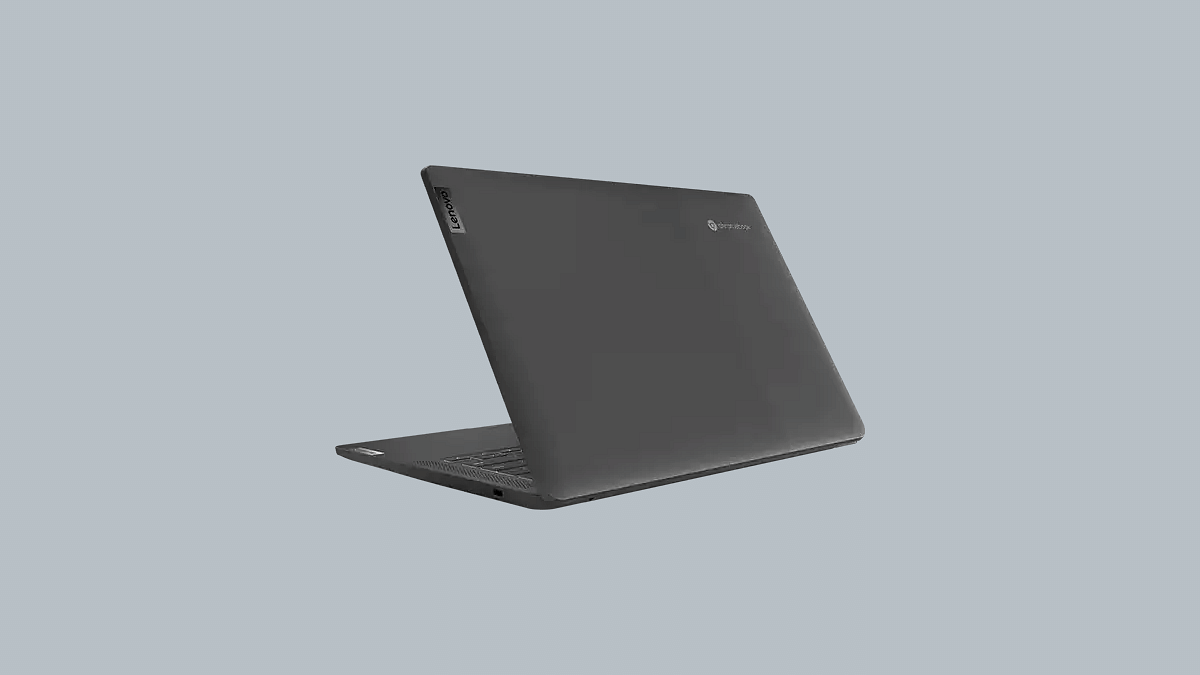
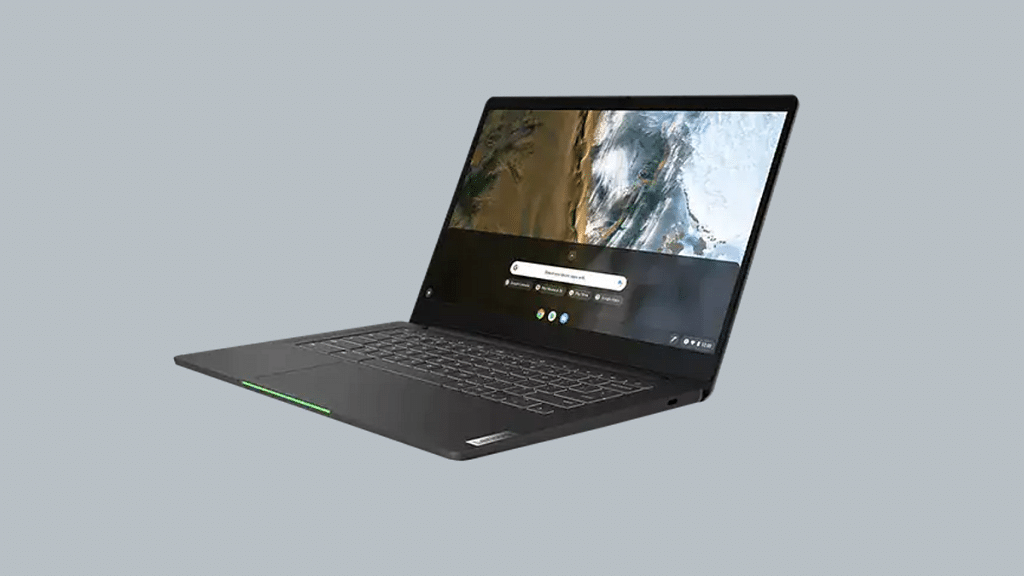
Lenovo IdeaPad 5 Gaming Chromebook With Intel Core i5, i3 Chipsets Announced; Price, India Launch Date

Key Features

Lenovo IdeaPad 5 gaming Chromebook announced officially

Powered by Core i3 1215U and Core i5-1235U chipsets

16-inch IPS LCD display with WQXGA resolution and 120Hz refresh rate

Up to 8GB LPDDR4X RAM and 512GB M.2 SSD

Lenovo has launched multiple new tablets and laptops in the last few years. The brand has populated all its product categories; specifically tablets and Ideapad laptops. Adding to Lenovo’s product list is the IdeaPad 5 which is a Gaming Chromebook with high-end features such as Intel chipsets, a full-size RGB keyboard, and more. How much does the latest gaming Chromebook cost and when will it be available for sale in India? Details are as below:

Lenovo Ideapad 5 Gaming Chromebook Full Specifications And Features

The Lenovo Ideapad 5 gaming Chromebook runs on Intel chipsets. You can select from Intel Core i3 1215U and Core i5-1235U chipsets models. The base Core i3 variant features four efficiency and performance cores, along with eight threads. The Core i5 variant comes with eight efficiency, two performance cores, and twelve threads.

The Lenovo Ideapad 5 gaming Chromebook is packed with a 16-inch display. It is an IPS LCD panel with 1600 x 2560 pixel WQXGA screen resolution. The display supports sRGB color gamut full coverage and 120Hz refresh rate. The display is also TÜV Rheinland certified for low blue light emission. The panel delivers around 350 nits of peak brightness which will offer decent visibility under direct sunlight.

This latest gaming Chromebook from Lenovo uses a quad 2W speaker setup. The Lenovo Ideapad 5 gaming Chromebook can be purchased with 8GB LPDDR4X RAM support.

The gaming Chromebook storage options include 128GB of eMMC flash storage, 256GB M.2 SSD storage, and 512GB M.2 SSD storage.  The laptop also ships with a full-sized keyboard with RGB backlighting. This is one of the crucial gaming-oriented features offered by this new-generation Lenovo laptop.

Another advantage offered by the IdeaPad 5 gaming Chromebook laptop is the access to dedicated streaming services. This laptop is compatible with Amazon Luna, Xbox Cloud gaming, and Nvidia GeForce Now.

The Lenovo Ideapad 5 gaming Chromebook’s connectivity options include Wi-Fi, Bluetooth 5, Wi-Fi 6E, a microSD card slot, a 3.5mm headphone jack, two USB 3.2 ports (Type-A), and two USB Type-C port. The notebook also integrates a 1080p webcam for video conferencing.

Lenovo IdeaPad 5 Gaming Laptop Price, India Launch Date

Lenovo has released the IdeaPad 5 gaming Chromebook at an asking price of $599. This is around Rs, 49,000 in Indian currency. Currently, Lenovo has launched the IdeaPad 5 in the US. Lenovo is yet to confirm the launch details for this tablet in India and other markets.