Categories
Featured Mobile Reviews

Vivo X Fold 3 Pro First Impressions: The Top Highlights

Key Highlights

  • Vivo X Fold 3 Pro debuts in India
  • Slimmest foldable Android phone
  • Snapdragon 8 Gen 3 chipset with up to 16GB RAM
  • Priced below Rs. 1.60 lakh

Vivo has ventured into the foldable smartphone segment in India with the X Fold 3 Pro’s launch in India. The first foldable Vivo handset comes as the thinnest and most durable model priced under Rs. 1.60 lakh. Let’s take a look at the top highlights of the newest flagship Vivo X series foldable phone:

Also Read: Realme C65 5G Long Term Review: The Pros And Cons

Vivo X Fold 3 Pro: India Price, Sale Date
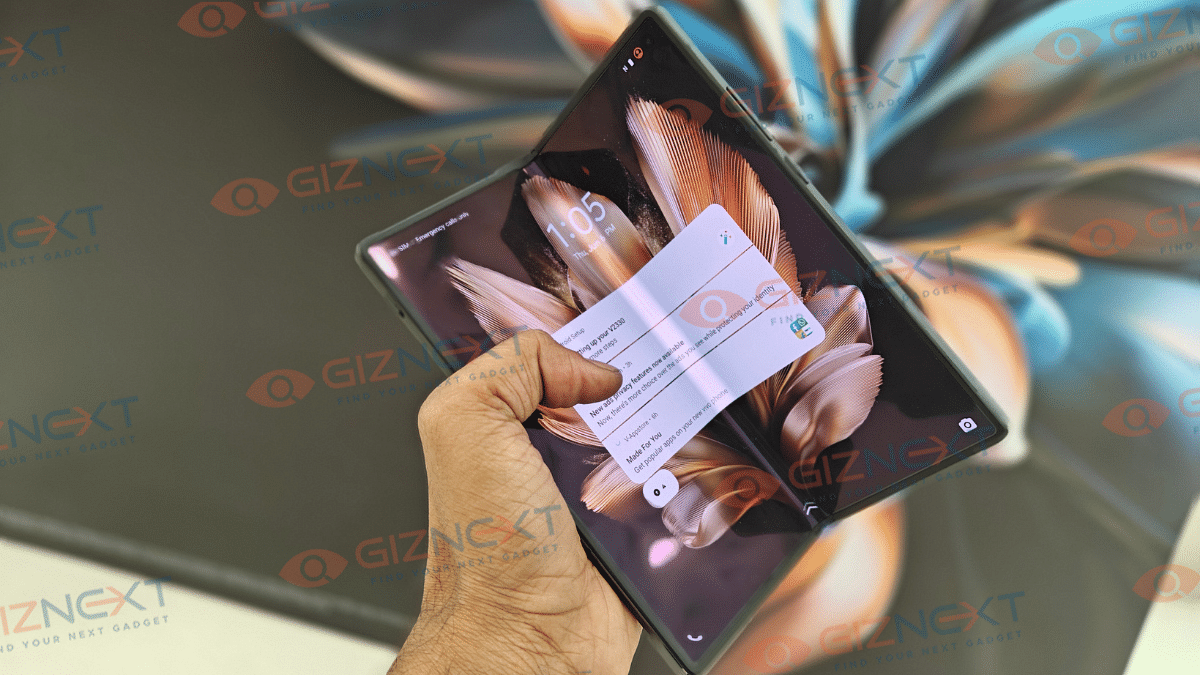
The Vivo X Fold 3 Pro has been launched at Rs. 1,59,999 in India. It is introduced in Celestial Black color option. Configuration available at this price will be 16GB RAM and 512GB storage. As far as the availability is concerned, the X Fold 3 Pro will be available starting June 13 and has gone up for pre-orders. It will be available via Vivo India website and online retailing giants Amazon and Flipkart.

Also Read: Vivo V30e Review In Points: Versatile Mid-Ranger

Design And Display
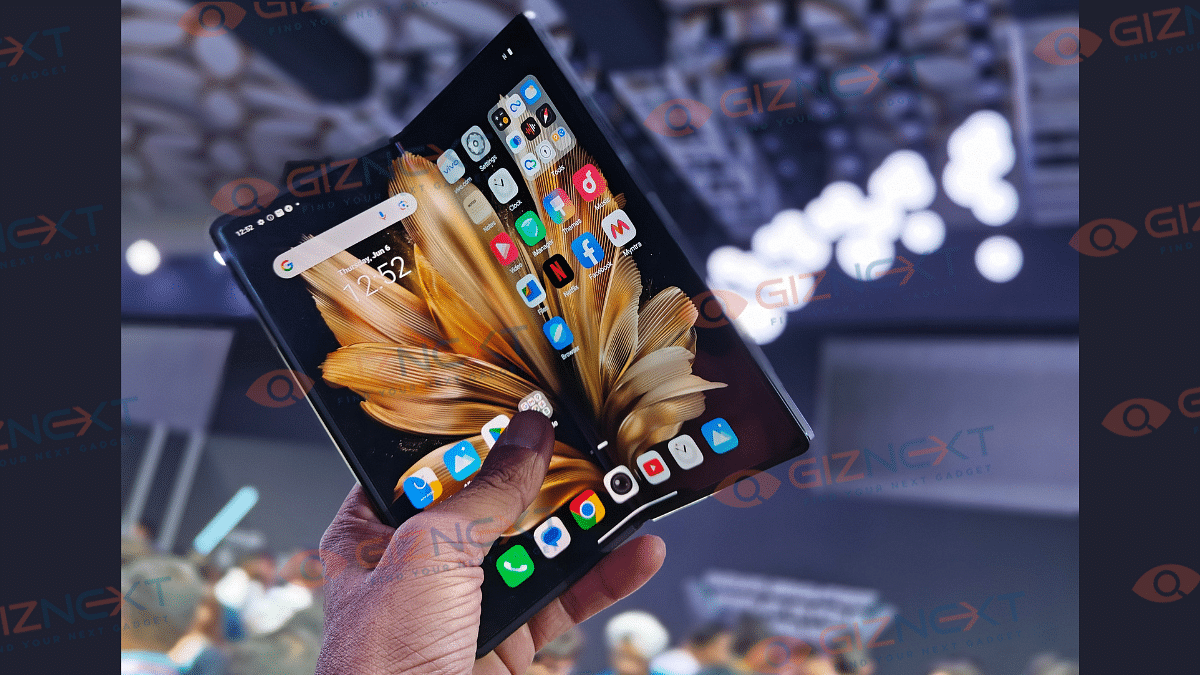
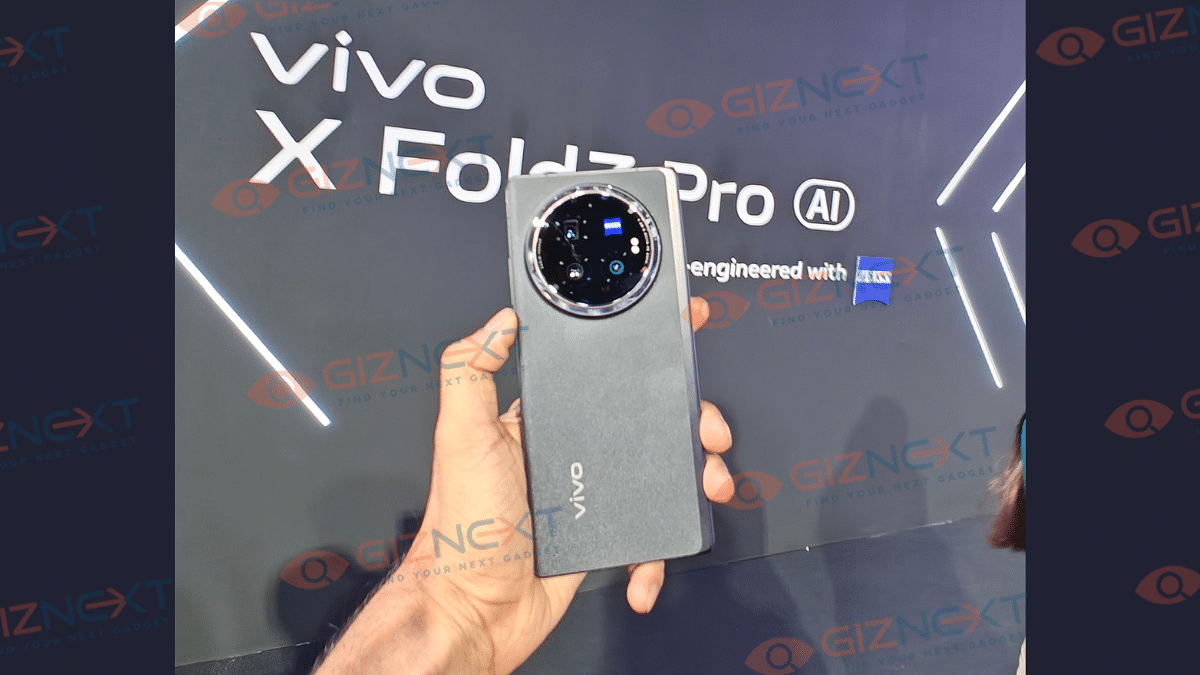
The Vivo X Fold 3 Pro’s design comes as one of its top highlights where the unit measures just 11.2mm when in unfolded state and 5.2 mm in unfolded state. This foldable phone also has a lightweight form factor and weighs 236 gm. Overall form factor of the Fold 3 Pro is all premium. This phone is sleek even when in unfolded state.

Moving on to the screen, the X Fold 3 Pro’s inner screen measures 8.03-inches (unfolded state). The E7 AMOLED screen supports 2K resolution of 2200 x 2480 pixels and 4500 nits peak brightness. The inner panel has both Dolby Vision and HDR 10 certification which will enhance visuals while streaming online content. Refresh rate supported by the internal screen is 120Hz.

In the folded state, the outer panel of the X Fold 3 Pro measures 6.53-inches. This is also an AMOLED panel that supports 1172 x 2748 pixes resolution and 120Hz refresh rate. The cover screen also offers high clarity levels and smooth and fluid touch response.

Also Read: Lenovo Tab M11 Review: A Versatile Tablet For Everyday Use

Imaging Hardware
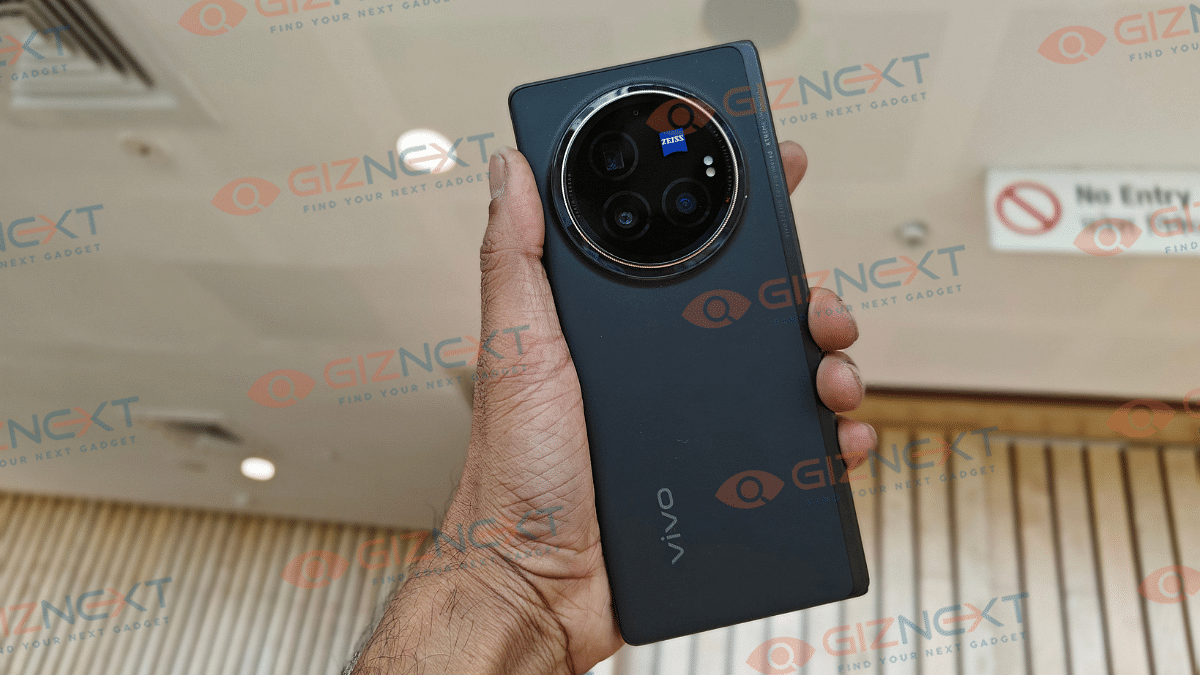
Vivo X Fold 3 Pro features an advanced camera hardware both at the rear and upfront. The primary optics hardware on the back panel has a familiar design as the X100 series where the round module is headlined by a 50MP main camera sensor with OIS (Optical Image Stabilization) and an f/1.68 aperture. This main lens is clubbed with an additional 50MP wide-angle sensor, and a 64MP telephoto sensor with OIS and 3x optical zoom.

At the front, the Fold 3 Pro employs a 32MP selfie camera which has fixed focus and an f/2.4 aperture. Just like the premium X series, the X Fold 3 Pro also has a myriad of camera features and shooting modes. But what grabbed our attention is the Hover mode where you can capture pics and preview the shots simultaneously on the dual screen.

Besides, the Hand-held Astro mode is another unique feature offered by the X Fold 3 Pro cameras. Both rear and front cameras of the X Fold 3 Pro have performed well and we are expecting the potential to be higher. We will be sharing the complete camera performance in the comprehensive review that’ll be uploaded soon.

Also Read: imoo Watch Phone 7 Quick Review

Hardware Performance
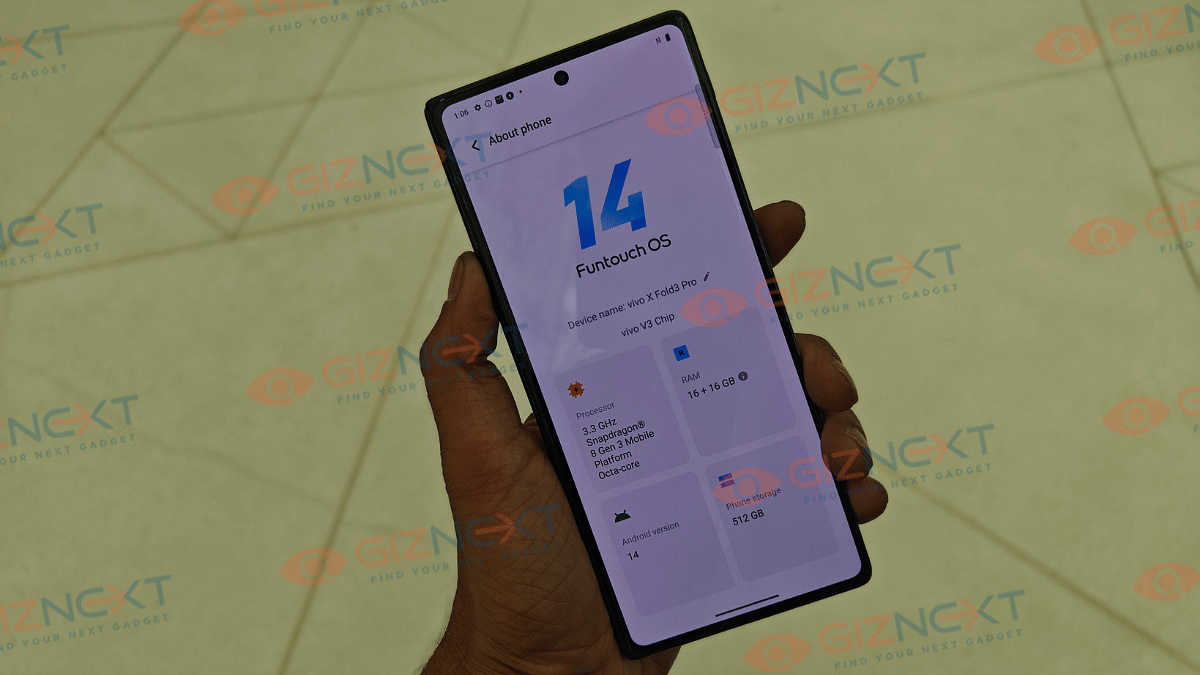
Vivo X Fold 3 Pro’s has a powerful SoC (System on chip) with which the handset ticks all the perfomance metrics. It is loaded with the Snapdragon 8 Gen 3 processor which is the top flagship mobile chipset from Qualcomm. Combined with 16GB RAM, the X Fold 3 Pro’s core performance delivery will be top notch. Though we are yet to test the handset’s gaming potential, we expect a rich gameplay overall with the big screen and efficient hardware package.

Storage option is single too, i.e., 512GB. The X Fold 3 Pro comes pre-installed with Android 14 OS which is topped with Funtouch OS 14 UI. Vivo has made multiple enhancements with the latest Funtouch OS user interface and also included AI capabilities. Split screen view is also improved and now looks more practical with usage.

Also Read: Lava Blaze Curve 5G Review: Setting New Standards For Budget Smartphones?

Battery Backup And Fast Charging
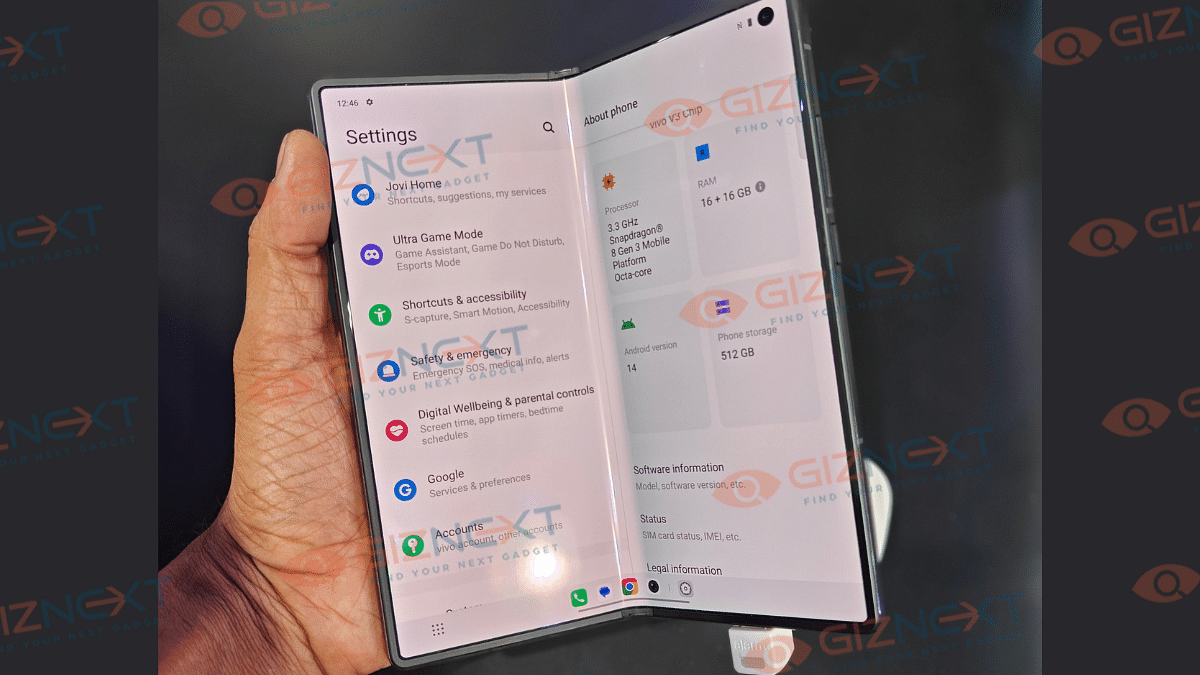
To fuel this dual-screen foldable handset, Vivo has tucked in 5,500 mAh battery inside the X3 Pro. This large battery pack stores ample juice and should run through an entire day on a single charge. But we will test the battery backup with gaming and media play back and confirm the stats in the review article.

Also Read: Realme 12+ 5G Review: Your Gateway To Flagship-level Features At An Affordable Price

Conclusion

Vivo once again has proved its expertise with an innovative smartphone design. The X Fold 3 Pro as an entire package is one solid option that can redefine the foldable phone market. It is one of the thinnest and lightest foldable out there which flaunts a premium and durable attire. It also is apparently loaded with class-leading camera and processing unit which solidifies the entire deal.
Categories
Featured Mobile Reviews

Realme GT 6T First Impressions: Potential Flagship Killer?

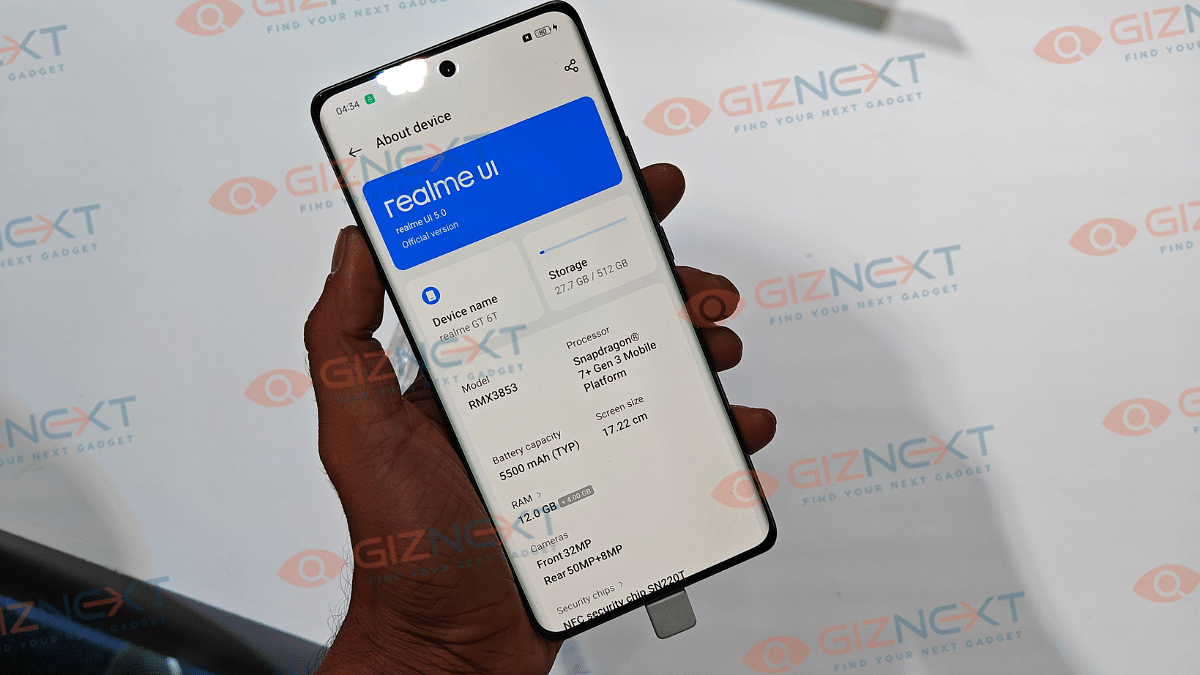
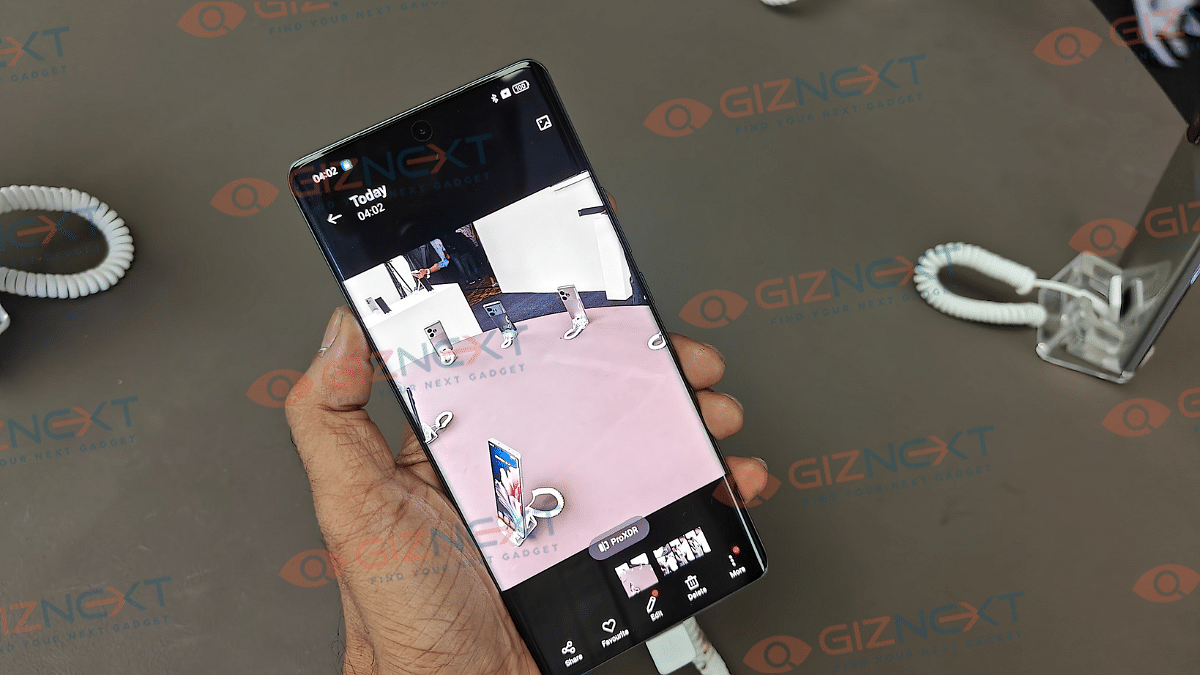
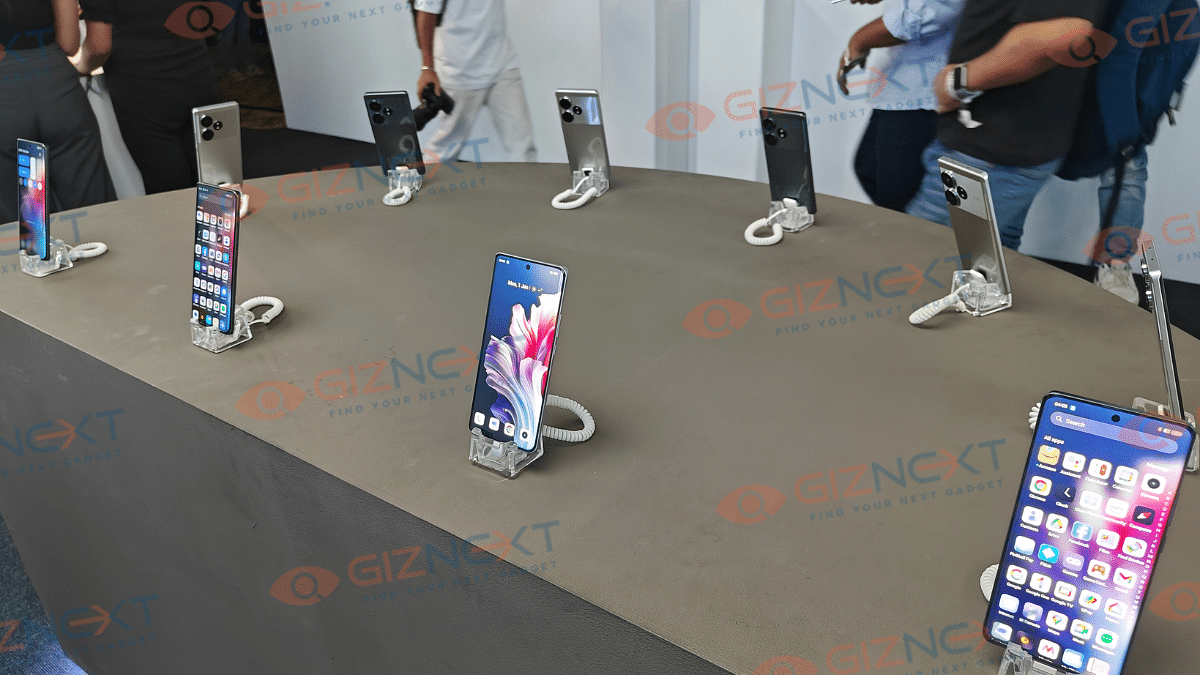
Realme is back with a new GT series handset in India after almost two years. The GT 6T is the latest entrant which comes in as a treat for the gaming enthusiasts. With its introductory price of Rs. , the Realme GT 6T seems to be a solid offering and a well-rounded gaming unit. We fiddled with the unit at the launch event for a while. And here is our initial impressions of the newly launched Realme GT 6T.

Also Read: Realme C65 5G Long Term Review: The Pros And Cons

Realme GT 6T Display

Realme GT 6T has a stunning 6.7-inch AMOLED display supporting 1.5k resolution of 1264 x 2780 pixels. This phone’s biggest highlight is definitely the 6,000 nits peak brightness that will allow clear visibility under direct sunlight. Be it general content consumption or gaming, visuals will be clear under harsh sunlight. Besides, it’s for the first time any brand has integrated an 8T LTPO panel on a premium mid-tier gaming handset. The touch feedback is smooth and responsive which will elevate the gaming experience overall.

Also Read: Truke Buds Q1 Lite TWS Review: Soundstage Apt For Daily Use?

Realme GT 6T Performance

Realme GT has indeed been the performance-oriented lineup and the GT 6T seems to follow the same lead. It employs the octa-core Qualcomm Snapdragon 7 Gen 3 mobile chipset which is fabricated using 4nm process. It is one of the most powerful SoCs for high-end mid-tier Android phones that makes the GT 6T a performance beast.

The added Iceberg Vapor Cooling System handles will keep the device cool even with extensive gameplay. Realme has launched the GT 6T with dual RAM and triple storage configuration options. There is the base variant which has 8GB RAM+ 128GB storage, the mid variant packed with 8GB RAM and 256GB storage, and the top model featuring 12GB RAM+ 512GB storage. Expect a swift performance delivery with the GT 6T with all tasks with the aforementioned setup.

Also Read: Vivo V30e Review In Points: Versatile Mid-Ranger

Realme GT 6T Cameras

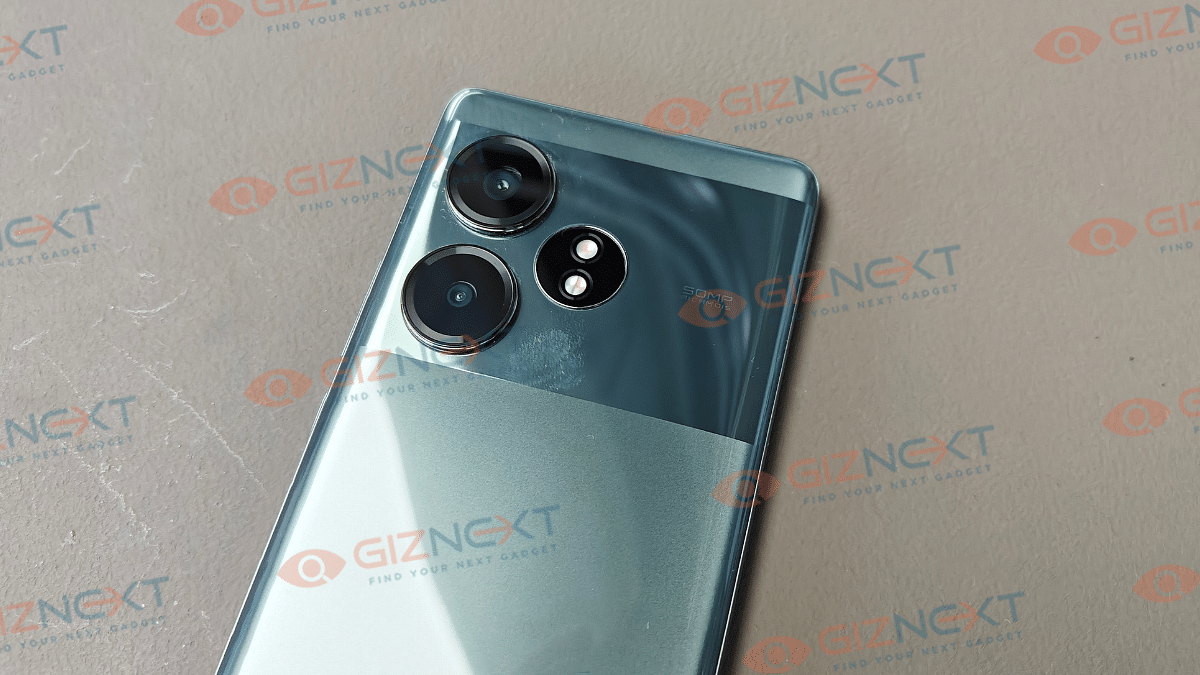
This new GT series handset from Realme gets a potent camera hardware too. The rear profile gets a 50MP primary Sony LYT-600 sensor accompanied by an 8MP secondary Sony IMX355 ultra-wide lens which has 112° FoV. The camera app has multiple shooting modes and presets ranging from Night scenes, Portrait, Street Shooting, Movie mode, Long Exposure, Time-lapse, and others. The massive 32MP selfie snapper upfront has also shown promising results during the quick testing. The rear camera captured good details during the initial testing at the demo zone. We are still waiting for the review unit and will share the true camera potential of the GT 6T in the coming weeks.

Also Read: imoo Watch Phone 7 Quick Review

Realme GT 6T Battery And Charging Speeds

The Realme GT 6T gets a bigger battery pack than what the standard market offers. While most of the phones today feature a 5,000 mAh battery in the premium mid-tier segment, the GT 6T takes a lead with the 5,500 mAh battery. Not just an extended backup, the GT 6T takes a lead with the fastest charging speeds in its league. This handset comes with 120W SuperVOOC flash charging which is claimed to add up to 50 percent charge within 10 minutes of a plug in.

Also Read: Realme P1 5G Review: Is This The Affordable Smartphone You’ve Been Waiting For?

Conclusion

Realme GT series has made its comeback with a bang. The latest edition to this powerful Android smartphone lineup seems an all-rounder. At least, that’s the first impressions we have received during the initial usage. Nevertheless, the GT 6T does pack promising hardware and is future-ready too. This phone will definitely stir up the market competition and can be a potential flagship killer with its aggressive pricing.

Categories
Accessories Featured Reviews

Truke Buds Q1 Lite TWS Review: Soundstage Apt For Daily Use?

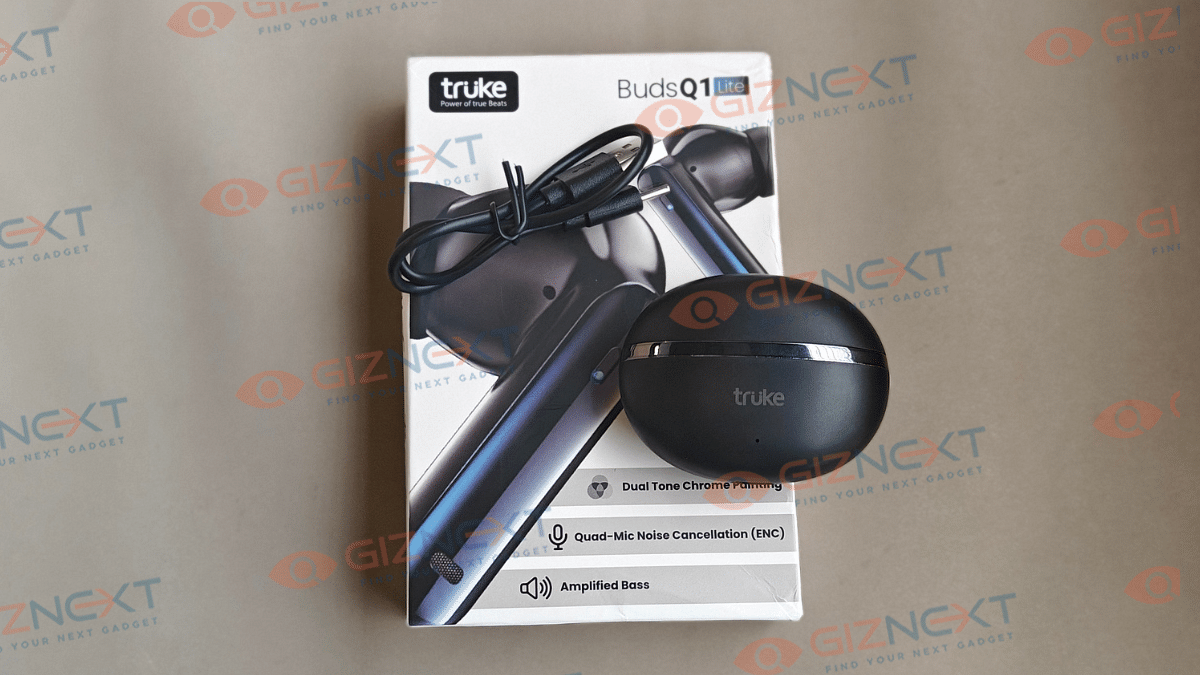
Budget TWS market is getting the same hype as the premium segment gradually. We have seen new as well existing audio manufacturers ceasing the opportunity with rising consumer demands. Truke is one of those players specializing in the TWS segment with pocket-friendly gaming true wireless earbuds. The company has come up with a new Q1 Lite TWS which is touted to offer a premium build and sound quality under Rs. 1,000. But has Truke really got all the recipe correct for its new budget TWS earbuds? At Giznext, we tested the Truke Buds Q1 Lite TWS earbuds and here you can read our expert opinion.

Also Read: imoo Watch Phone Z7 Review: Advanced Health And Safety Solution For Your Kids

Pros

  • Good fit and wearing comfort
  • Loud sound signature overall
  • Decent bass and ultra-low latency mode

Cons

  • Charging case gets a basic design except for the chrome finish
  • Comes void of fast charging support
  • Might experience audio leakage at peak volumes

How’s The Design And Overall Wearing Comfort

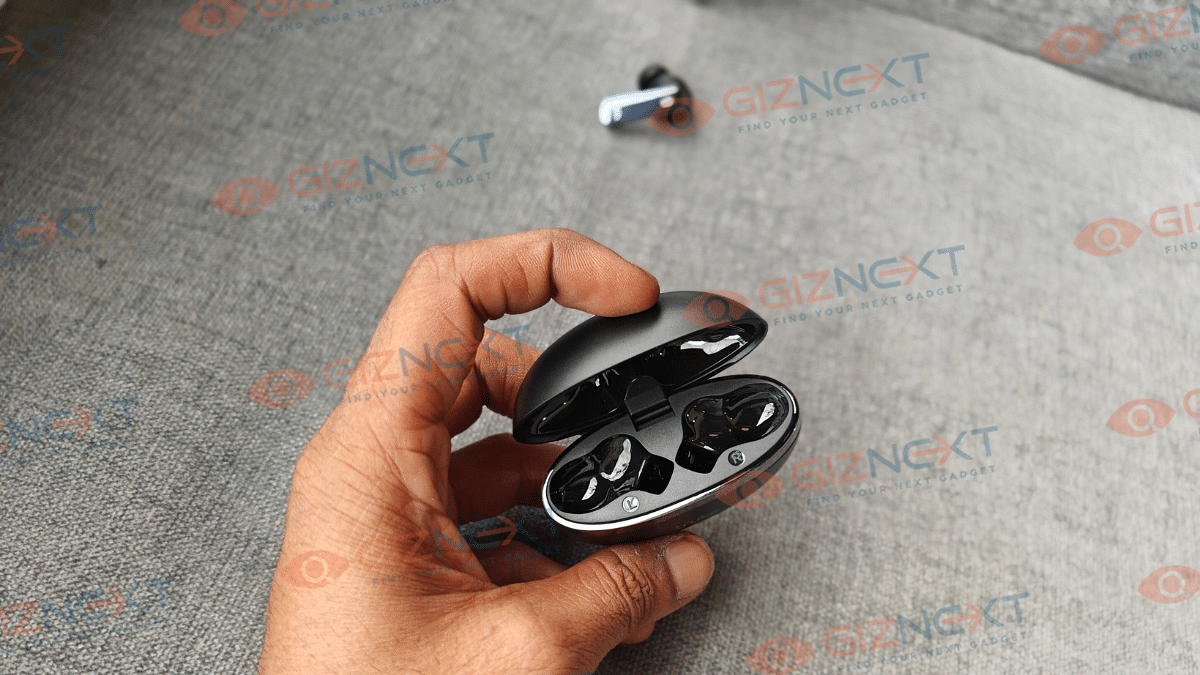
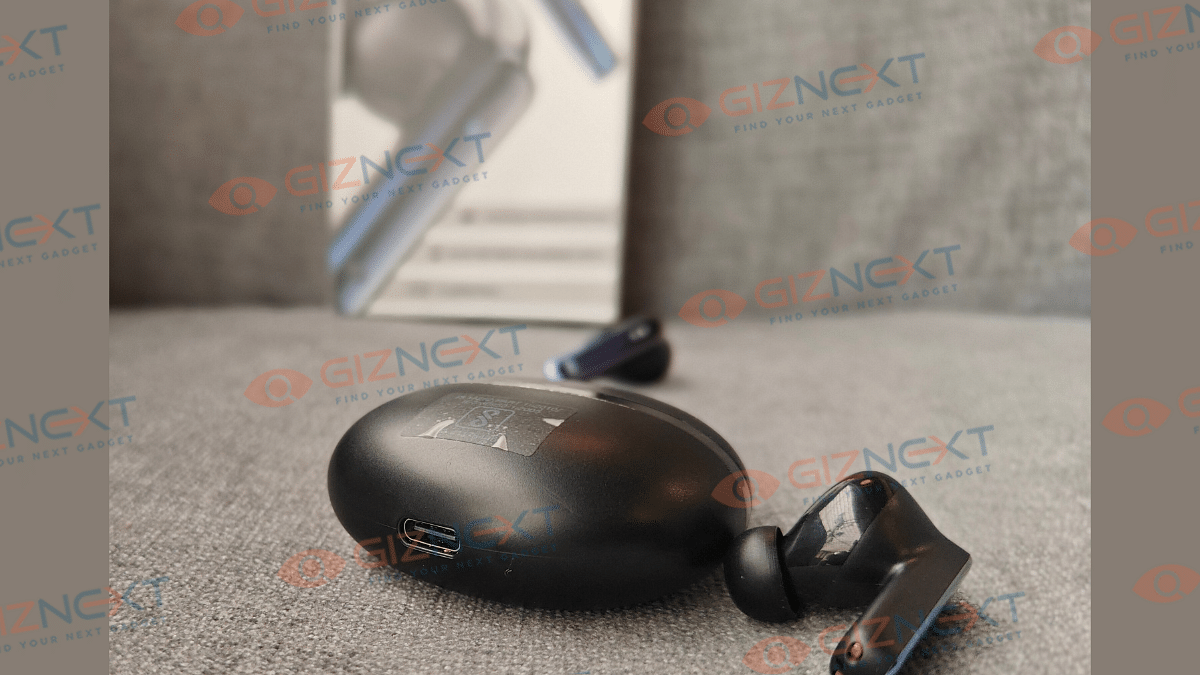
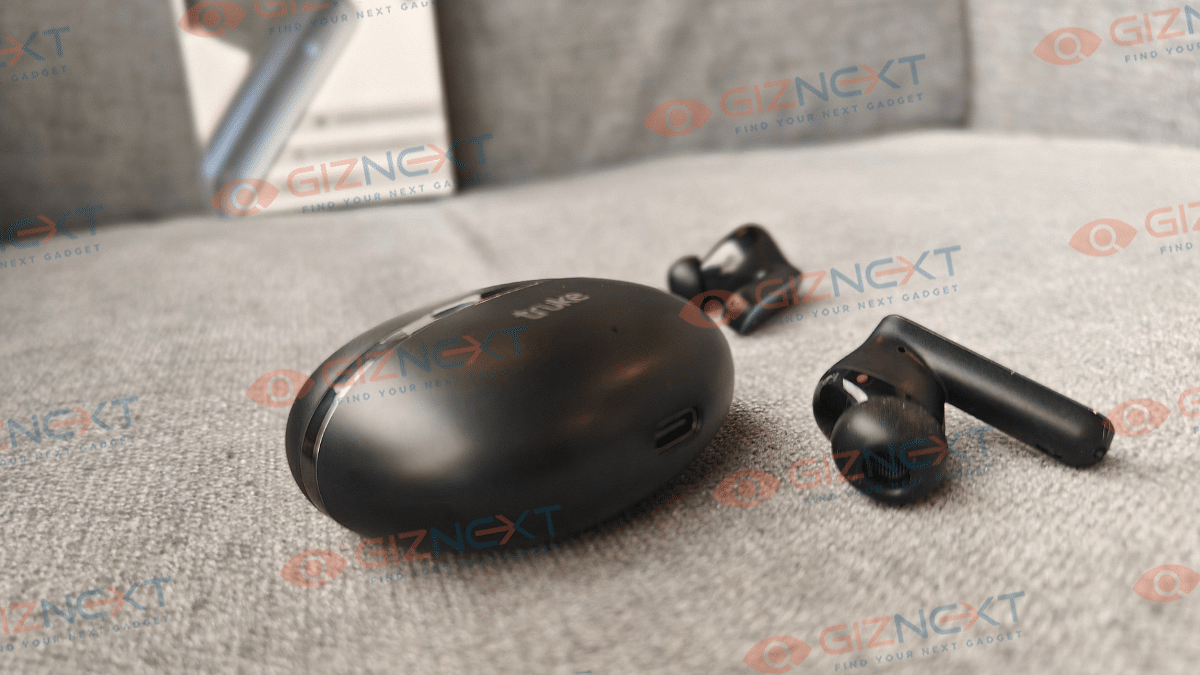
Truke seems to have stick to a basic and subtle attire for the Q1 Lite. In fact, you’ll find the oval shaped charging case’s design familiar. To keep the looks distinctive, a royal chrome metallic strip is wrapped on its top. The hinge connecting the charging case’s lid doesn’t feel flimsy, while the overall charging case’s plastic body gets a fair build quality. But it isn’t the most robustly constructed unit hence do keep it protected from accidental drops. Color options available are three — Champagne Gold, Metal Black, and Rose Red.

Now, moving to the buds, you will get a stem-shaped in-ear design with the fit being ergonomic for daily wearing. The buds will snug fit and with the optional tips, you can add on to the usage comfort. The earbuds have tap-to-control feature which works well while managing media playback or calls. LED lights on the buds highlights its game-centric approach.

Also Read: CMF Neckband Pro Review: Perfect Blend Of Style And Performance

Audio Delivery On Point?

Truke has equipped the Buds Q1 Lite with 12.4mm dynamic speakers. The added Ultra-low-latency mode offering up to 40 ms response does sound enthralling. But is it really the case? Well, you wouldn’t come across any disappoints with the audio output.

The Q1 Lite stays true to its gaming skin and delivers loud and hefty sound stage overall. Audio muffling at the top volume levels is somewhat present. You might also experience slight audio leakage when the sound level is set to max. But none of it hampers the listening experience overall.

The clear audio along with the deep bass effect is what you’ll like eventually. But what if you are considering this product for your music playback or movies and TV shows. Well, expect a decent sound quality there too. There isn’t any active noise cancellation feature. However, the loud audio and the ergonomic earbud fit collectively blocks noise passively. So, expect a interruption-free listening experience while traveling in noisy metro or other public transport.

Also Read: Audio Technica ATH-M50xBT 2 Headphones Review: Solid Audio Performance Despite Missing ANC

Calling And Pairing Experience

The Truke Buds Q1 Lite features quad MEMS microphones which have environmental noise cancellation tech support. Audio delivery and response with calling is decent. You don’t struggle making the caller listen to you voice. As for the pairing, no issues with connecting this unit to smartphones and other gadgets have been experienced. Pairing process is also standard and you don’t need to perform any tricky steps to get this job done. Just for refrence, the Buds Q1 Lite comes with Bluetooth 5.4 technology and has a decent pairing range.

Backup Delivery

The Truke Buds Q1 Lite battery backup is average. The earbuds can last for over six hours on a single charge. The brand claims up to 10 hours of playback but expect this figure if you have tuned the volume levels around 60 percent or low. As for the charging case, it holds an additional backup of up to 48 hours which means you can recharge the buds more than once using the charging case before its replug.

Also Read: Lenovo Tab M11 Review: A Versatile Tablet For Everyday Use

Conclusion

For the consumers with a budget constraint but no wish to compromise on the audio quality, the Buds Q1 Lite will be a suitable pick. This earbud with just Rs. 999 price range targeted at gaming enthusiast gets fair pointers for its design, audio, and overall user experience.

Categories
Featured Reviews Tablet

Lenovo Tab M11 Review: A Versatile Tablet For Everyday Use

Key Highlights

  • 11-inch WUXGA display
  • MediaTek Helio G88 octa-core processor
  • 7040mAh battery
  • Android 13

Looking for something between your smartphone and laptop? Well, the mid-level Android tablet market is full of options. Lenovo has just thrown another hat into the ring with the Tab M11, which was unveiled at CES in January. It’s great for watching stuff, taking calls, and jotting down notes on a bigger screen than your smartphone. We got our hands on one for a couple of weeks, and here’s what we found. Also Read | Lenovo Tab P12 Review: Practicality At Its Best

ProsCons
Premium designLack fast charging
Good speakersAverage display
Good battery 

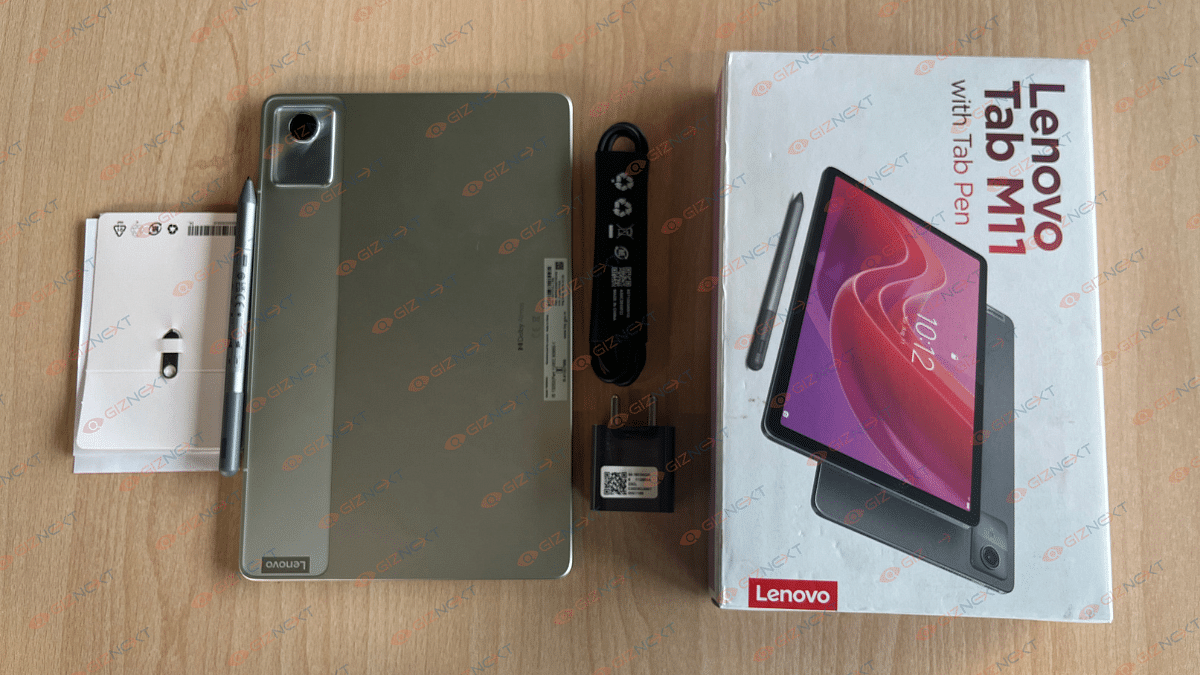
What’s Inside The Box?

  • Lenovo Tab M11
  • Stylus
  • SIM ejector tool
  • USB-C cable
  • 5V Adaptor
  • Usual Paperwork

Design

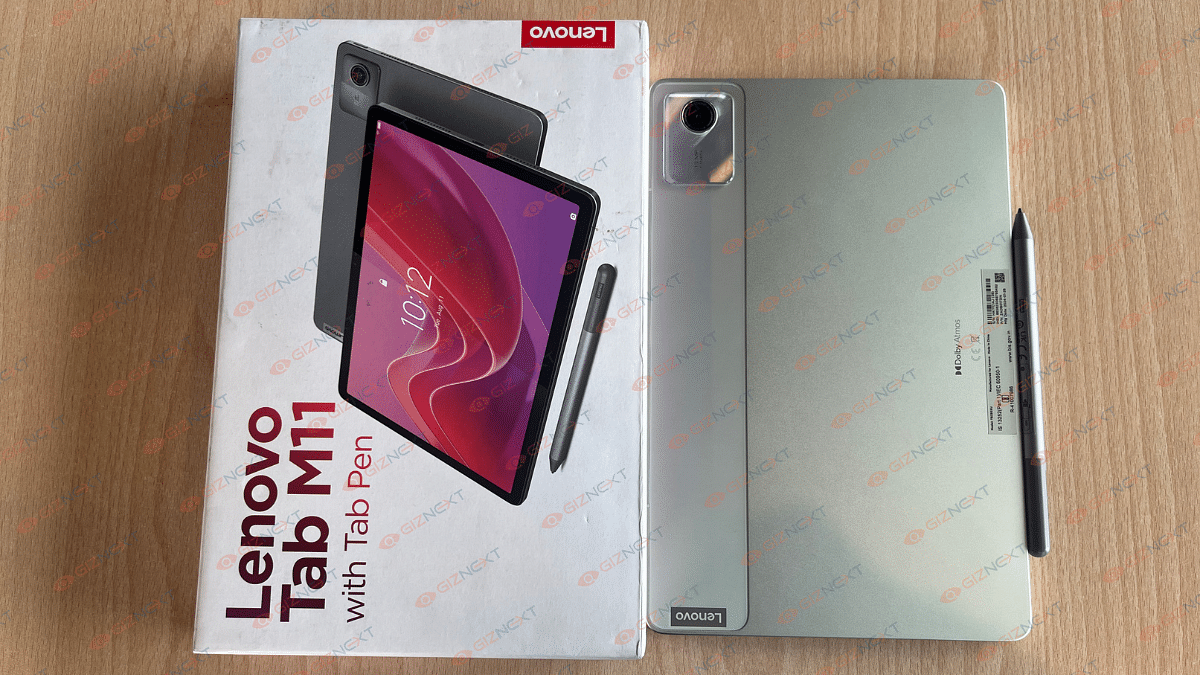
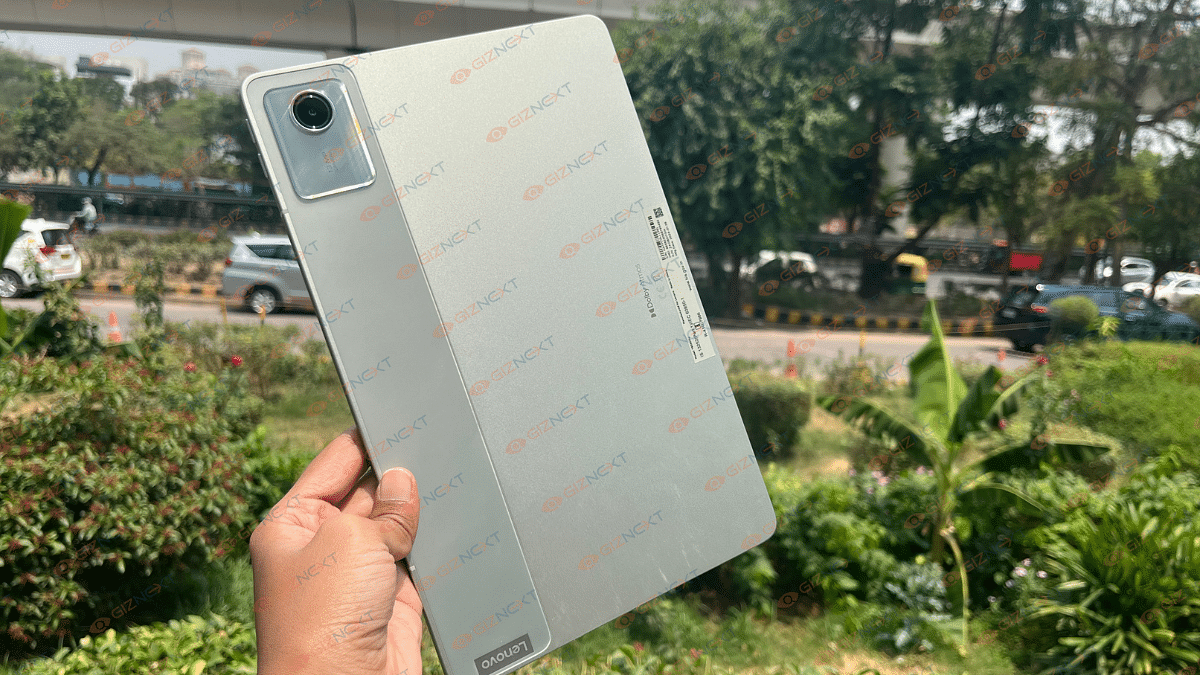
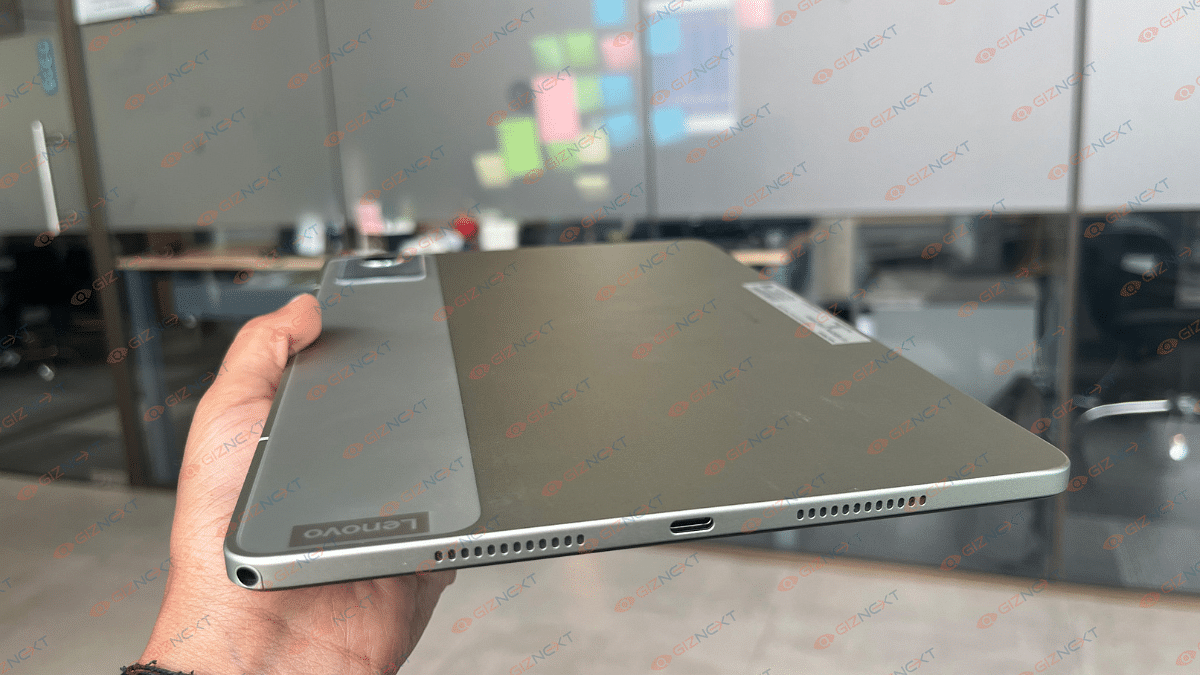
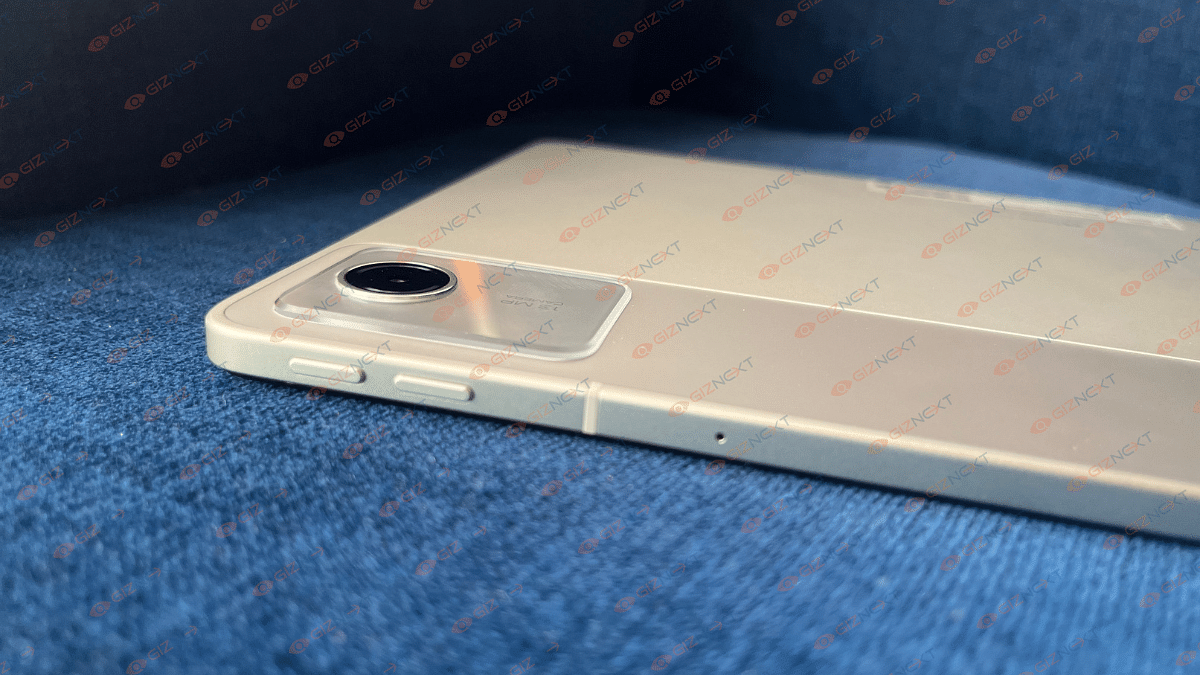
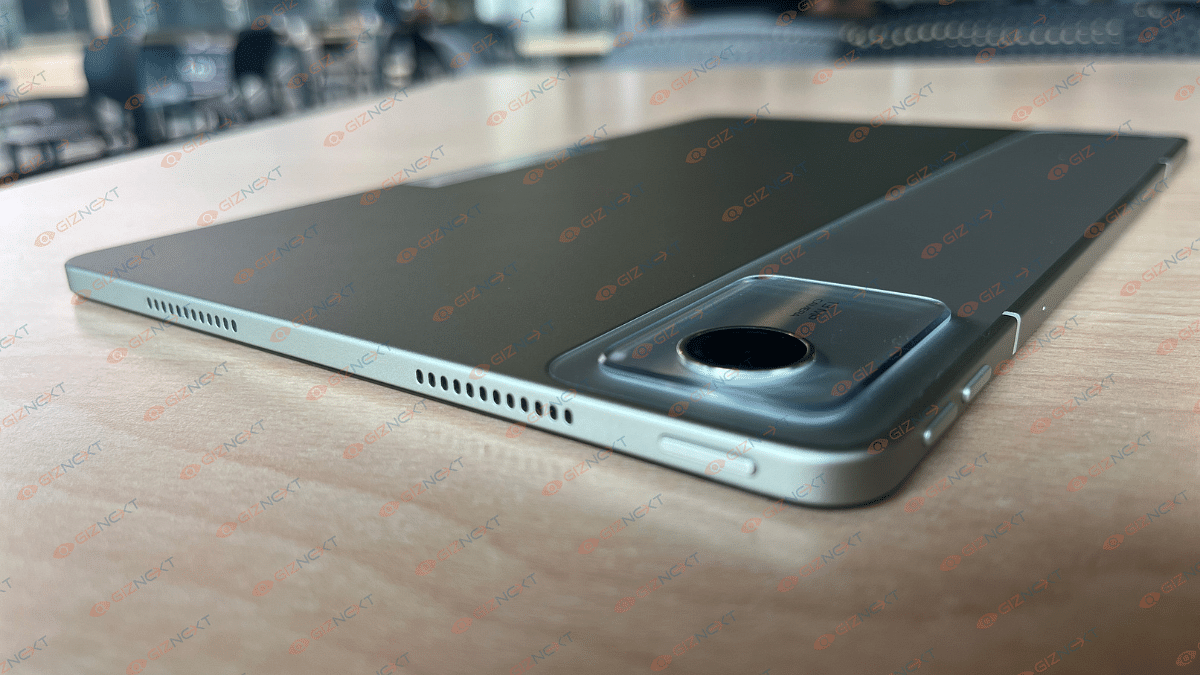
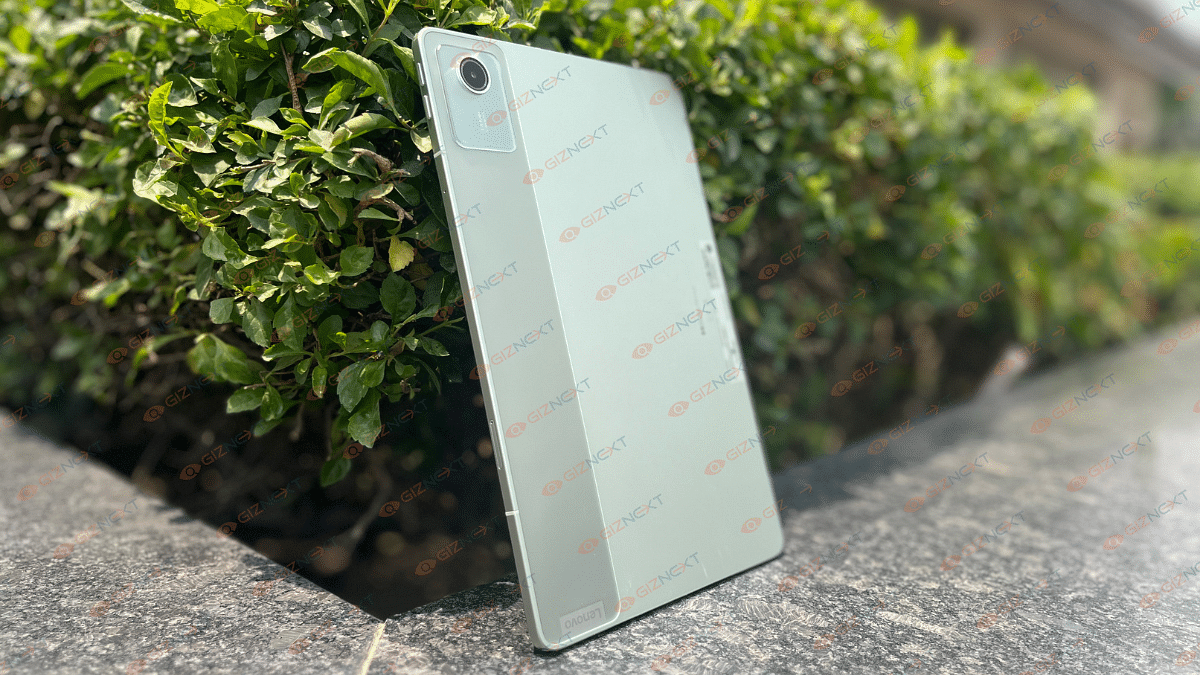
The Lenovo Tab M11 boasts a sleek all-metal design that gives it a premium feel without breaking the bank. It stands out with its metal back panel housing a 13MP camera and Lenovo branding. The gunmetal grey finish adds a touch of sophistication, especially with the unique dual-tone strip for the camera.

It’s big enough to enjoy watching videos comfortably, yet still portable for carrying around. While it’s lightweight, it may feel a bit heavy after using it for a long time.

The tablet includes volume buttons, microphone, and SIM ejector tool on the sides. At the top, you’ll find the power button and speaker grills, while the bottom houses the USB-C charging port and more speakers. But what really caught my attention? The 3.5mm headphone jack. It’s a relief to have the choice of plugging in wired headphones instead of constantly relying on Bluetooth.

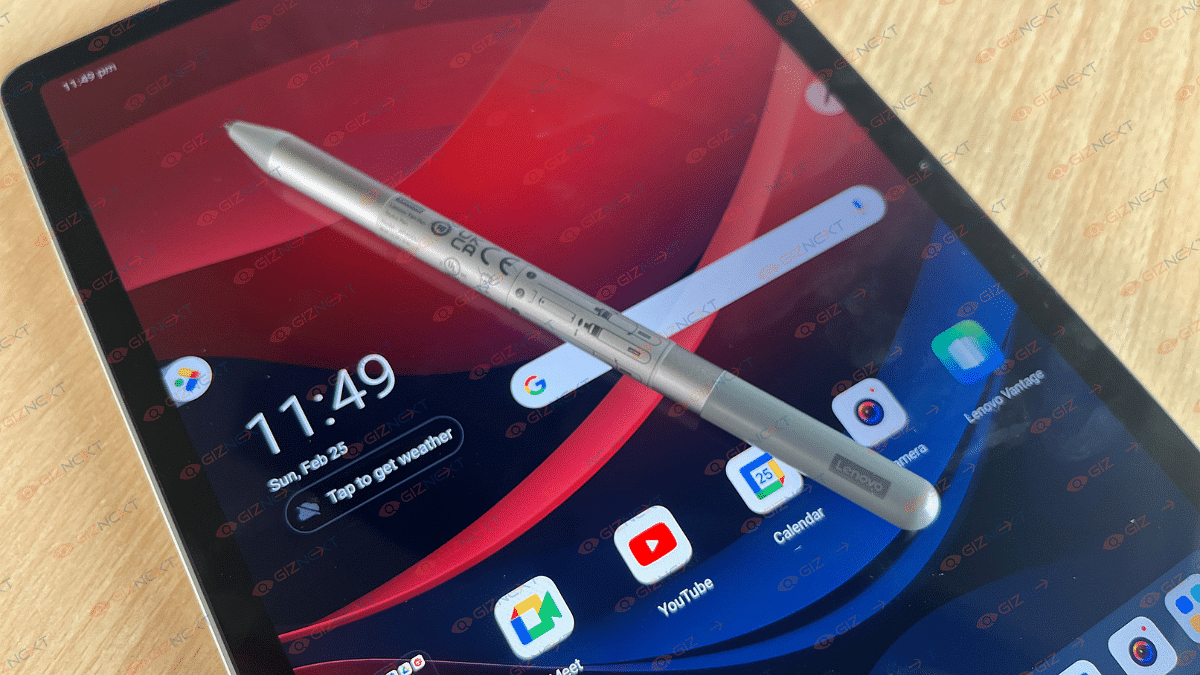
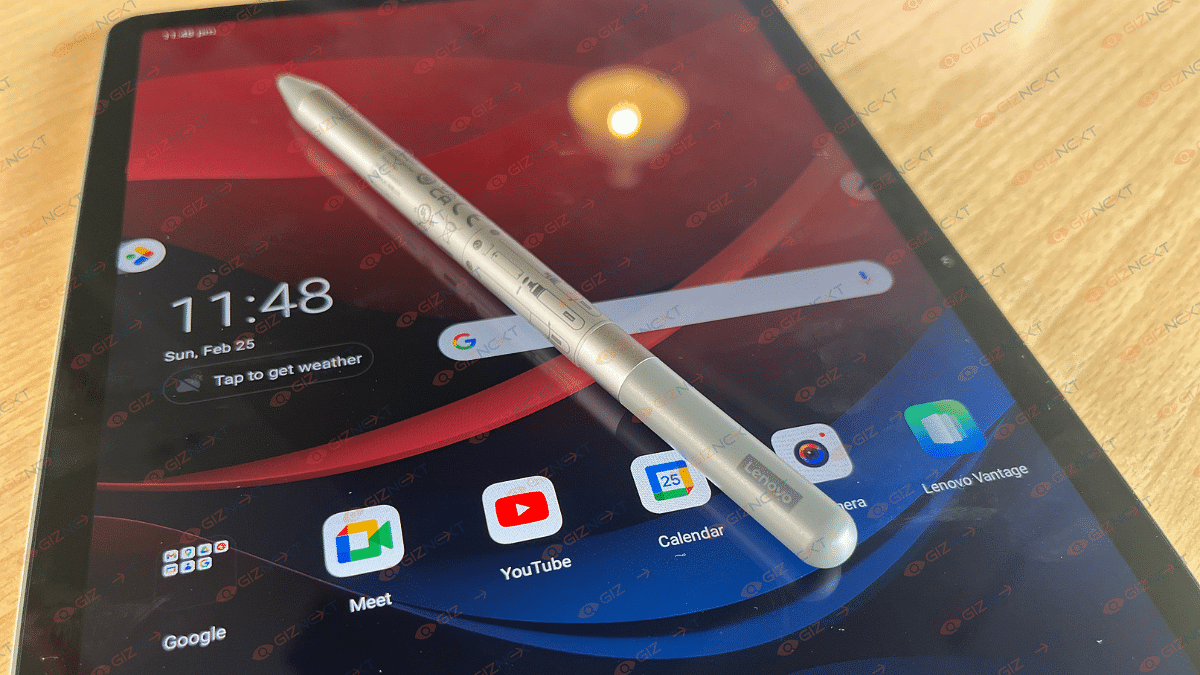
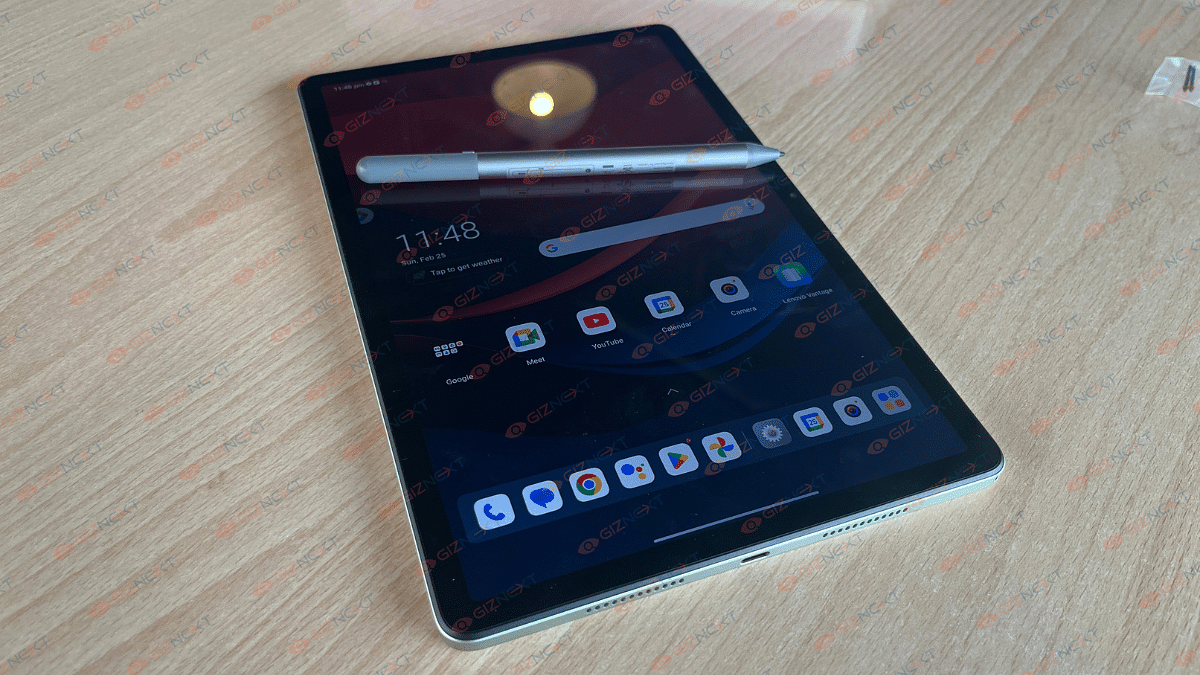
Overall, the tablet feels premium and is great for extended use. It would have been even better if it came with a kickstand case for on-the-go use and protection from scratches. However, it does come with a stylus, although there’s no designated spot to store it on the device.

Display

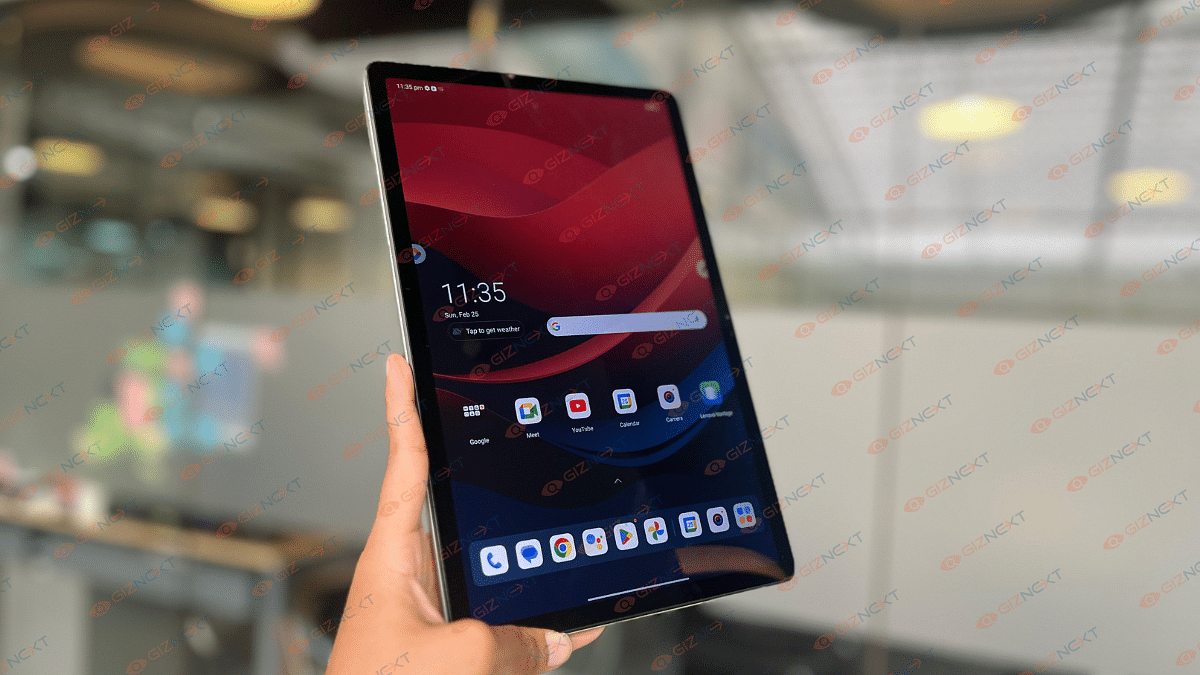
The M11 features an 11-inch WUXGA 90Hz display with a resolution of 1920×1200. With its IPS panel reaching up to 400 nits brightness, it’s better suited for indoor use rather than under bright sunlight. Its thin bezels make handling easy, and the front-facing 8.0 MP camera sits nicely at the center of the top bezel, perfect for landscape mode.

We tested the display with various streaming sites, reading, and scrolling, and it held up well. Colors are sharp, with good clarity, though not ideal for image editing. Touch sensitivity is smooth, with no issues navigating menus or webpages.

However, the screen is reflective, making it challenging to use in bright environments despite setting brightness to the maximum. This was particularly bothersome in office or outdoor settings. Apart from the brightness issue, the overall display experience was positive with no other noticeable problems.

Performance

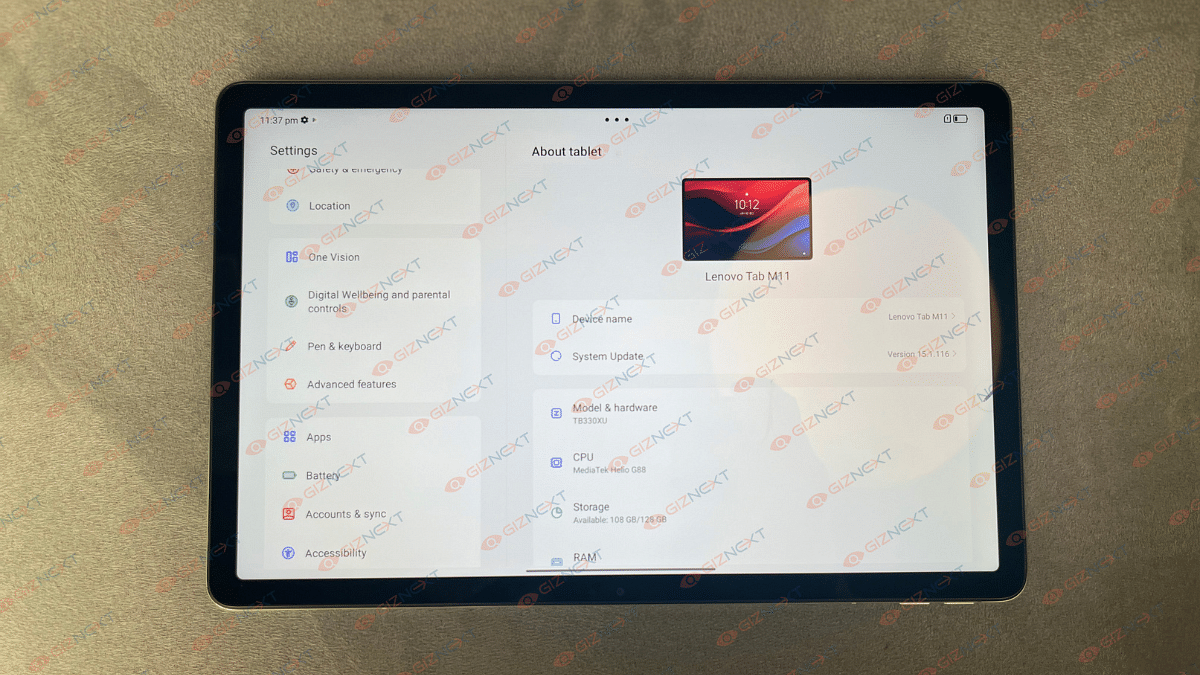
When it comes to performance, the Lenovo Tab M11 handles day-to-day tasks smoothly. Games run well, and basic productivity like writing documents, emailing, and checking work is smooth. It’s powered by the MediaTek Helio G88 chipset. Our review unit had 128GB eMMC 5.1 storage and 8GB LPDDR4 RAM, which provided smooth performance without any lags.

One standout feature of the M11 is its sound quality. The four 1W speakers with Dolby Atmos deliver loud, clear audio. Even at maximum volume, there’s minimal distortion, and the quality remains impressive.

The stylus performance is also decent for a tablet in this price range. It works well for graphic design with no noticeable input lag. Artists will appreciate the comfortable grip and customizable settings that allow for creativity to flourish.

Further, the Lenovo Tab M11 runs on Android 13 with a customized interface that doesn’t stray too far from stock Android. You’ll receive two years of guaranteed Android updates and four years of security updates. Lenovo adds a few bonus apps and extra features to enhance the user experience.

Battery

The Lenovo Tab M11 boasts a 7,040mAh battery, which easily lasted me two full days of regular use. Charging isn’t super-fast as it takes about 2-3 hours with the included 5V adapter and USB-C cable. But the battery life itself is fantastic.

During a weekend binge of 8-9 hours on Netflix, with Wi-Fi on, screen brightness at 100 percent, and speakers at 80 percent volume, I still had about 20 percent battery left. It’s safe to say the device has impressive battery life, especially for on-the-go content consumption.

Also Read | Lenovo Tab M9 Review: An Affordable And Reliable Solution For Creative Users

Giznext’s Final Verdict

Priced at just Rs. 14,999 for the base model, the Lenovo Tab M11 offers a lot of positives. It boasts good sound quality and decent battery life, plus it comes with a pen included in the box. The tablet feels surprisingly luxurious and well-built for its price, making it suitable for both family use and productivity tasks.

However, it falls short in display viewing angles and lacks support for fast charging. The cameras also leave something to be desired. If you’re in need of a tablet for on-the-go content consumption or as a larger alternative to your phone, the M11 is worth considering.

Categories
Featured mobile Reviews

Vivo V30e Review In Points: Versatile Mid-Ranger

Vivo’s latest V series offering is in town — the V30e. Positioned below the V30 and the V30 Pro, the newest member retains a camera-centric approach as its siblings. But with the slim design and decent spec-sheet, it is targeting premium mid-tier consumers. The Vivo V30e has been priced at Rs. 27,999 and Rs. 29,999 for the 128GB and 256GB storage variant respectively. But at this price range does this offer a fair deal? Giznext has managed to test the V30e and here you can read the review in pointers. Should you consider buying this new Vivo V series phone? Here’s our take:

Also Read: imoo Watch Phone Z7 Review: Advanced Health And Safety Solution For Your Kids

What’s In The Box?

  • Vivo V30e handset (main unit)
  • Transparent TPU case
  • Warranty Card
  • Quick Guide
  • Sim Ejector Tool
  • Charging brick
  • USB Type-C cable

The Pros

Premium Design

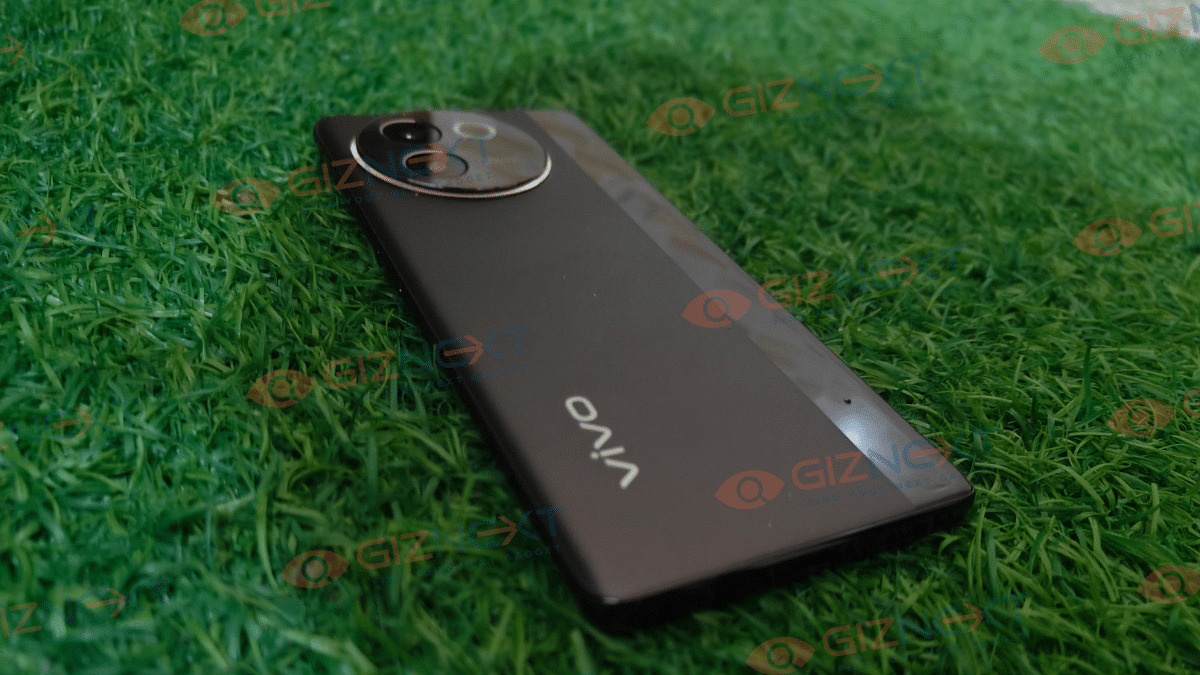
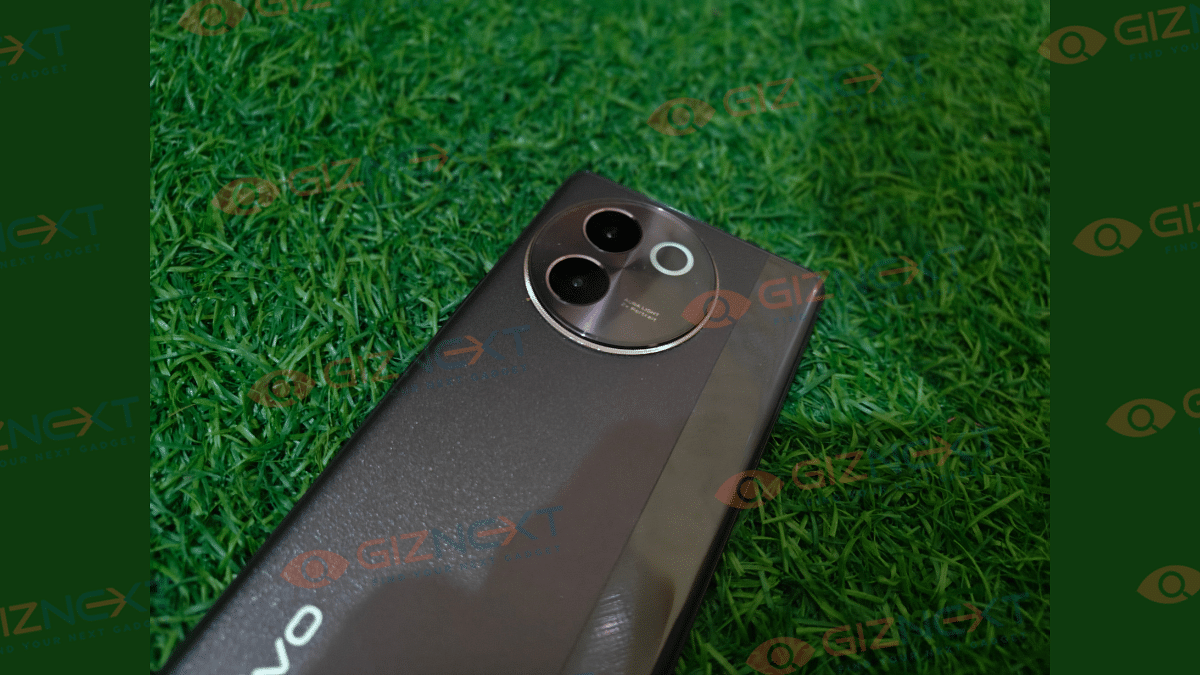
The Vivo V30e flaunts the same luxury attire as its older siblings. It comes in dual color options including Silk Blue and Velvet Red. We received the latter which is all luxurious and with its sleek form factor and smooth gradient textured ribbon finish. The rear panel is smudge resistant and also is able to manage keep fingerprints impressions at bay. But we still will advise to use the transparent case to keep the rear protected from scratches.

The camera module is round and protruding comprising dual sensors and an aura LED ring light. This is the USP of the V30 series including V30e. You’ll also like the curved edges seamlessly blending with the front profile. Ports and keys are restricted to the left and bottom panel with the power and volume keys on the former and the USB Type-C, SIM slot, and the speaker grille on the latter. Overall, the V23e will steal the show.

Also Read: Realme P1 5G Review: Is This The Affordable Smartphone You’ve Been Waiting For?

Clear And Smooth Visuals With 3D Curved Screen

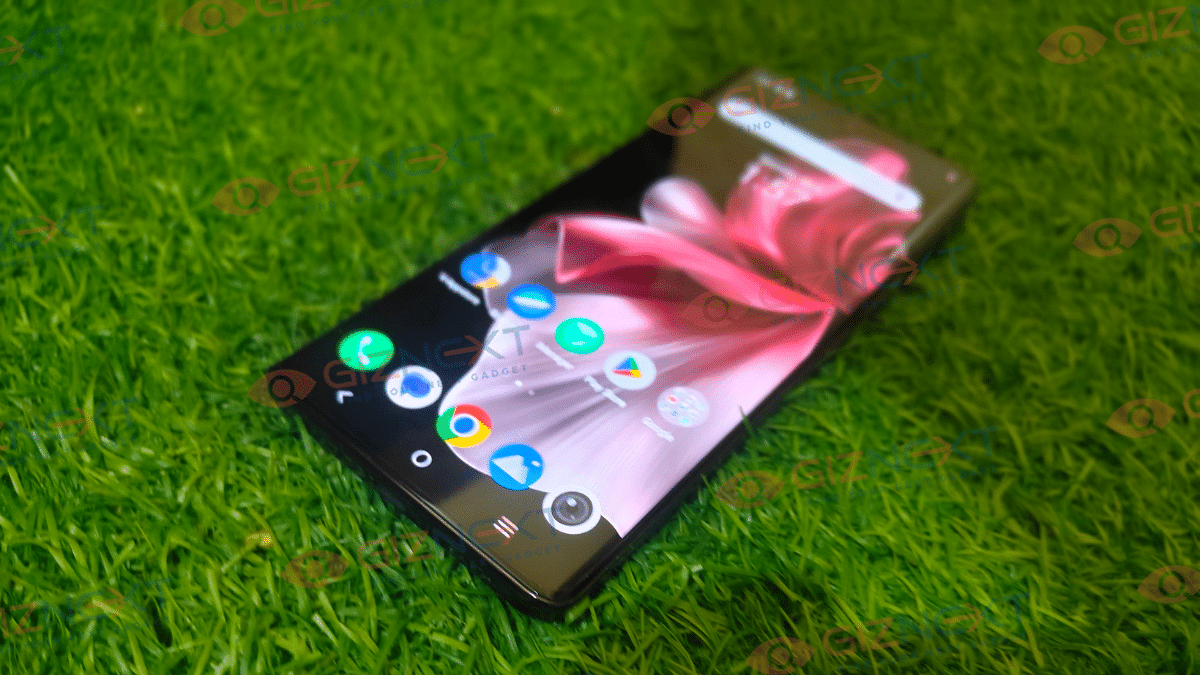
The V30e sports a 6.78-inch 3D curved AMOLED screen. We found this to be another highlight of the V30e considering you get smooth and clear visuals throughout the screen time. The screen supports an FHD+ resolution and also 120Hz refresh rate.

The color production is crisp overall and the viewing angles with the 3D curved panel is good. Our testing included high-res video playback at different OTT platforms and also via the offline library. With streaming websites, the experience has been fairly good and you hardly witness the quality going for a toss. The same experience is with gaming too.

Also Read: CMF Neckband Pro Review: Perfect Blend Of Style And Performance

Powerful Cameras

With the V30e, Vivo has once again showcased its camera prowess. Despite being the entry-level model in the V30 series, the V30e equips solid camera sensors both at the rear and front for a rich photography experience. The setup at the rear comprises a 50MP main Sony IMX 882 lens which is combined with an 8MP ultrawide lens.

We have seen the same primary camera lens on the remaining V30 series models and you can expect the same high clarity levels with this unit. The primary sensor has both AF and OIS support and combined with the new vivo HD portrait algorithm, the output is enhanced. Initial testing shows promising camera performance.

Even the portrait and night shots show good results overall. 4K video recording is another impressive feature offered by the V30e’s cameras. Be it for content creation or capturing moments, the V30e’s cameras will please the shutterbugs. Another big highlight is the studio quality Smart Aura light flash which not just helps capturing low- light shots but also add ambient lighting effects to the clicks.

Also Read: Vivo T3 5G Review In Five Points: The Pros And The Cons

The Cons

Single RAM Option

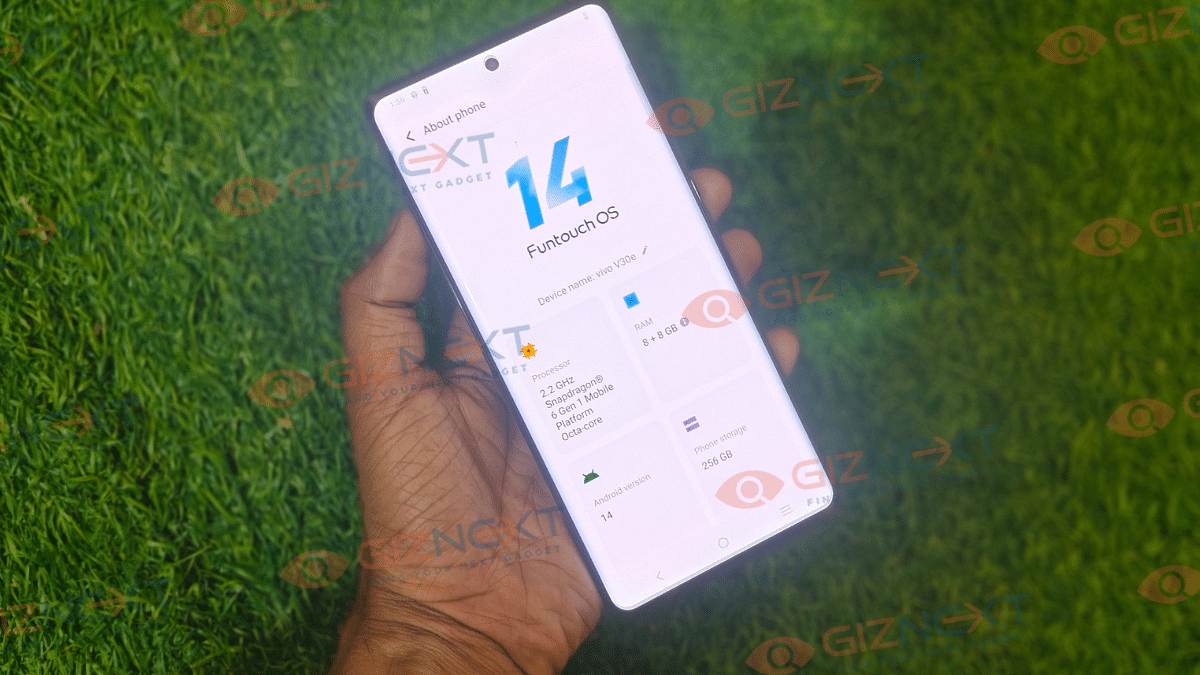
Vivo V30e is launched in dual configurations. While it comes with two storage variants, RAM option is kept single. This is the only con for the consumers who wish to buy a unit with higher RAM capacity. But the performance isn’t compromised much. With the Snapdragon 6 Gen 1 chipset paired up with 8GB RAM, you can expect fairly good performance be it for general app usage or gaming. Multitasking experience is fairly decent with the handset delivering less lags and hiccups during extensive usage.

Also Read: Realme Narzo 70 Pro Review In Five Points

Charging Speeds Slightly Higher Would Have Been A Better Deal

Now, the Vivo V30e gets a beefy 5,500 mAh battery. And considering its an ultra slim device, this big battery setup is indeed a perk. However, the handset comes with only 44W fast charging support. While this isn’t a slow charging speed, a 67W or higher charging would have made it the best deal for its price point. Nevertheless, you can expect a good backup despite heavy usage and would need fewer re-plugs throughout the day.

Also Read: OPPO F25 Pro Long Term Review: A Performance-Oriented Mid-Ranger

Conclusion

Vivo V30e is apparently a mixed bag which can be great deal for the users looking for a complete package under Rs. 30,000. This phone fits for all modern consumers who need entertainment and performance aspects being met by a single device. While there are a few drawbacks such as not so super-fast charging and a cluttered UI, the V30e overall pits itself as a solid unit as a daily driver.

Categories
Auto Tech Featured Reviews

MG ZS EV Intercity Drive Experience: Here’s What We Liked And Disliked

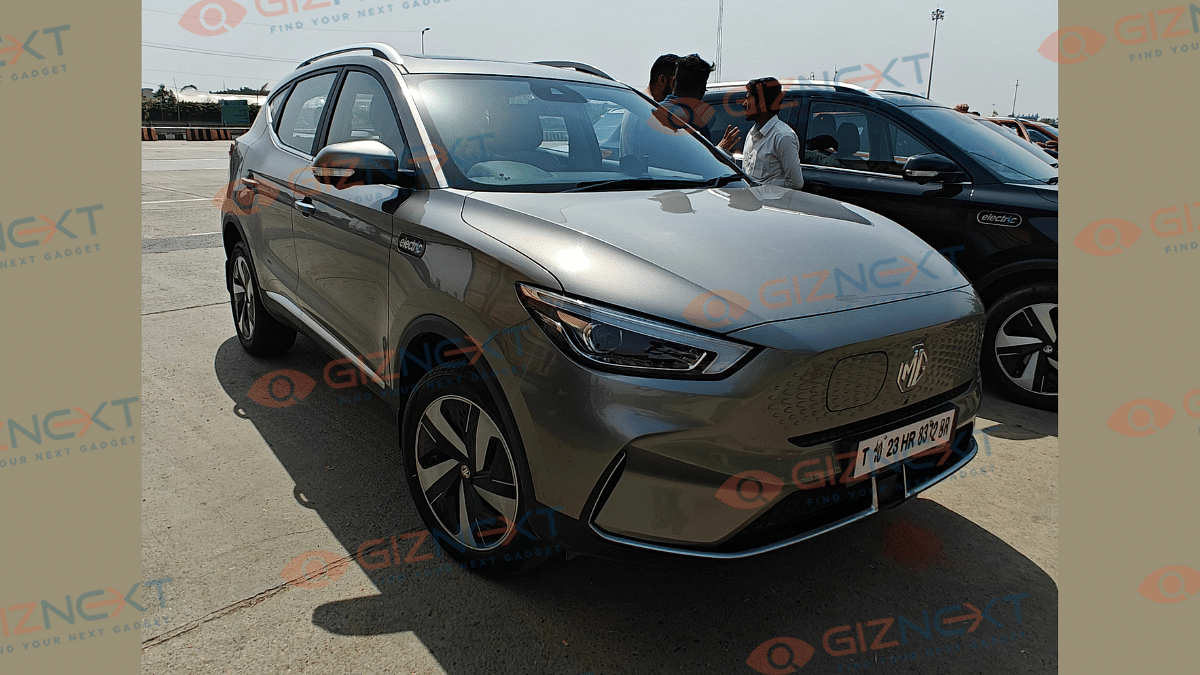
MG is amongst the key players in the rapidly growing four wheeler EV market in India. It’s expertise with SUVs has been giving it an edge over its rivals in the country. Giznext recently got an opportunity to get a first hand intercity driving experience with the ZS EV. And in this article we are sharing our journey with the modern electric crossover SUV. Here’s what we believe are the pros and cons of taking an EV on a long road trip:

Also Read: Tata Motors, Vertelo To Boost E-Mobility In India With 2,000 Xpres-T EV Deliveries

The Drive:

From And Where: Delhi To Chandigarh

Distance Travelled: 250 KM (approx)

Average Driving Run: 8 Hours ( With charging stops included)

Our media drive commenced from MG Motor’s Moti Nagar dealership and concluded at Chandigarh. With an average distance of 247 km, we drove the MG ZS EV’s ADAS variant which is loaded with all modern amenities.

Also Read: EV Range Anxiety In Summers: Tips To Improve Electric Car/ Scooter Battery Performance

Charging Stops And Average Charging Time

Battery Charge Status: 75 percent

Charging Stops: 2

Average Charging Duration: 30- 35 percent within an hour

Charger Type: Fast DC chargers

When we started, our ZS EV driving unit had around 75 percent of charge, with the battery percentage dropping to around 38 percent at the first mid-way halt. This was with an average run speed of 90- 100 kmph on the highways. We got to refuel the battery from 38- 50 percent within half an hour during the first stop. Second battery recharge was done at 21 percent where it almost similar duration for up to 48 percent refuel.

Also ReadMaruti Suzuki eVX Electric SUV Testing Continues: Spy Video Leaked

What We Liked

Comfortable And Smooth Riding Experience

  • Comfort Drive: This crossover electric SUV was comfortable throughout the drive. Spacious cabin and premium quality seats makes the drive a fun.

Modern Cockpit

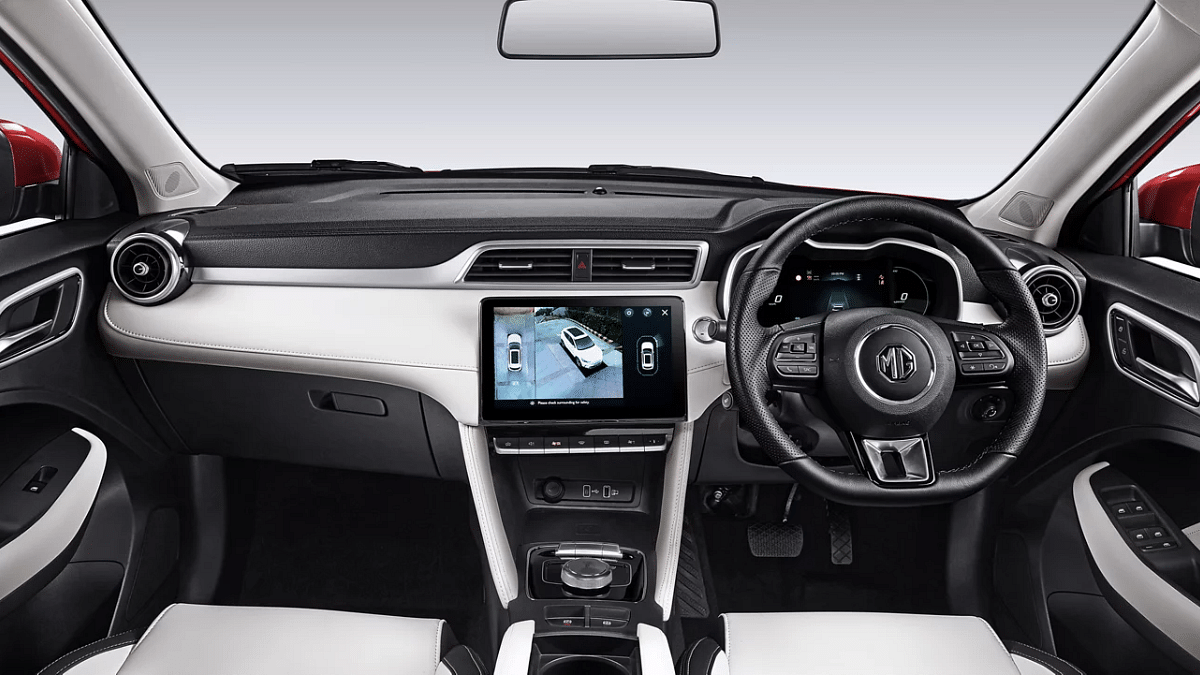
  • Dual-tone interiors: The dual-tone interiors with the dashboard featuring soft-leather finish adds all luxury to the cabin also making the room size feel airy. The dual-pane panoramic sunroof is an added bonus besides the modern cockpit.
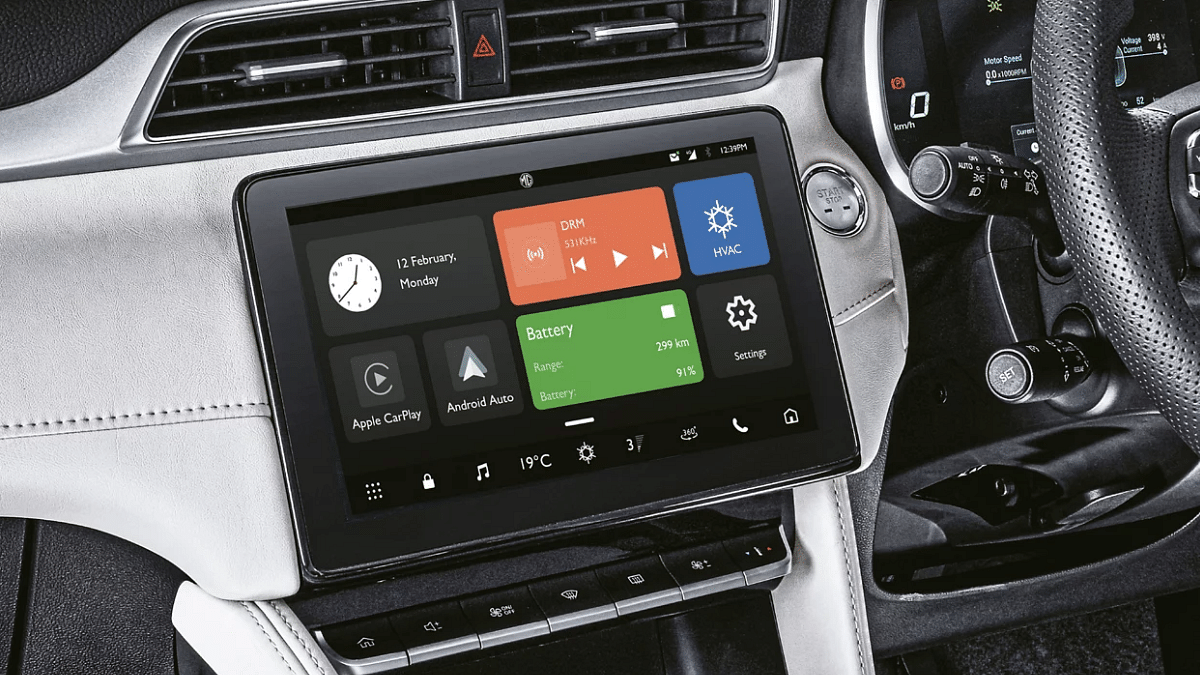
  • Full-Digital Instrument Cluster And Driver Display: The big 10.1-inch infotainment screen and the 7-inch driver’s display makes the cabin all futuristic when combined with the metal-finish rotary dial.

Smooth Handling And Cabin Operations

  • Nimble handling: Smooth and nimble flat-bottom steering enhances the drive experience. The steering gets mounted controls as well for media and other functionalities and offer a soft click.
  • Hands-free cabin operations: With the automated digital multilingual voice assistant support, you can get several tasks done with voice commands. Opening/closing sunroof, media playback, get weather updates, and much more.

Multiple Drive Modes

  • Eco Mode: Eco mode is the one we preferred during our drive from Delhi to Chandigarh. Of course, saving up on the battery have been a concern considering it was an intercity drive and the battery charge wasn’t 100 percent when we started. Range delivery in this mode has been the highest. Take this mode as the most reliable one if you have range anxiety being an EV owner. Experience a decent pick up and throttle response in the Eco mode.
  • Normal Mode: This mode offer slightly better power stats than the Eco mode but the range drops down by around 30- 40 km in this mode. That’s what we experience during the drive. However, you get a better punch when you hit the throttle as compared to the Eco mode.
  • Sport Mode: This one will surely kick in some adrenaline when you push the accelerator. The Sport Mode makes the ZS EV zip through with high speed accelerations where you can feel the drag pull. While the Sport Mode is meant to make the drive exhilarating, it surely drains up the battery faster than the remaining two modes.

Decent Battery Backup

Equipped with a 50.3 kWh battery, the ZS EV comes as a decent option for long range drives. Our driving distance of around 250 kms required re-charging the battery twice. But that was with the battery being charged at around 75 percent while starting the journey. Also, during the drive media playback and climate control features were in use that might have some impact on the range delivery. But nothing evident as such. Hence range anxiety isn’t a big concern with the MG ZS EV.

Advanced Security Features

The MG ZS EV comes with LEVEL 2 ADAS suite which enhances overall security with the drive. We can say ADAS operates accurately when activated using the vehicle settings. With the ZS EV, you get a plethora of smart security features including adaptive cruise control, lane and traffic jam assist, front collision warning, automatic emergency braking, Hill assist mode, and more.

Also Read: MG Comet-Based Baojun Yep Plus Electric SUV Fresh Image Set Shared Officially: India Launch On Cards?

What We Disliked

Underdeveloped Charging Infrastructure

This we can say is one of the major drawbacks while driving an EV intercity. Range anxiety can become. areal concern if your EV is running low on battery. Now, the MG ZS EV we were driving definitely delivered a premium and luxurious experience throughout. But multiple challenges with locating the apr charging station and battery recharge might kill the drive experience for a majority.

Waiting Time For Battery Re-charge

Now, even of you have located a charging station; unless it’s a fast DC charging station (which most are), you might have to wait for a while for a full refuel. Expect the wait time to be over an hour (without fast charging). We experienced power outage issues at charging stations which hampered the experience by extending the waiting time. Again, your EV isn’t to be blamed here.

Conclusion

Overall, the intercity drive with the MG ZS EV has been a great experience. This EV is future ready and seems fit for Indian roads too. Of course, we can’t skip out the advanced cabin and security features along with the smooth ride it offers. The MG ZS EV is suitable for city drives with the nimble handling and easy maneuverability but can also handle occasional long rides. But make sure you are done with all homework when the charging stations are concerned for the travel.

Categories
Featured Reviews Smart Watch

imoo Watch Phone Z7 Review: Advanced Health And Safety Solution For Your Kids

Smartwatches have majorly replaced conventional wrist watches globally. Consumers are proactively opting for the smart wearables to keep a tab on health while-on-the-go. And the market today has offering not just for adults or teens but kids too. The imoo Watch Phone Z7 is one of such watch which is tech-rich and is a reliable health and safety gadget for your kid. Available at Rs. 14,990, the imoo Watch Phone Z7 smartwatch can be expensive than the readily available smartwatches in the market. But what makes it worth a buy for kid? This review will help you analyze.

Also Read: Just Corseca Sushi Albatross Bluetooth Speaker Review: Is It The Ultimate Party Companion?

Pros:

  • Smart safety solution for kids
  • Durable design
  • Clear camera view
  • Supports calling and messaging

Cons:

  • Slightly bulky for kids wrist
  • Comes void of 5GHz Wi-Fi support
  • Pricing bit on expensive side

imoo Watch Phone Z7: Design And Wearing Comfort

imoo Watch Z7 wears a modern sport-style aesthetics which you kids would love to flaunt. It has a durable and sturdy build material which will ensure least damages even with rough outdoor usage. imoo has certainly kept all the necessary design factors in mind while designing this kids smartwatch to offer a long terms usage.

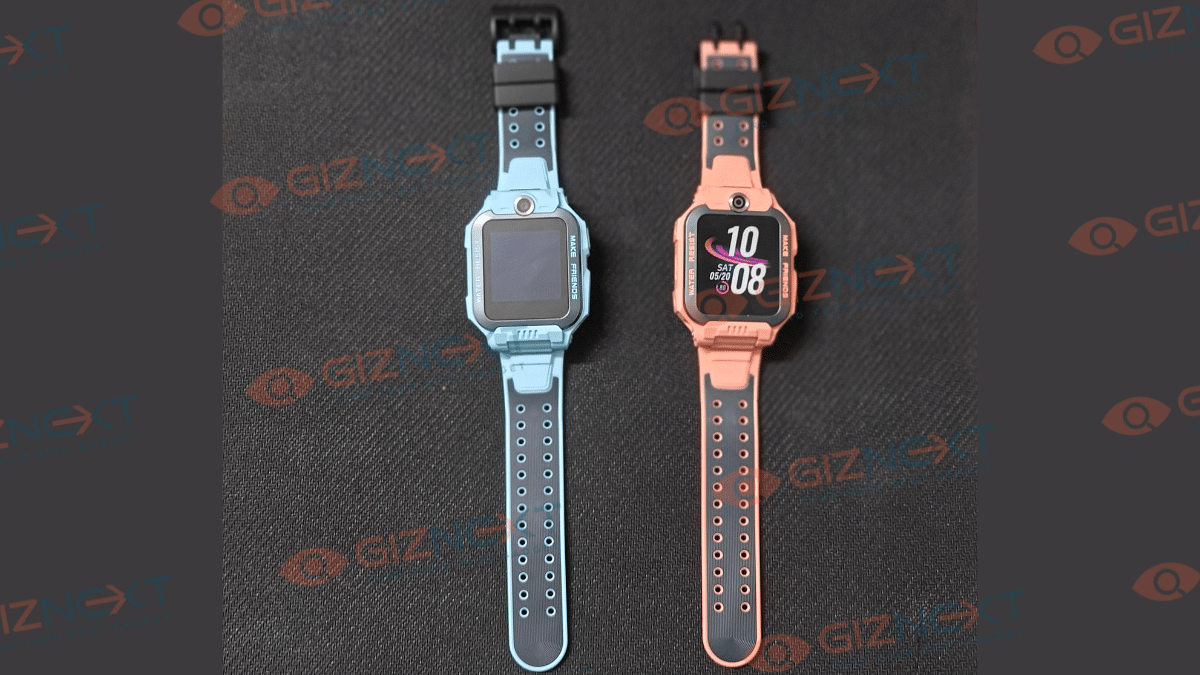
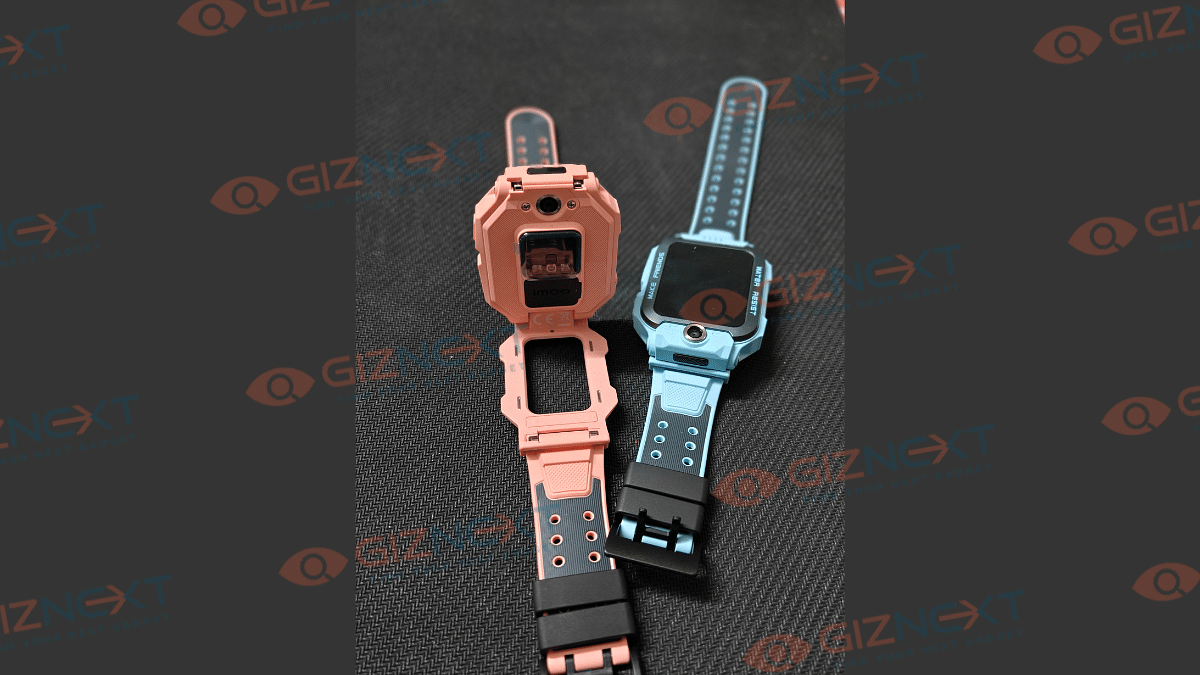
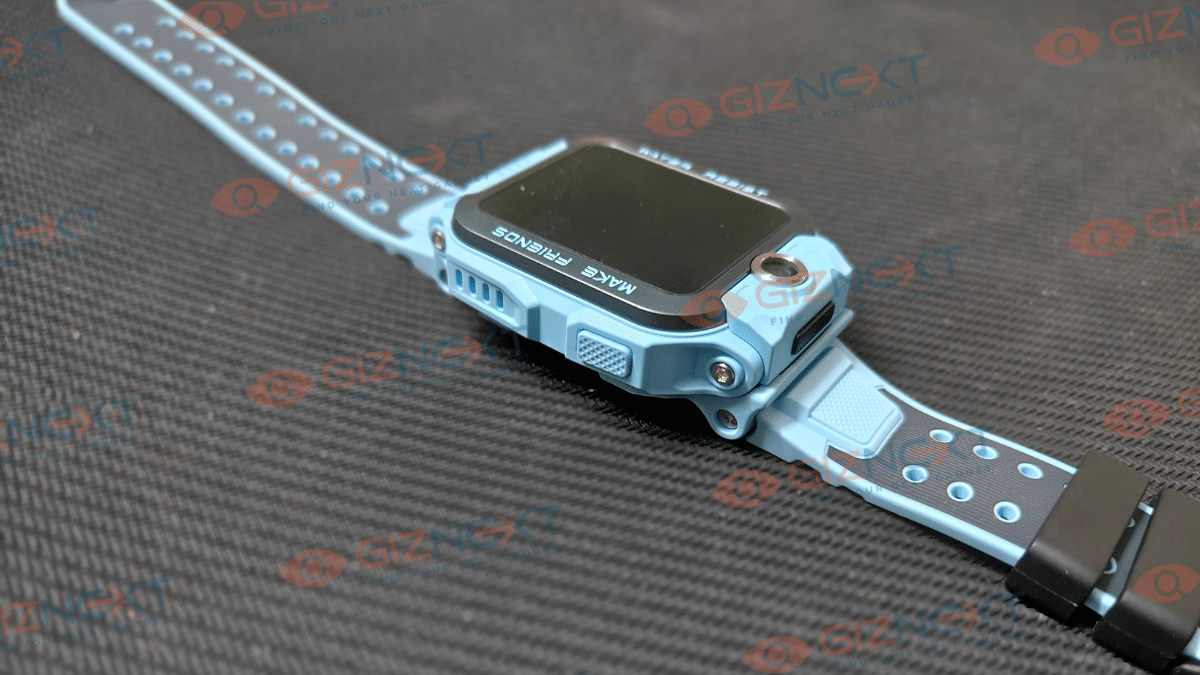
The brand has used aluminum casing for the dial and a good quality silicone-rubber strap. Usage is fairly simple with the integrated power key on the right. Now, what gives the imoo Z7’s design a unique twist is the lifting dial that allows camera usage.

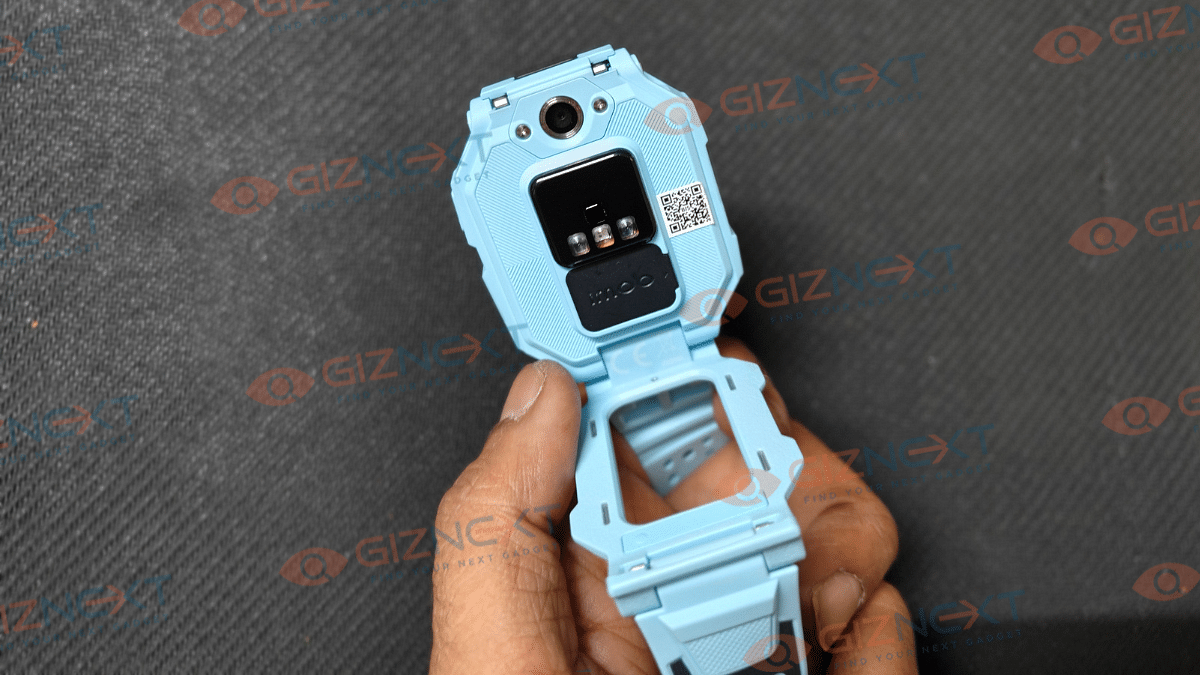
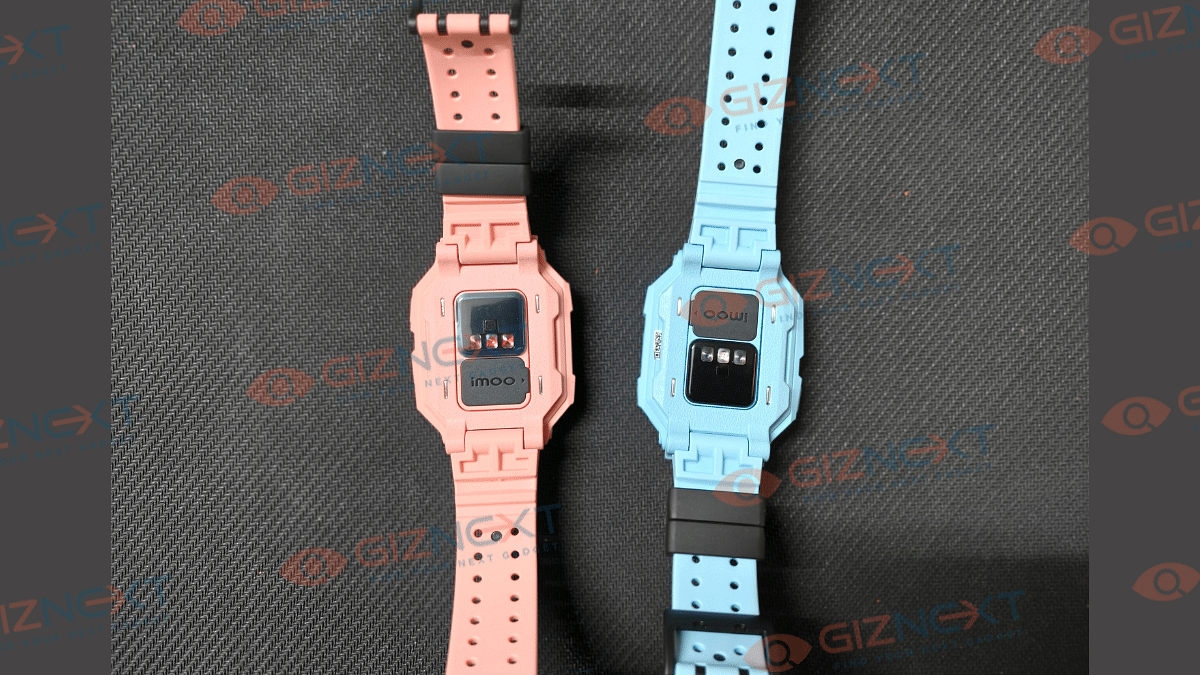
Yes, you read that right. Right above the imoo Z7’s 1.3-inch display is a 2MP front camera which allows video calling. But that’s not the only camera sensor this watch offers. A bigger 5MP snapper is tucked at the rear profile which becomes visible when the dial lifts from the frame. As for the screen, it’s an AMOLED panel which offers adequate response overall but an average visibility when the panel is exposed to harsh sunlight.

You will also see a SIM card tray right beneath the sensor module on the back panel. This is used for two-way phone calls on the imoo Watch Phone Z7. Lifting up the tray could be little tricky but its just a secured fit of the tray to protect it from falling off accidentally.

To make it more sturdy, imoo has got IPX8 certification for the Watch Phone Z7 with which it becomes water resistance (to up to 20m depth). At around 65g of weight and the large dial size, the imoo Watch Phone Z7 might be a but bulky for kids. However, overall wearing comfort isn’t compromised much.

Also Read: CMF Neckband Pro Review: Perfect Blend Of Style And Performance

imoo Watch Phone Z7: What Drives It?

The imoo Watch Phone Z7 draws its power from the Spreadtrum W317 entry-level chipset. The smartwatch features a built-in memory space of 4GB which enables smooth scrolling experience through the watch’s interface. The UI loaded on the Z7 is CaremeOS Lite which offers a clean interface for convenient usage.

Moreover, the Watch Phone Z7 is equipped with a variety of sensors such as GPS, GLONASS, and LBS for tracking and other monitoring. It also has WiFi network support but only 2.4 GHz networks. Pairing it with standard WiFi routers isn’t much of a hassle but those operating on dual band 5GHz might not offer a smooth pairing experience.

Also Read: Realme Narzo 70 Pro Review In Five Points

imoo Watch Phone Z7: Range Of Features

The biggest feature highlight of the imoo Watch Phone Z7 is undeniably the two-way calling and two-way video chat option. As mentioned previously, it is equipped with a 2MP front and 5MP rear camera both of which offer a good image/ video quality. The front cam will double up for video calling, while using the rear cam, your kids can show the surroundings or backdrop easily.

This a nifty feature that can have several usage scenarios and be beneficial during any unforeseen emergencies. The compatible smartwatch app will help with camera toggling on the Watch Phone Z7. Besides the voice and video calling, the imoo Watch Phone Z7 also supports messaging. You will need the imoo watch app for texting as well. It is worth noting that this smartwatch currently comes void of any third party app support like WhatsApp.

Hence, the only way to use the two-way voice and video calling is the supported mobile app that you can download from either Google Play Store or Apple’s App Store. Additionally, the Z7 smartwatch offers a range of health measuring features. It is equipped with a PPG heart rate monitor and an air pressure sensor that can keep a track of heart rate, blood oxygen levels, and also body temperature on-the-go.

Also Read: Realme P1 5G Review: Is This The Affordable Smartphone You’ve Been Waiting For?

What About Battery Backup?

Since the Watch Phone Z7 is kids specialised smartwatch, bigger battery backup is what the audience expects. With a full charge and standard usage, expect this smartwatch to deliver almost three days of charge. But you can get additional juice out of the 740 mAh integrated battery if the usage of extra features like camera is kept minimum.

Also Read: Vivo V30 Pro Long Term Review: Camera Versatility Grabs Limelight

Final Verdict: Should You Buy?

In this competitive market, the imoo Z7 brings along standout features which certainly makes it an advanced smart wearable for kids. While it handles the primary health metrics, it elevates the user experience with the extra range of futuristic features such as two-way audio/ video calling and SIM card compatibility. While the price range of Rs. 14,990 is a bit on the higher end of spectrum, the features offered makes up for the higher costs. This watch does make for a good buy if you prioritize your kids health and safety.

Categories
Featured Mobile Reviews

Realme P1 5G Review: Is This The Affordable Smartphone You’ve Been Waiting For?

Key Highlights

  • MediaTek Dimensity 7050 Chipset
  • 120Hz Ultra-Smooth AMOLED Display
  • 45W Charge, 5,000mAh Battery
  • Rainwater Smart Touch & IP54

Step into the fast-paced ground of mid-range smartphones, and you’ll find a multitude of contenders competing for your attention. But amidst this bustling battleground, one brand shines brightly with its fusion of originality and affordability: Realme. Now, the company is introducing the Realme P1 5G, a star in their new ‘Power’ series. It’s sleek, it’s fast, and it’s got a camera that’s ready to capture all your adventures. But in a world where every device claims the crown, does the Realme P1 5G truly command the spotlight it deserves? Let’s roll up our sleeves and dive into our review to find out. Also Read | Realme Narzo 70 Pro Review In Five Points

ProsCons
Good displayAverage camera
Decent performanceAds and bloatware
Good battery life 

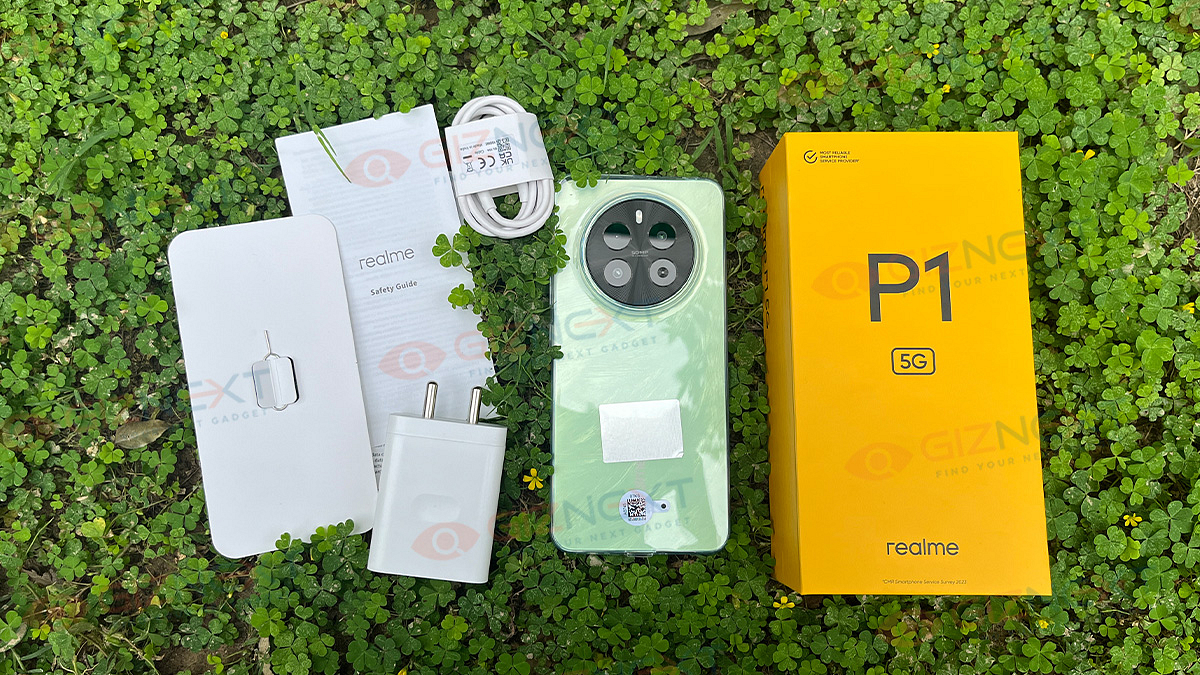
What’s Inside The Box?

  • Realme P1 5G handset (Peacock Green)
  • 45W charger
  • USB Type-A to Type-C cable
  • SIM ejector tool
  • TPU case
  • User manual

Design: Thin And Sleek

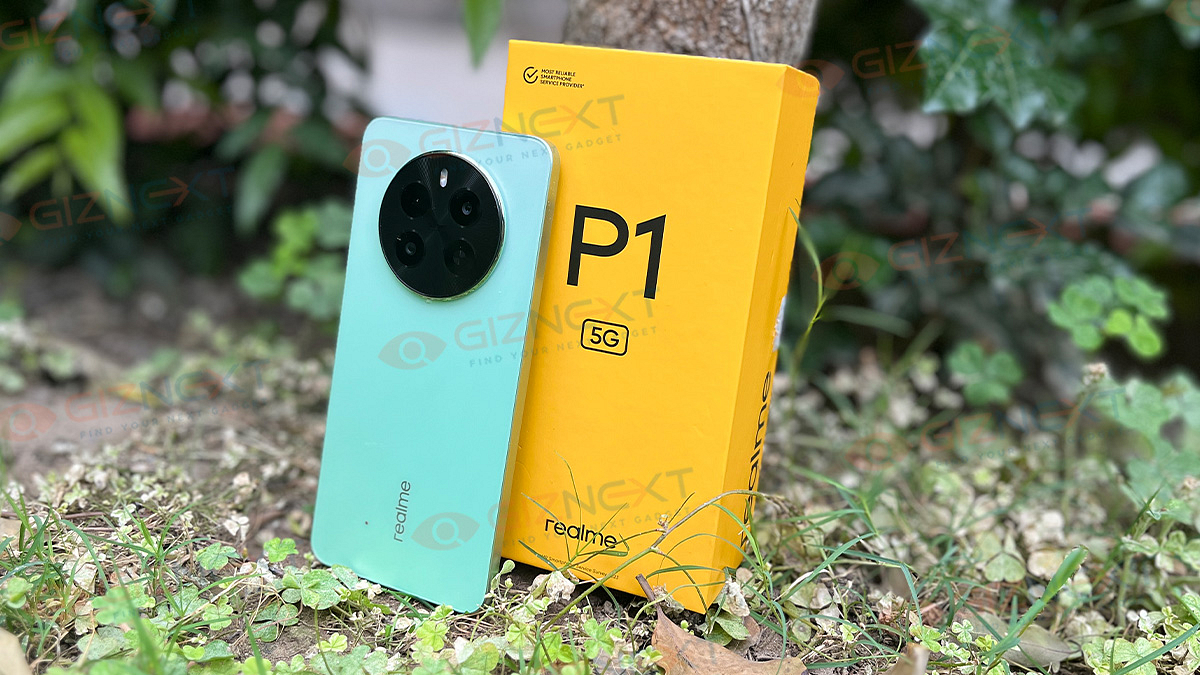
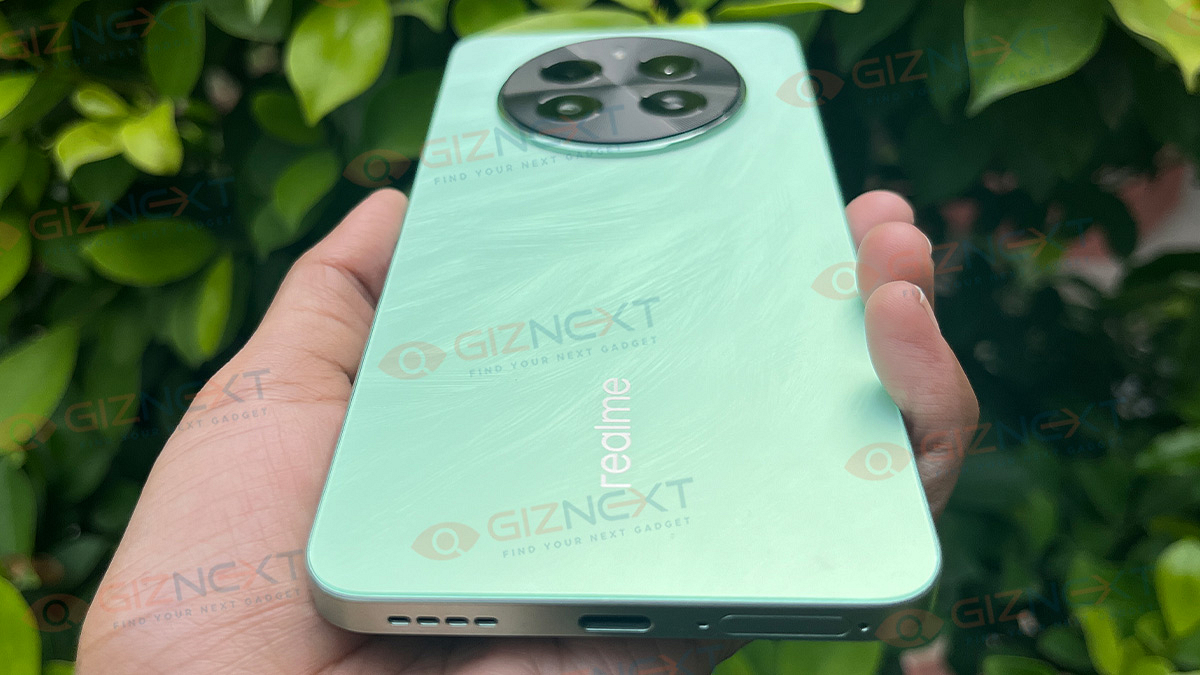
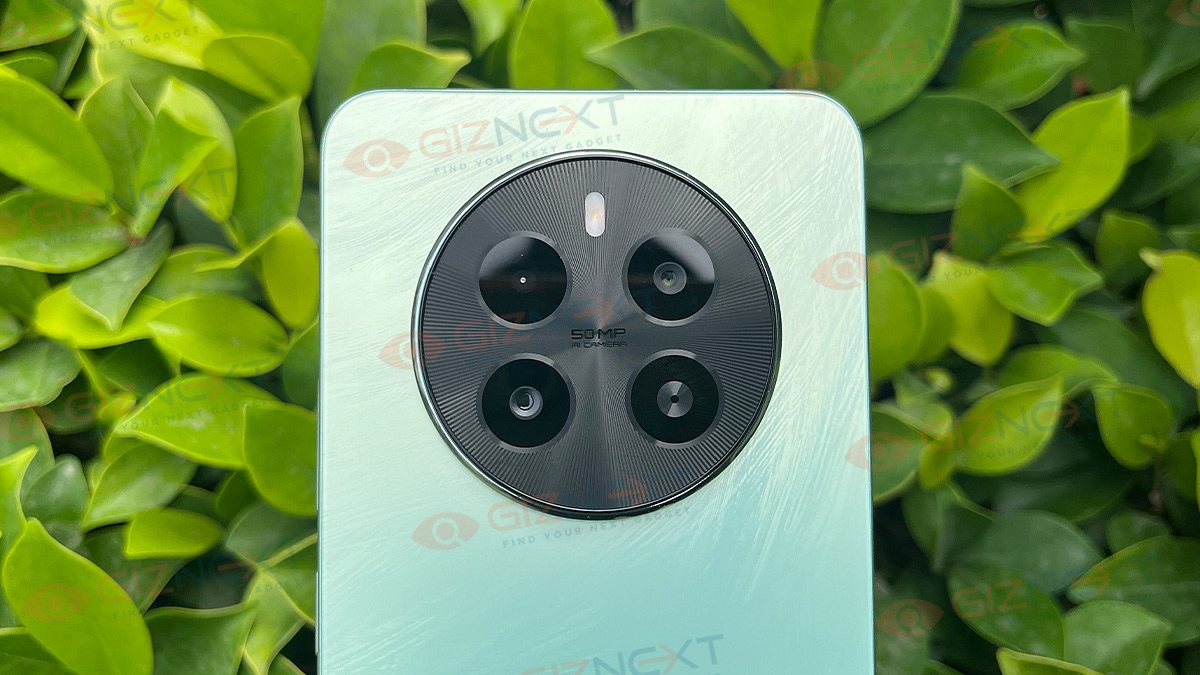
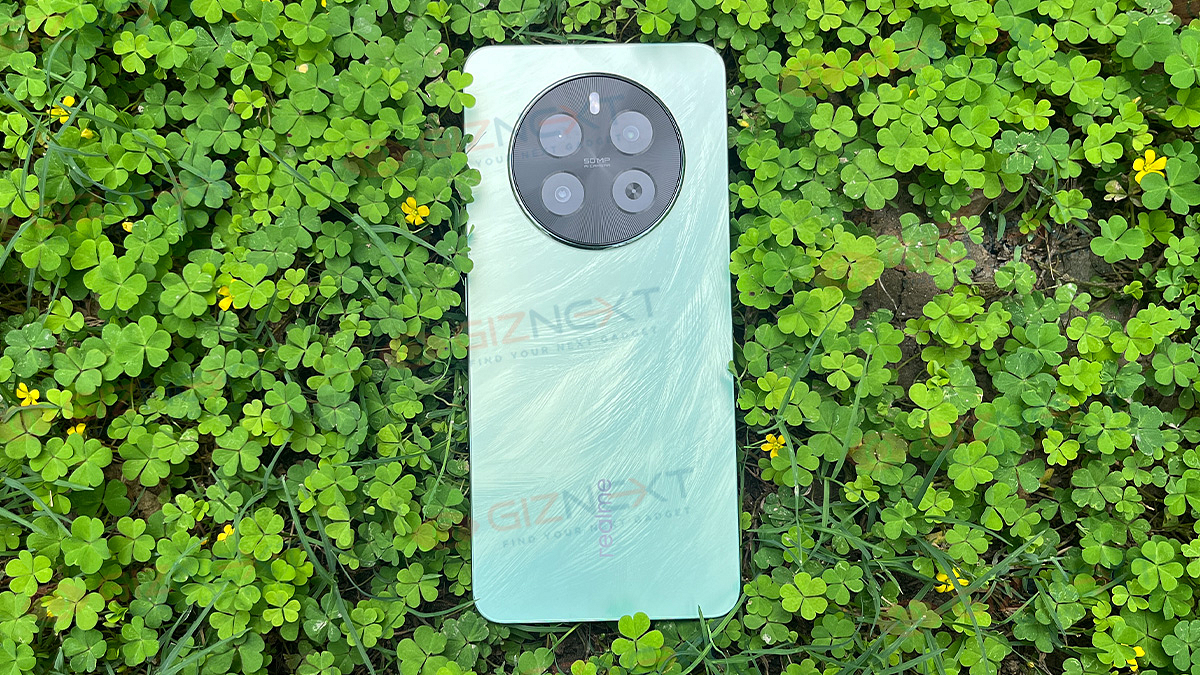
The Realme P1 5G does not bring anything totally new to the table. It sports the same circular camera design we’ve seen before on Realme 12 series. However, its back panel has this cool feather-like texture that catches the light just right, topped with a smooth matte finish. The device is available in two different colors: Peacock Green and Phoenix Red. We’ve got our hands on the Peacock Green one for this review, and let me tell you, it’s easy on the eyes.

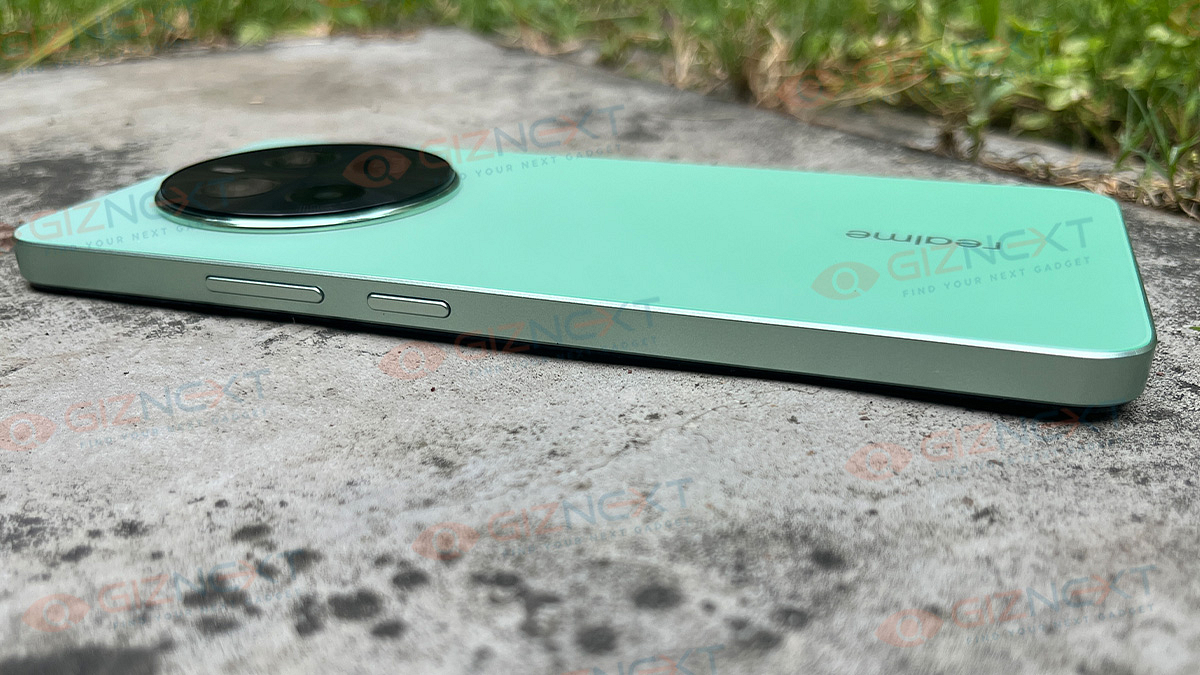
Now, when you flip it over, you’ll notice how thin and sleek it is. It’s got a flat screen, which is pretty standard in this price range. The frame and back are made of polycarbonate, par for the course in this budget bracket. Up top, you’ll get a headphone jack and microphone, along with the earpiece and proximity sensor. The power button and volume rockers are placed on the right side, while the left side stays neat and flat.

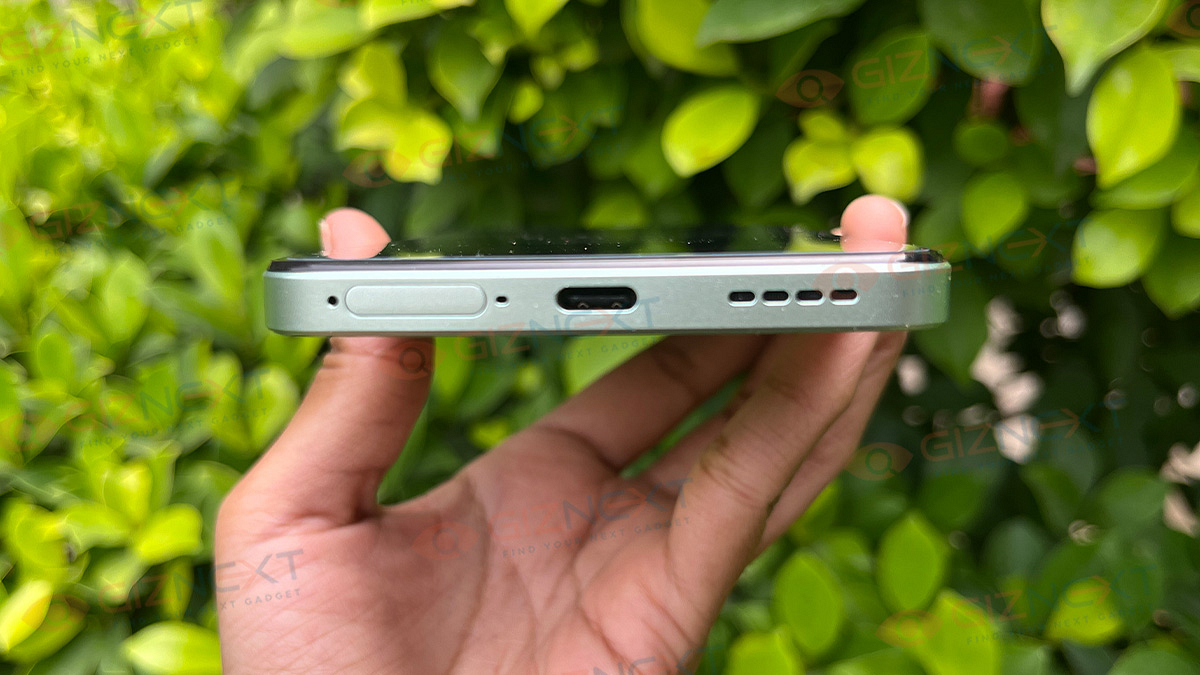
Peek at the bottom, and you’ll get the USB-C port, speaker grill, and SIM card tray. It’s versatile, able to hold either a nano SIM card and micro-SIM card or a microSD card. So, you’ve got options. Moreover, the Realme P1 5G comes with an in-display fingerprint scanner that works like a charm, recognizing your touch flawlessly every time. Plus, with dual stereo speakers supporting Dolby Atmos and an audio jack, you’re in for a treat with every sound, making the Realme P1 5G a feast for both your eyes and ears.

Also Read | Realme 12+ 5G Review: Your Gateway To Flagship-level Features At An Affordable Price

Display: Dive Into Visual Brilliance

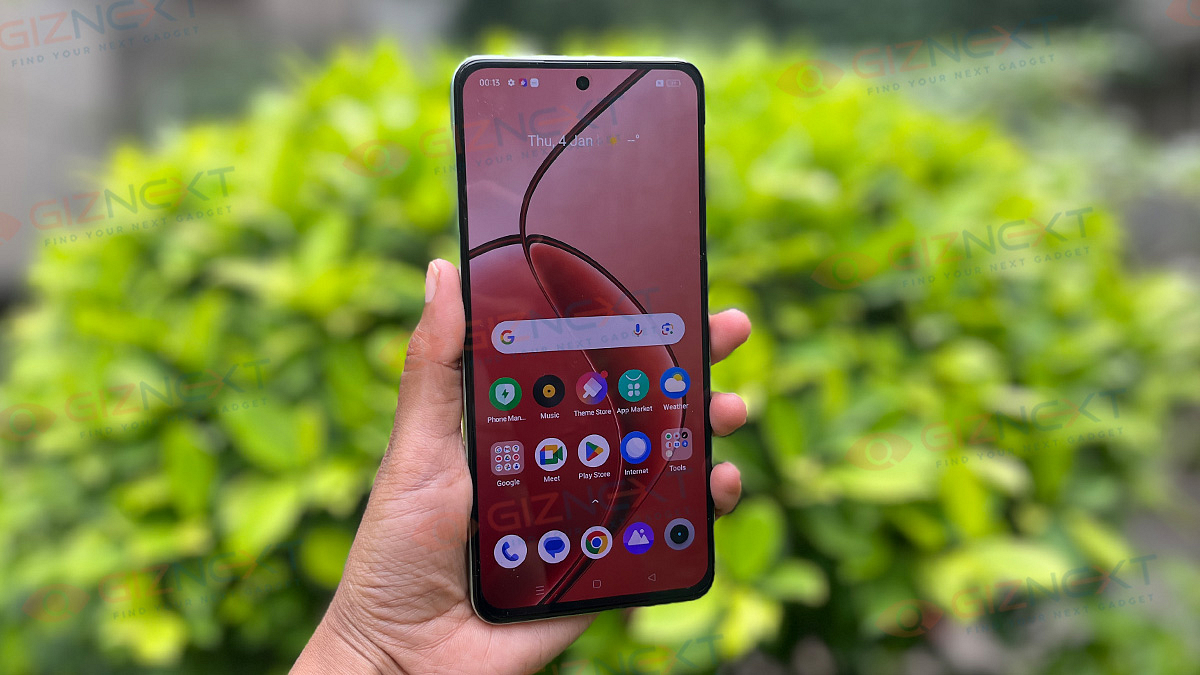
The real MVP of the Realme P1 5G? That eye-catching display, hands down. The smartphone features a 6.67-inch FHD+ AMOLED screen with a buttery-smooth 120Hz refresh rate. It’s like diving into a whole new world every time you use it—whether you’re binge-watching your favorite shows, diving into the latest games, or simply scrolling through social media, this display pulls you right in. With a peak brightness of 2000 nits, it sets a new standard in its price range. Even under the direct sunlight, you won’t miss a thing—it’s crystal clear.

There’s more. HDR support takes things up a notch, making colors pop and contrasts deeper. It’s like having a mini theater right in your hands, especially when you’re watching HDR content on streaming platforms. Sure, the bezels could be slimmer to keep up with the latest trends, but they’re not a deal-breaker.

Performance: Power-packed Performance

The Realme P1 5G packs a punch with its MediaTek Dimensity 7050 chipset, a great choice for its price tag. It’s built on TSMC’s 6nm advanced process, boasting a Mali-G68 GPU, Cortex-A78 @2.6GHz, and Cortex-A55 @2.0GHz. Though the haptics aren’t mind-blowing, they do the job just fine. When it comes to memory and storage, it has a configuration with up to 8GB of RAM and 256GB of internal storage.

During my usage, the device feels smooth as butter, never lagging in any of my tasks. Realme claims this smoothness will last a solid four years, though I can’t personally confirm that. Since this phone is all about performance, it’s only fair we put it through some gaming. So, I played BGMI. You can set the graphics to Medium or High and the frame rate to Very High. With High graphics and Very High frame rate, you’ll get a stable 55 to 60fps during gameplay. And heating? Well, it’s not an issue here. Thanks to the 7-layer 3D VC cooling system, the device stays cool even during intense sessions.

On the software part, the device runs on Realme UI 5.0, based on Android 14, which offers a ton of customization options. You can tweak fonts, icons, wallpapers, and themes to your heart’s content. Plus, you can sync system icon colors with your wallpaper for a slick look, and even jazz up your Always-on Display with a Bitmoji. Not only this, the P1 5G is loaded with innovative features like Dual Carrier Aggregation, Floating Window for multitasking, Flash Capsule, Microsoft Sync, and more.

The company is promising three years of Android updates and four years of software updates which is pretty impressive. If you’re familiar with Realme phones from before, you’ll feel right at home with the software. The only hiccup you might encounter is dealing with a bit of bloatware—the phone comes with a fair amount of pre-installed apps. But don’t worry, you can uninstall some of them if they’re not to your liking.

Camera: Capturing Decent Shots

Let’s take a look at the Realme P1 5G’s camera setup. It’s got a dual-camera setup on the back, starring a 50MP Samsung sensor as its main lens, alongside a 2MP macro lens. Oh, and let’s not forget the 16MP front camera for all your selfie needs.

When the sun’s shining bright, that 50MP lens works wonders, capturing crisp shots with oodles of detail, punchy colors, and just the right amount of contrast. Plus, there’s a neat 2x toggle for those close-up shots, though it’s basically just a cropped version of the regular shot. Portrait mode? It’s got that too, with a nice bokeh effect to make your subjects pop.

But when the lights dim, things get a tad tricky. Without OIS, the camera struggles a bit, even with Night Mode lending a hand. You might notice some noise and lack of detail creeping in.

Now, onto the modes. The portrait mode is decent, but the edge detection could use a tune-up for crisper shots. Zooming in? No problem, the 2x zoom does a good job, especially when there’s plenty of light to play with.

Selfie time! The 16MP front camera snaps pleasing selfies, though it has a habit of smoothing faces a tad too much and messing with skin tones.

And for videos, the Realme P1 5G can shoot up to 4K at 30fps or up to 1080p at 60fps with EIS or Ultra Steady mode. Stick to 1080p for stable videos with good dynamic range.

Also Read | Realme C53 Vs Realme Narzo N53 Vs Poco C55: Best Budget-Friendly Smartphone Under Rs.15,000

Battery: Power That Lasts

The battery life of the Realme P1 5G is top-notch. Throughout my usage, I consistently enjoyed around nine hours of screen-on time on one charge. Even when idle, the drain was a mere 2 percent per hour.

And when you’re running low on juice, fear not. The device supports 45W SUPERVOOC fast charging, and the charger is included right in the box. You can go from 50 percent to 100 percent in just 20-25 minutes.

Giznext’s Final Verdict

The Realme P1 5G brings a lot to the table: a MediaTek Dimensity 7050 chip, a silky-smooth 120Hz AMOLED display, and great battery life, all without breaking the bank. It’s not just about what’s inside, though—the design is sleek and the phone feels stylish and sturdy. Performance is smooth without any lag. But, it’s not all sunshine and rainbows. There are some drawbacks, like ads in the software and a camera that’s just average. So, if you’re on the hunt for a wallet-friendly phone that delivers solid performance and features for under Rs. 15,000, the Realme P1 5G definitely deserves a spot on your list.

Categories
Accessories Featured Reviews

CMF Neckband Pro Review: Perfect Blend Of Style And Performance

Key Highlights

  • 50dB ANC
  • Smart dial
  • 13.6mm custom driver
  • Spatial Audio Effect
  • 5 HD mics

Picture this: you’re constantly on the move, bustling through life, and somehow always misplacing your earbuds. Sounds familiar, right? Well, fear not, because the CMF, the Nothing sub-brand, has arrived with the Neckband Pro to save the day. The CMF Neckband Pro is the company’s first neckband headset.

Equipped with up to 50dB of ANC, a nifty Smart Dial feature, and not one, not two, but five microphones for crystal-clear call noise cancellation, this neckband headset promises to be a game-changer. But is it truly the ultimate neckband headset under Rs. 2,000? Let’s dive deep into the review to uncover the truth. Also Read | CMF Buds Review: Do They Stand Out In The Crowded TWS Earbuds Market?

ProsCons
Up to 50dB ANCNo charging cable
Good DesignInconvenient buttons placement
Good battery life 

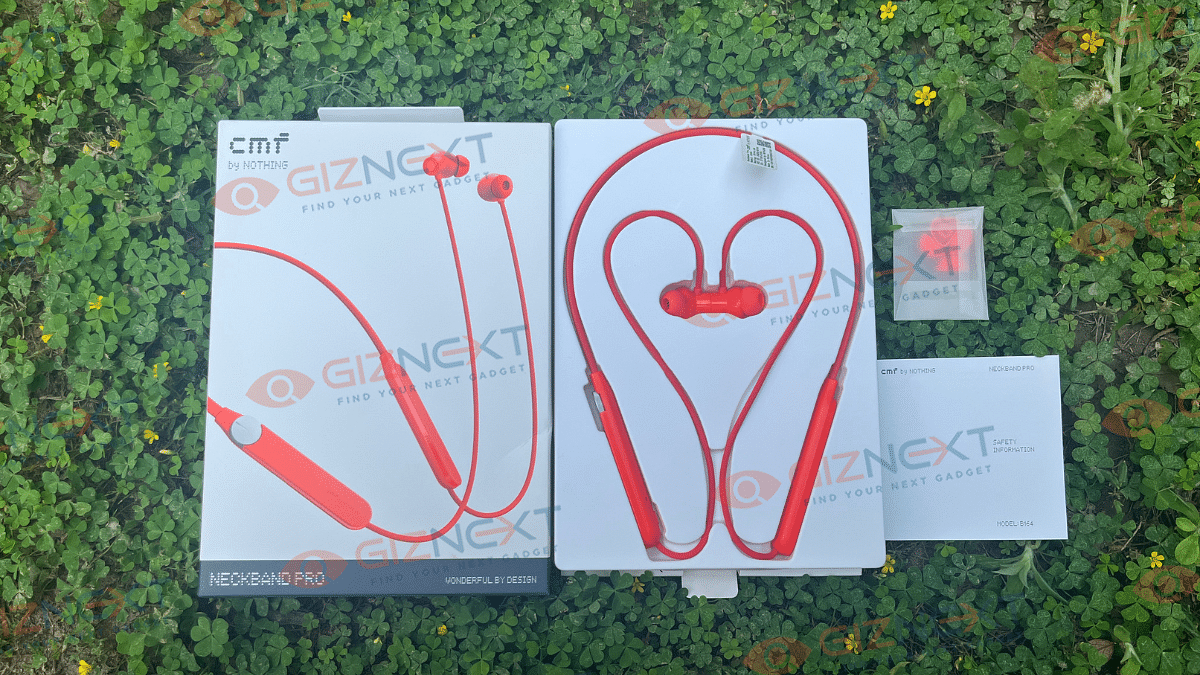
What’s Inside The Box?

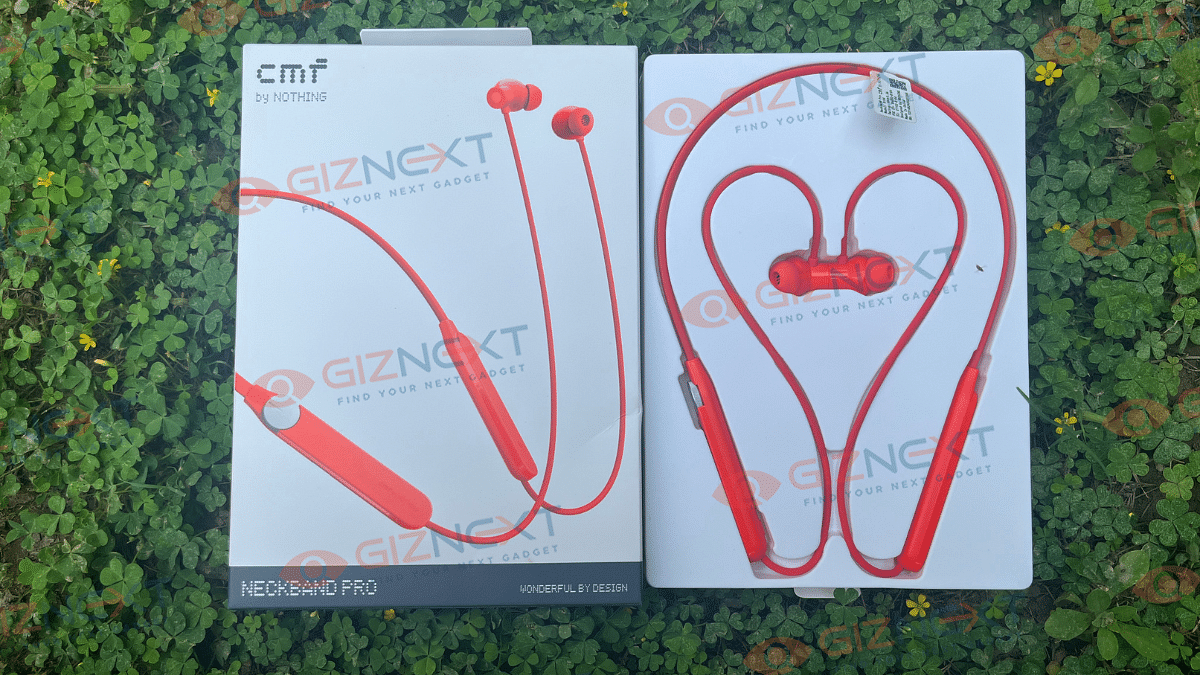
  • CMF Neckband Pro (Orange color)
  • Ear tips in small and large size (Medium pre-installed)
  • User manual

Design and Comfort

Let’s take a closer look at the CMF Neckband Pro, where CMF stands for Color Material Finish, just like Nothing, the brand that focuses heavily on design. When you first see it, it might seem pretty normal, like other neckbands you’ve seen. But there’s more to it.

There’s a small wire connecting the earbuds to the neckband, which you wear around your neck. It comes in a bold orange color, which might not be everyone’s favorite, but I found it pretty interesting. This neckband is super flexible, lightweight, and feels smooth. Even though the bottom part is made of plastic, it still has a nice, smooth finish. And guess what? The whole thing weighs just 29.6 grams, so it won’t weigh you down.

The back of the earbuds is magnetic, so they snap together when you’re not using them. Plus, they connect and disconnect automatically. So, if you want to pause your music, just snap them together, and to start again, just pull them apart.

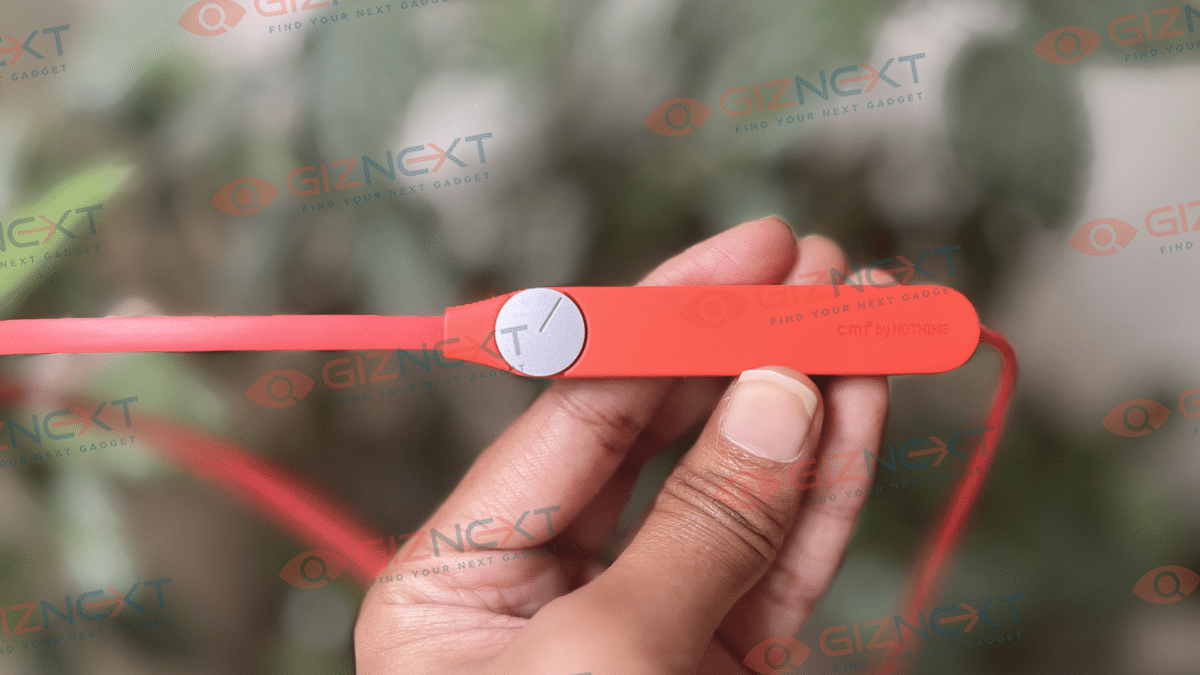
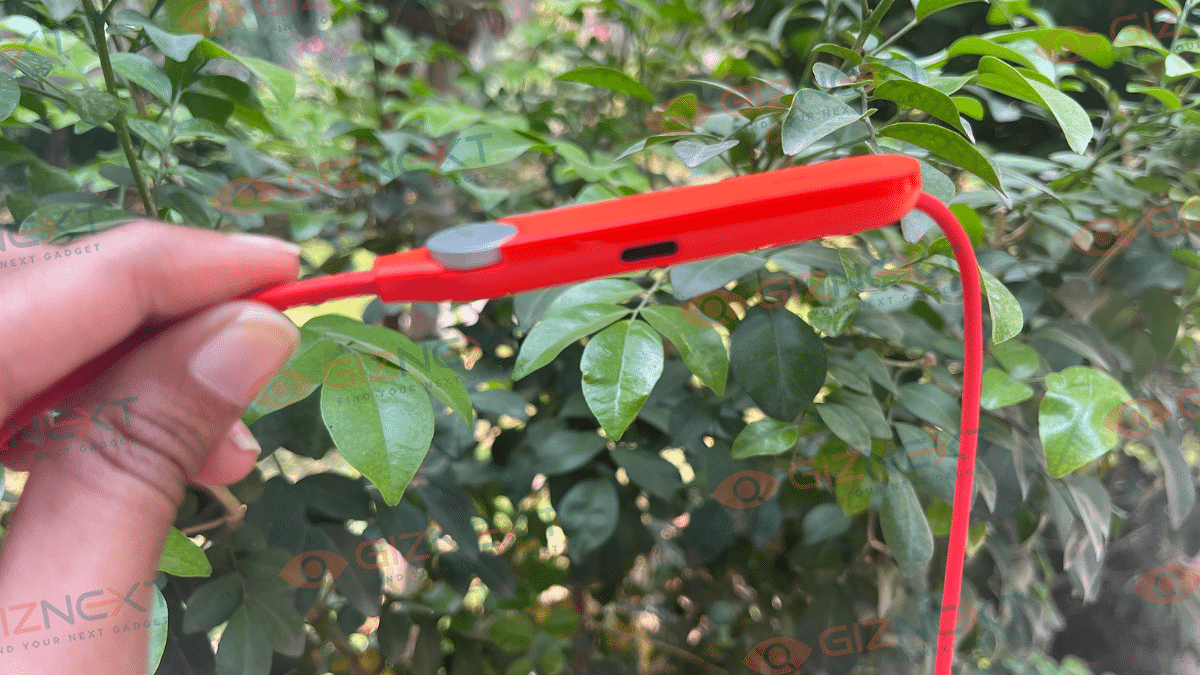
Instead of boring buttons, CMF decided to be different. They put a rotating dial right on the neckband itself. And it’s not just for looks. On right side, there’s a USB Type-C charging port and an LED indicator. Plus, there’s a handy button for pairing and switching devices.

Now, onto comfort. The earbuds fit nicely and feel comfortable, even during workouts or when you’re moving around a lot. The wire and plastic parts seem sturdy and well-made. And get this – the neckband is IP55 rated, so it can handle splashes and a bit of dust too.

Overall, the design is pretty cool, but some things could be better. For example, the dial’s placement isn’t the most convenient. When it’s hanging around your neck, it can be tricky to find and use. It might have been easier if the controls were on the earbuds instead.

Also Read | VingaJoy CL-6320 Neckband Review: An Ideal Workout Companion

Audio and Call Quality

The ANC on the CMF Neckband Pro is impressive, blocking out up to 50dB of noise. I’ve tried a bunch of other devices in this price range, but none even come close to what CMF offers. Plus, it’s got some serious audio power under the hood. With a 13.6mm composite diaphragm driver and a 0.27cc back chamber, the bass depth is enhanced without any distortion. While the sound can get pretty loud at higher volumes, I did notice it could’ve been even louder compared to some other neckbands I’ve used.

When it comes to sound quality, vocals are crystal clear and instrument separation is spot-on. The bass is rich and satisfying, never overwhelming the vocals. And with the new Ultra Bass 2.0 technology in the Nothing X app, you can customize your bass experience with five different levels. It’s all controlled through the app, which also lets you choose from various modes to match your needs, whether you want to block out all noise or just tone it down a bit. I particularly enjoyed the transparency mode, which lets you hear your surroundings without taking off the neckband.

This device is perfect for bass enthusiasts, delivering a powerful thump without drowning out the rest of the music. Plus, it creates a realistic soundstage, placing instruments and vocals exactly where they should be.

Additionally, the CMF Neckband Pro has a spatial audio mode, making it feel like the sound is coming from all around you. I loved using this feature for watching movies and playing games on my phone. You can easily toggle it on and off by tapping the right band, or control it straight from the app.

When it comes to call quality, the CMF Neckband Pro pleasantly surprised me. My voice came through clear and loud to the person on the other end of the call. Also, there were minimal disruptions, even in challenging conditions like noisy traffic or windy weather.

Connectivity and Pairing

The CMF Neckband Pro is compatible with Bluetooth 5.33, ensuring seamless connectivity with various devices, including Android, iOS, and others that support Bluetooth. Pairing it with your phone is an easy process. You simply have to press the function button for three seconds to activate pairing mode.

Once in pairing mode, select the Neckband Pro from your device’s Bluetooth menu to establish a connection. What’s more, you can simultaneously connect to two devices and switch between them with a quick double-press of the function button.

During connecting it with my iPhone, I faced no issues with pairing or disconnection. If you’re using the latest Android phones, there’s even a fast pair option available. Additionally, there’s Microsoft Swift Pair support for easy connectivity to Windows devices.

Also Read | Blaupunkt BE200 Budget Neckband Review: Got The Basics Right?

Battery Life and Charging

The CMF Neckband Pro boasts a 220mAh battery, offering 37 hours of battery life without ANC and 23 hours with ANC, according to the company’s claims. In my own usage, I managed to squeeze out over 20 hours of mixed usage, toggling between ANC and non-ANC modes, with the volume set at around 50-60 percent. However, it’s worth noting that battery life may vary depending on how often you use ANC and your preferred listening volume.

When it comes to charging, powering up the headset from 0 to 100 percent takes just a little over half an hour. Additionally, there’s a fast-charging option available, promising 18 hours of playback without ANC or 11 hours with ANC after just 10 minutes of charging. However, CFM doesn’t include a charging cable in the box, which is quite disappointing.

Giznext’s Final Verdict

The CMF Neckband Pro stands out in its category, boasting not only stylish design but also great performance across various aspects, making it a top choice in our view. Its unique design features distinguish it from other neckbands, while its impressive ANC and bass-rich sound cater well to music enthusiasts. With solid battery life, if you seek clear and dynamic audio, the CMF Neckband Pro definitely get a thumbs-up from us.

Categories
Accessories Reviews

CMF Buds Review: Do They Stand Out In The Crowded TWS Earbuds Market?

Key Highlights

  • 42 dB ANC
  • IP54 Dust and water resistance
  • Dual-device connection
  • 12.4mm Bio-fibre driver with ultra bass 2.0

Users are constantly on the lookout for earbuds that strike the perfect balance between style, comfort, and great sound quality, all while remaining within a reasonable budget. Can we find such gems priced under Rs. 3,000? Enter Nothing’s latest offering, the CMF Buds. Nothing’s sub-brand unveiled a budget-friendly model that promises to turn heads with its sleek design, lightweight build, and impressive audio performance. But do these buds live up to the hype?

After spending a month with the CMF Buds, I’m here to share my verdict. Spoiler alert: they not only boast an eye-catching funky orange finish but also deliver a punchy bass and surprisingly reliable ANC, making them a standout contender in their price range. Let’s delve deeper into the review to uncover all the details. Also Read | Inbase Free Buds Elite TWS Review: Budget-Friendly Gem Or Missed Opportunity?

ProsCons
Decent sound qualityNo charging cable
Good battery lifeAverage call quality
Dual device connectivity 

What’s Inside The Box?

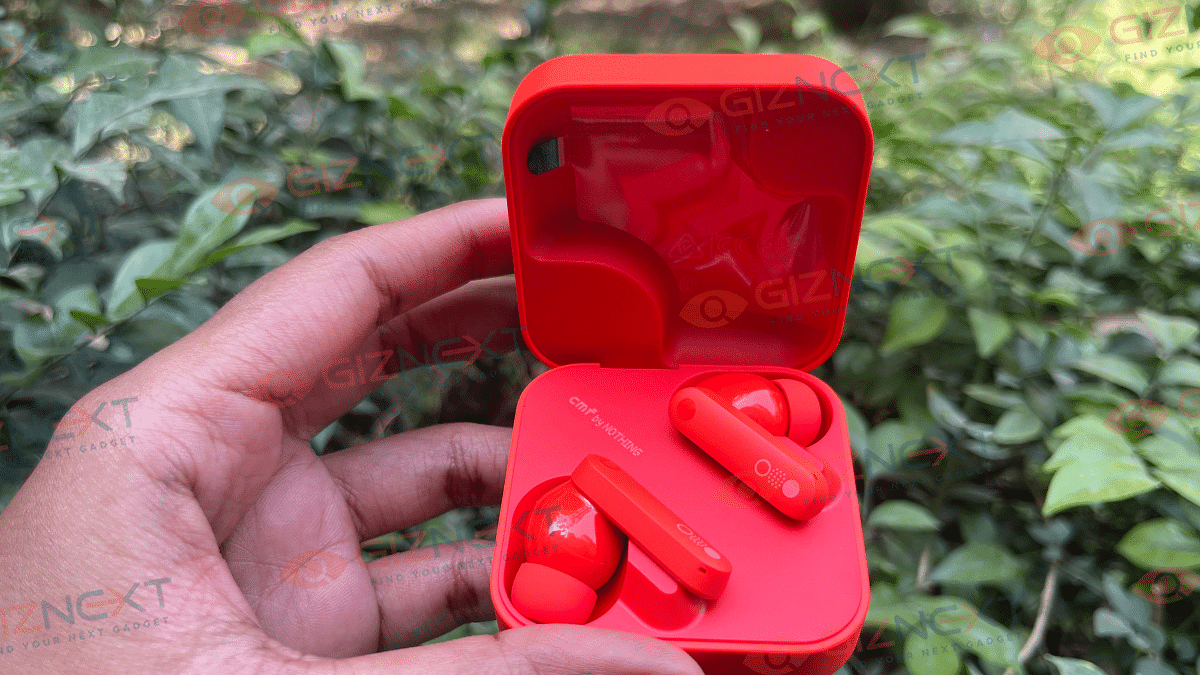
  • CMF by Nothing buds (Orange color)
  • Ear tips in small and large size (Medium pre-installed)
  • User guide

Design

Let’s kick things off with the design. The CMF Buds by Nothing come in three cool color options: Dark Grey, Light Grey, and Orange. For this review, I’ve got my hands on the vibrant Orange variant, which really catches the eye. While black and white are safe choices, there’s something special about the pop of orange that adds a fun twist.

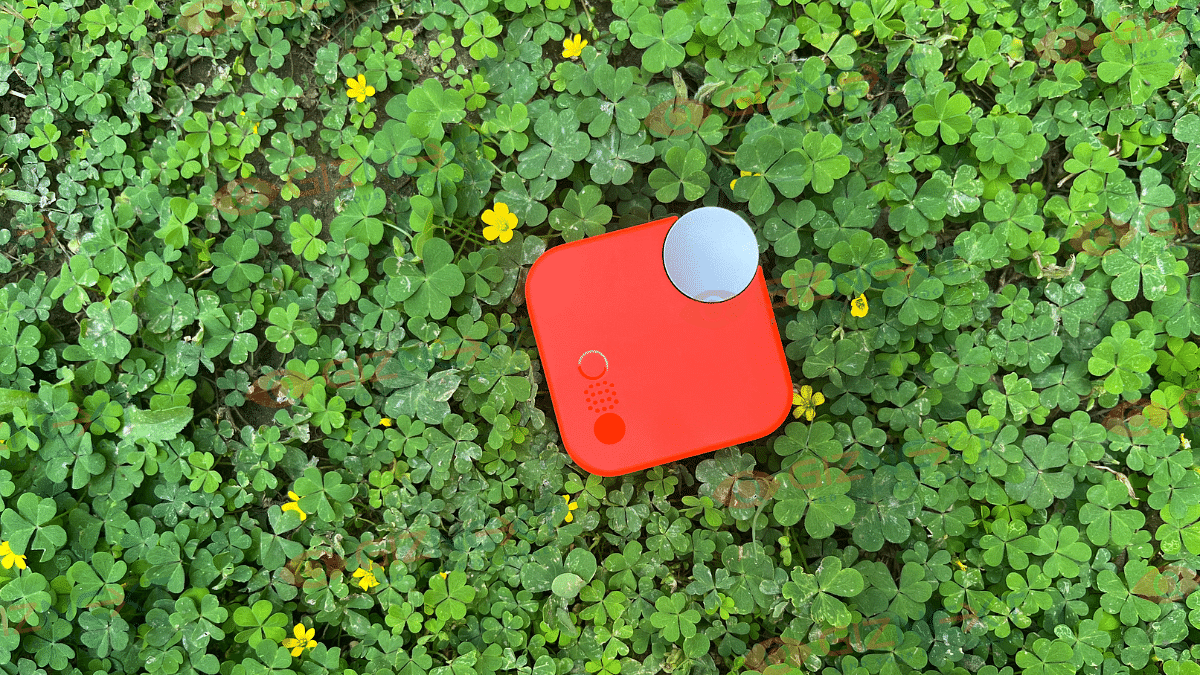
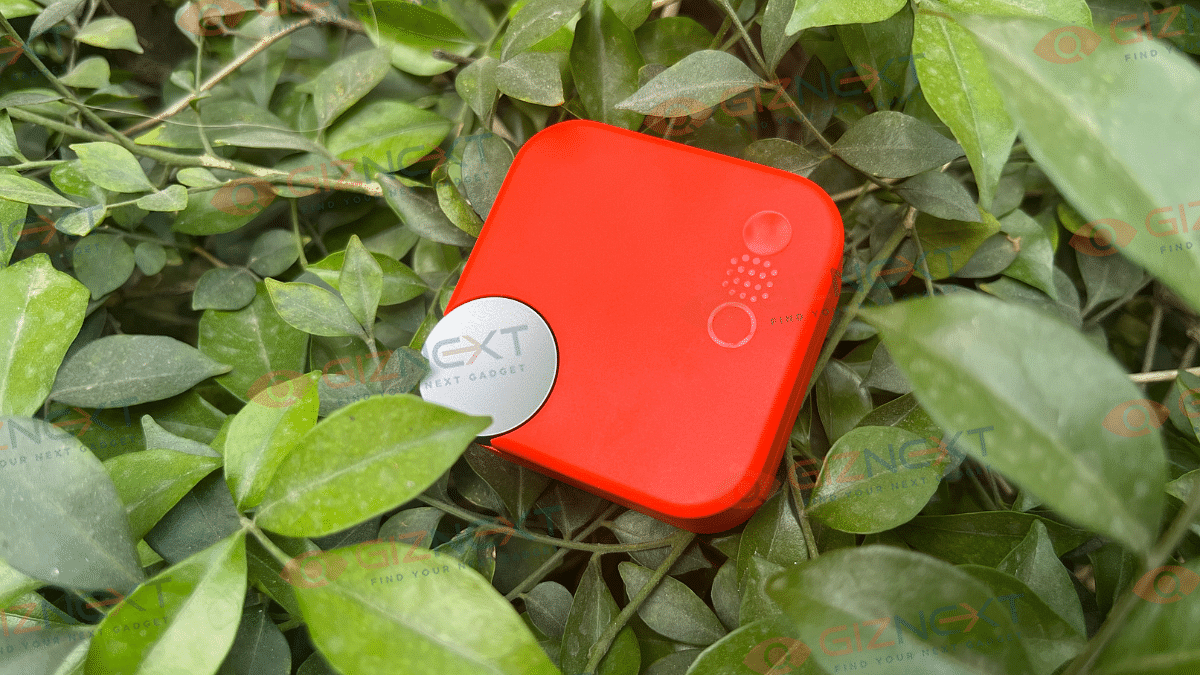
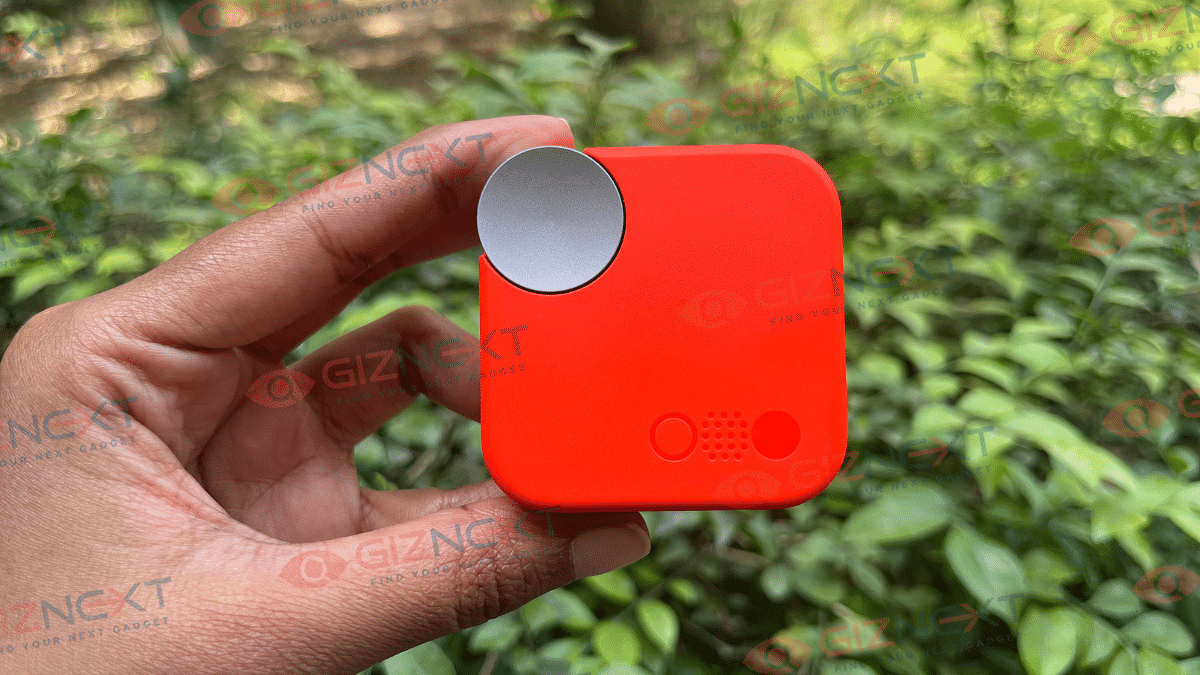
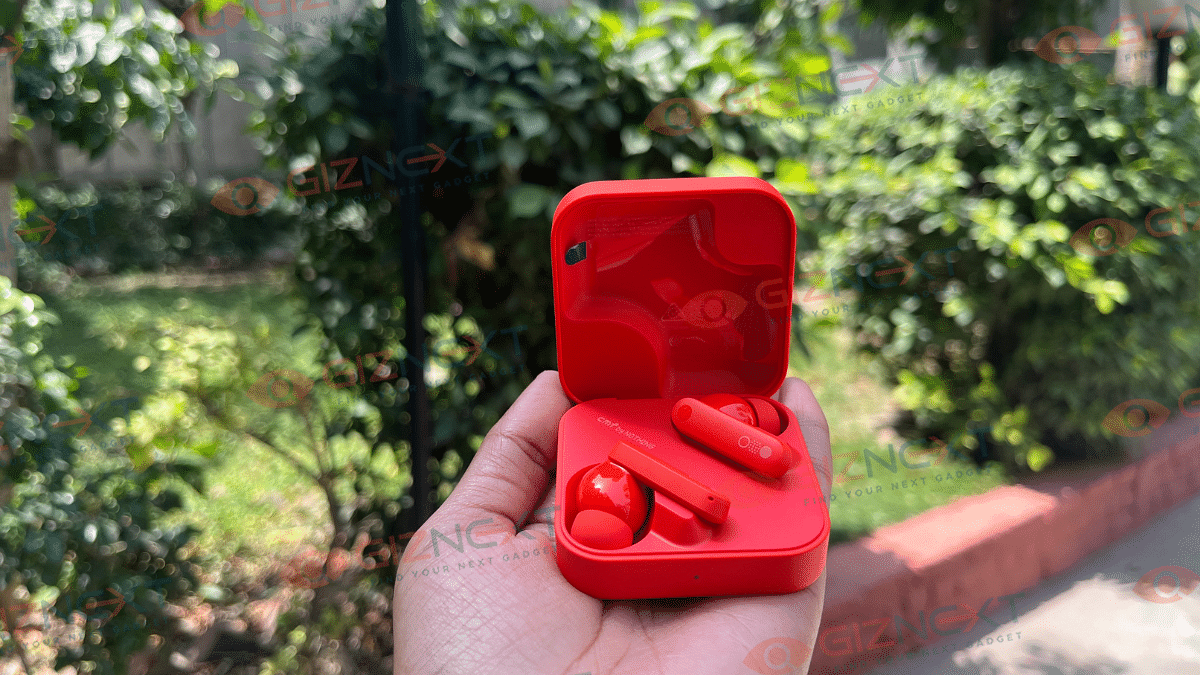
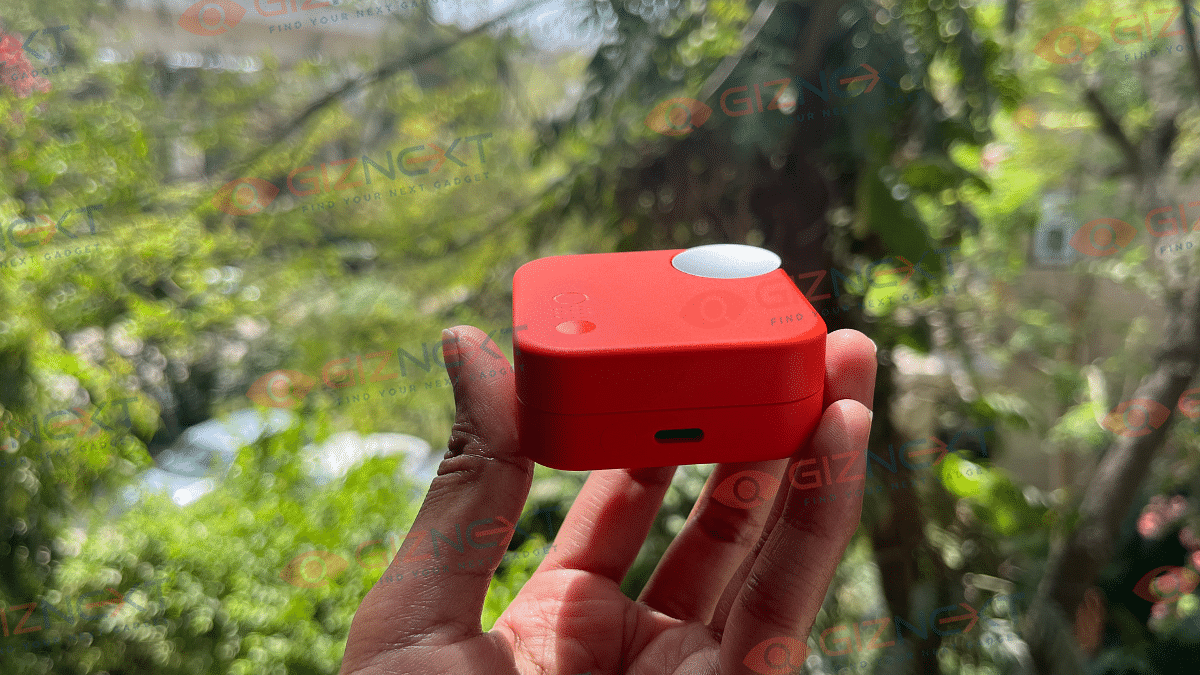
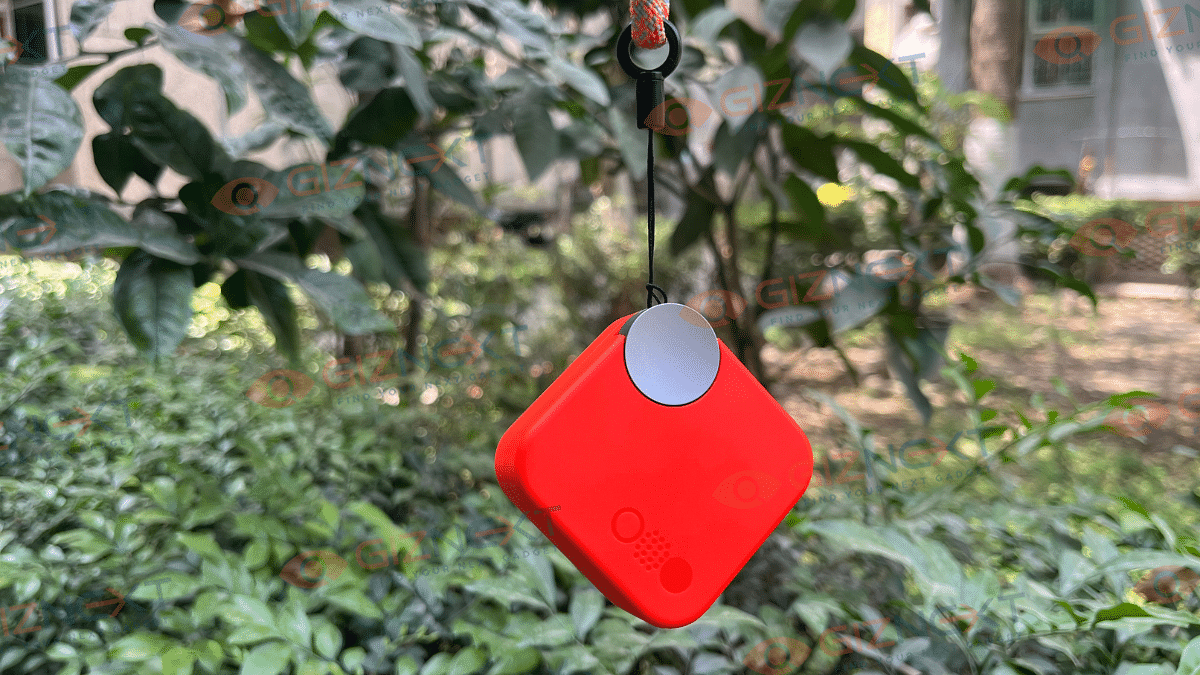
These buds sport a design that screams ‘Nothing’ with its modern and minimalist vibe, even though they’re not transparent like some of Nothing’s other offerings. The square case with rounded corners is sleek, but what really stands out is the innovative rotary dial on the corner, perfect for attaching a lanyard. Plus, the smooth matte finish keeps fingerprints at bay, adding both style and practicality. It further has the LED light on the front and the USB Type-C port on the back, accompanied by the handy function key and the ‘CMF’ logo.

Opening up the case reveals the earbuds neatly settled inside, thanks to the magnets ensuring a secure lock. Speaking of magnets, they’re not just in the case; they’re also keeping the earbuds in place. With a matte finish for the stem and a glossy touch elsewhere, these buds look as good as they sound. And with two mics on each earbud promising top-notch wind noise cancellation, you’re in for a treat.

But it’s not just about looks. They come with an IP54 rating for dust and water resistance, perfect for handling splashes or light rain. And when it comes to fit, they’re spot-on. It was really comfortable for me. The lightweight design adds to the comfort.

Connectivity & Pairing

Let’s dive into the connectivity features of the CMF Buds. These buds boast Bluetooth 5.3 support with AAC and SBC codecs. Pairing with phones, especially Nothing devices, is quite easy. You simply have to open the charging case near your phone and follow the prompts.

For other devices, like laptops or tablets, placing the Buds back in the case with the cover opened allows you to enter Bluetooth settings by pressing and holding the setup button for two seconds. Then select the CMF Buds. I primarily used them with my iPhone and I got glitch-free performance, even when the phone was across my home. Plus, with Microsoft Swift Pair, connecting to Windows devices is easy.

With the option for dual connections, you can seamlessly switch audio playback between two devices. I found it perfect for multitasking between my laptop and phone. An in-ear detection sensor pauses playback when you remove an earbud, a handy feature for quick conversations. And don’t forget the “find my earbuds” feature for those unavoidable moments of misplacement. Although it’s worth noting that the headset reboots every time you toggle this feature on or off.

Sound Quality

Starting with their standout feature: punchy bass, courtesy of their impressive 12.4mm driver. While the bass-heavy sound might not be everyone’s cup of tea, it’s sure to resonate with those who enjoy contemporary music. The audio, tuned by Dirac, offers decent instrument separation and clear vocals, though the high and mid-range frequencies could be better.

One of the major highlights of these buds is the presence of ANC, reaching up to 42dB. This effectively blocks out ambient sounds like fan noise or background chatter, as well as minimizing vehicle noise, as long as they’re not too close. The ANC performance is quite good for the price, exceeding expectations. Additionally, the Transparency mode is a useful feature that allows you to stay aware of your surroundings by blending in ambient sound, ensuring safety in various situations.

When it comes to call quality, the earbuds perform well indoors, providing clear communication on both ends. However, in outdoor or noisy environments, the call quality may suffer slightly. This is lessened to some extent by the 4-mic array used to eliminate background noise and focus on primary voices during calls.

Controls

The CMF Buds have touch controls. With a simple touch, you can skip tracks, switch between noise cancellation modes, and even adjust volume settings. And the best part? These controls are fully customizable using the Nothing X app. You can tailor the controls to your liking on both Android and iPhone.

But that’s not all. You have the option to disable in-ear detection from the settings menu, and there’s even a handy “Find My Earbud” feature. Simply activate it, and the buds emit a high-pitched sound, making it easy to locate them when they go missing.

Also Read | Jabra Elite Active 8 TWS Review: Premium And Solid Sports Earbuds

Battery

The CMF Buds don’t disappoint in this department either. Equipped with a 45mAh x 2 battery in the earbuds and a 460mAh battery in the case, they offer impressive longevity.

In my experience, using the earbuds for around 4-5 hours daily, coupled with the charging case, I could go 3-4 days without needing to recharge. That’s almost half the week stress-free from charging distresses. And even when it was time to juice them up, I found the charging process to be remarkably fast. Throughout my entire week of use, I only needed to charge them twice, which speaks volumes about their endurance and efficiency. Though, its quite disappointing that CFM doesn’t include a charging cable with the case. Thankfully, any charger with a USB-C connector will do the trick for juicing up these buds.

Giznext’s Final Verdict

At Rs. 2,499, the CMF Buds from Nothing are an absolute steal. If you’re in the market for earbuds that deliver good sound quality, decent ANC, long battery life, lightweight design, then look no further. The CMF Buds tick all the boxes and are sure to exceed your expectations. Just bear in mind that their sound leans towards the bass-heavy side, which may not be everyone’s preference, but if you’re like me and enjoy that extra punch, you’ll be more than satisfied. In my opinion, these buds come highly recommended.