Categories
Featured Mobile Reviews

Vivo X100 Pro Review After One Month Use: Truly Redefines Smartphone Photography

Vivo has been at the forefront when it comes to mobile camera technologies.The Vivo X smartphone series lineup is well known for bringing advanced camera features to the table. This flagship series has recently been refreshed with new models in India. The new Vivo X100 lineup includes the vanilla X100 and the X100 Pro both of which has been introduced as the camera flagships. The latter comes as the top-tier model offering premium features such as 50MP Zeiss-backed triple lens setup, powerful Dimensity 9300 chipset, a 120Hz display and more.

Now, the Vivo X100 Pro definitely offers the best-in-class camera hardware on papers. But is the camera performance worth the hype? Also, this phone appears to be a complete package if you look through the spec-sheet. Is that the case or its just the camera that makes it worth an investment? Well, we have been using the Vivo X100 Pro for almost a month now and here is our take.

Pros

  • Upgraded cameras perform well overall
  • Super high clarity levels with daylight shots
  • Offers high speed performance with a variety of tasks
  • Gaming experience is good
  • Clean and vivid visuals

Cons

  • User interface isn’t entirely free of bloatware
  • Phone feels a bit slipper without cover
  • Selfie camera doesn’t support 4K recording

Vivo X100 Pro : India Price

Vivo X100 Pro has been launched at Rs. 89,999 in India. You get 16GB RAM and 512GB storage configuration at this price point. This camera flagship is available in three color options including Startrail Blue, Asteroid Black, and Sunset Orange globally. Only the Asteroid Black color variant has been introduced in the Indian market.

Also Read: Vivo V29 Pro Review: A Camera-Centric Smartphone Worth Considering

Vivo X100 Pro: Box Contents

  • Vivo X100 Pro (main unit)
  • Quick Start Guide and user manuals
  • Warranty Card
  • SIM ejector tool
  • Phone cover (back case)
  • Power brick
  • USB Type-C charging cable

Also Read: Oppo Reno 11 5G Smartphone Review: Is The Stylish Design Backed By Performance?

Design Overview: Usage Comfort And Appeal
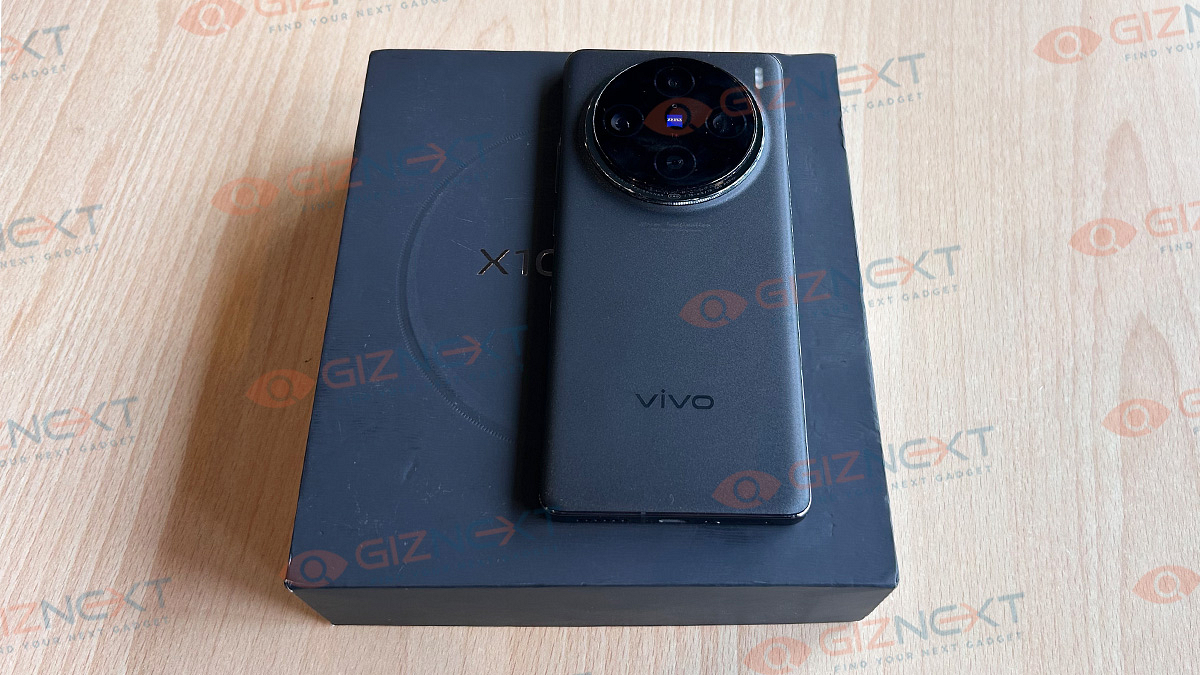
The Vivo X100 Pro doesn’t deviate much in terms of designing compared to its successor. But still gets some new elements that maintains the premium and luxury feel in addition which is signature for the X series. The primary difference that you will notice at the first glance is the re-designed camera island.

The X100 Pro gets a big protruding camera module wrapped with a stainless steel layering. Now, this is a unique touch to enhance the appeal overall with the new-gen model. This design as per Vivo is inspired from the Sun and Moon Halo.

Speaking of the construction overall, the X100 Pro offers a sleek design and includes the same 3D curved edge display as the predecessors. Its durability is enhanced with the aerospace-grade stainless steel wrapping at the side panels. At the rear, it features Fluorite AG glass which seems resistive to fingerprints and smudges. This will address concerns of the masses who like flaunting their phone without covers as keeping it clean isn’t a big task.

But the smartphone does feel slippery without the cover. So, if you wish to avoid any mishaps with accidental falls, make sure you use the provided case. The ports and keys placement remains standard as most of the Android flagships.

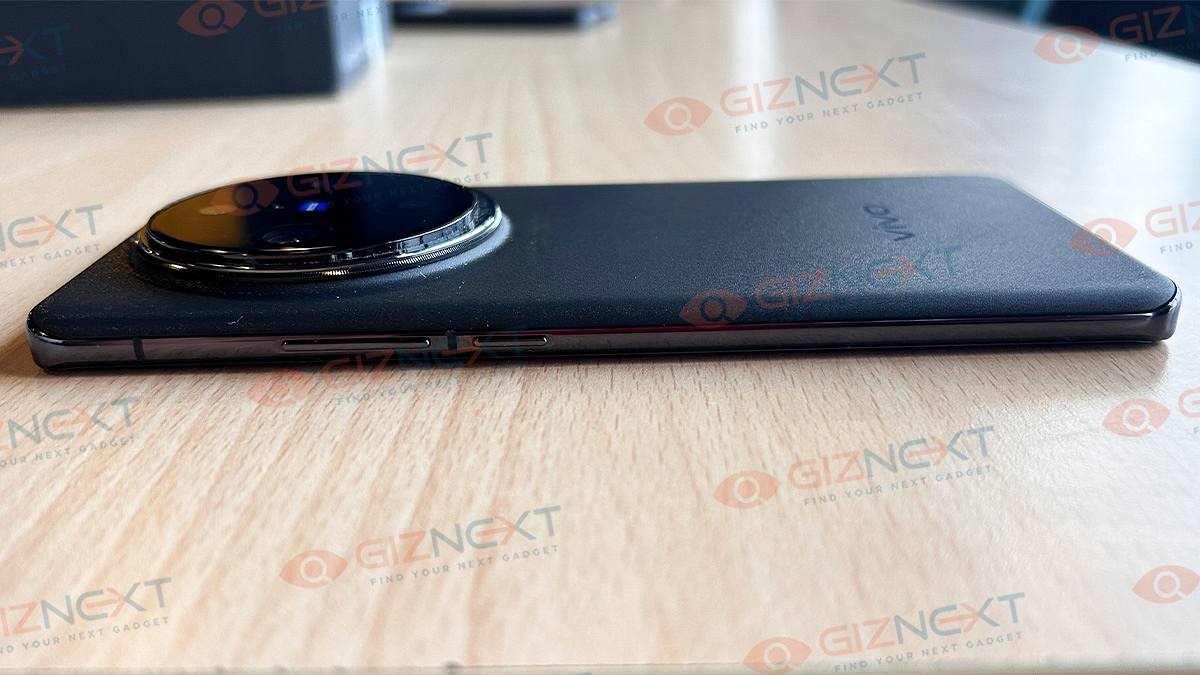
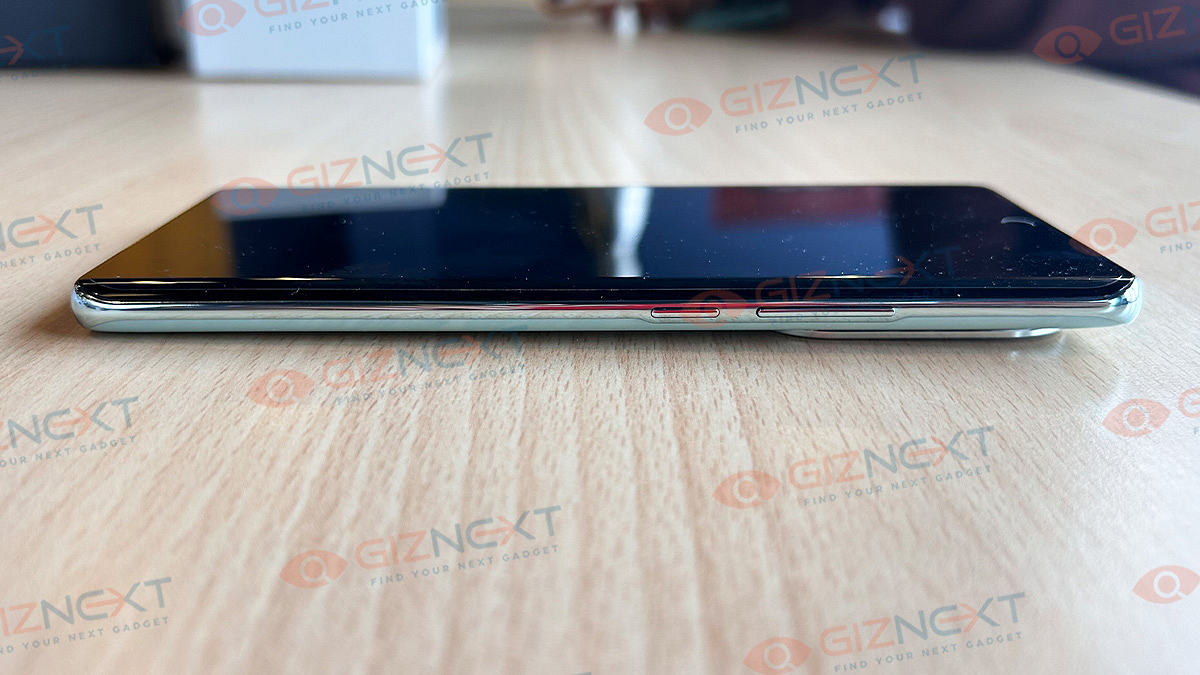
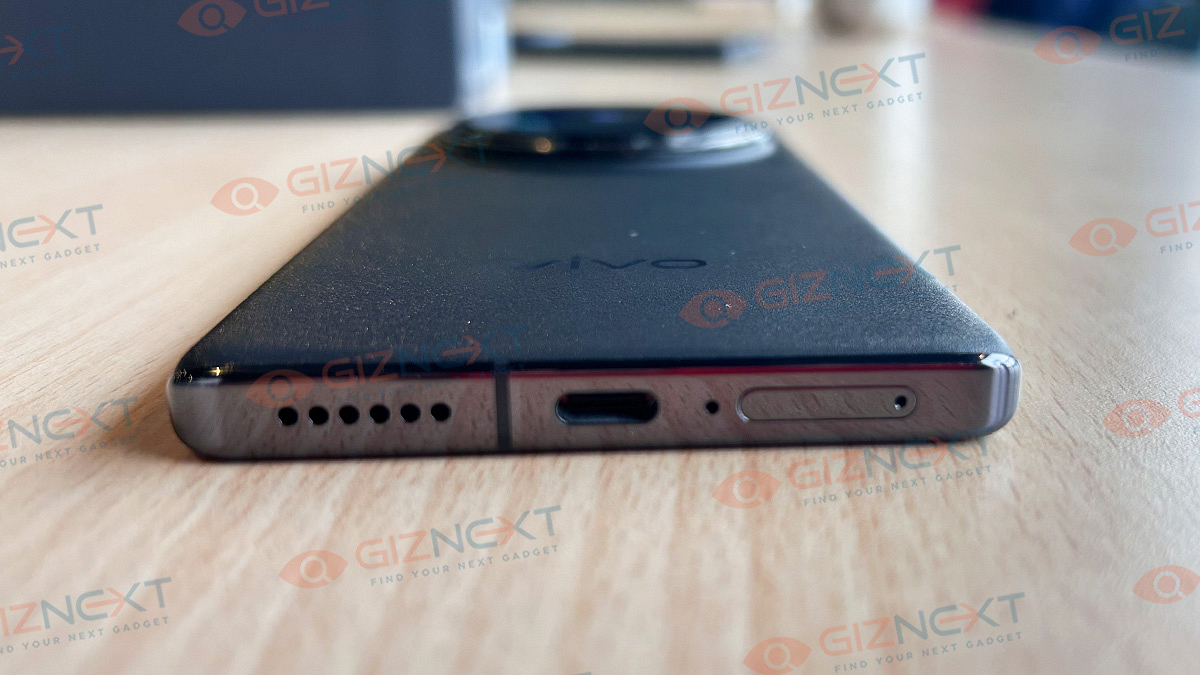
It has the volume and the power key on the right spine and the SIM card tray, USB Type-C port, and the speaker grille are positioned at the bottom. This phone comes with a hybrid SIM slot and not a dedicated microSD tray.

The X100 Pro with a weight of around 200 gms isn’t super heavy. But the overall build and the form factor might feel a little more than that. But that doesn’t cut down on the comfort during extensive usage. Summarizing the design aspects, the Vivo X100 Pro feels super premium and oozes out luxury with its each stance.

Also Read: Jabra Elite Active 8 TWS Review: Premium And Solid Sports Earbuds

Performance Review: No Compromise Gaming And Multitasking
Under its hood, the X100 Pro features the high-end Dimensity 9300 processor. It lands as the first Android smartphone in India powered by the latest MediaTek flagship chipset combined with the in-house V3 imaging co-processor. This setup collectively offers high performance power for not just gaming but imaging as well.

The unit comes with 16GB of physical RAM in addition to up to 16GB virtual RAM. This allows for high-speed efficiency with all tasks you perform on the X100 Pro. Toggling between the loaded apps and also the app loading is instant. We could see it handling most extensive apps and games smoothly with no lags at sight.

We have been using this phone extensively all this while. And throughout the usage there hasn’t been a single flinch even when there are several of heavy apps running in the background. You get to swiftly toggle between loaded apps. What also impresses us is that the unit doesn’t heat up radically despite heavy usage or gaming. This is credited to the updated vapour chamber cooling module.

For the gaming enthusiast, playing the most graphic-hungry games is a pleasing experience. No stutters on the screen whatsoever. You can tune in the highest graphics settings and will get an immersive gameplay experience throughout.

The X100 Pro boots on Android 13-based Funtouch OS 14. Vivo has customized the new UI which now feels refined compared to the previous versions. But it still isn’t entirely free of bloatware. You will see a bunch of pre-installed apps but the updated UI seems neat and easier to use.

Also Read: Lenovo Tab P12 Review: Practicality At Its Best

Vivo X100 Pro Camera Review: Hands Down The Best

Vivo has showcased the best of camera tech with the X series and the X100 Pro isn’t anything different. This year too, the latest camera flagship comes with Zeiss-labelled camera hardware. The imaging setup on the Vivo X100 Pro has a 50MP Sony IMX989 lens. This primary lens is a large 1-inch sensor with PDAS, OIS, and also laser-assisted autofocus.

The secondary 50MP Zeiss telephoto lens with 0.5-inch OV64B sensor is the star of the show here. This is new addition which replaces the older 64MP OmniVision lens and is further clubbed with a 50MP Samsung Jn1 sensor that captures ultrawide frames.


Image detailing is no compromise with the Vivo X100 Pro cameras. We have been truly impressed with the quality of images we got with each click. Every shooting mode is treat and you get the best-grade outputs you can imaging with any smartphone camera. The detailing levels are sharp despite the lighting conditions in the background. The same is the case with the dynamic range which is high with the X100 Pro’s cameras.

But what truly captures the attention is the quality of portrait shots you get with the X100 Pro cameras. Vivo is offering a professional-grade portrait experience where you can select from different focal lengths for the shots. There is a 24mm, 35mm, 50mm, 85mm, and 100mm portrait shot modes. You can select the apt mode for high-quality bokeh photos.

When shooting portraits using the Portrait camera mode, Vivo lets you select specific professional portrait focal lengths (24mm, 35mm, 50mm, 85mm, 100mm) which have been optimised keeping in mind the camera sensors and lenses. Portrait photos captured at all of these focal lengths came out well with excellent detail even under artificial or low light conditions.


The imaging experience isn’t limited to the portrait mode. The X100 Pro offers premium photography experience with the Astro mode as well as the macro shots. We have captured some of the best moon photographs with the X100 Pro which we are sharing below. Macro photography is also next level and you witness the expertise Vivo has with cameras here. We are coming up with a detailed camera review soon so stay tuned with us.

Also Read: Urban Zippy Smartwatch Review: Your Wrist’s New BFF Or Just Another Device?

Battery Backup
A 5,400 mAh battery acts as the powerhouse for the Vivo X100 Pro. This flagship has 100W fast wired charging support along with 50W fast wireless charging. The former takes around 30 minutes for up to 90 percent backup. The full charge is well under an hour mark (within 40 minutes). Now, for the ones who are on a constant run, this quick charging time is surely handy.

That said, the backup this unit offers is more than a day if usage is moderate. This includes basic app usage and occasional media playback. If you are constantly hooked to the screen binging on any videos or gaming, you might need to give it a re-plug by the end of the day.

Also Read: Audio Technica ATH-SQ1TW Review In Points

Verdict

The Vivo X100 Pro undeniably stands out with its exceptional camera performance. While the camera does most of the talking, this phone remains to be complete package when it comes to the performance delivery. Vivo has done a great job with improving the overall photography and user experience with the X100 series making it one solid bet to invest in.
Categories
Featured Mobile Reviews

Oppo Reno 11 5G Smartphone Review: Is The Stylish Design Backed By Performance?

Key Highlights

  • Mediatek Dimensity 7050 Chipset
  • 6.7-inch Full HD+ Display
  • 50MP + 8MP + 32MP triple camera
  • 8GB RAM + 256GB ROM (Expandable up to 2TB)
  • 5,000mAh Battery

Oppo has recently unveiled its latest addition to the Reno series in India – the Reno 11 5G. Renowned for its stylish design and notable features, Oppo continues to stand out in the crowded smartphone market. With a new design, enhanced cameras, and the latest software, Oppo’s Reno 11 5G enters the fiercely competitive premium mid-range segment of 2024, dominated by smartphones launched in 2023. Having had the opportunity to use Oppo’s latest Reno smartphone, here’s my take on whether it stands a chance in this cutthroat market. Let’s get started. Also Read | OPPO F23 5G Quick Review: Makes The Cut Under Rs. 25,000?

ProsCons
Stylish designOLED panel
Fast chargingPre-installed Apps
Decent performanceCamera downgrade

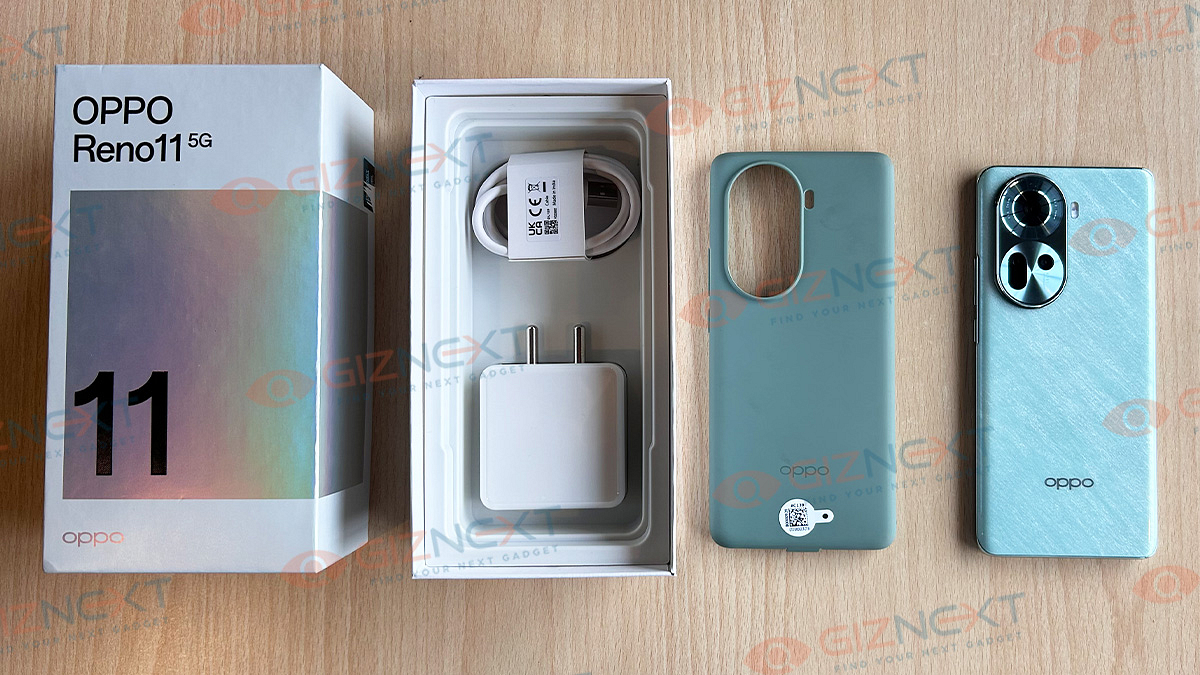
What’s Inside The Box?

  • Oppo Reno 11 5G handset
  • 67W Adaptor
  • Micro USB Cable
  • TPU Case
  • Sim Ejector Pin
  • Quick Start Guide
  • Warranty Card

Design

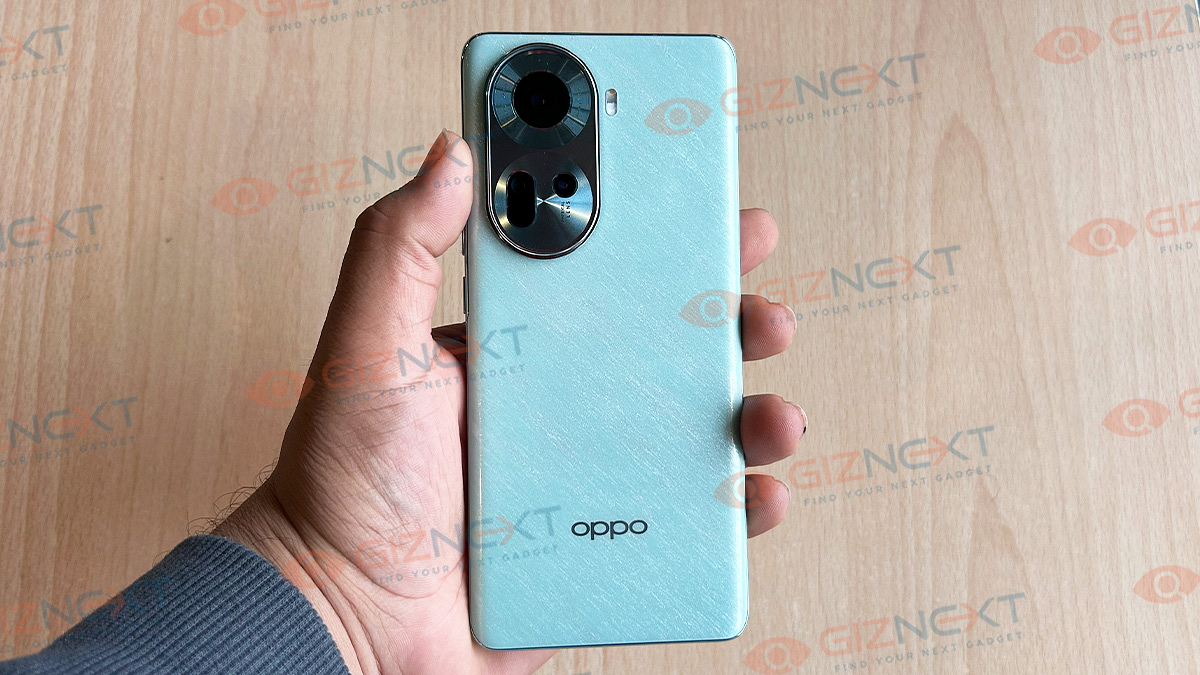
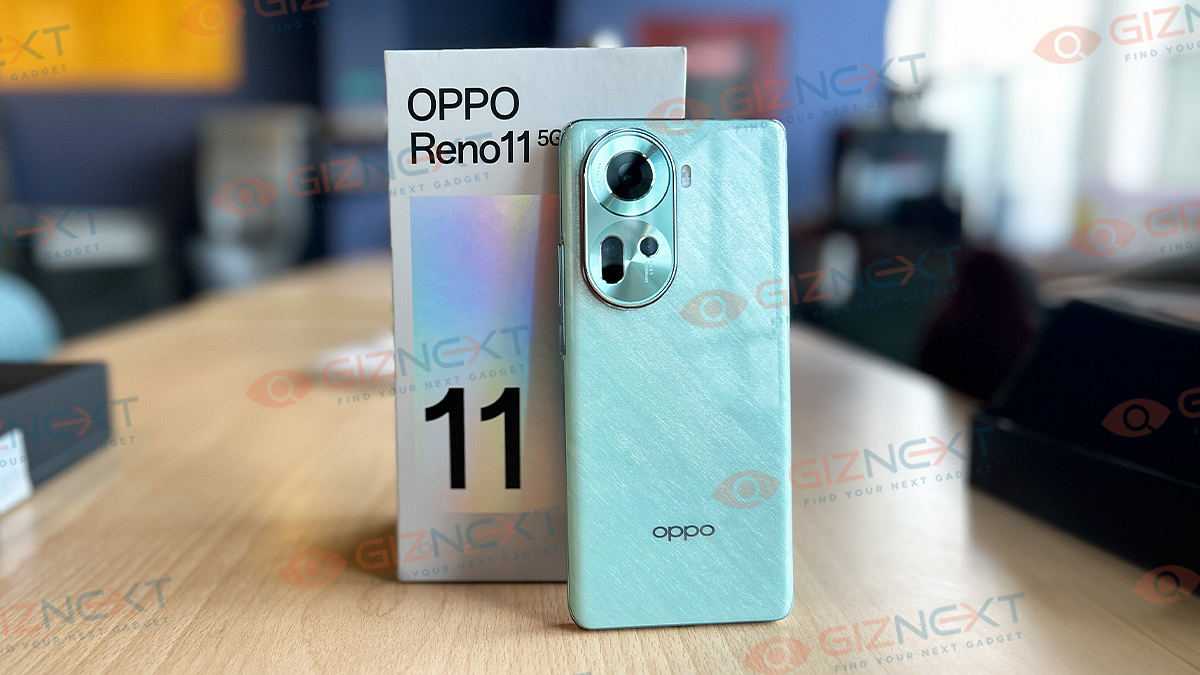
The Oppo Reno 11 5G caught my eye right away with its first appearance. The back panel design has undergone a refreshing change from the previous model, Oppo Reno 10 5G. I got my hands on the Wave Green variant, and I must say, the pastel shade adds a touch of elegance, making it stand out.

The back panel features silver Oppo branding at the bottom and a slightly protruding silver eclipse-shaped camera module on the top-left side. The phone is slim and lightweight to hold giving a comfortable grip, perfect for long hours of use.

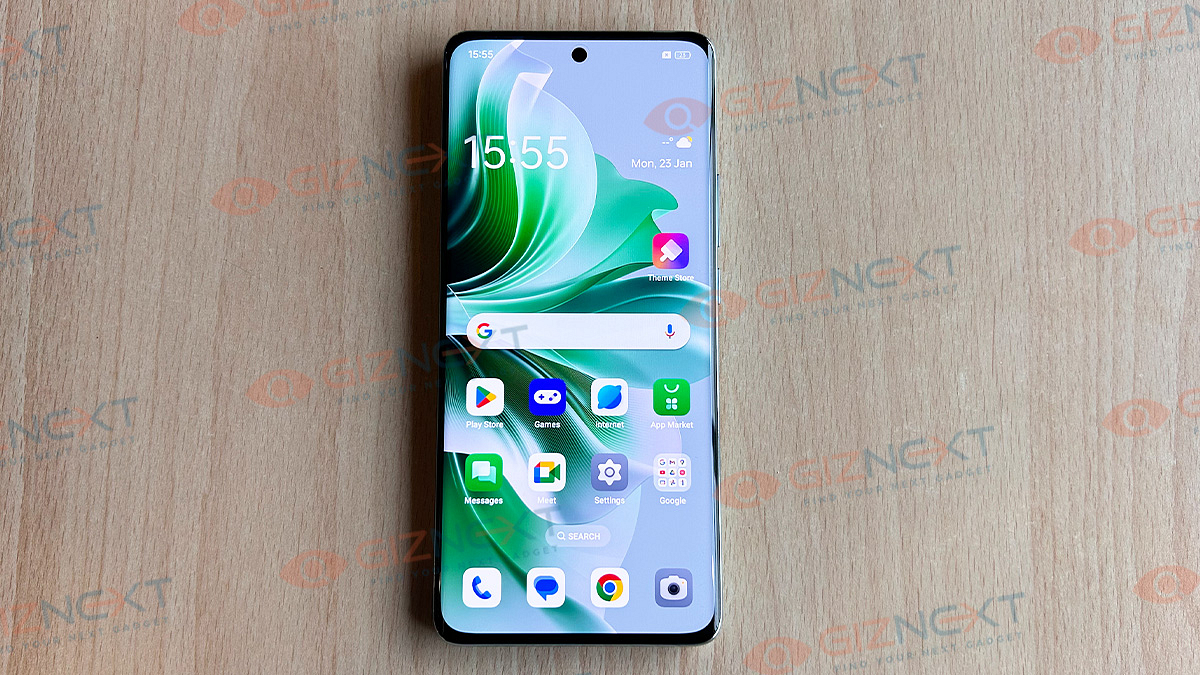
Turning to the front, the curved OLED display with rounded edges and a punch-hole cutout for the selfie camera is eye-catching. The display is protected by tempered glass.

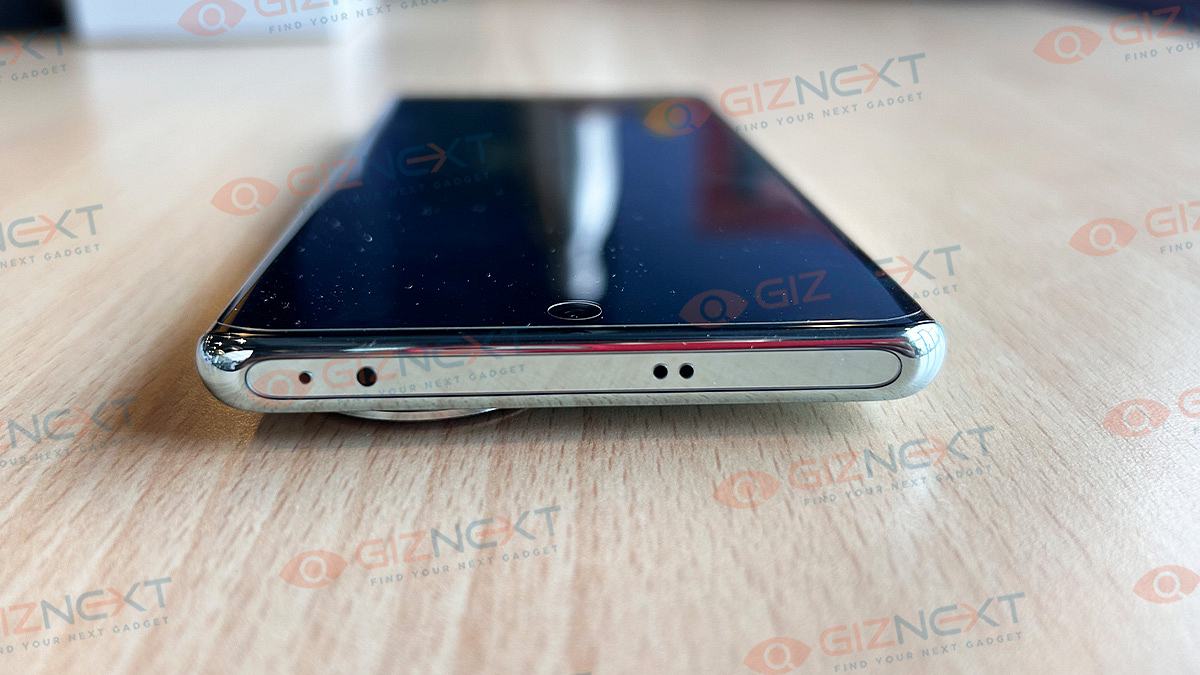
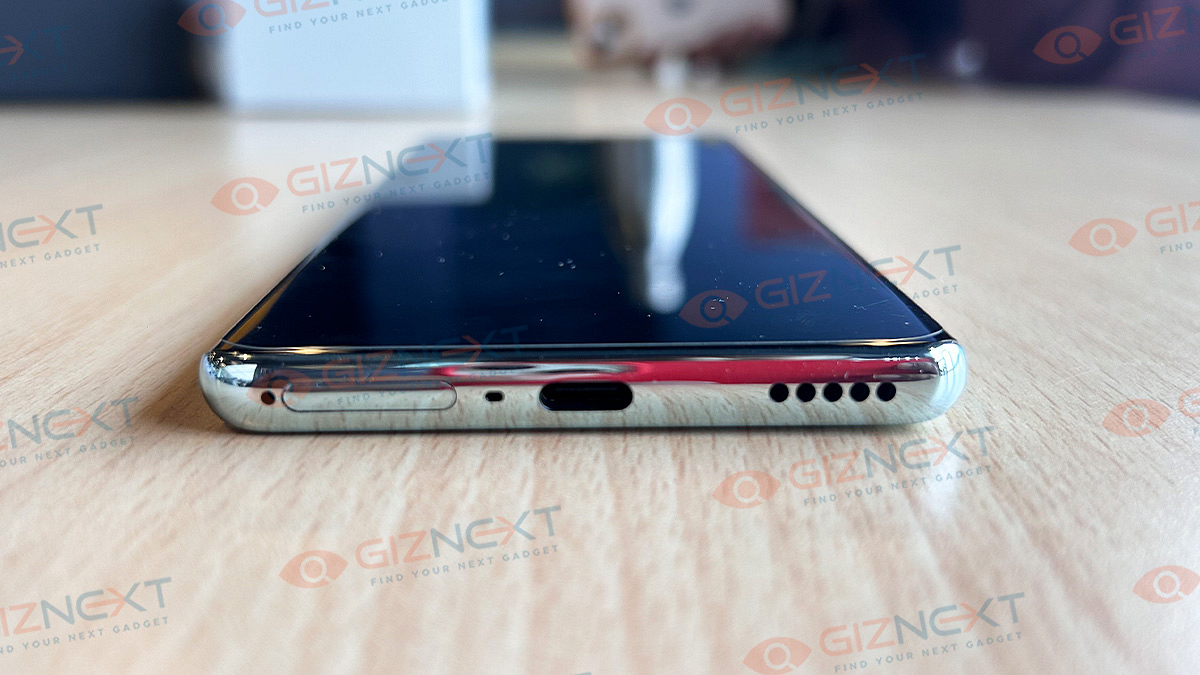
The power button and volume rockers are on the right, while the left side is empty. The top edge houses a microphone, IR blaster, and a speaker, while the bottom includes a SIM tray, speaker grille, and a USB-C port for charging—no 3.5mm headphone jack, though.

Overall, the Oppo Reno 11 5G not only looks beautiful but also caters to those who want their smartphone to reflect their style. With a new design that maintains its premium feel, Oppo continues the legacy of the Reno Series, known for its style quotient.

Display

The display is where you’ll notice a slight step down from the Reno 10 5G in the Oppo Reno 11 5G. The newer model features a 6.7-inch OLED panel, whereas its predecessor boasted an AMOLED panel of the same size. Although the refresh rate remains at 120Hz, it’s unusual for a smartphone brand to opt for a lower-grade display in the next series.

Despite this downgrade, it’s important to note that the display on the Reno 11 5G is by no means subpar. In everyday use, the visuals are vibrant, rich, and detailed. The colors appear natural, and the viewing angles are decent. However, the peak brightness might feel a bit insufficient under intense sunlight. While it would have been preferable for Oppo to stick with the AMOLED panel, the overall display quality remains above average.

Performance

The Oppo Reno 11 5G, powered by the MediaTek Dimensity 7050 chipset, delivers fast and seamless performance. It is free from any annoying lags or hiccups even when juggling multiple apps simultaneously. There’s 8GB RAM and 256GB storage in the phone that caters to your multitasking needs.

Gaming enthusiasts will find the Oppo Reno 11 5G satisfactory, handling light and moderate games with ease. However, heavy titles may experience occasional frame rate drops during extended play.

On the software front, the Oppo Reno 11 5G comes equipped with ColorOS 14, based on the latest Android 14 out of the box. The phone does have some pre-installed apps like Spotify, Snapchat, Netflix, Facebook, and Linked In, which could be considered bloatware. However, if you find these unnecessary, they can be easily removed to streamline your device to your liking.

All in all, the Oppo Reno 11 5G delivers decent performance, ample storage, and a gaming experience that suits most users. While some pre-installed apps may be deemed unnecessary, the flexibility to remove them ensures a personalized and efficient user experience.

Also Read | OPPO K10 5G Full Review: It’s A Mixed Bag

Camera

Oppo has made some interesting changes in the camera department with the Oppo Reno 11. Unlike its predecessor, the Reno 11 features a 50MP main camera, accompanied by the unchanged 32MP and 8MP secondary lenses. The front camera maintains its 32MP snapper for selfies and video calls.

The 50MP main camera captures vibrant and colorful shots in natural light. Thanks to optical image stabilization, even moving objects are well-captured, displaying intricate details in every shot. Zooming in reveals clear and precise details, with decent color accuracy. In low-light conditions, the primary camera still performs well, although it does not reach the same quality as outdoor shots.

The 8MP ultrawide camera covers a large area without distortion issues. Daylight shots showcase character and detail, but in low-light settings, there’s a slight decrease in quality.

For portraits, the 32MP lens is good for capturing human subjects for social media profiles. Portrait mode effectively blurs the background, focusing solely on the subject. However, this effect is not replicated in normal selfie mode.

The 32MP selfie snapper, without background blur, is ideal for group selfies, capturing a large number of faces in the frame. With natural-looking skin tones and realistic facial details, the Oppo Reno 11’s front camera performs well, offering a versatile photography experience.

Battery & Charging

The Oppo Reno 11 5G comes with a 5,000mAh battery. This ensures full-day usage with ease under moderate conditions. This includes activities like calling, messaging, social media browsing, light gaming, video streaming, and music playback. However, with heavier usage, the battery might require a recharge before the day concludes.

Oppo includes a noteworthy 67W wired fast charging adapter in the package. This high-speed charging solution can refill the battery from 0 to 100 percent in approximately 40 minutes. In practical terms, even a brief 10-minute charging session can charge the smartphone 40 percent, providing users with quick and convenient power top-ups.

Giznext Verdict: Is It A Good Buy?

The Oppo Reno 11 5G has a stylish design, a big battery, and runs on Android 14. It comes with some drawbacks like pre-installed apps, a slightly lower-quality OLED screen, and a 50MP triple camera. However, if you want a trendy phone with a long battery life and the latest operating system, the Oppo Reno 11 5G is a good choice. Plus, Oppo offers a more affordable version with 8GB RAM and 128GB storage, priced at Rs. 29,999, making it a more budget-friendly option.
Also Read | Oppo Reno 10 5G Review: A Stylish And Feature-Packed Smartphone

Categories
Featured Reviews Smart Watch

Urban Zippy Smartwatch Review: Your Wrist’s New BFF Or Just Another Device?

Key Features

  • 1.3-inch AMOLED display
  • Always-on display
  • BT calling with a mic & speaker
  • 100+ trendy watch faces

Urban has recently launched the Zippy, a new smartwatch merging cool tech and trendy vibes. Perfect for the Gen-Z squad, it rocks a big AMOLED display and Bluetooth calling. Priced at Rs. 2,399, the smartwatch comes in three color options: Pink, Blue, and White. We’ve got our hands on the Pink one! Ready for the full scoop? Dive into our Urban Zippy smartwatch review and decide if it’s a hit or miss! Let’s get started. Also Read | Wings Prime Smartwatch Review: Affordable Gem Of Features On Your Wrist
ProsCons
AMOLED displayAlways-on drains battery
Stylish DesignNo for skinny wrist
100+ watch faces (7 customizable) 

What’s Inside The Box?

  • Urban Zippy smartwatch (Pink color)
  • Charging dock
  • User manual
  • Thank you & Warranty card

Urban Zippy Smartwatch: Design & Build

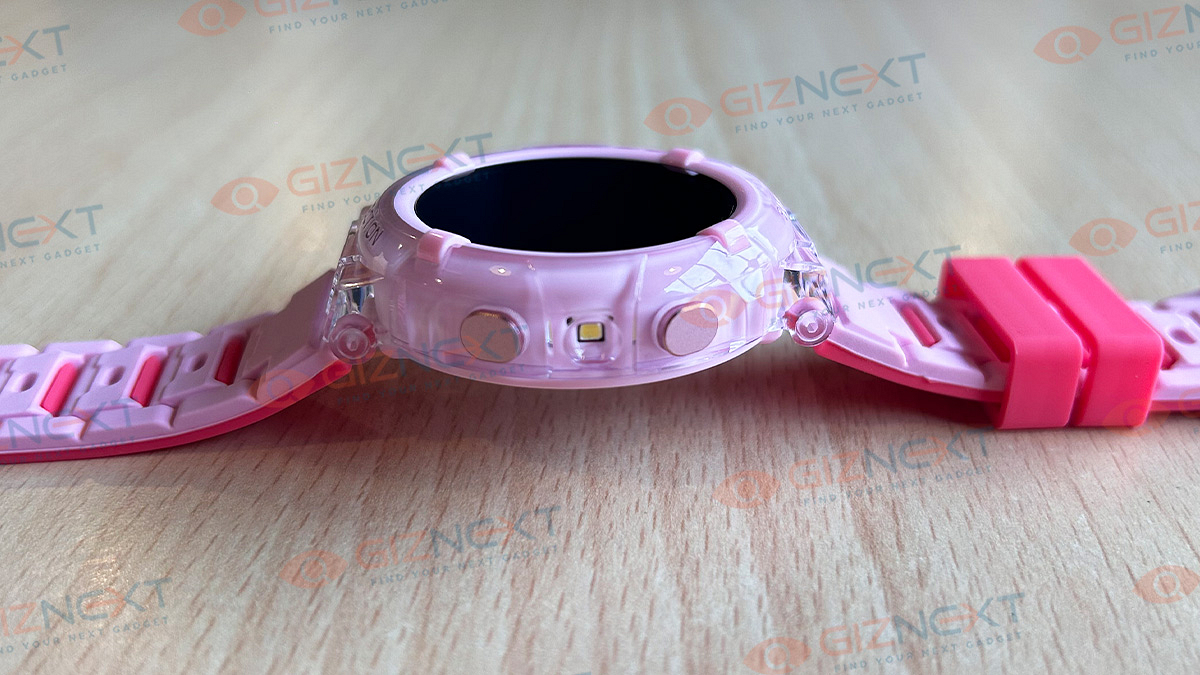
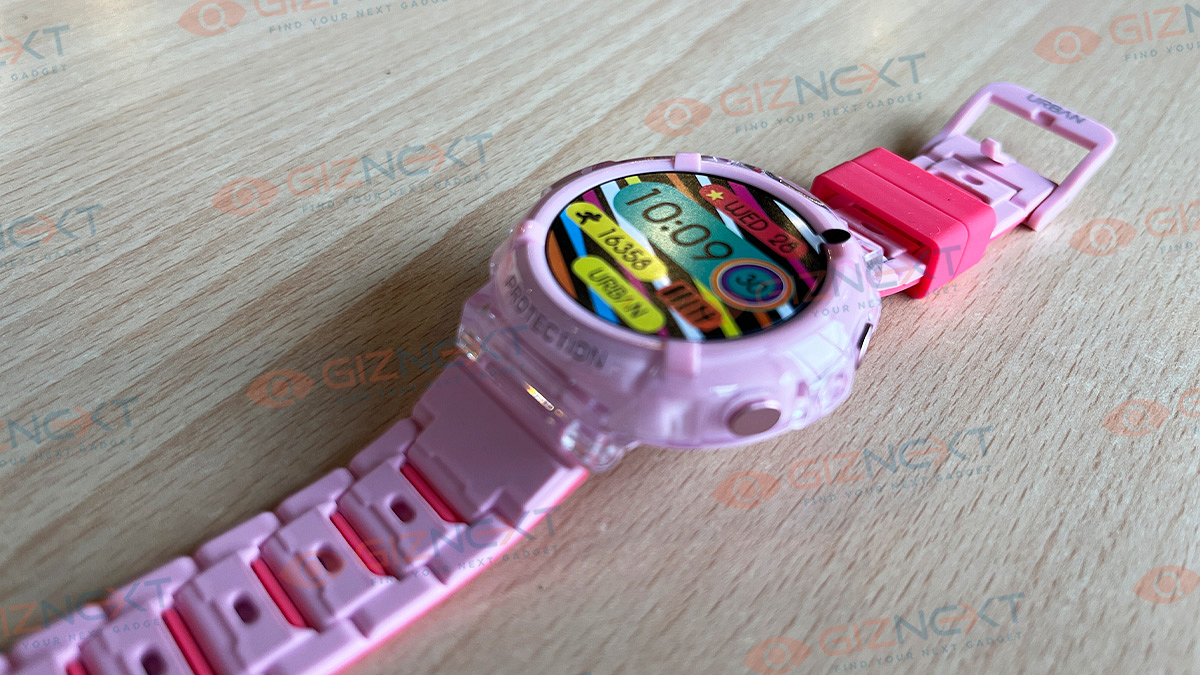
The round dial design of the Urban Zippy smartwatch is something I’ve always preferred over a rectangular dial. The dual-color silicone strap adds a sporty vibe, winning over the young crowd. The edges of the display coverglass amp up the sporty feel.

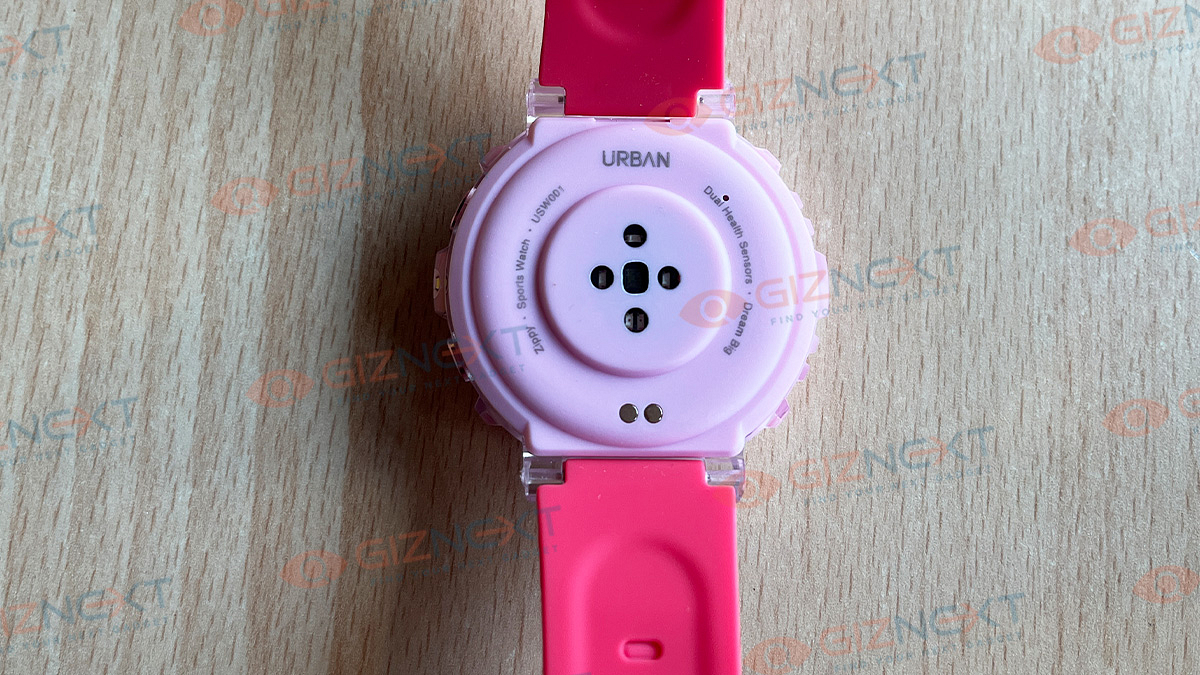
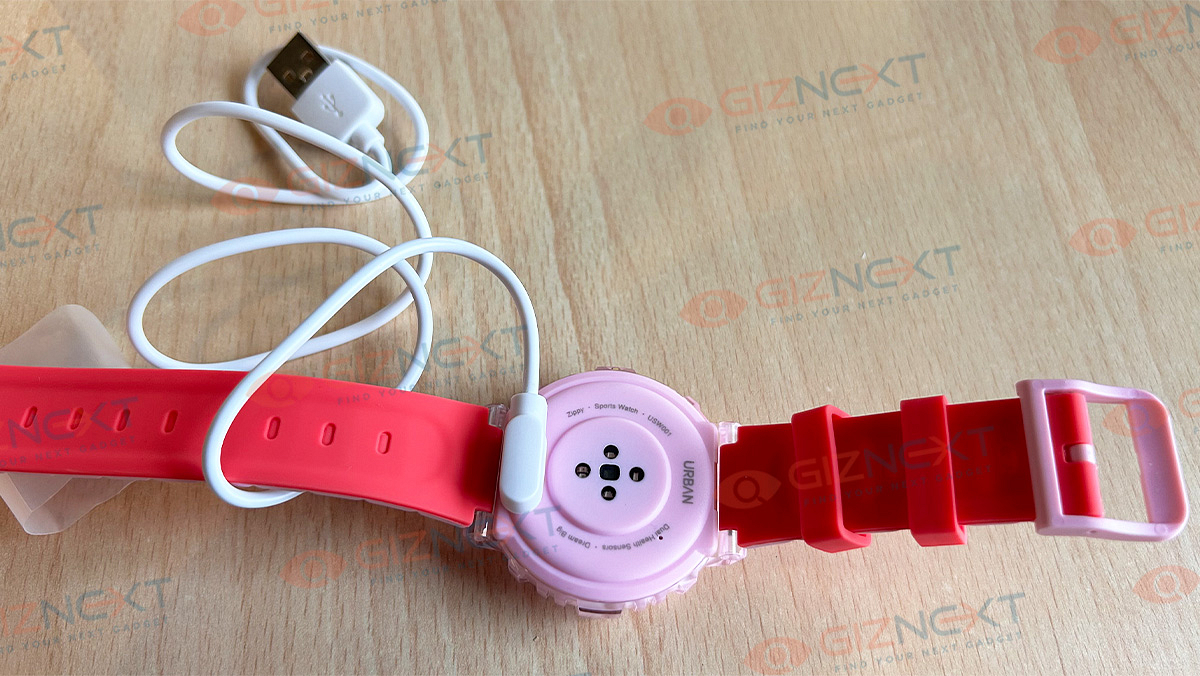
Flip it over, and you’ve got a polycarbonate back with spots for the microphone and loudspeaker on the sides. The watch includes two buttons on the side of the dial. Surprisingly, it’s not a heavyweight; it’s all about that comfy lightweight feel. Straps? Super soft and comfortable to wear. But hey, if you’ve got skinny wrists like mine, you might want to think again before buying this one.

Overall, the Urban Zippy smartwatch is very well-built. The brand took care of everything to ensure that the smartwatch looks stylish from every angle. If you want to rock the style game, this might just be your wrist’s new best friend.

Urban Zippy Smartwatch: Display

The Urban Zippy smartwatch is equipped with a 1.3-inch AMOLED screen. You get an always-on display feature with this AMOLED panel, which uses a lot more power than you might expect. However, it ensures content visibility even in direct sunlight. The display is bright, and the always-on feature functions seamlessly. The touch response of the display is both responsive and smooth, contributing to an overall smooth interface. If you’re a fan of big displays on a smartwatch, the Urban Zippy proves to be an ideal choice.

Urban Zippy Smartwatch: Features

Now, let’s delve into the array of features offered by this smartwatch and see whether they justify the price you are paying.

Bluetooth Calling: The smartwatch offers Bluetooth calling capabilities, complete with a built-in microphone and speaker. Once paired with the device, the calling feature works seamlessly, and users can toggle it on or off in the smartwatch settings. Additionally, the watch provides a dialer and a contacts list for convenient dialing directly from the device.

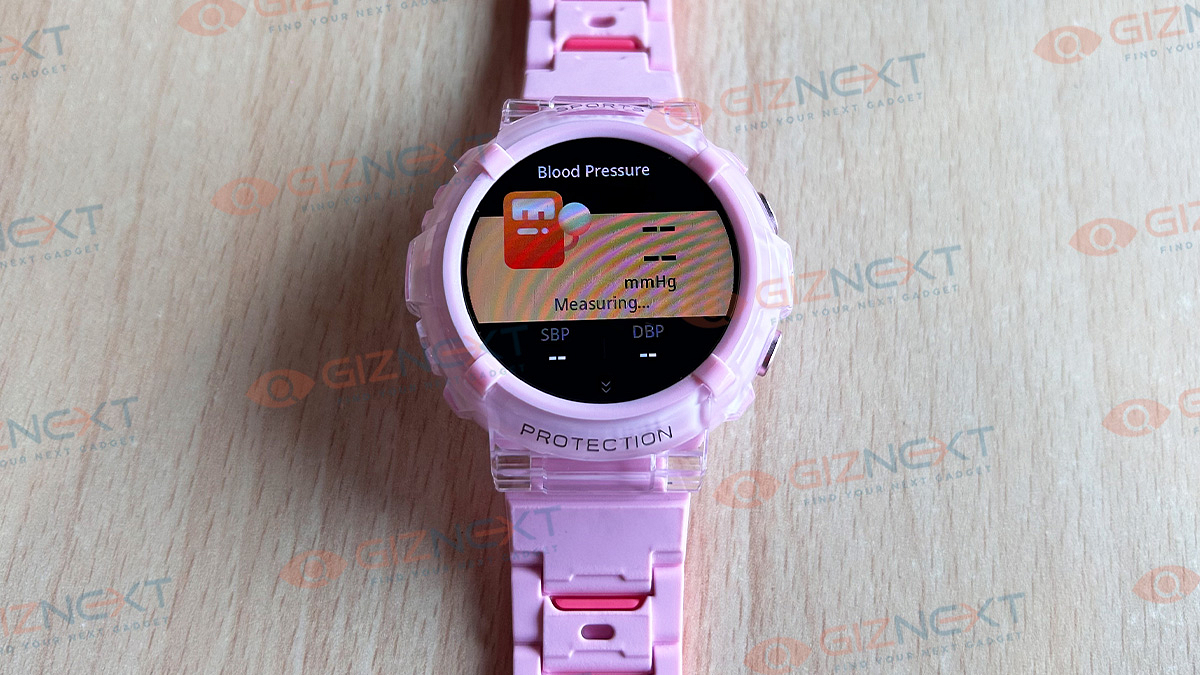
Health Features: The smartwatch offers various health-related features, including monitoring heart rate and blood oxygen levels (SpO2). While it includes Blood Pressure tracking, it’s acknowledged as somewhat gimmicky and unable to measure actual blood pressure for obvious reasons. The device also provides a calorie meter, sedentary alerts, drink water reminders, and standard smartwatch notifications. Users can opt for continuous heart rate tracking throughout the day, and with a vast selection of over 120 sports modes, the smartwatch has a diverse range of physical activities.

Other Features: Prioritizing both entertainment and practicality, the smartwatch comes equipped with built-in games and supports an AI Voice Assistant. It allows users to track steps, burn calories, and engage in over 123 sports activities—all on their wrists.

Urban Smart Fit App Experience

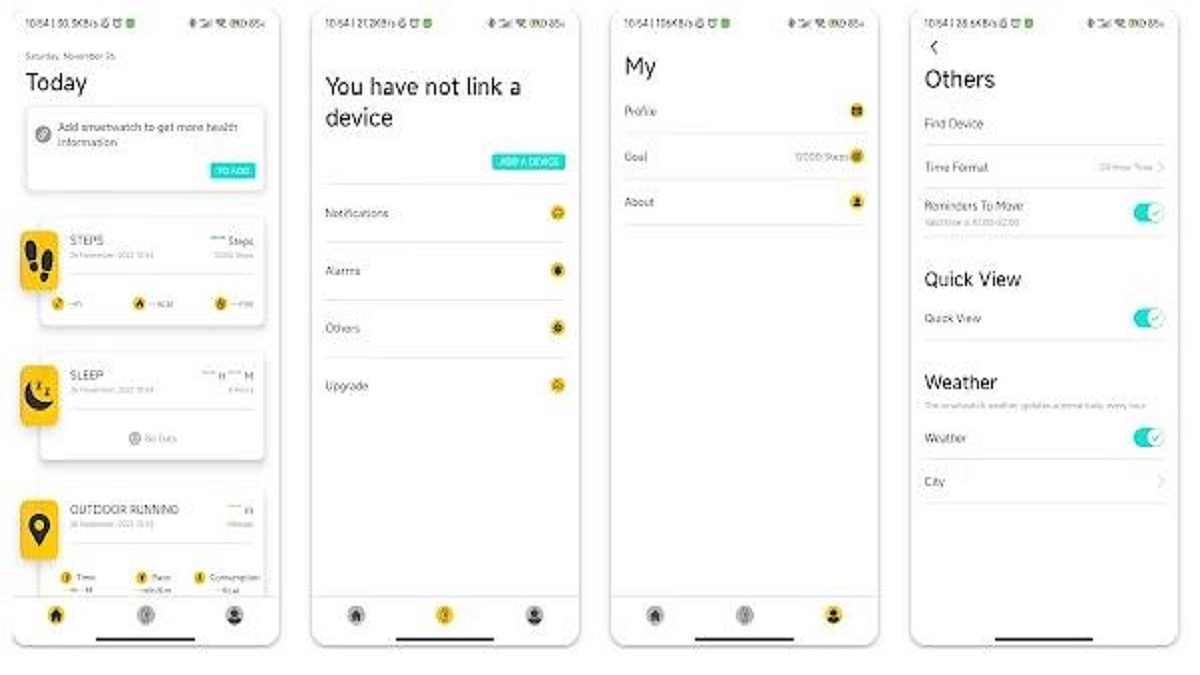
The Urban Zippy smartwatch connects to your phone through the Smart Fit app. The app is simple and shows your health readings on the main page. You can find all the watch settings in the Device tab and easily adjust them.

For watch faces, there’s a large collection of ready-made faces. You can also create a custom face to match your clothes. There are over 100 watch faces, and seven of them can be personalized. Just take a picture of your subject, and the AI watch face maker will create some options for you to pick from.

Also Read | Crossbeats Armour Dive Smartwatch Review: An Ideal Pick Under Rs. 4,000?

Urban Zippy Smartwatch: Connectivity

The Urban Zippy features Bluetooth connectivity, and we encountered no challenges connecting the watch with the device. Once paired with a smartphone, the connection remains smooth, and the synchronization of watch faces is notably quick and decent. Here are some functions that you can find in the smartwatch:

ModesDirections
Sports ModesSwipe left
Watch FaceLong press the screen for 3 seconds
Voice AssistantSwipe right 7 times
Control CenterSwipe down

Urban Zippy Smartwatch: Battery

Here’s the juice on Urban Zippy – the battery life is a real crowd-pleaser. The brand promises a solid 10 days on a full charge, and guess what? Our test agrees – pretty spot on. But, if you’re all about the “Always on time” vibe, expect 4 to 5 days max.

The package brings a magnetic dock charger that hooks up with the watch in a breeze. And topping up? Just an hour, and you’re back at 100 percent. Now, that’s a sweet deal!

Giznext Verdict

Overall, Urban Zippy is a stylish smartwatch that combines a trendy design with good features. With its round dial, dual-color silicone strap, and sporty feel, it captivates the younger crowd. The AMOLED display is decent, though the always-on feature drains the battery. Packed with Bluetooth calling, health tracking, and an AI Voice Assistant, it’s an ideal companion. Urban Zippy is a fashionable, functional choice for tech-savvy youngsters.

Also Read | Noise NoiseFit Crew Pro Bluetooth Calling Smartwatch Review: Ideal Feature-Packed Daily Wear

Categories
Accessories Featured Reviews

Inbase Free Buds Elite TWS Review: Budget-Friendly Gem Or Missed Opportunity?

Key Highlights

  • Snug-fit design
  • Passive noise isolation
  • One-touch assistant
  • Advanced BT 5.3V

Are you looking for budget-friendly wireless earbuds? Consider the Inbase Free Buds Elite as a viable option. Initially launched in India at an introductory price of Rs. 999, these earbuds are currently available on Flipkart for Rs. 949. Packed with features such as noise isolation, touch control, and water resistance with an IPX rating, the earbuds offer an attractive choice for budget-conscious buyers. However, the crucial question remains: does it justify its asking price? To provide insights, I extensively used the Inbase Free Buds Elite TWS for approximately a month, and here are my observations. Also Read | OnePlus Nord Buds Review: Fairs The Competitions?

ProsCons
Comfortable DesignSensor Control Issues
Decent Audio QualityNoise Isolation
Compact and lightweight 

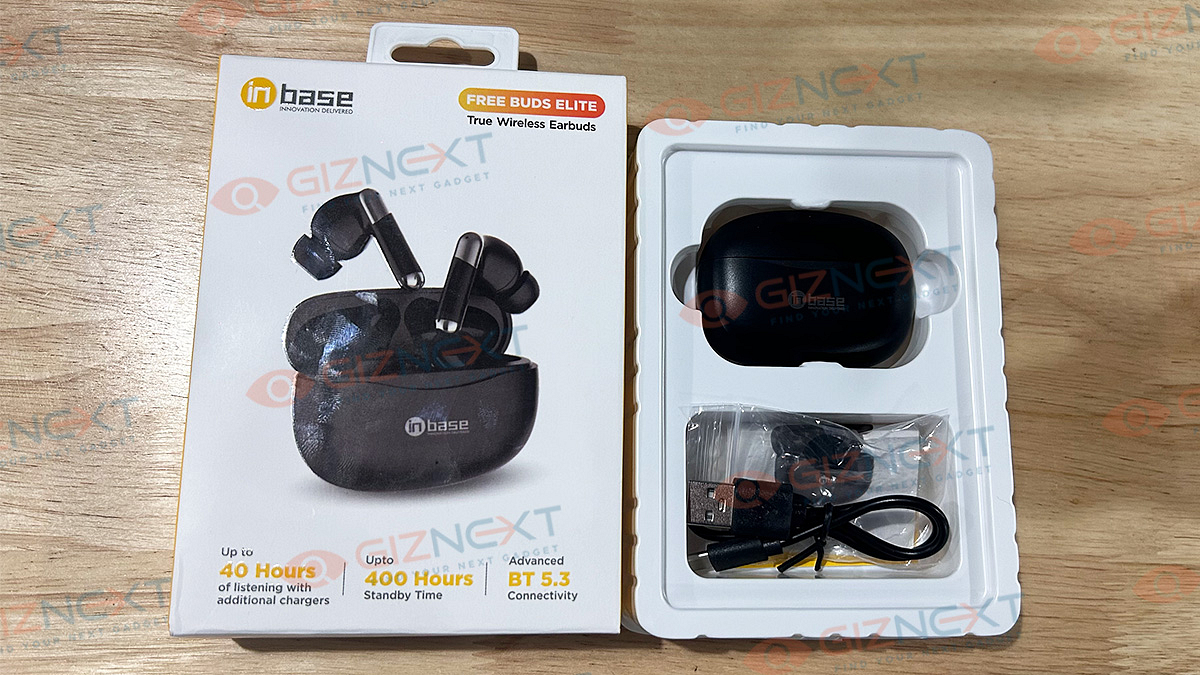
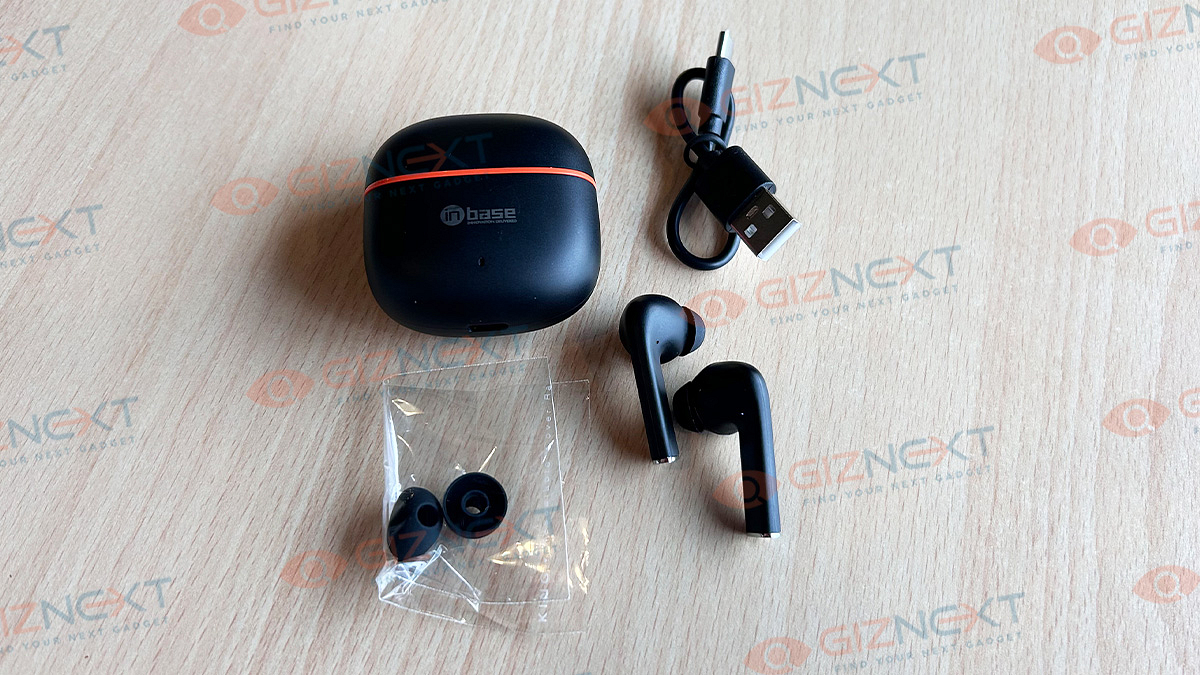
What’s Inside The Box?

  • Inbase Free Buds Elite TWS
  • USB to USB-C charging cable
  • 2 Extra Silicon tips
  • User manual

Design

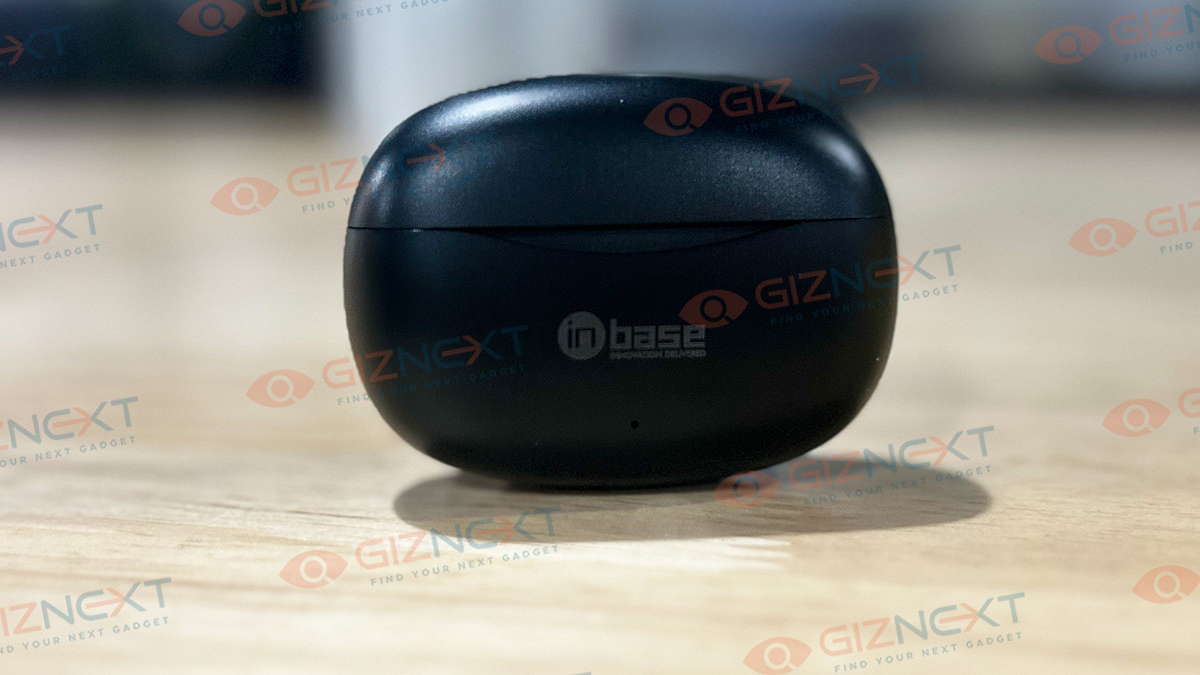
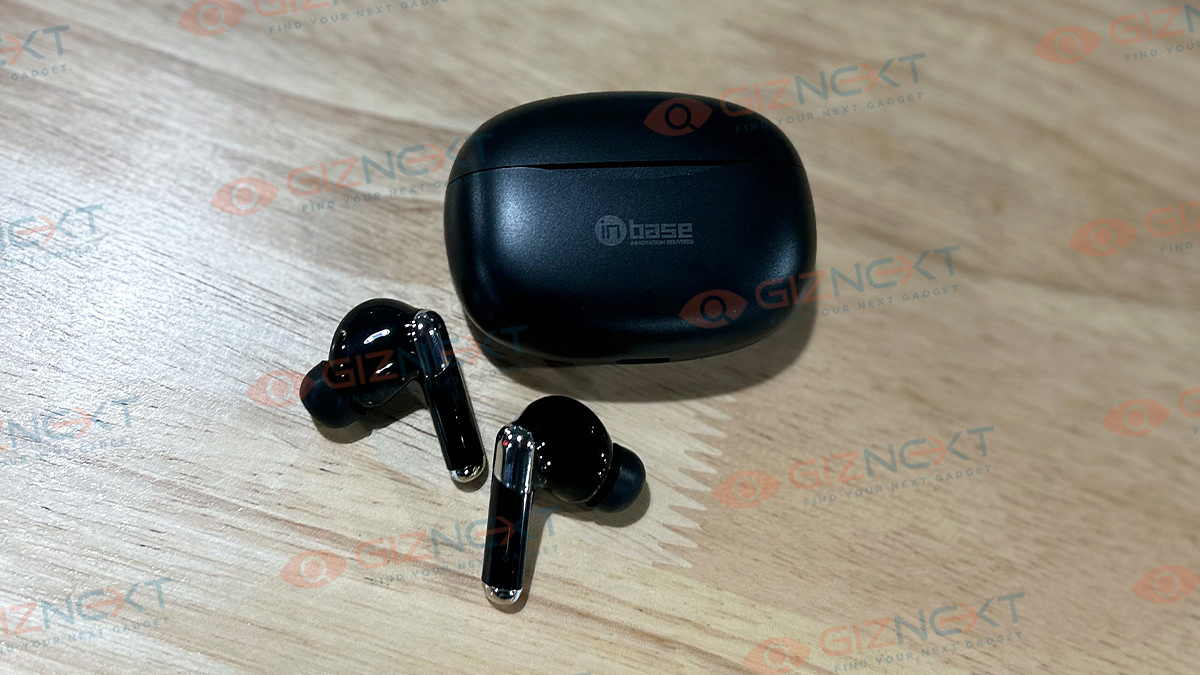
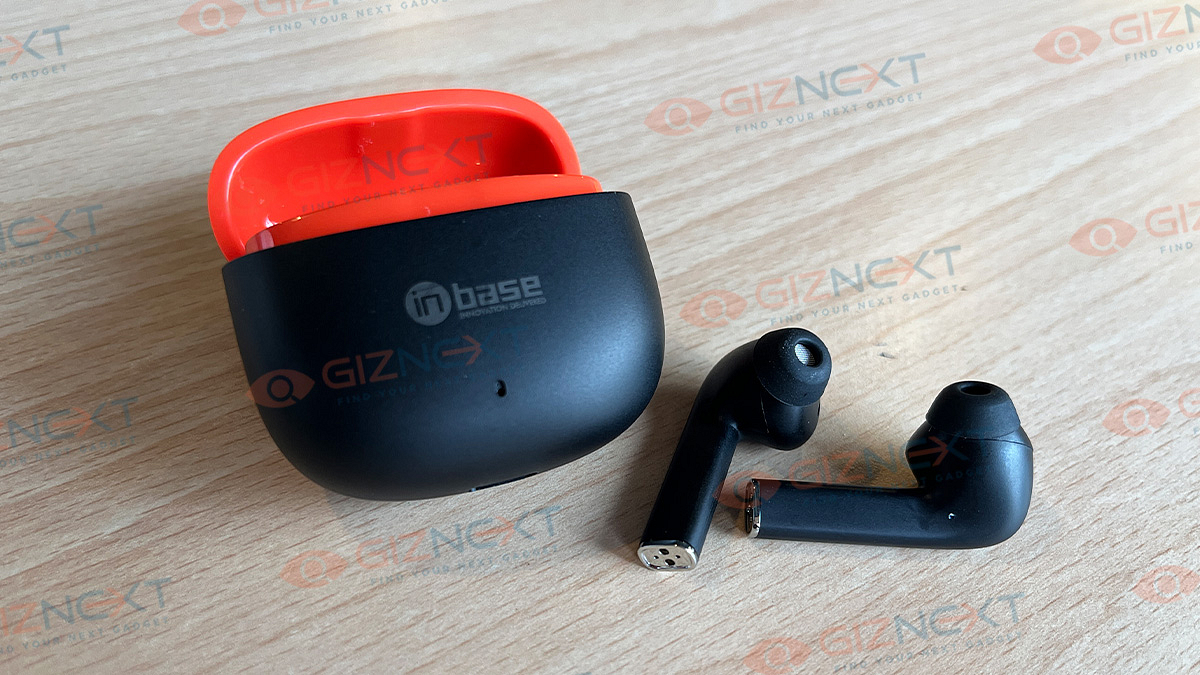
Available in Black and Pearl White, we have the Black variant for the review which looks elegant. The Inbase Free Buds Elite TWS features a stem-style design and is housed in a square-shaped charging case. The case, made of plastic, is of average quality and is prone to scratch marks. It includes the logo, an LED indicator, and a sleek square cut in the front for easy opening, with a charging point at the bottom, giving it a decent look.

The earbuds are lightweight, comfortable, and easy to wear, fitting snugly in the ears without falling out, even during head movement. Additionally, the earphones easily connect to the smartphone as soon as the charging case is opened, providing a convenient pairing experience. The device is further dustproof and water-resistant.

Audio Quality

The main purpose of any earphone is to deliver quality audio. Considering its price, I didn’t expect much, but the audio quality turned out to be good. Like many budget-friendly earbuds, there’s a focus on bass and mids, which is a sound setup that most people, including myself, find appealing.

However, the passive noise isolation mechanism didn’t meet my expectations. You can still hear faint voices and traffic sounds. The wireless range is 10m, and I was able to enjoy uninterrupted audio even when my phone was on the first floor and I went downstairs.

Also Read | Vivo TWS 2 ANC Full Review: Rich Soundstage Takes The Limelight

Sensor Control

The Free Buds Elite TWS is equipped with sensors positioned at the top of both earbuds, allowing you to control volume, music playback, and track changes using simple touch gestures. While it was easy to manage volume and music playback, I faced challenges when switching between calls and different modes, as well as handling calls.

Even after tapping the right earbud three times, the mode sometimes failed to activate, and vice versa. Adjusting the earbuds during a call often resulted in unintended call disconnections. Some of the larger gestures are prone to accidental touches, and this is an aspect that Inbase should address and fix.

Battery Life

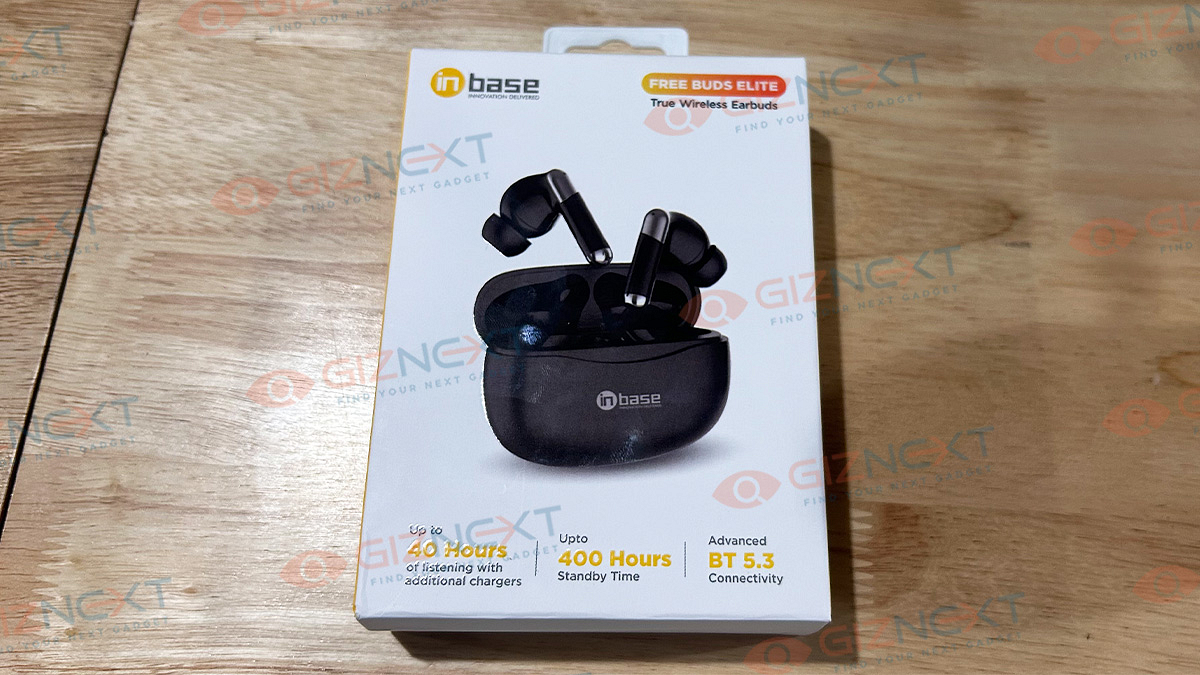
Inbase Free Buds Elite TWS claims to have up to 40 hours of listening with additional chargers and 400 hours of standby time. It has a battery life of about five hours when I use them just for listening to music. It takes around one hour for the case to fully charge, and the earbuds themselves take up to 1.5 hours to charge.

Giznext Verdict

I enjoyed using the Inbase Free Buds Elite TWS. They sound good for their price, and they’re comfortable and easy to use. However, the battery life could be better. If you want earbuds that offer a bit of everything without costing too much, the Inbase Free Buds Elite TWS is a good choice.

Also Read | Inbase Free Buds Neo TWS Review: Your Pocket-Friendly Audio Companion

Categories
Accessories Featured Reviews

Inbase Free Buds Neo TWS Review: Your Pocket-Friendly Audio Companion

Key Highlights

  • Snug-fit design
  • One-touch voice assistant
  • HD mic for clear calls
  • Massive 13mm audio driver
  • Passive noise isolation

Ever wondered what it feels like to be truly engrossed in your favorite tunes? Today, we’re diving into the Inbase Free Buds Neo TWS to uncover the answer. Can these earbuds deliver a listening experience that not only meets but exceeds your expectations? Inbase sent us the review units of their Free Buds Neo TWS, and here’s what we think about it. Here, we unravel the features, sound quality, and overall performance of the newly launched Inbase Free Buds Neo TWS. By the end, you’ll have a clear picture of whether these earbuds are worth the investment or if you should keep searching for the perfect audio companion.

Also Read | Audio- Technica ATH-SQ1TW TWS Review: Tiny Beasts

ProsCons
Secure fitVolume limitation
Large battery backupAverage call quality
LightweightLimited touch functions

What’s Inside The Box?

  • Free Buds Neo TWS
  • USB to USB-C charging cable
  • 2 Extra Silicon tips
  • User manual

Design

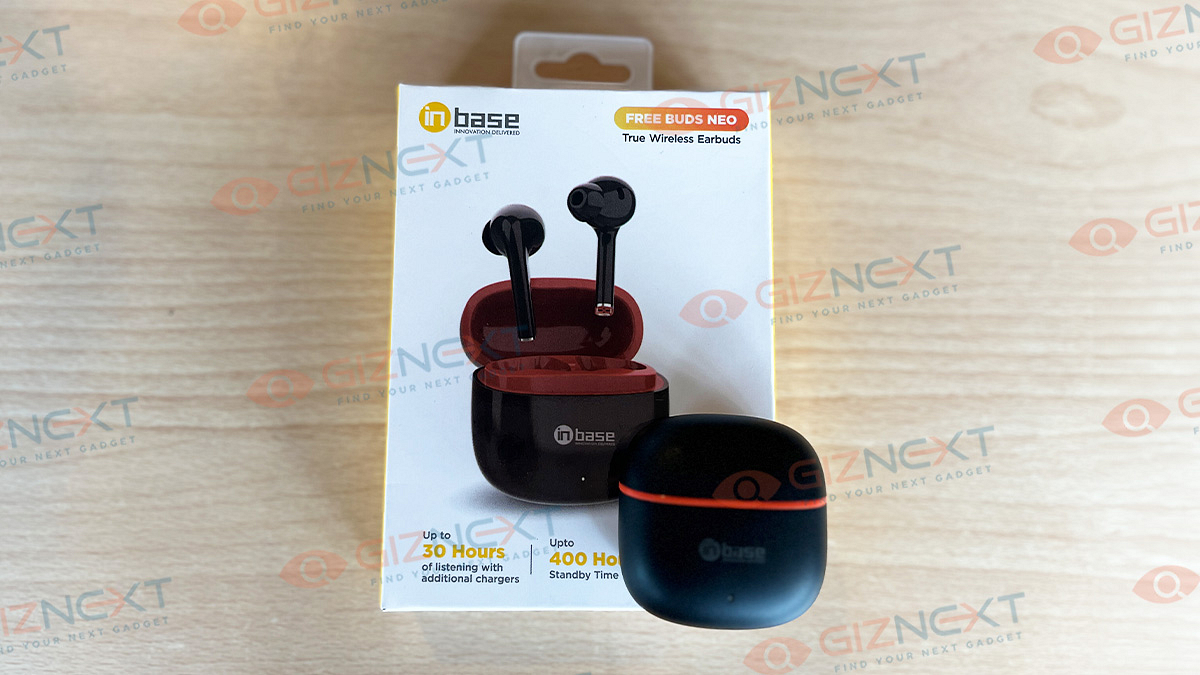
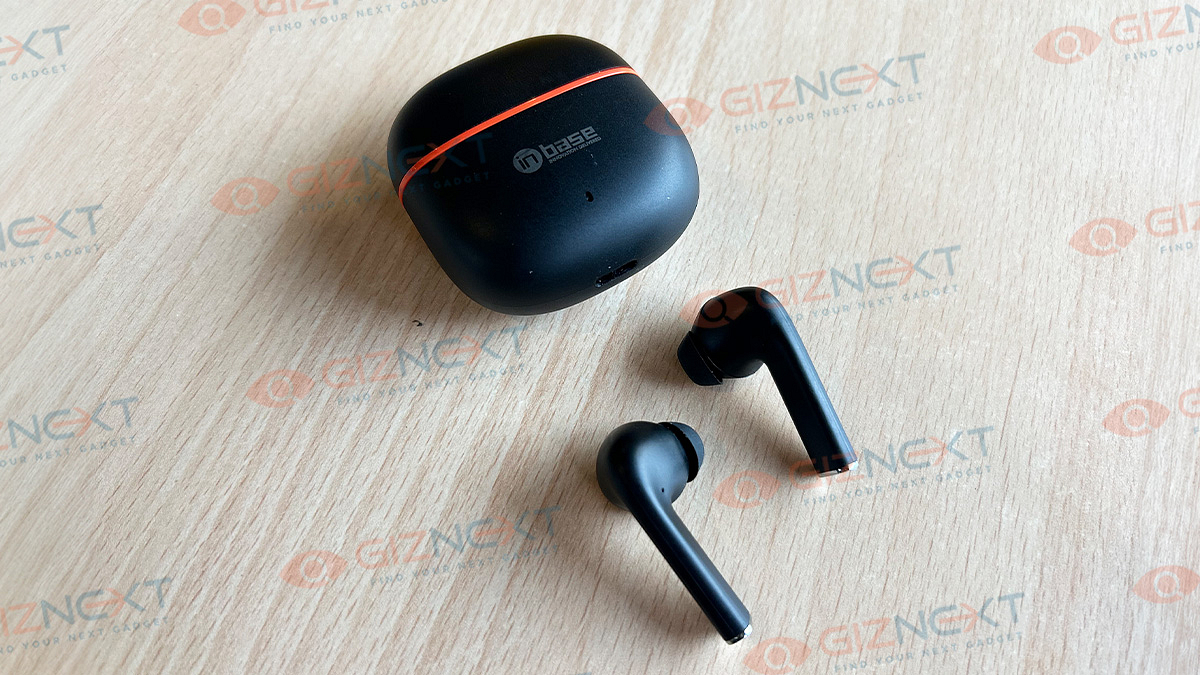
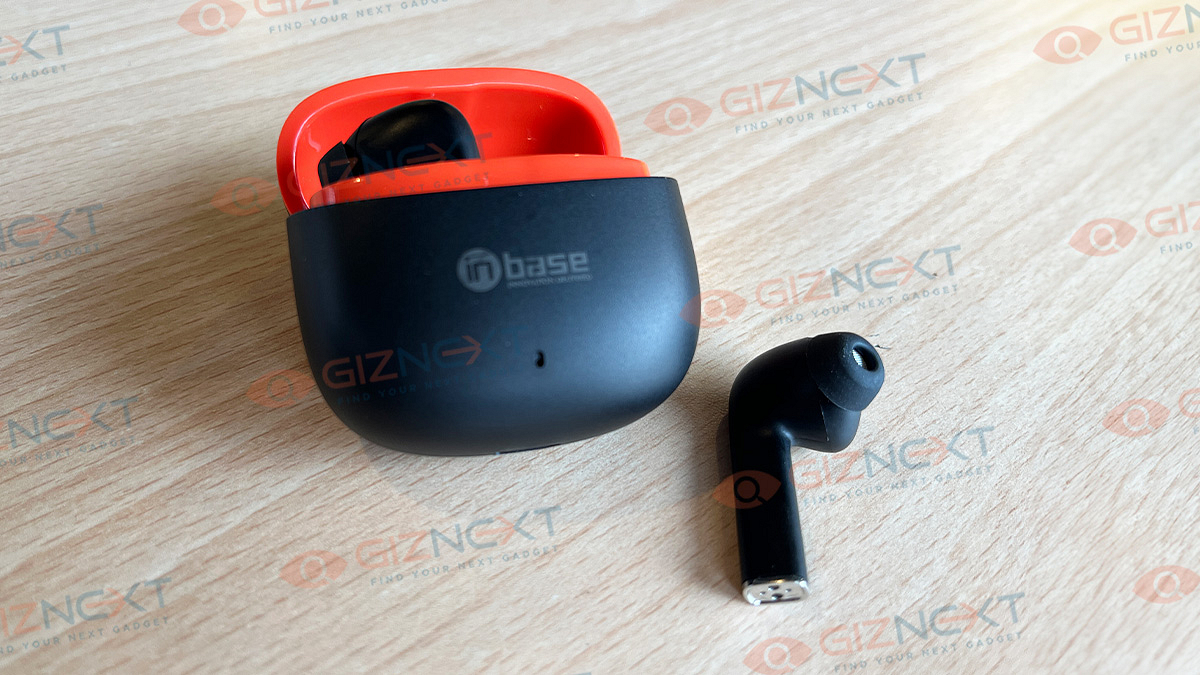
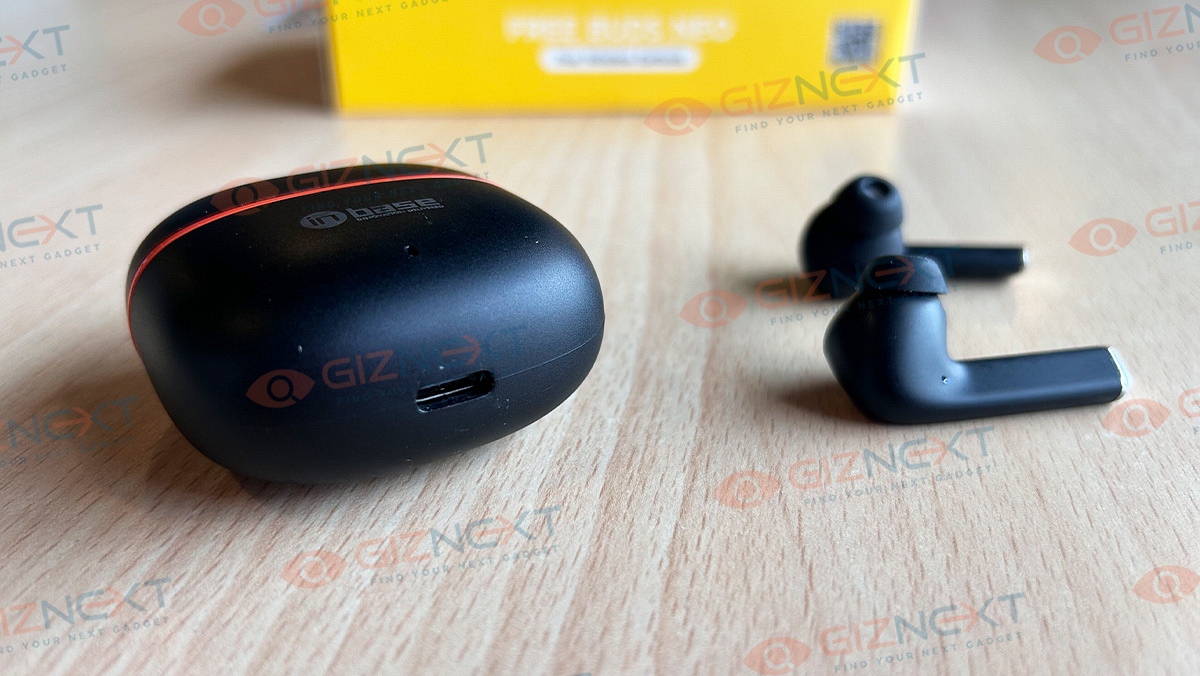
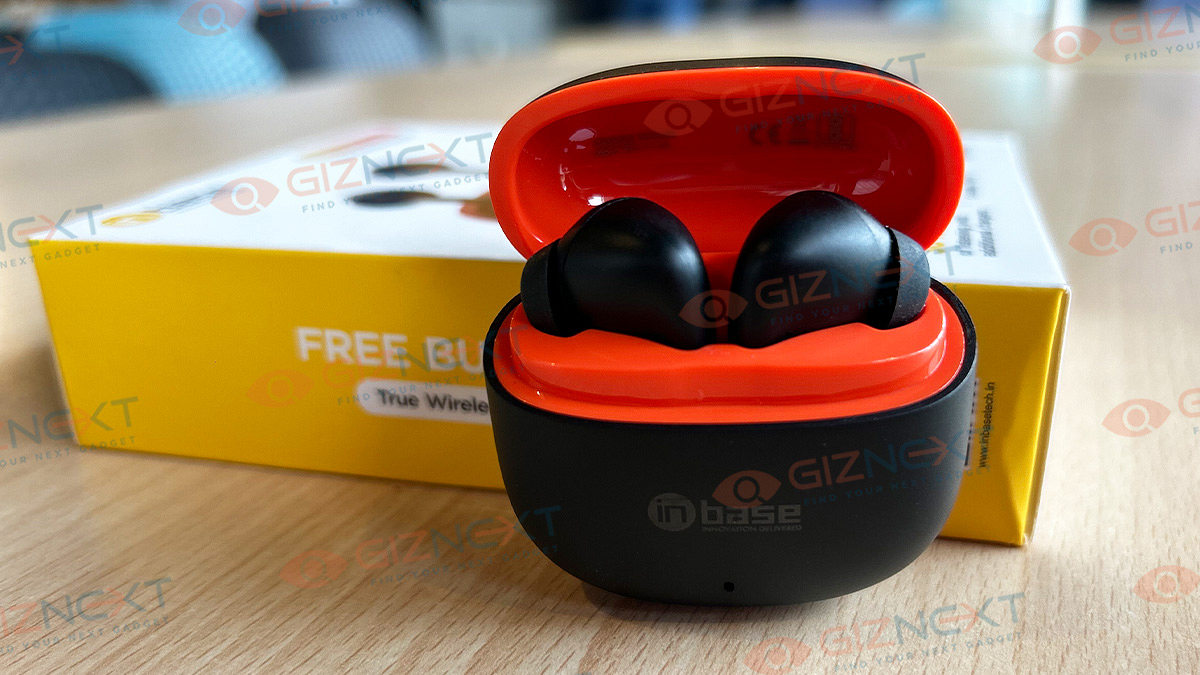
The Free Buds Neo TWS arrives in a compact and stylish case featuring a flip-style design that easily fits into your pocket. The case, adorned in sleek black with a red border on the opening, boasts a small square shape. Upon opening, a red interior design holds the pair of earbuds, held securely in place by magnetic placements. Plucking out and placing the buds back into the case is quite easy, and the case remains partially open once you put them back in the case.

The case’s front showcases Inbase branding, an LED indicator that indicates charging and stops once it is fully charged, and a USB-C port at the bottom. There are tiny LEDs on each earbud that glow when they are put inside the case. Available in various colors, including Black & Yellow, Blossom Pink, and Navy Blue, we have the Black variant provided by Inbase which looks premium and has an elegant charm.

The earbuds, with their secure in-ear design, offer a perfect fit without any issues during activities like listening to music, taking calls, or strolling. Even during vigorous activities like running, the earbuds stay firmly in place. The semi-in-ear style, featuring hard plastic in the inner part, may cause discomfort for some users during extended use. But, in my experience of using the Free Buds Neo for two to three hours at a stretch, they remained comfortable most probably because of they are light in weight. The earbuds are also IPX5 water-resistant, protecting against sweat and some water exposure.

Also Read | MIVI Duopods K1 Budget TWS Review: Basic Yet Practical

Connectivity, Touch Controls

Connecting the Inbase Free Buds Neo TWS is super easy. Remove the earbuds from the charging case, switch on the Bluetooth on your device, and pair them with ‘Free Buds Neo’. Once paired, the earbuds will automatically connect every time you take them out of the charging case.

Coming to the touch sensors, the TWS allows you to manage essential features effortlessly. Each earbud has different touch functions; a single tap on either bud plays or pauses the music and answers calls. Tapping thrice dials the last number you called. While the company mentions additional controls, my experience revealed only these two functions being responsive with the touch sensors. Here’s a complete list of touch functions that you can find in the TWS:

Power OnLong press for about 4 seconds
Power OffLong press for about 5 seconds
Answer/end callTouch once on the Left / Right earbuds
Incoming call rejectionLong press for 2 seconds on Left / Right earbuds
Play/pauseTouch once on the Left / Right earbuds
Last/next songLong press the Left / Right earbuds
Increase volumeTouch twice on the right earbuds
Decrease volumeTouch twice on the left earbuds
Recall the last numberTouch thrice on Left/Right Earbuds

Audio Experience And Call Quality

The Free Buds Neo comes with 13mm audio drivers, but even when you put the volume on the highest, it might not feel very loud. People end up using the highest setting to hear better. However, it gives a clear sound without any distortion, and the bass is pretty good too. The earbuds have a feature to block out some outside noise. However, when it comes to making calls, the experience is not great and is just okay. The call quality on the Free Buds Neo is not as good as it could be.

Battery

According to Inbase, the Free Buds Neo provides approximately 5-6 hours of playback time and boasts an impressive standby time of up to 400 hours. It took me around an hour to fully charge the Free Buds Neo TWS. A good thing is that it comes equipped with a USB-C port for charging it conveniently. Over nearly a month of usage, I’ve found the need to charge the TWS only a few times, highlighting its commendable battery performance.

Also Read | Jabra Elite Active 8 TWS Review: Premium And Solid Sports Earbuds

Giznext’s Final Verdict

If don’t have a big budget or simply prefer not to spend much on earbuds, the Inbase Free Buds Neo is the perfect solution that will meet and exceed your expectations. Priced at Rs. 8,99, it stands out as one of the top earbud options in the market. Offering decent bass, large battery life, easy connectivity, and more, it caters to all your requirements without burdening your wallet. In my opinion, it’s a great choice that delivers value for its affordable price.

For the tech geeks, stay updated with the latest cutting-edge gadgets in the market, exclusive tech updates, gadget reviews, and more right on your phone’s screen. Join Giznext’s WhatsApp channel and receive the industry-first tech updates.

Categories
Featured Reviews Tablet

Lenovo Tab P12 Review: Practicality At Its Best

Pros

  • Large responsive screen
  • Robust audio
  • Can handle variety of tasks without lags
  • Good battery backup

Cons

  • Standard 60Hz refresh rate
  • Average panel brightness under harsh sunlight
  • Limited 20W fast charging support

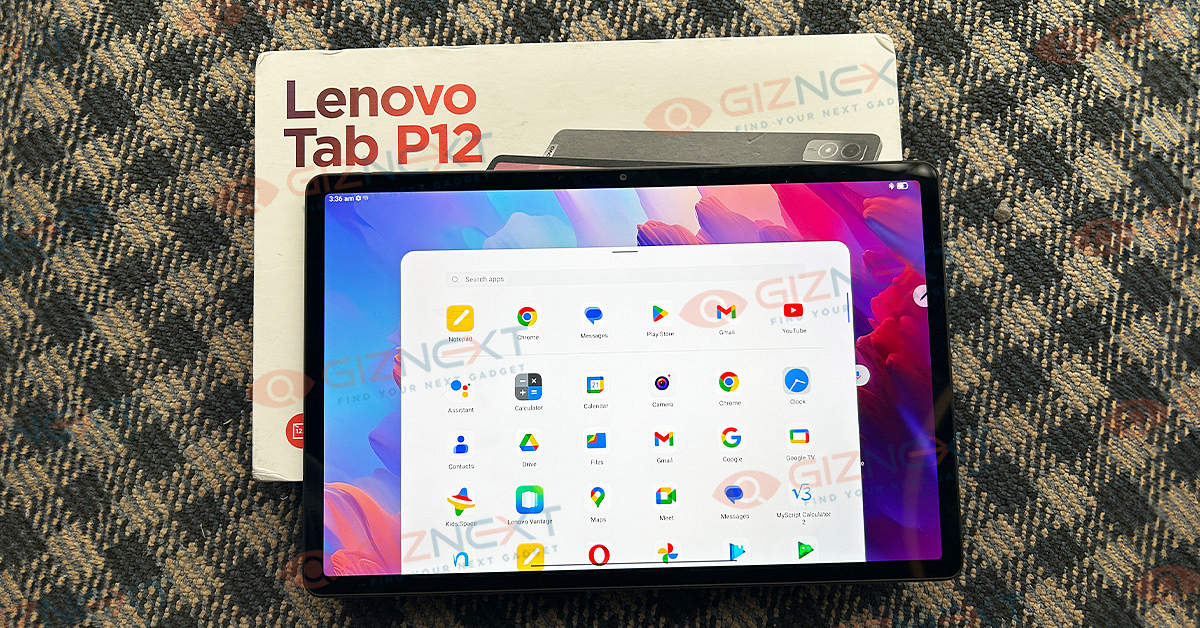
Tablet market has witnessed some extensive growth in the last few years. In India too, the demand for feature-loaded tablets is all time high. This has led to the frequent new tablet launches in the country. The numbers are high with Android tablet and not just PC giants but smartphone OEMs are equally contributing to populate this segment with new models. Lenovo‘s latest bet comes in the form of Tab P12 which marked its debut towards the end of 2023 in India. Starting at Rs. 34,999, the Lenovo Tab P12 comes as one good contender in the mid-range segment. But is the price justified? Should you invest in this Lenovo Tab P series tablet and if yes then why? We at Giznext got a chance to review the Lenovo Tab P12 tablet and have broken down the pointers what makes it a good purchase.

What’s Inside The Box

  • Lenovo Tab P12 tablet (main unit)
  • User Manuals And Warranty Card
  • Power adapter
  • USB Type-C cable

Design: Robust And Practical Ergonomics

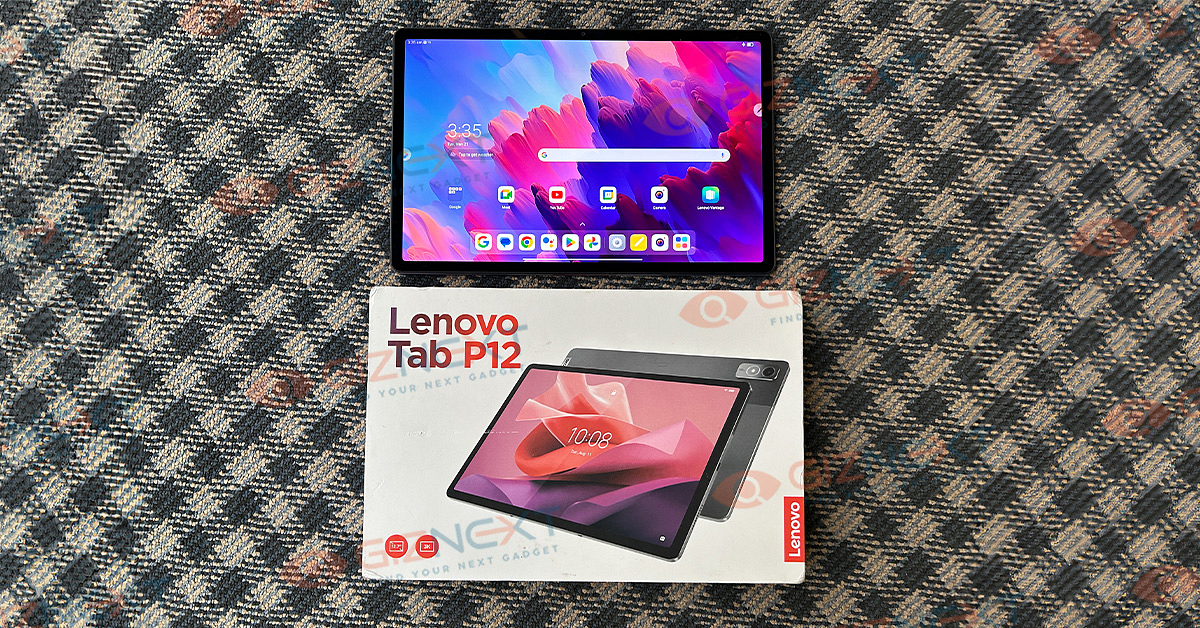
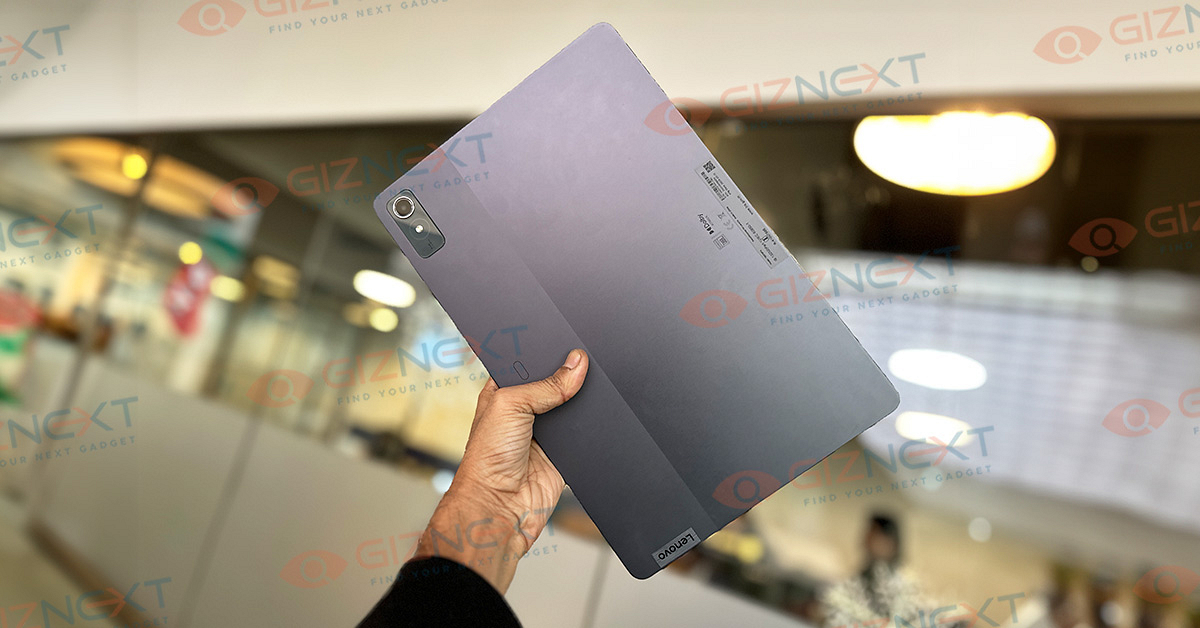
The Lenovo Tab P12 isn’t your regular compact PC tablet. It rather flaunts a large form factor comprising a large 12.7-inch screen. The aluminum build makes it all rugged but at the same time doesn’t really add on the heft or bulkiness. This tablet features an 8.44mm thickness and measures 293.37 x 190.76 x 6.9 mm in dimensions.

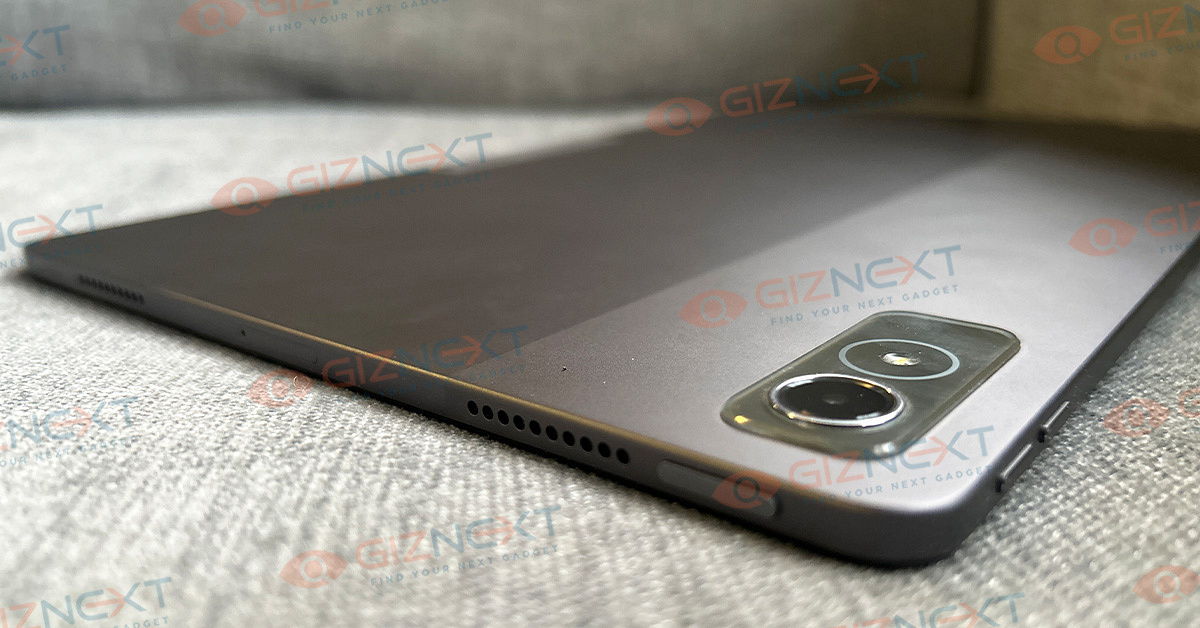
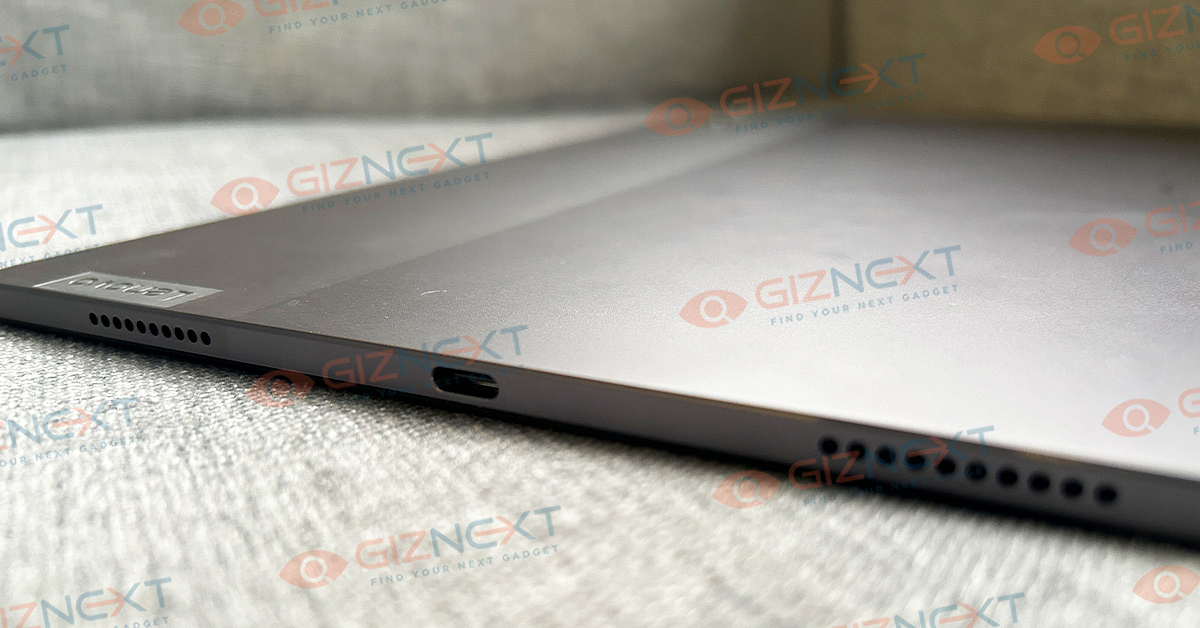
The dual tone (Storm Gray) finish is further an enhancement to the overall design language. This does look familiar to the Lenovo Tab P12 Pro model. The button placement is standard and you get the fingerprint scanner integrated within the power key.

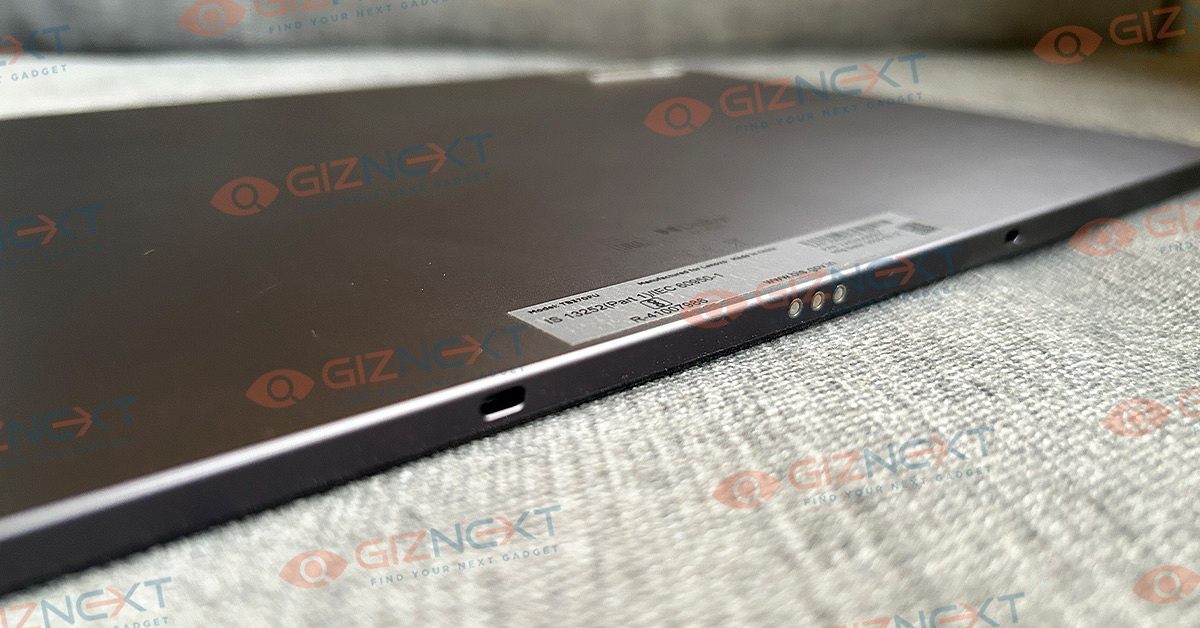
The power key is placed on the top, while the right spine accommodates the volume keys. Pogo pin connecters are placed on the left panel that will latch on to the keyboard magnetically. Notably, the Tab P12 comes void of a 3.5mm headphone jack which might drop in as a bummer for some consumers.

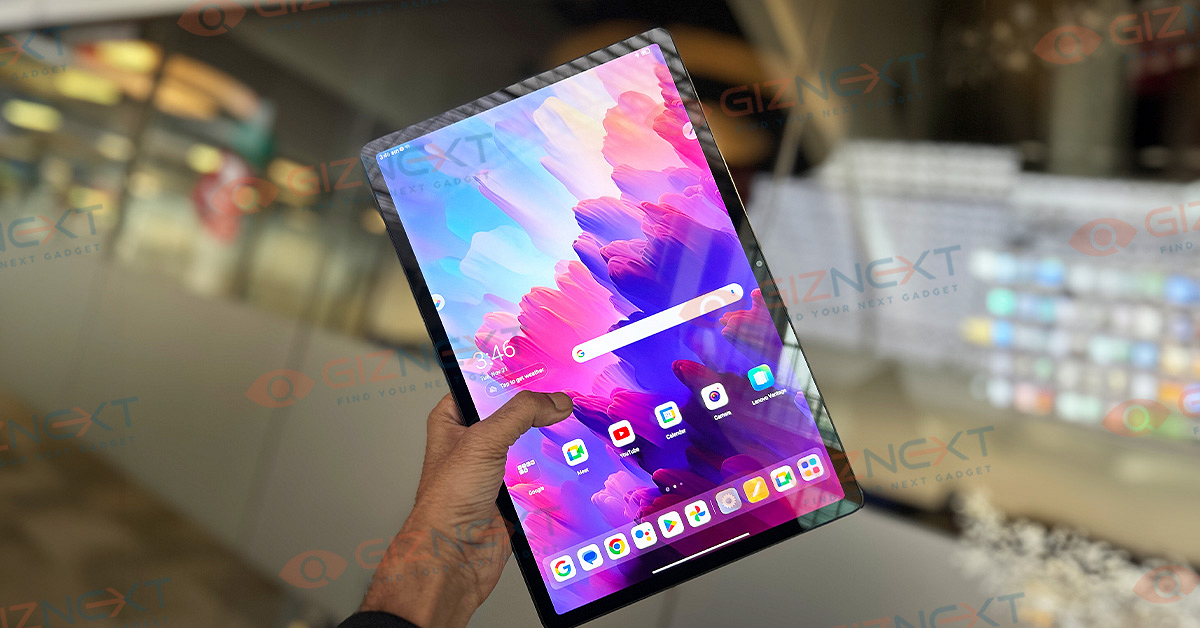
Another reason why this comes as a drawback is due to the fact that this is a big-sized tablet and multiple audio connectivity options wold only have added to the convenience. But that said, the Lenovo Tab P12 is ergonomically designed where despite the tall built it isn’t difficult to operate with one hand during basic tasks and video playback.

Also Read: Lenovo Tab P11 Pro (2nd Gen) Tablet Hands On Review: A Fully Loaded Package

Display: Lively And Vivid

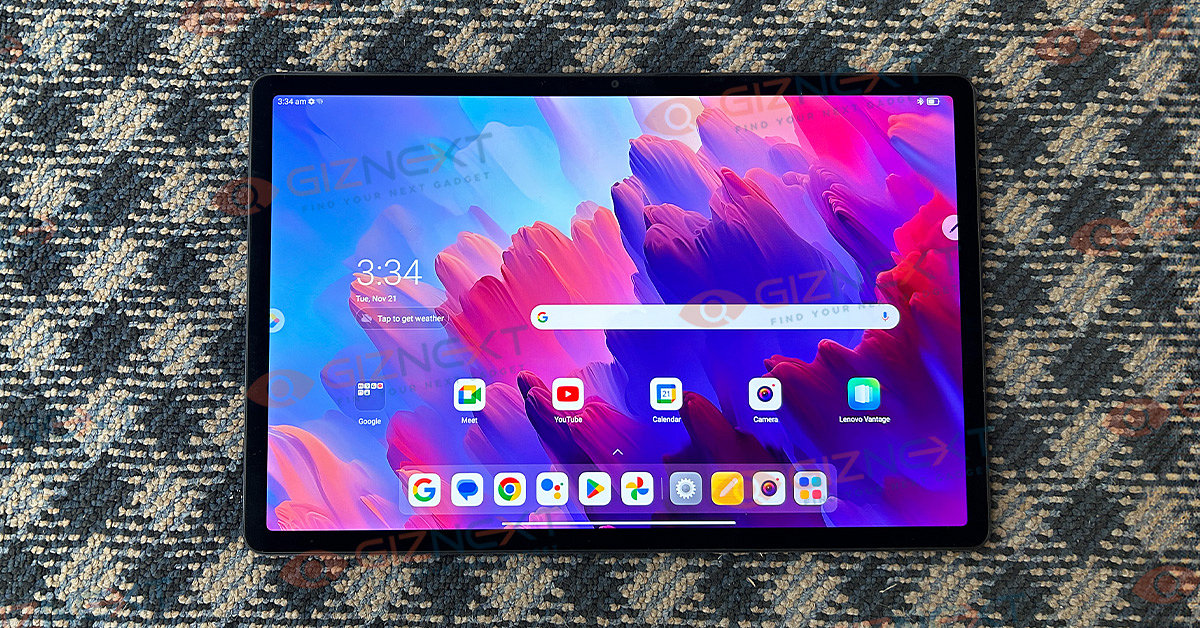
As stated above, the Lenovo Tab P12 tablet features a 12.7-inch display. The large screen used here is an LCD panel which comes with a 2944 x 1840 pixels 3K resolution. Now, this is a treat for consumers who prefer binge watching movies and TV shows on a mobile device rather than laptops or smart TVs.

The panel provides refined clarity with all formats of pictures and videos. Colors are stabilized and it doesn’t appear that the picture quality gets overtly saturated at any given point. The Tab P12’s display has 16:10 aspect ratio and 273 PPI pixel density .

The brightness levels offered is 400 nits and the refresh rate is 60Hz. Only these two are the figures where we believe the Lenovo Tab P12 could have been better. Specifically, that’s when the competitions such as the Xiaomi Pad 6 series offer higher brightness levels as well refresh rate.

It’s the smoothness with the higher refresh rate that you’ll probably miss while using this tablet. But nevertheless, the performance is adequate overall. Thanks, to the higher screen resolution and pixel density the viewing experience remains premium.

Enhancing the visuals additionally is the Quad-JBL sound speaker module combined with Dolby Atmos audio tech. Protecting the Lenovo Tab P12’s screen is the Corning Gorilla Glass 3 layer which adds resistance from unwanted scratches. There is also a Lenovo Precision Pen (stylus) support but that you have to purchase separately.

Also Read: Lenovo Tab M9 Review: An Affordable And Reliable Solution For Creative Users

Performance (Processor And Configuration) And UI

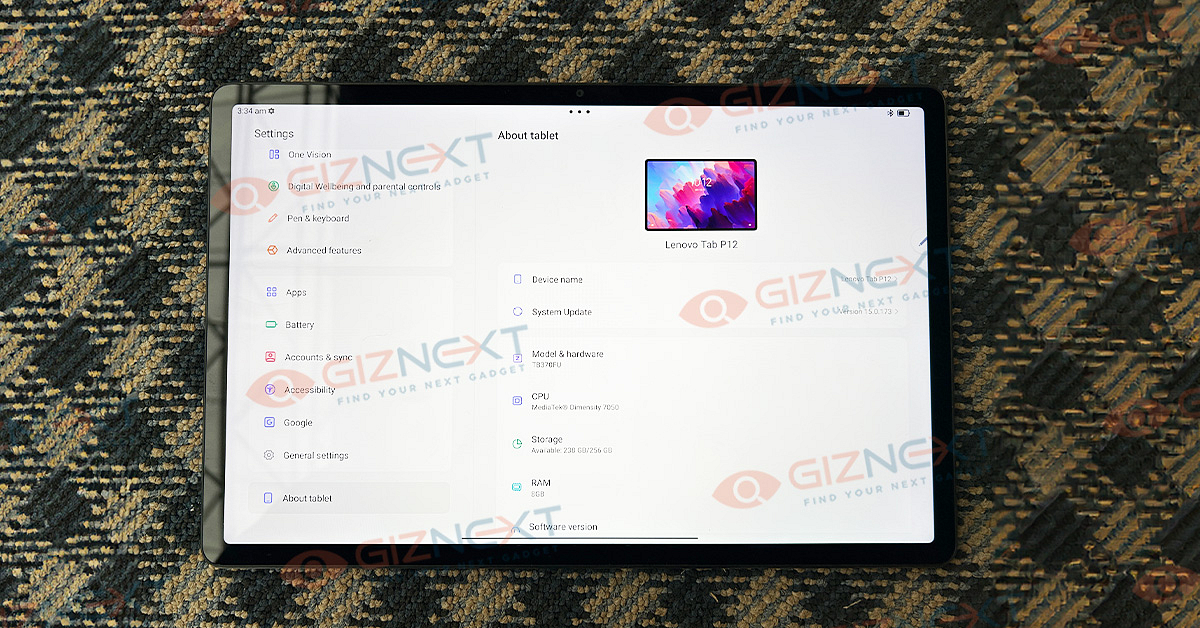
Lenovo has used a mid-range mobile chipset from MediaTek to drive the Tab P12 tablet. It employs the MediaTek Dimensity 7050 processor which MediaTek had introduced last year itself. This octa-core SoC includes two Cortex-A78 cores with 2.6GHz clock speed combined with six Cortex-A55 cores with 2.0GHz clock speed.

When we speak of the performance delivery, this new Lenovo tablet performed adequately with varied set of tasks. It is capable to take on general tasks that range from calling/ texting, multimedia playback, and web browsing. Complex tasks which including usage of heavy-sized applications and even gaming is also a fair experience overall with the Lenovo Tab P12 tablet.

There isn’t any noticeable lag when you make a switch between multiple apps. In fact, apps fire up instantly and you don’t struggle with launching multiple apps at once. The mid-range octa-core Dimensity 7050 chipset combines Mali-G68 GP that aids it with rendering some of the extensive graphics smoothly.

Moving on to the memory configuration, the Lenovo Tab P12 model we received has an 8GB RAM capacity. The RAM type os LPDDR4x which offers good speeds during multitasking. We experience fast performance overall with this RAM capacity. The onboard storage space integrated within the model we received is 256GB UFS 2.2.

Do note that the Tab P12 also gets an expandable microSD card support. This tablet has up to 1TB additional storage space that can be added via the microSD card. This means no crunch even if you load this tablet with large sized videos, images, and other graphics.

Lenovo ships the Tab P12 tablet with Android 13 OS which is further topped with the in-house ZUI 15 user interface. Despite a custom skin, the tablet’s UI is much cleaner compared to the other popular options in this league including the Xiaomi and OnePlus tablets.

Pre-loaded bloatware is also limited which helps maintaining a neater user interface. There are a bunch of customized apps that allows it to be used as a laptop. The built-in Freestyle app is one good example of the same using which you can easily mirror your Laptop/ PCs screen directly on the tablet. Multi/split screen view can also be used on the Tab P12 tablet.

Also Read: Top Flagship Tablet For Gaming Under Rs. 40,000

Camera Performance: Decent Imaging And Video Recording

Imaging aspect on the Lenovo Tab P12 tablet is taken care of by a single lens sensor at the front and the rear. At the back panel, the primary sensor packed measures 13MP and it captures decent photos when the subject is shot with good lights in the surrounding. The same is the case with the 8MP selfie snapper. The self-portraits turn out to be better when the lighting conditions are good overall.

Images captured in the low-light background using both rear and the front camera have some levels of background noise. The dynamic range as well as the edge detection is fairly decent when the captured images have decent lights in the surrounding compared to the low-light or night shots.

The same goes for the video recording experience nothing too special. It gets the job done appropriately. Besides, if you are using this tablet for video conferencing, you’ll get a good feedback overall.

Also Read: Best Stylus-Enabled Tablets For Students In 2023

Battery Backup

Under the hood, the Lenovo Tab P12 employs a 10,200 mAh (typical capacity) battery to keep the lights on. The backup is somewhere close to eight hours with continuous and extensive usage. It’s the lower display refresh rate and mid-range hardware that helps with lower power consumption eventually improving the battery backup.

Expect a faster battery drainage when playing graphic-hungry games or while binging on high-res videos on OTT platforms. The Lenovo Tab p12 gets a 20W fast charging support which is lower than what the competitions offer. Faster charging speeds (over 25W or 33W) would have added to the positives.

Also Read: Realme Pad X 5G Android Tablet Review: An All-Rounder Mid-Range 5G Tablet

Final Take

Our experience with the Lenovo Tab P12 throughout the usage have been great. It is one powerful tablet that is currently available in the mid-tier Android tablet segment. With a large 3K display and quad-JBL speaker system, it is one potent tablet that can live up to the expectations of binge watchers. Not just multimedia, but the added support for keyboard and stylus pen makes it the best option for creative tasks too. So, for a mid-range price you get a flagship-grade multi-functionality tablet.

Categories
Featured Mobile Reviews

Tecno Spark Go 2024 Review: Setting A New Standard For Budget Smartphones?

Pros

  • Great battery life
  • Good display
  • Stereo speakers

Cons

  • Average camera
  • No 5G
  • Bloatware

In the world of affordable smartphones, Tecno has introduced a device that challenges the typical expectations associated with entry-level phones. Priced below Rs. 7,000, the Tecno Spark Go 2024 comes packed with features that defy its budget-friendly label, potentially reshaping users’ perceptions of what to expect from devices in this price range.

At first sight, it might easily be mistaken for a smartphone belonging to the Rs. 10,000 to Rs. 15,000 range, but the twist is that it’s available for under Rs. 7,000. This versatile smartphone disrupts the budget market with its impressive features. So, let’s review the Tecno Spark Go 2024 and get to know how it stands out in the competitive landscape of budget smartphones.

Also Read | Tecno Camon 19 Pro Mondrian Edition Full Review: Unique Color Changing Design, Powerful Cameras Steal The Show

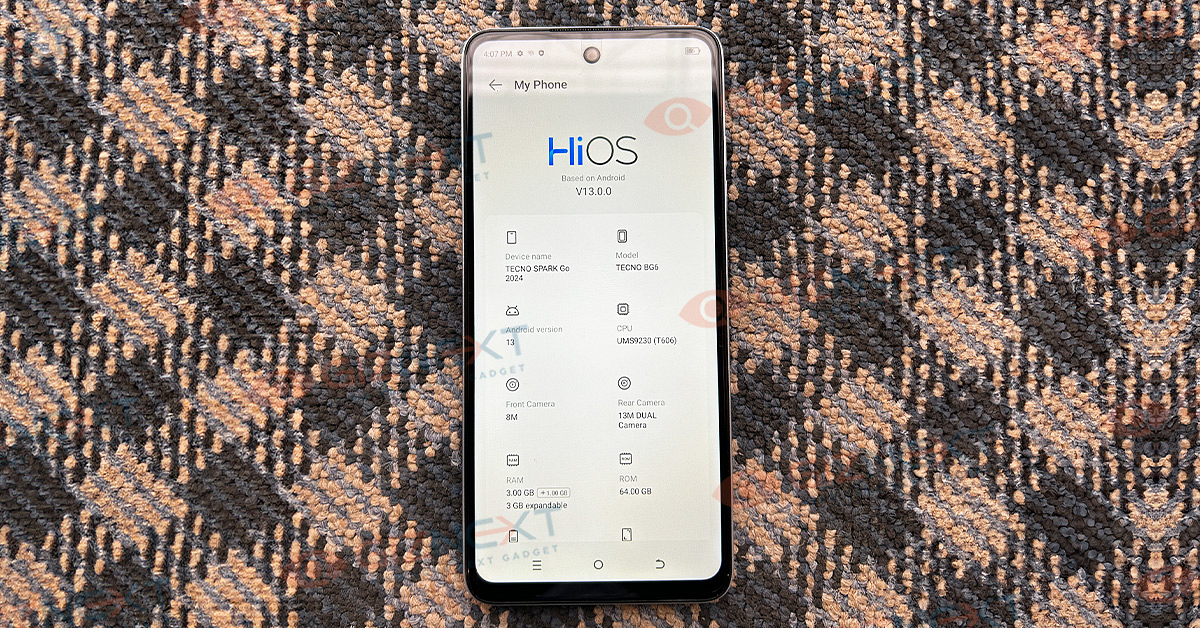
Display6.56-inch HD+ Dot-In IPS
ProcessorUnisoc T606
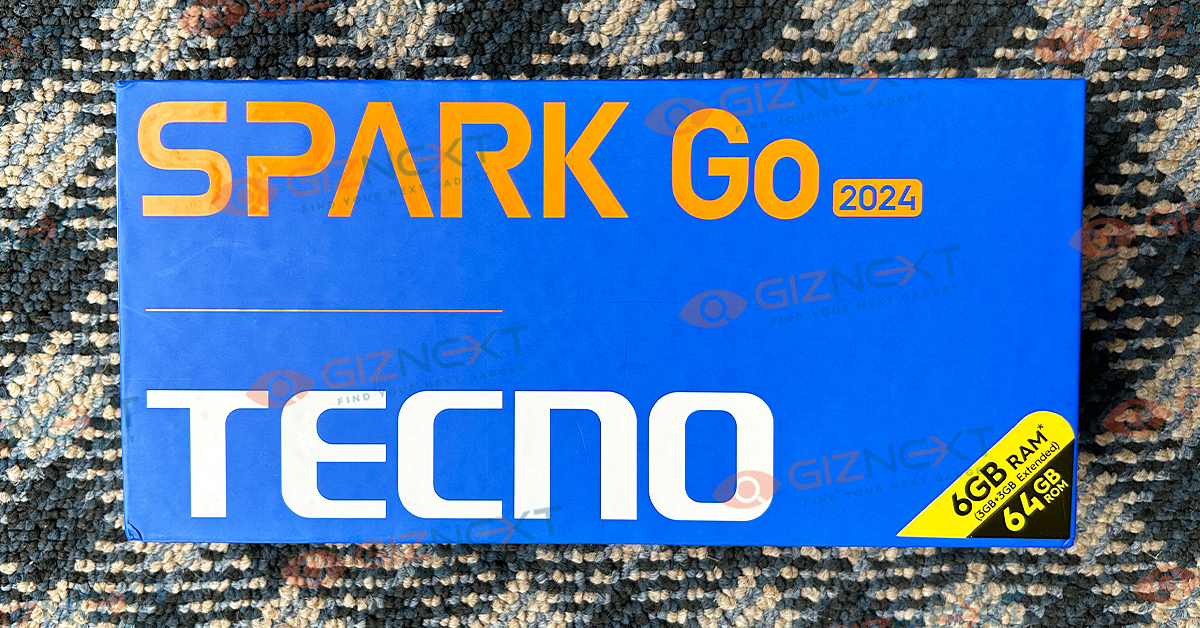
RAM6GB RAM (3GB + 3GB Extended)
ROM64GB
Rear Camer13MP + AI-Cam
Front Camera8MP, Front Dual Flash
OSAndroid 13
Battery5,000mAh

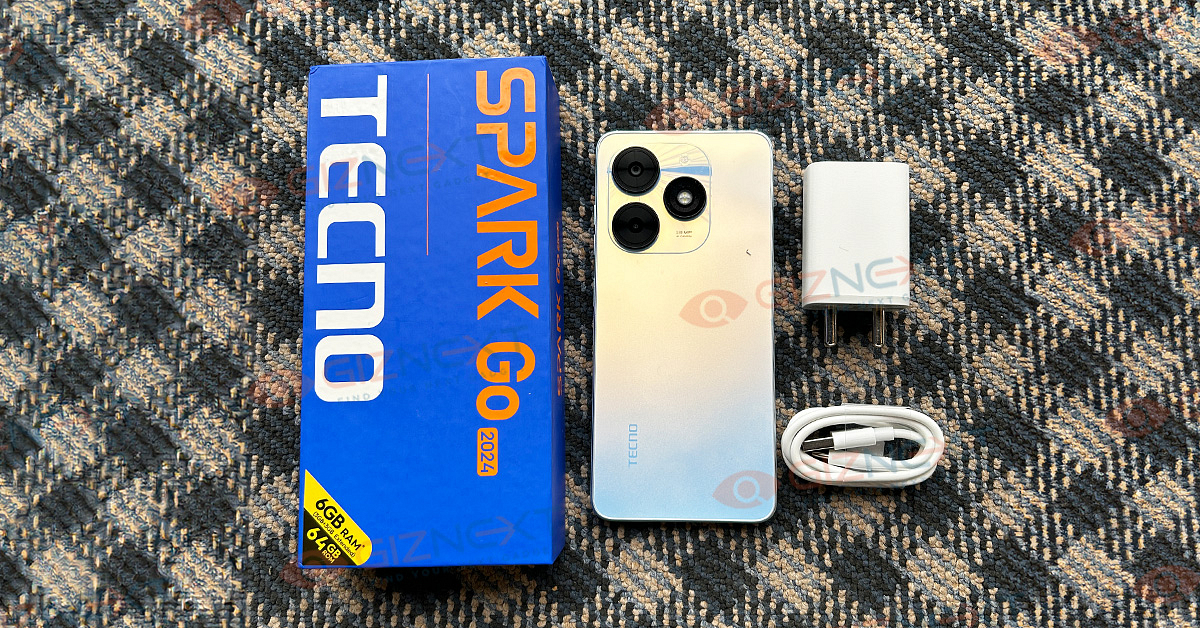
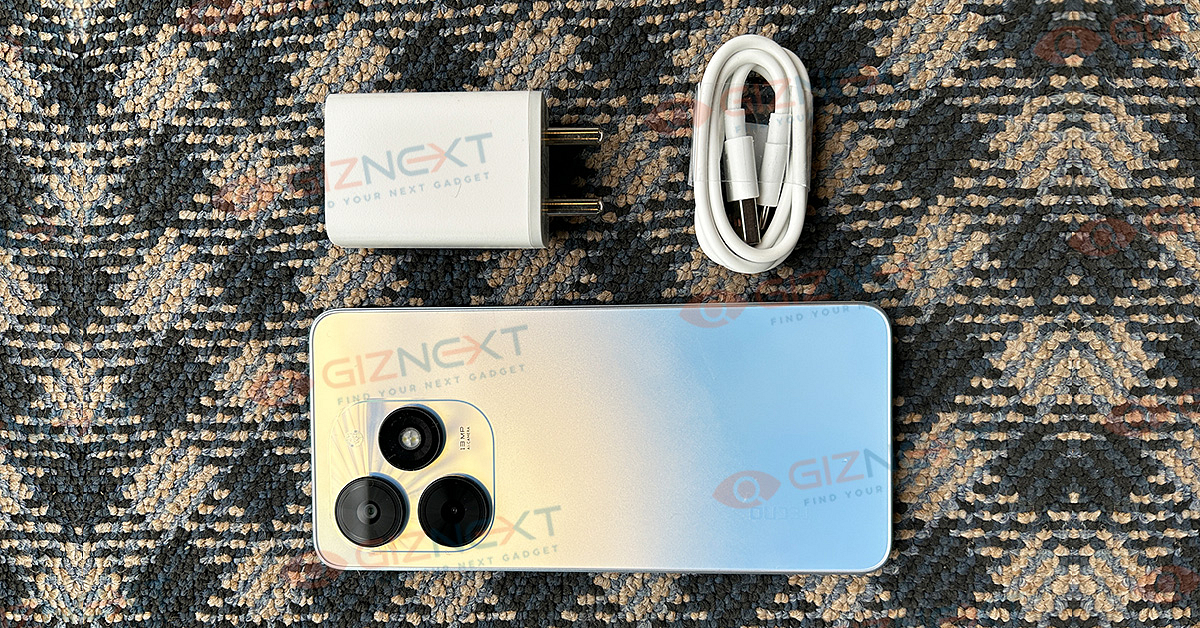
What’s Inside The Box?

  • Tecno Spark Go 2024 handset
  • USB Cable
  • 10W adapter
  • SIM ejector pin
  • Plastic case
  • User guide
  • Warranty card

Design

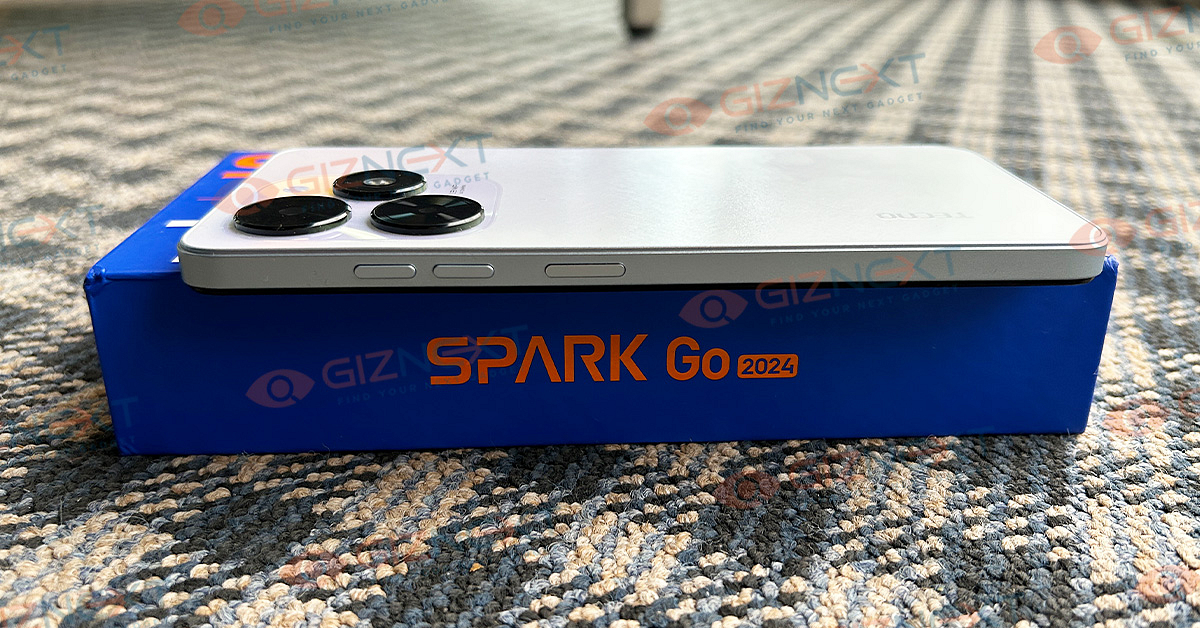
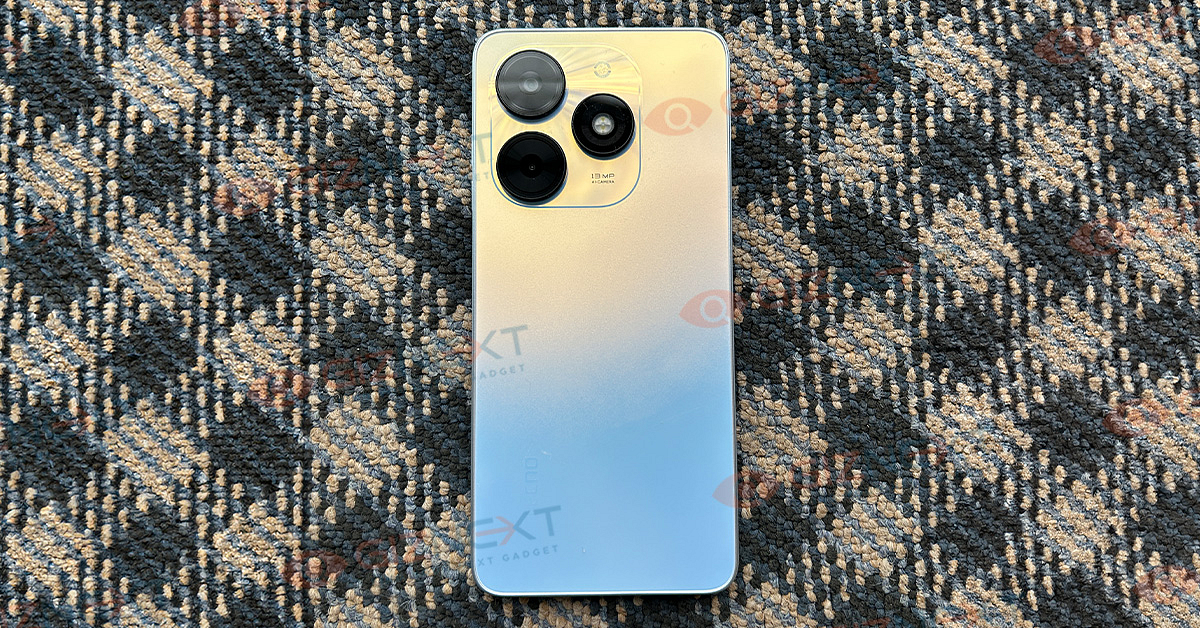
The Tecno Spark Go 2024 has a usual plastic body, similar to many phones under Rs. 7,000. I got the Mystery White color variant for the review, which looks good. The smartphone is slim, measuring 8.55mm in thickness. While it has some weight, it’s not too heavy and fits well in the hand. The side fingerprint sensor on the edge is easy to reach and responds quickly. It’s a great feature to have a punch-hole design for the front camera at this price, giving the phone a modern and clean appearance.

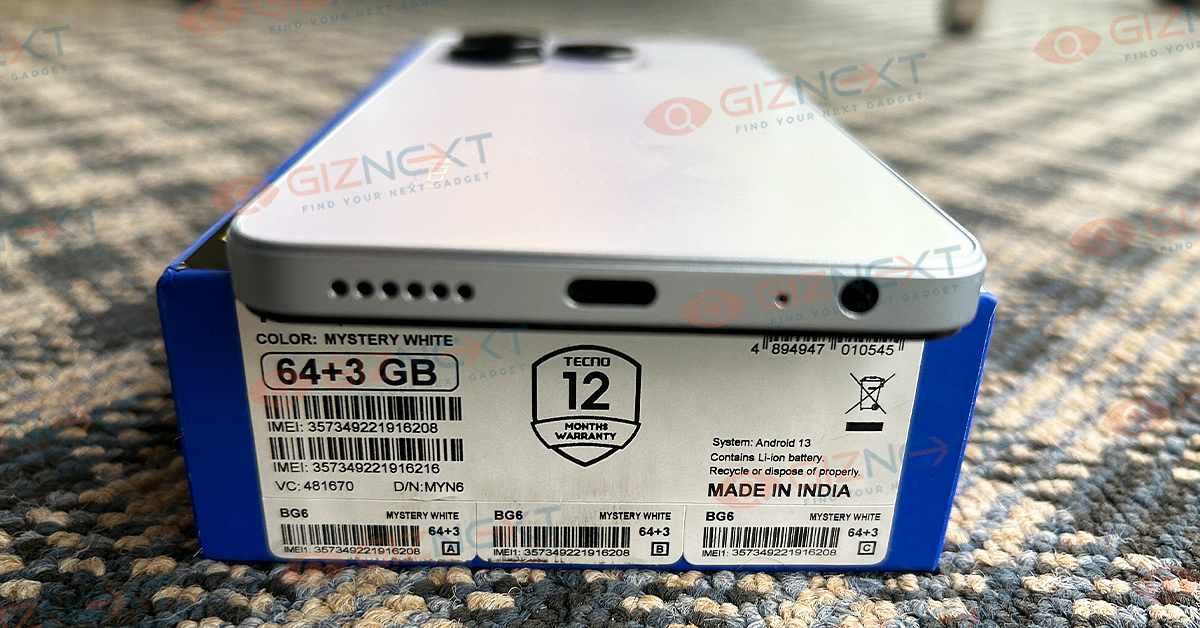
I’m pleased to note the presence of a USB Type-C port at the bottom, which is becoming common in entry-level phones. The phone also includes a 3.5mm headphone jack and a speaker at the bottom. On the back, it carries a dual camera and LED ring setup at the top-left. Overall, the construction is fitting for its price, passing durability tests.

Display

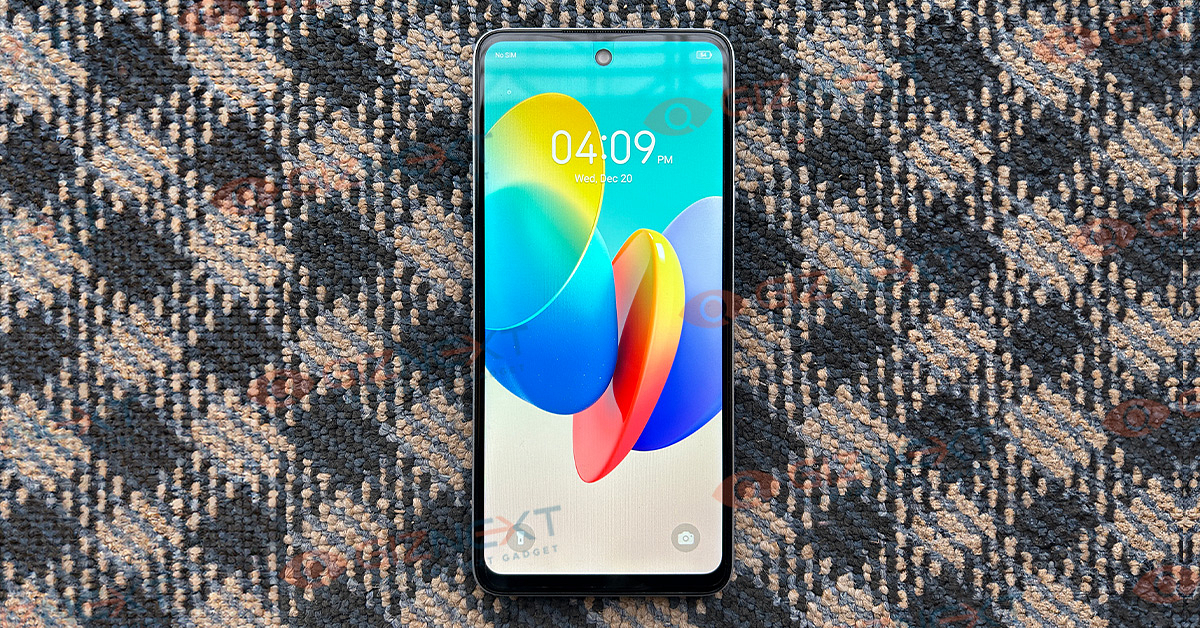
The Tecno Spark Go 2024 boasts a 6.56-inch HD+ Dot-In IPS display. The HD+ resolution is standard for this price range, providing sufficient clarity for daily use. However, the display’s brightness levels are not ideal, affecting visibility outdoors. The device supports only Standard Dynamic Range (SDR) content, which is typical for smartphones in this price range. Despite these limitations, the large screen size makes it suitable for casual media consumption and social media browsing, offering a decent experience for watching videos and scrolling through feeds.

Performance

The Spark Go 2024 runs on the Unisoc T606 chipset, a common choice for budget phones. It performs well, but there’s a bit of delay when navigating the phone, which could be improved. The smartphone offers up to 3GB + 1GB of RAM (3GB expandable), which is good for most apps. It can handle casual gaming, but it’s not suitable for heavy games. The phone comes with large storage, up to 64GB onboard. The stereo speakers with DTS Audio are a nice feature, setting a standard for future budget phones.

Connectivity and Software

The fingerprint scanner works well, and 4G connectivity is good. It runs on HiOS 13, a customized version for Android Go. The interface is user-friendly, but it has some pre-installed apps, which is a downside. There’s a bit of lag when using apps like Facebook and Quora. Despite these issues, the overall user interface is easy to understand and is a decent effort for a budget phone.

Also Read | Tecno Pova 5 Pro 5G Review: A Budget-Friendly Smartphone With Quirky Design

Camera

The Spark Go 2024 has a 13MP main camera that takes decent photos in daylight, although it’s not the best in its category. Daytime pictures have average contrast and clarity, which is common for budget phones. The focusing and shutter speeds are okay, providing a satisfactory photography experience in good light. The dynamic range is somewhat limited, as expected in this price range. The AI scene detection mostly enhances colors rather than significantly improving photo quality. The secondary AI camera doesn’t seem very practical and feels more like an extra feature.

Night photography is just okay. The Spark Go 2024 doesn’t do as well in reproducing colors and sharpness in low-light conditions. Images may look a bit dull, and the dedicated night mode doesn’t do much to improve them. If you’re taking photos at night, using the flash is recommended for better results.

The 8MP selfie camera is average but works fine for casual photos and video calls. When it comes to videos, the phone can only record in 720p, but the presence of PDAF ensures decent focusing.

Battery

The Spark Go 2024 comes with a 5,000mAh Li-Polymer ion battery, and Tecno claims it can last up to 32 days on standby. In everyday use, the phone easily lasts for a couple of days on a single charge, making it one of the top phones in terms of battery life. It uses Type-C charging, and a 10W adapter is included in the box. While the battery size is great for long use, the charging speed is standard for this price range.

Also Read | Tecno Camon 20 Pro 5G Review: Budget 5G Handset Worth All Hype?

Giznext Verdict

Tecno has made a significant impact on the budget smartphone market with the Spark Go 2024. Priced at Rs. 6,699, this phone competes with Infinix, Xiaomi, Lava, and Nokia, providing a premium set of features that are seldom seen in this price category. If you’re in search of an affordable yet feature-rich smartphone, the Tecno Spark Go 2024 distinguishes itself as a genuine value-for-money choice, establishing new benchmarks for budget-friendly devices.

For the tech geeks, stay updated with the latest cutting-edge gadgets in the market, exclusive tech updates, gadget reviews, and more right on your phone’s screen. Join Giznext’s WhatsApp channel and receive the industry-first tech updates.

Categories
Accessories Featured Reviews

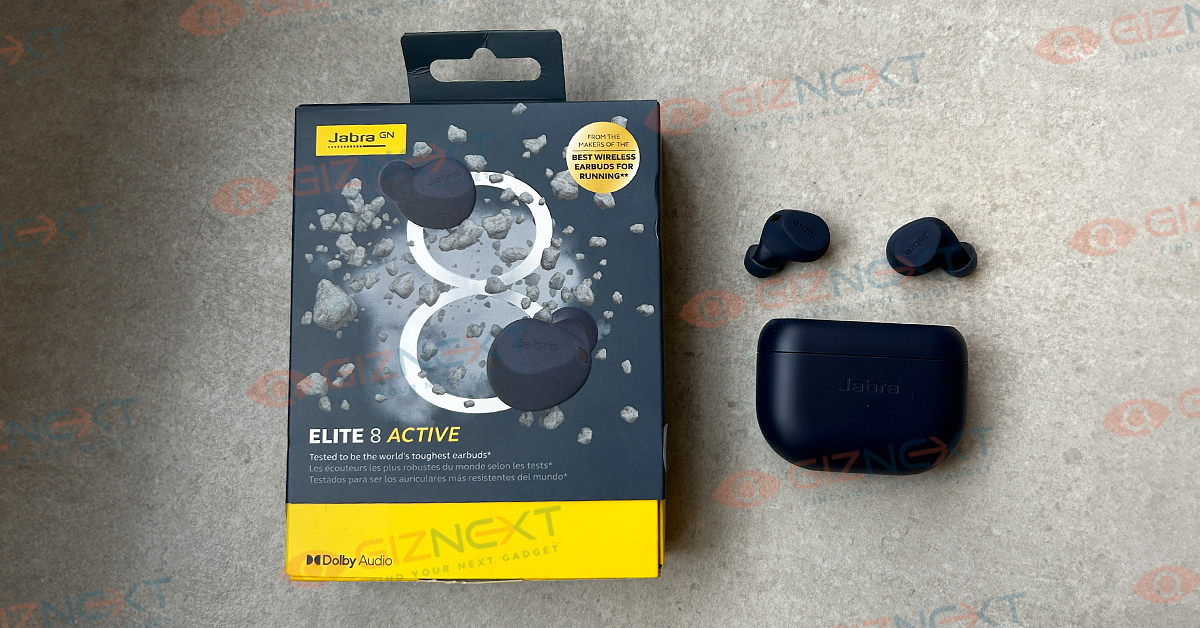
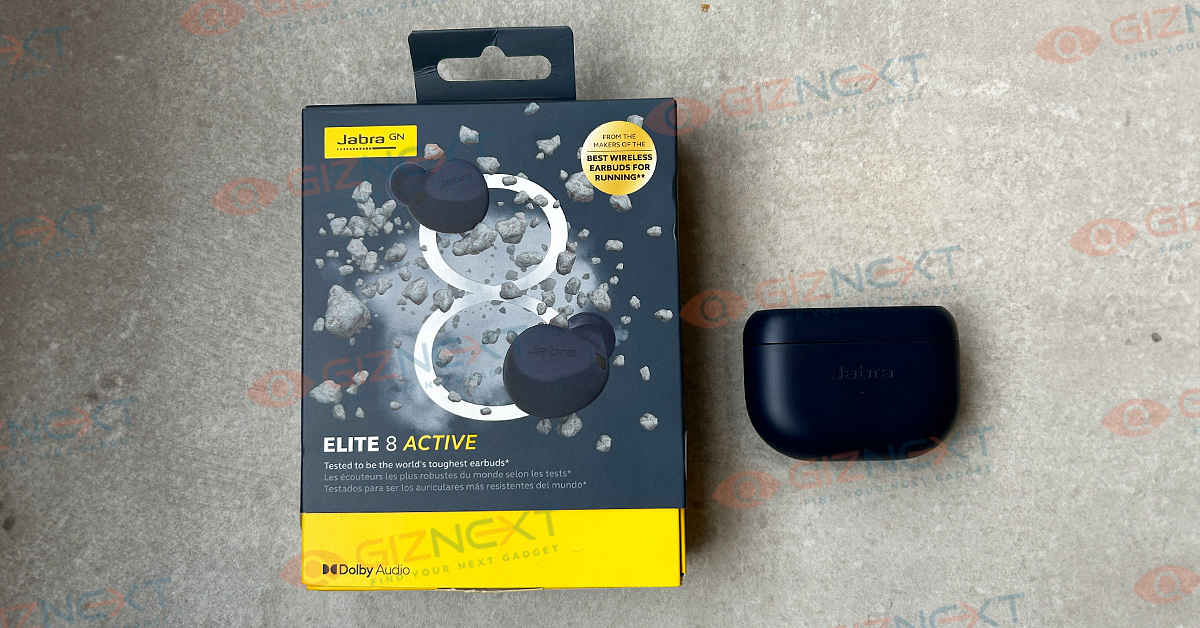
Jabra Elite Active 8 TWS Review: Premium And Solid Sports Earbuds

Pros

  • Comfortable snug fit design
  • Rich sound stage and powerfull bass
  • Smudge-resistant and rugged design

Cons

  • Basic case design
  • Noise cancellation could have been more refined

Jabra is a seasoned player in the audio segment and has been showing its expertise with the wireless audio products globally. The Elite Active series is Jabra’s premium audio product lineup which is refreshed frequently with new and advanced models. Catering to the fitness enthusiasts is the latest model from the brand called the Jabra Elite Active 8.

An upgraded version of the Elite Active 7, this new TWS comes at a price of Rs. 15,999 in India and is amongst the most premium TWS earbuds in the market. That said, the TWS market has evolved exponentially and we have numerous options with ANC and other advanced features available at a cost lower than the Elite Active 8. So what makes it worth a buy despite a higher price range?

At Giznext, we got the Jabra Elite Active 8 for review and after fiddling with the unit for long, we are sharing our feedback. Whether or not this TWS earbud stands out from the crowd and offers all the punch an audiophile needs? Here’s what we think:

Retail Box Contents

  • Main TWS charging case
  • Earbuds
  • Extra eartips
  • USB Type-C to USB Typ-A cable
  • User manual and warranty cards

Design

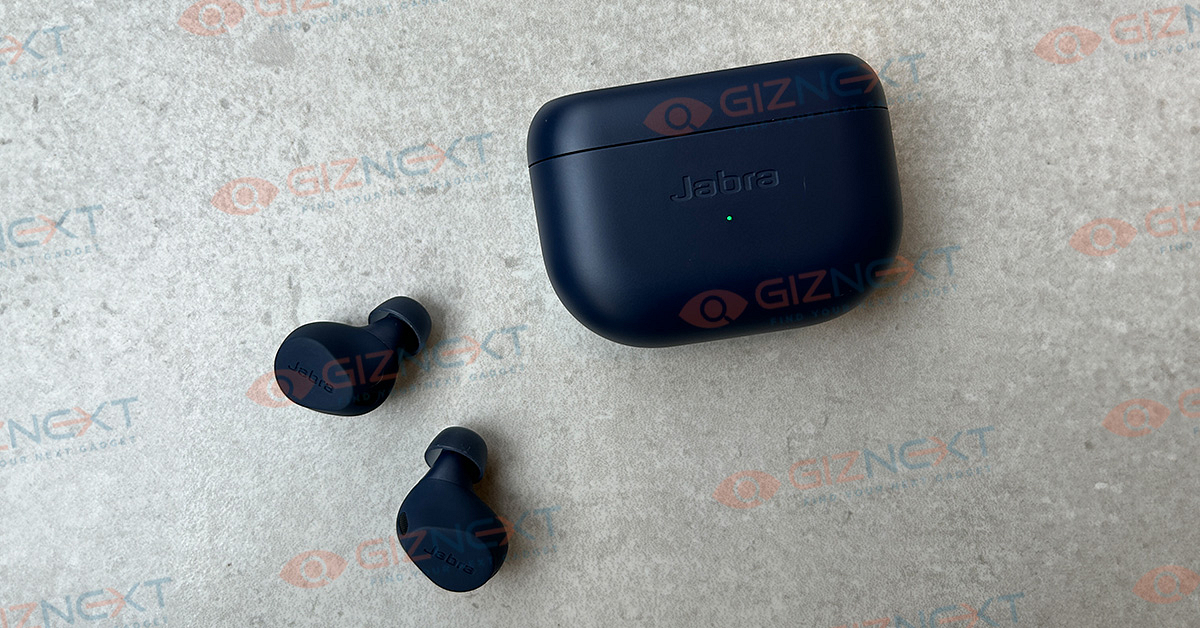
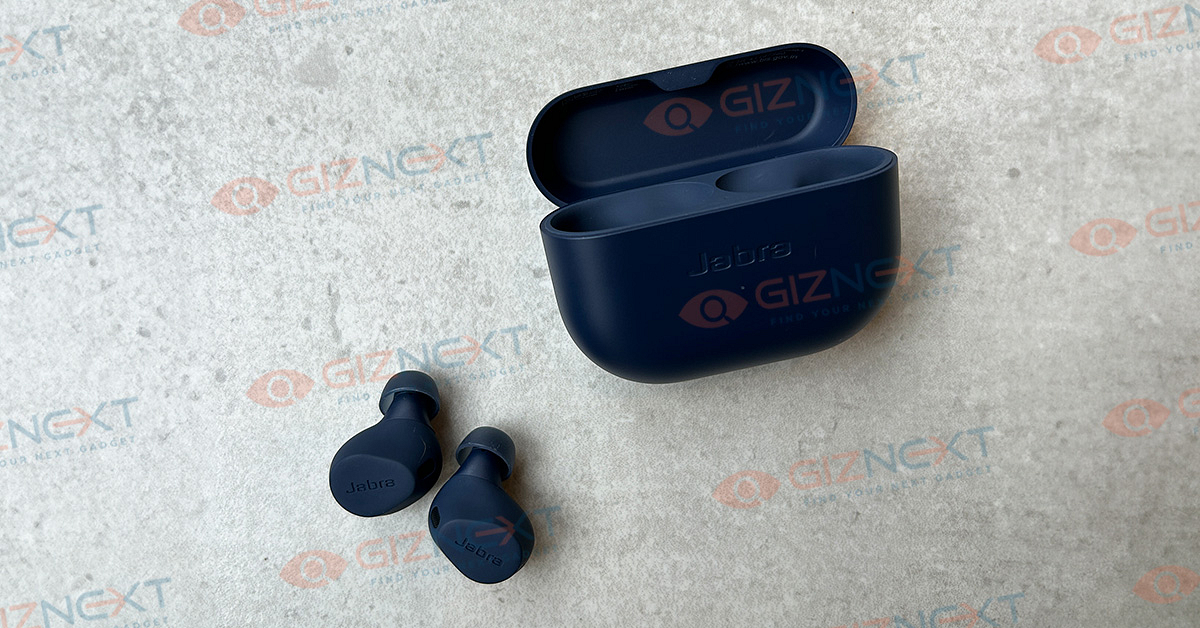
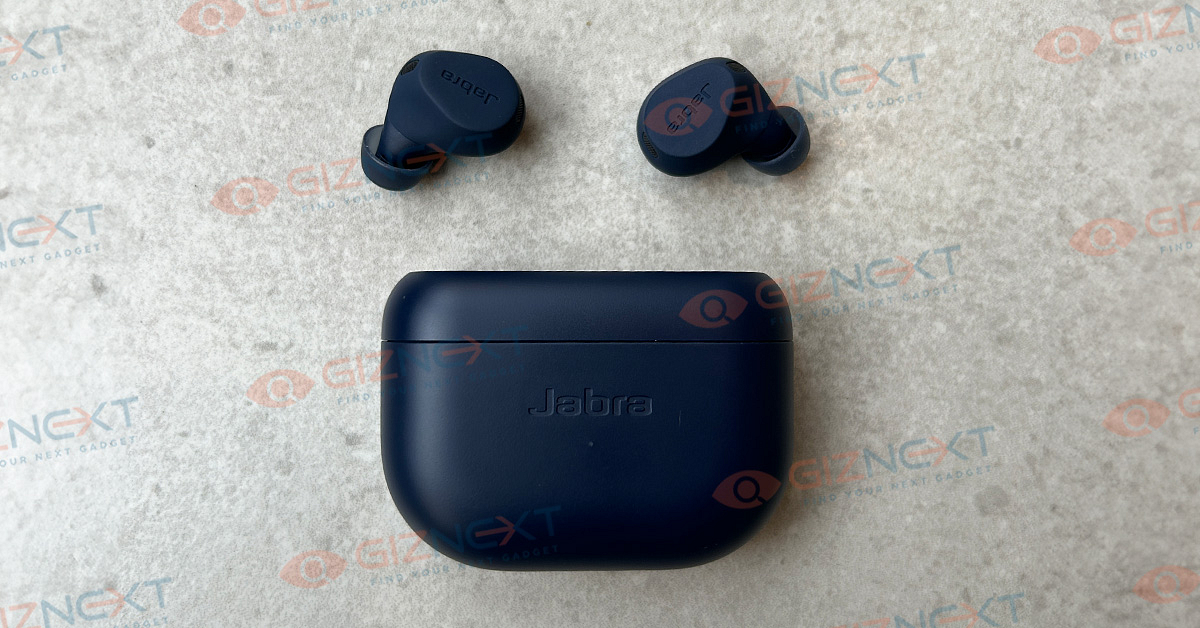
Jabra has stick to the basics with the Elite 8 Active TWS earbuds’ design. Nothing’s overdone to make it look funky. In fact, the straightforward design looks subtle yet premium at the same time. The Elite Active 8’s design highlight is its ergonomic and rugged build that makes it the perfect sports TWS earbuds.

Both charging case and the TWS earbuds have a soft silicone grip that adds to the overall grip and also a luxurious feel to touch. The durability is enhanced with the IP68 certifications which safeguards the pair from dust, sweat, and water. Additionally, this TWS earbuds is said to drop-proof by up to 1 m.

This is what makes the Jabra Elite Active 8 the best pair for workouts and other extensive outdoor activities where you need your music along. Jabra is touting this pair to be the “world’s toughest earbuds” and they couldn’t be wrong here.

What impresses us about the design is the snug fit design that is not just comfortable but also enhances the noise cancellation. The earbuds also ships with additional eartips that you can use depending on the comfort levels.

The Jabra Elite Active 8’s earbuds feature physical controls for music and audio levels. The manual controls ensures that there are no accidental song change or audio adjustments which generally is the case with touch sensitive earbuds available in the market.

Besides, audio and playback control using the physical keys is a decent experience. The clicks are soft and precise and doesn’t feel flimsy at all. The set of controls offered by each earbud are mentioned below:

Left Earbud Controls

  • Single Tap: Toggle on/ off ANC and Hear Through mode
  • Single Tap During Calls: Answer, mute/ unmute call
  • Double Tap: Summon voice assistant
  • Double Tap During Calls: Disconnect or reject call
  • Triple Tap: Can be configured with the supported Jabra app to set new function
  • Press and Hold: Volume reduce

Right Earbuds Controls

  • Single Tap: Play/ pause audio
  • Single Tap During Calls: Answer, mute, and unmute
  • Double Tap: Play next song
  • Double Tap During Calls: Reject and disconnect an ongoing call
  • Triple Tap: Restart playback
  • Press and Hold: Volume increase

Also Read: Audio- Technica ATH-SQ1TW TWS Review: Tiny Beasts

Audio And ANC Performance

Jabra has loaded the Elite Active 8 with 6mm drivers. Despite being tiny in size, these earbuds can easily please any audiophile. The soundstage is rich and you’ll start grooving as soon as you put the pair on. Throughout our music listening sessions, these earbuds performed extremely well. Sound clarity is high and you wouldn’t hear any muffles or white noise when the volume levels are tuned to max.

Bass produced has ample punch and you wouldn’t be left disappointed here anyhow. Besides, the Elite Active 8 includes several advanced sensors and features that helps it to offer the best-in-class audio. Well, the biggest competitor of the Elite Active 8 is the Sony’s top-of-the-line WF-1000XM5 TWS earbuds. And with the premium sound experience, the former establishes itself amongst the top spot.

All the audio aspects are at point which includes balanced lows, mids, and high. No overlapping with the vocals and instruments. Audio delivery here is crisp and you’ll be able to clearly distinguish the vocals from background music. Its the enhanced dialogue delivery that enhances the overall high-res video playback.

As for the ANC, it does a good job overall to silence the ambient or surrounding noises that can hamper the listening experience. We have been using the ANC mode during commutes in noisy public transport and have been impressed by its performance. You hardly get to listen to any of the chaos when you toggle on the ANC.

In addition to the music listening experience, the Jabra Elite Active 8 is a delight to listen when binging on shows and movies. In fact, the sound quality is so refined that even if you are streaming videos from OTT platforms such as Netflix and Amazon Prime videos, the audio response is of high quality.

Pairing, Calling, And Companion App

Besides, you can additionally refine the audio by using the equalizer from the Jabra companion app. Apart from the default set of equalizer, you can also customize the EQ as per your requirements. Enabling the Dolby Spatial Sound feature is also an option using the supported app.

Notably, you can easily download the Jabra Sound Plus app on both Android and iOS devices. Some of the preset music equalizers include Neutral, Bass Boost, Treble Boost, Smooth, and Energize.

Pairing experience is also smooth and the connections takes place in a jiffy. You would simply need to take out and wear the earbuds and press and hold the control keys once to activate the pairing mode.

Speaking of the calling experience, the Jabra Active 8 offers a hassle free and crisp calling experience. It is integrated with in-line microphone that allows it to deliver a clear and crisp calling experience.

Also Read: OPPO Enco Air3 Pro TWS Earbuds Review: Takes The Top Spot?

Battery Backup

Battery backup claimed by Jabra for the Elite Active 8 is up to 8 hours. This backup is for the earbuds without the charging case. At higher audio levels, the backup is a bit lower than the claimed time. However, with moderate audio levels the earbuds do last close to 8 hours. Additional backup is provided by the charging case which saves hassle of a plug reconnect.

Also Read: OPPO Enco Buds2 Budget TWS Earbuds Review: Is It The Perfect Buy?

Final Take

The Jabra Elite Active 8 is a premium option for audiophiles; specifically for the fitness freaks who can’t compromise on the audio quality during workouts or other sports activities . It has a plethora of advanced features and allows it to deliver the best-in-class audio performance and also the wearing comfort despite usage with extensive outdoor activities. The rich and realistic sound stage offered by the Jabra Elite Active 8 makes it worth a purchase.

Categories
Featured Mobile Reviews

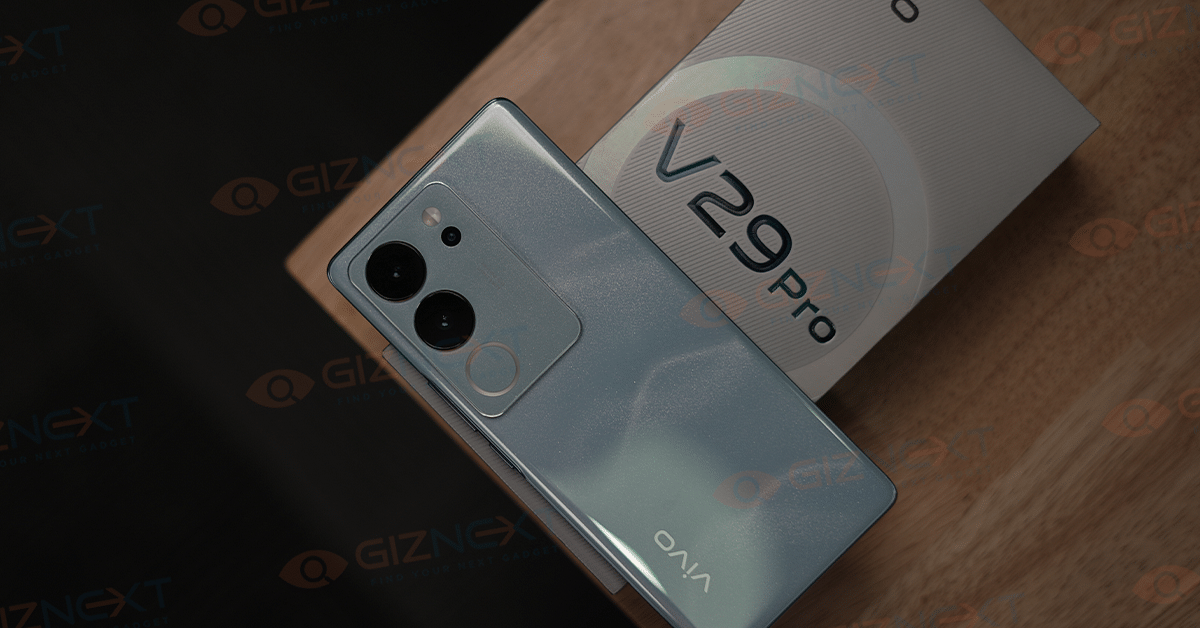
Vivo V29 Pro Review: A Camera-Centric Smartphone Worth Considering

Pros

  • Stylish design
  • Fast charging
  • Good performance
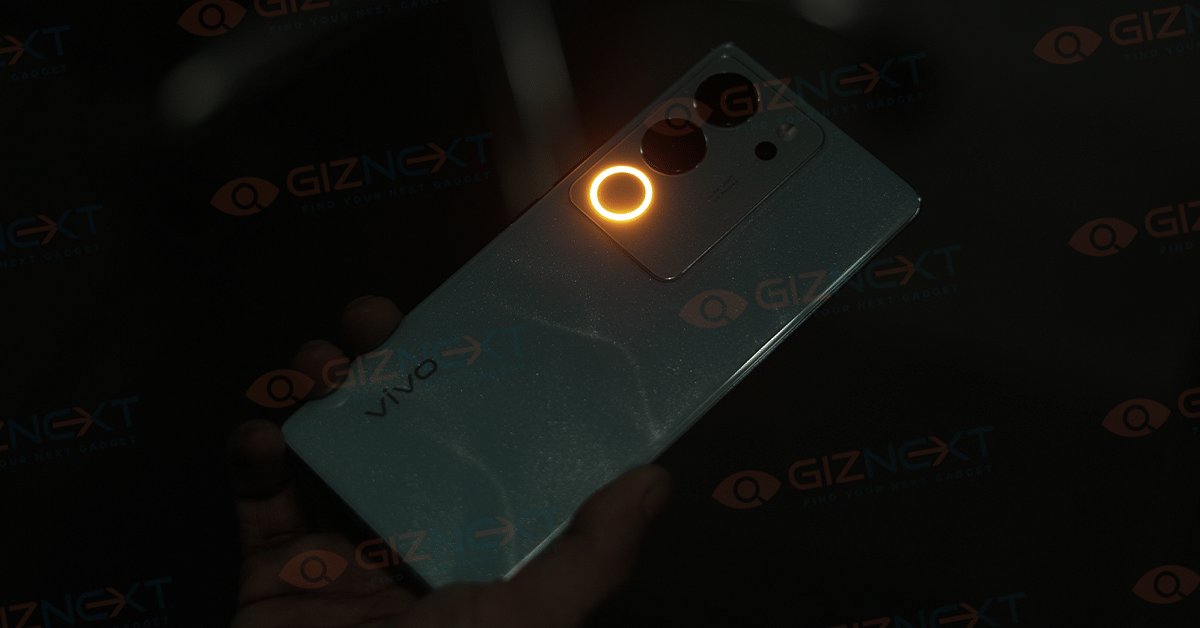
  • Aura light

Cons

  • Bloatware
  • No stereo speakers

Vivo has upgraded its popular V series with the new Vivo V29 Pro, as the successor to V27 Pro. The V27 Pro was known for its unique wedding-style portrait mode. Now, with the V29 Pro, Vivo has added a feature called Aura Light to boost camera performance in tricky lighting conditions. But, is this enough to impress potential buyers? We got a Vivo V29 Pro for review earlier this month, used it for more than a week, and here’s what we think about the phone. Also Read | Vivo V29e Review: The Smartphone’s Camera Steals The Show

What’s Inside The Box?

  • Vivo V29 Pro handset (Himalayan Blue color)
  • Silicon case
  • USB Type-C Cable
  • 80W FlashCharge wall adapter
  • SIM ejector tool
  • Quick start guide
  • Warranty information

Design

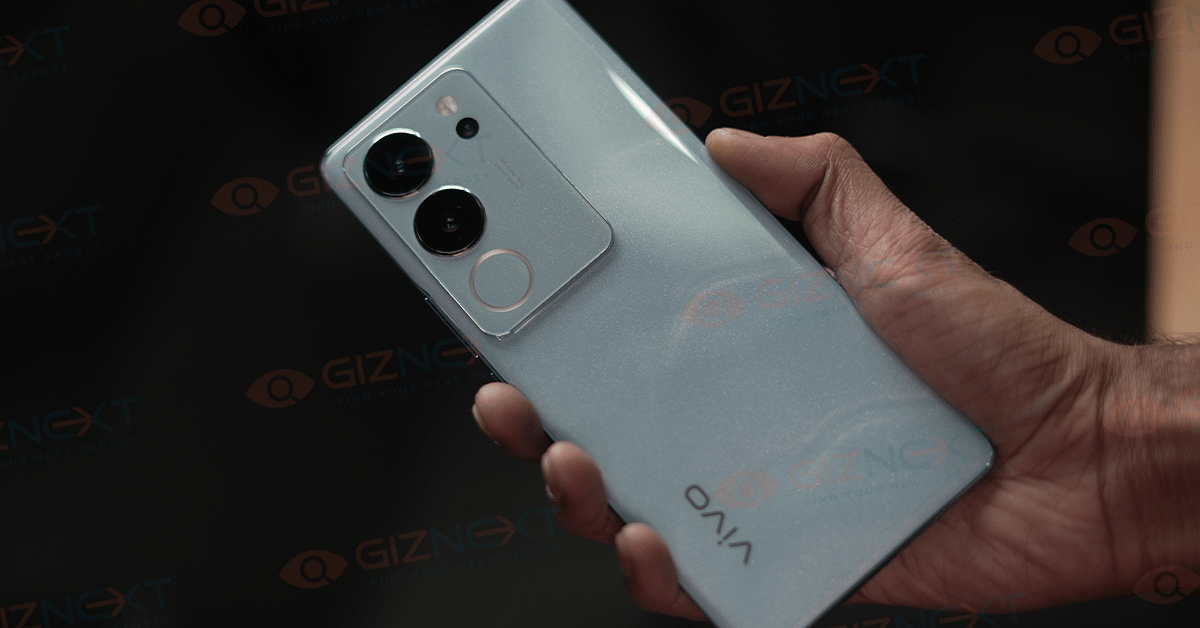
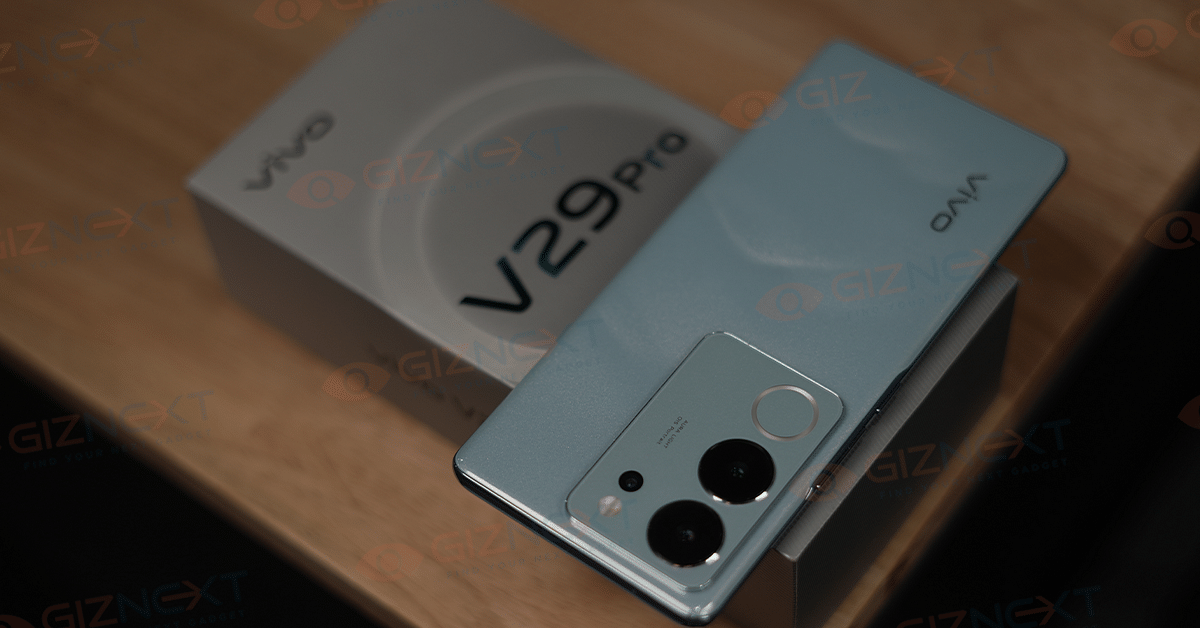
Vivo is popular for making smartphones with beautiful designs, and V29 Pro is no exception. The smartphone offers a sleek and stylish design that truly stands out in the crowd. Vivo has introduced an innovative 3D magnetic particle design on the back panel, using 15 million micron-sized magnetic particles to create a specific pattern, resulting in a unique light and shadow effect.

The Himalayan Blue color variant that we have displays a multi-layered pattern that evokes the beauty of the Himalayan range. While you may not notice it immediately, the floating mountain pattern becomes more appealing over time. It features a prominent camera island with a triple camera set-up, a ring light, and an LED flash.

The phone also features a 3D borderless curved screen, providing a premium look. The curved edges and slim side profile ensure a comfortable feel when holding it for long periods. It comes with a silicon case in the box for added protection.

The side frames are made of plastic, with the right edge housing the volume rocker and power button, both offering good tactile feedback. At the bottom edge, you find a Type-C charging port, SIM tray, and a set of speakers.

Display

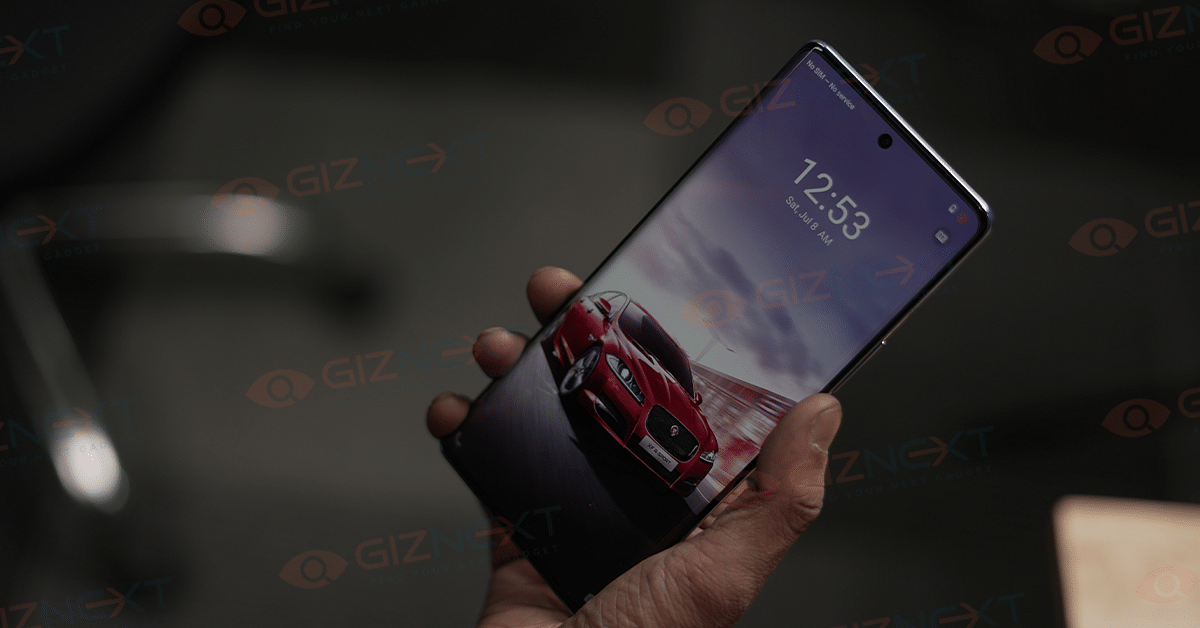
The Vivo V29 Pro comes with a 6.78-inch FullHD+ AMOLED display, offering a refresh rate of up to 120Hz. The screen is vibrant and remains visible even in direct sunlight. However, the adaptive brightness feature, which adjusts the display based on ambient lighting, operates a bit slowly. Nevertheless, the display showcases vivid colors and strong contrast. The two-sided curved display enables gesture navigation, yet it’s important to note that not all apps are optimized for curved displays, leading to issues like the timeline bar overlapping with the curved edges.

Featuring an in-display fingerprint scanner, the V29 Pro provides fast and accurate biometric authentication. While Vivo offers various animation options for fingerprint scanning, the scanner works most efficiently without them.

Performance

Vivo continues to use the MediaTek Dimensity 8200 chipset, a processor with a solid performance history. Paired with either 8GB or 12GB of RAM and offering 256GB of storage, the smartphone offers good performance.

In day-to-day use, the device displays smooth performance across various tasks such as calling, social media usage, video streaming, gaming, and emails. Notably, it maintains a cool temperature during operation. The smartphone handles graphically intense games like Call of Duty Mobile and BGMI at Very High graphics settings and Ultra frame rates. It also handles Genshin Impact decently, meeting the demanding performance requirements of the game, making the V29 series a suitable choice for gaming enthusiasts.

Running on Android 13 with Funtouch OS 13, the Vivo V27 Pro, like its predecessors, is expected to receive two years of Android updates and three years of monthly security updates. Funtouch OS brings software enhancements, personalization options, privacy features, and controls. However, it comes with pre-installed apps, including game folders, which may contribute to phone clutter. This is a common issue with Chinese phone brands, not exclusive to Vivo.

Also Read | Vivo V27 Smartphone Review: A Shutterbug’s Delight

Camera

The Vivo V29 Pro maintains the rectangular camera module on its back housing three sensors, namely a 50MP OIS-enabled primary camera, a 12MP portrait camera with 2x zoom, and an 8MP angle ultra-wide camera.

The Smart Aura Light setup has seen improvements, featuring brighter LEDs and a broader range of tones. The V29 Pro allows users to adjust the Smart Aura light’s intensity from warm red to cool white with simple gestures in the camera app, accessible under the flash adjustment settings. However, it’s worth noting that the Camera app’s user interface could benefit from improvement as navigating certain options can be overwhelming.

Once accustomed to it, the Vivo V29 Pro provides numerous options for customization. Daylight photos with HDR exhibit natural enhancement and sharpness, thanks to the 50MP primary camera that delivers a balanced mix of contrast, shadows, and saturation. For those preferring more natural colors, options to disable HDR and AI-powered color detection are available. Portrait shots with the primary camera (1x zoom) and the 12MP portrait camera both showcase improved edge detection and sharpness.

In portrait mode, the V29 Pro offers various “styles,” including a Wedding mode that enhances facial details while keeping the background bright and blurry. When paired with the Smart Aura Light, especially for close-ups, the results can be impressive.

The Smart Aura Light proves useful in low-light environments, although it may soften facial details. Nonetheless, it still achieves a pleasing blurry background effect, particularly appreciated by users. The primary camera can record 4K30fps videos with stabilization, but there’s no video recording option in portrait mode.

Battery

The battery performance of the Vivo V29 Pro is impressive, despite its 4,600mAh rating. During our usage, the device consistently lasted a full day with some battery percentage remaining at the end.

Our daily activities involved scrolling through Instagram reels, listening to music on Spotify, watching videos on YouTube, and more. Additionally, the phone supports 80W fast charging, an improvement from the V27 series’ 66W. This capability allows the V29 Pro to charge from 0 to 100 percent in just 48 minutes.

Final Verdict

The Vivo V29 Pro makes for a good recommendation overall, although opinions on the software experience are varied. It particularly appeals to individuals seeking a camera-centric smartphone within the Rs. 40K price range. The V29 Pro impressively enhances colors and certain scenes, allowing users to effortlessly share photos on their preferred social media platforms without the need for extensive editing. Beyond its camera capabilities, the phone delivers lag-free performance and great battery life, coupled with fast charging speeds.

Also Read | Vivo T2 Pro Review: A Feature-Rich Smartphone On A Budget

Categories
Accessories Featured Reviews

Audio- Technica ATH-SQ1TW TWS Review: Tiny Beasts

Audio-Technica is a known name in the audio accessory industry. The Japanese firm has created a strong portfolio with a wide range of audio products and has also started marking its presence across the TWS segment. The ATH-SQ1TW TWS earbuds is brand bet in the sub Rs. 10,000 price bracket in India. Now, this segment is fairly populated and we have multiple options loaded with different set of technologies.

The Audio-Technica ATH-SQ1TW carries an MRP of Rs. 8,710 but can be purchased at Rs. 7,490 via online retailing stores. Advanced features like Google Fast Pair and fast charging are included with the ATH-SQ1TW earbuds. But does this pair makes for a good buy? How is the audio and overall user experience with the ATH-SQ1TW earbuds? At Giznext, we got the pair for review and below is our feedback.

Pros:

  • Subtle and sturdy case design
  • Good wearing comfort with daily and outdoor use
  • Google Fast pair allows seamless and easy pairing with compatible devices
  • Good audio signature

Cons

  • Case comes void of wireless charging support
  • No ANC (Active Noise Cancellation)
  • No dedicated app support for further tuning

Audio Technica ATH-SQ1TW TWS Earbuds: Design Review

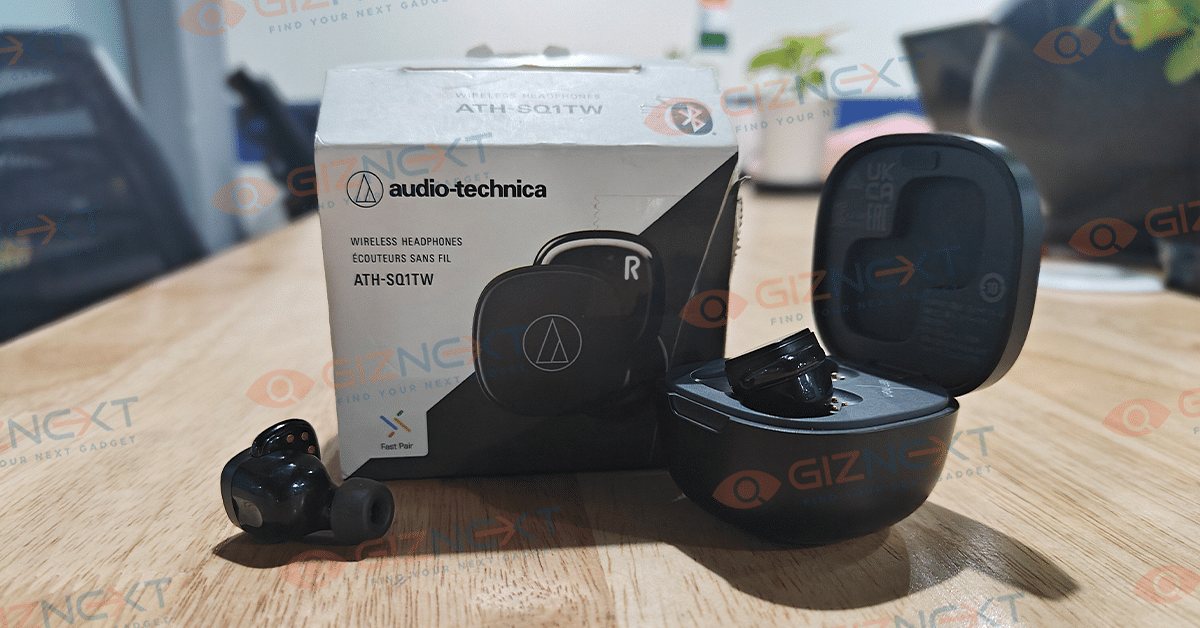
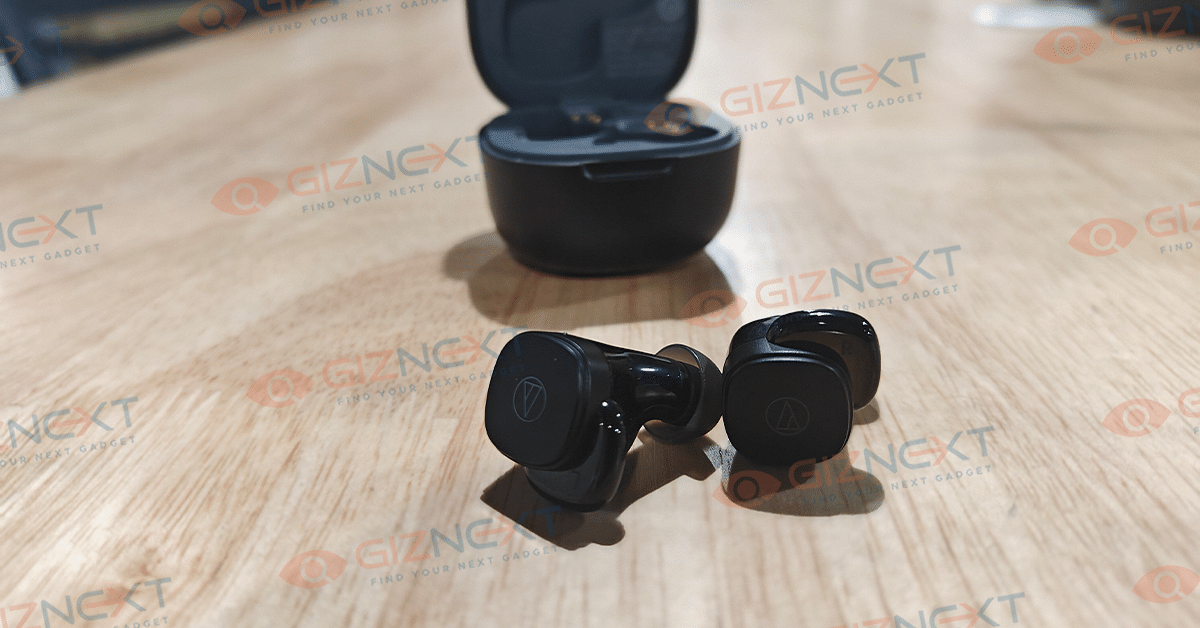
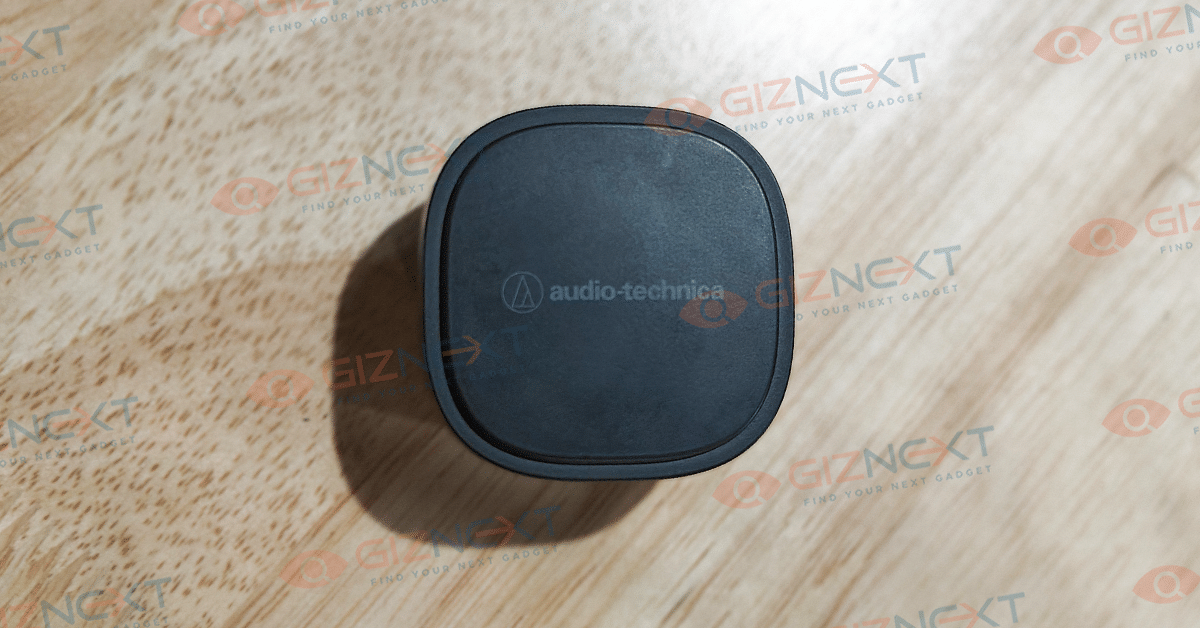
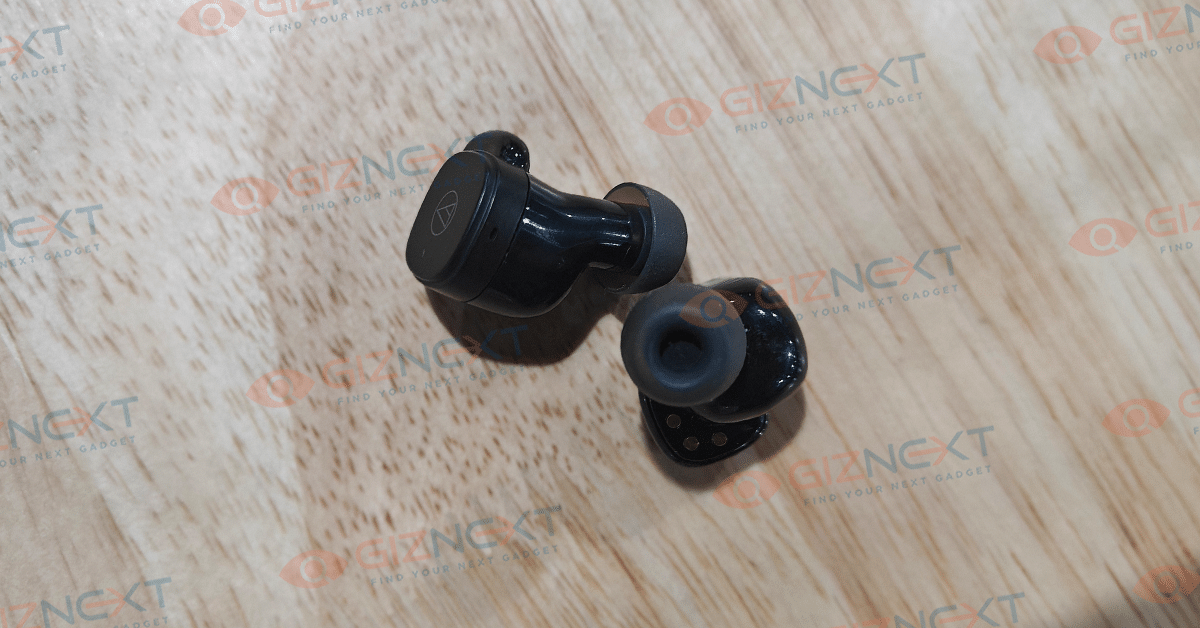
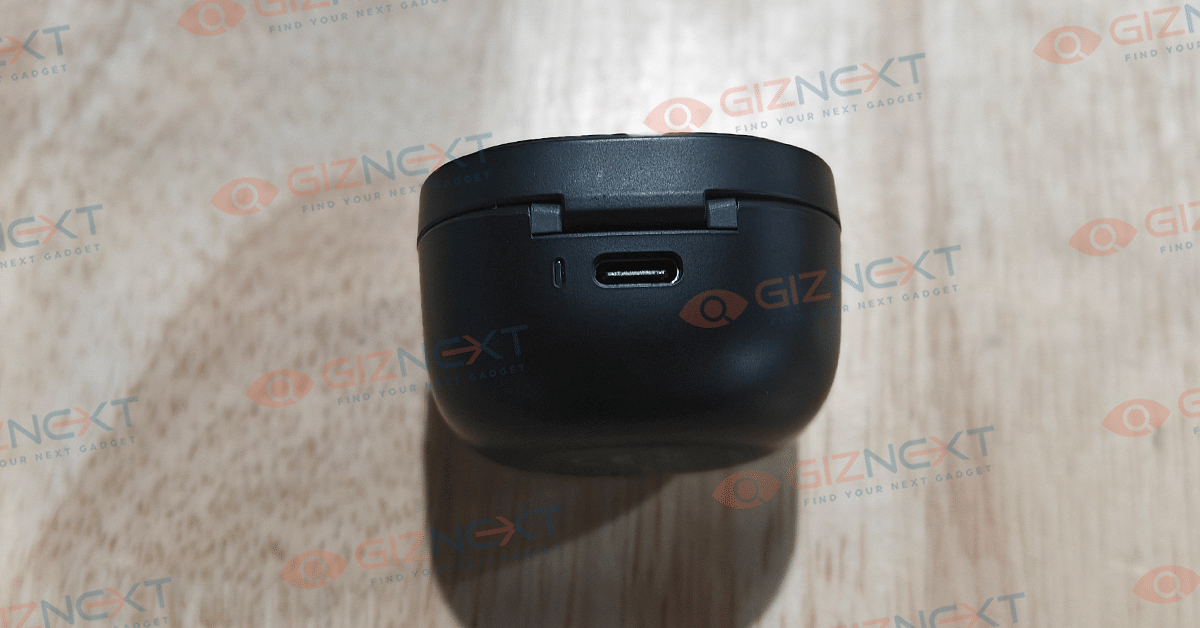
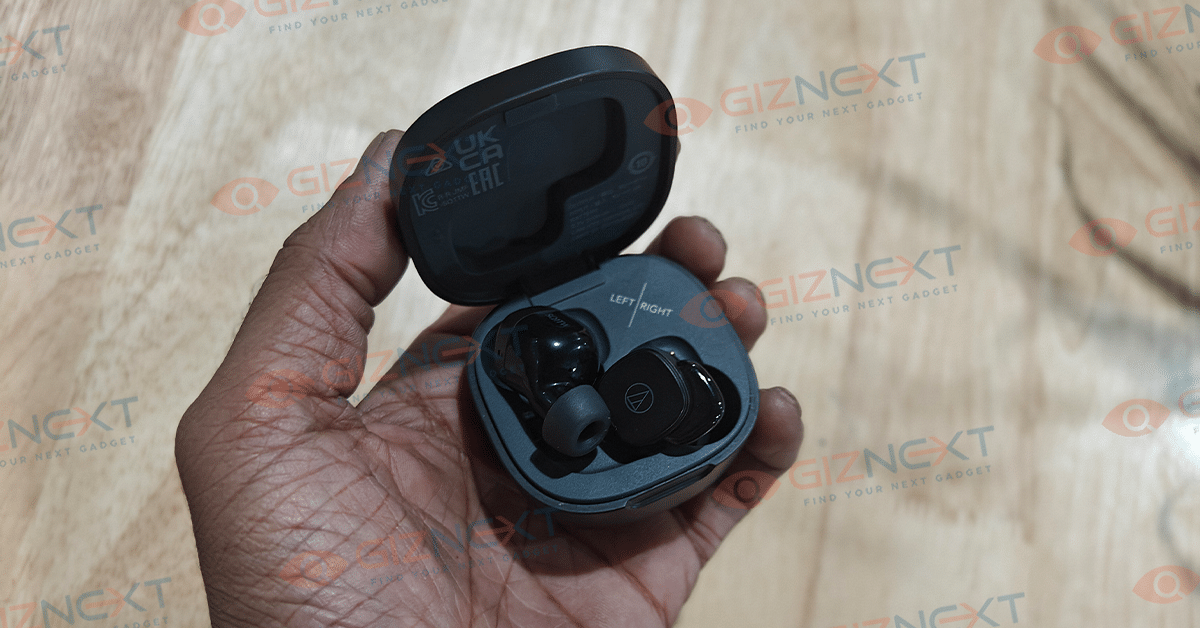
The Audio-Technica ATH-SQ1TW TWS earbuds ship inside a cube-shaped case. The charging case isn’t bulky and can easily fit into cramped spaces inside your bag or pockets. The earbuds shape is also different from the usual stem-shaped buds. This pair features square-shaped earbuds with a tiny fins bulging outwards.

The earbuds might feel a bit bulky at the first glance but the added fin allows for a secure and comfortable grip throughout. You do get additional pair of eartips; so, select the one that is apt for your ear size.

No discomforts with its usage throughout even while using the pair with outdoor activities which is impressive. For controls, you’ll have to rely on the touch controls of the earbuds. You just need a few taps for playback and audio controls. The control functions are fixed which we have listed below.

  • Single tap on the right earbud: Play/ Pause
  • Single tap on the left earbud: Volume up
  • Double tap on the right earbud: Play forward
  • Double tap on the left earbud: Volume down
  • Triple tap on the right earbud: Play previous track
  • Press and hold right earbud: Hear-through mode
  • Press and hold left earbud: Activate Low latency mode

Audio Technica ATH-SQ1TW: Audio Performance

Audio Technica has shown its ingenuity with the ATH-SQ1TW TWS earbuds. The reason we say this is due to the fact that despite coming void of ANC (Active Noise Cancellation), this pair provides a rich soundstage. There’s hardly any compromise when it comes to the overall sound quality delivered by this tiny pair.

This pair will please all the bass-heads and audiophiles who demand a premium listening experience. The ATH-SQ1TW audio performance isn’t solely apt for media playback; you’ll get a top notch experience while gaming too.

What impressed us is the vocal/ dialogues didn’t get muffled which is a common issue with standard TWS earbuds. Despite the missing ANC, this pair surprisingly does a good job with noise blockage passively. This allows you to get an ANC like experience where you don’t get disturbed with surrounding noises and can seamlessly enjoy your music on-the-go.

This isn’t any shrill sounding TWS, rather you get to listen a balanced soundstage where the lows, mids, and highs don’t overlap. Besides, the thumping bass without any equalizer tweak is a delight to listen. Speaking of which, the Audio Technica doesn’t feature any dedicated app compatibility. All the settings with sound profiles and audio formats are default. But you can change the equalizer settings of the media player that you are using for music playback.

Also Read: Sony WF-1000XM5 TWS Earbuds With ANC, Up to 8 Hours Battery Life Launched In India: Features, Price

Audio Technica ATH-SQ1TW Review: Audio Formats, Pairing, Calling Experience

Pairing is an easy process with the Audio Technica ATH-SQ1TW earbuds. It uses Bluetooth 5.0 technology for quick pairing with Android and Apple devices. Now, this might be a bummer for some users considering the pairing is priced over Rs. 5,000 and has just one audio profile supported. As for the calling experience, the ATH-SQ1TW earbuds does a good job overall. The voice quality is clear on both caller’s and receiver’s end.

Also Read: MIVI Duopods K1 Budget TWS Review: Basic Yet Practical

Audio Technica ATH-SQ1TW Earbuds: Battery Backup

The Audio Technica ATH-SQ1TW earbuds offers a good battery backup. With continuous playback, this pair can easily last over six hours. But this is when the audio levels are set at 60- 70 percent. At the loudest audio levels, the ATH-SQ1TW earbuds delivers a slightly lower backup. Thanks to the fast charging support, this pair gets 60 minutes of backup within just 5 minutes.

Also Read: OPPO Enco Air3 Pro TWS Earbuds Review: Takes The Top Spot?

Audio Technica ATH-SQ1TW Review: Final Verdict

Those who can’t compromise on the audio experience, the Audio Technica ATH-SQ1TW earbuds is an apt pair. This is specifically when considering the fact there isn’t any ANC support or additional audio profiles that can refine the listening experience. The ATH-SQ1TW can be the daily driver for all your music listening sessions.

Also Read: OPPO Enco Buds2 Budget TWS Earbuds Review: Is It The Perfect Buy?