Categories
How To Mobile

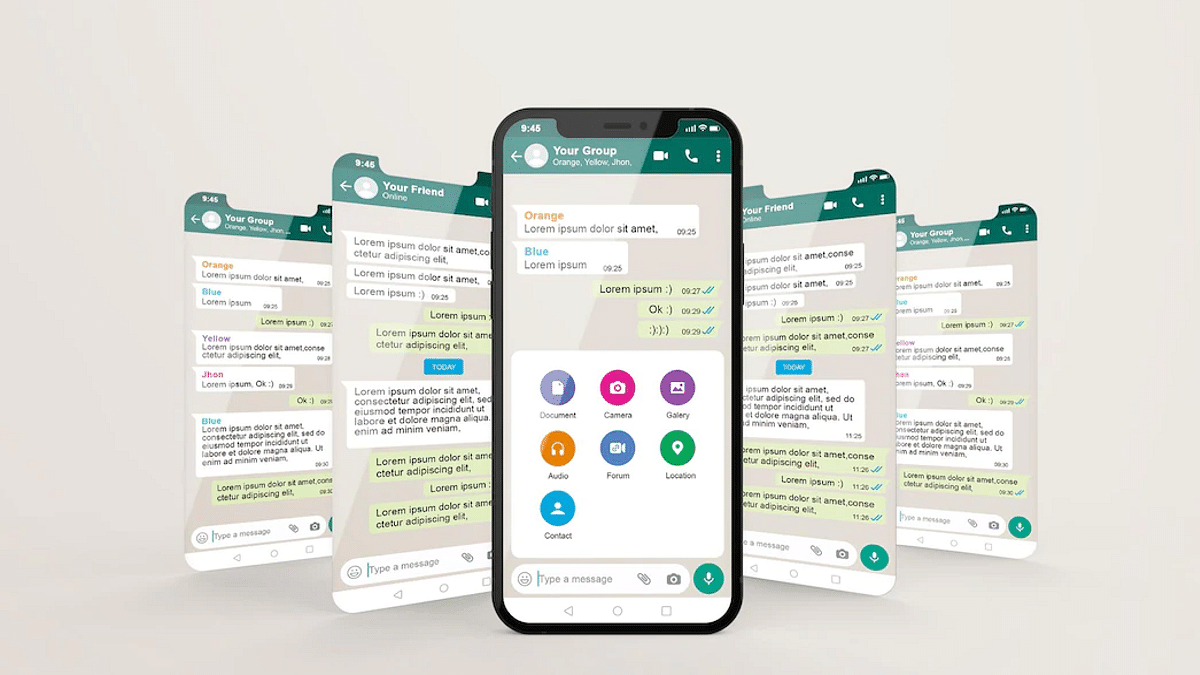
How To Create Manual, Automatic WhatsApp Chat Backup On iCloud Using iOS

WhatsApp is one of those applications which has over a million users in the global markets. This messaging application has been made available for both Android and iOS smartphone users. The company has also released the web version of this application which can be used on laptops and PCs. It wouldn’t be wrong to say that WhatsApp is currently the prime mode of communication for smartphone users all across the globe including in India.

You would generally get all the latest features that WhatsApp adds to its platform on both Android and iOS ecosystems. But what remains the same since the beginning is the format where you can access your previous chats and conversions with different contacts at any given point in time. All the chats are stored and will be available on our devices unless deleted manually.

WhatsApp also lets you create chat backups which you can set to default so that you don’t lose the chat data be it texts or media files. Creating a backup is one of the safest ways to protect your WhatsApp data from accidental loss. But you would need to restore the old backup to see the previous chats with any contact.

In this article, we are guiding you with the methods with which you can create a WhatsApp backup on iCloud. We will also be covering the process to restore the chat history using iCloud in the next article.

How To Create WhatsApp Back Up To iCloud

Using Manual Backup Method

If you are opting for the Manual backup method, the chat history will be saved only till the time performed the manual backup. The steps for a manual backup are below:

Step 1: Launch the WhatsApp application on your respective iPhones.

Step 2: Open the WhatsApp settings.

Step 3: Click on Chats and then select Chat Backup.

Step 4: Tap on Back Up Now.

Setup Automatic Backup

If in case you want to get free from the hassle of creating a manual WhatsApp backup on iCloud then using setting up an automatic backup is the best option. Once you have activated the Auto Backup option all your WhatsApp chats will be saved on your iCloud account. It could take a while for the backup to be completed. It all depends on the internet speeds.

Step 1: Make sure you are signed in to your Apple ID with which you access your iCloud.

Step 2: From the Chat backup, select Auto Backup.

Step 3: Select the frequency for backup.

That’s it, your WhatsApp chats will now be backed up automatically to the iCloud account. Besides an active Apple ID, you would need an iPhone running on iOS 12 or above. Also, the device should have enough space on both iCloud and iPhone. You can also set back up over Wi-Fi to save your mobile data.
Categories
How To Mobile

Recovery Mode In Vivo: How To Use Recovery Mode In Vivo Phones To Wipe Data And Fix General Issues

Key Highlights

  • Vivo smartphones speeds can be boosted with hard reset
  • Hard Reset can be performed using settings menu
  • Recovery mode can also be used for hard reset of Vivo phones

Vivo is one of the most popular Android smartphone manufacturers in India and the global markets. The brand is competing against the popular Chinese and non-Chinese smartphone brands with the Vivo V, Y, T, U, and X smartphone lineups. All of the Vivo smartphones are equipped with the latest hardware and firmware. Vivo has been using the Android OS along with its in-house Fun Touch OS and OriginOS user interfaces to power all its smartphone lineups.

All Vivo smartphones bring the goodies you would get with the latest Android version. While some of the features are in direct sight, some are hidden and need specific steps to launch. The Recovery mode is one of those options that you can find on any Vivo or other brand’ smartphones that you can use to fix general issues with performance and privacy.

Also Read: OnePlus Call Being Recorded Notification: How To Stop ‘Call Is Now Recording’ Message On OnePlus 10T, 10 Pro, OnePlus 9, 8 Series

Consider forgetting your phone’s password. The recovery mode on your Vivo smartphone will be your savior here and help you reset your device and set it up all fresh. If you aren’t aware of the steps to enter the recovery mode on your Vivo or any other brand’s Android smartphone, this article is what you need to check:

Also Read: Vivo Y100 Detailed Review: 100 Percent Complete Package Or A Mixed Bag?

How To Use Recovery Mode In Any Vivo Or Other Android Smartphone

The steps we have listed here will work with all Vivo smartphones running on Android v8 and above. If you own any other Android phone running on the same or above firmware the steps to enter and wipe the data using the recovery mode would be the same. And also, make sure device battery is over 50 percent so that the entire procedure is completed without any issues.

Step 1: Power off your respective smartphones.

Step 2: Press and hold the power key and at the same time keep pressing the volume up key. Do this until the Fastboot menu pops up on the screen.

Step 3: You’ll get two options on the screen Reboot and Recovery mode. Use the volume down key to scroll to the Recovery mode option.

Step 4: Use the power key to select enter the Recovery mode on your Vivo phone.

Step 5: From the next screen you’ll be able to Reboot System, Wipe Data, Install Update, enter System Repair mode, use power down, and Advanced options. Select the desired option using the power key and boost the performance and privacy of your Vivo phones.

Also Read: Vivo X80 Long Term User Review: Worth A Buy Under Rs. 60,000?

Categories
Mobile Tech News

Infinix Launched Smart 6 Plus With 6.82-inch Display In India: See Price, Specifications, And Availability

Infinix has announced the launch of a new smartphone in India. The Smart 6 Plus smartphone has been launched in a budget segment with a waterdrop notch, rectangular module, fingerprint scanner, and dual camera sensors at the back.

In addition, you will find a dual-LED flash for selfies, video chats, and DTS surround sound system. The newly launched device has a 5000mAh battery along with 10W charging support, 6.82-inch HD+ display, Android 12 (Go Edition), 8MP dual camera sensors, and a 5MP front camera lens.

Infinix Smart 6 Plus Smartphone: Price And Availability

The Infinix Smart 6 Plus will cost you Rs. 7,999; however, this is just an introductory price, which means the price might change after a few days. Notably, the device will be available on Flipkart from August 3rd and will be available in two color options: Miracle Black and Tranquil Sea Blue.

Infinix Smart 6 Plus Smartphone: Specifications Details

The Infinix Smart 6 Plus comes with a 6.82-inch HD+ display along with a waterdrop notch, 440nits brightness, Panda MN228 Glass layer for protection,90.66 percent screen-to-body ratio, and 72 percent NTSC color gamut.

The Newly launched device is powered by the MediaTek Helio G25 processor along with IMG PowerVR GE8320 GPU. Besides, the device has 3GB RAM and 64GB in-house storage. The storage can be expandable up to 512GB which is 3GB of virtual RAM.

Categories
How To Mobile

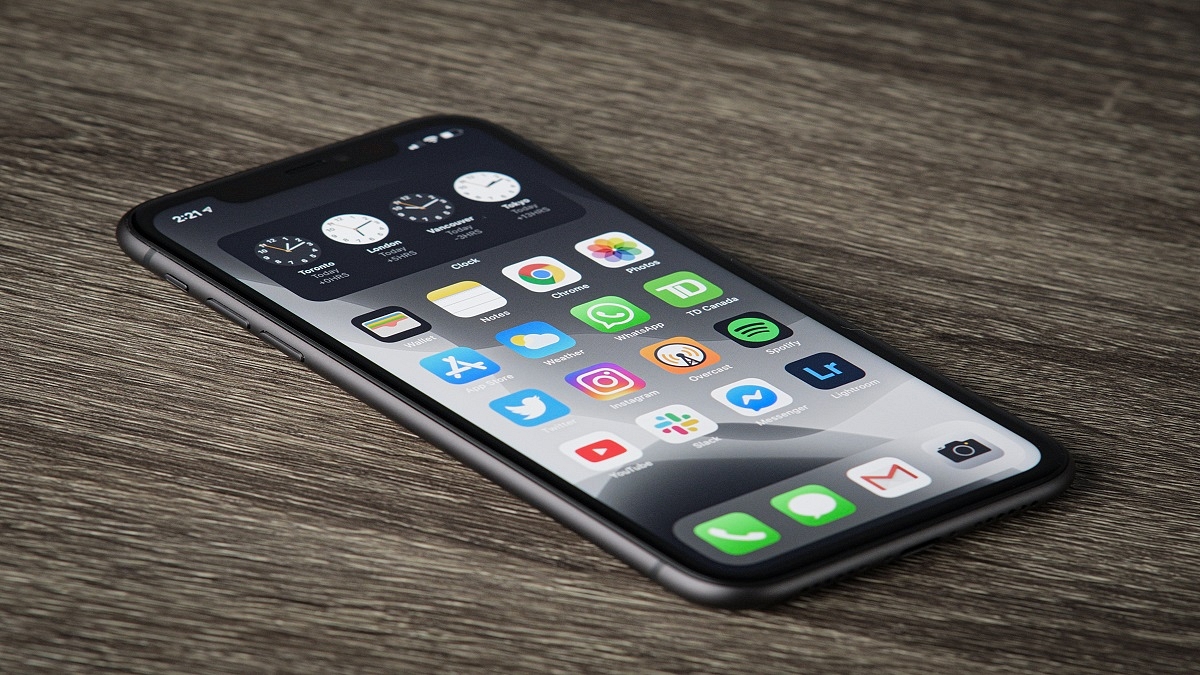
iOS Tips And Tricks To Free Up Your iPhone Space

If you are running out of space on your iPhone or iPad, then we are here to teach you some handy tricks to help you reclaim a lot of that space. We are also going to teach you how to change a few different settings on your iOS devices to help prevent this from being an issue in the future.

How To Free Up iPhone Space?

Here, we are going to help you change a few settings on your iOS devices so that it automatically offloads data to iCloud in order to free up space on your local device. Now, for some of you out there, you may discover that you need to purchase a little bit more iCloud storage, but before we go down that road, let’s start by cleaning up iCloud.

Step 1: Open Settings and tap on your name at the very top.

Step 2: Then, tap on iCloud.

Step 3: Tap on where it says ‘Manage Storage’.

Step 4: On the next screen, you’ll see ‘Backups’ as one of the items towards the top of the list. Tap on it.

Step 5: You can now see all of the different devices that iCloud is currently backing up.

Now, a lot of things that a lot of people forget about is when you purchase a new iOS device, whether that’s a new iPhone or a new iPad, iCloud doesn’t know to stop backing the old device. Furthermore, it is unaware of how to delete those outdated backup files. As a result, many individuals end up buying far more iCloud storage than they actually need as they don’t realize how much space is being taken up by backups of old devices. So, if you see older devices that you have since replaced in the list, just go ahead and tap on them and then select delete back up.

So, now that we’ve reclaimed all of that iCloud storage, we would like to show you two settings that you might want to consider changing.

Optimize Your iPhone Photos

There are a few ways your iPhone can make it easier for you to store images. The first option is to take all of your images in Apple’s new ‘High Efficiency’ mode if you have an iPhone 7 or later. The quality of your images won’t suffer, but each photo takes far less storage space. It’s worth checking again even if it’s already on.

Step 1: Let’s start by going back into Settings.

Step 2: Tap ‘Camera,’ and then tap ‘Formats.’

Step 3: Make sure that the camera capture mode is set to ‘High Efficiency’.

Additionally, you can instruct your phone to preserve lower versions of your photographs on the device while syncing the original full-resolution versions with iCloud. If you send photographs directly from your phone, you’ll be sharing lower-res versions, so this is admittedly a trade-off for the potential gigabytes of space you can save. If you want to turn it on, follow these steps:

Step 1: Open the ‘Settings’ app.

Step 2: Tap ‘General,’ and then tap ‘iPhone Storage’.

Step 3: To the right of ‘Optimize Photos’, tap ‘Enable’.

And there’s more. If you frequently use the iPhone’s HDR mode, you may unintentionally save two copies of each image: the enhanced HDR image and the original, unaltered image that you probably don’t need.

Step 1: Open the Settings app.

Step 2: Tap ‘Camera’.

Step 3: Turn off ‘Keep Normal Photo’ by sliding the switch to the left. That’s all.

Clear Safari’s Cache

All those temporary internet files build up, and your web browser’s cache may be taking up a lot of space. You should be aware that if you do this, all of your cookies will be deleted and you will be logged out of any websites that you are signed into. But you can save dozens of gigabytes by doing this. See our article “How to Clear Safari/ App Cache on iOS” to clear your cache.

Categories
How To Mobile

iOS 16 Tips And Tricks: How To Unsend And Edit Text Messages On iMessages? What’s The Timelimit?

iOS 16 made its debut at the Apple WWDC 2022 event held earlier this year. The Cupertino giant introduced the iOS facelift with tons of new features and upgrades over the previous generation. With iOS 16, Apple made some notable upgrades to the iMessages application and added SharePlay support along with the option to edit or recover recently sent messages.

Currently, all the latest iOS 16 are being tested for a stable release. However, most of them are accessible with the iOS 16 beta version. If your iPhone is eligible for the iOS 16 update, you can download and use the iOS beta version to test all the features. We have previously shared the method with which you can easily install and use the beta iOS 16 on supported iPhones. Now, we will share the steps on how you can use the edit or unsend messages via the iMessages app.

How Can You Unsend Messages Use iMessages on iOS 16 Beta?

Step1: After you have successfully installed the iOS 16 Beta version on your iPhones, launch the iMessages app.

Step 2: Open the chatbox and scroll to the message that you want to unsend or delete.

Step 3: Now, you would need to press and hold on to the text message until the options pop up.

Step 4: From the bunch of options on the screen, select Undo message. Once you perform this step, the message will be deleted.

 We would like to add the time frame within which you can delete an already sent message is two minutes. The sent message will stay permanently in the inbox unless the receiver deletes it if the time exceeds two minutes. Also, the receiver will be notified that a message has been deleted.

Steps To Edit Sent Messages On iOS 16 Beta Version?

Step 1: Launch iMessages application on your respective iPhones.

Step 2: Open the chat window from where you wish to make the changes.

Step 3: Go to the message that you want to edit.

Step 4: Press and hold on the message.

Step 5: Now, select the Edit message option placed right below the Unsend option.

Step 6: Make the required changes and click ok.

Step 7: The message will have an Edited text highlighted next to it once it has been updated.

Categories
Info Mobile

5G Spectrum Auction In India: Reliance Jio Emerges Biggest Bidder

The 5G spectrum auction has already started in India and Reliance Jio, Vodafone-Idea, and Bharti Airtel, including Adani Data Networks, are participating in the same.  The auction started on (July 26th and managed to garner 1.45 lakh crore during the first day.

However, the Government has managed to get Rs. 4,000 crores from the bidding. This means the Government has so far received Rs. 1.49 lakh crore in total. “So far, at the end of the ninth round, we have grossed about Rs. 1,49,454 crores (Rs. 1.49 trillion). We have been able to successfully generate confidence in the industry,” Ashwini Vaishnaw, Communications Minister, informed the media.

Spectrum Auction Bands Battle

It is important to note that the Day 1 of the auction, telecom operators bid for frequencies like 600MHz and other low-band of airwaves, whereas on Day 2 telecom operators bid for the mid-band (C-band) like 3.3GHz and 3.67GHz. The high band like 26GHz airwaves also received bidding from the telecom operators.

It is worth noting that Reliance Jio has spent over Rs. 82, 500 crores on the different bands available on the airwaves. In fact, Jio’s earnest money deposit is also higher than any other operator. 

Meanwhile, Airtel emerged as the second bidder that is close to Rs. 46,000 crores. The telecom operator targeted 3.6GHz of the mid-band and 26GHz in the high band in the auction. However, it is expected that Airtel will not go for 700MHz bands.  Similarly, Vodafone-Idea spent Rs. 19,000 crores on the mid and high-band airwaves.

On the other hand, Adani Group spent Rs. 900 to Rs. 1,000 crores in the auction and bid for the 26GHz band.

1800MHz Band: Aggressive Bidding

According to an ET report, the 1800MHz band received aggressive bidding from India’s leading telecom operators Reliance Jio and Airtel. Notably, the band is good for providing connectivity.

The report claims that both fought for the same band in eight circles, including Madhya Pradesh & Chhattisgarh, Himachal Pradesh, Jammu & Kashmir, Northeast, Karnataka, Kerala, UP-West, and Rajasthan.

“In all those places, coverage is very important. To get good coverage, you need a lower band. We are confident that this will provide a very high quality of service to the far-flung areas of our country,” Vaishnaw added.

Categories
Comparison Mobile

Google Pixel 6a Vs iPhone SE 2022 Vs Samsung Galaxy S21 FE: Best Premium Mid-Range Phone To Buy

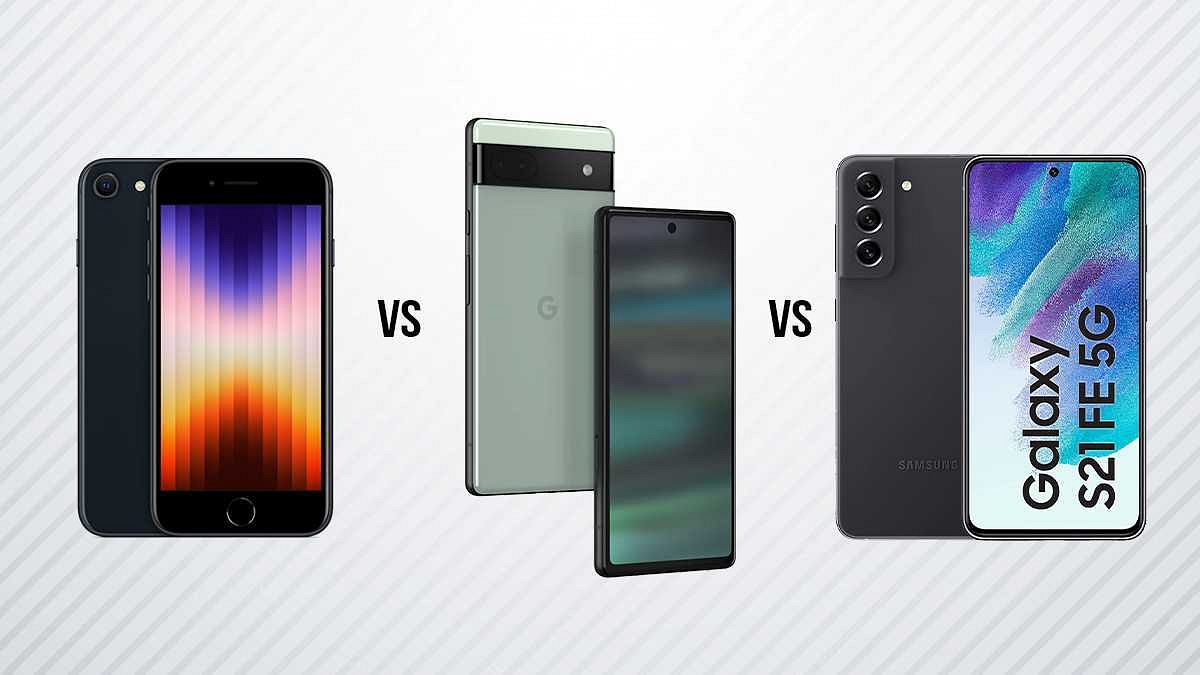
Google Pixel 6a is the latest hotshot in town. After all, Google has refreshed its affordable Pixel series in the Indian market after a break. The Pixel 6a has been released as a powerful premium mid-tier Android handset with a dual camera module and a custom Tensor chipset. The iPhone SE 2022 is a direct competition with the Pixel 6a. This face-off is between the value flagships offered by the two prominent tech giants in the smartphone industry. We are comparing both these high-end mid-rangers in this article. But the list would be incomplete without Samsung which is also popular with its flagship Galaxy S series. The Galaxy S21 FE fits the best contender against the iPhone 2022 and the Google Pixel 6a. Here’s how these three phones compare:

Google Pixel 6a Vs iPhone SE 2022 Vs Samsung Galaxy S21 FE: Display Specifications

The portability factor is on point with the Pixel 6a, iPhone SE 2022, and the Samsung Galaxy S21 FE. Google has used an OLED panel on the Pixel 6a that measures 6.1-inches and supports 1080 x 2400 pixels FHD+ resolution. The iPhone SE 2022 is the most compact on this list with its 4.7-inch Retina IPS LCD screen.

The iPhone SE 2022’s display supports a slightly lower pixel resolution of 750 x 1334 pixels. The Samsung Galaxy S21 FE has a 6.4-inch AMOLED screen with 1080 x 2400 pixels resolution, a 120Hz refresh rate, and HDR 10+ certification. The display panel is good on all three phones, but the Galaxy S21 is more powerful here in terms of features.

Google Pixel 6a Vs iPhone SE 2022 Vs Samsung Galaxy S21 FE: Camera Comparison

All three brands in this list are known for using top-tier camera hardware with their premium devices. The Google Pixel 6a follows the footprints of the new-generation flagship Pixel 6 series and offers a dual rear camera setup. It features a 12.2MP wide-angle main camera with an f/1.7 aperture and a 12MP secondary ultrawide sensor with an f/2.2 aperture.

The iPhone SE 2022 uses a single 12MP rear camera for optics. The main sensor is a wide-angle lens with an f/1.8 aperture and PDAF and OIS support. The Samsung Galaxy S21 has the most powerful camera hardware comprising three sensors at the back.

The Galaxy S21 FE packs a 12MP main camera at the back with Dual Pixel PDAf and OIS support. It is clubbed with an 8MP telephoto sensor with PDAF, OIS, and a 12MP ultrawide sensor with 123-degree FoV. The Galaxy S21 is a step ahead with rear camera hardware compared to the iPhone SE 2022 and the Google Pixel 6a.

Pixel 6a Vs iPhone SE 2022 Vs Galaxy S21 FE: Performance Delivery

You get a flagship performance with all three phones. The Google Pixel 6a delivers on all tasks with a custom Tensor 5nm chipset with Mali-G78 MP20 GPU support. The Pixel 6A comes with 6GB RAM and a 128GB storage option. The iPhone SE 2022 also uses a custom 5nm chipset, i.e., Apple A15 Bionic with Apple quad-core GPU.

The iPhone SE 2022 is available with up to 4GB RAM and 256GB storage configuration. The Galaxy S21 FE is packed with the premium Snapdragon 888 chipset which is also based on a 5nm process. This model has the highest RAM configuration in this list (up to 8GB).

The storage option is up to 256GB. In the case of firmware, both Google Pixel 6a and the Samsung Galaxy S21 FE have the Android 12 OS. However, the Apple iPhone SE 2022 ships with iOS 15.4 which is upgradable to the latest iOS 16.

Categories
Chipset Mobile

Upcoming Phones With MediaTek Dimensity 9000 Plus Chipset

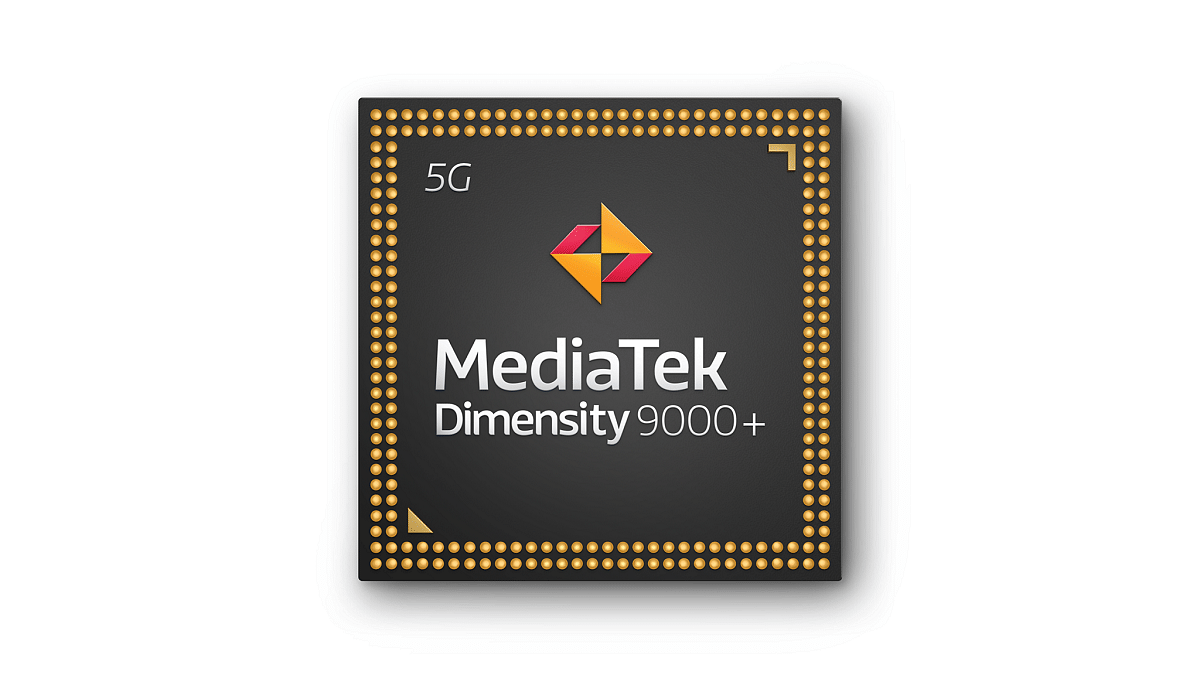
MediaTek has introduced the MediaTek Dimensity 9000+ SoC, joining the plus chipset bandwagon. It is a premium smartphone chipset that competes with Qualcomm’s high-end Snapdragon 8+ Gen1 SoC. The first smartphone powered by MediaTek Dimensity 9000+, according to the manufacturer, may debut in Q3 2022. The CPU and GPU performance are both increased by 5 percent and 10 percent, respectively, by the Dimensity 9000+.

According to reports, the MediaTek Dimensity 9000+ chipset is even more effective and strong than the Dimensity 9000. The major smartphone OEMs are anticipated to employ the Dimensity 9000 Plus in the near future.

Vivo V26 Pro

The Vivo V26 Pro is expected to come equipped with the all-new MediaTek Dimensity 9000+ chipset. It is anticipated to run the Android OS version 12 and includes a decent 4,800mAh battery. In the camera department, there are said to be triple rear cameras. This includes 64MP, 8MP, and 2MP sensors so that you can click life-like images. The Vivo V26 Pro is rumored to launch this year in India.

iQOO 10 Legend BMW Edition

The upcoming iQOO 10 Legend BMW Edition could be powered by the MediaTek Dimensity 9000+ SoC. According to rumors, it will have a 6.78-inch Full-HD+ OLED panel that supports a 120Hz refresh rate and DC dimming. The smartphone is expected to come with 65W or 50W wireless charging support for the 4,700mAh battery pack. The iQOO 10 Legend BMW Edition is expected to release this year in China.

OPPO Reno 9 Pro Plus

OPPO Reno 9 Pro Plus is the upcoming mobile from OPPO that is expected to be launched in India in October 2022. It is said to come with the Mediatek Dimensity 9000 Plus processor. It is rumored to feature a 6.8-inch display with 1080 x 2400 pixels screen resolution. The smartphone is also said to run the Android v12 operating system and might be packed with a 4,700mAh battery.

Asus ROG Phone 6D

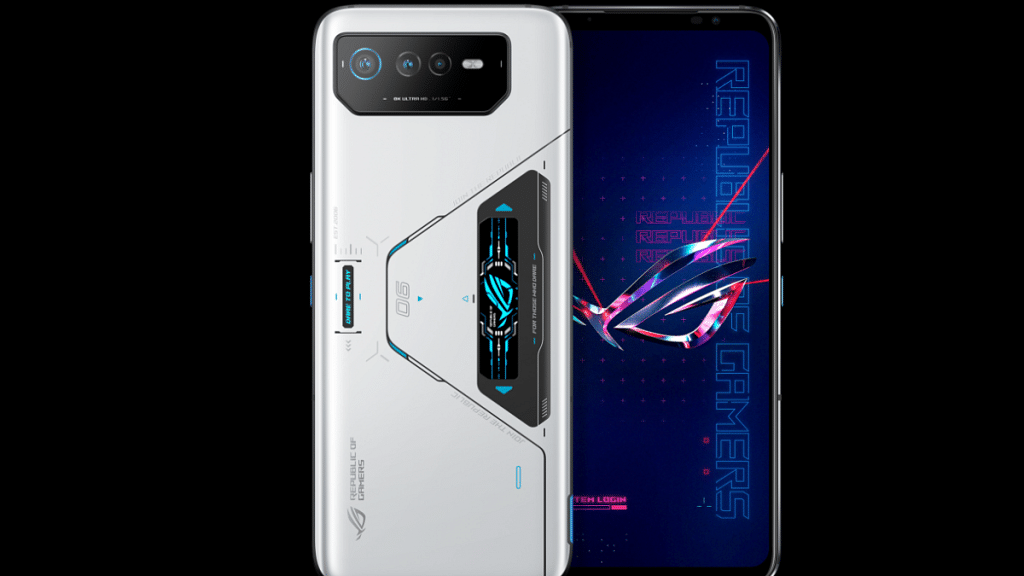
The Asus ROG Phone 6D is an upcoming smartphone that is said to have a chipset of MediaTek Dimensity 9000 MT6893 and a Quad-core (Cortex A510 Cortex A710, and Cortex X2) CPU. It is expected to have an AMOLED screen that is 6.78-inches in size and a wide aspect ratio of 20.4:9. Users can further expect to have a 165Hz refresh rate, 395ppi pixel density, and 2448 x 1080 pixels resolution. The expected price of the Asus ROG Phone 6D is Rs. 72,490.

Categories
How To Mobile

How To Stop/ Deactivate Airtel, Vodafone, BSNL, JIO SIM Flash Messages On Android, iOS?

Key Highlights

  • Flash messages are short, text-based messages that are designed to grab your attention.
  • Most of these flash messages are promotional.
  • The following steps will help the users to disable any kind of promotional messages on Android phones.

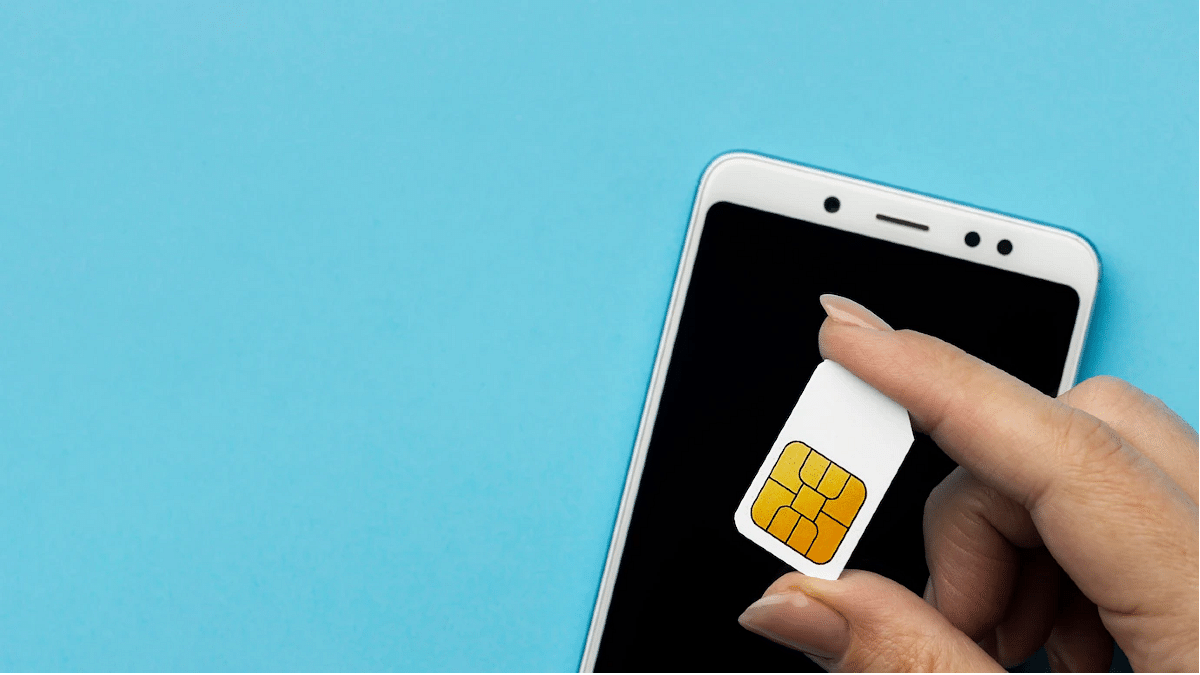
Whether you own an Android or iOS smartphone, it can’t be complete without a SIM card. Not just for smartphones, SIM cards have been the heart and soul of mobile communication from the initial days. Just as smartphone technology is evolving, we have seen developments on a large scale with SIM cards as well. All the large-sized SIM cards are now being replaced with micro and E-Sim.

Using a SIM card with any smartphone is fairly easy. You just have to insert a SIM card from any carrier and take care of the pack recharges to get access to all services. If we speak of the major players in the mobile communication market in India then Airtel, Vodafone, BSNL, and Jio are some names.

Also Read: Airtel Digital TV: How To Add Or Remove Airtel DTH Channels

Now, you can use any of the carrier’s SIM cards with your Android and iOS smartphones. You often don’t get any service messages or calls from the mobile carriers unless your existing plan is getting expired or there are some new services that the brand wants a customer to be aware of. But one of the most annoying messages that you get from Airtel or any other mobile carrier is flash messages.

Is there any direct way in which you can turn off flash messages from Airtel, Vodafone, Jio, and other mobile carriers in 2022? The answer is yes. We have shared fresh methods with which you can easily disable flash messages on any Android and iOS smartphone.

Also Read: Recharge Your Delhi Metro Card Using Airtel Thanks App: Here’s How

How To Disable Airtel Flash Messages On Any Android Smartphone?

The first and direct way to disable Airtel flash messages on your smartphone would be using the SIM toolkit settings on your Android smartphone. This method will work for both Airtel prepaid and postpaid customers.

Step 1: On your Android smartphone, open the App drawer.

Step 2: Locate the Airtel Services app. Tap on it.

Step 3: Select the Airtel Now option.

Step 4: You will get a bunch of options from where you need to click on Start/ Stop.

Step 5: Select the Stop option.

Now, go back to the home screen and start using the smartphone as usual. You will not get any flash messages from Android after completing all these steps. Notably, if you own a Vodafone, BSNL, or JIO SIM card, the steps would remain the same to deactivate flash messages using the carrier app.

Also Read: Airtel Gives The Best Download Speed, Jio Leads In Availability: OpenSignal

Categories
Info Mobile

Best Smartphones With 8GB RAM Under Rs. 15,000 To Buy In India

As smartphone manufacturers add more RAM to them every few months, modern smartphones are becoming more and more RAM-demanding. 8GB of RAM was once regarded as being extremely large for smartphones. It was even considered a lot for computers.

Nowadays, smartphones come with 12GB, 16GB, and even 18GB of RAM. The best 8GB RAM mobiles are available in both mid-range and flagship models. Here, we’ve put up a list of the best phones with 8GB of RAM under Rs. 15,000 if you’re seeking to buy a new one.

Samsung Galaxy M31

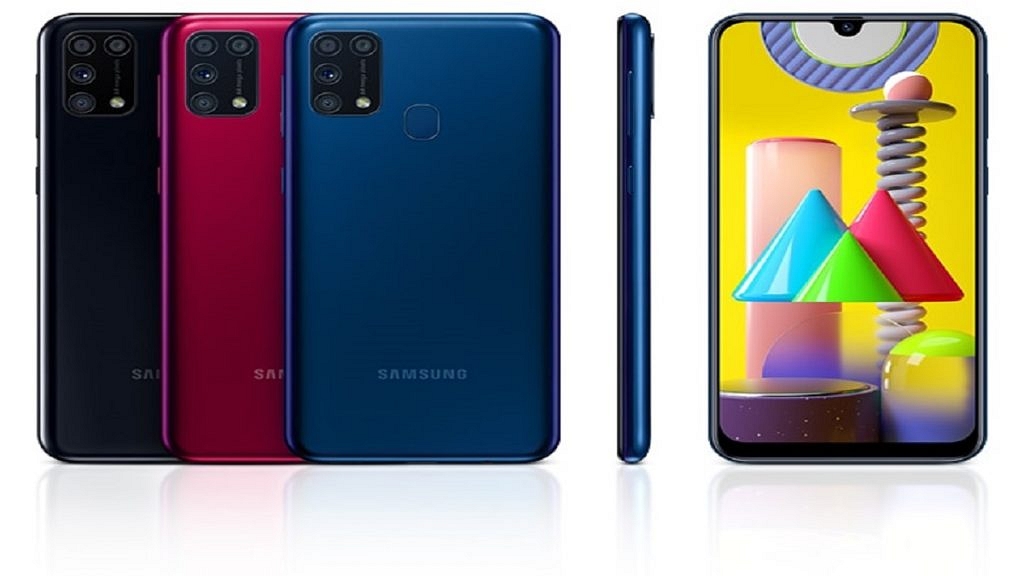
The Samsung Galaxy M31 comes with 8GB of RAM and 128GB of inbuilt storage. It flaunts a 6.4-inch display offering a resolution of 1080 x 2340 pixels. The device is powered by Octa-core Samsung Exynos 9 Octa 9611 processor. In addition to this, the smartphone runs Android v10 (Q) OS and houses a decent 6,000mAh battery. The Galaxy M31 is available for purchase at Rs. 14,999 in India.

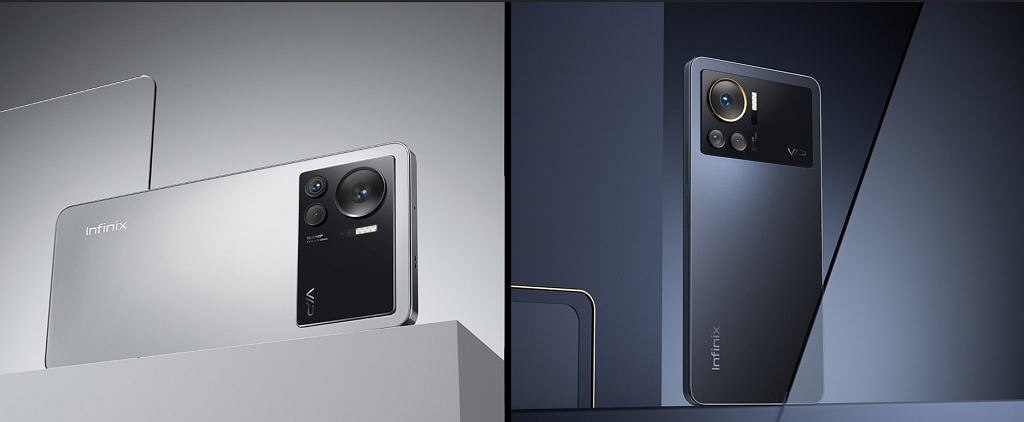
Infinix Note 12 Turbo

The Infinix Note 12 Turbo has 8GB of RAM along with 128GB of internal storage that can be expanded by up to 512GB. The smartphone sports a massive 6.7-inch AMOLED display with 2400 x 1080 pixels resolution. It uses the MediaTek Helio G96 chipset to handle its internal operations. The device houses a battery of 5,000mAh capacity that is compatible with 33W Fast Charging. The Infinix Note 12 Turbo will cost you Rs. 13,999 in India.

Xiaomi Redmi 10 Power

The Xiaomi Redmi 10 Power is backed by 8GB of RAM and 128GB of internal storage. The phone comes with a 6.71-inch IPS LCD display that includes a resolution of 720 x 1600 pixels. It is further protected by Corning Gorilla Glass v3. The smartphone is equipped with the Qualcomm Snapdragon 680 chipset and Adreno 610 GPU for graphics. As for power, the device has a massive 6,000mAh non-removable battery. The Xiaomi Redmi 10 Power can be purchased for Rs. 14,999 in India.

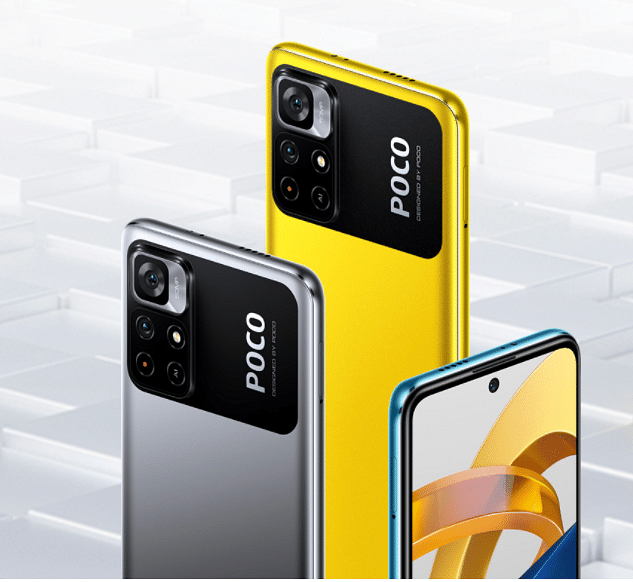
POCO M4 Pro

The POCO M4 Pro 8GB RAM has an expansive RAM technology that allows users to experience a substantial RAM of 11GB. It has a 6.43-inch AMOLED Dot display having a resolution of 1080 x 2400 pixels. The device is powered by the MediaTek Helio G96 chipset coupled with a Mali-G57 MC2 GPU. It further has a 5,000mAh battery capacity that is compatible with a 33W Pro Fast Charging technology. The POCO M4 Pro can be availed online for Rs. 13,999.

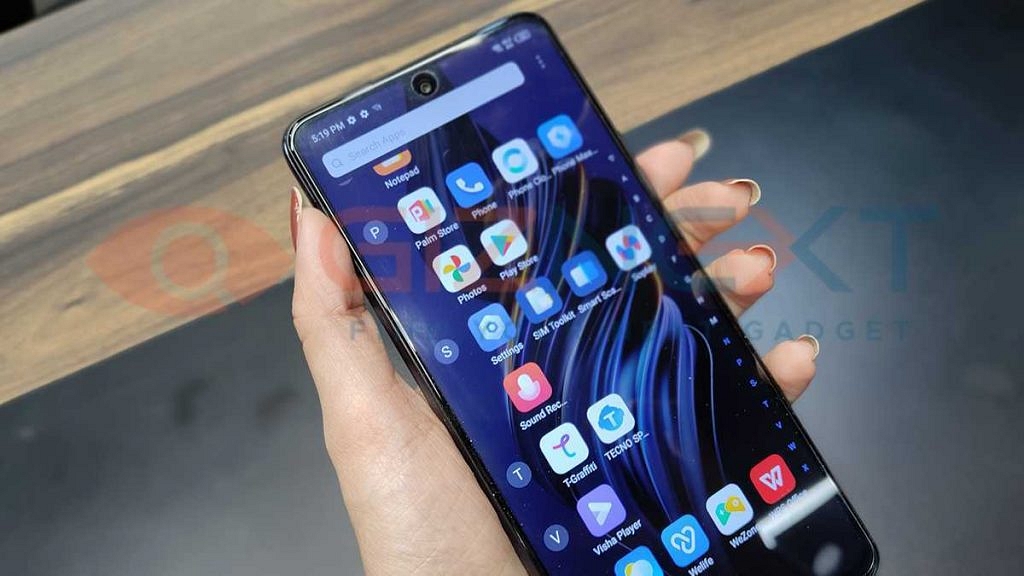
Tecno Pova 5G

The Mali-G68 MC4 GPU and 8GB RAM are supported by the MediaTek Dimensity 900 MT6877 chipset, which powers the Tecno Pova 5G. The large 6.9-inch bezel-free IPS LCD front screen of the phone has a punch-hole in the center which houses the selfie camera. The device’s massive 6,000mAh 18W Flash provides all of the power it needs to function. The starting price of Tecno Pova 5G is Rs. 15,299 in India.