Categories
Featured Leaks Mobile

iQOO 9T Live Unboxing Video Surfaces Just Ahead Of Launch; Full Design, Features Out

iQOO 9T India launch is just around the corner. The next flagship iQOO gaming phone is scheduled to launch this month itself in India. As per the rumors, the iQOO 9T will be debuting in the country as the rebranded version of the iQOO 10 which is also slated for July launch in China. The device is confirmed to be available in the country via the e-commerce platform Amazon. Now, a popular YouTuber has shared an unboxing video of the iQOO 9T BMW edition right ahead of the launch.

iQOO 9T Unboxing Video Surfaces On YouTube

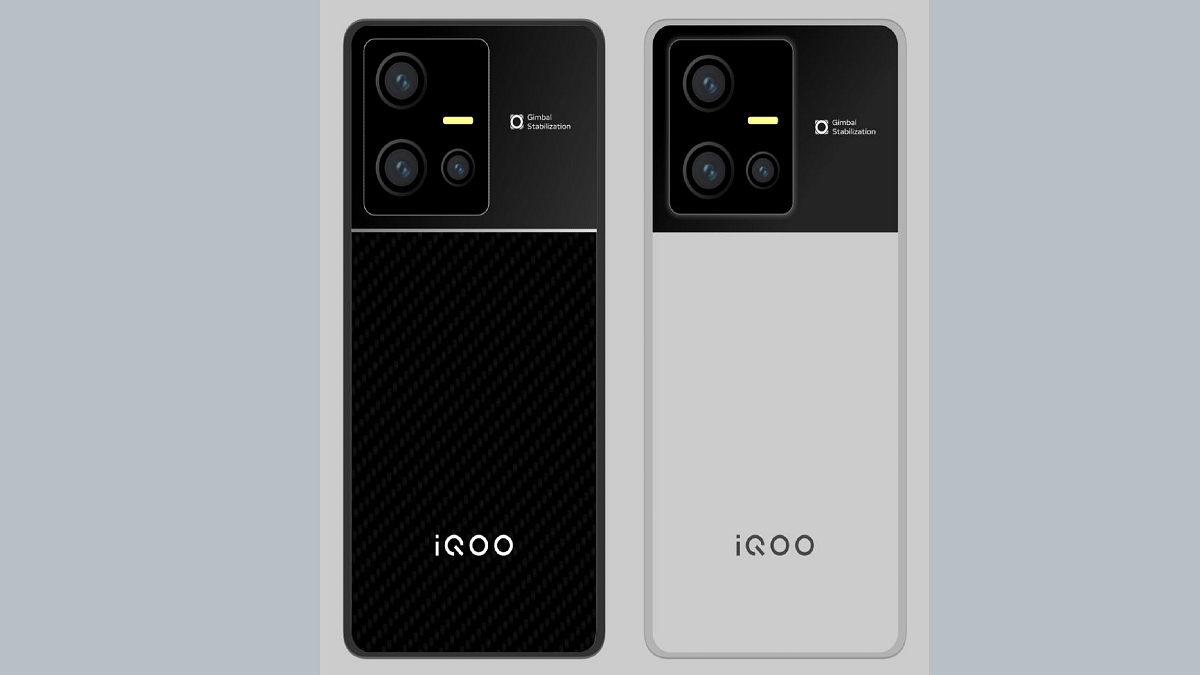
The iQOO 9T unboxing video has been uploaded on YouTube by Tech Burner. The design of the upcoming flagship gaming iQOO phone has been revealed in full glory. The YouTuber has shared the unboxing video of the iQOO 9T BMW Edition which can be seen sporting the white rear surface with red/black/blue stripes running down the camera module.

The video also shows a black color variant of the iQOO 9T. Notably, both color variants offer a dual-tone finish. The rectangular camera module painted in black adds to the dual-tone effect. The glass back panel is surrounded by a metallic frame. Both volume and the power keys are placed on the right panel. The bottom panel accommodates the USB Type-C port and a 3.5mm headphone jack.

The iQOO 9T retail box contents include a SIM ejector tool, user manuals, USB Type-C charging cable, and a 120W power brick. The retail box also packs a transparent back panel which will safeguard the handset from scratches and smudges. The unboxing video also confirms a punch-hole camera cutout upfront for selfies and video calling. The iQOO 9T’s display will also integrate an in-display fingerprint scanner for biometrics.

iQOO 9T Expected Specifications

The iQOO 9T unboxing video shared by Tech Burner also confirms the key specs. The live hands-on video confirms the presence of the Snapdragon 8+ Gen 1 processor. This same detail has been tipped by multiple other leaks in recent times. The octa-core premium chipset will have LPDDR5 RAM support along with UFS 3.1 storage.

The unboxing video of the iQOO 9T has also confirmed a 50MP primary Samsung GN5 camera lens at the back. The handset will come integrated with the Vivo V1+ imaging chip for enhanced photography.

Categories
Featured How To Mobile

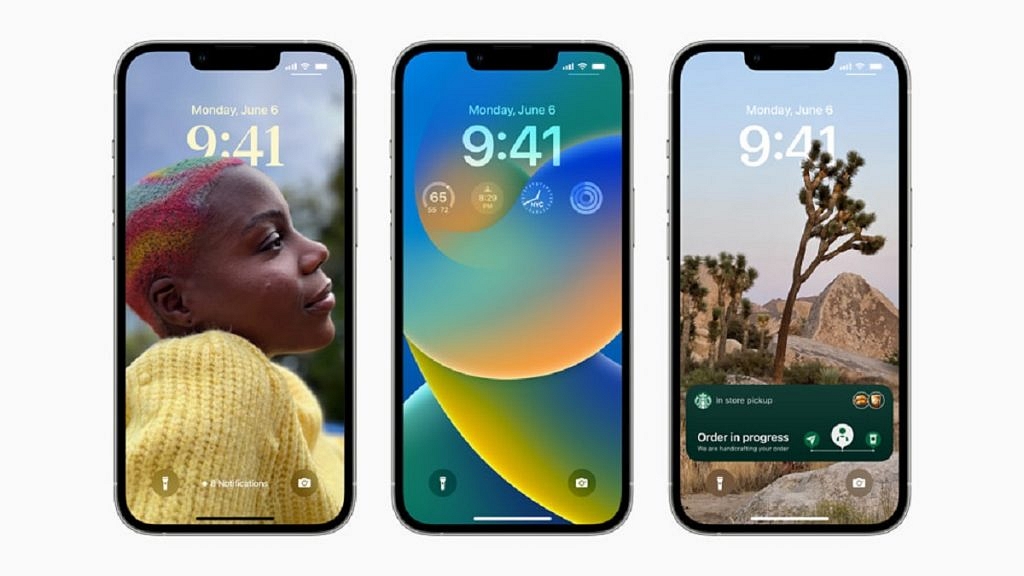
Apple iOS 16 Tips And Tricks: How To Turn On Keyboard Haptics In iPhone

The public beta of iOS 16, Apple’s most recent iPhone software update, is now accessible. Therefore, if you have an iPhone 8 or later, you can test the beta version of iOS 16 and begin using features months before the official release in the fall.

With the most recent iOS version, users can use the native keyboard with haptic feedback. In this post, we’ll help you learn what a haptic keyboard is and how to use it on an iPhone. Let’s check it out:

What Is A Haptic On iPhone?

You might hear a clicking sound as you press each key when you type on your iPhone keyboard. It is known as haptic feedback. The touch-based responses your device provides when you interact with the screen are known as haptics. For instance, when you tap and hold a picture to access it, you might feel your iPhone vibrate.

Many individuals enjoy the vibrational effect they receive when pressing keys on their device’s keyboard. But Android users are the only ones who can experience this. The iPhone does not currently have a built-in function that would enable it.

Steps To Enable Keyboard Haptics On iOS 16

Apple is finally giving the iPhone a built-in keyboard haptics feature, following the lead of Android. You can experience vibrations while you type thanks to haptics. The good news is that you can now access haptics without installing third-party software. The purpose of keyboard haptics is to provide users with a tangible confirmation while they type. As the user types, these vibrations serve as “confirmations.”

On your iPhone, the keyboard haptics is still disabled when you download iOS 16. Here’s how to activate the iPhone’s keyboard haptics.

Step 1: Go to the Settings app on your Apple iPhone.

Step 2: Click on the ‘Sounds & Haptics’.

Step 3: Scroll down and select ‘Keyboard Feedback’.

Step 4: Then next to Haptic, tap the toggle to enable iPhone haptic keyboard.

You can also disable the sound effect for keyboard feedback after turning on the haptic keyboard. As you might anticipate, unlike sound keyboard feedback, haptic keyboard feedback functions when your iPhone is configured to ring or silent.

Categories
Featured Info Mobile

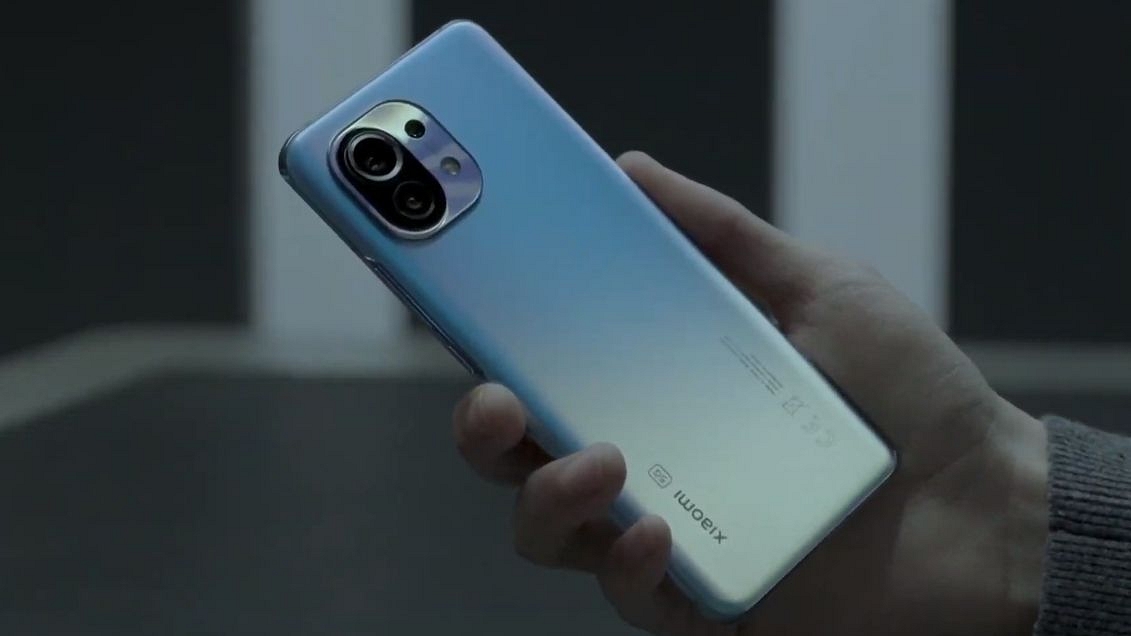
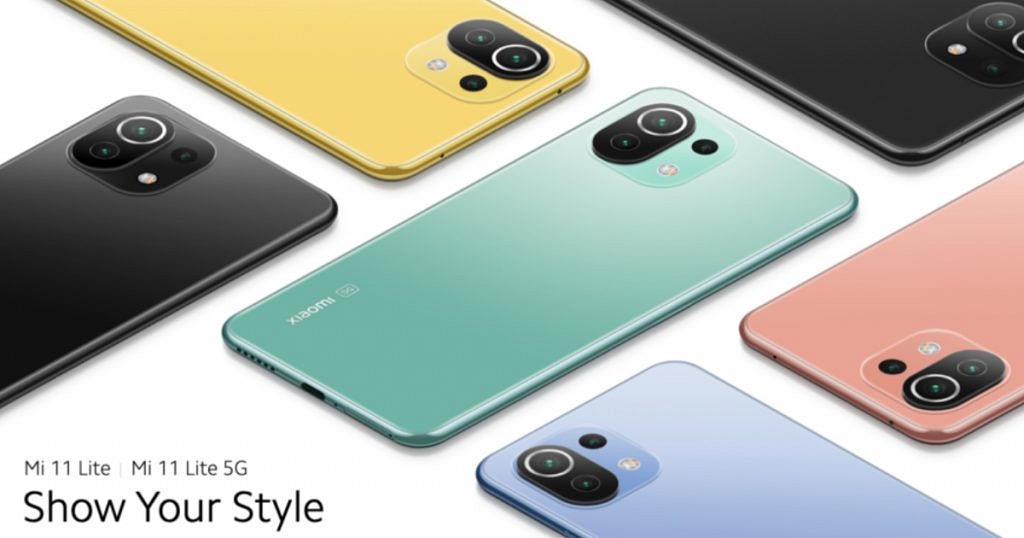
Xiaomi 11 Lite Getting Discontinued Ahead Of Xiaomi 12 Lite 5G India Launch: Here’s Why

Xiaomi 11 Lite arrived as one of the powerful mid-range phones by the Chinese tech giant in India. Now, the brand is gearing up to bring its successor called the Xiaomi 12 Lite in the Indian market. The company is said to launch the Xiaomi 12 Lite in the coming months. Ahead of the launch, rumors are rife that its predecessor will be removed from the shelves in the Indian stores. Here’s what the latest developments are:

Xiaomi 11 Lite Likely Getting Discontinued In India Soon

The Xiaomi 11 Lite 5G is said to be discontinued soon in the Indian market. The device might be removed from the stores right ahead of the Xiaomi 12 Lite’s official launch in the country. Tipster Paras Guglani has shared this development via Twitter. The tipster has learned from industry sources that the Xiaomi 11 Lite will be replaced by the Xiaomi 12 Lite as soon as the latter makes its debut in the country.

The tweet shared further hints the brand will continue selling the Xiaomi 11 Lite NE 5G variant post the Xiaomi 12 Lite 5G’s launch.  The reason for the discontinuation of the Xiaomi 11 Lite 5G is not confirmed officially. However, it seems the brand will likely replace this model to boost the sales of the new variant.

As for the Xiaomi 12 Lite, it already has made its debut in the international markets and will be arriving with the same set of features in India. The chipset used to power the 12 Lite is said to be the Snapdragon 778G processor combined with up to 8GB RAM and 256GB storage. The handset will feature a big 6.5-inch AMOLED screen which will deliver an FHD+ screen resolution and 120Hz refresh rate.

The Xiaomi 12 Lite’s AMOLED screen will also feature Dolby Vision and HDR10+ certification. The camera specifications of the upcoming premium mid-range Xiaomi handset include a 108MP main camera which will be a Samsung HM2 lens with an f/1.9 aperture.

The primary sensor will be combined with an 8MP ultra-wide-angle sensor and a 2MP macro lens. The selfie department will be taken care of by a 32MP lens packed inside the punch-hole camera cutout. This handset will draw its power from a 4,300 mAh battery unit with 67W fast charging.

Categories
Featured Info Mobile TV

Amazon Prime Day 2022 Sale: Best Deals On Smartphones, TVs, Washing Machines, And More

Amazon’s annual Prime Day sale is back again. It will be a two-day mega event where more than 400 products will be unveiled for sale. There will also be a few new releases on Prime Video as well as some exciting offers with discounts. As part of the same, Amazon will offer a plethora of deals across various categories including smartphones, smart TVs, washing machines, and more. Here are some of the exciting deals and offers across categories that will be available by next week.

Amazon Prime Day 2022: When Does The Sale Start?

Amazon Prime Day sale will kick off on Saturday, i.e., July 23, 2022, at 12:00 AM, and will end the next day on July 24, 2022. During the sale, the customers will get the best offers and great deals, with heavy discounts. Besides, Amazon is also featuring its ‘Wow Deals’ in which you can avail of huge discounts on limited stock products from 4 PM – 6 PM.

Which Cards Will Get You Big Offers?

Credit/debit card holders from ICICI and SBI will receive an additional 10% off. Prime customers who use their Amazon Pay ICICI Bank credit card will receive 5% cashback on Prime Day purchases. The best welcome offer ever for new cardholders will be Rs. 2,200 in rewards and six months of free screen replacement.

Amazon Prime Day Sale: Offers On Smartphones

You can see get up to 40% off on mobiles and accessories. Amazon has revealed some of the offers customers will see on smartphones from multiple brands including Apple, Samsung, Xiaomi, and others. Check out the offers below.

Apple

Customers will save up to Rs. 20,000 on select iPhone models, according to Amazon. These models, however, have not yet been revealed. Additionally, Amazon has guaranteed fantastic discounts on the iPhone 13 Pro and iPhone 13 Pro Max models.

Samsung

According to Amazon, the Samsung Galaxy S21 FE will be discounted by up to 30%. Additionally, there will be deals on the company’s M-series phones. This includes Rs. 15,000 off on the Galaxy M52, Rs. 8,000 discount on the Galaxy M53 and M33, and Rs. 5,000 off on the Galaxy M32. Besides, additional discounts will also be valid, likely with certain bank cards.

Xiaomi

During the sale, the Redmi 9-series will start at Rs. 6,899 with additional perks of Rs. 600 when using a coupon. With certain additional bank discounts, the Redmi Note 10 series which includes the Note 10T 5G, Note 10 Pro, Note 10 Pro Max, and Note 10S will be offered for a starting price of Rs. 10,999.

The Xiaomi 11T Pro will be available for Rs. 35,999, while the Xiaomi 11 Lite will cost you Rs. 23,999. With additional offers of up to Rs. 6,000 with bank discounts and coupons, the Xiaomi 12 Pro will cost Rs. 56,999.

Amazon Prime Day Sale: Offers On TV And Washing Machine

During the Amazon Prime Day sale, there will be big discounts on smart TVs and washing machines. You can get discounts on smart TVs going all the way up to 65% with no cost EMI. So far, many great deals and discounts will be offered on various brands including the 4K ultra-HD TVs, Google TVs, Amazon Fire TVs, and more. However, you can also discover great savings on smart TVs by Xiaomi, OnePlus, and many more brands.

On the other hand, the Amazon Prime Day sale is offering the best deals on washing machines. You can get up to 40% off on washing machines across different categories. This includes Fully Automatic Front Load, Fully Automatic Top Load, Semi-Automatic, and Washers & Dryers. Various washing machines with the latest technologies such as inbuilt heater technology, inverter technology, high capacity, and washing machines with WiFi can be purchased on exciting offers during the sale.

Other Deals And Offers

During the Prime Day 2022 Sale, Amazon has also promised a number of other deals. The prices for these items start at Rs. 149 for headsets, Rs. 499 for power banks, Rs. 99 for mobile cases and covers, and Rs. 49 and Rs. 139 for cables and chargers, respectively.

For those who love reading, Amazon Kindle is offering up to 80% savings on e-book purchases in addition to 50% cashback. In addition to this, free shipping on Amazon Fresh goods and discounts of up to 50% are available to Prime members. Also, customers will be able to save up to 55% off on Amazon Echo smart speakers and smart displays during the sale.

Categories
Info Mobile

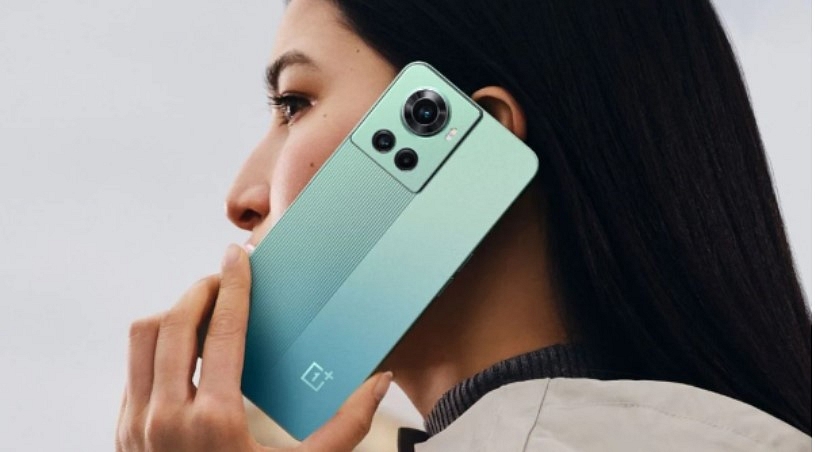
OnePlus 10R 5G For Rs. 34,999: Here’s How To Get It?

The OnePlus 10R is the first smartphone that was launched with 150W fast charging support out of the box. In fact, the company claims that the 4,500mAh battery variant can be charged 1 to 100 percent only in 17 minutes. The other variant comes with a 5000mAh battery along with 80W charging support. 

It is worth noting that 8GB RAM and 128GB storage variant along with 80W fast charging support, whereas 12GB of RAM and 256GB of storage variant comes with offers. The device will cost you Rs. 38,999 from the exact price of Rs. 42,999

OnePlus 10R 5G Smartphone: Specifications

The OnePlus 10R 5G comes with a 6.7-inch Full HD+ AMOLED display along with a hole-punch cutout at the top center. In addition, the device supports a 120Hz refresh rate, 20:9 aspect ratio, and plastic back.

Also, you will get a dual-tone design on the rear panel along with a triple camera setup. It has a 50MP Sony IMX766 primary camera, 8MP ultrawide camera, and a 2MP macro camera. Plus, you will find a 16MP camera on the front for selfies and video chats. 

Moreover, the smartphone has a MediaTek Dimensity 8100 Max processor and is paired with 12GB of RAM. Besides, buyers can buy 80W and 150W of charging support that will offer a 5,000mA battery and 4500mAh battery. In addition, the smartphone runs Android 12 OS that is based on Oxygen OS 12 out of the box.

Categories
Info Mobile

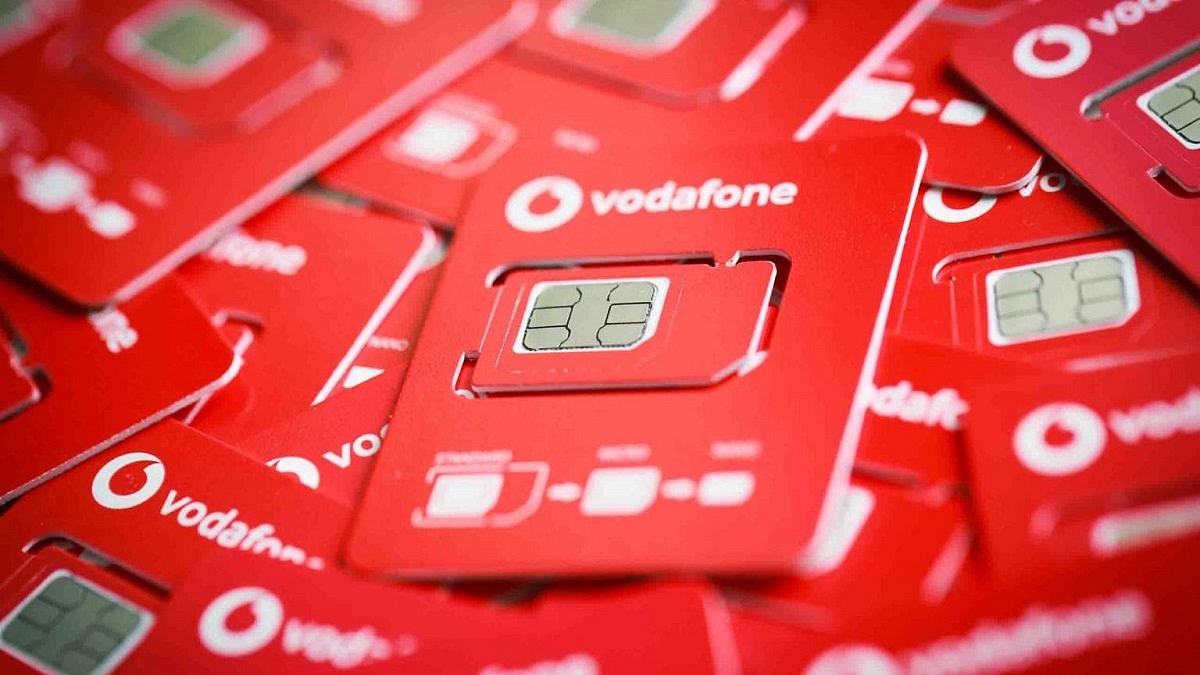
Vodafone-Idea Offering More Data With Two Prepaid Plans: See All Benefits Here

Following the footsteps of Airtel, India’s third largest telecom operator Vodafone-Idea has revised two prepaid plans in India. The telecom operator has revised Rs 409 and Rs. 475 prepaid plans. These packs will now provide more data and validity. Besides, these packs will offer SMS and calling at the same price.

Vodafone-Idea Revised Prepaid Plans: Details

Vodafone-Idea Rs. 409 Prepaid Plan

The Rs. 409 prepaid plan is providing 98GB of data, which means 3.5GB of data per day for 28 days. Earlier, this pack used to provide an offer for 84 days, and once exhaust the data users have to pay Re 1 for a local message and Rs. 1.5 for STD messages.

For the unaware, this pack offers Binge All Night benefit from 12 AM to 6 AM in the morning without any extra cost. In addition, users will get access to Vi TV applications and movies. Plus, the company is providing Weekend data rollover facility to users so that carry forward data of Weekdays on Weekends ( Saturday and Sunday).

Vodafone-Idea Rs. 475 Prepaid Plan

The Rs. 475 plan offers benefits for 28 days. Also, this pack ships 4GB of data per day and 100 messages per day. However, once the SMS limit is exhausted, users have to pay Re. 1 for the local SMS and Rs. 1.5 for STD messages.

In addition, users will get unlimited calling, and access to Vi movies and TV apps. Besides, users will get Weekend data rollover facility. It is important to note that this pack is providing more data benefits, 100 messages, and 4GB of data per day.

Users have to pay extra for the SMS charges after exhausting the given limit. The revised plans are already live on the company’s website.

Categories
Featured How To Mobile Tablet

Sync Your iPhone With iPad Using iCloud: Check Out The Steps Here

The simplest and fastest method of transferring media between your devices is through syncing your iPhone with your PC. Syncing is the method to have the same contacts, music, and images on your iPhone and computer. However, you might also want to sync your iPad and iPhone so that they both have access to the same files and content.

It will be important for you to know how to sync an Apple iPhone to an iPad if you use iOS. When you wish to transfer data to another iOS device, this will be useful. There are several reasons to move data, from protecting data to conserving iPhone memory. In this article, we will help you explain how you can sync your iPhone with your iPad.

How To Sync Your iPhone With Your iPad Using iCloud

Using iCloud to sync files between your Apple devices is the most straightforward method. You can save data on Apple’s servers including documents, images, and music, thanks to iCloud which was first introduced in 2011.

After that, you can access and download your content on iOS, iPadOS, macOS, and Windows devices. Also, the service allows you to back up mobile devices directly for setup as well as restoring purposes.

To get started with the syncing process, you must be logged into iCloud on both devices. Also, make sure both your devices are on the same WiFi network. Here’s how you sync your Apple iPhone with your iPad in these simple steps:

Step 1: On your iPhone, navigate to Settings > Your Name > iCloud.

Step 2: You’ll see a subheading in the iCloud settings screen that reads ‘Apps Using iCloud’. For every app that has data that you want to sync across your iPhone and iPad, tap the slider until it turns green.

Step 3: Repeat this process to sync as many apps as you like and make sure you do the same for your iPad. Otherwise, they won’t sync.

In the App Store, many iOS applications make use of iCloud in order to store data. This process makes their information easy to synchronize across your devices when you download the same app.

Categories
Featured How To Mobile

Got An Infinix Smartphone? Here’s How To Factory Reset It

Your mobile phone may occasionally need to be ‘hard reset’ or ‘factory reset’ for certain features and upgrades to work. One of the most effective ways to resolve the majority of software-related difficulties you might experience on your phone is to hard reset it. Even though it removes all data, it’s not necessarily something you want to do. But it’s priceless and worth every penny.

Perhaps your phone has malware on it, is getting a little clunky and slow, you installed a dud app that interferes with its usability, you encountered problems after installing a system update, or you simply want to start over. Here is a comprehensive article outlining the simplest methods for performing a hard reset on an Infinix phone.

Back Up Your Phone First

Data backup is essential before doing a factory reset on an Infinix phone. If you don’t already know, resetting your device erases all of your data including apps, pictures, contacts, games, and other files, and restores it to its default settings. Everything will be deleted with the exception of the operating system.

There are various ways to back up your Infinix phone locally or in the cloud, in case you haven’t already. Whatever method you select, be sure it is secure and simple to recover from a successful factory reset.

How To Hard Reset Your Infinix Phone From Settings?

The most popular and simple method for factory resetting an Infinix phone is this one. You only need to go to the ‘Settings’ to completely wipe your phone. But this only applies and is suitable only when the mobile phone is still up and running. Like, when you can still access the phone Settings and others. Check out the steps to hard reset your Infinix smartphone via the phone’s Settings app:

Step 1: On your Infinix phone, open the Settings app.

Step 2: Scroll to the bottom and then Select.

Step 3: Simply click on the ‘Reset’ options.

Step 4: Then, tap ‘Erase all data’.

Step 5: Go through what’s on the page, then hit ‘Erase all data’.

Step 6: Now, confirm your pattern/PIN/password.

Step 7: Finally, click on ‘Erase everything’ and sit back until the device reboots successfully. That’s all.

Categories
Featured How To Mobile

How To Screen Record On Your iPhone? Check Out The Steps Here

It’s simple to take a screenshot of a single, still image from the iPhone’s screen. However, there are instances where screen recording is required. Perhaps you want to show your buddies a fantastic trick or a process. If you enjoy playing video games, screen recording can help you show off your prowess by posting videos of your escapades online. Whatever the reasons are, video capturing is essential to completing numerous tasks.

Fortunately, you can save your favorite YouTube videos, make tutorials for your pals, or even record gameplay sequences with the iPhone’s screen recording feature. In this article, we’ll show you how to screen record on your iPhone, along with how to access the video.

How To Enable Screen Recordings On iPhone

You will need to turn on the screen recording feature on your iPhone before you can record your screen. Simply follow the listed steps for the same:

Step 1: On your iPhone, open the ‘Settings’ app.

Step 2: Go to ‘Control Center’ and click on ‘Customized Controls’.

Step 3: Find ‘Screen Recording’ that should be listed in the ‘Include’ section. If it isn’t already there, tap the green + sign next to it to add it to the ‘Include’ section.

In case you want to disable screen recording again, simply return to this screen and click on the red minus sign next to it.

How To Screen Record On iPhone

Once you have turned the feature on, you can screen record on your iPhone by following the below listed simple steps:

Step 1: Open your iPhone’s Control Center by swiping down from the top-right corner of the screen. Alternatively, swipe up from the bottom of the screen if you have an iPhone with a home button.

Step 2: Tap the ‘Record’ button.

Step 3: The ‘Record’ button will turn red and begin to record your actions after a three-second countdown, even if you close the Control Center. The time, which is displayed in the upper left corner, will be red, letting you know that you are still recording.

Step 4: To stop recording, tap the red time indicator at the top left of the screen and then tap “Stop.” You can also open the Control Center and tap the record button again.

Where To Find The Screen Recorded Video?

Step 1: Find the video in the Photos app and then tap ‘Edit’.

Step 2: At the bottom of the screen, tap and drag the arrow at the start of the video to the right. It will become a yellow frame.

Step 3: Size the frame to just include the portion of the video that you want to keep. You can always hit the play button to see whether you like the edit.

Step 4:  Tap ‘Done’ and then ‘Save as New Clip’. That’s all.

Categories
Featured Mobile

Nothing Phone (1) Launched With Transparent Back, Glyph Interface, And Snapdragon 778G+ Processor: Check Price, Specifications, And Availability

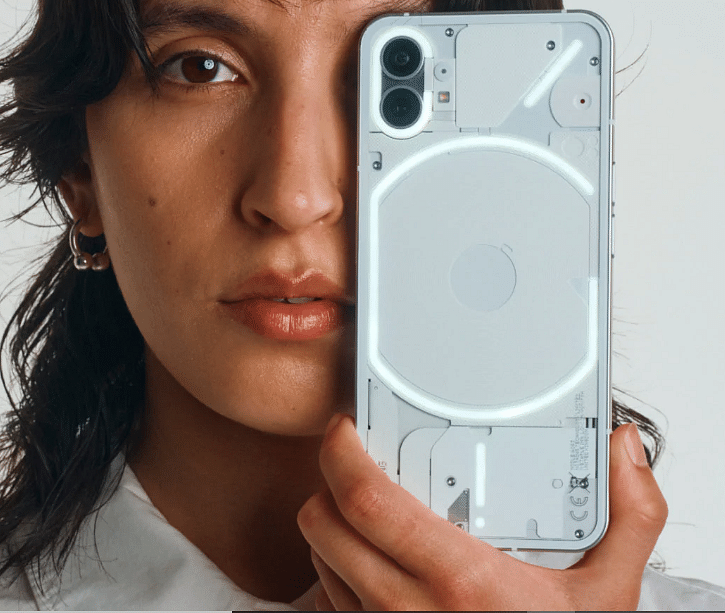
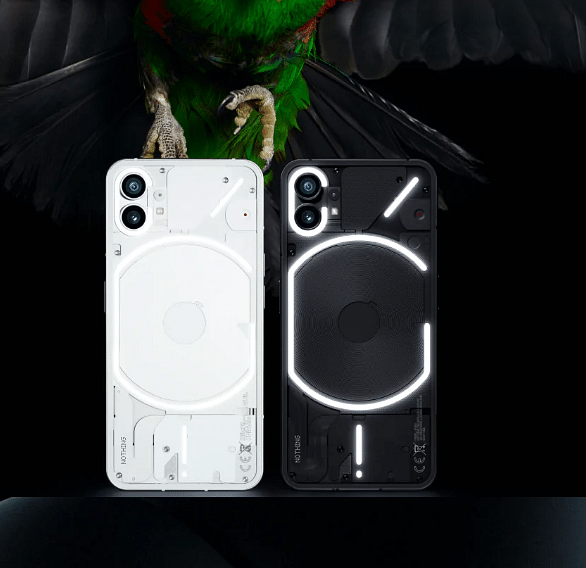
After launching TWS in India, Nothing has announced the launch of its first smartphone in the country. The Nothing Phone (1) comes under the mid-range segment but features a transparent back panel, 120Hz OLED display, dual rear cameras, and Glyph interface.

Nothing Phone (1) Smartphone: Specifications

The Nothing Phone (1) features a unique design and comes with a transparent back panel. Besides, the back panel has 900 LEDs, which can blink whenever you receive a notification on the device. This is known as the Glyph interface, which will have several patterns.

The smartphone comes with a 6.55-inch punch-hole display, 120Hz refresh rate/240Hz touch sampling rate, Full-HD+ resolution, 1200 nits of peak brightness, 402 PPI pixel density, and has HDR10+ certification.

In addition, the front and back panel of the device comes with Corning Gorilla Glass 5 protection. It is powered by the 6nm Qualcomm Snapdragon 778G+ octa-core processor that is paired with 8GB/12GB of RAM and 128GB/256GB of internal storage.

Nothing Phone (1)

Furthermore, the device has a 4,500mAh battery along with 33W wired, 15W wireless, and 5W reverse wireless charging technology. On the imaging front, the device has 50MP primary camera and a 50MP Samsung JN1 ultra-wide lens.

The newly launched smartphone also has a 16MP camera for selfies and video chats. Additionally, you will find camera modes like Scene Detection and Night Mode on the back camera.

The Nothing Phone (1) runs Android 12 OS out of the box and Nothing OS on the top. The company also claims that users will get software updates for three years and security patches for four years.

The device also has dual stereo speakers, a dual-SIM slot, Wi-Fi 6, Bluetooth 5.2, NFC, and IP53 water-resistant rating.

Nothing Phone (1) Smartphone: Price And Availability In India

The 8GB + 128GB of the Nothing Phone (1) will cost you Rs. 32,999, while 8GB + 256GB variant is priced at Rs. 35,999 and buyers have to pay Rs. 38,999 for the 12GB + 256GB variant.

However, interested buyers will have to pay Rs. 31,999, Rs. 34,999, and Rs. 37,999 as a introductory offer. Plus, the device will be available in two color options: Black and White. It will be available from July 21 at 7 PM on Flipkart.