Categories
Comparison Tablet

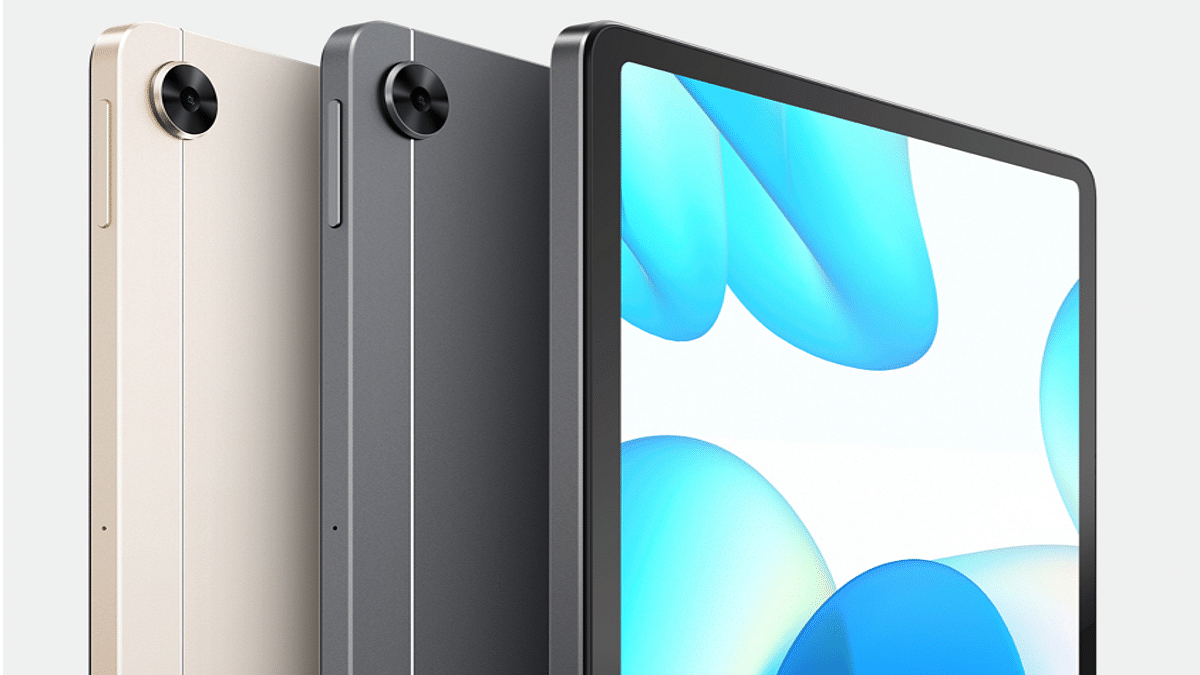
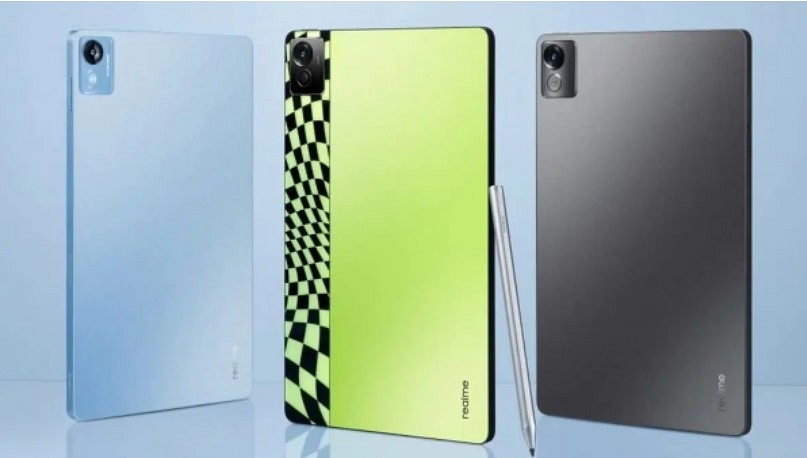
Realme Pad X 5G Vs OPPO Pad Vs Xiaomi Pad 5G: Best 5G Android Tablet In India

Smartphone OEMs are consistently marking their presence across the tablet industry with new launches. We have seen some of the latest product offerings in the tablet market from popular brands such as Realme, OPPO, and Xiaomi. All three Chinese tech giants have just ventured in the mobile tablet space and have already started populating their product catalogs with new tablet models.

This week Realme refreshed its tablet portfolio with a new 5G tablet called the Realme Pad X 5G. OPPO and Xiaomi have also released their powerful premium mid-tier tablets enabled with 5G network support and flagship-grade Qualcomm Snapdragon chipset.

All three tablet models are versatile and pack internals to complete any given task smoothly. If you had to buy any of the tablet models from this list, which one should you consider? This full comparison between the Realme Pad X 5G, OPPO Pad, and Xiaomi Pad 5 will help you decide.

Realme Pad X 5G Vs Standard OPPO Pad Vs Xiaomi Pad 5: Display Features

The display size is large on all three tablets and the panel type is the same. The Realme Pad X 5G, OPPO Pad, and the Xiaomi Pad 5 offer an IPS LCD screen. The Realme Pad X 5G’s display measure 10.95-inches, whereas the remaining two tablets, i.e., the OPPO Pad and the Xiaomi Pad 5 sport an 11-inch screen.

The display resolution differs on the Realme Pad X 5G compared to the other two models. It supports a screen resolution of 1200 x 2000 pixels, whereas both OPPO Pad and the Xiaomi Pad 5G’s display deliver a 1600 x 2560 pixels resolution. The screen refresh rate is higher on the OPPO Pad and the Xiaomi Pad 5, i.e., 120Hz. The display performance will be slightly better with the OPPO and the Xiaomi tablets.

Realme Pad X 5G Vs OPPO Pad Vs Xiaomi Pad 5: Camera Hardware

Interestingly, all three tablets mentioned on this list are packed with the same camera hardware both at the rear and upfront. Speaking of the optics hardware, the Realme Pad X, OPPO Pad, and the Xiaomi Pad 5 are packed with a big 13MP lens at the back. It is the only sensor you get on these tablets’ rear panels. The primary camera of the Realme Pad X, OPPO Pad, and the Xiaomi Pad 5 can shoot videos of 4K resolution@ 30fps.

Moving on to the selfie camera setup, there is an 8MP snapper with an f/2.0 aperture and 105-degree FoV on all three models. You wouldn’t notice any major difference in the camera performance with the Realme Pad X 5G, OPPO Pad, and the Xiaomi Pad 5. So, you can select any of the models of photography is your primary concern.

Realme Pad X 5G VS OPPO Pad Vs Xiaomi Pad 5: Chipset, UI Comparison

The Realme Pad X 5G uses a Snapdragon 600 series chipset for power delivery, while both OPPO Pad and the Xiaomi Pad 5 are equipped with the Snapdragon 800 series processor. The processor powering the Realme Pad X 5G is the Snapdragon 695 5G chipset.

The octa-core Qualcomm chipset on the Realme tablet employs Adreno 619 GPU to render extensive graphics. It is clubbed with up to 6GB RAM and 128GB storage configuration. As for the OPPO Pad and the Xiaomi Pad 5, they both use the same Snapdragon 870 chipset for performance delivery. The octa-core Qualcomm processor on both these tablets gets Adreno 650 GPU support to render the high-end graphics with ease.

Notably, both these tablets also come with 5G network compatibility as the Realme Pad X 5G. The storage and RAM configuration that you can choose with the OPPO Pad and the Realme Pad X 5G is up to 8GB RAM and 256GB storage. These two tablets get more powerful here with the premium Qualcomm Snapdragon processor and a higher RAM and storage capacity.

But the Realme Pad X 5G gets a few extra pointers for the latest Android 12 OS firmware. The Xiaomi Pad 5 and the OPPO Pad boot on the Android 11 OS. All three tablets mentioned here ship with an in-house user interface.

Realme Pad X 5G Vs OPPO Pad Vs Xiaomi Pad 5: Battery, Fast Charging Technolgy

Rounding off the Realme Pad X 5G’s spec-sheet is the 8,340 mAh battery unit. It gets a super fast 33W charging support. On the other hand, OPPO has used an 8,360 mAh battery unit to drive the Pad tablet. The Xiaomi Pad 5 uses the biggest battery in this lot which has a total capacity of 8,720 mAh. The fast charging speeds with both OPPO Pad and Xiaomi Pad 5 are the same as the Realme Pad X 5G, i.e., 33W.

Realme Pad X 5G Vs OPPO Pad Vs Xiaomi Pad 5: Final Verdict

The Realme Pad X 5G, OPPO Pad, and the Xiaomi Pad 5 are fully loaded Android tablets with 5G network support. The hardware features are also premium on all three tablets. But the display and processor are better on the OPPO Pad and the Xiaomi Pad 5 tablets compared to the Realme Pad X 5G. Out of all three, the Xiaomi Pad 5 takes the lead with its largest battery unit.  

Categories
Tablet

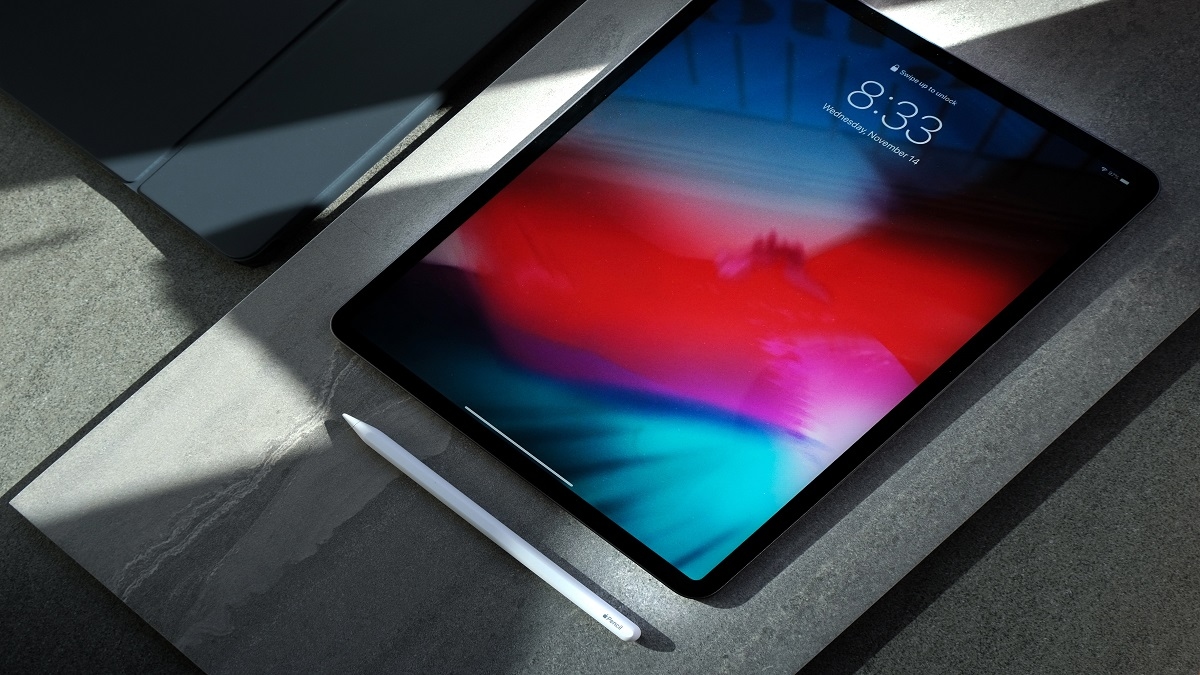
iPad Tips And Tricks: Useful Features For Students

Key Highlights

  • iPad is considered essential for most college students
  • It helps to organise your notes into one app
  • iPad’s price for students can range from hundreds to thousands

The versatility of Apple’s iPads has increased over recent years as a result of the constant addition of useful features. An iPad is considered vital for most college students. It is still a popular option for one-to-one computing programs. Follow these helpful iPad tips for students whether your school is using these devices for the first time or has been doing so for some time. Let’s check them out:

iCloud Storage

Since Apple has made memory synchronization between devices so easy, you can access all of your data as long as you back up your devices using iCloud. Apart from this, you can also purchase extra iCloud storage on your iPad. With this, you will no longer have to worry about not having enough storage.

Multitasking, Split View

Remember that you can use Split View with the iPad Pro, iPad (5th generation and later), iPad Air 2 and later, or iPad Mini 4 and later. Apple’s Split View aids in productive efficiency and effectiveness. You can use two apps at once using Split View.

App Dock

You can quickly and easily access all of your frequently used applications by storing them in the App Dock. The bar at the bottom is the app dock. By adding your regularly used applications there for quick access, you can personalize your application dock.

Quick Notes For Students

If you need to work on an issue while you’re out and need to jot down anything you learned in class, you can get assistance from your iPad. To write anything down, your iPad will automatically open up notes if you simply tap it with your Apple Pencil.

Notes App Use As Built-In Scanner

Apple enables you to scan documents and create PDFs directly from the Notes app. Open a new document in the Notes app and select the plus sign at the bottom once you have the paper you want to scan in front of you. Press Scan Documents after that.

After that, you can use the Markup tool to add your signature to the page (with either your finger or the Apple Pencil), and you can then save it as a PDF.

Taking And Editing A Screenshot

It only takes two buttons to be pressed simultaneously to take a screenshot. Press the top and volume up bottoms on an iPad with Face ID to take a screenshot. To snap a screenshot on an iPad with Touch ID, simultaneously press the side and home buttons. To edit and share the thumbnail screenshot, tap it. To dismiss it, swipe left.

Copy Items From One Apple Product To Other

Did you know that you can go to your iPad and paste a text you had previously copied from your iPhone? You can copy from your iPhone to your iPad as long as you are connected to the same Wi-Fi network, have Bluetooth turned on, and are using the same iCloud account. Yes, you can email text and pictures from the iPad to the iPhone.

Categories
Comparison Tablet

Realme Pad X 5G Vs iPad 10.2 (9th Gen) Vs OPPO Pad Air Tablet Comparison: Which Beats The Competition?

Realme Pad X 5G is the latest competitor in the premium mid-range Android tablet market. Realme has announced its latest 5G tablet this week itself in the country with features such as the Snapdragon 695 5G chipset and a 13MP main camera system. We have compared the Realme Pad X 5G with a bunch of popular Android tablets including the Xiaomi Pad 5, Motorola Moto Tab G70, and also the OPPO Pad Air. In this article as well, we are comparing the Realme Pad X 5G with one of the most popular iPads, i.e., the iPad 9th Gen tablet. We are also throwing in the OPPO Pad Air to compare and see which out of the three tablets makes for the best buy under Rs. 30,000 price bracket in the Indian market.

Realme Pad X 5G Vs iPad 10.2 (9th Gen) Vs OPPO Pad Air: Display Specification

We’ll start this list with the Realme Pad X 5G which is the newest model in the tablet segment in India. The 5G Realme tablet is packed with an IPS LCD screen that is 10.95-inches in size and has a pixel density of 5:3. The Realme Pad X 5G supports a 2K screen resolution of 1200 x 2000 pixels which is perfect for high-resolution video playback. The panel on the Realme Pad X 5G offers s peak brightness levels of 450 nits which makes it decently bright under direct sunlight.

The iPad 9th Gen tablet accommodates a 10.2-inches Retina IPS LCD display. The panel size is slightly small compared to the Realme Pad X 5G. The screen resolution offered by the iPad tablet is 1620 x 2160 which is better than the Realme 5G tablet. The brightness levels here are also higher compared to the Realme tablet at 500 nits.

On the other hand, the OPPO Pad Air features a 10.36-inch display which is an IPS LCD panel like the Realme Pad X 5G tablet. The screen resolution is also the same as the Realme tablet, i.e., 1200 x 2000 pixels. The brightness levels are the lowest with this tablet in this list at 360 nits.

Realme Pad X 5G Vs iPad 10.2 (9th Gen) Vs OPPO Pad Air: Chipset And UI

The Realme Pad X 5G is powered by the Snapdragon 695 processor. This octa-core Qualcomm processor is made on a 6nm fabrication process and has Adreno 619 GPU support for graphics. The Realme Pad X 5G RAM and storage configuration options are 4GB/ 6GB RAM and 64GB/ 128GB storage.

The iPad 9th Gen tablet is powered by the Apple A13 Bionic processor which is built on a 7nm+ process. This is a hexa-core chipset that has Apple GPU (4-core graphics) support. The iPad 9th Gen tablet comes with 3GB RAM and 64GB/256GB storage configuration.

The OPPO Pad Air is a standard 4G tablet powered by the Snapdragon 680 chipset.  This octa-core Qualcomm processor is built on a 6nm process and has Adreno 610 GPU support for graphics. The OPPO Pad Air configuration variants are 4GB/6GB RAM and 64GB/128GB storage options. Both Realme Pad X 5G and the OPPO Pad Air rins on the same Android 12 OS with a custom UI on top, whereas, the iPad 9th Gen features iPadOS 15 which is upgradable to iPadOS 16.

Realme Pad X 5G Vs iPad 10.2 (9th Gen) Vs OPPO Pad Air: Camera Specifications

All three tablets in this list feature a single rear and front camera module for photography. The Realme Pad X 5G features a 13MP main camera at the back that can record 1080p@ 30fps videos. On the other hand, both iPad 10.2 (9th Gen) and the OPPO Pad Air feature an 8MP camera at the back.

The camera race is definitely led by the Realme Pad X 5G here. The remaining two tablets are also capable of shooting 4K videos@30fps. Speaking of the selfie cameras, the iPad 10.2 (9th Gen) is the clear winner here with a big 12MP selfie snapper. The Realme Pad X 5G follows the iPad tablet with an 8MP selfie lens. The OPPO Pad Air the last in this list with a 5MP selfie snapper.

Realme Pad X 5G Vs iPad 10.2 (9th Gen) Vs OPPO Pad Air: Battery, Fast Charging

The Realme Pad X 5G employs a beefy 8,340 mAh battery unit with 33W fast charging technology. The iPad 10.2 (9th Gen) has the biggest battery unit on this list measuring 8,557 mAh. The OPPO Pad Air has the smallest 7,100 mAh battery unit with 18W fast charging. For bigger battery backup, you should consider the iPad (9th Gen) tablet.

Realme Pad X 5G Vs iPad 10.2 (9th Gen) Vs OPPO Pad Air Final Verdict: Which One Is The Best?

All three models in this list are suitable for mid-range users. However, the iPad (9th Gen) has a slight edge over the remaining two with a bigger battery and selfie camera. But if you need a mid-tier tablet with the modern 5G network support, the Realme Pad X 5G would be an ideal pick.

Categories
Comparison Tablet

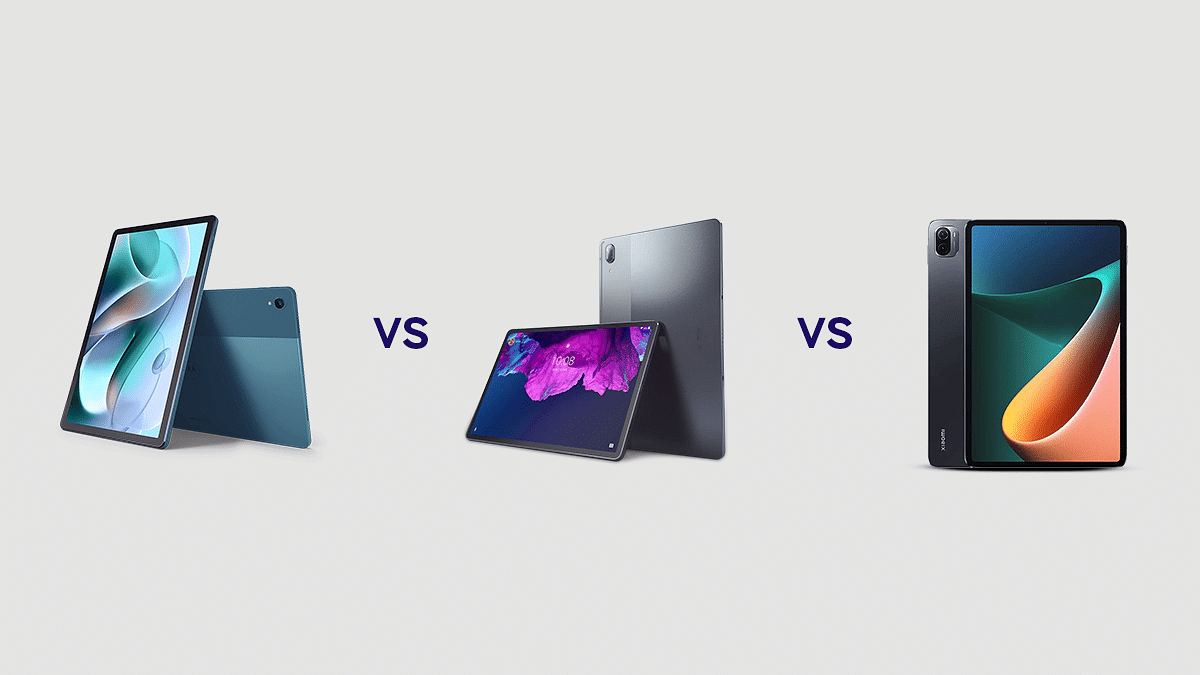
Motorola Tab G70 LTE Vs Lenovo Tab P11 Vs Xiaomi Pad 5: Which Tablet To Buy?

With the launch of the Motorola Tab G70 LTE, Motorola has given everything one could ask from an affordable Android tablet to a capable processor to a fancy design. The table costs Rs. 22,999 and for that price, it appears to be a good deal. However, there are some other tablets with similar features that you can consider at a similar price range. The major competitor of the Moto Tab G70 LTE is the Lenovo Tab P11 and Xiaomi Pad 5.

So, which one should you buy? To find the answer, we have here compared all three tablets, i.e., Motorola Tab G70 LTE, Lenovo Tab P11, and Xiaomi Pad 5, to see which one owns the crown. Let’s check out:

Design And Display

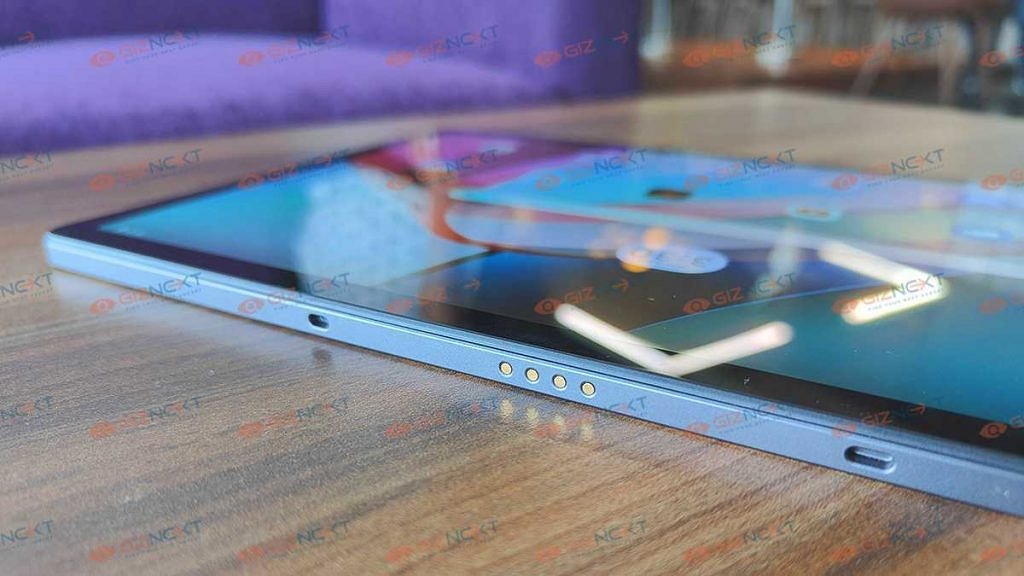
The Motorola Tab G70 LTE is a well-built tablet. It looks more stylish than any other tablet at this price. The metal half has a decent satin green finish while the plastic half has a matte texture. It has narrow bezels. Motorola has put the front camera at the center of the side bezel, which in the landscape layout imparts a laptop webcam-like effect.

The display of the Motorola Tab G70 LTE is 11-inch which is perfect for viewing content. It uses an IPS LCD panel with a 2K pixel resolution and rated brightness levels up to 400 nits. The display is certified for Amazon Prime HD and Netflix HD content. However, the refresh rate remains at the usual 60Hz.

On the other hand, the design of the Lenovo Tab P11 is accentuated by the fabric-clad detachable keyboard and kickstand. It is simple to tuck into a backpack and has a grey finish that makes it appear as though you are holding a notebook. The kickstand is simple to attach using magnets and is simply adjustable to any required angle.

The Tab P11’s 11-inch IPS screen has a 1200 x 2000 resolution. Colors are as bold as they could be for a panel of this type, and images appear clear and sharp. It further has a refresh rate of 60Hz.

Besides, the Xiaomi Pad 5 has a metal frame with flat sides, sandwiched between a glass screen on the front and a polycarbonate sheet at the back. The Gorilla Glass 3 display cover does not readily gather fingerprints.

The Gorilla Glass 3 cover over the display does not attract fingerprints easily. It has a 10.95-inch WQHD+ (1,600 x 2,560 pixel) LCD display along with 120Hz display.

Processor

Motorola is using the MediaTek Helio G90T from 2018 to power the tablet. It has 4GB LPDDR4X RAM and 64GB of uMCP storage. The tablet comes pre-installed with Android 11 and can be upgraded to Android 12. Though, there aren’t any productivity-enhancing features like a sidebar for quick access to apps, numerous floating windows, smarter widgets, or similar touches.

Moving to the Lenovo Tab P11, the tablet uses the Snapdragon 662 CPU under the hood. It includes 128GB of storage and 4GB of RAM. The Android 11 OS on the Tab P11 has been modified with a few enhancements to increase productivity.

The Qualcomm Snapdragon 860 SoC powers the Xiaomi Pad 5 tablet. It has 6GB of RAM. The Xiaomi tablet further runs ‘MIUI for Pad’ which is a customized version of MIUI 13.0.5 based on Android 11.

Camera

The Motorola Tab G70 LTE tablet comes with a 13MP rear camera. It also has an 8MP front camera with a dual-mic configuration that works well during video calls.

On the other hand, the Lenovo Tab P11 has a 13MP of rear camera and is decent enough to take a few photos in well-lit areas. For video calls, the front-facing 8MP camera is adequate.

Both the rear and front cameras on the Xiaomi Pad 5 are 13MP and 8MP respectively. It produces a decent image quality which is a lot better than what you can expect from a tablet.

Battery

The Motorola Tab G70 LTE’s battery life is great without LTE and decent with a SIM card inside. The 7,700mAh battery with generic usage, including 1-2 hours of gaming, and 2-3 hours of social media browsing on Wi-Fi can go up to two days with ease. The 20W TurboPower charger that Motorola includes in the box takes hours to charge.

On the other hand, the Lenovo Tab P11 has a 7,700mAh battery capacity. It has a great battery life for streaming hours of content and can also be recharged quite quickly. Moving to the Xiaomi Pad 5, the 8,720mAh battery can last for a day and a half.

Verdict

In terms of specifications, all three tablets have got it all right for their price segment. They have got a good display, decent performance, and a pretty design. The Lenovo Tab P11 is an affordable Android tablet with an official keyboard. Besides, Xiaomi Pad 5 is built with productivity in mind, which is not commonly found at this price point. However, it lacks 4G/5G cellular capability and is only available as a Wi-Fi model. In our opinion, the Motorola Tab G70 LTE is a good choice to go for under Rs. 25,000.

Categories
Comparison Tablet

Realme Pad X 5G Vs Realme Pad Vs Realme Pad Mini: How Does All Realme Tablets Compare?

Realme is one of those smartphone OEMs that has set its foot in the Android tablet market recently. The Realme Pad and the Realme Pad Mini are from the brand’s first lot of tablets that have been catering to the mid-range audience globally. The brand has now been expanding its portfolio in the tablet segment and has released another advanced tablet for the budget-conscious audience called the Realme Pad X 5G.

The latest Realme tablet comes along with 5G capabilities and is equipped with mid-range hardware for all tasks and gaming. With the Realme Pad X 5G, Realme has made several hardware improvements compared to the last lot. But what exactly are the hardware differences between the Realme Pad X 5G and the previous-gen Realme Pad and the Realme Pad Mini models? Here in this article, we have broken down all the pointers.

Realme Pad X 5G Vs Realme Pad Vs Realme Pad Mini: Display Specification Comparison

Realme has used the same IPS LCD panel on all three tablets but has made slight differences in the screen size and resolution (specifically with the low-end Realme Pad Mini model). The latest Realme Pad X 5G flaunts a 10.95-inch screen that has an 82.6 percent screen-to-body ratio. The resolution on this model as well as the standard Realme Pad tablet is the same, i.e., 1200 x 2000 pixels.

The standard model also has a smaller 10.4-inches screen. The difference in the screen size isn’t much between the Realme Pad X and the standard Realme Pad. On the other hand, the Realme Pad Mini stacks below the remaining two models with an 8.7-inch IPS LCD panel with an 81.5 percent screen-to-body ratio.

Notably, the screen resolution is also lower with the Reamle Pad Mini at 800 x 1340 pixels. The display would be suitable for content consumption on all three Realme tablets. However, for better clarity, you would need to opt for the Realme Pad X 5G or the standard Realme Pad.

 Realme Pad X 5G Vs Realme Pad Vs Realme Pad Mini: Camera Hardware Comparison

The Realme Pad X 5G brings some major camera improvements over the existing Realme tablets. The Realme Pad X 5G is equipped with a bigger 13MP main camera at the back. For reference, the remaining two Realme tablets including the standard Realme Pad and the Realme Pad Mini are packed with an 8MP main rear camera.

The camera lens remains single with the new model as well. The Realme Pad X 5G like the remaining two tablets is also capable of recording 4K videos@30fps. As for the selfie snapper, the Realme Pad X 5G shares the same 8MP front camera with a 105-degree FoV as the standard Realme Pad tablet. The Realme Pad Mini has a smaller 5MP lens for selfies and video calling. The latest Realme Pad X 5G tablet should be your ideal pick if you wish to get an improved camera performance.

Realme Pad X 5G Vs Realme Pad Vs Realme Pad Mini: Chipset, UI Differences

The Realme Pad X 5G gets all-powerful in this list with the Snapdragon 695 5G processor. The latest Qualcomm chipset that offers a 5G network support is built on a 6nm process and is clubbed with Adreno 619 GPU for graphics. The latest Realme tablet has been announced with up to 6GB RAM and 128GB storage option.

The standard Realme Pad has been launched with the Helio G80 processor which is a mid-range gaming chipset from MediaTek with octa-cores and Mali-G52 MC2 GPU support. The Realme Pad is also available with up to 6GB RAM and 128GB storage configuration.

The Realme Pad Mini uses the Unisoc Tiger T616 chipset which is designed using a 12nm fabrication process and has up to 4GB RAM configuration for multitasking. The Realme Pad Mini has a built-in storage space of up t0 64GB which can be expanded using the microSDXC SIM slot (shared slot).

All three tablets in this list are good with general performance. You’ll have no difficulties using regular apps. However, if you need an advanced tablet with capable camera hardware and a chipset with 5G connectivity, the Realme Pad X 5G will be the best fit.

Realme Pad X 5G Vs Realme Pad Vs Realme Pad Mini: Batteries

The Realme Pad X 5G features an 8,340 mAh battery unit which can give a total backup of almost one full day with moderate usage and a single plug-in. The battery on the latest Realme 5G tablet supports 33W fast charging. The battery capacity is smaller than the standard Reame Pad tablet. It packs a 7,100 mAh battery with 18W fast charging. The Realme Pad Mini has the smallest battery on this list measuring 6,400 mAh and has 18W fast charging support.

Realme Pad X 5G Vs Realme Pad Vs Realme Pad Mini Final Verdict: Which Realme Tablet Model Is Best?

All three Realme tablets are good in some or other ways. The Realme Pad Mini is the best model for users who need a tablet that can handle only basic tasks and offers a big screen. Whereas, the Realme Pad makes for a good option who need a mid-range tablet as their daily driver. The Realme Pad X 5G will be best suitable for users looking for an advanced tablet with premium mid-range features.  

Categories
Info Mobile

5G Spectrum Auction In India: Reliance Jio Emerges Biggest Bidder

The 5G spectrum auction has already started in India and Reliance Jio, Vodafone-Idea, and Bharti Airtel, including Adani Data Networks, are participating in the same.  The auction started on (July 26th and managed to garner 1.45 lakh crore during the first day.

However, the Government has managed to get Rs. 4,000 crores from the bidding. This means the Government has so far received Rs. 1.49 lakh crore in total. “So far, at the end of the ninth round, we have grossed about Rs. 1,49,454 crores (Rs. 1.49 trillion). We have been able to successfully generate confidence in the industry,” Ashwini Vaishnaw, Communications Minister, informed the media.

Spectrum Auction Bands Battle

It is important to note that the Day 1 of the auction, telecom operators bid for frequencies like 600MHz and other low-band of airwaves, whereas on Day 2 telecom operators bid for the mid-band (C-band) like 3.3GHz and 3.67GHz. The high band like 26GHz airwaves also received bidding from the telecom operators.

It is worth noting that Reliance Jio has spent over Rs. 82, 500 crores on the different bands available on the airwaves. In fact, Jio’s earnest money deposit is also higher than any other operator. 

Meanwhile, Airtel emerged as the second bidder that is close to Rs. 46,000 crores. The telecom operator targeted 3.6GHz of the mid-band and 26GHz in the high band in the auction. However, it is expected that Airtel will not go for 700MHz bands.  Similarly, Vodafone-Idea spent Rs. 19,000 crores on the mid and high-band airwaves.

On the other hand, Adani Group spent Rs. 900 to Rs. 1,000 crores in the auction and bid for the 26GHz band.

1800MHz Band: Aggressive Bidding

According to an ET report, the 1800MHz band received aggressive bidding from India’s leading telecom operators Reliance Jio and Airtel. Notably, the band is good for providing connectivity.

The report claims that both fought for the same band in eight circles, including Madhya Pradesh & Chhattisgarh, Himachal Pradesh, Jammu & Kashmir, Northeast, Karnataka, Kerala, UP-West, and Rajasthan.

“In all those places, coverage is very important. To get good coverage, you need a lower band. We are confident that this will provide a very high quality of service to the far-flung areas of our country,” Vaishnaw added.

Categories
Info TV

Best Mid-Range Smart LED TVs With 4K, 8K Resolution In India In 2022

The smart TV industry has seen some major transformations in the last decade. We have seen the televisions transitioning from black & white boxy devices to slim large screen colored panels with up to 8K screen resolution. The smart TV industry has seen all the advancements in display technology and other hardware features. The internet connectivity and support for voice-based digital assistants are other specializations with the new-generation smart TVs.

The latest smart TVs offer a fully functional browser so that you can easily surf the web and also support a wide array of third-party applications and games. If you are planning to replace your old TV with a new model that is best with the price specs ratio then this is the list you should check out:

Best Smart TVs With 4K And 8K Resolution To Buy In India

Sony Bravia 4K Ultra HD LED TV

Sony is a pioneer in the audio-visual industry and is well known for its premium range of smart TVs and audio accessories. The Sony Bravia 4K Ultra HD is one of the best Android LED TV that is available for purchase in the Indian market.

This Sony TV comes with up to 5000 applications support on its platform and is packed with Bass Reflex speakers for an enhanced viewing experience. The Sony Bravia 4K UHD TV is also equipped with Motionflow XR technology is compatible with Apple Airplay and Alexa.

Samsung 43-inch Crystal 4K Series Ultra HD Smart LED TV

One of Sony’s primary rivals in the smart TV industry is Samsung which is also leading the market with its premium smart TV range. The Samsung 43-inch Crystal Series TV supports a 3840 x 2160 pixels screen resolution and a 60Hz refresh rate.

The Samsung smart TV offers a slim portfolio and multiple connectivity ports including three HDMI and one USB. For enhanced visuals, the Samsung 43-inch Crystal 4K TV comes with PurColor technology, HDR content support, and an Auto Game Mode for a better gaming experience.

LG Full HD LED Smart TV 43LM5650PTA

LG might have pulled the plug off the mobility division in India and other markets but is proactive in the consumer electronics market. The brand has good expertise with smart TVs as well and its 43LM5650PTA Full HD smart TV is amongst the few best LED smart TVs in India with a quad-core processor and a high-resolution FHD Panel with a 16:9 aspect ratio. The LG FHD Smart TV 43LM5650PTA is capable of rendering HDR videos on OTT platforms including Netflix and Prime videos.

TCL P735 4K HDR Google TV

TCL is also manufacturing some of the excellent smart TVs equipped with modern technologies. The TCL P735 is one of the best contenders in the smart TV market in India. It is integrated with a wide color gamut, 4K HDR display with MEMC (Motion Estimation Motion Compensation) technology. The TCL P735 offers smooth visuals with which you can enjoy your favorite shows and movies in high resolution. It also comes with Dolby Vision and Dolby Atmos for an immersive viewing experience. The TCL P735 comes in multiple screen sizes including 43-inch, 50-inch, 55-inch, and 65-inch at INR 35,990, INR 41,990, INR 49,990 and 69,990 respectively.

Croma 32-inch HD Ready LED TV

The Croma 80 cm (32 Inches) HD Ready LED TV CREL7369 is an affordable model on this list. The Croma TV offers a 60Hz refresh rate and a screen resolution of 1366 x 768p. It also offers multiple connectivity ports including two HDMI, two USB ports, and a VGA slot. The Croma LED smart TV features two speakers that deliver 20-watt output.

Categories
Comparison Mobile

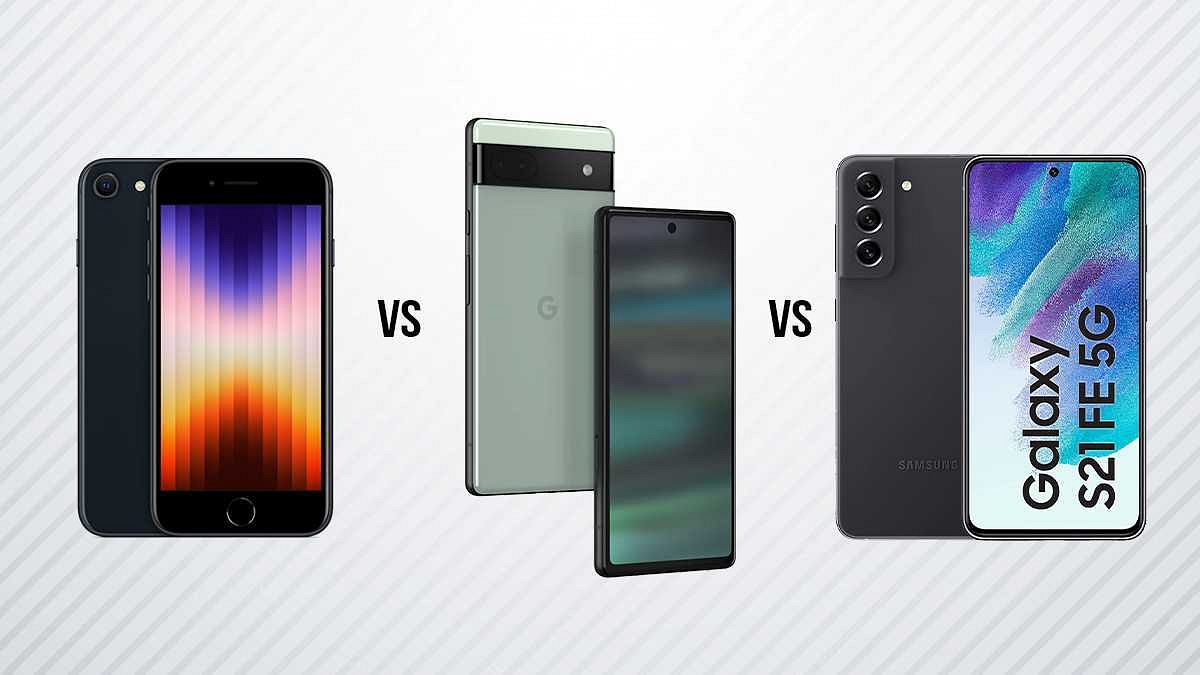
Google Pixel 6a Vs iPhone SE 2022 Vs Samsung Galaxy S21 FE: Best Premium Mid-Range Phone To Buy

Google Pixel 6a is the latest hotshot in town. After all, Google has refreshed its affordable Pixel series in the Indian market after a break. The Pixel 6a has been released as a powerful premium mid-tier Android handset with a dual camera module and a custom Tensor chipset. The iPhone SE 2022 is a direct competition with the Pixel 6a. This face-off is between the value flagships offered by the two prominent tech giants in the smartphone industry. We are comparing both these high-end mid-rangers in this article. But the list would be incomplete without Samsung which is also popular with its flagship Galaxy S series. The Galaxy S21 FE fits the best contender against the iPhone 2022 and the Google Pixel 6a. Here’s how these three phones compare:

Google Pixel 6a Vs iPhone SE 2022 Vs Samsung Galaxy S21 FE: Display Specifications

The portability factor is on point with the Pixel 6a, iPhone SE 2022, and the Samsung Galaxy S21 FE. Google has used an OLED panel on the Pixel 6a that measures 6.1-inches and supports 1080 x 2400 pixels FHD+ resolution. The iPhone SE 2022 is the most compact on this list with its 4.7-inch Retina IPS LCD screen.

The iPhone SE 2022’s display supports a slightly lower pixel resolution of 750 x 1334 pixels. The Samsung Galaxy S21 FE has a 6.4-inch AMOLED screen with 1080 x 2400 pixels resolution, a 120Hz refresh rate, and HDR 10+ certification. The display panel is good on all three phones, but the Galaxy S21 is more powerful here in terms of features.

Google Pixel 6a Vs iPhone SE 2022 Vs Samsung Galaxy S21 FE: Camera Comparison

All three brands in this list are known for using top-tier camera hardware with their premium devices. The Google Pixel 6a follows the footprints of the new-generation flagship Pixel 6 series and offers a dual rear camera setup. It features a 12.2MP wide-angle main camera with an f/1.7 aperture and a 12MP secondary ultrawide sensor with an f/2.2 aperture.

The iPhone SE 2022 uses a single 12MP rear camera for optics. The main sensor is a wide-angle lens with an f/1.8 aperture and PDAF and OIS support. The Samsung Galaxy S21 has the most powerful camera hardware comprising three sensors at the back.

The Galaxy S21 FE packs a 12MP main camera at the back with Dual Pixel PDAf and OIS support. It is clubbed with an 8MP telephoto sensor with PDAF, OIS, and a 12MP ultrawide sensor with 123-degree FoV. The Galaxy S21 is a step ahead with rear camera hardware compared to the iPhone SE 2022 and the Google Pixel 6a.

Pixel 6a Vs iPhone SE 2022 Vs Galaxy S21 FE: Performance Delivery

You get a flagship performance with all three phones. The Google Pixel 6a delivers on all tasks with a custom Tensor 5nm chipset with Mali-G78 MP20 GPU support. The Pixel 6A comes with 6GB RAM and a 128GB storage option. The iPhone SE 2022 also uses a custom 5nm chipset, i.e., Apple A15 Bionic with Apple quad-core GPU.

The iPhone SE 2022 is available with up to 4GB RAM and 256GB storage configuration. The Galaxy S21 FE is packed with the premium Snapdragon 888 chipset which is also based on a 5nm process. This model has the highest RAM configuration in this list (up to 8GB).

The storage option is up to 256GB. In the case of firmware, both Google Pixel 6a and the Samsung Galaxy S21 FE have the Android 12 OS. However, the Apple iPhone SE 2022 ships with iOS 15.4 which is upgradable to the latest iOS 16.

Categories
Chipset Mobile

Upcoming Phones With MediaTek Dimensity 9000 Plus Chipset

MediaTek has introduced the MediaTek Dimensity 9000+ SoC, joining the plus chipset bandwagon. It is a premium smartphone chipset that competes with Qualcomm’s high-end Snapdragon 8+ Gen1 SoC. The first smartphone powered by MediaTek Dimensity 9000+, according to the manufacturer, may debut in Q3 2022. The CPU and GPU performance are both increased by 5 percent and 10 percent, respectively, by the Dimensity 9000+.

According to reports, the MediaTek Dimensity 9000+ chipset is even more effective and strong than the Dimensity 9000. The major smartphone OEMs are anticipated to employ the Dimensity 9000 Plus in the near future.

Vivo V26 Pro

The Vivo V26 Pro is expected to come equipped with the all-new MediaTek Dimensity 9000+ chipset. It is anticipated to run the Android OS version 12 and includes a decent 4,800mAh battery. In the camera department, there are said to be triple rear cameras. This includes 64MP, 8MP, and 2MP sensors so that you can click life-like images. The Vivo V26 Pro is rumored to launch this year in India.

iQOO 10 Legend BMW Edition

The upcoming iQOO 10 Legend BMW Edition could be powered by the MediaTek Dimensity 9000+ SoC. According to rumors, it will have a 6.78-inch Full-HD+ OLED panel that supports a 120Hz refresh rate and DC dimming. The smartphone is expected to come with 65W or 50W wireless charging support for the 4,700mAh battery pack. The iQOO 10 Legend BMW Edition is expected to release this year in China.

OPPO Reno 9 Pro Plus

OPPO Reno 9 Pro Plus is the upcoming mobile from OPPO that is expected to be launched in India in October 2022. It is said to come with the Mediatek Dimensity 9000 Plus processor. It is rumored to feature a 6.8-inch display with 1080 x 2400 pixels screen resolution. The smartphone is also said to run the Android v12 operating system and might be packed with a 4,700mAh battery.

Asus ROG Phone 6D

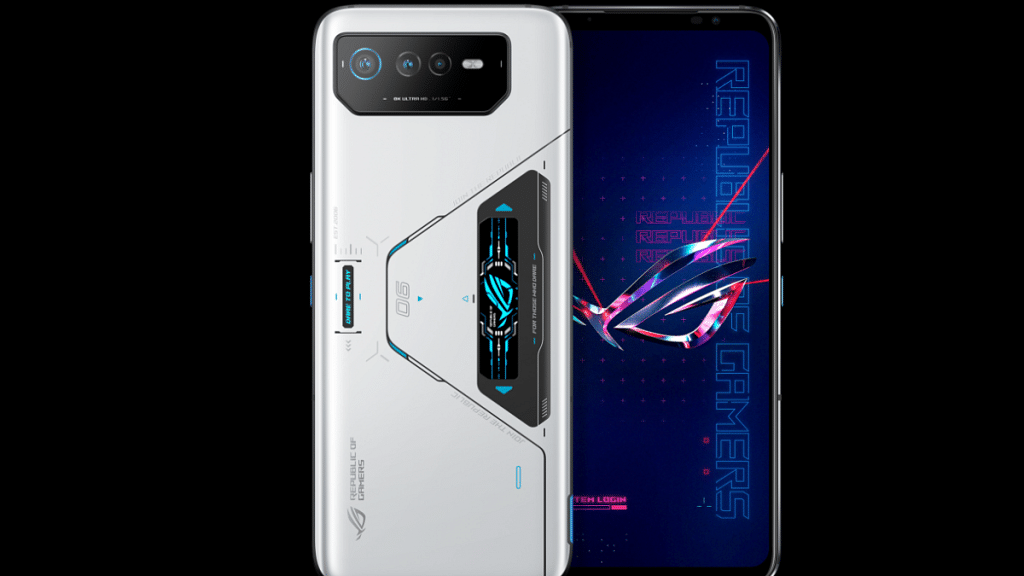
The Asus ROG Phone 6D is an upcoming smartphone that is said to have a chipset of MediaTek Dimensity 9000 MT6893 and a Quad-core (Cortex A510 Cortex A710, and Cortex X2) CPU. It is expected to have an AMOLED screen that is 6.78-inches in size and a wide aspect ratio of 20.4:9. Users can further expect to have a 165Hz refresh rate, 395ppi pixel density, and 2448 x 1080 pixels resolution. The expected price of the Asus ROG Phone 6D is Rs. 72,490.

Categories
How To TV

How To Download And Install Third-Party Apps, Games On Smart TVs?

Smart TVs are ruling the TV market globally. We now have big screen TVs that can easily connect to the internet and wireless accessories to give you a theatre-like experience right inside your homes. The latest generation of smart TVs comes in a variety of sizes and with support for 1080p FHD, 4K, and even 8K resolution (with some models). Now, if purchase a new smart TV, you will get a bunch of pre-installed applications.

Most of them are media applications or supported apps to play multimedia files. OTT apps are amongst the most commonly found applications on a smart TV from any brand. Netflix, Amazon Prime videos, and YouTube are amongst those streaming applications that most of the manufacturers are pre-installing on their new-gen smart TV models.

In fact, smart TV manufacturers are shipping TV remotes with dedicated hotkeys for the aforementioned apps. In addition to the OTT and streaming applications, most smart TVs have a custom media player app that will allow you to play videos, audio, and even pictures from external sources such as a USB port or hard disk.

But often, there are instances when you would want to download and install a third-party application on your smart TV. Now, it sounds quite simple when you have an available internet connection and the required hardware on the TV. But what are the exact steps? If you aren’t aware of how can you download and use additional third-party apps on your TV, read the steps below:

Steps To Download And Use Third Party Applications On Smart TVs

Step 1: Power on your respective smart TVs.

Step 2: Open the apps menu using the TV remote.

Step 3: Scroll to the Google Play Store app.

Step 4: In the search option, type the name of the app that you wish to download.

Step 5: Tap on the app and then select install.

Step 6: Follow the on-screen steps to complete the app installation.

Step 7: Launch the application once the setup is complete.

It is also worth adding that you can also download games on your smart TVs. Most of the latest smart TVs are compatible with some of the games available online. But not all TVs have the required hardware to render high-end games smoothly. You will need an external gaming console in such scenarios.

Steps To Download And Play Games On Any Android Smart TV

Step 1: Go to the Google Play Store application on your smart TV.

Step 2: You can either go directly to the gaming section from the Play Store’s menu or search for your favourite game. If the TV supports the game, you will get the option to download.

Step 3: Complete the game installation by following the steps on mentioned on the screen. That’s it. The game will be downloaded on your TV to play.