Categories
Featured Mobile Tablet

OnePlus Summer Event 2024 Key Note: Pad 2 Tablet, Nord 4 Smartphone Top Highlights

Key Highlights

  • OnePlus Pad 2 is official
  • Compatible with Stylos 2 and Smart Keyboard accessories
  • Nord 4 stole the show alongside
  • Has Snapdragon 7+ Gen 3 chipset under its hood

OnePlus just got over its much hyped Summer Event2024. As expected, the tech behemoth has took the wraps of the new-generation Nord smartphone along with its second-generation flaghsip Android tablet, i.e., the Pad 2. Both these latest OnePlus offerings are going up for pre-orders starting today in India and will be available for sale starting August 1, 2024.

Also Read: OPPO Reno 12 5G Review In Points: AI Is The Trendsetter

OnePlus Nord 4 Top Highlights

OnePlus Nord 4Key Specs
Display 6.4-inch AMOLED
Panel specs1.5K resolution, 120Hz refresh rate
Rear camera 50MP primary
8MP ultrawide
Front Camera 16MP
ChipsetSnapdragon 7+ Gen 3
RAM Up to 12GB
Storage Up to 256GB
Battery5,500 mAh
Fast Charging 100W

OnePlus Nord 4 is the latest addition to the mid-range lineup. This latest Nord series handset has been introduced with a 6.74-inch display which is an OLED panel. The screen comes with 120Hz refresh rate and supports a 1.5K refresh rate of 1240 x 2772 piels. The panel further offers 2150nits of peak brightness which will allow clear visibility even under harsh sunlight outdoors.
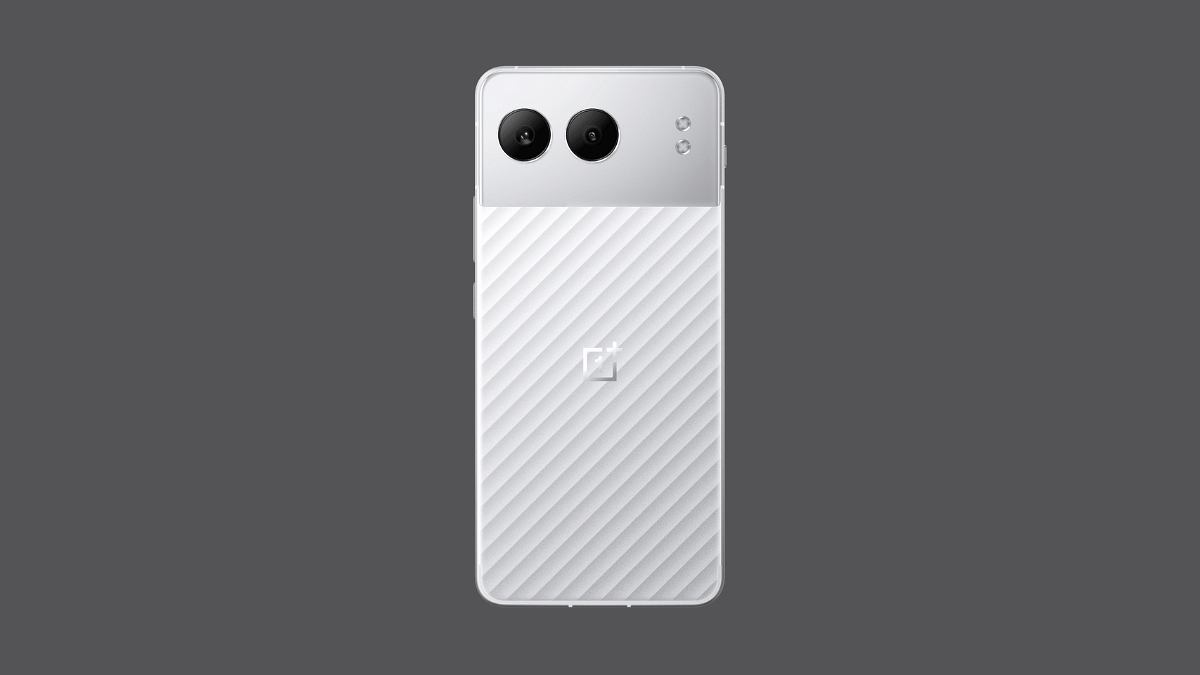
Imaging hardware on the Nord 4 has got advanced. The primary optics at the rear now features a 50MP main Sony LYT-600 lens with OIS and an f/1.8 aperture along with an 8MP Sony IMX355 lens with an f/2.2 aperture. A 16MP selfie sensor is packed upfront on the Nord 4.

Performance-delivery is taken care of by the Snapdragon 7+ Gen 3 processor. The unit is announced with up to 12GB LPDDR5X RAM and 256GB UFS 4.0 storage option. Firmware pre-installed is Android 14-based Oxygen OS 14 UI. The Nord 4’s spec-sheet is rounded off with a 5,500 mAh battery supporting 100W Super Vooc flash charge.

Also Read: Lenovo Tab Plus Review In Points: A True Entertainment Hub

OnePlus Pad 2 Top Highlights

OnePlus Nord 4Key Specs
Display 12.1-inch IPS LCD
Panel specs2120 x 3000 pixels resolution, 120Hz refresh rate
Rear camera 13MP
Front Camera 8MP
ChipsetSnapdragon 8 Gen 3
RAM Up to 12GB
Storage Up to 256GB
Battery9,150 mAh
Fast Charging 67W

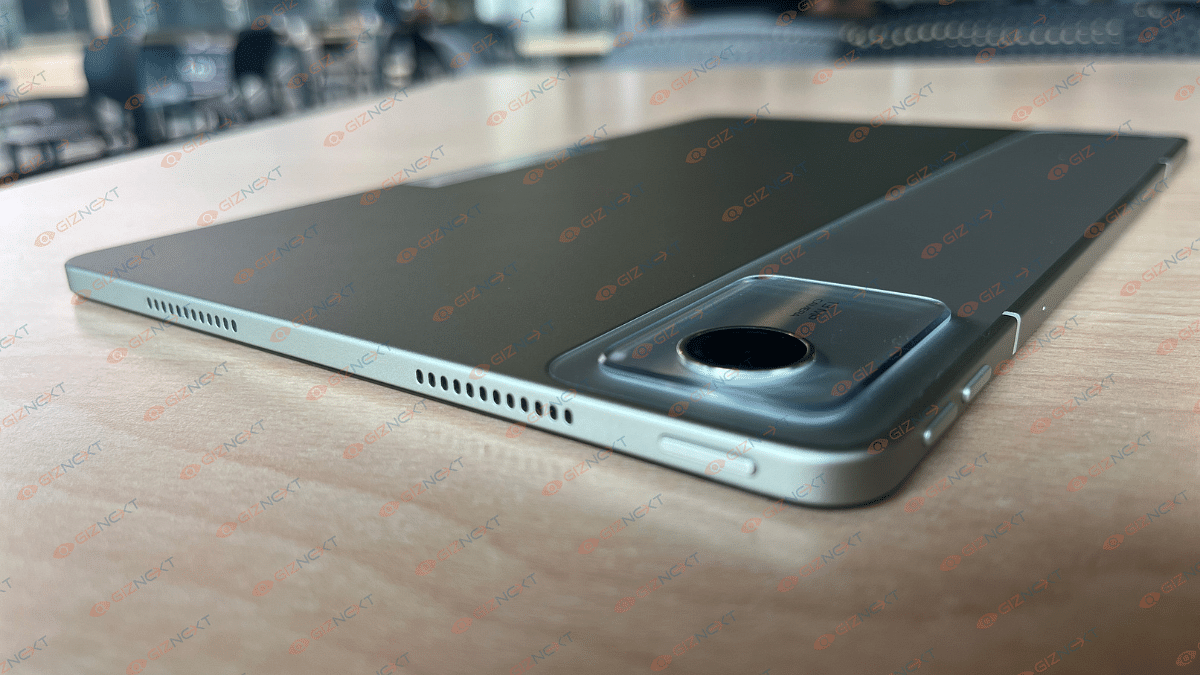
OnePlus’ second-gen Android tablet is loaded with top-tier hardware just like its predecessor. The tablet employs a 12.1-inch display. OnePlus has retained the IPS LCD panel this time too for its tablet. The resolution supported is 2120 x 3000 pixels while the refresh rate is 144z and peak brightness is 900 nits

At its core, the OnePlus Pad 2 gets the flagship Snapdragon 8 Gen 3 processor which is paired up with up to 12GB RAM and 256GB storage space. Not much has been changed when we speak of the optics. The latest OnePlus tablet also features an 8MP front and a 13MP primary rear camera. The tablet integrates a six-speaker module and gets Stylo 2 and Smart Keyboard compatibility. These two accessories are up for grabs separately.

Also Read: Realme GT 6 Review: Can This Smartphone Stand Out In The Premium Market?

OnePlus Nord 4, Pad 2 Prices In India

ModelOnePlus Nord 4OnePlus Pad 2
8GB + 128GB Rs. 29,999Rs. 39,999
8GB+ 256GBRs. 32,999NA
12GB+ 256GBRs. 35,999RS. 42,999
Categories
Featured Reviews Tablet

Lenovo Tab Plus Review In Points: A True Entertainment Hub

Lenovo is one of the pioneers in PC and tablet market globally. The brand is proactively upgrading its portfolio with Android tablets and has created a niche with affordable and multimedia-centric models. The latest entrant also caters to the budget audience and stands out with eight JBL speaker module for high-res audio production. The Lenovo Tab Plus starting at Rs. 22,999 sounds like one exciting deal in the mid-range tablet segment. But does it really proves a solid deal overall? Giznext has got its hands on the Tab Plus tablet and here we have shared the hits and the misses.

For the tech geeks, stay updated with the latest cutting-edge gadgets in the market, exclusive tech updates, gadget reviews, and more right on your phone’s screen. Join Giznext’s WhatsApp channel and receive the industry-first tech updates.

Also Read: Nu Republic Cyberstud Spin TWS Earbuds Review: Trendy And Practical?

Pros

  • Powerful audio with octa-JBL speaker module
  • Smooth and clear 90Hz display
  • Kickstand at the rear for easy placement
  • Latest OS and improved UI
  • Good backup overall
  • Fast charging support

Cons

  • Sturdy built but bulky
  • Decent performance but older chipset
  • Doesn’t come with keyboard
  • No stylus in the retail box

Box Contents

  1. Lenovo Tab Plus tablet (main unit)
  2. 45W power brick
  3. USB Type-C charging cable
  4. SIM tray pin
  5. User manual and guide

Also Read: OPPO Reno 12 5G Review In Points: AI Is The Trendsetter

The Hits

Best-In-Class Sound Performance

The Lenovo Tab Plus tablet takes all the limelight with its top notch audio quality. Thanks to the eight JBL Hi-Fi speaker module integrated into the tablet that helps with loud and clear audio production. The audio setup on the Lenovo Tab Plus tablet includes four matrix tweeters and four force-balanced woofers collectively throwing an output of 26W. We have tested the speaker’s performance with both media playback and gaming and gave been truly impressed with the stunning audio clarity.

The loudness levels are apt too and you’ll find the speakers filling up an entire room when he audio levels are turned up to the max. You won’t get to listen to shrilling audio when the volume levels are peak. In fact, the overall sound-stage is rich with a decent balance between the lows, mid, and highs. The Dolby Atmos support further refines the sound quality allowing the tablet to produce clear treble and deep bass.

Its audio performance has been top notch while video playback and even while streaming videos from OTT platforms and social media apps, you’ll hardly feel the need to pair any external speaker. And if you are a fan of action movies or games, you definitely are in for treat while using the Tab Plus tablet.

Also Read: Realme GT 6 Review: Can This Smartphone Stand Out In The Premium Market?

2K Display With 90Hz Refresh Rate

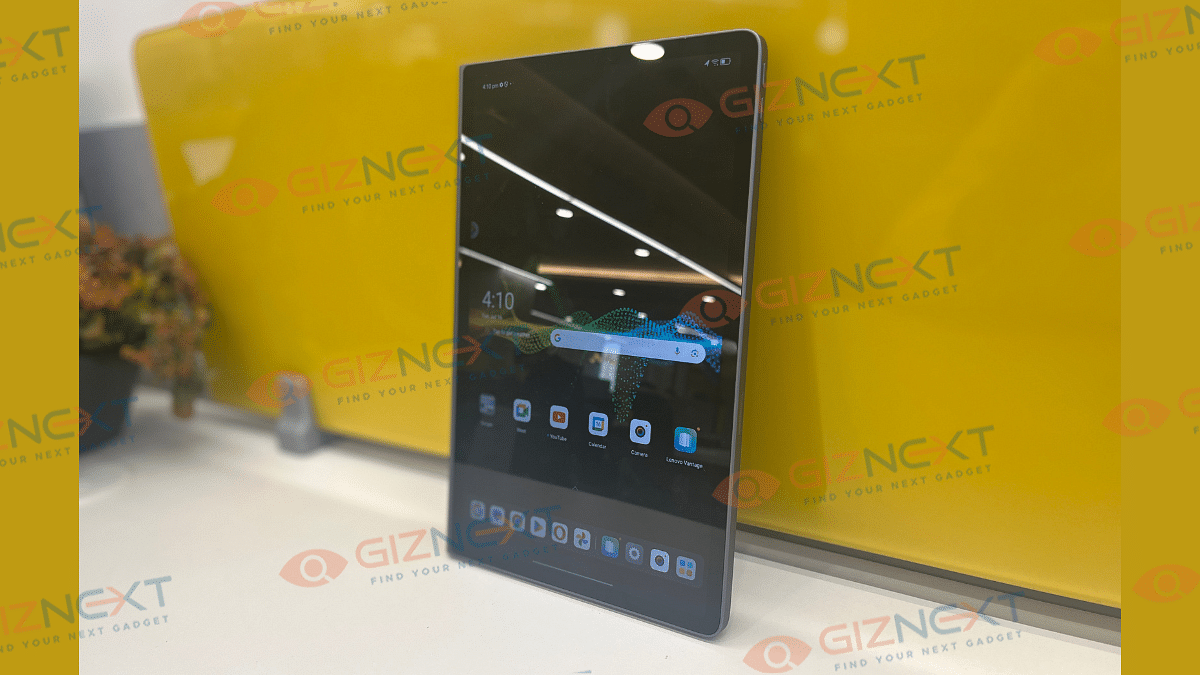
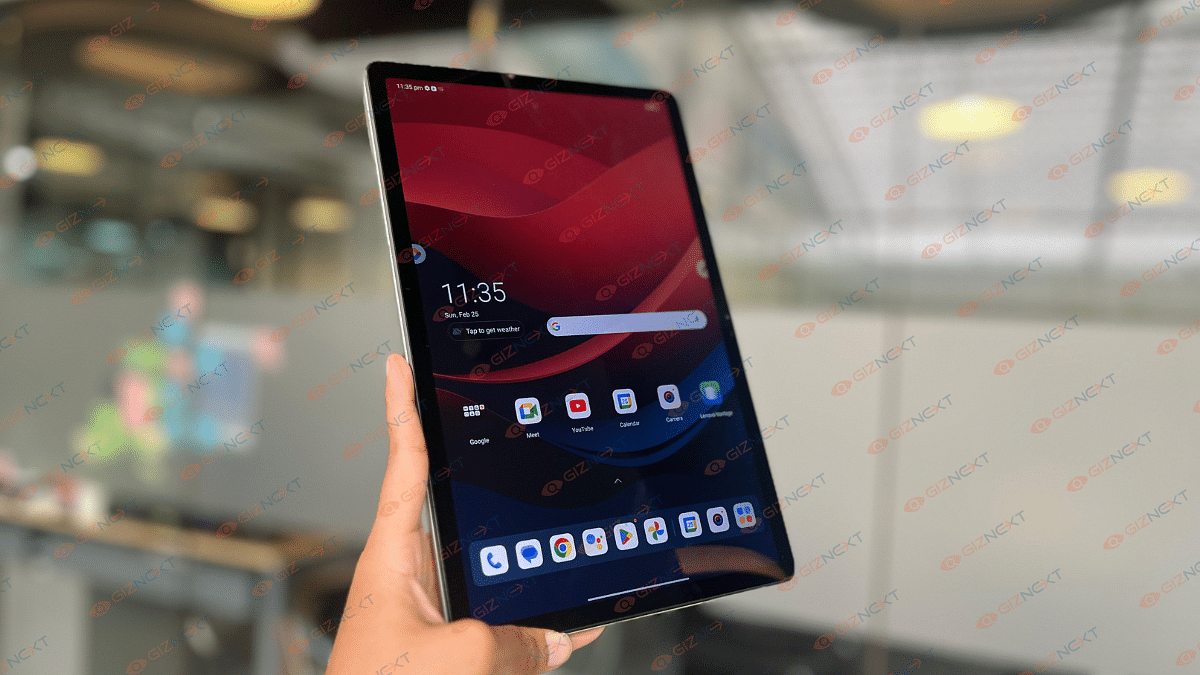
Lenovo tablets are known for bringing in a clear and vivid screen panel. The same is the case with the Tab Plus tablet which employs an 11.5-inch display. This is an IPS LCD panel which supports a 2K resolution of 2000 x 1200 pixels. Clarity levels aren’t compromised despite the panel being an LCD. In fact, you’ll be content with the overall quality the screen produces.

The display of the Lenovo Tab Plus is TUV-certified which allows it to cut down on the blue light emissions safeguarding eyes even with extensive usage. This is a flicker free panel which is offers optimum comfort while you are binge watching any show or movie or are hooked to the phone’s screen for hours. The display of the Lenovo Tab Plus supports 90Hz refresh rate. You’ll get a fluid scrolling experience and also smoother frame transition with this panel.

Also Read: Vivo X Fold 3 Pro Review: The New Ruler Of Foldables

Latest Android OS And Refined UI

The Lenovo Tab Plus tablet boots on Android 14 OS. It is pre-installed with a custom ZUI skin on top which has brought along dedicated workspace apps and features. Smart Display collaboration, Freestyle, and Vantage are some of the few cool apps and features that you get to use with the Tab Plus tablet. Starting with the Lenovo Freestyle, this tool will allow you to share a computer’s screen on the tablet and also allow file sharing with other devices. The Smart Display Collaboration feature enables connecting this tablet to Windows 10 PC or laptop.

And if you wish to use a dedicated tool for device management and security then head over to the Lenovo Vantage app. Using this app, you’ll be able to check and download essential software and system update which will help with smooth and stable performance overall.

Also Read: Lenovo Tab M11 Review: A Versatile Tablet For Everyday Use

Fast Charging Supported Battery Pack

A bigger battery pack is a must for tablets so that backup related concerns can be addressed. With the Lenovo Tab Plus, you get an 8,600 mAh battery which offers solid backup with consistent usage. We were able to use this tablet for more than half a day while using it moderately. A second plug-in was required when the usage gets extensive and the tablet receives minimal breaks with its operations. But if you are in a rush, the 45W fast charging comes to rescue here by allowing faster refueling speeds.

Also Read: imoo Watch Phone Z7 Review: Advanced Health And Safety Solution For Your Kids

The Misses

Decent Performance But Dated SoC

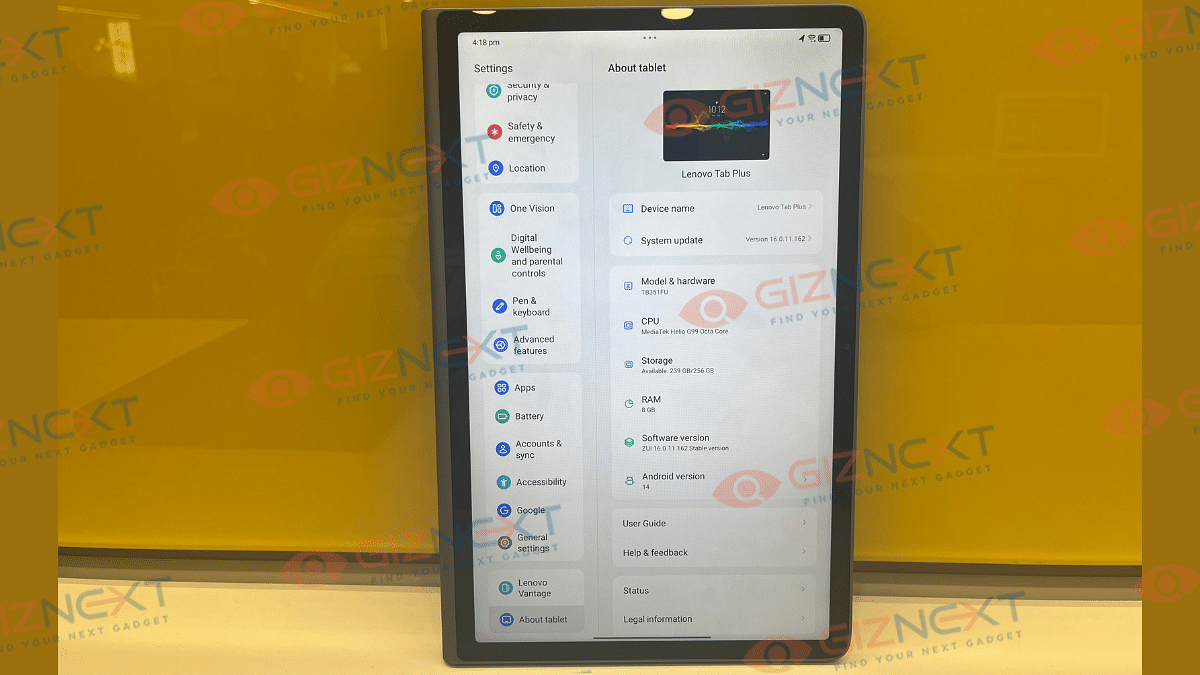
The Lenovo Tab Plus with its MediaTek Helio G99 processor comes as strong performer. This tablet has been delivering speedy performance while handling general apps and games. The octa-core Helio G99 SoC is a dedicated gaming processor but is designed for low-end mobile gadgets.

The Tab Plus has been handling basic gameplay sessions quite well but with moderate settings. You might find the unit warming up a bit if it’s plugged in and is being used extensively at the same time. Overall multitasking with its up to 8GB RAM is nifty.

Whereas, storage requirements suffice with up to 256GB storage configuration. Lenovo could have used a newer chipset to drive the Tab Plus tablet. The Helio G99 being an older SoC is the sole reason for it to be counted as one of the cons.

Also Read: CMF Buds Review: Do They Stand Out In The Crowded TWS Earbuds Market?

Sturdy But Bulky Form Factor

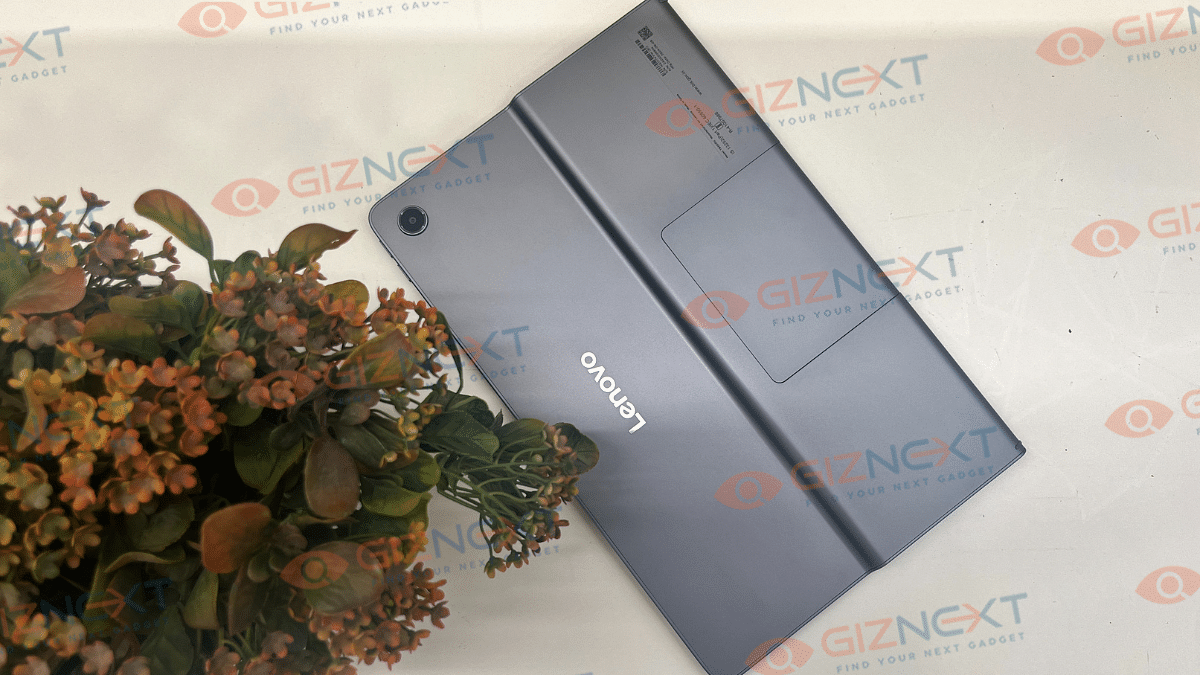
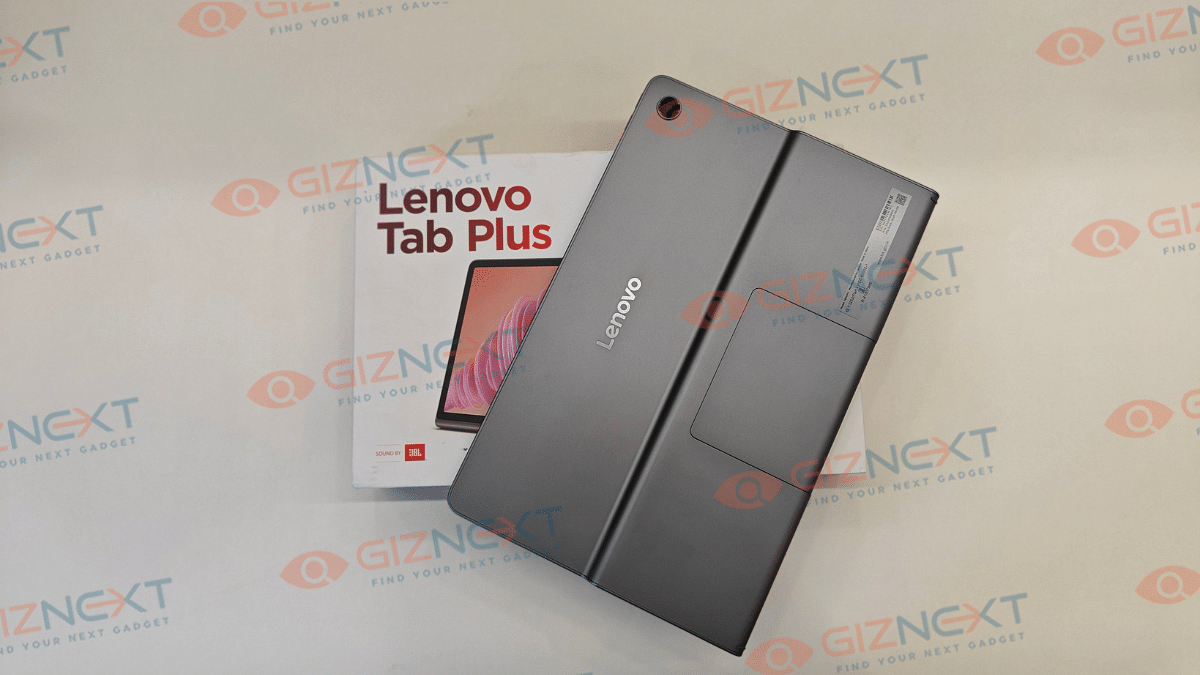
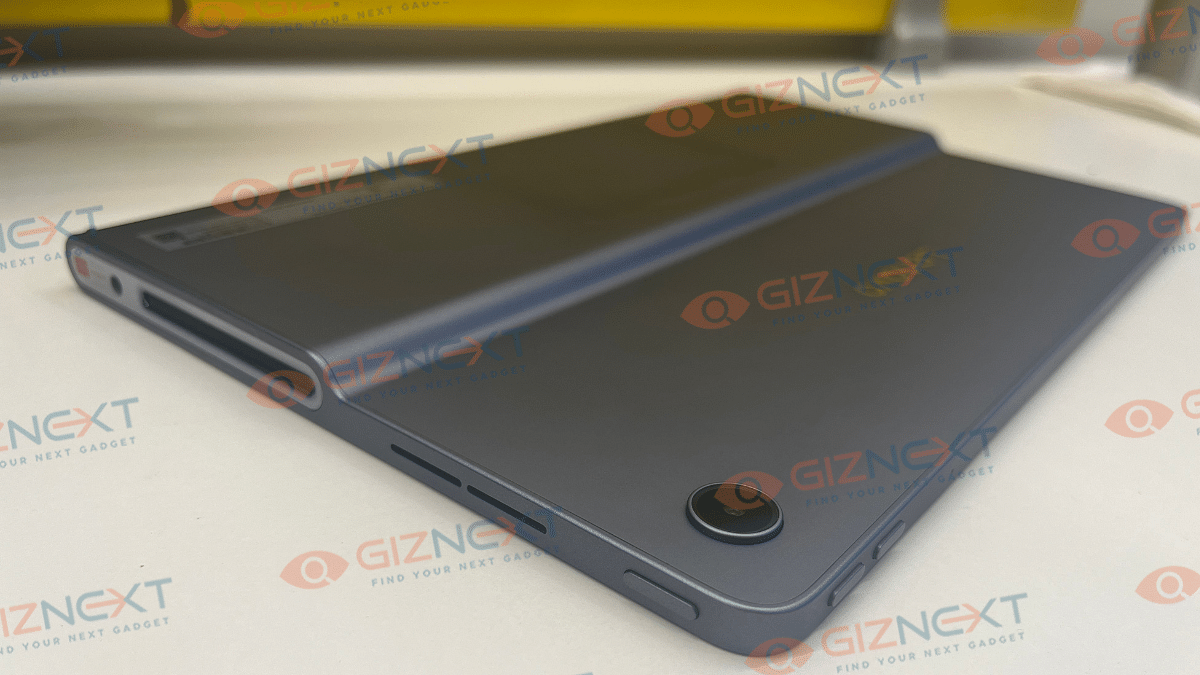
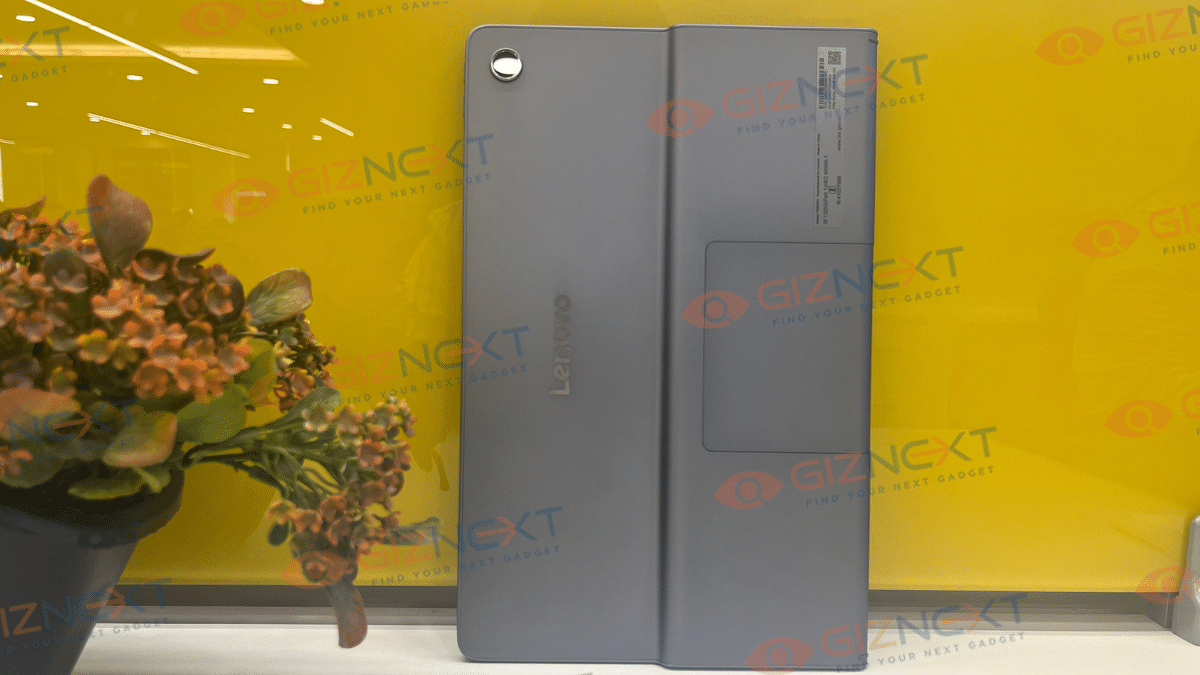
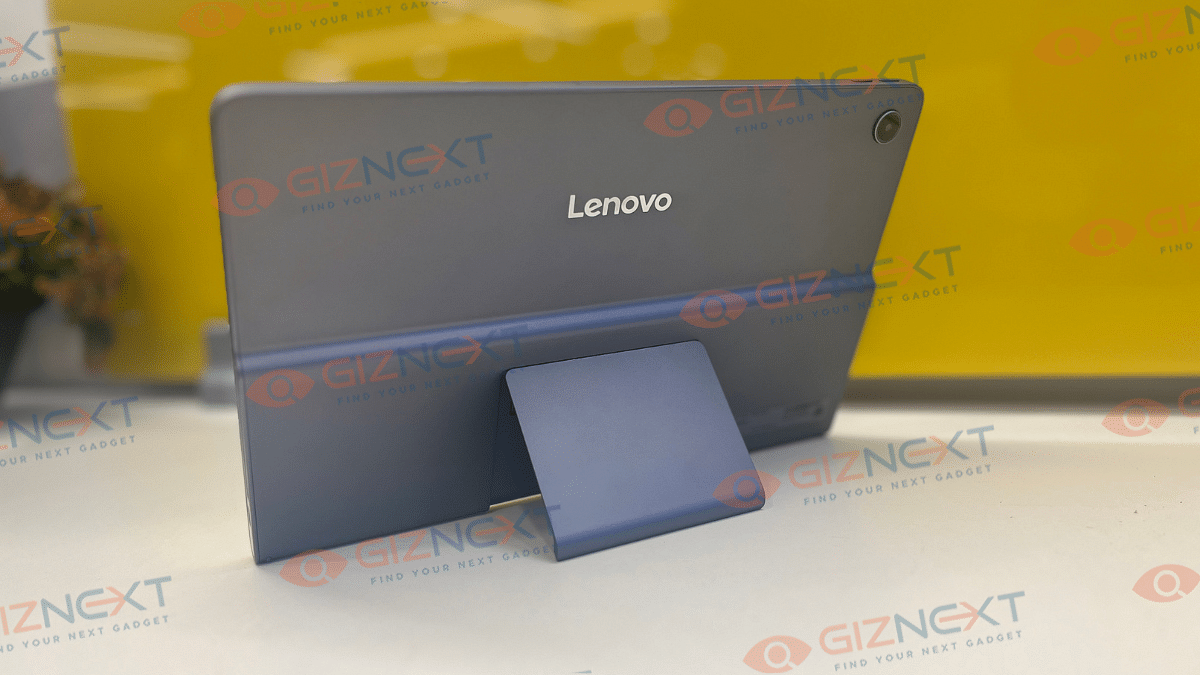
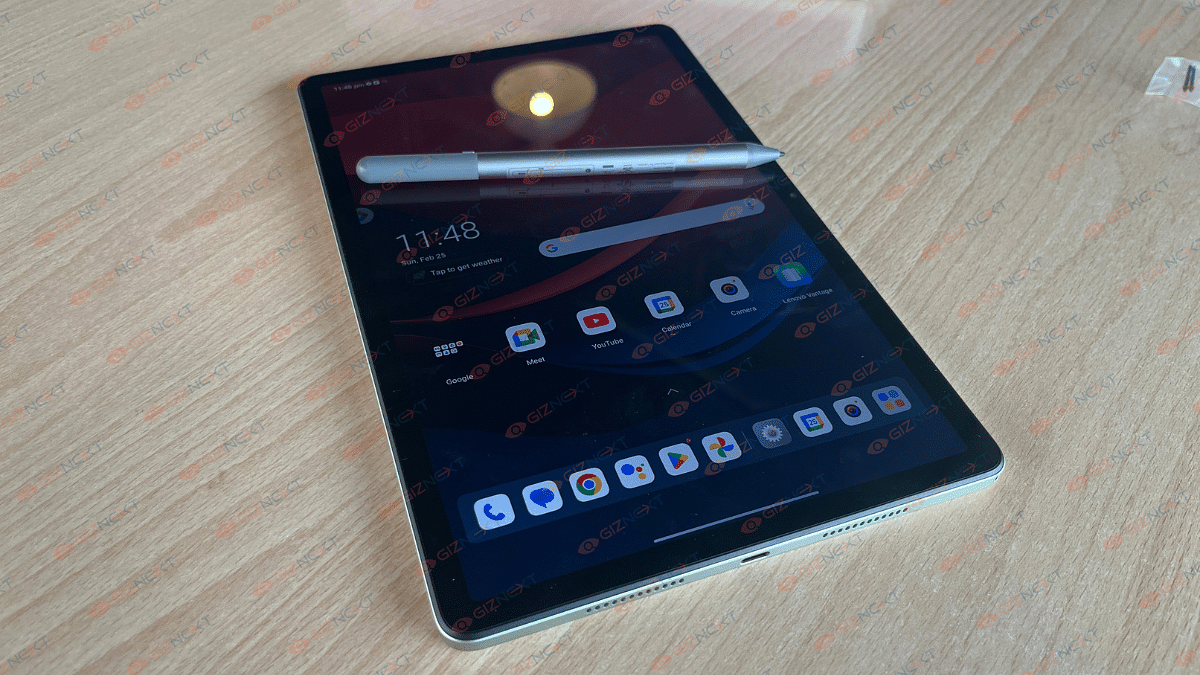
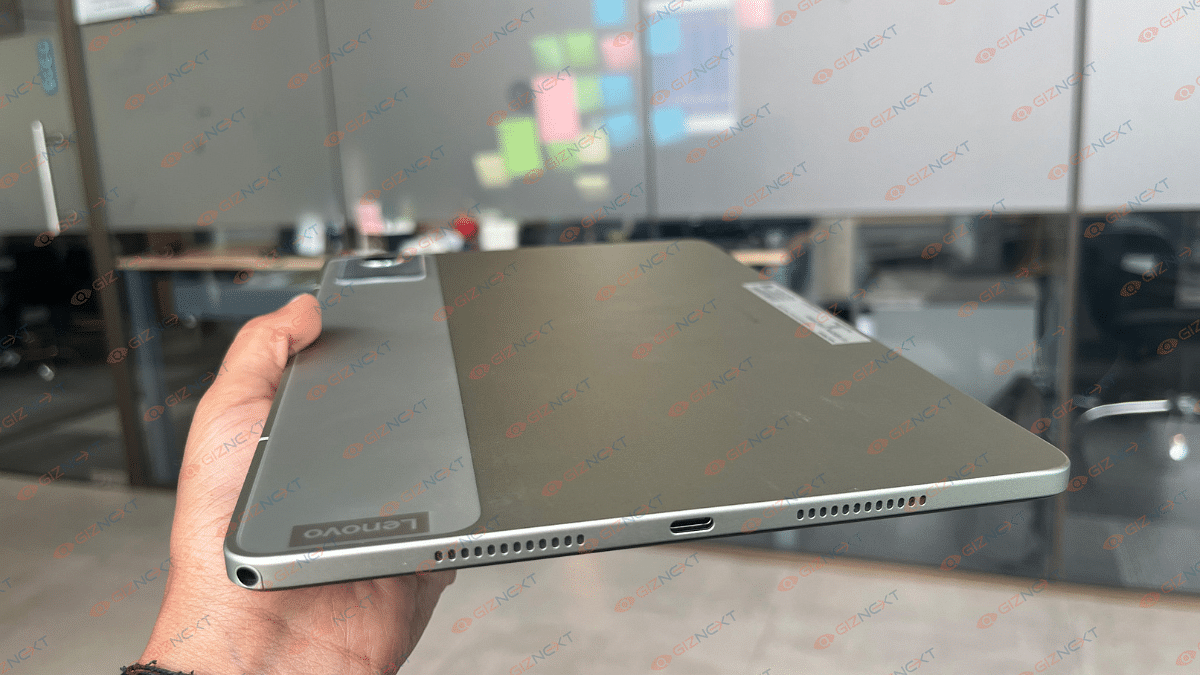
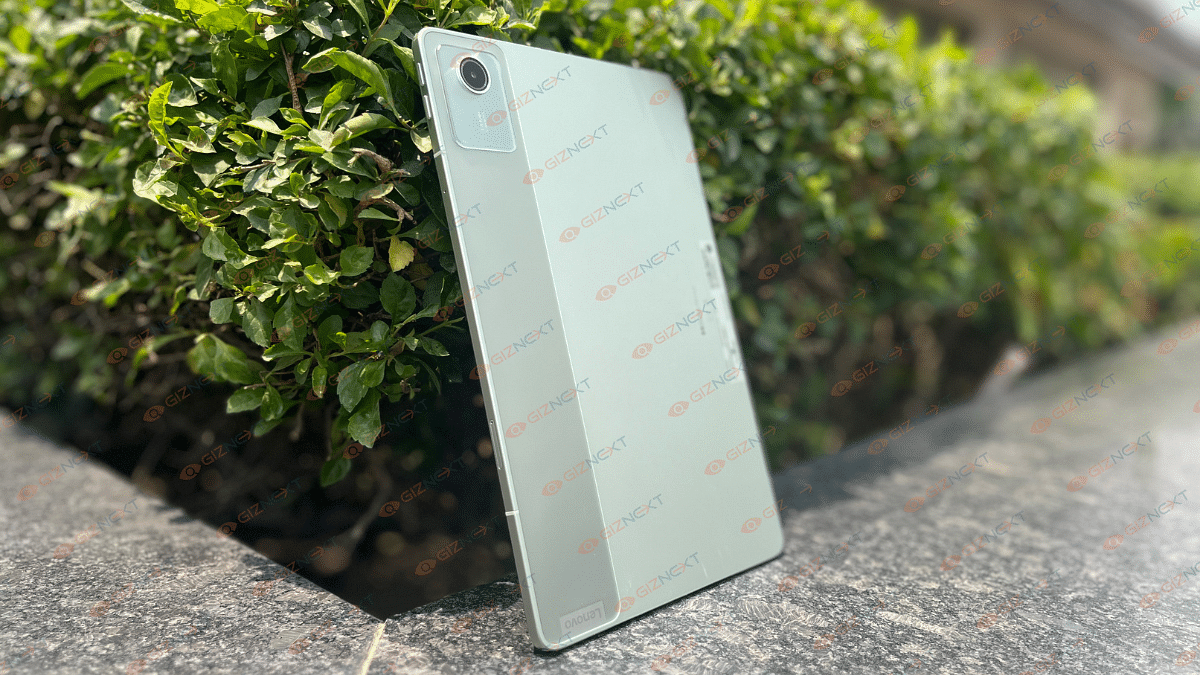
The Lenovo Tab Plus is one of the most practical tablets when you consider the mid-range and affordable segment. It boasts a solid body material rounded off with metallic frames. What makes it unique is the kickstand at the back which is the first in its segment.

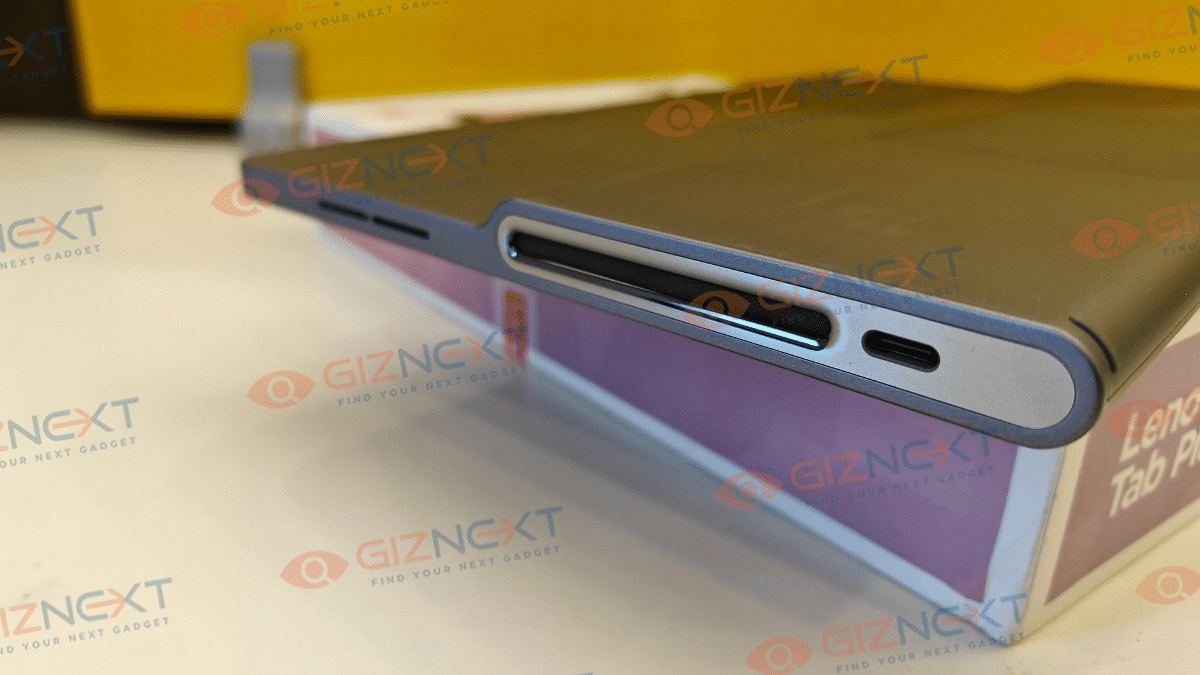
The big JBL speaker grills also adds to its appeal. But the drawback in designing is the added bulk and the thick bezel profile upfront. Apart from this, the Tab Plus boasts a modern design which is aesthetically striking with the added kickstand feature.

Giznext Verdict

The all new Tab Plus from Lenovo is the safest bet if you are out buying a tablet that focuses both on performance and entertainment. Under Rs. 25,000, this latest mid-range Android tablet packs solid punch to please movie-buffs out there. This tablet while being a full-loaded entertainment hub is also a good performer when it comes to tasks ranging from general app usage to mediocre gaming.

Categories
Featured Info Tablet

Lenovo Launches Music-Focused Tab Plus With Eight JBL Speakers: Features

Key Highlights

  • Eight JBL-tuned Hi-Fi speakers with Dolby Atmos for good sound quality
  • 11.5-inch 2K screen with 90Hz refresh rate and adjustable kickstand
  • MediaTek Helio G99, 8GB RAM, 256GB expandable storage, 8,600mAh battery

Lenovo has introduced a new Android tablet designed for entertainment enthusiasts who enjoy watching TV shows or listening to music on the go. The Lenovo Tab Plus, a mid-range tablet, stands out with its great audio capabilities and convenient design features. Also Read | List Of Best Tablet With Stylus Pen Priced Under Rs. 25,000 In India
Audio Experience

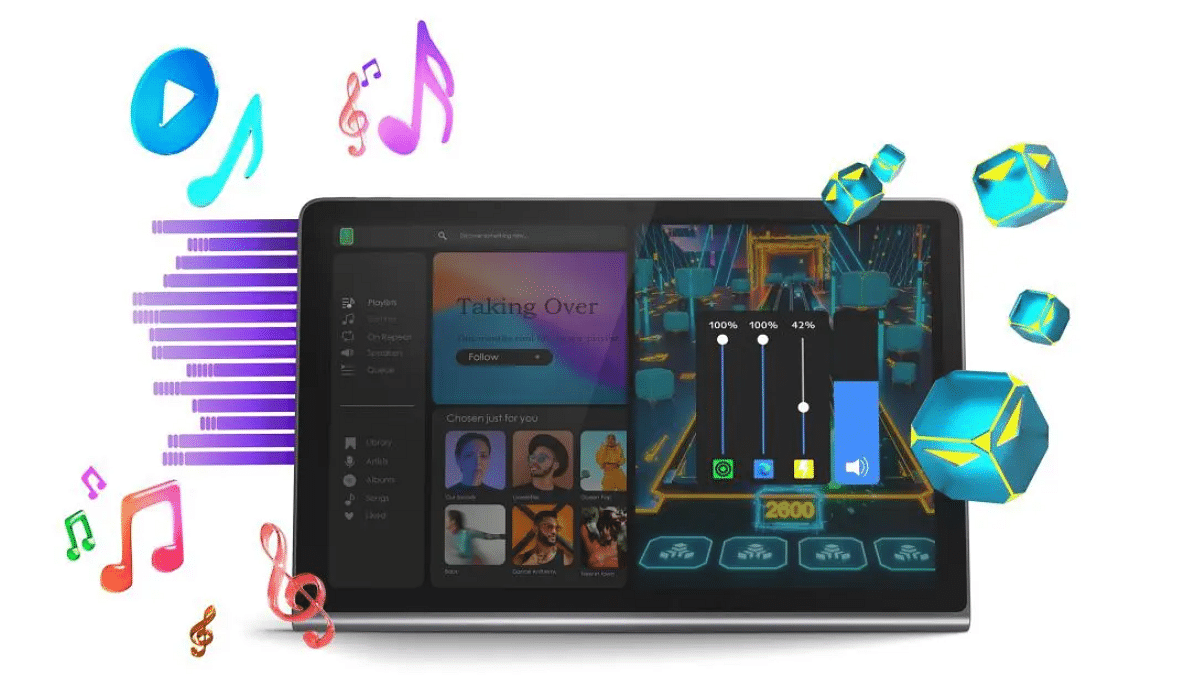
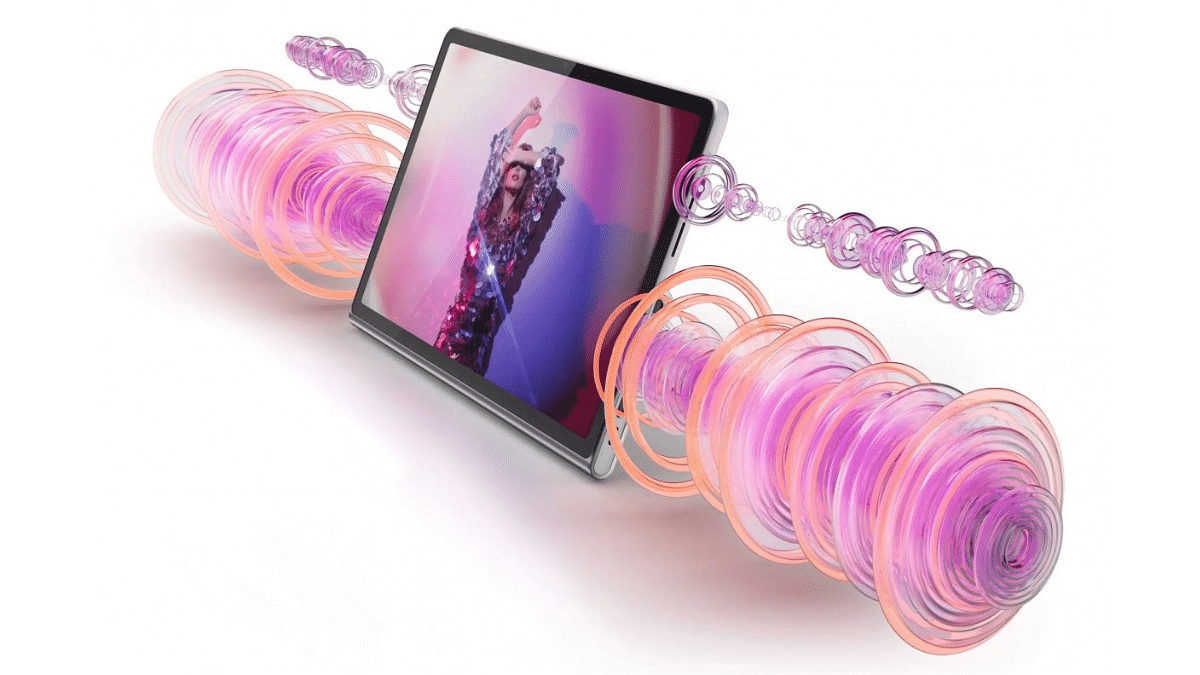
The Lenovo Tab Plus is equipped with eight JBL-tuned Hi-Fi speakers enhanced by Dolby Atmos. This audio setup includes four woofers and four tweeters. Additionally, the tablet features a personalized app volume control that automatically adjusts the volume when you open your favorite podcast or music app. It can also customize audio settings for different apps, ensuring optimal sound quality.

Display And Design

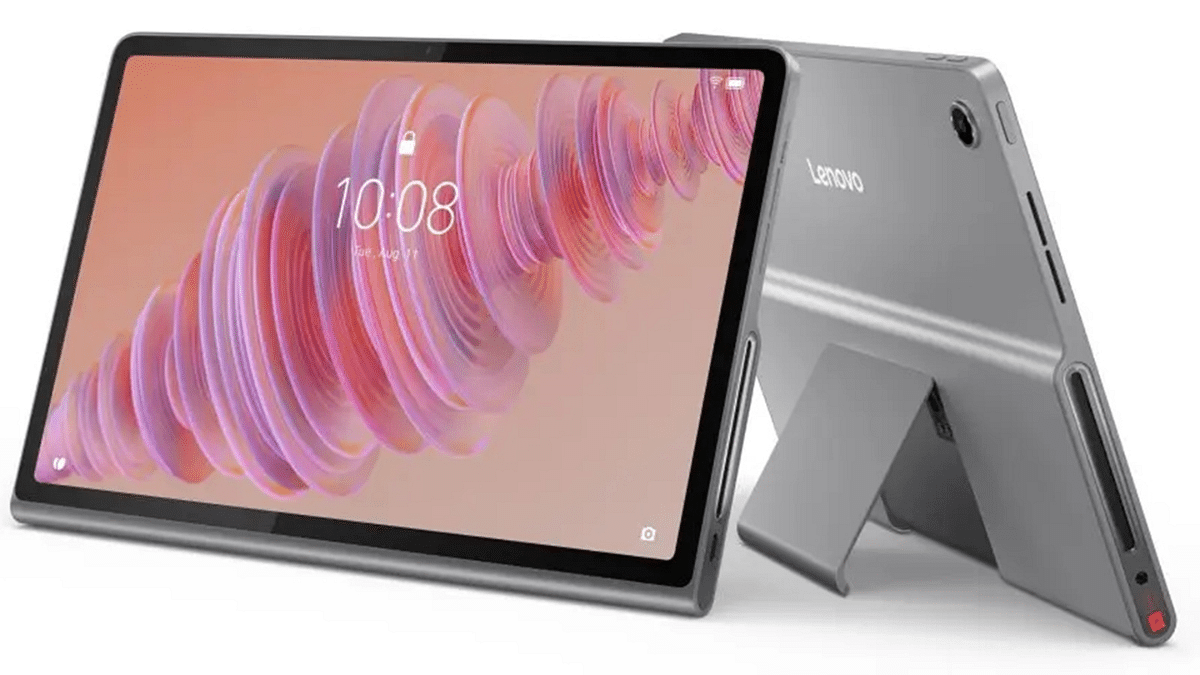
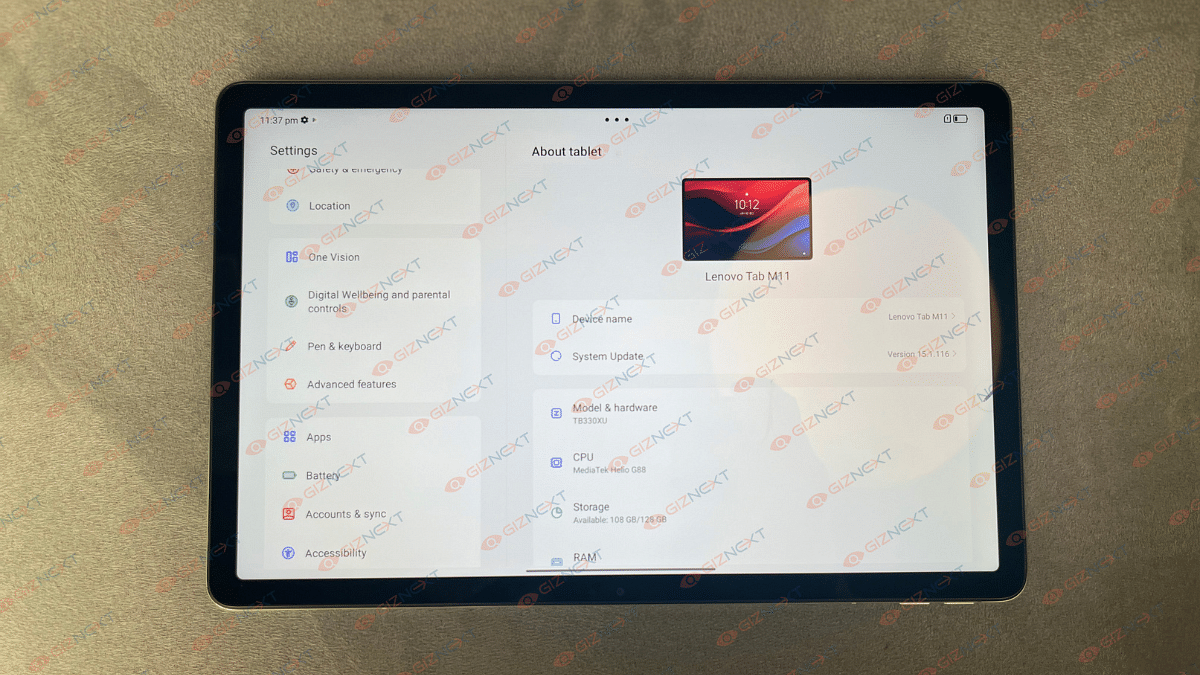
The tablet has an 11.5-inch IPS LCD screen with a 2K resolution and a 90Hz refresh rate. This ensures vibrant colors and smooth visuals, making it ideal for watching movies and TV shows. The Lenovo Tab Plus also comes with a built-in adjustable kickstand that offers up to 175 degrees of viewing flexibility, allowing you to place it comfortably wherever you prefer.

Performance And Storage

Powered by the MediaTek Helio G99 chipset, the Lenovo Tab Plus may not be the best choice for hardcore gamers, but it is more than capable of handling everyday multitasking. It includes 8GB of RAM and offers up to 256GB of UFS 2.2 storage, which can be expanded via a microSD card slot. This provides ample space for all your apps, media, and documents.

Battery And Charging

The tablet is backed by an 8,600mAh battery that supports 45W fast charging. This means you can enjoy long hours of entertainment without worrying about running out of power. Whether you’re binge-watching your favorite series or listening to music, the Lenovo Tab Plus has you covered.

Camera And Connectivity

For photography and video calling, the Lenovo Tab Plus features an 8MP auto-focus rear camera and an 8MP front camera. It also offers versatile connectivity options, including a 3.5mm headphone jack that supports 24-bit 96kHz high-res audio. Additionally, it can function as a wireless or Bluetooth speaker when connected to other devices.

Additional Features

The Lenovo Tab Plus comes with several extra features to enhance user experience. It includes an ‘Immersive Reading Mode’ that simulates the color matrix of a book’s page, making reading more comfortable. In Standby Mode, the tablet can transform into a digital photo frame or clock. It runs on Android 14 and Lenovo promises two OS updates along with four years of security patches.

Also Read | Need A Tablet For Graphic Designing? List Of Best Tablets For Illustration and Graphics Designing Tasks
Availability And Pricing

Lenovo has announced that the Tab Plus is available in select global markets starting at $289.99 (approx. Rs. 24,250). However, it remains unclear if and when the device will be available in India. With its combination of impressive audio features, versatile design, and solid performance, the Lenovo Tab Plus is poised to be a popular choice among mid-range tablets.

Categories
Info Tablet

Samsung’s ‘Back to Campus’ Campaign: Discounts And Offers For Students

Key Highlights

  • Samsung India’s ‘Back to Campus’ campaign offers significant student discounts on select Galaxy devices
  • Students can get up to Rs. 12,000 cashback and a 10% discount via the Samsung Student+ program
  • Offers available at Samsung.com, select retail stores, and online platforms

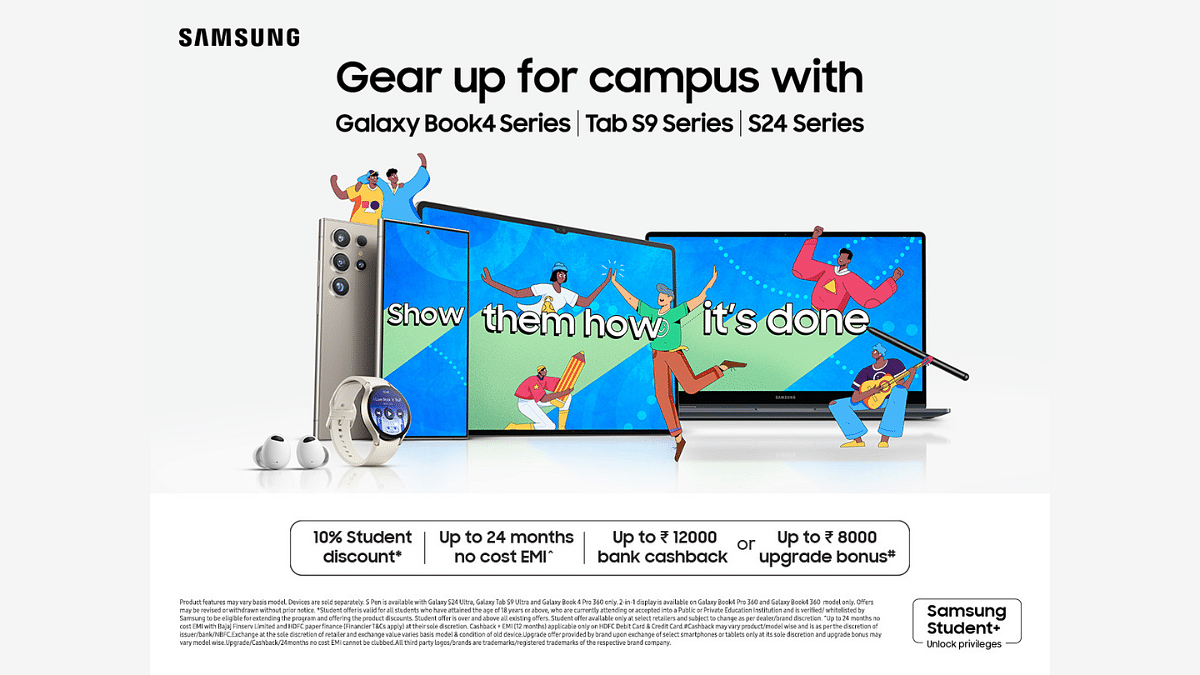
Samsung has launched its ‘Back to Campus’ campaign with the tagline ‘Show Them How It’s Done’. This campaign brings exclusive offers and discounts on select Galaxy Book, Galaxy Tab, and Galaxy smartphone devices, specifically for students. Also Read | iPad Air 2024 vs. Samsung Galaxy Tab S9: Which Tablet Wins The Showdown?

Exclusive Discounts and Offers

The ‘Back to Campus’ campaign offers an exclusive student discount of up to 10 percent through the Samsung Student+ program. Additionally, students can avail of no-cost EMI options for up to 24 months. The campaign also includes a bank cashback of up to Rs. 12,000 and an upgrade bonus of up to Rs. 8,000 on Samsung laptops, tablets, and smartphones.

Devices On Offer

The campaign covers a range of devices, including:

  • Galaxy Book4, Book3, and Book2 Series
  • Galaxy Tab S9 and Tab A9 Series
  • Samsung A Series and S Series Smartphones

These offers will be available across Samsung.com, select retail stores, and other online platforms starting May 17.

Galaxy Book4 Series

The Galaxy Book4 Series is powered by the Intel Core Ultra processor with Intel’s new NPU and Intel Arc GPU, providing excellent performance and immersive visuals. Its Dynamic AMOLED 2X display, anti-reflective screen, and Vision Booster feature ensures clear views from any angle, even in bright light.

Galaxy Tab S9 Series

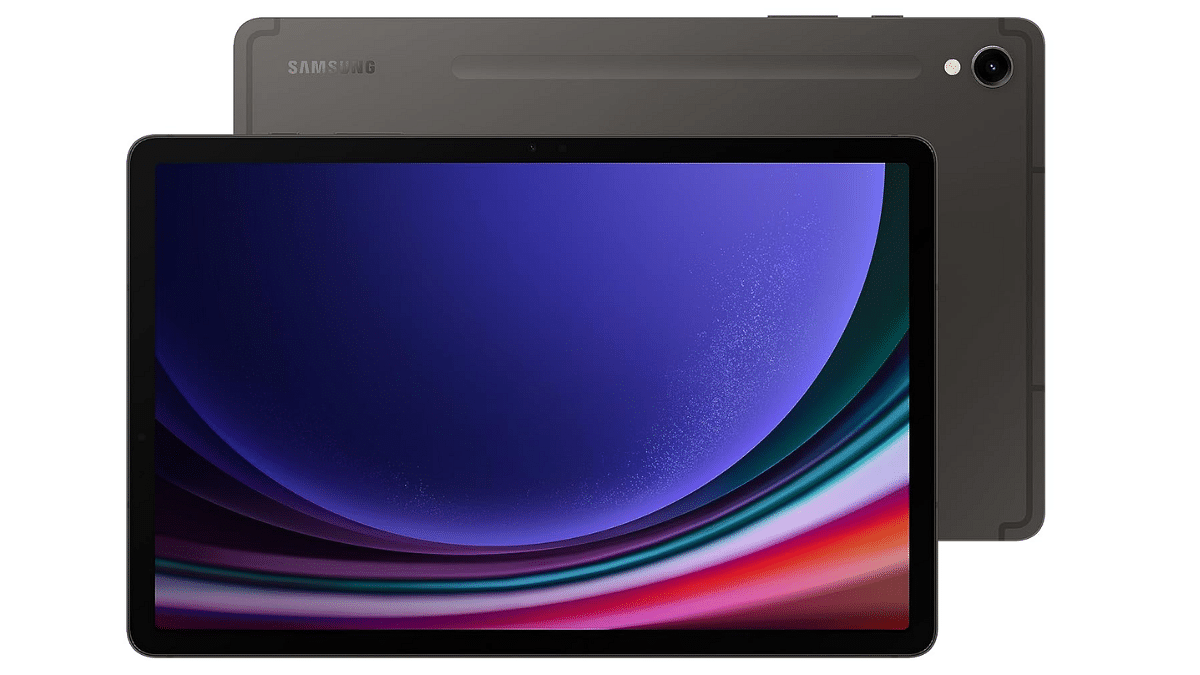
The Galaxy Tab S9 series features a crystal-clear Dynamic AMOLED 2X display, offering vivid colors and true blacks. It supports HDR10+ visuals and smooth scrolling up to 120Hz, ensuring crisp and lifelike on-screen content. The Tab S9 series is also the first Galaxy Tab range with an IP68 rating, making it water and dust-resistant. The S Pen has improved sensitivity for a seamless user experience.

Galaxy S24 Series

The Galaxy S24 series, powered by Galaxy AI, includes innovative features such as Live Translate and Chat Assist for barrier-free communication, and Circle to Search with Google for enhanced search capabilities. These AI features are also available on the Tab S9 Ultra, Tab S9+, and Tab S9 with the latest OneUI 6.1 update.

Special Prices For Students

  • Galaxy Book4 Pro 360: Students can purchase the Galaxy Book4 Pro 360 laptop at a net effective price ranging from Rs. 153,990 to Rs. 169,990, depending on the selected variant.
  • Galaxy Tab S9 WiFi 128GB: The Galaxy Tab S9 WiFi 128GB will be available starting at just Rs. 60,999, reflecting a significant discount of Rs. 12,000 from its regular price.
  • Galaxy S24 Smartphone: The Galaxy S24 8/128GB variant will be available at a starting price of Rs. 61,999, with up to Rs. 13,000 off through a bank cashback of Rs. 5,000 and an upgrade bonus of Rs. 8,000.

Also Read | OnePlus Open Top Vs Samsung Galaxy Z Fold 5: Foldable Phone Comparison

Enhanced Connectivity and Features

Samsung’s tablets and laptops seamlessly integrate with their smartphones, offering an industry-leading connected ecosystem. Key features include:

  • Quick Share: Enables fast sharing of large files between devices.
  • Multi-control: Allows managing projects with ease by dragging and dropping or copying and pasting text, images, and files between devices.
  • Phone Link: Connects the phone and laptop seamlessly, enabling access to mobile apps, files, and even the phone’s hotspot.
  • Second Screen: Transforms the tablet and laptop into a dual-monitor setup for enhanced productivity.
Categories
Comparison Featured Tablet

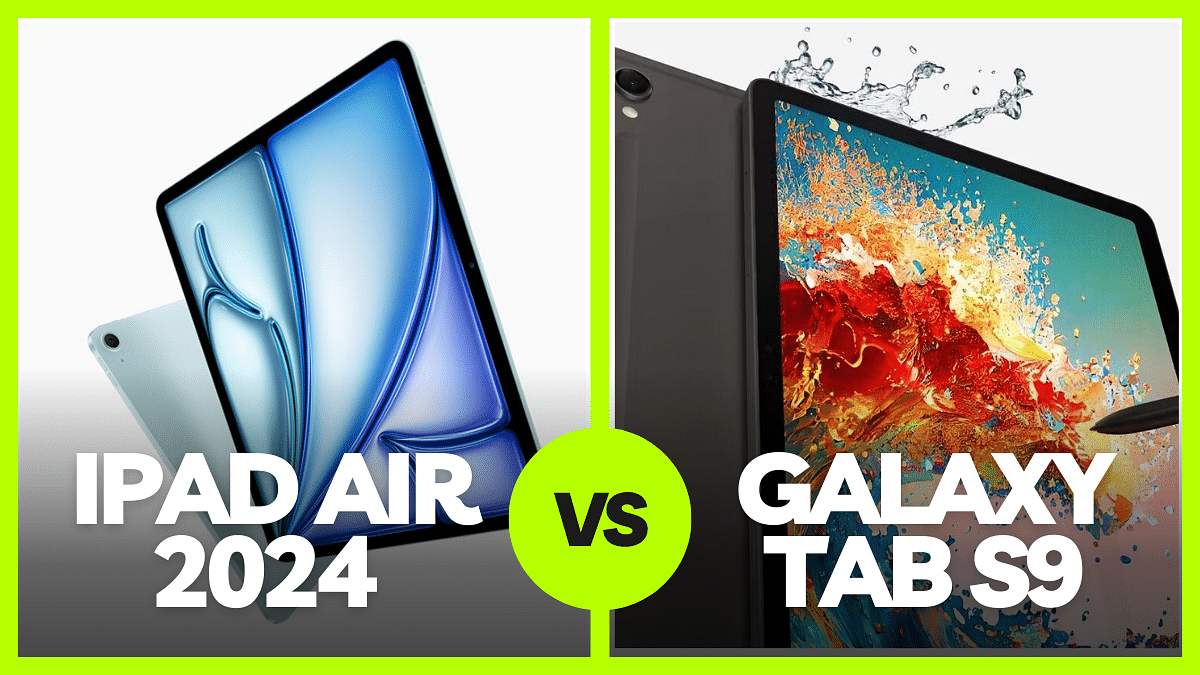
iPad Air 2024 vs. Samsung Galaxy Tab S9: Which Tablet Wins The Showdown?

Key Highlights

  • Apple’s latest release iPad Air 2024 directly competes with Samsung Galaxy Tab S9
  • iPad Air 2024 boasts improved CPU and GPU performance with the M2 chip, while Galaxy Tab S9 uses Snapdragon 8 Gen 2
  • Let’s compare to see which fits your needs better

Apple recently unveiled the new iPad Air 2024, available in 11-inch and 13-inch models, both powered by the M2 chip. With improved performance and features, the iPad Air 2024 competes directly with Samsung’s Galaxy Tab S9. Let’s break down the key aspects of each device to help you decide which one suits your needs better. Also Read | Google Pixel Tablet Vs OnePlus Pad Vs Vivo Pad 2: Top Value Flagship Android Tablet

 iPad Air 2024Galaxy Tab S9
Display11-inch and 13-inch Liquid Retina11.00-inch AMOLED
ProcessorM2 chipSnapdragon 8 Gen 2
StorageUp to 1TBUp to 128GB, expandable to 1000GB
Camera12MP Wide rear, 12MP Ultra-Wide front13MP rear, 12MP front
ConnectivityWi-Fi 6E, Bluetooth 5.3USB Type-C, Wi-Fi 802.11

iPad Air 2024 vs. Galaxy Tab S9: Price, Availability

Despite the numerous similarities between the two top-tier tablets, Apple’s iPad Air is notably more affordable than the rival Samsung Galaxy Tab S9 – and by a significant margin.

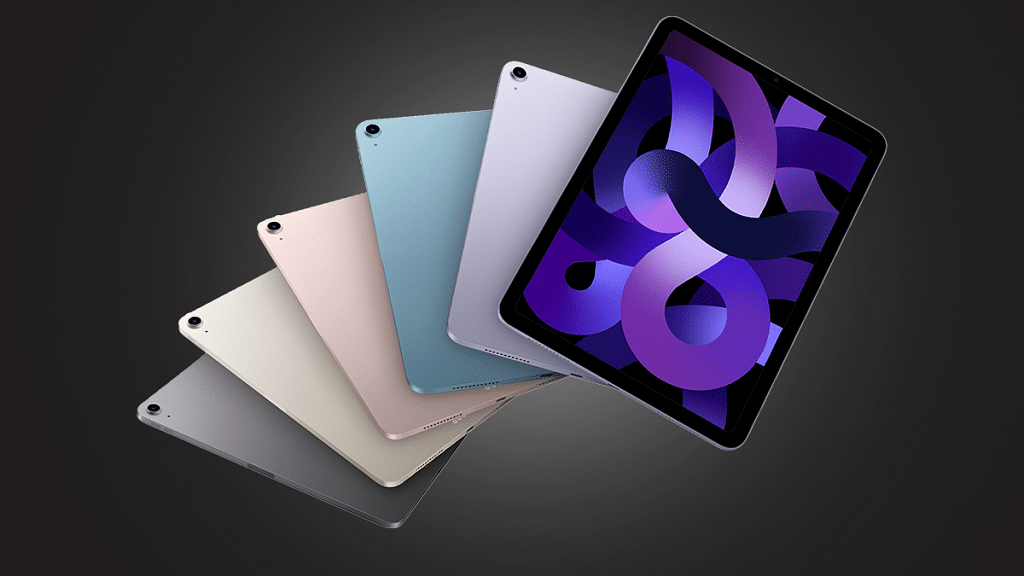
The new iPad Air comes in Blue, Purple, Starlight, and Space Grey, with storage options ranging from 128GB to 1TB. The 11-inch model starts at Rs. 59,900 for Wi-Fi and Rs. 74,900 for Wi-Fi + Cellular, while the 13-inch model starts at Rs. 79,900 for Wi-Fi and Rs. 94,900 for Wi-Fi + Cellular.

In comparison, the Samsung Galaxy Tab S9 is available in Beige and Gray color options. It starts at Rs. 72,999 for the same storage capacity, making it approx. Rs. 13,000 more expensive. However, the Tab S9 includes a stylus in the box, while the Apple Pencil 2 is sold separately.

iPad Air 2024 vs. Galaxy Tab S9: Display

The iPad Air offers a choice between an 11-inch and a 13-inch Liquid Retina display with vibrant colors and True Tone support. Meanwhile, the Galaxy Tab S9 features an impressive 11.00-inch AMOLED panel with a higher 120Hz refresh rate, providing sharper images and smoother motion.

iPad Air 2024 vs. Galaxy Tab S9: Performance

Apple has equipped the iPad Air (2024) with its powerful M2 chip, boasting improved CPU and GPU performance compared to its predecessor, the M1 chip. This means faster processing and smoother graphics for a seamless user experience.

On the other hand, the Galaxy Tab S9 runs on an octa-core Qualcomm Snapdragon 8 Gen 2 SoC, which provides decent performance but may lag behind the M2 chip in raw power.

iPad Air 2024 vs. Galaxy Tab S9: Camera

Both tablets come with decent camera setups. The iPad Air (2024) boasts a 12MP ultra-wide angle front-facing camera with Apple’s Center Stage technology for dynamic video calls. It also sports a 12MP wide-angle rear camera with 4K video recording capabilities. On the other hand, the Galaxy Tab S9 features a 13MP rear camera and a 12MP front camera for selfies.

iPad Air 2024 vs. Galaxy Tab S9: Connectivity

The iPad Air offers Wi-Fi 6E and Bluetooth 5.3 connectivity, along with optional 5G support for cellular models. It also features a USB Type-C port for charging and data transfer. The Galaxy Tab S9 comes with USB Type-C, Wi-Fi 802.11 a/b/g/n/ac, GPS, and Wi-Fi Direct, ensuring versatile connectivity options.

iPad Air 2024 vs. Galaxy Tab S9: Additional Features

One standout feature of the Galaxy Tab S9 is its IP68 dust and water resistance rating, making it durable against the elements. This is a feature that the iPad Air lacks, so if you need a tablet that can withstand more rugged environments, the Tab S9 might be the better choice.

On the other hand, the iPad Air benefits from Apple’s ecosystem, offering seamless integration with other Apple devices and access to a wide range of apps optimized for iPadOS.

Also Read | Xiaomi Pad 6 Vs Vivo Pad Air: Best Mid-Range Tablet Comparison

iPad Air 2024 vs. Galaxy Tab S9: Accessories

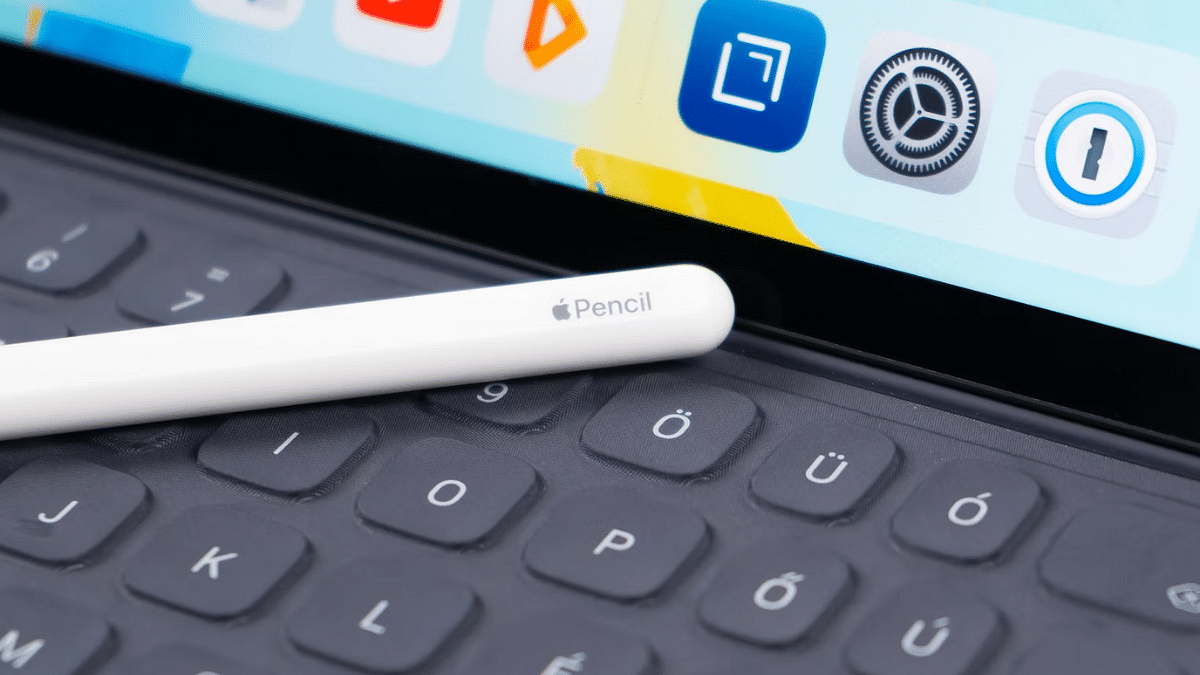
Both tablets support high-quality accessories to enhance productivity and creativity. The iPad Air is compatible with the second-gen Apple Pencil and the Magic Keyboard, providing a premium user experience. The Galaxy Tab S9 supports Samsung’s S Pen stylus and a keyboard case, with DeX support for a desktop-like multitasking experience.

Final Verdict

Both the iPad Air 2024 and the Galaxy Tab S9 are powerful tablets with their own strengths and weaknesses. The iPad Air excels in performance and ecosystem integration, while the Galaxy Tab S9 offers a superior display and durability. Your choice ultimately depends on your priorities and preferences, whether you value raw performance or specific features like water resistance and display quality.

Categories
Featured Tablet

Best Apple iPad Pro 2024 Alternatives: Top Picks For Every Budget

Key Highlights

  • iPad Pro (2024) features ‘Tandem OLED’ screen, M4 chip, and slimmer bezels
  • Available in 11-inch and 13-inch options
  • Many other options also available in the market that offer similar features

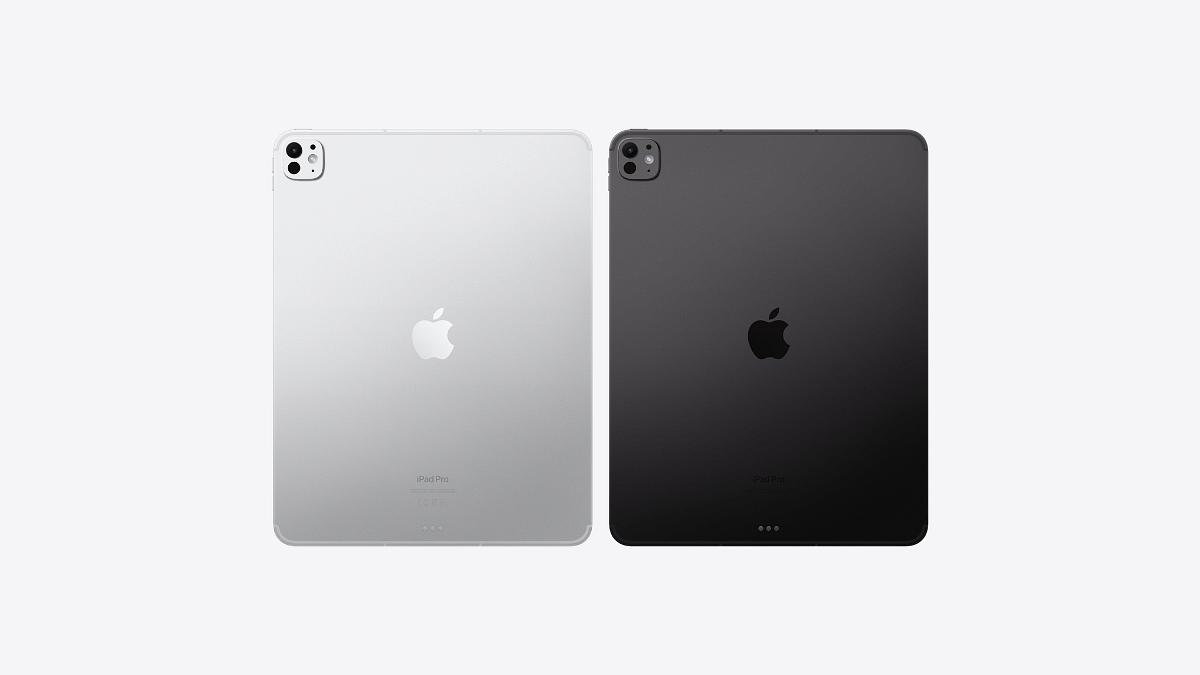
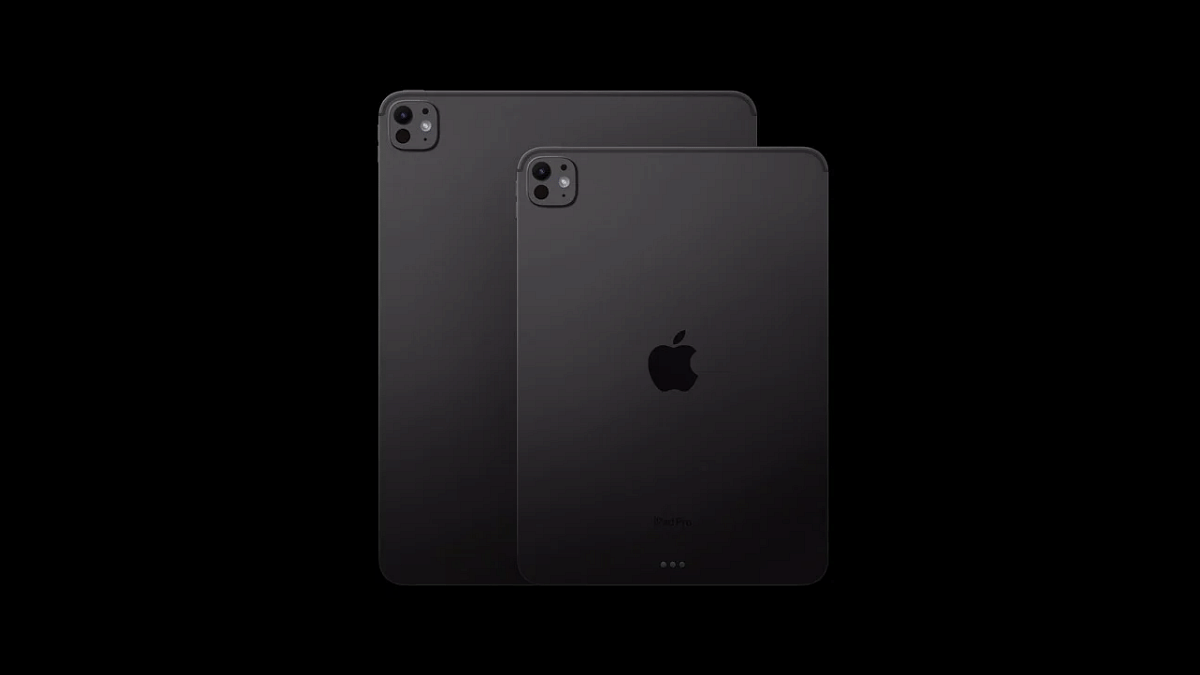
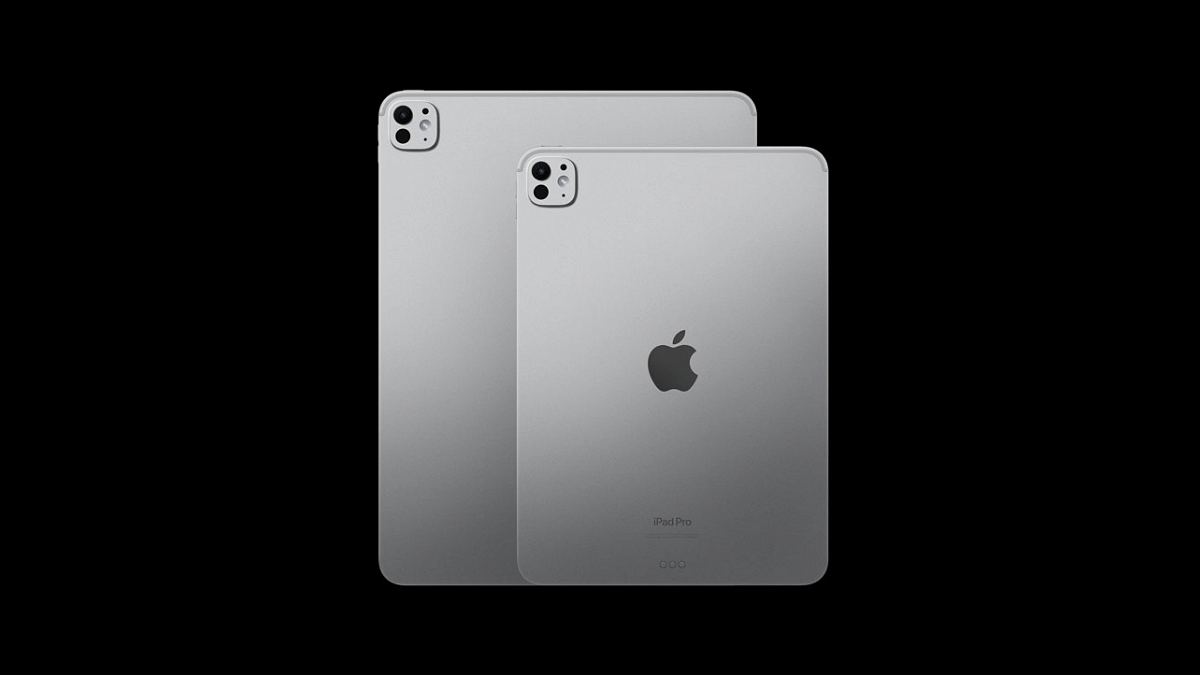
Apple recently introduced the iPad Pro 2024 as their newest top-of-the-line tablet. This latest iPad Pro features a ‘Tandem OLED’ screen, marking a first for the company. It comes in 11-inch and 13-inch display sizes, with thinner bezels compared to the 2022 model. Powered by Apple’s M4 chip, it offers up to 2TB of storage and runs on iPadOS 17 out-of-the-box. While the iPad is a popular choice, there are other options available in the market that offer similar features and sometimes more, all while being more budget-friendly. Let’s explore some of the best iPad alternatives. Also Read | Apple Let Loose Event 2024 Key Notes: Redesigned iPad Air 11-inch, 13-inch With M2 Chipset Introduced

TabletPrice
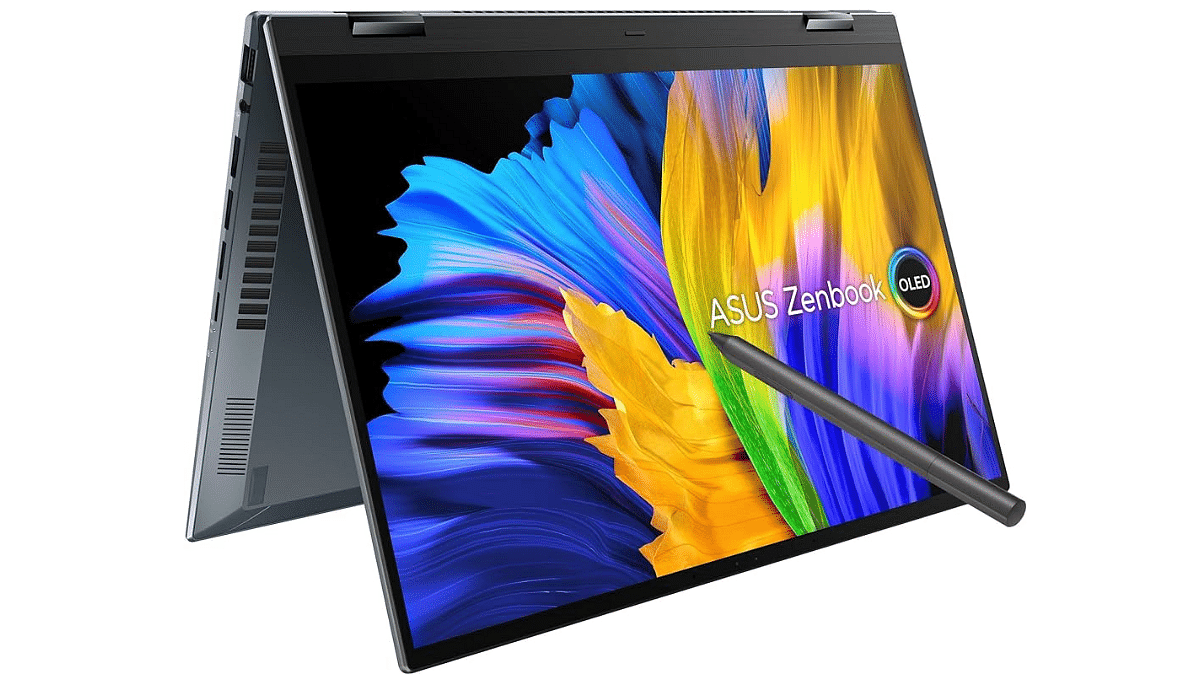
ASUS Zenbook 14x FlipRs. 66,990
Samsung Galaxy Tab S9 UltraRs. 1,04,999
Microsoft New Surface Pro9Rs. 1,08,000

Samsung Galaxy Tab S9 Ultra

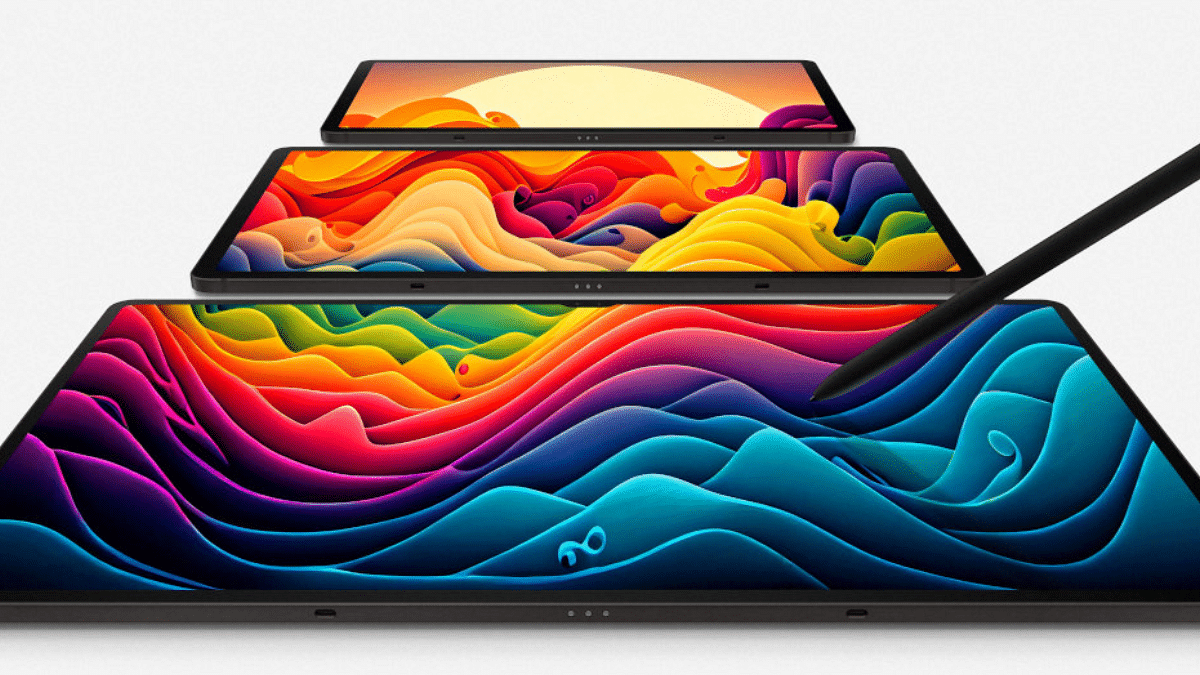
Samsung’s Galaxy Tab S9 Ultra stands out as a premium Android tablet that can go toe-to-toe with Apple’s iPad Pro lineup. Boasting a 14.6-inch Dynamic AMOLED 2X display with a 120Hz refresh rate and HDR10+ support, it delivers a multimedia experience that’s hard to beat.

Powered by the Snapdragon 8 Gen 2 chipset and offering up to 16GB of RAM, this tablet breezes through demanding tasks. Its dual-lens primary camera and selfie cam ensure great video conferencing and content creation capabilities. With top-notch build quality, impressive battery life, and seamless integration into Samsung’s ecosystem, the Galaxy Tab S9 Ultra is a solid choice for those seeking a premium Android tablet experience.

Microsoft New Surface Pro9

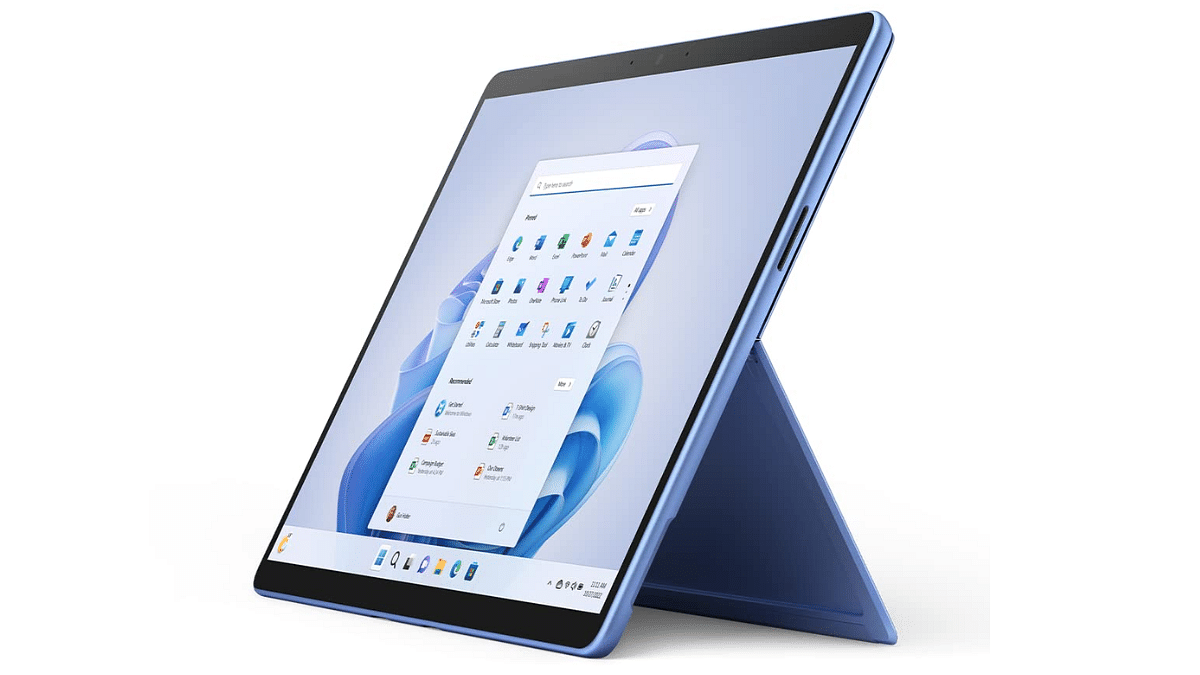
Microsoft’s New Surface Pro9 emerges as a top contender in the realm of iPad alternatives, especially for those looking for a Windows-powered device. The Intel Evo12th Gen offers a high-end feel akin to Apple’s offerings, with a sturdy and well-designed stand.

Running Windows means full compatibility with desktop software, making it a versatile tool for various tasks. With configurations like the Intel core i5 with 8GB RAM, it handles multitasking with ease. With its 13-inch touchscreen, iconic built-in Kickstand, and detachable Keyboard, it provides versatility for any task. Starting at just 879 grams, the Surface Pro 9 is incredibly lightweight, making it easy to carry around wherever you go.

ASUS Zenbook 14x Flip

While not a traditional tablet, the ASUS Zenbook 14x Flip offers a great alternative with its 2-in-1 design and tablet mode. Lightweight and portable, it’s easy to switch to tablet mode by flipping the keyboard over on its hinges. With a QHD OLED touchscreen boasting great color accuracy and a 90Hz refresh rate, it provides a smooth and immersive experience, perfect for drawing and streaming.

However, at 1.5kg, it’s not the lightest option, and the absence of a side power button in tablet mode can be a minor inconvenience. Nevertheless, its versatility, impressive display, and seamless transition between modes make the Zenbook 14x Flip a worthy iPad alternative.

Also Read | Lenovo Tab M11 Review: A Versatile Tablet For Everyday Use

Conclusion

While iPads remain popular, these alternatives offer great features and functionalities that cater to various needs and preferences. Whether you prioritize operating system, performance, or versatility, there’s an option out there to suit you.

Categories
Featured Tablet

Apple Let Loose Event 2024 Key Notes: Redesigned iPad Air 11-inch, 13-inch With M2 Chipset Introduced

Key Highlights

  • iPad Air refreshed
  • 11-inch and 13-inch models launched
  • Powered by the M2 chipset

Apple’s Let Loose Event 2024 has been the centerstage for the new-generation iPad models, accessories, and much more. The iPad Air gets re-designed and is now introduced with 11-inch and 13-inch Liquid Retina display options and M2 chipset. Starting at Rs.  59,900, the new-generation iPad air is going up for sale starting 15th May, 2024 in India. Here are the iPad air 2024’s top highlights

Also Read: OPPO F25 Pro Long Term Review: A Performance-Oriented Mid-Ranger

iPad Air 2024 Display

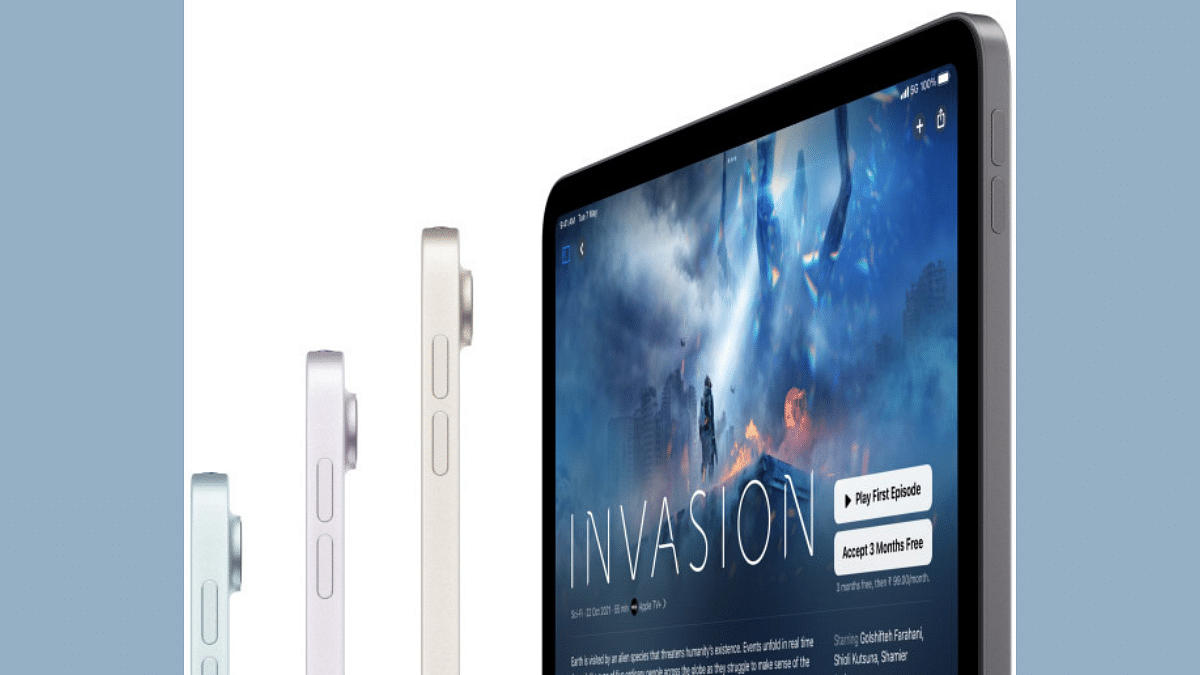
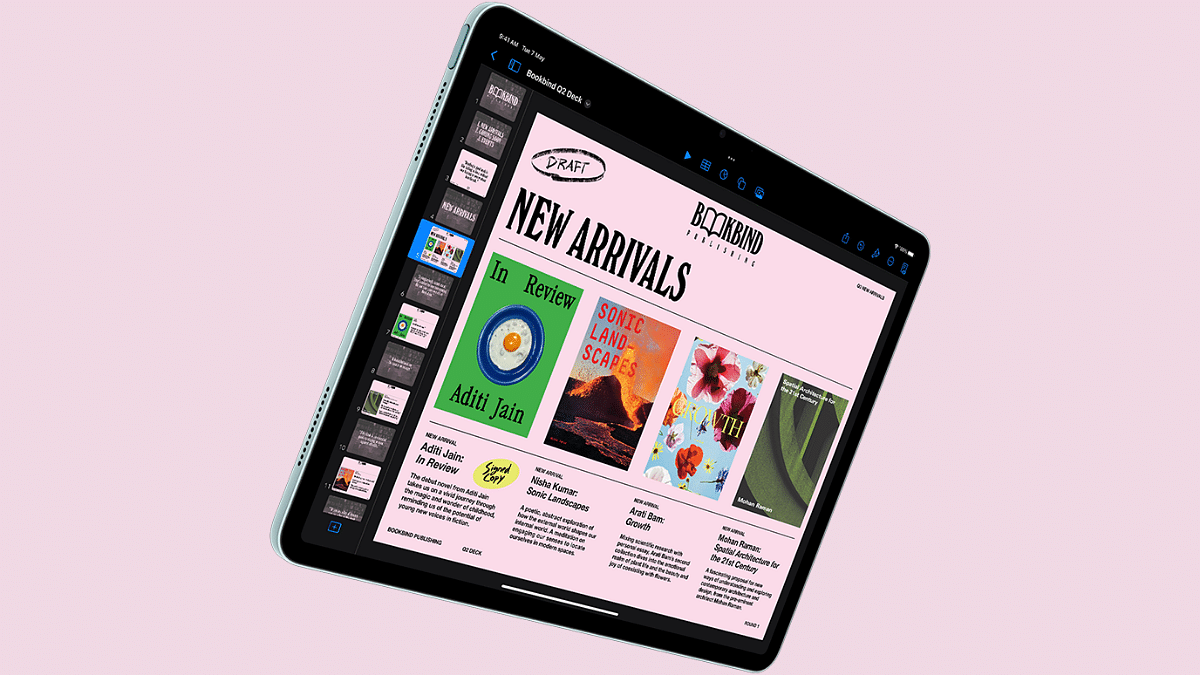
Just like the new iPad Pro, the latest iPad Air variant also has a premium display hardware. Apple has introduced dual screen size options with the re-designed iPad Air including 11-inch and 13-inch. However, unlike the Ultra Retina XDR panel, this one comes equipped with a liquid retina panel as the previous-generation.

  • Features liquid retina display
  • Will be available with 11-inch and 13-inch display size
  • Both screens have an anti-reflective coating
  • Display comes with True Tone tech and P3 wide color gamut
  • High-res panel suitable for creative and entertainment usage

Also Read: Lenovo Tab M11 Review: A Versatile Tablet For Everyday Use

iPad Air 2024 Cameras

iPad Air 2024 model gets a decent set of camera hardware both upfront and the rear. It features a set of 12MP sensors on both ends for photography, video conferencing, etc.

  • Rear panel camera island includes a 12MP ultra wide sensor
  • Primary camera is capable of recording 4K ProRes videos as the iPad Pro model
  • Front setup is also identical to the iPad Pro variant where it sports a 12MP lens
  • Same landscape centerstage positioning as the Pro model

Also Read: Just Corseca Sushi Albatross Bluetooth Speaker Review: Is It The Ultimate Party Companion?

iPad Air 2024 Chipset

iPad Air 2024 variant is loaded with the updated M2 chipset. This new processor enabled faster GPU and CPU speeds and also improves the Neural Engine efficiency. Users will be abl to

  • iPad Air’s performance delivery is handled by the M2 chipset
  • Offers faster performance compared to the M1 chipset (up to 50 percent speed improvements)
  • Up to 3x times better performance delivery than the A14 Bionic chipset used by the previous-gen iPad Aid.
  • Available with up to 1TB storage configuration
  • Compatible with Apple Pencil Pro and Magic keyboard

Also Read: Realme P1 5G Review: Is This The Affordable Smartphone You’ve Been Waiting For?

Apple iPad Air 2024 Price In India And Availability

Apple iPad Air new model (2024) comes with an asking price of Rs. 59,900 for the 11-inch Wi-Fi only model. The iPad Air 13-inch Wi-Fi only is priced at Rs. 79,900, while the Wi-Fi+ Cellular variant will be up for purchase at Rs. 94,900 starting May, 15, 2024 in India. Color options available will be Space Grey, Starlight, blue, and purple shades.

Categories
Featured Tablet

Apple Let Loose Event 2024: iPad Pro With New-Gen M4 Chip, Apple Pencil Pro Launched

Key Highlights

  • Apple Let Loose Event concludes with new iPad launch
  • iPad Pro debuts with M2 chipset
  • Features 12MP main camera
  • Dual screen options available

Apple’s Let Loose Event 2024 concluded with a bang. The Cupertino giant today unveiled the new-gen iPad air and iPad Pro models. The new-generation premium Apple tablet lineup is equipped with the latest M4 processor which enabled ray tracing first time for any iPad. Here are the top highlights of the iPad Pro 2024:

Also Read: Lenovo Tab M11 Review: A Versatile Tablet For Everyday Use

Apple iPad Pro 2024 Display

Apple iPad Pro features the latest Ultra Retina XDR screen which is enabled with ProMotion and True Tone tech. The high-res panel will be adequate for creative tasks and also video playback.

  • Sports an ultra Retina XDR display with up to 1600 nits peak HDR brightness
  • Offered with 11-inch and 13-inch screen size options
  • Advanced ProMotion adaptive refresh rate of 10- 120 Hz
  • Supports P3 wide color gamut
  • Comes with proprietary TrueTone display technology

Also Read: Realme P1 5G Review: Is This The Affordable Smartphone You’ve Been Waiting For?

Apple iPad Pro 2024 Camera

Apple has also updated the camera hardware of the iPad pro 2024. The new premium tablet comes with a 12MP primary camera at the rear with AI and Smart HDR. The tablet also gets an adaptive flash for low light assistance.

  • Features a 12MP main rear camera
  • Has LiDAR scanner
  • Supports 4K ProRes video recording
  • Front 12MP sensor supporting ultra-wide frame

Also Read: Realme Narzo70 Pro Quick Review In Five Points: The Pros And Cons!

Apple iPad Pro 2024 Performance Upgrade

The Apple iPad Pro is updated with the latest M4 chipset which not only offers improved CPU but also GPU efficiency. The advanced Neural Engine of the M4 chipset enabled AI capabilities and also hardware-accelerated ray tracing feature.

  • Equipped with the latest Apple M4 chipset
  • Available with up to 2TB storage
  • Approx. 4 times better rendering speed than M2 chipset and 1.5 percent better CPU performance
  • Has Apple Pencil Pro and Magic Keyboard compatibility

Also Read: Vivo T3 5G Review In Five Points: The Pros And The Cons

Apple iPad Pro 2024 Price In India

The premium Apple iPad Pro 2024 tablet model is launched with a starting price of Rs. 99,900 in India (Wi-Fi only variant). The iPad Pro Wi-Fi+ Cellular 11-inch screen model will be available starting at Rs. 1,19,900. The iPad Pro 13-inch Wi-Fi only and Wi-Fi+ Cellular model has been launched starting at Rs. 1,29,900 and Rs. 1,49,900 respectively. Pre-orders are live now on the official website and the availability will commence starting May 15, 2024 in India.

Categories
Featured Reviews Tablet

Lenovo Tab M11 Review: A Versatile Tablet For Everyday Use

Key Highlights

  • 11-inch WUXGA display
  • MediaTek Helio G88 octa-core processor
  • 7040mAh battery
  • Android 13

Looking for something between your smartphone and laptop? Well, the mid-level Android tablet market is full of options. Lenovo has just thrown another hat into the ring with the Tab M11, which was unveiled at CES in January. It’s great for watching stuff, taking calls, and jotting down notes on a bigger screen than your smartphone. We got our hands on one for a couple of weeks, and here’s what we found. Also Read | Lenovo Tab P12 Review: Practicality At Its Best

ProsCons
Premium designLack fast charging
Good speakersAverage display
Good battery 

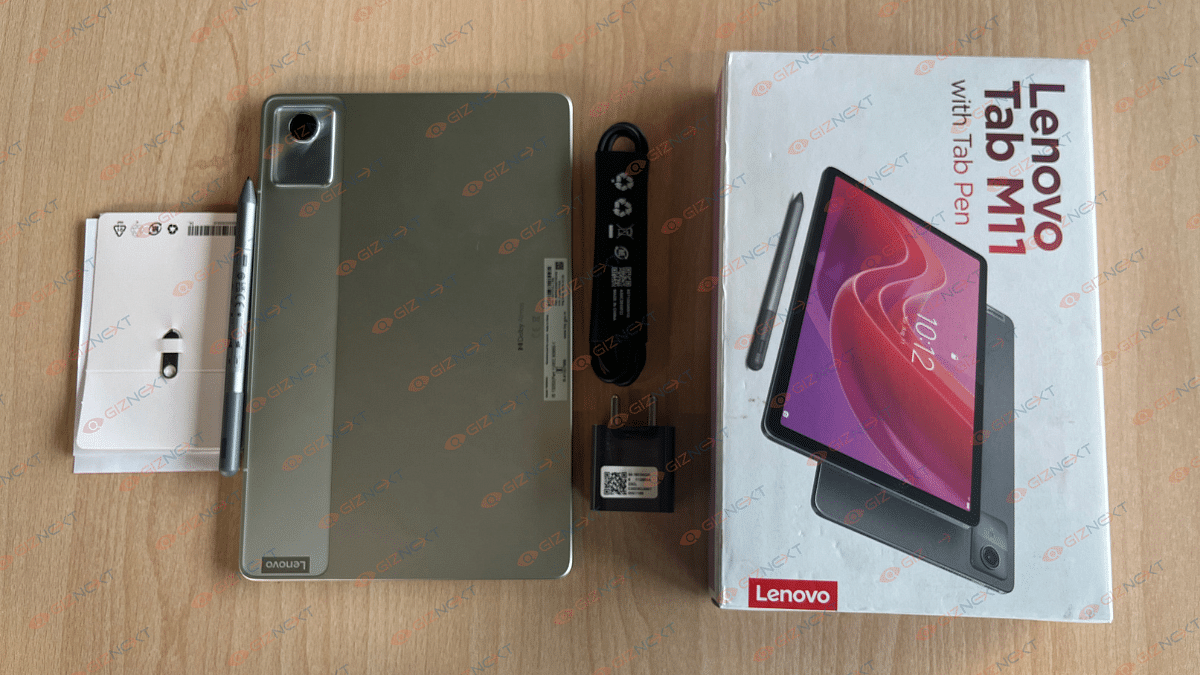
What’s Inside The Box?

  • Lenovo Tab M11
  • Stylus
  • SIM ejector tool
  • USB-C cable
  • 5V Adaptor
  • Usual Paperwork

Design

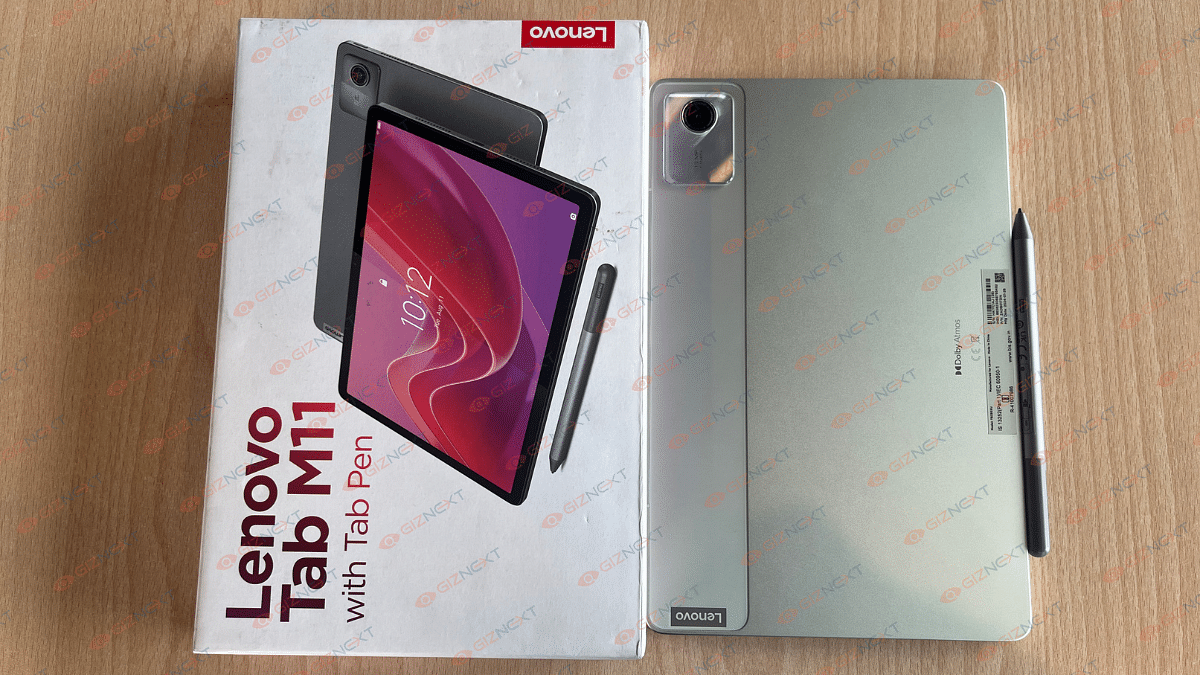
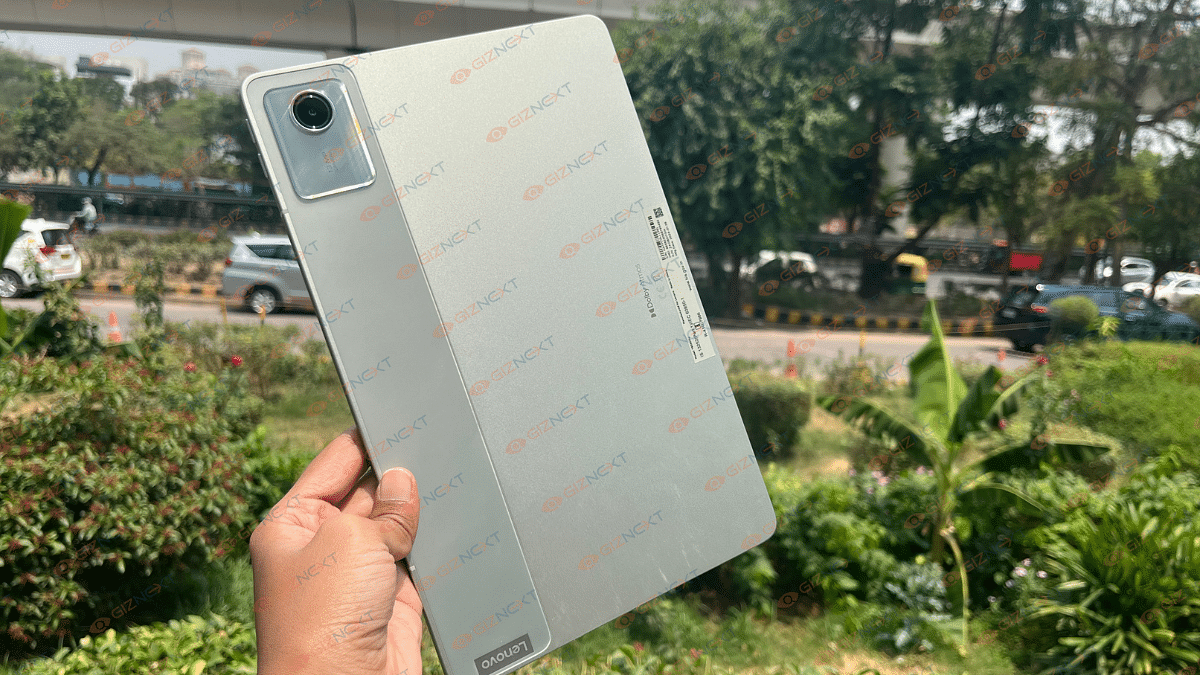
The Lenovo Tab M11 boasts a sleek all-metal design that gives it a premium feel without breaking the bank. It stands out with its metal back panel housing a 13MP camera and Lenovo branding. The gunmetal grey finish adds a touch of sophistication, especially with the unique dual-tone strip for the camera.

It’s big enough to enjoy watching videos comfortably, yet still portable for carrying around. While it’s lightweight, it may feel a bit heavy after using it for a long time.

The tablet includes volume buttons, microphone, and SIM ejector tool on the sides. At the top, you’ll find the power button and speaker grills, while the bottom houses the USB-C charging port and more speakers. But what really caught my attention? The 3.5mm headphone jack. It’s a relief to have the choice of plugging in wired headphones instead of constantly relying on Bluetooth.

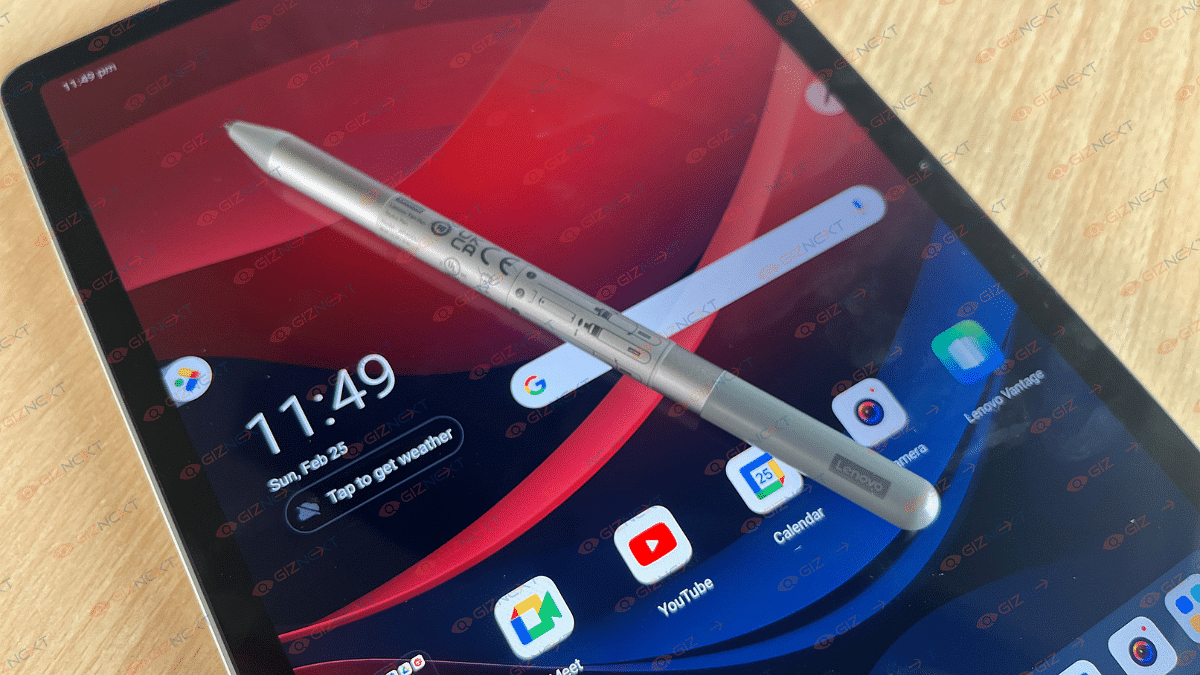
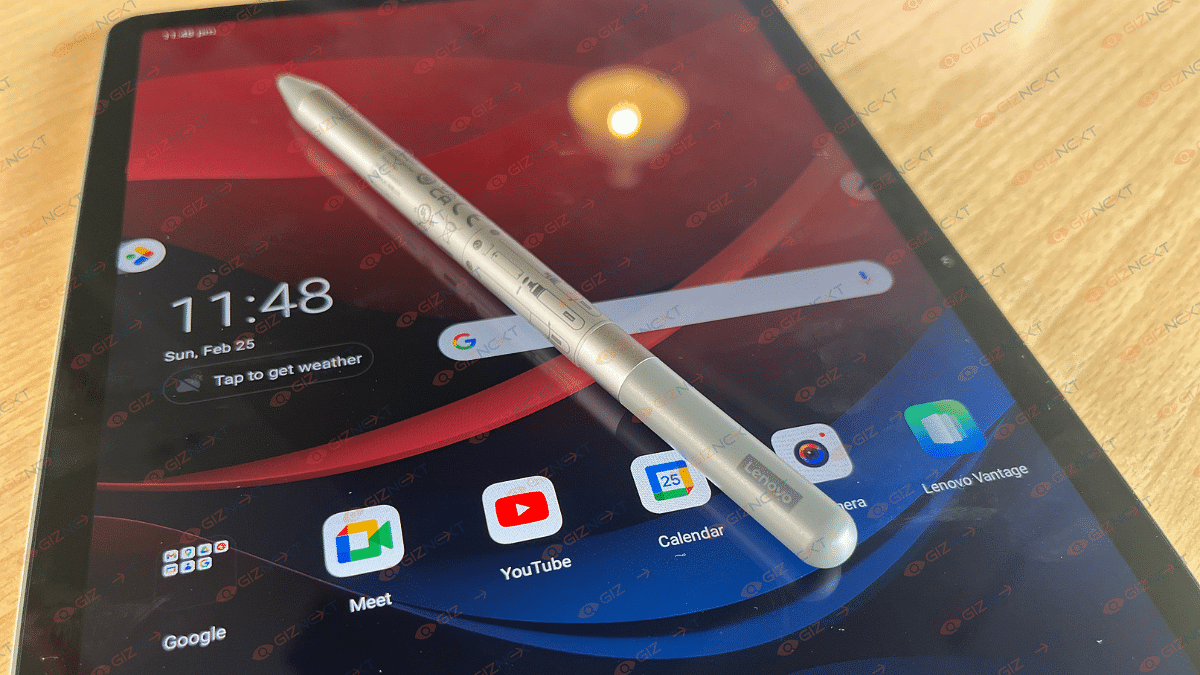
Overall, the tablet feels premium and is great for extended use. It would have been even better if it came with a kickstand case for on-the-go use and protection from scratches. However, it does come with a stylus, although there’s no designated spot to store it on the device.

Display

The M11 features an 11-inch WUXGA 90Hz display with a resolution of 1920×1200. With its IPS panel reaching up to 400 nits brightness, it’s better suited for indoor use rather than under bright sunlight. Its thin bezels make handling easy, and the front-facing 8.0 MP camera sits nicely at the center of the top bezel, perfect for landscape mode.

We tested the display with various streaming sites, reading, and scrolling, and it held up well. Colors are sharp, with good clarity, though not ideal for image editing. Touch sensitivity is smooth, with no issues navigating menus or webpages.

However, the screen is reflective, making it challenging to use in bright environments despite setting brightness to the maximum. This was particularly bothersome in office or outdoor settings. Apart from the brightness issue, the overall display experience was positive with no other noticeable problems.

Performance

When it comes to performance, the Lenovo Tab M11 handles day-to-day tasks smoothly. Games run well, and basic productivity like writing documents, emailing, and checking work is smooth. It’s powered by the MediaTek Helio G88 chipset. Our review unit had 128GB eMMC 5.1 storage and 8GB LPDDR4 RAM, which provided smooth performance without any lags.

One standout feature of the M11 is its sound quality. The four 1W speakers with Dolby Atmos deliver loud, clear audio. Even at maximum volume, there’s minimal distortion, and the quality remains impressive.

The stylus performance is also decent for a tablet in this price range. It works well for graphic design with no noticeable input lag. Artists will appreciate the comfortable grip and customizable settings that allow for creativity to flourish.

Further, the Lenovo Tab M11 runs on Android 13 with a customized interface that doesn’t stray too far from stock Android. You’ll receive two years of guaranteed Android updates and four years of security updates. Lenovo adds a few bonus apps and extra features to enhance the user experience.

Battery

The Lenovo Tab M11 boasts a 7,040mAh battery, which easily lasted me two full days of regular use. Charging isn’t super-fast as it takes about 2-3 hours with the included 5V adapter and USB-C cable. But the battery life itself is fantastic.

During a weekend binge of 8-9 hours on Netflix, with Wi-Fi on, screen brightness at 100 percent, and speakers at 80 percent volume, I still had about 20 percent battery left. It’s safe to say the device has impressive battery life, especially for on-the-go content consumption.

Also Read | Lenovo Tab M9 Review: An Affordable And Reliable Solution For Creative Users

Giznext’s Final Verdict

Priced at just Rs. 14,999 for the base model, the Lenovo Tab M11 offers a lot of positives. It boasts good sound quality and decent battery life, plus it comes with a pen included in the box. The tablet feels surprisingly luxurious and well-built for its price, making it suitable for both family use and productivity tasks.

However, it falls short in display viewing angles and lacks support for fast charging. The cameras also leave something to be desired. If you’re in need of a tablet for on-the-go content consumption or as a larger alternative to your phone, the M11 is worth considering.

Categories
Featured Info Tablet

Apple Let Loose Event Today: Two iPads, Magic Keyboard, Upgraded Pencil, And More

Key Highlights

  • Apple Let Loose event to introduce OLED screens for iPad Pro, thinner design, and M4 processor
  • Redesigned accessories like Apple Pencil and Magic Keyboard enhance productivity
  • Expectations of a price hike and potential release of iPadOS 17.5 add to the anticipation

Apple is gearing up to host its Let Loose event today, marking the first major Apple event of the year. The Cupertino-based tech giant is expected to make significant announcements regarding its iPad lineup. Reports suggest that the event will be a pre-recorded video lasting 35 minutes, stirring anticipation among tech enthusiasts worldwide.

Apple Let Loose Event: What To Expect?

The Let Loose event, also known as the Apple May 7 event, will kick off at 7 AM PT (7:30 PM IST). You can catch the action live on YouTube.com, Apple.com, and Apple TV. But what can we expect from this eagerly awaited event?

iPad Pro

The highlight of the event is expected to be the introduction of OLED screens for the iPad Pro. This upgrade promises improved brightness, contrast, and color accuracy, providing an enhanced viewing experience for creative professionals and media enthusiasts alike. Additionally, rumors suggest that the new iPad Pro models will boast a thinner design and may feature a 20 percent reduction in size for the 12.9-inch model and 15 percent for the 11-inch model.

iPad Air

While the iPad Pro steals the spotlight with its OLED display and M4 processor, Apple is also set to refresh its iPad Air lineup. The new iPad Air is rumored to feature a larger 12.9-inch display, a significant jump from the current 10.9-inch size. However, unlike the iPad Pro, the iPad Air is likely to retain its Retina display, with OLED models possibly reserved for the premium iPad Pro lineup.

M4 Processor

A significant development expected at the event is the debut of the M4 processor. This new chip, according to Bloomberg, is set to bring AI features to the iPad lineup, potentially offering performance and battery life improvements over the existing M3 chip.

Redesigned Apple Pencil And Magic Keyboard

Apple enthusiasts have been eagerly awaiting the arrival of the third-generation Apple Pencil, rumored to feature swappable tips, Find My integration, and additional control options. Alongside the new Pencil, Apple is expected to launch a redesigned Magic Keyboard tailored for the new iPad Pro and iPad Air models, enhancing productivity and usability.

Price Hike and Availability

With all these upgrades, customers should brace themselves for a possible price hike, with base prices reportedly expected to increase by at least $100. Accessories like the Magic Keyboard and Apple Pencil could further escalate the overall cost. Apple might also announce the release date for iPadOS 17.5 during the event, teasing potential security enhancements and new features.

Final Thoughts

As the Let Loose event unfolds, Apple fans worldwide eagerly anticipate the unveiling of the latest innovations in the iPad lineup. With rumors buzzing about OLED displays, the M4 processor, and redesigned accessories, this event promises to be a significant moment in Apple’s product roadmap for 2024.