Categories
How To Tablet

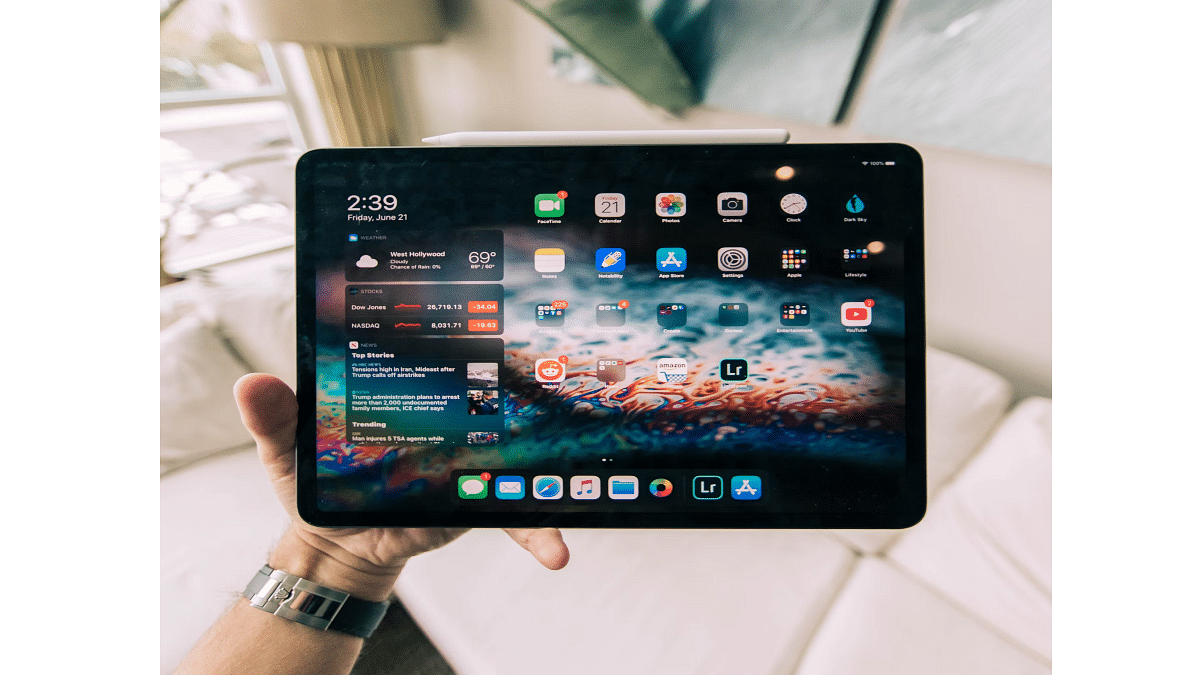
iPad Tips And Tricks: What Are The Steps To Create Screen Recording On iPad?

Apple iPads are the top-of-the-line Android tablets that one can buy in the markets nowadays. There are numerous iPad models that you can select depending on your daily requirements. Apple has released different iPad tablet lineups for the masses. Amongst the several available Apple iPad series are the iPad Air, iPad Pro, and iPad Mini. The price range for each Apple iPad lineup is different; so are the internal features.

For affordable audiences as well, Apple has a dedicated iPad lineup, i.e., the Apple iPad Air and the iPad Mini. The iPad Pro models are designed for the premium category users that can’t compromise anyhow on performance. All the iPad tablets are packed with Apple’s newest hardware and software technologies to deliver the best-in-class performance.

You can perform numerous tasks with an iPad. The most common usage to date with Apple or even Android tablets remains web surfing and multimedia playback. These big-screen tablets are also well loaded to handle gaming and complete most of the professional tasks for which you would otherwise have required a laptop or PC.

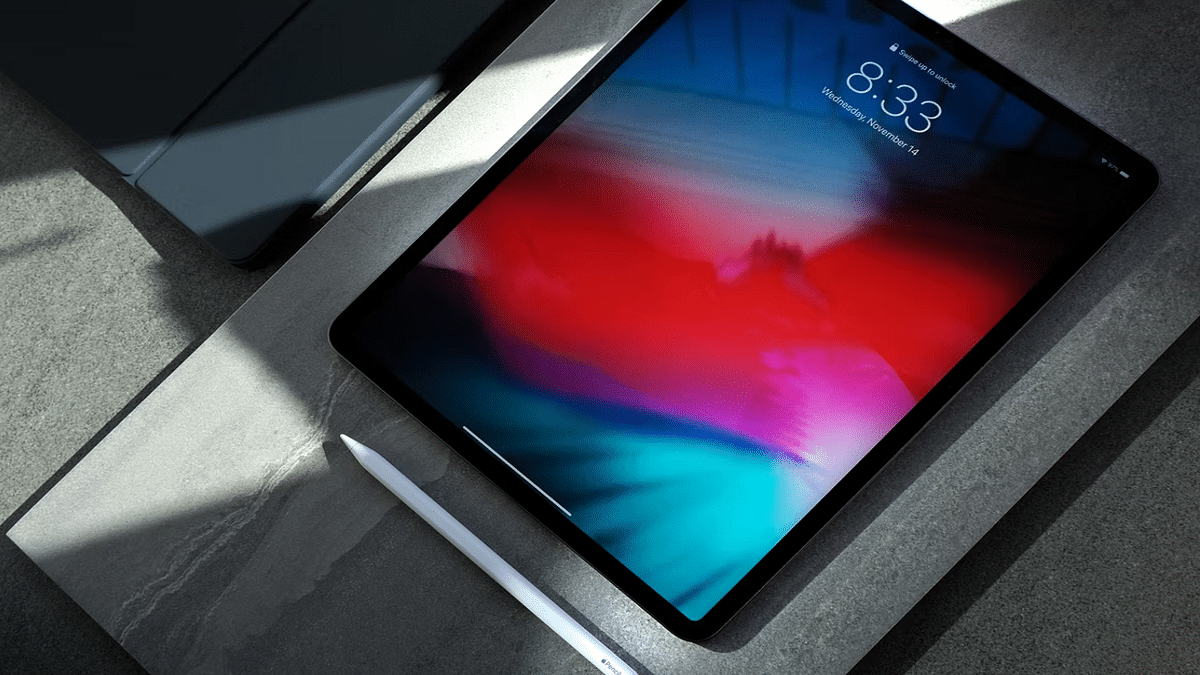
Now, the capability of any Apple iPad can’t be measured just with the specs. It’s with the functions that you can perform. Grabbing a screen (screenshot) is one of the most common features that every iPad user must have tried using once. But with the advancements in this tech space, Apple iPad users also get the provision to record an entire screen.

We already have shared the procedure with which you can capture a single page or a full-page screenshot on iPads and also save the latter as PDF files. Adding on to the iPad tips and tricks, we have now listed the method with which you can record the entire screen on your iPads. Below are the steps:

How Can You Create A Screen Recording On iPads?

Before we proceed with the steps, we would like to add that you can not only record the screen video but also audio on your iPads.

Step 1: Open the Settings menu on your respective iPads.

Step 2: Click on the Control Center.

Step 3: Tap on “+” icon placed next to the Screen recording option.

Step 4: Now, you will need to launch the Control Center app.

Step 5: Tap on the record option. Make sure you wait for the countdown to begin. It will be a three-second timer following which the screen will start recording.

Step 6: Once you are done, re-launch the Control Centre and select the recording tab or the red status bar on the top of the screen. Click Stop.

Step 7: Now, open the Photos option and select your screen recording that has just been captured.
Categories
How To Tablet

How To Capture A Full Page Screenshot On iPad And Save It As A PDF?

The Apple iPad series is amongst the most powerful tablets available in the market today. Apple has released multiple iterations of iPads in the last few years. Now, you don’t need to empty out your pockets to buy a new Apple iPad. Apple is not only focusing on the premium range tablets but also mid-range iPads that don’t really burn a hole in your pockets.

Apple has been using all the latest technologies with the new-generation iPads. You get more powerful and versatile tablets if you buy the new-generation Apple iPads. Performance delivery is never an issue with Apple iPads. This is one of the biggest reasons why iPads are among the first preferences amongst professionals and users with creative skill sets.

Apple iPads can support almost all formats of documents which makes our lives easier with professional tasks. In one of our previous articles, we explained the steps to capture a screenshot using an Apple iPad.

This time we will be guiding you with another useful trick that will further simplify the process of keeping records in a paperless format. Yes, you read that correctly. This article will be your guide to not only capturing a full-page screenshot on Apple iPad as a PDF file but also the steps to record a screen. Here’s how:

Steps To Take Full Page Screenshot As PDF On Apple iPad

For the Apple iPad With Home Button

Step 1: Unlock your Apple iPad.

Step 2: Now, press and hold the top button and the Home button simultaneously and release instantly.

Step 3: Repeat Step 2 again properly if the screenshot of the page or document isn’t captured.

For the Apple iPads Without the Home Button

Step 1: Press and hold the top button and either of the volume keys and release simultaneously.

The next step is common for both iPad models with or without the Home Button.

Step 1: From the bottom left corner of the home screen, click on the Full Page option.

Step 2: Click on Done to save the screenshot. Select save PDF to files.

Step 3: Now, choose the appropriate location where you want the full page screenshot to save as a PDF file.

Step 4: You can also share the captured full page screenshot as PDF by clicking on the  symbol. You will get the option to share the screenshot PDF via Messages, AirDrop, and Mail.

Categories
How To Tablet

iPad Tricks: How To Capture A Screenshot On Ay Apple iPad?

Tablets are among the top-selling consumer electronics gadgets in the modern markets. Similar to the smartphone industry, Android and Apple iPad tablets hold the major chunk of the market in the tablet industry as well. While Android tablets grab the larger share, Apple iPads aren’t any less popular amongst consumers.

Apple is known for releasing new iPad models and supported OS every year. This year as well, Apple had introduced the iPad OS 16 for the new-generation iPads and the eligible older models. The latest firmware brings several new useful features for easy and improved usage with the iPads. And tablet usage is similar to smartphones in many ways. You can use these large screen gadgets for web surfing, calling (with the LTE models), gaming, and also creative tasks such as designing, etc.


Since the functionality and usage of tablets and iPads are quite identical to a smartphone, the features available are also similar. While using any iPad, you might want to take a screenshot of any document that you are accessing on the web or have received via mail or any other format. Capturing a screenshot on any Android tablet is fairly simple, but are you aware of the procedure to grab the screen on any Apple iPad?

We bet you might have tried capturing screenshots using the Apple iPad and if you haven’t succeeded yet, you don’t have to worry at all. In this article, we are making it super easy for you to grab any screen on your Apple iPad. We also have listed the method to capture a screenshot with iPads. Take a look:

Steps To Capture Screenshot On Apple iPads

Step 1: Unlock your iPad. Go to the page or document whose screenshot you want to capture.

Step 2: if your iPad has the Home button then simultaneously press and release the Home and the top button.

Step 3: For the iPads with no Home button, press and release the top button (placed on the top right edge of the iPad) and any one of the volume keys.

Step 4: You’ll see the screenshot capture on the lower-left of the home screen. Tap on it followed by Done.

Step 5: Select the appropriate option from Save to photos, Save To Files, or Delete screenshot.

Just for reference, upon clicking the Save to Photos, the captured screenshot will be visible in the Screenshot album that you can later access from the Photos app. The second option will save the screenshot to File Manage, while the last option will delete the captured screen.

Categories
Accessories Smart Watch Tablet

Realme Pad X, Watch 3, Buds Air 3 Neo, More Launched In India: All Details

Realme held the ‘Hey Creatives’ launch event today to unveil several artificial intelligence of things (AloT) devices as part of its Realme TechLife brand. The company unveiled its new range of products. The launch event was live streamed on YouTube and the social media channels of the company. Here’s what Realme launched at the event:

Realme Pad X Tablet Specifications

The Realme Pad X features a 10.95-inch LDC display with 450 nits of brightness. It has a resolution of 2000 x 1200 pixels and 16.7 million colors. The tablet is powered by the Qualcomm Snapdragon 695 SoC. The device runs Android 12-based Realme UI 3.0 for Pad. It further comes with features like Limelight (Apple Center Stage knockoff), PC Connect, and split-view to name a few.

The Realme Pad X sports a 13MP single rear camera and an 8MP front camera paired with a 105-degree FOV. Besides, the tablet is backed by an 8,340mAh battery with support for 33W fast charging.

The Realme Pad X also features support for Realme Pencil and Folio keyboard. The tab comes in two color options, i.e., Glacier Blue, and Glowing Grey.

Realme Pad X Price

The Realme Pad X will retail in three variants. The 4GB + 64GB (WiFi-only) variant will be available for Rs. 19,999, while the 4GB + 64GB (WiFi + 5G) version will cost you Rs. 25,999. Besides, the 6GB + 128GB (WiFi + 5G) is priced at Rs. 27,999 in India.

Realme Watch 3 Specifications

The Realme Watch 3 has a rectangular dial shape. It features a 1.8-inch LCD display with horizon curved glass and 500 nits peak brightness. The watch has a curved glass ‘Horizon Curved Glass’ on top of the display. It includes AI environmental noise cancellation (ENC) Bluetooth calling.

With the new Realme Watch 3, Realme has attempted Bluetooth calling for the first time. For a better calling experience, it has an integrated speaker, a smart audio amplifier, and a microphone.

Over 100 watch faces including dynamic and customizable watch faces are included in the Realme smartwatch. More than 110 sports modes including boxing, golf, strength training, yoga, free training, jogging, walking, table tennis, elliptical, trekking, basketball, and others will also be available on it.

Realme Watch 3 Price

In India, the Realme Watch 3 is available at a discounted price of Rs. 2,999. On August 2, 2022, it will be offered for purchase on Flipkart. The watch will come in black and grey color variations.

Realme Buds Air 3 Neo, Buds Wireless 2S Specifications

The Realme Buds Air 3 Neo are TWS earbuds that were earlier launched in China. They are touted to offer a total playback time of up to 30 hours. The dynamic bass drivers in these TWS earbuds measure 10mm in diameter. They have Dolby support and feature AI ENC. The new truly wireless earbuds also support an IPX5 rating for splash resistance.

On the other hand, the Buds Air 3 Neo features an in-canal design with narrow stems. The Realme Buds Wireless 2S feature AI ENC noise reduction and 11.2mm dynamic bass drivers. Dolby Atmos is supported, although it only functions with compatible tablets and smartphones. These are touted to offer 30 hours of music playback.

Realme Buds Air 3 Price

The Realme Buds Air 3 Neo TWS earbuds arrive with a price tag of Rs. 1,999 and will be offered for Rs. 1,699 as an introductory offer. The Realme Buds Air 3 Neo is available in two color options in India, i.e., White and Blue.

On the other hand, the Buds Wireless 2S has a price tag of Rs. 1,499 and its introductory offer will bring the cost down to Rs. 1,299.

Realme Flat Monitor, Smart Keyboard Specifications

Realme Flat Monitor is the company’s first monitor. It features a 23.8-inch Full HD LED display with a three-sided, thicker chin and bezel-less panel. The monitor provides a refresh rate of 75Hz and a response time of 8-millisecond. The overall appearance of the monitor is pretty sleek and modern.

The Realme Smart Keyboard with a 280mAh battery and Realme Pencil with up to a 10.6-hour battery was also a part of today’s launch event schedule.

Realme Flat Monitor Price

The Realme Flat Monitor price in India is set at Rs. 18,999. Realme will soon reveal the monitor’s selling date and it will be available for purchase on Flipkart.

Categories
Featured Leaks Tablet

Xiaomi Redmi Pad 5G First Look Revealed Via Leaked Live Images

Highlights

Xiaomi Redmi Pad 5G live images leaked

Dual tone rear panel design

Previously sighted at 3C and CMIIT

Xiaomi is rumored to add up to four different Android tablet models to its portfolio in 2022. The Chinese tech giant is also speculated to introduce the first ever Redmi-labelled tablet for the masses. Verifying all the rumors are the new leaked live images of the first Redmi Android tablet. Here’s what the fresh leak reveals:

Redmi Pad 5G Live Renders Appear

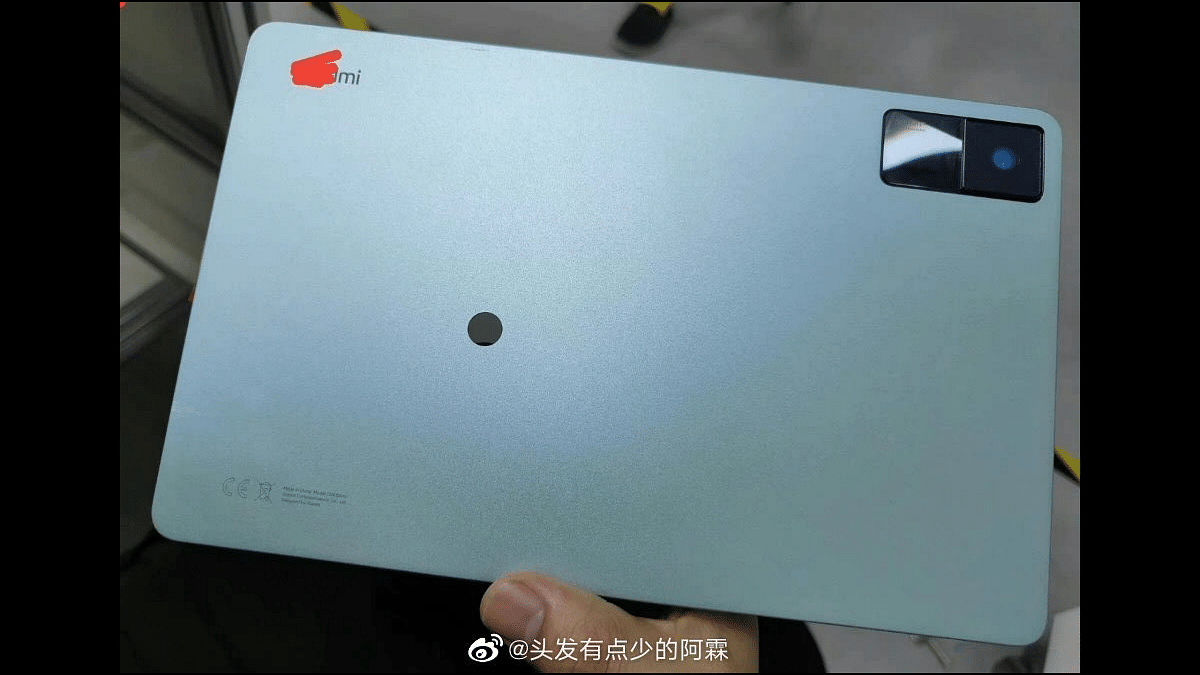
A Twitter user has shared the Redmi Pad 5G live images sourced via the Chinese microblogging website Weibo. The pic shared doesn’t show a clear Redmi Pad 5G branding. But considering it has the Redmi moniker etched on the bottom left of the rear panel, it is indeed the upcoming Redmi tablet.

The leaked live photograph of the Redmi Pad 5G tablet shows a greyish shade and matte texture. The single-camera module followed by the LED flash is rectangular in shape and is slightly protruding. It is painted in black adding a dual-tone finish to the back panel. It seems like Xiaomi has also worked well with the design and ergonomics of the first Redmi tablet.

Currently, the rumor mill has limited information on the Redmi Pad 5G. Xiaomi is also keeping al the details a mystery. The brand has not given any hints about the Redmi Pad 5G breaking covers in India and other regions. Also, the teasers detailing the Redmi Pad 5G are yet to surface.

There have been a few sightings of an unidentified Xiaomi tablet (possibly the Redmi Pad 5G). The unknown tablet with the 22081281AC model number got certified via two noted Chinese mobile regulators including 3C and CMIIT. While not much related to the hardware was revealed, the developments related to the first Redmi tablet got confirmed.

The Redmi Pad 5G will possibly be a mid-range 5G tablet. The 3C certification website tipped a 67W fast charging support, while the CMIIT certification revealed 5G network connectivity.  It can’t be said if Xiaomi will pack a Qualcomm Snapdragon 5G processor or a MediaTek 5G chipset inside the Redmi Pad 5G. Nevertheless, the Xiaomi Redmi series is well diversified with value flagships. That could be the case with the Redmi Pad 5G as well. We might see an affordable Android tablet with top-end hardware in the coming days

Categories
Featured Info Tablet

List Of Best Android Tablets With MediaTek Processor In India In 2022

India is one of the biggest markets for smartphones and other mobile gadgets including tablets. We have numerous brands in the country that have a wide product catalog when it comes to mobile or PC tablets. Besides the mainstream players, smartphone OEMs are also foraying into this space with value-for-money products. We now have tablets powered by Qualcomm, MediaTek, and Unisoc chipsets. In our last article, we listed some of the top selling Android tablets equipped with a Qualcomm Snapdragon processor. In this list, we have mentioned the best tablets with a MediaTek chipset. Take a look:

Top Tablets With MediaTek Processor In India In 2022

Samsung Galaxy Tab A7 Lite

Samsung is not only targeting the budget audience with smartphones but also other consumer electronics gadgets including tablets. The Galaxy Tab A7 Lite is one of the most affordable Android tablets by the South Korean tech giant that you can buy in India. It is powered by the octa-core MediaTek Helio P22T processor which is combined with 3GB RAM and 32GB storage configuration.

The Galaxy Tab A7 Lite comes in both Wi-Fi only and Wi-Fi+ 4G variants. This budget Android tablet sports an 8.7-inch TFT display with 800 x 1340 pixels screen resolution and 179 PPI pixel density.  The Galaxy Tab A series tablet runs on a 5,100 mAh battery and has 15W fast charging support as well.

Lenovo Tab M10 HD (2nd Gen) Tablet With MediaTek Chipset

The Lenovo Tab M10 HD (2nd Gen) is another budget Android tablet that can be purchased within a price range of Rs. 10,000- Rs. 15,000. This Lenovo Tab M series tablet uses a MediaTek MT6762 processor which is also marketed as the Helio P22T SoC. The Lenovo Tab M10 HD (2nd Gen) is also available in dual variants including Wi-Fi only and Wi-Fi+ 4G.

The tablet can be purchased with up to 4GB RAM and 64GB storage configuration. It flaunts a bigger display compared to the Samsung Galaxy Tab A7 Lite. The panel here is IPS LCD that measures 10.1-inches and has a screen resolution of 800 x 1280 pixels. The battery capacity packed inside the Lenovo Tab M10 HD (2nd Gen) is a 5,000 mAh unit.

Realme Pad Tablet With MediaTek Helio Chipset

One of the latest entrants in the Indian tablet market is the Realme Pad. It arrived as the first Android tablet by the Chinese smartphone OEM powered by the MediaTek Helio G80 octa-core chipset. The Realme Pad is available with up to 4GB RAM and 64GB storage configuration and offers an additional storage expansion provision via a microSD card.

The Realme Pad’s IPS LCD screen measures 10.4-inches and offers 1200 x 2000 pixels resolution. It has a single 8MP rear camera for selfies and another 8MP snapper for selfies and video calls. A 7,100 mAh battery unit with 18W fast charging support keeps the processor ticking.

Lenovo Tab P11 Plus Android Tablet With MediaTek Helio Chipset

The Lenovo Tab P11 Plus is also a new member in the tablet segment in India. This Lenovo tablet is packed with the MediaTek Helio G90T octa-core processor with Mali-G76 GPU and up to 6GB RAM support. The Lenovo Tab P11 Plus comes with up to 128GB of built-in storage space and has external microSD card support for additional storage space.

The Lenovo Tab P11 Plus features an 11-inch IPS LCD screen with 1200 x 2000 pixels screen resolution. The mid-range Lenovo tablet is packed with a 13MP main camera and an 8MP selfie snapper. The tablet is equipped with a 7,700 mAh battery with 20W fast charging.

Categories
Featured Tablet

Oppo Might Launch Two More Laptops In India: See All Details Here

After launching Pad Air in India, Oppo is working on two more tablets for the Indian market. The Chinese smartphone maker has launched Reno 8 smartphone series along with Oppo Enco X2 true wireless stereo (TWS) earbuds in the country. All newly launched products will be available from July 23 in the country.

This new development comes after tipster Mukul Sharma shared information about the upcoming tablets in the country. He claims that one of the upcoming laptops is expected to be in the mid-range price segment, while the other might be in the affordable segment. However, he did not share the exact details of the upcoming products.

Oppo Upcoming Tablets: Details

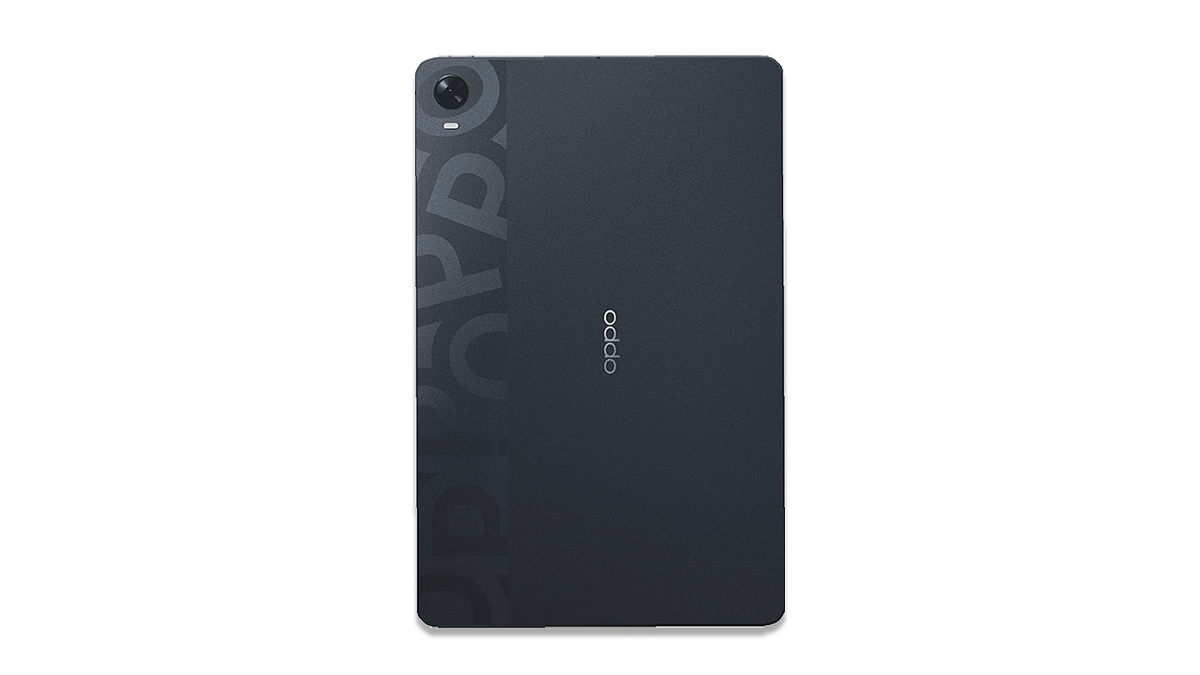
The low-cost or affordable laptop is expected to be a new product from the company. In fact, there are high chances that the 6GB RAM + 128GB onboard storage of the Oppo Pad that was launched in China in March is expected to be priced at Rs. 27,000.

The tablet features an 11-inch LDC screen along with a resolution of 2,560×1,600 pixels and a refresh rate of 120Hz. The Oppo Pad comes with a Qualcomm Snapdragon 870 SOc and it runs ColorOS12 which is based on Android 11.

Oppo Pad

The tablet has an 8,360mAh battery along with 33W fast charging capabilities. It has an 8MP camera on the front and a 13MP camera on the back.

Oppo Pad Air Tablet: Details

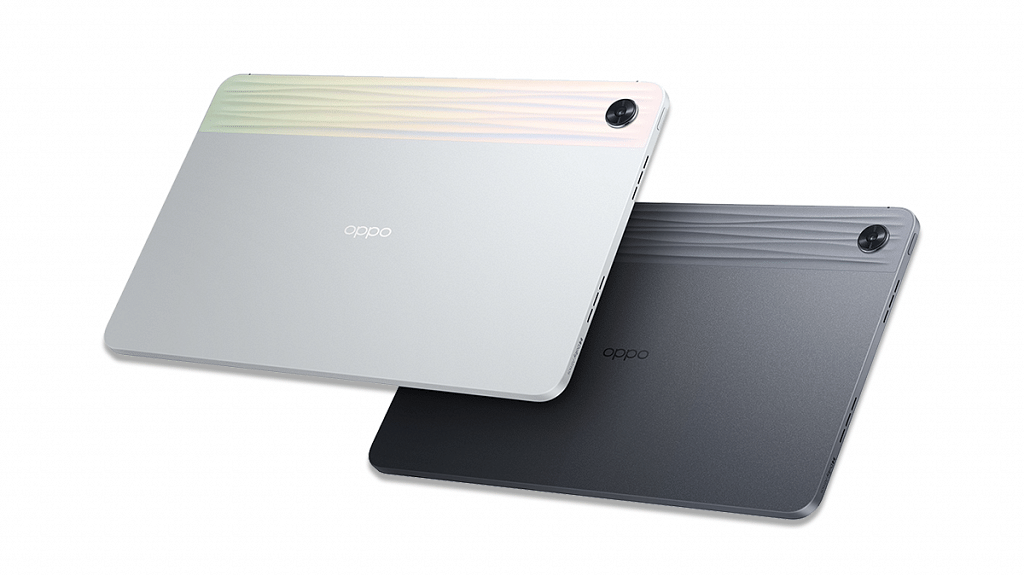
The Oppo Pad Air comes with a 10.36-inch 2K display and 2000 × 1200 pixel resolution. The tablet is powered by a Qualcomm Snapdragon 680 processor that is paired with 6GB of RAM and 128GB of storage.

Besides, the tablet has a 7100mAh battery which supports 18W charging. The tablet an 8MP camera on the back and a 5MP camera on the front for selfies The tablet runs ColorOS 12 out of the box and has a quad-speaker that supports Dolby Atmos. In addition, the Pad Air has Smart Stylus Pen; however, users have to pay extra for the same.

Categories
Featured Info Tablet

Best Tablets Powered By Qualcomm Snapdragon Chipset In India: Here’s The List

Tablet industry has seen a spike in terms of new launches and sales in the last few years. The trend is on the rise with the smartphone brands foraying in this market. We have several known players marking an entry in the tablet industry. OPPO, Realme, and Xiaomi are amongst the latest brands that are catering to the different requirements of the users. Not only the premium and mid-range segment but the affordable tablet market is also getting populated with new devices.

Similar to the smartphone industry, the new-generation tablets are majorly driven by either Qualcomm or MediaTek chipsets. Some of the new budget Android tablets are also packed with Unisoc series processors for power delivery. A large user segment is still bent toward Android tablets powered by a Qualcomm Snapdragon chipset. If you are one of those users, we have curated the list of some of the best available Android tablets in India loaded with a Snapdragon chipset. Take a look:

List Of Top Tablets Packed With A Snapdragon Chipset

Samsung Galaxy Tab A7 Tablet With Snapdragon Processor

If you are looking to buy a new Android tablet that is pocket friendly and is powered by a Qualcomm Snapdragon processor, the Galaxy Tab A7 would be the ideal pick under Rs. 20,000 price bracket. The Samsung Galaxy Tab A7 runs on the Snapdragon 662 chipset clubbed with up to 4GB RAM and 64GB storage configuration. Other highlight features of the Galaxy Tab A7 include a 10.4-inch display with 1200 x 2000 pixels resolution, 8MP rear camera, and a 7,40 mAh battery with 15W fast charging.

Lenovo Tab P11 Pro Tablet With Qualcomm Snapdragon Chipset

If you want to buy a slightly more powerful Android tablet than the Galaxy Tab A7 (powered by a Qualcomm Snapdragon chipset), the Lenovo Tab P11 Pro makes for one good option. The Lenovo Tab P11 Pro features the Snapdragon 730G octa-core chipset which is game-centric and built 8nm fabrication process.

The Lenovo Tab P11 Pro has Adreno 630 GPU for graphics and up to 6GB RAM for multitasking. This tablet offers up to 128GB of built-in memory capacity and also has expandable storage support. This tablet also sports a bugger 11.5-inch display which is an OLED panel with HDR 10 and Dolby Vision technology. It offers a 13MP main camera for photography and is powered by an 8,600 mAh battery unit with 20W fast charging.

Samsung Galaxy Tab S7 FE Premium Mid-Range Android Tablets

The Samsung Galaxy Tab S7 FE is another popular premium mid-range Android tablet that uses a Qualcomm Snapdragon chipset as its brain of operations. The chipset driving this Samsung tablet is the Snapdragon 750G octa-core processor (LTE model with 5G network support). Notably, the Galaxy Tab S7 FE also comes in a Wi-Fi only model which is driven by the Snapdragon 778G chipset. The imaging setup on the Galaxy Tab S7 FE comprises a single 8MP snapper at the rear and a 5MP snapper for selfies. This Galaxy Tab S series tablet is backed by a 10,090 mAh battery unit combined with 45W fast charging.

Xiaomi Pad 5 Android Tablet With Snapdragon 800 Series Processor

The Xiaomi Pad 5 is one of the most potent and pocket-friendly tablets that you can buy in India. The chipset driving this premium mid-tier Android tablet is the Snapdragon 870 octa-core processor clubbed with up to 6GB RAM. Xiaomi has launched this tablet with up to 128GB storage configuration which is also expandable via microSD card. This tablet also flaunts a tall 11-inch display with WQHD+ resolution and 120Hz refresh rate. The optics here include a 13MP main camera and an 8MP selfie camera.

Categories
Featured Info Tablet

Huawei MatePad 11 Pro Premium Tablet Launching On July 27: Will Huawei Make A Comeback In India?

Highlights

Huawei MatePad 11 Pro official teaser confirms July 27 launch

Global launch not announced yet

Renders teased officially

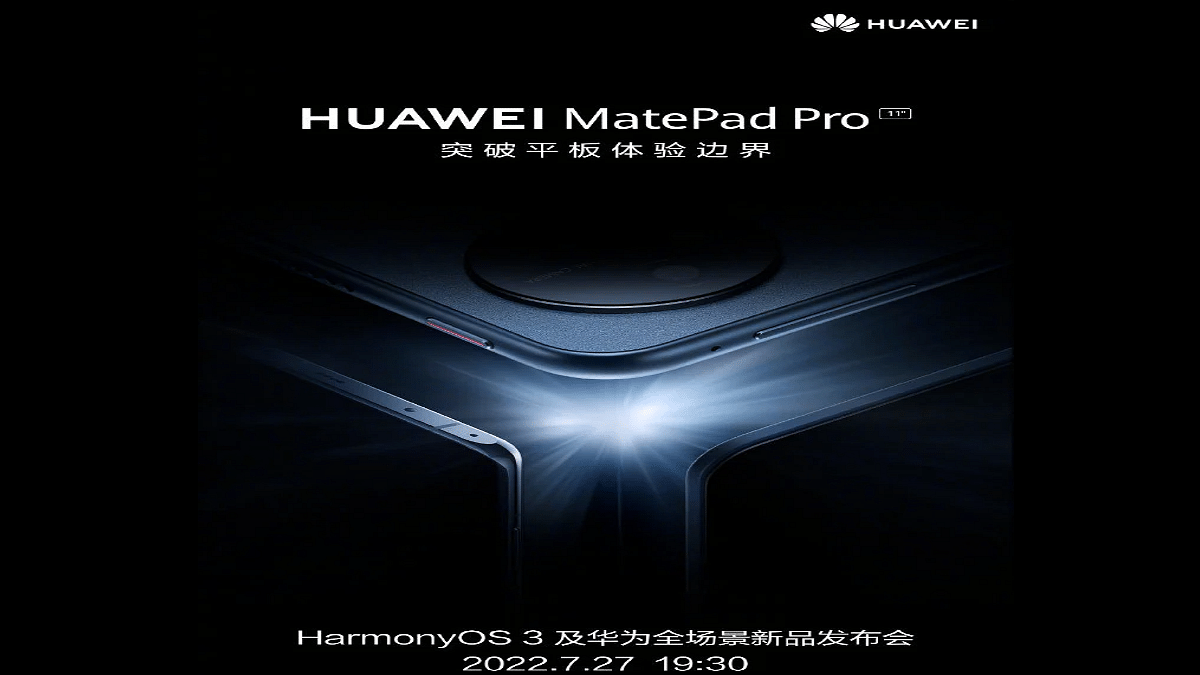
Huawei has been working on a new tablet that will be announced in the company’s popular MatePad series. The Huawei MatePad 11 Pro is the upcoming tablet being announced by the Chinese tech giant this month in the global market. The company has scheduled an official launch event later this month where it will be unveiling the MatePad 11 Pro tablet along with its new mobile operating system, i.e, Harmony OS3. Huawei has started dropping teasers confirming the launch timeline as well as other features of the upcoming tablet.  What all we can expect from the new-generation Huawei MatePad 11 Pro tablet and can we expect an India launch? Below are the details:

Huawei MatePad 11 Pro: When Is Its Official Launch?

The Huawei MatePad 11 Pro is confirmed to make its debut on July 27, 20200. Huawei has revealed the official launch timeline for its next premium range tablet via the Chinese microblogging Weibo. The teaser poster has confirmed the arrival date along with the renders.

Is Huawei MatePad 11 Pro India Launch Also On Cards?

The availability of the MatePad 11 Pro tablet will initially be limited to the Chinese market. Huawei has not yet announced any developments related to the MatePad 11 Pro’s global launch. It’s availability in the Indian market is also not announced by the brand. Besides, Huawei hasn’t introduced any new tablet or smartphone in the Indian market in the last few years.

Therefore, this remains to be seen if the MatePad 11 Pro tablet is making it to the Indian shores anytime soon or not. But if we look at the recent trend, Huawei might actually not make a comeback in India this year or the next. The same would be the case for the Huawei MatePad 11 Pro as well. This tablet will possibly not see the light of day in the Indian market for at least this year.

Huawei MatePad 11 Pro: What All Features We Know?

The Huawei MatePad 11 Pro is expected to be a premium range tablet. As of now, the rumor mill as well as the official teasers have shared minimum information related to the hardware. Rumors are rife that the MatePad 11 Pro will launch with 11-inch screen size.

The remaining hardware aspects such as the chipset, configuration, camera, and battery capacity are yet to be announced. Thankfully, the latest teaser showcases the design featuring curved metallic edges and a circular camera module at the back.

Categories
Featured Tablet

Tablets Under Rs. 10,000: Check Here For Price, Specifications, And More

All smartphone companies are bringing or launching tablets under affordable and mid-segment. Recently, Oppo launched Pad Air in two variants that are priced at Rs 16,999 and Rs. 19,999. However, there are companies that offer tablets under Rs. 10,000, and in case you are looking for the same options, then you should go through this article.

Tablets Under Rs. 10,000 In India

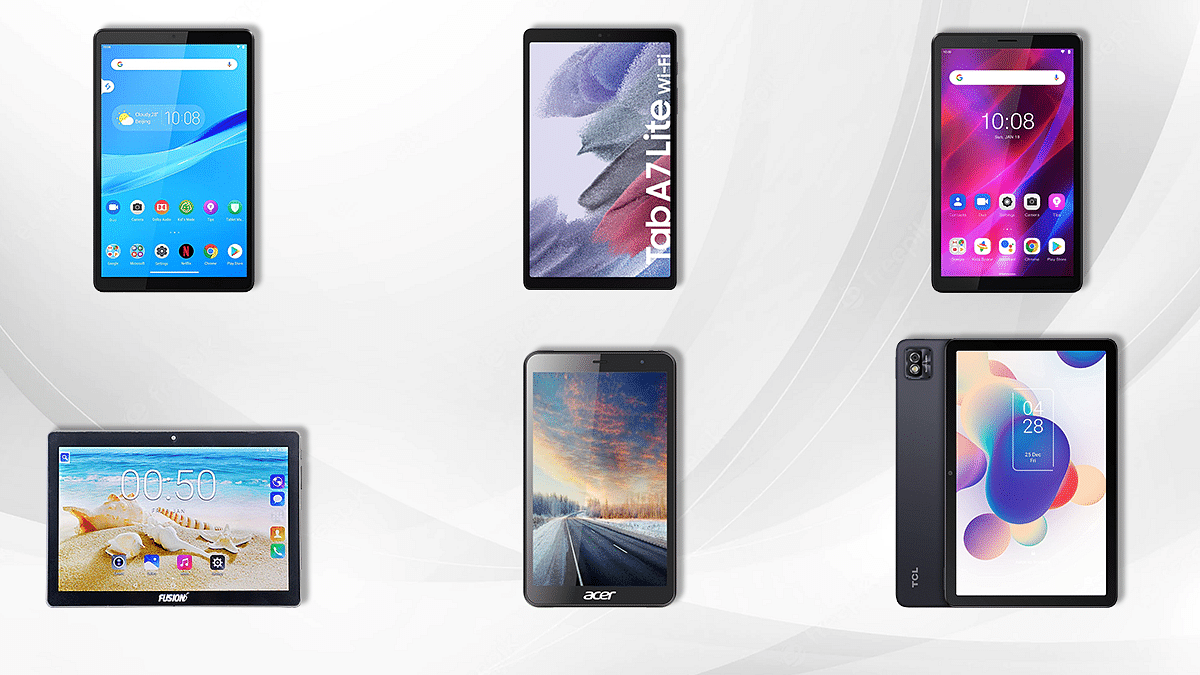
Samsung Galaxy Tab A7 Lite Tablet: Details

The company has launched Wifi and LTE variant on the same tablet. Both variants come with 3GB of RAM and 32GB of storage. Plus, the tablet features an 8.7-inch WXGA+ display with Dolby Atmos Speakers along with an MT8768T processor.

Besides, the tablet features an 8MP camera on the back, whereas you will find 2MP on the front. The battery support 5100mAh along with a 15W fast charging capability and is priced at Rs. 10,999.

Lenovo Tab M8 Tablet: Details

The Lenovo Tab M8 comes with a metallic finish and decent specifications. It has 2GB of RAM and 32GB of storage. Plus, the tablet features 8 inches HD IPS display with an IPS HD display, a Dolby Audio-tuned speaker, an 8MP camera on the back, and a 2MP front camera.

Besides, the tablet has a 5,000mAh battery and MediaTek Helio A22 processor. It is priced at Rs. 8,817.

TCL Tab 10s Tablet: Details

The TCL tablet features a 10.1-inch WUXGA (1920×1200) IPS display. Plus, you will find 3GB of RAM and 32GB of storage. It has Helio P22 Octacore and will cost you Rs. 12,999. It has an 8MP camera and a 5MP front camera for selfies. You will find an 8000mAh battery along with 18W charging support.

Lenovo Tab M8 HD 2nd Genn Tablet: Details

The Lenovo Tab M8 HD 2nd Genn comes with a 10.1-inch HD IPS display, Snapdragon MSM8917-powered, 2GB of RAM, and 16GB of storage. It has SD cards up to 128GB, a 5MP camera on the back, and 2MP on the front. You will also find a 7,000mAh battery at Rs. 9,999.

Acer One 8 T4-82L Tablet: Details

The ACER One 8 T4-82L tablet comes with a Quad-Core-powered tablet, 8MP IPS display, 2GB of RAM, and 32GB of internal storage. You will also find SD cards up to 128GB, 4GB SIM Slot, and VoLTE. Besides, the tablet features an 8MP camera and a 2MP camera on the front. The tablet is priced at Rs. 9,499.