
Key Highlights
- Provident fund services can be accessed online
- EPFO website helps with all PF-related services
- Bank account must be updated accurately for the funds
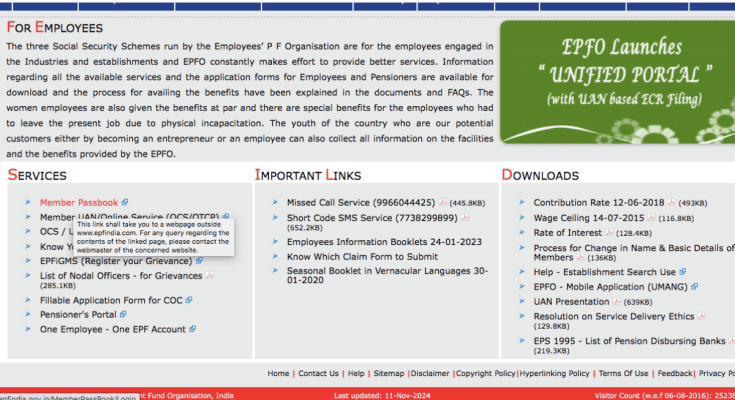
EPFO (Employee Provident Fund Organization) is the government regulatory board that facilitates and manages all the pension/ insurance schemes for the Indian citizens. This organization is widely offering its services online on its official website (EPFO) ranging from PF balance check to update bank account and other profile details. Updating your accurate records on the EPFO portal ensures you get all the timely benefits. And when we speak of the records, they include personal details such as bank accounts, phone number, address, and others. In one of our previous articles, we guided you with the steps to check the PF balance with and without the UAN number. And in this article, we are sharing the guide to update bank account details on the EPFO website.
For the tech geeks, stay updated with the latest cutting-edge gadgets in the market, exclusive tech updates, gadget reviews, and more right on your phone’s screen. Join Giznext’s WhatsApp channel and receive the industry-first tech update.
Steps To Update Bank Account In EPFO Website
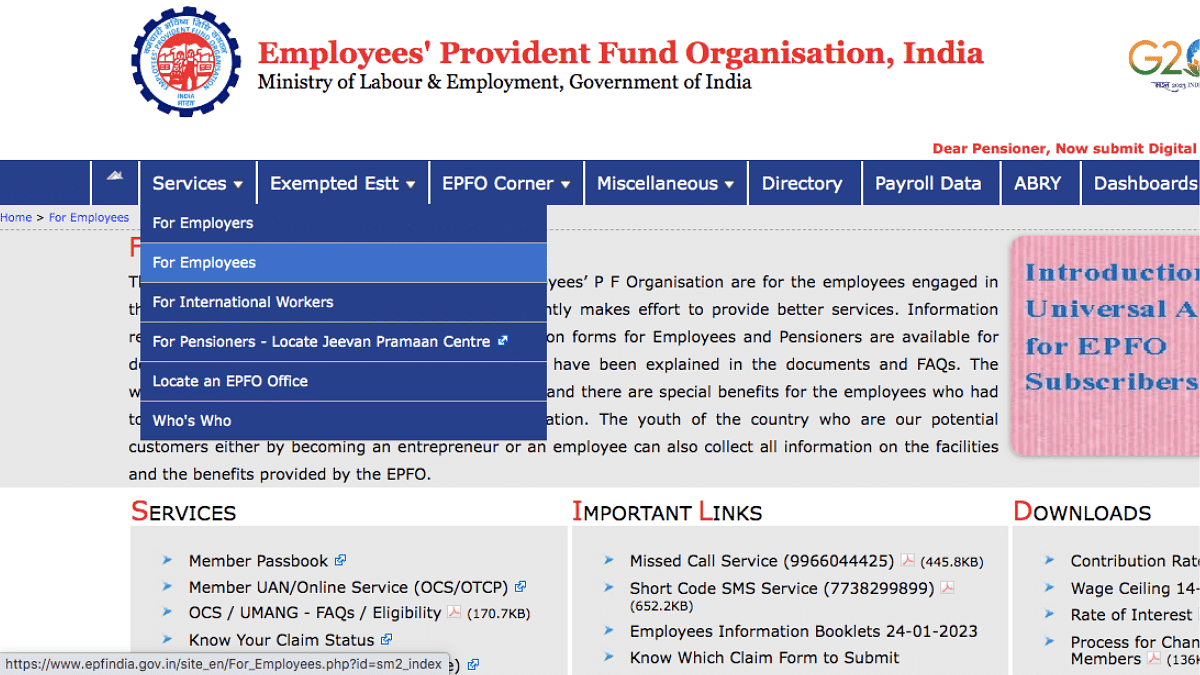
Step 1: Open EPFO official website. You can also click on this link to visit EPFO directly.
Step 2: Go to the Services tab and select “For Employees”
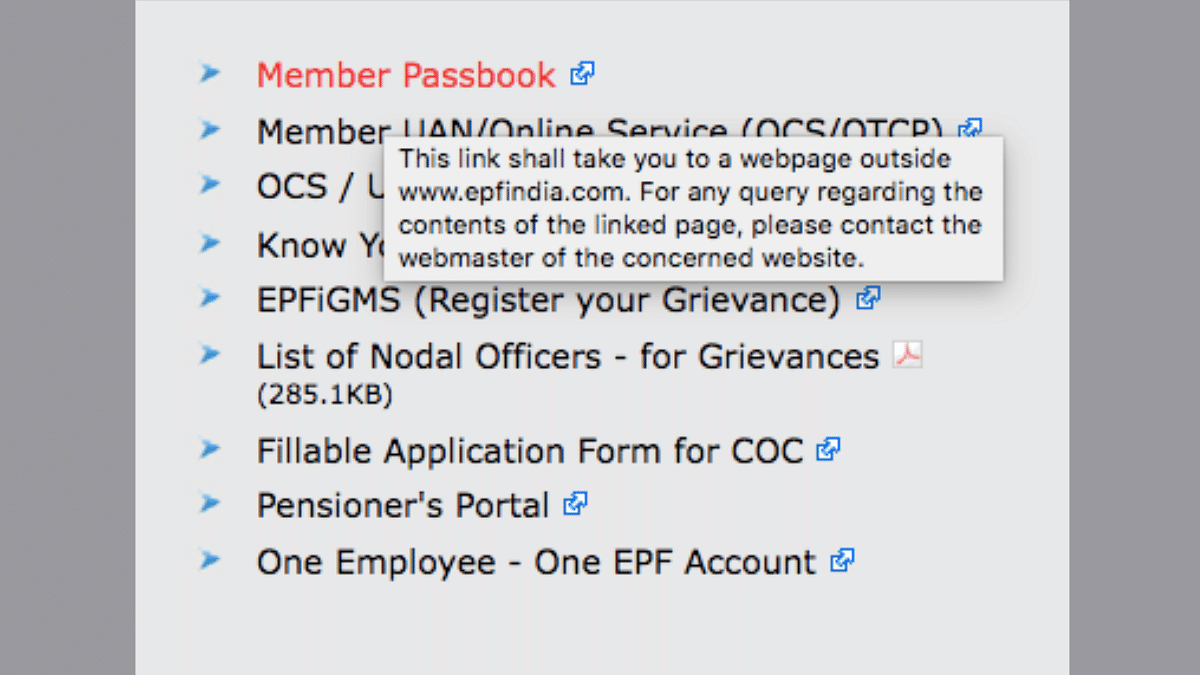
Step 3: Click on the ‘Members Passbook’ option
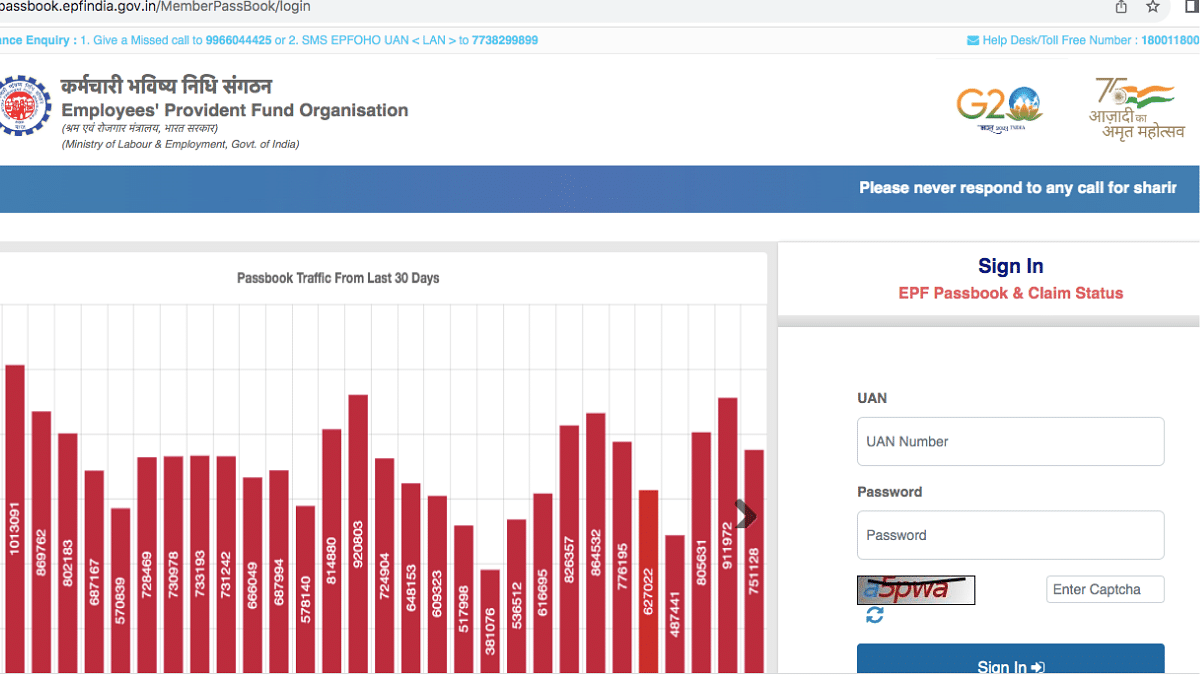
Step 4: A new page will open up. Sign-in using your verified credentials
Step 5: Select the KYC tab from the dropdown menu
Step 6: Now, select your bank and enter the primary details such as bank account number, name, and IFSC code.
Step 7: Tap on save.
Once you perform all of the above steps, a request will be sent to the EPFO officials for verifications. You bank account will be updated once the request is approved from the officials.
