

Key Highlights
- Netflix mobile app gets new ‘Moments’ feature
- Allows capturing screenshots of specific scenes from movies and shows
- Feature currently being rolled out to iOS users
- Android update in tow
Netflix is amongst the top OTT platforms offering streaming services in India. The premium subscription-based app has a big library hosting thousands of regional and international content for the viewers. Just a while ago, Netflix has released a new feature for the masses allowing something that has been long awaited. The option to capture a screenshot during a video playback. But now, that’s changed with the release of the Moments. What exactly is Netflix Moments and how will it help with grabbing and sharing screenshots of different shows and movies? Read on the details below:
Also Read: For the tech geeks, stay updated with the latest cutting-edge gadgets in the market, exclusive tech updates, gadget reviews, and more right on your phone’s screen. Join Giznext’s WhatsApp channel and receive the industry-first tech update.
Also Read: Instagram Tips And Tricks: How To Improve Message Quality Using Meta AI Voice Conversation
What Exactly Is Netflix Moments?
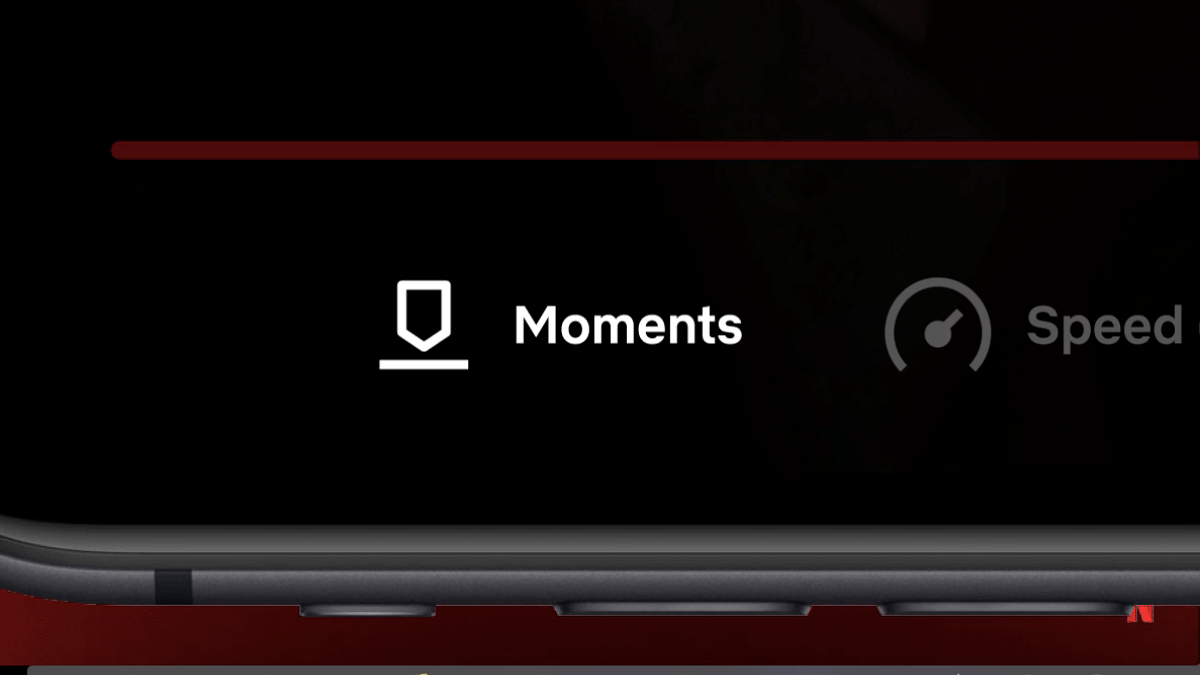
Netflix Moments is the latest feature that allows capturing screenshots of a specific scene from any movie or video. Just for reference, nit just Netflix, but other popular OTT apps such as Amazon Prime Video, Disney+ Hotstar, and Jio Cinema still don’t support taking screenshots. The primary reason for this is the copyright issues that all these brands try to escape.
However, with the launch of the Moments, Netflix users will be easily able to click screenshots of their favorite scene from any movie or show and share it with friends and families.
Also Read: ChatGPT Search Quick Hacks: How To Use ChatGPT As Default Search Engine In Google Chrome
Who All Can Use Netflix Moments Feature?
Going by the reports online, the Netflix Moments feature is made available to the iOS users at the moment. The company has not yet started rolling out this feature to the Android users. However, the rollout is expected to be done in phased manner reaching the all customers within next few weeks.
Also Read: Annoyed With Unwanted Calls? Here’s How To Block Any Phone Number On Your iPhone
Steps To Use Netflix Moments Feature To Capture Screenshots
Step 1: Open Netflix mobile app and search for the movie or show whose screenshot you wish to share
Step 2: Play the video and move to the dedicated scene that needs to be captured
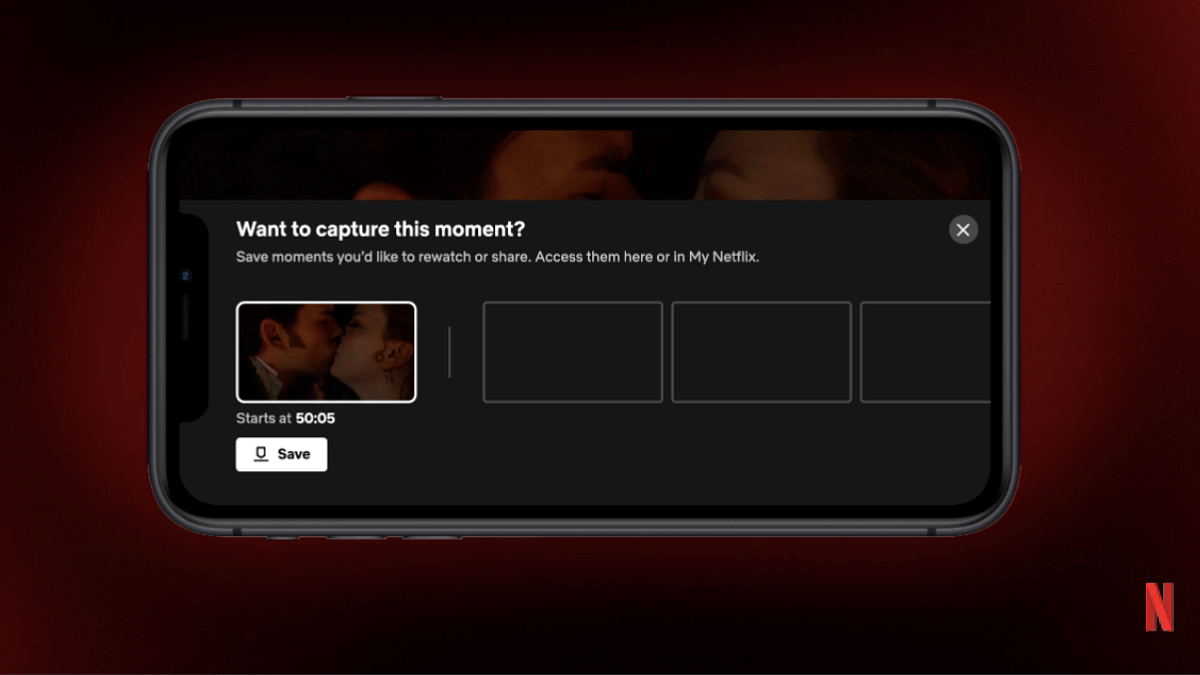
Step 3: Tap anywhere on the screen during the video playback
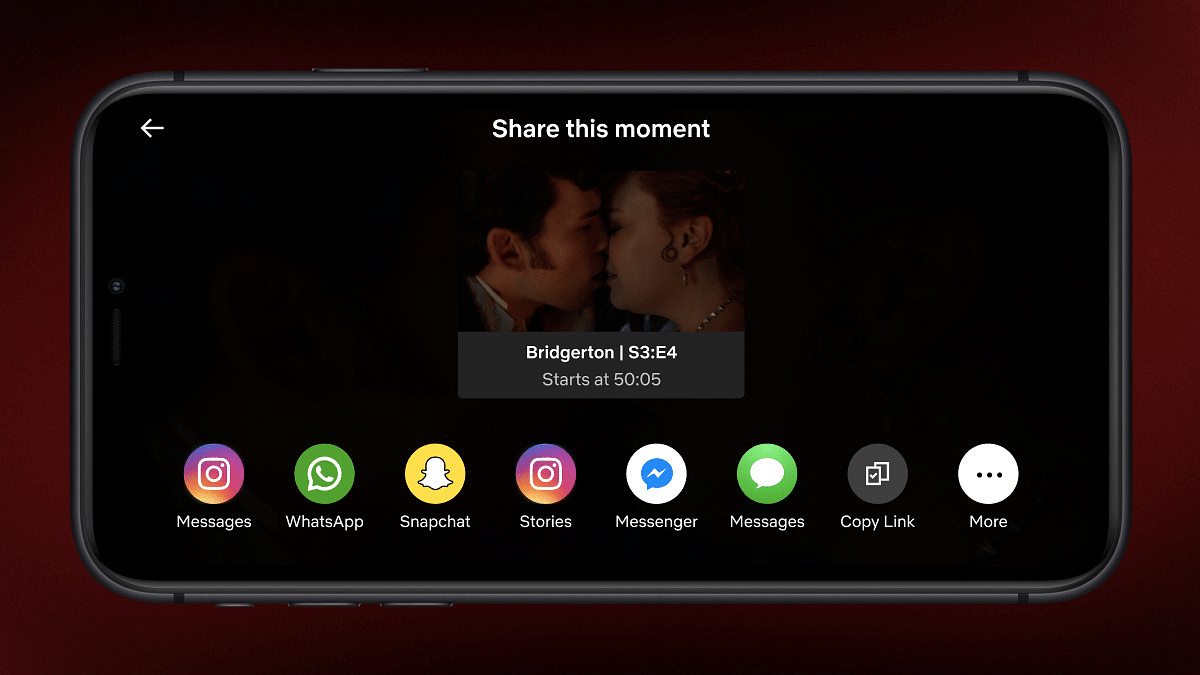
Step 4: You’ll see a bunch of options including Moments. Click on it.
Step 5: Once the screenshot is captured, you can share it with your friends and even upload it on social media platforms .
