

Key Highlights
- Telegram releases multiple new updates with May patch
- Privacy enhanced for group calls,
- Automated business accounts and gifts features added
- New gesture control also introduced
Telegram has just released a bunch of new features for Android and iOS users. The May 2025 update patch for Telegram adds a host of feature that enhances the privacy for group calls, improves gesture navigation, and more. Let’s take a look at all the latest updates that the May 2025 patch brings along for Telegram and how to use them:
For the tech geeks, stay updated with the latest cutting-edge gadgets in the market, exclusive tech updates, gadget reviews, and more right on your phone’s screen. Join Giznext’s WhatsApp channel and receive the industry-first tech updates.
Also Read: How To Use Telegram Without Internet? Top 5 Working Tricks In 2025
Group Calls Enhanced Privacy And Easy Accessibility
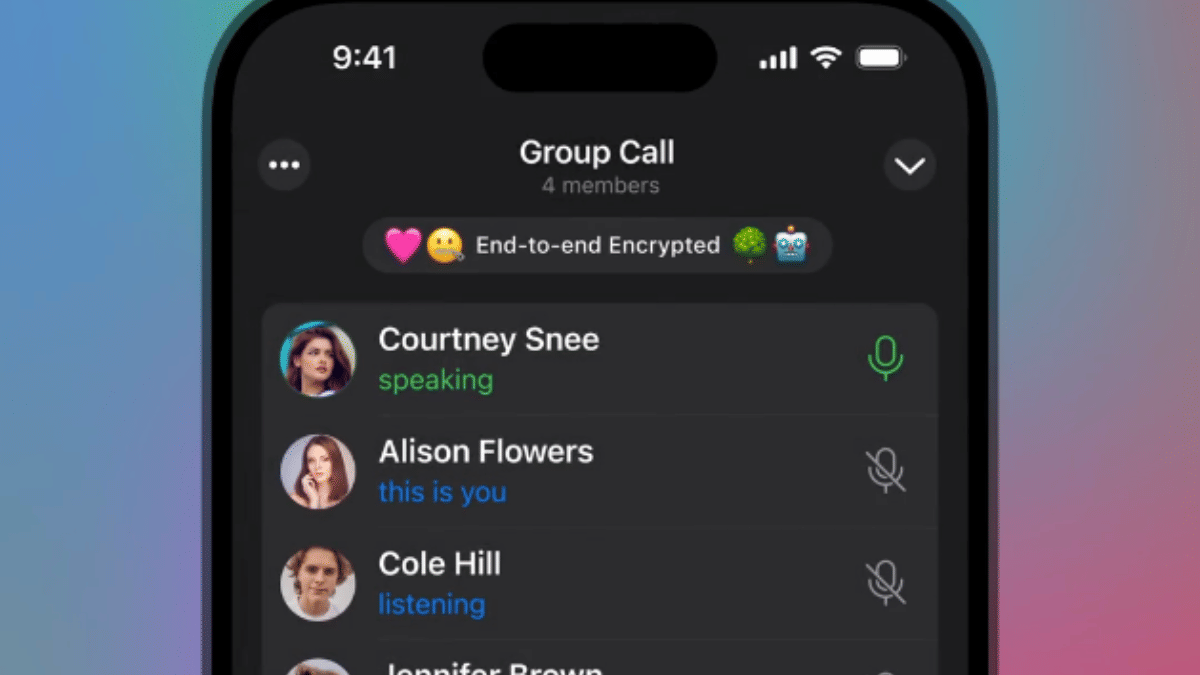
Telegram has made instant group calls more private yet easily accessible with the latest update. Users will be able to make spontaneous group video calls with specific members without leaving the group chat. This will be ideal for professional meetings and calls where the admin will be able to share the screen, media and also invite more members to the call.
- Up to 200 particpants can be added in any ongoing group call
- Video, audio, and screen can be shared
- Invitation to other members or contacts can be sent via a call link or QR code
- Matching emoji can be used for end-to-end encryption verification
Also Read: WhatsApp Advanced Chat Privacy: How To Add Extra Safety Layer For WhatsApp Chats?
Automated Business Accounts (For Premium Users)
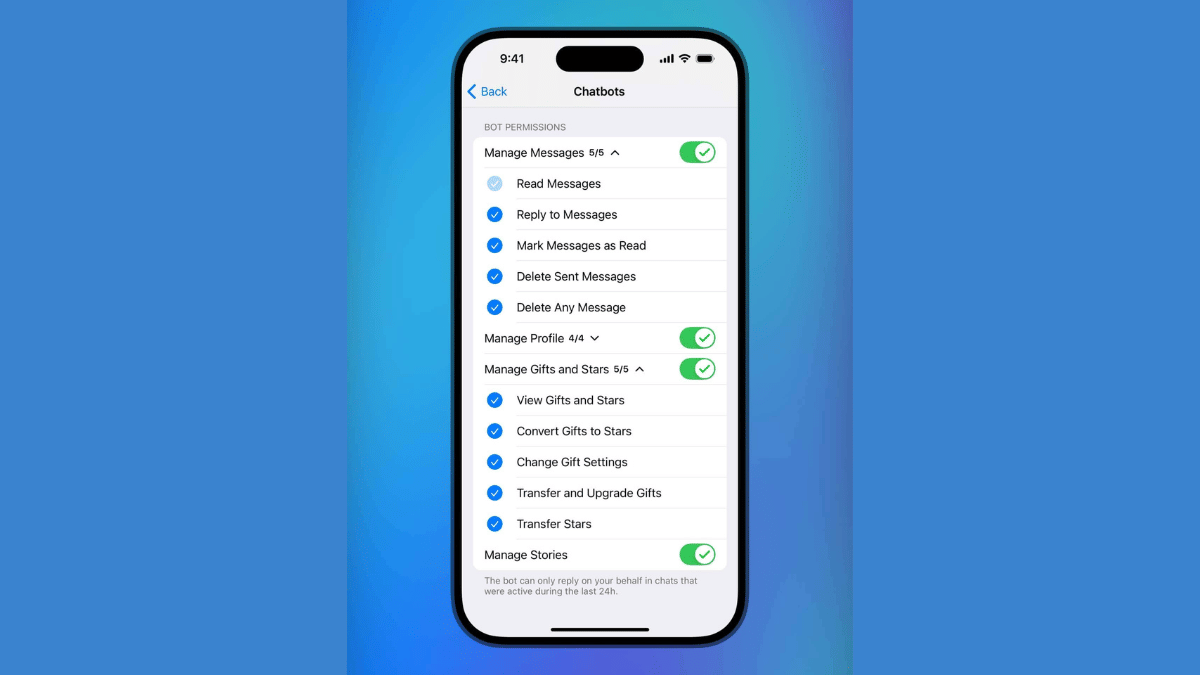
Telegram will now allow integrating third-party bots including AI-driven bots. However, this feature comes only for the premium account holders. This new feature is introduced to help professionals to control, manage, and grow their businesses efficiently. Telegram premium users accessing Automated business accounts will be able to set bots for managing replies, posts, stories, etc.
Also Read: Instagram Edits: New Standalone Editing Insta Tool? 10 Easy Steps To Use!
Updated ‘Gifts’ Settings

Telegram has its own gifting feature which is being widely used and is now getting easier to manage and control with the latest update. A bunch of customisations have been added such as:
- ‘Gift’ button can now be added to chats directly
- Control which gift to be shown at a specific chat
- Control who and what kind of gift another contact can send
Steps To Manage Gifts In Telegram

- Open Settings
- Click on Privacy and Security
- Tap on Gifts
- If you want to view individual gifts then instead select My Profile and select Gifts tab
- Tap on Send Gift once selected
Also Read: Is Telegram Still Private? The Platform To Provide User Data To Governments
Improved Gestures And Controls
Forward Message (Android and iOS) : Hold on a message and drag the share arrow to forward message
Open Story Editor (iOS): Swipe right on the story list or main chat list to instantly launch the Story Editor tool
