Aditi Verma is a skilled tech content writer with a talent for making complex ideas easy to understand. She crafts engaging articles, breaking down intricate tech topics into simple words that anyone can grasp. Aditi is your go-to writer for all things tech.
Exclusive iMessage-like Experience on Nothing Phone 2.
Can Secure Setup with End-to-End Encryption on Nothing Chats.
Beta Features: Individual and Group Messaging, Voice Notes.
Nothing is bringing iMessage-like features, typically exclusive to iPhones, to Android users. With the introduction of Nothing Chats, a dedicated messaging platform for Nothing Phone 2 users, Android users can now experience the convenience of iMessage on their devices.
Nothing Phone 2 users will gain exclusive access to Nothing Chats, a messaging platform designed to mimic the coveted iMessage experience on iPhones. This move sets Nothing apart as the first Android brand to offer this feature, diverging from the typical third-party iMessage clients seen on Android.
Sunbird’s Architecture
Sunbird’s architecture facilitates direct message delivery between users without intermediary server storage. However, for iMessage integration, Sunbird temporarily stores encrypted iCloud credentials in a secure database on a Mac Mini in the US or Europe, depending on the user’s region.
How Nothing Chats Work
App Features: The “Nothing Chats” app, currently in Beta, enables users to exchange messages through the coveted blue bubbles. Future plans include additional features and improvements.
User Setup: To use Nothing Chats, users need to log in with their Apple IDs, ensuring end-to-end encryption in line with Sunbird’s privacy policy.
Nothing Chats is set to launch on November 17th, initially available to users in North America, the EU, and other European countries. The rollout is limited to these regions initially, with plans for expansion not yet announced.
Importantly, the app will not be available on the Google Play Store; it is an exclusive offering from Nothing, marking a unique approach to Android messaging.
What To Expect: FeaturesAnd Future Updates
In a video, Nothing CEO Carl Pei sheds light on the app’s features. Nothing Chats supports individual and group messaging, with typing indicators, full-size media sharing, and voice notes. While read receipts, message reactions, and message replies will initially be unavailable, the company assures users that these features are on the horizon in future updates.
Stay tuned for upcoming developments as the app undergoes continuous refinement during its Beta phase.
Sundar Pichai revealed Global Diwali questions on X.
Top 5 Googled Diwali Questions
He showcased Interactive GIF to represent most-Searched queries worldwide.
Sundar Pichai recently wished everyone a Happy Diwali on X (formerly Twitter) and revealed the top questions people around the world are asking about Diwali. He shared the most popular “why” questions, giving us a peek into what people are curious about when it comes to the Festival of Lights.
“Happy Diwali to all who celebrate! We’re seeing lots of interest about Diwali traditions on Search, here are a few of the top trending ‘why’ questions worldwide,” Pichai posted on X, sparking conversations about Diwali traditions.
Happy Diwali to all who celebrate! We’re seeing lots of interest about Diwali traditions on Search, here are a few of the top trending “why” questions worldwide: https://t.co/6ALN4CvVwbpic.twitter.com/54VNnF8GqO
In his post, Pichai used a fun GIF with a lamp and five numbers. Each number represented a question about Diwali. Click on those numbers, and you get specific questions people all over the world searched on Google about Diwali.
Why Indians celebrate Diwali
Why do we do rangoli on Diwali
Why do we light lamps on Diwali
Why is Lakshmi puja done on Diwali
Why oil bath on Diwali
In reply to Sundar Pichai’s post, many people on X extended warm Diwali greetings to him.
Multitask Seamlessly While Engaging in Group Conversations.
Flexible Joining and Leaving
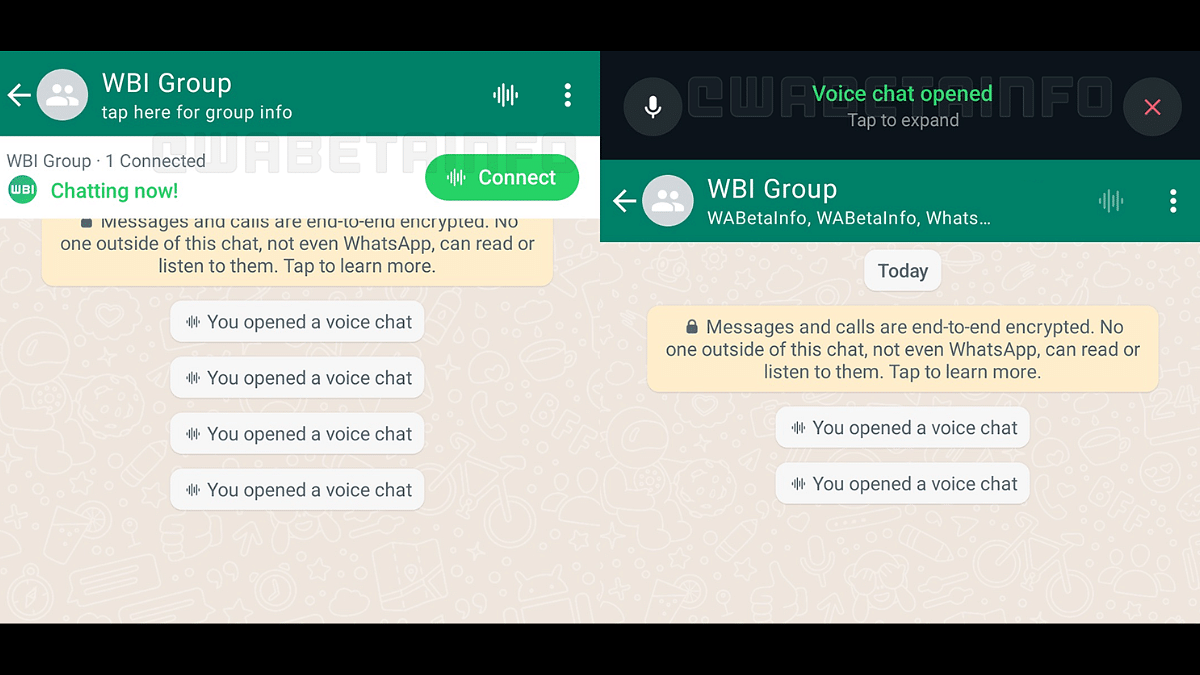
WhatsApp has recently introduced a new feature – voice chats for group calls. This update aims to make group conversations more seamless and less disruptive. If you’re eager to try it out, here’s a step-by-step guide to get you started.
Make sure you have the latest version of WhatsApp installed on your Android or iOS device. You can find the update on the Google Play Store for Android users and the App Store for iOS users.
2. Access the Group Chat
Navigate to the group chat where you want to initiate a voice chat. Look for the group call button, which has now been replaced by a new waveform icon at the top right corner of the screen.
3. Start A Voice Chat
Tap on the waveform icon to initiate a voice chat. Group members will receive push notifications, inviting them to join the conversation. Unlike traditional group calls, the new feature allows users to engage in other tasks on WhatsApp simultaneously.
4. Profiles And Notifications
All group members, whether participating in the voice chat or not, can see the profiles of those involved. This ensures transparency within the group. Notifications will be sent to all members, making it easy to join the conversation.
5. Leave And Rejoin
Participants have the flexibility to leave and rejoin the voice chat at their convenience. The voice chat will automatically end when all participants have left. If no one joins within an hour or if there’s only one person in the chat, it will also conclude.
6. Group Size Limitations
WhatsApp is initially rolling out this feature for larger groups with more than 32 members. Users in groups with 33 to 128 participants can take advantage of voice chats. Keep in mind that this feature is only accessible via a user’s primary device, and linked devices are not supported.
With these simple steps, you can now make your group calls on WhatsApp more seamless and less intrusive, enhancing your overall messaging experience.
WhatsApp enhances privacy with IP address concealment.
Calls relayed through WhatsApp servers for protection.
Simple steps to enable IP address protection.
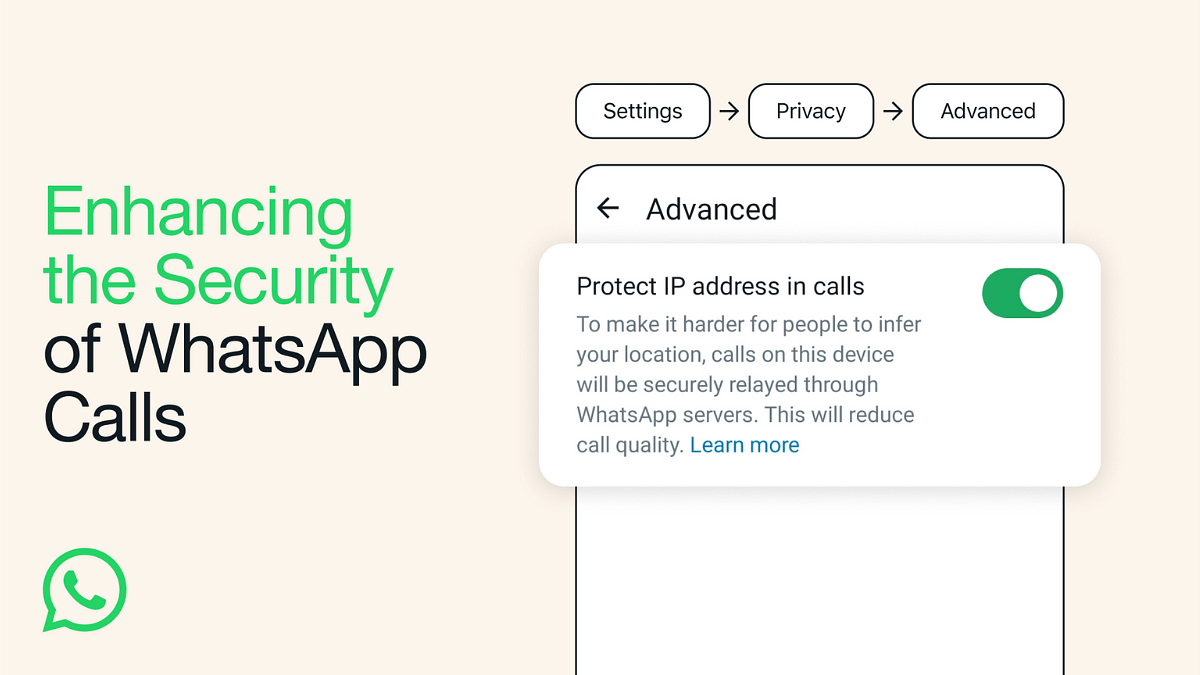
WhatsApp is introducing a new privacy feature that allows Android and iOS users to protect their location and IP address during calls. This feature ensures your privacy by relaying the call connection through WhatsApp’s servers. Let’s see how to enable this feature and its implications for your privacy.
What Is WhatsApp’s IP Address Protection Feature?
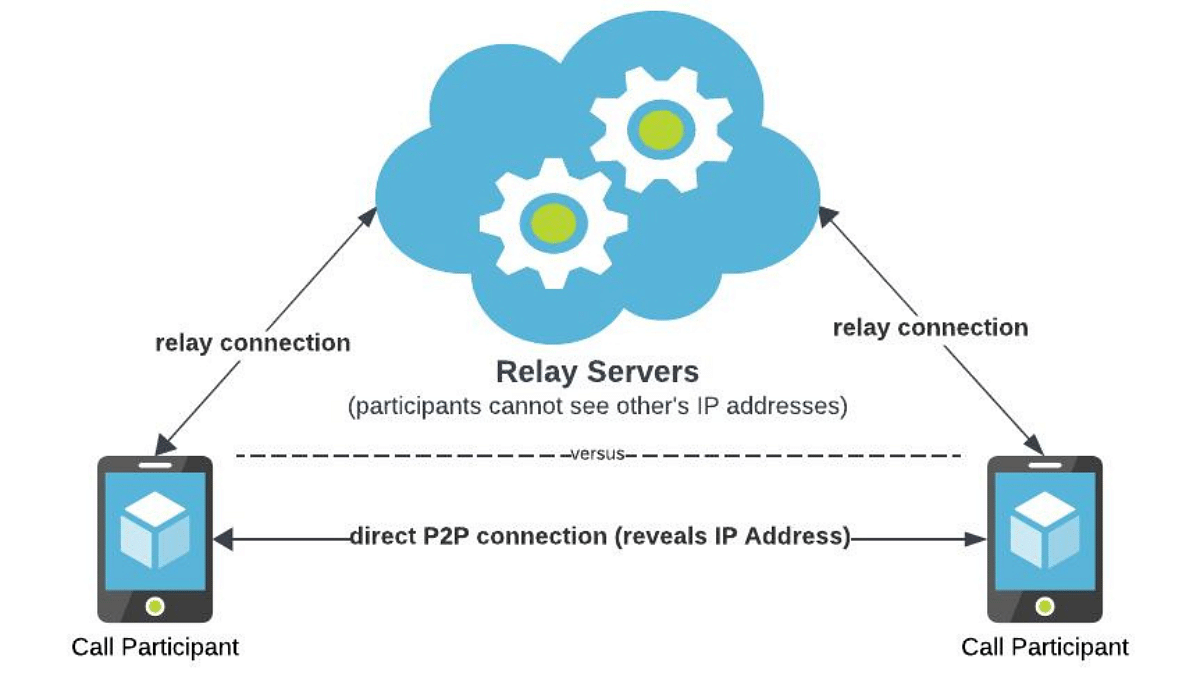
WhatsApp’s engineering team has designed this feature to enhance user privacy. When enabled, your location and IP address are concealed from other call participants. It achieves this by switching from the standard peer-to-peer direct connection between callers to routing the call through WhatsApp servers. This obfuscates the IP address metadata that could reveal your internet service provider or general geographical location.
It’s essential to note that while your calls are relayed through WhatsApp’s servers to obscure your location, the company cannot listen in on your calls. WhatsApp’s calls are end-to-end encrypted, ensuring the privacy and security of your conversations. The new feature mainly focuses on protecting the privacy-conscious users.
WhatsApp is also introducing a feature that allows users to silence unknown callers. This feature offers protection against more advanced cyber-attacks on your data, adding an extra layer of security for users.
Google deleting inactive Gmail accounts in December.
Security measure to protect users’ data.
Active users need not worry.
If you’re a Gmail user, you may have heard rumors that Google is deleting inactive Gmail accounts next month. Let’s get to the bottom of this and understand what’s really happening.
Google has recently announced a change in its policy, stating that it will begin deleting inactive Gmail accounts from December 2023 onwards. This move is aimed at enhancing security. Inactive accounts are more susceptible to cyber threats, and Google wants to protect its users from potential security breaches.
According to Google’s new policy, accounts that have been inactive for two years will be deleted. But don’t worry, this doesn’t affect accounts that are regularly used. If you frequently use Gmail, Docs, Calendar, or Photos, your account is safe. This policy only targets accounts that have not been used for a significant period.
Google’s primary motivation is to boost security. Inactive accounts often have outdated or reused passwords, lack two-factor authentication, and receive fewer security checks. These factors make them easy targets for cybercriminals. Google stated, “If a Google Account has not been used or signed into for at least 2 years, we may delete the account and its contents.” This includes data within Google Workspace, which encompasses Gmail, Docs, Drive, Meet, Calendar, and Google Photos.
To ensure your Gmail account doesn’t get deleted, you should take a few simple steps. Google will send multiple notifications to both your account email address and the recovery email you provided before deleting your account. This gives you ample time to take action and prevent your account from being deleted.
In a nutshell, Google’s decision to delete inactive Gmail accounts is a security measure to protect its users. If you’re an active user, there’s no need to worry. Just keep using your Gmail account, and you’ll be safe. However, if you haven’t logged in for a while, it’s time to do so to prevent any unwanted surprises. Your data and privacy are important, and Google is taking steps to safeguard them.
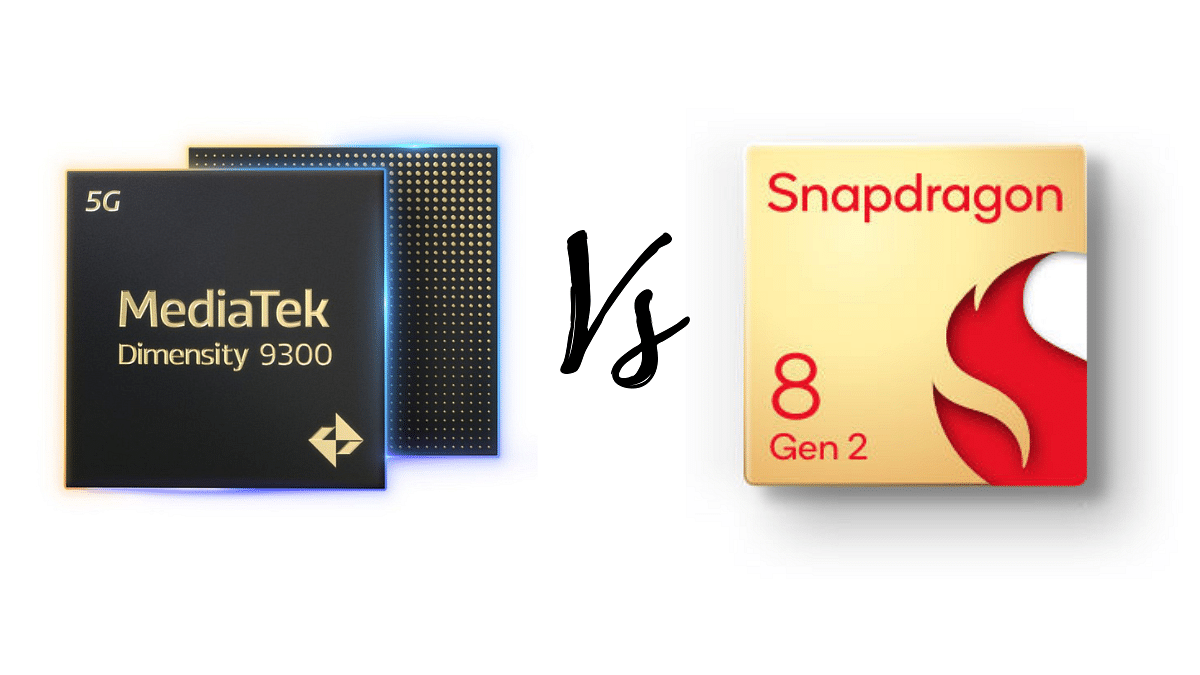
Mediatek Dimensity 9300 and Snapdragon 8 Gen 2 offers good overall performance, AI processing, and multimedia capabilities. But which one is the better choice for your specific needs?
Let’s dive into the details to find out.
Mediatek Dimensity 9300 Vs Snapdragon 8 Gen 2: CPU Architecture
Specification
Mediatek Dimensity 9300
Snapdragon 8 Gen 2
Process
4nm
4nm
Cores
8
8
High-Performance Cores
1x Cortex-X4 @ 3.25 GHz
1x Cortex-X3 @ 3.2 GHz
3x Cortex-X4 @ 2.85 GHz
2x Cortex-A715 @ 2.8 GHz
4x Cortex-A720 @ 2 GHz
2x Cortex-A710 @ 2.8 GHz
3x Cortex-A510 @ 2 GHz
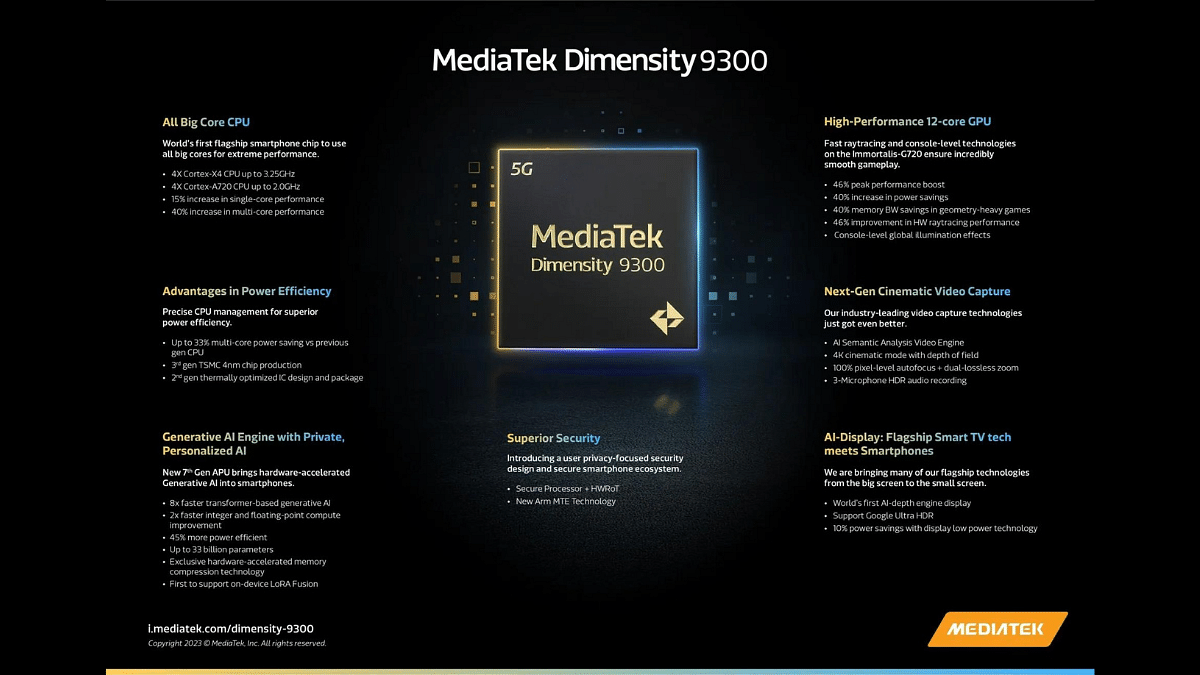
Mediatek Dimensity 9300 comes with an octa-core CPU architecture, featuring 1 Cortex-X4 core running at an impressive 3.25 GHz, 3 Cortex-X4 cores at 2.85 GHz, and 4 Cortex-A720 cores at 2 GHz. This blend of high-performance and efficiency cores allows for a versatile user experience.
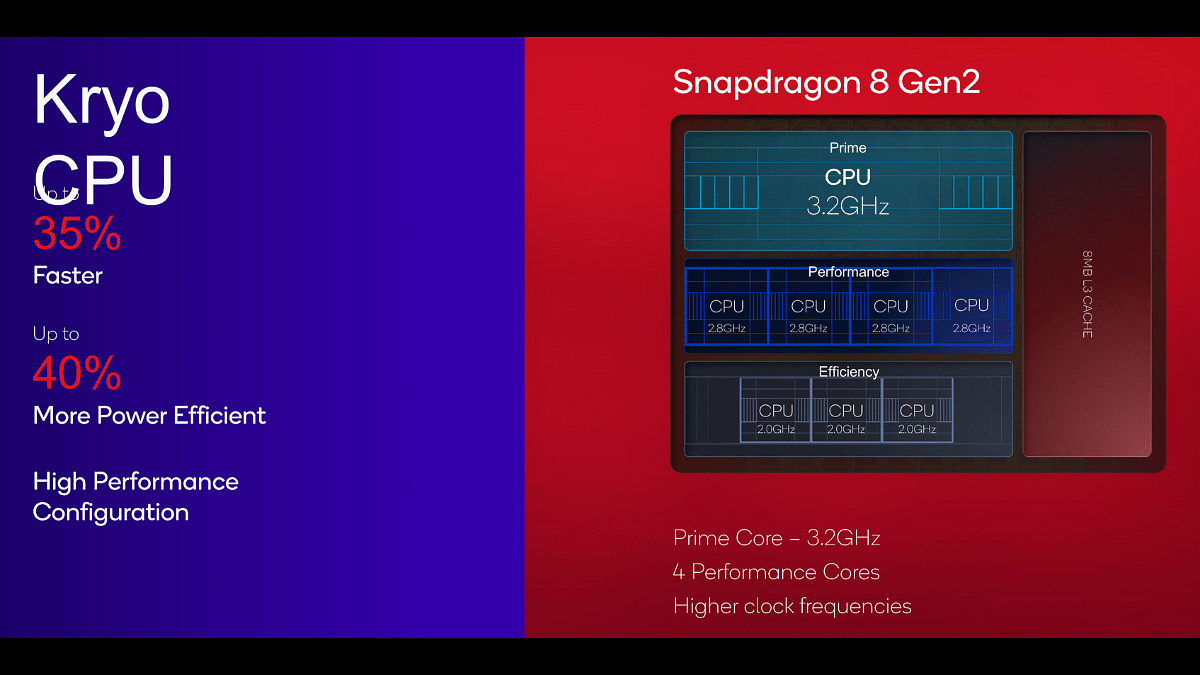
Snapdragon 8 Gen 2 comes with an equally potent octa-core setup, it consists of 1 Cortex-X3 core at 3.2 GHz, 2 Cortex-A715 cores at 2.8 GHz, 2 Cortex-A710 cores at 2.8 GHz, and 3 Cortex-A510 cores at 2 GHz. Snapdragon 8 Gen 2 offers a balance of high and low-powered cores for optimal performance.
Mediatek Dimensity 9300 Vs Snapdragon 8 Gen 2: GPU, Memory
Specification
Mediatek Dimensity 9300
Snapdragon 8 Gen 2
GPU
Mali-G720 Immortalis MP12
Adreno 740
GPU Frequency
1300 MHz
680 MHz
Gigaflops
5990.4
3481.6
Mediatek Dimensity 9300 features the Mali-G720 Immortalis MP12 GPU, running at 1300 MHz. This GPU delivers a substantial 5990.4 Gigaflops of computing power, ideal for gaming and graphics-intensive tasks. Snapdragon 8 Gen 2 is equipped with the Adreno 740 GPU, operating at 680 MHz, it offers a total of 2560 shading units, delivering 3481.6 Gigaflops. Snapdragon’s Adreno GPU is renowned for its graphics prowess.
Specification
Mediatek Dimensity 9300
Snapdragon 8 Gen 2
Memory Type
LPDDR5T
LPDDR5X
Memory Frequency
4800 MHz
4200 MHz
Max Memory Size
24 GB
24 GB
Both chipsets support LPDDR5-type memory, with Mediatek Dimensity 9300 having a higher memory frequency at 4800 MHz, compared to Snapdragon 8 Gen 2’s 4200 MHz. Both support a maximum memory size of 24 GB.
Mediatek Dimensity 9300 Vs Snapdragon 8 Gen 2: Display And Camera
Specification
Mediatek Dimensity 9300
Snapdragon 8 Gen 2
Max Display Resolution
2960 x 1440
3840 x 2160
Max Camera Resolution
1x 320MP
1x 200MP
Mediatek Dimensity 9300 supports a maximum display resolution of 2960 x 1440 and camera resolution of up to 320MP, making it ideal for high-resolution displays and camera systems.
Snapdragon 8 Gen 2 offers an even higher maximum display resolution of 3840 x 2160 and camera resolution of up to 200MP, which is impressive for users seeking top-tier display and photography capabilities.
Mediatek Dimensity 9300 Vs Snapdragon 8 Gen 2: Multimedia (ISP), AI And Connectivity
Specification
Mediatek Dimensity 9300
Snapdragon 8 Gen 2
AI Processor
Yes
Hexagon
Video Capture
8K at 30FPS, 4K at 60FPS
8K at 30FPS, 4K at 120FPS
Video Playback
8K at 30FPS, 4K at 60FPS
8K at 60FPS, 4K at 120FPS
Mediatek Dimensity 9300 chipset incorporates a powerful Neural Processor Unit (NPU) for AI-driven tasks, supporting up to 8K video capture and playback at 30FPS, and 4K at 60FPS. It’s versatile in handling various video codecs and audio codecs.
Snapdragon 8 Gen 2 relies on Hexagon for AI processing, supports 8K video capture at 30FPS, 4K at 120FPS, and 8K video playback at 60FPS. It also offers a range of video and audio codecs, catering to diverse multimedia requirements.
Specification
Mediatek Dimensity 9300
Snapdragon 8 Gen 2
4G Support
LTE Cat. 24
LTE Cat. 24
5G Support
Yes
Yes
Download Speed
Up to 10,000 Mbps
Up to 10,000 Mbps
Upload Speed
Up to 7,000 Mbps
Up to 3,500 Mbps
Both chipsets support 4G and 5G. Mediatek Dimensity 9300 boasts incredible download speeds of up to 10,000 Mbps and upload speeds of up to 7,000 Mbps, while Snapdragon 8 Gen 2 offers impressive download speeds of up to 10,000 Mbps and upload speeds of up to 3,500 Mbps. The difference in upload speeds may be a significant factor for some users.
Mediatek Dimensity 9300 features Wi-Fi 7 and Bluetooth 5.4. On the other hand, Snapdragon 8 Gen 2 offers Wi-Fi 7 and Bluetooth 5.3, still providing solid wireless connectivity but with slightly older Bluetooth technology.
Mediatek Dimensity 9300 Vs Snapdragon 8 Gen 2: Final Verdict
Choose the Mediatek Dimensity 9300 for strong overall performance, AI power, and great multimedia, ideal for gaming and content creation. Opt for the Snapdragon 8 Gen 2 if you value stunning displays, excellent camera capabilities, and solid performance, especially if you’re keen on visuals and photography.
Ultimately, your choice depends on your personal preferences and how you use your smartphone. Both chipsets offer cutting-edge technology, so you’re in good hands with either.
Google promises smoother browsing with Chrome’s New RAM Monitoring
It easily manages RAM for Open Tabs in Chrome
Google Chrome has introduced a new feature that allows users to monitor the memory consumption of individual tabs in real time. This feature, reported by 9to5Google, aims to offer users clear information about how much system memory their open tabs are using.
For seamless access to this feature, users can navigate to Chrome’s settings, specifically under the ‘Performance’ section. Here, they can activate both Memory and Energy Saver modes. Furthermore, users have the option to designate specific sites to remain continually active, ensuring critical pages don’t reload each time they are accessed.
This feature streamlines the process of identifying tabs that may be using an excessive amount of system resources. By merely hovering over a tab, users can quickly check real-time memory usage. This feature can be a valuable resource, particularly for those who frequently work with numerous open tabs, seeking to maintain optimal computer performance.
While Chrome had previously introduced a “Memory Saver” mode, this latest update takes it a step further by providing on-the-fly memory usage data. It eliminates the need for users to navigate through intricate settings to determine the system resources used by their open web pages.
The update is already available on the stable Chrome 119 channel and is expected to roll out to all users soon. For those who prefer not to wait, there’s a manual way to enable it via Chrome’s experimental settings.
Major Collaboration for Next-Gen 4G Feature Phones
Transitioning 2G Users to 4G
Affordable JioBharat Phones with Special 4G Plans
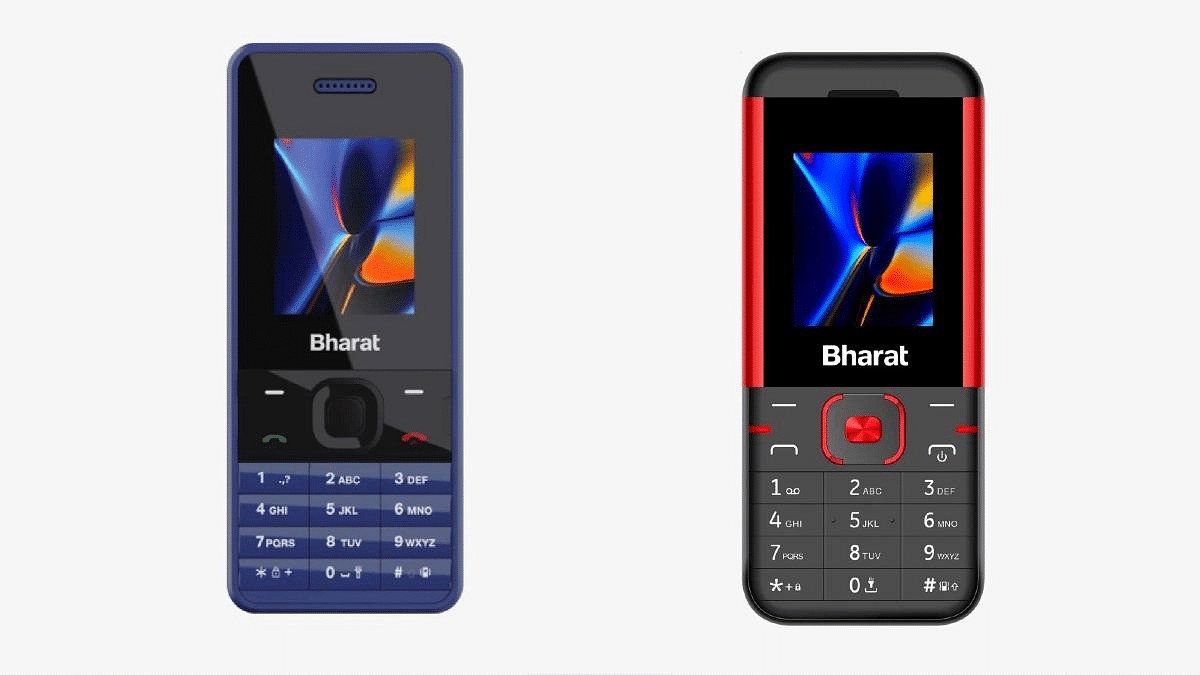
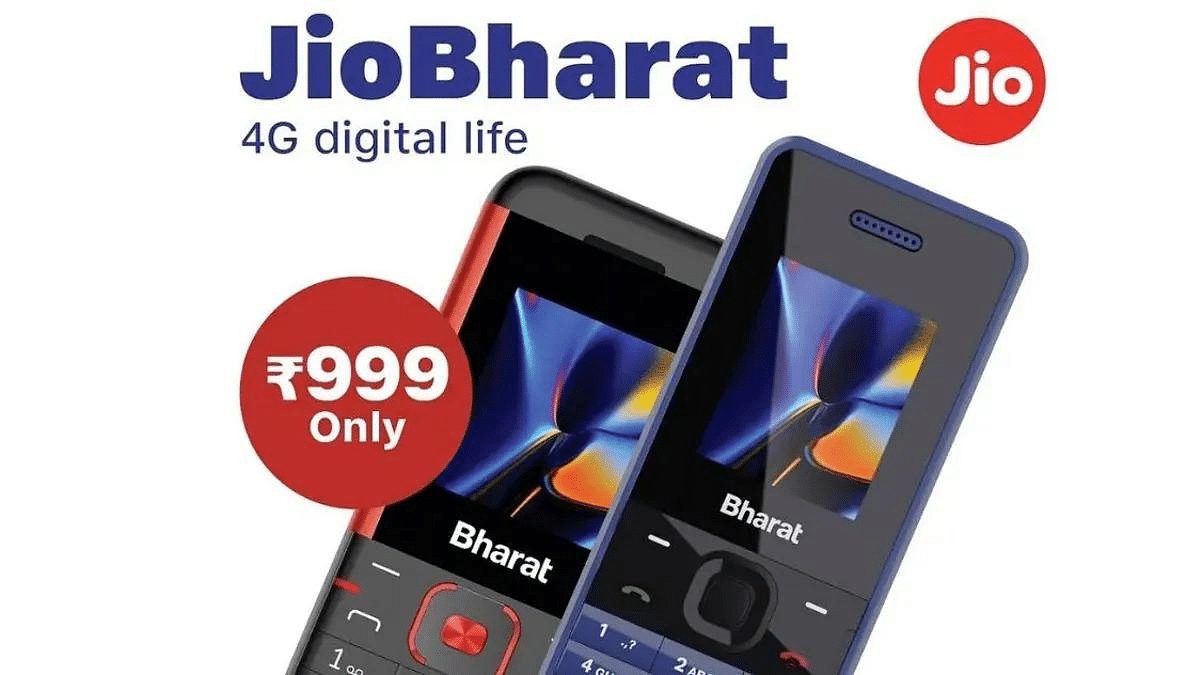
In a process to bring more people into the world of smart features, Jio backed by Reliance, introduced its JioBharat feature phone series earlier this year. These phones are designed for those who want smart features but aren’t quite ready to make the leap to smartphones.
Let’s explore the latest developments in Jio’s mission to expand the reach of 4G feature phones.
Sunil Dutt, President of Jio’s devices division, shared some exciting plans for the future of the JioBharat feature phones. The ultimate goal is to transition about 250 million 2G users to 4G and beyond. To achieve this ambitious goal, Jio is collaborating with renowned feature phone manufacturers like Lava, Nokia, and Itel.
Jio’s vision is to establish JioBharat as a common platform that offers a consistent experience across all devices. While each manufacturer may bring their own unique designs, sizes, and colours to the table, certain core aspects of the phones will remain consistent. This approach allows users to easily recognize and connect with JioBharat, irrespective of the specific device they choose.
One of the key differentiators of JioBharat feature phones is the bundled 4G monthly plans. Currently, Jio offers a Rs 123 recharge plan with a 28-day validity period. This plan includes 14GB of 4G data, unlimited calling, 300 daily SMS, and access to popular Jio apps like JioCinema and JioSaavn.
The JioBharat feature phone series currently includes three models: JioBharat V2, JioBharat B1, and JioBharat K1 Karbonn. Priced at Rs 999, Rs 999, and Rs 1,299 respectively, these phones offer a budget-friendly entry point for users seeking essential smart features.
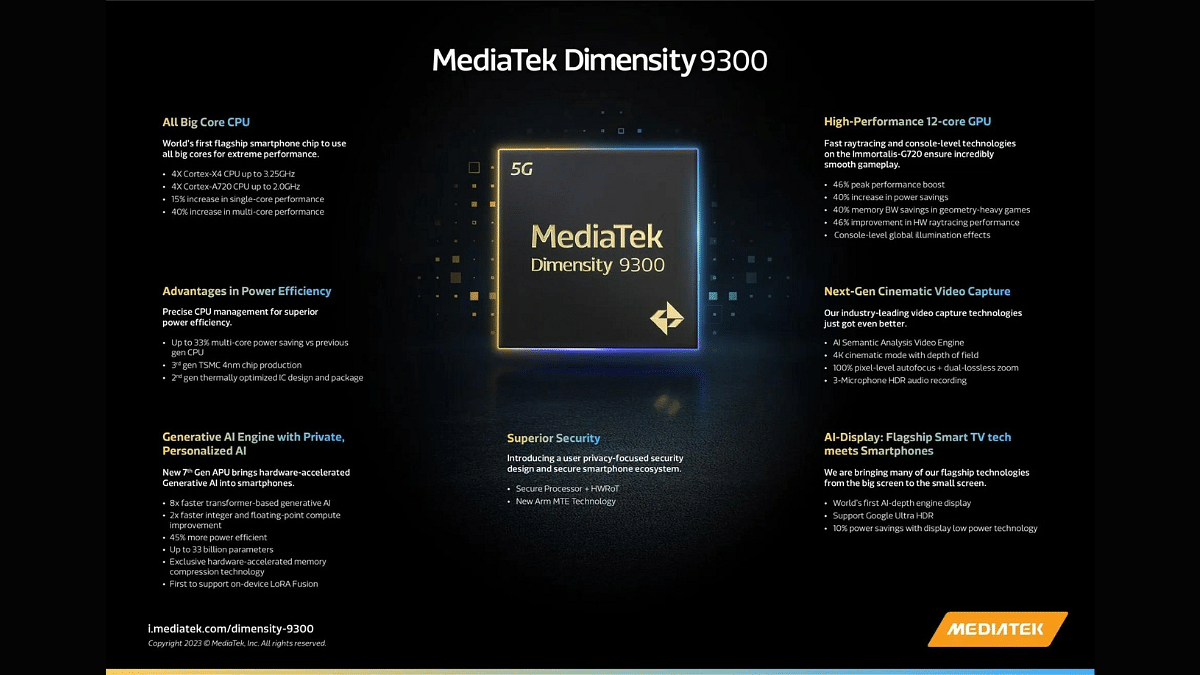
Two of the leading flagship chipsets are the Snapdragon 8 Gen 3 and the newly released MediaTek Dimensity 9300. In this article, we will compare two flagship chipsets, the Snapdragon 8 Gen 3 and the MediaTek Dimensity 9300, based on their CPU architecture, GPU, memory, multimedia capabilities, and connectivity.
Snapdragon 8 Gen 3 Vs MediaTek Dimensity 9300: CPU Architecture
Category
Snapdragon 8 Gen 3
MediaTek Dimensity 9300
Primary Core
1x 3.3 GHz Cortex-X4
1x 3.25 GHz Cortex-X4
High-Performance Cores
3x 3.15 GHz Cortex-A720
3x 2.85 GHz Cortex-X4
Mid-Range Cores
2x 2.96 GHz Cortex-A720
4x 2 GHz Cortex-A720
Power-Efficient Cores
2x 2.26 GHz Cortex-A520
–
Total Cores
8
8
The Snapdragon 8 Gen 3 boasts a 1x Cortex-X4 core clocked at 3.3 GHz, 3x Cortex-A720 cores at 3.15 GHz, 2x Cortex-A720 cores at 2.96 GHz, and 2x Cortex-A520 cores at 2.26 GHz. On the other hand, the Dimensity 9300 features a 1x Cortex-X4 core at 3.25 GHz, 3x Cortex-X4 cores at 2.85 GHz, and 4x Cortex-A720 cores at 2 GHz. Both chipsets are manufactured using a 4-nanometer process.
The Dimensity 9300 has a slightly higher L3 cache of 18 MB compared to the Snapdragon 8 Gen 3’s 12 MB. This means that the Dimensity 9300 may have an advantage in multitasking and overall performance.
Snapdragon 8 Gen 3 Vs MediaTek Dimensity 9300: GPU, Memory
Category
Snapdragon 8 Gen 3
MediaTek Dimensity 9300
GPU
Adreno 750
Mali-G720 Immortalis MP12
GPU Frequency
770 MHz
–
Memory Type
LPDDR5X
LPDDR5T
Memory Frequency
4800 MHz
9600 MHz
Max Memory Size
24 GB
24 GB
The Snapdragon 8 Gen 3 is equipped with the Adreno 750 GPU, while the Dimensity 9300 features the Mali-G720 Immortalis MP12 GPU. The Adreno 750 has a GPU frequency of 770 MHz, whereas the GPU frequency for the Mali-G720 is not specified. While it’s challenging to compare these GPUs directly, Adreno GPUs have a strong reputation for gaming performance, which may give the Snapdragon 8 Gen 3 an edge in this department.
In terms of memory, both chipsets support LPDDR5X memory, but the Dimensity 9300 has an advantage with a higher memory frequency of 9600 MHz compared to the Snapdragon 8 Gen 3’s 4800 MHz. The bus interface for memory is the same for both chipsets, with 4x 16-bit channels. They both support a maximum memory size of 24 GB.
Snapdragon 8 Gen 3 Vs MediaTek Dimensity 9300: Multimedia, Video Capabilities
Category
Snapdragon 8 Gen 3
MediaTek Dimensity 9300
Neural Processor (NPU)
Hexagon
Yes
Storage Type
UFS 4.0
UFS 4.0
Max Display Resolution
3840 x 2160
2960 x 1440
Max Camera Resolution
1x 200MP
1x 320MP
Video Capture
8K at 30FPS, 4K at 120FPS
8K at 30FPS, 4K at 60FPS
Video Playback
8K at 30FPS, 4K at 120FPS
8K at 30FPS, 4K at 60FPS
The Snapdragon 8 Gen 3 features Qualcomm’s Hexagon NPU and supports UFS 4.0 storage. It can handle a maximum display resolution of 3840 x 2160 and offers a maximum camera resolution of 200MP. It supports 8K video capture at 30FPS and 4K at 120FPS, along with various video codecs like H.264, H.265, AV1, VP8, and VP9. For audio, it supports AAC, AIFF, CAF, MP3, MP4, and WAV codecs.
The Dimensity 9300 also supports UFS 4.0 storage and boasts a max display resolution of 2960 x 1440. It can handle a whopping 320MP camera resolution, although its video capture capabilities are slightly lower than the Snapdragon 8 Gen 3, supporting 8K video at 30FPS and 4K at 60FPS. Its supported video codecs include H.264, H.265, AV1, and VP9, along with AAC LC, MP3, HE-AACv1, HE-AACv2, and FLAC audio codecs.
Snapdragon 8 Gen 3 Vs MediaTek Dimensity 9300: Connectivity
Category
Snapdragon 8 Gen 3
MediaTek Dimensity 9300
Modem
Snapdragon X75
–
4G Support
LTE Cat. 24
LTE Cat. 24
5G Support
Yes
Yes
Download Speed
Up to 10,000 Mbps
Up to 10,000 Mbps
Upload Speed
Up to 3,500 Mbps
Up to 7,000 Mbps
Wi-Fi
Wi-Fi 7
Wi-Fi 7
Bluetooth
5.4
5.4
Navigation
GPS, GLONASS, Beidou, Galileo, QZSS, NAVIC
GPS, GLONASS, Beidou, Galileo, QZSS, NAVIC
In terms of connectivity, both chipsets support 4G LTE Cat. 24 and 5G. The Snapdragon 8 Gen 3 features the Snapdragon X75 modem, offering download speeds of up to 10,000 Mbps and upload speeds of up to 3,500 Mbps. The Dimensity 9300 also supports download speeds of up to 10,000 Mbps but offers faster upload speeds of up to 7,000 Mbps. Both chipsets support Wi-Fi 7 and Bluetooth 5.4, as well as various navigation systems.
Snapdragon 8 Gen 3 Vs MediaTek Dimensity 9300: Final Verdict
The Snapdragon 8 Gen 3 and MediaTek Dimensity 9300 are both powerful flagship chipsets, but they excel in different areas. The Snapdragon 8 Gen 3 offers a potent CPU with a reputation for gaming performance, while the Dimensity 9300 shines in memory speed and camera capabilities.
Your choice between these chipsets will ultimately depend on your priorities. If gaming and GPU performance are your top concern, the Snapdragon 8 Gen 3 may be the better choice. On the other hand, if you prioritize camera capabilities and memory speed, the Dimensity 9300 could be the more suitable option. Both chipsets offer excellent connectivity and multimedia features, ensuring a high-quality user experience.
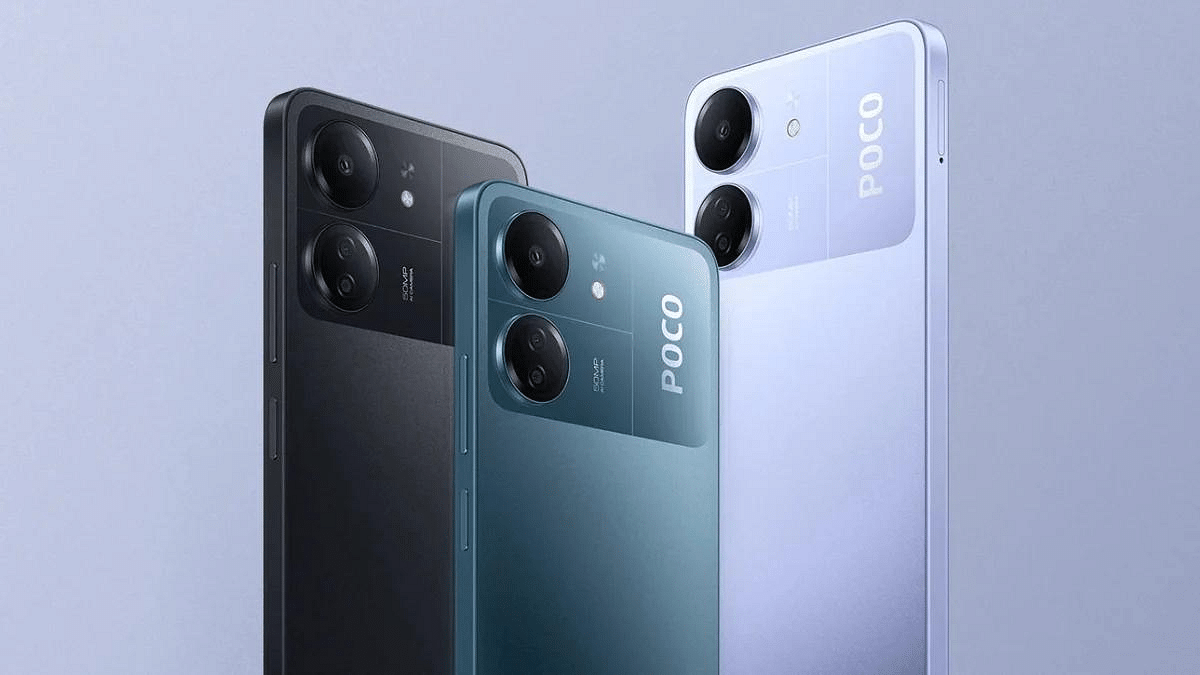
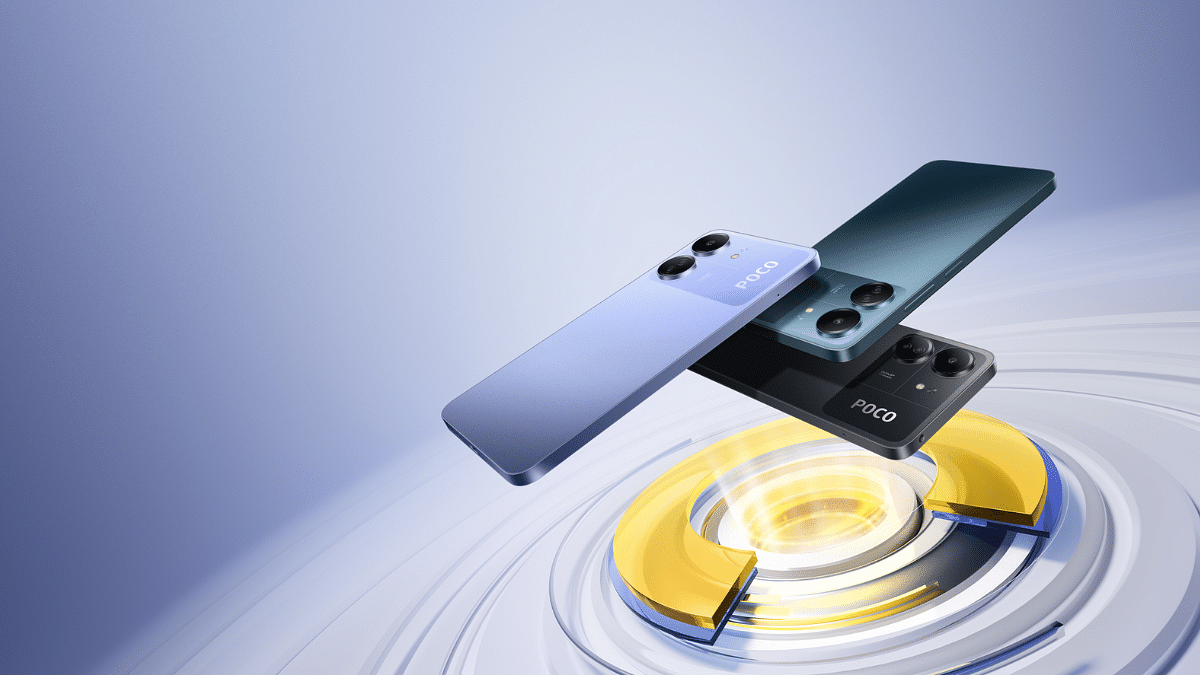
Poco recently unveiled its new phone, the Poco C65, on November 5. This phone is the successor to the Poco C55, which was released earlier this year. The new model comes with some improvements in key areas, including the cameras, RAM, storage, and charging specifications. The Poco C65 is currently available for purchase in the US, but details about its launch in India are yet to be revealed.
Let’s dive into the specifications and pricing of this new smartphone.
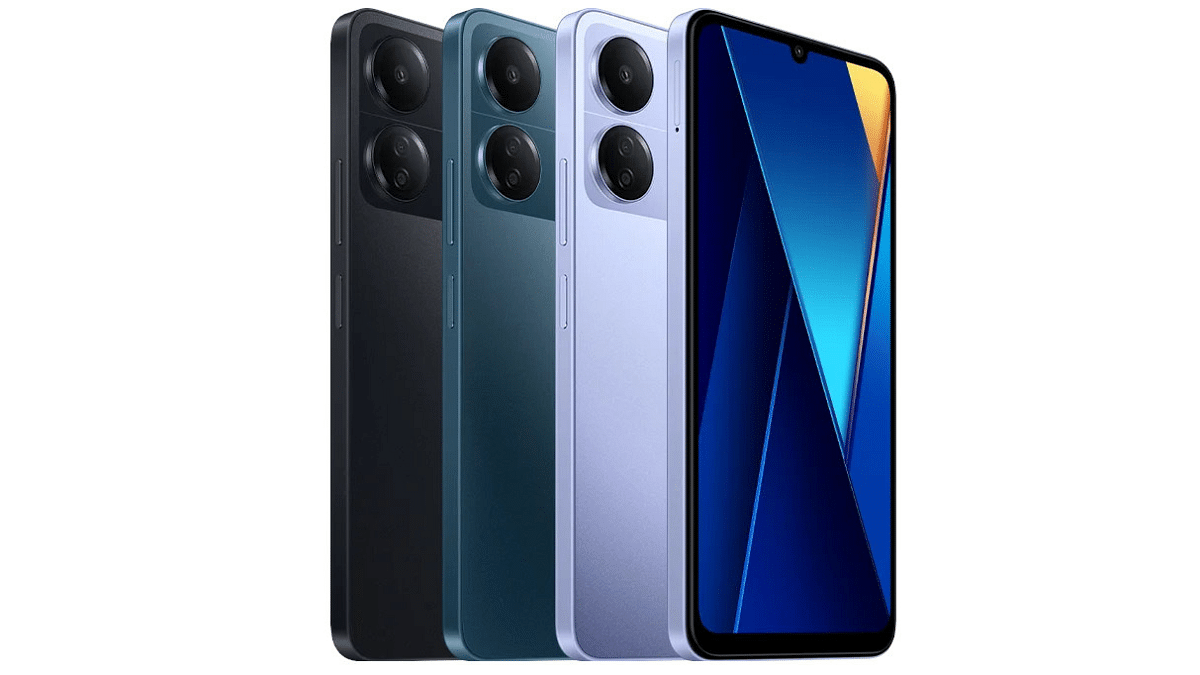
The Poco C65 features a 6.74-inch HD+ display with a resolution of 1,600 x 720 pixels. It has a 90Hz refresh rate. The display is also protected with tough Corning Gorilla Glass to prevent scratches and damage. The phone runs on the Android 13-based MIUI 14 designed for Poco.
Under the hood, the Poco C65 is powered by a MediaTek Helio G85 SoC, which is the same chipset as its predecessor, the Poco C55. This processor is capable of handling everyday tasks and some light gaming. The phone comes with up to 8GB of RAM and up to 256GB of storage, which can be expanded up to 1TB using a microSD card.
In the camera department, the Poco C65 has a 50-megapixel primary sensor for taking photos, along with a 2-megapixel sensor with a macro lens for close-up shots. On the front, there’s an 8-megapixel camera for your selfies.
The phone is equipped with a 5,000mAh battery, which should last you all day, and it supports 18W wired fast charging via a micro USB port. It also offers various connectivity options like 4G, Wi-Fi, Bluetooth, GPS, and more. There’s even a 3.5mm audio jack for your headphones and FM radio support.
The Poco C65 comes in two storage variants. The 6GB RAM + 128GB storage version is priced at $129 (about Rs. 10,700), while the 8GB RAM + 256GB storage version is listed at $149 (about Rs. 12,400). There are also options available at $109 (about Rs. 9,100) and $129 (about Rs. 10,700), respectively. You can choose from three colours: Black, Blue, and Purple.