Categories
Auto Tech Info

Maruti Suzuki eVX Test Mule Spotted, Potential 2025 Launch

Key Highlights

  • Stealthy Testing Unveils eVX’s Dynamic Design
  • 360-degree View and Charging Port Revealed
  • Anticipated To Launch in 2025

The Maruti Suzuki eVX, an eagerly awaited electric SUV, has recently been spotted in a more refined concept form at the Japan Mobility Show. Having initiated its testing phase on international grounds in June 2023, the electric SUV is now undergoing trials in India, marking a significant stride towards its anticipated launch in 2025.

Also Read: Power Up Safely: Eight Essential Measures For Charging Your EV In Public

The Sneak Peek: What Was Spotted?

In recently surfaced spy shots, the eVX test mule is concealed beneath heavy black camouflage, revealing only fragments of its rear and side profiles. The makeshift taillights offer a glimpse of the SUV’s design, indicating dimensions that align with those of the new Maruti Grand Vitara. Notably, the spy shots capture the presence of a charging port on the left front fender, signalling the electrifying nature of this upcoming vehicle.

Additionally, the test mule is equipped with a 360-degree camera setup, evident from the left Outside Rear View Mirror (ORVM)-mounted camera. The alloy wheels on display mirror those observed on the internationally spied model. Although the front fascia remains veiled in this set of images, expectations are high for LED headlights, daytime running lights (DRLs) featuring a triangular element, and robust bumpers.

Interior Insights: What To Expect

  • Suzuki revealed the eVX’s interior at the Japan auto show.
  • Dual displays are a focal point of discussion.
  • One display is dedicated to infotainment.
  • The other serves as the digital instrument cluster.
  • Glimpses show elongated vertical slats for traditional AC vents.
  • A distinctive 2-spoke steering wheel resembling a yoke is featured.
  • The central console houses a rotary dial for gear selection.

Beneath the Surface: Details Of Its Electric Powertrain

  • Specific details of eVX’s electric powertrain are undisclosed.
  • Maruti Suzuki’s Auto Expo 2023 revelations share key insights.
  • The eVX will feature a substantial 60kWh battery pack.
  • The battery is expected to offer an impressive 550km range.
  • Confirmed inclusion of a dual-motor setup for all-wheel-drive functionality.
  • Dual-motor setup enhances performance and overall versatility.

Anticipated Launch And Pricing

  • Maruti Suzuki eVX’s India launch is expected in 2025.
  • The anticipated starting price is approximately Rs 25 lakh (ex-showroom).
  • Positioned for direct competition with MG ZS EV and Hyundai Kona Electric.
  • Offers a premium alternative to the Tata Nexon EV and Mahindra XUV400.

Table: Comparison With Competitors

FeatureMaruti Suzuki eVXMG ZS EVHyundai Kona ElectricTata Nexon EV
Battery Capacity (kWh)6050.3 39.230 to 40.5 kWh
Estimated Range (km)Up to 550Up to 461Up to 452325 to 465 km
Drive ConfigurationDual-motor AWDAutomaticAutomaticAutomatic

Also Read: Thomson Unveils New Semi-Automatic Top Load Washing Machines On FlipkartXiaomi SU7 EV And SU7 Max EV Stun In Covert Road Trials: Picture Perfect Reveals
Categories
Apps Featured How To Info

How To Instantly Download Publicly Posted Reels On Instagram: A Step-By-Step Guide

Key Highlights

  • Global Access to Download Public Reels
  • Save Reels Directly to Your Camera Roll
  • Can Now Share Beyond Instagram Platform

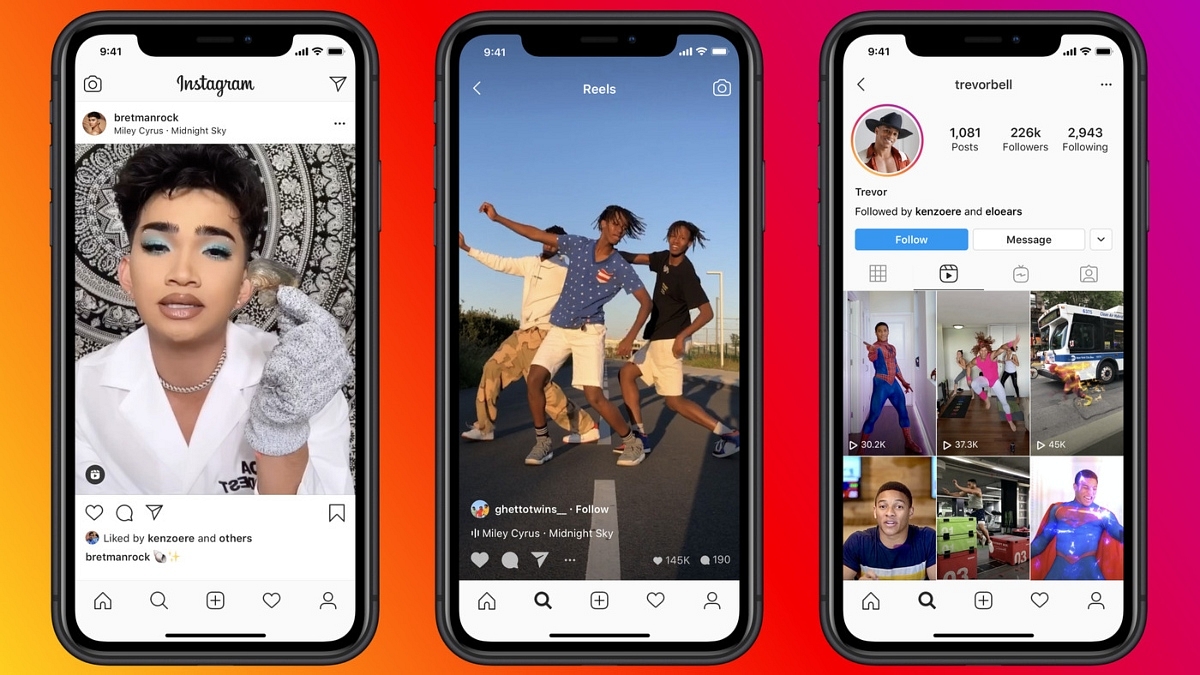
Earlier this year, Instagram introduced the ability to download Reels from public accounts, initially in the United States. The good news? This feature is now going global and is now available in India and one can now save Reels directly to their camera roll. Let’s understand how you can download the reels in three simple steps below.

Also Read: How To Use Instagram’s New Song Lyrics Feature In Reels: A Step-By-Step Guide

How to Use Instagram’s Reels Download Feature In 3 Simple Steps

Instagram Head Adam Mosseri, through his Broadcast channel, confirmed the global rollout of the Reels download feature. Users can now save Reels directly to their camera roll, complete with the creator’s Instagram handle as a watermark.

Here’s a quick guide on how to download any reel in just three simple steps:-

Step 1: Locate the Reel

Start by identifying the Reel you want to download. Navigate to the public account where the Reel is located. Browse through their profile or stories until you find the Reel you wish to save.

Step 2: Download the Reel

Once you’ve found the Reel, tap on the Share button located on the bottom right of the post. A menu will appear with various options. Select the “Download” option from the menu. If the public account has allowed downloads, the Reel will be saved directly to your device’s camera roll.

Step 3: Access Your Downloaded Reel

To access your downloaded Reel, head to your device’s gallery or camera roll. The saved Reel will appear as a video file with the Instagram handle of the creator as a watermark.

If you encounter any issues downloading Reels, ensure that the public account has not disabled the download feature. Public accounts have the option to control whether users can download their Reels.

Also Read: Instagram Close Friends Feature Takes Center Stage In Main Feed: How To Use

Categories
Chipset Comparison Featured

Mediatek Dimesnity 8300 Vs Snapdragon 7 Gen 3: Chipset Comparison

Two prominent contenders in the chipset category are the Mediatek Dimensity 8300 and the Snapdragon 7 Gen 3. Let’s delve into a detailed comparison of these chipsets to understand their strengths and weaknesses.

Also Read: MediaTek Dimensity 8300 Chipset Highlights

Mediatek Dimesnity 8300 Vs Snapdragon 7 Gen 3: CPU Architecture And Performance

SpecificationMediaTek Dimensity 8300Snapdragon 7 Gen 3
ArchitectureOcta-core (1x 3.35 GHz, 3x 3.2 GHz, 4x 2.2 GHz) Cortex-A715 & Cortex-A510Octa-core (1x 2.63 GHz, 3x 2.4 GHz, 4x 1.8 GHz) Cortex-A715 & Cortex-A510
Cores88
Frequency3.35 GHz max2.63 GHz max
Instruction SetARMv9-AARMv8.6-A
Process4 nanometers4 nanometers
ManufacturingTSMCTSMC
TDP6 W

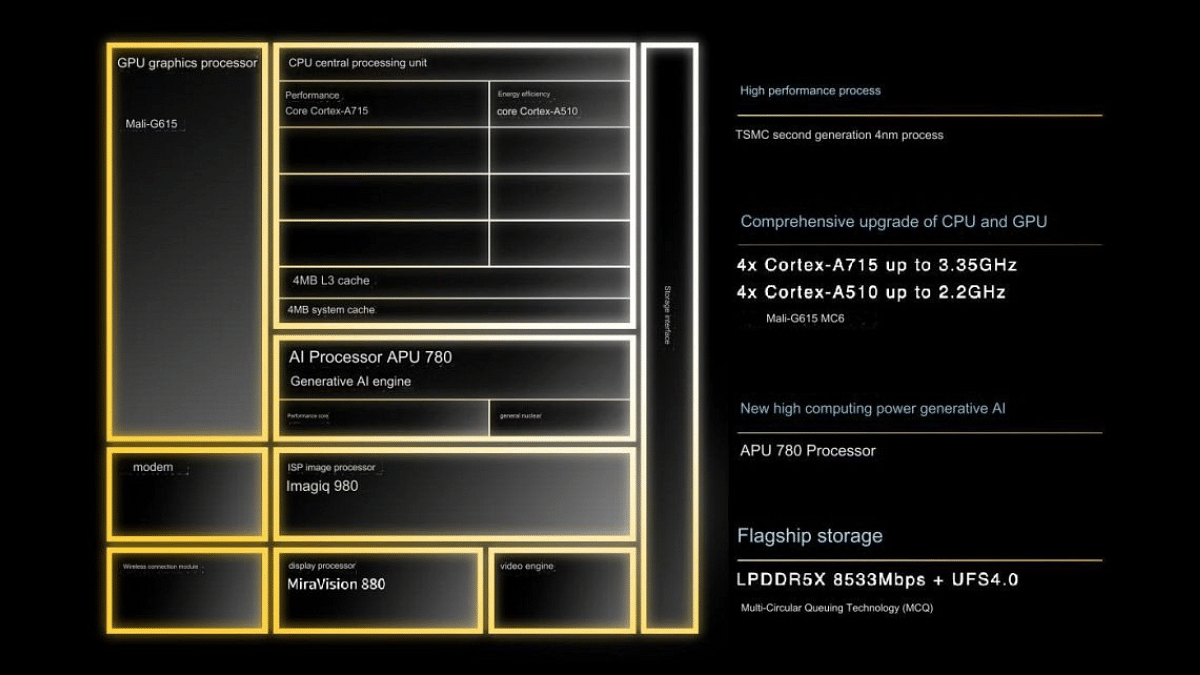
The Dimensity 8300 boasts an octa-core architecture, featuring 1x Cortex-A715 core clocked at an impressive 3.35 GHz, 3x Cortex-A715 cores at 3.2 GHz, and 4x Cortex-A510 cores running at 2.2 GHz. This robust configuration, based on ARMv9-A instruction set and manufactured using a cutting-edge 4-nanometer process by TSMC, promises high efficiency and performance across a variety of tasks.

On the other hand, the Snapdragon 7 Gen 3 also incorporates an octa-core setup, comprising 1x Cortex-A715 core clocked at 2.63 GHz, 3x Cortex-A715 cores at 2.4 GHz, and 4x Cortex-A510 cores at 1.8 GHz. Despite a slightly lower clock speed, the Snapdragon 7 Gen 3, built on a 4-nanometer TSMC process, offers a balanced performance profile with a thermal design power (TDP) of 6 W.

Also Read: Mediatek Dimensity 9300 Vs Snapdragon 8 Gen 2: Chipset Comparison

Mediatek Dimesnity 8300 Vs Snapdragon 7 Gen 3: GPU And Memory

SpecificationMediaTek Dimensity 8300Snapdragon 7 Gen 3
GPU Frequency1400 MHz
Memory TypeLPDDR5XLPDDR5
Memory Frequency4266 MHz3200 MHz
Bus4x 16 Bit2x 16 Bit
Max Bandwidth68.3 Gbit/s25.6 Gbit/s
Max Size24 GB16 GB

The Dimensity 8300 integrates a powerful GPU with a frequency of 1400 MHz, ensuring smooth graphics rendering. Accompanied by LPDDR5X memory running at 4266 MHz and a wide 4x 16 Bit bus, it provides a maximum bandwidth of 68.3 Gbit/s, supporting up to 24 GB of RAM.

The Snapdragon 7 Gen 3 is equipped with an efficient GPU and LPDDR5 memory clocked at 3200 MHz. While its 2x 16 Bit memory bus offers a maximum bandwidth of 25.6 Gbit/s, it supports a maximum of 16 GB of RAM.

Also Read: Snapdragon 8 Gen 3 Vs Apple A16 Bionic Chip: Chipset Comparison

Mediatek Dimesnity 8300 Vs Snapdragon 7 Gen 3: Multimedia Capabilities

SpecificationMediaTek Dimensity 8300Snapdragon 7 Gen 3
Neural Processor (NPU)MediaTek APU 780Yes
Storage TypeUFS 4.0UFS 3.1
Max Display Resolution2960 x 14403360 x 1600
Max Camera Resolution1x 320MP1x 200MP
Video Capture4K at 60FPS4K at 60FPS, 1K at 120FPS
Video Playback4K at 60FPS4K at 60FPS, 1080p at 120FPS
Video CodecsH.264, H.265, VP9H.264, H.265, VP8, VP9
Audio CodecsAAC LC, MP3, HE-AACv1, HE-AACv2, FLACAAC, AIFF, CAF, MP3, MP4, WAV

Mediatek’s offering comes with a MediaTek APU 780 Neural Processor, UFS 4.0 storage support, and an impressive max display resolution of 2960 x 1440. The chipset can handle a camera resolution of up to 320MP and supports 4K video capture and playback at 60FPS. It supports various video codecs, including H.264, H.265, and VP9, and audio codecs such as AAC LC, MP3, and FLAC.

The Snapdragon 7 Gen 3 features a dedicated Neural Processor, UFS 3.1 storage support, and a higher max display resolution of 3360 x 1600. It supports a camera resolution of up to 200MP and excels in video capabilities with 4K video capture and playback at 60FPS, as well as 1K at 120FPS. The chipset supports video codecs like H.264, H.265, VP8, and VP9, along with audio codecs such as AAC, AIFF, and MP3.

Also Read: Qualcomm Snapdragon 7 Gen 1 Vs MediaTek Dimensity 8050: Latest Mid-Ramge 5G Chipset Battle

Mediatek Dimesnity 8300 Vs Snapdragon 7 Gen 3: Connectivity

SpecificationMediaTek Dimensity 8300Snapdragon 7 Gen 3
5G SupportYesYes
Download SpeedUp to 7900 MbpsUp to 5000 Mbps
Upload SpeedUp to 4200 MbpsUp to 1600 Mbps
Wi-Fi66
Bluetooth5.45.3
NavigationGPS, GLONASS, Beidou, Galileo, QZSS, NAVICGPS, GLONASS, Beidou, Galileo, QZSS, NAVIC

The Dimensity 8300 boasts 5G support with download speeds up to 7900 Mbps and upload speeds up to 4200 Mbps. It features Wi-Fi 6, Bluetooth 5.4, and comprehensive navigation support with GPS, GLONASS, Beidou, Galileo, QZSS, and NAVIC.

The Snapdragon 7 Gen 3, equipped with the Snapdragon X63 modem, supports 5G with download speeds up to 5000 Mbps and upload speeds up to 1600 Mbps. It features Wi-Fi 6, Bluetooth 5.3, and a similar array of navigation options with GPS, GLONASS, Beidou, Galileo, QZSS, and NAVIC.

Also Read: Google Tensor Vs Exynos 2200 Chipset Comparison

Mediatek Dimesnity 8300 Vs Snapdragon 7 Gen 3: Final Verdict

In conclusion, both the Mediatek Dimensity 8300 and Snapdragon 7 Gen 3 bring robust features to the table, catering to different user preferences. The Dimensity 8300 leans towards a higher clock speed and memory bandwidth, while the Snapdragon 7 Gen 3 offers a balanced performance with notable strengths in multimedia capabilities. Choosing between them would depend on specific user requirements and the intended use of the device.

Also Read: MediaTek Dimensity 8300 4nm 5G Mobile Processor Launched: Rivals Snapdragon 7 Gen 3

Categories
Accessories Featured Home Appliances Info

Qubo Q200, Q400 and Q500 Smart Air Purifiers Launched In India: Top Features, Price

Key Highlights

  • Advanced 4-layer purification for pristine air.
  • Intelligent QSensAI technology
  • Affordable launch prices on quboworld.com and Amazon.in.

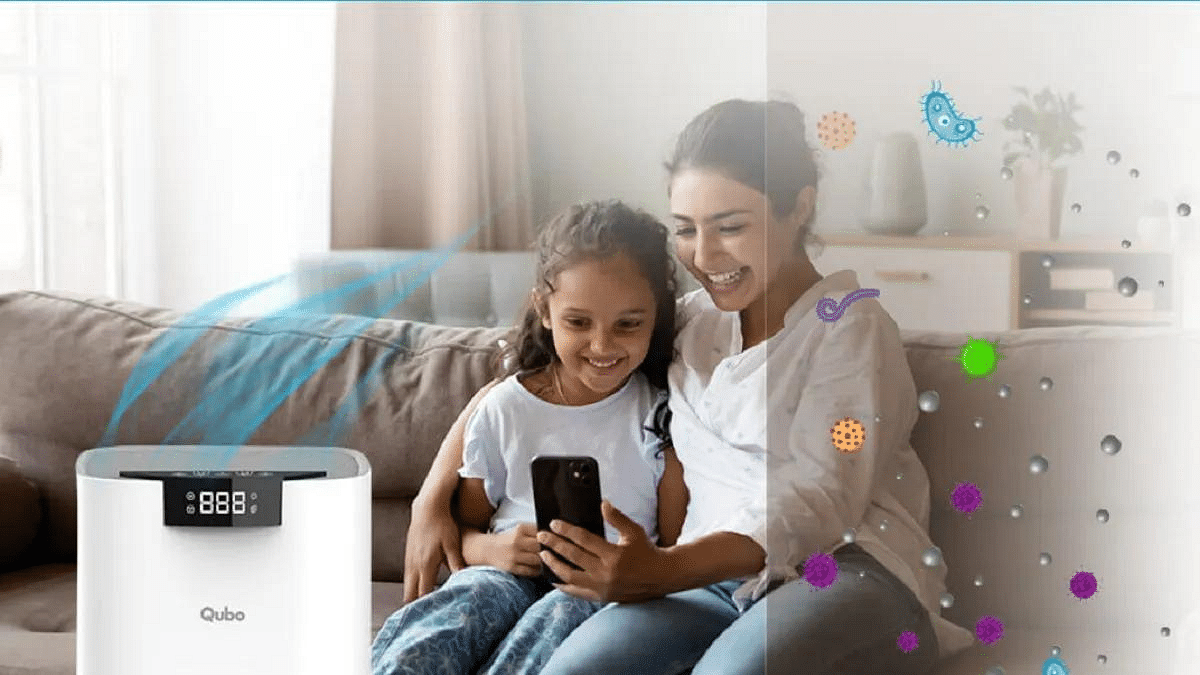
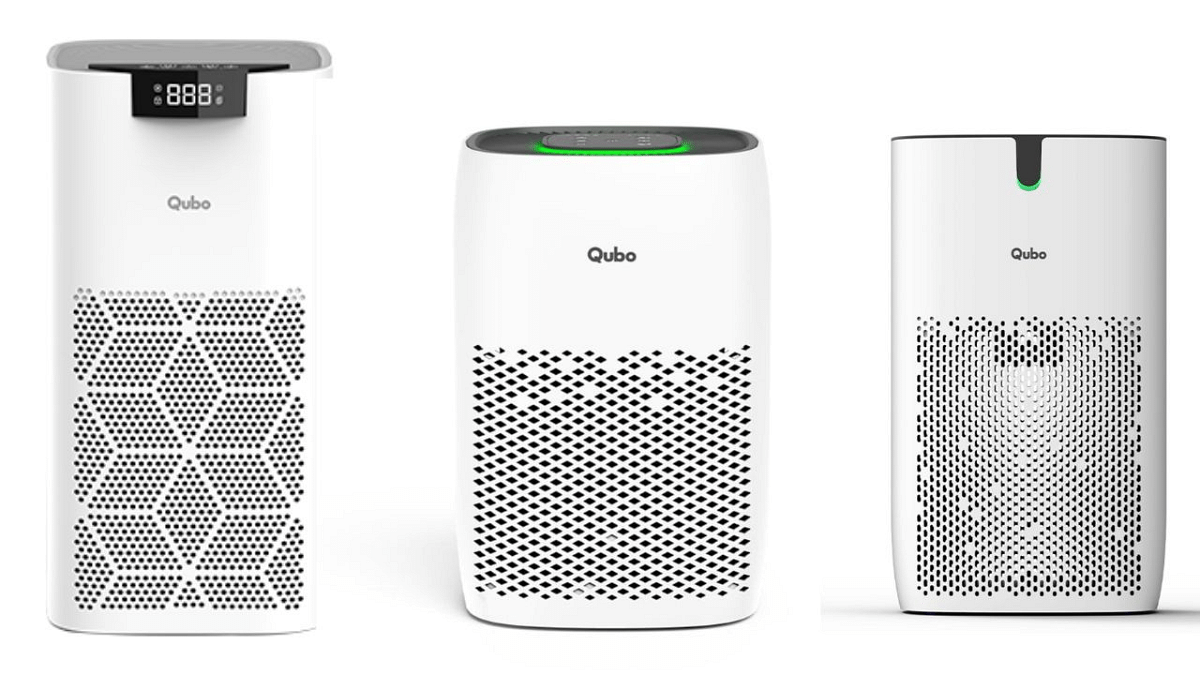
Hero Electronix’s Qubo has expanded its product line in India with the introduction of the Q200, Q400, and Q500 Smart Air Purifiers. Following the recent successful launch of Dashcams and GPS Trackers, Qubo’s latest offerings aim to improve indoor air quality.

Also Read: Best Air Purifiers For Home Use To Tackle Rising Pollution Under Rs. 10,000

Qubo Q200, Q400 and Q500 Smart Air Purifiers: Top Features

SpecificationsQ200Q400Q500
Coverage Area200 sq ft400 sq ft500 sq ft
PM 2.5 DisplayLEDLEDLED
CADR150 m3/h300 m3/h350 m3/h
Power38W35W45W
Max Noise55 dB/A55 dB/A55 dB/A
Motor and SensorACDCDC
Filters4.1 (Pre Filter, Nano Silver antibacterial filter, Activated Carbon, and H13 HEPA Filter)4.1 (Pre Filter, Nano Silver antibacterial filter, Activated Carbon, and H13 HEPA Filter)4.1 (Pre Filter, Nano Silver antibacterial filter, Activated Carbon, and H13 HEPA Filter)
Filter LifeUp to 9000 hrsUp to 9000 hrsUp to 9000 hrs
ModesManual, Auto, Sleep & QSensAIManual, Auto, Sleep & QSensAIManual, Auto, Sleep & QSensAI
Fan Speed1, 2, 31, 2, 31, 2, 3
Additional FeaturesWi-Fi support, Filter Change Indicator, Touch Panel, Child Lock, Schedule, and TimerWi-Fi support, Filter Change Indicator, Touch Panel, Child Lock, Schedule, and TimerWi-Fi support, Filter Change Indicator, Touch Panel, Child Lock, Schedule, and Timer
Weight2.4 kg3 kg4 kg
ColorWhiteWhiteWhite

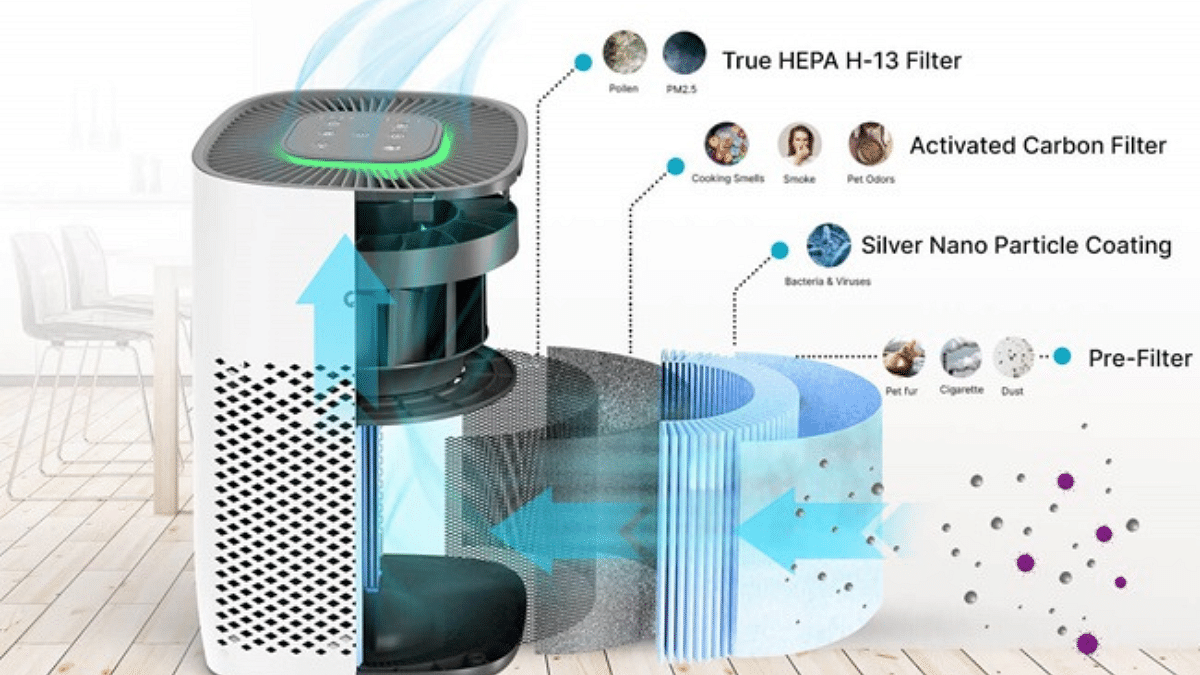
These smart air purifiers feature a sophisticated 4-layer purification system, incorporating an HEPA H13 filter and nano-silver antibacterial coating. With the ability to capture particles as small as 0.03 micron, they eliminate 99.97% of pollutants such as dust, pollen, pet dander, and mold.

The Qubo app allows users to remotely control the air purifiers, offering insights into both outdoor and ambient air quality. Qubo’s proprietary AI technology, QSensAI, adds a layer of intelligence to these devices. By adjusting performance based on ambient PM2.5 levels and learning user preferences over time, the purifiers contribute to energy savings and extend filter lifespan.

Also Read: List Of Top Car Air Purifiers That You Can Buy In 2023 Under Rs. 10,000

Qubo Q200, Q400 and Q500 Smart Air Purifiers: Price, Availability

The Qubo Smart Air Purifiers are available on quboworld.com and Amazon.in. The pricing is as follows:

ModelAvailabilityMRPLaunch Offer
Q200quboworld.com, Amazon.inRs. 12,990Rs. 4,990
Q400quboworld.com, Amazon.inRs. 17,990Rs. 6,990
Q500quboworld.com, Amazon.inRs. 22,990Rs. 8,990

Also Read: List Of Best Advanced Air Purifiers For Large Rooms

Categories
Chipset Featured Info

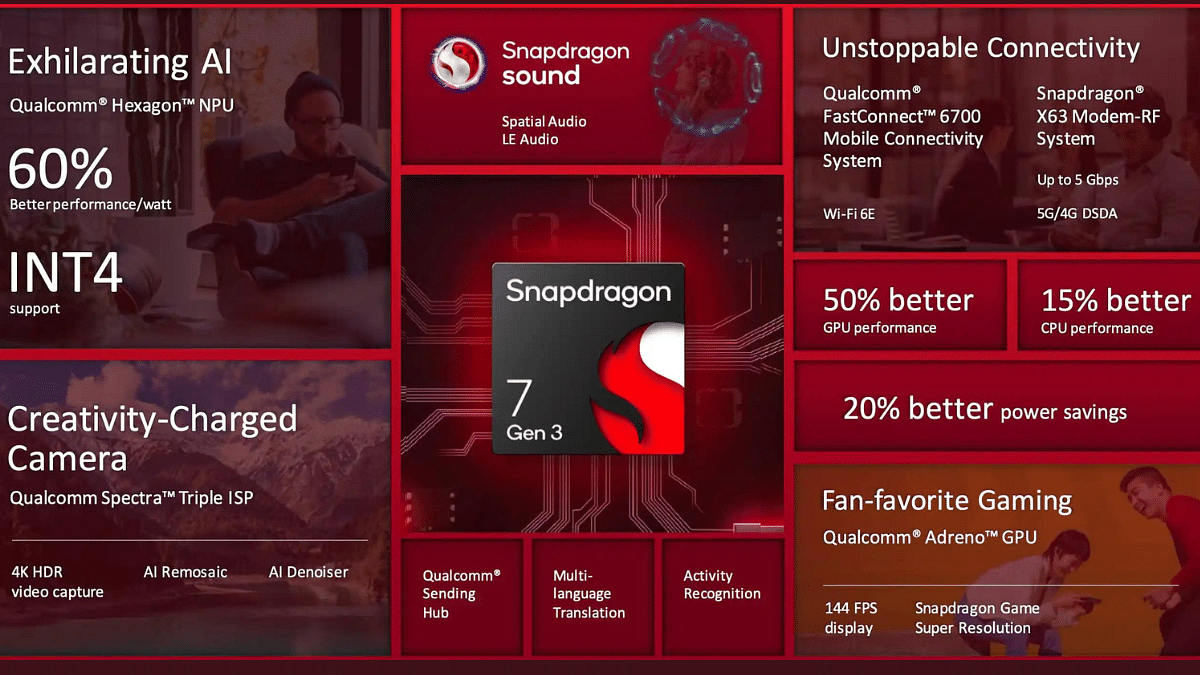
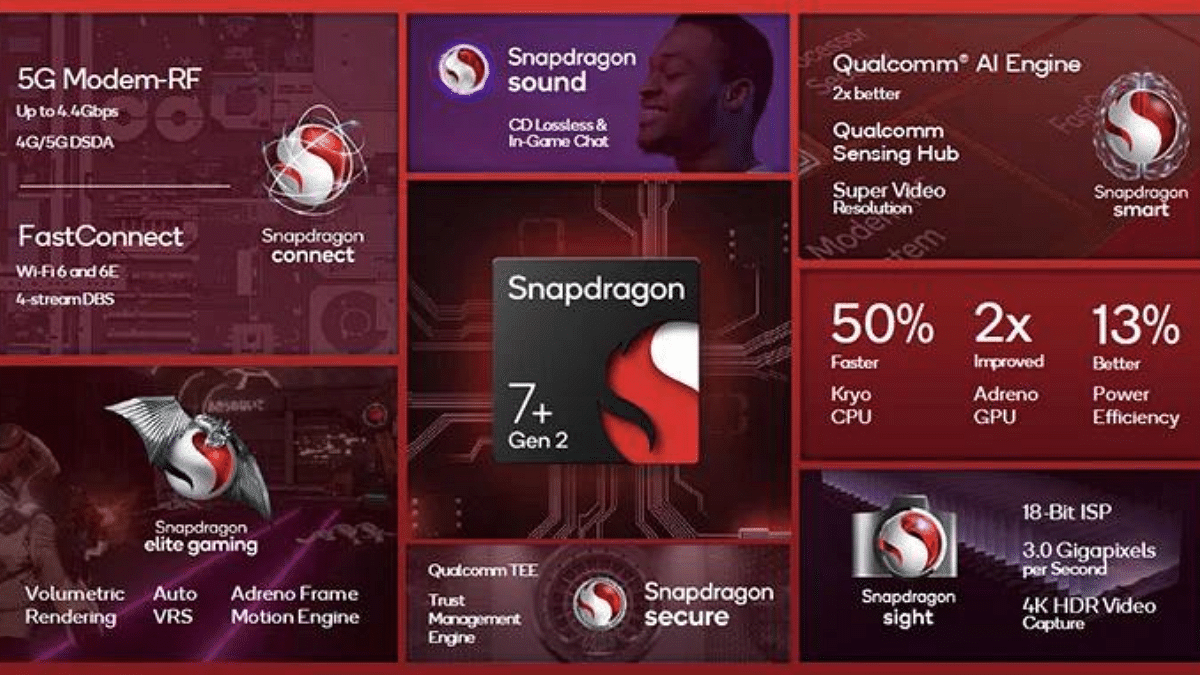
Snapdragon 7 Gen 3 Vs Snapdragon 7 Plus Gen 2: Chipset Comparison

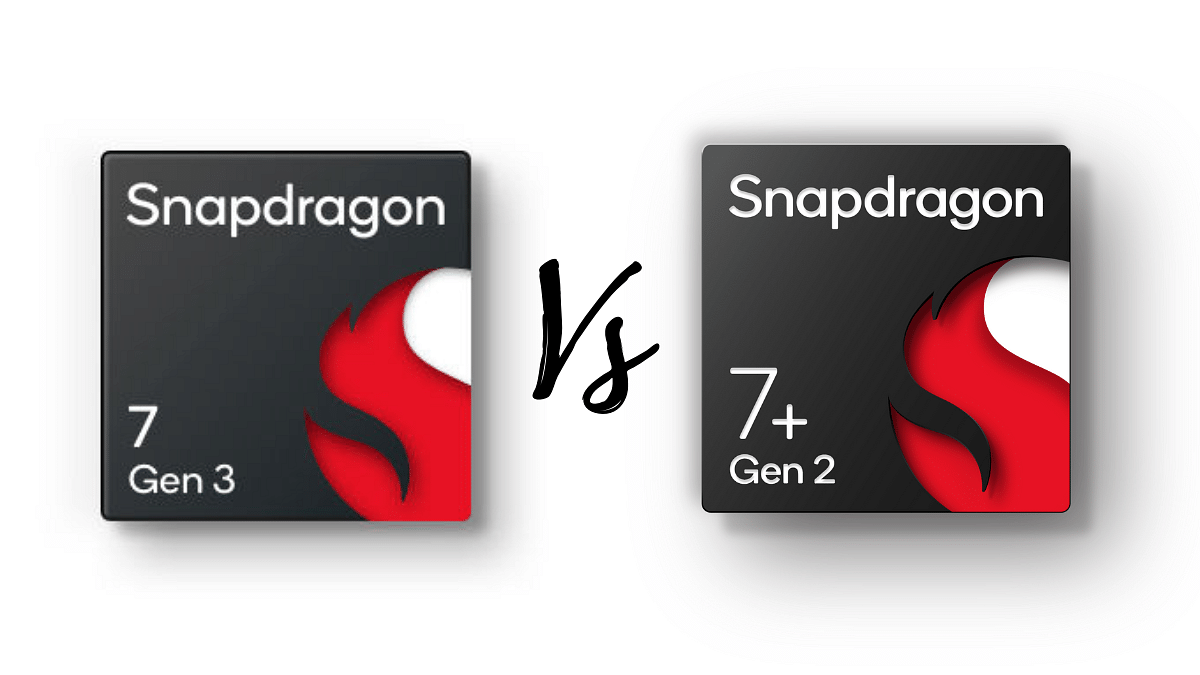
The Snapdragon 7 Gen 3 and Snapdragon 7 Plus Gen 2 are two chipset in the mid-range segment, offering good performance and efficiency. Let’s delve into a comprehensive comparison of these chipsets.

Also Read: Qualcomm Snapdragon 7 Gen 1 Vs MediaTek Dimensity 8050: Latest Mid-Ramge 5G Chipset Battle

Snapdragon 7 Gen 3 Vs Snapdragon 7 Plus Gen 2: CPU Architecture And Performance

CategorySnapdragon 7 Gen 3Snapdragon 7 Plus Gen 2
CPU Architecture1x 2.63 GHz – Cortex-A7151x 2.91 GHz – Cortex-X2
Cores88
Frequency (GHz)2.63 / 2.4 / 1.82.91 / 2.49 / 1.8
Process4 nanometers4 nanometers
TDP (W)66

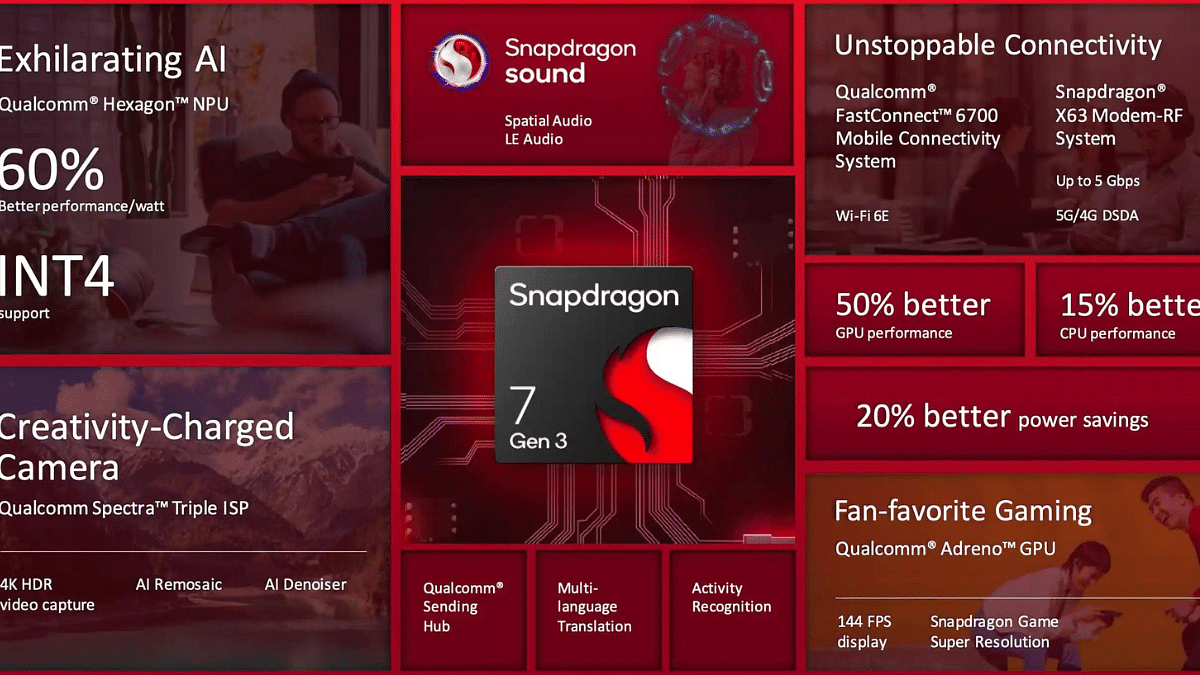
The Snapdragon 7 Gen 3 comes with an octa-core CPU architecture, featuring Cortex-A715 cores with varying clock speeds – 2.63 GHz, 2.4 GHz, and 1.8 GHz. The 4-nanometer manufacturing process and ARMv8.6-A instruction set contribute to its power efficiency. With a total TDP of 6 W, this chipset from TSMC delivers a well-balanced performance.

On the other hand, the Snapdragon 7 Plus Gen 2 also incorporates an octa-core setup, but with a different configuration. It integrates a powerful Cortex-X2 core clocked at 2.91 GHz, alongside Cortex-A710 and Cortex-A510 cores. The 4-nanometer process and a substantial 8 MB L3 cache underline its high-end capabilities.

Also Read: List Of Upcoming Flagship Android Smartphones Powered By Qualcomm Snapdragon 8 Gen 3 Chipset

Snapdragon 7 Gen 3 Vs Snapdragon 7 Plus Gen 2: Graphics And Memory

CategorySnapdragon 7 Gen 3Snapdragon 7 Plus Gen 2
GPU NameAdreno (Not specified)Adreno 725
Memory TypeLPDDR5LPDDR5
Memory Frequency (MHz)32003200
Memory Bus2x 16 Bit2x 16 Bit
Max Bandwidth (Gbit/s)25.625.6
Max Size (GB)1616

Both chipsets share similarities in memory architecture, supporting LPDDR5 with a frequency of 3200 MHz. The Snapdragon 7 Gen 3, however, stands out with its dual 16-bit memory bus, offering a maximum bandwidth of 25.6 Gbit/s and a potential RAM size of 16 GB.

The Snapdragon 7 Plus Gen 2 matches its counterpart in memory specifications, featuring LPDDR5 with the same frequency, bus, and maximum size. This ensures a comparable memory performance between the two chipsets.

Also Read: Snapdragon 8 Gen 3 Vs MediaTek Dimensity 9300: Flagship Chipset Comparison

Snapdragon 7 Gen 3 Vs Snapdragon 7 Plus Gen 2: Multimedia Capabilities

CategorySnapdragon 7 Gen 3Snapdragon 7 Plus Gen 2
NPUYesYes
Storage TypeUFS 3.1UFS 3.1
Max Camera Resolution1x 200MP1x 200MP
Video Capture4K at 60FPS, 1K at 120FPS4K at 60FPS
Video Playback4K at 60FPS, 1080p at 120FPS4K at 60FPS

The multimedia capabilities of the Snapdragon 7 Gen 3 are impressive, featuring a neural processor (NPU) and support for UFS 3.1 storage. It can handle a maximum display resolution of 3360 x 1600 and boasts a remarkable 200MP camera resolution. Video capabilities include 4K at 60FPS and 1K at 120FPS.

Equally capable, the Snapdragon 7 Plus Gen 2 also integrates an NPU and UFS 3.1 storage. Its camera capabilities match its counterpart with a 200MP resolution, while video capture and playback stand at 4K at 60FPS.

Also Read: Mediatek Dimensity 9300 Vs Snapdragon 8 Gen 2: Chipset Comparison

Snapdragon 7 Gen 3 Vs Snapdragon 7 Plus Gen 2: Connectivity

CategorySnapdragon 7 Gen 3Snapdragon 7 Plus Gen 2
ModemSnapdragon X63Snapdragon X62
4G SupportLTE Cat. 18LTE Cat. 18
5G SupportYesYes
Download Speed (Mbps)Up to 5000Up to 4400
Upload Speed (Mbps)Up to 1600Up to 1600
Wi-FiWi-Fi 6Wi-Fi 6
Bluetooth5.35.3
NavigationGPS, GLONASS, Beidou, Galileo, QZSS, NAVICGPS, GLONASS, Beidou, Galileo, QZSS, NAVIC

Snapdragon 7 Gen 3 features the Snapdragon X63 modem with support for LTE Cat. 18 and 5G. It offers download speeds up to 5000 Mbps and upload speeds up to 1600 Mbps. Wi-Fi 6, Bluetooth 5.3, and comprehensive navigation support round out its connectivity features.

The Snapdragon 7 Plus Gen 2, equipped with the Snapdragon X62 modem, offers slightly lower download speeds at up to 4400 Mbps. However, it maintains the same upload speed of 1600 Mbps and supports LTE Cat. 18 and 5G. Wi-Fi 6, Bluetooth 5.3, and extensive navigation options make it a well-connected chipset.

Also Read: Qualcomm Snapdragon 7 Gen 3 5G Mobile Chipset Announced: Top Highlights, Expected Smartphones Roadmap

Snapdragon 7 Gen 3 Vs Snapdragon 7 Plus Gen 2: Final Verdict

The choice between the Snapdragon 7 Gen 3 and Snapdragon 7 Plus Gen 2 ultimately depends on your specific needs. If you seek a balanced and versatile chipset, the Snapdragon 7 Gen 3 is a solid choice. However, for users who demand top-tier performance, especially in gaming and intensive tasks, the Snapdragon 7 Plus Gen 2 is a good choice. Consider your usage patterns, preferences, and device requirements to make the best decision for your smartphone experience.

Also Read: Snapdragon 8 Gen 3 Vs Apple A16 Bionic Chip: Chipset Comparison

Categories
Apps Featured Info

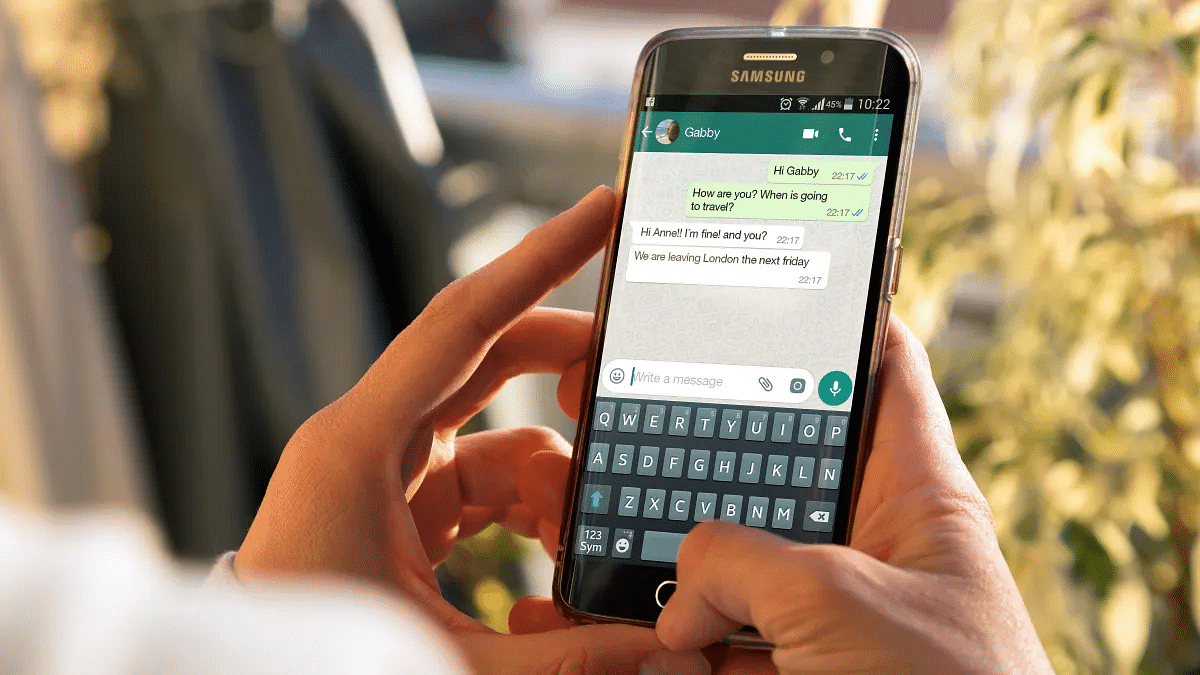
WhatsApp Beta Update: AI Chatbot Access Button Rolled Out To Selected Users

Key Highlights

  • AI Chatbot Integration
  • User-Friendly Button Enhances Accessibility
  • Meta AI Powers WhatsApp’s Experimental Upgrade

WhatsApp is planning up for an upgrade with the introduction of an AI chatbot. The latest beta version of the app shows a dedicated button designed to streamline access to this feature, promising more convenient user experience.

Also Read: How To Hide Your IP Address On WhatsApp Calls

Swift Access To AI Chats

In a recent report by WABetaInfo, the new AI chatbot feature is spotlighted for its prominent placement above the ‘New Chat’ icon in the Chats tab. This strategic positioning ensures users can effortlessly open AI-powered chats, marking a departure from the initial beta release where the feature was somewhat concealed within the contact list.

The AI chatbot was first introduced by Meta CEO Mark Zuckerberg in September. The ongoing testing phase focuses on a specific segment within the USA.

Also Read: WhatsApp Enhances Group Calls For iOS Users: Up To 31 Participants Now Supported With Latest Update

Experimentation And Limited Rollout

While the AI chatbot has made its debut in the September beta release, it’s essential to note that its presence doesn’t guarantee inclusion in the global release of the same version. The rollout is currently limited.

Also Read: WhatsApp Phasing Out Support For These Old Android Smartphones: Time To Upgrade Your Device?

Privacy Upgrade: ‘Protect IP Address In Calls’

WhatsApp is addressing privacy concerns related to its calling feature. A new privacy feature, ‘Protect IP Address in Calls,’ has been introduced to safeguard user information. By routing individual calls through a server instead of relying on peer-to-peer connections, this feature conceals users’ IP addresses, ensuring a more secure communication environment.
Also Read: How To Use WhatsApp’s New Voice Chat Feature For Group Calls: Step-By-Step Guide

Categories
Featured Info Mobile

Apple Confirms RCS Support On iPhone: What It Means, Availability Timeline

Key Highlights

  • Apple announces support for RCS messages on iPhones.
  • RCS messages may appear in distinct green color.
  • RCS brings group messaging, photos, and Wi-Fi support.

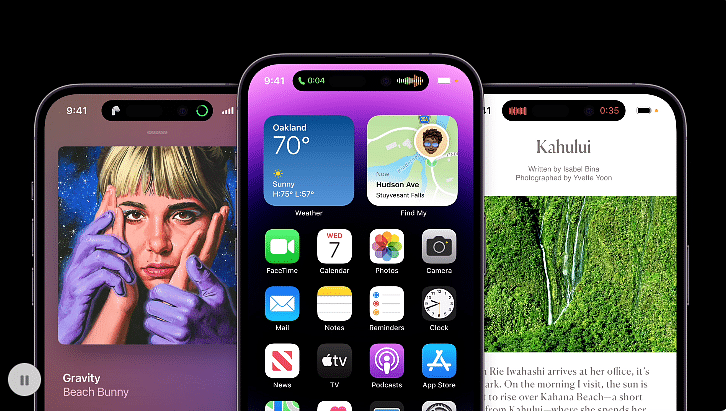
Apple has recently confirmed its support for RCS (Rich Communication Services messages) in iPhones, responding to calls from Google for this messaging upgrade. RCS chat is considered the successor to SMS, bringing enhanced features to traditional text messaging.

What Is RCS?

RCS, or Rich Communication Services, is an advanced messaging protocol that aims to enhance traditional SMS. It enables users to send multimedia messages, create group chats, and enjoy features like read receipts and typing indicators. Apple’s decided to integrate RCS to provide users with an upgraded messaging experience beyond the limitations of SMS.

Also Read: Apple iPhone SE 4 Leak: Check Details

Additional Apple Service

According to a statement from Apple, they plan to incorporate support for RCS Universal Profile, the standard set by the GSM Association, in the coming year. Apple emphasizes that RCS Universal Profile will enhance interoperability, offering a better user experience compared to SMS or MMS. Importantly, this support will complement iMessage, Apple’s secure messaging platform, ensuring a seamless and secure communication environment for users.

Additionally, there are reports that Apple might make RCS messages on iPhones appear in a new color – green. This is different from the usual blue bubbles we see with iMessage. The color change has been a way to show the safety and exclusivity of iMessage, and it could affect what users prefer.

RCS brings a host of features to messaging, including support for group messaging, sharing photos, and messaging over WiFi, offering a more dynamic and versatile messaging experience for users.

Also Read: Apple iOS 17.1 Update Is Here: Here’s What You Need To Know

Availability Timeline

Apple plans to roll out RCS support for iPhones in the coming year, aligning with the RCS Universal Profile standard endorsed by the GSM Association. While the exact timeline remains unspecified, this move represents a significant stride towards feature-rich messaging experience for iPhone users.

Also Read: Good News Alert! Apple Extends Free Satellite Service For iPhone 14 Users

Categories
Comparison Featured Laptop

Mac Vs Windows: Which Is The Best Operating System For Laptops/ PCs

Key Highlights

  • Mac: Design, optimized hardware
  • Windows: Versatility with Broad Software Compatibility.
  • Choice Depends on Personal Preferences and Needs.

Choosing between Mac and Windows for your laptop or PC?

It’s a big decision, and each operating system has its own perks. Mac is known for its sleek design and creative capabilities, while Windows offers versatility and a wide range of software.

Let’s dive into the Mac vs. Windows comparison to help you find the perfect fit for your needs and preferences.

Also Read: Apple MacBook Pro Laptops With New-Gen M3 Processors, 14-inch/16-inch Models Launched: Top Highlights

Mac Vs Windows: User Interface (UI)

Mac is known for its sleek and intuitive design, the Mac UI is user-friendly and often praised for its simplicity. The dock at the bottom of the screen provides easy access to frequently used applications.

Whereas, Windows offers a customizable UI, allowing users to personalize their desktops. The Start menu has been a Windows staple, providing a hub for applications and features. Windows 10 introduced the tile-based Start menu for a modern touch.

Mac Vs Windows: Software Compatibility

Mac is compatible with a wide range of creative software and is popular among graphic designers, video editors, and musicians. However, some software is exclusive to Windows, which may limit options for certain applications.

Windows comes with broad software compatibility, making it a versatile choice for various tasks. It supports a vast array of third-party applications and is the go-to platform for many business applications.

Mac Vs Windows: Performance

Macs are known for their optimized hardware and software integration, resulting in smooth performance. They are often favored for resource-intensive tasks like video editing and graphic design.

Whereas, Windows offers a variety of hardware options, catering to different budgets and performance needs. The performance can vary depending on the hardware configuration, and some users appreciate the flexibility to build custom PCs.

Mac Vs Windows: Gaming

While Macs have improved their gaming capabilities, they are not the go-to choice for serious gamers. The selection of games available for Mac is more limited compared to Windows.

Windows dominates the gaming scene, with the majority of games being developed for the platform. If gaming is a priority, Windows is often the preferred choice due to its extensive library and compatibility with gaming peripherals.

Mac Vs Windows: Security

Mac has been considered more secure than Windows, partly due to its Unix-based architecture. However, as Macs gain popularity, they are targeted by malware, though still to a lesser extent than Windows.

Windows has significantly improved its security features over the years. Regular updates, built-in security tools, and Windows Defender contribute to a more secure environment. However, being more widely used makes Windows a bigger target for cyber threats.

Mac Vs Windows: Final Verdict

In the ultimate face-off between Mac and Windows, there’s no one-size-fits-all verdict, the right choice depends on your specific needs and preferences. Mac excels in design and multimedia, while Windows offers versatility and a broad software library. Consider your priorities, budget, and the tasks you’ll be performing to make the best decision for your computing experience.

Also Read: Asus Zenbook S13 OLED With Core i5/ Core i7 Processor, Windows 11 Launched In India: Price, Key Specifications

Categories
Featured Info Tech News

China Launches 1.2 Terabit/s Internet, 3x Faster Than US Rival, 2 Years Ahead

Key Highlights

  • 1.2 Terabit/s Speed
  • 3x Faster than US Internet
  • Launch Surpasses Predictions by 2 Years

China has surpassed global expectations by launching the world’s first next-generation internet service, with speeds over 10 times faster than existing major routes. This comes two years earlier than industry predictions, placing China at the forefront.

Also Read: Realme 11 Series With MediaTek Dimensity 7050, AMOLED Display, 200MP Camera Launched In China: Specs, Price

The Superfast Backbone Network

The network, a crucial data route connecting Beijing, Wuhan, and Guangzhou, spans over 3,000km of optical fiber cabling. Activated in July and officially launched this week, the network can transmit data at 1.2 terabits per second, setting a new standard for high-speed internet.

This achievement is the result of a collaborative effort involving Tsinghua University, China Mobile, Huawei Technologies, and Cernet Corporation. The collaboration has defied expert forecasts, as ultra-high-speed networks exceeding 1 terabit per second were not expected until 2025.

Most global internet backbone networks operate at a speed of 100 gigabits per second. Even in the United States, the recent transition to the fifth-generation Internet2 reached 400 gigabits per second, making China’s 1.2 terabits per second network three times faster than its closest international rival.

Also Read: How to Fix Disconnecting Wifi Networks for Android?

Future Internet Technology Infrastructure (FITI)

The Beijing-Wuhan-Guangzhou connection is part of China’s ambitious Future Internet Technology Infrastructure (FITI) project. A decade in the making, FITI is the latest iteration of the national China Education and Research Network (Cernet). FITI aims to prepare China for the future by connecting 40 leading universities and facilitating the development of an AI-driven society.

The new network represents a significant step for China in reducing reliance on the US and Japan for internet technology components. All system software and hardware are made domestically, highlighting China’s technological self-sufficiency.

This internet network can transfer data equal to 150 high-definition films in one second. It signifies a current success and offers China technology for an even faster internet in the future.

Also Read: Scammed On The Internet? Here’s How To Report Online Scams Via India’s Cyber Crime Portal

Categories
Featured Info Tablet

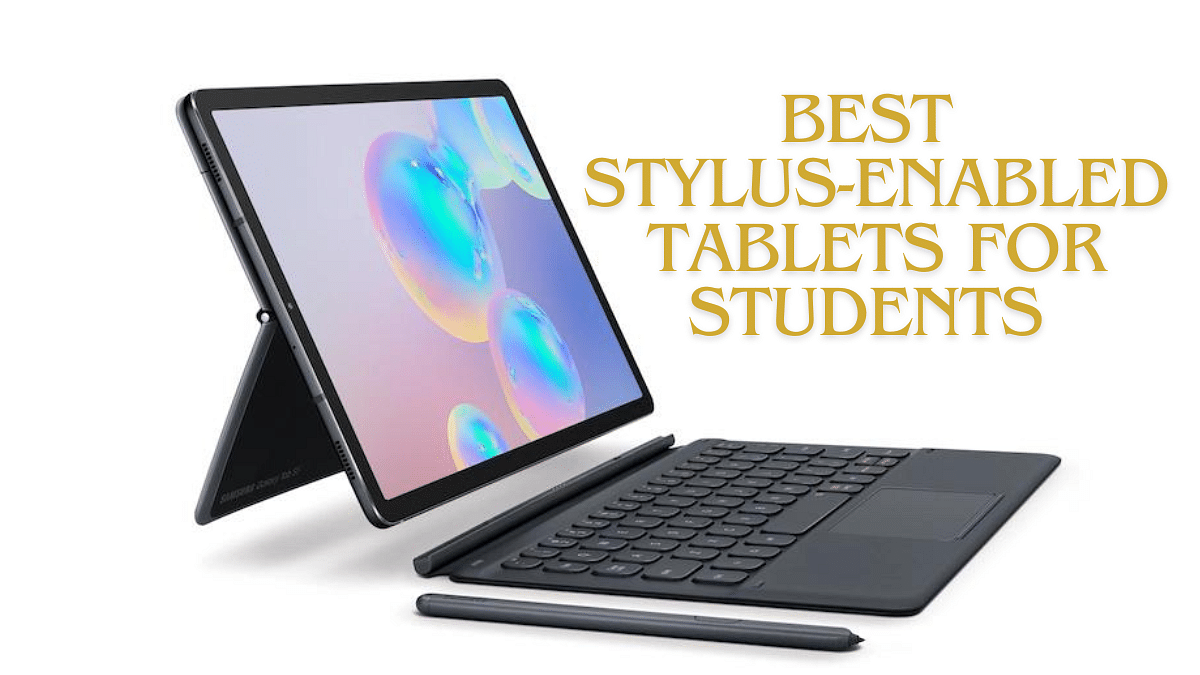
Best Stylus-Enabled Tablets For Students In 2023

Among the top choices for 2023 are the Lenovo tablet which comes with a 12.6-inch AMOLED display and precise Precision Pen 3; and the Apple iPad Air, featuring a 10.9-inch Liquid Retina display and the powerful A14 Bionic chip and many more. Now, let’s look at the specs, price of all the five tablets we have picked for you.

Also Read: Top Flagship Tablet For Gaming Under Rs. 40,000

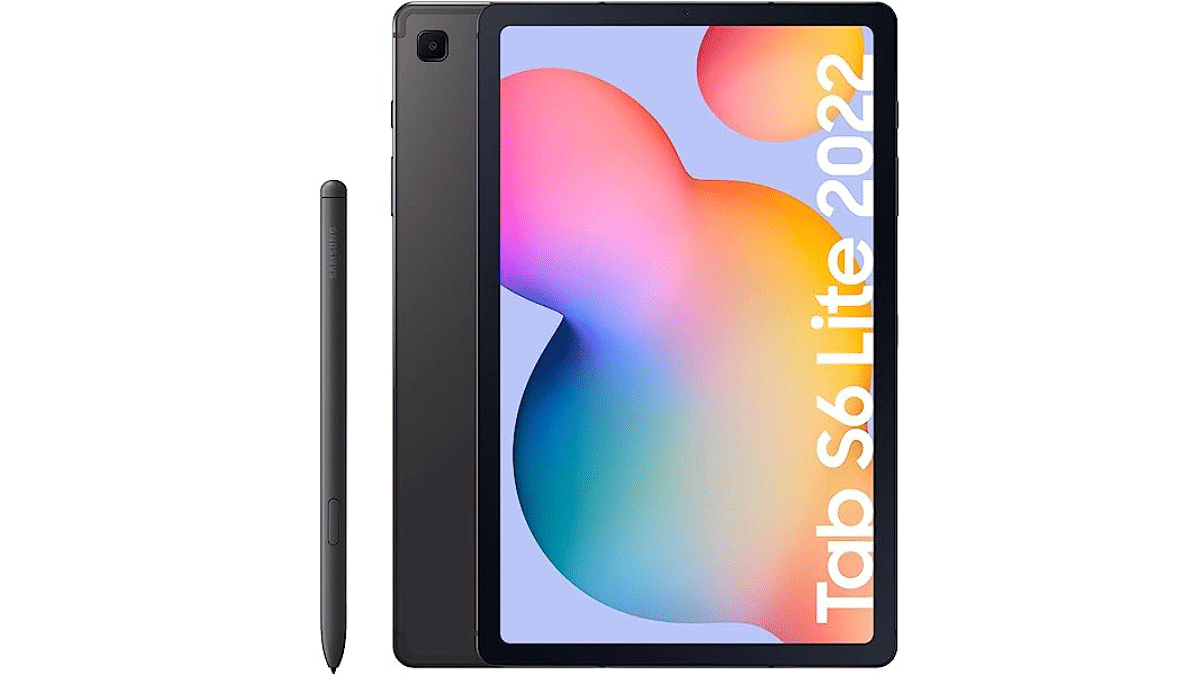
1. Samsung Galaxy Tab S6 Lite 2022

  • Display: 26.31cm (10.4″) TFT with 16M colors.
  • Design: Metal Uni-body, slim, and lightweight.
  • Processor: Octa-Core for smooth performance.
  • Long-lasting Battery: 7,040mAh for extended use.
  • Camera: 8MP rear, 5MP front camera.
  • Audio: Dual speakers, AKG, Dolby Atmos.
  • Currently Priced at Rs: Rs.23,999

Buying Link: Amazon

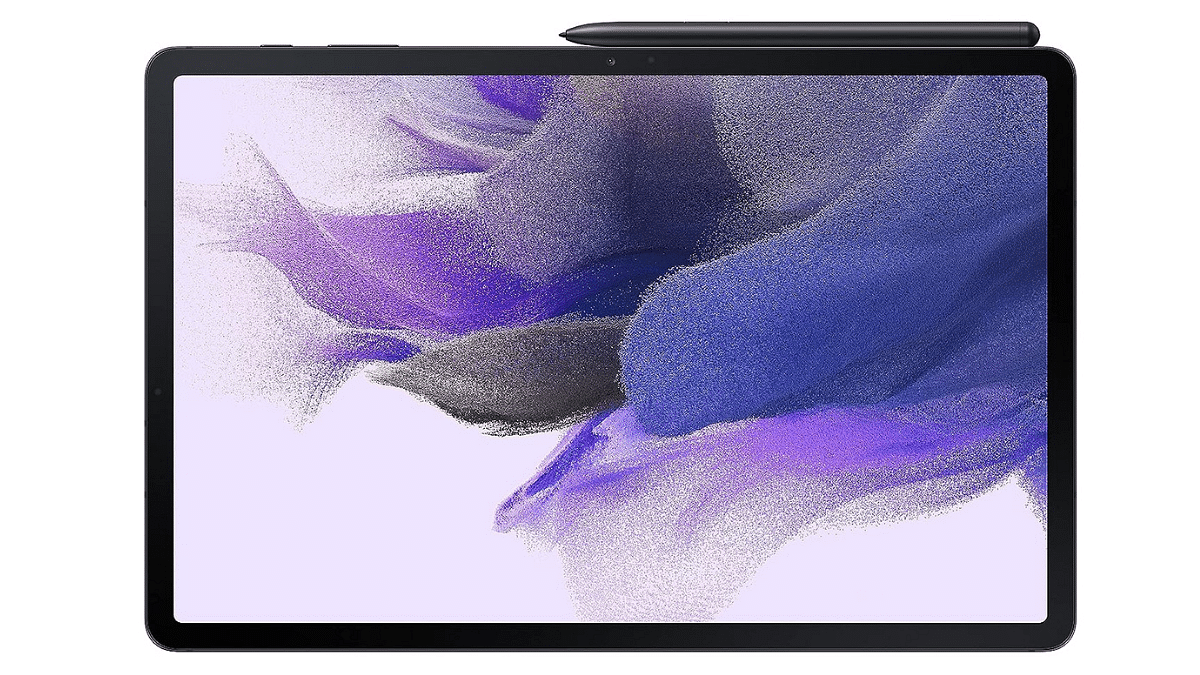
2. Samsung Galaxy Tab S7 FE 2021

  • Display: 31.50cm (12.4″) LCD TFT screen.
  • Colors: 60Hz display with 16M color support.
  • Viewing: Enhanced visual experience, unibody design.
  • Processor: Qualcomm SDM 750G for efficient performance.
  • Battery: 10,090mAh with 45W Super-Fast Charging.
  • Camera System: 8MP rear, 5MP front with UHD 4K video.
  • Currently Priced at Rs: Rs.39,999

Buying Link: Amazon

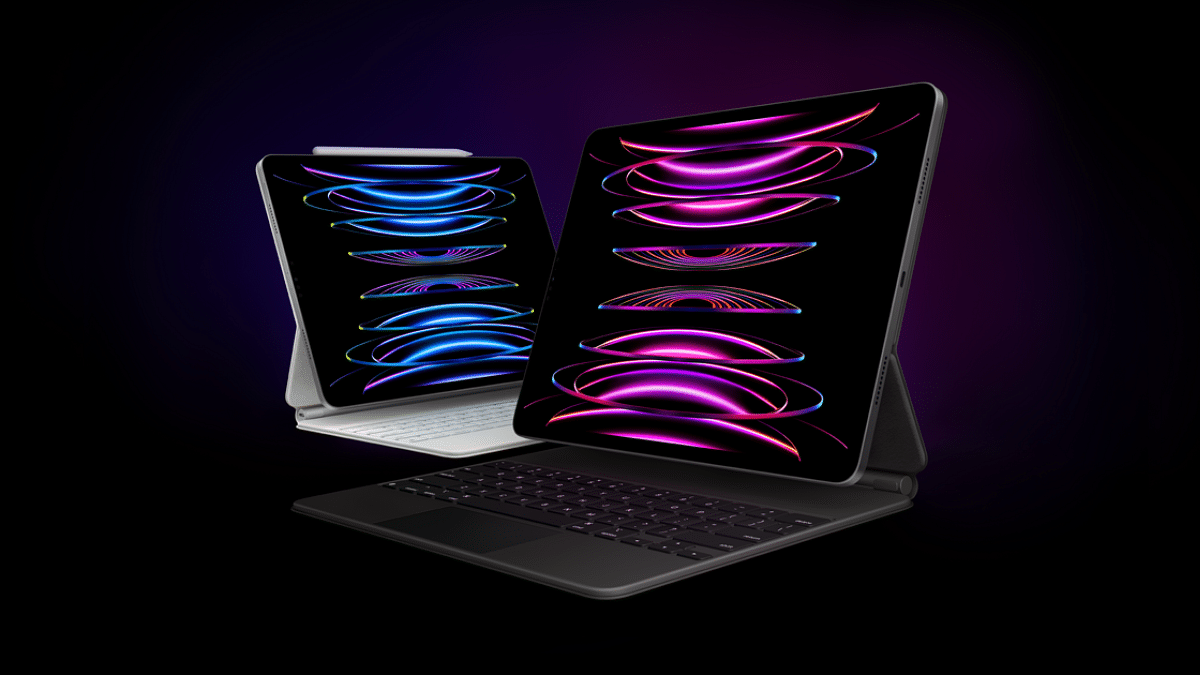
3. Apple iPad Pro 2022

  • Display: 11-inch Liquid Retina with ProMotion, True Tone.
  • Performance: M2 chip, 8-core CPU, 10-core GPU.
  • Back Cameras: 12MP Wide, 10MP Ultra Wide, LiDAR Scanner.
  • Selfie Camera: 12MP Ultra Wide front camera, Center Stage.
  • Connectivity: Ultrafast Wi-Fi 6E, supports 2nd Gen Apple Pencil
  • Currently Priced at Rs: Rs.88,990

Buying Link: Amazon

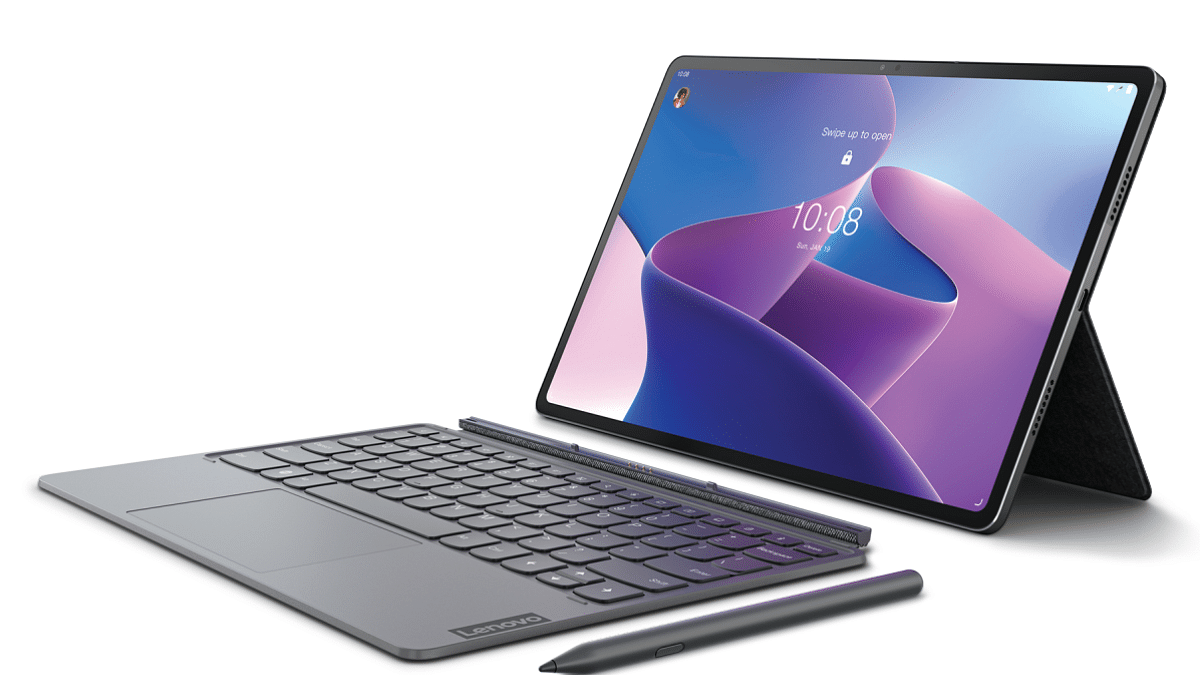
4. Lenovo Tab P12 Pro With Precision Pen 3

  • Display: 12.6-inch AMOLED, 2560 x 1600, Dolby Vision.
  • Brightness: 600 nits, HDR10+, TUV Certified Full Care.
  • Design: 5.63mm thin, 565g light, 89% screen-to-display ratio.
  • Performance: Snapdragon 870, Adreno 650, 8GB RAM.
  • Storage: 256GB ROM, expandable up to 512GB.
  • Android 11: Enhanced by a 10200mAh battery, Google Kids Space.
  • Cameras: 5MP Wide + 13MP Auto-Focus rear, 8MP front.
  • Audio: Quad JBL (SLS) Speakers, Dolby Atmos.
  • Currently Priced at Rs: Rs.48,999

Buying Link: Amazon

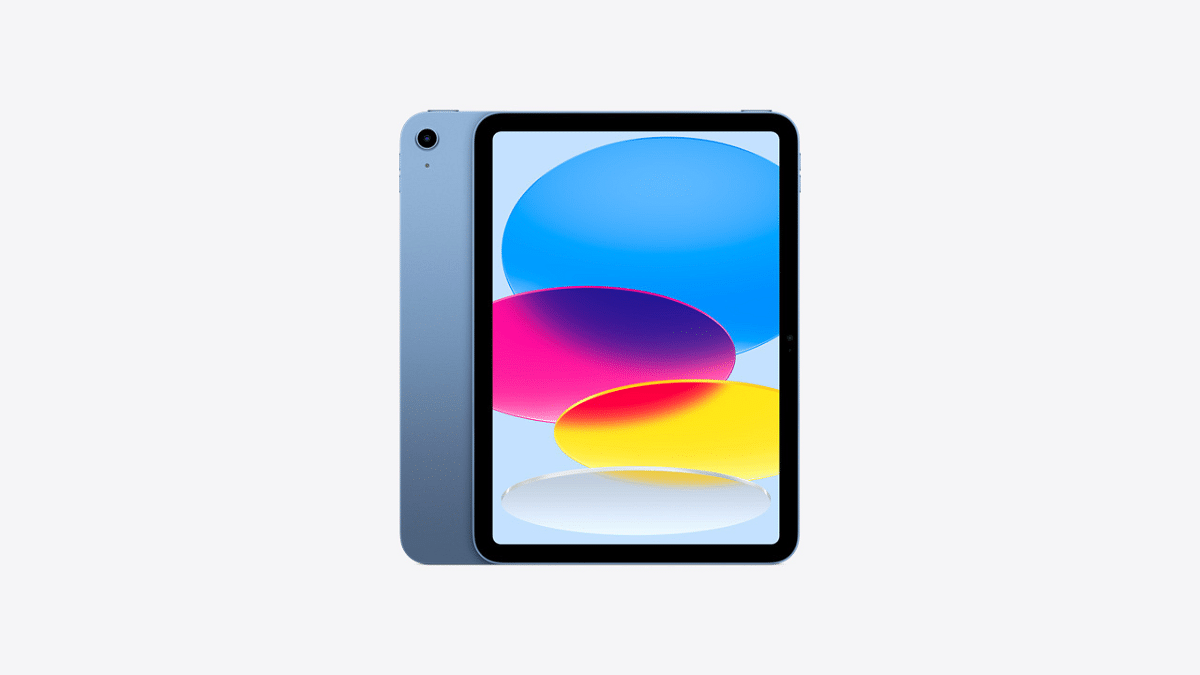
5. Apple 2022 10.9-inch iPad

  • Display: 10.9-inch Liquid Retina with True Tone.
  • Performance Chip: A14 Bionic, 6-core CPU, 4-core GPU.
  • Cameras: 12MP Wide back, 12MP Ultra Wide front.
  • Selfies: Landscape-oriented with Center Stage.
  • Secure Authentication: Touch ID for Apple Pay and more.
  • Connectivity: Supports 1st Gen Apple Pencil
  • Currently Priced at Rs: Rs.39,990

Buying Link: Amazon

Also Read: Top Android Tablets Priced Below Rs. 40,000 For Gaming And Creative Tasks