Categories
Leaks

Redmi Pad Tablet India Launch Inches Closer With Bluetooth SIG Certification; Features We Know Of

Key Highlights

Xiaomi to launch first Redmi tablet called Redmi Pad soon

Redmi Pad to be available with both 4G and 5G network support

Redmi Pad gets Bluetooth SIG certified ahead of launch

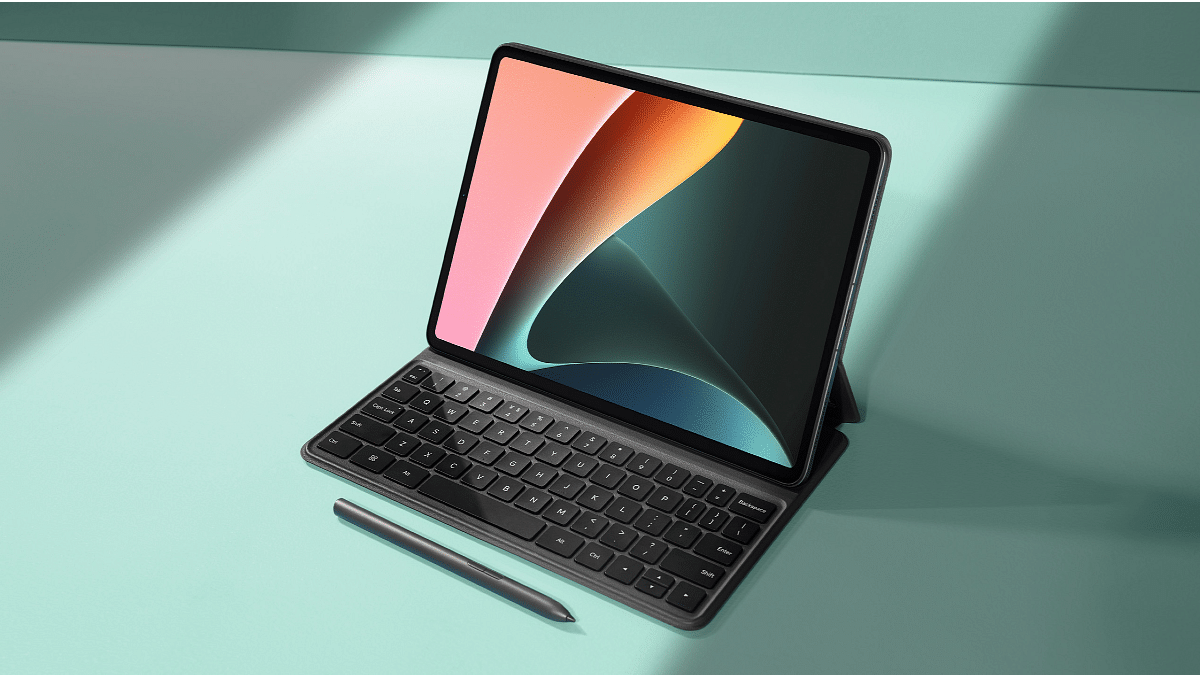
Xiaomi is ready to add tablets to its Redmi product lineup. The company has already released laptops and other accessories in the Redmi series and is now gearing up to launch the first ever Redmi tablet to the market. Multiple leaks and rumors have dished out some exclusive details about the upcoming Redmi Pad tablet. In the fresh development, the tablet has cleared its certification via Bluetooth SIG hinting at an imminent launch. Additionally, more features and color details have been tipped.

Redmi Pad Tablet Certification Hints Launch Sooner Than Expected

The Xiaomi Redmi Pad tablet has been spotted on the Bluetooth SIG platform with the 22081283G model number. As per the online reports, this is the global version of the Redmi tablet which will ship with the Bluetooth 5.3 connectivity option. The Bluetooth SIG website listing has only detailed the Bluetooth version in addition to the MIUI 13+ interface.

This is a different interface than the MIUI 13 which was loaded inside the Xiaomi Pad 5 tablet. While the Redmi Pad tablet is clearing all required certifications, its launch date is still kept a mystery. Xiaomi has also not given any statements clarifying the exact launch date for the Redmi Pad tablet. But its launch could be just around the corner.

Redmi Pad Tablet Expected Specifications

Going by the recent leaks and rumors, we can expect the Redmi Pad tablet to ship with a 10.6-inch display. It could be the standard IPS LCD panel that will deliver a 1200 x 2000 pixels screen resolution and a peak brightness of 400 nits. The display will be offering a 90Hz refresh rate for smoother feedback with touch response and frame transitions.

Rumors are also rife that Xiaomi will be using the MediaTek Helio G96 chipset for power delivery on the Redmi Pad tablet and will launch it with up to 6GB RAM and 128GB onboard storage capacity. It is worth adding that Xiaomi is launching the Redmi Pad tablet with both 4G and 5G network support. The 5G variant will have higher RAM and storage space.

The Redmi Pad tablet’s imaging setup is said to accommodate an 8MP rear and an 8MP front camera. An 8,000 mAh battery along with 18 or 22.5W fast charging. The color options tipped are green, gray, and silver.

Categories
Accessories Featured How To

Apple AirPods Pairing Issue? How To Fix AirPod Not Connecting Issue With iPhones and iPad

Apple is a well-known brand globally for its premium smartphones (iPhones) and related accessories. The Cupertino tech giant has one of the strongest ecosystems for IoT products and offers the best user experience with products besides iPhones. Apple Airpods are amongst those products that redefined the music listening experience on the go. Apple has been the first brand to release truly wireless earbuds in the form of the Apple AirPods. Since then, the tech behemoths; specifically the smartphone manufacturers seized this opportunity and have released multiple iterations.

Apple released a new version of AirPods this year at the Far Out event alongside the iPhone 14 series. The previous-gen Apple AirPods are also quite popular amongst the audience for a premium music listening experience. While Apple AirPods are known for offering a rich listening experience, they are also prone to general technical glitches as any other electronic gadget or accessory.

One of the common and frequent issues notified by AirPods users is a pairing issue or one earbud not working. We already have shared the quick fix to resolve one AirPod earbud not delivering an audio issue. In this article, we have shared tips to fix the issues with pairing. If you aren’t able to pair your AirPods with the compatible iPhone or iPad, here is what you can do.

How To Fix Pairing Issues With AirPods

Step 1: You need to ensure the iPhone or iPad with which you are trying to pair the AirPods is running on the latest version of iOS or iPadOS.

Step 2: Make sure the AirPods are charged. You can put the AirPods (both) inside the charging case to check if they are getting charged properly.

Step 3: Go to the Bluetooth settings on your iPhone or iPad and toggle it on.

Step 4: If in case the AirPods are already connected, you need to check if they are selected as the audio device for respective iPhones or iPads.

Step 5: If the AirPods are already showing up in the list and still you aren’t able to listen to the audio or are unable to connect, put the AirPods back inside the charging case.

Step 6: Close the lid of the charging case. Wait for at least 15 seconds.

Step 7: Now, open the lid.

Step 8: You will see the pairing key on the charging case. Press and hold this key for 10 seconds.

Step 9: The LED will start flickering white light which means the AirPods are in the pairing mode and are ready to connect.

Step 10: Just follow the standard pairing process and your AirPods will now be successfully connected.

Categories
Chipset Comparison mobile

Qualcomm Snapdragon 8 Plus Gen 1 Vs MediaTek Dimensity 9000 Chipset: Flagship Mobile Chipset Battle

MediaTek has marked its presence as the largest mobile chipset provider globally. The company has gradually ramped up competition for Qualcomm in all segments. With the Dimensity 9000 chipset, MediaTek has gone up against Qualcomm’s most premium mobile processor, i.e., the Snapdragon 8 Plus Gen 1 processor. Let’s compare both the flagship processors’ CPU and GPU performance along with the memory and multimedia compatibilities.

Qualcomm Snapdragon 8 Plus Gen 1 Vs Dimensity 9000 : CPU Comparison

Qualcomm’s Snapdragon 8 Plus Gen 1 chipset is a slim 4nm processor with an octa-core CPU cluster. This chipset has the ARMv9-A instruction set with a 3200MHz CPU frequency. Speaking of the core cluster, the SD 8 Plus Gen 1 chipset has one Cortex-X2 core with 3.2GHz speed, three Cortex-A710 processors with 2.75GHz clock speed, and four 2GHz Cortex A510 cores.

The Dimensity 9000 offers a 3050MHz frequency with its octa-core CPU cluster and ARMv9-A instruction set. The most premium MediaTek chipset has one Cortex-X2 core with 3.05GHz clock speed, three 2.85GHz Cortex-A710 cores, and four Cortex-A510 cores with 1.8GHz clock speed. MediaTek has also used a thinner 4nm fabrication processor like Qualcomm to design the Dimensity 9000 chipset. Performance-wise, both Snapdragon 8 Plus Gen 1 and the Dimensity 9000 processor are strong and can handle the most extreme of tasks fluidly.

Snapdragon 8 Plus Gen 1 Vs Dimensity 9000 Processor: GPU Comparison

Moving on to the GPU performance, the Qualcomm Snapdragon 8 Plus Gen 1 has the Adreno 730 GPU. This is one of the fastest GPUs from the Adreno 700 series with a 900MHz frequency range. On the contrary, the MediaTek Dimensity 9000 processor has the Mali-G710 GPU which is also potent enough to render extensive graphics without any stutter. Both these chipsets have the same 1.1 Vulkan, 2.0 OpenCL, and 12 DirectX versions.

Snapdragon 8 Plus Gen 1 Vs Dimensity 9000 SoC: Memory, Multimedia (ISP)

In the memory department, the Qualcomm Snapdragon 8 Plus Gen 1 has the standard LPDDR5 memory support. The MediaTek Dimensity 9000 chipset takes a lead with the advanced LPDDR5X RAM. The memory frequency is higher with the latter at 3,750 MHz, whereas with the former it’s 3200MHz. Both Snapdragon 8 Plus Gen 1 and the Dimensity 9000 processor have the same 24GB max memory and UFS 3.1 storage support.

If we speak of the multimedia aspects, the Snapdragon 8 Plus Gen 1 features a 2160 x 3840 pixels maximum display resolution and 1 x 200MP full camera resolution. These figures stand at 1440 x 2960 pixels and 1x320MPz 3x32MP respectively for the Dimensity 9000 chipset. Also, the video recording and playback support are higher with the Snapdragon 8 Plus Gen 1 compared to the Dimensity 9000 processor. The Qualcomm processor supports up to 8K@30fps videos, while the MediaTek chipset has just 4K@30fps video support.

Categories
Chipset Comparison Featured

Qualcomm Snapdragon 695 Vs MediaTek Dimensity 1300 5G Chipset: Quick Comparison

Qualcomm and MediaTek are flooding in options for smartphone OEMs and general users with mobile processors. Both these brands are making the most of the new technology innovations and designing the best-in-class chipsets for Android smartphones. While we do have a couple of other players in this market such as Samsung and Unisoc, MediaTek and Qualcomm are the preferred choices for a large segment of global smartphone brands as well as the audience.

 In continuation with the series of chipset comparisons, we are now pitting down the Snapdragon 695 5G processor from Qualcomm against the Dimensity 1300 chipset by MediaTek. Which of the two premium mid-range mobile chipsets outperforms the other in terms of CPU and GPU performance? Let’s find out:

Qualcomm Snapdragon 695 Vs MediaTek Dimensity 1300 5G Chipset: CPU Architecture, Performance

Qualcomm has used an octa-core CPU cluster for the Snapdragon 695 featuring two Cortex-A78 cores clocked at 2.2 GHz and six Cortex-A55 cores with 1.7GHz clock speed. The base frequency offered by the SD 695 5G is 2200MHz, while the Instruction set used is ARM8.2-A. This premium mid-range chipset is fabricated using a 6nm fabrication process.

Even MediaTek has used the same fabrication process for the Dimensity 1300 chipset along with an 8-core cluster. This processor offers a 3200MHz frequency range and has the ARMv8.2-A instruction set which is also the same as the Snapdragon 695 5G chipset. Overall, the CPU performance will be more or less similar with both these chipsets.


Snapdragon 695 SoC Vs Dimensity 1300 Chipset: GPU Performance

Qualcomm has packed an Adreno 600 series GPU inside the Snapdragon 695 processor; Adreno 619 GPU to be precise. This GPU frequency is 840MHz with 128 shading units, 1.1 Vulkan version, OpenCL 2.0, and DirectX 12. The MediaTek Dimensity 1300 processor has the Mali-G77 MC9 GPU based on Valhall architecture.

It delivers an 850MHz frequency range which isn’t much different from the SD 695. Also, the other aspects including the Vulkan version, OpenCL, and DirectX version are the same. The GPU performance with the Snapdragon 695 and the Dimensity 1300 chipset is equally powerful to render extensive graphics.

Qualcomm Snapdragon 695 Vs Dimensity 1300 Processor: Memory, Multimedia

The memory compatibility is identical on both Snapdragon 695 5G and the Dimensity 1300 processor, i.e., LPDDR4X RAM. However, the memory frequency is different. The former offers 2133MHz, while the latter delivers around 4266 MHz of memory frequency. The maximum memory size supported is 8GB with the Snapdragon 695 and 16GB with the Dimensity 1300. The higher memory support is an advantage of the MediaTek processor. The storage support is eMMC 5.1 and UFS 2.2 with the SD 695 and just UFS 3.1 with the Dimensity 1300 processor.

Coming to the memory features, the Snapdragon and the Dimensity processor has an identical 1080 x 2520 pixel max display resolution. The max camera resolution is different with the Qualcomm processor offering support for 1 x 10⁸MP and 2 x 16MP max camera resolution and 1 x 200MP camera resolution.

Categories
Apps Featured How To

Instagram Business Boost: How To Create And Share Shopping Stickers Via Stories On Instagram

Instagram is offering possibilities beyond just photo sharing now. The social media app is now full-fledged with features such as stories and reels. Direct messaging is also an option with Instagram on Android and iOS. Meta has also opened up business possibilities with Instagram and lets creators and even general users make use of this platform for marketing their products and getting monetary benefits using the app.

To aid with the personal business on Instagram, an option to add stickers has been released. Using this feature, Businesses and shopping partners can easily add any shopping-related sticker to Instagram Stories that will help boost the business. All the business accounts must be approved in order to be set up for Instagram shopping. You will also be able to tag products if you’re a partner with a professional account.

Additionally, the Instagram affiliate creators will be able to share shopping stickers via stories. And also there is a provision to add stickers with additional stickers and upload highlights and videos.

Steps To Add And Share Shopping Stickers To Instagram

Step 1: Click on the add icon and tap on Story.

Step 2: From the gallery, select the product image or the video that needs to be shared via story.

Step 3: From the Sticker tray, select the desired shopping sticker.

Step 4: Now, from the list of your product catalog, select the required collection that you wish to feature in stories.

Step 5: Click on Done.

Step 6: Adjust the placement of the shopping sticker by dragging it across. You can also fiddle with the styling of the shopping sticker.

Step 7: Once done, tap on send. You can select your desired audience.

Step 8: Click Share and the shopping sticker will be shared as a story on Instagram.

Categories
Apps Featured How To

Not Receiving WhatsApp Message Notifications On Google Chrome? Here’s The Fix

WhatsApp has been giving users a premium messaging experience. The messaging application has roped in the latest technology and has also made it possible to make voice and video calls using the same messaging application. The added end-to-end encryption is another benefit that you get with this messaging application.

WhatsApp is just catering to Android or iPhone users. The app is also available for laptop and PC users in the form of WhatsApp web. The company has extended the same features to the desktop version allowing users to experience the same premium experience as the mobile app. You can use the WhatsApp Web version on any web browser available on your laptop or PC. You just have to log in to the WhatsApp web account using Google Chrome, Edge, and other browsers.

Once the account is logged in and you receive a message, a notification will pop up on the Chrome browser just like the mobile apps. But in some cases, WhatsApp message notifications wouldn’t show while you are using the desktop version. Notifications being turned off could be one of the reasons you are not getting notified of incoming messages or calls on WhatsApp web.

Blocked notifications could be another factor. What should you do if you can’t receive notifications on Chrome while using WhatsApp web? Well, this article has all the steps mentioned that will help you resolve this issue with the WhatApp web notification on Google Chrome.

How To Fix No Notification Issue With WhatsApp Web On Google Chrome

You can start by turning on the WhatsApp notifications for the WhatsApp web on Chrome.

Step 1: On the Google Chrome browser visit the WhatsApp web portal and log into your account.

Step 2: Above the chat list, you will see a blue banner which is for activating the desktop notifications. Tap on it. If for some reason the blue banner isn’t visible, you can try refreshing the page.

Step 3: A bunch of steps will be shown on the screen. Follow them to turn on the WhatsApp notification on Google Chrome.

Step 4: You will start receiving WhatsApp notifications after performing all these steps.

If in case, you still aren’t able to receive any notification when a new WhatsApp message arrives on the desktop version, you can try the unblock notification method. The steps are below:

Step 1: Open the WhatsApp web application of Google Chrome and click on the More icon.

Step 2: From there, tap on the Settings option.

Step 3: Go to the Privacy and security tab.

Step 4: Tap on Site Settings.

Step 5: You will now see the Notifications option. Click on it.

Step 6: Check if Ask before sending the (recommended) setting is toggled on. If not, turn it on.

Step 7: If you see the https://web.whatsapp.com in the block list, remove it. To do so, click on the More icon right next to it.

Step 8: Tap on Allow. You will now start receiving WhatsApp message notifications on Chrome.

Categories
Apps Featured How To

WhatsApp Call Link Feature: How To Create And Send Cal Links Using WhatsApp On Android, iOS

WhatsApp has evolved over the years from just being a simple messaging app and has integrated services for voice as well as video calling. The Meta-owned messaging platform is also rapidly evolving with the technology and offering numerous features for a better messaging and calling experience. Of course, the end-to-end encryption service is the added perk that you get while using WhatsApp messaging app on Android and iOS.

Meta has been spotted testing multiple new features for WhatsApp including the option to create a personalized sticker avatar and the Call Links feature. The latter has been released for the masses allowing them to share links to other contacts to join any group call with a single tap. The Call Link feature is somewhat similar to what you get on the popular online conferencing apps available on the Play Store or the App Store including Google Meet, Microsoft Teams, and also Zoom.

With the WhatsApp Call Link feature, group admins and members will get the option to create a virtual call link and share it with the users who aren’t added to the group. The respective receivers of the WhatsApp Call link would just need to click on the link to join the online conference call.

Notably, the Call Link feature can be used for both voice and video calls. Also, the maximum limit that WhatsApp has set for members joining the  But what are the exact steps to create a new WhatsApp Call Link and share it with any user? We have shared the steps below. Read on:

How To Use WhatsApp Call Link Feature To Invite Users For Voice/ Video Calls

In order to use the call link feature, you would have to first check if it has been added to your WhatsApp. You might have to update the app in order to use all the latest features including the Call Link feature. If this new tool is already present, just follow the steps below:

Step 1: Launch the WhatsApp application and from the home page go to the Call section,

Step 2: An option will be present on the top of the call logs page stating “Create call link”. Click on it.

Step 3: Once the link is created, you can directly share it with groups or solo contacts. Otherwise, simply copy-paste it on the desired window. You can also share it via other messaging applications. The same link will allow users to join both voice and video calls.

Categories
Featured Leaks mobile

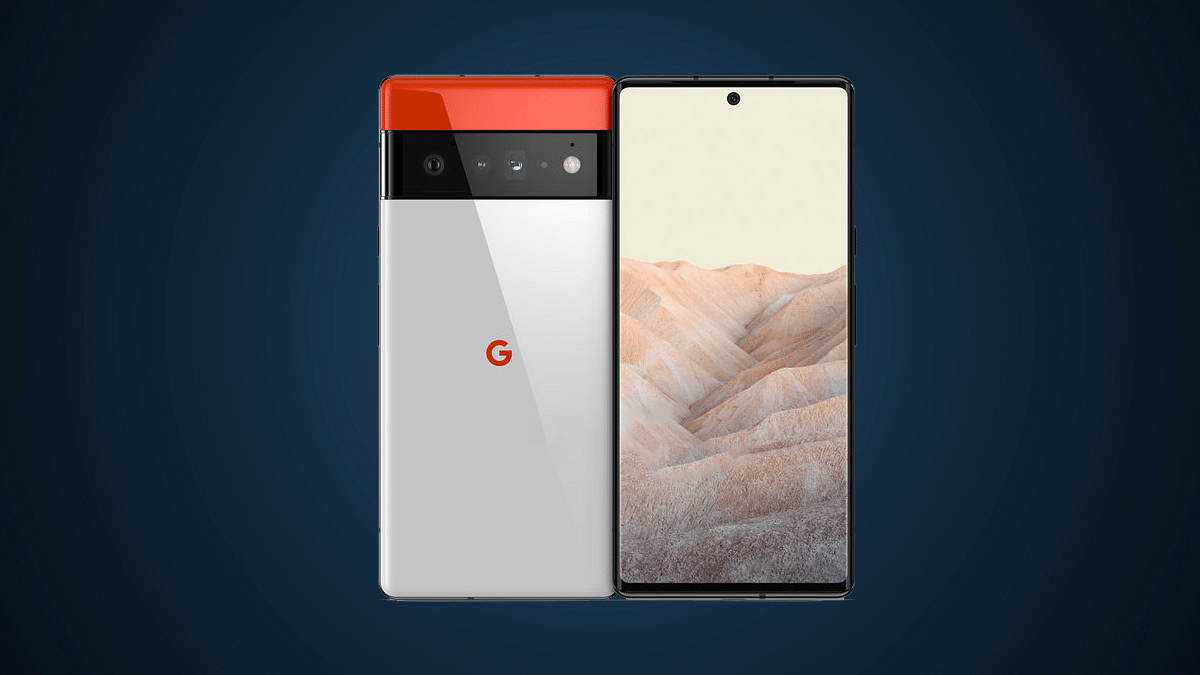
Google Launching Pixel 7 With Similar Hardware As The Pixel 6? Know All Developments Here

Google I/O 2022 developer conference is just round the corner and the search giant is all set to refresh Pixel series smartphones with the launch of Pixel 7, Pixel 7 Pro, and the Pixel 7a. Google will be hosting the event on October 6, unwrapping the successor to the Pixel 6 series. The Pixel 7 series leaks have been pouring in consistently over the web. A fresh leak detailing the full spec sheet of the Pixel 7 has now surfaced suggesting minimal upgrades over the previous-generation model. Is the Pixel 7 eventually a Pixel 6 with a new chipset? Let’s find out:

Google Pixel 7 Doesn’t Bring Major Hardware Upgrades Over The Pixel 6: Details

The Google Pixel 7’s latest hardware leak comes from tipster Yogesh Brar. The leaked spec sheet suggests we won’t get to see any major hardware upgrade on the Pixel 7 compared to the Pixel 6. The only primary upgrade that the Pixel 7 is said to bring over the last-generation model is the chipset. The remaining features including the display, camera, and battery would be more or less the same as its successor.


That said, the Pixel 7 will be announced with the Tensor G2 chipset. The new-generation custom Google chipset will be bringing some improvements in the overall CPU and GPU performance compared to the first-gen Tensor processor used with the Pixel 6 series. The device is leaked with a solo 8GB RAM and dual 128GB/256Gb storage configuration. It will boot on Android 13 OS which is another prominent upgrade compared to the previous generation model.


Now moving on to similar hardware features, the display size would be 6.3-inches on the Pixel 7 which is slightly smaller compared to the Pixel 6. The latter shipped with a 6.4-inch screen. The panel type, specifications, and refresh rate would be similar to the last generation model. The Pixel 7 will also flaunt an OLED screen with an FHD+ resolution and 90Hz refresh rate. The panel will be integrating a fingerprint scanner for biometrics.

The optics wouldn’t differ as well. The Pixel 7’s imaging hardware is said to comprise a 50MP main camera at the rear along with a 12MP ultrawide sensor. While the primary camera module remains identical to its precursor, the selfie snapper will see a slight upgrade. Instead of an 8MP camera, the Pixel 7 will be equipped with an 11MP selfie lens. The battery capacity is also similar to the last generation model with the handset featuring a 4,700 mAh battery instead of a 4,614 mAh battery unit. The fast charging capacity is still 30W.

Categories
Info Smart Watch

OnePlus Nord Watch Key Specification Officially Confirmed: What’s New?

OnePlus has established its name in the smartphone industry with its premium range of devices. Following the massive success of its flagship phones, the brand released a new dedicated lineup for the budget-conscious masses in the form of the Nord series. The OnePlus Nord smartphone lineup has been performing well in the mid-range segment. Now, the company is all set to launch the first smartwatch in the Nord lineup. After several leaks and rumors, the company itself has confirmed some crucial details related to the Nord Watch features and specs.

OnePlus Nord Watch Features: Here’s What All To Expect

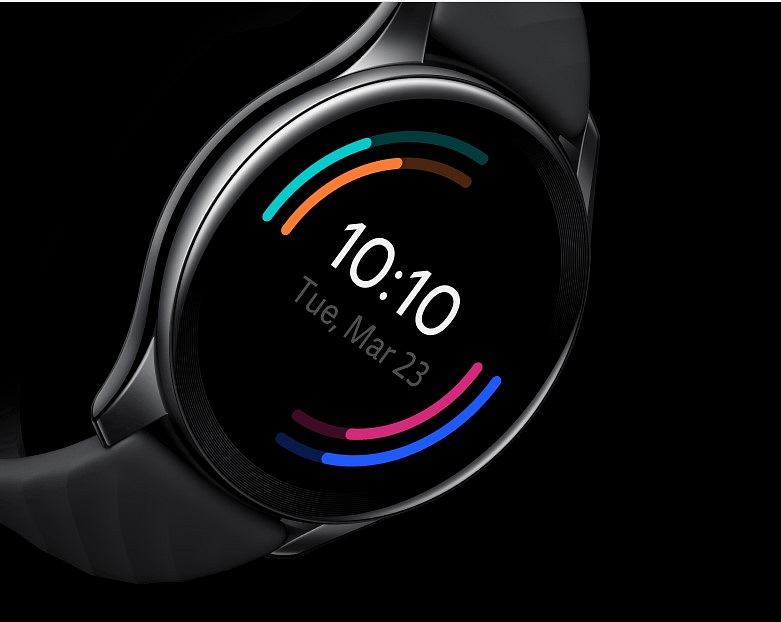
The OnePlus Nord Watch specifications have been listed on the OnePlus official India website. As per the listing, OnePlus will pack high-end features for a premium experience on the first ever Nord series smartwatch. The listing has shared all the primary details including the display and health features that OnePlus has integrated into the Nord Watch.

The OnePlus Nord Watch will be launched with a 1.78-inch AMOLED display panel. The smartwatch will flaunt a square dial along with the digital crown. It’s good to see the company has opted for a different dial design compared to the standard OnePlus Watch. OnePlus will be using a color AMOLED display on the Nord Watch that will support a resolution of 368 x 448.

The OnePlus Nord Watch’s display will also feature a 500 nits peak brightness that will offer a good outdoor visibility. Also, the panel will have a pixel density of 326 PPI. The Nord Watch will be compatible with both Android and iOS devices and can be paired using the N Health app. Furthermore, the Nord Watch will have Bluetooth v5.2 wireless technology for wireless pairing with compatible smartphones.

The Nord Watch will also feature over 100 watch faces that will be customizable. In terms of health-oriented features, the OnePlus Nord Watch will come with around 105 fitness modes and multiple other health tracking modes such as heart rate monitor, stress monitor, SPO2, and others.  The OnePlus Nord Watch is said to deliver around 10 days of battery backup along with around 30 days of standby time on a single charge.

OnePlus Nord Watch Expected India Price And Launch Timeline

OnePlus is yet to reveal the official launch date for the Nord Watch. However, the brand will be revealing one of the key features on September 28. Rumors are rife that it could go official by the end of September 2022 in India. The exact pricing details are also kept a mystery. However, we are expecting an affordable price tag considering it will be launched under the Nord lineup.

Categories
Apps Featured Info

WhatsApp Personalised Avatar Feature Update: How To Create Your Own Avatar And Share As Sticker Packs On WhatsApp

Key Highlights

WhatsApp bringing new Avatar feature

Users will be able to create personised avatars

Stable update is yet to be released

WhatsApp has been rapidly evolving its mobile messaging application with the addition of new features and services. Android and iOS versions of WhatsApp are being updated with the same set of advanced messaging features to deliver an improved and secure platform for texting. WhatsApp’s end-to-end encryption service for both chats and backups has also created a secure environment for voice and video calling. This is what majorly defines WhatsApp’s wider popularity amongst the audience not just in India, but globally.

Animated sticker packs and GIFs have been released to make texting a fun processor on WhatsApp. But now, the company is ready to take another flight with the avatar feature for video calling. You can currently customize stickers as your personal avatars. However, for video calling, you either are visible directly or have to turn off the camera if you wish to avoid facing the caller. The upcoming WhatsApp video avatar feature is coming to the rescue in such scenarios. Below is the entire development on the same.

WhatsApp Video Call Avatar Feature Releasing

WhatsApp has been rumored to be working on the avatar feature for its Android and iOS mobile applications. A fresh report by WaBetaInfo reveals this development. According to the report, WhatsApp will let users create their own avatars and use them as stickers. The publication has also shared screenshots of this new self-avatar stickers feature which is being released for all the users in the coming weeks.

A similar feature is already present with Facebook and is apparently making its way to WhatsApp as well. Users will not only be able to create their avatars and share them as stickers but also use them as their profile pictures. This is again identical to Facebook Avatars.

How To Create Personalised WhatsApp Avatars And Use As Stickers

Since this feature is currently in the testing phase, the exact steps to create a personal avatar and use them as stickers are yet to be confirmed by WhatsApp. But going by the leaked screenshots, this new feature will be added alongside the GIF, emojis, and sticker options in the app itself. Users will need to tap on the Avatar sticker feature and then they will get the option to create their own avatar.

Once the avatar has been created, users will be able to share it with their contacts in form of stickers. Also, WhatsApp will create sticker packs of the personalized avatars along with several expressions such as love, confusion, crying, mid-blowing, and others. Once the stickers pack are created using the avatar, users can share them with the desired contacts.