As the Assistant Editor, Sandeep is generating tech-oriented content and also monitoring the content published on the website. He has over six years of experience in tech journalism and has expertise in product reviews, news articles, listicles, and media campaigns.
Google has one of the largest ecosystems of mobile and desktop apps. YouTube is one such service from the search giant which is being used by millions of users globally for entertainment. It is our go-to platform to watch random videos be it of any genre. And ever since Google has monetized YouTube creators have been flooding to take this app to upload videos and get some monetary benefit out of it.
Google has been adding new features to YouTube and is making it easy for users to upload and share their videos. It also has been following the modern footprints of popular social media applications such as Instagram and others which also have a huge fan base. Shorts is one such feature that YouTube has added to its platform ever since the reels and other short video features got the crowd hooked.
YouTube Short lets you create short-form videos (one or more clips) of up to seconds and share it with the target audience. If you are a new YouTube creator and wish to expand your reach to a larger segment of the audience, you should use this feature. If you aren’t aware of the steps, read on below:
How To Create And Share YouTube Shorts
Step 1: Launch the YouTube app on your smartphone.
Step 2: Select the add symbol or the Create a shortcut option
Step 3: Just above the record button, you’ll see a timer with 15 seconds set as default. Tap on it to change it to 60 seconds of you want to record a longer shorts video.
Step 4: Tap on the recording button.
Step 5: Once the video is recorded tap again on the recording button to stop. You can also undo if you wish to re-record or redo to add the video clip back.
Step 6: You will now get two options including close or Save as draft. Tap on the latter to exit the camera.
Step 7: Click on Preview. You will now be able to watch the recorded clip and customize it as per requirements.
Step 8: Select Next to add the required details to the recorded shorts video. You will get the option to add a title and also modify privacy settings.
Step 9: You can now set the target audience. Click on Select audience and chose from “Yes, it’s made for kids” or “No, it’s not made for kids”.
Step 10: Click on Upload to publish your YouTube Shorts video.
Note that these steps mentioned above are for Android and iOS smartphones. We will be covering another article where we will share the steps to create YouTube Shorts videos via laptop and PCs.
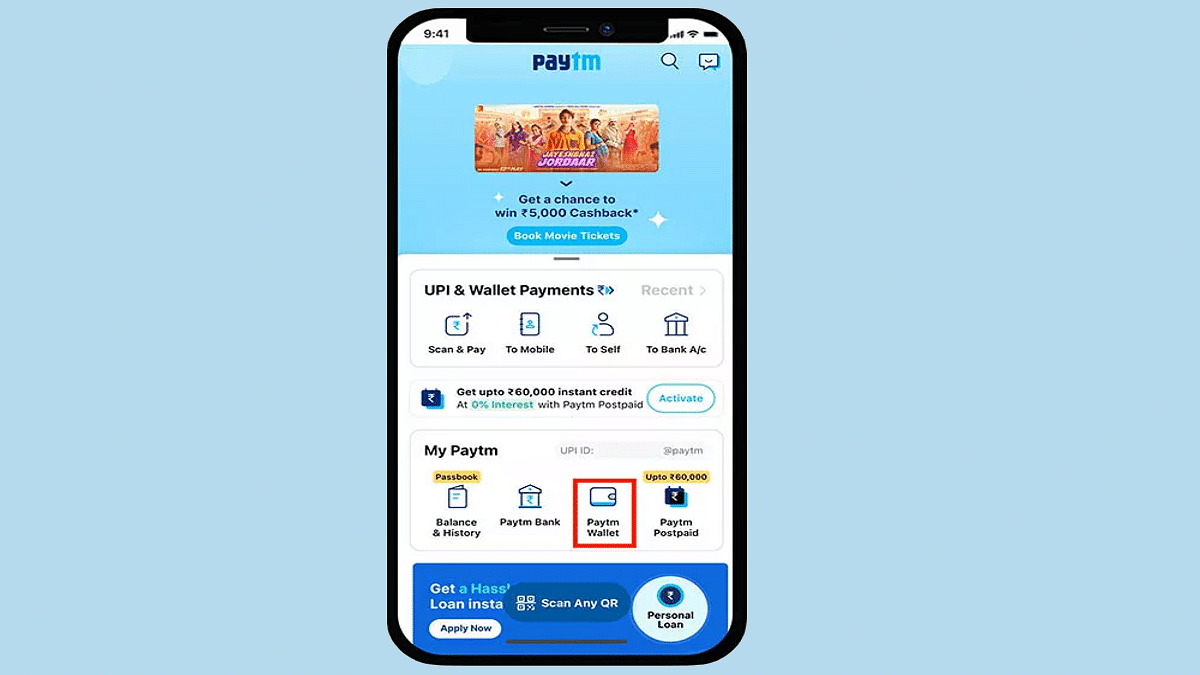
India has become a large market for UPI and digital wallet apps. The trend surged with the demonetization of old currency in the country and the call for digitization by the Indian government. Paytm, Mobikwik, and others have been amongst the first in the lot of UPI apps in the country. Paytm is one of the most rapidly expanding UPI apps with the company adding new features and services frequently. In the latest development, Paytm has made it easy for its users to check the live running status of their train. This new travel service is beneficial for users who wish to plan their journey as per the available schedule.
The Paytm Live train running status will now be available alongside the PNR train status which has been released already on the platform. The latest travel service on the Paytm app has been announced for both Android and iOS mobile versions. If you have a journey planned or are already on one of the trains bound for a long destination, you can easily check the live status to get updates on your arrival time.
However, in order to use the train live running status, you need to make sure the Paytm app installed on your respective phones is updated to the latest version. Update your app, if it isn’t the latest version only then proceed with the remaining procedure. This is your step-by-step guide to check the live running status of any train on the Paytm app. Take a look:
How Can You Use Paytm Live Train Running Status Feature
Step 1: Launch the Paytm application. These steps can be performed on both Apple iPhone and Android smartphones.
Step 2: Either go to the services and select Train services, or directly type the Train Status in the search bar.
Step 3: Once the Travel services page open up, you will get several other options including bus flights, and others. Select Trains.
Step 4: Another fresh tab will open up with PNR Status, Train Calendar, and Train Status options.
Step 5: You need to click on the Train Status tab.
Step 6: You will now get the option to enter the Train name or number. Once you feed in the details, you will see the name of the name in the list. Select it.
Step 7: Now, select the boarding station from where you wish to get the details. Make sure the boarding date is correct. Make the required modifications in case of any mismatch.
Step 8: Click on the Check Live Status tab.
Step 9: As soon as you perform Step 8, you will see the train running status live on the app’s screen.
While WhatsApp is one of the most preferred instant messaging applications for Android and iOS ecosystems, Telegram has gradually established itself as one of WhatsApp’s prime rivals. Telegram also operates on the same end-to-end encryption system so that privacy is never compromised. Telegram also offers a plethora of features to enhance the messaging experience. You get to make both voice and video calls as well on Telegram which is as private as text messages.
Amongst the several useful features offered by Telegram is the option to schedule any text message. You can set the time frame when you wish to send any of your contacts a message. This feature comes in handy when you might have to send someone a message and for some reason, you don’t have any internet connection. In such scenarios, you can pre-schedule a message using the Telegram mobile app. But how exactly you can do it? We have mentioned the steps below:
How To Schedule Any Message On Telegram
Step 1: On your respective Apple iPhone or Android, open the Telegram app. If you don’t have the app, make sure you have downloaded it from the App Store or Play Store and have registered.
Step 2: Go to the chat window or the contact to whom you wish to send the scheduled message.
Step 3: Start typing your message. Instead of a single tap on the send button, press and hold it.
Step 4: You’ll see two options including Schedule Message and Send Without sound. Select the schedule message option.
Step 5: You can now set the time frame by when you want to get the message delivered to the selected contact. Set the date and time.
Step 6: Once you have set the preferred date and time, tap on the send message option below.
Step 7: That’s all you would need to do to schedule any message on the Telegram app.
Notably, the steps mentioned above are performed on an Android smartphone. The procedure to schedule messages on Telegram on iPhones would be the same. It is advised that you use the latest version of the Telegram app to get access to all the privacy features.
Social media apps are witnessing an all-time high in terms of downloads and user engagement. Facebook now called Meta has been one of the oldest social media applications that is still popular amongst the masses despite Instagram and other apps grabbing the major share of this market. Meta has been adding similar features across all of its acquired social media platforms. Facebook Reels is one of such options that has been borrowed from its sister app Instagram. The short video feature is currently all hype not just with social media influencers but also with the general audience.
Creating and uploading a Facebook reel is one sure-shot way to increase the follower count and your account’s reach; specifically, if you are one of the social media influencers. But how can you create or share a Facebook Reel using your phone? In this article, we have listed down the ways with which you can not only create but also edit a Reel and share it with your audience or friends.
How To Record Facebook Reels Videos On Your Smartphones
Step 1: Launch the Facebook application on your respective smartphones (Android or Apple iPhones).
Step 2: Go to the Home Feed.
Step 3: Click on the menu option. You will see this icon .
Step 4: Click on See more.
Step 5: You will now see the Reels icon. Tap on it.
Step 6: Now, select the create option (camera icon).
Step 7: If you are recording the reel video in dark background, you can turn on the camera flash as well using the icon.
Step 8: You can flip the camera as per requirements (front or back) by tapping on the reverse camera icon .
Step 9: To adjust the time limit for the Reel video, you would need to click on the Length option placed on the right. You can set the timer from 15, 30, or 60 seconds.
Step 10: Now, start recording the reel and stop once done. You would need to hit the button for the same. You can repeat this step if you wish to add more clips to your Facebook Reels video. Once done share the reek in your Feed.
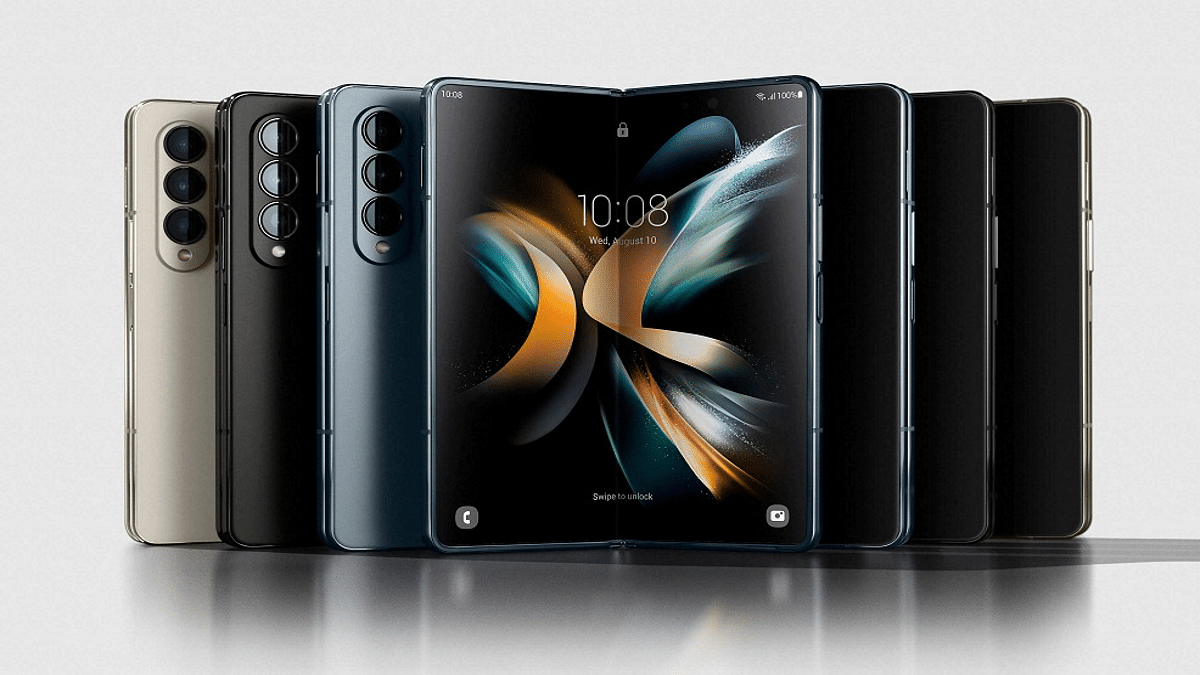
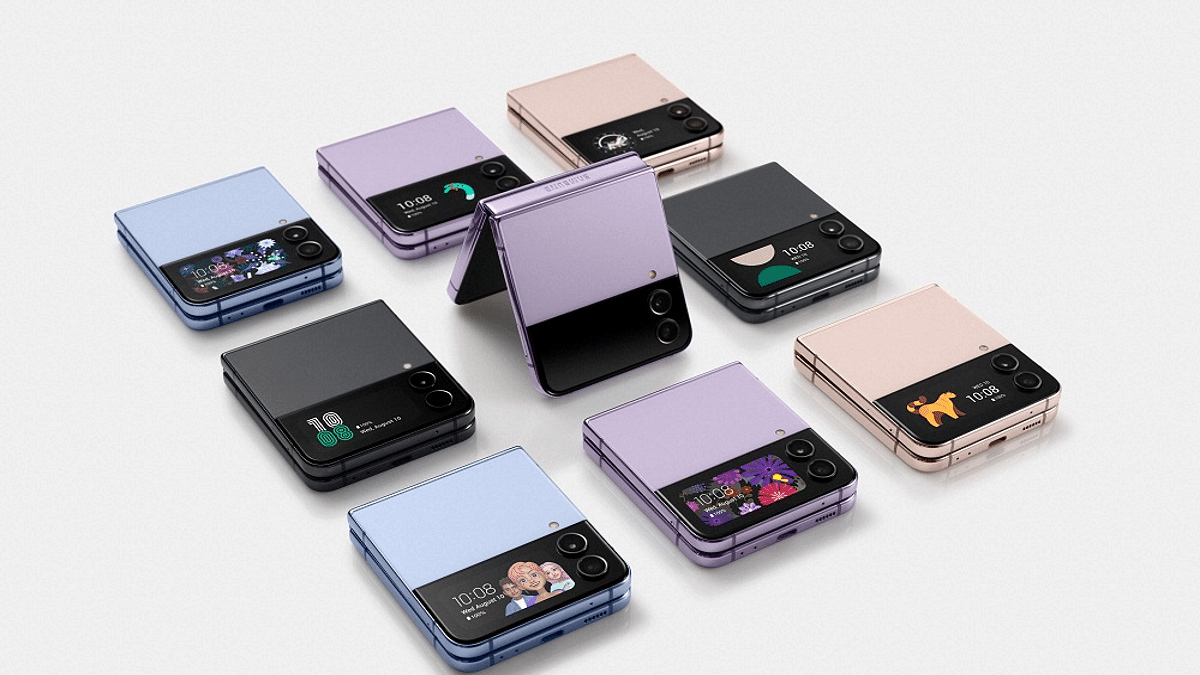
Samsung has concluded its l Galaxy Unpacked 2022 event today. The South Korean tech giant has introduced the latest generation of foldable smartphones dubbed Galaxy Z Fold 4 and the Galaxy Z Flip 4. The company has also unveiled new TWS earbuds for the masses called the Galaxy Buds 2 Pro and also the Galaxy Watch 5 series. All the latest Samsung products were spotted online on numerous occasions ahead of the launch. We finally have the confirmed spec sheet of the new-generation Samsung foldable smartphones. In this article, we have listed all the key features and pricing details of the Galaxy Z Fold 4.
Samsung Galaxy Z Fold 4 Full Specifications And Features
Samsung has launched the Galaxy Z Fold 4 with an advanced set of features and flagship-grade hardware. The latest Samsung foldable handset is packed with the Snapdragon 8 Gen 1 Plus processor. This premium octa-core Qualcomm chipset is clubbed with 12GB RAM and 256GB/ 512GB/ 1TB storage options.
The Galaxy Z Fold 4 flaunts a centrally foldable design like the previous-generation modes. The display is packed with a Dynamic AMOLED 2x Infinity Flex display that measures 7.6-inches. This is the foldable panel that supports a screen resolution of 2176 x 1812 pixels. It supports a 374 PPI pixel density and an aspect ratio of 21:6:18. The display gets a Corning Gorilla Glass Victus+ protection.
The outer display measures 6.2-inches and is an AMOLED Infinity-O panel that has an aspect ratio of 23:1:9 and a screen resolution of 904 x 2316 pixels. The refresh rate supported by both outer and inner panels is 120Hz. In terms of optics, the Samsung Galaxy Z Fold 4’s foldable screen side has a 4MP camera with an f/1.8 aperture.
At the rear, it will feature three cameras including a 50MP main camera with OIS and an f/1.8 aperture, a 12MP ultra-wide-angle camera, and a 10MP telephoto sensor with 3x optical zoom and OIS. Upfront, it has a 10MP camera. The handset will come pre-installed with Android 12 OS topped with a custom One UI interface.
The extra set of Galaxy Z Fold 4 features include a side-mounted fingerprint scanner, S-pen stylus support, and dual speakers (AKG). The Galaxy Z Fold 4 is IPX8 certified which makes it water and dust-resistant. The Galaxy Z Fold 4 gets its power from a 4,400 mAh battery unit which is accompanied by a 25W fast wired charging support.
Samsung Galaxy Z Fold 4: Price, Availability Details
The Samsung Galaxy Z Fold 4 comes at an asking price of 1,799 euros for the 12GB RAM and 256GB storage variant. On the other hand, the 12GB RAM and 512GB storage variant is announced at 1,899 euros. This model comes in Graygreen, Phatom Black, and Beige colors.
Samsung today wrapped up its much-awaited Galaxy Unpacked 2022 event where the new-generation Galaxy Z foldable phones took the entire center stage. The Galaxy Z Fold 4 and the Galaxy Z Flip 4 marked their debut with premium range hardware. We already have covered all the features and specifications. Here, you can read all the details related to the Galaxy Z Flip 4 specifications and availability. Take a look:
Samsung Galaxy Z Flip 4 Full Specifications, Features
The Samsung Galaxy Z Flip 4 has been launched with the same clamshell foldable design as its precursor, i.e., the Galaxy Z Flip 3. However, the new variant flaunts a slimmer profile. It measures 165.2 x 71.9 x 6.9 mm in dimensions and weighs around 187 grams.
The Galaxy Z Flip 4 is also packed with the octa-core Snapdragon 8+ Gen 1 processor as the Galaxy Z Fold 4. This model has been announced with a lower 8GB RAM capacity. It will be available with an onboard storage capacity of 128GB, 256GB, and 512GB. The firmware here is the same as the Galaxy Z Fold 4, i.e., Android 12-based One UI OS.
The Samsung Galaxy Z Flip 4 bestows a 6.7-inch display when unfolded. It is a Dynamic AMOLED 2X foldable screen with an FHD+ resolution of 1080 x 2640 pixels. The outer display measures 1.9-inches which is bigger than the earlier generation model.
The Samsung Galaxy Z Flip 4’s imaging setup comprises dual cameras including a 12MP main wide angle lens clubbed with another 12MP sensor which is an ultra-wide-angle sensor. For selfies and video calling, the Galaxy Z Flip 4 features a 10MP camera with an f/2.4 aperture. It has a physical fingerprint scanner integrated with the power key. This foldable Samsung phone is also IP68 certified as its older sibling with which it becomes dust and water-resistant. A 3,700 mAh battery rounds off the spec sheet here.
Samsung Galaxy Z Flip 4: Price, Availability Details
The Samsung Galaxy Z Flip 4 comes in three different RAM and storage options. Its base variant with 8GB RAM and 128GB storage is priced at 1,099 euros, while the 8GB RAM+ 256GB storage model is announced at 1,159 euros. The high-end 8GB RAM and 512GB storage model costs 1,279 euros. The color options are Bora Purple, Graphite, Pink Gold, Blue
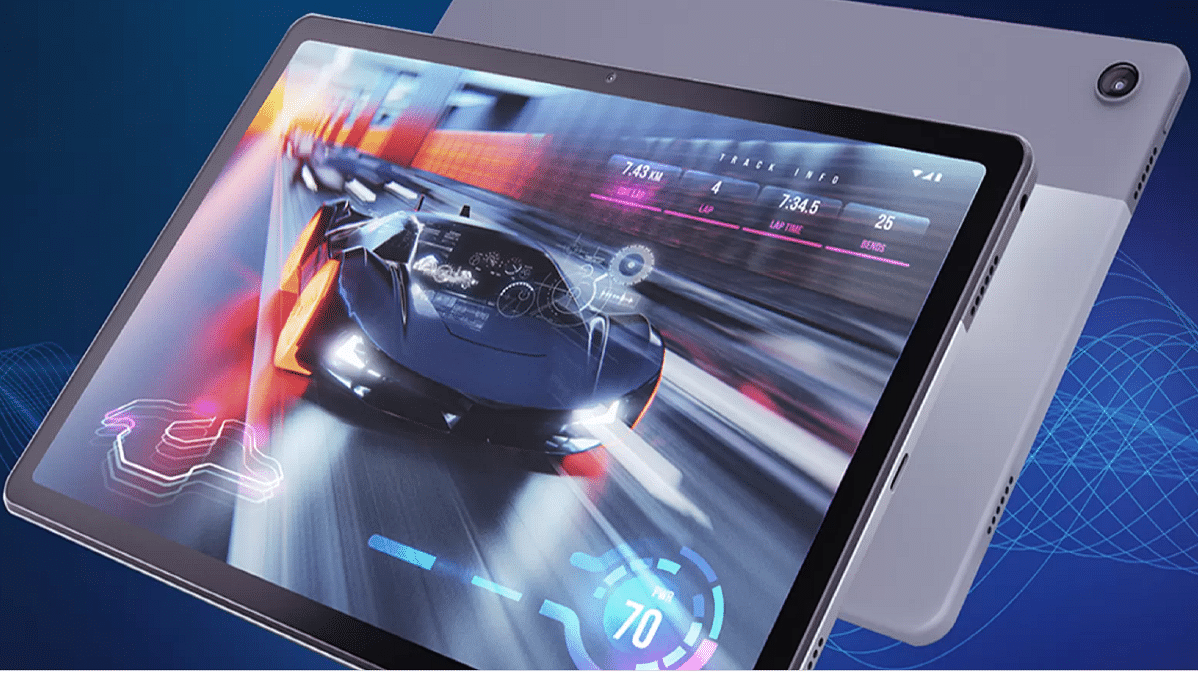
Motorola is all set to revamp its smartphone and tablet portfolio in India this month. The company is ready to expand the Moto G smartphone series with the Moto G62 5G and the Moto G Tablet lineup with the Moto Tab G62. The upcoming tablet will be arriving as a successor to the Moto Tab G60 which is one of the most popular mid-range tablets in the Indian market. Motorola has announced the Moto Tab G62’s official launch timeline and also its availability details.
Moto Tab G62 India Launch, Sale Details Announced
The Moto Tab G62 will be launched in India on August 17. Motorola itself has confirmed the upcoming Android tablet’s launch in the country which is scheduled for next week. Motorola will be selling its next mid-range tablet in the country online via Flipkart.
The Moto Tab G62’s online availability has also been confirmed by the dedicated support page. Thanks to the listing, the Moto Tab G62’s entire design along with the key features have been revealed. The details are as follows:
Moto Tab G62 Design, Key Features
The Moto Tab G62 can be seen with a dual-tone design with the back panel painted in grey and dark grey shade. The product page poster image of the upcoming tablet also confirms a single rear camera module as the previous-generation model. In addition to the design, the features have been also listed.
The Moto Tab G62 will be powered by the octa-core Snapdragon 680 processor. The configuration details haven’t been confirmed and it remains to be seen how many variants of this tablet will be launched. In addition to the chipset, the Flipkart listing also confirms a big 10.6-inch display.
Motorola has used an IPS LCD panel on the Moto Tab G62 which will support 2K screen resolution. However, the refresh rate hasn’t been confirmed by the listing. The tablet will feature a narrow bezel design and will retain a 3.5mm headphone jack for wired headphones pairing.
The Moto Tab G62 will boot on Android 12 OS. It will have a bunch of pre-installed apps including a dedicated Entertainment space and Google Kids space. It will also come with stylus pen support. The Flipkart listing of the upcoming Motorola tablet has also revealed a 7,700 mAh battery unit. It will come with 20W fast charging support.
Xiaomi Pad 5 Pro 12.4-inch model leaks on Geekbench
Snapdragon 870 octa-core processor confirmed
8GB RAM support and Android 12 OS also revealed
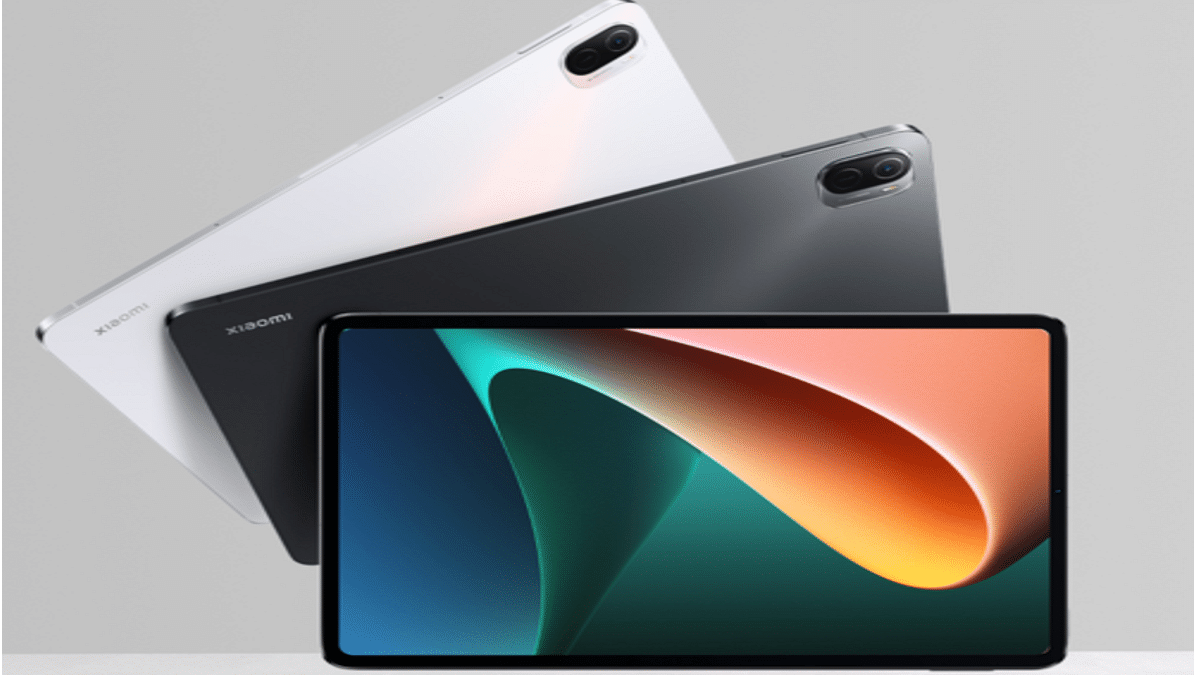
Xiaomi has released its popular Pad 5 series tablet last year in its home country China. The Chinese tech giant introduced the vanilla Xiaomi Pad 5 and the Pad 5 Pro with premium mid-range hardware. Now, the company has started working on a new Pad 5 Pro model with a bigger display size. Xiaomi has confirmed this development itself online. The latest Xiaomi Pad 5 Pro tablet model is all set to debut in China likely next week. Ahead of the launch, this tablet has paid a visit to the popular benchmark website Geekbench. Thanks to the listing the chipset and configuration details of the tablet have been confirmed. Here are the details:
Xiaomi Pad 5 Pro Updated Model With Bigger 12.4-inch Display Stops By Geekbench
The Xiaomi Pad 5 Pro’s upcoming variant has made its sighting at the benchmark website Geekbench. Contrary to the previous model, this variant will flaunt a larger 12.4-inch display. This is by far the biggest screen size offered by any Xiaomi-labelled handset in the market. Now, coming back to the details shared by the Geekbench database. The upcoming Xiaomi Pad 5 Pro 12.4-inch model has been listed with the Xiaomi 22081281AC model number.
As per the benchmark website, the revised Xiaomi Pad 5 Pro tablet will be powered by an ARM Qualcomm chipset. The listing suggests an octa-core chipset with three cores clocked at 2.42GHz, one core clocked at 3.19GHz, and four cores clocked at 1.8GHz. While the name of the processor is not revealed, it is none other than the Snapdragon 870 processor.
The Adreno 650 GPU support and the scedutil motherboard confirm this to the be SD 870 premium mid-range chipset. In addition to the chipset, the Geekbench listing has also revealed the RAM and software version.
The upcoming Xiaomi Pad 5 Pro 12.4-inch tablet will ship with 8GB RAM. Unfortunately, it is not clear if the tablet will be launched in any other RAM variant or not. The storage capacity of this tablet is also not revealed by the benchmark website. However, we can expect at least an onboard capacity of 128GB clubbed with the 8GB RAM.
The latest Xiaomi tablet will ship with Android 12 OS and will possibly feature MIUI 13 interface. In addition to these hardware details, the benchmark scores have also been revealed. The Xiaomi Oad 5 Pro 12.4-inch tablet has logged 886 points in the single-core test and 3117 points in the multi-core tests.
Currently, the remaining hardware details are at large. We are not sure if the company will only upgrade the display or will make changes to the remaining features as well. For reference, the Xiaomi Pad 5 Pro 12.4-inch tablet is scheduled for an August 11 launch in China. The company could release some information related to its global launch in the coming weeks.
Smart wearables are driving the current generation. With all the advancements in the tech field, the brands are embedding the latest of technologies that are helping the modern masses not just keep a track of the time but also monitor their health on the go. We have several players including smartphone OEMs that are flooding the markets with new smartwatches and fitness bands. Inbase Urban Fit S is one of the latest smartwatches which brings a familiar Apple Watch Band-like design but has a cheaper price tag and yet is loaded with features.
The Urban Fit S smartwatch can be on your buying list for its affordable price tag. It retails for around Rs. 4,999. With this price label, it goes up against the likes of the Realme Watch 2 Pro, Redmi Watch 2 Lite, and Noise ColorFit Ultra 2.
At a sub Rs. 5,000 price point, the Urban Fit S with multiple health features such as SpO2 monitor, steps tracker, heart rate monitor, and an Apple Band-like design, the Urban Fit S definitely sound a good deal. But is it so? Giznext has reviewed the Urban Fit S smartwatch and in this article, we are sharing our feedback on whether you should buy this smartwatch or should skip it.
Urban Fit S Smartwatch: Design And Display
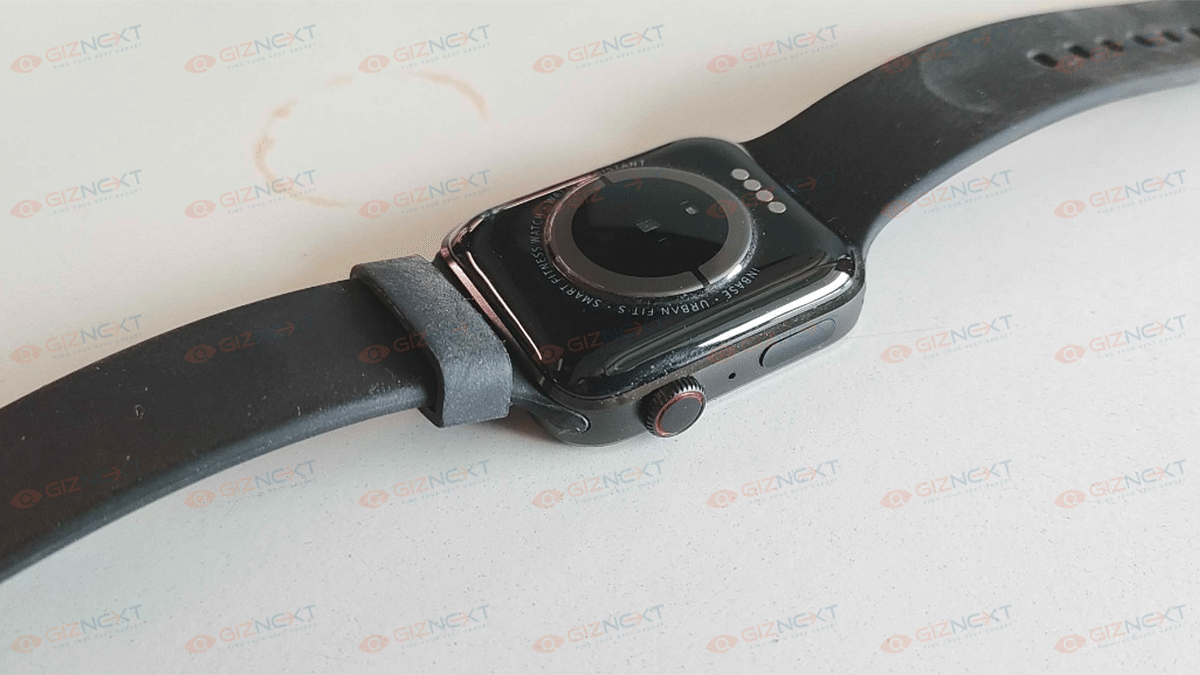
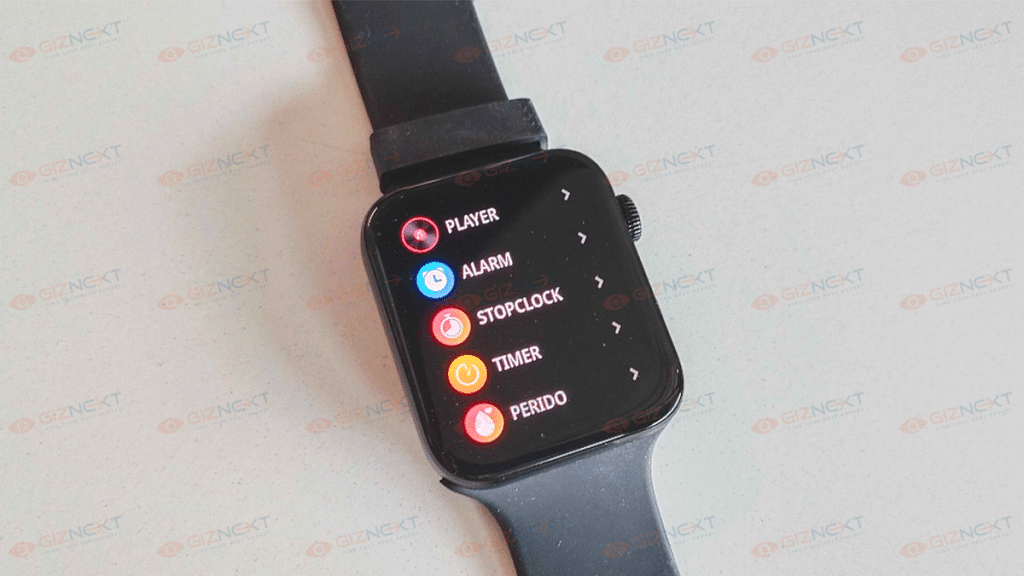
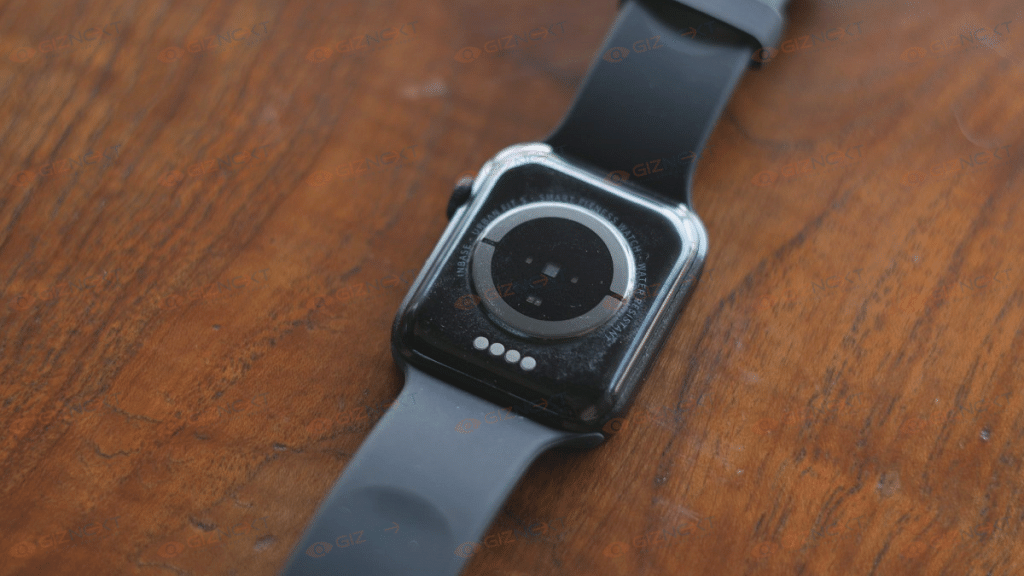
As mentioned above, the Urban Fir S smartwatch is designed identical to the Apple Watch band. It flaunts a square dial and has silicon rubber straps. The Urban Fit S smartwatch features a digital crown that is apparently borrowed from the Apple Watch counterpart.
That’s not it, the straps of the Urban Fit S smartwatch are removable and the slider mechanism is identical to that of Apple’s. The design of this smartwatch is practical otherwise. You wouldn’t have any complaints about it. The only drawback with the design is it isn’t entirely sweat resistant. If you are doing some rigorous activities, you’ll feel your wrist getting all sweaty. If you can ignore this factor, the Urban Fit S has a good design that fits modern standards.
Now coming to the display, the Urban Fir S smartwatch is equipped with a 1.78-inch AMOLED display. Now, this screen size is a bit taller than what the competition offers. It is a color touchscreen panel that offers smooth feedback with scrolling through the menu and available features on the watch. The color produced by the Urban Fit S smartwatch’s display is good with deeper blacks. It’s the AMOLED panel that helps with the same.
Urban Fit S Smartwatch: How Do The Features Perform?
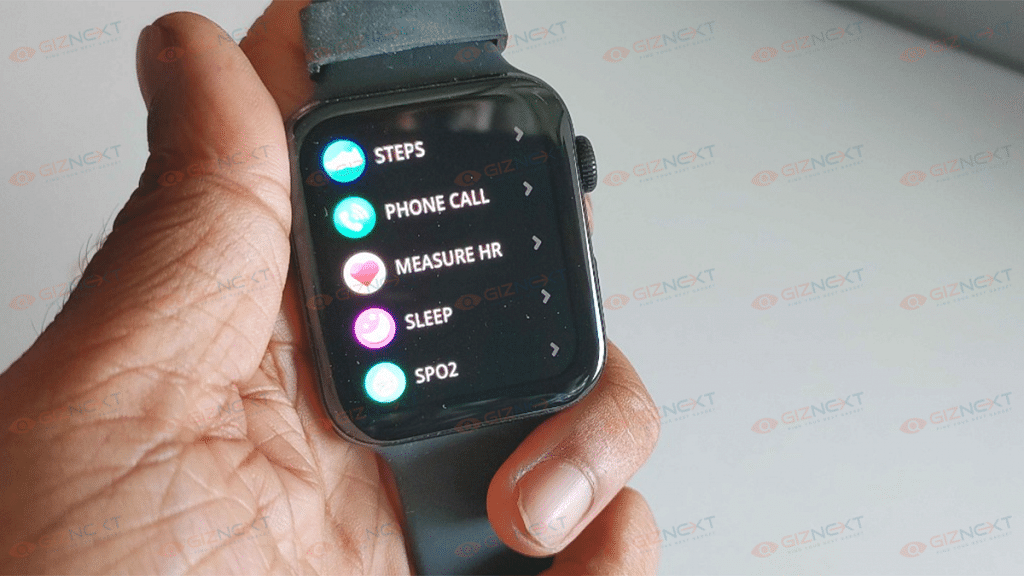
The Urban Fit S smartwatch is integrated with multiple health features. But what gives it an edge is the support for Bluetooth Calling. Now, this is one unique feature that you get on any smartwatch specifically the affordable ones. If we speak of the health features, the Urban Fit S smartwatch is capable of tracking steps, monitoring sleep, reading blood oxygen levels with the SpO2 monitor, and also measuring heart rate.
Additionally, the Urban Fit S smartwatch can also measure blood pressure and has a bunch of tools including the Calculator and Weather app. These health-oriented features are definitely helpful in our current fast-paced lifestyle where it’s hard to pay a visit to a doctor’s clinic frequently. The data collected is always not accurate. We have noticed some differences in the readings when measuring the data with actual medical equipment. Therefore, we would suggest you not rely entirely on the data that this watch shows.
Urban Fit S Smartwatch: Pairing And Calling Experience
You can easily pair the Urban Fit S smartwatch with any compatible Android or iOS smartphone. The pairing is done over Bluetooth with the supported devices. You can download the Da fit application from Google Play Store or Apple App store to sync the watch and read all the data on your smartphone itself. The pairing process has been swift and we could easily pair this smartwatch with our devices.
The smartwatch also aids with Bluetooth calling. It has an integrated speaker and a microphone to help with communication. You also get to play music on this watch when paired with your smartphone. The audio quality has been decent and you can easily speak with the caller without any distortion or noise in the audio. But you might have to keep the watch close to your face while speaking so that the caller can listen to your voice clearly.
Urban Fit S Smartwatch: Battery Backup
The Urban Fit S smartwatch is packed with a 250 mAh battery unit. According to the company, this smartwatch can deliver a total backup of around 10 days with normal usage. The backup will drop to five days if you use the calling feature frequently.
Now, we found the claims to be correct during our usage. The Urban Fit S smartwatch was able to deliver over a week of backup with a single charge. Inbase has also enabled the Fit S smartwatch with fast charging technology so that you can quickly refuel the batteries.
Urban Fit S Smartwatch: Final Verdict
The Urban Fit S smartwatch is a fully-loaded package under Rs. 5,000 price bracket in India. It offers all the health-oriented features which any modern millennium would need to maintain a healthy lifestyle. You can go for this smartwatch if you want a mix of good looks and features that too on a budget price point.
WhatsApp has released several privacy-oriented features for Android and iOS users in the last few years. The Meta-owned messaging platform earlier allowed its users to delete any sent message on the mobile app. However, the default time limit to delete any message until now has been up to 60 minutes. For a while, WhatsApp has been testing an extended time limit to delete any message. After all the anticipations the brand has now dished out the stable update post which you’ll be able to delete messages after two days.
WhatsApp Delete Message Gets Extended Two Days Limit
WhatsApp has shared a tweet confirming that users will now be able to delete any message that is two days old. The Meta-owned instant messaging application will now let both Android and iOS users delete sent messages which is 2 days old. If we speak of the specifics, users will be able to delete the messages even after 2 days and additional 12 hours.
Users will get the option to delete the messages within the aforementioned timeline from both a single or group chat window. Users have been requesting WhatsApp to increase the time limit to delete any message sent using the app.
Finally, this security feature is being made available for the masses. You’ll get an update notification on your respective Android and iPhones. But if you don’t receive any notification, you can also go ahead and check it manually.
How Can You Delete WhatsApp Individual And Group Chat Messages After 2 Days?
Step 1: Launch the WhatsApp application on your Android or iPhone respectively.
Step 2: Open the individual or the group chat window from where you wish to delete the message.
Step 3: Scroll to the text and then press and hold the message.
Step 4: You’ll see a set of options on the top of the app’s window. Select the delete option (bin icon).
Step 5: You’ll get three options Delete For Me, Cancel, Delete For Everyone. You have to select the Delete For Everyone option.
The steps are identical as you would have performed before the time limit to delete any text was extended.