Categories
Info TV

Croma Independence Day Sale 2022: Best Deals To Grab On 55-Inch Smart TVs

It’s raining discounts and deals on Croma during the ongoing Independence Day sale 2022. The online retailing giant has been hosting this special Independence day sale on its platform since August 5 which will be wrapping it off on August 16th, 2022. During the ongoing festive season sale, Amazon has offered lucrative deals on a wide range of products including smartphones, TVs, laptops, tablets, and other consumer electronics goods.

If you are interested in upgrading your gadgets then this would be the best time. Specifically, if you wish to get a new big screen TV loaded with features at lower costs, the Croma Independence Sale has some of the best deals that you can consider. We have listed some of the best offers on big-screen smart TVs that you can grab from Croma as a part of Independence Sale 2022. Take a look:

Samsung Crystal 4K 55-inch Ultra HD 4K LED Smart TV

If you wish to upgrade your TV with a high-end model then the Samsung Crystal 55-inch 4K UHD LED smart TV is one of the best deals that you can grab from Croma during the Independence Day sale. This smart TV is selling at an offer price of Rs. 48,489 during the sale instead of Rs. 69,900 launch price.

The Samsung Crystal 4K 55-inch UHD smart LED TV’s other key features are Tizen OS firmware, 20 watts speakers with Dolby Digital Plus, and Q Symphony audio technology. This Samsung Crystal UHD smart LED TV offers multiple connectivity options including three HDMI and one USB port.

Sony 55-inch UHD 4K LED Android Smart TV

Sony is one of the pioneers in audio and video technology and has quite a wide catalog of high-end Android smart TVs. The Sony 55-inch UHD 4K LED TV (KD-55X75K) is one of the models that is being sold with a massive discount during the Croma Independence Day sale. Sony launched this Android smart TV at around Rs. 99,999 in India.

However, during the sale, you can buy it at Rs. 68,390 on Croma. This smart TV flaunts a 55-inch screen with UHD 4K resolution complemented by a dual speaker system for audio. The total audio output here is 20W. The TV also comes with Dolby Audio Digital Decoder for enhanced output. The smart TV comes with three HDMI and two USB ports.

OnePlus TV U1S 55-inch Ultra HD 4K LED Android Smart TV

OnePlus is one of the brands which has expanded its venture beyond smartphones to smart TVs and other consumer gadgets. The OnePlus TV U1S 55-inch LED TV (55U1S) being sold at Rs. 42,999 is another hard-to-miss deal during the ongoing Croma Independence Day sale.

The OnePlus TV U1S 55-inch variant offers a 4K UHD resolution and is powered by the Gamma Engine along with Android TV OS. The OnePlus U1S 55-inch TV features two USB port, one optical audio output port, and three HDMI ports. It has an ideal viewing distance of 10-12 feet and delivers a total of 30W audio with its Dolby Audio-supported dual speakers.

LG UQ80 55-inch 4K UHD Smart TV

If you wish to buy a premium range Android TV that supports 4K resolution and is not from other prime players such as Sony or Samsung then the LG UQ80 makes for a decent pick. This TV has a screen size of 55-inches and offers 4K UHD resolution.

This smart TV can be purchased at Rs. ₹58,990.00 instead of Rs. 84,990 launch price. This smart TV is powered by WEBOS and has an integrated 4K AI processor. This smart TV also delivers a 20W of audio output with its 2.0 channel speakers. This smart TV also offers multiple connectivity ports like the others in this list. It offers two USB ports and three HDMI 2.0 ports.
Categories
Featured Info Mobile

Tecno Camon 19 Pro 5G India Launch Scheduled For August 10; Is It A New Budget 5G Android Phone?

Key Highlights

Tecno Camon 19 Pro official India launch on August 10

Will ship with a 64MP main camera

Might feature the Dimensity 810 5G processor

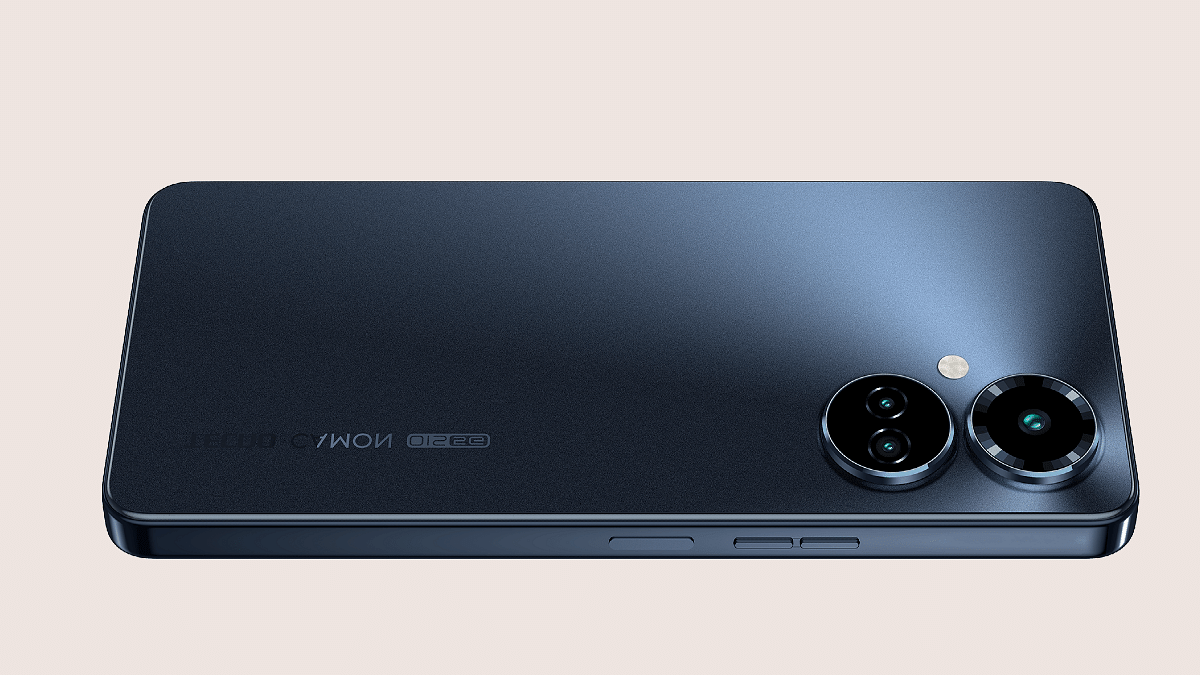
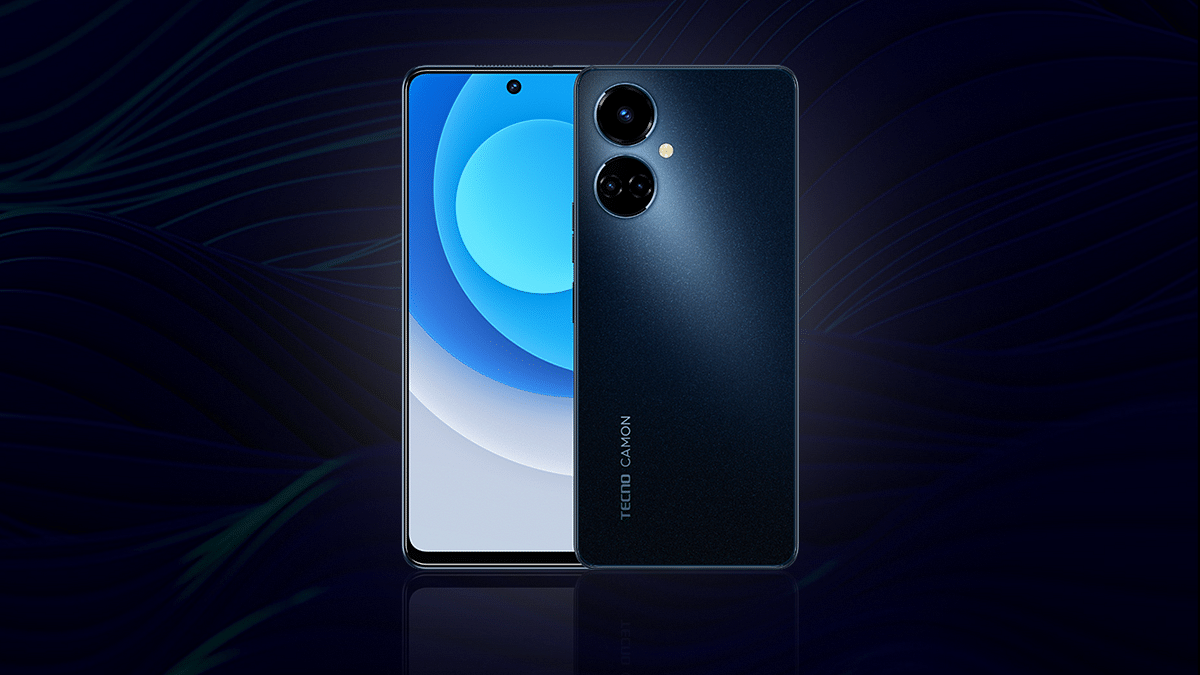
Tecno has recently revamped its popular budget Camon series in India with the launch of the Camon 19 lineup. The brand has launched multiple models in this budget-friendly Android smartphone lineup in the country with the most recent model being the Camon 19 Neo. Now, the brand is gearing up to add yet another model to this series which has been previously announced in the international markets. We are speaking of the Tecno Camon 19 Pro 5G. Giznext has recently shared an exclusive report where we confirmed next week’s launch. In the latest development, Tecno has officially confirmed the exact date for the Camon 19 Pro 5G’s launch via Twitter.

Tecno Camon 19 Pro 5G India Launch Date Announced

The Tecno Camon 19 Pro 5G is slated for an August 10 launch in India. The upcoming Camon series phone will be announced for the budget audience in the country who are looking for a 5G-ready phone. Tecno has revealed the Camon 19 Pro 5G’s official launch timeline via an official tweet. The company has also released a short teaser video on the microblogging website that reveals next week’s launch date along with the camera capability.

The latest Camon 19 Pro 5G’s teaser video also confirms a 64MP main camera lens. The brand is touting the camera capabilities of the upcoming Camon handset in the teaser video. The other hardware details should be confirmed soon via some more teaser posters.

Tecno Camon 19 Pro 5G Expected Price In India

As of now, Tecno has kept the pricing as well as the availability details of the Camon 19 Pro 5G a mystery. But going by the leaks, there is a possibility this Camon series phone could be announced under Rs. 20,000 or Rs. 25,000. It is also yet to be revealed if this Tecno Camon handset will be sold via Amazon or Flipkart in India. We can expect one of these e-commerce retailers to update the dedicated product page on their respective platforms soon.

Tecno Camon 19 Pro 5G Key Specifications

The Tecno Camon 19 Pro isn’t an entirely new device. It was introduced in the global markets recently with an LCD screen measuring 6.8-inches. The screen on this Camon series phone will offer an FHD+ screen resolution and 120Hz refresh rate. The display will sport a punch-hole selfie camera cutout which will be accommodating a 16MP lens.

The Tecno Camon 19 Pro 5G will be packing a triple-lens camera system with a 64MP main lens and a pair of 2MP sensor for macro and depth shots. The Tecno Camon 19 Pro will boot on Android 12 OS topped with a HiOS interface. The chipset driving this handset will be the Dimensity 810 5G processor which will be combined with up to 8GB RAM and 256GB native storage capacity. The spec-sheet will be rounded off by a 33W Fast charging supported 5,000 mAh battery unit.

Categories
Featured Tablet

LG Ultra Tab With Snapdragon 680 Chipset, 2K Display Goes Official: Is LG Making A Comeback In India?

Key Highlights

LG Ultra Tab Android tablet launched

Runs on Snapdragon 680 4G chipset

Features 10.35-inch display with 2K screen resolution

LG seems to be back in the Android game with the launch of the Ultra Tab tablet. The brand has released its new tablet for the audience following its exit from the smartphone industry in the last few years. The LG Ultra Tab tablet has been released for the mid-range audience packed with a 2K display and the Qualcomm Snapdragon 600 series chipset. Here are its full specifications and pricing details:

LG Ultra Tab Full Specifications And Features

As per the reports, the LG Ultra Tab has been introduced as the successor to the company’s G Pad tablet lineup. The latest LG tablet has been launched with the Snapdragon 680 chipset. This octa-core mid-range Qualcomm processor has standard 4G network connectivity and is clubbed with 4GB RAM for multitasking.

The storage option offered by the tablet is 64GB (internal). It also has expandable microSD card support to handle the extra space requirements. The LG Ultra Tab tablet comes with a 10.35-inch display which is an IPS LCD screen as offered by other mainstream mid-range tablets announced this year in India and the global markets.

The display supports 2K screen resolution. In terms of optics, the LG Ultra Tab tablet is packed with an 8MP camera with autofocus. The LG Ultra Tab Android tablet features a 5MP camera upfront for selfies. Unlike the rear camera, the front camera on the Ultra Tab has fixed focus support. LG has used a quad-speaker system for audio delivery on its latest tablet. The speakers are 1W each.  

Speaking of the additional features, the LG Ultra Tab runs n Android 12 OS and features a 3.5mm headphone jack to connect wired headphones. Other connectivity options include a standard 4G, Wi-Fi, and Bluetooth 5.1. It also features Stylus Pen support.

The tablet gets its power from a 7,040 mAh battery and has 25W fast charging technology for a quick recharge. LG has designed a slim and durable tablet in the form of the Ultra Tab. This tablet is MIL-STD-810G military-grade certified which makes it all sturdy.

LG Ultra Tab Price, India Availability

The LG Ultra Tab has been launched in South Korea in a single RAM and storage configuration that is priced at KRW 426,000 which is somewhere around Rs. 25,973 in Indian currency. The color option is also single, i.e., Charcoal grey.

Currently, the tablet has been announced only for users in South Korea. There is no information provided by LG for its release in the global markets including India. We are also not sure if LG is planning to make a comeback in the smartphone and tablet market in India anytime soon. But we will keep an eye on all developments and will share the details once announced.

Categories
Featured How To Printers

Printer Showing Offline: How To Fix Printer Offline Issue With HP Printers?

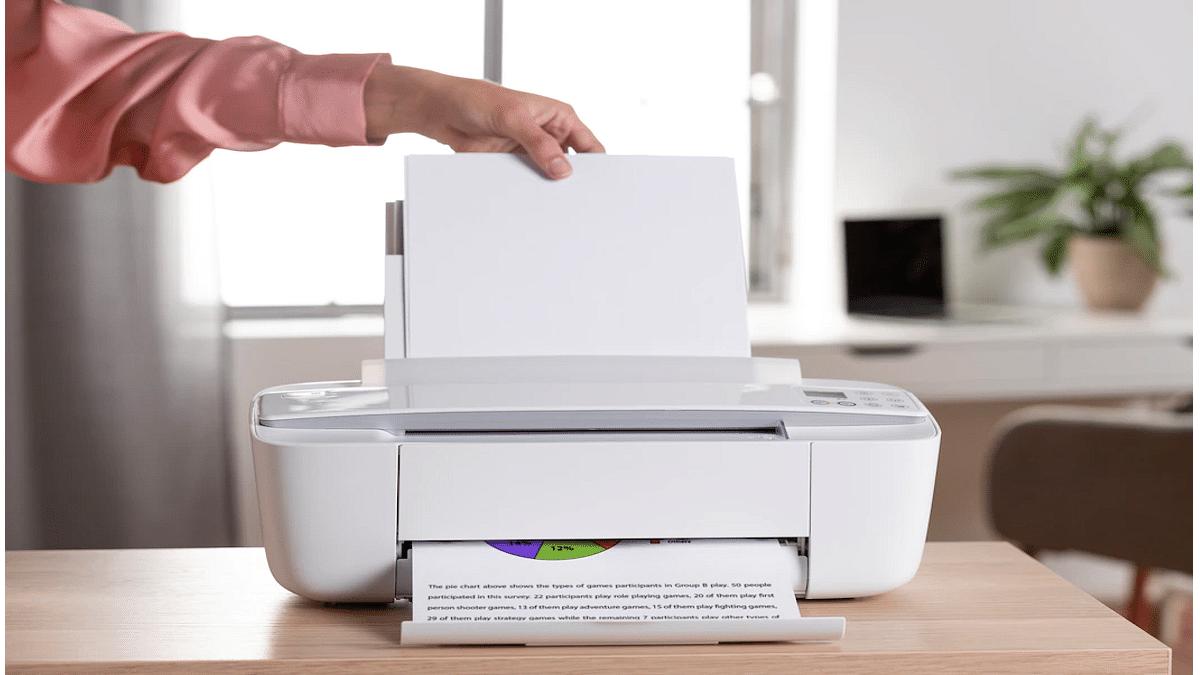
HP is one of the biggest names in the printer market. The company has created several printer lineups to meet the requirements of modern-day users. The company has quite a wide range of monochrome, all-in-one, and laser printers that you can buy from official HP stores as well as dedicated retail partner chains. HP printers are known for their high-end features and effective printing cost. While HP printers are reliable with printing, they often might show some errors with different features.

Thanks to HP’s wide service network, getting printers fixed isn’t much of an issue. Besides, HP has also started offering customers remote technical support so that they can get their printers fixed without actually paying a visit to the service centres. The company also has created a dedicated support forum wherein you can get your printer issues fixed by following troubleshooting steps on your own.

In one of our recent articles, we shared the procedure with which you can resolve issues with printers not working after Windows 11 update. In this article, we will be listing the steps with which you can resolve the printer offline issue with your HP laptop.

How To Resolve Printer Offline Or Printer Not Found Issues With HP Printers

You can easily resolve the printer offline issue with your HP printer using a Windows laptop or PC. You would need to install the HP Print and Scan Doctor app to fix this issue. Not just a Windows laptop or PC, you can also get this fixed using a Mac notebook or PC. However, for Mac systems, you would need the HP Smart app.

Step 1: On your Windows or Mac laptop/ PC, download the HP Print And Scan Doctor or HP Smart app respectively.

Step 2: Launch the downloaded application.

Step 3: Select your printer name from the list.

Step 4: If in case your printer is not mentioned in the list, tap on retry.

Step 5: If the error message reads connection problem, follow on-screen instructions.

Step 6: Once you get a message prompt that you need to turn on printer updates, click on Yes and then Continue.

Step 7: You will get another message prompt asking you to make your printer default. You need to select Yes.

Step 8: Your printer will now show online and you can start giving prints.

If for some reason, your printer is still showing offline, we have covered some additional troubleshooting steps that you can easily perform on Windows and Mac devices for a fix. You can read them here.

Categories
Tech Gadgets

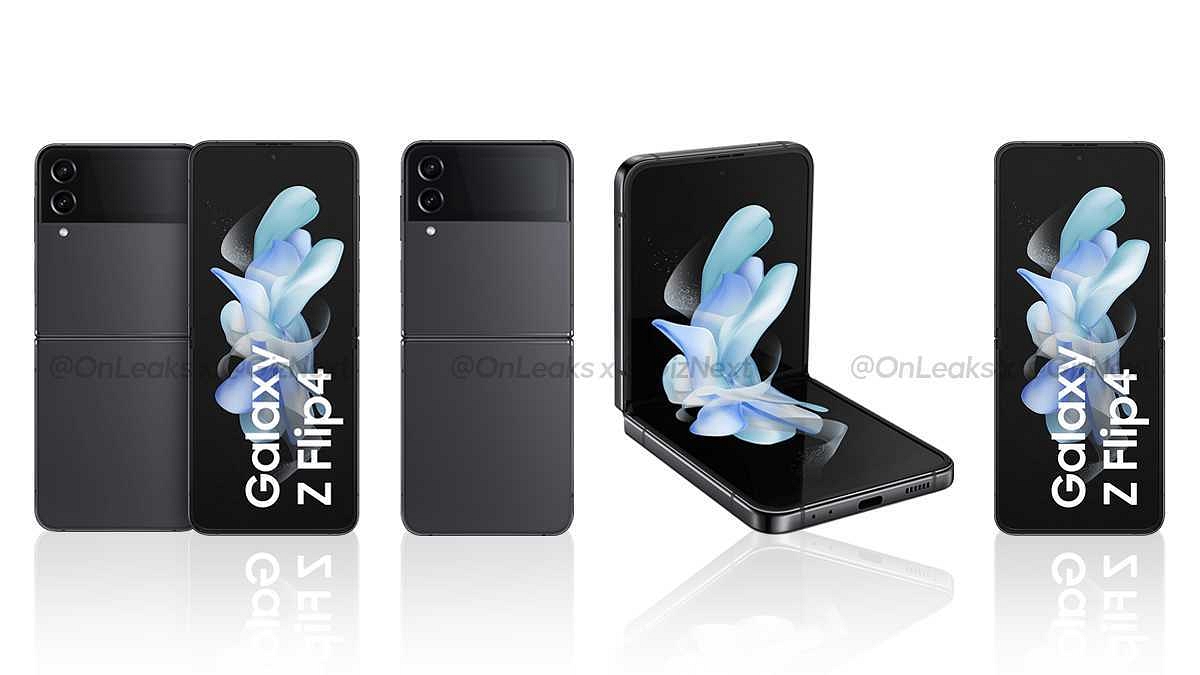
Samsung Galaxy Z Fold 4, Galaxy Z Flip 4 Indian Variant Configuration, Colors, Sale Dates Revealed Ahead Of August 10 Launch

Key highlights

Samsung Galaxy Unpacked Event scheduled for August 10

Galaxy Z Fold 4 and Galaxy Z Flip 4 to be announced at the event

Galaxy Z Fold 4 to come with up to 12GB RAM and 512GB storage

Galaxy Z Flip to ship with up to 8GB RAM and 256GB storage

Samsung Galaxy Unpacked Event 2022 is just a few days away. The South Korean tech giant has scheduled the event for August 10 where it is expected to unveil the next lot of foldable phones. The Samsung Galaxy Z Fold 4 and the Galaxy Z Flip 4 are expected to debut alongside the Galaxy Watch 5 smartwatch. Ahead of the annual event, several leaks have surfaced giving insights of the latest Samsung foldable phones and smartwatch. Earlier, Giznext shared the exclusive renders of the Galaxy Z Flip 4. Now, a new report has been shared by 91Mobiles revealing the storage options of both Galaxy Z Fold 4 and the Galaxy XZ Flip 4.

Samsung Galaxy Z Fold 4, Galaxy Z Flip 4 Indian Variant Storage Option Revealed

Starting with the Samsung Galaxy Z Fold 4 will be available for purchase in two different RAM and storage configurations. The base variant will have 12GB RAM and a 256GB storage option. The other device will also be available with 12GB RAM and a 512GB storage option.

On the other hand, the Galaxy Z Flip 4 will also be available in dual RAM and storage options like the Galaxy Z Fold 4. However, the Galaxy Z Flip 4’s base model will feature 8GB RAM and 128GB storage option. The second variant will come with 8GB RAM and a 256GB storage configuration.

The report has also revealed the color options of both the Galaxy Z Flold 4 and the Galaxy Z Flip 4. The Galaxy Z Fold 4 will be sold in Beige, Grey-Green, and Phantom Black shades. On the other hand, the Galaxy Z Flip 4 will be sold in Bora, Graphite, purple, and Pink Gold colors. It will also be launched in Grey-Green color but that will be only available in the international markets and not in India.

Furthermore, the report suggests Samsung will start selling both Galaxy Z Fold 4 and the Galaxy Z Flip 4 starting August 26 in India. This is a few weeks after the global launch on August 10. Samsung is yet to confirm all these details. However, this information seems authentic and the launch date along with the configs and color options would be the same as suggested by the report.

Categories
Featured Laptop Leaks

Xiaomi Book 14 Pro AMD Ryzen Edition Official Launch On August 8; Here Are The Expected Specifications

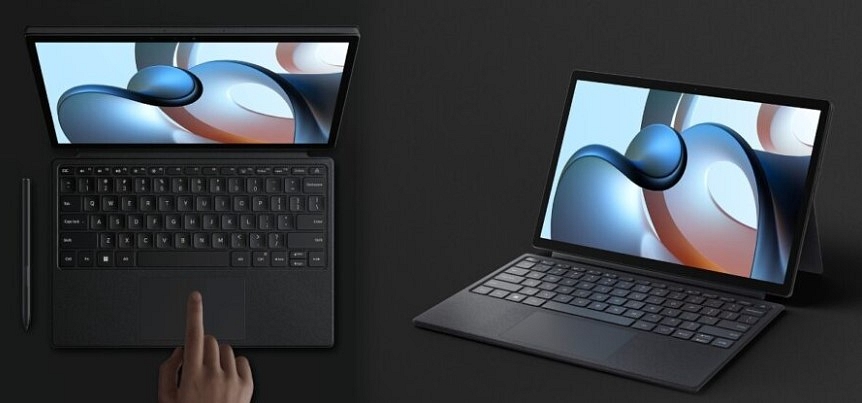
Xiaomi is among those few smartphone OEMs with quite a wide product catalog for consumer gadgets. The company started its venture in the laptop market with the Notebook Horizon series and since then has launched a bunch of other laptop models including the Xiaomi Book Pro 2022. The latest laptop model with Intel chipsets debuted alongside the Xiaomi 12s series last month itself. Seems like Xiaomi is now gearing up to introduce the AMD version of this laptop which would be called as the Xiaomi Book Pro 14 AMD Ryzen Edition. The upcoming Xiaomi tablet’s arrival detail has been confirmed along with some of the key features.

Xiaomi Book 14 Pro AMD Ryzen Edition Official Launch Details

Xiaomi will be expanding its laptop portfolio with the launch of the Xiaomi Book 14 AMD Ryzen edition. Xiaomi has announced the official launch of its next laptop will be hosted on August 8, i.e., tomorrow. Initially, the laptop would be introduced in China.

As of now, Xiaomi has not shared any information on the Xiaomi Book 14 Pro AMD Ryzen Edition’s arrival details for India and other global regions. The developments related to the same could possibly be confirmed post its China launch.

Xiaomi Book 14 Pro AMD Ryzen Edition Expected Spec-Sheet

Xiaomi has already confirmed a few crucial details related to the Xiaomi Book 14 Pro’s hardware details. This laptop variant will be arriving with AMD Ryzen 6000H processor instead of the Intel Core chipsets that are driving the Xiaomi Book Pro 2022 variant. Xiaomi is expected to launch the 14 Book Pro with 16GB LPPDDR5 RAM. The storage configuration would be 512GB PCIe 4.0 SSD.

 The brand has also shared the image of the upcoming laptop in the teaser poster that reveals an identical design to the Intel core variant.

The Xiaomi Book 14 Pro AMD Ryzen Edition is said to weigh around 1.5kg which is also the same as the Xiaomi Book Pro 2022 model. Furthermore, the AMD variant will also be designed using aviation-grade aluminum alloy. Xiaomi will be using a high-end CNC integrated craving process to design this laptop.

The Xiaomi Book 14 Pro will have a 14-inch display which will be an OLED panel with a 2.8K screen resolution and 90Hz refresh rate. The display on the upcoming laptop will feature 100 percent DCI-P3 color gamut and 600 nits peak brightness.

Categories
Apps Featured How To

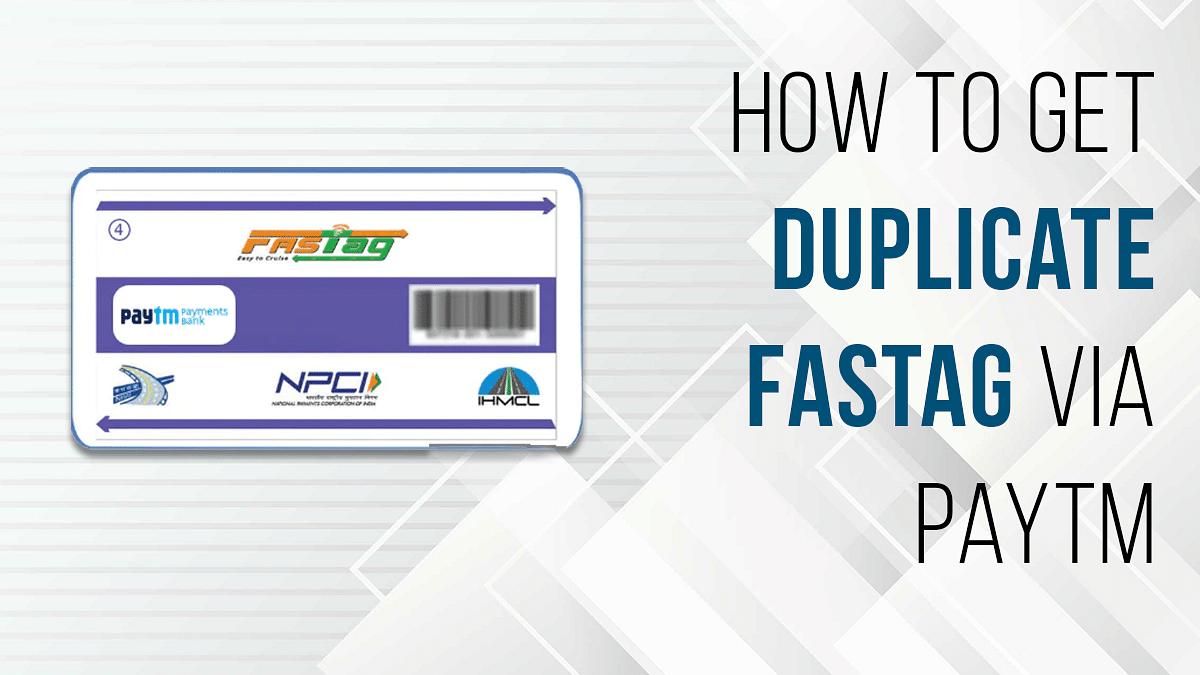
Damaged FASTag? Here’s How To Get Duplicate FASTag Via Paytm

Key Highlights

  • NHAI had issued guidelines for the commuters to ensure their car has a FASTag sticker
  • You can link your FASTag with Paytm and other wallets and bank accounts
  • You wouldn’t need to replace the FASTag sticker unless it’s damaged

If you own a car or any commercial vehicle in India. You must be aware of the FATag. The RFID sticker tag for toll collection for a hassle-free commute through the state and national highways in India is what we are speaking about. Introduced first in 2014, FASTags became a mandate for vehicles back in 2021 only. NHAI had issued guidelines for the commuters to ensure their car has a FASTag sticker mounted inside the windshield so that the tolls can be collected automatically via the linked UPI and bank accounts.

It’s basically a prepaid recharge system wherein you need to make sure there is sufficient balance so that the tolls can be collected on highways via integrated RFID readers at the booth. The primary goal has been to reduce the wait time and long queues at the toll booths across different state highways. You can link your FASTag with Paytm and other wallets and bank accounts and maintain a keep sufficient balance to pass through tolls swiftly.

Also Read: How To Check Metro Card Balance Offline And Online? Learn Here

In general scenarios, you wouldn’t need to replace the FASTag sticker unless it’s damaged. That can happen if unfortunately your car’s windshield breaks or the sticker peels off and can’t be used again. The only option you are left with is to place an order for a duplicate FASTag sticker. How can you do that? Read the steps here:

Also Read: Damaged HSRP Color Stickers? Here’s How To Apply For A Duplicate HSRP Sticker For Your Car

How To Get Duplicate FASTag Sticker Using Paytm?

Step 1: Open the Paytm app on your Android or Apple iPhone.

Step 2: In the search bar, type FASTag.

Step 3: You will see the list of services offered by Paytm. Scroll to the Replacement tag option.

Step 4: A new page will open where you’ll be able to see the Vehicle Registration number. Check if it’s correct.

Step 5: Click and upload the image of your RC’s front and back.

Step 6: You’ll see the amount breakup including the Tax Insurance Fee, GST on Tag Insurance Fee, and the FASTag balance. The amount is around Rs. 100 to place an order for the duplicate FASTag sticker.

Step 7: Check if the delivery address is correct. If now, make the required changes.

Step 8: Complete the payment and your order will be placed for the duplicate FASTag on Paytm. The general time period for the duplicate FASTag card delivery is around three to four days.

Also Read | Recharge Your FASTag On WhatsApp: Here’s How To Do It

Categories
Apps Featured How To

WhatsApp Hacks: How To Send WhatsApp Images In High Resolution As Document On iPhones?

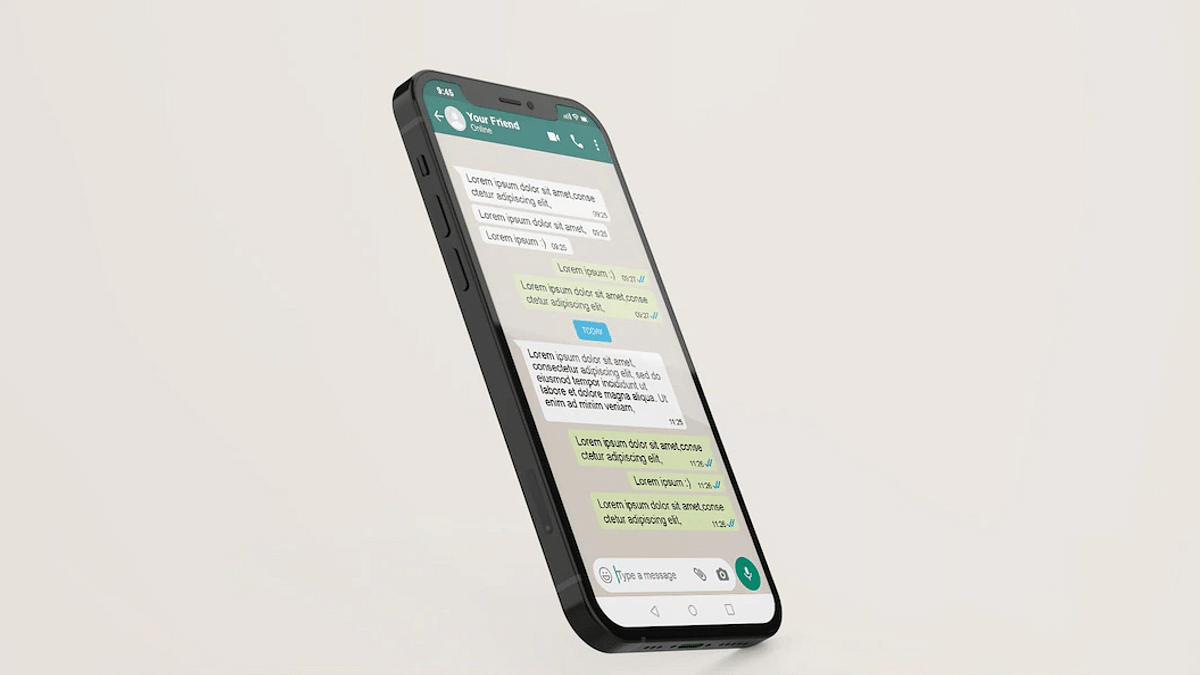
WhatsApp is one of the most powerful instant messaging applications which is available for both Android and iOS smartphone users. WhatsApp started its journey as a separate entity but later got acquired by Meta (Facebook). Since then WhatsApp is getting more potent each year and is rapidly getting new features and services for an improved messaging experience be it on Android smartphones or iPhones.

WhatsApp is among those apps that have amplified the messaging experience by allowing the provision of video and audio calls. The app also lets you send images, videos, and locations with your contacts. You can send images in both normal and high-resolution using WhatsApp on Android and Apple iPhones devices. The quality isn’t compromised if you send images as documents on WhatsApp on both these mobile OS.

While sending an image as a document on WhatsApp isn’t tricky with Android, iOS users have to follow some extra steps. Specifically, if you are a new iPhone user who has been using an Android phone all this while, this could be one task for you. So, how can you send WhatsApp images in high resolution as a document on iOS devices? Here’s the trick:

Steps To Send WhatsApp Images As Documents On iPhone

You can’t directly send any WhatsApp image as a document on iPhones. You would require some additional steps primarily saving the image to the device or the iCloud.

Step 1: Open the image that you want to send as a document on WhatsApp on your respective iPhones.

Step 2: Select the Upload tab placed at the bottom left.

Step 3: Scroll down to the “Save to Files” option.

Step 4: Now, select the destination where you want to store and save the image. You can select from iCloud Drive or On My phone options.

Step 5: Click on save.

Step 6: Now, launch the WhatsApp application on your iPhones and go to the specific chat or contact to whom you wish to send images as documents.

Step 7: Tap on the “Plus” icon placed at the bottom left and select the Document option.

Step 8: Now, select the folder where you have saved the image.

Step 9: Once the image opens up click on Send. The image will be sent as a document to the selected contact.

Categories
Featured Leaks Mobile

[Giznext Exclusive]: Tecno Camon 19 Pro 5G with 64MP Triple Camera Launching Next Week In India

Highlights

Tecno Camon 19 Pro 5G India launch confirmed for next week

To feature 64MP triple rear cameras

Could launch within Rs. 20,000 to Rs. 25,000 price range

Tecno is getting aggressive with budget smartphone launches in the Indian market. The brand has launched multiple new devices in the Spark, Pova, and Camon series in the last few months. The brand recently refreshed the Camon lineup with the launch of Camon 19 Neo. Now, this series is getting expanded again this month with the Camon 19 Pro. Tecno has already confirmed its plan to bring this new budget 5G smartphone in India. Now, Giznext has managed to grab some exclusive details related to the Camon 19 Pro 5G’s India launch.

Tecno Camon 19 Pro 5G Exclusive India Launch Details

The Tecno Camon 19 Pro 5G is confirmed to make its official debut in India next week. Giznext received this tip from the industry sources and we can verify the upcoming budget 5G Tecno phone is getting released next week in the Indian market. Our source has not confirmed the exact date for the Tecno Camon 19 Pro 5G’s India launch. But we believe the company will announce the device ahead of the festive celebrations (Raksha Bandhan or Independence Day). We have also not received any updates related to the upcoming Tecno Camon series phone pricing.

But since the Camon series is designed specifically for budget consumers, we can expect it to retail within Rs. 20,000- Rs. 25,000 price range. However, this is just our speculation and the exact pricing of the Camon 19 Pro 5G will be confirmed as soon as it goes official. It is not yet confirmed through which e-commerce platform the Camon 15 Pro 5G will be sold. But we are expecting Tecno to confirm this piece of information via official teasers.

Tecno Camon 19 Pro 5G Key Specification (Expected)

Tecno has not yet revealed all the features of the Camon 19 Pro but has teased the camera features. The Camon 19 Pro 5G will be launched with a 64MP main camera. The teaser poster confirms it to be a triple-lens module. The company is also touting the Night camera capabilities of the upcoming Camon series phone.

The other key internals is not yet confirmed. However, the device has already gone official in the international markets with the MediaTek Helio G96 gaming chipset. We are not sure what all differences the Tecno Camon 19 Indian variant will offer similar hardware as the international variant or will have slight differences. We will keep you posted with all the details.

Categories
Featured How To Mobile

How Can You Unlock iPhones Using Face ID While Wearing Face Mask Or Glasses?

Apple has one of the strongest ecosystems for all of its gadgets including iPhones, iPads, and Mac notebooks and computers. The Cupertino giant has also been enhancing the privacy aspects with its dedicated firmware for laptops and smartphones. All the Apple iPhones boots on in-house iOS which Apple is upgrading each year. This year at its WWDC 2022 keynote, the Cupertino giant showcased the iOS 16 which will be replacing the iOS 15 in the coming months. Apple has released multiple new features with iOS 16 and is carrying forward a few from the previous version.

One of such features is the Face ID which has been present with older iOS versions as well. Last year, after the pandemic situation due to the COVID 19, Apple users were reporting issues with their Face ID if they have a mask on. Apple bright a solution for this with the iOS 15.4 and later version. You can easily unlock our respective iPhones if you have a face mask or any other extra layer on your face. The Face ID with mask feature will unlock your iPhone and let you use all the apps including Apple Pay.

Steps To Use Face ID On iPhones With A Mask

Step 1: You can only setup up the Face ID to work with a mask if your iPhone is currently running on iOS 15.4 or later.

Step 2: Go to the settings menu.

Step 3: Select Face ID & Passcode.

Step 4: Scroll down to the Face ID with a Mask option. Tap on it.

Step 5: You will get a prompt to use Face ID with a mask. Complete the on-screen steps to start using Face ID with a mask feature.

Step 6: Once all the above steps are completed, you will be able to unlock your iPhone even with a mask.

How Can You Improve Face ID Accuracy With Glasses And A Face Mask

Step 1: Unlock your respective iPhones and click on the settings app.

Step 2: Tap on the Face ID & Passcode option.

Step 3: Scroll down the menu and clock on Add Glasses.

Step 4: You will get a bunch of steps on your screen, follow them to complete this setup.

Step 5: You can now unlock your iPhones with the Face ID if you are wearing both glasses as well as a Face Mask.