Categories
Apps Featured Info

Telegram Introduces Stories For All Users: A 10th Anniversary Gift

Key Highlights

  • Telegram now offers Stories to all users as part of its 10th-anniversary celebration.
  • Telegram’s Stories can be edited post-publishing
  • Premium account holders gain access to Stealth Mode

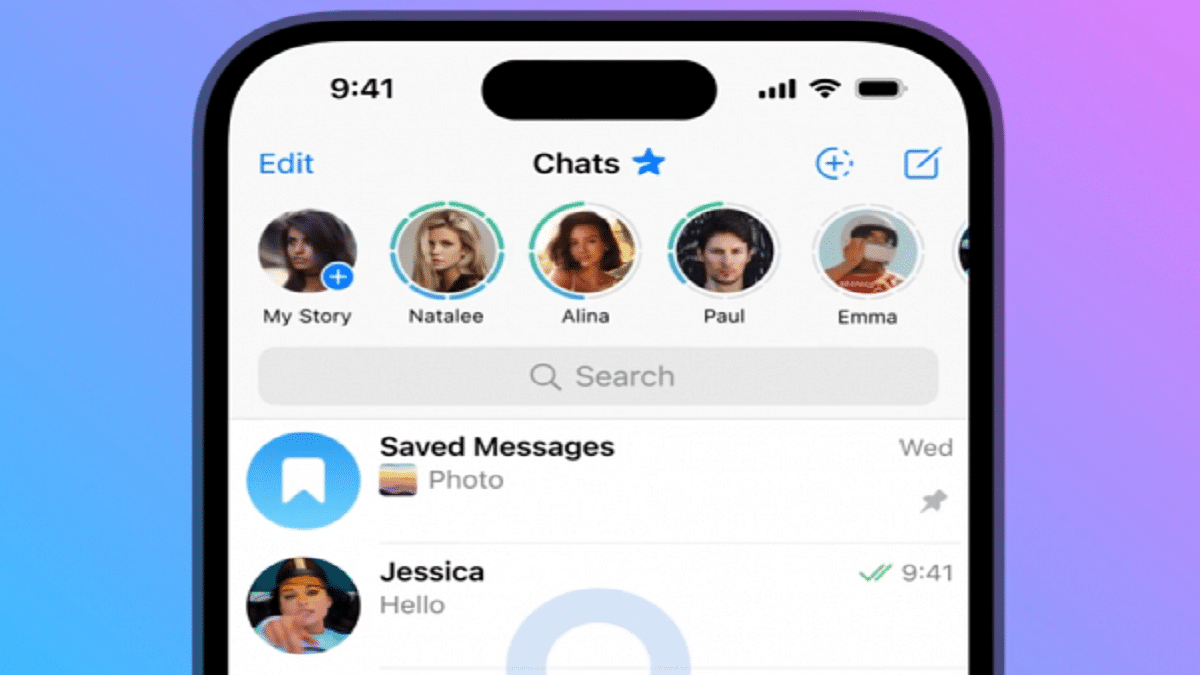
Telegram, on Monday, declared the widespread availability of its Stories feature, marking a noteworthy shift from its previous restriction to only Premium users. As the platform approaches its 10th anniversary, this move is poised to delight its entire user base. Also Read | How Can You Change Font Style In Telegram: Steps For Android, iOS, Desktop

A Unique Take On Stories, Setting It Apart

Diverging from the styles of Instagram, Snapchat, Facebook, and WhatsApp’s ‘status’ feature, Telegram’s Stories stands out. Unlike its counterparts, where once posted, editing is not an option, Telegram allows for post-publishing edits.

Flexibility In Story Management

For the first time in the realm of social media, Telegram redefines story management. Every element of a story—visibility, captions, on-screen text, stickers, and more—can be updated at any time without necessitating a repost from scratch. Telegram’s latest blog post details this groundbreaking feature.

Also Read | Want To Send Secret Messages On Telegram? Here’s A Step-By-Step Guide

Customizing Your Story Audience And Disappearance

Users have full control over their story’s audience. They can opt for it to be visible to everyone, selected contacts, a few chosen individuals, or exclusively to close friends. The stories are prominently displayed at the top of the chats list, and specific contacts can be excluded by relocating them to the “Hidden” list within Contacts. Additionally, story duration can be tailored: vanishing after six, 12, 24, or 48 hours. Alternatively, stories can remain permanently on the profile page, akin to Instagram’s Story highlights.

Exclusivity Amid Universality

While the Stories feature is available to all users, Telegram reserves something special for its Premium account holders. These exclusive users can leverage the Stealth Mode feature. Stealth Mode ensures that their story viewing remains discreet. Their views from the past five minutes are erased, and their future views remain hidden for the subsequent 25 minutes.

With the extension of the Stories feature, Telegram embraces inclusivity and innovation, offering its users a novel way to engage with their audiences and express themselves. The platform’s commitment to enhancing user experience remains evident as it enters its 10th year of operation.

Also Read | How To Upload And Use Animated Emojis As Telegram Profile Picture On Android, iOS

Categories
Apps Featured

Celebrating Freedom: Best Instagram Captions To Mark 77th Independence Day

Key Highlights

  • Independence Day posts allow individuals to showcase their patriotic spirit and celebrate the rich cultural heritage of our nation
  • By sharing photos and messages, people contribute to a collective celebration
  • Online posts on Independence Day have the power to inspire unity and camaraderie among fellow citizens

It’s Independence Day, which calls for sharing photos with the Indian flag along with a stylish caption. If you need some creative Instagram captions for your posts, you need not worry. Check out these top Instagram captions to spark ideas for your Independence Day social media posts. Let’s check them out. Also Read | Best 100+ Instagram Names for Film and Cinema Fans

Independence Day: Trendy Instagram Captions

Celebrating the spirit of freedom on this special dayLet’s cherish the gift of freedom and work towards a brighter future together
Proud to be part of a nation that fought for its independenceWave your flag high and let the winds of freedom carry our hopes and dreams
Remembering the sacrifices that led us to this day of freedomWith pride and patriotism, we celebrate the triumph of freedom
Unity in diversity, the essence of our vibrant nationFreedom’s song is one of resilience, hope, and the pursuit of happiness
Hoisting the tricolor with pride and joyUnity and freedom go hand in hand, building a brighter tomorrow
Freedom wasn’t handed to us; it was earned through struggles and sacrificesIn the journey of our nation, every step towards progress is worth celebrating
Grateful for the heroes who paved the way for our libertyAs the flag unfurls, so does our commitment to progress and prosperity
From oppression to empowerment, India’s journey toward freedom inspires us allFreedom’s essence lingers in the air, reminding us of the power of unity

Also Read | Best 100+ Creative Instagram Names For Productivity And Life Skills Mentors/ Influencers

Independence Day: Catchy Instagram Captions

Remembering the sacrifices that shaped our destiny and continue to inspireA day to remember the past, celebrate the present, and dream of a brighter future
Freedom is our legacy, let’s cherish and protect itOur flag doesn’t just represent a nation; it represents our spirit and resilience
Celebrating the colors of independence and unityFreedom is our most precious possession; let’s keep it alive in our hearts
In the land of the free, we stand unitedOn this day, let’s salute the brave souls who made our freedom possible
From struggle to triumph, our journey toward freedom inspires generationsLet’s celebrate the power of unity that brought us independence
Wishing you a day filled with pride, patriotism, and joyA nation built on diversity, united by freedom
Lift your spirits high, like the tricolor flying in the windHonoring the brave hearts who made countless sacrifices for our nation
Our freedom is a reminder that dreams can be turned into reality with determinationFreedom echoes through the ages, reminding us of our responsibilities

Also Read | 100+ Best Instagram Gaming Names For Boys

Categories
Featured Info Telecom

Celebrate Independence Day With Vodafone Idea’s New Offers: Details Inside

Key Highlights

  • Vi has unveiled a number of new offers for its prepaid customers
  • From August 12 to August 18, offers will be made available to Vodafone Idea members
  • Vi is providing free 30-day access to its Vi Movies and TV App

Vodafone Idea, popularly known as Vi, has unveiled an array of new offers exclusively for its prepaid users, just in time for the upcoming Independence Day celebrations in the country. These special offers will be available to Vodafone Idea subscribers starting from August 12 to August 18, and can only be availed through the Vi App. Also Read | Want To Port Your Vodafone Number To Jio? Here’s How To Do It

More Data For Your Recharges

  • Vi is introducing an attractive offer for its subscribers, guaranteeing an additional data benefit of up to 50GB for all unlimited data recharges priced above Rs. 199.
  • Subscribers who recharge with a plan of Rs. 249 or higher will be rewarded with an extra 50GB of data on top of their recharge plan.
  • This data-boosting offer is applicable to several Vi prepaid plans, including those priced at Rs. 299, Rs. 359, Rs. 269, and more.

Bigger Recharges, Bigger Rewards

Users opting for Vi prepaid plans valued at Rs. 399 or more will be granted 100GB of extra data. This data incentive applies to various plans, such as those priced at Rs. 839, Rs. 3,099, Rs. 479, and many others.

Savings With Every Recharge

Alongside the increased data benefits, Vi is also rolling out instant discounts of Rs. 50 and Rs. 75 on prepaid plans worth Rs. 1,449 and Rs. 3,099 respectively. This means subscribers can save a substantial amount by recharging with these packs during the Independence Day offer period.

Also Read | How To Stop/ Deactivate Airtel, Vodafone, BSNL, JIO SIM Flash Messages On Android, iOS?

Exclusive Plan Highlights

  • The Rs. 1,449 plan offers an unlimited package inclusive of unlimited calling, 100 SMS per day, and a validity of 180 days
  • Under the monsoon offer, an additional 30GB of data is bestowed upon subscribers, along with existing features like weekend data rollover and unlimited night data
  • The Rs. 3,099 plan encompasses unlimited calling, 100 SMS per day, and a validity of 365 days.
  • A no-cost EMI option is available through the Vi App along with an extra 50GB of data as part of the monsoon offer.
  • Subscribers of this plan also receive a 1-year subscription to Disney+ Hotstar mobile

Contests And More Benefits

Vodafone Idea is also hosting the ‘Spin the Wheel’ contest on the Vi App, with hourly winners receiving a complimentary recharge pack worth Rs. 3,099, valid for one year. Additional rewards include 1GB or 2GB of extra data, a SonyLiv subscription, and other exciting prizes. Vi is enhancing customer experience by offering complimentary access to Vi Movies and TV App for 30 days, free access to Zee5 Premium for 30 days, and a 20% cashback on recharges made through the Vi App.

Also Read | Premium Mobile Number: Here’s How To Get It From Vodafone-Idea

Categories
Featured How To Info

Scammed On The Internet? Here’s How To Report Online Scams Via India’s Cyber Crime Portal

Key Highlights

  • Online scams necessitate a proactive approach to safeguarding oneself against cyber fraud
  • Quick reporting through National Cyber Crime Reporting Portal empowers individuals to combat this menace effectively
  • You can easily report an online scam via National Cyber Crime Reporting Portal

In the modern digital era, online scams have emerged as a global concern, with India facing its own challenges. The rapid growth of online transactions and digital communication has substantially heightened the risk of falling victim to cyber fraud. Recent months have witnessed a notable increase in instances of online deception in India, spanning various scams such as part-time job schemes and YouTube video-liking scams.

Also Read | Best Antivirus Software For Your Android Smartphones

Impact Of Cyber Crimes

Victims of these scams not only endure significant financial losses but also grapple with profound emotional repercussions. Promptly reporting such incidents becomes imperative in order to mitigate these impacts. Reporting avenues include direct visits to local police stations or using the National Cyber Crime Reporting Portal—an online platform designed to streamline the reporting of cybercrimes. Early reporting, ideally within 24 hours, facilitates fast action by law enforcement, though immediate reporting is recommended.

How To Report Online Scam

To effectively report an online scam through the National Cyber Crime Reporting Portal, follow these steps:

Step 1: Open your web browser and visit the National Cyber Crime Reporting Portal.

Step 2: On the portal’s homepage, locate and click on the ‘File a complaint’ option.

Step 3: Read and agree to the terms and conditions presented on the subsequent page.

Step 4: Choose the ‘Report other cybercrime’ option.

Step 5: Opt for the ‘citizen login’ feature and provide your personal information, including name, email, and phone number.

Step 6: Enter the OTP sent to your registered phone number, fill in the captcha, and proceed by clicking ‘Submit’.

Step 7: On the ensuing page, furnish comprehensive information regarding the cybercrime you intend to report.

Also Read | WhatsApp Pink Scam Red Alert For Android Users: What Is This New Scam? How To Stay Safe?

Step 8: General Information, Victim Information, Cybercrime Information, and Preview are the four sections that make up the form. Populate each section with related details.

Step 9: After reviewing the entered information, submit the complaint by selecting the ‘Submit’ button.

Step 10: You’ll be directed to a page for incident details. Here, you can upload supporting evidence of the crime, such as screenshots or files.

Step 11: Once evidence is attached, click ‘Save and Next’.

Step 12: If you possess any information about the alleged suspect, provide the details in the next section.

Step 13: Verify the accuracy of the provided information and conclude the process by clicking ‘Submit’.

Step 14: A confirmation message will be issued, indicating the successful registration of your complaint. Simultaneously, an email containing your complaint ID and relevant details will be dispatched.

Also Read | How To Check Number Of Sim Cards Registered On Your Name And ID: How To Block Unauthorized SIM Cards Issued On Your Name?

When reporting cyber fraud cases related to online transactions, lottery scams, ATM transactions, fake calls, or Internet banking, it is crucial to attach evidence of the fraudulent transactions. Additionally, provide supporting documentation, including bank statements, address and ID proof, and any suspicious messages or emails received.

Categories
Apps Featured How To

Want To Share Your Screen On WhatsApp Video Call? Here’s How

Key Highlights

  • WhatsApp users can share their screens in real-time during video calls
  • The screen-sharing functionality serves various purposes, from showcasing documents to troubleshooting
  • Users can switch between portrait and landscape modes for optimized viewing

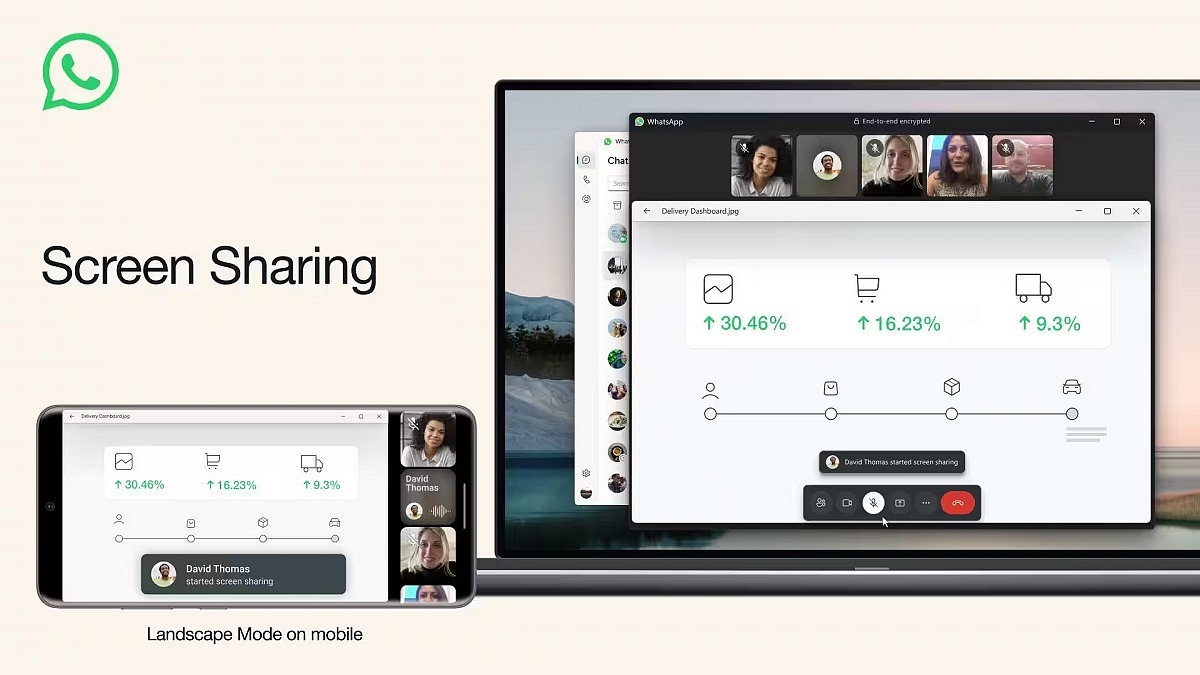
WhatsApp has unveiled an innovative addition to its video calling capabilities. This latest feature empowers users to share their screens in real-time during video calls, enabling them to display a live view of their screen to one or multiple participants in the call.

Also Read | WhatsApp Introduces Direct Messaging: You Can Now Chat with Unknown Numbers Without Saving Them

This newly introduced screen-sharing feature brings a multitude of advantages to users. It serves as a valuable tool for diverse purposes, such as showcasing documents, images, videos, or applications to fellow participants. Additionally, screen sharing proves invaluable for troubleshooting, educational purposes, and collaborative efforts on projects.

Optimized Landscape Mode

In a move to enhance the user experience, this feature also introduces landscape mode compatibility for video calls. Users have the flexibility to rotate their devices, allowing them to view the shared screen in a wider aspect ratio, thereby enriching the visual experience.

WhatsApp Screen-Sharing Feature Rollout

The rollout of this innovative feature is being executed in a phased manner across Android, iOS, and Windows Desktop platforms. WhatsApp is committed to ensuring a seamless and controlled deployment to users worldwide.

Also Read | WhatsApp Silence Unknown Caller, Privacy Checkup Security Features Released: How To Use?

How To Use Screen-Sharing On WhatsApp Video Calls

For users eager to use this new feature, here’s a comprehensive step-by-step guide to initiating screen sharing during a WhatsApp video call:

Step 1: Start a WhatsApp video call with the desired participant. This can be accomplished by selecting their profile picture and tapping the video icon within the chat window. Alternatively, you can navigate to the Calls tab and select the contact to initiate the call.

Step 2: Once the video call is established, a new screen-sharing icon will become visible on the bottom navigation bar alongside the video controls. Recognizable as a phone with two outward-pointing arrows, tapping this icon will activate the screen-sharing feature.

Step 3: Upon selecting the screen-sharing icon, a confirmation prompt will appear, requesting your authorization to share your screen via WhatsApp. This prompt also provides a crucial advisory regarding the visibility of all content on your screen, including sensitive information. To proceed, tap “Start now.”

Step 4: With screen sharing activated, you’re free to navigate through various apps and screens on your device. The shared content will be instantly visible to the other participant(s) on their devices. Moreover, users can effortlessly switch between portrait and landscape modes to optimize their viewing perspective.

Also Read | WhatsApp Short Video Message Reply Feature Introduced: What Is It? How To Use?

Step 5: To conclude the screen-sharing session, return to the WhatsApp video call interface and tap “Stop sharing.” This action will bring an end to the screen-sharing experience.

Update your app to the latest version and follow these steps to make the most of this exciting addition to your communication toolkit.

Categories
Featured Info Mobile

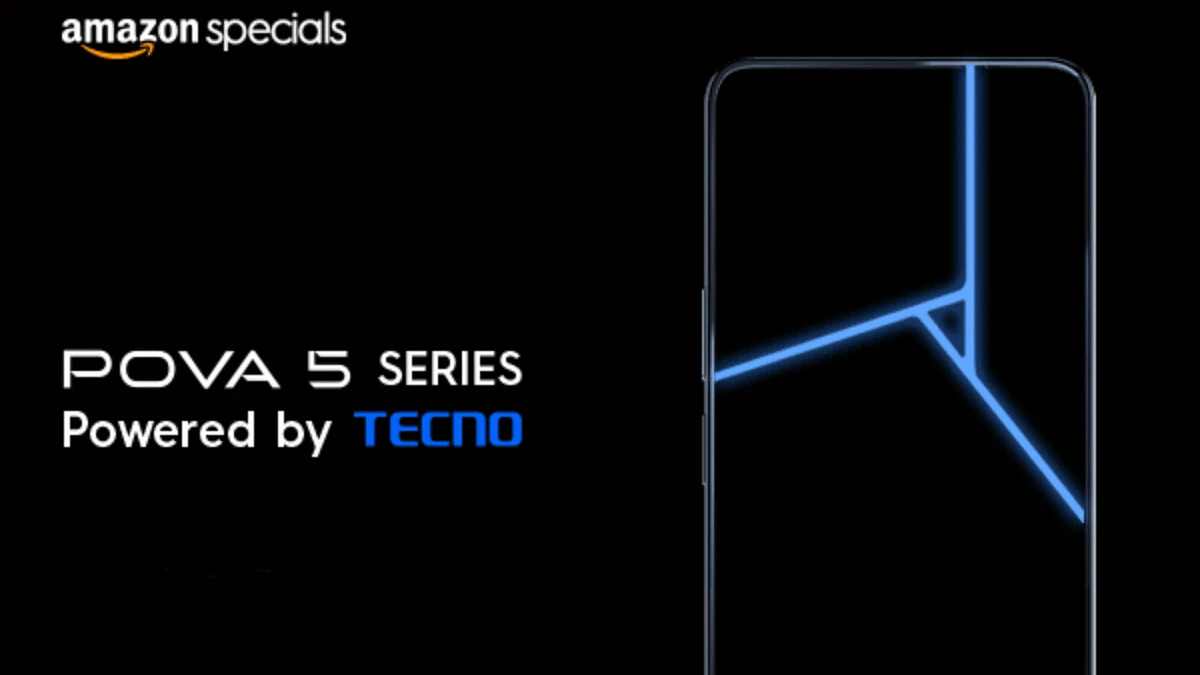
Tecno POVA 5 Series Officially Debuts In India With MediaTek Chipsets: All Details

Key Highlights

  • Tecno POVA 5 Series unveiled in India
  • The series POVA 5 and POVA 5 Pro
  • Tecno Pova 5 Pro comes with Arc Interface

The Tecno POVA 5 series was introduced on the inaugural day of the annual event, “World of TECNOlogy.” This new series includes two models: the Tecno POVA 5 and Tecno POVA 5 Pro. While the exact price of the Tecno POVA 5 series in India remains undisclosed, it is expected to fall below the Rs. 15,000 mark. Let’s delve into the specifications of the Tecno POVA 5 series. Also Read | Tecno Camon 19 Smartphone Review: A Well-Rounded Mid-Range With A Stylish Design

Tecno POVA 5: Specifications

The Tecno POVA 5 boasts a 6.78-inch FHD+ display with 120Hz refresh rate. Powered by the MediaTek Helio G99 6nm chipset, this model is particularly suitable for gaming and multitasking endeavors.

The smartphone is equipped with a 50MP AI dual rear camera and an 8MP front-facing camera. Accompanied by 8GB of RAM and 256GB of storage, the Tecno POVA 5 offers ample space to store your data and media. The user-friendly Android 13-based HiOS further enhances the overall experience.

With a substantial 6,000mAh battery featuring 45W Smart Charge technology, users can expect extended usage periods without interruption. The Tecno POVA 5 comes with a range of additional features, including GPS, WiFi, a fingerprint sensor, a gyroscope, a G-sensor, and Bluetooth. The device is available in three elegant color options: Hurricane Blue, Mecha Black, and Amber Gold.

Also Read | Tecno Pova 5G Review: Packs All The Punch?

Tecno POVA 5 Pro: Specifications

In tandem with the POVA 5, Tecno also launched the POVA 5 Pro, building on the foundation of the former while introducing enhancements. The device boasts of a premium Arc Interface with a 3D-textured design, supporting RGB light gamut at the back for notifications, calls, and music. The display remains consistent with the Tecno POVA 5, featuring a 6.78-inch FHD+ screen.

The Tecno POVA 5 Pro is powered by the MediaTek Dimensity 6080 chipset, renowned as the Tecno POVA 5 Pro 5G processor. A 50MP AI dual rear camera is accompanied by a 16MP selfie camera.

Similar to its counterpart, the Tecno POVA 5 Pro is equipped with 8GB of RAM and 256GB of storage, operating on the Android 13-based HiOS platform. The device houses a 5,000mAh battery with support for 68W fast charging. Consistent with the Tecno POVA 5, the Pro version offers features such as GPS, WiFi, a fingerprint sensor, a gyroscope, G-sensor, and Bluetooth. The device is available in two distinct colors: Silver Fantasy and Dark Illusion.

Also Read | Tecno Camon 19 Pro Mondrian Edition Full Review: Unique Color Changing Design, Powerful Cameras Steal The Show

Categories
Accessories Featured Info

Q Click Blues 1 TWS Earbuds Launches On Amazon And Flipkart With 401-Day Warranty

Key Highlights

  • Q Click Blues 1 Series launched on Flipkart and Amazon
  • It comes with Bluetooth V5.3 and low-latency mode
  • The TWS will be available for sale from August 10, 2023

Q Click India launches the Q Click Blues 1, a groundbreaking addition to their TWS Earbuds lineup, designed to elevate your auditory journey. These cutting-edge earbuds redefine audio quality, ensuring every note is reproduced with precision and clarity. Also Read | Mivi Duopds K1 Vs Wings Phantom 345 Budget TWS Comparison: Best Earbuds Under Rs. 1,500

Q Click Blues 1 TWS: Price And Availability

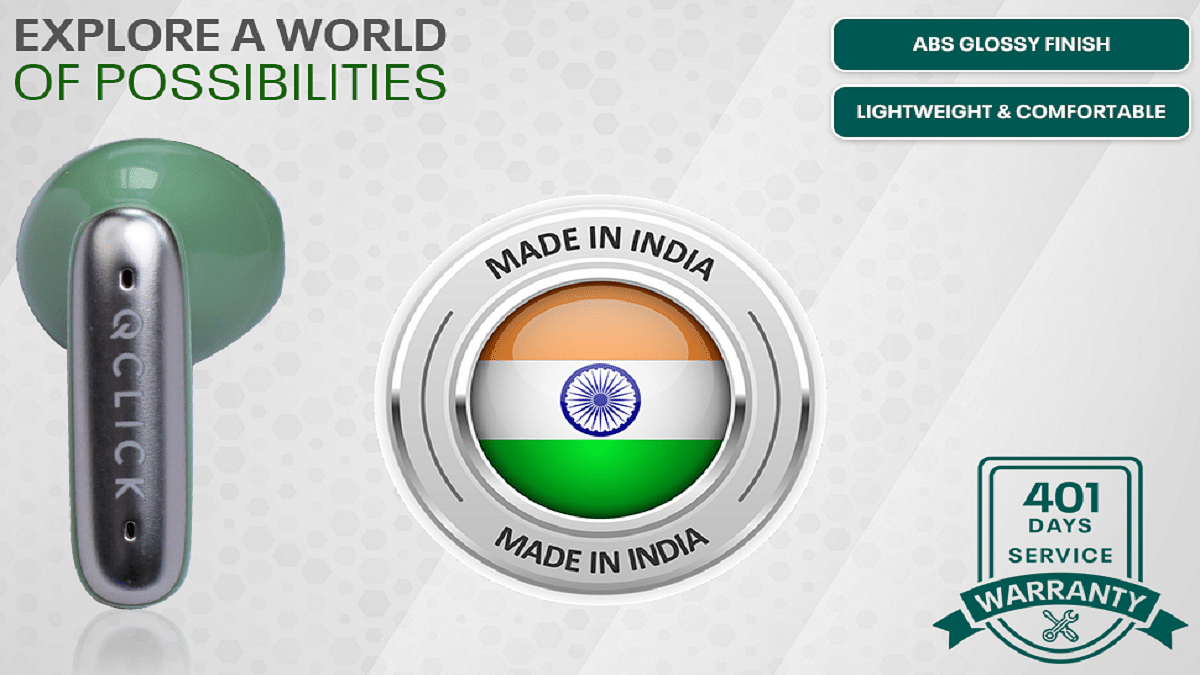
Starting August 10, the Q Click Blues 1 TWS Earbuds can be yours to own. You can purchase them from popular platforms like Flipkart and Amazon for Rs. 1,299. Besides, Q Click offers 401 days manufacturer warranty for the Q Click Blues 1 TWS Earbuds.

Q Click Blues 1 TWS: Features

Bluetooth V5.3: Q Click Blues 1 employs advanced Bluetooth version 5.3. You can benefit from enhanced signal strength, reduced latency, and broader device compatibility.

Bass Pro Drivers: Q Click Blues 1 is equipped with powerful 13mm Bass Pro drivers. Crafted to deliver deep bass and clear highs, these drivers amplify your music, podcasts, and calls with unparalleled clarity and depth.

Battery Life: Q Click Blues 1 comes with a battery life of up to 40 hours on a single charge. From commutes to workouts, the earbuds keep you entertained and connected throughout your day.

Also Read | Trendsetters’ Choice: Five Most Fashionable TWS Earbuds Of The Season

ENC: Advanced Environmental Noise Cancellation (ENC) technology ensures clear conversations even in noisy surroundings.

IPX5 Water and Sweat Resistance: Built to withstand water splashes and sweat, the IPX5 rating ensures protection during workouts or outdoor activities.

Low Latency Mode: Gamers, movie buffs, and music enthusiasts benefit from the low latency mode, reducing delays for real-time synchronization between audio and visuals.

User-Friendly Touch Control: Manage music and calls with a simple touch, giving you complete control over your audio experience.

Digital Display for Battery Updates: The innovative digital display in the charging case offers real-time battery status updates, ensuring you’re never caught off guard by a drained battery.

Google Fast Pair and Siri Integration: Integrated with Google Fast Pair and Siri connectivity, Q Click Blues 1 makes pairing and control effortless on both Android and Apple devices.

Also Read | List Of Best TWS Earbuds Priced Under Rs. 5,000 In India

Categories
Apps Featured How To

Looking Beyond Google? Here’s How To Change Your Default Search Engine

Key Highlights

  • You can switch from Google to alternative search engines like Bing, Yahoo, and more
  • Every browser, including Google Chrome, has the option to change the default search engine
  • Consider privacy, features, and personal preferences when choosing a search engine

Default search engines have a significant impact on our daily online interactions, influencing our search habits. While Google Search is the default choice for most, the option to switch to other search engines exists for those who prefer alternatives due to trust or privacy concerns. If you’re looking to change your default search engine, this article provides step-by-step instructions for Google Chrome and Mozilla Firefox.

Also Read | Gmail Gets Google Calendar Schedule Feature: What Is It? How To Use?

How To Change Google Chrome’s Default Search Engine

Step 1: Launch Google Chrome.

Step 2: Access the menu by clicking on the three vertical dots at the top-right corner.

Step 3: Choose “Settings.”

Step 4: Scroll down to find the “Search engine” section.

Step 5: Click on “Search engine used in the address bar.”

Step 6: Select your desired search engine from the options (e.g., Google, Bing, Yahoo, DuckDuckGo, etc.).

Step 7: Close the settings tab, and your new search engine will be applied to future searches.

Also Read | Want To Translate Text With Your Voice? Meet Google’s AudioPaLM

How To Change Default Search Engine In Mozilla Firefox

Step 1: Open Mozilla Firefox.

Step 2: Click on the menu icon represented by three horizontal lines in the top-right corner.

Step 3: Opt for “Options.”

Step 4: On the left sidebar, click “Search.”

Step 5: Use the “Default Search Engine” dropdown to pick your preferred search engine.

Step 6: For additional search engines, click “Add more search engines.”

Step 7: Apply changes by closing the options tab.

Also Read | Curious About Google Meet’s Camera Lock? Learn How To Use This Useful Feature

Factors To Consider When Selecting A Search Engine

Prioritize Privacy: Certain search engines, like DuckDuckGo, prioritize user privacy more than others.

Feature Preferences: Different search engines offer varied features, including instant answers and personalized results. For instance, Google provides an array of features.

Test and Adapt: Experiment with different search engines to discover your preferred choice. Changing your default search engine is always an option if you wish to explore alternatives.

Categories
Featured Info

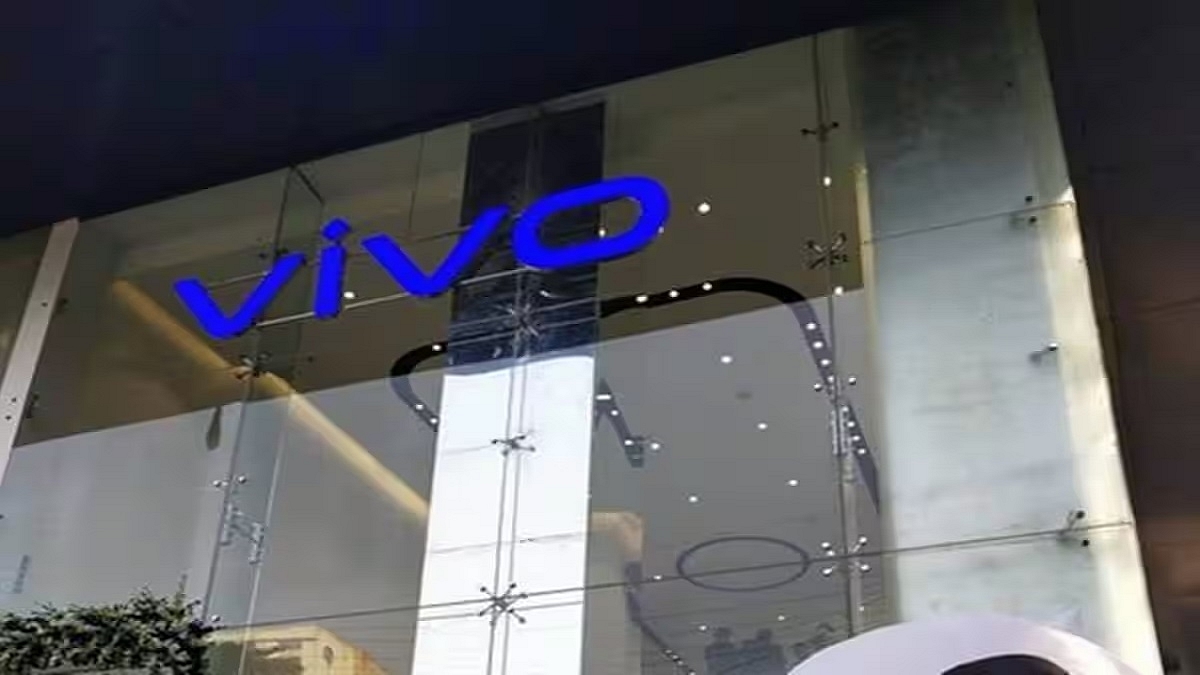
Ahmedabad Welcomes Vivo’s Largest Flagship Store In India

Key Highlights

  • Ahmedabad welcomes Vivo’s grand flagship store
  • The retail space spanning across three floors and over 7,000 sqft
  • Vivo to open 10 flagship stores by 2024 in India

Vivo reaffirms its commitment to delivering captivating retail encounters to its customers with the inauguration of its largest flagship store in Ahmedabad. This sprawling retail space spanning across three floors and over 7,000 sqft signifies a new chapter in consumer engagement. Also Read | India Welcomes Highly Anticipated Flagship Apple BKC Store In Mumbai: Take A Sneak Peak

Exploring The Flagship Store

This groundbreaking experiential flagship store is designed to elevate the shopping journey for customers by introducing an array of engaging facets. From dedicated product experience zones and interactive engagement areas to premium services, gaming hubs, and IoT showcases this all-encompassing retail space promises a holistic and seamless experience for the discerning shopper. Furthermore, patrons will be delighted by the opportunity to participate in monthly workshops and capitalize on captivating schemes and offers for device upgrades.

New Flagship Store In Coimbatore

In addition to the grand Ahmedabad store, Vivo continues its expansion by inaugurating a flagship store in Coimbatore, Tamil Nadu. With this strategic move, Vivo’s footprint in India’s retail landscape expands further. As part of an ambitious plan, Vivo aims to establish a network of ten large-scale experiential stores by 2024, augmenting its four existing flagship stores in Ahmedabad, Bengaluru, and Coimbatore. The brand’s commitment to consumer-centric experiences is further exemplified by its robust network of 650 exclusive stores across the nation.

Consumer Experience: Key Features

Vivo’s flagship experience stores redefine consumer engagement through a comprehensive and multifaceted approach. These avant-garde retail spaces offer the following captivating features:

Consumer Activity and Photo Zone: A dedicated space where customers can immerse themselves in smartphone photography workshops, engage directly with Vivo management, and explore the unique selling points of the brand.

Product Experience Zone: Showcasing the complete spectrum of Vivo products, this zone seamlessly integrates with the store’s ambiance, enhancing the overall shopping experience.

Accessory and IoT Zone: A curated display of Vivo accessories that complement the smartphone buying journey.

Service Center: A specialized service zone that caters to the repair and maintenance needs of Vivo customers, ensuring convenience and reliability.

Gaming Experience Zone: Enabling users to optimize their gaming experience, this zone introduces the Ultra Game Mode, allowing for personalized game settings, call blocking, notification management, and improved battery life.

Location And Accessibility

Positioned at GRF, 1st and 2nd Floor Pusti CrossRoads, Opp Brand Factory, Vijay Cross Road, Navrangpura, Ahmedabad – 380009, the Vivo flagship store is conveniently situated to offer an unparalleled retail encounter to shoppers in the heart of Ahmedabad.

Also Read | From New York To Tokyo: Five Best Apple Stores Around The World

Categories
Featured Info Telecom

Jio’s Annual Independence Day Offer: Rs. 2,999 Recharge Pack Brings Endless Connection

Key Highlights

  • Jio’s 2023 Independence Day Offer brings upgraded perks
  • It brings discounts on Swiggy, Yatra flights, and domestic hotels
  • Jio’s new offer omits Disney+ Hotstar due to Jio’s focus on advancing its JioCinema platform

As we approach August 15, Jio is rolling out its highly anticipated Independence Day Offer once again, bringing forth a host of new and improved benefits. Unlike the previous year’s Jio Independence Day offer on the Rs. 2,999 recharge pack that featured a complimentary Disney+ Hotstar subscription and discounts on various platforms, this year’s offer showcases a shift in focus. Jio has chosen to exclude Disney+ Hotstar from its offerings, as the telecom giant is concentrating its efforts on enhancing its proprietary JioCinema platform. Nevertheless, the 2023 Jio Independence Day offer boasts an array of enhancements and advantages over its predecessor. Let’s delve into the details. Also Read | Airtel Xstream AirFiber: How To Buy And Set Up Wireless Home Wi-Fi Connection

Jio’s Annual Independence Day Deal

Jio has established a tradition of offering an exclusive Independence Day deal with its top-tier Rs. 2,999 prepaid recharge pack every year. As expected, the Jio Independence Day 2023 offer has made a timely return ahead of this year’s August 15 celebration.

Independence Day Offer Benefits

The Jio Independence Day Offer for 2023, accompanying the Rs. 2,999 recharge pack, introduces a range of benefits for users to relish. These enhancements include:

  • Deduction of Rs. 100 on orders valued at Rs. 249 or above on Swiggy
  • Savings of up to Rs. 1,500 on flight bookings made through Yatra
  • Substantial 15% discount (capped at Rs. 4,000) on domestic hotel reservations via Yatra
  • Rs. 200 discount on orders exceeding Rs. 999 for select products on Ajio
  • 20% discount on orders surpassing Rs. 999, coupled with additional NMS Supercash on Netmeds.
  • 10% reduction on designated audio products and household appliances purchased from Reliance Digital

Also Read | Keep Spam At Bay: Here’s How To Activate DND On Airtel

Steps To Unleash 2023 Independence Day Offer

To get the Jio Independence Day Offer for 2023 via the Rs. 2,999 recharge plan, follow these simple instructions:

  1. Launch the MyJio app on your smartphone.
  2. Navigate to the Recharge section located at the bottom of the screen, and locate the Rs. 2,999 plan.
  3. Enter the Jio number designated for recharge.
  4. Execute the payment using options such as UPI, net banking, cards, or digital wallets.
  5. Watch as the annual plan springs into action on your number.
  6. Remember, to fully avail the benefits, you’ll need to explore the links provided under the “View Details” section within the Rs. 2,999 plan tab on either the official website or the MyJio app.

Also Read | JioTag Launches In India, Offers Affordable Alternative To Apple AirTag