Categories
Apps Featured How To

Download Music From Instagram To Your Phone: Here’s How

Instagram is a popular social media platform that allows users to share photos and videos with their followers. Sometimes, users come across music on Instagram that they would like to download for personal use. However, Instagram does not provide a direct download option for music. In this article, we will explain how to download music from Instagram using various methods. Also Read | Instagram Tricks: Here’s How You Can Save, Download Instagram Reels With Audio On Android, iOS

Method 1: Using a screen recorder app

One way to download music from Instagram is by using a screen recorder app. There are several screen recorder apps available for both iOS and Android devices. Simply follow these steps:

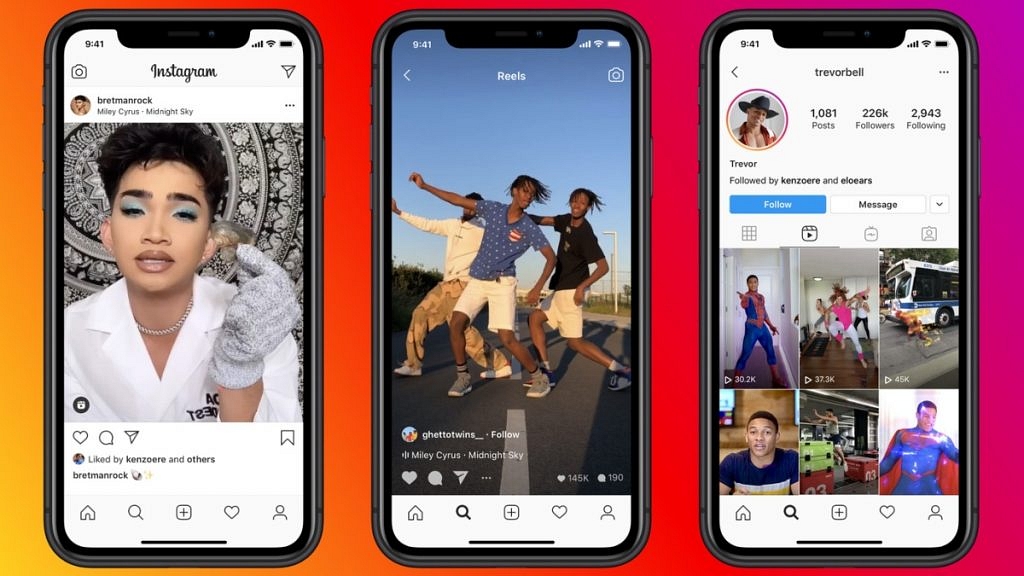
Step 1: Open the Instagram app and find the video containing the music you want to download.

Step 2: Then, open the screen recorder app and start recording your screen while the music is playing.

Step 3: Once the recording is complete, you can save the video and extract the audio using video editing software or a free online converter.

Method 2: Using an Instagram music downloader app

There are several third-party apps available for both iOS and Android devices that allow you to download music from Instagram. Some popular apps include InstaSave, FastSave, and Video Downloader for Instagram. These apps allow you to download videos and music directly from Instagram, without having to use a screen recorder app. Simply copy the URL of the Instagram post containing the music you want to download and paste it into the app. The app will then extract the audio and save it to your device.

Also Read | Want To Edit Videos For Instagram Reels? Best Five Apps You Can Download For Free

Method 3: Using a web-based Instagram downloader

There are several websites that allow you to download videos and music from Instagram. Some popular websites include DownloadGram, InstaDownloader, and Ingramer. Simply copy the URL of the Instagram post containing the music you want to download and paste it into the website. The website will then extract the audio and allow you to download it in various formats, such as MP3 or WAV.

Downloading music from Instagram is easy and can be done using various methods. However, it is important to note that downloading copyrighted music without permission is illegal and can result in legal consequences. Therefore, it is important to only download music that is either royalty-free or for personal use only.

Also Read | Instagram Reels: How To Add Own Audio Recording, Other Creator’s Music To Insta Reels Videos


Categories
Apps Featured

Instagram Bio Tips: Best Instagram Captions For Fashion Influencers

Instagram has become one of the most popular social media platforms for fashion influencers to showcase their latest styles, trends, and looks. While a picture can say a thousand words, a great caption can take an Instagram post to the next level. Captions allow influencers to connect with their audience, share their personality and brand, and provide context to their posts. In this article, we will discuss some tips and examples for writing Instagram captions for fashion influencers. Also Read | Want To Change Your Instagram Username? Here’s How To Do It

Be Creative

Captions should be fun, unique, and engaging. Experiment with puns, jokes, or quotes that resonate with your audience. Incorporate emojis or create your hashtag to make your caption stand out.

Always dressed to killBe not afraid of being called unfashionable
Being well-dressed is my kind of happinessCall me a hot mess, but never a fashion disaster
Clothes are family. Take care of them wellCreate your own style
Do you want to be original? Then be prepared to be copiedDressed and ready to eliminate competition
Elegant, dashing, and daringEmbroider your heart into the fabric of your clothes

Keep it Short

Instagram captions have a limit of 2,200 characters, but that doesn’t mean you have to use all of them. Keep your caption short and sweet, around 100-150 characters, and make sure it complements the image.

Good clothes open all doorsReady to wear, ready to go
If you like it, wear itToo glam to give a damn
Life is a party, so dress for itWear it and own it
Make it simple but significantWhen in doubt, overdress
Obsessed with shoesSensuality begets aesthetics

Also Read | 100 Best Instagram Name Ideas For Graphic Designers

Add Value

Your caption should add value to your post. Consider adding information about the outfit you’re wearing, the designer or brand, or any tips or hacks you’ve used to create the look. Your followers will appreciate the extra information and insights.

Wearing my favorite dress from @zimmermann for a night out with the girls. What’s your go-to outfit for a night out?This outfit makes me feel like a boss babe. Who says you can’t wear leopard print to work?
The key to a great outfit is all in the details. Loving these statement earrings from @kendrascott to complete my look!Feeling like a boho queen in this flowy dress from @freepeople. Where are your favorite places to shop for boho fashion?
Channeling my inner Audrey Hepburn in this little black dress from @lulus. What’s your favorite classic fashion icon?Who says you can’t wear white after Labor Day? Loving this winter white look to brighten up my day!
Life is too short to wear boring clothes.  Embracing my love for color with this bold statement coat from @zara!Sweater weather is my favorite time of year.  Loving this cozy knit from @madewell for a casual day out!
Being stylish isn’t about following the trends, it’s about expressing yourself. Loving this unique statement piece from a local designer!Life is too short to wear boring clothes. Let’s add some spark to our wardrobes.

Also Read | List Of Best Instagram Hashtags For Travellers

Use Hashtags

Hashtags are a great way to increase visibility and reach new audiences. Use relevant hashtags to your post and niche, and be creative with them. Don’t forget to include your branded hashtag too.

#supportlocal#accessories#colorfulfashion
#fashionexpression#fashiondetails#fashionista
#statementpiece#girlboss#classicsneverdie
#leatherjacket#workwear#littleblackdress
#edgyfashion#leopardprint#bohochic

Be Authentic

Authenticity is key on Instagram. Use your captions to share your true self, values, and personality. Your followers want to connect with you, not just your outfits.

I wear makeup to look good, not to look like I’m wearing makeupNo fashionable woman lets their clothes wear them
Too glam to give a damnWho’s a one-man fashion phenomenon? That’s me!
Everything looks good with confidenceDress how you want to be addressed
Affordable clothing is a novel idea, right?Give me a darker color and I’ll stop wearing black
The truly fashionable are beyond fashionPurchase less by choosing well

Also Read | Looking For Trending Gamer Name? 100 Best Instagram Usernames For Gamers

Categories
Apps Featured Info

Google Buckles Up To Compete Microsoft With New AI Workspace Apps

Key Highlights

  • Google introduces generative AI features to Workspace apps
  • Features include new ways to generate, summarize, and brainstorm text using AI in Google Docs
  • The first set of AI-powered writing features will be released in Docs and Gmail for selected testers

A new heatwave in artificial intelligence has begun. Just as it was thought that Microsoft had the upper hand in integrating AI-powered chatbots in its services, Google has launched a suite of generative AI features for a variety of workspace apps, including Google Docs, Gmail, Sheets, and Slides. According to Google, their generative AI will enable Workspace users to create, connect, and collaborate like never before. Also Read | Google Bard CHatGPT Killer Goes Official? What Is It? How To Use?

In a blog post on Tuesday, the tech giant announced that it will allow users to create text in Gmail and Docs using their self-developed generative AI technology. Soon, these apps will generate drafts for various topics that you would like to write about instantly, which you can edit or adjust the tone to suit your preferences. The post explains that if you are a manager who is onboarding a new employee, you can save time and effort by using Workspace to write the first welcome email. Also Read | Microsoft Visual ChatGPT Is The New Hype: How To Use This Advanced AI Chatbot

AI-powered Google Workspace Apps’ Availability

Google has stated that the first set of AI-powered writing features will be released in Docs and Gmail for selected testers in the upcoming weeks. These AI capabilities will only be accessible in the US and English language initially.

The company plans to improve and enhance the experiences before introducing them to a wider audience, including consumers, small businesses, enterprises, and educational institutions in various countries and languages.

AI To Keep Users In Control

Google said that while AI can be a valuable tool, it cannot fully replace the creativity, ingenuity, and intelligence of humans. The company acknowledges that AI can make mistakes and often requires direction. Therefore, they are developing their products based on Google’s AI Principles, which prioritize user control. AI will make suggestions that users can either accept, modify, or reject. Additionally, Google plans to provide administrative controls so that IT departments can establish the appropriate policies for their organization.

Also Read | Google Sheets Tips And Tricks: How To Add ChatGPT Extension To Google Sheets

Categories
Apps Featured How To

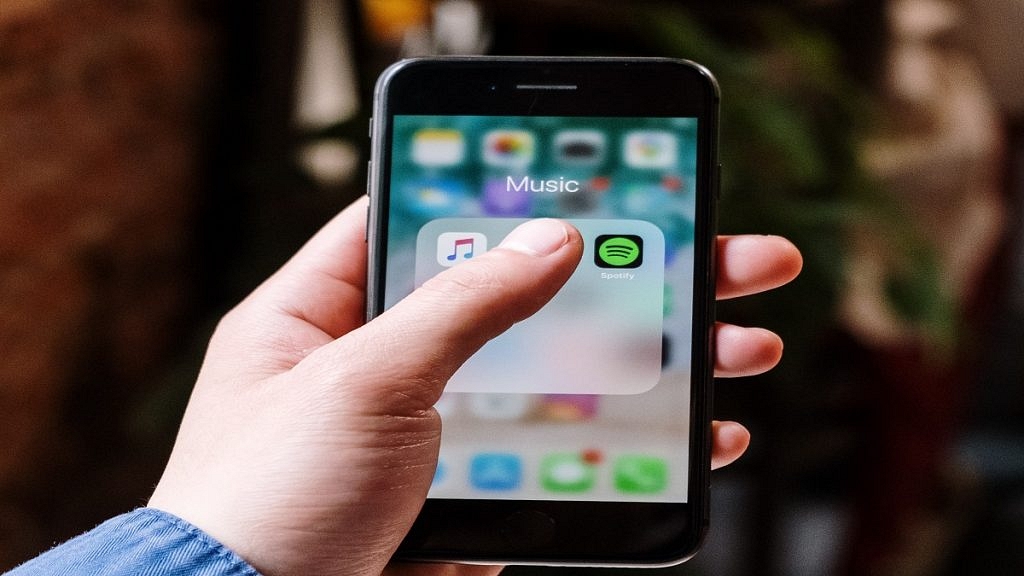
Want To Download Songs On Spotify For Offline Playback? Here’s How

Key Highlights

  • Spotify is a popular music streaming platform with a vast library of songs
  • The platform offers both free and premium subscription options
  • Premium subscribers can enjoy additional features like ad-free listening and offline downloads

Spotify is one of the most popular music streaming platforms worldwide, offering users access to millions of songs across different genres. While the platform is primarily designed for streaming music online, users can also download songs from Spotify and listen to them offline.

To download songs from Spotify, you will need a premium subscription. Spotify premium offers ad-free listening, unlimited skips, high-quality audio streaming, and the ability to download songs for offline listening. Also Read | Want To Download Instagram Stories With Music? Here’s How

How To Download Songs On Spotify?

To download songs from Spotify, follow these simple steps:

Step 1: Open Spotify on your iPhone or Android device and sign in to your premium account.

Step 2: Find the song you want to download by using the search bar or by browsing through playlists and curated albums.

Step 3: Once you have found the song you want to download, click on the three dots next to the track’s title.

Step 4: In the dropdown menu that appears, click on the ‘Download’ option.

Also Read | Best Headphones For Music Lovers To Buy In India Under Rs. 5,000

Step 5: The song will now begin to download, and you can monitor the download progress in the Downloads section of your Spotify app.

Step 6: Once the song has finished downloading, it will be available for offline listening, and you can access it by navigating to your Downloads section in the Spotify app.

It’s worth noting that you can only download songs from Spotify on up to five different devices. Additionally, downloaded songs will only remain available for offline listening as long as you remain a premium subscriber. If you cancel your subscription or let it lapse, the downloaded songs will become unavailable until you renew your subscription.

Overall, downloading songs from Spotify is a simple and convenient process that can be done in just a few clicks. With offline access to your favorite tracks, you can enjoy your music even when you’re not connected to the internet.

Also Read | Are You A Music Lover? Here’s The Best Music Apps In India

Categories
Apps Featured Info

Microsoft Visual ChatGPT Is The New Hype: How To Use This Advanced AI Chatbot

Key Highlights

  • Microsoft has released Visual ChatGPT to combine the abilities of ChatGPT and visual foundation models
  • Visual ChatGPT combines ChatGPT with various basic visual models such as Transformers, ControlNet, and Stable Diffusion

A new era in the generative AI industry began with the debut of ChatGPT some time ago. With the popularity and success of the chatbot, other AI technologies were created. Microsoft has made significant improvements to its generative AI tools, particularly in recent years. Sadly, ChatGPT is a text-based language model and lacks Wombo Dream or DALL-E 2’s capabilities. But, after the introduction of Visual ChatGPT, things have changed. Also Read | List Of Best ChatGPT Extensions You Can Use For Google Chrome

What Is Visual ChatGPT?

Visual ChatGPT is a new AI model that Microsoft recently announced. In order to comprehend and analyze both language and images, this new AI tool integrates two different kinds of artificial intelligence (AI) models: visual AI models and ChatGPT.

ChatGPT is a model that can communicate with people and understand a variety of languages, offering numerous language-related services. In contrast, visual AI models are those that can both interpret and produce visuals. The combined capabilities of these two models allow Visual ChatGPT to comprehend and interpret both linguistic and visual data.

Also Read | Here’s How To Use The Viral AI Chatbot ChatGPT: A Step-By-Step Guide

What Does The Visual ChatGPT Do?

With Visual ChatGPT, users can now interact with the ChatGPT model visually rather than simply by texting. For instance, the model can respond if a user asks Visual ChatGPT a query about an image after showing it a picture. Additionally, it has the ability to carry out more difficult tasks like modifying photographs based on user inputs.

Microsoft researchers are currently working to address some of Visual ChatGPT’s shortcomings. One of the problems is that the model doesn’t always function well with photos, which can produce inaccurate findings. According to reports, the developers are attempting to find a solution to this problem so that going forward, Visual ChatGPT will consistently give accurate responses.

Microsoft believes that Visual ChatGPT’s speed is another area that needs improvement. In order for the AI model to respond to queries more rapidly, researchers are striving to speed up its processing.

Visual ChatGPT has a lot of potential despite these issues. With the use of this technology, users may use AI to comprehend both language and images, which has potential applications across a wide range of industries.

Also Read | Use ChatGPT On Apple Watch? Here’s The Step-By-Step Guide

Categories
Featured Info Mobile

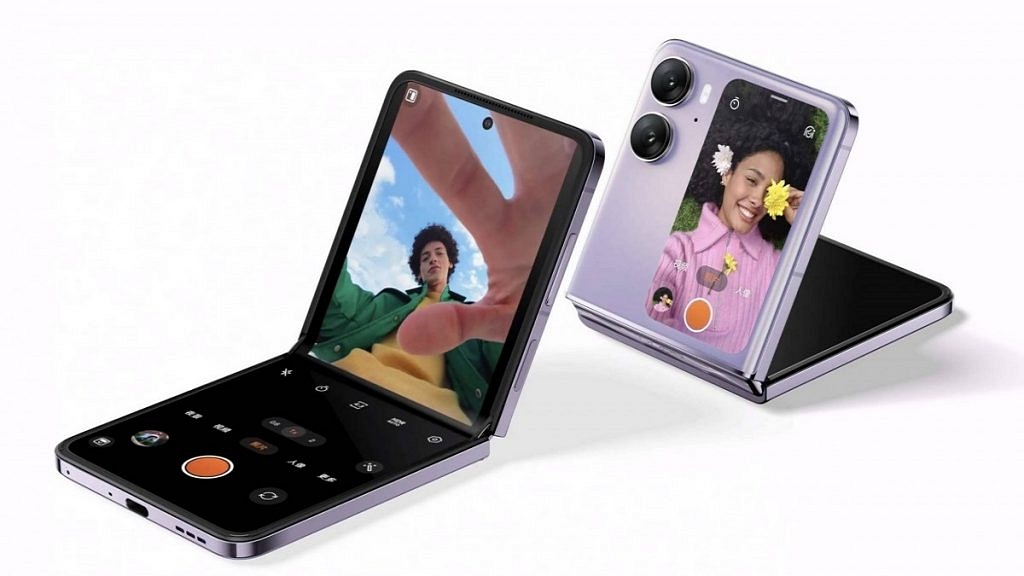
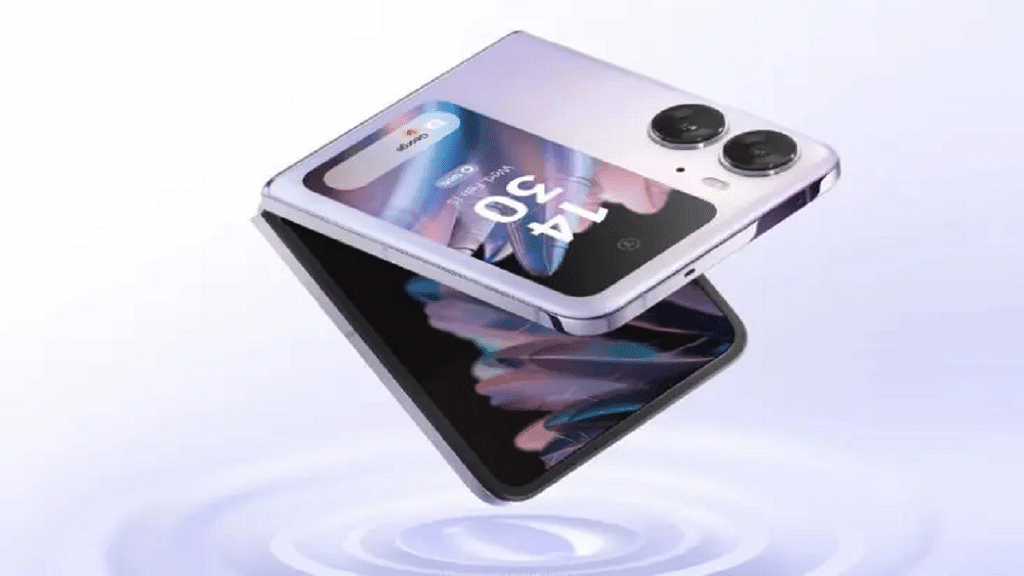
Oppo Find N2 Flip Finally Makes India Debut: Here’s What Galaxy Z4 Flip Rival Offers

Key Highlights

  • Oppo Find N2 Flip smartphone goes official in India
  • The smartphone will be available on Flipkart, Oppo India online store, and offline stores
  • It will be available at a starting price of Rs. 89,999 in India

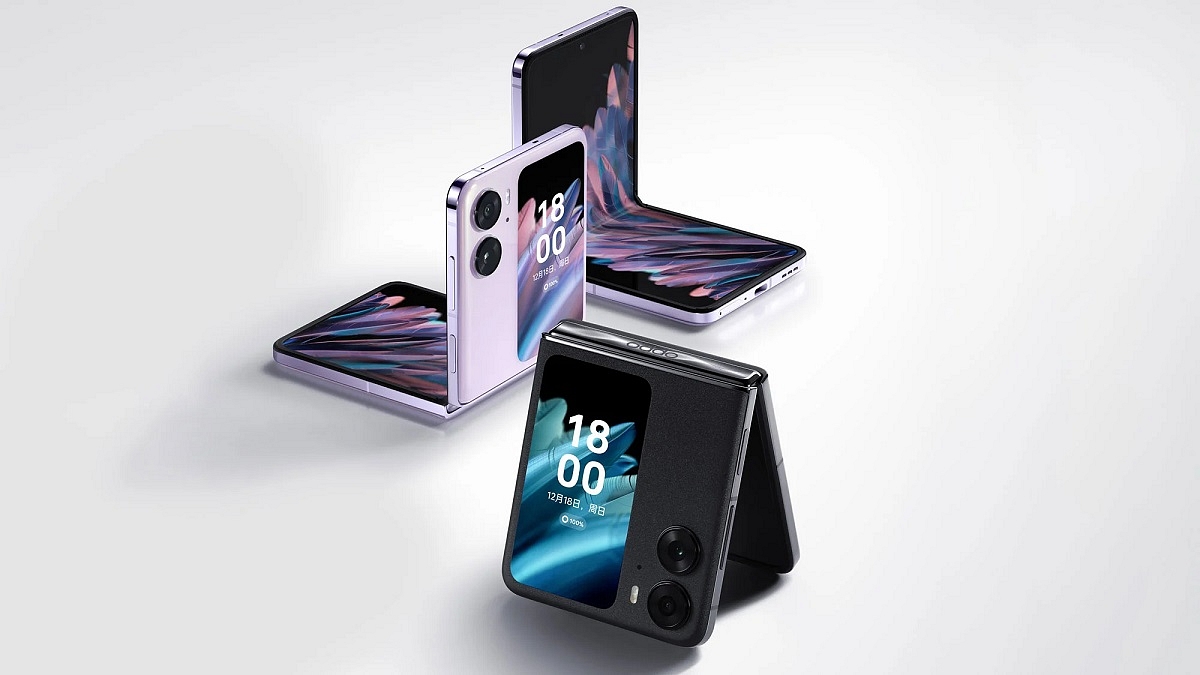
Oppo has finally launched its first flip-style phone – the Find N2 Flip smartphone in India after it was introduced for the global markets last month. The smartphone comes in Astral Black and Moonlit Purple colors and will be available from Flipkart, Oppo India online store, and offline stores. Also Read | Best Smartphones With Dolby Atmos To Buy In India

Oppo Find N2 Flip Price And Offers

The Oppo Find N2 Flip will go on sale on March 17, 2023, at a starting price of Rs. 89,999 in India, going up against the Samsung Galaxy Z4 Flip.

By using HDFC, ICICI Bank, SBI Cards, Kotak Bank, IDFC First Bank, HDB Financial Services, One Card & Amex, users can receive a cashback of Rs. 5,000 and up to 9 months of no-cost EMI Plans. Similarly, to this, users can receive a loyalty bonus of Rs. 5,000 by exchanging an old Oppo smartphone, but only Rs. 2,000 for smartphones made by other manufacturers.

Also Read | Best Phones With Fast Charging Under Rs. 15,000

Oppo Find N2 Flip Specifications

The 6.8-inch primary foldable screen of the Oppo Find N2 Flip supports variable refresh rates (LTPO) between 1Hz and 120Hz. The smartphone also features a 3.62-inch cover display, and both panels make use of OLED technology. The device’s chassis is made of metal and has a better hinge system. The Dimensity 9000+ SoC powers the smartphone.

The Indian variant of the Find N2 Flip is available with 256GB of UFS 3.1 storage and 8GB of LPDDR5 RAM in a single memory configuration. Moreover, the smartphone features two nano SIM card slots, each of which supports a 5G network.

Display6.8-inch primary foldable screen / 3.62-inch cover display
ProcessorDimensity 9000+
RAM8GB + 256GB
Rear Camera50MP + 8MP
Selfie Camera32MP
OSAndroid 13 with ColorOS 13
Battery4,300mAh

A 50MP primary camera and an 8MP ultra-wide camera are housed in the dual-camera array with Hasselblad tuning at the back of the device. A 32MP selfie camera is also housed inside the punch-hole cutout.

The smartphone runs Android 13 with ColorOS 13, and the company has promised four years of major Android updates and five years of security patch updates for the phone. Its 4,300mAh battery supports up to 44W fast charging. The device has 17 5G NR band support and there is Wi-Fi 6 and Bluetooth 5.2 support.

Also Read | OnePlus Foldable Smartphone Might Launch Soon: Could It Be Rebadged OPPO Find N Foldable Phone?

Categories
Apps Featured How To Smart Watch

Use ChatGPT On Apple Watch? Here’s The Step-By-Step Guide

Key Highlights

  • ChatGPT is now available for Apple Watch users
  • This powerful language model is now available with the WatchGPT app
  • WatchGPT is a paid app that will cost you Rs. 349

ChatGPT quickly rose to fame and is one of the most talked about technologies these days. This is one of the fastest tools to reach 100 million users. It is a powerful language model developed by OpenAI that can be accessed through various platforms, including Apple Watch.

Also Read | Here’s How To Use The Viral AI Chatbot ChatGPT: A Step-By-Step Guide

How To Use ChatGPT On Apple Watch?

The WatchGPT, which includes all the features from OpenAI’s ChatGPT, is all you need to support an AI chatbot. You don’t actually need to do anything very technical. However, it costs around US $3.99, which is equivalent to about Rs. 328. You can get the WatchGPT app directly from the App store if you are ready to pay this sum. Now, you must be aware of the steps necessary to enable ChatGPT support on your Apple Watch. Here’s a brief guide on how to use ChatGPT on your Apple Watch:

Step 1: Install WatchGPT App On Your Apple Watch

The first step is to download the WatchGPT app on your Apple Watch. You can do this by opening the App Store on your Apple Watch, searching for “WatchGPT,” and then installing the app.

Step 2: Launch The OpenAI App

Once the app is installed, launch it on your Apple Watch. You’ll see a screen with a text box. Click on the ‘Ask me Anything’ button.

Step 3: Type Your Query

Use the small keyboard on your Apple Watch to type your query into the text box. ChatGPT uses natural language processing, so you can type your query as you would speak it.

Step 4: Wait For The Response

After typing your query, press the “Send” button, and wait for ChatGPT to generate a response. The response will appear on the screen of your Apple Watch.

Step 5: Continue The Conversation

If you’re not satisfied with the response or have further questions, you can continue the conversation by typing your follow-up query into the text box.

Step 6: End The Conversation

To end the conversation, simply exit the OpenAI app on your Apple Watch.

Some Tips For Using ChatGPT On Your Apple Watch

  • Keep your queries short and concise. The small screen on the Apple Watch makes it challenging to read long responses.
  • Speak clearly and use proper grammar. ChatGPT can better understand your queries if they are well-formed.
  • Take breaks between queries. ChatGPT can generate responses quickly, but taking breaks is essential to avoid mental fatigue.

Also Read | List Of Best ChatGPT Extensions You Can Use For Google Chrome

Using ChatGPT on your Apple Watch is easy and convenient. With a few simple steps, you can have a conversation with this powerful language model right from your wrist.

For the tech geeks, stay updated with the latest cutting-edge gadgets in the market, exclusive tech updates, gadget reviews, and more right on your phone’s screen. Join Giznext’s WhatsApp channel and receive the industry-first tech updates.

Categories
Apps Featured How To

Want To Cancel Your Disney+ Hotstar Subscription? Here’s How

Key Highlights

  • Hotstar offers a wide range of TV shows, movies, live sports, and other content to its subscribers
  • Canceling your Disney+ Hotstar membership gives you more control over your day
  • Canceling the Disney+ Hotstar subscription is fairly simple

Hotstar is a popular online streaming platform that offers a wide range of TV shows, movies, live sports, and other content to its subscribers. However, there may be times when you want to cancel your Hotstar subscription. If you are facing this situation, then you can follow the steps below to cancel your Hotstar subscription.

Also Read | Netflix For Fitness Enthusiast: Collaborates With Nike To Stream Workout Videos On Its OTT App

How To Cancel Your Disney+ Hotstar Subscription?

Canceling a Hotstar subscription is a simple process that can be completed in just a few steps. By following the steps outlined below, you can quickly and easily cancel your Hotstar subscription if you no longer wish to use the service.

Step 1: Visit The Disney+ Hotstar Website

The first step to cancel your Disney+ Hotstar subscription is to visit the Hotstar website. You can do this by typing “hotstar.com” in your web browser’s address bar and hitting enter.

Step 2: Login To Your Account

Once you are on the Hotstar website, you will need to log in to your account. You can do this by clicking on the “Login” button at the top right corner of the page and entering your email address and password.

Also Read | Free Disney+ Hotstar Access: Here’s How To Get It With Airtel Prepaid Plans

Step 3:  Go To The Subscription Page

After logging in, you need to go to the subscription page. You can do this by clicking on your profile picture at the top right corner of the page and selecting “My Account” from the drop-down menu. On the My Account page, click on the “Subscription” tab.

Step 4: Cancel Your Subscription

On the subscription page, you will see the details of your subscription. To cancel your subscription, click on the “Cancel Subscription” button. Follow the prompts to complete the cancellation process.

Step 5: Confirm The Cancellation

Also Read | Here’s How To Download Videos From Netflix, Amazon Prime, And Disney+ Hotstar

After you cancel your subscription, Hotstar will ask you to confirm the cancellation. Make sure to read the terms and conditions carefully before confirming the cancellation. Once you confirm the cancellation, your Hotstar subscription will be terminated, and you will not be charged any further.

For the tech geeks, stay updated with the latest cutting-edge gadgets in the market, exclusive tech updates, gadget reviews, and more right on your phone’s screen. Join Giznext’s WhatsApp channel and receive the industry-first tech updates.

Categories
Accessories Featured

Best Pure Sine Wave Inverters For Home To Buy In India

Key Highlights

  • Choosing the best inverter depends on your power requirements, battery backup needs, and budget
  • Microtek, Luminous, and Sukam are some of the most trusted brands in the market
  • By choosing the right inverter, you can ensure an uninterrupted power supply to your home

In India, power cuts and voltage fluctuations are common occurrences in many areas, which can cause inconvenience and damage to household appliances. To counter this, many households opt for inverters to provide backup power during outages. However, with so many options available, it can be challenging to determine which inverter is the best for your home.

The best inverter for the home in India depends on several factors such as power requirements, battery backup, and price. However, listed are some of the best inverters available in the market. Also Read | Best 1.5 Tonn Inverter Split AC In India

ProductPrice
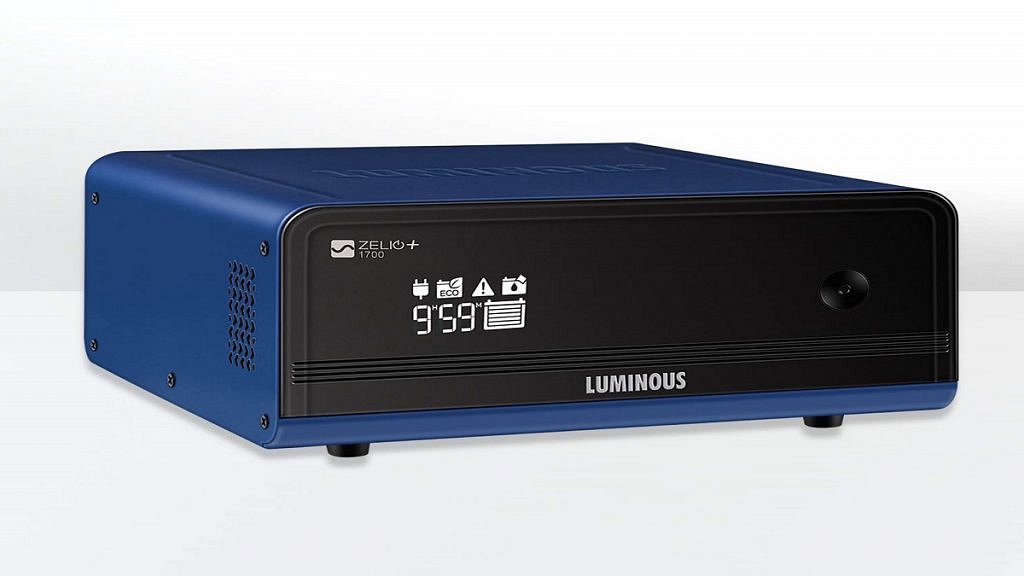
Luminous Zelio+ 1700Rs. 11,000
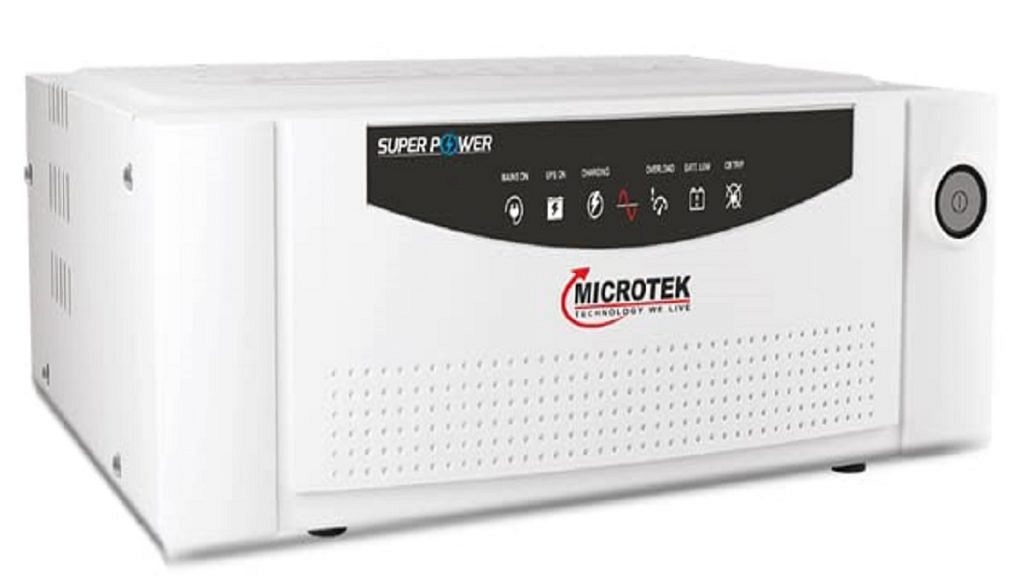
Microtek UPS SEBzRs. 6,369
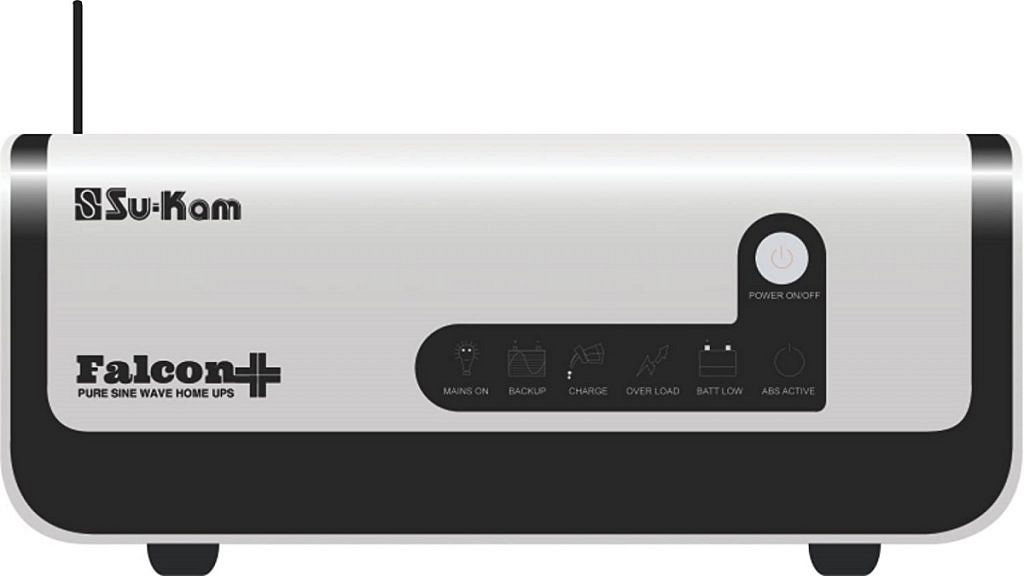
Su-Kam Falcon+Rs. 6,999
Exide 850VA Home UPSRs. 5,400

Luminous Zelio+ 1700

The Luminous Zelio+ 1700 inverter is known for its high efficiency and durability. It has a pure sine wave output, making it suitable for sensitive appliances like computers and air conditioners. The inverter can run up to three fans, three lights, and one television for up to 10 hours, making it perfect for residential use.

Microtek UPS SEBz

The Microtek UPS SEBz inverter has an advanced microprocessor-based design that ensures efficient and stable performance. It has a pure sine wave output, making it safe for sensitive appliances. The inverter can run up to two fans, two tube lights, and one television for up to five hours.

Also Read | Best Portable Fans For Summer Under Rs. 500: Check All Details Here

Su-Kam Falcon+

The Su-Kam Falcon+ inverter has a sleek design and comes with advanced features like an LCD display, overload protection, and short-circuit protection. It has a pure sine wave output, making it safe for sensitive appliances. The inverter can run up to four fans, four tube lights, and one television for up to eight hours.

Exide 850VA Home UPS

The Exide 850VA Home Inverter is known for its robust build quality and reliable performance. It has a pure sine wave output, making it suitable for sensitive appliances. The inverter can run up to three fans, three tube lights, and one television for up to six hours.

Also Read | List Of Best Air Coolers With Large Water Tank To Buy In India

Categories
Apps Featured

WhatsApp Emoji Meanings: Know What You Are Expressing With These WhatsApp Emojis

Key Highlights

  • WhatsApp emojis are a fun and useful tool in digital communication
  • They allow us to express emotions, convey meaning, and add context to our messages
  • It’s important to understand the meanings of emojis and use them effectively in our conversations

WhatsApp emojis are a popular and fun way to express emotions and convey messages in digital conversations. They are small pictorial symbols that represent various emotions, actions, objects, and ideas, and are used to enhance the meaning and context of text messages. With thousands of different emojis available, it’s important to understand their meanings and how to use them effectively. Also Read | WhatsApp Avatar DP: How To Create Cool WhatsApp Personalized Avatars For Profile Picture, Sticker Pack

Types Of Emojis On WhatsApp

There are several types of emojis on WhatsApp, each with its own distinct meaning and purpose. Here are some of the most common ones:

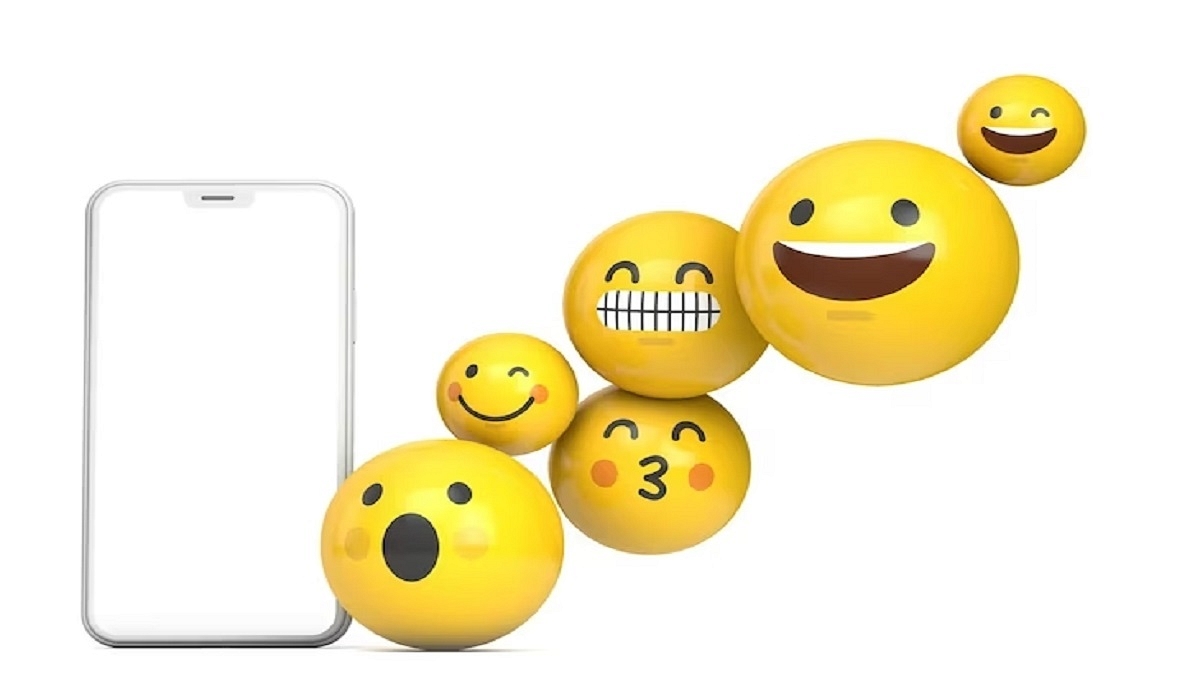
Smiley Emojis

These emojis represent different emotions, such as happiness, sadness, anger, and surprise. They are often used to convey the tone of a message and show the sender’s mood.

People and Body Parts Emojis

These emojis represent different people and body parts, such as hands, feet, and faces. They are often used to indicate a person’s gender, age, or ethnicity.

Also Read | Want To Read Full WhatsApp Messages Without Seen Or Blue Tick: Here’s The Hidden Hack

Animal Emojis

These emojis represent different animals, such as cats, dogs, and birds. They are often used to express affection for pets or to indicate an animal’s behavior or characteristics.

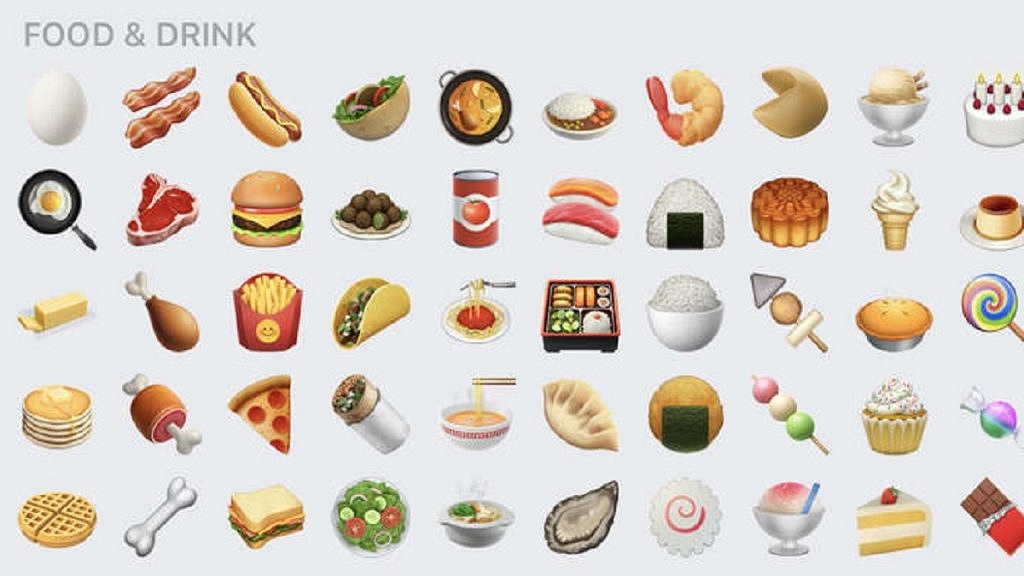
Food and Drink Emojis

These emojis represent different types of food and drink, such as pizza, beer, and coffee. They are often used to indicate a person’s preferences or to suggest a particular type of cuisine.

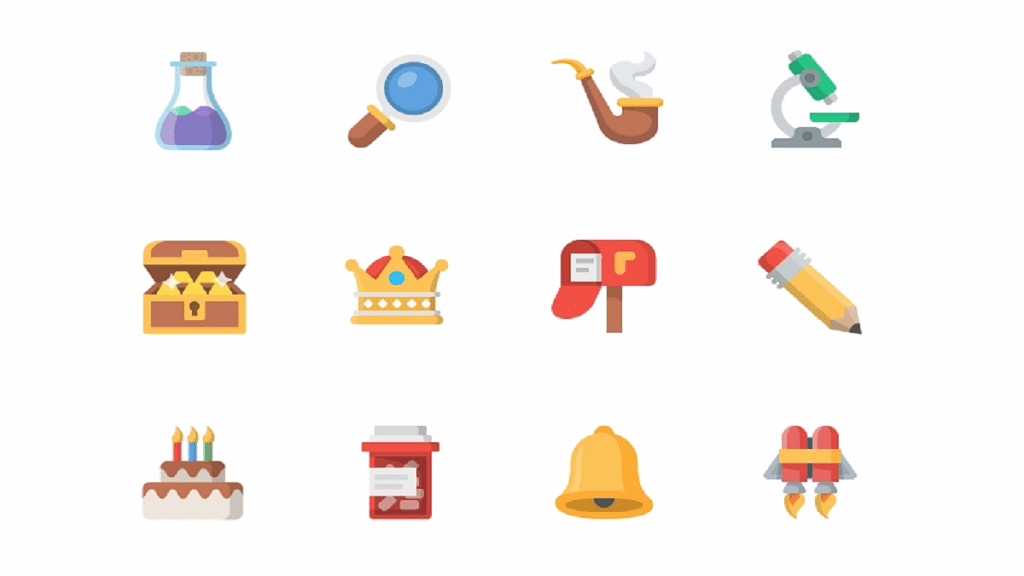
Object Emojis

These emojis represent different objects, such as cars, phones, and computers. They are often used to indicate a person’s interests or to express their opinions on various topics.

Understanding the meanings of these emojis is crucial in effective communication. For instance, the red heart emoji is often used to indicate love or affection, while the laughing face emoji is used to express humor or amusement. Similarly, the angry face emoji can be used to indicate frustration or anger, while the crying face emoji can indicate sadness or empathy.