Say hello to Shweta, a tech fan who's hooked on keeping up with all things tech. When she's not exploring the latest gadgets, she's diving into a good book, clicking photos as an amateur photographer, or enjoying classic movies and music. With her love for both tech and creativity, Shweta adds her own touch to tech news in a way that's easy to understand and enjoy.
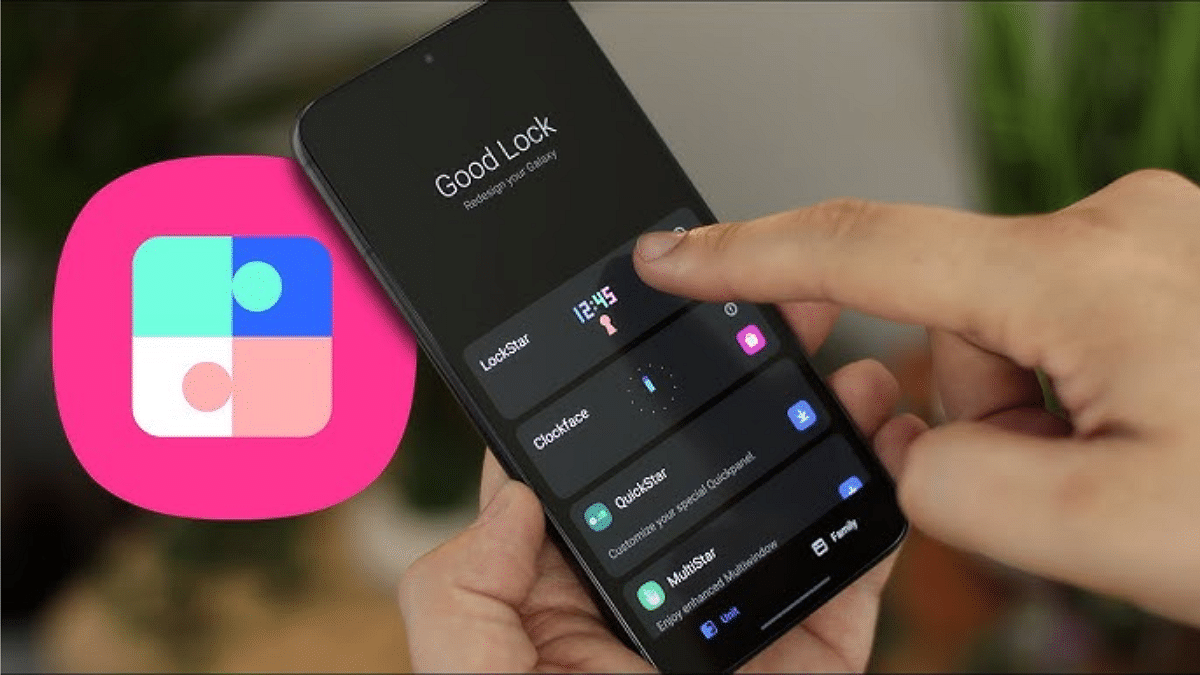
Samsung is making significant changes to its popular Good Lock app with the new Android-15 based One UI 7 update. The app is well-known for enabling Galaxy users to personalize their phones in fascinating ways. It will reportedly become available in all regions and add a number of new features to improve the user experience.
Good Lock, which is now available via the Galaxy Store in more than 40 countries, will soon be available everywhere. The app will also launch on the Google Play Store, according to a post on Samsung’s official support site.
Enhanced User Interface
Samsung is addressing the app’s growing complexity by introducing a revamped user interface in One UI 7. New features include:
App Filters: Makes finding apps faster and easier.
My Page Tab: Offers a dedicated section with a Good Lock widget for quick access.
Gesture Animation Tuning: Customizes animations for a smoother experience.
Edge Panel Customization: Personalizes the side panels to suit individual needs.
Good Lock: New Features
The updated Good Lock app will support a total of 23 functions. Some highlights include:
Routine Gallery: Create and share routines with other Galaxy users.
Wallpaper Customization: Apply different wallpapers for the home and lock screens.
Automatic Adaptation: App icons, titles, and the status bar will now adapt to the set wallpaper.
Advanced Customization Options
Good Lock is also expanding its customization options, such as:
Folder Icon Customization: Change folder appearances for a unique look.
App Icon Shapes: Specify shapes to match your theme.
Air Command Tweaks: Adjust stylus controls for better functionality.
External Video Saving: Automatically save videos to external storage devices for convenience.
The updated app is reportedly in the final stages of internal testing and may launch alongside the stable version of One UI 7. This update could redefine how Samsung users interact with their smartphones.
For the tech geeks, stay updated with the latest cutting-edge gadgets in the market, exclusive tech updates, gadget reviews, and more right on your phone’s screen. Join Giznext’s WhatsApp channel and receive the industry-first tech updates.
Enjoy hit shows like Severance, Ted Lasso, and Silo
Simply login with an Apple ID
Apple TV+ is welcoming the new year with an exciting offer for viewers worldwide. From January 3 to January 5, 2025, the popular streaming platform will be free for everyone. Users can enjoy all Apple Originals without a subscription. All that’s needed is an Apple ID to start streaming.
With this limited-time deal, anyone can explore the Apple TV+ for free. The platform offers everything for every viewer, from comedies and tragedies to sci-fi adventures. It’s undoubtedly a great way to start 2025.
For the tech geeks, stay updated with the latest cutting-edge gadgets in the market, exclusive tech updates, gadget reviews, and more right on your phone’s screen. Join Giznext’s WhatsApp channel and receive the industry-first tech updates.
Poco X7 Series, Samsung Galaxy S25 Series follow later
As we step into 2025, the tech world is buzzing with excitement over January’s lineup of smartphone launches. From flagship models to budget-friendly options, there’s something for everyone. Let’s get to know the details of the most expected releases of this January.
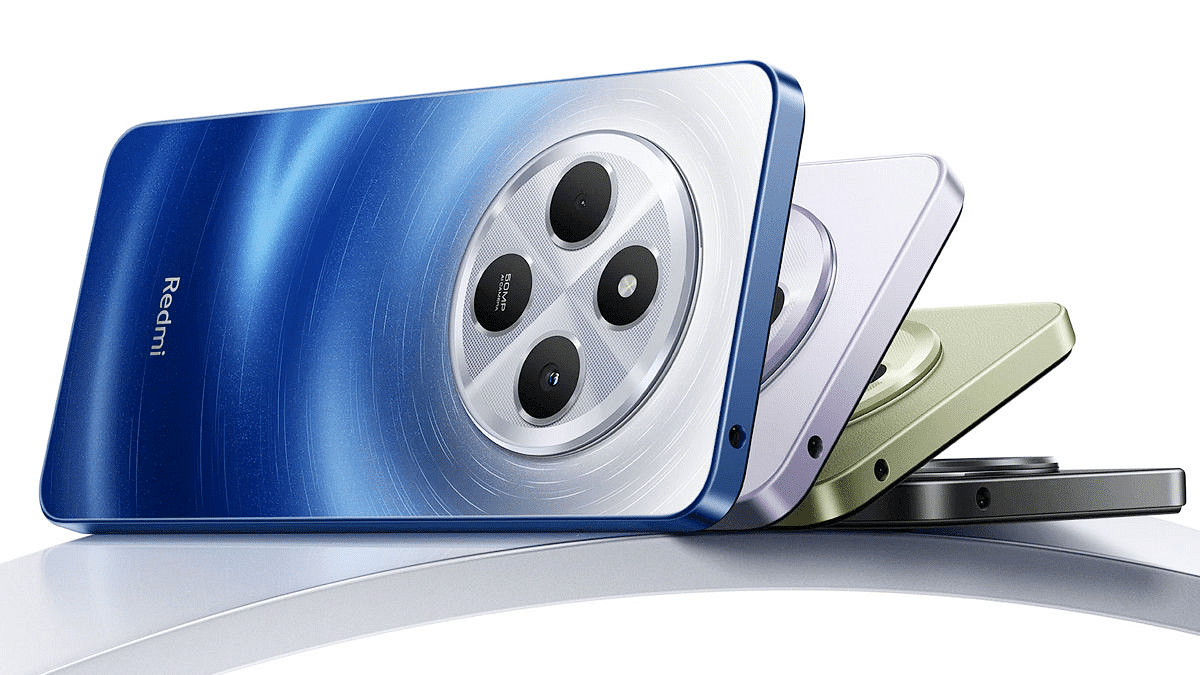
Xiaomi kicks off the year with the highly anticipated Redmi 14C, targeting budget-conscious buyers. This device is designed to offer great value for money while keeping essential features intact.
Specs (Rumored)
Redmi 14C
Display
6.88-inch
Chipset
Snapdragon 4 Gen 2
RAM + Storage
Up to 8GB, 256GB
Rear Camera
50MP with AI-powered imaging features
Front Camera
13MP
Battery
5,160mAh
Poco X7 Series
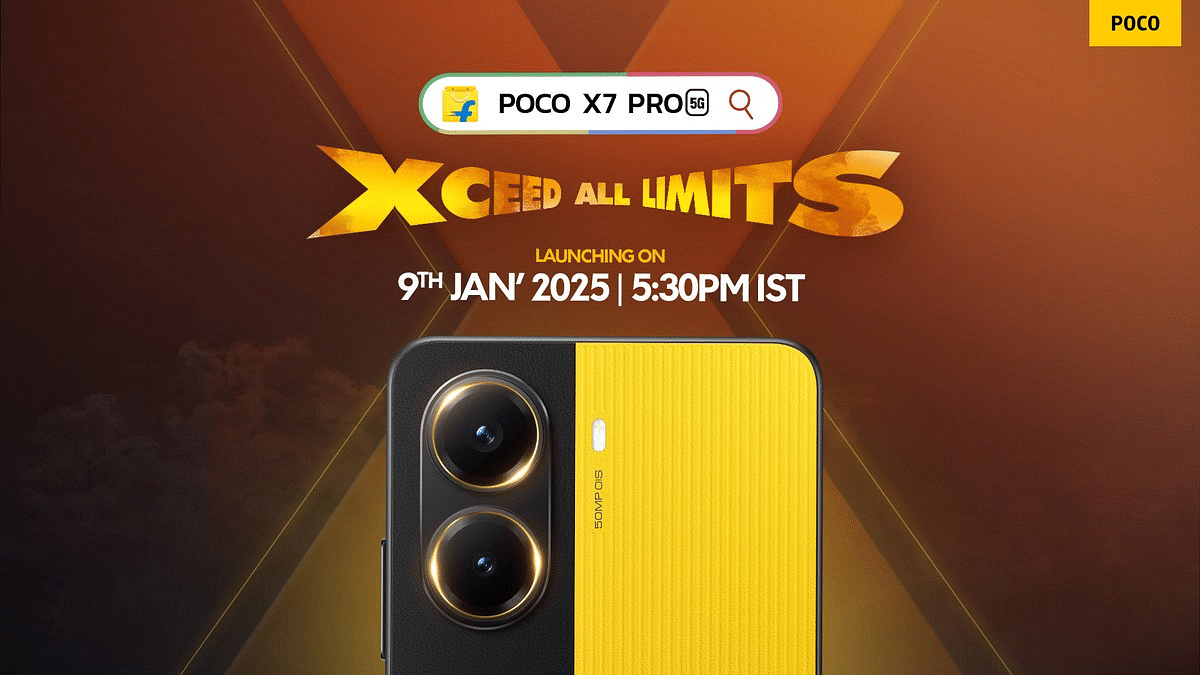
Poco continues to cater to performance lovers with the Poco X7 and Poco X7 Pro, launching on January 9. Known for their impressive specs at competitive prices, these devices are perfect for gaming and multitasking.
Specs (Expected)
Poco X7
Poco X7 Pro
Display
6.67-inch AMOLED
6.67-inch CrystalRez AMOLED
Chipset
MediaTek Dimensity 7300-Ultra
MediaTek Dimensity 8400-Ultra
RAM + Storage
Up to 12GB RAM, 512GB storage
Up to 12GB RAM, 512GB storage
Rear Camera
50MP (OIS, 2x optical zoom)
50MP Sony IMX882
Front Camera
20MP
–
Battery
5,110mAh with 45W TurboCharging
6,000mAh with 90W HyperCharging
OnePlus 13 Series
OnePlus 13 series have already impressed in China and are set to arrive with OxygenOS 15 for Indian users. Expect premium designs, powerful processors, and a variety of stylish color options.
Samsung’s Galaxy S25 Series is set to steal the show at the January edition of Galaxy Unpacked 2025. As a flagship lineup, these smartphones promise cutting-edge technology and premium features, aiming to redefine the high-end market.
Specs (Rumored)
Galaxy S25
Galaxy S25+
Galaxy S25 Ultra
Display
Similar size and resolution as S24
Similar size and resolution as S24
Thinner bezels, same size and resolution as S24 Ultra
Chipset
Snapdragon 8 Elite
Snapdragon 8 Elite
Snapdragon 8 Elite
RAM + Storage
12GB, Starting from 128GB or 256GB
12GB, Up to 1TB
12GB, Up to 1TB
Rear Camera
200MP, 12MP, 10MP
200MP, 12MP, 10MP
50MP ultra-wide
Front Camera
–
–
–
Battery
4,000mAh
4,000mAh
4,000mAh
For the tech geeks, stay updated with the latest cutting-edge gadgets in the market, exclusive tech updates, gadget reviews, and more right on your phone’s screen. Join Giznext’s WhatsApp channel and receive the industry-first tech updates.
Enhanced Visual Search shares photo data with Apple by default
Privacy concerns arise despite anonymized data claims
Users can disable it in settings for better control
Apple has always emphasized user privacy. But a new feature in iOS 18 and macOS Sequoia has sparked debate. The ‘Enhanced Visual Search’ feature which is designed to identify landmarks in photos shares certain data with Apple servers. While Apple claims it anonymizes the data, the default setting raises privacy concerns among users.
Enhanced Visual Search allows iPhones and Macs to analyze images for landmarks. When you take a photo of a famous site, the device creates a unique ‘vector embedding’ of the image and sends it to Apple servers for identification. This feature aims to enhance the Photos app, providing users with detailed information about the landmarks they capture.
How Does It Work?
The feature uses AI to scan photos and detect landmarks.
Apple encrypts the vector embeddings before sending them to its servers.
The server compares the data with a database to identify the landmark.
Why Are Users Concerned?
Although Apple anonymizes the data, the automatic sharing of image information has raised questions. Many users may be unaware that this feature is enabled by default, which could lead to unintended data sharing. Critics argue that Apple’s opt-out model lacks transparency and might conflict with users’ expectations of privacy.
Steps To Disable Enhanced Visual Search
If you’re uncomfortable with this feature, you can turn it off on your device. Follow these steps:
On iPhone (iOS 18):
Step 1: Open Settings.
Step 2: Scroll down and tap Apps.
Step 3: Select Photos.
Step 4: Scroll to the bottom and turn off Enhanced Visual Search.
Step 3: Find and disable the Enhanced Visual Search option.
For the tech geeks, stay updated with the latest cutting-edge gadgets in the market, exclusive tech updates, gadget reviews, and more right on your phone’s screen. Join Giznext’s WhatsApp channel and receive the industry-first tech updates.
YouTube tests a ‘Play Something’ button for random video discovery
Uses Shorts player for all videos, needing format tweaks
Still experimental, no release date yet
YouTube is testing a new feature called the ‘Play Something’ button. It is designed to help users find random videos to watch effortlessly. This floating button, spotted on Android devices, works like a shuffle option for videos. If offers a quick and fun way to discover content without endless scrolling.
The ‘Play Something’ button is located above the bottom navigation bar in the YouTube app. With just one tap, the feature selects a video for you to watch, making it ideal for those unsure of what to play next.
This isn’t YouTube’s first attempt at a random video selector. Over the past year, different versions of this feature have been tested, including banners and simple buttons. The latest floating button appears to be YouTube’s most focused approach yet.
Interestingly, the ‘Play Something’ button uses the YouTube Shorts player to display both Shorts and standard videos. However, all videos are shown in the vertical format meant for Shorts, which might feel awkward for longer, standard videos. YouTube may need to adjust this aspect for a smoother experience.
Inspiration From Netflix
The feature bears similarities to Netflix’s retired ‘Surprise Me’ option, which helped users find random shows or movies to watch. Both features aim to eliminate the indecision of scrolling through endless content, making it easier to stumble upon something engaging.
Benefits For Users And Creators
For users, the ‘Play Something’ button can feel like flipping through TV channels, letting them discover unexpected content. Creators also benefit, as their videos may get featured randomly, increasing visibility and audience reach.
Although the feature sounds promising, the reliance on the vertical Shorts player for all videos could limit its appeal. A dynamic player that adapts to video type — vertical for Shorts and landscape for standard videos — would make the feature more versatile.
As of now, YouTube hasn’t confirmed a release date for the ‘Play Something’ button. It’s still an experimental feature, part of YouTube’s continuous effort to improve its platform and offer new ways to engage users.
For the tech geeks, stay updated with the latest cutting-edge gadgets in the market, exclusive tech updates, gadget reviews, and more right on your phone’s screen. Join Giznext’s WhatsApp channel and receive the industry-first tech updates.
Finding a laptop that really stands out in a world full with them is quite a difficult task to perform. In order to make our device seem unique, we all desire performance, style, and a little extra. Something that looks good while keeping up with our hectic lives. Well, this should not be difficult anymore when the Asus Vivobool S 14 OLED is available in the market. With its vivid OLED display, fun RGB keyboard, and solid build, it’s more than just another laptop. Curious about its real-life performance? Here’s my experience with the sleek powerhouse and let’s see if it lives up to the hype.
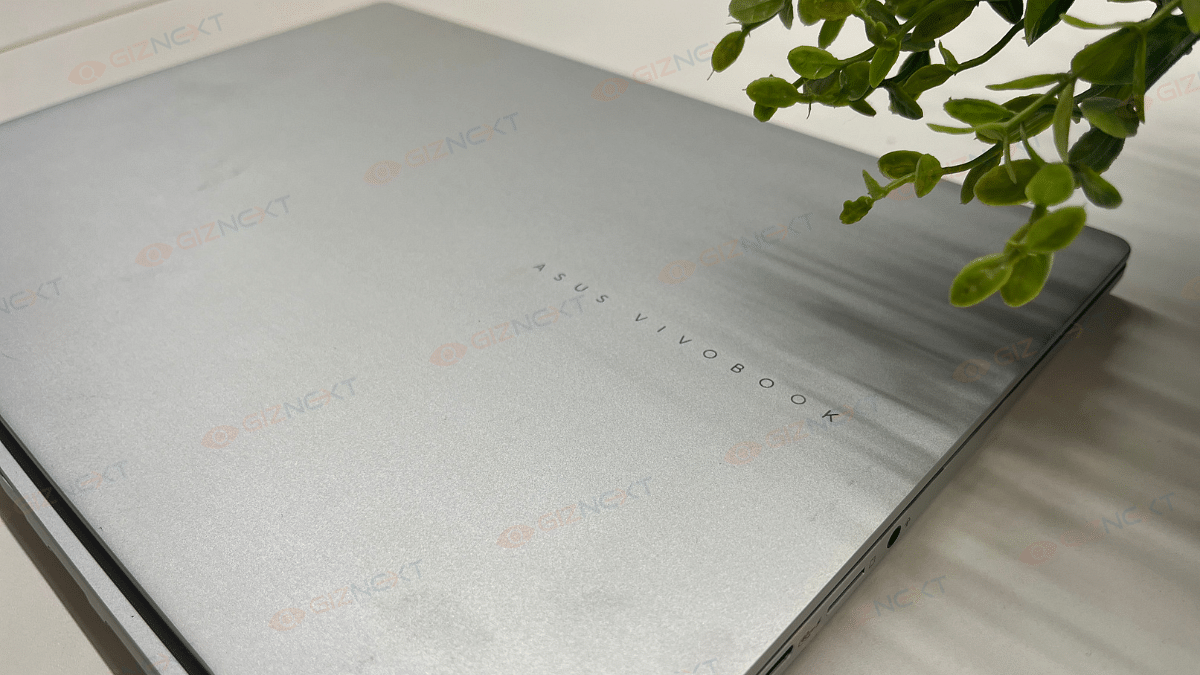
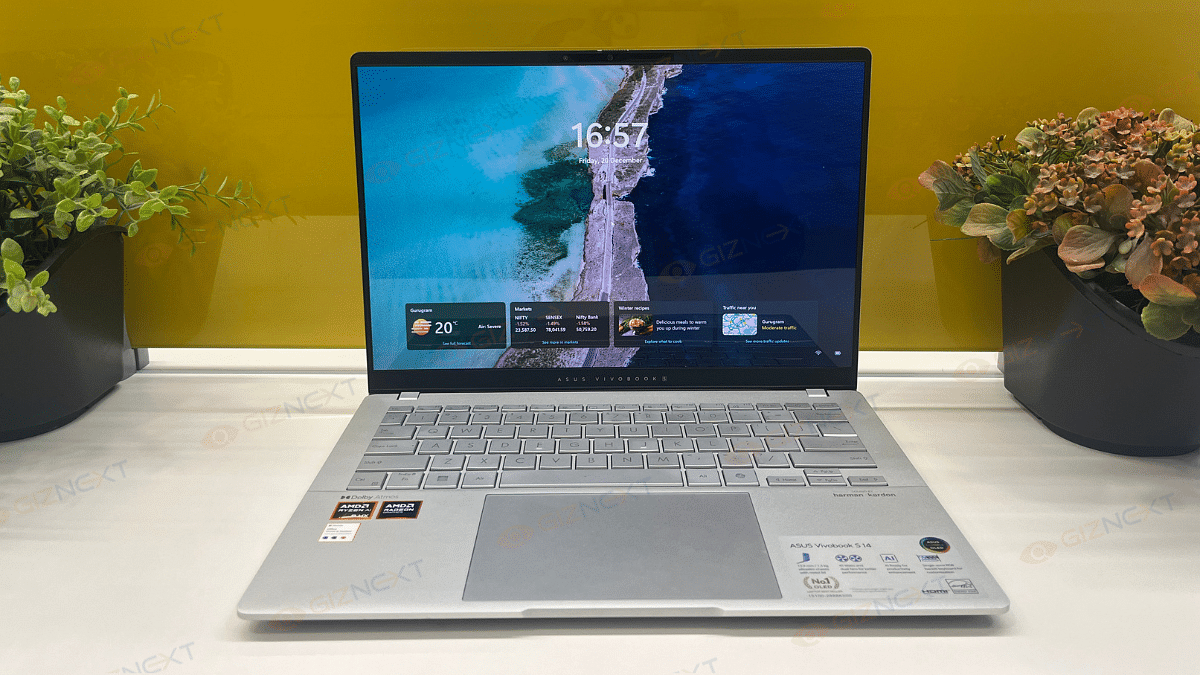
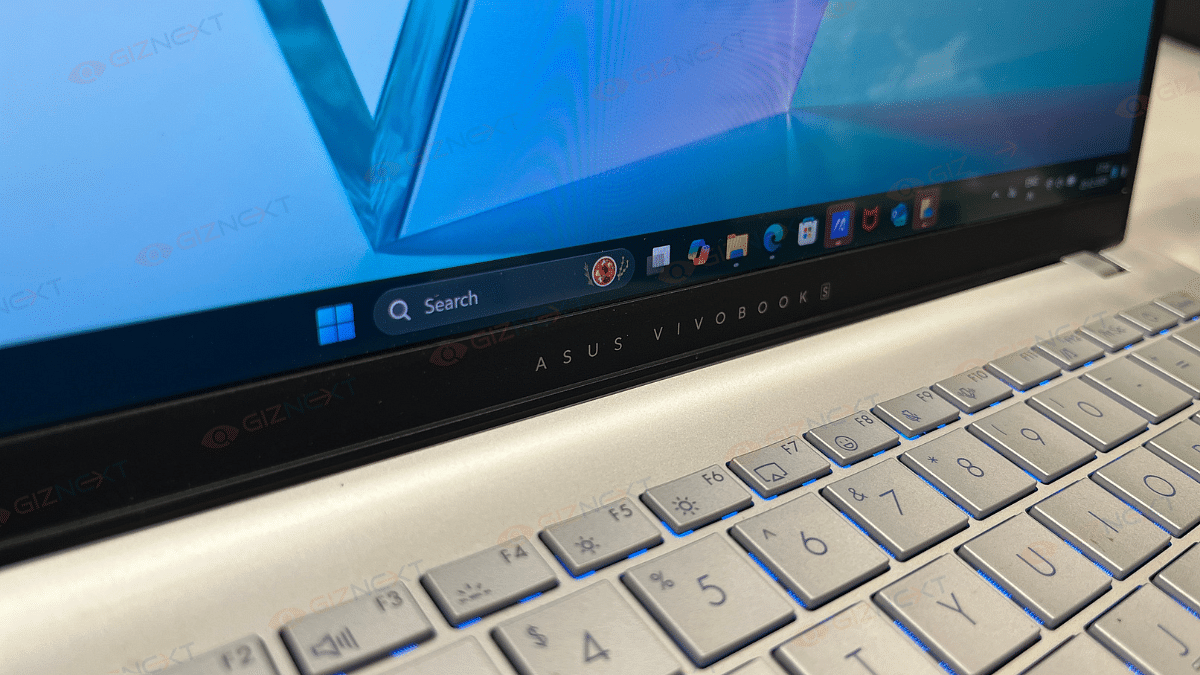
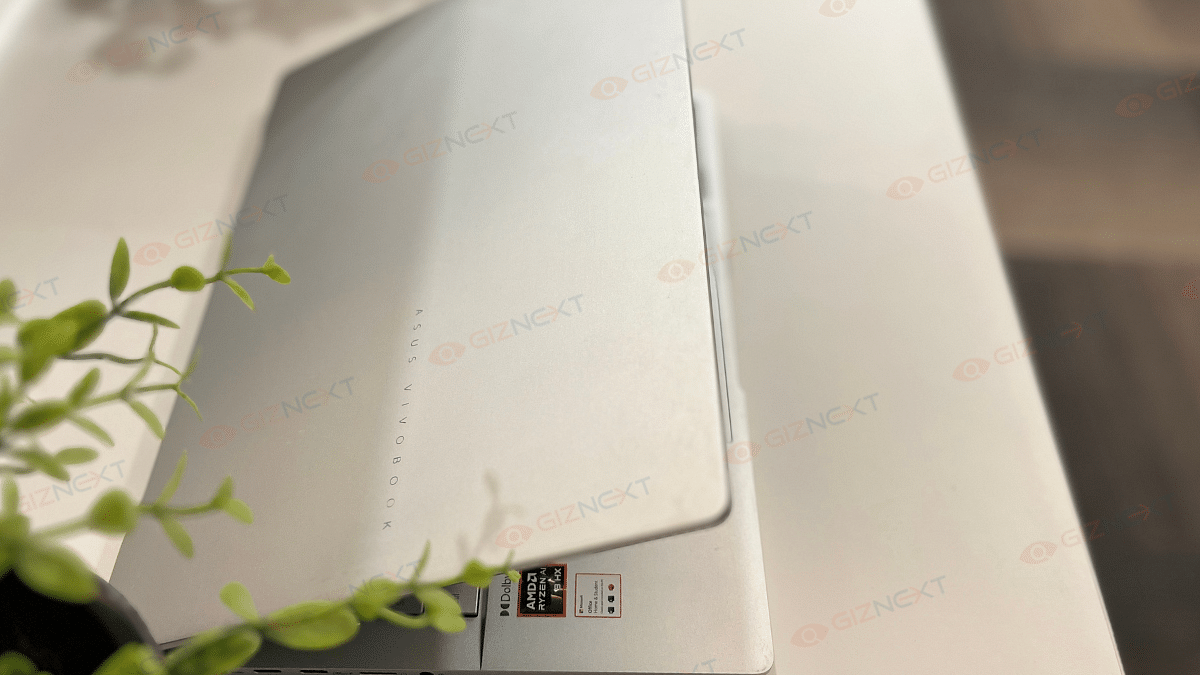
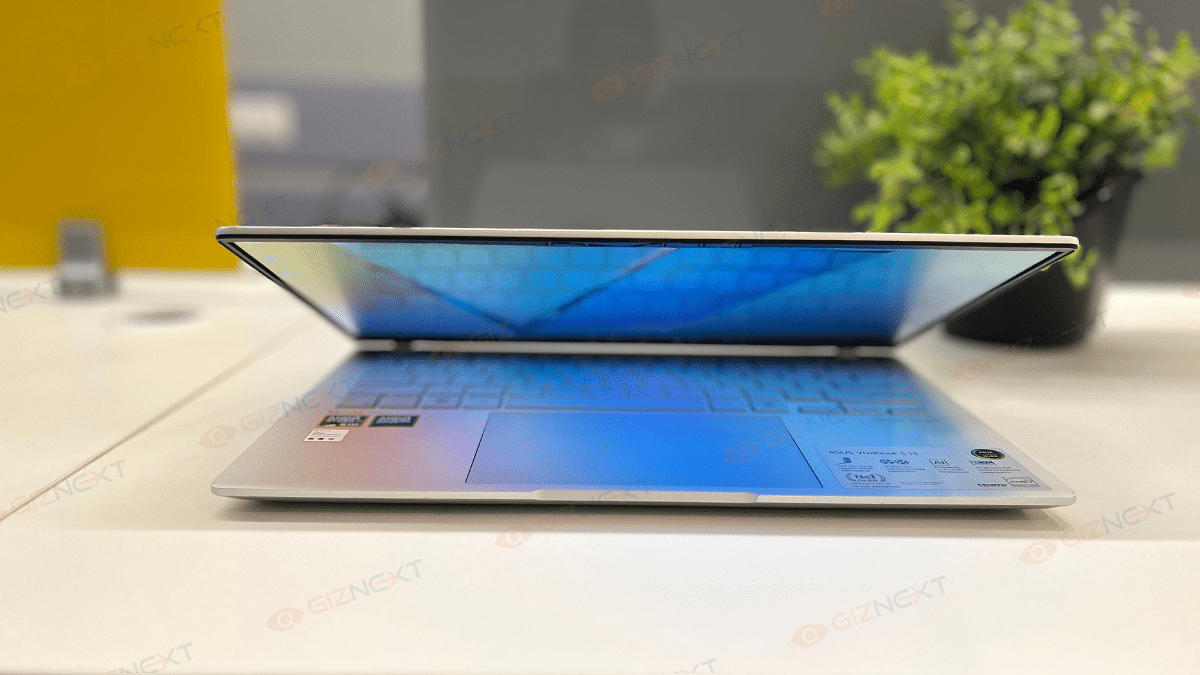
As a typical Vivobook S series, the Asus Vivobook S 14 OLED has a stunning silver finish that gives off a premium feel. This is undoubtedly one of the most elegant notebooks in its price range. The laptop has a metal body that adds to its luxurious look. Besides, the Asus logo, placed at its cover and just below the screen adds a nice touch to the design. It gives the laptop a signature look without being too flashy.
The Vivobook S 14 weighs only 1.3 kg and has a thickness of 1.59 cm. For people who are always on the move, this stylish, lightweight, and portable device is an ideal choice. Although the hinge permits a complete 180-degree opening, there is a small wobbling when the lid is being adjusted. However, this is not a major problem when using the hinge normally.
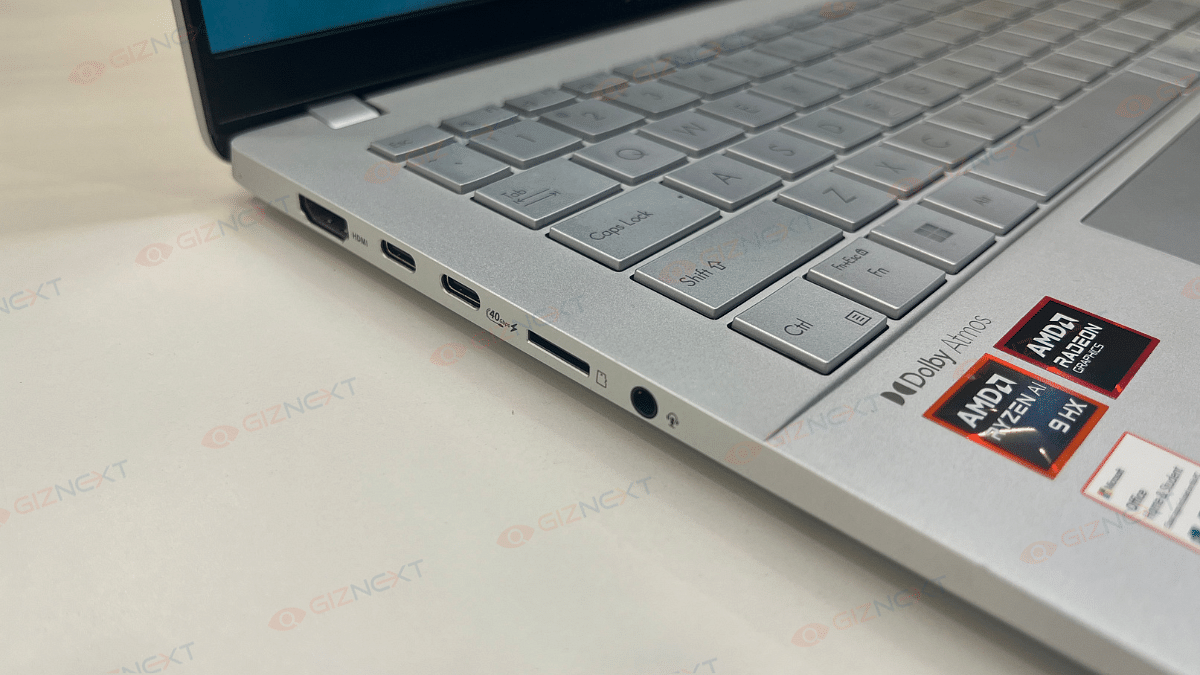
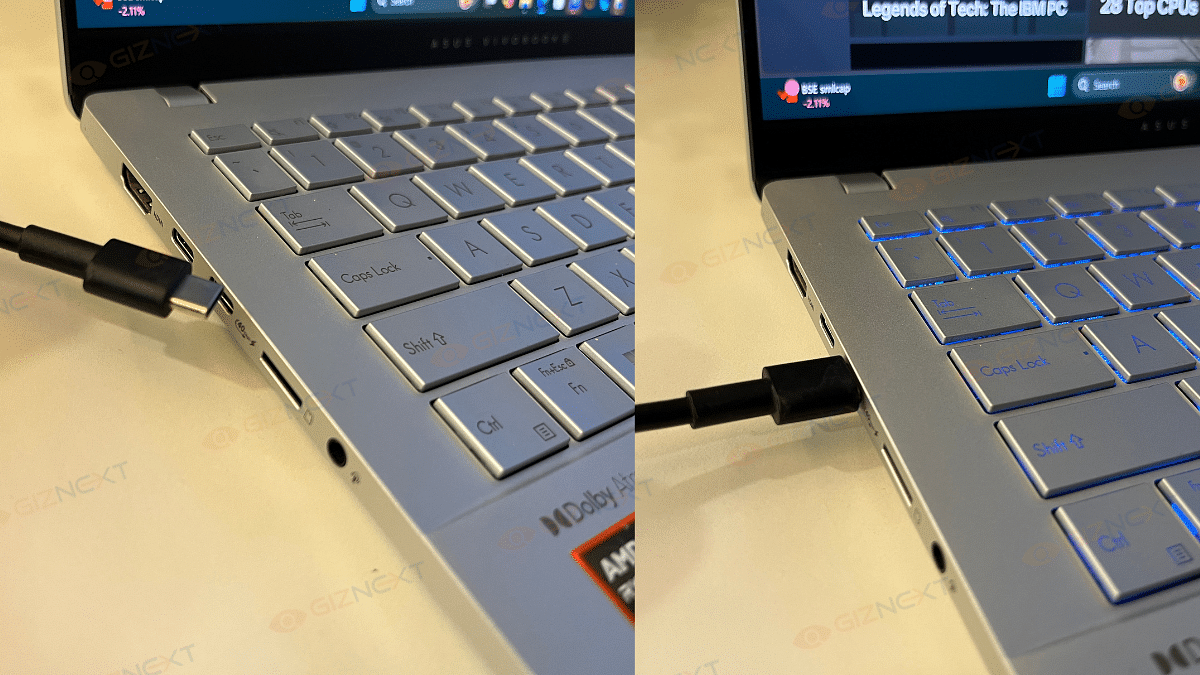
On the connectivity front, the Vivobook S 14 doesn’t disappoint. It includes a range of ports. The device features a Thunderbolt 4 USB-C port, USB-C 3.2 Gen 1 with Power Delivery and DisplayPort support, and an HDMI 2.1 port on the left.
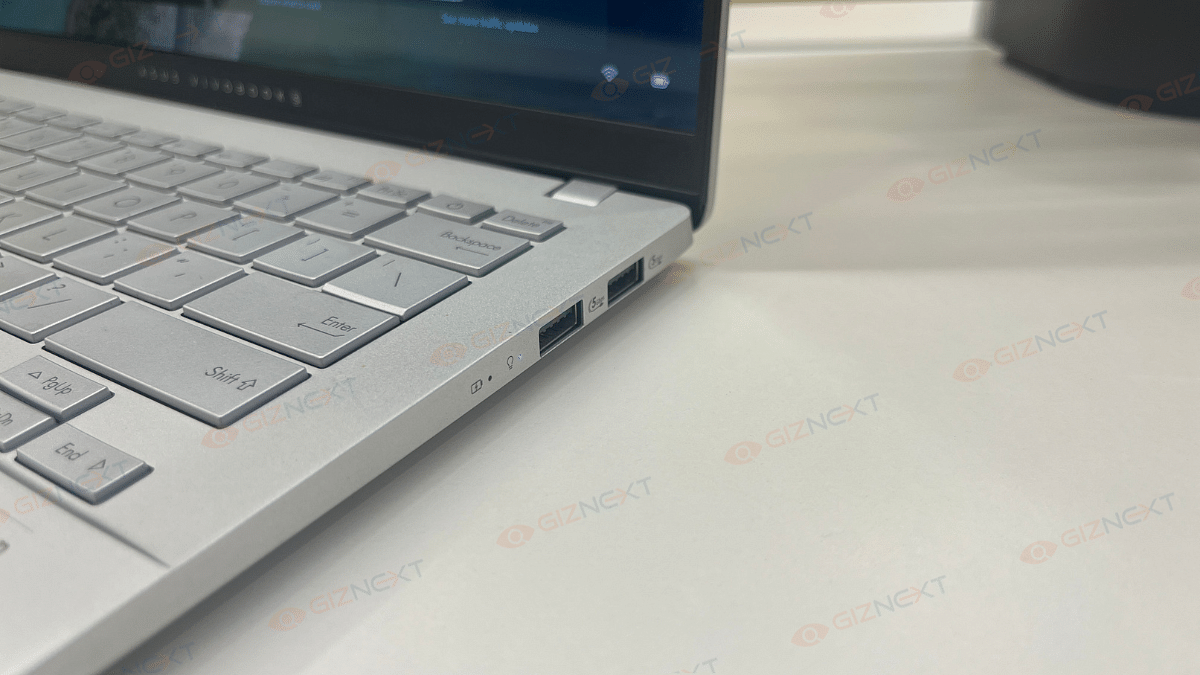
The right side houses two USB-A 3.2 Gen 1 ports and the essential audio combo jack. The inclusion of a microSD card slot adds extra convenience for file transfers. Overall, the design is a perfect balance of aesthetics, functionality, and portability. This is a strong contender in the thin-and-light laptop category.
Keyboard And Trackpad: RGB Flair
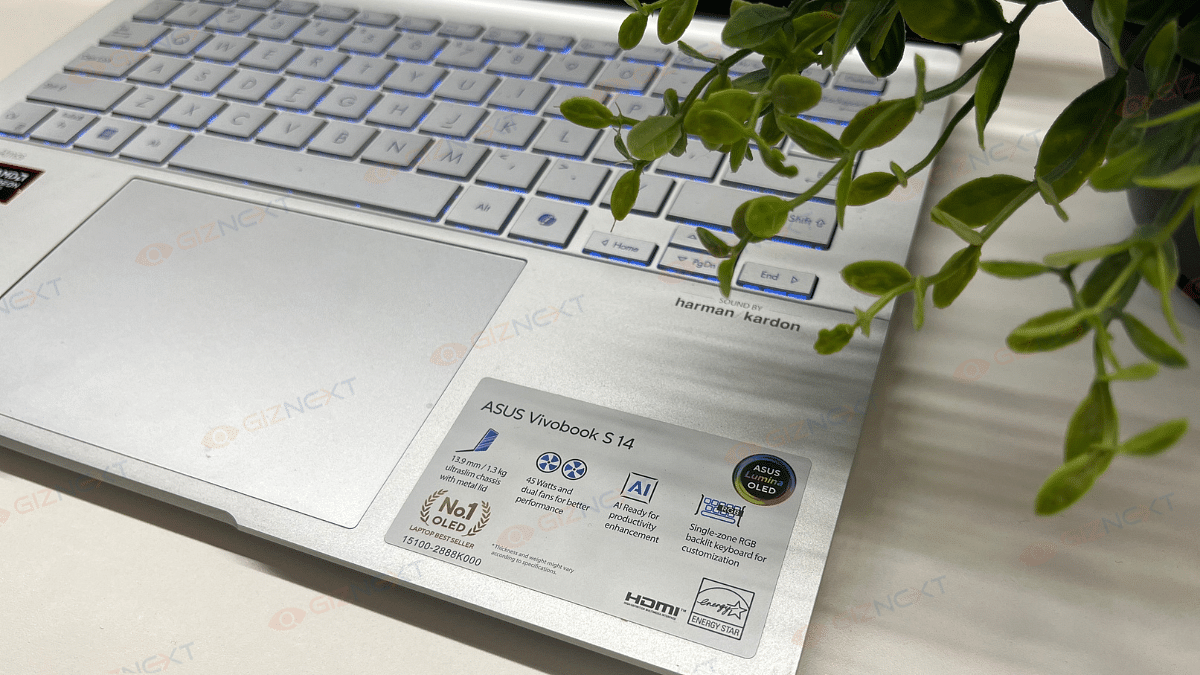
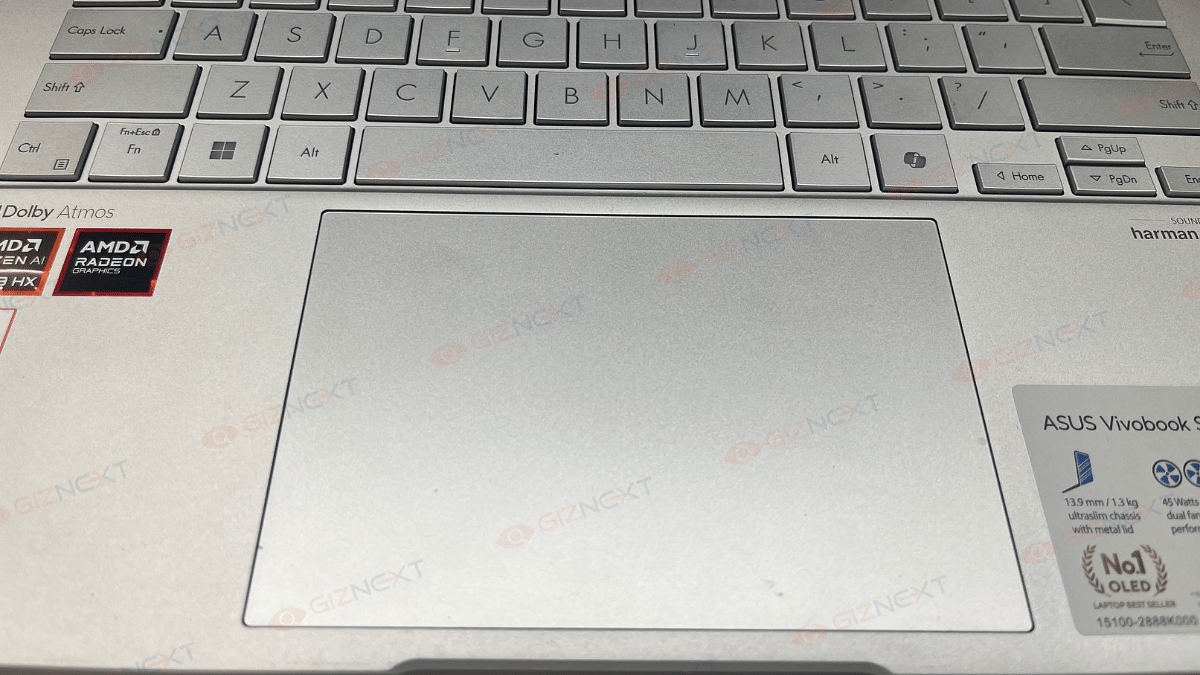
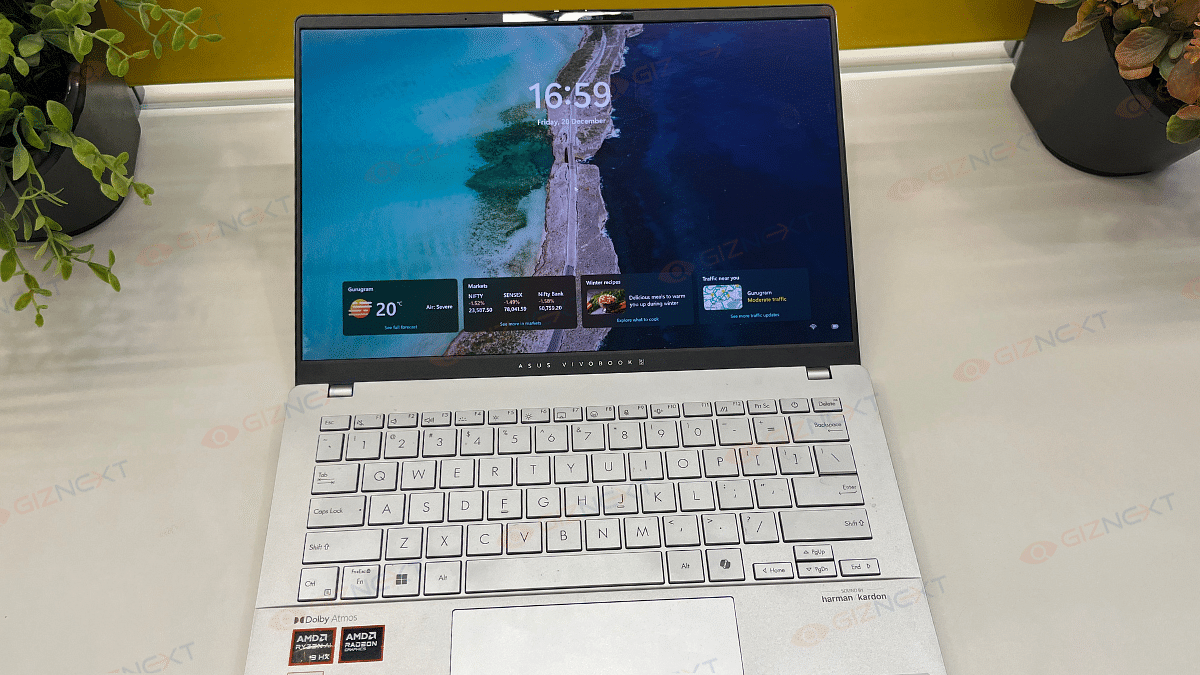
The Asus Vivobook S 14’s keyboard and trackpad have their quirks. However, to keep the things interesting, they bring enough flavors to the table. Let’s start with the keyboard. Well, it’s got one-zone RGB backlighting that can be adjusted to your liking. Typing feels decent overall, although the feedback could’ve been a tad crisper, and the tiny directional arrows might have you looking a bit. Also, the absence of a separate power button is a bit of a head-scratcher, but it’s definitely not a dealbreaker.
Now, onto the trackpad. This one’s big, smooth, and super responsive which is definitely a win in my book. It handles swipes and gestures like a champ. The click areas are decent but can feel a bit rattly. Also, the corners might make you apply a bit more force for a click.
All in all, while not perfect, the keyboard and trackpad work just fine and even bring a little personality to the table. Bonus points for that RGB flair.
Display: Vibrant Colors
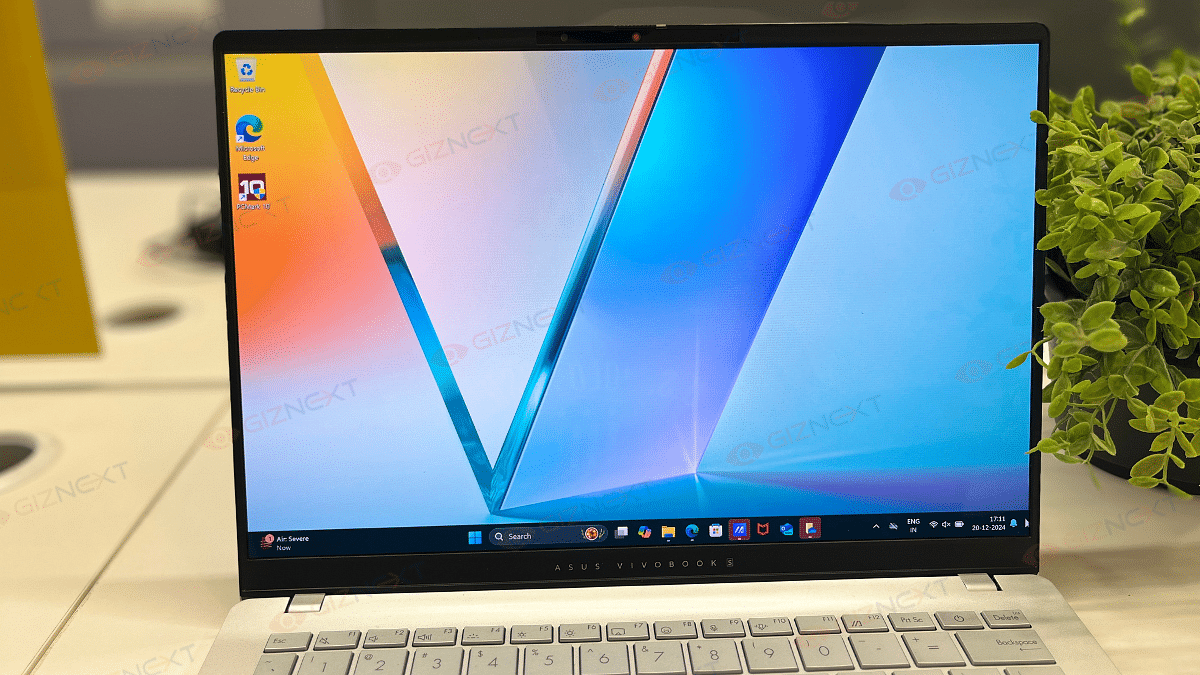
If you’re an OLED lover, the Asus Vivobook S 14 is sure to steal your heart. It has an amazing 14-inch HDR-ready OLED display. The screen offers jaw-dropping visuals with 100 percent DCI-P3 color coverage that delivers vibrant colors and rich saturation. The deep blacks and great contrast, hallmarks of OLED, make every movie, game, or design project a visual masterpiece.
With an adaptive refresh rate of up to 120Hz, the screen ensures smooth performance. HDR content dazzles with a peak brightness of 600 nits while the standard 400 nits brightness is ideal for indoor settings. That said, outdoor usage could be a bit tricky due to reflections and slightly limited brightness under harsh sunlight. Still, if you’re a fan of vibrant and immersive displays, this one’s sure to win you over.
The Asus Vivobook S 14 OLED is designed for productivity enthusiasts with a sprinkle of AI innovation. Powered by the AMD Ryzen AI 9 HX, this 12-core processor (4 performance + 8 efficiency cores) clocked at up to 5.1GHz ensures compatibility with all x86 apps. Backed by 24GB RAM and a 512GB NVMe SSD, it tackles everyday multitasking effortlessly.
For casual gamers, the AMD Radeon 890M GPU delivers decent performance. The laptop can become very hot, especially when intense gaming, therefore it’s best to use it in an area with good ventilation. However, the laptop remains cool and silent when used on a daily basis.
Regarding the media section, it’s a treat to watch series like Full Swing and Drive to Survive streamed on the bright OLED screen. Media enthusiasts will love it for its brilliant contrast, vibrant colors, and deep blacks. Because it ensures proper color representation, the color-accurate screen is especially perfect for creative activities like photo editing.
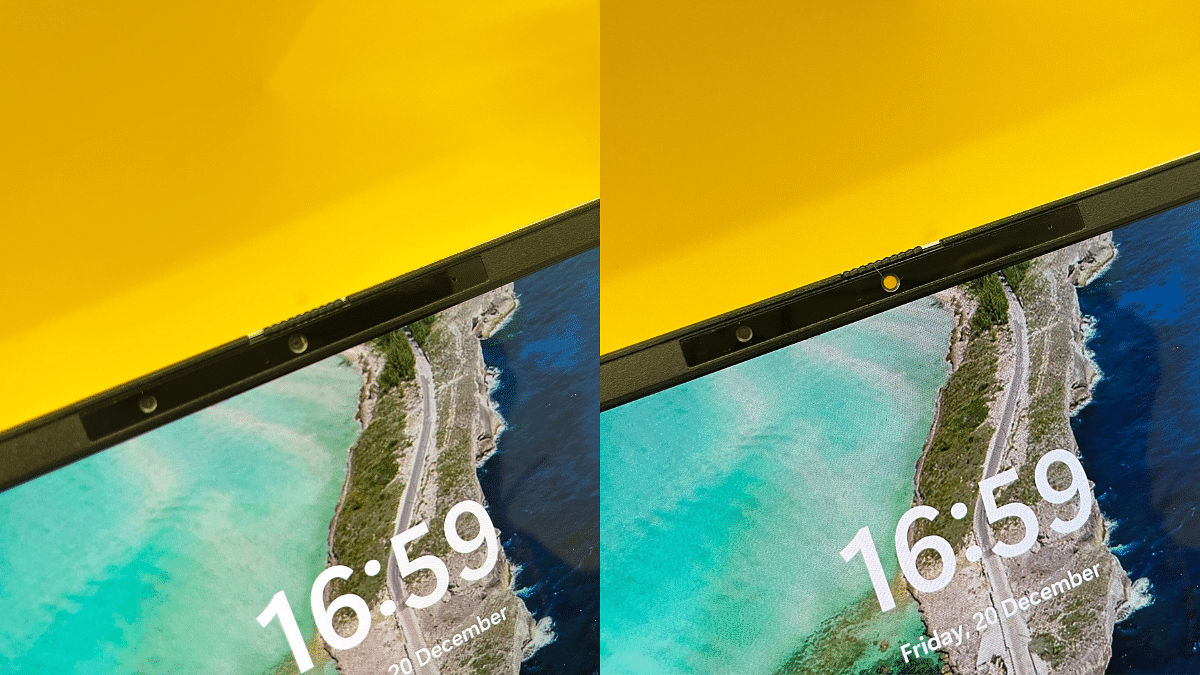
Apart from that, the Asus Vivobook S 14 features an FHD camera with IR functionality. This supports Windows Hello for secure facial recognition login. It also includes a privacy shutter that make sure your privacy when the camera is not in use.
Benchmarks: What The Numbers Say
The Asus Vivobook S 14 OLED delivers impressive benchmark results, proving its capability for both everyday tasks and creative workflows:
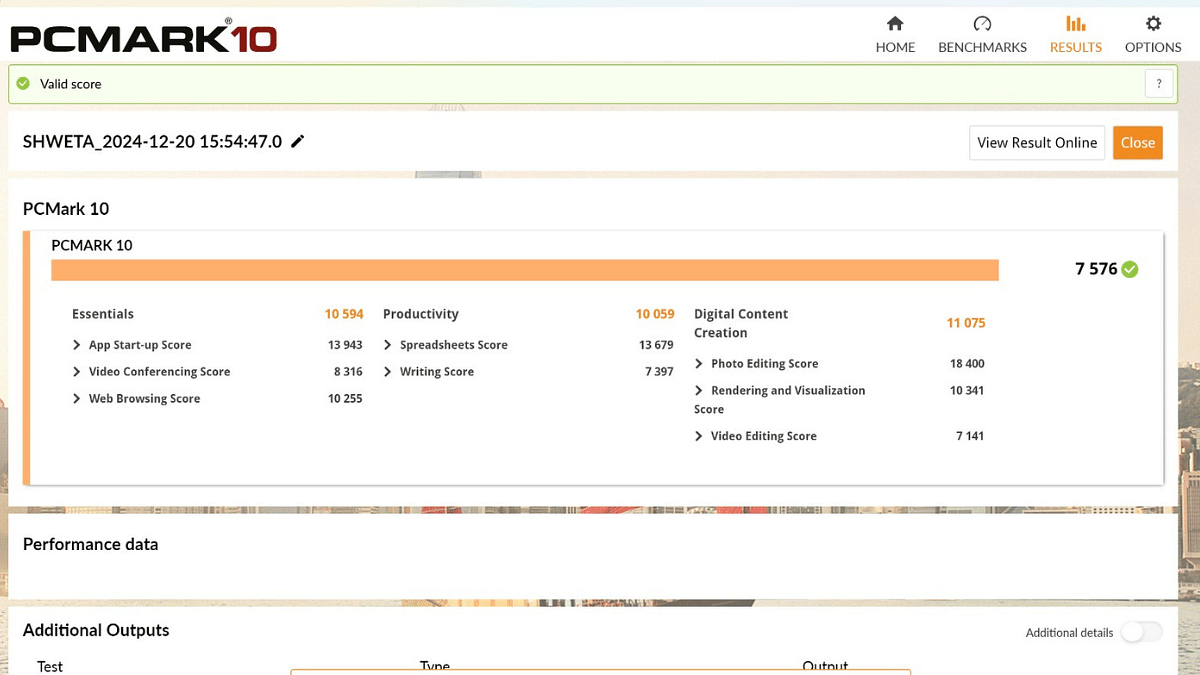
PCMark 10:
Overall Score – 7,576 points, shining in core categories:
Essentials: 10,594 – Smooth web browsing and video calls.
Productivity: 10,059 – Efficient multitasking.
Digital Content Creation: 11,075 – Seamless photo and video editing.
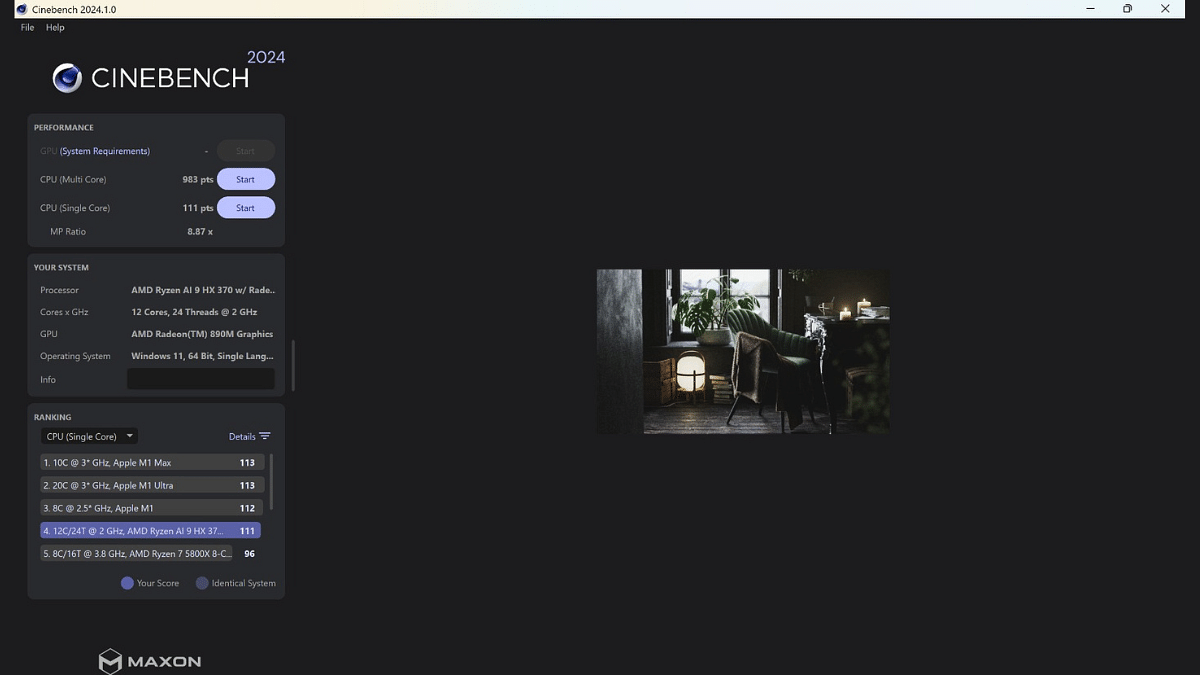
Cinebench 2024:
Single-Core Performance: 111 points – Optimized for single-threaded tasks.
Multi-Core Performance: 983 points – Efficient at handling multitasking and intensive workloads.
The Ryzen AI 9 HX 370 processor with its 12-core, 24-thread configuration ensures a solid balance of performance for productivity, casual gaming, and creative workflows.
Battery: Long-Lasting
The Asus Vivobook S 14 OLED comes equipped with a 75Wh battery. It is perfectly sized for its productivity-focused design. It’s paired with a 90W USB-C charger that offers higher capacity than most portable laptops in this segment. The dual-piece design features long cables and a USB-C plug for convenience. Impressively, a full charge takes less than two hours that makes it ideal for users on the go.
The Asus Vivobook S 14 OLED impresses with its sleek design, decent OLED display, and solid performance. It offers great productivity capabilities and vibrant visuals. Despite occasional heating during gaming, it’s a strong contender for users seeking portability and style.
The laptop is priced at Rs. 1,09,990. If you prioritize portability, vibrant visuals, and AI-driven productivity, this laptop will definitely meet your needs.
For the tech geeks, stay updated with the latest cutting-edge gadgets in the market, exclusive tech updates, gadget reviews, and more right on your phone’s screen. Join Giznext’s WhatsApp channel and receive the industry-first tech updates.
Instagram usernames play a crucial role in shaping one’s online identity
A well-chosen Instagram username enhances visibility
Easier for users to find, follow, and engage with others
For those who eat, sleep, and dream cars, choosing the right Instagram username is akin to selecting the perfect vehicle. Whether you’re a gearhead, a classic car expert, or simply someone with a fondness for four-wheeled wonders, this article unveils a curated list of the best Instagram usernames that will rev up your profile and connect you with like-minded petrolheads. Get ready to roll into the world of automotive camaraderie with a username that speaks horsepower.
For the tech geeks, stay updated with the latest cutting-edge gadgets in the market, exclusive tech updates, gadget reviews, and more right on your phone’s screen. Join Giznext’s WhatsApp channel and receive the industry-first tech updates.
Smartphones are like gold mines of personal information in today’s technologically advanced world. However, what occurs if your device is compromised by a hacker? Although it is concerning, the harm can be minimized by remaining composed and taking actions quickly. Here are some actions you should do immediately to recover control and safeguard your digital life if you think your phone has been compromised.
Although becoming a victim of phone hacking might be upsetting, you can minimize harm and safeguard your data by acting quickly. Remain alert at all times, avoid clicking on suspicious links, stay away from dangerous Wi-Fi networks, and keep your software updated. You may reduce future threats and secure your digital life by following these procedures.
For the tech geeks, stay updated with the latest cutting-edge gadgets in the market, exclusive tech updates, gadget reviews, and more right on your phone’s screen. Join Giznext’s WhatsApp channel and receive the industry-first tech updates.
If you’re a Jio subscriber, there’s a great news for you. Jio has launched a new Rs. 601 voucher, offering unlimited 5G data for a year. This plan is not just affordable but also a great option for gifting. Here’s a simple guide on how it works and how you can get started.
Step 1: Before purchasing the Rs. 601 voucher, ensure you are on a recharge plan that provides at least 1.5GB of 4G data per day. Plans like Rs. 199, Rs. 239, Rs. 299 and others in this range are eligible. If you’re on a 1GB per day plan or the Rs. 1,899 annual recharge plan, this voucher won’t work.
Step 2: Buy the Rs. 601 True 5G gift voucher directly from the My Jio app. You’ll receive 12 upgrade vouchers with this purchase.
Step 3: Each Rs. 601 voucher allows you to enjoy unlimited 5G data and boosts your 4G daily limit to 3GB per day. Here’s how to activate it:
Open the My Jio app.
Navigate to the “Vouchers” section.
Redeem one of the 12 upgrade vouchers.
The validity of each 5G upgrade voucher depends on your base plan. If your base plan has 28 days left, the unlimited 5G benefits will also last for 28 days. Remember, you can activate these vouchers any time over 12 months.
How To Gift The Plan
You can gift the Rs. 601 voucher to family or friends. Before gifting, make sure they are on an eligible base plan to enjoy seamless 5G benefits.
If you’re not ready for a year-long commitment, Jio also offers smaller 5G upgrade vouchers at Rs. 51, Rs. 101, and Rs. 151. These provide one, two, and three months of unlimited 5G data, respectively.
For the tech geeks, stay updated with the latest cutting-edge gadgets in the market, exclusive tech updates, gadget reviews, and more right on your phone’s screen. Join Giznext’s WhatsApp channel and receive the industry-first tech updates.
WhatsApp has made sharing documents even easier with its new document scanning feature. Currently available for iPhone users with the latest iOS update, this feature lets you scan documents directly through the app without relying on third-party apps. Alongside, WhatsApp has introduced a festive Party Popper emoji reaction for all users.
You can now scan documents seamlessly using WhatsApp. Follow these simple steps:
Step 1: Launch WhatsApp and go to any personal chat or group.
Step 2: Tap on the attachment (paperclip) icon and choose the ‘Document’ option.
Step 3: From the options, pick ‘Scan Document.’ Your phone’s camera will activate.
Step 4: Position the document in the camera frame. WhatsApp automatically detects the edges and suggests cropping margins.
Step 5: You can manually adjust the margins to ensure accuracy. Review the scanned document and make any necessary edits.
Step 6: Once satisfied, you can either share the scanned document in the chat or save it for later use.
Availability
Currently, the scanning feature is limited to iPhone users with the latest iOS update. The rollout is gradual, so it may take time to reach all users. There’s no confirmation yet on when it will arrive for Android.
WhatsApp has also rolled out a festive Party Popper emoji reaction. This seventh reaction emoji is available to both iOS and Android users, joining the existing six options:
Thumbs Up
Heart
Crying with Laughter
Shocked Face
Sad Face
High Five
The Party Popper emoji is perfect for celebrating birthdays, achievements, or any festive occasion, adding a cheerful touch to your chats.
For the tech geeks, stay updated with the latest cutting-edge gadgets in the market, exclusive tech updates, gadget reviews, and more right on your phone’s screen. Join Giznext’s WhatsApp channel and receive the industry-first tech updates.