Categories
Apps Featured Info

Samsung Good Lock App To Expand Worldwide With 23 New Features

Key Highlights

  • Good Lock expands globally with One UI 7
  • Adds 23 new features and improved UI
  • Launching on Google Play Store soon

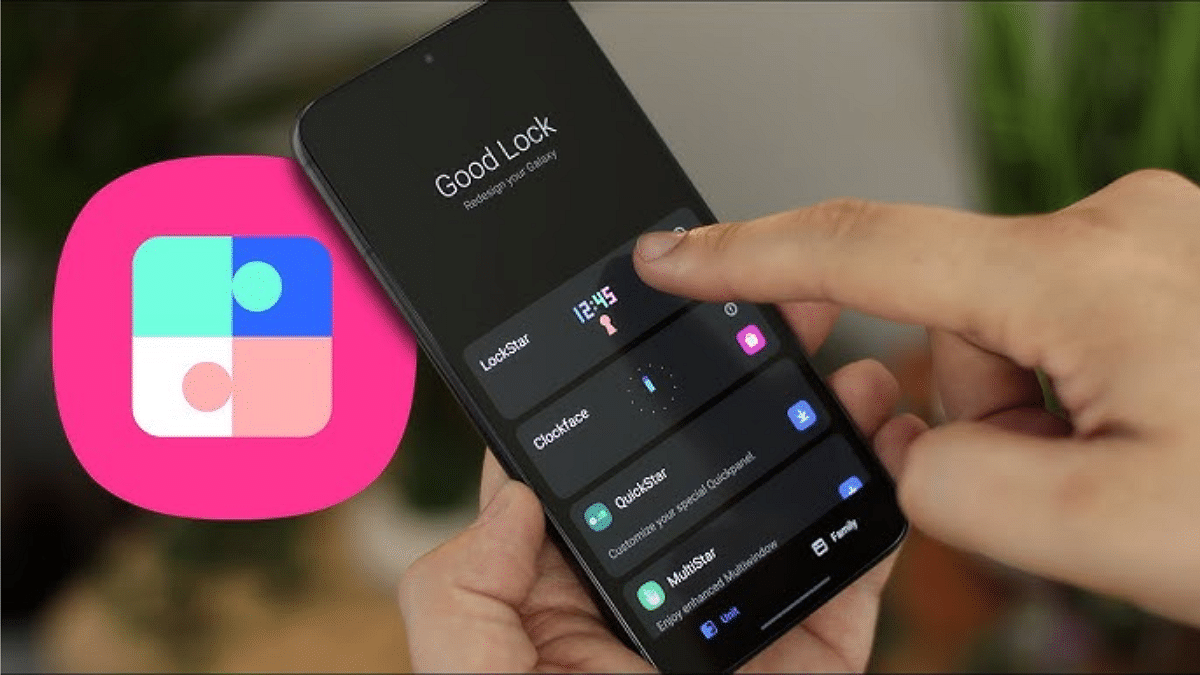
Samsung is making significant changes to its popular Good Lock app with the new Android-15 based One UI 7 update. The app is well-known for enabling Galaxy users to personalize their phones in fascinating ways. It will reportedly become available in all regions and add a number of new features to improve the user experience.

Also Read | WhatsApp Tips & Tricks: How To Unblock Yourself And Regain Access

Global Availability

Good Lock, which is now available via the Galaxy Store in more than 40 countries, will soon be available everywhere. The app will also launch on the Google Play Store, according to a post on Samsung’s official support site.

Enhanced User Interface

Samsung is addressing the app’s growing complexity by introducing a revamped user interface in One UI 7. New features include:

  • App Filters: Makes finding apps faster and easier.
  • My Page Tab: Offers a dedicated section with a Good Lock widget for quick access.
  • Gesture Animation Tuning: Customizes animations for a smoother experience.
  • Edge Panel Customization: Personalizes the side panels to suit individual needs.

Good Lock: New Features

The updated Good Lock app will support a total of 23 functions. Some highlights include:

  • Routine Gallery: Create and share routines with other Galaxy users.
  • Wallpaper Customization: Apply different wallpapers for the home and lock screens.
  • Automatic Adaptation: App icons, titles, and the status bar will now adapt to the set wallpaper.

Advanced Customization Options

Good Lock is also expanding its customization options, such as:

  • Folder Icon Customization: Change folder appearances for a unique look.
  • App Icon Shapes: Specify shapes to match your theme.
  • Air Command Tweaks: Adjust stylus controls for better functionality.
  • External Video Saving: Automatically save videos to external storage devices for convenience.

Also Read | Apple Lockdown Mode: What Is This Security Feature? How To Use?

Launch Details

The updated app is reportedly in the final stages of internal testing and may launch alongside the stable version of One UI 7. This update could redefine how Samsung users interact with their smartphones.

For the tech geeks, stay updated with the latest cutting-edge gadgets in the market, exclusive tech updates, gadget reviews, and more right on your phone’s screen. Join Giznext’s WhatsApp channel and receive the industry-first tech updates.

Categories
Apps Featured How To

Apple TV+ Free Streaming Weekend In January 2025: How To Watch Without A Subscription

Key Highlights

  • Apple TV+ will be free from Jan 3 to Jan 5
  • Enjoy hit shows like Severance, Ted Lasso, and Silo
  • Simply login with an Apple ID

Apple TV+ is welcoming the new year with an exciting offer for viewers worldwide. From January 3 to January 5, 2025, the popular streaming platform will be free for everyone. Users can enjoy all Apple Originals without a subscription. All that’s needed is an Apple ID to start streaming.

Also Read | Smart TV Storage Crisis? How To Get Additional Storage For Your Smart TV To Install Games, Apps

Details

  • The free streaming promotion runs for two days, from January 3 to January 5, 2025.
  • Viewers can access the service without any subscription during the offer period.
  • Apple TV+ is available on iPhones, iPads, Macs, smart TVs, and other devices with Apple TV support.
  • Users only need an Apple ID to log in and start watching.

How To Watch Apple TV+ For Free?

Follow these simple steps to stream Apple Originals during the free offer:

Step 1: On your device, open the Apple TV+ app. Apple devices have it pre-installed.

Step 2: Use your Apple ID to log in or create one if you don’t have it.

Step 3: Browse the library and pick any show or movie to watch instantly.

More Ways To Access Apple TV+

Even after the free weekend, users can continue exploring Apple TV+ with various options:

  • You can get three months of free Apple TV+ on the purchase of new Apple products.
  • New subscribers can get a 7-day free trial before paying Rs. 99 per month.
  • Bundled services start at Rs. 195 per month, including Apple Music and iCloud storage.
  • Apple TV+ and Apple Music are free with certain Airtel postpaid and prepaid plans.

Also Read | Airtel Digital TV: How To Add Or Remove Airtel DTH Channels

Conclusion

With this limited-time deal, anyone can explore the Apple TV+ for free. The platform offers everything for every viewer, from comedies and tragedies to sci-fi adventures. It’s undoubtedly a great way to start 2025.

For the tech geeks, stay updated with the latest cutting-edge gadgets in the market, exclusive tech updates, gadget reviews, and more right on your phone’s screen. Join Giznext’s WhatsApp channel and receive the industry-first tech updates.

Categories
Apps Featured Info

Not Sure What To Watch? YouTube’s Play Something Button Picks For You

Key Highlights

  • YouTube tests a ‘Play Something’ button for random video discovery
  • Uses Shorts player for all videos, needing format tweaks
  • Still experimental, no release date yet

YouTube is testing a new feature called the ‘Play Something’ button. It is designed to help users find random videos to watch effortlessly. This floating button, spotted on Android devices, works like a shuffle option for videos. If offers a quick and fun way to discover content without endless scrolling.

Also Read | YouTube Tips And Tricks: How To Download YouTube Shorts Videos Offline

What Is The ‘Play Something’ Button?

The ‘Play Something’ button is located above the bottom navigation bar in the YouTube app. With just one tap, the feature selects a video for you to watch, making it ideal for those unsure of what to play next.

This isn’t YouTube’s first attempt at a random video selector. Over the past year, different versions of this feature have been tested, including banners and simple buttons. The latest floating button appears to be YouTube’s most focused approach yet.

Interestingly, the ‘Play Something’ button uses the YouTube Shorts player to display both Shorts and standard videos. However, all videos are shown in the vertical format meant for Shorts, which might feel awkward for longer, standard videos. YouTube may need to adjust this aspect for a smoother experience.

Inspiration From Netflix

The feature bears similarities to Netflix’s retired ‘Surprise Me’ option, which helped users find random shows or movies to watch. Both features aim to eliminate the indecision of scrolling through endless content, making it easier to stumble upon something engaging.

Benefits For Users And Creators

For users, the ‘Play Something’ button can feel like flipping through TV channels, letting them discover unexpected content. Creators also benefit, as their videos may get featured randomly, increasing visibility and audience reach.

Although the feature sounds promising, the reliance on the vertical Shorts player for all videos could limit its appeal. A dynamic player that adapts to video type — vertical for Shorts and landscape for standard videos — would make the feature more versatile.

Also Read | Looking To Boost Your YouTube Views? Try These Thumbnail Tips

When Will It Launch?

As of now, YouTube hasn’t confirmed a release date for the ‘Play Something’ button. It’s still an experimental feature, part of YouTube’s continuous effort to improve its platform and offer new ways to engage users.

For the tech geeks, stay updated with the latest cutting-edge gadgets in the market, exclusive tech updates, gadget reviews, and more right on your phone’s screen. Join Giznext’s WhatsApp channel and receive the industry-first tech updates.
Categories
Apps Featured

Want To Stand Out On Instagram As A Car Enthusiast? Check Out These 100+ Ideas

Key Highlights

  • Instagram usernames play a crucial role in shaping one’s online identity
  • A well-chosen Instagram username enhances visibility
  • Easier for users to find, follow, and engage with others

For those who eat, sleep, and dream cars, choosing the right Instagram username is akin to selecting the perfect vehicle. Whether you’re a gearhead, a classic car expert, or simply someone with a fondness for four-wheeled wonders, this article unveils a curated list of the best Instagram usernames that will rev up your profile and connect you with like-minded petrolheads. Get ready to roll into the world of automotive camaraderie with a username that speaks horsepower.

Also Read | 100+ Cool And Stylish Instagram Names For Bikers

Trendy Instagram Usernames For Car Lovers

MileageMaestroDriveDivaExoticEnigma
ApexAlchemyAlloyAbyssNitroNomadess
GlideGoddessIgnitionIconTorqueTamer
TurboTailwindApexAdventuressThunderThreads
UrbanVelocityUrbanUltradriveUrbanUtopiaRides
IgniteInsiderDriftDollIgnitionInnovator
VintageVirtuosoRadiantRacerQuantumQuicksilver
ThunderTerraTurboTeaserDriveDazzler

Attractive Instagram Usernames For Car Lovers

Nitro NectarStealth SerpentineNitro Nova
Urban UltravioletRadiant RallyStreet Sculptress
Apex AegisUrban UptrendTorque Temper
Gritty GazelleIgnition IridescentAlloy Aloft
Radiant RoverQuantum QuillIgnition Inception
Turbo TwistDrive DazzleUrban Uprising
Drift DamselTurbo TroveDrift Damsel
Velocity VanguardGlide GleamApex Aurora

Also Read | 100+ Catchy Instagram Username Ideas For Poetry Enthusiasts

Catchy Instagram Usernames For Car Lovers

Apex AuroraChrome CrazeThunder Throttle
Velocity VirtuosoAsphalt AlchemyUrban Unleashed
Gears GaloreRevved ReverieInfinite Inferno
Radiant RidesInfinite IgnitionBoosted Bard
Cruisin CanvasStealth SpeedsterCar Canvas
Motor MystiqueVintage VroomDrive Dreamer
Aero AdrenalineNitro NomadTurbo Twist
Torque TrendDrift DivaVroom Virtuoso

Also Read | 100+ Trendy Instagram Username Ideas For Marketing

Cool Instagram Names For Car Lovers

Alloy AffinityFuel FinesseBolt Belle
Carbon CruiseNeon NexaIgnite Insider
Gritty GearsTurbo TailwindUrban Velocity
Dash DynamoGlide GoddessThunder Threads
Street StallionApex AvenueTorque Tamer
Track TycoonQuantum QuicksilverNitro Nomadess
Ignition InnovatorStreet SculptorExotic Enigma
Gearhead GalaxyRally RadianceTurbo Teaser

For the tech geeks, stay updated with the latest cutting-edge gadgets in the market, exclusive tech updates, gadget reviews, and more right on your phone’s screen. Join Giznext’s WhatsApp channel and receive the industry-first tech updates.

Categories
Apps Featured How To

WhatsApp Introduces Document Scanning: Here’s How To Use It

Key Highlights

  • WhatsApp adds document scanning for iPhones
  • New Party Popper emoji for celebrations
  • Android rollout coming soon

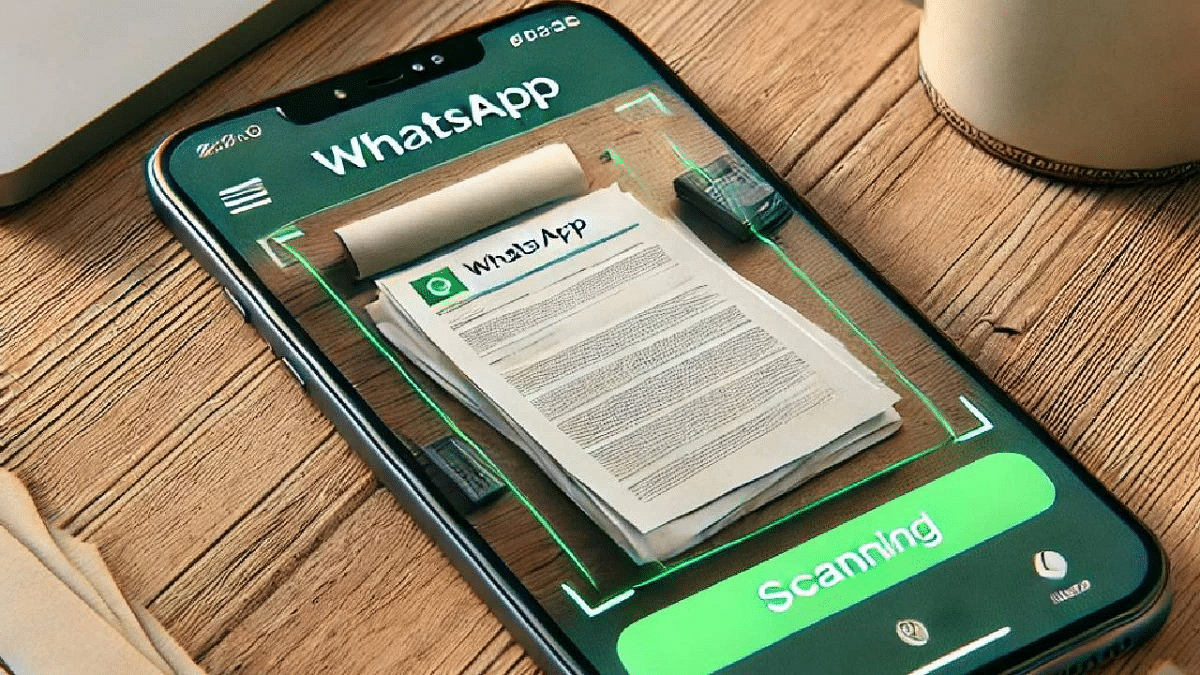
WhatsApp has made sharing documents even easier with its new document scanning feature. Currently available for iPhone users with the latest iOS update, this feature lets you scan documents directly through the app without relying on third-party apps. Alongside, WhatsApp has introduced a festive Party Popper emoji reaction for all users.

Also Read | Say Goodbye To Phone Numbers: WhatsApp Web To Offer Usernames Soon

WhatsApp Document Scanning Feature: How To Use

You can now scan documents seamlessly using WhatsApp. Follow these simple steps:

Step 1: Launch WhatsApp and go to any personal chat or group.

Step 2: Tap on the attachment (paperclip) icon and choose the ‘Document’ option.

Step 3: From the options, pick ‘Scan Document.’ Your phone’s camera will activate.

Step 4: Position the document in the camera frame. WhatsApp automatically detects the edges and suggests cropping margins.

Step 5: You can manually adjust the margins to ensure accuracy. Review the scanned document and make any necessary edits.

Step 6: Once satisfied, you can either share the scanned document in the chat or save it for later use.

Availability

Currently, the scanning feature is limited to iPhone users with the latest iOS update. The rollout is gradual, so it may take time to reach all users. There’s no confirmation yet on when it will arrive for Android.

Also Read | WhatsApp AI Tips And Tricks: How Can You Create And Edit Animated AI Images In WhatsApp

New Reaction Emoji: Party Popper

WhatsApp has also rolled out a festive Party Popper emoji reaction. This seventh reaction emoji is available to both iOS and Android users, joining the existing six options:

  • Thumbs Up
  • Heart
  • Crying with Laughter
  • Shocked Face
  • Sad Face
  • High Five

The Party Popper emoji is perfect for celebrating birthdays, achievements, or any festive occasion, adding a cheerful touch to your chats.

For the tech geeks, stay updated with the latest cutting-edge gadgets in the market, exclusive tech updates, gadget reviews, and more right on your phone’s screen. Join Giznext’s WhatsApp channel and receive the industry-first tech updates.

Categories
Apps Featured

From The Christmas Chronicles To The Noel Diary: The Best Christmas Movies To Binge-Watch On Netflix

Key Highlights

  • Netflix has uploaded some great Christmas movies on its platform
  • The Christmas Chronicles, Falling for Christmas, and more
  • To find all Christmas movies and series, you can search the code on Netflix

What would Christmas be without seasonal movies that get you in the holiday spirit? If you’re looking for some holiday movie fun this year, look no further than Netflix, which has tons of romantic movies, family movies, comedies, and more. Whether you want to bake cookies, wrap presents, or curl up under a blanket to escape the early morning darkness, play the best Christmas movies on Netflix. Here are a few Christmas movies that are now available on Netflix.

Also Read | 5 Christmas Movies To Spread The Holiday Magic On OTT

The Christmas Chronicles

The Christmas Chronicles is a fun movie for children. Santa’s sleigh crashes accidentally in this movie. A brother and sister work all night to get help from a savvy, straight-talking St. Nick in order to save Christmas.

Falling for Christmas

The movie ‘Falling for Christmas‘, in which Lindsay Lohan plays the young heiress who is diagnosed with amnesia, is about her. Later, she discovers that the charming cabin owner and his daughter are taking care of her.

Scrooge: A Christmas Carol

With the voices of Luke Evans, Jessie Buckley, Olivia Colman, and Johnny Flynn, this 2022 animated musical breathes fresh life into Charles Dickens’s timeless Christmas story. Watch Scrooge: A Christmol Carol on Netflix.

The Noel Diary

The Noel Diary, from the creator of Father of the Bride, follows bestselling novelist Jake Turner as he unearths a diary that could reveal details about his past and Rachel, an attractive lady he meets. The movie is based on the novel by Richard Paul Evans.

Also Read | Jingle Binge: Top Five Christmas Movies To Watch On Amazon Prime Video

Netflix Christmas Codes

Netflix has a secret set of codes that you can use to find many hidden movies and series on the platform, sorted by genre. To find all Christmas movies and series, use the following codes on the platform:

Romantic Christmas films1394527
British Christmas children & family films1527064
Goofy Christmas children & family films1475071
Canadian Christmas children & family films1721544
Feel-good Christmas children & family films1475066
Christmas children & family films1474017
Family-friendly Christmas films1394522
Christmas children & family films for ages 11 to 121477206
European Christmas children & family films1527063
Christmas children & family films from the 1990s1476024

For the tech geeks, stay updated with the latest cutting-edge gadgets in the market, exclusive tech updates, gadget reviews, and more right on your phone’s screen. Join Giznext’s WhatsApp channel and receive the industry-first tech updates.
Categories
Apps Featured Info

WhatsApp To End Support For Over 20 Android Smartphones In January 2025

Key Highlights

  • WhatsApp ends support for 20+ old Android phones on January 1, 2025
  • Backup chats and upgrade devices to stay connected
  • Affected phones are 10+ years old with outdated software

Starting January 1, 2025, WhatsApp will no longer work on certain older Android smartphones. This update is part of the platform’s efforts to enhance functionality and security, which requires updated operating systems. Devices running Android KitKat or earlier will be affected. Here’s everything you need to know.

Also Read | WhatsApp Tips & Tricks: How To Unblock Yourself And Regain Access

Why Is WhatsApp Ending Support?

WhatsApp regularly updates its features to ensure a better and more secure experience for users. However, older devices with outdated OSs often lack the ability to support these upgrades. This results in the discontinuation of support for such devices.

Which Devices Are Affected?

Over 20 Android smartphones, mostly at least 10 years old will lose WhatsApp access. These include popular models from brands like Samsung, HTC, LG, and Sony. Some notable models are:

  • Samsung Galaxy Series: Galaxy S3, Galaxy Note 2, Galaxy Ace 3, Galaxy S4 Mini
  • Motorola: Moto G (1st Gen), Motorola Razr HD, Moto E 2014
  • HTC: HTC One X, HTC One X+, HTC Desire 500, HTC Desire 601
  • LG: LG Optimus G, LG G2 Mini, LG L90
  • Sony Xperia Series: Xperia Z, Xperia SP, Xperia T, Xperia V

What Should Users Do?

If you own one of these devices, follow these steps to ensure a smooth transition:

  • Use Google Drive to save all your important conversations and media.
  • Upgrade to a newer device running latest versions of Android.
  • Along with WhatsApp, apps like Facebook and Instagram may also stop functioning on outdated smartphones.

Why It’s Time To Upgrade

Most of the affected devices are over a decade old, that means they lack modern hardware and software capabilities. Upgrading to a newer smartphone ensures access to the latest apps, better security, and a smoother user experience.

Also Read | WhatsApp Tips And Tricks: Easy Ways To Record WhatsApp Video Calls

Conclusion

If your smartphone is listed among those losing WhatsApp support, it’s time to take action. Backup your data and consider upgrading to a newer device to stay connected. With technology evolving rapidly, this change is an opportunity to explore modern features and enhanced functionality.

For the tech geeks, stay updated with the latest cutting-edge gadgets in the market, exclusive tech updates, gadget reviews, and more right on your phone’s screen. Join Giznext’s WhatsApp channel and receive the industry-first tech updates.
Categories
Apps Featured How To

ChatGPT Maps Feature: Here’s How To Explore Local Spots Easily

Key Highlights

  • Find local businesses and restaurants easily
  • Get real-time info and view maps
  • Chat for more details on locations

ChatGPT’s search feature has now included maps and real-time location-based results. Users can now find shops, restaurants, and more with the most recent information thanks to this latest feature. Here’s a quick tutorial on how to use the desktop and mobile versions of ChatGPT’s Search Maps features.

Also Read | ChatGPT Search Quick Hacks: How To Use ChatGPT As Default Search Engine In Google Chrome

Simple Steps To Use ChatGPT Search Map features

ChatGPT

Step 1: To get started, make sure you have a ChatGPT account. If you’re already signed in, open the ChatGPT app on your mobile device or the desktop version on your computer.

Step 2: ChatGPT Search is available for all users, meaning you don’t need a premium subscription like ChatGPT Plus to use it. Once you’re in the app, you can start using the search feature right away.

  • On mobile: Open the app and tap the search bar.
  • On desktop: Make use of the top of the screen search bar.

Step 3: If you prefer using ChatGPT as your main search engine, you can set it as your default browser. This is a handy way to access AI-powered search results more easily.

Step 4: One of the latest features added to ChatGPT Search is the ability to search for businesses, restaurants, and locations using a map.

  • Enter a company name or location in the search bar.
  • ChatGPT will display relevant results with an interactive map.
  • You can tap on the results for more detailed information like hours of operation, reviews, and directions.

Step 5: If you’re looking for specific local information, such as nearby restaurants or stores, simply type your query, and ChatGPT will show you up-to-date results on the map.

For example, you can search for “restaurants near me” or “best coffee shops in Delhi.” ChatGPT will display a list of options with pins on the map.

Step 6: Once you’ve found a business or location you’re interested in, you can ask ChatGPT more about it. For example:

  • “Tell me about this restaurant’s review.”
  • “How do I get to this store?”

ChatGPT will provide details and answer your questions using the latest information.

Also Read | ChatGPT’s Advanced Voice Mode Lands On The Web: Here’s How To Use

Advanced Voice Mode Coming Soon

You will soon be able to speak your search queries with ChatGPT’s Advanced Voice Mode. This feature that will further improve your search experience will be available in the upcoming week.

For the tech geeks, stay updated with the latest cutting-edge gadgets in the market, exclusive tech updates, gadget reviews, and more right on your phone’s screen. Join Giznext’s WhatsApp channel and receive the industry-first tech updates.
Categories
Apps Featured Info

Nothing OS 3.0 Update: Sneak Peek At New Features And Rollout Dates

Key Highlights

  • Photo Gallery revamp, customizable lock screen, and Smart Drawer
  • New widgets and smoother performance
  • Available for Phone (2), Phone (2a) by late 2024, other devices in early 2025

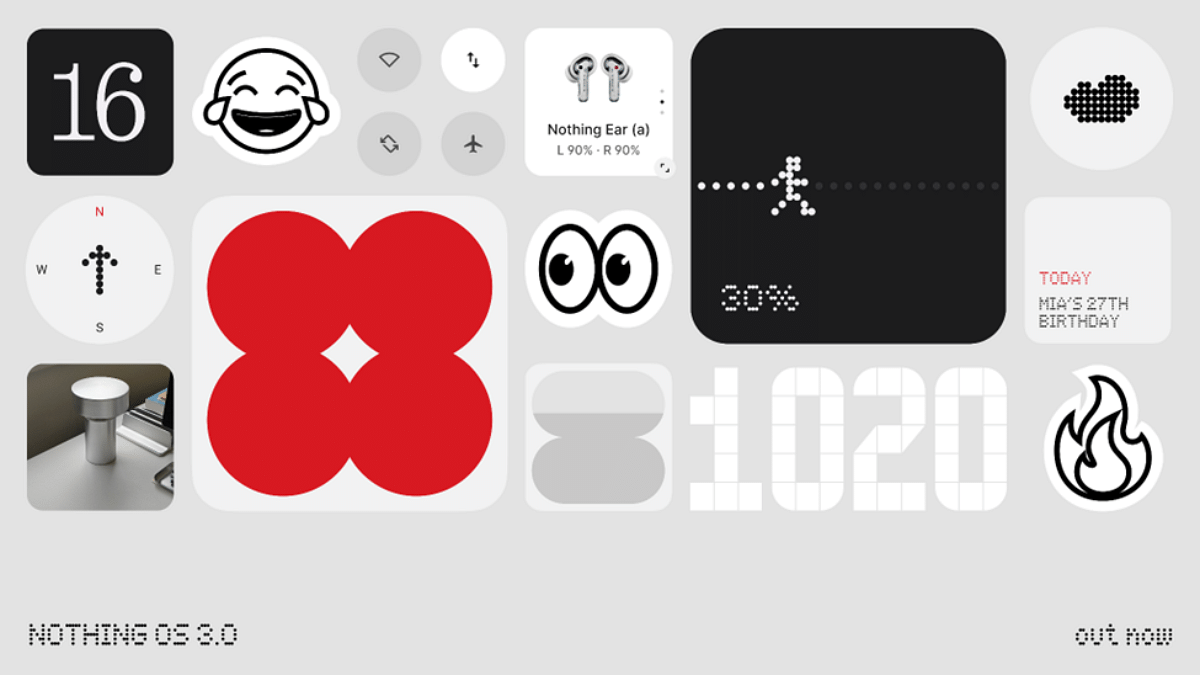
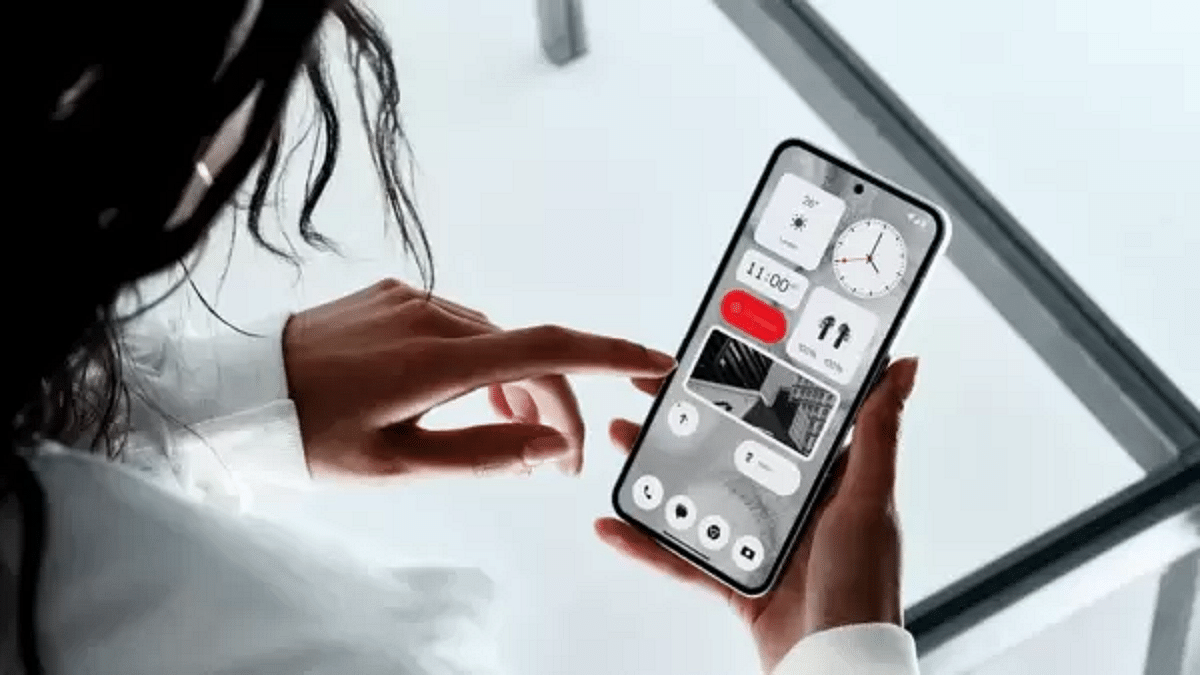
Nothing has just unveiled the rollout of its latest software update, Nothing OS 3.0 (NOS 3.0), powered by Android 15. It aims to improve the user experience overall by emphasizing customization and better connectivity. With NOS 3.0, users now have more control over their device and can stay connected more easily.

Also Read | Nothing Expands Service Network To Boost Customer Support: Details

Nothing OS 3.0: Features

  • Photo Gallery App Revamp: The new native Photo Gallery app comes with advanced search capabilities and editing tools, including filters, markups, and smart suggestions.
  • Customizable Lock Screen: The lock screen now has a fully customizable design. This allows users to display Shared Widgets for quicker access to important information and interactions with friends and family.
  • Productivity Widgets: Stay on top of your tasks with improved Productivity Widgets, like the new Countdown Widget. These widgets help users stay organized and manage their time effectively.
  • AI-Powered Smart Drawer: This automatically organizes apps into categories to make sure a cleaner and more efficient device setup.

Additional Improvements

  • Multi-tasking is easier with the improved Pop-up View. This help users to interact with multiple apps without losing focus on important tasks.
  • Quick Settings have been redesigned for quicker and easier access to essential functions.
  • NOS 3.0 brings visual upgrades for smoother performance and a more polished look across the system.
  • Expect a new look with new typography, making the overall interface more modern and easier to read.

Also Read | Nothing Phone (2a) Plus Alternatives: Four Top Smartphone Rivals

Rollout Schedule

By the end of 2024, Phone (2) and Phone (2a) will be the first devices to receive the Nothing OS 3.0 update. Early in 2025, users of the Phone (1), Phone (2a) Plus, and CMF Phone 1 will get the upgrade.

For the tech geeks, stay updated with the latest cutting-edge gadgets in the market, exclusive tech updates, gadget reviews, and more right on your phone’s screen. Join Giznext’s WhatsApp channel and receive the industry-first tech updates.

Categories
Apps Featured How To

Relive Your Best Moments Of 2024 With Instagram’s Year In Review: Here’s How

Key Highlights

  • Create personalized year-end stories with Instagram’s new feature
  • Add music, text, and effects to make your recap creative
  • Available until the first week of January 2024

Instagram has unveiled an exciting new feature to wrap up the year: Personalized Year in Review Stories. This End-of-Year (EOY) Collage feature lets users showcase their favorite posts and memories from 2024. Available until the first week of January, this update makes it easy to create stunning recaps of the year with added music, text, and creative templates.

Also Read | Apple App Store Awards 2024: Apps And Games That Dominated This Year

How To Use Instagram’s Year in Review Feature

Follow these simple steps to create your personalized year-end recap:

Step 1: Launch the Instagram app on your smartphone.

Step 2: Locate the “+” button at the bottom of your screen.

Step 3: From the options, choose the “Reel” feature to proceed.

Step 4: Browse through various year-end templates designed to highlight your best 2024 moments.

Step 5: Add Your Favorite Photos and Posts

Step 6: Follow the app’s instructions to upload photos, posts, or specific moments from the year.

Step 7: Personalize your recap by adding music, text, filters, and other effects.

Step 8: Once satisfied, share your year-in-review reel or story with friends, family, and followers.

Also Read | Year In Search: Here’s What India Googled In 2024

Why Use This Feature?

This new addition allows users to reflect on the past year creatively and expressively. With music, text, and filters, your recap becomes a vibrant story showcasing the moments that mattered most. Don’t miss out, start curating your year-end memories today.

For the tech geeks, stay updated with the latest cutting-edge gadgets in the market, exclusive tech updates, gadget reviews, and more right on your phone’s screen. Join Giznext’s WhatsApp channel and receive the industry-first tech updates.