Categories
Apps Tablet

Five Best iPad Apps For Instagram Enthusiasts

Key Highlights

  • Instagram is a highly popular social media platform known for its features such as connecting with friends through text messages and video calls, as well as sharing photos and stories
  • Instagram is officially available for Android, iOS, and Windows platforms, but it is not directly accessible for iPad users
  • These apps aim to provide iPad users with an optimized Instagram experience, making up for the lack of an official Instagram app for the iPad platform

Instagram is one of the most popular social media platforms that offer connecting with friends through text messages and video calls, sharing photos and stories. As we all know, Instagram is only available for Android, iOS, and Windows platforms excluding iPad users. Few substitute Instagram apps give the same feel as the official Instagram app with several enhanced features. Here is a list of the five best Instagram apps for the iPad. Also Read | How Can You Download And Watch Instagram Reels On Android, iOS Without Installing Third-Party Apps?

Flow For Instagram

Flow is a very useful app for Instagram for iPad users. It has several free as well as paid features that make it similar to Instagram. To access all the features of this application, you need to upgrade by paying $2.99 which is reasonable in exchange for the additional features you get. The paid features include a dark mode, access to multiple accounts, download photos and videos, and view them in your gallery. It is one of the best Instagram apps for iPad, which offers a smooth browsing experience and several other features.

Also Read | See already deleted WhatsApp messages photos videos

Insta Pad

Insta Pad is another Instagram app for iPad that provides users to easily search for their friends, celebrities, and content creators. Upgrade to the pro version by paying $2.99 to block ads, view photos and videos in full-screen mode, and get access to the geographical location of maps. View posts and videos from the people you follow and like, share, and comment on their posts easily in a single click.

Retro For Instagram

Retro is developed by Singapore-based company Tiny Whale which is only for iPad users. This app also gives you a smooth browsing experience without any ads. Like other apps, upgrade to the pro version for $2.99 to get pro features like more feeds, switch between multiple accounts, download videos, and photos in your gallery, etc. Search and follow your friends and favorite celebrities at ease, add bookmarks and save posts in favorites to watch later, and other exciting features.

Pinstagram

Pinstagram is famous among iPad users and is amongst the best Instagram apps that function similarly to Pinterest. You can browse photos and videos of your followers in retina mode. Similar to Pinterest, this application also allows you to bookmark your favorite photos and videos. It also gives you the option to explore various categories of posts and save them to watch later.

Pad Gram

Pad Gram is amongst the most popular Instagram apps and is used by several users. The features of this application are also quite similar to other applications mentioned above, with a user-friendly interface. Share posts, photos, and videos easily across different social media platforms. Most of the features of this application are free, but if you want an ad-free browsing experience, then upgrade to pro for $2.99.

Wrapping up
These were the top 5 Instagram apps for iPad that will give you the same features as Instagram and even more. Upgrading to Pro will give you the best browsing experience. You can try these applications until the Instagram app is available to iPad users.

Also Read | List Of Best Instagram Hashtags For Travellers

Categories
Apps How To

Want To See Already Deleted WhatsApp Messages? Here’s How To Do It

Key Highlights

  • WhatsApp gives the feature to delete messages for everyone
  • The feature allows the users to delete messages after being sent
  • Some apps can restore and save deleted messages on WhatsApp

WhatsApp has over 1.6 billion users making it one of the most popular messaging applications. It gives you the feature to delete messages for everyone. This feature allows you to delete messages after being sent. but sometimes we need to  See already deleted WhatsApp messages photos videos.

This feature can be annoying sometimes and makes you curious about deleted messages. Luckily, some applications can restore and save deleted messages on WhatsApp, to See already deleted WhatsApp messages photos, and videos. Now you don’t have to worry if someone deletes a message or media. You can still see them using the applications mentioned below:

Also read: Wrong Name Appears On Caller ID, How To Change Your Name In Truecaller?

WhatsDelete 

WhatsDelete is a third-party application that allows you to restore deleted WhatsApp photos and videos. The anti-delete feature of this application lets you save deleted messages from WhatsApp. 

This application also gives you the feature to secretly read WhatsApp texts without changing the last seen or blue ticks. The application is easy to use and has good reviews and ratings from other users. Follow the steps to learn how to bring deleted WhatsApp chat. 

Step 1: Install the application from the play store and open the application on your smartphone. 

Step 2: Allow every permission required by the application and select WhatsApp from the configuration settings page. 

Step 3: The application has different sections for chats, photos, videos, voice messages, and documents that save the deleted messages. You can easily see every deleted message from the respective sections. 

Suppose anyone from your WhatsApp contact deletes a message or media. In that case, WhatsDelete will automatically notify you, and you can simply see the message or even directly reply to it from the application itself. 

WhatsRemoved+

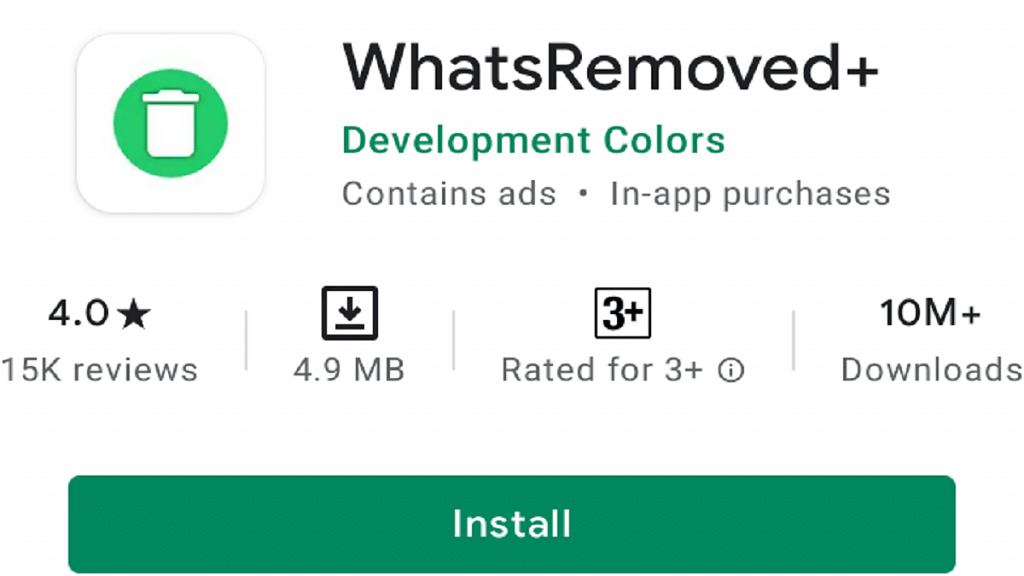
WhatsRemoved+ is another third-party application with an optimized user interface that gives you similar features as WhatsDelete. This application gives you more customizable settings and saves WhatsApp text messages and media automatically in the application. 

This application also gives you the feature to restore deleted WhatsApp statuses. You can easily install this application from the play store. Here is how to restore deleted WhatsApp chat using WhatsRemoved+. 

Step 1: Install WhatsRemoved+ from the play store and open the application on your smartphone

Step 2: Grant every permission required by the application and tap on the ‘Yes, Save Files’ options to detect and save deleted files. 

Step 3: Now select WhatsApp from the select your apps page and click on ‘next’. 

Step 4: Now the application will restore all the deleted messages and media whenever someone deletes them. Tap on the notification to see the deleted chats, photos, videos, voice notes, documents, and even WhatsApp stories. 

Points To Remember 

  • Ensure that you have enabled auto-download media from WhatsApp so these applications can save the deleted media. 
  • These are third-party applications that can read your notifications and messages. Hence your privacy can be at risk while using these apps. 
  • These applications don’t restore messages from chats that are on mute. Unmute chats to restore messages and media in these applications. 

Wrapping Up

Now you can restore and see all deleted messages in WhatsApp. Here is how we can recover deleted WhatsApp chats. These applications only work for Android. For iOS users, there are no applications that can restore deleted chats.

Also Read | WhatsApp Polls: What Is It And How Can You Create WhatsApp Polls For Individual User Or Groups?

Categories
Apps

GBWhatsApp: The WhatsApp Alternative You Need To Know About

Key Highlights

  • GBWhatsApp enhances privacy with PIN protection and hiding status indicators
  • Enjoy convenient communication with features like Auto Reply and Broadcast Messages
  • Personalize your messaging experience with unlimited themes and customizable notification settings

GBwhatsapp Features is a very similar version of the well-known WhatsApp messenger. It not only works the same way, but it also allows users to communicate even without the app installed. Different color themes are available on Gbwhatsapp. 

There is only one version of the software for Android; it is available as an external APK. An APK stands for Android Application Pack, which is a collection of files specifically for that operating system. 

Features Of GBWhatsApp

With its best features, GBWhatapp gives you a reason to use it. These features are truly fantastic.

Increased security: One of the most attractive features of this app is the ability to prevent unauthorized access. Users can protect content and messages via a PIN. 

Auto Reply: To begin with, this feature not only allows you to reply to any of your friends but also to use it for other things. You can write a pre-recorded message and schedule it for the people you want to send messages to, even when you aren’t using the application. 

Also Read | Fix Android Process Acore Has Stopped Error

DND: It is only possible to disable the internet connection of GB Whatsapp if you are using another app on your Android phone and do not want to be bothered by messaging.

Broadcast message: Using Broadcast text messages, you can send a message to a group of people at once.

Filtering messages: It is designed with the feature of Filter Messages that gives users the option of clearing chat and filtering messages with GB Whatsapp APK.

Revoking multiple messages: At one time, you can revoke multiple messages. Using this feature, you can still see the deleted messages by anyone. 

Unlimited themes: Moreover, WhatsApp themes have also been added to this modified version, so now you can choose from so many beautiful themes and Emojis for your phone.

Status download: As well as this, you can download photos and videos from status updates and have them appended to your status update.

New fonts: You can now customize your favourite font by using the custom font feature. Getting bored of the old font? This feature allows you to choose the font of your choice.

Notification pop-ups – A second awesome feature of GB Whatsapp APK is that you can hide your pop-up notifications from being seen on your main screen. Go to GB WhatsApp settings and disable the notification pop-ups. 

GBwhatsapp Features

These are the features that make GBWhatsApp different from standard WhatsApp:

  • Hide voice recording status: It is possible to hide the status of voice recordings. 
  • Hide message typing status: It is also possible to hide the typing status while writing a message. 
  • Hide the double tick marks: GB WhatsApp also offers you the feature to hide your double tick marks for a single contact separately or multiple contacts. Using this feature, you can receive WhatsApp messages, but it will make the person think that the messages haven’t been delivered yet. 
  • No maximum limits of sending files: You can also send your contacts a video clip of 50MB and a music clip of 100MB via this app. This application is not like standard WhatsApp in that it allows you to send more than 90 pictures at any time.

Should You Download GBWhatsApp On Your Smartphones?

Well, GB WhatsApp isn’t an authentic version of WhatsApp and downloading it could bring you more problems rather than solutions. WhatsApp in recent times has been stringent with its policies and has strictly advised users to not download or use any such unlicensed version of WhatsApp. A permanent account ban could be the outcome if you use GBWhatsApp services.

Categories
Apps How To

Wrong Name Appears On Caller ID? Here’s How To Change Your Name In Truecaller?

Key Highlights

  • Truecaller can tell who’s calling even before the phone rings
  • The app often gets people’s names wrong
  • Users can change their name using both the Android and iPhone apps

Truecaller is a caller-identification app that works by collecting data and other information from people’s contacts who have installed the application. If someone has installed Truecaller and your name is saved on their contacts then Truecaller will show your caller ID by that name if you have never registered on the application before. Also Read | Truecaller Tips & Tricks: Check Steps To Turn Off Last Seen Feature On Android

Sometimes, if you have recently acquired a new number that might have previously been used by someone else then there are chances Truecaller will show the previous owner’s name in caller ID based on old information in their database.

Hence, there are two main reasons why the wrong name appears on Truecaller ID. To fix this, you have to install Truecaller on your smartphone and change the name manually, or you can simply do it from the Truecaller website on your laptop or computer.

  1. If your name is saved wrongly in someone else’s contacts and they have installed Truecaller on their smartphone.
  1. If you have acquired a new number that was used previously by someone else.

Also read: How to Add Background Music to WhatsApp Status

How To Change Name In Truecaller?

Truecaller gives you the option to change your name from the app itself, or you can visit their website to change your name without downloading the application. If you are wondering how to change your name from Truecaller, then follow any of the two methods mentioned below:

Method 1: Using Truecaller Application

The best method to fix your name in Truecaller ID is from the app itself. You can easily change your name from the Truecaller application. Download the Truecaller application from the play store and app store for both Android and iOS users.

For Android Users

Step 1: Open Truecaller on your Android device and click on the three lines in the top-right corner of the search bar.

Step 2: Now, click on the pencil icon and open your profile.

Step 3: Once you open your profile, a form will appear on your screen with several details. You can easily change the details by filling the form correctly, like First name, Last name, Phone number, Email, Gender, Address, and several other details.

Step 4: Fill in the necessary details and tap on ‘save’.

For iOS Users

Step 1: Open Truecaller on your iOS device and click on the profile option in the top-right corner.

Step 2: Now, click on the ‘edit profile’ option.

Step 3: After you open your profile, a form will appear similar to that in Android devices where you can change your name and other details.

Step 4: Make the necessary changes and tap on ‘save’.

Method 2: Using Truecaller website

If you don’t want to download Truecaller on your smartphone and just want to change your caller ID, then you can directly do it from the Truecaller website.

Step 1: Open your web browser from your laptop or computer and go to the Truecaller website.

Step 2: Log in with your details and search for your phone number from the search bar.

Step 3: Select the ‘suggest name’ option. Now, make changes to your name and click on save.

Wrapping up

If your name wrongly appears on Truecaller ID, then here is how to change your name in Truecaller. Follow the step-by-step guide mentioned above and successfully change your name in Truecaller ID.

Also Read | Step-by-Step Guide: How To Apply For Free Electricity In Karnataka’s Gruha Jyothi Scheme

Categories
Apps

Worried About Privacy Invasion? Here Are Five Best Free Apps For Hiding Your Personal Media

Key Highlights

  • People often have the desire to keep certain photos and videos hidden from others to protect their privacy
  • Some individuals have a tendency to check others’ galleries, making it challenging to explain the importance of privacy
  • There are several free Android apps available that allow users to securely hide their photos and videos, ensuring privacy

We all have something to hide from others, something we do not want others to check out. We have come across people who have this tendency to check your gallery whenever they get hold of your phones. It is difficult to make these people understand privacy. It is easier to just hide your private pictures from everyone else. Privacy can stay intact. If you are not sure how to keep your photos hidden from all the eyes around you, then you are at the right place. There are various apps that provide you the space to hide your pictures well. Following are the best five apps that are available for free to provide you privacy. Also Read | Best Apps To Detect Hidden Camera For Android And iOS

KeepSafe Photo Vault

It is user-friendly. It has gone through various updates, providing your picture security with a pattern, pin, and fingerprint. It is free of cost. It lets you form folders according to your choice and add any picture to any folder. 

Not just this, it also comes with security notifications like break-ins and fake logins. It takes a picture of the person who tries to break in inside the app. It has its own private cloud space, which makes it easier to store many pictures together. It is hidden when you check the recent menu on your phone.

LockMyPix Photo Vault 

This app is a great guard for your pictures. It has military standard AES encryption grade. It provides security through a pattern or pin. It is very user-friendly as it lets you add pictures directly into the vault. You can just select the picture and choose to add it to the vault directly from the picture menu. It has an add-on feature that lets you use your fingerprint for entry. 

Not just this, but if you see someone coming toward you and are not able to use your phone, then you can just shake your phone, and the app will close by itself and will be hidden from the app drawer as well. You cannot take a screenshot in this app while it is unlocked, which is a plus point in the security. Its pro version will give you a choice to save fake logins from confusing others.

Also read | Four Best Coupon Apps For Online Shopping

Calculator Photo Vault 

This app is very smart. It disguises itself in the name of a simple calculator. Who would think a calculator can hide any pictures or videos you want? This calculator by fishingNet has a hidden heart where you can save your personal pictures and videos. It provides the user with a small home screen camera shortcut through which you can directly add the picture or video you click in the vault without any difficulty, and you also get personal notes, browser, etc. 

You have to select a pin that you need to add to the calculator for the entry and then select “=”. Like the previous one in this also you can shake to close and hide the app.

PhotoGuard Photo Vault 

It is also AES encrypted and lets you use a password, pin fingerprint, or pattern to open the app. This app provides the user with a personal camera from which the user can take a picture and directly save it in the vault. Like others, not all the features are free of cost, but most are. 

If you wish to have extra space, then you need to pay for the unlimited cloud space that comes with fake vaults and break-in alerts.

1Gallery 

It is much more of a photo gallery app and hence contains all the features such as video and photo editor. It also works on the AES encryption system, which makes it secure and safe for use. You get to use a pattern, pin, or fingerprint for safety. 

It is very difficult for a new person to get the images unless it’s you. It also has a dark mode if you like a black screen instead of white.

These apps will make your life easier, and you will be able to secure your videos and photos much more quickly.

Also Read | List Of Best Government Apps Offering AI Chatbot Support To Improve User Experience

Categories
Apps Featured

Want Free Subscription Of SonyLIV, Zee5, Hotstar, Alt Balaji, Eros Now, Netflix, And Prime Video? Here’s The Trick

Key Highlights

  • SonyLIV, Zee5, Hotstar, Alt Balaji, etc. are popular in India
  • You can easily get free subscriptions to these platforms
  • Use Flipkart SuperCoin Zone or prepaid/postpaid mobile packs to access free OTT subscriptions

Nowadays, everyone finds ways to get free subscriptions to watch their favorite content on OTT platforms. There are several ways to get these free subscriptions that will give access to free content and are completely legal. Ways to Get Free Subscription Of SonyLIV, Zee5, Hotstar, Alt Balaji, Eros Now, Netflix, And Prime Video in 2021

Flipkart SuperCoin Zone

You can get a free subscription to SonyLIV, Zee5, and ALT Balaji just by shopping online from Flipkart. If you regularly shop from Flipkart, you must have heard of Flipkart SuperCoin. Whenever you shop online from Flipkart, you get free Flipkart SuperCoins that you can use to redeem free subscriptions for SonyLIV, Zee5, and ALT Balaji.

Open the Flipkart app and navigate to the Flipkart SuperCoin zone. Now click on the ‘View all’ option to see all the rewards that you can redeem for free. Now look for SonyLIV, Zee5, and ALT Balaji subscriptions and tap on the ‘Claim Now’ option to get your free subscription. Now you can copy the code into these applications and watch content for free.

Also Read | Secret Codes To Check Samsung Phones Sensors

Vodafone Idea, Airtel, And Jio Plans

Vodafone Idea Plans

You can get free membership of Zee5 for 1 year if you recharge for ₹499 or above and Netflix free subscription for a year, unlimited calls, and data with few other benefits if you recharge for ₹1099 with Vodafone Idea plans. These offers are worth buying and cost less than the actual subscription.

To claim Zee5 free subscription recharge with any above-mentioned plan as per your needs from My Vodafone app and after successful recharge go to my offers section and search Zee5 membership offer. Now claim the offer by clicking on the activation link.

Also Read | Want To Port Your Vodafone Number To Jio? Here’s How To Do It

To claim free Netflix subscription recharge with the above-mentioned plan from the My Vodafone app. Now go to the Vodafone REDX section and tap on the awards section. Now claim one year Netflix subscription by clicking on the Netflix option. Sign in with your details to watch free content on Netflix.

Jio Plans

Jio postpaid plus plans offer you Disney+ Hotstar, Netflix, or Amazon Prime free subscription along with several other benefits that start from ₹399 and above.

You claim free subscription recharge with the above-mentioned plan or above as per your needs from the My Jio app. Now go to the rewards section and tap on the ‘claim now’ option. Log in to the application to claim your free membership for Disney+ Hotstar, Netflix, or Amazon Prime.

Airtel Plans

Airtel postpaid plans also offer you Disney+ Hotstar and Amazon Prime free subscriptions. Recharge with ₹499 or above to avail of free membership along with a few other offers and data cards.

Also Read | Airtel Gives The Best Download Speed, Jio Leads In Availability: OpenSignal

To claim free subscription recharge with the above-mentioned plans from the Airtel thanks app. Now go to the rewards section and tap on the ‘claim now’ option. Now login or sign-up into these applications to claim your subscription and watch content for free.

Free Trial Offers

Some OTT platforms like Eros Now give you 14 days free trial after you login into the application for the first time. You can watch free content for 14 days and then cancel your payment options before the free trial period ends.

Wrapping Up

Watching OTT platforms content with a free subscription gives you entertainment and saves money as well. Using the following ways, you can get a free subscription for OTT platforms which is totally worth buying.

Categories
Apps How To

How To Make Your WhatsApp Status Play Background Music

Key Highlights

  • Easily add music to videos and photos for WhatsApp Status
  • Several video editing tools to enhance videos for WhatsApp Status
  • Audio editing tools including extraction, cutting, reversing, volume control, and more

WhatsApp Status is a great way to express yourself and share moments from your life with your friends and family to see. A great way to enhance WhatsApp status is to add background music to it. Background songs make status more lively and fun. So, now you may be wondering about how to add a song or music to your WhatsApp status.

This is easy. There are different methods that you can use to add background music to your WhatsApp status. And to know how to add a song or music to WhatsApp status, below are the two ways that you can use:

Also Read: Instagram Reels: How To Add Own Audio Recording, Other Creator’s Music To Insta Reels Videos

Use Your Phone’s Speaker Or External Music Source

This is the simplest way to add music to your WhatsApp status. You can do this without the help of any external editing app. To do this, follow the given steps:

Step 1: Play your desired music on any music app on your phone.

Step 2: While the music is playing, go to the status option in your WhatsApp app.

Step 3: Now long press the capture button to shoot a video while the music plays in the background.

Step 4: This will add the current music that is playing on your phone to your WhatsApp status video, which can be easily shared with your friends and family.

Also Read: 5 Best Free 3D Parallax Wallpaper For Android Phones

Use An Editing App To Edit WhatsApp Status

Another way to add music to your WhatsApp status is to use an editing app on your phone. Using an editing app will allow you to not only add music to your WhatsApp status but also make slideshows out of all the videos and photos. Most video editing apps on the Google Play Store and Apple Store are easy to use and can also be used by a beginner in editing. Following is a list of some of the best-rated video editing apps that you can use to add music and your favorite song to your WhatsApp status.

Audio Status Maker

Developer: Naseem Dauda Kajuna

Ratings: 4 Stars

This is one of the simplest apps to use to add music and edit your WhatsApp status. This app provides a lot of features without making it too overwhelming to use. The features of this app include WhatsApp status music download, adding music, texts, background images and videos, and options to edit them.

Also Read | WhatsApp Emoji Meanings: Know What You Are Expressing With These WhatsApp Emojis

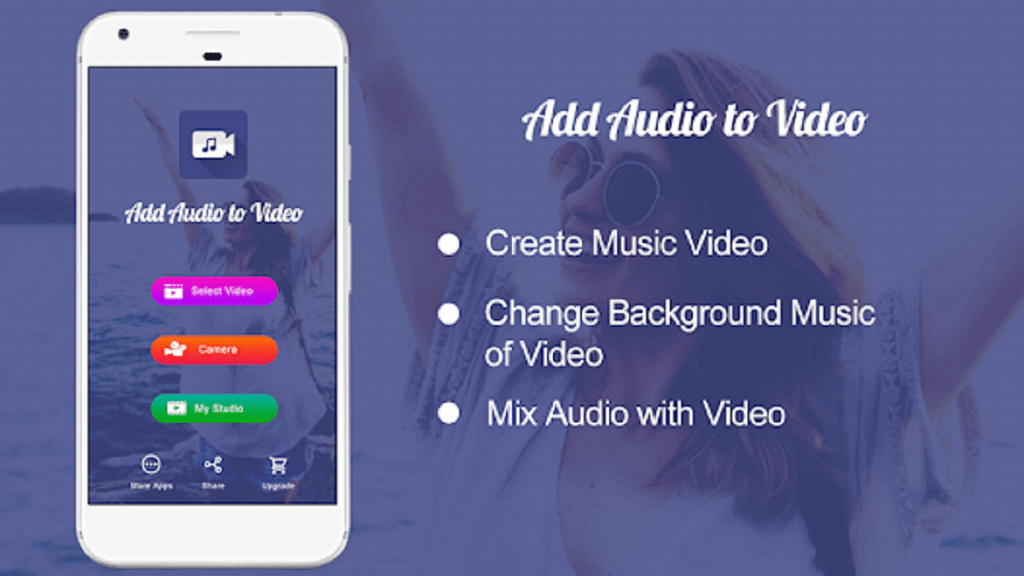
Add Audio to Video: Audio Video Mixer

Developer: AndroTechMania

Ratings: 4.4 Stars

If you are looking for an app that is simple but gets the job done perfectly, then this is the best application that you can use. This app has a simple function that allows you to add music and songs to your chosen videos. Besides this, the app also allows you to trim the WhatsApp status music while editing the video so that you can choose the part of the song that you want in the video and sync it perfectly with it.

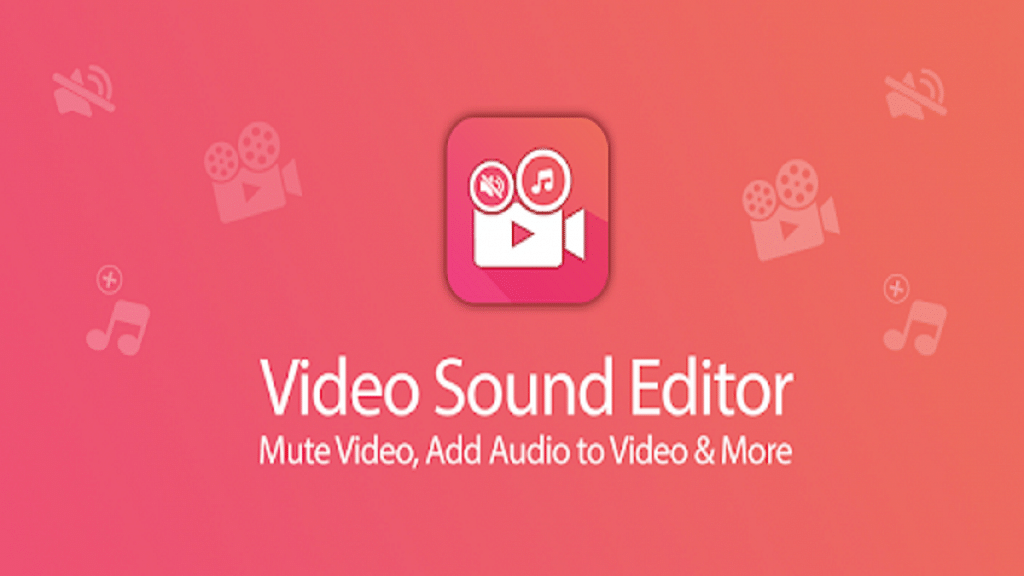
Video Sound Editor: Add Audio, Mute, Silent Video

Developer: AndroTechMania

Ratings: 4.3 Stars

This is also a very simple app that you can use to add songs to WhatsApp status. Alongside this, it also has features to mute your video. It is a very simple app that is easy to use for beginners.

Bottom Line

You have the option to share several sorts of media files, including video, images, GIFs, and text, by using the WhatsApp status feature. This status feature’s primary characteristic is that it will only be accessible for 24 hours. Even though it is a public sharing method, WhatsApp uses end-to-end encryption to protect the entire process.

Also Read: Now Hide Your WhatsApp Online Status: Here’s How

Categories
Apps How To

Want To Send Stylish WhatsApp Messages? Here’s How To Change Font Style In WhatsApp

Key Highlights

  • Many users are unaware of some of the functions that WhatsApp offers
  • You have the option to alter the text font in WhatsApp to bold, italic, strikethrough, and monospace
  • The application has some built-in options that let you change the font

In the world connected with the internet, WhatsApp has become part and parcel of our lives. It is used to connect with our family and friends, enjoy group chats and even have connections professionally. As simple as WhatApp is to use, it can always be made more fun by the introduction of new, cool and stylish fonts that you can use for your texts to stand out. In this article, we have explained how to change the font style in WhatsApp.

A stylish font can help transform your texts and make them look cute, flowery, vintage, serif/sans serif, bold, italics, or any other way that you like. It can help you personalize your texts and can be very useful in writing digital letters, greetings and invitations addressed to your family and friends. They are a great way to structure your text messages and make them look more aesthetic.

So, if you are looking to add some pizzazz to your WhatsApp texts and want to know how to change fonts in WhatsApp, then you are at the right place. Follow along with the given steps to get to know how to change handwriting in WhatsApp.

Also Read | WhatsApp Web: Here’s How To Use WhatsApp Web On Computer And Laptop

How To Change Font Style In WhatsApp?

Use Some WhatsApp Font Codes To Make The Important Stuff Stand Out

Following are some super easy WhatsApp font codes that you can use to edit and tweak your regular texts while chatting or putting on a status:

  • To Italicize: Place an underscore (_) on both ends of the text you want to Italicize. E.g. – 

Type: _hi world_ 

Output: hi world

  • For bold words: Place an asterisk (*) on both ends of the text you want to embolden. E.g. –

Type: *hi world* 

Output: hi world

  • To put a strikethrough: Place a tilde (~) on both ends of the text you want to strike through the text. E.g. –

Type: ~hi world~ 

Output: hi world

  • For monospace: Place 3 backticks (“`) on both ends of the text. E.g. – 

Type: “`hi world“` 

Output: hi world

Also Read | Want To Write Your Instagram Name In A Stylish Font? Here’s How To Do

Use A Stylish Font App For WhatsApp

Another way to write stylishly in WhatsApp is to opt for an app that allows for WhatsApp font change. Fancy font-changing apps like ‘Stylish Text by Rural Geeks’ on the Google Play store can be easily downloaded and used to change not only the font of your WhatsApp texts but also over other apps like YouTube, Instagram, etc. 

Other font-changing apps that you can use for changing your WhatsApp font in Android are:

  • FontBoard – Font & Emoji Keyboard by Luminar
  • Stylish Text for WhatsApp – Fancy Text Generator by Shreeji Developer Apps
  • Chat Styles
  • Cool Symbols & Characters by RunToFuture
  • Fancy Text Symbols by Hoang Nguyen Van

And many more! Do your research and find out the app that works best with your phone and android version and has the fonts that you like.

Font apps allow you to use Unicode fonts that are able to work on multiple apps, plus most of them are available for free! They provide a variety of font styles and symbols to choose from. Some of these apps also allow you to create cute stickers for WhatsApp.

Categories
Apps How To

Instagram Password Forgotten? Do Not Worry! Here Is How To Check It On Your Smartphone

Key Highlights

  • It might be difficult to forget your Instagram login information, but it can be even more annoying to not know how to get it back
  • Find out how to quickly change your Instagram password here
  • It’s crucial that you understand how to change your Instagram password

Instagram is one of the most popular social networking apps in India. Now, most users log in to their Instagram account only once while signing up, they seldom log out and as a result, forget their password. So, in case you have also forgotten the password of your Instagram account while you are logged in, then fret not, as we have shared with you How to Check your Instagram Password in case you have forgotten it.

Also Read: Don’t Remember Password For WhatsApp Encrypted Backup? Here’s What You Can Do

How To Check Your Instagram Password If Forgotten?

Well, in case you have forgotten the password of your Instagram account and you are logged out, you need to create a new password by clicking on forget password and by following the subsequent steps. However, today we aren’t going to discuss that. Today, in this article, we will be discussing how you can check your Instagram account’s password in case you have forgotten that and you are already logged in on a device.

Since most of us tend to save our passwords on our primary devices with the click of a button, these passwords get saved in the settings of our smartphones. Here is how you can get access to them:

For Android Users:

  • Open your Phone’s Settings Menu.
  • Scroll down in the Settings tab and open the Google Menu.
  • Or else you can simply search Google and open it.
  • You will be able to see your Google account on your smartphone.
  • Tap on the Manage Your Google Account menu and a new window appears.
  • Swipe left and tap on Security in the same window.
  • Scroll down and you will find Password Manager, tap on it.
  • You can see all your saved passwords for various websites and apps.
  • Tap on Instagram, you will able to see the username of all your Instagram accounts.
  • Google will ask for your mobile PIN or fingerprint to continue.
  • Now, as you have done that, you will be able to see the password of all your Instagram accounts.

Also Read | Instagram Tips To Create The Best Bio For Boys

For iOS Users:

  • For iOS too, the process is more or less the same. Open your phone’s settings and tap on Passwords.
  • Tap on Instagram.com and you’ll be able to see your Instagram username.
  • Your smartphone will now ask for your passcode/ face ID/touch ID.
  • Once you have done that, you will be able to see the password of all your Instagram accounts.

So, now you know how to check your Instagram password in case you have forgotten it and need to log in on some other device. Instagram is a very popular social networking app with more than 1 Billion monthly active users across the world and more than 150 Million monthly active users in India and so this feature is very useful.

Also Read: Instagram Business Profile: How To Setup Professional Instagram Business Account

Categories
Apps

Want To Edit Videos For Instagram Reels? Best Five Apps You Can Download For Free

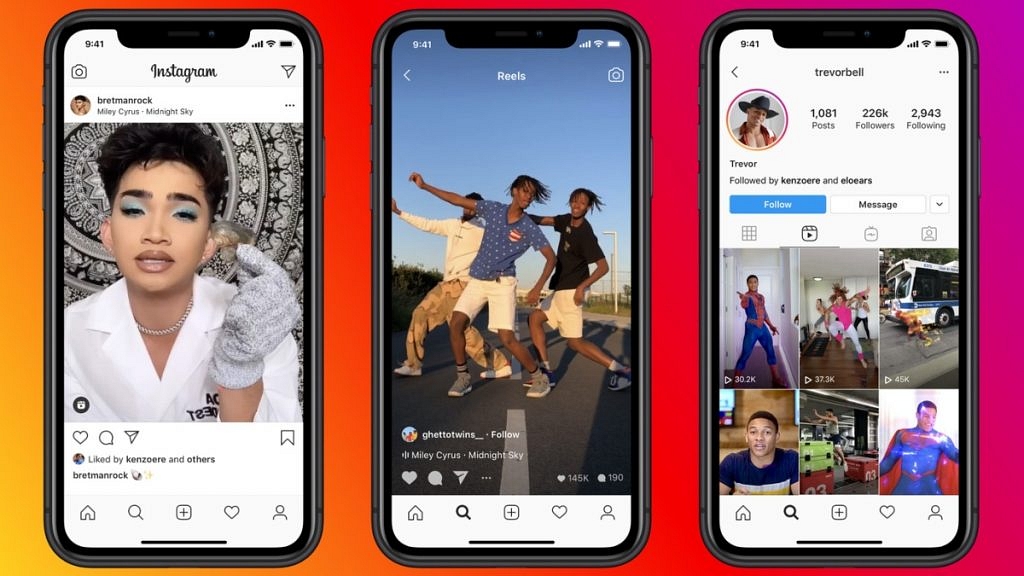
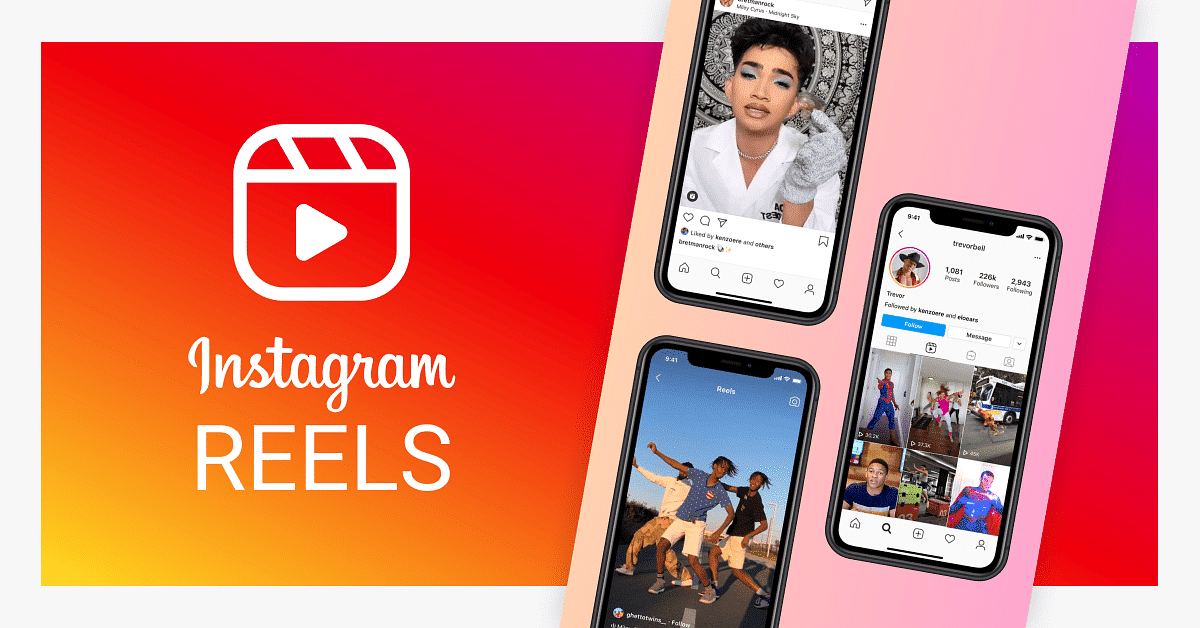
Instagram Reels was launched on August 5, 2020, in over 50+ countries including India and it took the internet by storm. Instagram Reels became instantly popular all over the world, especially in India as TikTok was back then recently banned in the country. Nowadays, everyone wants to create reels on Instagram. So, in this article, we have listed the Top 5 Best Free Apps To Edit Videos For Instagram Reels.

Read More: Instagram Tricks: Here’s How You Can Save, Download Instagram Reels With Audio On Android, iOS

Best Free Apps To Edit Videos For Instagram Reels

VN Video Editor: Best Reels Video Editor App

VN Video Editor is one of the best apps to edit videos for your Instagram Reels. This useful application is available both for Android as well as iOS users and it has more than 10 Million downloads on Google’s Play Store. What’s the best thing about this app is that it is quite easy to use & it doesn’t put a watermark at all.

Compatibility: Android and iOS

Price: Free

Key Features:

  • Multi-track Editing
  • Curve Shifting
  • FX for Video Effects
  • Background Enhancement

InShot – Video Editor & Video Maker

InShot is a very popular mobile video editing app in India. This video editing application has crossed 100 Million downloads on Google’s Play Store. Also, InShot offers several aspect ratios to fit the whole screen in portrait orientation. InShot app is also devoid of watermark initially and so you can create good reels.

Compatibility: Android and iOS

Price: Free/Paid

Key Features:

  • Change Fonts
  • Add a color effect
  • Import Music from the device or other apps
  • Slo-mo Videos

FilmoraGo – Video Editor, Video Maker for YouTube

FilmoraGo is another popular video editing app. People trust Filmora as they have video editing tools for PCs too. The FilmoraGo has 50 Million+ downloads on Google Play Store and it is simple and easy to use. FilmoraGo is a Wondershare product and it is compatible with both Android as well as iOS devices.

Compatibility: Android and iOS

Price: Free

Key Features:

  • Picture-in-picture effect
  • Royalty-free music album
  • Animated text and stickers
  • Text overlays and effects
KineMaster – Video Editor

Next, on the list, we have the KineMaster video editor app. KineMaster is a highly acclaimed video editing app and using this app, you can create awesome reels. Kinemaster is available for Android as well as iOS and it has over 100 Million downloads on Google’s Play Store.

Compatibility: Android and iOS

Price: Free

Key Features:

  • Chroma key effect
  • Multitrack editing
  • Eye-catching filters
  • Audio ducking and voiceover

YouCut – Video Editor & Movie Maker

Finally, the last video editing application on this list is the YouCut – Video Editor & Movie Maker app. YouCut is very popular among Indians as it is easy to use. YouCut has 50 Million+ downloads on the Google Play Store. Also, the YouCut app is compatible with both Android as well as iOS devices.

Compatibility: Android and iOS

Price: Free

Key Features:

  • No Watermark and No Ads
  • Background Change and Enhancement
  • Crop and Join multiple videos
  • Royalty-free Music

So, these were the top five free apps to edit videos for Instagram Reels. Now, which one among these do you use and will be your personal pick? Do feel free to share with us in the comments section below. You can also join our GizNext Tech Enthusiast Telegram group (click via mobile to join) and even the GizNext Tech Enthusiast WhatsApp group which has been curated exclusively for tech geeks.

Read More: How To Download Instagram Reels in your Phone’s Gallery – Explained in Simple Steps for Both Android and iOS Users