Categories
Apps Featured How To

You Can Now Order Food In Train Through WhatsApp: Here’s How

Key Highlights

  • Order food on trains with seat delivery and tracking
  • Zoop and Jio Haptik simplify ordering via WhatsApp
  • Use your PNR to order at scheduled train stops

Railway passengers can now order food and have it delivered right to their seats with real-time order tracking, comments, and assistance. Wondering how? Zoop, a food delivery service run by the Indian Railway Catering and Tourism Corporation (IRCTC), has teamed up with Jio Haptik to make ordering meals on trains quicker and more convenient.

The self-service food delivery platform for WhatsApp is powered by Haptik’s advanced Conversational Commerce capabilities, allowing customers to purchase food and have it delivered right to their seats. With the new service, passengers can place food orders at specific eateries located at scheduled train stops by using their PNR numbers.

Also Read | WhatsApp AI Tips And Tricks: How Can You Create And Edit Animated AI Images In WhatsApp

How To Order Food On Zoop’s WhatsApp Chat Bot?

Without the inconvenience of downloading an additional app, the WhatsApp service enables you to use Zoop to smoothly order meals at any forthcoming station at your convenience. Users can monitor real-time meal tracking, provide feedback, and get assistance with their orders directly from the chat. Here are a few simple steps on how to use the Zoop WhatsApp service.
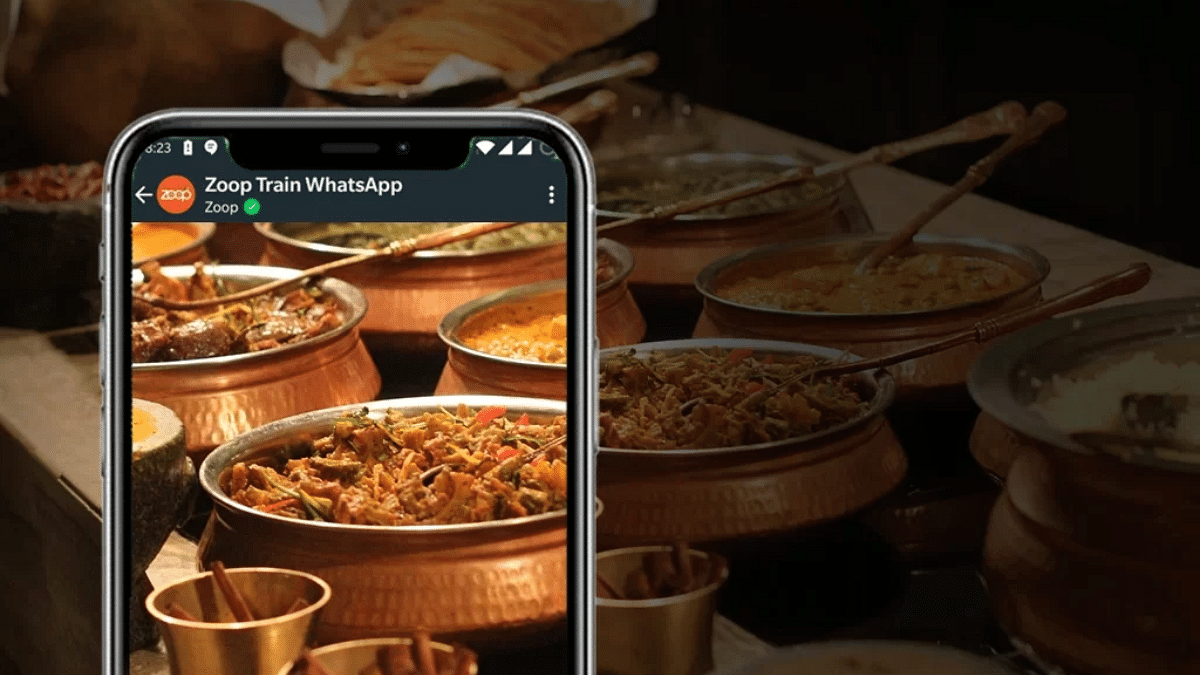
Step 1: Open WhatsApp on your mobile phone.

Step 2: Use your WhatsApp number to text “Hi” to the Zoop WhatsApp chatbot at +917042062070.

Step 3: In response to your query, Zoop will offer you a number of options, including Order Food, Check PNR Status, and Track Order, among others.

Step 4: You must select the option that says “order food” if you want to do so.

Step 5: You will then need to enter your 10-digit PNR number.

Step 6: You will now be required to confirm your PNR as well as other information.

Step 7: You will be prompted to select the station where you would like your food delivered after you have confirmed all the details.

Step 8: Then, select the dish you want to eat.

Also Read | Enhance WhatsApp Security: How To Protect IP Address On WhatsApp Calls And Silence Unknown Callers?

Step 9: After placing your order, you will receive an order summary, and you must then proceed to make the payment.

Step 10: As you indicate a payment method and affirm your number for further communication, your order will be placed.

For the tech geeks, stay updated with the latest cutting-edge gadgets in the market, exclusive tech updates, gadget reviews, and more right on your phone’s screen. Join Giznext’s WhatsApp channel and receive the industry-first tech updates.

Categories
Apps Featured How To

Instagram Account Hacked; Here’s How You Can Get Your Account Access Back If Hacked

Instagram’s popularity is rising consistently each year. The photo-sharing app has evolved as one of the most used social media applications for content creation and sharing with a targeted set of users. Instagram has added thousands of new users to its platform in the last few years; specifically, the surge has been content creators ever since the brand introduced TikTok rival Reels. Instagram bets high on user privacy on its platform and has introduced several security features such as two-factor authentication and others to prevent unauthorized login and access.

But there are instances where a user account gets compromised with hack attempts. In such scenarios, attackers take control of an active account restricting the authorized user from accessing the app’s feature. If you find any suspicious activity from your Instagram account, chances are it has been hacked.

If you are experiencing such issues where you think some unauthorized person might have taken the control of your Instagram account, you should follow some security protocols as advised by the brand. You can also recover your account in time if it has been hacked.  We have the methods using which you can easily recover or get control of your hacked Instagram account.

What To Do If Your Instagram Account Is Hacked?

  • Check your registered email account if there is any security-related message sent via Instagram.

If you see any email from Instagram’s security department (security@mail.instagram.com) stating your email address is changed it is a clear indication that your account is compromised. If you haven’t made this change, it is advised to undo this action. You can easily do this by selecting the revert this change option in the same mail. If the additional information has also been changed such as the password, and you aren’t able to undo the changes, you can request a new security code or login link. Below are the steps to request both the login link as well as the security code:

How To Request A New Login Link From Instagram If Account Is Hacked?

Step 1: Open the Instagram login page on your respective devices and click on Get help to log in or Forgot password (Android and iOS respectively).

Step 2: Enter the original username along with the email address and the phone number that is associated with your account. Notably, if you don’t have an access to all these details, you can continue by tapping on the ‘Can’t reset your password option.

Step 3: Tap on Next.

Step 4: Now, you have to select the email address or the phone number option and then hit on the ‘Next’ tab.

Step 5: Tap on the login link sent to your email address or the text message (SMS) option and follow the on-screen steps.

How To Request A New Security Code Reset Support From Instagram On Android and iOS?

Step 1: On Android devices, go to the Instagram login screen and tap on Get help logging in placed below the Log in option.

Step 2: You will now need to enter the email address, username, or registered phone number.

Step 3: Now, click on Need more help. If you have more than one Instagram account, select the one with which you need help.

Step 4: Follow the on-screen steps and select the email address or the phone number on which you wish to receive the security code.

Step 5: Tap on Send security code option.

Step 6: Click on the I can’t access this email address or phone number option if you don’t get the new security code.

Step 7: Follow the steps mentioned on the screen to get the fresh security code.

For iPhone users, the steps are slightly different.

Step 1: Open the Instagram app and then go to the login link screen.

Step 2: Click on the Need more help option which is located right below the Send log in link option.

Step 3: Now, choose the email address or the phone number where you want to receive the security code.

Step 4: Tap on the Send security code option. You can now take back control of your hacked Instagram account.

Categories
Apps Featured How To

WhatsApp Two-Step Verification Pin Reset: How To Reset Two Factor Authentication Pin With or Without Email

Key Highlights

  • WhatsApp offers strong privacy with end-to-end encryption and two-factor authentication
  • Setting up two-factor authentication on WhatsApp is easy, with instructions in prior articles
  • This article explains how to change the security PIN for two-factor authentication

WhatsApp is one of the most private messaging applications that are available for smartphone (Android, iOS), and desktop (Windows/ Mac) users. Despite being based on an end-to-end encryption module, Meta has been consistently ramping up its privacy policies so that the platform remains secure from any security breaches. Besides the end-to-end encryption for chats, the company has also added two-factor authentication on its platform. Also Read | WhatsApp Fake Messages: Don’t Get Tricked! Here’s How To Identify And Avoid Them

Setting up two-factor authentication on WhatsApp is a simple process. We have shared the steps for the same in one of our previous articles. But what if the security key that you have set for two-factor authentication is compromised or you simply wish to update to stay protected from the hacks?

In this article, we have listed the steps with which you can change the security PIN for two-factor authentication on WhatsApp. Do note that you can reset the two-step verification PIN on WhatsApp using multiple methods. Take a look below:

How To Reset WhatsApp Two-Step Verification PIN Using Email Address?

By using this method, you can get a PIN reset link for two-factor authentication immediately. The steps for the same are listed below:

Step 1: Launch the WhatsApp application and select Forgot Pin option.

Step 2: Click on the Send Email option. As soon as you do this, a reset link will be sent to the registered email address.

Step 3: Now, open your email and follow the reset link and then click on Confirm.

Step 4: Re-launch the WhatsApp application and tap on the Forgot Pin option again.

Step 5: Click on Reset.

Also Read | Use Meta AI On WhatsApp And Instagram In Three Steps: Here’s How

How To Reset WhatsApp Two Factor Authentication PIN Without Using Email?

If in case you don’t have the access to the email address, you can reset the two-factor authentication PIN only after seven days. This method will also be useful if somebody else have setup the two-step verification PIN on your WhatsApp account.

Step 1: Open the WhatsApp application. Make sure you do this after seven days.

Step 2: Click on Forgot PIN option.

Step 3: Tap on Reset.

Just for reference, deleting or reinstalling the application wouldn’t resolve this issue. You’ll have to perform the aforementioned steps to reset the two-factor authentication PIN on your WhatsApp account.  

Categories
Apps Featured How To

Instagram Allows Cross-Posting Reels Videos On Facebook: Here’s How To Do It

Instagram is undeniably the top-rated social media platform available across Android and iOS ecosystems. Meta is consistently working on upgrading its platform by adding new features and options. While several new features have already been released, Meta is also testing multiple other new features for the application. One of the recently introduced features by Instagram for its users is the ability to cross-post reels on Facebook.

With this new feature, you will get the option to share your Instagram Reels on Facebook to get a wider audience reach for your reels video.This option is being made available for both general users as well as professional creators. Instagram at its support page mentions this feature isn’t available for all users.

The users need to have linked Facebook and Instagram accounts to be able to cross post the Reels videos. If you wish to know the steps to cross-post your Instagram Reels videos on Facebook, we are making it easy for you by sharing the step-by-step guide. Take a look below:

How To Cross Post Instagram Reels Videos With Your Linked Facebook Account

Step 1: Go to the Instagram application on your devices.

Step 2: You will need to initiate the Reels making process. Once you have recorded the Reels video move to step 3 below.

Step 3: Right before sharing the Reel video, you need to select the Share to Facebook option.

Step 4: Select the toggle option placed next to the Facebook account on which you want to share the reel video.

Step 5: Now, set the default option if you want to share all your future Instagram reels videos to Facebook. You can also do this just for the current Reel video.

Step 6: Click on the Share option placed on the top right.

If you wish to share all your future Instagram Reels videos to Facebook, you need to perform some manual steps in the app itself. The steps for the same are listed below:

Step 1: On the Instagram app, click on your profile.

Step 2: Tap on the menu option (three lines).

Step 3: Select the Settings menu.

Step 4: Now, go to the Accounts Centre Option.

Step 5: You will now need to select the account from where the Reels will be shared. You will also need to add the account to which the Reels video will be shared.

Step 6: Click on the Automatically share option.

Step 7: Tap on the Setup or toggle option placed next to the Reels. All your future reels videos will now be shared to the Facebook profile.

Categories
Apps Featured How To

Change Language Settings In WhatsApp: Here’s How To Do It

Let’s face it. WhatsApp is the first name that comes to mind when we consider chats and conversations. The Meta-owned app is available in over 40 languages and up to 60 on Android all around the world. But as a general rule, it adheres to the language of your phone. For instance, WhatsApp will automatically switch to Hindi if you change the language of your phone. There are a total of 11 regional languages supported by WhatsApp in India.

However, you can manually change the app’s preferred language if you just want WhatsApp to be available in your language. But only the Android app and select markets have access to this feature. As for iPhone users, they need to change their device’s language for the changes to reflect inside WhatsApp. The steps are as follows:

How To Change WhatsApp Language On Android?

Step 1: On your Android mobile phone, open WhatsApp.

Step 2: On the top right corner of the screen, tap the three dots.

Step 3: Now, click on Settings.

Step 4: Go to the Chats option below Account on this page.

Step 5: Tap on App’s Language available on the lower screen.

Step 6: Then, change the language of your WhatsApp as per your choice.

The languages used in your nation will be available to you in WhatsApp’s language settings. If you are in the US, you will see Spanish as the first option. Meanwhile, people in India speak, read, and write in a wide variety of languages. But you can select any language when setting up your WhatsApp account for the first time.

How To Change WhatsApp Language On iPhone?

You must adjust the language settings on your iPhone if you wish to use WhatsApp in Hindi or any other language: All you have to do is:

Step 1: On your iPhone, navigate to the Settings app.

Step 2: Go to General.

Step 3: Tap on ‘Language & Region’ and choose ‘Hindi’.

Drag the Hindi slider to the top to replace the English slider after setting the preferred language order, which also includes Hindi. You can change WhatsApp’s language option in this way by choosing Hindi as your preferred iPhone language.

Categories
Apps Featured How To

WhatsApp Account Banned? Here’s How To Remove WhatsApp Ban From Your Account

Key Highlights

  • If your WhatsApp account is temporarily banned, you will see a message stating that your account is blocked.
  • Following are the steps that the user can follow to ban from your account.

WhatsApp is a commonly used messaging application by Android and Apple iPhone smartphone users. The app’s popularity isn’t just limited to India but also the global region. The privacy-oriented end-to-end encryption platform makes it the most secure for all types of conversations. WhatsApp is stringent with its privacy policies and in recent years has started blocking accounts if found of any fraudulent activities.

If in case, you see a message from WhatsApp the next time you launch the app stating your account is “Temporarily banned”, you might not be able to use the application for messaging. What can you do in that case and how can you get the ban on your WhatsApp account revoked? Read on here for the steps:

Also Read: Now Use WhatsApp In Picture-In-Picture Mode: Feature Available For iOS Beta Users

Why Do WhatsApp Bans Users’ Accounts?

WhatsApp in most cases imposes a ban on any user account for violating its terms and services or for using the unsupported WhatsApp version including GB WhatsApp and WhatsApp Plus. If you have been using any of the moderated versions of WhatsApp, your account getting banned is highly likely. Since WhatsApp doesn’t support such third-party apps, you will have to start using the official version to get the ban removed.

Steps To Switch To Official WhatsApp App From Mod Versions?

Step 1: You can start the process to switch to the official WhatsApp app, you will have to wait for the temporary ban to be removed. You will see a timer that will show the length of the ban on your account.

Step 2: If you are using GB WhatsApp, click on the More tab.

Step 3: Select the Chats option.

Step 4: Tap on Back up chats.

Step 5: Now, open the Phone settings menu.

Step 6: Click on Storage.

Step 7: Select the Files option.

Step 8: Locate the GB WhatsApp folder. Press and hold it to select it.

Step 9: From the top right corner, select the More option.

Step 10: Rename this folder to WhatsApp.

Step 11: Go to the Google Play Store and then download the official WhatsApp application.

Step 12: Complete the installation process and start using WhatsApp. Make sure you restore the data before setting up the app.

Also Read: WhatsApp To Allow You To Use The App On More Than One Phone Soon
Categories
Apps Featured How To

WhatsApp Tips And Tricks: How To View Someone’s Status Secretly

WhatsApp allows users to stay connected with friends and family. When we want to know what’s going on around us but don’t want to divulge our identities, however, online anonymity comes into play. The Meta-owned app allows you to hide online status and message delivery data. But did you know that you can also view other people’s status in secret? By default, WhatsApp Status keeps track of who has viewed it. However, there are certain methods you can use to view someone’s status without their knowledge. Wondering how? Read on.

By turning off read receipts or viewing it offline, Android and iOS users can view the WhatsApp Status of their contacts without letting them know. On your phone, you can also check the hidden WhatsApp status folder to avoid viewing the Status directly.

Here’s How To View Other’s Status Without Letting Them Know

Method 1: Turn Of Read Receipts

Step 1: Open WhatsApp on your phone or iPhone and click the three dots icon that is present on the screen.

Step 2: Then, go to ‘Settings’ and head to the ‘Account’ option.

Step 3: To check the advanced features and turn off the ‘Read Receipts’ option, go to ‘Privacy.’

Method 2: Via Phone’s File Manager

Keep in mind that only Android users are allowed to use the feature.

Step 1: Go to file manager on your mobile phone.

Step 2: Open internal storage and click on WhatsApp

Step 3: Open the media folder and tap on the ‘Status’ folder.

Step 4: Here, you can find all the images that your contacts have posted as WhatsApp Statuses.

In case the folder is not visible, navigate to File Manager settings and enable the ‘Show hidden files’ option. Then, you will be able to see the folder.

Method 3: Switch To Airplane Mode

You can also use Airplane mode on your mobile phone to access WhatsApp status. Here is what to do:

Step 1: Turn off the mobile data of your phone and switch on the Airplane mode.

Step 2: View the status on WhatsApp by heading to WhatsApp. Now, you have the option to see WhatsApp status without letting others know. That’s all.

Categories
Apps Featured

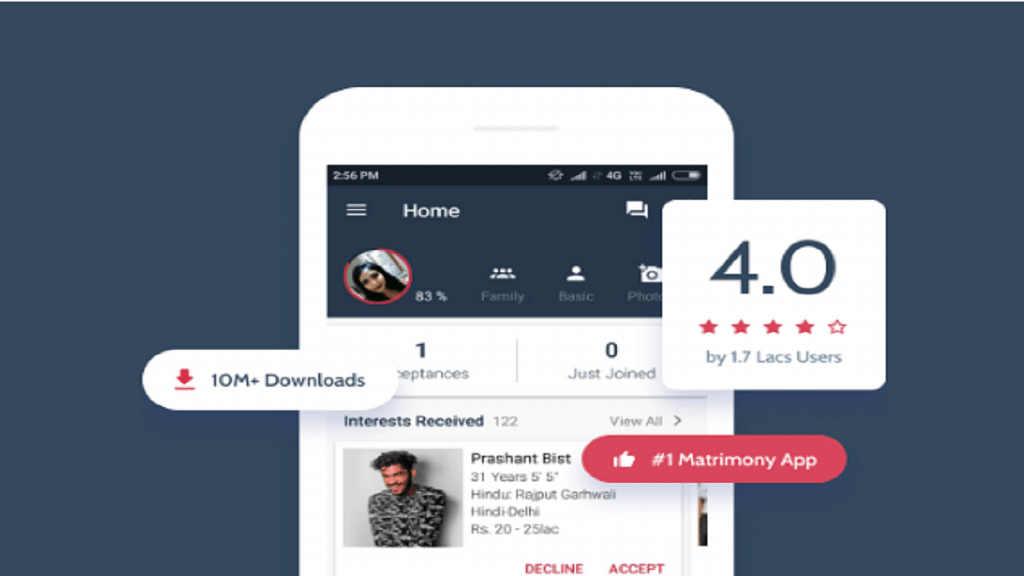
Best Matrimonial Apps To Download In India: List Inside

Key Highlights

  • Matrimonial sites are online platforms designed for individuals seeking to find a spouse
  • These sites allow users to search for potential partners based on various criteria
  • Matrimonial apps offer a convenient and accessible way for people to find a compatible partner

Nowadays, marriages are arranged through a variety of free matrimonial apps, which were formerly thought to be made in heaven. The apps offer a simple user experience that makes finding a good match easier. They also secure user privacy and are safe to use.

The best thing to happen to arranged marriages in India is matrimonial apps. There are many matrimony apps available in India and most of them are free. However, for additional features, premium memberships are available for purchase. Here, we’ve compiled a list of the top matrimonial apps for your phone that you could find useful. Also Read | Finding Love? These Are The Best Dating Apps In India You Should Try

Shaadi.com

Shaadi.com is a popular service that claims to make a new match every 2.4 seconds and has 5 million success stories. The app allows users to effortlessly conduct searches based on caste, education, height, religion, astrology, and photographs. There are also paid membership options that offer a range of opportunities, as well as instant messenger options that allow users to talk to people they find interesting. This is a free matrimony app for both Android and iOS.

Also Read | Best Apps To Detect Hidden Camera For Android And iOS

Jeevansathi.com

People frequently use Jeevansathi.com when looking for a life partner who matches their preferences. While the online matrimonial site links millions of individuals, Jeevansathi also has offline Match Point Centers all throughout the country and a dedicated Customer Care team for more in-depth and one-on-one conversations with potential brides, grooms, and/or families. This app provides you with one of the best matchings algorithms.

BharatMatrimony

BharatMatrimony is one of the most popular and reliable matrimonial apps in India. You can browse through lakhs of compatible profiles online with the assurance that your personal information is secure. Additionally, you can try out the Matrimony messenger. This top matrimonial app has won numerous awards and was listed in the Limca Book of World Records for having the most documented marriages online.

Also Read | List Of Best Drawing Apps For Your iPad

Betterhalf.ai

Betterhalf.ai has only one goal: to provide a safe environment for those who want to settle down and are willing to take the initiative to locate a compatible life partner of their own choice, at their own pace, and without the direct involvement of parents. It provides users with the quickest matching in the world in a single click. With just one click, it can forecast a user’s behavioral traits, religion, language, salary insights, community, relationship choices, and behavioral attributes.

Categories
Apps How To

Want To Schedule WhatsApp Messages? Here’s How To Do It

Almost everyone uses WhatsApp, one of the most popular instant messaging services in the world, on a regular basis. Users can instantaneously communicate through messages, photographs, and videos. But occasionally, we need to send a message at a specified time, perhaps to wish someone a happy birthday or to convey greetings or a reminder.

Unfortunately, WhatsApp does not have a feature to schedule any message within the app. Having said that, a number of third-party apps are available on the Google Play Store that allows users to plan any message for delivery at a specific time and date.

You can schedule text messages, photographs, and videos using apps like WhatsApp Scheduler, SKEDit, Do It Later, and many others. These applications are easy to use and provide a limited number of functions in their free or basic versions.

How To Schedule WhatsApp Messages On Android

All you need to do to schedule a WhatsApp message on an Android phone is to follow these easy steps:

Step 1: Download and install any WhatsApp scheduler app you find in the Google Play Store or by downloading the apk file from any website.

Step 2: Once the installation is done, open the app.

Step 3: From the bottom right, click on the’+’ icon.

Step 4: Then, select a WhatsApp contact or any WhatsApp group.

Step 5: Now, set the time and day.

Step 6: Select the frequency and type of your message.

Step 7: From the top-right corner, tap on ‘create’ button to schedule.

How To Schedule WhatsApp Messages On iPhone

For iOS users, there is no such third-party app. Don’t worry, though. We also have a solution for that. All you have to do is open Siri on your iPhone after downloading it. Now, follow these steps:

Step 1: Go to the Automation tab.

Step 2: Create personal automation by tapping the Plus symbol.

Step 3: Choose a time of day when you want your automation to run. Choose a date and time here.

Step 4: Then tap Add Action and type text from the list of actions into the search bar.

Step 5: Then, below the text area, tap the Plus icon to seek WhatsApp and input the message that you wish to schedule.

Step 6: Select the recipient, tap Next, and then click Done. Your message was scheduled successfully.

Categories
Apps Featured Info

WhatsApp Safety Features: Everything You Need To Know

WhatsApp is one of the most popular instant messaging platforms available to users worldwide. More than 400 million users hold private discussions in India alone.

The Meta-owned app is aware of how crucial it is to protect its users’ privacy and keep them secure online in today’s world. WhatsApp believes in being there for its users at every stage, whether that be empowering them with the right features to take their safety into their own hands, offering precautionary safeguards for them online, or giving them access to the resources to educate them.

To help users get the most out of their WhatsApp experience and not succumb to online risks, the app has continuously driven initiatives to safeguard them by educating users on how to safeguard their online safety. In this article, we are highlighting a few ways WhatsApp has worked to actively protect its users’ safety:

End-to-End Encryption

The privacy of its users is WhatsApp’s top priority, which is why end-to-end encryption is enabled by default in the app. It makes sure that nobody, not even WhatsApp, can read or listen to what is sent, only the user and the person with whom the user is conversing. This makes sure that none of the user’s calls, status updates, images, videos, voice messages, or other content can get up into the wrong hands.

Product Features

Within the desktop and mobile apps, WhatsApp offers a number of security safeguards that users may use to protect themselves from unsolicited communication and online scams. While the Indian population is familiar with some of the typical ones like ‘deleted messages’ and restricted access to accounts, the Meta-owned platform has special features for WhatsApp web and advanced message level reporting.

Preventative Actions

WhatsApp continuously pursues proactive steps to identify rogue actors and takes required action against harmful/suspicious accounts based on user reports and activities, along with unencrypted information. Among other things, WhatsApp’s monthly user safety report that complies with the IT Rules 2021 is a testament to the fact.

In addition to this, WhatsApp offers a number of other initiatives to protect users from online risks, including a ‘Safety in India’ reference hub, India grievance officer, and collaborations with third-party fact-checkers. Also, the app is aggressively combating the issue of the spread of false information and establishing a secure environment for its users.

Furthermore, WhatsApp continues to collaborate extensively with law enforcement agencies, carefully reviewing all requests from these agencies in accordance with the law and its policies.