Categories
Apps Featured How To Info

How To Use WhatsApp’s New Voice Chat Feature For Group Calls: Step-By-Step Guide

Key Highlights

  • Tap the Waveform Icon to Initiate Voice Chats.
  • Multitask Seamlessly While Engaging in Group Conversations.
  • Flexible Joining and Leaving

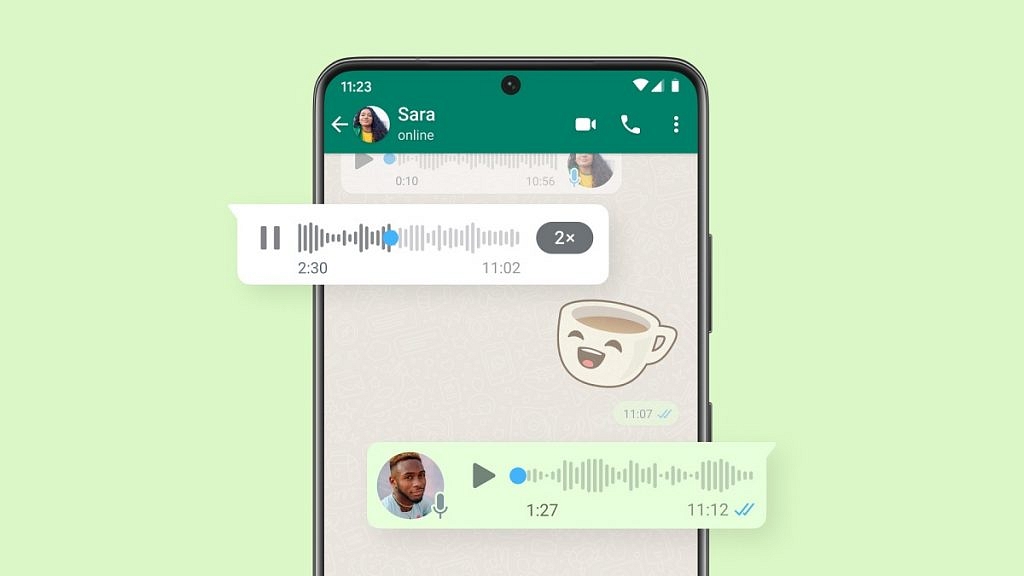
WhatsApp has recently introduced a new feature – voice chats for group calls. This update aims to make group conversations more seamless and less disruptive. If you’re eager to try it out, here’s a step-by-step guide to get you started.

Also Read: WhatsApp Enhances Group Calls For iOS Users: Up To 31 Participants Now Supported With Latest Update

1. Update Your WhatsApp

Make sure you have the latest version of WhatsApp installed on your Android or iOS device. You can find the update on the Google Play Store for Android users and the App Store for iOS users.

2. Access the Group Chat
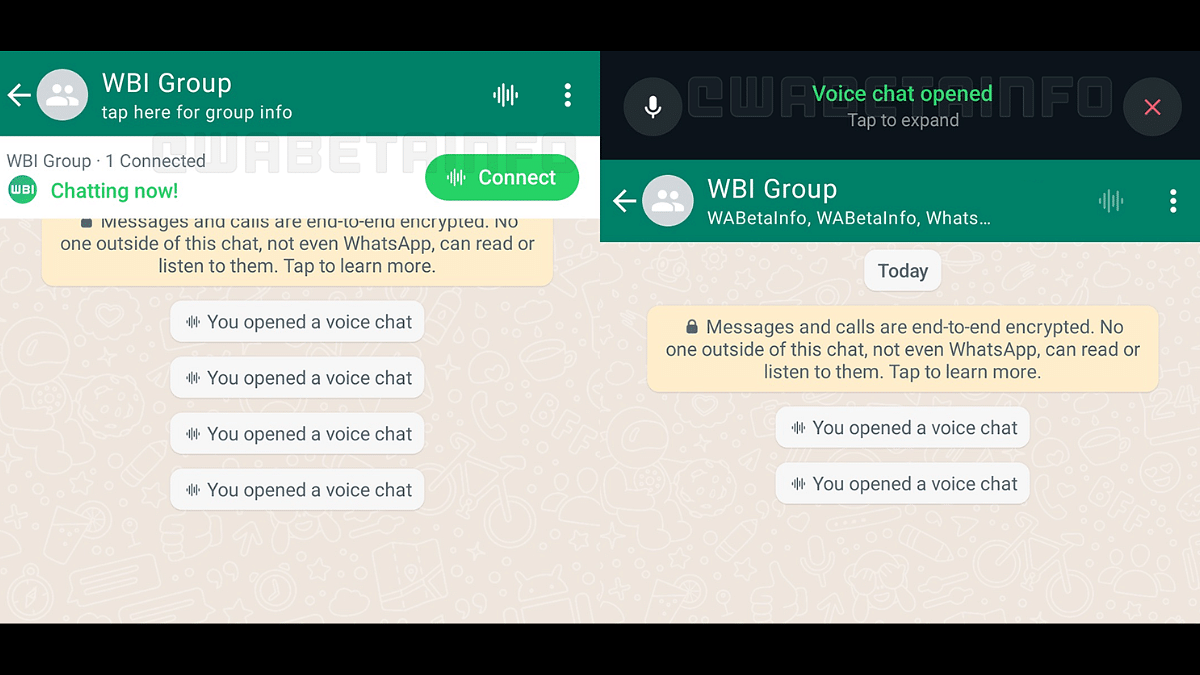
Navigate to the group chat where you want to initiate a voice chat. Look for the group call button, which has now been replaced by a new waveform icon at the top right corner of the screen.

3. Start A Voice Chat
Tap on the waveform icon to initiate a voice chat. Group members will receive push notifications, inviting them to join the conversation. Unlike traditional group calls, the new feature allows users to engage in other tasks on WhatsApp simultaneously.

4. Profiles And Notifications
All group members, whether participating in the voice chat or not, can see the profiles of those involved. This ensures transparency within the group. Notifications will be sent to all members, making it easy to join the conversation.

5. Leave And Rejoin

Participants have the flexibility to leave and rejoin the voice chat at their convenience. The voice chat will automatically end when all participants have left. If no one joins within an hour or if there’s only one person in the chat, it will also conclude.

6. Group Size Limitations
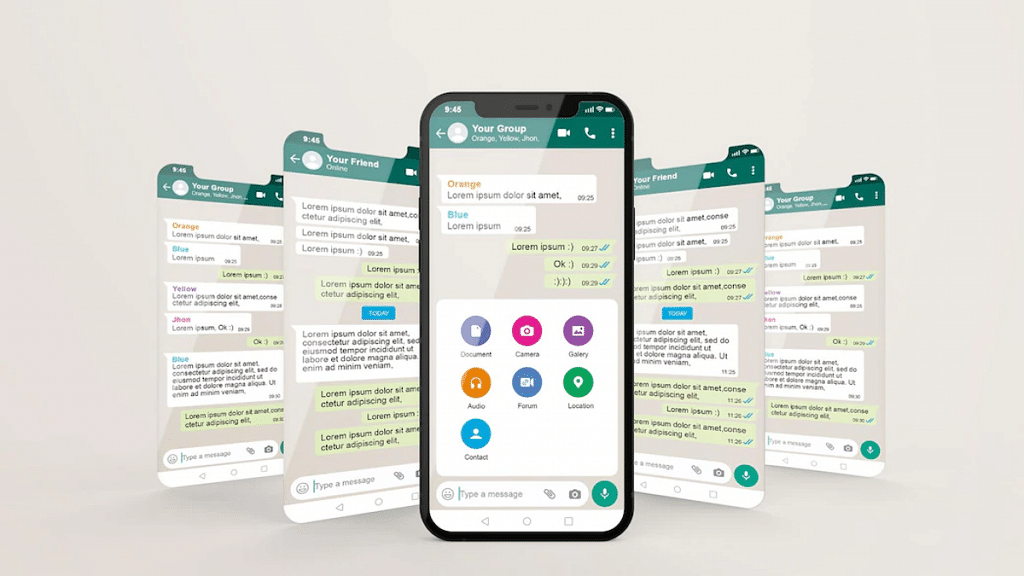
WhatsApp is initially rolling out this feature for larger groups with more than 32 members. Users in groups with 33 to 128 participants can take advantage of voice chats. Keep in mind that this feature is only accessible via a user’s primary device, and linked devices are not supported.

With these simple steps, you can now make your group calls on WhatsApp more seamless and less intrusive, enhancing your overall messaging experience.


Also Read: How To Hide Your IP Address On WhatsApp Calls

Categories
Apps Featured How To

Meta Finally Allows Deleting Threads Account Without Instagram: Here’s How To

Key Highlights

  • Threads is Instagram’s take on X (Twitter)
  • Threads account deletion previously deleted Instagram account too
  • Option released to delete Threads account without Instagram

Instagram released a new dedicated app for microblogging called Threads recently for the global users. The social media app has been introduced as the primary rival to X which was earlier known as Threads. Threads became an instant hit in the market soon after its launch and got a huge user base within a short span. But Threads grabbed more headlines once users started complaining that deleting its account also deleted the linked Instagram account. With all the backlash from the consumers, Meta seems to have resolved the issue and is now allowing users to delete Threads account without affecting the Instagram account. Here’s the new update and the steps with which you can delete your Thread account without Instagram:

Also Read: 100+ Catchy Instagram Username Ideas For Poetry Enthusiasts

Threads And Instagram Accounts Become Independent: Know The Update!

Both Threads and Instagram accounts are now independent. The same has been confirmed by Adam Mosseri, Instagram’s CEO. This means users will now be able delete their Threads account which will have no direct impact on the Instagram account.

This has been one of the biggest concerns with the consumers where deleting the Thread account also led to automatic deletion of the Instagram account. Now, account on both these apps will be functioning independently and users will get to delete accounts on either of the apps separately.

Also Read: How To Delete Your Instagram Threads Account

How To Delete Threads Account While Keeping Instagram Account Safe

Step 1: Launch the Threads application on your Android or iOS devices ‘

Step 2: Login with your account credentials

Step 3: Open the Settings menu

Step 4: Scroll down to the Deactivate or Delete option

Step 5: Tap on Delete

You can also deactivate for your Threads account if you don’t wish to remove it permanently. The profile will be temporarily deactivated in this mode. Do note that it will take 30 days for Instagram to completely delete your Threads profile. Therefore, if you wish to comeback within that period, your account will be re-activated.

Also Read: How To Use Instagram’s New Song Lyrics Feature In Reels: A Step-By-Step Guide

Categories
Featured Leaks Tablet

OPPO Pad Air 2 To Debut As Rebadged OnePlus Pad 2: November 2023 Launch Tipped

Key Highlights

  • Second-gen budget OPPO tablet launching this month
  • Will be called OPPO Pad 2
  • Could be rebranded OnePlus Pad Go

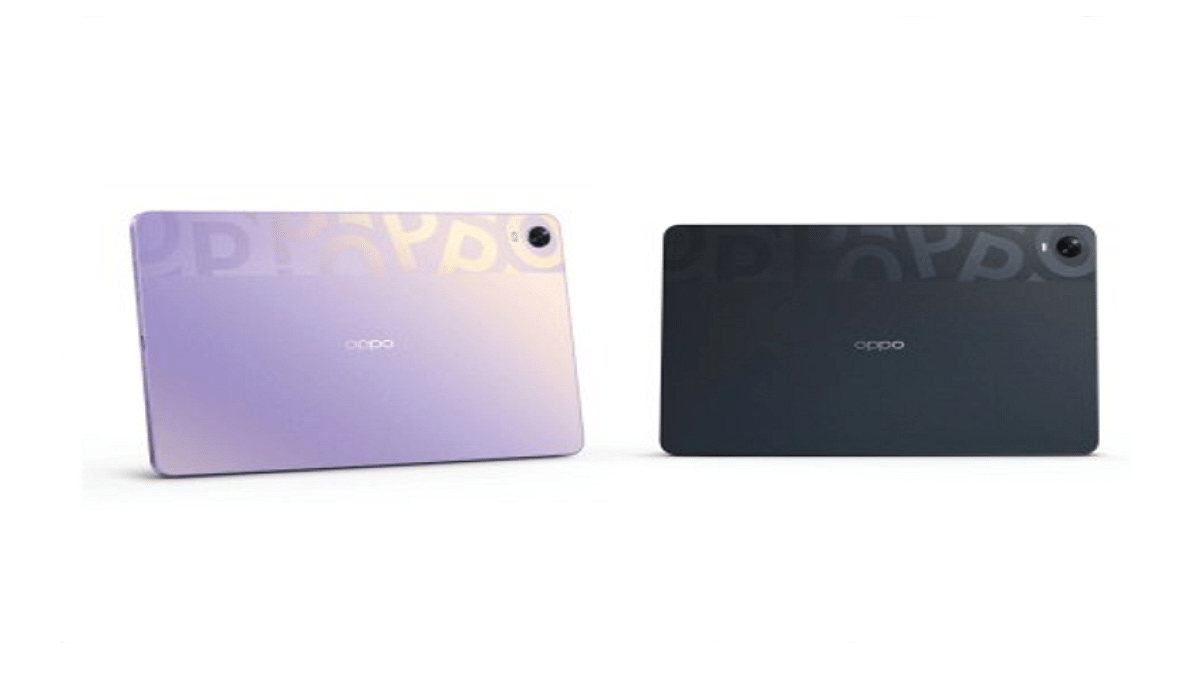
For a while, OPPO is rumored to be working on its second-generation budget Android tablet. The Chinese OEM will now be launching the OPPO Pad Air 2 tablet as a successor to the first-gen Pad Air budget tablet. The upcoming tablet is coming with different upgrades over its predecessor and a rebadged version of the recently launched OnePlus Pad Go tablet. A new leak has surfaced that depicts the launch timeline for the OPPO Pad Air 2 in the Chinese market. Read all details below:

Also Read: Best Tablets Powered By Qualcomm Snapdragon Chipset In India: Here’s The List

OPPO Pad Air 2 Official Launch Date

OPPO will be launching the Pad Air 2 tablet this month itself in its home country Chine. This information comes via Digital Chat Station. The tipster has shared a post on the Chinese microblogging platform Weibo. Furthermore, the tipster hints the OPPO Pad Air 2 will be marking its debut alongside the Reno 11 series.

Notably, the tipster shared another post on Weibo citing December launch for the Reno 11 series. It seems that we will now have to wait for OPPO to confirm the exact date or timeline for the Pad Air 2 and the Reno 11 series launch in China. Nevertheless, these new products from OPPO are expected to make way to the remaining markets including India next year only.

The OPPO Pad 2 is leaked several times and and has been inching closer to launch by bagging multiple certifications online. It is also rumored that the OPPO Pad Air 2 will be a rebranded version of the OnePlus Pad Go tablet. This means it probably would be priced in the same bracket as the OnePlus budget tablet (under Rs. 20,000) in India.

Also Read: Need A Tablet For Graphic Designing? List Of Best Tablets For Illustration and Graphics Designing Tasks

OPPO Pad Air 2 Expected Specifications

Since the OPPO Pad Air 2 is said to be the rebadged version of the OnePlus Pad Go, we can expect the same hardware features as the latter.

  • OPPO Pad Air 2 could sport an 11.35-inch display
  • Panel type will likely be LCD which will support 90Hz refresh rate and a 2.4K screen resolution of 1720 x 2408 pixels
  • Camera setup expected is a single 8MP rear camera with EIS (Electronic Image Stabilization)
  • Selfie camera might be an 8MP sensor
  • Power delivery on the OPPO Pad Air 2 will likely be handled by the octa-core Helio G99 processor
  • Will likely use an 8GB LPDDR4X RAM for multitasking and 256GB UFS 2.2 storage
  • Power backup to be handled by an 8,000 mAh battery
  • Will also support 33W SuperVOOC flash charging for quick re-charge

Also Read: List Of Best Tablet With Stylus Pen Priced Under Rs. 25,000 In India

Categories
Apps Featured How To

Step Into Safety: Learn How To Change Your UPI PIN On Google Pay And PhonePe

Key Highlights

  • It’s crucial to reset your UPI PIN periodically as a security precaution
  • You must enter your current UPI PIN to reset it
  • Resetting your UPI PIN with Google Pay and PhonePe is easy

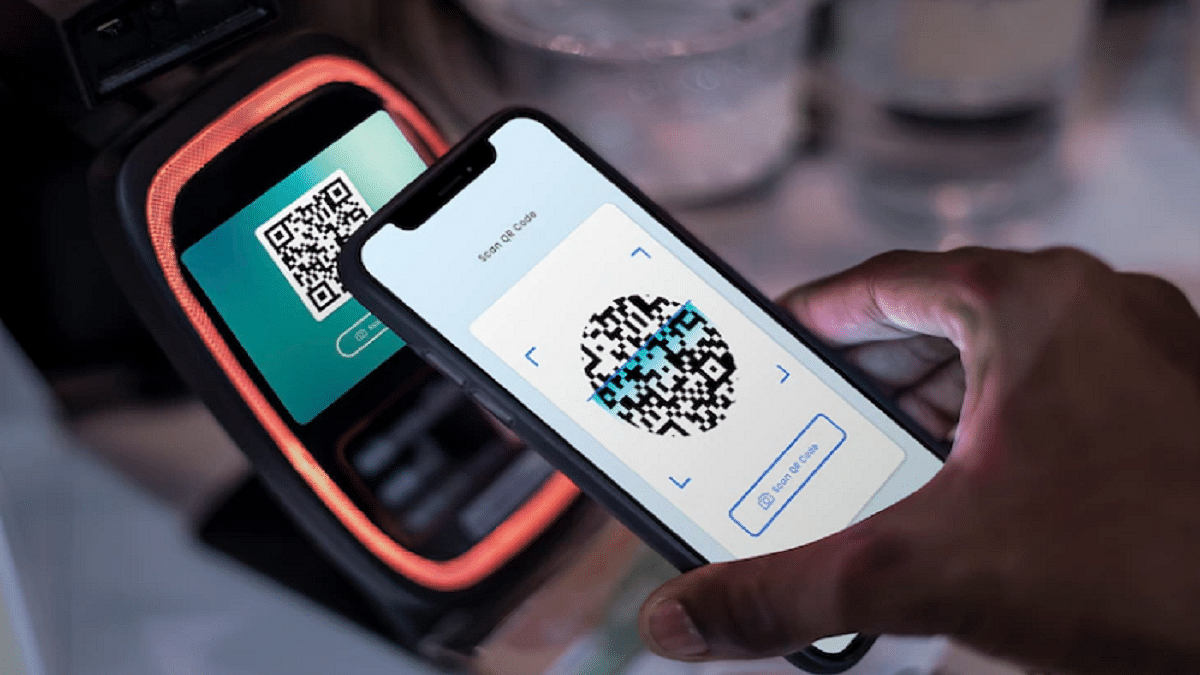
Cashless transactions via QR code scanning have become common in the UPI era. While UPI offers speed and reliability, the rise of online scams emphasizes the importance of periodically resetting or changing your UPI PIN for enhanced security. This guide will walk you through the steps to reset or change your UPI PIN on popular platforms like Google Pay and PhonePe. Also Read | How To Update And Change Mobile Number On Aadhaar Card Online

Google Pay: Step-by-Step Guide

Step 1: Ensure you have the latest Google Pay app version installed.

Step 2: Open the Google Pay app on your smartphone.

Step 3: Tap on your profile photo located in the top right corner.

Step 4: Select the “Bank account” option.

Step 5: Choose the specific bank account linked to your Google Pay.

Step 6: Tap on the three dots and locate the “Change UPI PIN” option.

Step 7: Enter your existing UPI number and proceed.

Step 8: Input the new UPI PIN.

Step 9: Re-enter the new PIN to confirm the change.

Also Read | Google Play Country Settings Modification: How To Change Country Settings In Google Play Using Android For Payments And Other Apps

PhonePe: Step-by-Step Instructions

Step 1: Launch the PhonePe app on your Android or iOS device.

Step 2: On the home screen, click on the picture of your profile.

Step 3: Locate the “Payment Methods” section by scrolling down.

Step 4: Select the relevant bank account.

Step 5: Choose “Reset UPI PIN.”

Step 6: Enter the information for your debit or ATM card linked to the bank account.

Step 7: Proceed by entering the OTP received.

Step 8: Provide your existing UPI PIN and continue.

Step 9: Enter the new UPI PIN.

Step 10: Confirm the new PIN by re-entering it.

You may proactively protect your UPI transactions and guarantee the security of your financial transactions on PhonePe and Google Pay by following these procedures.

Also Read | No Card? No Problem: Here’s How To Withdraw Cash From ATMs Via UPI

Categories
Accessories Featured

7 Ring Smart Ring With Contactless Payment Services Launched In India: Cheaper Than Noise Luna, boAt Smart Ring?

Key Highlights

  • Seven’s 7 Ring smart ring launched
  • Is an affordable counterpart to Noise Luna and boAt smart ring
  • Brings contactless payment feature

Smart ring seems to be the new hype amongst digital accessories OEMs. Joining the Noise Luna and the boAt smart ring is the 7 Ring smart ring which has been launched by Seven in the Indian market. The latest smart ring is the first to bring along contactless payment services at sub Rs. 10,000 price range.

7 Ring Smart Ring Design, Top Features

  • 7 Ring smart ring is crafted using top notch aerospace grade material
  • Has curved inner edges that allows easy wearing and good grip
  • Has a scratch resistant Zirconia Ceramic (ZrO2) body material which further features diamond glaze to add a mirror finish
  • Features hypoallergenic resin material on the inner portion
  • 7 Ring smart ring is waterproof and dust resistant with IP68 certification which makes it safe to wear outdoors during rainy reason or during beach visits
  • Is RoHS complaint which makes it environment friendly
  • 7 Ring smart ring has been launched in seven different size options that users can select from for a comfortable wearing
  • 7 Ring is India’s first smart ring to offer contactless payment
  • Allows making payments and transactions with just a tap
  • 7 Ring smart ring operates on NFC technology for the contactless payment service
  • For contactless payment 7 Ring smart ring uses UPI services
  • Transactions not allowed internationally
  • Offers a secure portal for contactless payments and transactions
  • Compatible mobile app available that will allow tracking and managing different transactional activities and the contactless payment services
  • No integrated battery rather the 7 Ring uses counter’s payment machine as a power source
  • This allows for an hassle free wearing and user experience overall with the 7 Ring
  • Verification and KYC required to use 7 Ring smart ring’s contactless payment services

7 Ring Smart Ring Price In India?

7 Ring smart ring is launched at Rs. 7,000 in India. However, the brand is offering an early bird discount post which the smart ring can be purchased at just Rs. 4,777. The 7 Ring is available for purchase at Seven India’s website.

Also Read: Noise Luna Ring Smart Ring: Key Highlights

Categories
Featured Info

Vijay Sales’ Dhanteras Offer: Grab Up To 60% Off On Electronics

As the auspicious festival of Diwali kicks off with Dhanteras, Vijay Sales is illuminating the celebrations with the offer of up to 60% off on a diverse range of electronics. Whether you prefer the convenience of online shopping or the traditional in-store experience, Vijay Sales’ Diwali sale ensures an extra-special festive season. Also Read | Eco-Friendly Diwali Gadgets: Best Four Alternatives For A Greener Celebration

Exclusive Bank Discounts

Vijay Sales also offers exclusive instant discounts on select bank credit and debit cards. Exclusive discounts of up to Rs. 7,500 are available when using Credit or Debit cards from leading banks such as HDFC, ICICI, HSBC, YES Bank, Federal Bank, One Card, RBL Bank, Amex, or IDFC First Bank.

The Vijay Sales Diwali Sale’bration

You can get deals on smartphones, smart TVs, and laptops during the Vijay Sales Diwali Sale’bration. Notable offers include the Sansui 32-inch HD Ready Smart Google TV at Rs. 11,499, the Redmi Note 12 5G smartphone at Rs. 15,499, and the NoiseFit Force Plus Smart Watch at just Rs. 2,099. Don’t miss out on the boAt Airdopes 148 True Wireless Earbuds, priced astonishingly at Rs. 999.

Latest Gadgets And Laptops

Apple enthusiasts can rejoice with the launch of the Apple 2023 MacBook Pro (14 Inch/M3 Chip) at Rs. 1,64,900, inclusive of a Rs. 4,000 Instant Discount on HDFC Bank Cards. Meanwhile, the HP 14-inch Laptop with 8GB DDR4 & 512GB SSD, featuring Windows 11, is available at an unbeatable price of Rs. 26,990.

Deals On Home Appliances

You can get deals on washing machines starting at Rs. 8,699, geysers at Rs. 3,299, and microwaves/OTGs at Rs. 3,799. Also, there’s up to 40% on Iron and garment steamers, and up to 52% on Air Fryers.

Offers On Air Purifiers

Air Purifiers are available with EMI options starting from Rs. 460 per month.

Also Read | List Of Top Car Air Purifiers That You Can Buy In 2023 Under Rs. 10,000

Home Entertainment Deals

Elevate your home entertainment with best-selling televisions starting from Rs. 7,999 and home audio devices starting from Rs. 1,799.

Laptops, Tablets, And Accessories

Technology enthusiasts can explore entry-level laptops starting at Rs. 16,490, flagship laptops from Rs. 50,990, iPads and tablets from Rs. 8,499, and various computer accessories from Rs. 170. Music lovers can grab deals on headphones and speakers starting at Rs. 199, while fitness enthusiasts can find special deals on smartwatches starting from Rs. 1,099.

Deals For Photography Enthusiasts

Photography enthusiasts can seize exciting deals on DSLR cameras starting from Rs. 41,990. Enhance your workspace with monitors, desktops, accessories, and professional laptops at affordable prices during this festive season.

Also Read | Best Diwali Apps To Download To Simplify Festive Preparations

Categories
Featured How To Info

ICC Cricket World Cup 2023 Semi-Finals And Finals: Here’s How To Book Your Tickets

Key Highlights

  • Tickets for the Semi-Finals and Finals of the ICC Cricket World Cup are now available
  • November 15 and November 16 will mark the dates of Semi-Finals 1 and 2, respectively.
  • The date of the finals is November 19

Ticket bookings are now open for the highly anticipated semi-finals and finals of the ICC Cricket World Cup 2023. Brace yourself for two thrilling semi-final clashes on November 15 and November 16, leading to the grand finale scheduled for November 19. Also Read | 5 MacBook Keyboard Shortcuts You Probably Didn’t Know

How To Secure Your Spot: Booking Process

You can secure your tickets for the semi-final and final matches of the Cricket World Cup 2023. Here’s a step-by-step guide to ensure you don’t miss out on these monumental cricketing events.

Step 1: Visit the official ticket-booking page.

Step 2: Click on ‘Sign in’ at the top right corner and log in using your mobile number, email, Gmail, or Apple account.

Step 3: Once logged in, navigate to the ‘View All Matches’ tab on the home screen.

Step 4: Scroll down to find the matches on November 15, November 16, and November 19. Tap on the game you want to witness live in the stadium.

Step 5: Click on ‘Book’ to initiate the booking process.

Also Read | Facebook Multiple User Account: How To Create Multiple Facebook Profile For Single User

Step 6: Upon clicking ‘Book,’ find yourself in the queue or directly on the booking page. Select your seats and proceed.

Step 7: Complete the necessary personal details and continue to commence the payment process.

Step 8: Follow the payment process to finalize your booking and be part of the cricketing history.

The Contenders: Teams In The Race

As the semi-final lineup takes shape, India, South Africa, and Australia have already secured their spots. The fourth team to join the fray will be determined from the trio of New Zealand, Afghanistan, and Pakistan.

Beyond The Semis: More Cricketing Action Awaits

Apart from the semi-finals, four exciting matches remain. Catch the clash between South Africa and Afghanistan on November 10, followed by Australia vs Bangladesh and England vs Pakistan on November 11. Lastly, witness India vs Netherlands on November 12.

Also Read | No More Lines And Cards: Learn How To Book Delhi Metro Tickets On WhatsApp

Categories
Featured Home Appliances

List Of Best Air Purifier For Bedrooms That You Can Buy In India

Key Highlights

  • Air purifiers demand is surging across India
  • Increasing pollution is to be blamed
  • Specific models available for bedrooms and home usage

With the air quality index dropping drastically in India; specifically, Delhi NCR region, demand for quality air purifiers is rapidly surging. Buyers are looking out for options that are reasonably priced and can improve the overall air quality for a healthy lifestyle. We have already compiled the list of best air purifiers for home and car use available under Rs. 10,000. In this article, we have mentioned the premium and efficient air purifiers that can provide cleaner and healthy air to breathe in your bedroom.

Xiaomi Mi Air Purifier

  • Best room air purifier under Rs. 20,000 price bracker
  • Is suitable for medium and large sized rooms
  • Can purify a standard 18 ft by 12ft room within 7 minutes or a 516 sq. ft area
  • Has a CADR (clean air delivery) rate of 400 m3/hr
  • TUV allergy care certification
  • Can purify major harmful pollutants which include 0.1μm particles
  • Offers triple layer filtration system and includes True HEPA filter and activated carbon filter
  • Cleaner air production with the negative air ionization
  • Priced at Rs. 14,999 in India

Buying Link

Philips AC2887/20 Air Purifier

  • Good air purifier priced below Rs. 20,000
  • Uses Vitashield intelligent purification system to remove 99.97 percent of airborne pollutants
  • Can effectively remove PM 2.5 matter and micro pollutants of 0.03 microns
  • Delivers a CADR (clean air delivery rate) of 33 m3/hr
  • Starts providing fresh and healthy air within 10 minutes
  • Adequate for rooms measuring between 269 to 409 sq.ft
  • Can also remove dust mites
  • Has ECARF allergy certification
  • Priced at Rs. 17,799

Buying Link

Also Read: Best Air Purifiers For Home Use To Tackle Rising Pollution Under Rs. 10,000

Sharp  FP-GM50E-B Air Purifier

  • Can be purchased under Rs. 20,000 in India
  • Uses Shap’s patent Plasmacluster technology for natural air purification
  • Uses dual purification system and includes Pre-Filters, HEPA filter, and Active Carbon filter
  • Is capable of removing VOC (volatile organic compounds), pet dander, and more harmful airborne pollutants
  • Comes with multiple modes including Auto, Anti Dust, and Haze mode
  • Priced at Rs. 18,490 in India

Buying Link

Also Read: Need A Budget Air Purifier: List Of Best Air Purifiers For Home Under Rs. 10,000 In India

Daikin MC55XVM6 Air Purifier

  • Premium option under Rs. 20,000
  • Silent operation with only 19db sound level while using the quiet mode
  • Uses advanced filtration system for air purifying
  • HEPA filter with no replacement cost
  • Active Plasma and Absorb-Decompose-Regenerate filtration to remove bad odors and pollutants
  • Priced at Rs. 19,870 on Amazon

Buying Link

Also Read: Best Air Purifiers With HEPA Filter

Categories
Apps Featured How To Info

How To Hide Your IP Address On WhatsApp Calls

Key Highlights

  • WhatsApp enhances privacy with IP address concealment.
  • Calls relayed through WhatsApp servers for protection.
  • Simple steps to enable IP address protection.

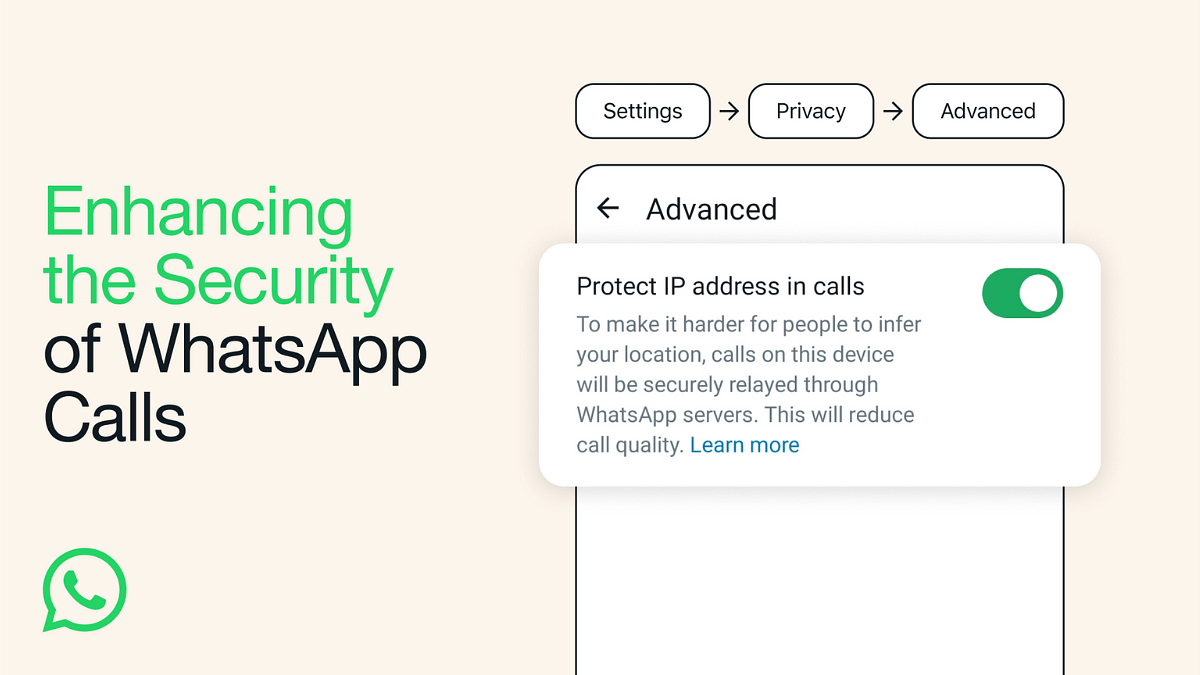
WhatsApp is introducing a new privacy feature that allows Android and iOS users to protect their location and IP address during calls. This feature ensures your privacy by relaying the call connection through WhatsApp’s servers. Let’s see how to enable this feature and its implications for your privacy.

What Is WhatsApp’s IP Address Protection Feature?

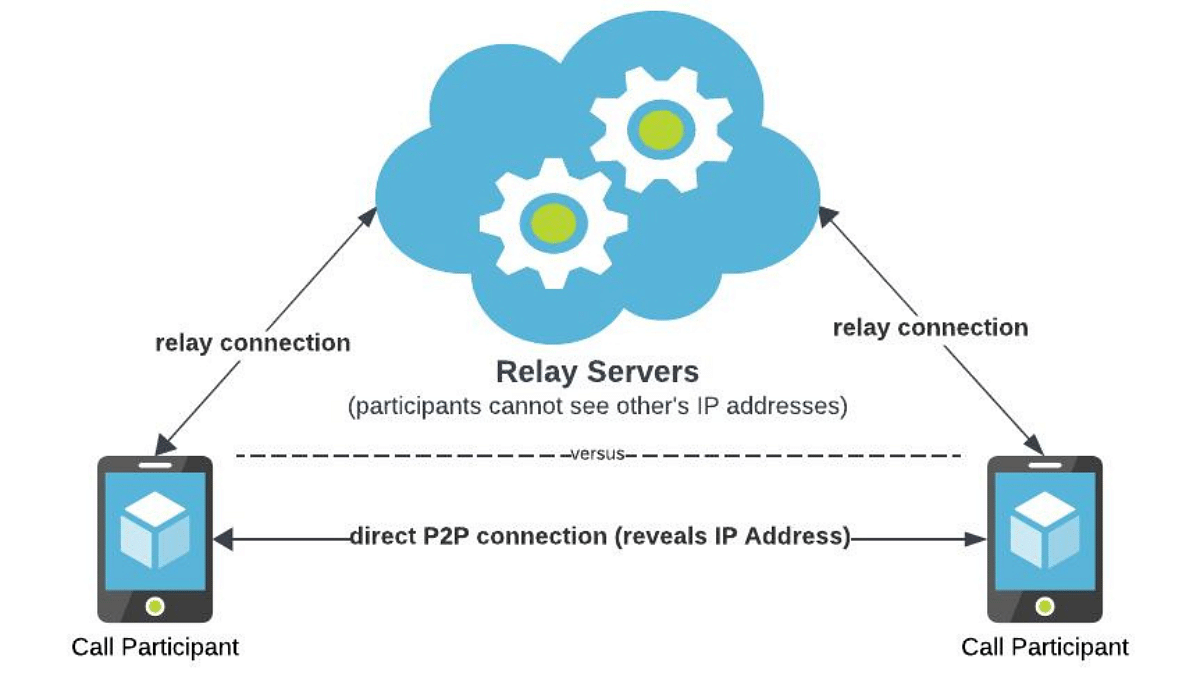
WhatsApp’s engineering team has designed this feature to enhance user privacy. When enabled, your location and IP address are concealed from other call participants. It achieves this by switching from the standard peer-to-peer direct connection between callers to routing the call through WhatsApp servers. This obfuscates the IP address metadata that could reveal your internet service provider or general geographical location.

Also Read: WhatsApp Phasing Out Support For These Old Android Smartphones: Time To Upgrade Your Device?

Privacy And Encryption

It’s essential to note that while your calls are relayed through WhatsApp’s servers to obscure your location, the company cannot listen in on your calls. WhatsApp’s calls are end-to-end encrypted, ensuring the privacy and security of your conversations. The new feature mainly focuses on protecting the privacy-conscious users.

Also Read: How to Use Multiple WhatsApp Accounts On A Single Mobile Device: A Step-by-Step Guide

How To Enable “Protect IP Address in Calls”

Enabling this feature is straightforward. Follow these steps:

  1. Open WhatsApp and tap on “Settings.”
  2. Go to “Privacy.”
  3. Select “Advanced.”
  4. Tap on “Protect IP address in calls.”

This feature may result in a slight reduction in call quality, as your calls are routed through WhatsApp’s servers.

Also Read: WhatsApp Enhances Group Calls For iOS Users: Up To 31 Participants Now Supported With Latest Update

Additional Privacy Features

WhatsApp is also introducing a feature that allows users to silence unknown callers. This feature offers protection against more advanced cyber-attacks on your data, adding an extra layer of security for users.

Also Read: No More Lines And Cards: Learn How To Book Delhi Metro Tickets On WhatsApp

Categories
Accessories Featured

Dhanteras 2023: Top Four Tech Gifts To Gift Your Loved Ones

Dhanteras is not just a time for traditional customs but also an opportunity to celebrate the wonders of modern technology. In a world driven by innovation and digital progress, what better way to welcome the festive season than by presenting your loved ones with the latest and most exciting tech gadgets? This Dhanteras, let’s delve into the realm of technology and uncover the perfect tech-savvy gifts that will illuminate your celebrations. Also Read | Eco-Friendly Diwali Gadgets: Best Four Alternatives For A Greener Celebration

Skyball Rigor Smartwatch

Featuring a 1.46-inch circular Always-On AMOLED display set in a metallic dial with dual Digital Crown control buttons, the Rigor impresses with its appearance. The Rigor offers a comprehensive health suite, including a 24×7 heart-rate monitor, sleep tracker, SpO2 monitor, calorie counter, step monitor, and over 120 sports modes to track essential metrics during workouts.

This premium smartwatch is not only shock-proof but also IP68 water and dust-resistant. With a robust 400mAh battery, it provides up to 20 days of usage on a single charge, supporting Bluetooth v5.2 connectivity and seamless compatibility with Android and iOS devices via the FitCloud Pro app. The Skyball Rigor is available in two premium colors: Silver and Black, priced at Rs. 3,599.

Amazon Fire TV Stick 4K

Amazon’s Fire TV Stick 4K offers a cost-effective way to turn your conventional non-smart TV into a full-fledged Smart TV, all for just Rs. 3,199. Equipped with an all-new Alexa Voice remote, this streaming stick enables you to effortlessly stream content using voice commands.

It supports 4K Ultra HD resolution, Dolby Vision, and HDR10+ as well as the latest software and audio-video technologies. With access to popular platforms like Prime Video, Disney+ Hotstar, Netflix, Zee5, Sony LIV, and Apple TV, Amazon Fire TV Stick 4K offers a diverse range of entertainment.

Also Read | Diwali Is Coming: Here’s Top Four Ideal Earbud Gifts Under Rs. 5,000

Jabra Elite 8 Active

The Jabra’s Elite 8 Active is a new addition to their active range, setting new standards for durability and comfort. These earbuds, built for more than just sports, come with Dolby Audio for a lifelike, clear sound experience. They feature ANC and Wind Neutralizing HearThrough technology, ensuring safety without compromising audio quality.

With 6-mic call technology, wind noise protection, stable smartwatch connectivity, Google Assistant, Fast Pair, Swift Pair, and a battery life of up to 8 hours (32 hours with the case), these earbuds are perfect for both work and workouts. Available in caramel, navy, black, and dark grey, the Jabra Elite 8 Active is priced at Rs. 17,999.

Izi One+ Action Camera

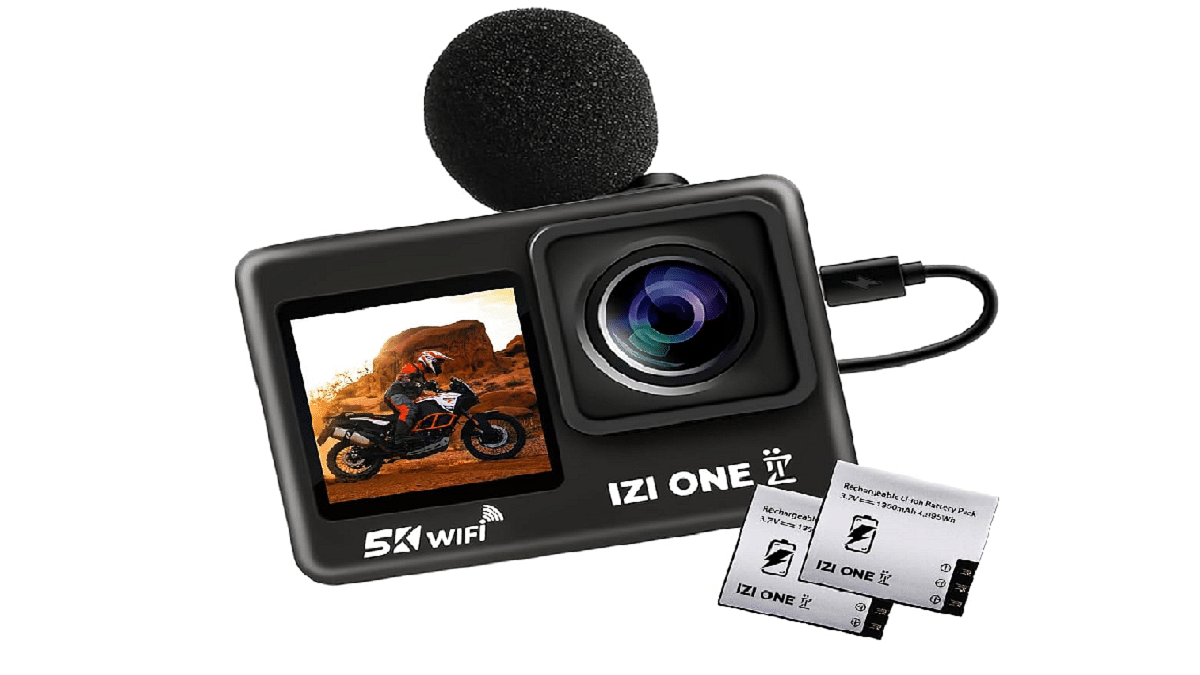
Surprise the adventure enthusiasts in your life with the ideal Dhanteras gift – the Izi One+ Action Camera. Priced at just Rs. 8,799, this sub-10K budget-friendly action camera offers an impressive range of features. With its remarkable 48MP camera, it can capture videos in stunning 5K/30FPS and 4K/60FPS resolutions. Featuring dual touch screens, a 2.0″ rear screen, and a 1.3-inch HD front display, it offers unmatched convenience.

It has reliable 6-axis stabilization. The Izi One+ also comes equipped with two 1,350mAh batteries and over 20 accessories, all neatly packed in a carry bag. It supports SD cards from 8GB to 256GB (U3 card and above), making it a must-have for avid travelers and adventure enthusiasts.

Also Read | Best Diwali Apps To Download To Simplify Festive Preparations