Categories
Apps Featured How To

Dussehra 2024 Wishes: Here’s How To Download And Send WhatsApp Stickers

Key Highlights

  • WhatsApp is a popular choice to wish Dussehra
  • There are many Dussehra sticker apps available on the Play Store
  • Downloading and sending Dussehra stickers is an easy process

As Dussehra approaches on October 12, the tradition of sending festive greetings via social media apps continues to gain popularity. WhatsApp, a beloved messaging platform with millions of users in India, offers a convenient way to exchange festive wishes through stickers. So, in this guide, we will focus on downloading and sharing Dussehra stickers specifically on WhatsApp.

Also Read | Step-By-Step Guide: How To Create Live Stickers On Your iPhone

How To Download Dussehra WhatsApp Stickers

Step 1: Head over to the Google Play Store. Once there, use the search bar to look for “Dussehra stickers WhatsApp.” A list of apps will appear, providing you with a variety of options. Select one of these apps and proceed with the installation.

Step 2: Once you’ve successfully downloaded the chosen sticker app onto your device, open it and click on the “start” button to launch the application.

Also Read | WhatsApp Personalised Avatar Feature Update: How To Create Your Own Avatar And Share As Sticker Packs On WhatsApp

Step 3: Within the sticker app, you’ll find several sticker packs available for use. These packs encompass both Dussehra stickers. Simply select one of the packs to continue.

Step 4: It’s time to integrate your desired sticker pack with WhatsApp. Most of the apps provide these options. Click on the “Add to WhatsApp” button within the app. You will receive a prompt to tap on the “ADD” button, which will add the sticker pack to your WhatsApp.

Step 5: With the sticker pack successfully added, open your WhatsApp messenger. Navigate to the stickers section within the chat interface, and there you’ll find the new Dussehra stickers ready for use. Should you wish to remove any sticker pack from your collection, this can be done in the messaging app’s Stickers section.

This simple process enables you to enhance your Dussehra greetings and celebrations by sharing vibrant stickers with friends and family on WhatsApp. So, as the festive day approaches, take advantage of these digital tools to spread the joy and warmth of Dussehra with your loved ones.

For the tech geeks, stay updated with the latest cutting-edge gadgets in the market, exclusive tech updates, gadget reviews, and more right on your phone’s screen. Join Giznext’s WhatsApp channel and receive the industry-first tech updates.

Categories
Apps Featured How To

Use Your iPhone To Detect Depression And Anxiety: A Step-by-Step Guide

Key Highlights

  • Users of iPhones can check their mental health
  • It can aid in spotting depressive and anxious symptoms
  • iPhone also offers solutions for dealing with them

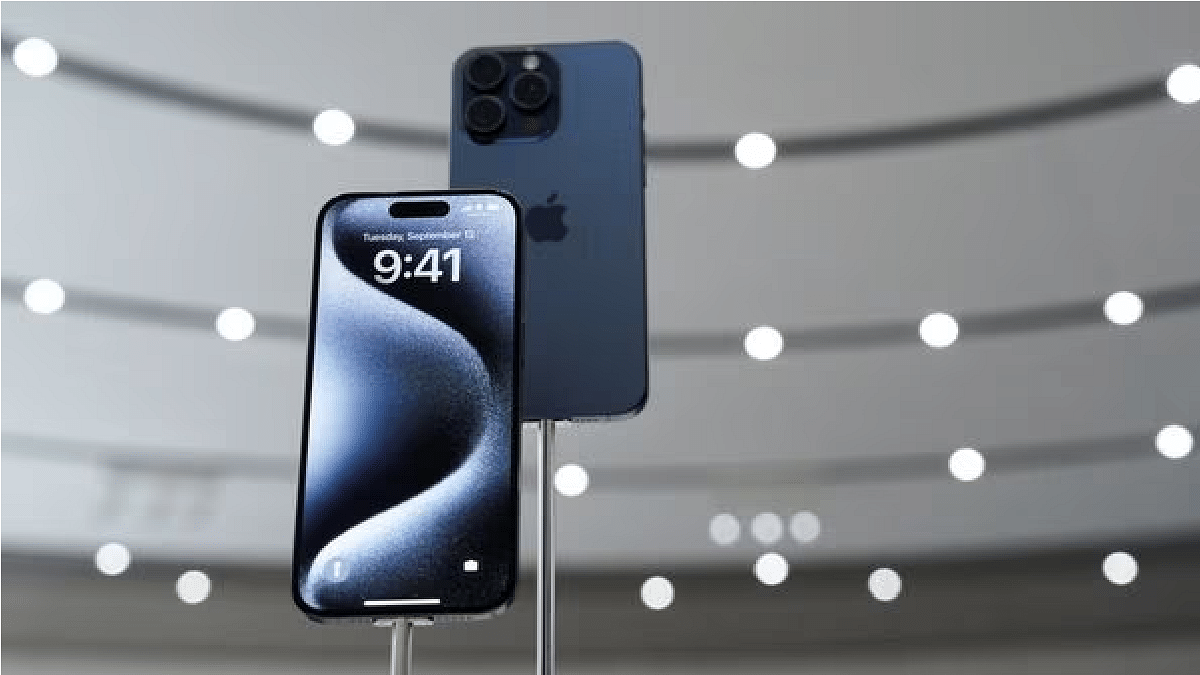
If you’re an iPhone user with iOS 17 or newer, you can use the Mental Health Questionnaire app to evaluate your emotional well-being. This application is designed to help you pinpoint signs of anxiety and depression, offering coping strategies and insights into your risk levels for these conditions. By answering a series of questions about your thoughts and emotions, the app delivers tailored feedback, aiding you in identifying potential mental health challenges and guiding you toward professional assistance if required. Also Read | iOS Tips & Tricks: Learn How To Set Up Your Contact Poster On iPhone

Additionally, it can generate a PDF report for sharing with medical professionals, ensuring a more precise diagnosis and treatment plan. Nonetheless, it’s essential to note that the app should complement, not replace, a consultation with a healthcare provider. For those intrigued by this feature, here’s a detailed guide on assessing anxiety and depression through your iPhone.

How To Diagnose Anxiety, Depression Using iPhone

Ensure your iPhone is operating on iOS 17 or a more recent version. Verify your software version by navigating to Settings > General > Software Update.

Step 1: Open the Health app and select “Browse” at the bottom right corner of the screen.

Step 2: Scroll down and locate “Mental Health Questionnaire” under the “Mindfulness” section.

Also Read | How To Maximize iPhone Battery Health: Tips & Tricks

Step 3: Choose your age group from the provided options, with the questionnaire tailored for individuals aged 13 and above.

Step 4: Respond to 16 multiple-choice questions concerning your thoughts and emotions. Offer candid responses that best represent your current situation.

Step 5: Upon completing the questionnaire, view your anxiety and depression risk levels determined based on your answers. You can also export a PDF summary of your results for sharing with a clinician or access a website with mental health resources relevant to your area.

Always remember that this tool is not a substitute for a professional diagnosis or treatment. If you’re grappling with mental health challenges, seek assistance from a qualified mental health provider promptly.

Also Read | Use Your iPhones To Find Recipes: Here’s How To Use Visual Look Up Feature

Categories
Featured TV

Flipkart Big Dusshera Sale 2023: Top Deals And Discounts On QLED Smart TVs

Key Highlights

  • Flipkart Big Dusshera sale 2023 has started
  • Bank offers, no cost EMIs, and more announced
  • Below are the top deals to grab on QLED smart TVs

After concluding the Big Billion Days 2023 sale, Flipkart is back with another festive season sale. The e-commerce giant is now hosting Big Dusshera sale on its platform where deals are being offered on smart TVs and other consumer appliances. We are listing the top deals that you can grab on the latest range of QLED smart TVs in India.

Samsung QLED Ultra HD (4K) Smart TV (55-inch)

https://images.samsung.com/is/content/samsung/assets/us/tvs/03032023/02-KV-video-D.mp4
  • MRP is Rs, 99,990
  • Available with 40 percent discount at Rs. 59,990
  • 10 percent discount on Kotak Bank Credit card and Rs. 500 off on SBI and RBL bank card
  • Is a QLED smart TV with 4K screen resolution
  • Panel offers 50Hz refresh rate
  • Comes with dual speaker system
  • Third party app support for OTT platforms including Netflix, Amazon prime videos, YouTube
  • Runs on Tizen OS and has Quantum Processor Lite 4K

Buying Link

iFFALCON by TCL QLED Ultra HD (4K) Smart TV (55-inch)

  • Available with Rs. 31,999 offer price
  • Extra Rs. 10,000 discount available
  • Bank offers, no cost EMI options also available
  • Features 55-inch QLED panel with Dolby Vision support
  • Comes with 4K UHS resolution
  • Has three HDMI and one USB port
  • Supports both Wi-Fi and Bluetooth wireless networks
  • 56W audio output generated by the dual speaker module
  • Google Play services and third party app support including Netflix, Amazon Prime videos, Zee5, Hotstar, etc.

Buying Link

Infinix W1 QLED UHD Smart TV

  • Listed with Rs. 59,999 offer price
  • Bank offers, no cost EMI, and exchange bonus also available
  • Runs on WebOS firmware
  • 55-inch screen size with 2160 x 3840 pixels screen resolution (4K UHD)
  • Panel offers 60Hz refresh rate
  • Multiple screen sizes available
  • 20W audio output and Dolby Audio support
  • Wi-Fi and Bluetooth network support
  • Has digital AI voice assistant support

Buying Link

TOSHIBA M550MP QLED Smart TV (55-inch)

https://toshibatv-in.com/wp-content/uploads/2023/05/core-video.mp4
  • Listed with Rs. 43,999 offer price
  • Bank offers, no cost EMI, and exchange bonus also listed
  • 55-inch and other screen sizes also available
  • Features QLED panel with 4K UHD resolution support
  • Has three HDMI and two USB ports
  • Powerful audio featuring three speakers
  • 49W speaker and 25W subwoofer output
  • Dolby Atmos and Dolby Audio support
  • Google TV with third party app support

Buying Link

Categories
Apps Featured

Instagram Releases Multiple New Creative Tools For Gen Z Masses: Check Details

Key Highlights

  • New Instagram tools released for creative users
  • List includes audio notes and selfie video notes feature
  • Latest features available for both Android and iOS users

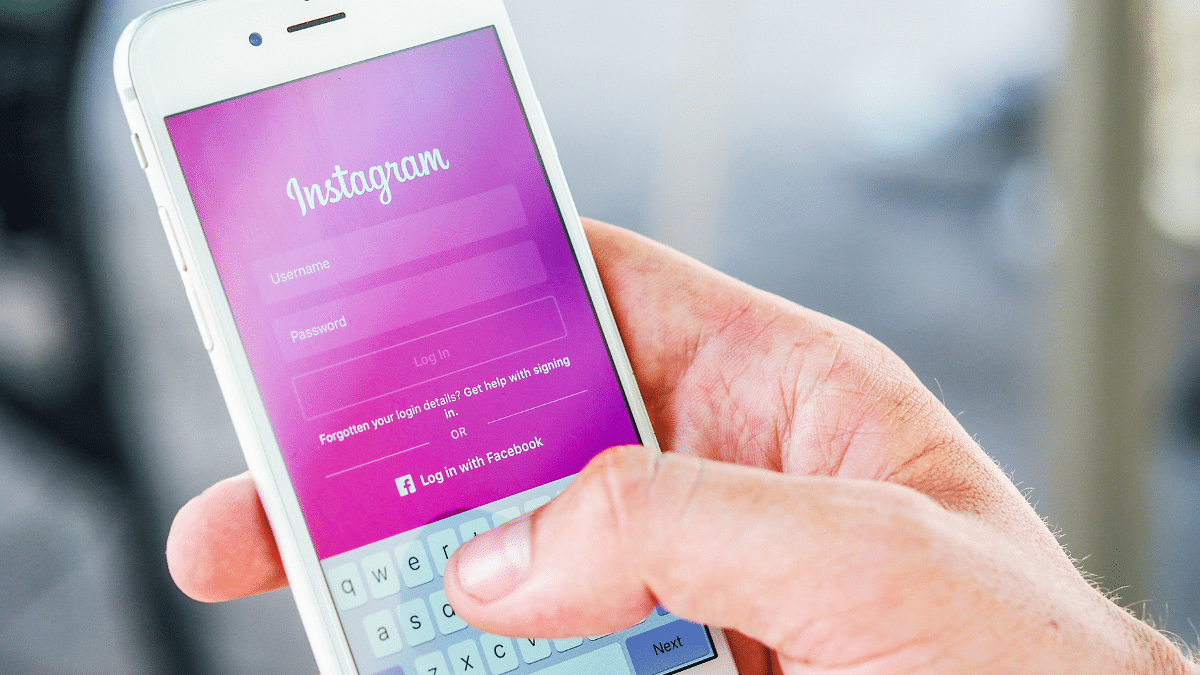
After Meta’s Instagram take over, the instant photo sharing app evolved exponentially. The app has been updated with numerous features and tools which has helped it to expand the user base too globally. Meta has been working extensively to bring new and intuitive features to its platform and is also keeping all the security aspects intact. Now, the company has introduced more new tools for the Gen Z consumers which includes media sharing, profile-centered, and more. Let’s take a look at the list of new Instagram features and their functionality:

Audio Notes

This new Instagram feature will allow users to share audio notes. Users will be able to record their own audio as voice notes and share it with their contacts. This is an advanced version of the Notes feature which the brand released previously for the global users.

Selfie Video Note

This is another advanced version of the standard Notes feature which Instagram received recently. Similar to the Audio notes features, users will be able to record selfie videos and share them as notes which other users will be able to see in the DM section.

Also Read: 100+ Best Instagram Names For Pet Parents

Birthdays

This is another new feature which Meta has added to its platform. This tool is designed to allow users to create and add “Birthday Effect” to their profile. This will help the users to notify contacts of their birthday and make their profile special for that one day.

Also Read: Best Apps And Tools To Download High Quality Instagram Status On Any Phone

Multiple Story List

Currently Instagram allows users to share stories with all friends or a list of close friends. But now, Meta has added Multiple Story list feature with which users will be able to create distinctive list/groups of friends with whom they wish to share any Instagram story.

Also Read: 100+ Catchy Instagram Username Ideas For Poetry Enthusiasts

Categories
Accessories Featured Gaming

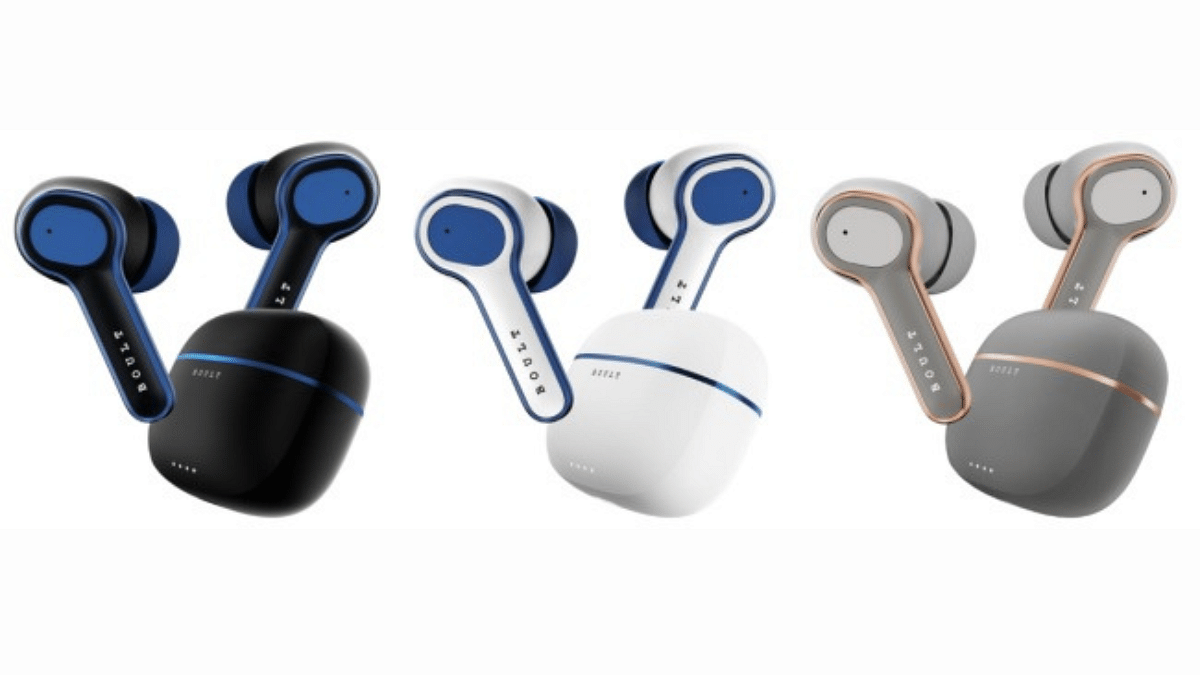
Boult Curve Max Neckband And Curve Buds Pro Earbuds Launched In India: Specifications, Price

Key Highlights

  • Affordable Boult Curve Max Neckband Earbuds.
  • Gaming-focused Curve Buds Pro Earbuds.
  • Low latency and noise cancellation.

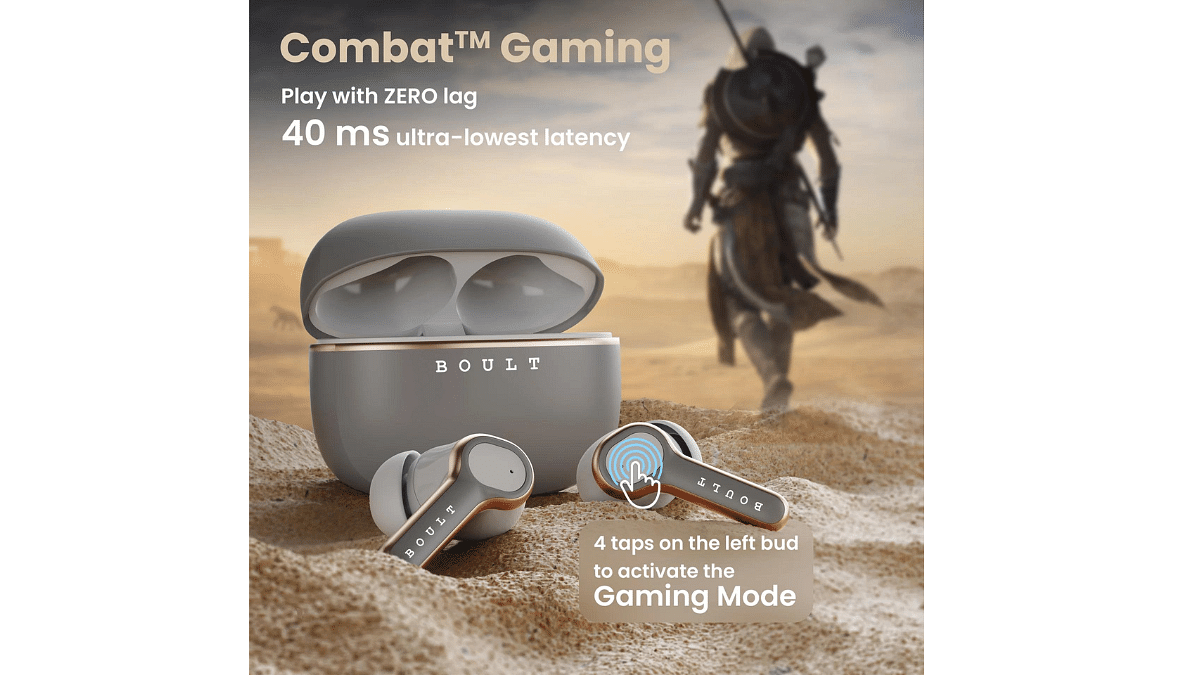
Boult has just launched its latest audio products in India the Boult Curve Max Neckband and the Curve Buds Pro Earbuds. The Curve Max comes with 100-hour battery life and the Curve Buds Pro offers a low 40ms latency in Gaming Mode, these earbuds are advertise to elevate audio and gaming experiences.

Let’s dive into their specifications, pricing, and availability.

Also Read: Jabra Introduces The Elite 8 Active And Elite 10 Earbuds In India

Boult Curve Max Neckband Earbuds: Specifications

FeatureBoult Curve Max Neckband Earbuds
Fast ChargingLightning Boult Type C, 10 mins for 24 hours playback
Battery LifeUp to 100 hours
Audio Quality13mm drivers with BoomX Technology
Latency50ms gaming mode
Noise CancellationZEN Mode Environmental Noise Cancellation (ENC)
Calling QualityClear Pro+ quality even in challenging environments
Water ResistanceIPX5 (Water-Resistant)
Multi-Device ConnectivityConnects to two devices simultaneously
Additional FeaturesQuick charging, strong bass, gaming mode support

The Boult Curve Max neckband earbuds offer fast charging through a Lightning Boult Type C connection, providing a 24 hours of playback with just a 10-minute charge. The earbuds comes with 100 hours of battery life . The audio quality is enhanced by 13mm drivers powered by BoomX Technology, delivering clear sound and robust bass. The earbuds offers 50ms latency gaming mode for a seamless gaming experience.

Additionally, the ZEN Mode Environmental Noise Cancellation (ENC) reduces background noise during calls. These earbuds with comes with IPX5 water-resistant rating.

Also Read: OPPO Enco Air3 Pro TWS Earbuds Review: Takes The Top Spot?

Curve Buds Pro Earbuds: Specifications

FeatureCurve Buds Pro Earbuds
Battery LifeUp to 100 hours of gaming time
Quick Charging130 minutes of gameplay in 10 minutes
Mic TechnologyZEN Quad Mic ENC technology for clear calls
Driver Size10mm drivers with BoomX Technology
EQ ModesThree modes: Hifi, Rock, and Bass Boost Modes
Latency40ms latency in Combat Gaming Mode
ConnectivityBlink and Pair technology for quick pairing
ControlTouch commands for easy control
Water ResistanceIPX5 (suitable for gaming in various conditions)

The Boult Curve Buds Pro earbuds offers up to 100 hours of gaming time and fast charging via Lightning Boult Type C, providing 130 minutes of gameplay in just 10 minutes. These earbuds ensure clear calls in noisy environments with ZEN Quad Mic ENC technology. They deliver strong bass and excellent audio quality through 10mm drivers powered by BoomX Technology, offering three EQ modes (Hifi, Rock, and Bass Boost).

With a metallic rim and low 40ms latency in Combat Gaming Mode, they’re designed for gaming. They pair quickly with Blink and Pair technology, feature touch controls, and are water-resistant (IPX5).

Also Read: Sony WF-1000XM5 TWS Earbuds With ANC, Up to 8 Hours Battery Life Launched In India: Features, Price

Boult Curve Max Neckband and Curve Buds Pro: Price, Availability

The Boult Curve Max neckband is available for a limited time at a special price of Rs 999, down from its regular price of Rs 1,299. You can purchase it from popular online platforms like Amazon, Flipkart, and Boult’s official website.

The Curve Buds Pro earbuds are also on sale for Rs 1,299, reduced from their usual price of Rs 1,799. They are available for purchase on Boult’s official website and Amazon.

Also Read: Amazon Great Indian Sale Offers Revealed: Grab 75% Off On Popular Earbuds, Headphones, And More

Categories
Featured Info Mobile

OnePlus Open Foldable Phone: Top Alternatives And Rivals

Key Highlights

  • OnePlus Open launched officially as first OnePlus foldable phone
  • Is packed with 2K AMOLED screen
  • Features Snapdragon 8 Gen 2 SoC

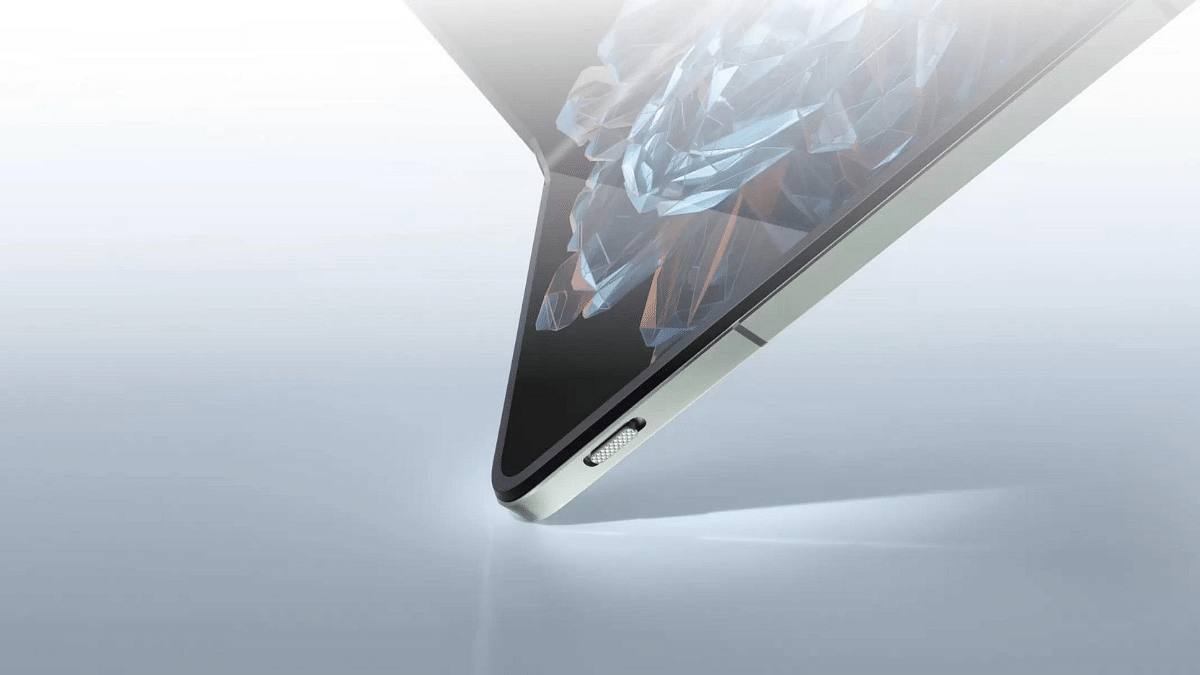
OnePlus has marked its presence in the foldable smartphone segment with the launch of the OnePlus Open in India. The latest flagship foldable phone is announced in the Indian market as a top alternative to the Galaxy Z Fold 5 with a cheaper price tag. Which other handsets takes on the OnePlus Open foldable phone? Take a look:

OnePlus Open Foldable Phone Specs

  • Features a 6.3-inches outer screen with 2K resolution
  • Display in unfolded state measures 7.82-inches and support 120Hz refresh rate
  • Has Snapdragon 8 Gen 2 chipset under the hood
  • Launched with 16GB RAM and 512GB storage
  • Rear camera setup includes 48MP+64MP+48MP sensors
  • Has a 32MP + 20MP selfie camera setup
  • Powered by a 4,805 mAh battery pack with 80W fast charging
  • Priced at Rs. 1,39,999

OnePlus Open Top Rivals

Samsung Galaxy Z Fold 5

  • Equipped with a 6.20-inch cover screen and 7.60-inch inner display (unfolded state)
  • Powered by the flagship Snapdragon 8 Gen 2 processor
  • Triple rear camera setup including a 50MP + 12MP + 10MP
  • Selfie camera setup include a 10MP sensor and a 4MP sensor
  • Runs on Android 13 OS topped with a custom UI
  • Powered by a 4,400 mAh battery pack
  • Price in India starts at Rs. 1,54,999

OPPO Find N3

  • Packed with 6.3-inch cover display with 2800 nits peak brightness
  • Sports a 7.82-inch OLED display (when unfolded) with 120Hz refresh rate
  • Is powered by the octa-core Snapdragon 8 Gen 2 mobile chipset
  • Up to 16GB RAM and 1TB storage option
  • Rear camera setup included 48MP+ 64MP+48MP sensors
  • Selfie camera setup includes a 32MP lens and a 20MP lens
  • Boots on Android 13 OS and has custom Color OS skin
  • Is powered by 4,805 mAh battery pack combined with 80W fast charging
  • Price in India yet to be announced

Also Read: Upgrade To A Curved Display: Four Best Smartphones To Buy In 2023

Categories
Featured Info

Google For India 2023: A Recap Of Key Announcements

Key Highlights

  • Google held its ninth Google for India event
  • The event showcased an array of updates, partnerships, and initiatives aimed at improving the digital experience
  • Google made many announcements at the event

Google held its ninth Google for India event in New Delhi, unveiling several significant updates and developments across its apps and services tailored to the region. Here’s a breakdown of the event’s highlights. Also Read | Google Maps Partners With ONDC For Metro Ticket Booking In India

SGE Evolution

In a notable update, Google’s Search Generative Experience (SGE) now supports images and videos. This experimental feature, previously focused on summarizing online articles, will now provide visual content and even generate images based on text prompts. User reviews for products and government schemes are also being integrated into SGE, enhancing its usefulness.

Google Bard Multilingual Support

Google Bard, introduced with support for Indian languages in July, is now available in nine Indian languages. This feature is set to enrich user interactions with Google services in Hindi, Tamil, Telugu, Bengali, Kannada, Malayalam, Marathi, Gujarati, and Urdu.

Enhanced Shopping Experience

Google is enhancing the shopping experience by prominently featuring physical stores in search results. Users can access information on shipping timelines, inventory, and product pricing from nearby stores. Additionally, Business Messages will allow direct communication between users and merchants, ensuring private and convenient interactions. Merchants will also have the option to display their product catalog online.

Google’s Partnership With ONDC

Google is collaborating with the government’s ONDC platform to enable farmers to sell their produce online, addressing a critical concern in the farming community. This feature is expected to be available later in the year. Google also announced partnerships with Bhashini and MeitY.

Also Read | Google Maps Tips & Tricks: How To Use Fuel-Efficient Routing In India

Google Pay Updates And Digikavach

Google Pay is getting updates to combat fraud more effectively. The app will alert users and block transactions to fraudulent accounts. Users will be notified through phone vibrations when a suspicious transaction is detected. This feature supports nine Indian languages, aligning with Google’s ‘Digikavach’ initiative. Google also revealed its Digital Pragati mission, offering microfinance schemes and easier loan grants through the Google Pay app.

YouTube News Page

YouTube is introducing an update that simplifies tracking news. Users can tap on a video to access comprehensive information on the topic, including news stories, explainer videos, shorts, and related content. This feature strengthens YouTube’s commitment to providing timely and substantive news content.

Made in India Google Pixel 8

In a strategic move, Google is collaborating with international and domestic manufacturers to locally produce Pixel smartphones. The Google Pixel 8 will be manufactured in India and will be shipped starting in 2024. This initiative reflects Google’s commitment to supporting the ‘Make in India’ vision.

Also Read | Google Passkey For Login: In-Depth Guide On What It Is And How to Use It

Categories
Apps Featured Info

How to Use Multiple WhatsApp Accounts On A Single Mobile Device: A Step-by-Step Guide

Key Highlights

  • Easy Setup with Two Phone Numbers
  • Individual Privacy and Notifications
  • Official WhatsApp for Security

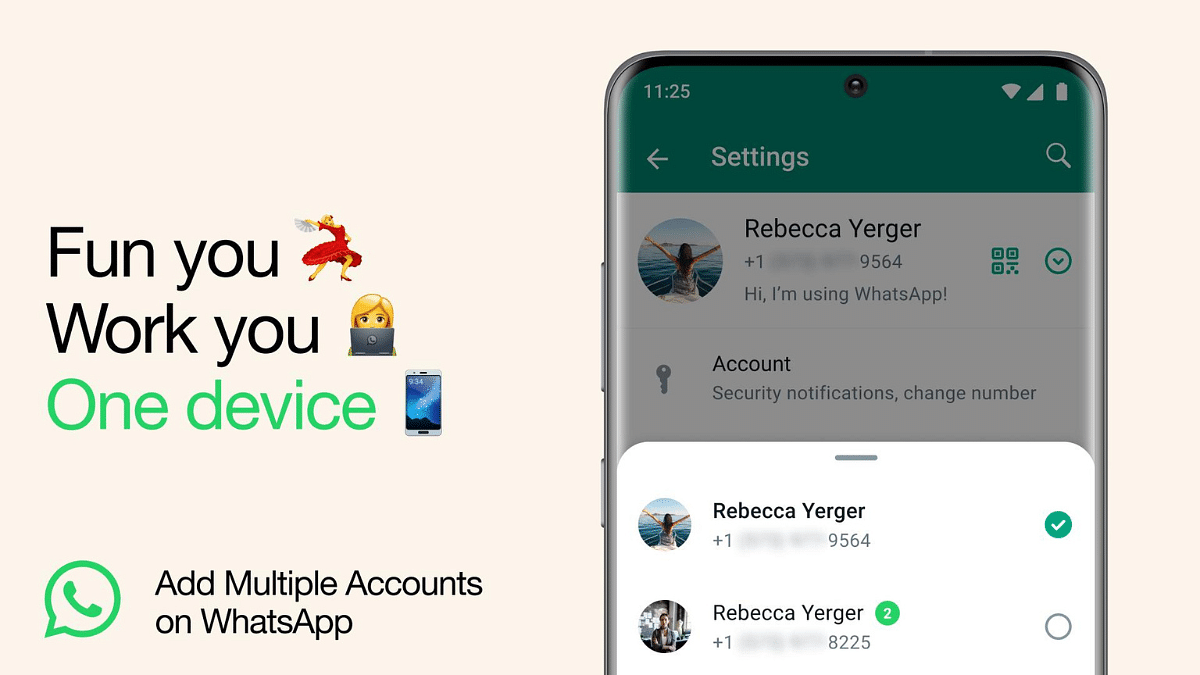
WhatsApp, owned by Meta, has introduced a feature that allows users to use multiple WhatsApp accounts on a single smartphone. This is particularly useful for individuals who need to manage different accounts, such as work and personal profiles, without the hassle of repeatedly logging in and out or juggling multiple devices.

In this step-by-step guide, we will walk you through the process of setting up multiple WhatsApp accounts on a single mobile device.

Also Read: WhatsApp Finally Allows Sending HD Photos: How To Send High Quality Photos On WhatsApp

What You’ll Need

Before you can set up multiple WhatsApp accounts, there are a few prerequisites to consider:

  1. Second Phone Number: You will need a second phone number to associate with the additional WhatsApp account. This could be a separate personal number or a work number.
  2. Physical SIM Card or eSIM: Your smartphone must support using multiple SIM cards or eSIMs if you want to use two different phone numbers for your WhatsApp accounts. Ensure your device is compatible with this feature.

Also Read: WhatsApp Phasing Out Support For These Old Android Smartphones: Time To Upgrade Your Device?

Setting Up Multiple WhatsApp Accounts

Now, let’s dive into the step-by-step process of setting up multiple WhatsApp accounts on your phone:

1. Access WhatsApp Settings

  • Open WhatsApp on your mobile device.
  • Tap on the three dots in the top-right corner to access the menu.
  • Click on “Settings” to access the settings menu.

2. Add a New Account

  • Within the settings menu, locate and click on the arrow icon next to your name or profile picture. This will take you to your profile settings.
  • In your profile settings, you will find the option “Add account.” Tap on it to initiate the process of adding a new WhatsApp account.

3. Link a Second Phone Number

  • WhatsApp will prompt you to link a second phone number to this new account. You can enter the phone number associated with your work or additional WhatsApp account.

4. Account Configuration

  • After entering the phone number, WhatsApp will guide you through the setup process, including verifying the phone number with a verification code.
  • Once the setup is complete, you will have two separate WhatsApp accounts on your device.

5. Individual Account Management

  • It’s important to note that each account is managed individually. You can customize privacy settings, notification preferences, and other account-specific configurations for each WhatsApp account.

Also Read: WhatsApp Web Update: Chat Search By Date Feature Coming Soon To Both Windows And Mac?

Staying Safe And Secure

Meta, the parent company of WhatsApp, emphasizes the importance of using the official WhatsApp application. Users are advised to avoid downloading copycat or counterfeit versions of WhatsApp to add more accounts to their device, as these can pose security risks.

Also Read: WhatsApp Passkey Available For Android, iOS, And Web: How To Use?

Categories
Auto Tech Featured

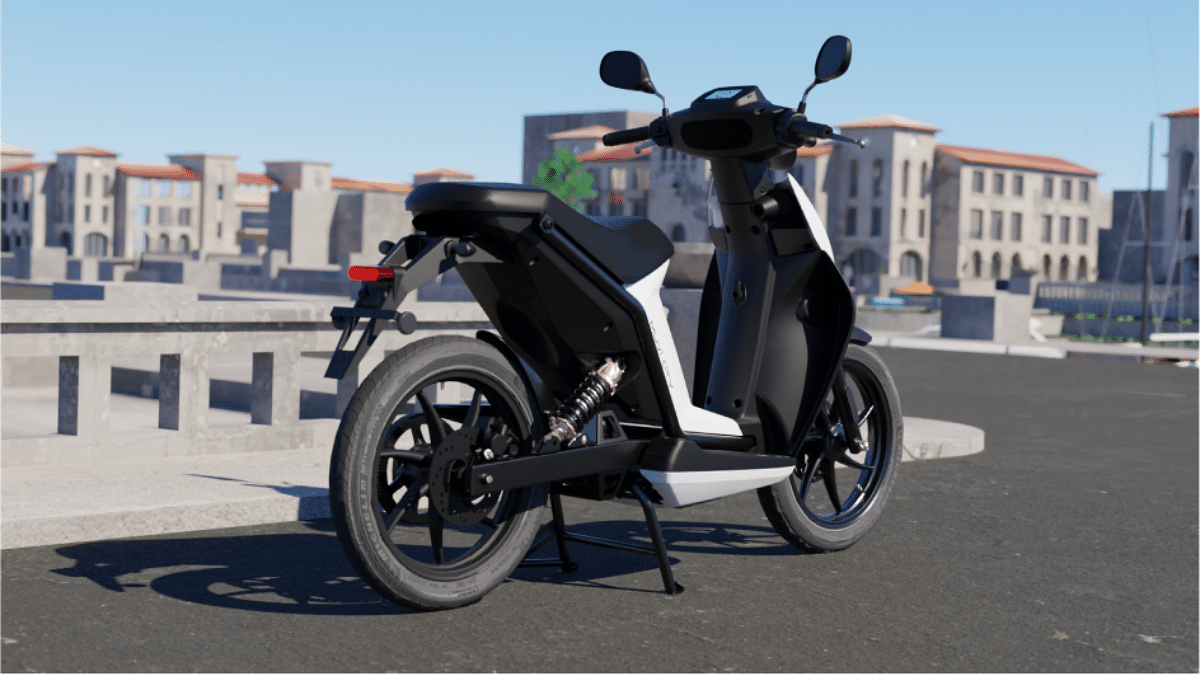
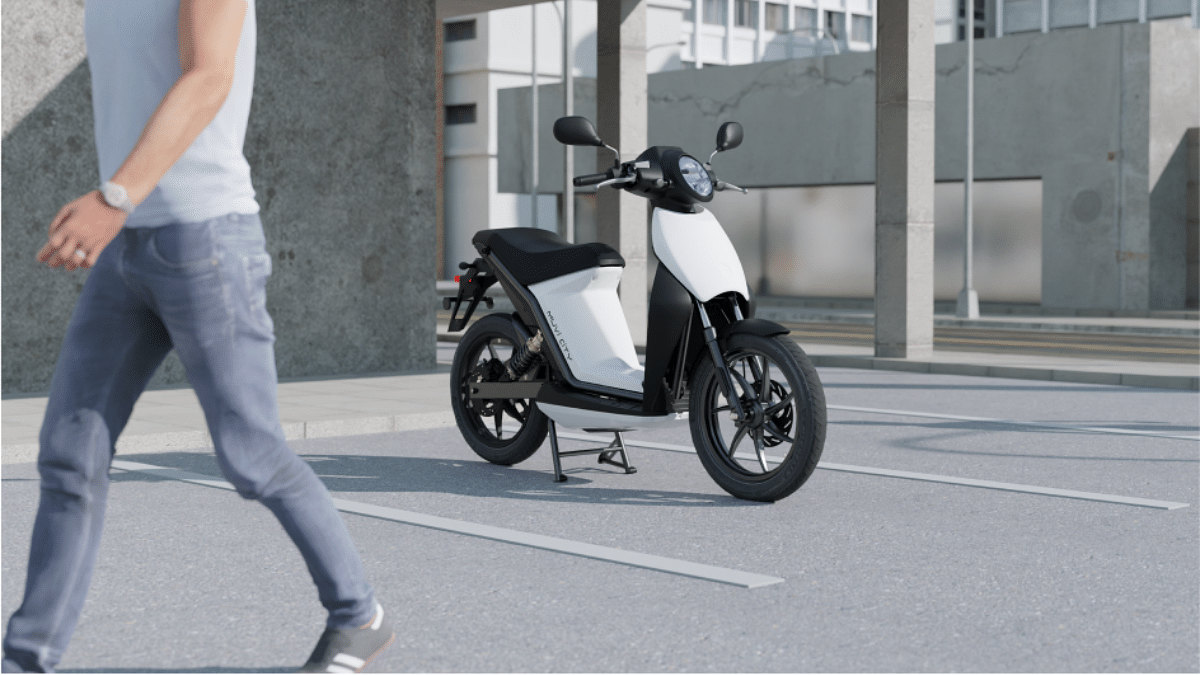
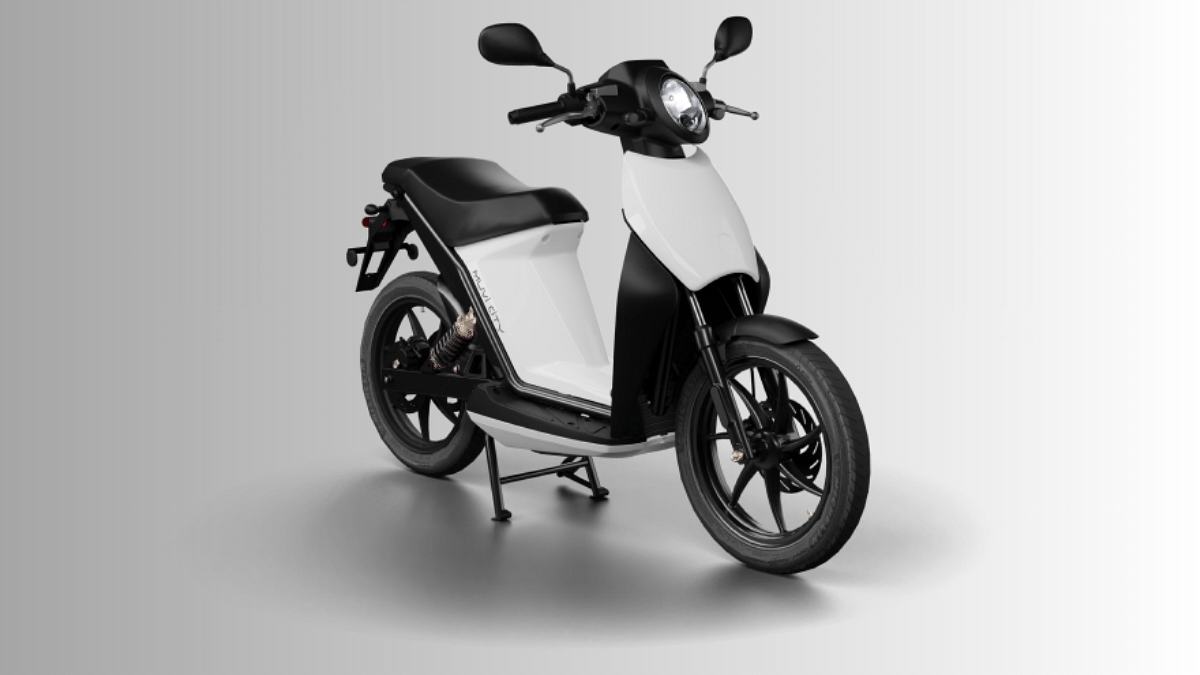
Acer MUVI 125 4G Budget Electric Scooter With 80KM Range Launched In India

Key Highlights

  • Acer MUVI 125 4G is the first electric scooter from the PC giant
  • Has a swappable battery setup
  • Can deliver around 80 km range with single charge

Back in September this year, PC giant Acer unveiled its first affordable electric scooter called the MUVI 125 4G. The Taiwanese tech giant didn’t reveal any info on the availability of its newly launched electric scooter in the Indian market. But now, the Acer MUVI 125 4G has finally marked its debut in the country with a starting price under Rs. 1 lakh. Read below to know its powertrain and features in detail:

Acer MUVI 125 4G Electric Scooter: Powertrain And Features

  • MUVI 125 4G’s design is suitable for city rides
  • Has a mix of modern and retro design language
  • Features a round LED headlamp and large wheel size
  • Design also comfortable for longer commutes
  • Black, grey, and white color options introduced
  • Equipped with swappable battery pack that will allow convenience of hassle free charging specifically on-the-go
  • Acer MUVI 125 4G electric scooter’s dual battery module is said to deliver around 80 km range with single charge
  • Peak power and peak torque capacity to be revealed
  • The Acer MUVI 125 4G electric scooter can reach a top speed of up to 75 kmph with a full throttle
  • MUVI 125 4G electric scooter features a 4-inch touchscreen digital instrument cluster
  • Bluetooth-enabled instrument cluster displays important ride notification such as range, etc
  • It is compatible with both Android and iOS ecosystem and can be paired with a wide range of devices
  • Uses disc brakes both upfront and at the rear for breaking

Also Read: Okaya Motofaast Electric Scooter With 130km Range, 70kmph Top Speed Launched In India: Priced Under Rs. 1.50 Lakh

Acer MUVI 125 4G Price In India And Sale Details

The Acer MUVI 125 4G electric scooter has been launched in the Indian market at just Rs. 99,999. Acer has already started pre-bookings for its first electric scooter. Interested buyers can head to the official website and pre-register for the MUVI 125 4G electric scooter by paying a small token amount of Rs. 999. As mentioned above, the Acer MUVI 125 4G will be available in black, white, and grey color options.

Also Read: Honda Motocompacto: Unique Foldable Suitcase-Style Mini Electric Scooter Debuts

Categories
Apps Featured Info

Google Maps Partners With ONDC For Metro Ticket Booking In India

Key Highlights

  • Google Maps joins hands with the ONDC network
  • Users will now be able to book metro tickets using it
  • Additionally, Google Maps will provide reliable information about metro routes

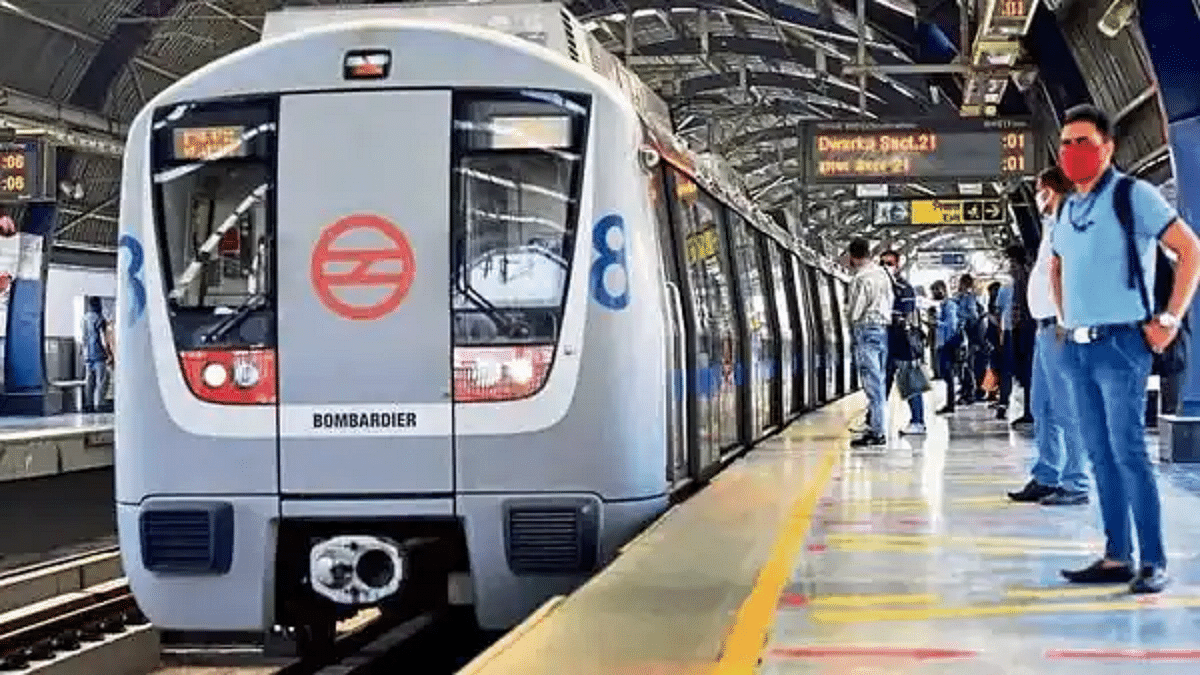
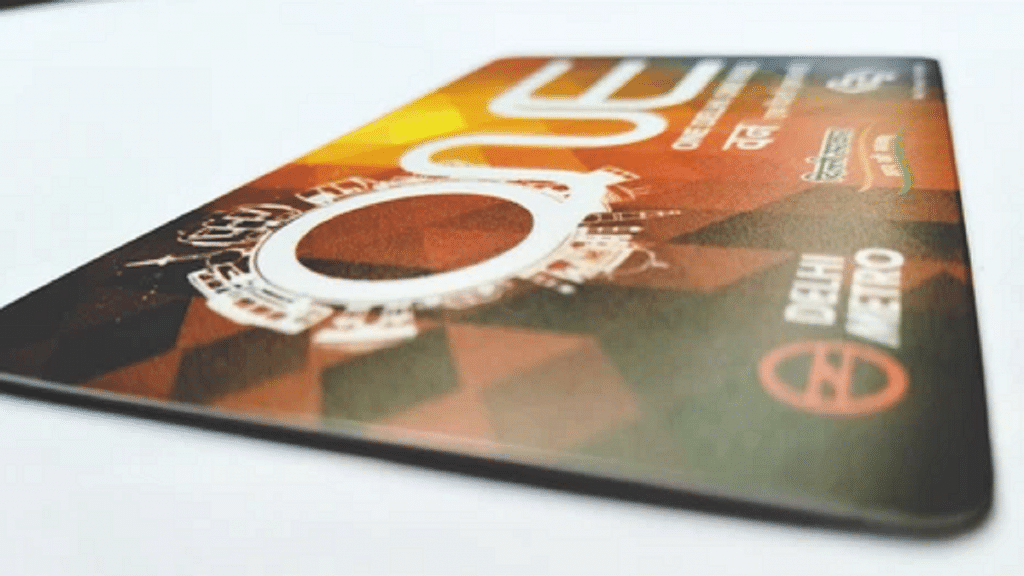
At the Google for India event held on Thursday, Google unveiled its collaboration with the Open Network for Digital Commerce (ONDC) to offer metro ticket booking services. This development will be integrated into Google Maps, allowing users to not only book metro tickets but also access reliable information regarding metro transportation in various cities. The introduction of this feature in Google Maps is expected within the next few months, although the timeline depends on the readiness of service partners to integrate with the ONDC network. Also Read | Delhi Metro To Go Tokenless, Commuters Can Soon Use Their Mobile Phones To Travel

Book Metro Tickets via Buyer Apps On ONDC Network

The process for booking metro tickets through this initiative will be facilitated via buyer apps connected to the ONDC network. Although specific details about the booking process remain unclear, this move aims to enable users to seamlessly purchase metro tickets while searching for metro routes in supported cities. However, Google has not disclosed which metro services will be compatible with Google Maps, with more information expected as the feature becomes available in the near future.

ONDC Partnership To Empower Farmers And Sellers

Earlier this year, Google and ONDC initiated an accelerator program in India, encouraging sellers to transition to online platforms for selling their products. This initiative also encompasses open-sourcing and the establishment of the necessary infrastructure for the ONDC network’s operation. In a further extension of this partnership, Google announced its plans to enable Farmer Producer Organisations (FPOs) to sell their produce online, offering farmers additional revenue streams.

Alternative Ticket Booking Method

Apart from Google’s collaboration, Delhi Metro commuters can also book tickets through WhatsApp. To do so, users need to send a message with the keyword “Hi” to the number 9650855800. This service allows users to book up to six metro tickets at a time and operates between specific hours, from 6 AM to 9 PM. For the Airport Line, ticket booking is available between 4 AM and 11 AM, covering 228 metro stations.

Also Read | Delhi Metro Goes Digital: How To Use DMRC Travel App To Buy Tickets On Mobile