Categories
Featured Info mobile

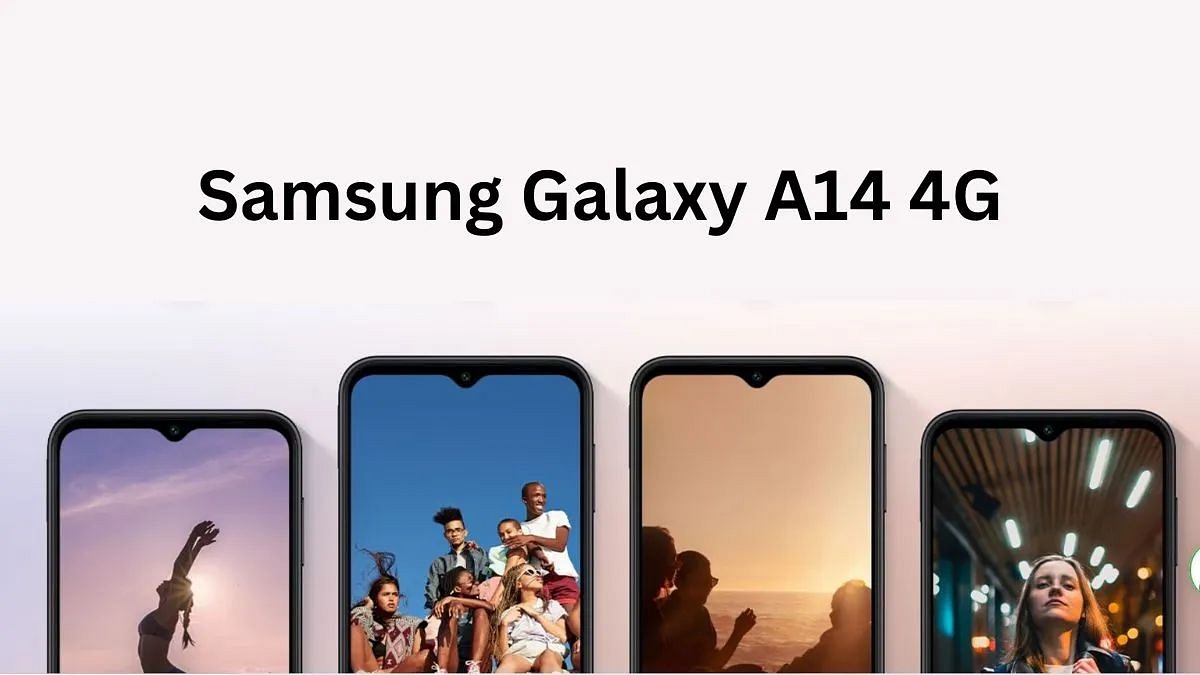
Samsung Galaxy A14 4G Coming Soon To India: Another Cheapest Galaxy A Series Android Phone?

Key Highlights

  • Samsung Galaxy A14 4G to launch on May 31
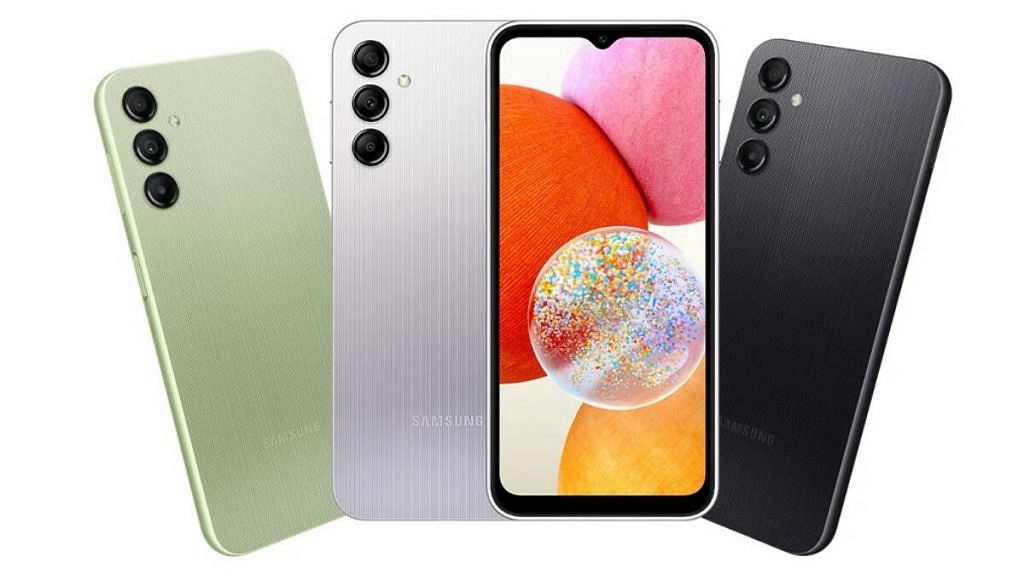
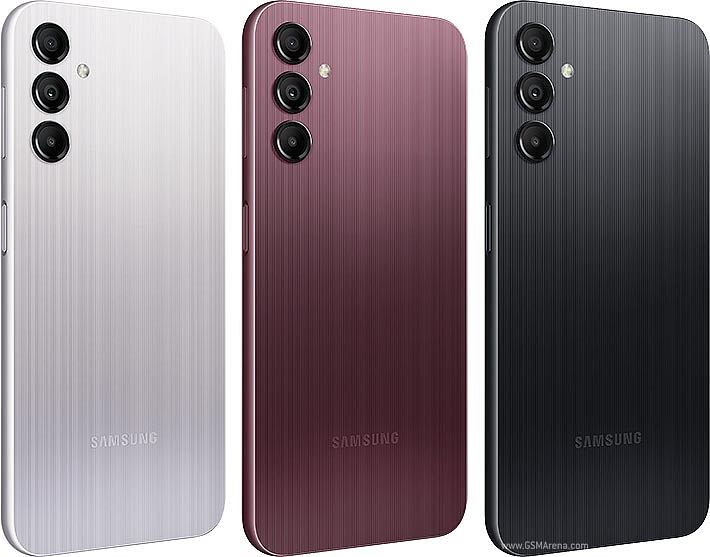
  • The smartphone is available in three colors—Black, Light Green, and Silver
  • The smartphone features a large 6.6-inch FHD+ IPS LCD screen with a 60Hz refresh rate

The Samsung Galaxy A14 is expected to launch on May 31, 2023. In India, it’s anticipated to cost Rs. 13,999. This 6 GB RAM and 128 GB internal storage Samsung Galaxy A14 basic model comes in black, silver, and dark red. Here are the Specifications of the upcoming smartphone.

Also Read: Realme Narzo N53 Budget Smartphone Launched In India

Samsung Galaxy A14 4G: Specifications

Model Samsung Galaxy A14 4G
Display6.6-inch FHD+IPS LCD
Camera 50MP+ 5MP+ 2MP (rear)
13MP (front)
Battery 5000mAh
Chipset Exynos 850 CPU
Storage64GB/128GB

The Galaxy A14’s 6.6-inch FHD+IPS LCD screen features a 20:9 aspect ratio and a 1080 x 2408 resolution. The smartphone’s capacitive touchscreen has no bezels, a waterdrop notch, and a pixel density of 400 ppi. The Galaxy A14 was created with environmentally friendly materials and features eco-conscious technologies from Samsung, which, according to the company, will help create a more sustainable future.

The Samsung Galaxy A14 4G includes a triple back camera arrangement with a 50MP primary camera sensor, a 5MP ultra-wide camera sensor, and a 2MP macro camera. The 13MP front camera sensor on the Galaxy A14 4G is ideal for selfies and video calls. The smartphone has a 5000mAh battery that supports 10W charging using a USB Type-C connector.

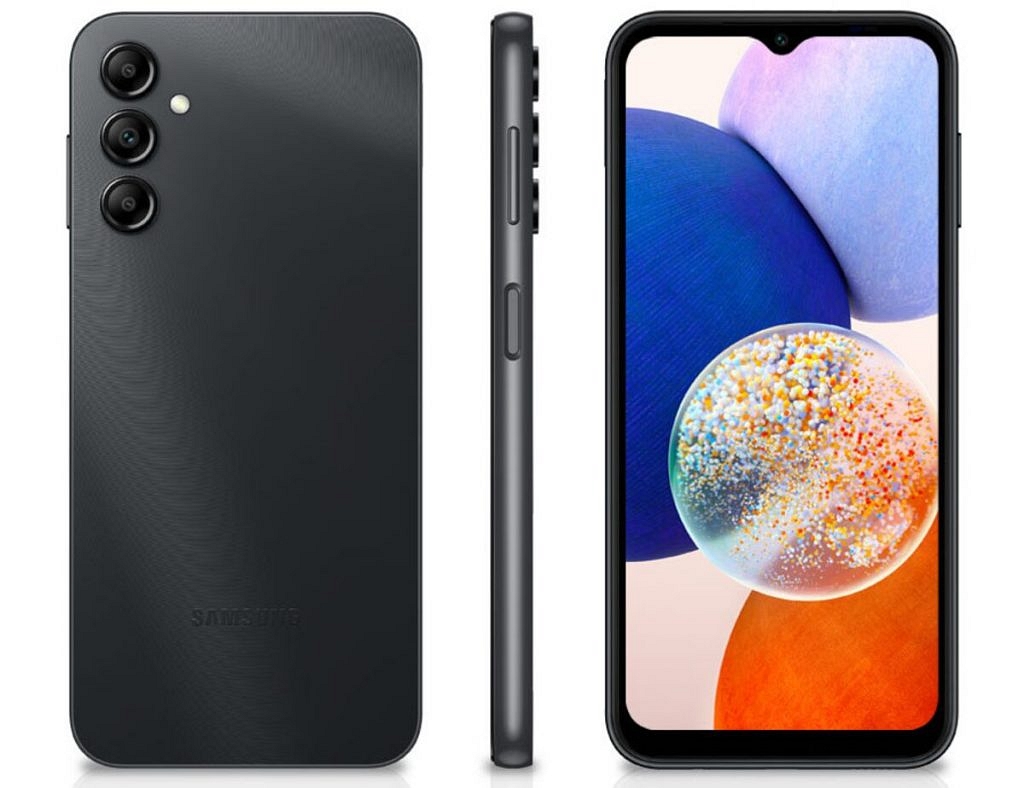
The Galaxy A14 is powered by Exynos 850 CPU, ONE UI 5, up to 8GB of RAM with RAM Plus, a privacy and security dashboard, and the most recent Android 13 OS. The internal storage capacity can be increased by up to 128GB using a microSD card slot. Additionally, Samsung guarantees this phone will receive 2 OS upgrades and 4 years of security updates. A 3.5mm headphone jack and a side-mounted fingerprint scanner are additional features of the smartphone.

Also Read: tiQOO Z7s 5G With 90Hz Display, Snapdragon 695 Official In India: New Affordable 5G Gaming Phone?

Samsung Galaxy A14 4G: Price And Availability

ModelSamsung Galaxy A14 4G
Color Options Black, Light Green, and Silver
Available Variants4+64GB, 4+128GB
PriceRs. 13,999, Rs. 14,999
Rs. 1000 cashback introductory offer

The new Samsung Galaxy A14 will be available in three colors—Black, Light Green, and Silver—and is priced at Rs 13,999 for the 4+64GB variant and Rs 14,999 for the 4+128GB variant across Samsung exclusive and partner stores, Samsung’s website, and other online apps. The brand is offering Rs 1000 cashback on this new low-cost phone as an introductory offer. This smartphone is available for Rs 12,999 and Rs 13,999, respectively, with discounts. The Galaxy A14 also comes in a 5G version with a 90Hz display for Rs 16,499.

Also Read: Tips For Buying A Smartphone Under Rs. 7,000 In 2023
Categories
Featured Gaming

BGMI India Ban Removed: Game Finally Available For Download On Android

Key Features

  • BGMI is finally back in India
  • Can be downloaded by Android users
  • Yet to be available for iOS users

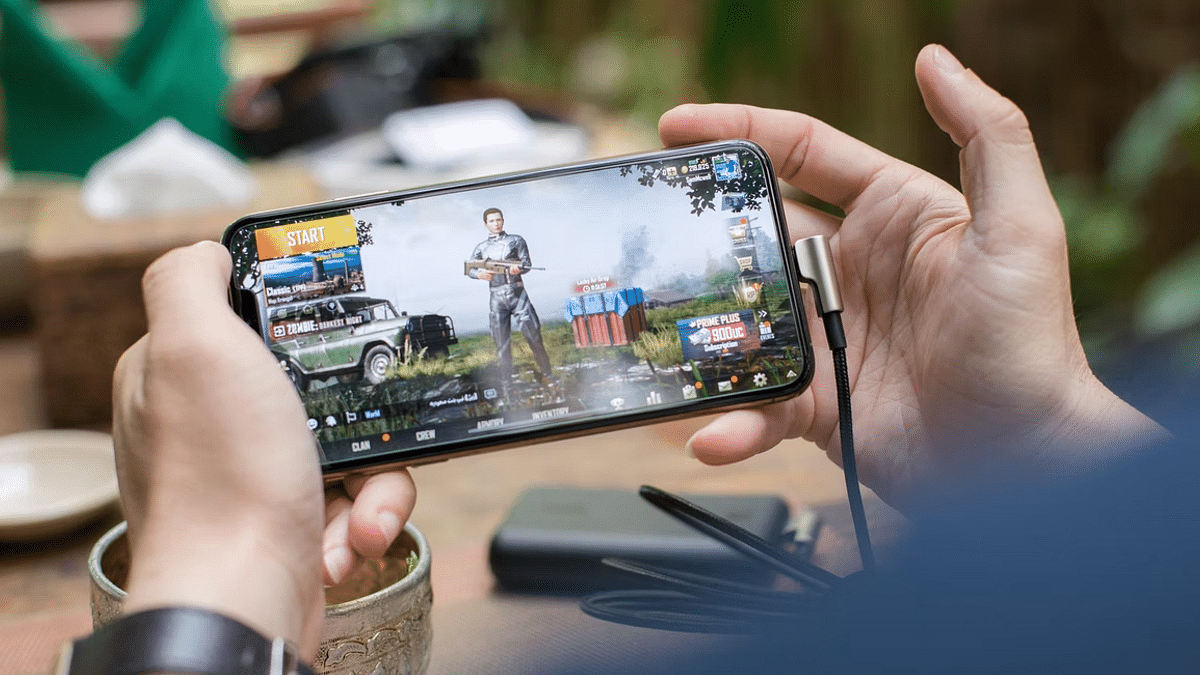
FPS shooting games have undeniably got the mobile gamers hooked across the globe. PUBG became the trendsetter in this segment but got a blanket ban due to China links. Soon after BGMI (Battle Ground Mobile India) replaced PUBG but eventually saw the same fate where a ban got imposed on the game. Off-late reports of BGMI making a comeback have been taking over the internet which soon got confirmed by Krafton itself. Now, the game has finally made it to the Play Store and can be downloaded on smartphones.

Also Read: Best Game Settings For BGMI, PUBG For A Premium Gaming Experience On Android, iOS

BGMI Available For Download: Ban Removed?

BGMI has apparently made a comeback amidst all the hype in India. The game was removed from the both Apple Ap Sore and Google Play Store last year after the government imposed a ban citing privacy and safety-related concerns. But almost 10 months after the ban the FPS shooting game can be downloaded in India. BGMI can currently be downloaded only by Android users. The availability for iOS users is still pending.

Also Read: Cool Names For Gamers: Top 100 Best Boy Gamer Names To Choose From

Notably, the BGMI mobile app can’t be downloaded directly via the Google Play Store. Interested users initially need to head to the BGMI official India website and then hit the Play Store tab to redirect to the downloading page. This availability of the BGMI game confirms the ban lift but it can’t be said if this is a permanent or temporary ban removal.

Notably, BGMI game developers also released a statement thanking the government for lifting the ban from the country. “We are highly grateful to the Indian authorities for allowing us to resume operations of BATTLEGROUNDS MOBILE INDIA (BGMI). We would like to extend our gratitude to our Indian gaming community for their support and patience over the past few months. We are excited to announce that BATTLEGROUNDS MOBILE INDIA will be available for download soon and we cannot wait to welcome you back to our platform”, quoted Sean Hyunil Sohn, CEO of KRAFTON, Inc. India.

Also Read: Garena Free Fire Stylish Nick Names 2023: Best Free Fire, Fire Max Game Names To Use

Can You Play BGMI In India Now?

As mentioned above, the game is available for download for Android users. But it still can’t be played due to server-side issues as per online reports, which may be fixed in the coming weeks. No timeline for the same is available. It is worth adding that three major factors are being considered by the Indian government with the temporary BGMI ban lift. Take a look:

  1. Continuous Monitoring: The government will be consistently monitoring the game to keep a check on whether it imposes any threat to national security.
  2. Time-Restriction: A time restriction feature will probably be added so that gaming addiction can be curbed.
  3. Blood Color Change:  Another crucial change we expect the change of the blood color to avoid fuelling violence.

Also Read: Stylish Free Fire Nick Names 2023: 100+ Cool And Unique Free Fire Nicknames For Teams And Groups In 2023

Categories
Apps Featured How To

How To Book Your Uber Ride 90 Days In Advance: A Step-by-Step Guide

Key Highlights

  • Riders will now be able to book Uber rides 90 days in advance
  • Riders can cancel for free up to 60 minutes prior to the pickup, according to Uber
  • Prior to booking, riders who are scheduling the ride can view the cost

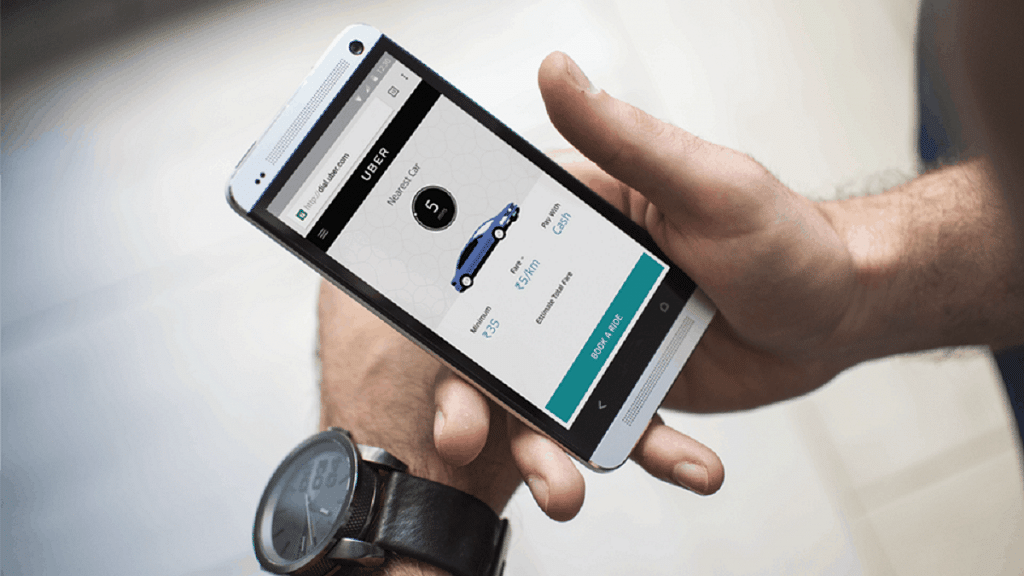
Uber has launched a new feature called Uber Reserve, allowing users to book cab rides up to 90 days in advance. Similar to the process of booking flights and hotels, riders can now plan their trips and secure Uber rides well ahead of time. This feature is currently available in the United States and Canada.

Also Read | Book An Uber Ride Using WhatsApp: Follow These Steps

Booking Rides In Advance With Uber Reserve

To facilitate advanced bookings, Uber Reserve provides users with the upfront price and advanced details about their assigned driver. According to an official blog post, Uber has begun rolling out this feature, enabling riders to schedule rides up to 90 days in advance. This allows for better trip planning and eliminates last-minute transportation concerns.

Steps To Book Uber Rides In Advance

Here’s a step-by-step process for booking Uber rides 90 days in advance:

Step 1: Open the Uber app on your device.

Step 2: Look for the “Uber Reserve” option and tap on it.

Step 3: Select the desired date and time for your pickup.

Also Read | From Ola To Rapido: Top Five Ride-Hailing Apps In India

Step 4: Review the details and price of the ride before confirming the booking.

Step 5: Keep in mind that you have the option to cancel the reservation for free up to 60 minutes before the scheduled pickup time.

Additionally, Uber offers some new features for users, such as Directions to Pickup and Walking ETAs. With the Directions to Pickup feature, the app provides step-by-step in-app directions to guide you to the designated Uber pickup area. This feature is currently available at over 30 airports worldwide, with plans for expansion. The Walking ETA feature helps you estimate the time it will take to walk from the gate to the baggage claim area. It will soon be available in more than 400 airports globally.

Also Read | From The Road To The Air: Uber Now Offers Flight Booking From Its App

Uber’s Advanced Booking And Features

By following these steps, users can take full advantage of Uber’s new features and easily book rides up to 90 days in advance. With Uber Reserve, riders can secure their transportation well ahead of time, gaining peace of mind and eliminating last-minute worries.

For the tech geeks, stay updated with the latest cutting-edge gadgets in the market, exclusive tech updates, gadget reviews, and more right on your phone’s screen. Join Giznext’s WhatsApp channel and receive the industry-first tech updates.

Categories
Featured Info mobile

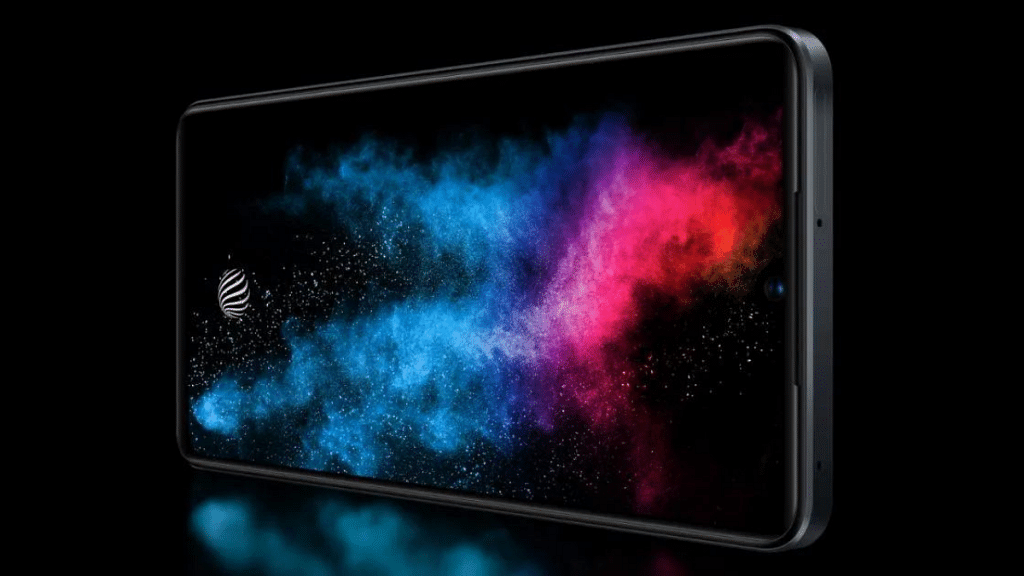
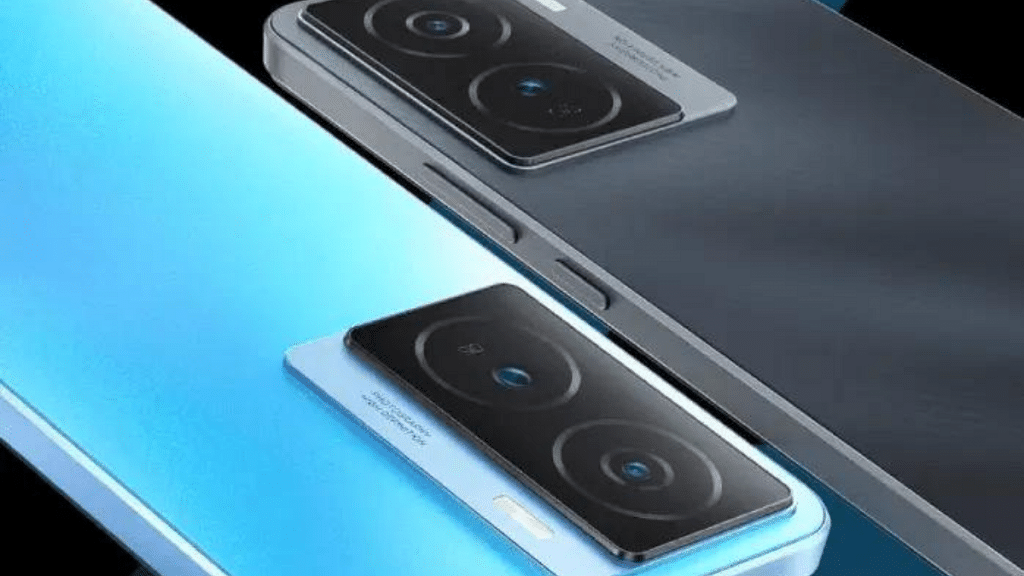
iQOO Z7s 5G With 90Hz Display, Snapdragon 695 Official In India: New Affordable 5G Gaming Phone?

Key Highlights

  • 90Hz display for smooth visuals.
  • Snapdragon 695 chipset for enhanced performance.
  • Affordable 5G gaming phone.
  • Priced Under Rs.20,000

iQOO, the renowned smartphone brand has recently launched its latest addition to the Z series in India—the iQOO Z7s 5G. Following the success of the iQOO Z7, this smartphone aims to deliver an immersive gaming experience at an affordable price point. Let’s take a closer look at the specs, prices and offers available on this smartphone.

Also Read: iQOO TWS Air Pro: Launching On May 23 With Advanced Noise-Canceling Technology

iQOO Z7s 5G: Specifications

SpecificationiQOO Z7s 5G
Display6.38-inch Full HD+ AMOLED, 90Hz refresh rate
Front Camera16MP
ProcessorSnapdragon 695 octa-core
GPUAdreno 619L
RAMUp to 8GB (extended RAM technology expands to 8GB)
Operating SystemFuntouch OS 13 based on Android 13
Rear Camera64MP (OIS + EIS) + 2MP depth sensor
StorageNot specified
Fingerprint ScannerIn-display
Battery4500mAh with 44W fast charging
5G ConnectivityYes

The iQOO Z7s 5G features a 6.38-inch Full HD+ AMOLED display with a 90Hz refresh rate. The screen also boasts a 360Hz touch sampling rate, allowing for highly responsive touch controls during gaming sessions. A 16MP front-facing camera resides within the notch, capturing detailed and precise selfies.

Under the hood, the smartphone is powered by the Snapdragon 695 chipset, replacing the Dimensity 920 SoC found in its predecessor. With this octa-core processor and Adreno 619L GPU, users can expect seamless multitasking, efficient graphics rendering, and enhanced gaming performance. The iQOO Z7s 5G offers up to 8GB of RAM, and the innovative extended RAM technology further expands the available memory to 8 GB. Running on Funtouch OS 13 based on Android 13, the device provides a user-friendly interface and ensures access to the latest features.

When it comes to photography, the iQOO Z7s 5G is equipped with a 64MP rear camera featuring OIS (Optical Image Stabilization) and EIS (Electronic Image Stabilization) technologies, allowing for precise and stable images even in challenging conditions. Additionally, a 2MP depth sensor is included as a secondary camera. The smartphone comes with a 4500mAh battery and supports 44W fast charging, which can charge the phone up to 50% in just 25 minutes which ensures minimal downtime and uninterrupted gameplay.

Also Read: Realme 10 Pro Plus Vs iQOO Z6 Pro Vs Moto G82: Best Mid Range 5G Phone In 2022 In India

iQOO Z7s 5G: Price, Offers & Availability

SpecificationiQOO Z7s 5G
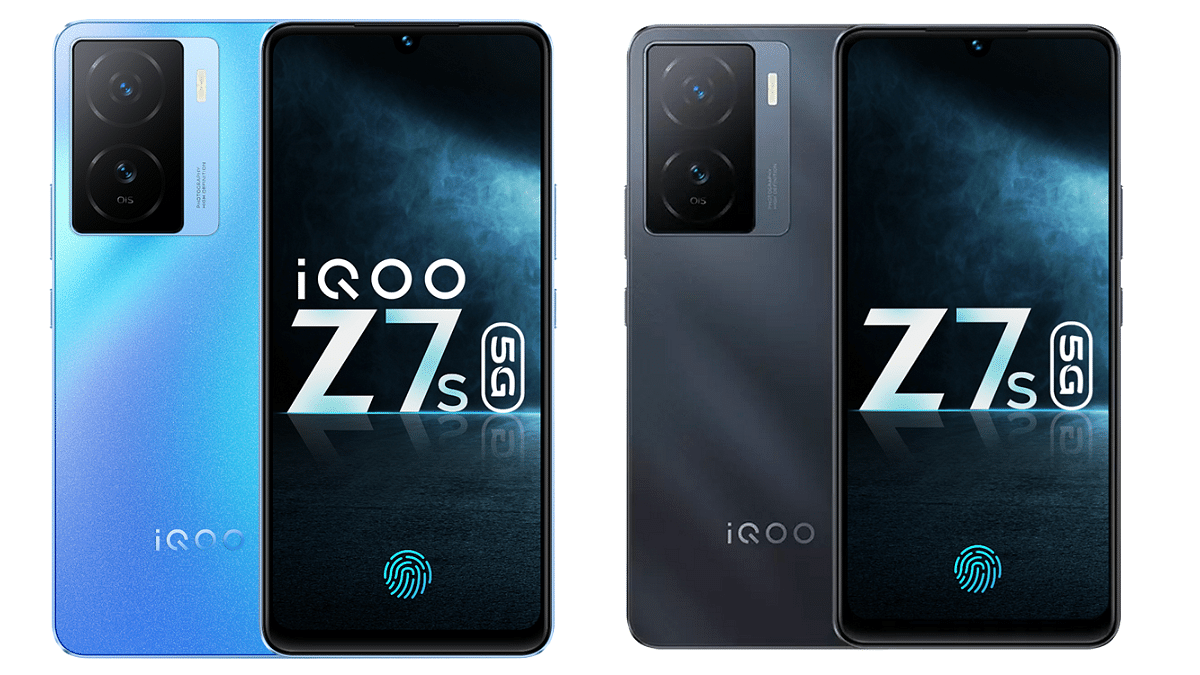
Colour OptionsNorway Blue, Pacific Night
Available Variants6GB + 128GB, 8GB + 128GB
Price (in India)Rs. 18,999, Rs. 19,999
AvailabilityAmazon.in, iQOO.com

The iQOO Z7s 5G is available in two attractive colour options—Norway Blue and Pacific Night. The 6GB + 128GB variant is priced at Rs. 18,999, while the 8GB + 128GB model costs Rs. 19,999. Indian consumers can purchase the smartphone from Amazon. in and iQOO.com.

To sweeten the deal, iQOO is offering a launch offer of a flat Rs. 1500 instant discount on ICICI/HDFC cards. This provides potential buyers with additional savings on their purchases.

Also Read:iQOO Neo 7 5G Vs OPPO Reno 8T 5G Full Comparison: Best Phone Under Rs. 30,000 In 2023
Categories
Apps Featured How To

Simplify Your Sharing Experience: How To Use Nearby Share On Windows

Key Highlights

  • Google makes Nearby Share available for Windows desktops and laptops
  • Nearby Share for Windows is still in beta, but anyone can download and use it
  • Files can be wirelessly and quickly transferred from an Android device to a Windows PCs using Nearby Share for Windows

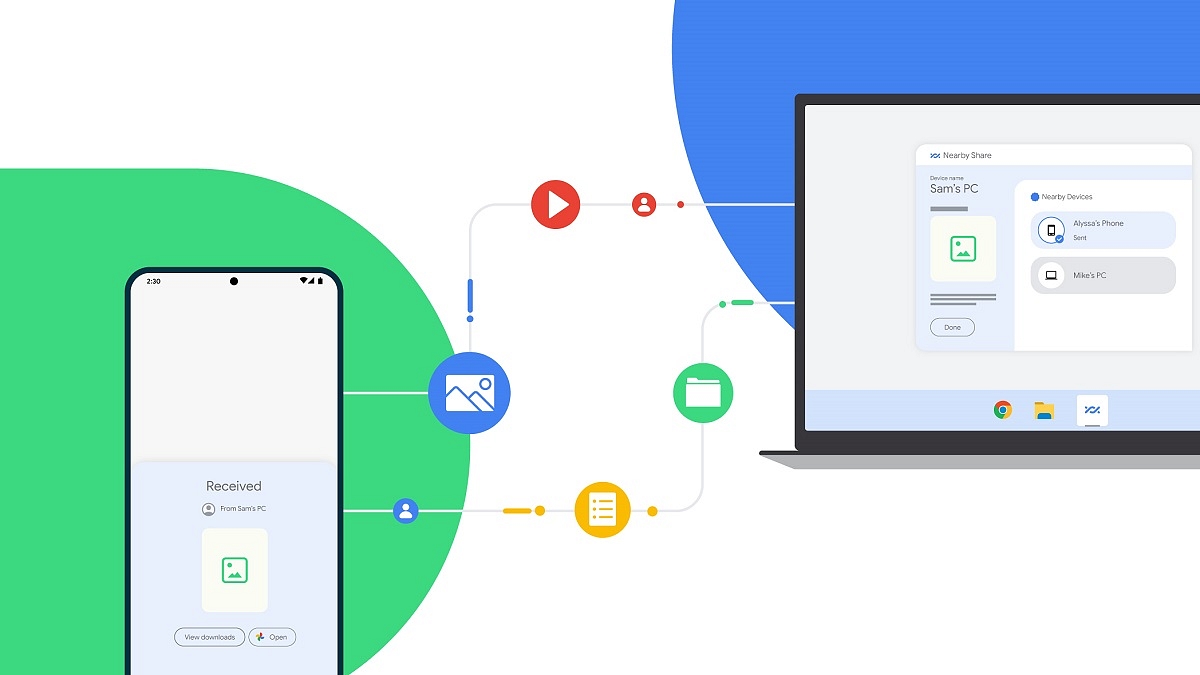
Google’s Nearby Share on Android offers fast and simple file transfers between Android devices. As for Apple users, AirDrop enables quick file sharing between iPhone, iPad, and Mac devices. However, when it comes to Windows PCs, users often rely on third-party alternatives or use P2P file-sharing websites, as well as the traditional wired transfer method. Thankfully, there’s no longer a need to resort to such inconvenient approaches, as Google has recently introduced Nearby Share for Windows, which functions flawlessly on Windows 11 machines. In this article, we will guide you through the process of wirelessly sharing files in a matter of seconds between an Android phone and a Windows PC.

Also Read | Want To Create A New Folder In Windows 11? Here Are Simple Ways To Do It

Steps To Share Files Between Android And Windows Via Nearby Share

It is important to mention that Nearby Share for Windows is currently in beta but accessible to everyone. Google anticipates receiving direct feedback on the feature from the general public. Here are the steps to follow:

Step 1: Launch a web browser on your Windows PC.

Step 2: Visit the Nearby Share Beta for Windows website.

(Please note that the app is compatible with Windows 10 64-bit and higher versions and does not support ARM devices.)

Step 3: Click on ‘Get Started with Beta’ to initiate the app download.

Step 4: After downloading, install and open the app.

Also Read | Worried About Laptop Privacy: Best Windows Laptop With Fingerprint Reader Biometrics

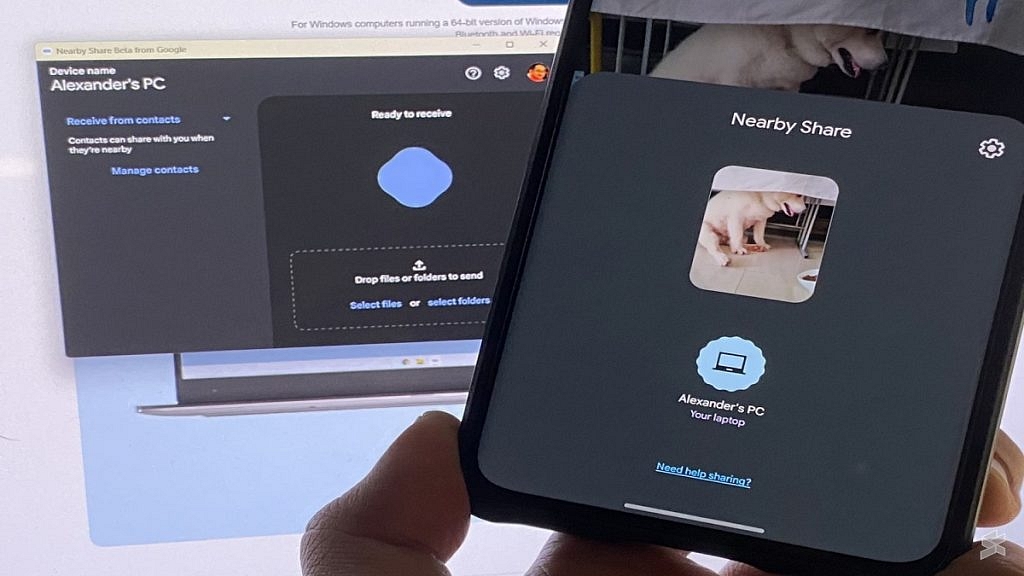
Step 5: Sign in with your Google account and grant the app all necessary permissions. Choose between ‘Everyone’ or ‘Contact’ from the dropdown menu, based on your preference. Selecting ‘Everyone’ allows anyone near your PC to share files with it.

Step 6: Open the gallery on your Android phone, select the desired media (photos, videos, or other files), and tap the Share button.

Step 7: Choose ‘Nearby Share’ from the available options and wait for your PC to appear on the screen.

Step 8: Tap on your PC, and the selected media will be swiftly transmitted to it. You can also utilize this process in reverse by sending files from your Windows PC to your Android phone. Be aware that as the Windows app is in beta, you may encounter certain issues. However, Google aims to address these problems as it prepares the stable version.

For the tech geeks, stay updated with the latest cutting-edge gadgets in the market, exclusive tech updates, gadget reviews, and more right on your phone’s screen. Join Giznext’s WhatsApp channel and receive the industry-first tech updates.

Categories
Apps Featured Info

WhatsApp Sticker Maker Tool Launching Soon: How To Create Stickers Directly Using WhatsApp App

Key Highlights

  • WhatsApp Sticker maker tool under development
  • Spotted in iOS beta build
  • Release timeline not been announced

WhatsApp has been releasing a new set of features for its iOS and Android app without fail almost every single month. From privacy-centered to media-related new features are being consistently added on WhatsApp. Just recently the company released the Chat Lock privacy feature for the users and is now reportedly working on a new sticker feature. What is the new tool that WhatsApp now plans to bring? Let’s find out:

Also Read: No More Switching Between Devices: WhatsApp Now Allows Account Use On Up To Four Phones

WhatsApp Sticker Maker Feature: What Is It? How To Use?

WhatsApp allows users to send stickers as messages on both its Android and iOS apps. However, until now there is no direct feature with which you can directly create and send stickers to any chat. For this, downloading a third-party sticker app has been the option all this while. But now, WhatsApp is apparently working on a new option that will allow users to create stickers directly in the app and share them with their respective contacts without downloading any additional third-party sticker app.

A fresh report released by the publication WABetaInfo reveals that the sticker-making tool for WhatsApp is in the works. The feature will probably be called “New Sticker” which will be added to the platform probably in the coming months. The sticker maker feature has been spotted in the iOS 16 APIs. The report further suggests that this new tool will extract the subject from an image and convert it into a sticker.

According to the report, users will be able to access and use the sticker maker tool from the chat share action page. A “New Sticker” tab will be added that users would need to click followed by selecting an image from the device gallery that they wish to convert into a sticker.

Also Read: WhatsApp Chat Lock Privacy Feature Released For Android, iOS: How To Lock WhatsApp Chats Using This New Feature?

When Is WhatsApp Sticker Maker Feature Releasing?

Unfortunately, the WhatsApp Sticker maker app is in the development phase and has been spotted with the WhatsApp iOS beta 23.10.0.74 build. There is no clear insight related to the release of the stable version. But WhatsApp has been proactive with the addition of new features to its platform and could release the Sticker maker tool for Android and iOS mobile versions in the next few months.

Also Read: WhatsApp Tips & Tricks: How To Unblock Yourself And Regain Access

Categories
Accessories Featured Info

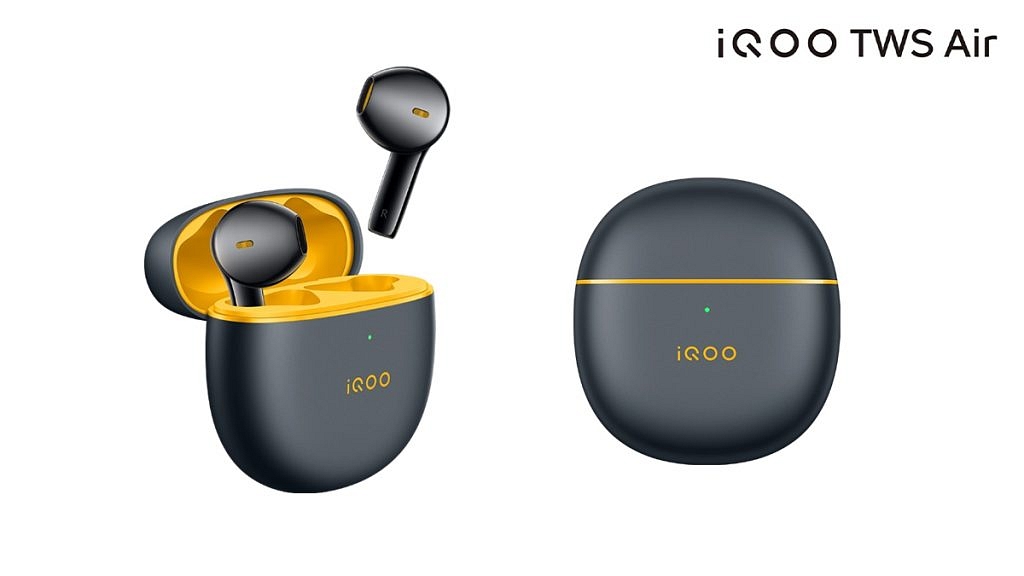
iQOO TWS Air Pro: Launching On May 23 With Advanced Noise-Canceling Technology

Key Highlights

  • The iQOO to launch the iQOO TWS Air Pro
  • The product will debut as the company’s first wireless noise-canceling headset
  • It will launch on May 23

On May 23, the iQOO Neo 8 series is expected to debut in China, according to the Chinese smartphone manufacturer. According to a recent leak, the iQOO Pad will also be released on the same day by the business. According to a new teaser poster, the brand will also introduce its first wireless noise-canceling earphones.

Also Read: Wings Phantom 340 Earbuds Launched At An Introductory Price Of Rs 1499

iQOO TWS Air Pro

The teaser poster reveals the new earbuds’ name as iQOO TWS Air Pro. According to the official earbud renderings that have been released, they will look just like the iQOO Air TWS earbuds that were introduced in October of last year. This indicates that it will have a semi-in-ear design, as opposed to the in-ear design found on most noise-canceling earbuds.

Earbuds that claim to be noise canceling rely on their inherent capacity to prevent external noise from entering the ear canal. As a result, the noise cancellation performance of semi-in-ear earbuds is less effective than that of in-ear headphones since they cannot adequately cover the ears.

We are only a few days away from witnessing the official launch of the firm’s next devices. Still, the company has not yet provided any additional details about the upcoming audio product.

Also Read: Truke BTG Strom Gaming TWS Earbuds With RGB, 40ms Low Latency Launched In India: Cheapest Gaming TWS Earbuds?

Categories
Apps Featured

100+ Creative And Memorable YouTube Channel Name Ideas For Unboxing

Key Highlights

  • Key to unboxing video success: a standout YouTube channel name
  • Memorable names set you apart and attract viewers
  • Our list offers attention-grabbing options for your unboxing videos

Finding the perfect YouTube channel name for your unboxing videos is crucial for establishing your brand and attracting a loyal audience. A catchy and memorable name can set you apart from the competition and give viewers a sense of what to expect from your content. Whether you’re unboxing tech gadgets, beauty products, or toys, we’ve compiled a list of creative and engaging YouTube channel name ideas that will make your unboxing videos stand out in the vast sea of content. Also Read | YouTube Channel Naming Ideas: 100+ Best Names For YouTube Educational Channels

Catchy YouTube Channel Name For Unboxing

Unbox UniverseUnbox OasisUnboxify World
Unboxing ExtravaganzaUnboxing DelightsUnbox Masters
The Unbox ShowThe Unbox LoungeThe Unboxing Guru
Unbox ManiaUnboxing GaloreUnbox Sensei
Unveil & RevealUnboxify It!Unbox Haven
Unbox ExplorerUncover the MysteryUnveil Marvels
The Unboxing ZoneThe Unbox VaultThe Unbox Empire
UnboxifyUnboxing JunctionUnbox Frenzy
Unbox PioneersLets UnboxUnboxing World

Trendy YouTube Channel Name For Unboxing

Unboxing UnleashedUnbox CentralThe Unbox Corner
Unbox ManiacUnbox DreamersUnbox Revolution
Unbox and BeyondUnboxify NationUnbox Haven
Unbox PhenomenonUnbox PursuitUnboxify Studio
The Unboxing ChroniclesThe Unboxing ExperienceUnbox Zen
Unbox SavvyUnbox QuestThe Unbox Depot
Unveil WondersUnveil TreasureUnbox Savants
The Unbox EnigmaUnbox SenseUnveil Excellence

Also Read | 100+ Best DIY YouTube Channel Name Ideas In 2023

Amazing YouTube Channel Name For Unboxing

Unbox FusionUnveil SpectacleUnbox Fusion
The Unboxing JunctionUnbox VisionUnveil Rapture
Unbox ProsThe Unbox AuthorityUnboxify Oasis
Unbox SerendipityUnbox LegendsUnbox Maestros
Unboxify XperienceUnboxify ChroniclesThe Unbox Universe
Unbox SensationUnbox PhenomenaUnbox Revolution
The Unboxing LabUnbox ParadigmUnboxify Masters
Unboxify EliteThe Unboxing GalleryUnveil Majesty

Cool YouTube Channel Name For Unboxing

Unboxify PhenomenonUnboxify RealmUnboxify Enigma
Unveil SymphoniesUnveil MarvelUnveil Valhalla
The Unbox FactoryThe Unboxing LabThe Unbox Empire
Unbox EnthusiastsUnbox AcademyUnbox Magicians
The Unboxing ManiaUnveil EmporiumUnveil Odyssey
Unbox ExpertsThe Unbox SanctuaryThe Unboxing Oasis
Unboxify EnigmaUnbox ProsUnbox Visionaries
Unbox QuestUnboxify XpertsUnbox Nexus
Unboxify SanctuaryUnveil UtopiaThe Unboxing Dream

Choosing the right YouTube channel name for your unboxing videos can greatly impact your success in the digital realm. A well-crafted name can draw attention, build anticipation, and reflect the essence of your content. Feel free to mix and match words or add your own creative touch to these suggestions. Good luck with your YouTube channel!

Categories
Featured Laptop

Acer Predator Helios Neo 16 Laptop Featuring 13th Gen Intel Processor, 16-inch WQXGA Display Launched In India: Specifications, Price & Availability

Key Highlights

  • A powerful gaming laptop with Intel 13th Gen processor
  • Immersive 16-inch WQXGA display with a high refresh rate
  • Sleek design with Cyberdeck elements
  • Affordable price starting at Rs 1,09,990

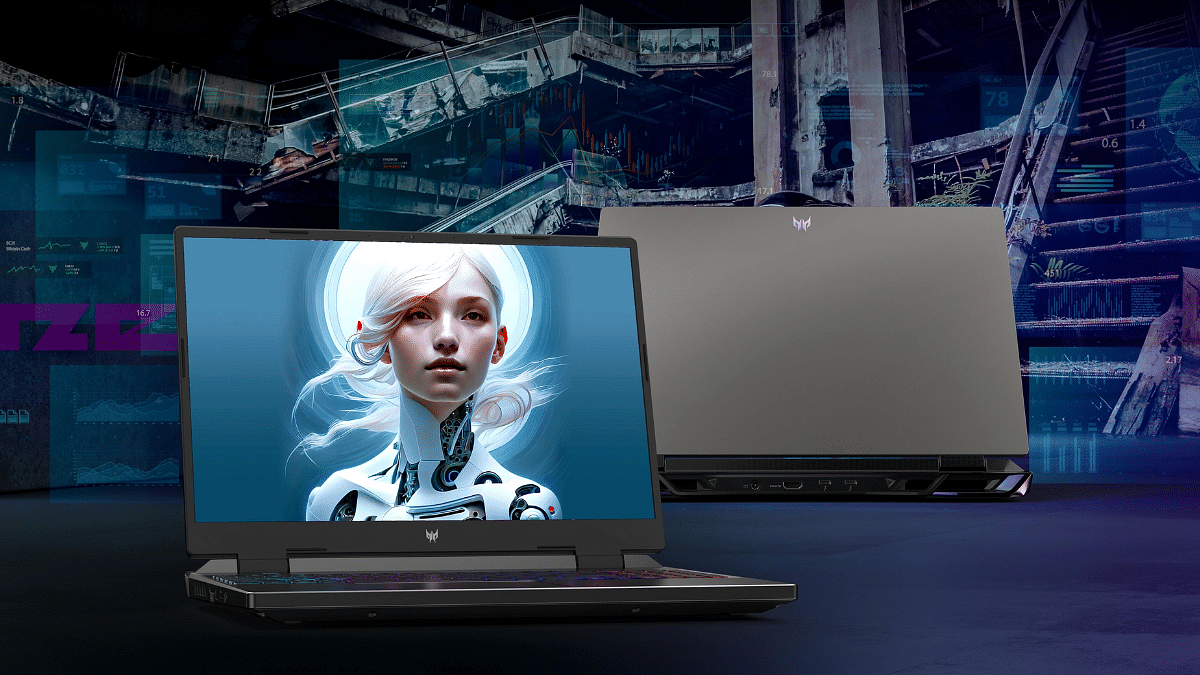
Acer has launched Acer Predator Helios Neo 16 which boasts impressive specifications, including the powerful 13th Gen Intel Core i5 and i7 processors, along with NVIDIA GeForce RTX 4050 and 4060 series GPUs in the Indian market. Furthermore, the laptop features a stunning 16-inch display with a high refresh rate of 165Hz. Let’s delve into the details of this exciting release.

Also, Read: Acer Predator Helios 16 Gaming Laptop Powered By 13th Gen Intel Core i9 Chipset Officially Launched In India: Price, Full Specs

Acer Predator Helios Neo 16: Specifications

SpecificationsAcer Predator Helios Neo 16
Display16-inch WQXGA
ResolutionHigh refresh rate (up to 165Hz)
BrightnessUp to 500 nits
Aspect Ratio16:10
ProcessorUp to 13th-gen Intel Core i7
Graphics CardNVIDIA RTX 4060
Operating SystemWindows 11
Battery90Wh
Keyboard4-zone RGB keyboard
ConnectivityThunderbolt ports, USB 3.2 ports, WiFi-6

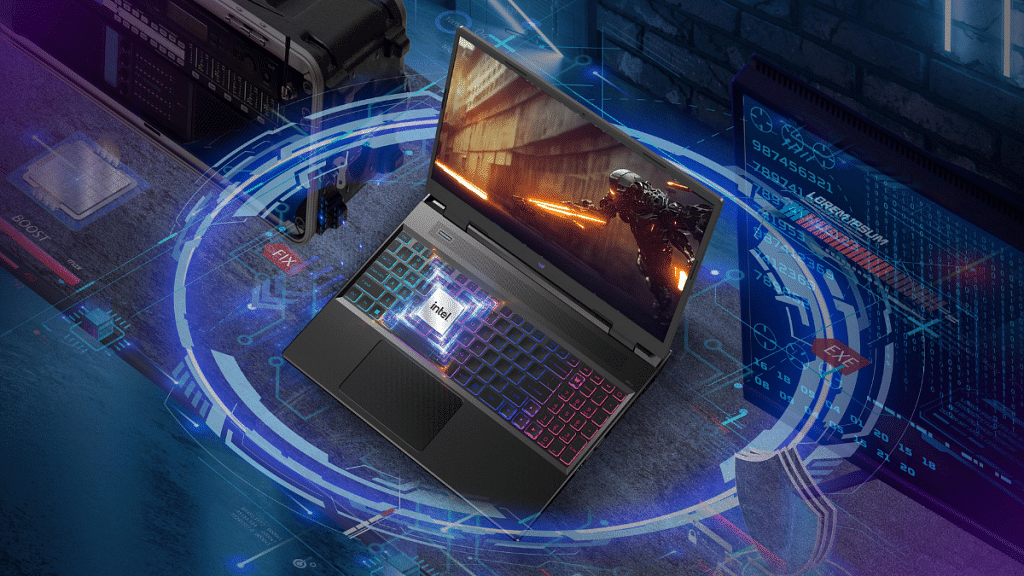
The Acer Predator Helios Neo 16 comes with slim bezels, an aluminium chassis adorned with captivating cryptic design elements known as Cyberdeck, and features a built-in webcam. Additionally, it offers a 4-zone RGB keyboard that enhances the gaming experience.

The 16-inch WQXGA panel on the laptop is a standout feature, providing a resolution that ensures crisp and vivid visuals. With a high refresh rate of up to 165Hz, users can enjoy smooth and fluid gameplay, elevating their gaming sessions to a whole new level. The display also boasts up to 500 nits of brightness, delivering immersive visuals even in brightly lit environments. The 16:10 aspect ratio further enhances the cinematic experience.

Under the hood, the Acer Predator Helios Neo 16 is powered by up to a 13th-generation Intel Core i7 processor. Paired with the NVIDIA RTX 4060 GPU, users can expect seamless graphics rendering and immersive gaming experiences. The laptop runs on the latest Windows 11 operating system.

To provide ample power for extended gaming sessions, the Acer Predator Helios Neo 16 houses a 90Wh battery unit. In terms of connectivity options, the laptop offers Thunderbolt ports, USB 3.2 ports, and WiFi-6 support. These features enable high-speed data transfer and seamless connectivity to peripherals and accessories.

Also Read: Best Gaming Laptops Under Rs. 50,000

Acer Predator Helios Neo 16: Price & Availability

The Acer Predator Helios Neo 16 is competitively priced at Rs 1,09,990 in India. Interested buyers can purchase the laptop from various channels, including Acer’s exclusive stores, online platforms such as Flipkart and Amazon, as well as offline retailers like Vijay Sales and Croma.

Also Read: Asus Introduces Latest Creator, VivoBook Series Laptops For Premium Consumers In India

Categories
Apps Featured How To

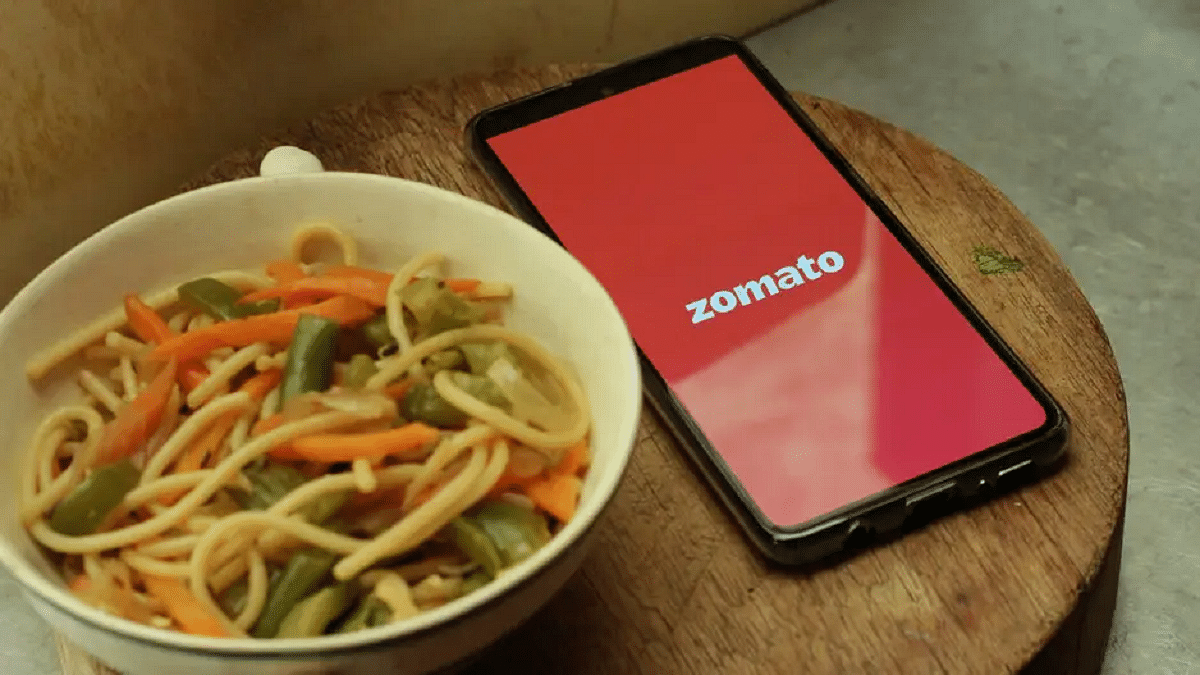
Need Help With Zomato UPI Payments? Here’s A Step-by-Step Tutorial

Key Highlights

  • Zomato has launched Zomato UPI in India
  • Selected users can access Zomato UPI as part of a pilot program
  • This new feature has been introduced via a collaboration with ICICI Bank

Zomato has introduced its own unified payments interface (UPI) services in India to enhance customer payment convenience. In collaboration with ICICI Bank, Zomato now enables users to make UPI payments directly on their platform, offering a secure transaction experience. To add an extra security layer, users can set a security PIN for UPI transactions. This move comes at a time when merchant payments on UPI in India are projected to reach $1 trillion by FY26.

By launching Zomato UPI, the online food delivery platform aims to streamline the payment process for users, eliminating the need to switch between different payment apps like Google Pay, PhonePe, and Paytm.

Also Read | Hungry But Low On Budget? Here Are The Top Four Cheapest Food Delivery Apps In India

Zomato has provided instructions for users to apply for Zomato UPI via the iMobilePay app, as stated on their support page. The company also allows users to link their existing bank accounts to Zomato UPI, offering flexibility for those who prefer not to create a new UPI ID.

Currently, Zomato UPI is in its pilot stage and is accessible only to a limited number of users. However, Zomato plans to gradually expand this service to all its users in the future. If you happen to be one of the fortunate users with access to Zomato UPI, here’s a guide on how to use this feature.

How To Use Zomato UPI?

Follow these steps to use Zomato UPI and experience hassle-free transactions:

Step 1: Launch the Zomato app on your device.

Step 2: Navigate to the profile section within your Zomato account.

Also Read | Want To Make Paytm UPI Payments To Non-Paytm Users? Here’s The Trick

Step 3: Scroll down until you find the Zomato UPI feature.

Step 4: Tap on the ‘Activate Zomato UPI’ option.

Step 5: Choose your preferred Zomato UPI ID, which will serve as your unique identifier.

Step 6: Select the mobile number associated with your Zomato account.

Also Read | Everything You Should Know About Airtel And Axis Bank Credit Card: Here’s How To Use

Step 7: Connect your bank account to securely link it with Zomato UPI.

By following these simple steps, you can unlock the convenience of Zomato UPI, enabling seamless payments directly within the app. Enjoy a safe and streamlined payment experience with Zomato UPI, eliminating the need for external payment apps.

For the tech geeks, stay updated with the latest cutting-edge gadgets in the market, exclusive tech updates, gadget reviews, and more right on your phone’s screen. Join Giznext’s WhatsApp channel and receive the industry-first tech updates.