Smart alarm clocks are a great investment for anyone who wants to wake up feeling refreshed and energized
These devices come with a range of features that make it easier to start your day on the right foot
There are many smart alarm clocks on the market that meets your needs
Smart alarm clocks are an innovative and useful technology that can help you wake up in the morning feeling refreshed and energized. These clocks are designed to incorporate a range of features that are intended to make your life easier and help you start the day off on the right foot. With so many different models on the market, it can be difficult to decide which one is right for you. In this article, we’ll discuss some of the best smart alarm clocks to buy and what makes them stand out from the rest. Also Read | Best Smartwatch With Color Display And Touch Screen To Buy In India
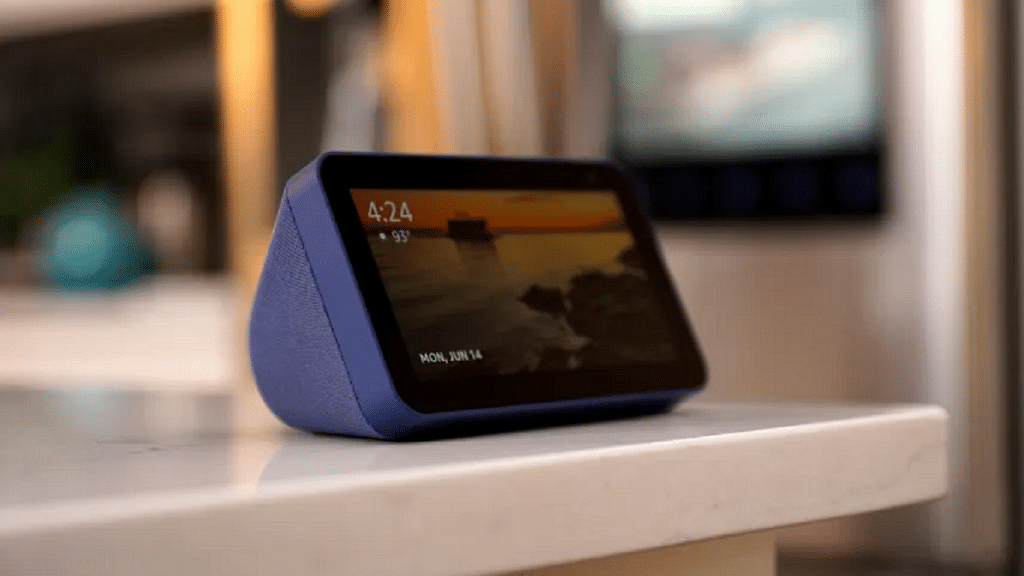
Amazon Echo Show 5
The Amazon Echo Show 5 is a compact smart alarm clock that features a 5.5-inch display and built-in Alexa voice control. This device allows you to set alarms, play music, and control your smart home devices with just your voice. The Echo Show 5 also has a sunrise alarm feature that gradually brightens the display to simulate the rising sun, making it easier to wake up naturally.
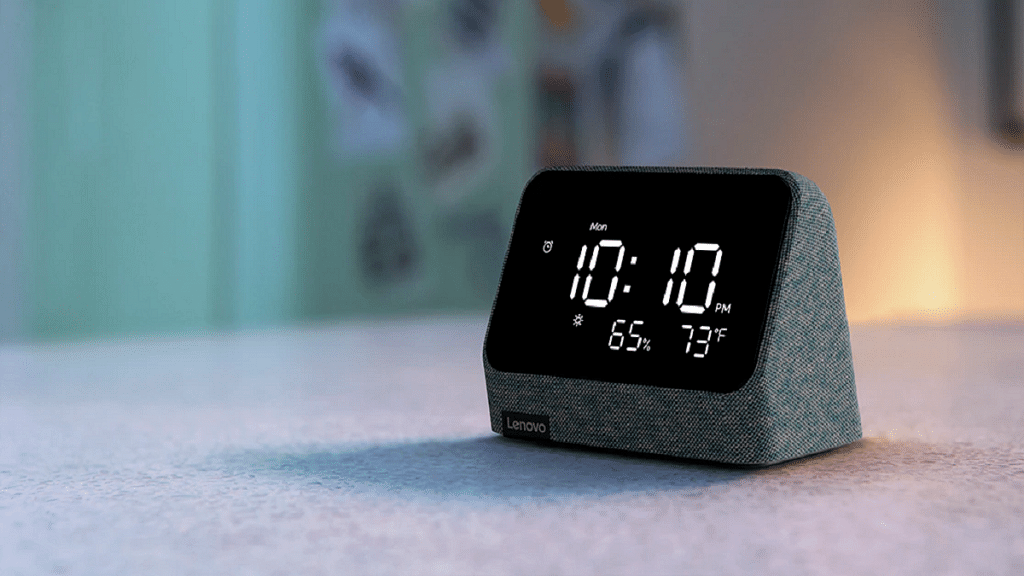
Lenovo Smart Clock Essential
The Lenovo Smart Clock Essential is another great smart alarm clock that features a 4-inch display and built-in Google Assistant. This device allows you to set alarms, play music, and control your smart home devices using your voice. It comes with a built-in USB port for charging your phone or other devices. Also, it has a built-in night light that can help you navigate your bedroom in the dark.
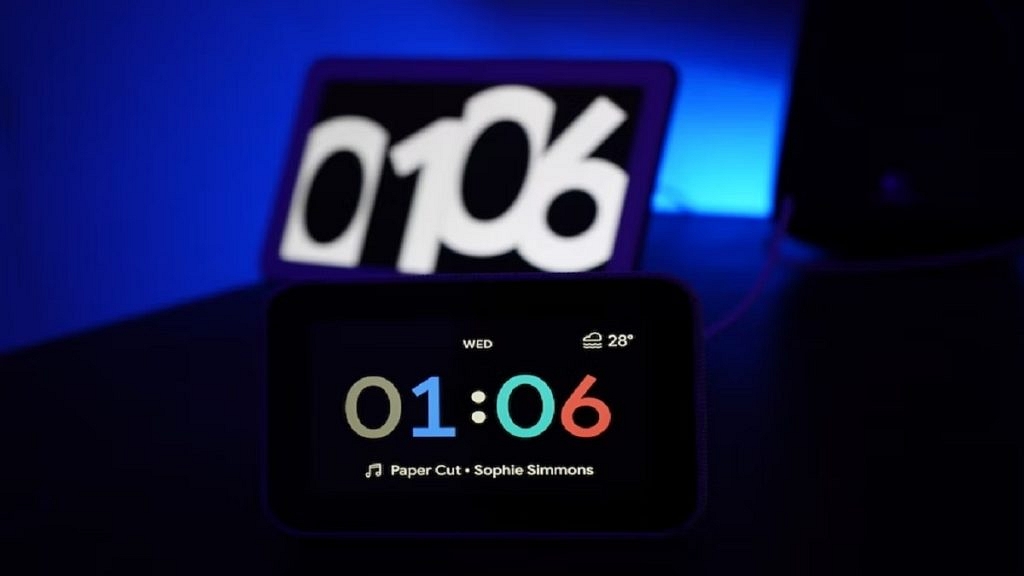
The Google Nest Hub has a larger smart display that can be used as a smart clock, smart speaker, and smart home controller. It features a 7-inch screen and can be used to play music, watch videos, set alarms, and control other smart home devices. It also has a built-in camera and microphone for video calls and voice commands.
Philips SmartSleep Wake-up Light
The Philips SmartSleep Wake-up Light is a unique smart alarm clock that uses light therapy to help you wake up naturally. This device features a customizable sunrise simulation that gradually brightens over 30 minutes, waking you up gently and naturally. It also has a range of other features, including natural sounds, FM radio, and a sunset simulation that helps you drift off to sleep.
These smart clocks offer a range of features and price points to suit different needs and budgets. When choosing the best smart clock for your needs, consider factors such as screen size, compatibility with your other smart home devices, and the types of features that are most important to you.
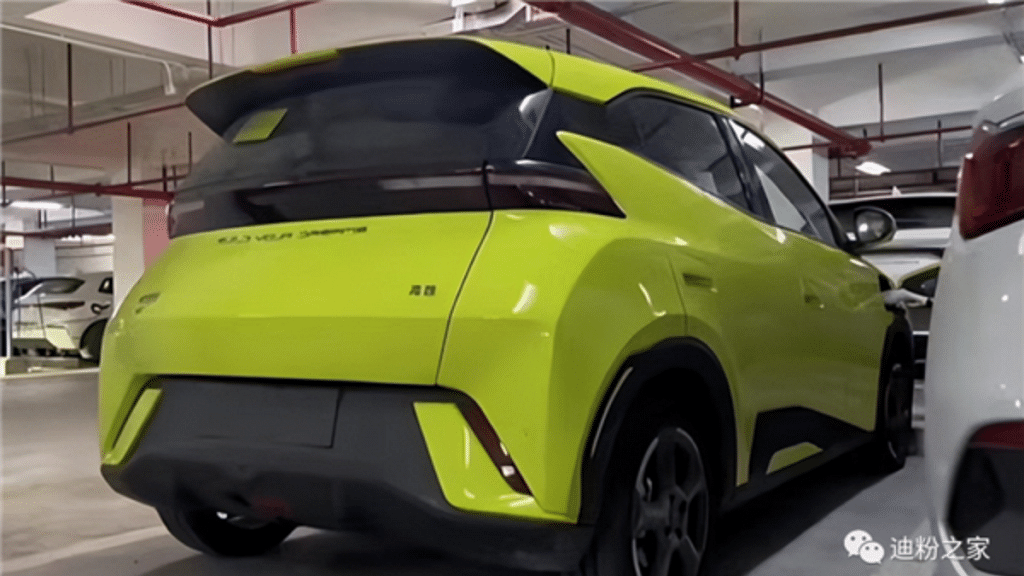
BYD Seagull Miniature Electric Car has a 400km range and top speed of 130km/h.
Two motor options available with a maximum power output of 55kW and 70kW.
The car will launch in China by end of 2023, with international release planned.
The Seagull Miniature Electric Car is expected to cost around CNY 100,000.
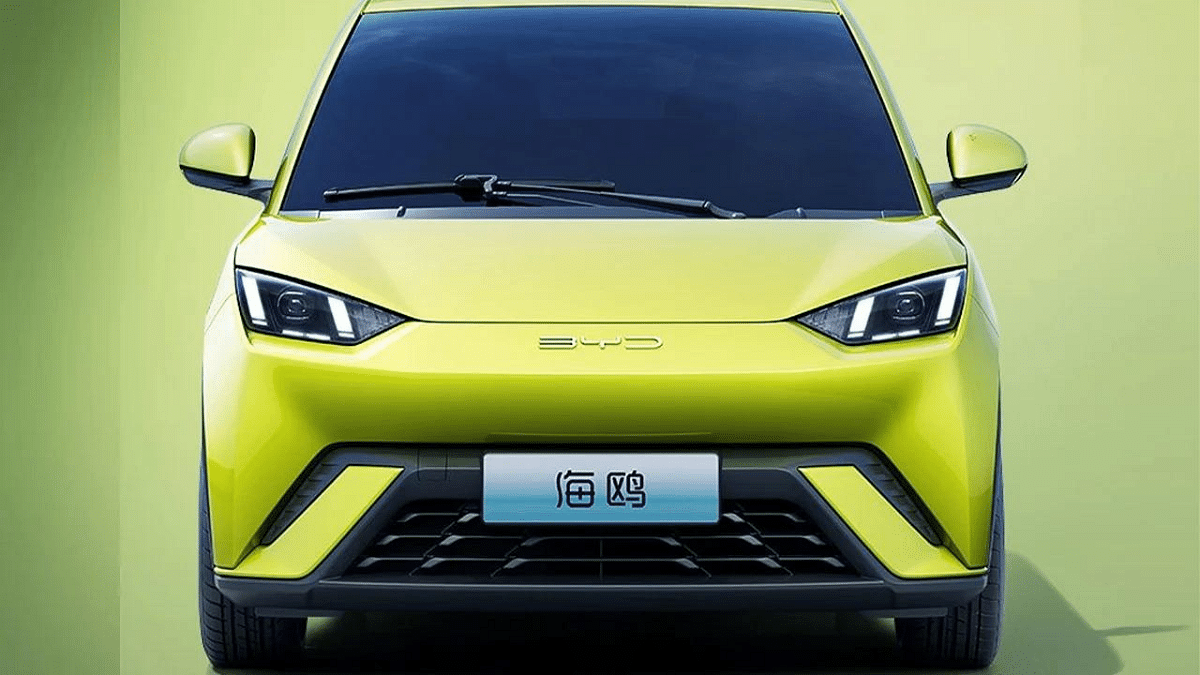
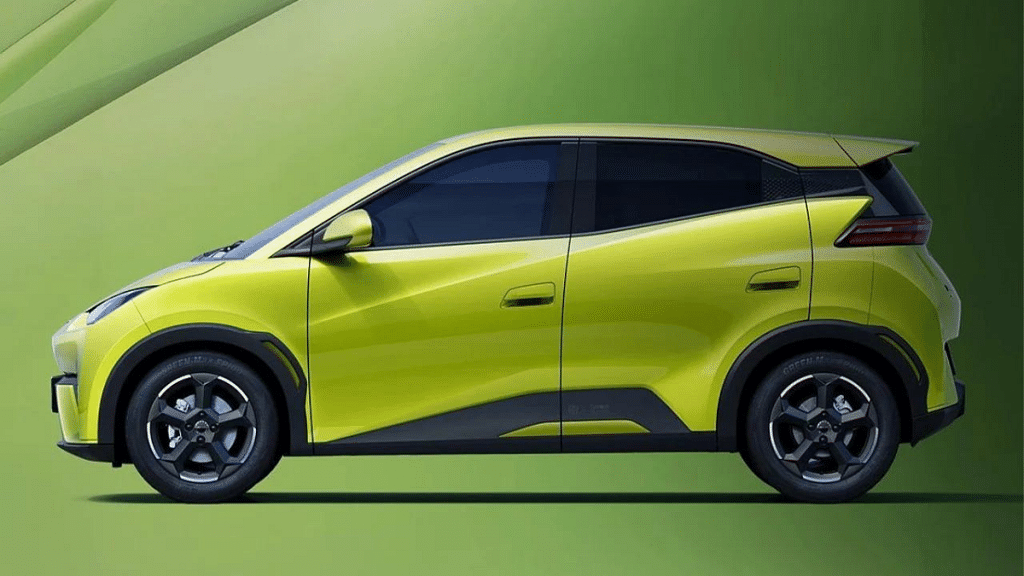
BYD, the Chinese automobile manufacturer, has officially unveiled its latest electric vehicle, the Seagull Miniature Electric Car, with an impressive range of 400km and a top speed of 130km/h. The car is a compact, four-seater vehicle that is designed to be environmentally friendly and practical for city driving.
The car is equipped with a 50 kWh battery pack that provides a range of 400 km on a single charge. The car comes with two motor options, offering a maximum power output of 55 kW and 70 kW, allowing it to reach a top speed of 130km/h.
In terms of design, the Seagull Miniature Electric Car boasts overall dimensions of 3780 mm in length, 1715 mm in width, and 1540 mm in height, with a wheelbase of 2500 mm with a streamlined body and a spacious interior that can comfortably seat four people. The car is also equipped with advanced safety features such as automatic emergency braking and lane departure warning systems.
BYD Seagull Miniature Electric Car: Availablity & Price
The Seagull Miniature Electric Car is expected to launch in the Chinese market by the end of 2023, with plans for international release in the coming years. The car is part of BYD’s efforts to expand its line of electric vehicles and compete with other major players in the industry.
The price of the Seagull Miniature Electric Car is expected to be around CNY 80,000 to CNY 100,000 in China, making it an affordable option for consumers looking for a practical and environmentally friendly vehicle.
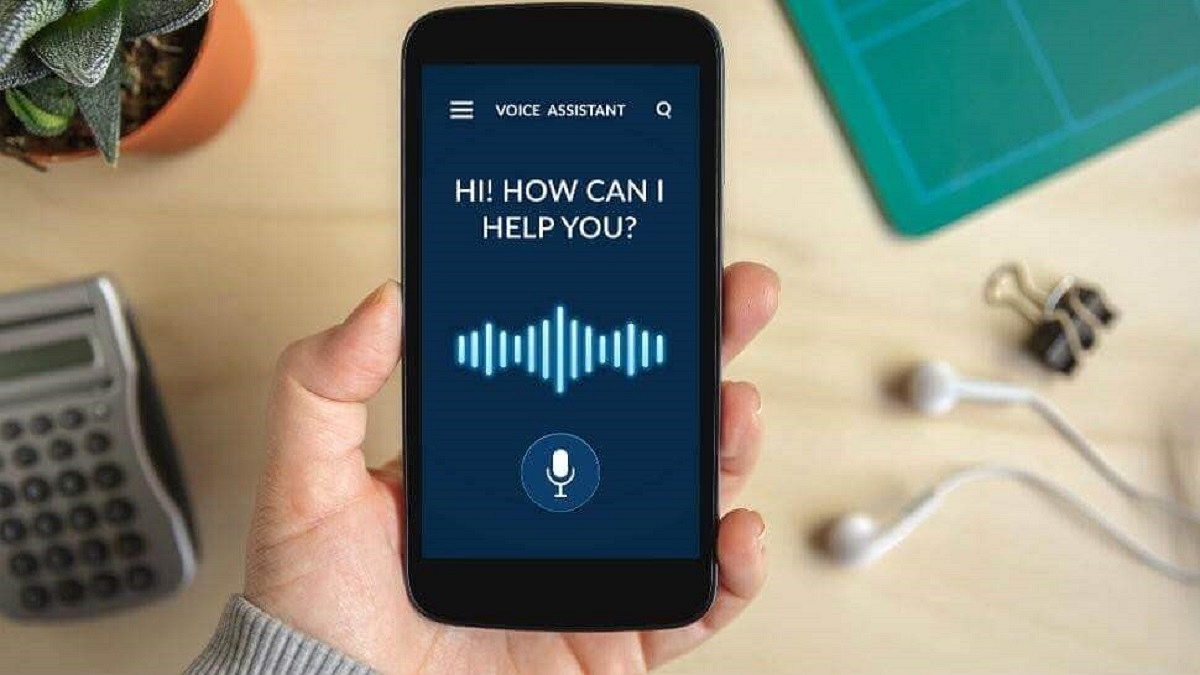
Voice assistants perform tasks such as setting reminders, checking the weather, and more
The best voice assistant for Android will depend on individual needs and preferences
Google Assistant is widely regarded as the best overall voice assistant for Android devices
Voice assistants have become popular because they provide a convenient and hands-free way for users to interact with their devices and access information or perform tasks. By using natural language processing and machine learning, voice assistants are able to understand and respond to user commands and queries, making it easier and faster to perform tasks such as setting reminders, checking the weather, making calls, or controlling smart home devices. Voice assistants can also help people with disabilities or physical limitations to use technology more easily and efficiently.
Android users have a variety of voice assistants to choose from, and the best one for you will depend on your personal preferences and needs. Here are some of the best voice assistants for Android:
Google Assistant is the default voice assistant on most Android devices and is widely regarded as one of the best voice assistants available. It is powered by Google’s extensive knowledge graph, which allows it to answer a wide range of questions and perform a variety of tasks. Google Assistant can be activated by saying “Hey Google” or “OK Google,” and it can be used to do things like set reminders, play music, send messages, and control smart home devices. It can also be integrated with other Google services, such as Google Maps and Google Calendar, to provide a seamless experience.
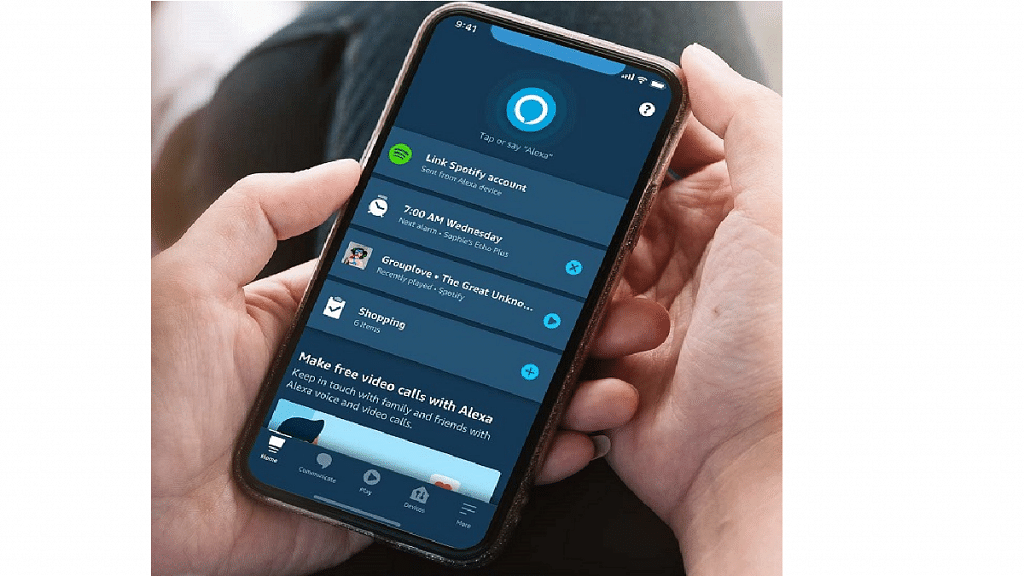
Amazon Alexa
Amazon Alexa is another popular voice assistant that is available on Android devices. It is best known for its integration with Amazon’s smart home devices, such as the Echo and Echo Dot. However, it can also be used to perform a variety of tasks on Android devices, such as playing music, setting reminders, and ordering products from Amazon. Alexa can be activated by saying “Alexa” or “OK Alexa,” and it can be customized with a wide range of skills and third-party apps.
Microsoft Cortana is a voice assistant that is best known for its integration with Windows devices. However, it is also available on Android devices and can be used to perform a variety of tasks, such as setting reminders, checking the weather, and searching the web. Cortana is adored for its wide array of features, including the ability to manage tasks, track packages, update users on the latest news and weather forecasts, and more.
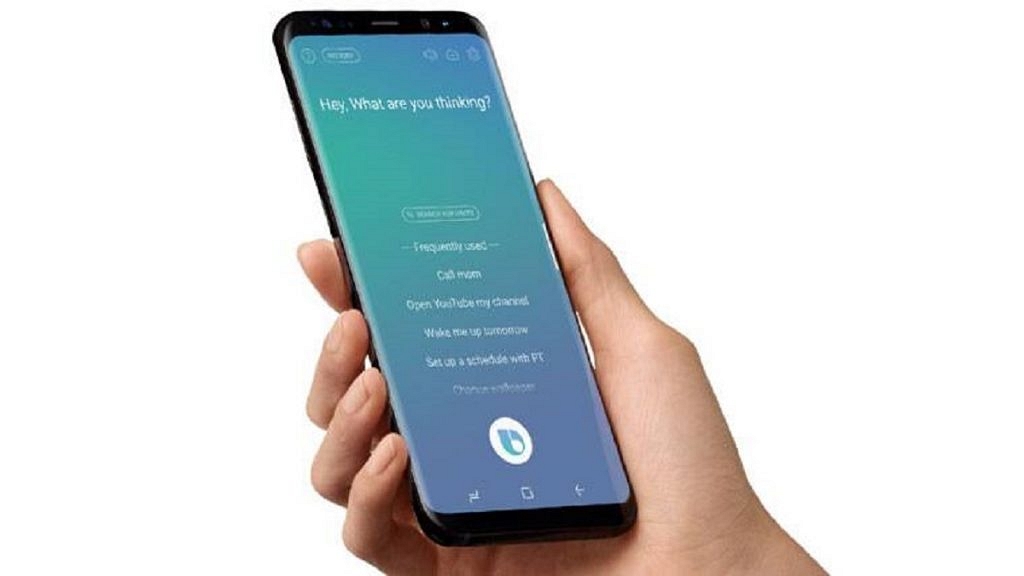
Samsung Bixby
Samsung Bixby is a voice assistant that is designed specifically for Samsung devices. It can be used to perform a range of tasks, such as setting reminders, sending messages, and controlling Samsung smart home devices. Bixby can be activated by pressing the dedicated Bixby button on Samsung devices, and it can be customized with a range of voice commands and shortcuts.
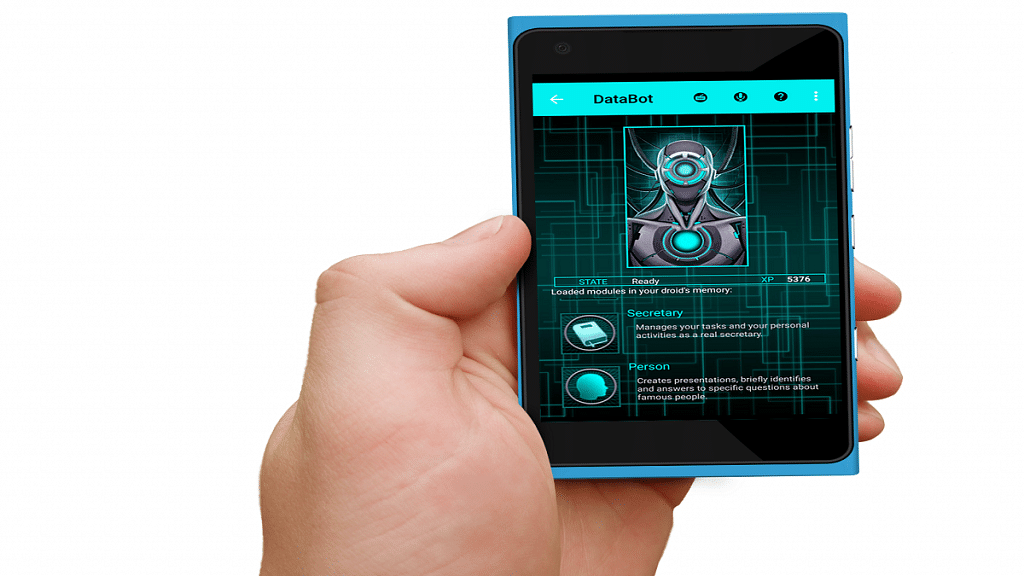
DataBot
DataBot is a virtual assistant app that provides a wide range of features to users, such as voice recognition, chatbot interaction, and custom commands. It can perform tasks such as setting alarms, sending messages, making calls, searching the web, and controlling smart home devices. DataBot also has a unique feature called “Brain,” which allows users to train the app to recognize specific phrases and respond accordingly. It’s a versatile app that can help users streamline their daily routines and enhance their productivity.
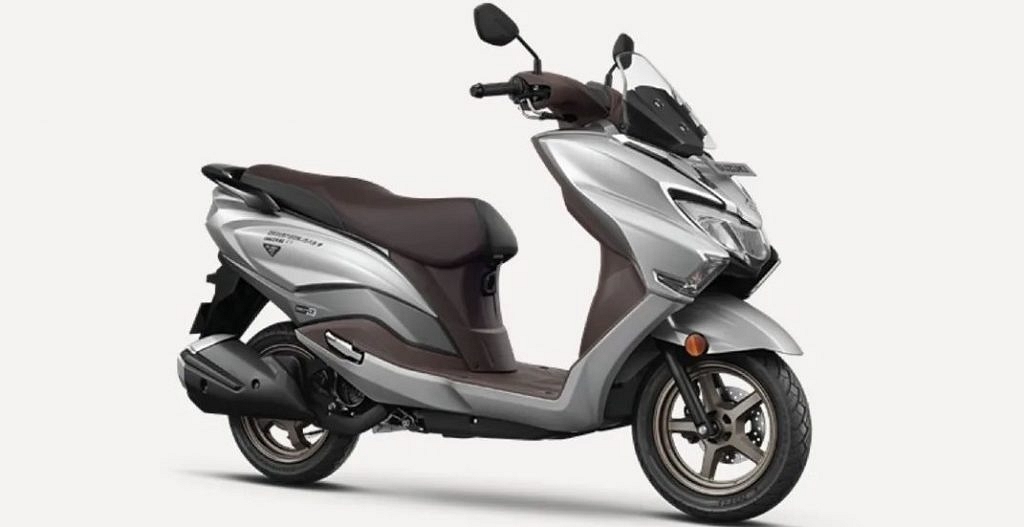
The Suzuki e-Burgman electric scooter has been unveiled in foreign markets
A swappable battery is included with the Suzuki e-Burgman
The launch in India is anticipated for 2024
Suzuki has been working on a fully electric scooter, which is likely to bear the Burgman name, for a very long time. In reality, during the past few years, testing scooter prototypes have been frequently sighted in India. There have been no particular updates on its progress until now.
The next Burgman Electric has been formally unveiled in Japan by the Japanese brand, which has also revealed the majority of its specifications. The company’s official website identified the scooter as the e-Burgman. From April to June, a pilot run program for the e-Burgman will be conducted in Tokyo to evaluate the e-scooter before it is put into production.
The e-Burgman electric scooter resembles its gasoline-powered sister inexplicably. It keeps the iconic maxi scooter design with a tall body frame and an underbone chassis. However, some significant changes to the structure have been made to make room for the battery and the electric motor. For example, to provide better ride quality, two shockers are positioned next to the hub-mounted motor. Moreover, the battery pack is positioned underneath the seat. The 780mm seat height, higher single-piece handlebar, and flat footboard maintain the same ergonomics. Suzuki has also cleverly included a striking blue hue to give it an EV-specific feel.
Suzuki is keeping quiet about the lithium-ion battery’s capacity, but when driven at a constant 60 kph on a flat surface, this bike has a single-charge range of 44 km. When compared to some of its competitors, this is incredibly low. When it is released, the Indian version of this device might have a longer range. A 4.0kW electric motor receives power from the battery. One of the heaviest scooters in its class, the all-electric Burgman weighs 147 kg. It weighs 36 kg more than the gasoline-powered Burgman Street EX and 28 kg more than the TVS iQube S. When it comes to size, it is 1,825 mm long, 765 mm wide, and 1,140 mm tall.
A fixed battery-type e-scooter was depicted in earlier patent photos that were also floating around online. Its production-ready form, however, is rumored to come with a replaceable battery pack. Suzuki will employ Honda’s Mobile Power Pack e, which features swapping stations where the batteries may be replaced when they are entirely worn out. The Gachaho battery-sharing consortium, which was founded by Honda, Suzuki, Yamaha, and Kawasaki, is using this battery pack. This means that Honda’s interchangeable battery pack will be used in all incoming electric two-wheelers from these brands.
The new, fully electric Burgman is anticipated to arrive in Indian showrooms the following year. Its main competitors include the Bajaj Chetak, TVS iQube, Ather 450X, and Ola S1.
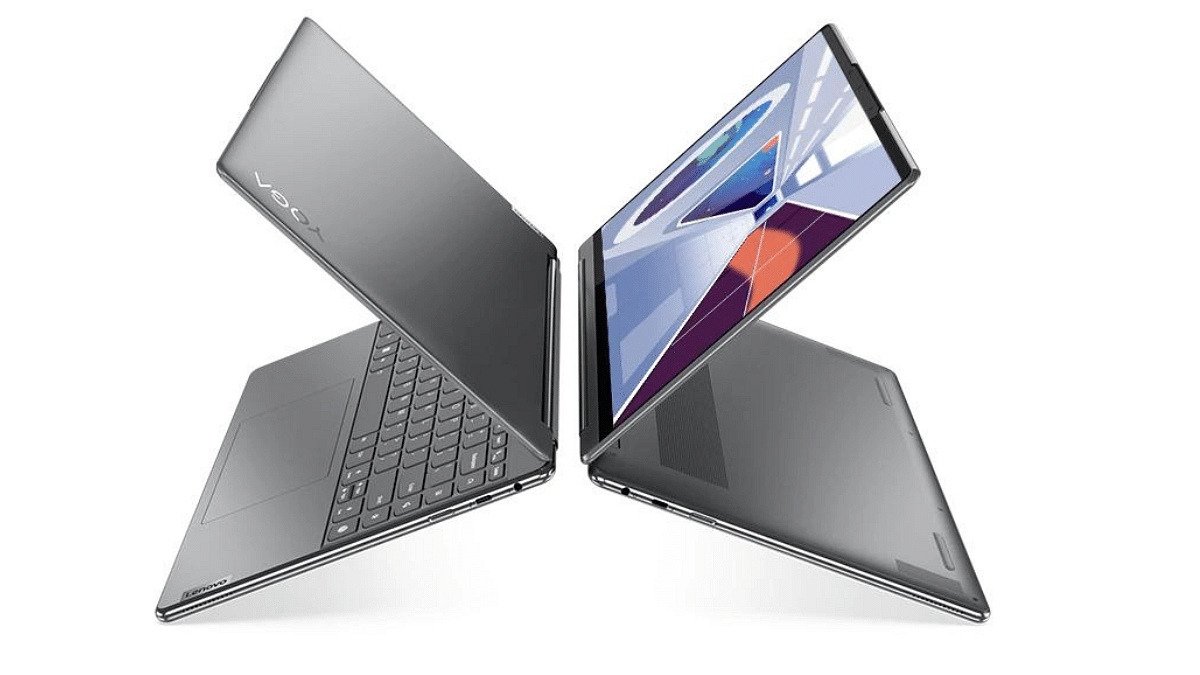
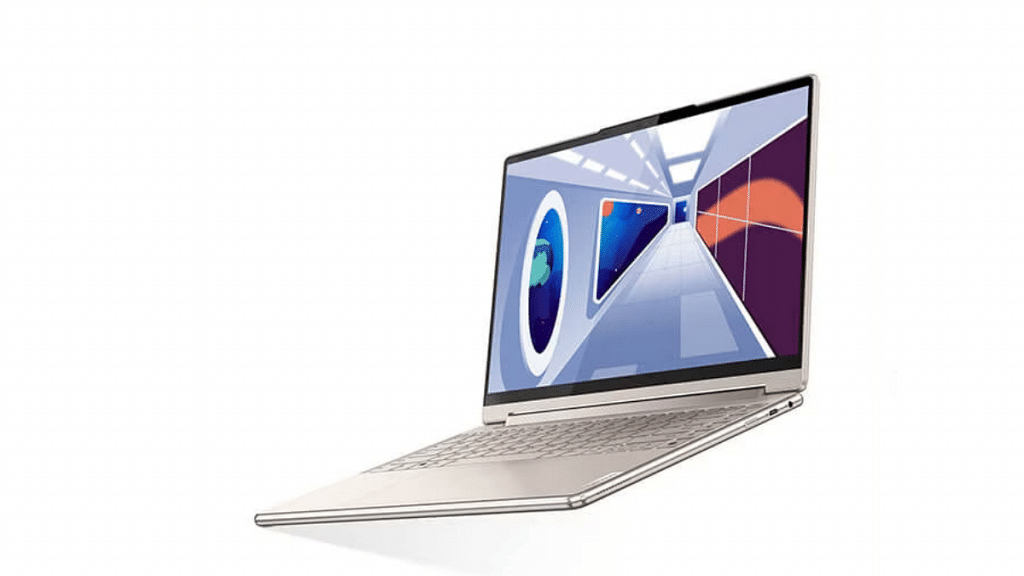
Lenovo has launched the Yoga 7 series laptops powered by AMD Ryzen 7000U processors.
The laptops offer 16:10 2.8K multi-touch OLED panel with a 90 Hz refresh rate.
Both variants come with Wi-Fi 6E networking and Bluetooth 5.2.
The Yoga 7 14 will be available starting at Rs.89,499, while the Yoga 7 16 will be available with prices starting from Rs.98,499.
Lenovo, has announced the launch of its new Yoga 7 series of laptops, including the Yoga 7 14-inch and Yoga 7 16-inch, equipped with AMD Ryzen 7000U processors. This is an upgrade to the previously released Yoga 7i versions with Intel Raptor Lake processors.
Lenovo Yoga 7 14 & 16-inch: Launch Timeline in India
The Yoga 7 series will be available starting in May 2023. Lenovo has not provided an exact date for the launch, but interested customers can expect to purchase the laptops sometime during that month. Lenovo Yoga 7 convertible expected to arrive first in April, followed by the Yoga Slim 6 in May and the Yoga Slim 7 in June 2023.
Lenovo’s new Yoga 7 series laptops come with an impressive set of specifications and features. The standout feature of the series is undoubtedly the 14-inch model’s 16:10 2.8K multi-touch OLED panel, which has a 90 Hz refresh rate and Dolby Vision support. Unfortunately, this high-end display option is not available on the larger 16-inch model.
The Yoga 7 14-inch offers users the option to choose from two additional display configurations: a OLED display with 1920 x 1200 pixels screen resolution and 60 Hz refresh rate or a LCD panel with 2240 x 1400 pixels screen resolution and 60 Hz refresh rate .
Whereas, the 16-inch model comes with a standard LCD panel with 1920 x 1200 pixels screen resolution, which is a downgrade compared to the display options available for the smaller 14-inch model.
However, both models Yoga 7 14-inch & 16-inch feature AMD Ryzen 5 and Ryzen 7 7000U CPU options, up to 16 GB LPDDR5 RAM, and up to 512 GB of storage.
The laptops also feature Wi-Fi 6E networking, Bluetooth 5.2, and a 4-cell 71 WHr battery. Additionally, the Yoga 7 (14, 8) includes a USB 3.2 Gen1 Type-A and 2x USB-C ports, along with an HDMI 1.4b-out, while the Yoga 7 (16, 8) sports just one USB-C port but offers USB4 Gen 3 speeds, DisplayPort-out, and Power Deliver 3 support.
Lenovo Yoga 7 14 & 16-inch: Price & Availability
The Yoga 7 (14, 8) will be available from May 2023, with a starting price of Rs. 89,499. The Yoga 7 (16, 8) will also be available from May 2023, with a starting price of Rs.98,499. The Yoga 7 series will be available through Lenovo’s website, as well as through authorized retailers and e-commerce platforms.
WhatsApp users can now utilize the AI bot on the app
After the availability of ChatGPT on Siri, the Apple Watch, and more
There are multiple ChatGPT bot
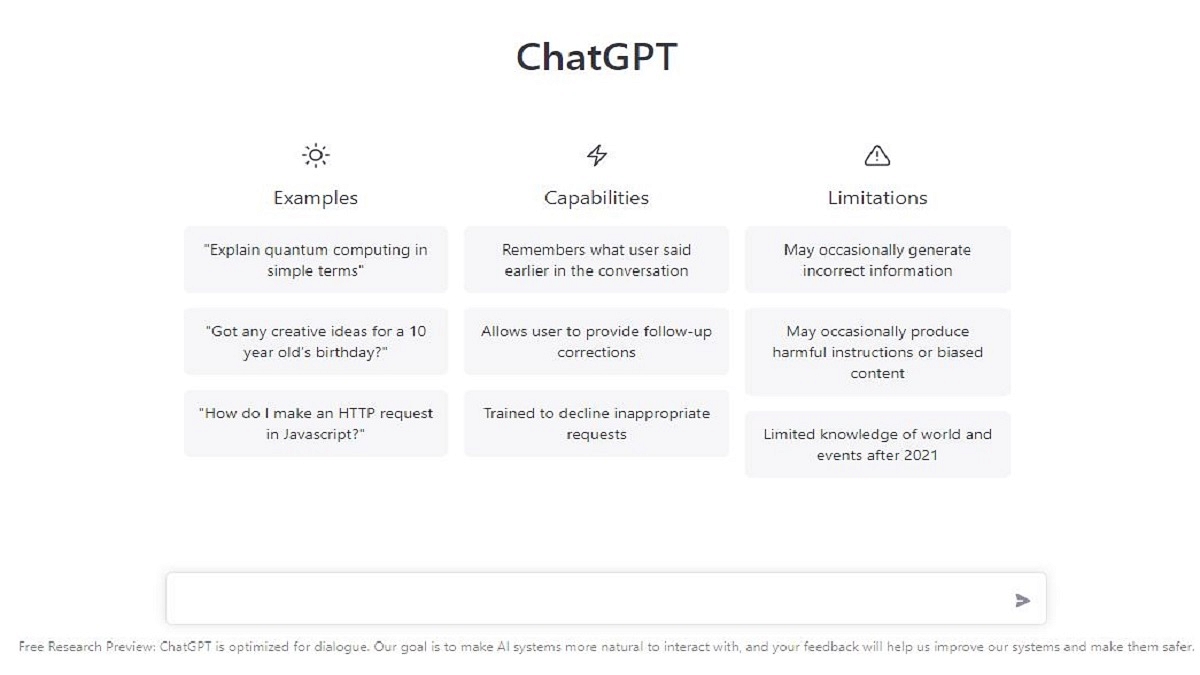
ChatGPT has gained access to practically all devices. The AI chatbot is widely used, from utilizing ChatGPT on Siri to having it on your Apple Watch. The unveiling of OpenAI’s new GPT-4 language model has only stoked curiosity. For many Whatsapp users, ChatGPT is still a pipe dream. But as of right now, you may utilize the AI bot on WhatsApp without having to go through a lengthy process. Let’s get started learning how to use ChatGPT on WhatsApp right away.
Let’s get right to it and find out how to use ChatGPT in WhatsApp on your iPhone and Android devices. We’ll start by utilizing Jinni, a WhatsApp bot powered by ChatGPT that has been integrated with the messaging service. This is how it goes:
Step 1: Visit the official Ask Jinni website on your mobile. Your WhatsApp will launch once you tap the “Launch WhatsApp” button. If it requests your permission, click the Open button.
Step 2: The Jiini chat screen will now immediately open on your Whatsapp. Just type “Hi” and it will reply right away.
Step 3: And with that, you can now easily communicate with Jinni in WhatsApp as you would in ChatGPT. Keep in mind that before Jinni declares you’ve run out of wishes, you only have ten free messages left. A premium subscription, however, costs $5.99(around Rs. 500) per month. However, give Jinni a shot and download ChatGPT to WhatsApp.
The next service is Shmooz AI, a website that has a bot that seamlessly incorporates GPT-3 to serve as a mediator. You may still set up Shmooz to use ChatGPT on WhatsApp by following the instructions below, even though it doesn’t permit users to use their API.
Step 1: Visit the official Shmooz AI website on your mobile device. When you click the “Start Shmoozing” button, WhatsApp will launch automatically.
Step 2: Once you tap the “Continue to chat” button, you will immediately be taken to the conversation screen.
Step 3: The message field will automatically be filled with a message for you. It only needs to be sent for the bot to reply.
Step 4: Through WhatsApp, you may now converse with Shmooz AI as you would with ChatGPT, and it will react promptly. Remember that Shmooz is a premium service with only five free texts like before. The next step is to subscribe to a premium tier, which offers unlimited access and starts at $9.99 (around Rs. 900) per month. Sage will automatically be entered for you in the message box. It only needs to be sent for the bot to reply.
We discovered several other amazing bots that give users access to ChatGPT within the messaging app in addition to the intriguing ChatGPT-powered WhatsApp bots that are listed above. But, keep in mind that due to heavy demand, these bots could unexpectedly go down or provide sluggish responses. A few of these bots include:
MobileGPT: Another platform you may utilize to communicate with and get all of your questions answered is MobileGPT, one of the first WhatsApp bots to employ GPT-4. Also, MobileGPT can produce photos for you, which is extremely astounding.
WhatGPT: This ChatGPT bot for WhatsApp can convert audio notes into text in addition to providing answers to your questions. The chatbot can even use AI to generate pictures and summarise YouTube videos. WhatGPT, however, has been unavailable for the past few days due to the unexpected increase in user population, only taking new sign-ups for its waitlist.
Acer has launched the W Series 4K Android QLED TVs in India.
The TVs are available in two sizes: 55-inch and 65-inch.
The W Series TVs offer brilliant picture quality with Quantum Dot technology.
The 55-inch model is priced at Rs. 69,999 and the 65-inch model is priced at Rs. 89,999.
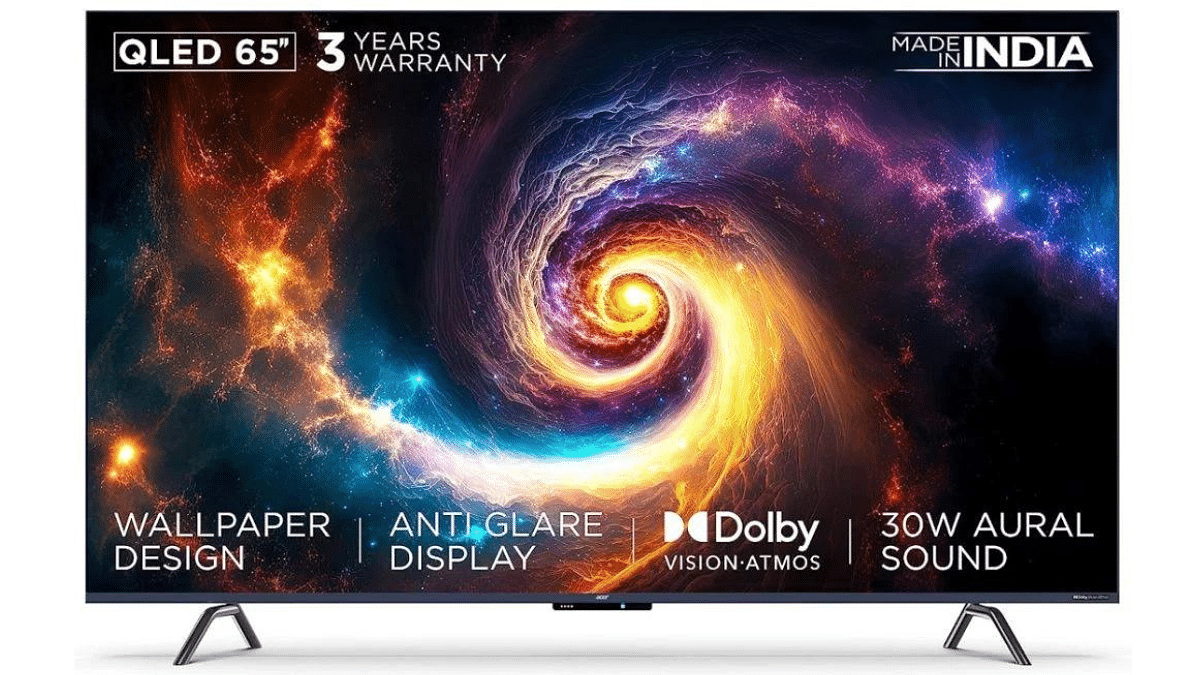
Acer has launched its W Series 4K Android QLED TVs in India, providing an enhanced viewing experience with brilliant picture quality. The new W Series TVs come in two sizes: 55-inch and 65-inch, and offer a host of features that make them ideal for both entertainment and work.
In terms of design, the Acer W Series features a stylish frameless, edge-to-edge display that gives it a modern, high-end look. It also comes with a full-motion slim wall mount that secures it to the wall and enhances its sleek appearance. Additionally, it comes with anti-glare display and 95% DCI-P3 color gamut which offers a wide range of colors.
The TV boasts a 4K Ultra HD resolution with Quantum Dot technology that delivers stunning visuals. It runs smoothly and efficiently thanks to its 64-bit quad-core processor, 2GB RAM, and 16GB storage. The TV also features Certified Android TV 11, Google Apps, Far Field Mic, a Motion Sensor, and a Voice-controlled Smart Remote. The TV remote has a built-in Google Assistant that lets users control the TV with their voice, making it easier to search for content and operate the TV.
The W Series also offers a host of connectivity options, including HDMI, USB, and Ethernet ports. The TV also comes with built-in Wi-Fi and Bluetooth connectivity, making it easy for users to connect their devices to the TV wirelessly. It also delivers impressive sound quality, with 30W Aural sound and Dolby Atmos support. The TV’s MEMC and ALLM features provide smooth and seamless playback.
The 55-inch W Series TV from Acer is priced at Rs. 69,999, while the 65-inch model is priced at Rs. 89,999. Both models are available for purchase on Acer’s website and select retail outlets across India. Acer is offering a range of financing options, including no-cost EMIs and cashback offers, making it easier for customers to purchase the TV.
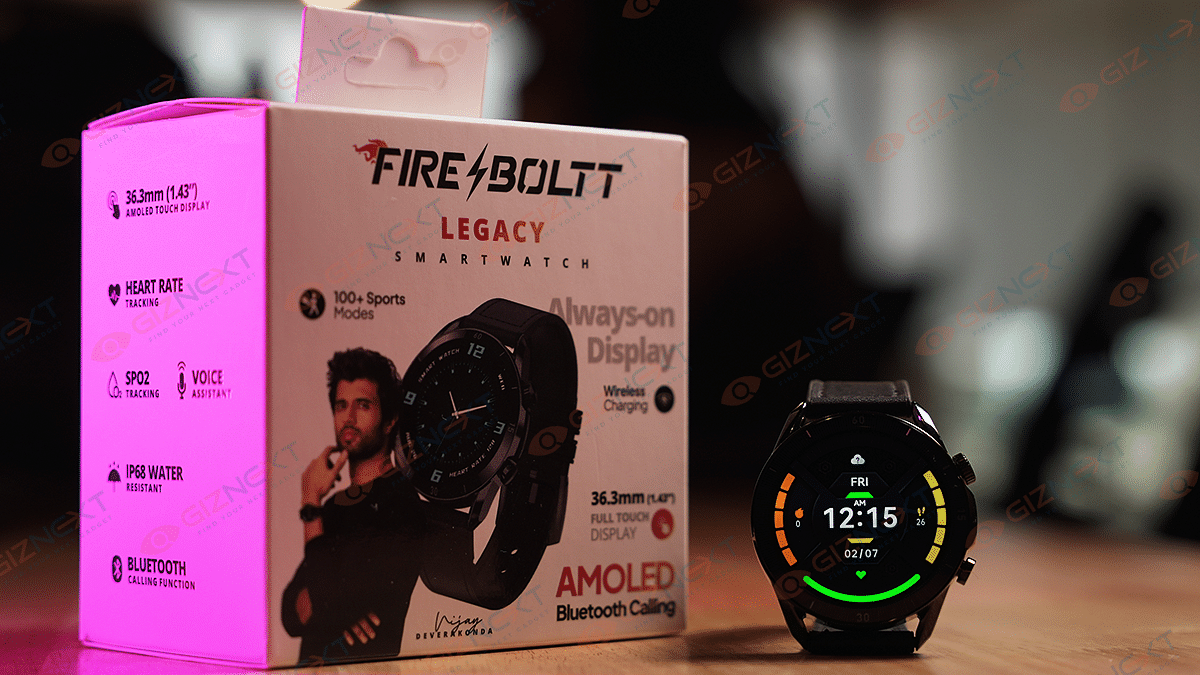
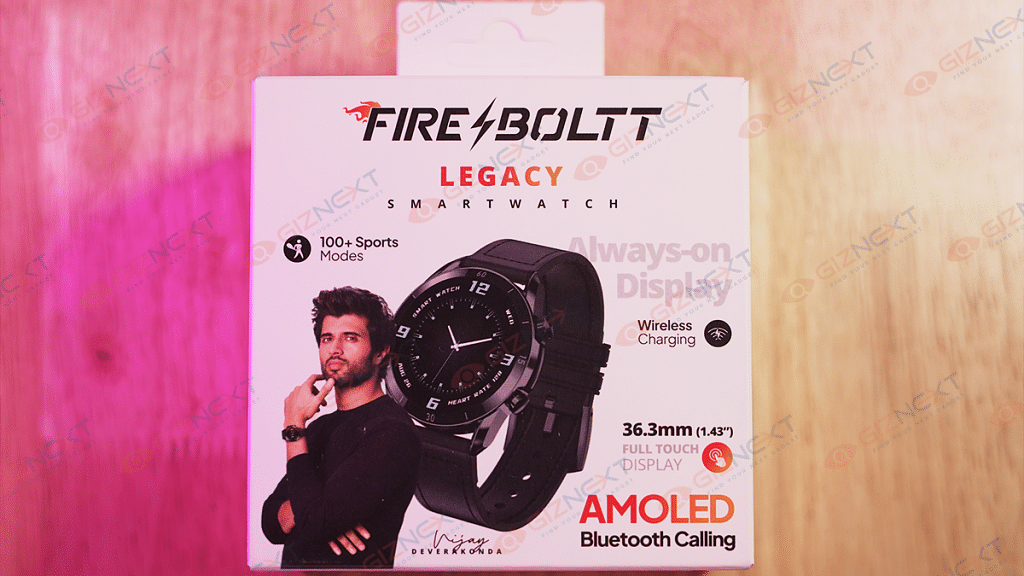
Buying an affordable smartwatch can be a challenging task in the current market. There is an abundance of affordable devices that offer a plethora of features, including activity tracking, health and sleep monitoring, notification checking, and more. Many smartwatches that are priced under Rs. 5,000 are primarily fitness trackers with only a few extra features. However, the Fire-Boltt Legacy stands out by offering features commonly found on expensive models from companies like Apple and Samsung, enabling users to receive calls directly from their wrist.
With its long list of features, affordable price point, and stylish design, this device has been making waves in the smartwatch market. But is it really worth the investment? In this review, we’ll take a closer look at the Fire-Boltt Legacy Smartwatch and determine whether it’s a smart buy for anyone looking to stay connected and on top of their health and fitness goals. So, let’s dive in and find out if the Fire-Boltt Legacy is worth a buy! Also Read | Inbase Urban Fit S Smartwatch Review: An Overall Decent Package
What’s Inside The Box?
Fire-Boltt Legacy Smartwatch
Charging cable
1 Strap
User manual
Warranty card
Boltt Play App membership card
Design & Display
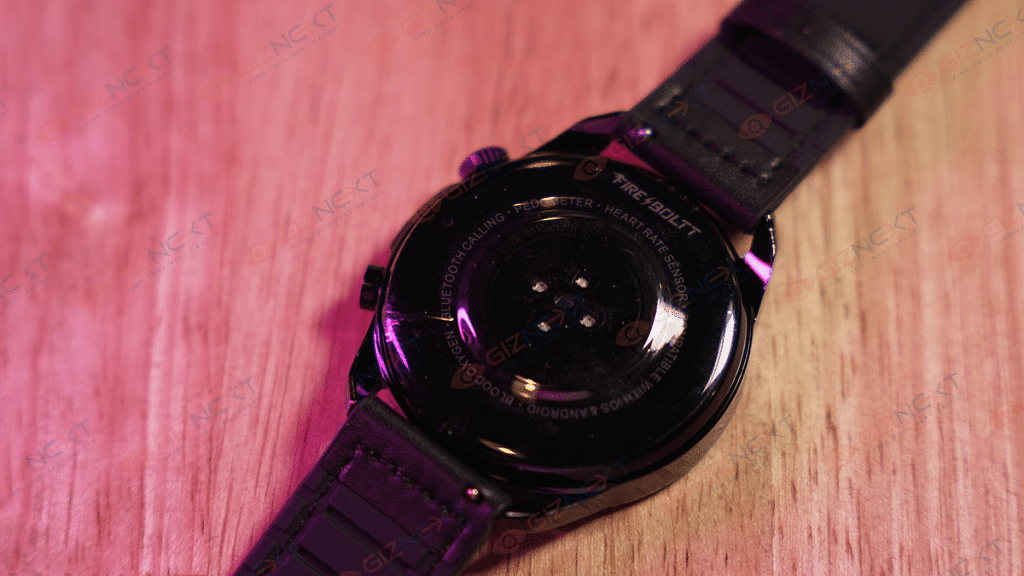
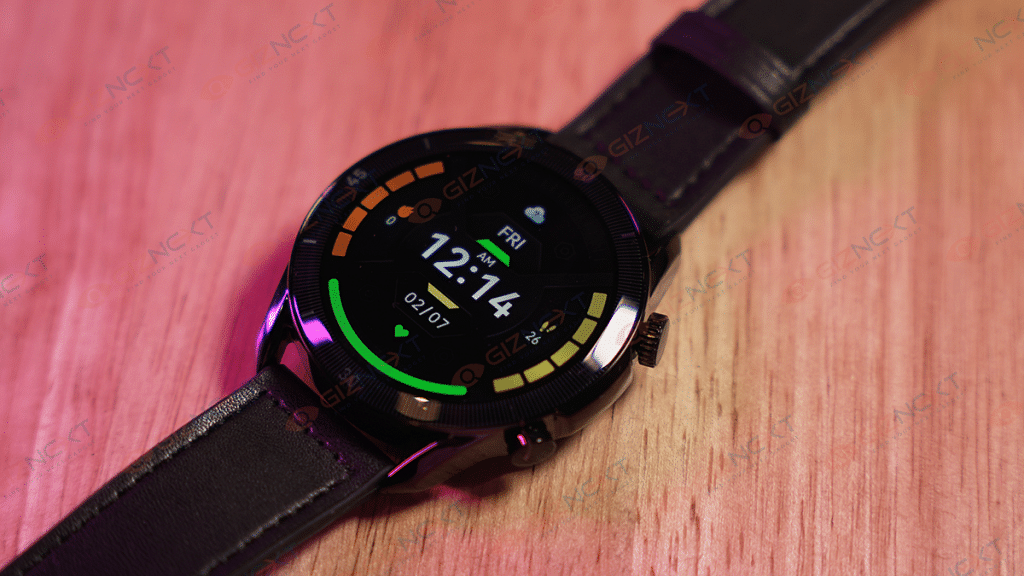
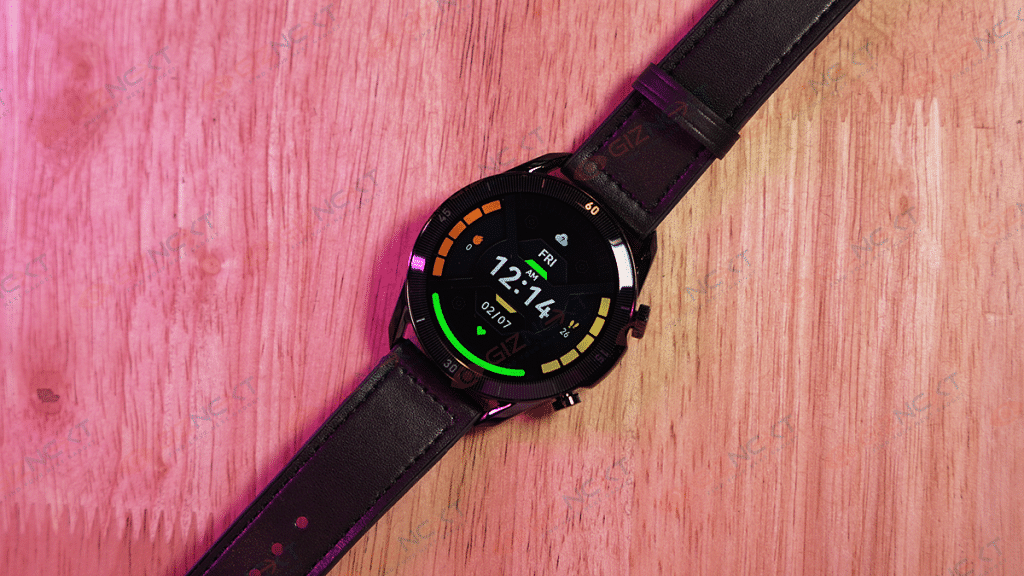
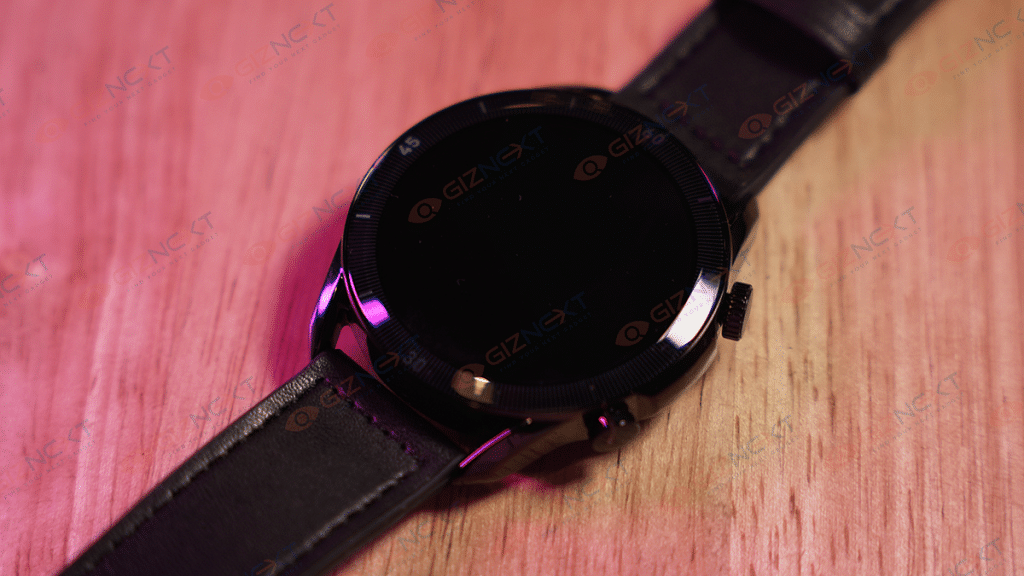
The Fire-Boltt Legacy watch has a steel body that looks premium and rugged, although the back panel is made up of plastic. Its round shape is complemented by two functional side buttons on the right side of the dial, which is decently tactile. The side buttons have a decent finish. The sensors for measuring heart rate, SpO2, and charging pins are located underneath the display, accompanied by a Fire-Boltt branding at the back.
A single press of the upper button, which functions as a rotating crown, activates the display and opens the functions menu. Meanwhile, the touchscreen interface allows you to navigate through menus and settings with a swipe. With a long press, the upper button can be used as a shortcut to access the music interface, voice assistant, and on/off options. On the other hand, the lower button grants access to the Sport Modes interface.
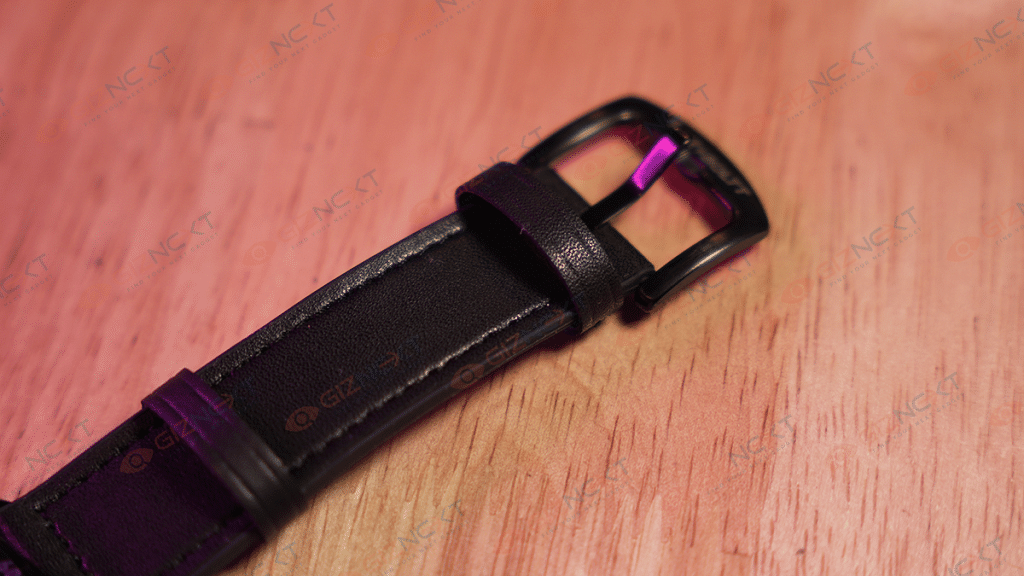
The Fire-Boltt Legacy smartwatch comes with removable rubber straps that are not only soft and comfortable but also adjustable to fit any wrist size. Moreover, it is easy to switch to another metal or silicone strap of your preference. We got our hands on the Black variant and it looks pretty good.
Furthermore, after using the watch for a few days, I can confirm that there are no visible scratches on the body. It is comfortable to wear for long hours and I even slept with it on without feeling any discomfort. However, it may feel a bit bulky to some users.
Now coming to the display, the Fire-Boltt Legacy Smartwatch boasts a 1.43-inch always-on AMOLED display with a resolution of 466 X 466 pixels and a refresh rate of 60Hz. During my usage, I observed that it was highly responsive. The display’s peak brightness of 600 nits ensures that it can be used even in direct sunlight without straining your eyes. The font size is also pretty decent, so even if you are planning to buy it for elderly people at home, you wouldn’t regret buying it.
Before using the Fire-Boltt Legacy, you must download the Smart-time Pro app which is available on both Google Play Store and Apple Store. With the app quickly connecting to the watch and displaying your data, setting up the watch is pretty smooth. The app also enables you to download watch faces and receive notifications for calls, messages, and other alerts.
The Fire-Boltt Legacy is designed to monitor a broad range of activity, sleep, and health metrics. It features more than 100 sports modes, including cycling, skipping, badminton, running, football, walking, and numerous others. When walking and verbally counting steps while tracking them on the smartwatch, I found it accurately tracked steps when walking, jogging, or running. Furthermore, the watch provides reasonably precise blood oxygen level measurements that matched those of a BPL SpO2 reader I purchased during the pandemic.
The smartwatch has a continuous heart rate monitoring feature that delivered satisfactory results. It also includes a blood pressure measuring system, but taking readings in succession showed varied results, indicating that it may not be the most reliable method for checking one’s blood pressure. The smartwatch’s sleep monitoring feature accurately tracks the number of hours slept, as well as the duration of deep sleep and light sleep. The breathing feature is another notable aspect of this smartwatch that I enjoyed. Additionally, the watch includes features for clicking pictures and changing songs, which worked quite well.
One of the key features of the Fire-Boltt Legacy is the ability to use the smartwatch as a receiver during calls, which I found to be effective. Moreover, the smartwatch provides real-time stock market updates that can be viewed on the wrist. Users can add their preferred stocks to the app, and the watch will automatically display real-time updates.
What’s interesting about the smartwatch is that we didn’t have to pick up our phone to quickly check our heart rate or to see who was calling. It also displayed a list of recent callers, which could be synced with the phone’s contacts, and a dial pad. However, we noticed that the watch was slightly sluggish in responding to our inputs on the primary home screen.
Battery & Charging
The smartwatch boasts a battery capacity of 330mAh, providing a reliable two-day runtime for typical usage and Bluetooth calling. To extend the battery life, switching off Bluetooth when not in use is recommended. The company claims a battery life of up to seven days on a single charge, and I managed to use it for just over six days, indicating that the watch largely lives up to its claims.
It comes with a magnetic charger and supports wireless charging as well which makes the entire charging process easy breezy. With a four-pin magnetic charger, the watch can reach from 10 to 100 percent in approximately an hour, which is a decent speed.
If you’re in search of a budget-friendly fitness tracker priced under Rs. 5,000, there are several options available. These trackers typically offer similar features such as message and notification alerts and so on. However, the Fire-Boltt Legacy stands out as it offers an additional feature – the ability to receive and make calls on your wrist, which is usually found in more expensive watches. It’s impressive to see such a feature in an affordable device like this.
The Fire-Boltt Legacy has everything that you need in a smartwatch. It does the basics well such as SpO2, sleep, activity, and heart rate monitoring. However, I advise against relying on the blood pressure monitor. The smartwatch is priced at Rs. 3,999, making it an easy recommendation for those looking for a budget-friendly smartwatch.
Data backups are crucial to protect against the unexpected loss of data
There are several data backup solutions available
It is hardly surprising that our data is now worth more than ever given the rapid digitization of our life. Our electronic devices contain much information from our lives, including our most treasured memories, important documents, and sensitive data. Because of this, backing up our data has become crucial.
Every year on March 31, World Backup Day is commemorated to serve as a reminder to prioritize data backup as a crucial component of digital well-being and hygiene. Although creating a data backup may seem like a laborious chore, it is essential to prevent unexpected data loss.
Fortunately, there are now several options available for data backup, including cloud-based solutions that offer safe remote access to your data as well as physical storage options like hard drives and SSDs. It is especially true for content creators who depend on their digital content for their livelihood that the loss of data can have a substantial effect on people and businesses, with the potential to destroy valuable content that cannot be restored permanently.
On this World Backup Day, we walk you through the most popular and practical methods for backing up your data:
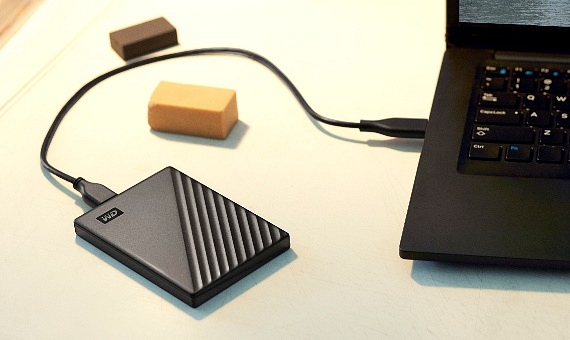
You can now choose the physical media that best fits your needs, workflow, and financial situation. One of the most economical ways to protect your data is with external hard drives, and HDD costs have decreased dramatically over time. A 2TB external hard drive is currently available for roughly Rs 5,500, making it a cheap investment to safeguard your important data.
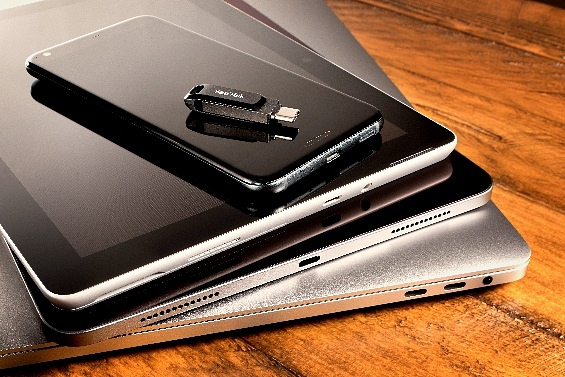
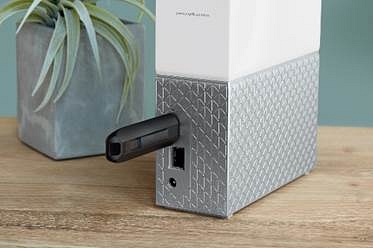
You may get a USB flash drive for portable devices with phones, tablets, and Macs. These mobile devices offer a convenient means of data backup and transmission while on the go.
It is advised to use a dual backup strategy that combines cloud backup with physical media backup. Due to the ease of accessing data stored on remote servers over the Internet and the reasonable price, cloud backup has grown in popularity. Businesses like Microsoft, Apple, and Google offer cloud storage with a range of storage plans to suit varied customer requirements.
You could even create your own NAS to make daily data storage and retrieval more efficient, depending on your financial situation.
It’s a good idea to clean your machine at least once every six months
A clean washing machine will not only perform better, but it will also help to prolong its lifespan
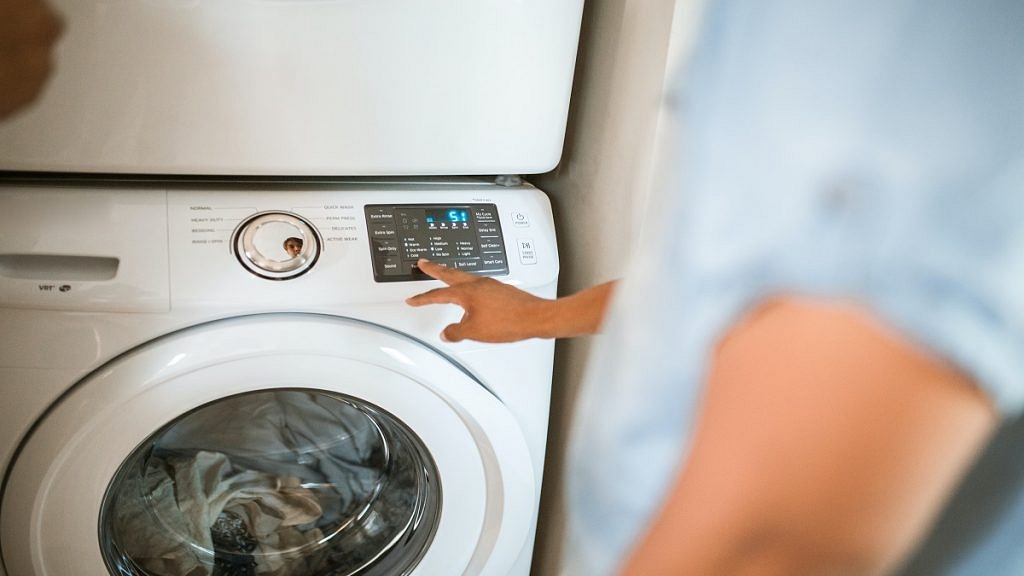
Cleaning a washing machine is an important task that many people overlook. Over time, dirt, grime, and soap scum can accumulate inside the washing machine, causing it to smell bad and potentially even damage clothes. Cleaning your washing machine can help prolong its life, improve its performance, and ensure that your clothes come out clean and fresh.
The following are steps you can take to clean your washing machine:
Step 1: Empty the washing machine
Start by emptying the washing machine of any clothes or laundry. If there are any loose items, such as coins or buttons, be sure to remove them as well.
Step 2: Clean the detergent dispenser
Remove the detergent dispenser from the washing machine and clean it thoroughly. Use warm water and a soft brush to remove any dirt or soap scum that may have accumulated.
Use a clean cloth or sponge to wipe the drum of the washing machine. Pay special attention to any areas that may be particularly dirty, such as the area around the door or the rubber seal. If there is any stubborn dirt, use a mild detergent and warm water to help loosen it.
Step 4: Clean the filter
Locate the washing machine’s filter and remove it. Clean the filter with warm water and a soft brush to remove any dirt or debris that may have accumulated. If the filter is particularly dirty, soak it in warm water for a few minutes before cleaning it.
Step 5: Run a cleaning cycle
Most modern washing machines have a cleaning cycle that can be used to clean the machine. Follow the manufacturer’s instructions to run the cleaning cycle.
If you don’t have a cleaning cycle, you can use vinegar or baking soda to clean your washing machine. Add 2 cups of white vinegar or 1/2 cup of baking soda to the washing machine and run a hot cycle. This will help remove any dirt or grime that may have accumulated inside the machine.
Step 7: Wipe down the exterior
Use a clean cloth to wipe down the exterior of the washing machine including the drum and the door seal. Pay particular attention to any areas where mold or mildew may be present, such as around the door seal. If your machine has a lint filter, remove it and clean it thoroughly.
Step 8: Fill again with hot water
Finally, run another hot water cycle with no detergent to rinse out any remaining cleaning solution. That’s it.
For the tech geeks, stay updated with the latest cutting-edge gadgets in the market, exclusive tech updates, gadget reviews, and more right on your phone’s screen. Join Giznext’s WhatsApp channel and receive the industry-first tech updates.