Categories
Accessories Featured

OnePlus Buds Ace TWS Earbuds Teased Officially: ANC, 36 Hours Backup Tipped

Key Highlights

  • OnePlus Buds Ace TWS earbuds officially teased
  • Will launch in China only
  • ANC and 36 hours backup tipped
  • Design similar to upcoming Nord Buds 2 and Buds 2 Pro

The upcoming OnePlus global launch event called Cloud 11 is set for February 7. OnePlus will be taking the wraps of the OnePlus 11 5G in India possibly alongside the OnePlus 11R and the OnePlus Buds 2 Pro earbuds. There are some other reports that indicate the debut of the first Ace series TWS earbuds called the OnePlus Buds Ace. Now, OnePlus itself has put all the rumors to rest by teasing the OnePlus Ace Buds TWS earbuds officially.

OnePlus Buds Ace TWS Earbuds Official Teaser Out

The OnePlus Buds Ace TWS earbuds teaser has been shared by the company itself confirming the design language. The features of the first Ace series TWS earbuds have also been revealed right ahead of the next week’s launch.  

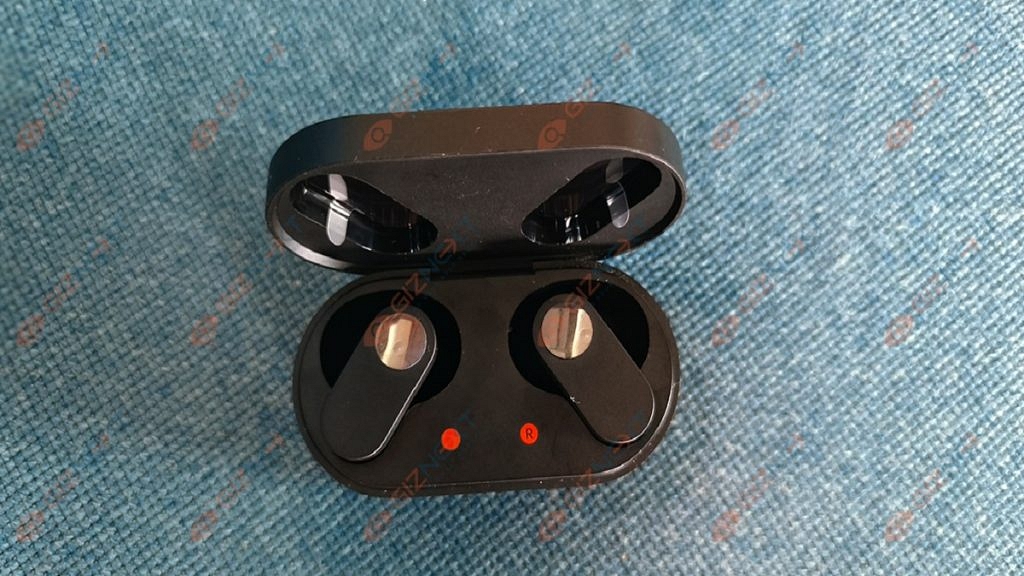
Going by the official teasers, it seems OnePlus will be keeping the design language identical to the upcoming Buds 2 Pro-TWS earbuds. Speaking of the resemblance, the OnePlus Buds Ace will feature a flat-stem earbud design which we have seen with the previous-gen and the upcoming OnePlus Buds and Nord TWS earbuds.

The silicone eartips visible in the leaked official teaser suggest it will offer a snug-fit comfortable design. Even the charging case design is similar to the remaining OnePlus Buds series earbuds. The pill-shaped charging case has a flat surface both on top and bottom.

Also Read: OnePlus Nord Buds Review: Fairs The Competitions?

OnePlus Buds Ace TWS Earbuds Specifications And Features

The official teaser has dropped enough clues related to the OnePlus Buds Ace specifications and features. The first Ace series earbud from OnePlus will be backed with ANC (Active Noise Cancellation) feature which will add to the premium listening experience.
Do note that OnePlus isn’t offering an ANC option with the current-gen earbuds. It would be the first time the company will be introducing ANC-backed TWS earbuds for the audiences. A recent listing on the Chinese retailer website JD.com also hinted at the presence of a deep noise reduction technology combined with ANC on the Ace Buds TWS.

The OnePlus Buds Ace will also be equipped with a BassWave feature which essentially is a dynamic bass system for boosted bass performance. The official teaser posters have also revealed that the OnePlus Buds Ace earbuds will be offer up to 36 hours of backup with a single charge (case backup included). It will be backed with fast charging support as well which will add a backup of up to 10 hours with just 5 mins of recharge.

Also Read: OnePlus Factory Reset: How To Use Recovery Mode In OnePlus Phones To Wipe All Data
Categories
Featured Info Mobile

Samsung Galaxy Unpacked 2023 Event: How And Where To Watch Live Stream

Key Highlights

  • Samsung Galaxy Unpacked 2023 kicks off tonight at 10:30 PM (IST) in India
  • Samsung Galaxy S23 series is expected to include Galaxy S23, Galaxy S23 Plus, and Galaxy S23 Ultra
  • Samsung Galaxy Book 3 series is likely to include Galaxy Book 3, Galaxy Book 3 Pro, and Galaxy Book 3 Pro 360

Samsung is set to unveil its latest flagship smartphone, the Galaxy S23, in a virtual launch event on February 11, 2023. The Galaxy S23 series is likely to include Galaxy S23, Galaxy S23 Plus, and Galaxy S23 Ultra. On the other hand, the tech giant is also expected to launch Galaxy Book 3 series at the event. The Galaxy Book 3 series is expected to include Galaxy Book 3, Galaxy Book 3 Pro, and Galaxy Book 3 Pro 360.

The event promises to showcase the latest in Samsung’s smartphone technology and is expected to be watched by millions of people around the world. If you’re looking to tune in, here’s how to watch the Samsung Unpacked Galaxy S23 Launch Event. Also Read | Samsung Galaxy S23+, Galaxy S23 Ultra Promotion Material Out Ahead Of Launch: Here’s What All Is Revealed

Samsung Galaxy S23 Unpacked Event: Date

The Galaxy Unpacked event to unveil the Galaxy S23 series is scheduled for February 1 in San Francisco at 10 am PT/1 am ET/7 pm CET. The live stream will also start at the same time, so you get to experience the launch in the same way virtually as in-person attendees.

Samsung Galaxy S23 Unpacked Event: How To Watch?

The easiest and most convenient way to watch the Samsung Unpacked event is online. The event will be streamed live on Samsung’s official website and on their YouTube and Facebook channels. Simply visit the website, or log in to YouTube or Facebook, and you’ll be able to watch the event in real time.

If you have a Samsung smart TV, you can watch the Samsung Unpacked event directly on your TV. You simply have to open the Samsung TV Plus app, select the Samsung Unpacked channel, and the event will start automatically.

Also Read | Samsung Galaxy S23 Ultra Could Feature A 200MP Camera: Check Details

Categories
Featured Leaks Tablet

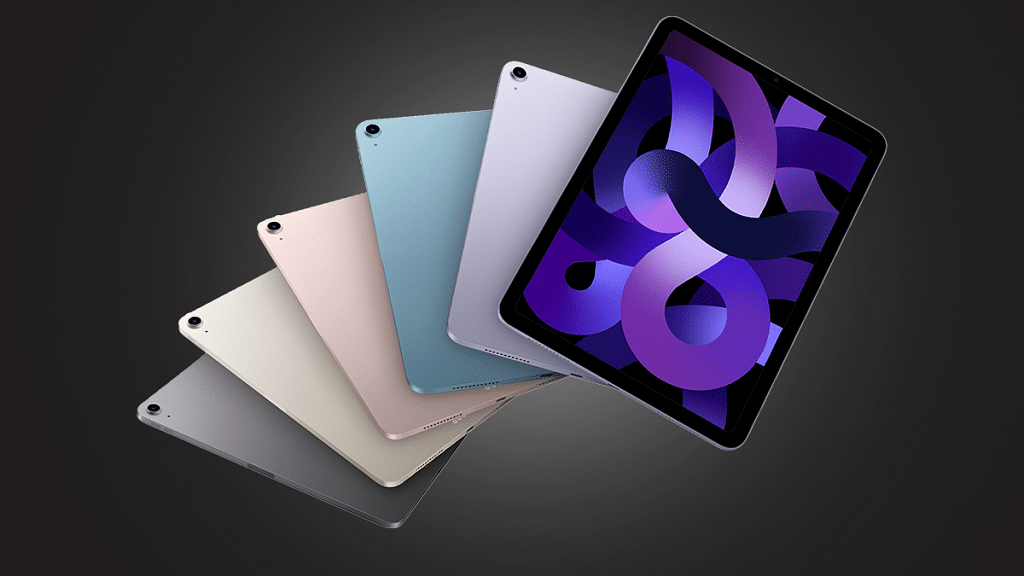
Apple May Launch Its First Foldable iPad With Carbon Fiber Kickstand Next Year

Key Highlights

  • Apple is planning to launch its first foldable iPad in 2024
  • Analyst Ming-Chi Kuo informed this on the micro-blogging platform Twitter
  • The foldable iPad is said to feature a carbon fiber kickstand

Apple is widely speculated to be launching a foldable iPad in 2024. The device is expected to feature a carbon fiber kickstand that will provide increased durability and flexibility to the tablet. The foldable iPad is expected to be a game-changer for the tech giant and could revolutionize the way people use and interact with their devices.

Ming-Chi Kuo, an analyst, stated the following regarding Apple’s foldable iPad on Twitter: “I’m positive about the foldable iPad in 2024 and expect this new model will boost shipments and improve the product mix. My latest survey indicates that the foldable iPad will feature a carbon fiber kickstand. Carbon fiber material will make the kickstand lighter and more durable.” Also Read | Forgot Apple iPad Passcode? Here’s How To Reset iPad Passcode Of Any Model

According to Ming-Chi Kuo, the number of Apple iPad shipments could fall by 10 to 15 percent this year. However, the upcoming release of a new Apple iPad will improve the product mix while also benefiting Apple iPad shipments.

Apple iPad Expected Specifications

The foldable iPad is expected to have a large, high-resolution OLED display that will provide users with an immersive viewing experience. The tablet is expected to run on the latest version of Apple’s iOS operating system, which will bring a wide range of new features and enhancements. Additionally, the foldable iPad will likely support Apple’s growing ecosystem of accessories, including the Apple Pencil and Smart Keyboard.

The launch of a foldable iPad will place Apple in direct competition with other tech companies that have already launched foldable devices such as Samsung and Huawei. However, with Apple’s reputation for innovation and quality, the foldable iPad is expected to set a new standard for the industry and be highly sought after by consumers. With the recent rumors of the launch, the tech industry is eagerly waiting for the official announcement from Apple.

Also Read | Apple iPad Tricks: How Can You Use Visual Look Up Feature On iPad Running On iPadOS 15.1 And Above

Categories
Apps Featured Info

Netflix Introduces ‘Kids Mystery Box’ Feature To Android Users: All Details

Key Highlights

  • Netflix rolls out Kids Mystery Box feature on Android devices
  • Mystery Box content changes daily and includes shows and characters such as Boss Baby: Back In The Crib and Back to the Outback
  • This Mystery Box feature allows users to discover new content on the platform

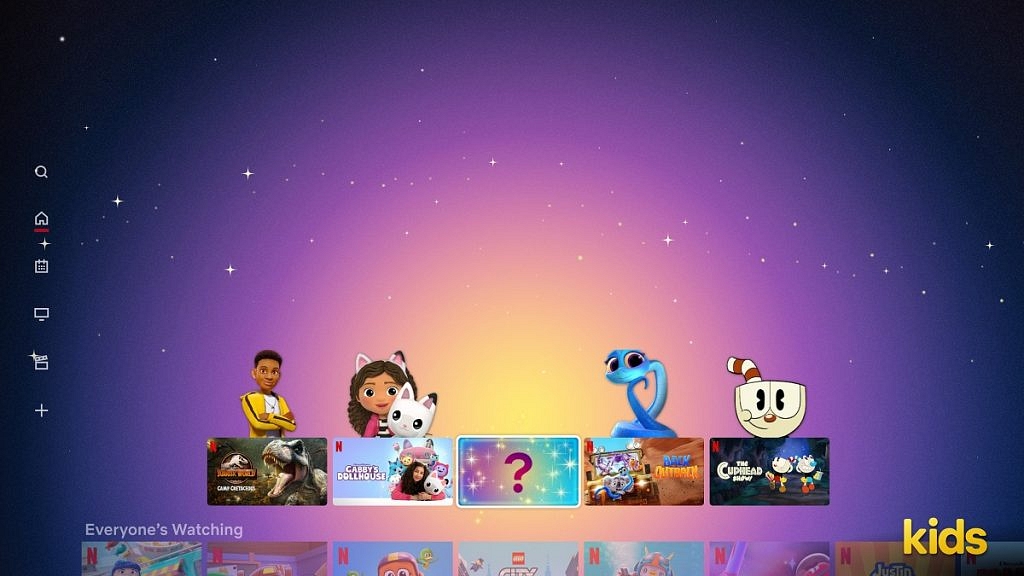
Netflix, the world’s leading streaming service, has recently introduced a new feature called “Kids Mystery Box” on Android devices. This feature is designed to provide a fun and engaging experience for kids while they browse through the Netflix library.

The Kids Mystery Box feature is a welcome addition to the Netflix app for Android devices. It provides a fun and engaging experience for kids, while also giving parents the ability to control what their children are watching. With this new feature, kids can enjoy a personalized and exciting viewing experience on Netflix. Also Read | Here’s How To Download Videos From Netflix, Amazon Prime, And Disney+ Hotstar

Kids Mystery Box: What Is It?

The Kids Mystery Box is a selection of curated shows and movies that are specifically chosen for children. The selection is based on the child’s age and preferences, making it easier for parents to find suitable content for their kids. To access the Kids Mystery Box, parents can simply tap on the “Kids” section of the Netflix app and select the “Mystery Box” option.

The feature is designed to be interactive and engaging with a surprise element that keeps kids entertained. When a child selects a show or movie from the Kids Mystery Box, they are presented with a box that needs to be opened to reveal the content. This creates a sense of excitement and anticipation, making it a fun experience for kids.

In addition to the surprise element, the Kids Mystery Box also provides an opportunity for children to discover new shows and movies that they may not have otherwise come across. This helps to expand their viewing options and provides a more personalized experience.

The Kids Mystery Box feature is a great addition to the Netflix app, providing a safe and fun environment for kids to explore and discover new content. It also gives parents peace of mind, knowing that the content their children are watching is suitable and appropriate for their age.

Also Read | Netflix For Fitness Enthusiast: Collaborates With Nike To Stream Workout Videos On Its OTT App

Categories
Apps Featured How To

Recharge Your Delhi Metro Card Using Airtel Thanks App: Here’s How

Key Highlights

  • Delhi Metro has partnered with Airtel Payments Bank
  • Delhi Metro cards can now be recharged via the Airtel Thanks app
  • This will make it easier for Delhi Metro users to recharge their smart cards

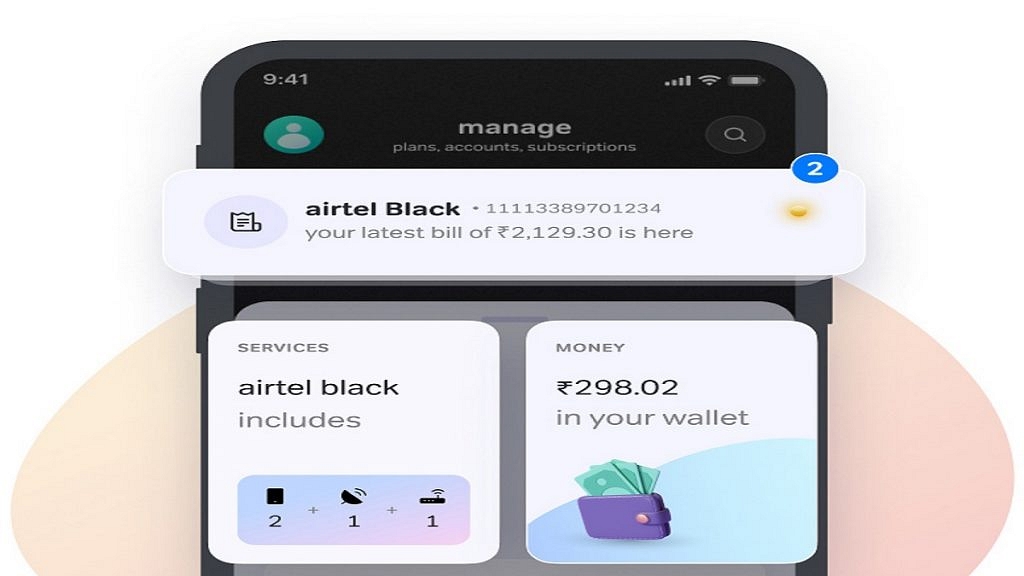
Airtel Payments Bank, a subsidiary of Bharti Airtel, recently announced a partnership with Delhi Metro. Recharging your Delhi metro card has become a lot easier now with the Airtel Thanks app. This app allows you to recharge your metro card quickly and easily without having to visit the metro station or a physical recharge outlet. In this article, we will explain the step-by-step process of recharging your Delhi metro card using the Airtel Thanks app. Also Read | How To Recharge Metro Smart Card Online: A Step By Step Guide

How To Recharge Delhi Metro Card Via Airtel Thanks App

Step 1: Download the Airtel Thanks app from the Google Play Store or Apple App Store. Once you have downloaded the app, open it and sign up for an account. If you are an existing Airtel customer, you can log in using your mobile number.

Step 2: Once you have logged in, you will need to add your Delhi metro card to the app. To do this, click on the “Metro Recharge” option and then select “Delhi Metro”. You will then need to enter your metro card number and the amount you wish to recharge.

Step 3: Now, make the payment for the recharge. You can do this using your debit card, credit card, net banking, or UPI. Once the payment is successful, the recharge amount will be credited to your Delhi metro card.

Step 4: You can check the status of your recharge by clicking on the “Recharge History” option in the Airtel Thanks app. This will show you a list of all the recharges you have made and the status of each recharge.

Step 5: Once the recharge is successful, you can use your Delhi metro card to travel on the Delhi metro as usual. The recharge amount will be automatically deducted from your card as you travel.

Recharging your Delhi metro card using the Airtel Thanks app is a simple and convenient process. With just a few clicks, you can recharge your metro card from the comfort of your own home. So, next time you need to recharge your metro card, give the Airtel Thanks app a try.

Also Read | How To Check Metro Card Balance Offline And Online? Learn Here

Categories
Apps Featured How To

WhatsApp Camera Not Recording: How To Fix Blank and Black Camera Issue In WhatsApp

WhatsApp is one of the most potent instant messaging applications developed for mobile users. Both Android and iOS smartphone users have chosen WhatsApp over their counterparts for instant messaging. Multimedia messaging, location sharing, and other features are the perks of WhatsApp which earned it the top spot among all available instant messaging applications on Android and iOS app stores.

What additionally makes WhatsApp special is the option to share voice notes, pictures, and video recordings as personal messages. WhatsApp has been adding tools and improving user experience with multimedia messaging on its platform.

Sending a photo or video directly from the app is a convenient option that the brand has released. Recent leaks have indicated a camera switch in the works which will allow users to record and send short videos with just a tap.

Well, until that feature is released the only way to send a self-recorded video is by pressing and holding the camera button while using the in-house WhatsApp camera. We have been sharing hacks to quickly fix common WhatsApp errors. In this article, we will be guiding you through the process to fix camera issues with WhatsApp.

How To Fix Camera Not Working Error In WhatsApp

The camera error is quite common in WhatsApp on both Android and iOS. Users have reported a black-on-blank screen while opening the camera app despite the camera shutter being present. Notably, this is not a major hardware-related issue and can be resolved with some easy troubleshooting steps.

  • Check WhatsApp Camera Permissions
  • Open phone Settings
  • Scroll to the Apps and Notifications option
  • Tap on WhatsApp and select Permissions
  • Move to the Camera option and ensure its enabled
  • Go back to WhatsApp and check if the camera is working.

Reboot Your Handset

Often apps become unresponsive of the cache memory is clogged. A quick reboot can fix any temporary issues with the WhatsApp camera app. Just power off your respective phones and then reboot after a few seconds.

Also Read: Best WhatsApp Status Apps To Download And Use On Android, iOS

Check For Updates

Older app versions are also known for app crashes and improper functionality of features available on WhatsApp and other apps. Update the application and the WhatsApp camera issue.

Also Read: How To Upload WhatsApp Status In High Quality (Images, Videos) On Android, iOS?

Categories
Apps Featured

100+ Best Catchy And Unique Instagram Names For Your Pets

Key Highlights

  • Memorable, unique names are crucial for pet Instagram accounts
  • Reflecting your pet’s personality adds charm to the account
  • Creative names enhance engagement and attract followers

Pet Instagram accounts are a fun way to share the adventures of your furry friend with friends and followers. When choosing a name for your pet’s Instagram account, it’s important to pick something memorable, unique, and reflective of your pet’s personality. Here are some of the best pet Instagram names to consider. Also Read | 100 Best Instagram Names For Food Bloggers To Get More Followers

100+ Best Pets Instagram Names

Get creative and have fun with it! Remember, your pet’s Instagram name will be the first impression people have of your account, so choose wisely.

WoofiePurrfectBarkinBeauty
FelineFrenzyFurry DoggieEmily McCracken (Mutt Adventures)
FluffyFriendOtis BarkingtonRamsey
CanineCutieKingsley and SailorWoof Wagon
HappyTailzI Heart DogsWoof tales
PawsitivelyCute
TheAdventuresOfMax
SpotOn

Also Read: 100 Best Instagram Boys Name With Alphabets M To Z

All Things DogsDiddyBig Bark Dog
LuxyAnnie & PaddingtonPet Pawer
Good Boy BusinessThe Dog WhispererThe Bark Side
Dogs ParadiseRene-Charles2-Fur-7 Dog Store
Daring DogsTreat your Dawg
The Canine Collective
Biggie Griffon (Tofu)Push Pleshy BusinessDogtastic Pets

Also Read | Need A Cool Instagram Boy Name? Top 100 Instagram Boys Name With Alphabets A To L

Princess Paris Jr.Corgnelius & StumphreyCharlie
PounderAuroraPuppy Trail
Pee Tree DogwalkersEverestGood Times
Paw PupsTails Of JoyBound Treat
Downward DogThe Cutest PawAgatha Dalmatian
Happy PetsWet NosesDog Like A Boss!
First Fresh TreatYay BitesWoof Recess
A Dozen DogsDogs And MoreAnnie Service Dog

Also Read | Best Instagram DP Ideas For Girls To Attract Followers

Playful PoochService Dog EarlCallie
Marshmallow FluffBilly-Service DogMutt Poodles
Jizzle BonezDogify FoodThe Bone Guys
Quellest DogAll-Fresh TreatWag Around
Touch High DogMaxx The LabradorDog Tarven
I Love DogsBest In ShowBound Big Dog
Paw HubDog WalkerLand Rover
Fido And FriendsRound Of ApawsResident Furry
Good Bite BusinessAll Four PawsGrr And Purr

Also Read | 100 Best Instagram Names For Food Bloggers To Get More Followers

Premium BusinessDoggie Delight TreatsDoggo Are Good
The Friendly CanineLife Is RuffDartenn Dog
PetfolicToys For DogsNala My Service Dog
Petro TownThe Hairy LeashHappy Tails Dog Store
Waves whoopsSuperior TreatDog for The Job
Doggolix Treat
Excite Bites DogPetslash

Conclusion

Pet Instagram accounts offer a delightful platform to share your furry friend’s adventures. Choosing a memorable and unique name reflective of your pet’s personality is key to standing out. Creative names not only enhance engagement but also attract a wider audience eager to follow along with your pet’s journey.

Also Read | Are You A Plant Lover? Here Are The 100 Best Instagram Names For Gardeners

Categories
Featured Leaks mobile

OnePlus 11R 5G HD Renders Leaves A Little To Imagination: Global Launch Feb 7

Key Highlights

  • OnePlus 11R 5G HD renders leak
  • Design identical to flagship OnePlus 11 5G
  • Official launch February 7

OnePlus is hosting a global launch event where the brand is launching the OnePlus 11R globally. Essentially a rebranded version of the OnePlus Ace 2 which is also set to debut in China, the next OnePlus 11 series phone has shown up frequently at the rumor mill. Right before its February 7 official launch, the OnePlus 11R HD images have made it to the leaks factory. What does the official-looking renders reveal? Details are as follows:

OnePlus 11R HD Images Leak Full Design

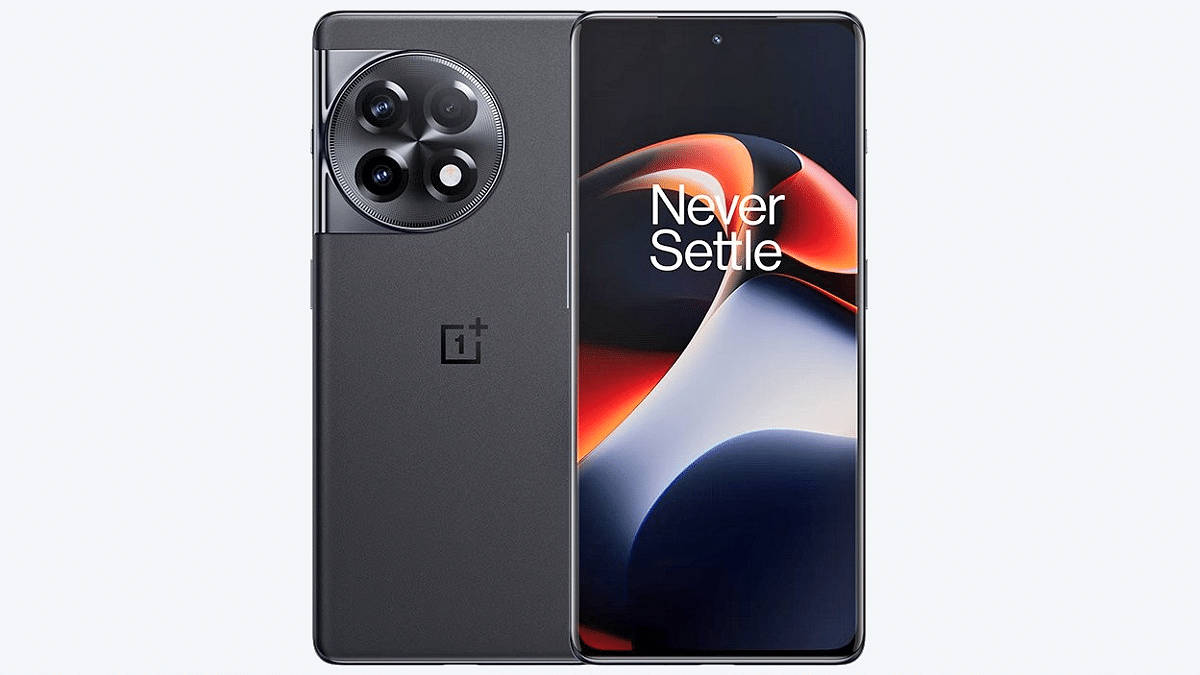
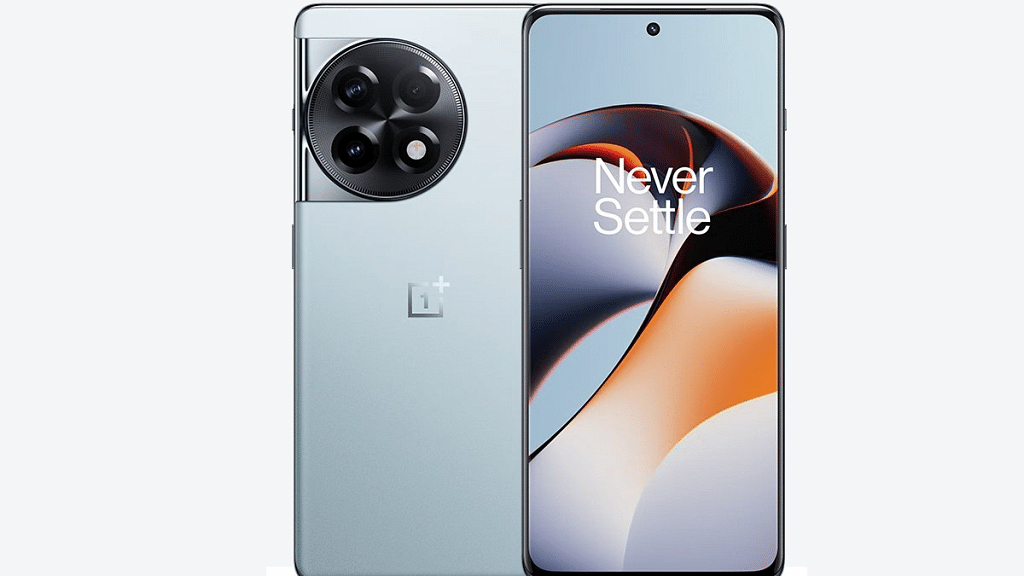
The latest set of HD renders leak of the OnePlus 11R 5G comes via tipster Abhishek Yadav. A tweet shared by the tipster shows the clear look of the upcoming OnePlus Ace 2 aka the OnePlus 11R 5G. Apparently, OnePlus hasn’t made any major changes to the OnePlus 11R 5G’s design. In fact, there is a massive resemblance between the upcoming model and the already launched vanilla OnePlus 11 5G variant.

OnePlus will be using the same big circular camera island for the affordable OnePlus 11R 5G model. But seems like the Hasselblad branding has been dropped. Furthermore, the display panel is also curved similar to the flagship OnePlus 11 5G model. The tiny punch-hole camera is also positioned at the center top just like the high-end model.

The OnePlus 11R 5G will also feature the iconic alert slider key similar to its older sibling which will be placed on the right spine. The leaked HD renders of the handset also indicate the positioning of the power key on the right panel only. Speaking of the volume keys, they are placed on the left panel. Color options tipped by the leak include black and silver probably monikered Galactic Siver.

Also Read: Lenovo ThinkPhone By Motorola Vs OnePlus 11 5G Flagship Phone Comparison: Which Is More Practical?

OnePlus 11R 5G Leaked Specifications

OnePlus 11R 5GExpected Specs
Display6.7-inch AMOLED, 120Hz
Camera50MP triple, 16MP selfie
ChipsetSnapdragon 8+ Gen 1
Battery                               5,000 mAh
Fast Charging100W

OnePlus has been equally contributing to the 11R 5G’s leak and has already confirmed the Snapdragon 8+ Gen 1 mobile chipset. The brand also showcased the alert slider’s user convenience in one of the official teasers.  The optics setup on the OnePlus 11R 5G is said to include a 50MP main camera at the back accompanied by a 12MP sensor and a 2MP lens.

The OnePlus 11R 5G’s display tipped is a 6.7-inch AMOLED screen that will support a 120Hz refresh rate and an FHD+ screen resolution. A 100W fast charging supported 5,000 mAh battery is also tipped by the leaks.

Also Read: OnePlus 11 5G Vs iQOO 11 5G: Latest Flagship Mobile Comparison

Categories
Apps Featured How To

Google Chrome Lets Android Users Lock Incognito Tabs With Fingerprint: Here’s How

Key Highlights

  • Google has rolled out the fingerprint lock for the Android users
  • The feature is already available on the iOS platforms
  • With this feature, users can ensure that only they can access their incognito tabs

Google Chrome, the widely used web browser, has announced a rollout of a new feature for its Android users – a fingerprint lock for incognito tabs. This feature provides an extra layer of security for users who want to keep their online activities private and secure.

Incognito mode, also known as private browsing, has been a staple feature of Google Chrome for desktop and mobile for several years. It allows users to browse the web without saving their history, cookies, or search information. However, this mode does not prevent other people who have access to your device from seeing what you are doing. With the new fingerprint lock feature, users can ensure that only they can access their incognito tabs.

“You can require biometric authentication when you resume an interrupted Incognito session,”  the tech giant wrote in a blog post. Notably, the feature is already available on the iOS platforms and can now be used by Android users now. Also Read | How to search on google using images or video?

How To Enable Fingerprint Lock For Incognito Tabs

To use the fingerprint lock feature, users must have a device with a fingerprint sensor and the latest version of Google Chrome for Android. Once they have these requirements, they can activate the feature by following simple steps:

Step 1: Go to the Chrome settings.

Step 2: Now, select “Privacy and Security”.

Step 3: After that, enable the “Fingerprint lock for incognito tabs” option.

From then on, when you open an incognito tab, you will be prompted to scan your fingerprint to access the tab. If you have multiple fingerprints saved on your device, you can choose which one you want to use for this feature.

The feature is particularly important for those who use public Wi-Fi networks or shared devices. With the fingerprint lock, they can ensure that their incognito tabs are secure, even if someone else has access to their device.

In addition to the security benefits, the fingerprint lock feature is also convenient for users. It eliminates the need for them to remember a password or pattern to access their incognito tabs. Instead, they can simply scan their fingerprint to access the tabs. This is especially helpful for users who frequently use incognito mode and don’t want to be bothered with entering a password every time.

Also Read | Google Chrome Download Error? How To Fix Download Errors With Google Chrome On Laptops And PCs

Categories
Featured Leaks Tablet

OPPO Pad 2 Tablet Display, Battery Specifications Out: Upgrades To Check Out

Key Highlights

  • OPPO Pad new leak hints 144Hz display
  • Panel will be LCD
  • Battery capacity tipped is 9,500 mAh

OPPO became an active player in the tablet industry with the launch of Pad series tablets. The OPPO Pad arrived as the company’s first offering in the premium Android tablet market with features like a 2K display and the Snapdragon 870 octa-core processor. Now, the company is likely sending the second-gen model called the OPPO Pad 2 to the production bay soon. A Chinese tipster has now shared some insight on the OPPO Pad 2 tablet. Let’s dive into the details:

OPPO Pad 2 Leak Reveals Display, Battery Speaks Leak

OPPO Pad 2Key Specifications
Display11.x-inch LCD
Refresh rate144Hz
ChipsetDimensity 9000
Battery9500 mAh
Fast Charging67W

The OPPO Pad 2 new leak comes via a Chinese tipsterTechGoing. The details surrounding the upcoming OPPO Pad 2 tablet have been leaked by Digital Chat Station citing source TechGoing on Weibo. The details revealed included battery and display.

As per the new leak, the OPPO Pad 2 will be launching this year with an 11.x-inch display. This suggests OPPO is altering the screen size with the new-generation Pad tablet. For reference, the first-gen OPPO Pad tablet features an 11-inch screen.

Not just the screen size, but the display resolution and refresh rate are also getting upgraded with the new-generation OPPO Pad 2 tablet. This OPPO tablet will be offering a 2000 x 2800 pixels resolution and 144Hz refresh rate instead of 1600 x 2560 pixels and 120Hz refresh rate respectively. Also, the OPPO Pad 2 tablet is said to be HDR 10+ and Dolby Vision certified which will surely enhance the gaming and video playback experience.

Also Read: Realme Pad X Vs OPPO Pad Air: Best Mid-Range Android Tablet Under Rs. 25,000 To Buy In India?

This new leak additionally tips a 9500 mAh battery unit. This is also an upgrade over the first-gen OPPO Pad tablet. The earlier model is equipped with an 8,360 mAH battery model. Fast charging support will be 67W with the OPPO Pad 2 tablet.

Speaking of additional details, the past leaks have tipped an octa-core Dimensity 9000 processor powering the OPPO Pad 2 tablet. OPPO had previously used a Qualcomm chipset for its first Android tablet but is now switching to MediaTek for the second-gen Android tablet.

Furthermore, the OPPO Pad 2 is also expected to come with up to 12GB RAM configuration and boot on Android 13 OS-based Color OS 13 UI. Not much is clear related to the OPPO Pad 2’s official launch. But we are closely monitoring the developments and will keep you posted with the details.

Also Read: Nokia T10 Vs Oppo Pad Air Vs Realme Pad Mini: Best Budget Tablet To Buy In India?