Categories
Apps Featured How To

Instagram Dynamic Profile Photo Feature: What Is It? How To Use?

Key Highlights

  • Instagram has introduced a dynamic profile photo feature for its users
  • Anyone who visits your profile can switch between your photo and avatar
  • If you already have an avatar on Facebook, this update will cause it to automatically move into the third dimension

A new tool that allows users to create avatars and use them as profile pictures is being rolled out by Instagram. You don’t even have to change your original display image. In order to fit both your original profile photo and the avatar profile photo, Instagram has added a new “flip” feature. All users can access the new Dynamic Profile Photo feature. Check the Google Play Store or the Apple App Store for the most recent update to the Instagram app if you don’t see it there. Also Read | Create And Use Your Personalized Instagram Avatar: Here’s How To Do It

The feature was announced on Instagram’s microblogging site Twitter. “New profile picture, who’s this? Now you can add an avatar on the other side of the picture so anyone who visits your profile can switch between the two,” the company wrote in a tweet.

Dynamic Profile Picture On Instagram: How To Use This Feature?

The procedures to use the new feature of the Meta-owned photo-sharing app are listed below.

Step 1: Open the Instagram app on your mobile phone and go to your profile.

Step 2: Tap on “Edit Profile”.

Step 3: Using your camera and the customization choices, add an avatar at this point.

Now the profile picture will flip between the image and the avatar whenever someone opens your profile.


Additionally, throughout the company’s Quest and VR platforms, avatars can be shared as stickers, profile images, feeds, and more. New face features and “assistive devices for people with disabilities” are also part of the avatar feature.

According to the unversed, Meta just started using avatars on Instagram. If you already have an avatar on Facebook, it will instantly transition into the third dimension as part of this update, claims Meta. They can even enter the editor if they want to make their own improvements.

Also Read | Instagram Tricks: Here’s How You Can Change Instagram Language Settings On Android, iPhones
Categories
Chipset Comparison Featured

Qualcomm Snapdragon 778G Vs Dimensity 8100 5G Chipset: Premium Mid-Tier SoC Battle

Qualcomm and MediaTek introduced multiple mobile processors in 2023 some of which will be driving the new-generation Android smartphones and tablets. The most capable chipsets from both these brands are the Snapdragon 778G and the Dimenisity 8100 respectively. These two mobile processors bring 5G capabilities and are deemed fit for premium mid-tier Android phones. While the Snapdragon 778G is an older debutant, it still is a top preference for smartphone OEMs. We are doing a comparison between both these chipsets’ performance in this article. Dive into the details below:

Qualcomm Snapdragon 778G Vs Dimensity 8100 Chipset: CPU Performance

ChipsetSnapdragon 778GDimensity 8100
CPUocta-coreOcta-core
GPUAdreno 642lMali-G610 MC6
MemoryLPDDR5LPDDR5
StorageUFS 2.1, UFS 2.2, UFS 3.0, and UFS 3.1UFS 3.1

Starting with the fabrication process, Qualcomm’s Snapdragon 778G SoC is built on a 6nm fabrication. On the contrary, a thinner 5nm TSMC process is used to design the MediaTek Dimenisty 8100 mobile SoC. Core clusters are eight on both these mobile processors. The SD 778G’s cores include one Cortex-A78 2.4GHz core, three Cortex-A78 2.2GH cores, and quad Cortex-A55 cores with 1.9GHz clock speed.

The MediaTek Dimensity 8100 5G chipset features quad Cortex-A78 cores with 2.85Ghz clock speed and quad Cortex-A55 cores with 2GHz clock speed. Memory frequency us also different. The Qualcomm SD 778G’s octa-core CPU churns out 2400MHz frequency, while the Dimensity 8100 SoC CPU delivers around 2850 MHz frequency range. MediaTek gets slightly extra pointers for a better CPU architecture.

Also Read: MediaTek Dimensity 8200 Chipset Vs Qualcomm Snapdragon 778G Chipset Comparison: Which Performs Better?

Qualcomm Snapdragon 778G Vs Dimensity 8100 Processor: GPU Performance

The Qualcomm Snapdragon 778G graphics delivery is handled by Adreno 642L GPU which is based on Adreno 600 GPU architecture. The MediaTek Dimensity 8100 5G processor used Mali-G610 MC6 GPU for graphics. The former’s GPU produces a 490MHz GPU frequency and the latter has a 912 MHz GPU frequency. Both chipsets’ GPU are powerful and can take on demanding graphics smoothly.

Also Read: Qualcomm Snapdragon 782G Vs Qualcomm Snapdragon 695 Chipset Comparison: Best Premium Mid-Range Mobile Processor

Snapdragon 778G Vs MediaTek Dimensity 8100 SoC: Memory, Multimedia (ISP)

Speaking of the remaining aspects, the memory compatibility is LPDDR5 with both Snapdragon 778G and the Dimensity 8100 SoC. But the memory frequency performance is altered. The Qualcomm Snapdragon 778G delivers a lower frequency range of 3200 MHz, whereas, the Dimensity 8100 supports a 6400MHz memory frequency.

As for the storage type, the Qualcomm Snapdragon 778G mobile chipset supports UFS 2.1, UFS 2.2, UFS 3.0, and UFS 3.1 storage type. On the contrary, the MediaTek Dimensity 8100 processor has UFS 3.1 storage type compatibility.

The former supports 1080 x 2520 pixels maximum display resolution. But the Dimensity 8100 5G chipset supports a higher 1440 x 2960 pixels max display resolution. The maximum camera resolution supported by the Snapdragon 778G is up to 192MP and up to 200MP with the Dimensity 8100 chipset.

Also Read: Qualcomm Snapdragon 680 Vs MediaTek Helio G99 Chipset: Which Mid-Range SoC Fairs The Battle?

Categories
Apps Featured

YouTube Channel Name Ideas: 100+ Cool And Attractive Usernames For Boys

A YouTube presence is essential if you want to become an influencer or a blogger. You’ve definitely been considering unique and original usernames for your YouTube channel as well. Your brand and subscriber base can be greatly impacted by your channel name. In fact, “Best YouTube channel name in India” is an often-searched term.

You can choose from a variety of names for your YouTube channel. Finding a name that is both original and strong among the sea of YouTube options can be challenging. You can use names that describe a person’s initial and last name or the whole subject matter or brand of a channel. In this post, we have hundreds of YouTube channel name ideas for boys that they can use.

Also Read | 100 Best YouTube Channel Names For Travel Vloggers

YouTube Channel Names For Boys

Travel SphereBoys NookStylin’ NetBoys ShackBoys And Co.
Silkroad BoysBoys CreativeSuccess BoysHealthy BoysBoys Place
Independent BoysExotic BoysBoys & IBoys And MoreMagical Boys
Surefire BoysVeggie BoysWatch OfficialThe Daily CloudSphere Innerside
Inner Fashion ChannelChamber of SecretsThe HerdOn the WireStrong Signals
Colony of WeirdosBaddies and BuddiesAcross the SeaAcross BordersThe Cool Gang

Also Read: 100+ Best DIY YouTube Channel Name Ideas In 2023

Trending Channel Name Ideas For Boys YouTube

Boys Connection  Boys CreativeBeatifully BoysBoys Sparkly  Boys In Color  
Boys Milk Bar  Boys News  Advanced Boys  Boysoryx  Overload Boys  
Explosive Boys  Train Boys  AAA Boys  Progressive Boys  Athletic Boys  
Hulk Boys  Iso Boys  Zeus Boys  Boysya  100 Boys  
Equipped Boys  Heracle Boys  Boysistic  JuggernautThe Cool Gang Boys

Also Read: 100 Gaming Channel Name Ideas For YouTube You Can Use: Here’s The List

Fancy Chanel Name Ideas For Boys YouTube

Brah BrahPowerful BoysEastside BoysBoys DishDesigner Boys
Benefits BoysArchive BoysBuyer BoysBytes BoysAware Boys
Force BoysGolden BoysFusion BoysBoysoryx InsaneCatcher Boys
Hall BoysAwry BoysBureau BoysAver BoysAxen Boys
Crew BoysBrigade BoysBoards BoysAura BoysBonus Boys
Brute BoysCompound BoysEffort BoysBoysopediaCycle Boys
Cache BoysContemporary BoysCheekily BoysHighlander BoysBoys Coaching
Our BoysBard Boys channelMystical Boys channelForever Boys ChannelProgressive Day Boys

Also Read | YouTube Channel Names: 100+ Creative Usernames For Music Addicts

Categories
Comparison Featured TV

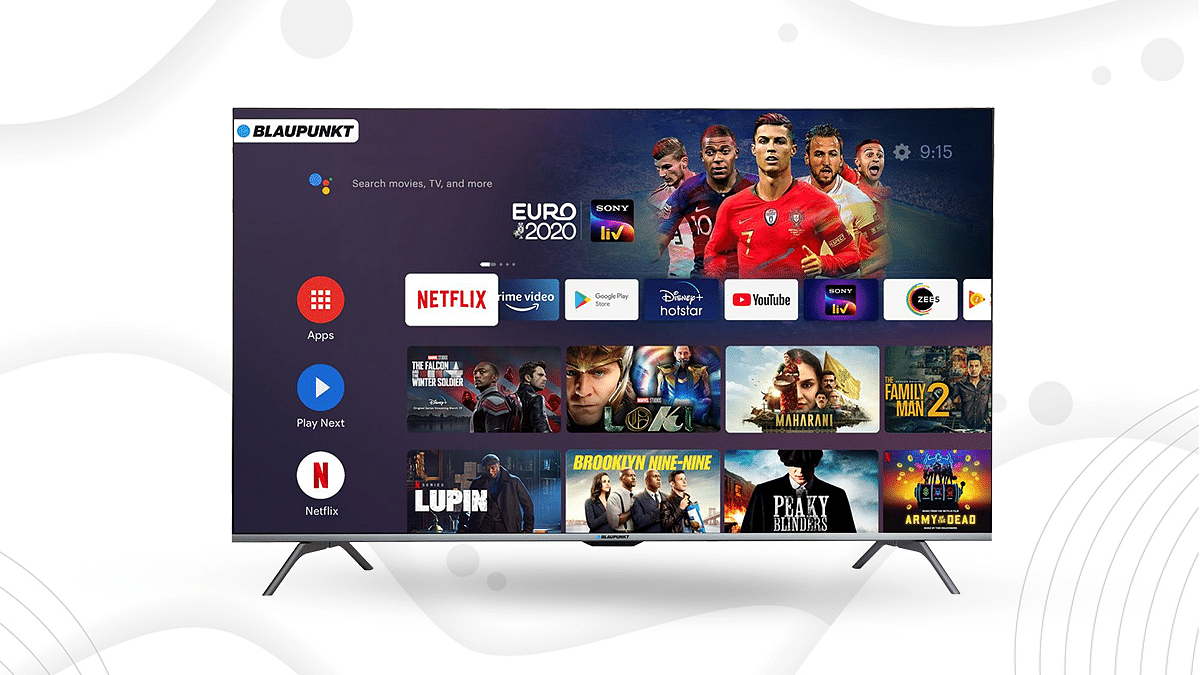
Blaupunkt 4K UHD Vs Motorola Revou 2 50-inch Vs VU 50PM 4K TV: Best High-Res Smart TV Available Under Rs. 30,000

Smart TVs have become very popular since they are perfect for your entertainment demands, however many customers are searching for smart TVs within a certain price range. Finding the greatest TV for under Rs. 30,000 can be difficult. Even so, we’ve put together a comparison of the finest TVs under Rs.30,000 that are widely regarded as having amazing features like Ultra-HD 4K resolution, a superb refresh rate, and other things.

Furthermore, these TVs come loaded with entertainment apps like Amazon Prime, Netflix, and Hotstar. Consequently, if you’re searching for a smart TV for around Rs. 30,000, have a quick look at these popular options.

Also Read: Blaupunkt TV Launches Three Affordable QLED TVs On Flipkart Ahead Of Big Billion Days

Model Blaupunkt Motorola Revou 2 VU 50PM
Display55-inch 50-inch50-inch
Resolution3840×21603840×21603840×2160
RAM1GB2GB2GB
OSAndroidAndroidAndroid
price29,19927,99929,440

Design And Display

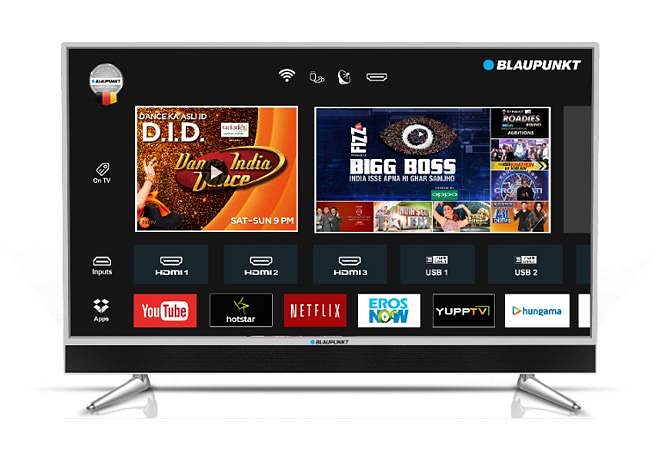
The Blaupunkt 55-inch TV features an LED display, a 60Hz refresh rate, and a 3840 x 2160 Ultra HD (4K) resolution. It has a 280-nit maximum brightness rating. The TV supports popular HDR specs like HDR10/10+ and HLG with 10-bit color depth.

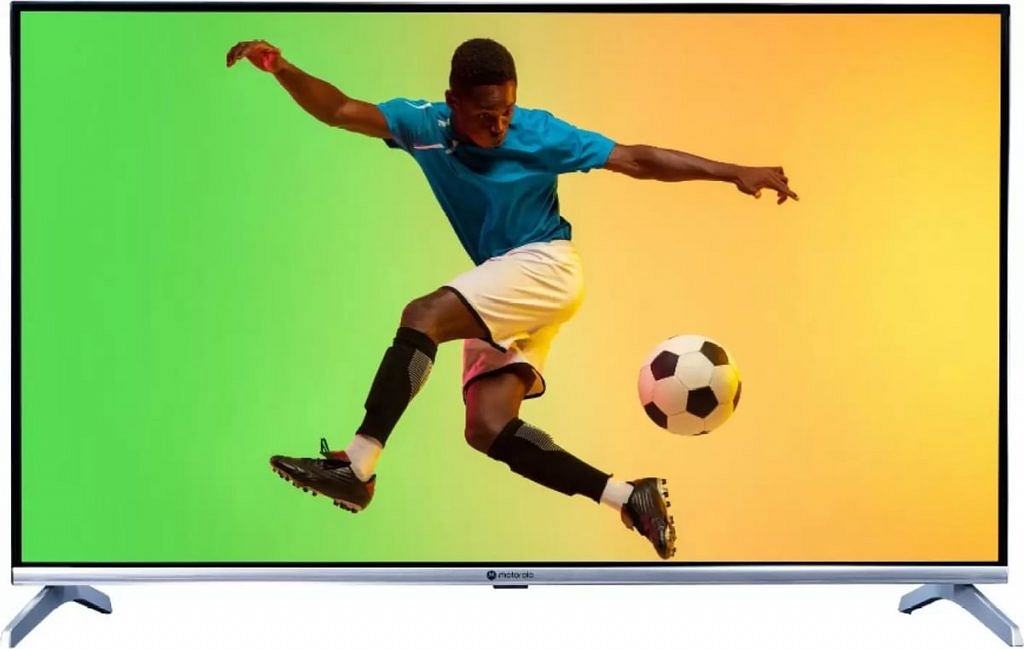
The Motorola Revou 2 has a 50-inch Ultra-HD (3840 x 2160 pixel) LED-backlit screen and supports Dolby Vision and HDR10+ high dynamic range codecs.

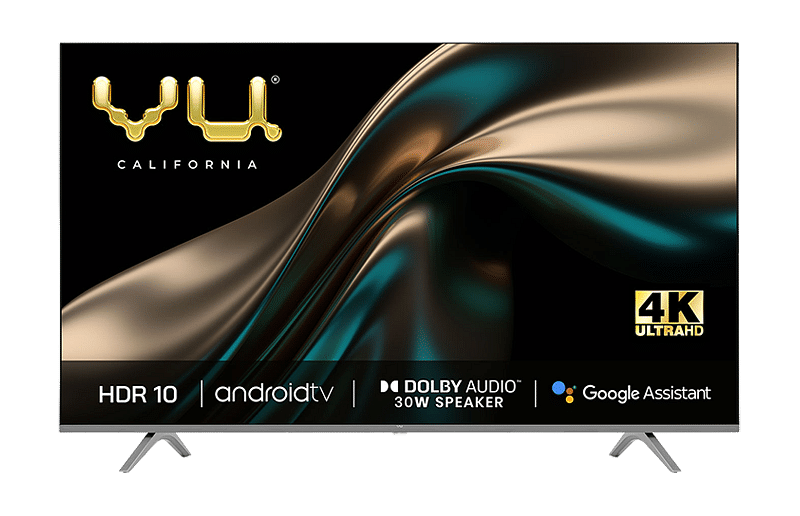
The VU comes with a 50-inch LED screen along with a 4K resolution. It also offers an Ultra HD display and HDR10+, HDR10, and HLG format support for an improved viewing experience.

Also Read: Xiaomi TV 5X Vs Motorola 55 UHD Vs OnePlus TV U Series 55-inch: Best Affordable Smart TV’s Under Rs. 40,000

Operating System And Features

The Blaupunkt 55-inch TV is powered by a Mediatek SoC with four Cortex-A53 cores running at 1.5GHz each and a Mali-G52 GPU. You get 1GB RAM and 8GB of internal storage, with some of the latter being used by the Android TV 10 OS and pre-installed apps.

Consequently, there’s a little bit more than 4GB of extra space for additional uses, like installing new programs. Like all approved Android TVs, it has Chromecast built-in, enabling you to cast content from compatible apps on your phone or tablet to the TV.

The Motorola Revou 2 features a Quad-core processor, along with Mali G522 graphic processor. Users can download any of the more than 5,000 available apps from the Google Play Store for Android TV, and all well-known apps are supported.

The VU 50PM is powered by the Android TV 9 operating system. The VU TV’s Game Mode enables you to activate the distinctive ALLM function for an immersive gaming experience with low latency by connecting your gaming console to the VU TV via HDMI.

Also Read: Redmi 43-in 4K UHD Vs Oneplus TV 43-in 4K UHD Budget Smart TV Comparison: Best TV For Your Living Room

Audio And connectivity

The output of the Blaupunkt 55-inch TV Sound system is 60Watts RMS and supports the Dolby Digital and DTS:X standards. You may stream music wirelessly from your phone through the TV speakers or through Bluetooth earphones or speakers thanks to the two-way Bluetooth on this TV.

This feature is quite helpful, and the TV’s speakers are quite good. The wireless remote control makes use of both IR and Bluetooth. The power button is the only control that doesn’t require Bluetooth after that. The specified button will activate Google Assistant, allowing you to make voice requests.

The Motorola Revou 2 two speakers feature a 40W rated sound output and support Dolby Atmos and DTS-HD. Dual-band Wi-Fi ac and Bluetooth 5 are available for communication, and one of the HDMI connections supports HDMI ARC.

The VU PM offers dual-band Wi-Fi with Bluetooth 5.0, 3x HDMI 2.1 (1x eARC), 2x USB 2.0, and ethernet connections. Both Alexa and Chromecast are supported.

Also Read: Blaupunkt 50-inch Cybersound UHD Android TV Vs Mi TV 5X Vs OnePlus TV Y1 Pro: Specifications Comparison

Categories
Featured Gaming

Indus Battle Royale Game Is India’s Take On PUBG, Fortnite: How To Pre-Register, System Requirements

Key Highlights

  • Indus Battle Royale game pre-registrations live
  • Will take on PUBG and Fortnite
  • Will be available for Android soon

Battle Royale games on smartphones have seen all glorious days in India. PUBG can be said the first mobile game to set new standards for battle royale games available for Android and iOS smartphones. But a blanket ban on PUBG was a major setback for Indian mobile gaming enthusiasts. The gloomy days for mobile gamers re-surfaced with the PUBG’s Indian alternative BGMI’s sudden disappearance from Play Store. But now, an Indian brand is all set to launch the country’s own battle royale game called Indus. Here’s everything you need to know:

Indus ‘Made In India’ Battle Royale Game: What’s The Theme?

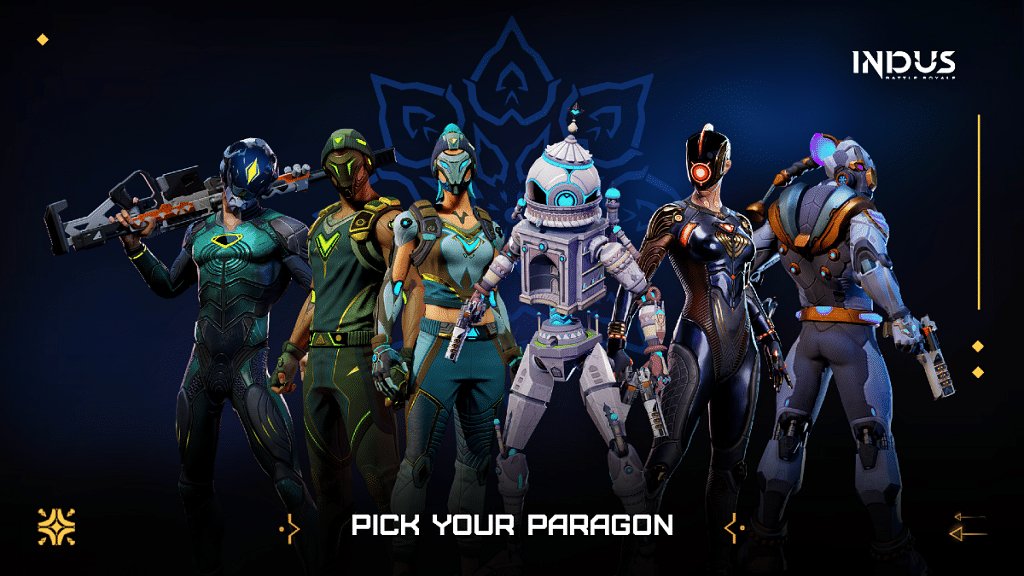
As mentioned above, Indus is a battle royale game developed by SuperGaming. The Indian app developer has designed the new battle royale game to take on some of the popular mobile fps games such as PUBG and Fortnite. The Pune-based app developer has also released an official trailer of the Indus battle royale game giving a glimpse of the action-packed elements including fierce firefights and also the characters.

Similar to PUBG and other primary FPS battle royale games, Indus Battle Royale game also begins with the gamers dropping in from an airplane to a location marked on the map. The battle will begin once the player drops in on the location. Apparently, the last man standing wins the game. That’s just an overview of the game which we got from the official trailer.

Also Read: Cool Names For Gamers: Top 100 Best Boy Gamer Names To Choose From

Indus Battle Royale Game: Eligible Devices, How To Download

SuperGaming has already announced the availability of Indus Battle Royale game for the Indian audience soon. While the exact launch date of the game is not revealed, official teasers have started dropping in and the pre-registrations are also live.

Currently, SuperGaming has confirmed Indus FPS battle royale game’s availability for Android devices only. Just search for Indus Battle Royale game on Google Play Store and you will see the game listed there. Make sure you the developer is SuperGaming before you try to download. Nevertheless, the Indus Battle Royale game is only available for pre-registrations and not download at this point. But if you wish to be amongst the first lot to play Indus Battle Royale game do complete the pre-registration process.

Also Read: Gamers Rejoice: List Of Top Trending Action Adventure Games You Should Play

Categories
Featured mobile

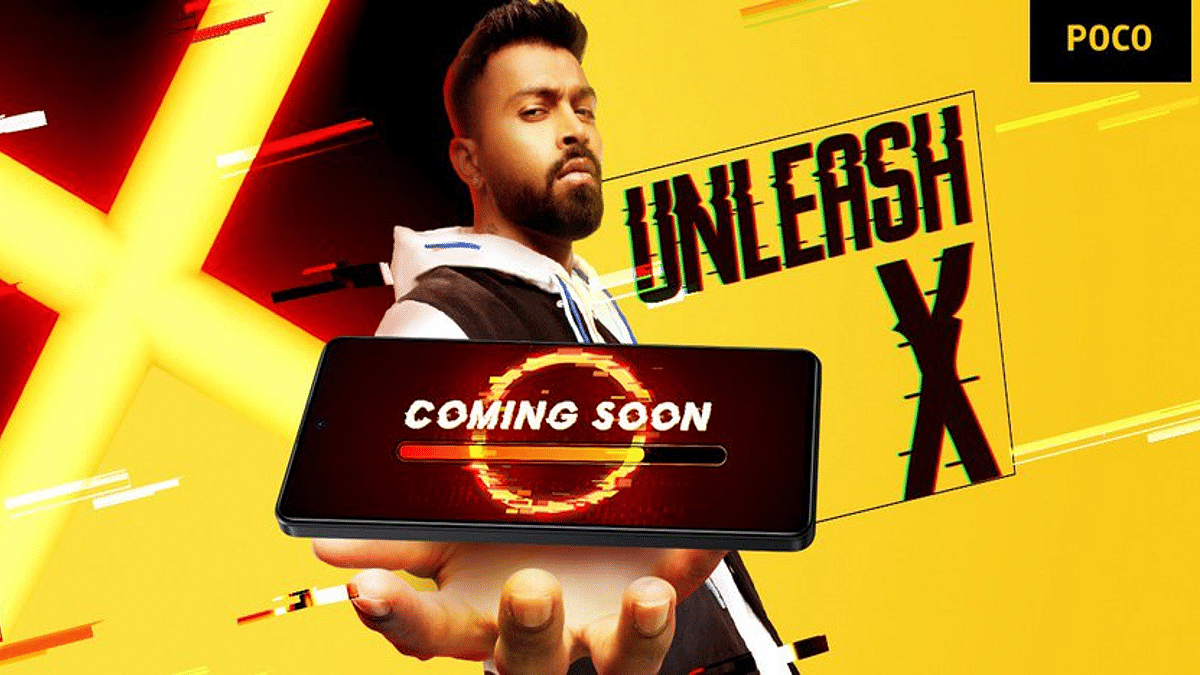
Poco X5 Pro 5G Promotional Video Reveals February 6 India Launch: Expected Features

Key Highlights

  • Poco X5 Pro 5G India launch February 6
  • Will launch with Snapdragon 778G chipset
  • Could feature 108MP triple cameras

Poco is taking up the headlines with its upcoming flagship X series model launch in India. The company is set to take the wraps off the Poco X5 Pro 5G next month in the country. Until now, Poco has been sharing teasers indicating the upcoming launch. But now, the official date has also been announced via the latest teaser. Read on the details below:

When Is Poco X5 Pro India Launch? How Much It Will Cost?

Poco has been tweeting the teasers via its official Twitter handle giving us a sneak peek into the upcoming Poco X5 Pro 5G’s India launch. Now, a promotional video has surfaced that reveals the anticipated India launch timeline of the upcoming Poco X series phone. Some reports suggests the promotional video was showcased during a Bollywood movie’s (Pathan) ad interval.

The Poco X5 Pro 5G India launch date tipped as per the promotional video is February 6, 2023. Poco is yet to confirm this date officially via its social media handles. Since the brand is already teasing the upcoming phone, it could be a matter of a few days before it announces the aforementioned launch date via Twitter and other social media platforms.

Also, OnePlus is launching its new-generation flagship OnePlus 11 5G just a day later, i.e, on February 7 in India. Does this mean an early launch could benefit the Poco X5 Pro 5G? Well, both phones will be catering to different user segments, therefore, the possibility of clashes can be ruled out.

But if we go by the recent leaks, the Poco X5 Pro is also a fully loaded handset that will be offering an all-round premium user experience. The expected spec sheet is mentioned below:

Also Read: Tecno Spark Go 2023 Vs Poco C50 Vs Samsung Galaxy A04: Entry-Level Android Phone Comparison

Poco X5 Pro 5G Leaked Specifications

Poco X5 ProSpecs
Display6.67-inch OLED, 120Hz
Camera108MP triple rear
ChipsetSnapdragon 778G
Battery5,000 mAh
Fast Charging67W

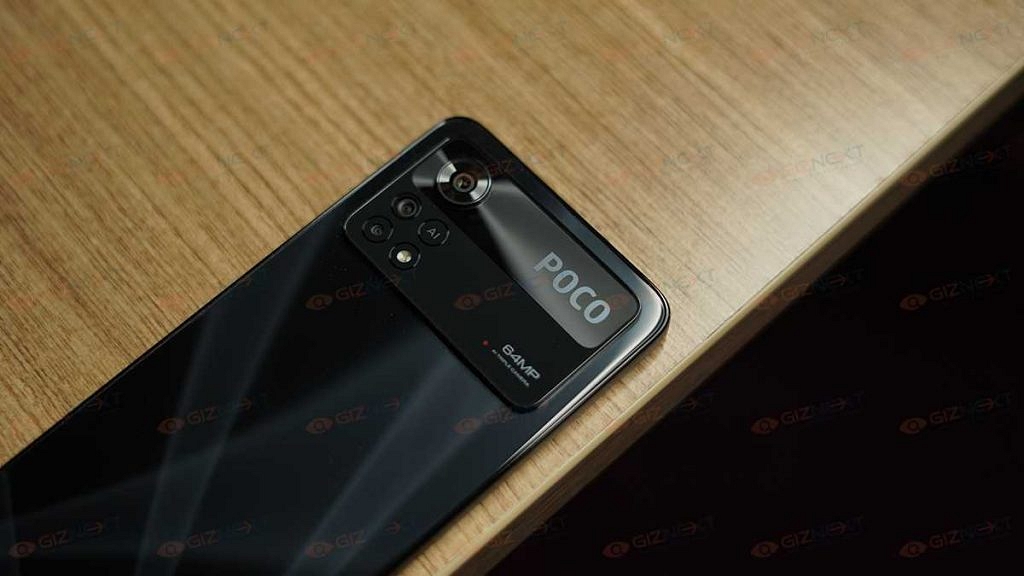
According to the leaks, the Poco X5 Pro 5G will be debuting as a premium mid-range phone similar to its predecessor, i.e., the Poco X4 Pro. The Snapdragon 778G octa-core chipset by Qualcomm is rumored to drive the Poco X5 Pro 5G. Poco is said to bring the new-gen X series phone with up to 12GB RAM which will allow for reliable speeds with gaming and multitasking.

Storage configuration for the Poco X5 Pro 5G is said to be up to 256GB along with expandable microSD card support. Poco is also likely to launch the X5 Pro with an OLED display that will be 6.67 inches in size and will support a 120Hz refresh rate, and FHD+ screen resolution.

For optics, Poco is speculated to use a 108MP triple rear camera setup and a 16MP selfie snapper. A 67W fast charging support is said to back the 5,000 mAh battery unit that will power the Poco X5 Pro 5G.

Also Read: Galaxy F23 5G Vs Redmi Note 11 Pro Plus Vs Poco X4 Pro 5G: This Should Be Your Pick Under Rs. 20,000

Categories
Featured How To Laptop

Here’s How You Can Recover Lost Or Deleted Data In Windows 11 Laptops, PCs

Key Highlights

  • Windows 11 allows users to restore older versions of files
  • Users can restore older versions of files from backups
  • Users can also restore older versions from previous versions of files

Although Windows 11 is a powerful operating system, there are times when data loss may occur. Virus attacks, complex disc problems, unanticipated power outages, program crashes, and insufficient backups are some common causes. Well, not to worry if you accidentally deleted a file on Windows 11. Your data can still be recovered in a number of ways. Contrary to popular opinion, Windows 11 frequently allows for the manual recovery of deleted files. This blog post will go through how to quickly and simply recover essential documents and data from lost files on Windows 11. Also Read | How To Check Available RAM Slots On Windows: A Step-By-Step Guide

Steps To Restore Deleted Files Via Backup

Step 1: Click on the Start button.

Step 2: Open the Control Panel. For that, scroll down and click on it.

Step 3: Now, choose the option System and Maintenance.

Step 4: Select the Backup and Restore option.

Step 5: Select the option to “Restore my files” after that, and then proceed as directed on the screen to finish the procedure.

Steps To Restore Backup Of A File Through A Previous Version

Step 1: Click on the Start button.

Step 2: Open the Computer app.

Step 3: Go to the folder where the file or folder once resided, right-click on it, and then choose the Restore Previous Versions option.

Step 4: Right-click the drive and choose to Restore previous versions if the folder was on the drive’s top level such as C:\.

Step 5: In the event that the file or folder is part of a library, right-click it where it is saved rather than in the library. And you are done.

Also Read | Want To Create A New Folder In Windows 11? Here Are Simple Ways To Do It

Categories
Apps Featured How To

How To Change Google Assistant Voice From Female To Male And Vice Versa On iPhone, iPad?

Google Assistance is one the most advanced features available for smartphone users globally. Developed by search giant Google, this advanced digital voice assistance system uses AI technology to allow users to perform various tasks by just using voice commands. Google is offering its voice Assistant services for both Android and iOS devices.

Google Assistant initially debuted back in 2016 featuring a female voice. By default, the voice used by Google Assistant on any device is female. Even if you are setting it up for the first time the default voice would be of a female. Google does provide an option wherein you can change the gender of Google Assistant voice.

We already have covered the method with which you can change the Google Assistant voice from female to male in all Android devices. But what if you own an Apple iPhone or iPad and are using Google Assistant instead of Siri for voice assistance and wish to change the language? Well, we have got you covered. In this article, you will help you change the Google Assistant Female voice to Male on all iPhones and iPads. Read on the steps below:

Also Read: Unable To Read Doctor’s Handwritten Prescription? Google Lens New Integrated AI To Help Decipher Any Bad Handwritten Doctor Prescription

How To Change Google Assistant Voice To Male In iPhones

Step 1: Unlock your iPhone and launch the Google Assistant application.

Step 2: Tap on the Profile image or name. You can locate this option on the top right corner of the app.

Step 3: Click on the Assistant Voice option.

Step 4: Select the Male voice if you wish to change it from female.

Step 5: Save the changes.

Also Read: How Can You Delete Google Pay Transaction History: A Step-By-Step Guide

Steps To Change Google Assistant Voice In iPads

The steps to change the Google Assistant Female or Male voice on iPads is identical as the iPhones. You can simply launch the application and follow the aforementioned steps. Just launch the Google Assistant app on your respective iPads and change the voice preference from the Profile option.

It is worth mentioning that Google Assistant isn’t a proprietary voice assistant feature available with iOS. Apple has its own voice-based digital assistant called Siri. But for many Android users transitioning to iOS for the first time, Google Assistant could be the preference.  

Also Read: How To Access Google Maps Without Phone On Wear OS

Categories
Featured Tablet

OnePlus Pad 5G Tablet Officially Teased: Full Design, Expected Specs

Key Highlights

  • OnePlus Pad official first look teased
  • India Launch February 7 alongside OnePlus 11 5G
  • Could ship with 11.5-inch display

OnePlus’ first ever Android tablet is all set to make its debut in India and probably the global markets soon. Just a few weeks ago, the OnePlus Pad tablet’s internal testing reports surfaced online. Rumors are rife the OnePlus tablet will be debuting alongside the OnePlus 11 5G and OnePlus Q2 Pro QLED TV in February 7 in India. In the latest development, the official first look of the OnePlus Pad tablet has been shared by the company.

OnePlus Pad Tablet First Look Teased Officially

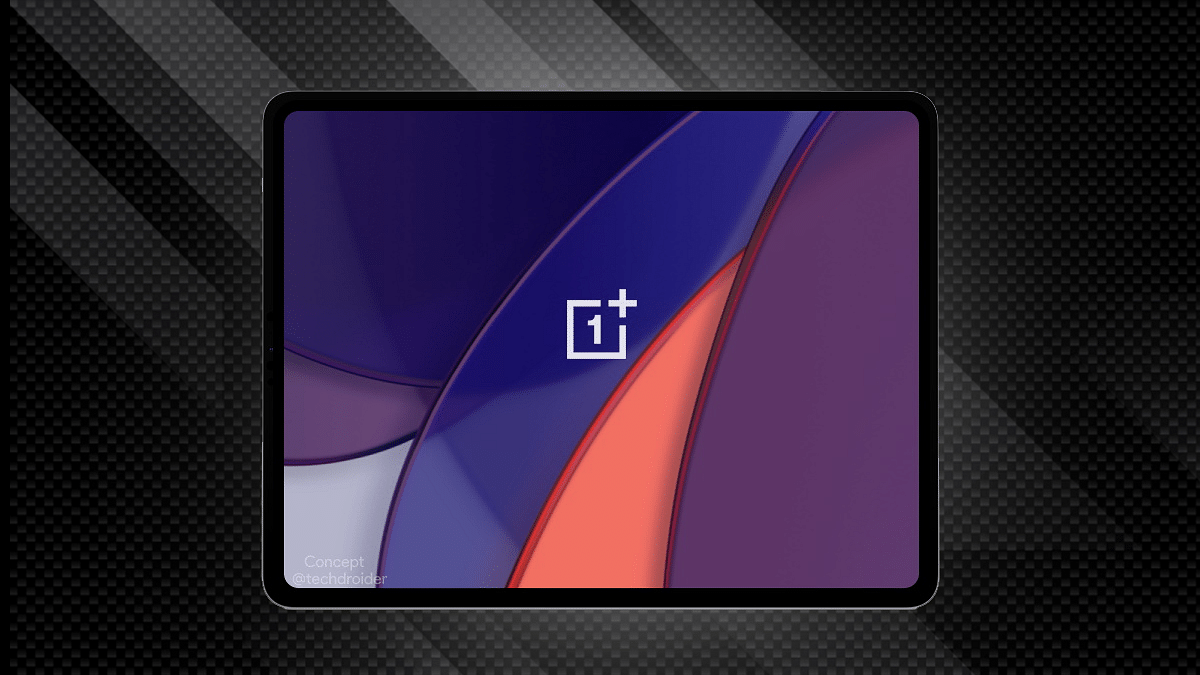
OnePlus has shared a glimpse of its upcoming Android tablet called the OnePlus Pad tablet. The teaser image doesn’t reveal the complete design but shows the Halo Green color option. But this wouldn’t be the only color option in which the OnePlus Pad tablet will be launched. We Will get to see other shades too.

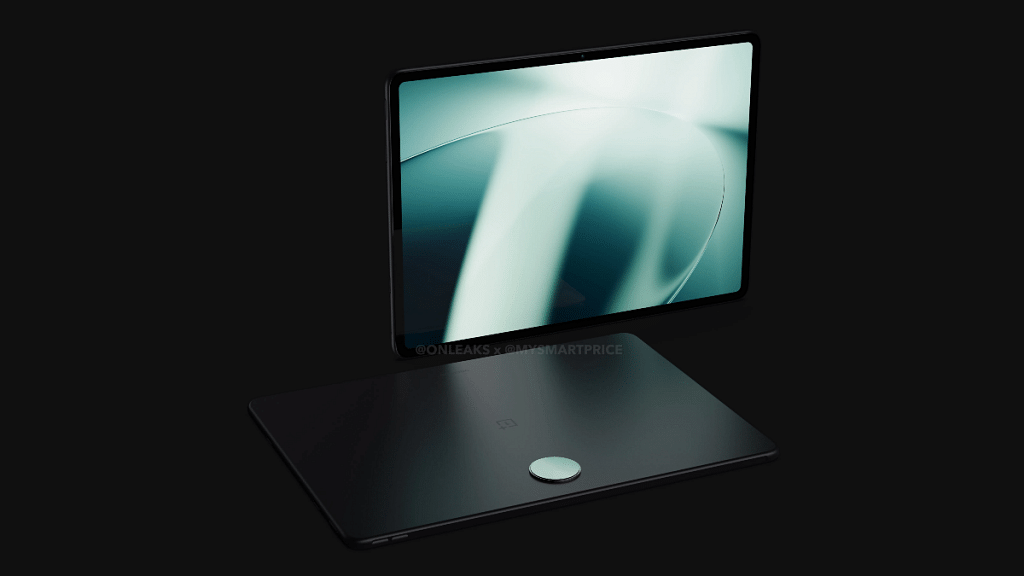
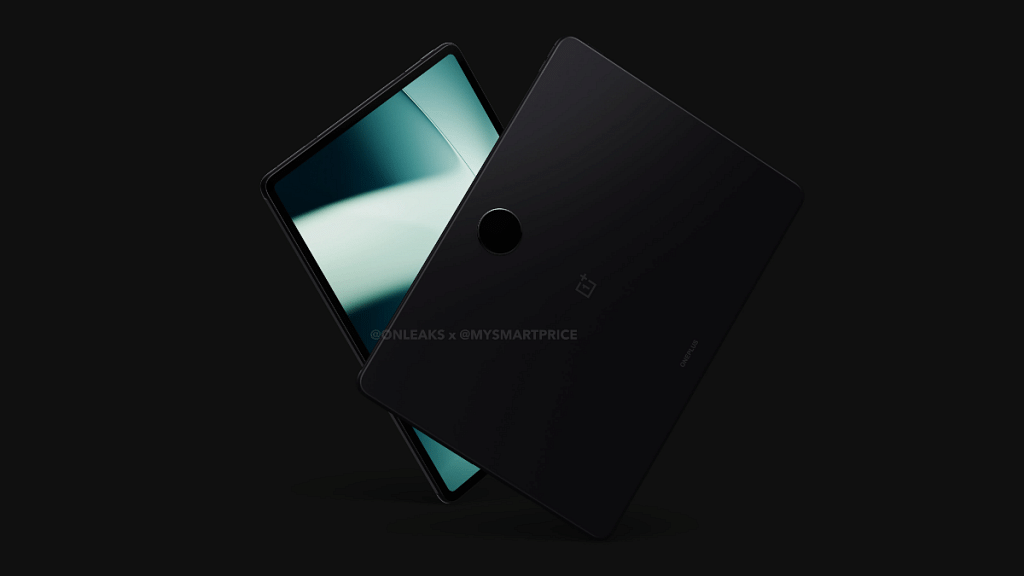
Besides the official teaser, a recent leak via Mysmartprice on collaboration with tipster @Onleaks revealed the OnePlus Pad’s complete design language including the built material. As per the leak, the OnePlus Pad tablet will be featuring a metal unibody design which will make it both durable and premium.

The tablet will come with a circular camera module at the rear below which the OnePlus logo will be inscribed. The stylus casing is likely placed on the left panel, while the volume keys are on the right spine. Upfront, the OnePlus Pad tablet’s leaked render images show the selfie camera housing on the top right edge. Bezels also seem fairly thin which will complement the large screen profile of the tablet.

Also Read: Lenovo ThinkPhone By Motorola Vs OnePlus 11 5G Flagship Phone Comparison: Which Is More Practical?

OnePlus Pad Tablet Key Specifications (Leaked)

The OnePlus Pad tablet is rumored to launch with a large 11.6-inch display. It is not clear just yet if the panel technology will be IPS or OLED. However, we could see a 2k or 2.5k resolution support. The exact number of rear camera sensors are also not yet confirmed but at least one 13MP main camera is rumored to be present on the OnePlus Pad tablet.

Some leaks have suggested a Snapdragon 865 chipset and up to 8GB RAM packed inside the OnePlus Pad tablet. The rumor mill has indicated the presence of 45W fast charging support as well

Categories
Featured Leaks Mobile

Coca-Cola Phone Launch Soon? Reality Or Just A Hype?

Key Highlights

  • Coca-Cola phone should make its formal debut in India soon
  • It appears to contain a dual-rear camera configuration
  • The rumored said to be a rebranded version of the Realme 10 series

The world’s most recognized brand, Coco-Cola, is introducing a smartphone. In the next few weeks, the Coca-Cola phone should make its formal debut in India. To manufacture the Coca-Cola Android smartphone, the soft drink company looks to be collaborating with a smartphone manufacturer, most likely from China. The leak which offers a glimpse of the Coca-Cola smartphone hints at some of the specifications and features. Let’s check out all the available information on the Coca-Cola phone. Also Read | Tecno Phantom X2 vs Realme 10 Pro 5G Vs OPPO Reno 9 Pro Full Comparison: Best Latest Premium Mid-Range 5G Smartphones Of 2022

Coca-Cola Phone Design Leaks

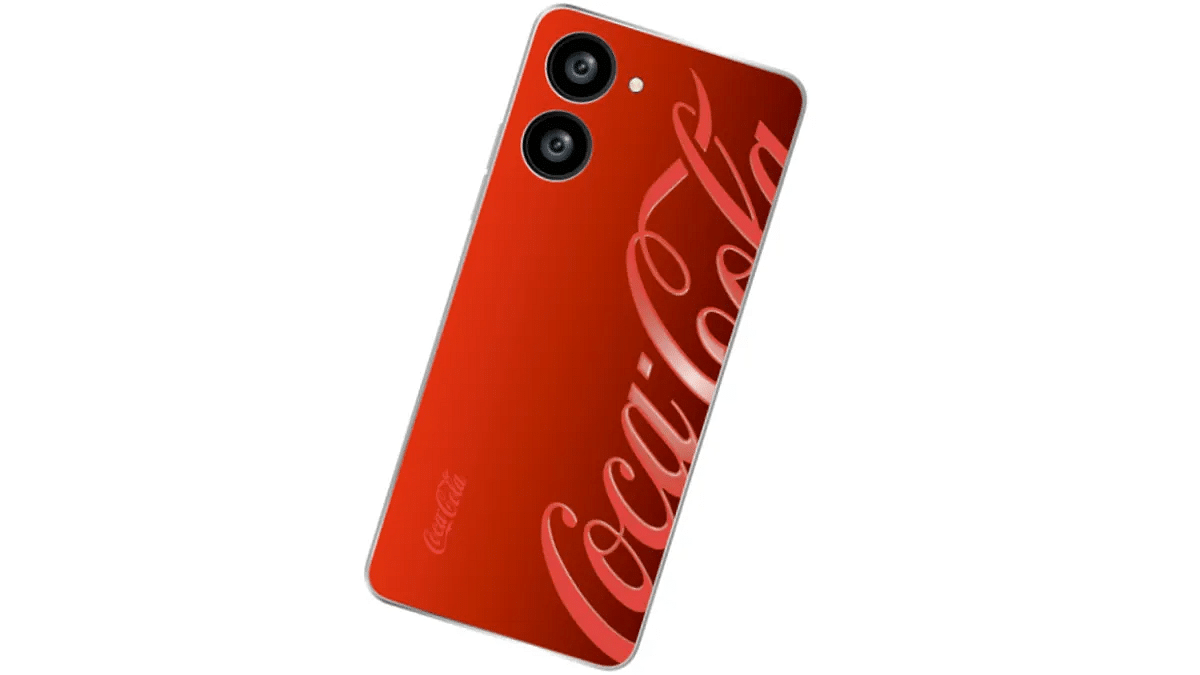
According to reports, Coca-Cola is working with an unknown smartphone manufacturer to create its device which is covered in the brand’s signature Red color.

The Cola Phone’s rear panel is shown in the lone image that was leaked in the tweet. The smartphone appears to contain a single LED flash and a dual-rear camera configuration. The Coca-Cola Phone or the Cola Phone should launch in India this quarter, claims a new leak about the device.

Cola Phone: A Rebranded Realme 10?

There’s an actual Colaphone Global Twitter account that follows a total of eight other accounts, all of which are smartphone brands. One of the speculative scenarios is that the Cola phone will be a rebranded version of the Realme 10 series with a strong chance of it being the vanilla Realme 10 model.

Although the image of the Cola Phone doesn’t confirm, the design, camera arrangement, and volume rockers imply that Realme and Coca-Cola may have collaborated together. Coca-Cola has opted to brand what seems to be a Realme 10 smartphone.

Cola Phone: Expected Specifications

The MediaTek Helio G99 processor, along with a Mali G57 GPU, up to 8GB of RAM, and 128GB of internal storage, may power the Cola Phone if its report of being a Realme 10 model is true. A 6.4-inch Full HD+ AMOLED display with a 90Hz refresh rate and Corning Gorilla Glass 5 protection can be present on the smartphone.

The Realme 10 has a 50MP main camera and a 2MP monochrome sensor. Equipped with a 5,000mAh battery unit that supports 33W SuperVOOC charging via the Type-C port.

Also Read | Realme 10 Pro Plus Vs iQOO Z6 Pro Vs Moto G82: Best Mid Range 5G Phone In 2022 In India