Categories
Featured How To Mobile

iPhone Tips & Tricks: Here’s How You Can Measure Height Using An iPhone Camera

Key Highlights

  • iPhones come with a pre-installed Measure app
  • It helps you to measure your height, an object, or surface
  • The feature is not available on iPhones that don’t have a LiDAR Scanner

Most users are still unaware of several features that their Apple iPhones offer. Although we are familiar with most of the features, there are still a few important aspects that are tucked away in the apps that we are unaware of. For instance, did you know that the Measure app on the Apple iPhone can be used to measure height? You can quickly determine your height using this app. The best part is that it’s fairly accurate, so you could even use it to gauge someone else’s height. Here is all the information you need to know.

iPhone Measure App

The Measure app for the Apple iPhone allows users to use the phone’s camera to measure the width or height of an object or surface. The only models that can measure a person’s height are the Apple iPhone 12 Pro, Apple iPhone 12 Pro Max, Apple iPhone 13 Pro, Apple iPhone 13 Pro Max, Apple iPhone 14 Pro, and Apple iPhone 14 Pro Max. But when we looked at the feature on our iPhone 13 and we discovered that we could measure the height.

The Apple iPhone series mentioned above has a LiDAR scanner in addition to the rear camera. With the use of this LiDAR scanner, users can obtain precise readings by creating a depth map of what is in front of them. You can also measure a person’s height using the Apple iPhone’s LiDAR scanner.

Also Read | iPhone Tips And Tricks: How To Answer Call Without Touching Your Phone

How To Measure Your Height Using Your iPhone

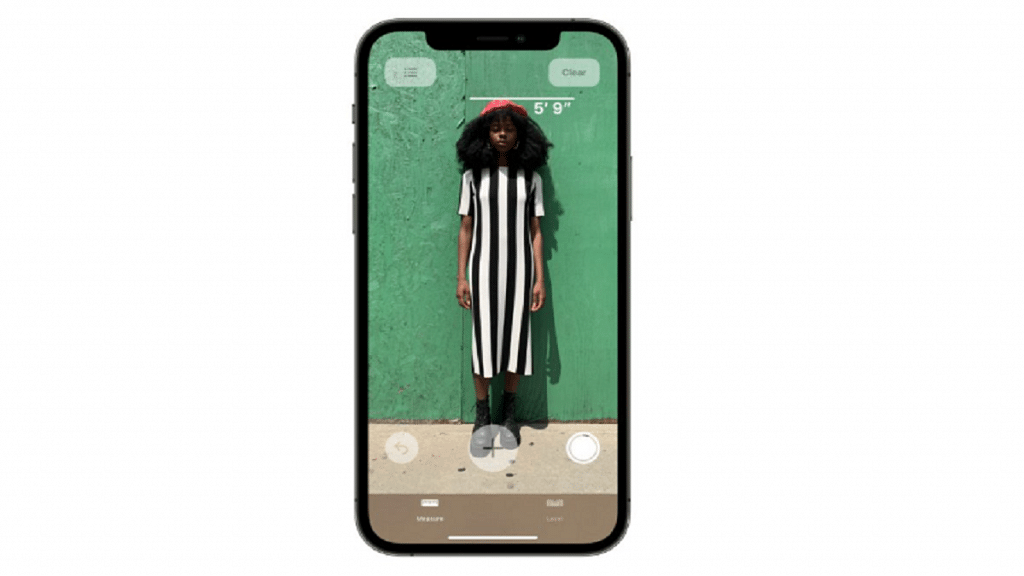
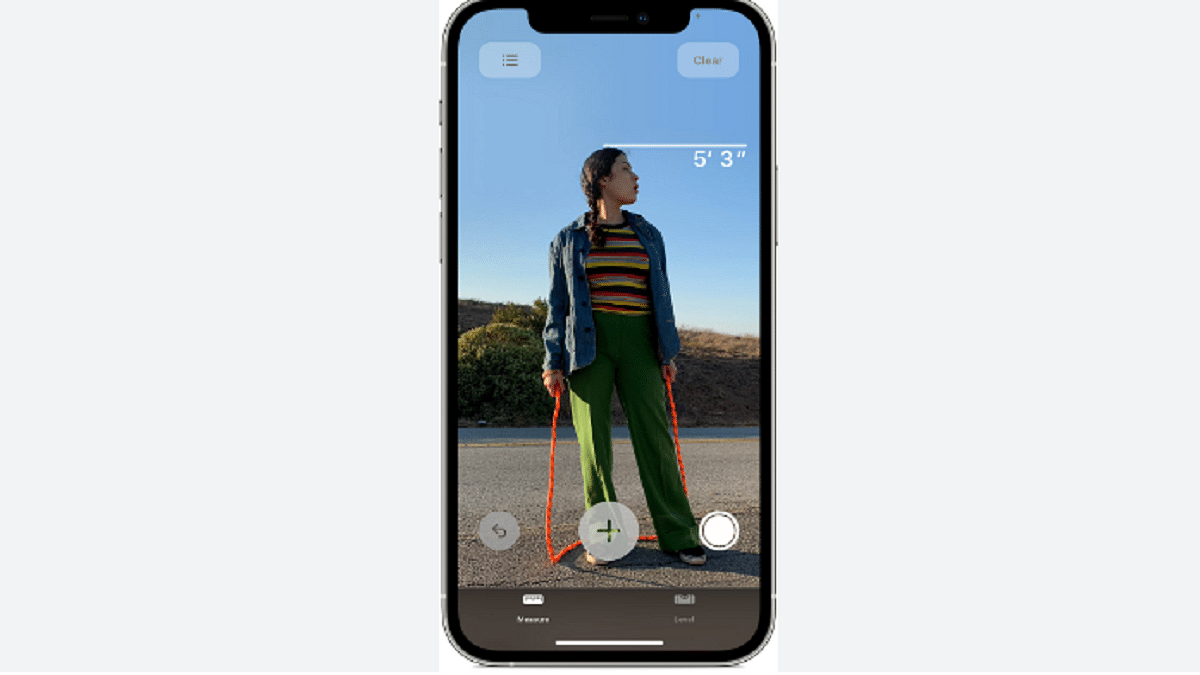
The Measure app on your iPhone allows you to measure height instantaneously. Here is a step-by-step guide on how to measure height with an Apple iPhone:

Step 1: On your iPhone, open the Measure app.

Step 2: Position iPhone so that the entire subject you wish to measure is visible on the screen.

Step 3: The height measurement is displayed directly below the line that appears at the top of the person’s head (or hair, or hat) after a little delay. Tap the Take Picture button to take a photo of your measurement.

Step 4: Tap the screenshot in the lower-left corner to save the image.

Step 5: Then, tap Done and select Save to Photos or Save to Files.

Step 6: The height measurement image is easily accessible from Photos or Files on your iPhone anytime you need it.

To redo the measurement, move your iPhone away. Your height is now reset and you can start again.

Also Read | Shoot In 4K Cinematic Mode On Your iPhone 14: Here’s How
Categories
Featured Leaks mobile

OnePlus 11 Official Looking Renders Leaks Full Design: What All Can We Expect?

Key Highlights

  • OnePlus 11 5K renders leaked online
  • Upgraded design with a circular camera island and Hasselblad branding spotted
  • Alert slider and power key on the left panel
  • Expected to launch with the Snapdragon 8 Gen 2 chipset

OnePlus’s next flagship smartphone series is apparently hitting the production bay soon and could possibly go official in the coming months. Multiple leaks and certification portals have confirmed the vanilla OnePlus 11 is under development and debuting as the first Snapdragon 8 Gen 2-powered phone by the brand. In the latest development, the 5k renders of the OnePlus 11 have surfaced giving a close look at the design.

OnePlus 11 Official Looking Renders Leak: New Design Upgrades?

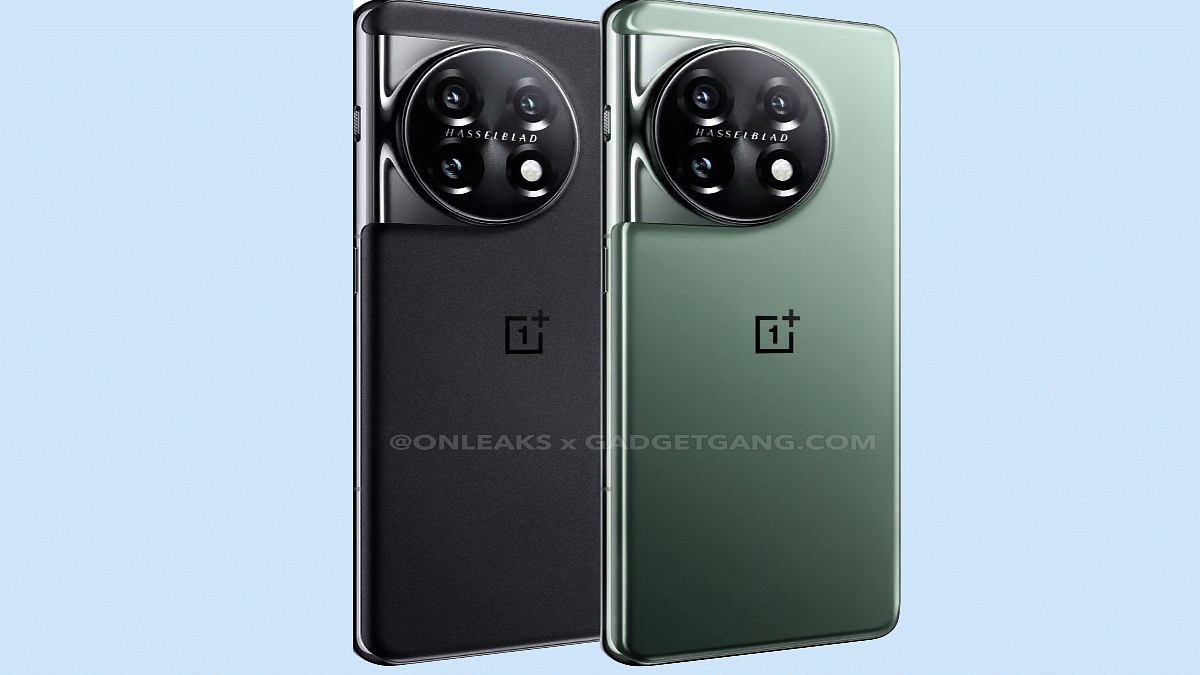
The OnePlus 11 latest leak comes via the publication GadgetGang in collaboration with noted tipster @Onleaks. The 5K renders of the handset show a subtle change in terms of design compared to the previous-gen model. While the fascia of the upcoming flagship phone isn’t revealed, the back panel is clearly visible in the leaked renders.

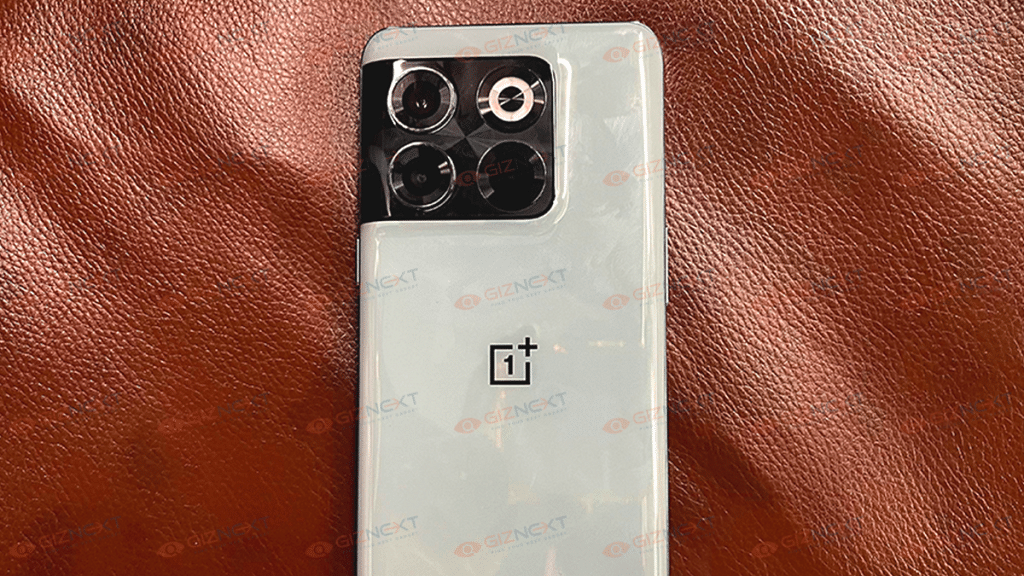
The OnePlus 11 leaked renders show a gradient rear panel painted in green and black shades. The shimmering design is similar to the OnePlus 10 Pro which was announced earlier this year. However, the design of the camera island is altered. This time OnePlus has integrated a circular camera module that is slightly protruding from the frame.

The OnePlus 11 leaked 5K renders confirms a triple-lens setup stacked alongside the LED flash. This new OnePlus flagship phone will also feature Hasselblad cameras as the previous-gen model. However, the Hasselblad branding is inscribed in between the camera sensors and the LED flash.

It appears OnePlus is retaining the iconic alert slider with the OnePlus 11. It can be seen alongside the power key on the right spine. The placements of the remaining ports and keys are not revealed, but we can expect the USB Type-C port along with the speaker grille at the bottom and the volume keys on the left panel.

Upfront, there could be a centrally-aligned tiny punch hole for the selfie camera cutout. The leak further hints at two different color options including Forest Emerald and Volcanic Black.

Also Read: Unable To Cast Screen On OnePlus TV? Quick Fix Guide To Resolve Chromecast/Miracast Issue With OnePlus Smart TVs

OnePlus 11 Key Specifications: Expected Upgrades

OnePlus 11Key features (expected)
Display6.7-inch AMOLED
QHD screen resolution
Camera 50 MP triple (rear)
16 MP (selfie)
ChipsetSnapdragon 8 Gen 2
Battery 5,000 mAh
Fast Charging 100W

The OnePlus 11 has been leaked on multiple occasions and is said to be a Snapdragon 8 Gen 2-backed flagship Android phone. The handset might be available with up to 16GB RAM and Android 13 OS. It is also rumored to flaunt a 6.7-inch AMOLED display with a QHD+ screen resolution and 120Hz refresh rate.

For optics, the OnePlus 11 is expected to use a 50MP main camera combined with a 48MP, and a 32MP lens. It might feature a 16MP selfie camera and use a 5,000 mAh battery for power delivery. A 100W fast charging has also been leaked.

Also Read: OnePlus TV Y1s Pro Vs Xiaomi MI TV 4X: Best 43-inch Smart TV Model Under Rs. 30,000 In India

Categories
Featured Info Telecom

Vi Latest Prepaid Plans Announced In India: Benefits That Can’t Be Missed

Key Highlights

  • Vi has introduced two new prepaid plans of Rs. 2,999 and Rs. 2,899
  • These Vodafone plans come with 850GB of data and 365 days of validity
  • Vodafone already offers a couple of year-round plans

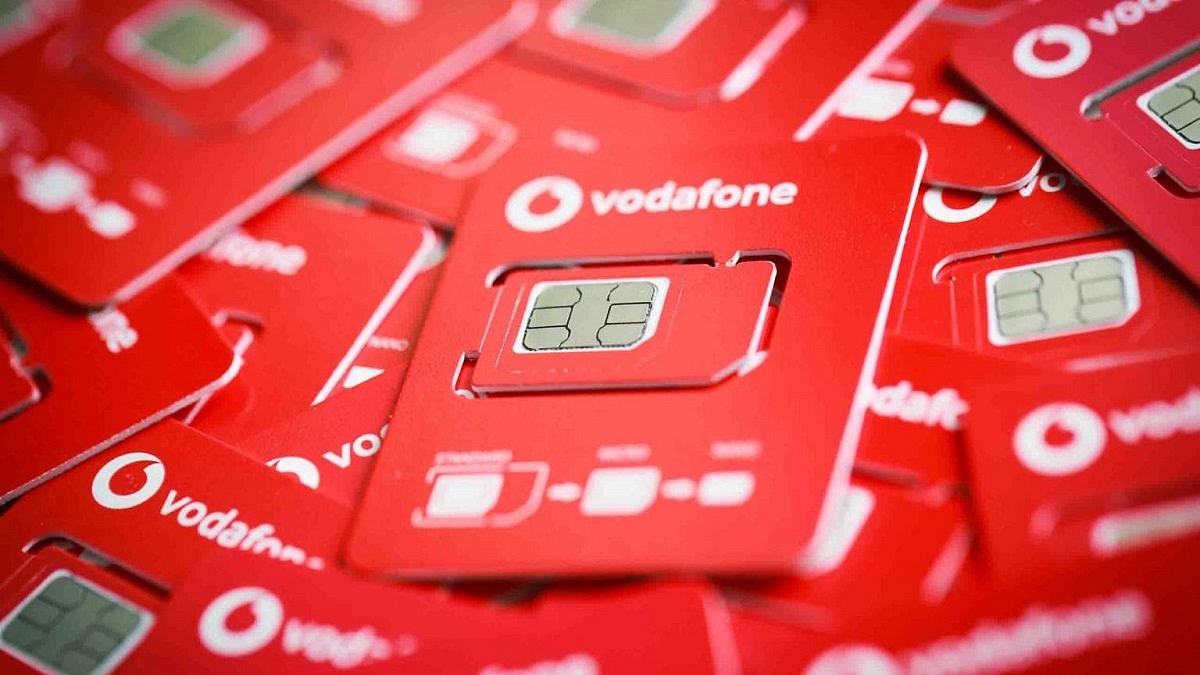
New prepaid plans have been released by Vodafone Idea for its customers. The telecom operator has also reportedly reduced tariffs in its postpaid division. The telco has two unlimited calling plans, i.e., Rs. 2,999 and Rs. 2,899 with a 365-day or annual validity period.

Unlimited phone calls, SMS benefits, and 850GB of 4G data connectivity are included in the Rs. 2,999 plan. As part of Vi’s Binge All Night perk, the plan also provides unlimited nighttime data access from 12 am to 6 am without any additional cost. Here is all the information you require regarding Vi’s most recent annual plan.

Also Read | Airtel Launches Rs. 199 Prepaid Plan: Check What’s New

Vodafone Idea Rs. 2999 Prepaid Plan: Benefits

100 SMS per day, unlimited voice calls, and 850GB of the internet are included in Vi’s Rs. 2,999 prepaid plan — all for a validity of 365 days for prepaid subscribers. In addition to this, the users will now receive unlimited nighttime bandwidth from 12 am to 6 am. As part of Vi’s Binge All Night feature, users can access the internet to browse, watch, and do much more between these hours without incurring any additional cost.

Vodafone Idea: Other Yearly Prepaid Plans

As mentioned, it’s not just the new Rs. 2,999 prepaid package. The telecom provider also provides prepaid plans for Rs. 1799, Rs. 2899, and Rs. 3099 with 365-day validity. What these plans have in common is that they all offer unlimited calls and 100 SMS per day. The difference is in the data they provide. The Rs. 1,799 plan comes with 24GB of data. The Rs. 2,899 plan offers 1.5GB of data per day and the Rs. 3,099 plan offers 2GB of data per day.

Vi recently launched four new international roaming (IR) packages dedicated to Qatar’s ongoing FIFA World Cup 2022. These roaming recharge packages include data connectivity, outbound calls to India, SMS, and other perks. This plan is available in Qatar, Saudi Arabia, and the United Arab Emirates.

Also Read | Want To Port Your Vodafone Number To Jio? Here’s How To Do It

Categories
Auto Tech Featured Info

Tata Nano Electric Car To Disrupt Budget Electric Car Marke In India: Costs Cheaper Than A KTM Bike?

Key Highlights

  • Tata Nano electric car heading to India
  • 72V battery tipped
  • Will offer a 160 km range on a single charge
  • Top speed could be 110 Kmph

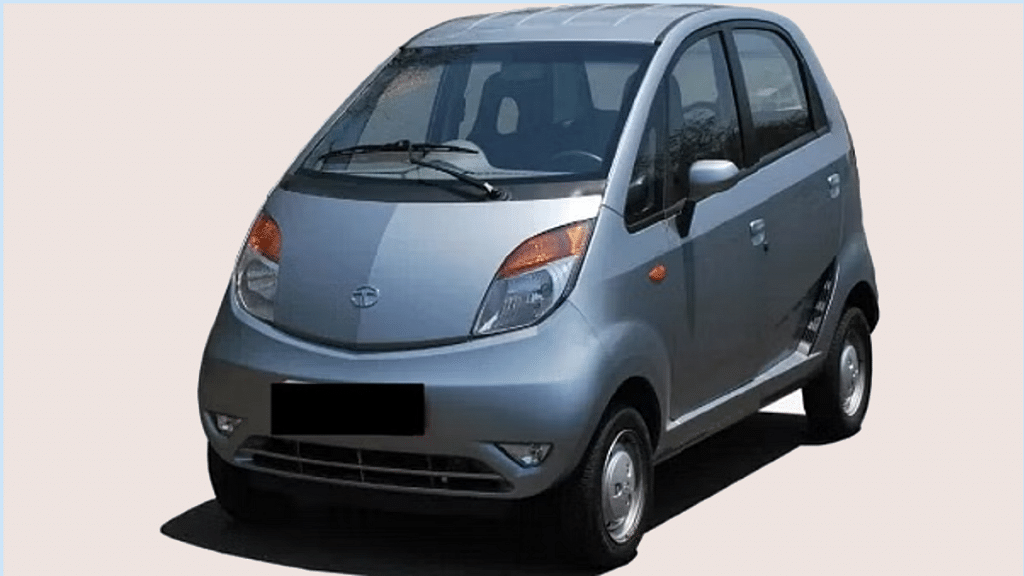
Electric cars are gradually becoming a hype in the Indian market with several OEMs bringing in electric variants of their popular selling models. Tata, the homegrown automobile giant has also launched a bunch of electric cars in the country and is ready to storm the EV space with the most affordable model. Tata Nano which grabbed the crown for the cheapest car in the country is now expected to debut as the cheapest electric car in the country. What key features will Tata add to the Nano electric variant and when is the official launch scheduled? Find out the details here:

Tata Nano Electric: Features We Know Of

Tata Nano EVKey Features
Battery 72V Lithium Ion
Top Speed110 Kmph
Peak Power23 HP
Peak Torque85 Nm
Tata Nano Electric Key Features

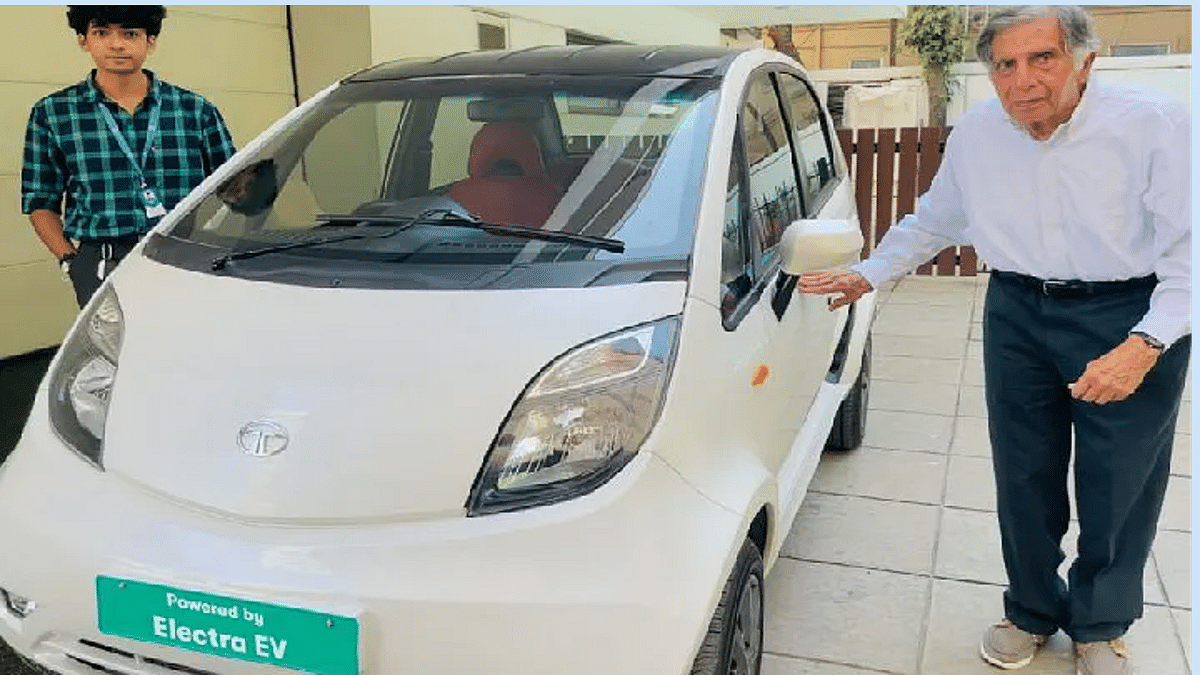
This isn’t the first time that the Tata Nano electric variant has been in the headlines. Earlier this year, a custom Nano electric was designed for Ratan Tata and a post was doing rounds online with the caption “Our founder rides a custom-built Nano EV based on the powertrain of Electra EV”.

Just for reference, Tata has collaborated with Electra EV to manufacture the Nano electric car units. The design is slightly altered to give it a more modern and EV look. Tata Nano Electric car will be a 4-seater car just like the standard variant.

Going by the online reports, Tata has used a 72V battery on the Nano electric model. This is a Lithium-ion battery unit that is said to deliver an IDR range of around 160km on a single charge. Furthermore, the Tata Nano electric car is also said to offer a top speed of 110 Kmph.

This budget EV car can reach from 0 to 60 Kmph in just 10 seconds as per the rumors which is great for a low-end electric vehicle. The Tata Nano Electric is further said to deliver around 23 HP of peak power along with 85 Nm torque. Other key features are expected to be announced in the coming months.

Also Read: India’s Cheapest Electric Car Priced at Rs 4.70 lac – Meet the PMV EaS-E

When Is Tata Nano Electric Launching And How Much Will It Cost?

The Tata Nano Electric car’s launch timeline remains a mystery as of now. Tata has not yet confirmed the exact launch date or the sales details for the Nano Electric EV. However, rumors are rife that the availability could stretch till 2025. As far as pricing is concerned a range between Rs. 2 to 4 lakhs is expected. This would make the Tata Nano electric the cheapest EV in India followed by the PMV Eas-E electric car. The latter was just announced in the country at Rs. 4.79 lakh (ex-showroom).

Also Read: Ultraviolette F77 Is The Fastest, Most Expensive Electric Superbike In India With Up to 307km Range, 95Nm Torque: Costs More Than A Alto!

Categories
Comparison Featured Tablet

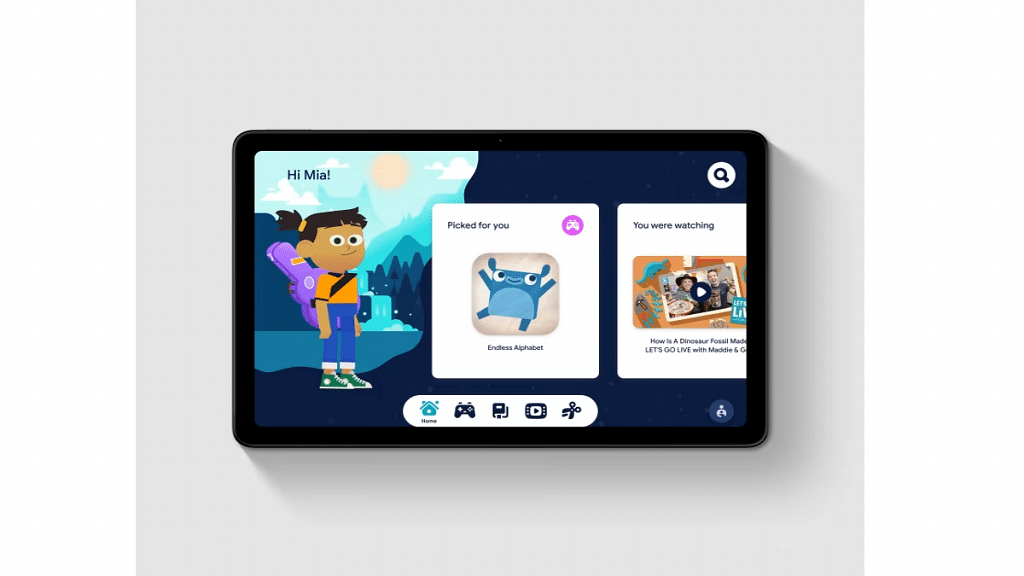
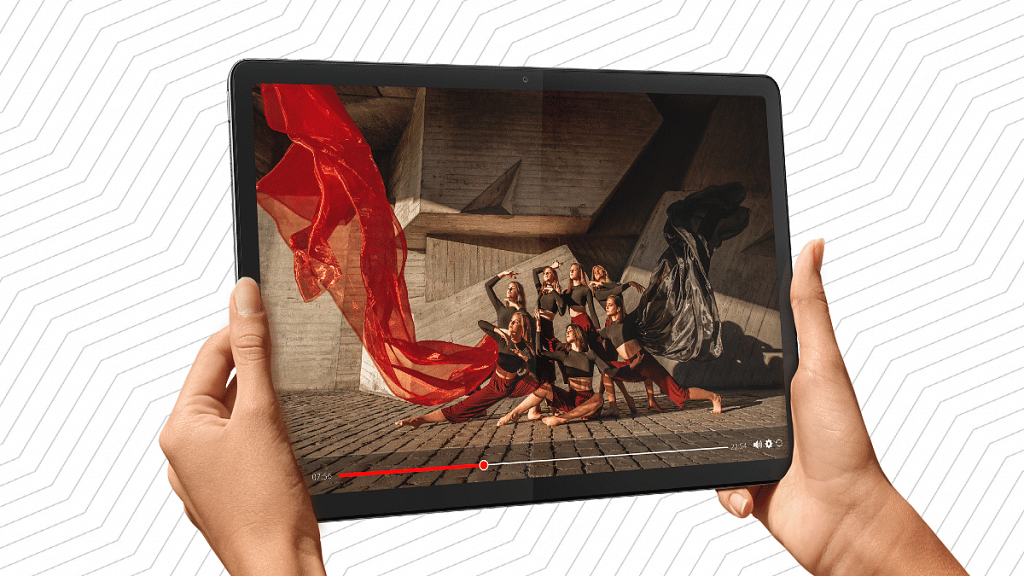
Nokia T21 Vs Moto Tab G62 Vs Lenovo M10 Tab HD (2nd Gen) Tablet: Best Option For Budget Audience

Budget smartphone and mobile tablet industry is steadily expanding with new models in India. Multiple brands including smartphone OEMs have launched tablets for budget users. Motorola, Nokia, and Lenovo are a bunch of smartphone brands that are bringing in options under Rs. 15,000 in India. For users with budget constraints, it might get difficult to find the apt unit.

We have picked the latest and best-selling Android tablets in India that you can buy at a budget price point and get done with almost all possible tasks you would otherwise get from premium end tablets. In this article, we are comparing the Nokia T21, Moto Tab G62, and the Lenovo Tab M10 HD (2nd Gen) tablets.

ModelNokia Tab T21Motorola Tab G62Lenovo Tab M2 HD (2nd Gen)
Display10.4-inch IPS LCD
1200 x 2000 pixels resolution
10.6-inch IPS LCD
1200 x 2000 pixels resolution
10.1-inch IPS LCD
800 x 1280 pixels resolution
Camera 8MP (rear)
8MP (front)
8MP (rear)
8MP (front)
8MP (rear)
5MP (front)
Chipsetocta-core Unisoc Tiger T612octa-core Snapdragon 680octa-core Helio P22
Android OSAndroid 12Android 12Android 10
Battery 8,200 mAh7,700 mAh5,000 mAh
Charging 18W18W10W
PriceYet to be announcedRs. 16,499Rs. 13,999

Nokia T21 Vs Moto Tab G62 Vs Lenovo Tab M10 HD (2nd Gen): Display Features

A standard IPS LCD with is used by all three tablets in this list, but with a slightly different screen size and display resolution. The Nokia T21 flaunts a 10.4-inch display with a 1200 x 2000 pixels screen resolution, 360 nits peak brightness, and 224 PPI pixel density. The Moto Tab G62’s display measures 10.6-inches and offers the same 1200 x 2000 pixels screen resolution along with 220 PPI pixel density.

The Lenovo Tab M10 HD (2nd Gen) has a smaller 10.1-inch screen with 149 PPI pixel density. The screen resolution is also lower compared to the remaining two models, i.e., 800 x 1280 pixels. Visual experience will be better with the Nokia T21 and the Moto Tab G62 compared to the Nokia T21.

Also Read: Nokia T21 Vs Nokia T20 Vs Realme Pad Mini Tablet Comparison: Best Entry-Level Android Tablet For Daily Use

Nokia T21 Vs Moto Tab G62 Vs Lenovo Tab M10 HD (2nd Gen): Chipset, Battery Differences

Starting with the Nokia T21, the budget tablet employs the entry-level Unisoc Tiger T612 chipset. Based on 12nm fabrication, this low-end processor combined Mali-G57 GPU along with 4GB RAM and up to 128GB onboard storage capacity.

The Moto Tab G62 gets a more powerful Qualcomm Snapdragon 680 chipset clubbed with Adreno 610 GPU and up to 4GB RAM and 64GB storage configuration. On the contrary, the Lenovo Tab M10 HD (2nd Gen) features an entry-level MediaTek Helio P22 chipset combined with PowerVR GE8320 GPU and up to 4GB RAM+ 64GB storage. Android version is dated with the Lenovo tablet, i.e., Android 10 OS. However, you can opt either for the Nokia or the Motorola tablet if you need a new Android OS, i.e., Android 12 OS.

Battery size is the biggest on the Nokia T21 measuring at 8,200 mAh followed by the Moto Tab G62 which packs a 7,700 mAh battery unit. Both these tablets feature 18W fast charging. The Lenovo Tab M10 (2nd gen) tablet has the smallest 5,000 mAh battery combined with standard 10W charging. Out of all three models, the Motorola Tab G62 will perform best with multitasking and extensive tasks.

Also Read: Nokia T10 Vs Oppo Pad Air Vs Realme Pad Mini: Best Budget Tablet To Buy In India?

Nokia T21 Vs Moto Tab G62 Vs Lenovo Tab HD (2nd Gen): Camera Harwdare

The primary camera (rear) used by the Nokia T21, Motorola Tab G62, and the Lenovo Tab M10 (2nd Gen) is the same. All three tablets feature an 8MP main camera at the back that is capable of recording 1080p@30fps videos. The selfie snapper is also 8MP, but only on the Nokia T21 and the Motorola Tab G62. The Lenovo Tab M10 HD (2nd Gen) sports a smaller 5MP selfie lens. The imaging capabilities are equivalent on these tablets offering decent feedback with the online conferencing.

Also Read: Xiaomi Pad 5 Vs Honor Pad 8 Vs Realme Pad X: Best Premium Mid-Range Tablet

Nokia T21 Vs Moto Tab G62 Vs Lenovo M10 Tab HD (2nd Gen): Final Verdict

All three options in this list are suitable for budget users. But performance-wise, the Motorola Tab G62 will offer the best user experience. The remaining two models including the Nokia T21 and the Lenovo Tab M10 (2nd Gen) follows.

Also Read: Samsung Galaxy Tab A8 Vs Nokia T10 Vs Moto Tab G62: Which Tablet Makes The Best Option For Budget Audience

Categories
Apps Featured Info

Now Use WhatsApp In Picture-In-Picture Mode: Feature Available For iOS Beta Users

Key Highlights

  • WhatsApp has started rolling out picture-in-picture mode for some iOS users
  • This feature is being rolled out for video calling
  • It is available only for iOS beta users

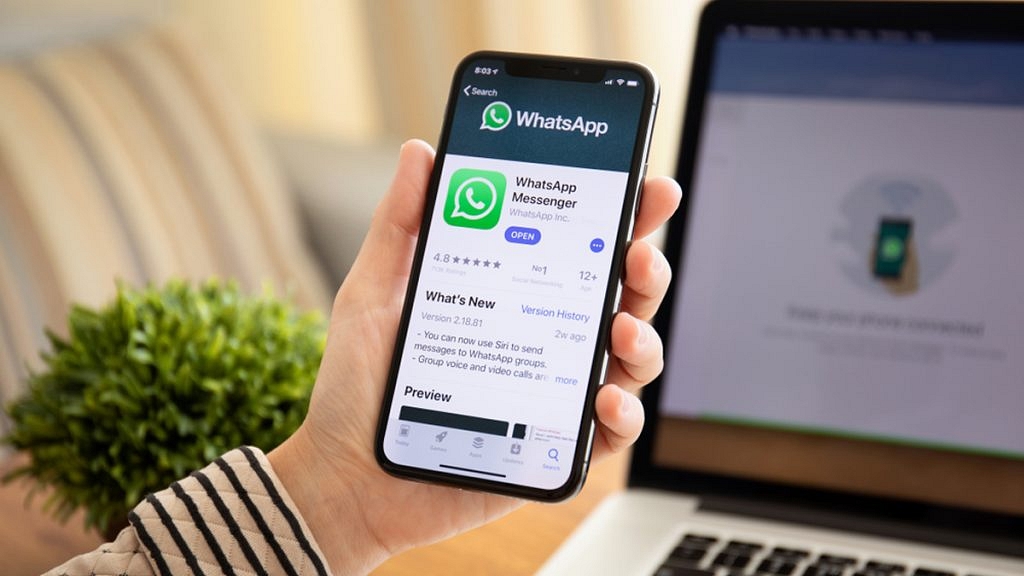
Numerous new features are being developed by WhatsApp for its platform. Recently, the company added Communities and in-chat polls to its platform. Now, there are rumors that the messaging platform owned by Meta has started to roll out picture-in-picture mode for video calls in its iOS-based app.

It is important to note that WhatsApp’s Android and iOS-based apps do support picture-in-picture mode. The only videos that can use this feature are those that have been shared from other apps like Facebook or YouTube. The company now intends to grant comparable rights to video calls made through its platform. The goal is to make it easier for users to use other apps while video chatting with friends or family.

Also Read | WhatsApp Polls: What Is It And How Can You Create WhatsApp Polls For Individual User Or Groups?

Users of the messaging service will be allowed to use other applications while making video calls on WhatsApp, according to a report by WABetaInfo, the blog that monitors advancements in WhatsApp.

Despite this, WhatsApp has not yet made this feature available to all iPhone users. Instead, it is only available to a small group of beta testers who are running WhatsApp beta for iOS version 22.24.0.77 and 22.24.0.78 on their iPhones.

By installing the most recent version of the app on their iPhones and attempting to use another app while video calling a friend, WhatsApp beta users can test out this feature. “If your account allows this feature, you’ll instantly see a picture-in-picture view when you’re multitasking in other apps. It uses the official iOS API, so you can also temporarily hide the video call view depending on the situation,” the blog site wrote in its blog.

WhatsApp Picture-In-Picture Mode: Availability

The blog site states that the feature is currently available for iOS 16.1 and above. So, it could be one of the features enabled by the update that adds official support for iOS 16. The Meta-owned company is also working to support devices running iOS 15.

Also Read | WhatsApp Self Message Feature Goes Official: How To Self-Chat On WhatsApp Using Android, iOS Devices

Categories
Apps Featured How To

Can’t Find Images In Phone’s Gallery Your Device? Here’s How To Find Lost Photos And Videos On Google Photos

Google is offering multiple tools and services to mobile users and is frequently updating the Android platform with new features proactively. Google Photos is amongst the top few mobile applications being used by numerous users globally. Google Photos is one stop destination to store photos and videos and also edit and share via Google Drive and other mediums.

Google Photos is an in-house gallery app from the search giant which is pre-installed on every Android mobile and tablet and can be easily accessed from the app drawers. Data backup is also an option with Google Photos. It comes in handy when you wish to create some room for additional apps by removing old photos and videos from the device’s storage.

Also Read: Google Pay 9x Booster: Confirmed Working Trick To Get 9x Booster In Gpay Food Market Offer

Google Photos definitely works as a photo vault app for smartphones. Google has also made it quite simple to access old photos and you don’t have to scroll down the entire album to look for a specific image. But do you know you can also search for lost photos and videos on the Google Photos app?

Well, there are a bunch of tricks with which you can easily find any image or video that you think has disappeared from the gallery. This can happen when you have switched to a different Google account for photos or due to a random bug. If yo want to know the methods with which you can find lost photos and videos on Instagram then read this article:

Also Read: Want To Set Your Google Calendar Private? Here’s How To Do It

How To Find Lost Videos And Images On Google Photos

Step 1: Check the account with which you are logged in to the Photos app. It should be the same account on which you have enabled the backup. If it’s a different account, login back with the correct account.

Step 2: Check photos from different social media and messaging apps such as Facebook, Instagram, or WhatsApp. You will need to follow the steps below for the same:

  • On the Google Photos app, click the Library option from the bottom.
  • Go to the Photos on device option and select the device folders.
  • Tap on the required app folder to see the images and videos.

Step 3: Check the Bin or trash folder too. You might have accidentally deleted the image or the video. Thankfully, Google permanently deletes the images in the bin or trash folder after 60 days. You still have ample time to recover accidentally deleted photos.

Step 4: Check the Archive gallery. Photos and videos that aren’t regularly viewed might have be moved to the archive folder. Follow the steps for the same:

  • On the Photos app, go to the Library section.
  • Tap on the Archive menu.

Also Read: Want A Male Google Assistant Voice On Android Phone? Here’s How To Enable

Categories
Apps Featured How To

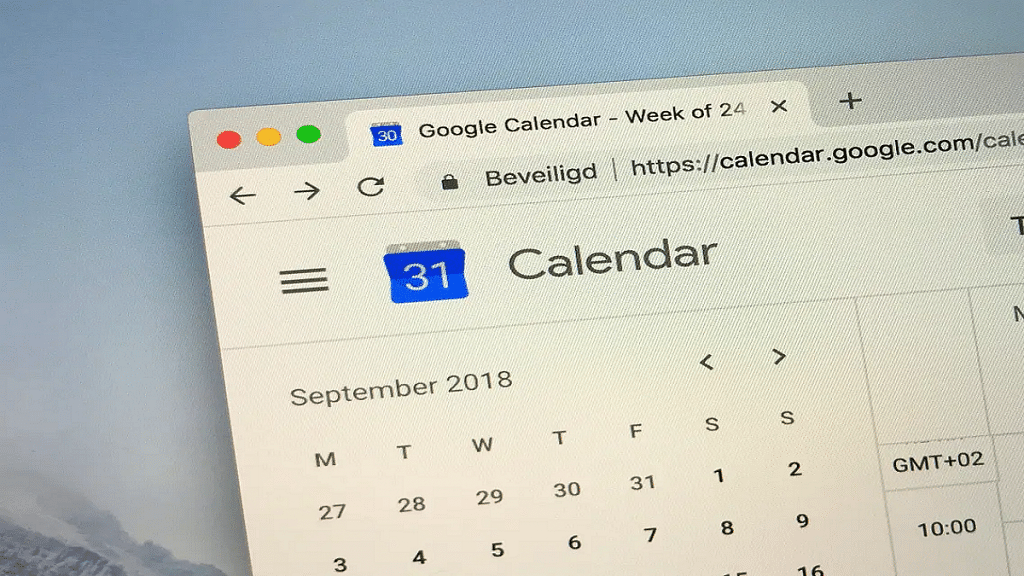
Want To Set Your Google Calendar Private? Here’s How To Do It

Key Highlights

  • You can set your Google Calendar visibility to Public or Private
  • If you make your Google calendar public, anyone can see it
  • Users can also grant selected users access to their Google calendars

Whether you already regularly use Google Calendar or you’re just getting started, it’s useful to understand how to control the privacy settings for both your calendar as a whole and individual events. It’s crucial to understand how to modify your privacy settings if you use Google Calendar through an organization such as your place of employment or school.

Also Read | Google Maps Tips & Tricks: Here’s How To Check Air Quality Index In Your Area

In this article, we shared a step-by-step guide to setting your calendar to private so that others can’t see what you’ve done or are up to for the day. We also shared a guide for sharing specific calendar items with selected contacts.

Steps To Make Your Google Calendar Private

Step 1: On your computer, launch Google Calendar.

Step 2: On the left side of the screen, click on the “My calendars” section.

Step 3: Click the three dots in the top-right corner of the calendar you just chose after moving your cursor over it to adjust the sharing options.

Step 4: Select the “Settings and sharing” option from the menu now.

Step 5: Then, in the left column, go to “Access permissions for events”.

Step 6: If it is checked, uncheck the “Make available to public” option.

Steps To Share Your Google Calendar With Specific People

Step 1: On your device, open Google Calendar.

Step 2: Locate the “My calendars” box on the left side, and then click the Down arrow to expand it.

Step 3: Next, click the “More” icon while still positioned over the calendar you want to share.

Step 4: After that, tap on the option “Settings and sharing”.

Step 5: Now, under the “Share with specific people” option, select “Add people”.

Also Read | Want To Hide Unwanted Memories In Google Photos? Here’s The Trick

Step 6: Add a person’s email address now. You can also add the email address for the Google group as an alternative.

Step 7: Change their permission settings using the drop-down menu. And you are done.

For the tech geeks, stay updated with the latest cutting-edge gadgets in the market, exclusive tech updates, gadget reviews, and more right on your phone’s screen. Join Giznext’s WhatsApp channel and receive the industry-first tech updates.

Categories
Featured Leaks mobile

Samsung Galaxy A14 5G Passes FCC Certification; Battery Capacity Leaked Ahead Of Launch

Key Highlights

  • Samsung Galaxy A14 5G gets FCC certification ahead of 2023 launch
  • Will be packed with a 5,000 mAh battery
  • Previous leaks tipped 6.8-inch HD+ LCD display
  • 50MP rear camera and Android 13 OS also leaked

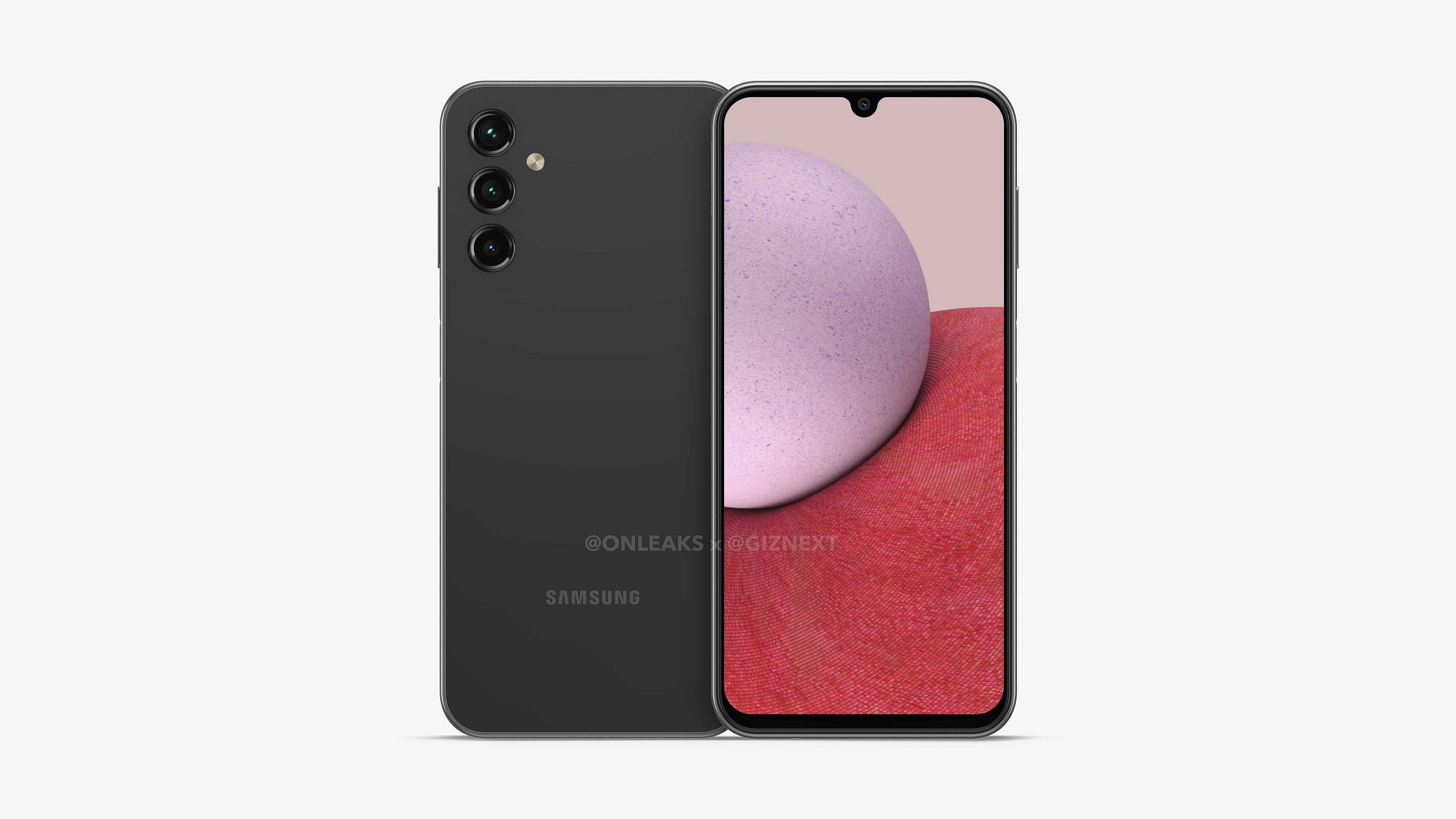
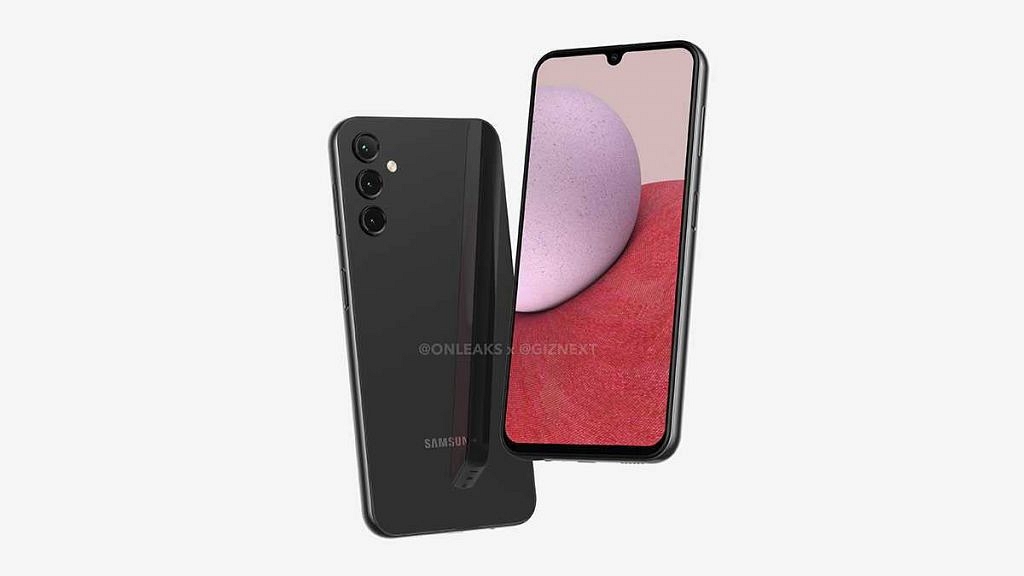
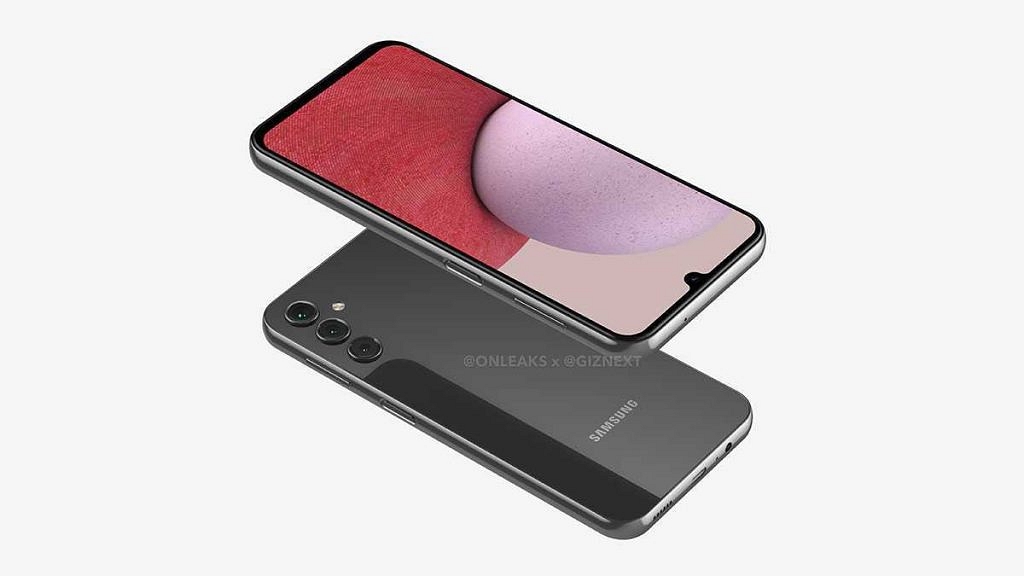
Samsung has plans ready for next year’s Galaxy A series product lineup, The South Korean tech giant will be launching multiple new models including the Galaxy A14, Galaxy A34, and Galaxy A54. Giznext has also contributed to the leaks and has been the first to reveal the 5K renders and 360-degree video of the first two models. Since then, multiple leaks have surfaced revealing key specs of all the models.

Specifically, the Galaxy A14 as the handset has been certified by multiple platforms and also got benchmarked indicating final test runs. Now, this Galaxy A series phone has cleared yet another certification confirming the battery specifications. What else are we expecting the Galaxy A14 to bring to the table? Let’s find out:

Also Read: [Giznext Exclusive]: Samsung Galaxy A14 Leaked 5K Renders, Video Reveals Design In Full Glory: Here’s The First Look

Samsung Galaxy A14 FCC Certification Reveals Battery Specifications

Samsung Galaxy A14 5GSpecifications
Display6.8-inch
IPS LCD
720p HD+
Camera 50MP Rear
13MP selfie
Chipsetocta-core Exynos
Battery5,000 mAh

The Samsung Galaxy A14 has now made an appearance at the FCC database confirming its imminent launch. The US mobile authentication platform confirms a 5,000 mAh battery unit on the upcoming Galaxy A series phone. While we have seen Samsung using larger battery units on some of the other Galaxy A and Galaxy M series phones.

But seems like Samsung is sticking to a 5,000 mAh battery setup on the Galaxy A14 to cut down on the added bulk and keep a thinner profile. Unfortunately, the FCC website doesn’t confirm the exact fast charging speeds. We will possibly get this detail in the coming weeks.

Also Read: [Giznext Exclusive]: Samsung Galaxy A34 First Look Revealed; Take A Look At 5K Renders, 360-degree Video, Key Specs Here

Samsung Galaxy A14 Other Known Features

The Samsung Galaxy A14 is expected to be a new 5G budget phone which will use an in-house Exynos mid-range octa-core chipset. Additionally, the leaks have suggested a 6.8-inch tall display which could be a standard LCD panel. The display is said to support a 720p HD+ screen resolution.

We are yet to get the information on the refresh rate and whether this screen will support a 60Hz or 90Hz refresh rate. The Galaxy A14 5G will feature a triple-lens camera setup at the rear which will possibly house a 50MP main sensor.

Rumors have also suggested a 13MP selfie camera packed inside the Galaxy A14 5G’s Infinity U display. Also, the handset is confirmed to boot on Android 13 OS topped with a custom OneUI interface.

Also Read: Samsung Galaxy A14 Vs Galaxy A34 Vs Galaxy A54: Upcoming Samsung Galaxy A Series Phones Comparison

Categories
Accessories Featured

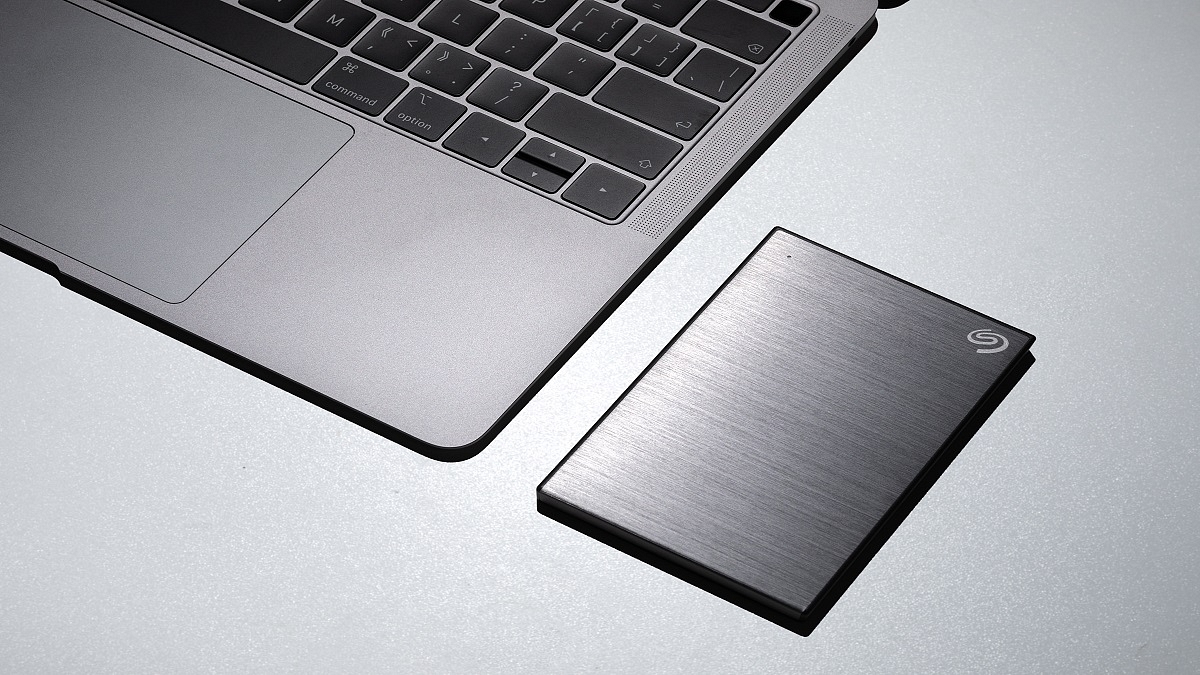
Laptop/PC Storage Crunch: List Of Best Compact/Portable 5TB External Hard Disks In India

Key Highlights

  • Hard drives are one of the most important products to store all your data
  • It helps you to securely store your information in one place
  • They are portable so that you can carry them in your backpack

Keeping track of your data is more crucial than ever in today’s digital world. However, many people continue to decide to just save their data on their standard computers, leaving them open to accidental deletion, security breaches, and device damage. You can maintain access to your data no matter what by making an investment in an external hard drive. Here is a list of some of the best 5TB external drives.

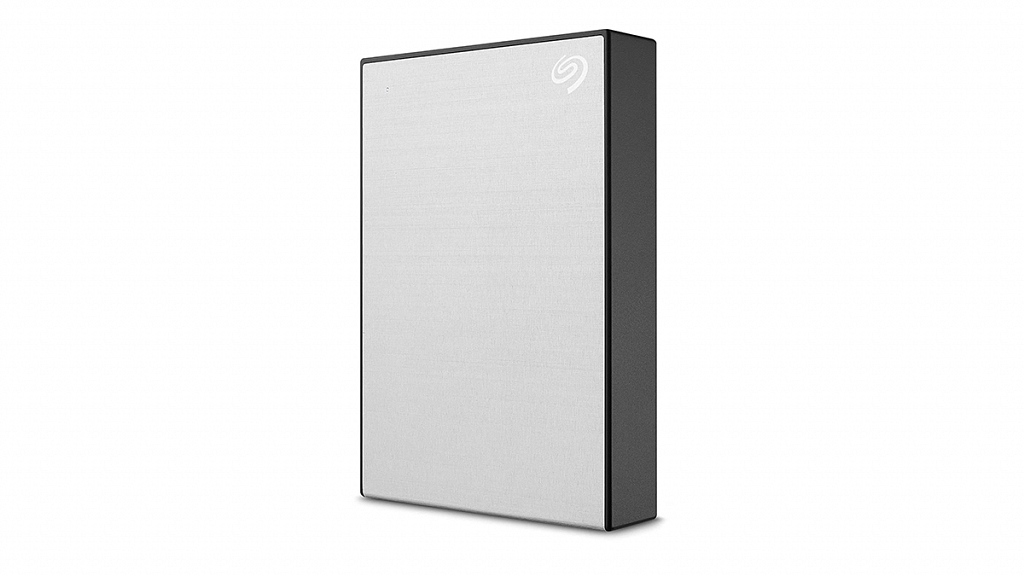
Seagate Backup Plus 5TB Portable External Hard Drive

The Seagate Backup Plus 5TB Portable External Hard Drive is one of the most compact non-SSD drives. It doesn’t need to be reformatted and is instantly compatible with both Windows and Mac operating systems. The hard drive has cloud compatibility with Google Drive and Dropbox for added security. You can get this hard drive from Amazon at Rs. 9,499.

Storage Capacity5TB
Special FeaturePassword protection
ConnectivityUSB
Compatible DevicesLaptop, Desktop

Also Read | Best 500GB Hard Disks Under Rs. 5,000: From Toshiba, Samsung, And More

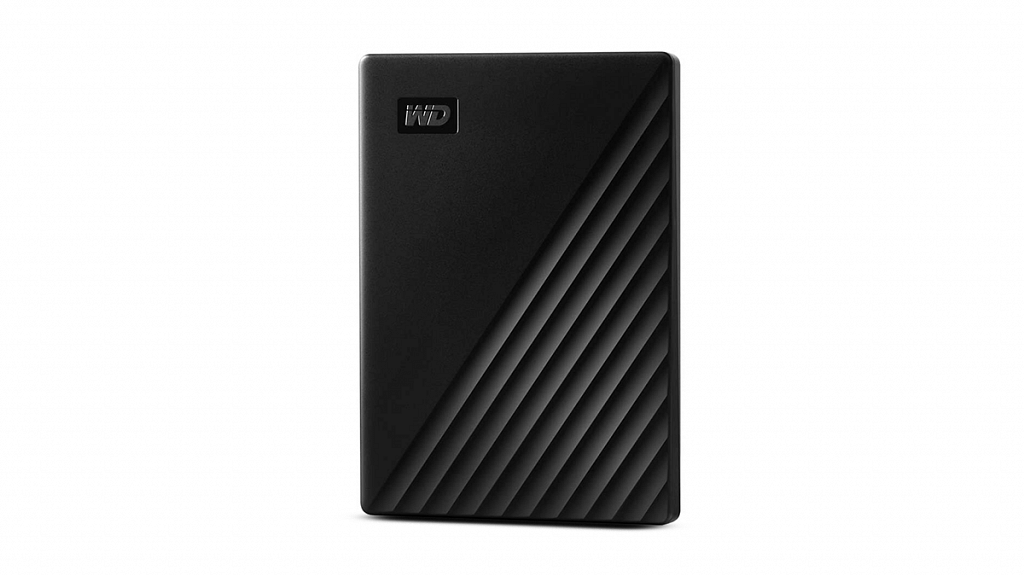
Western Digital WD 5TB My Passport Portable Hard Disk Drive

The WD Backup software is included on the Western Digital WD 5TB My Passport Portable Hard Disk Drive. It can be programmed to run automatically according to your schedule. Even your sensitive data is protected thanks to the 256-bit AES hardware encryption that is already present. Simply turn on password protection and create a unique password using WD Discovery. The hard drive is available for Rs. 9,499 on Amazon.

Storage Capacity5TB
Special FeaturePassword protection
ConnectivityUSB
Compatible DevicesLaptop

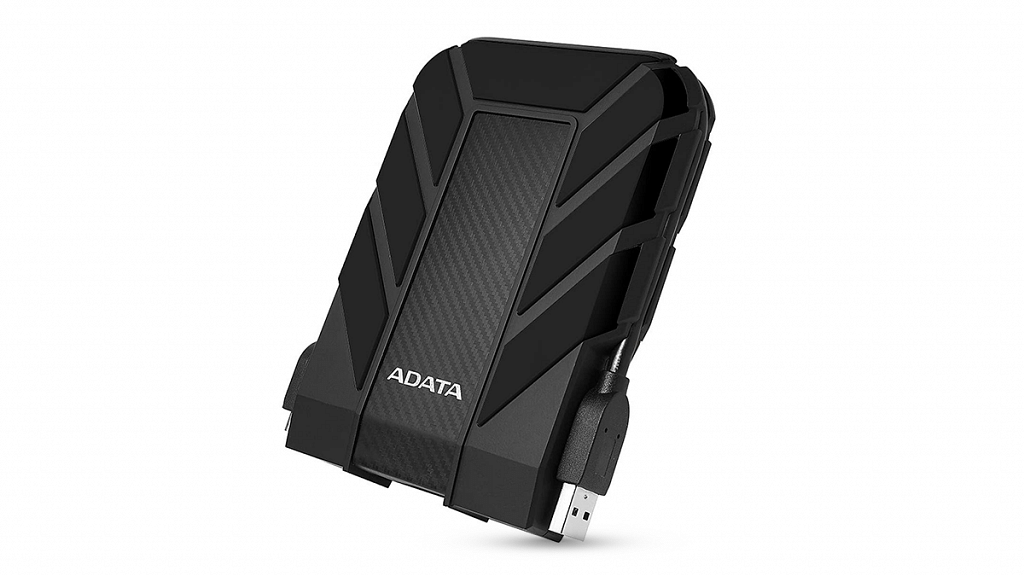
ADATA HD710 Pro 5TB USB 3.1 External Hard Drive

In order to provide a high level of data security, the ADATA HD710 Pro 5TB USB 3.1 External Hard Drive is shockproof, waterproof, and dustproof. It provides great protection against dust and water. The ADATA HD710 Pro 5TB USB 3.1 External Hard Drive can be purchased for Rs. 5,449 from Amazon.

Storage Capacity5TB
Special FeatureFast Speed
ConnectivityUSB
Compatible DevicesLaptop

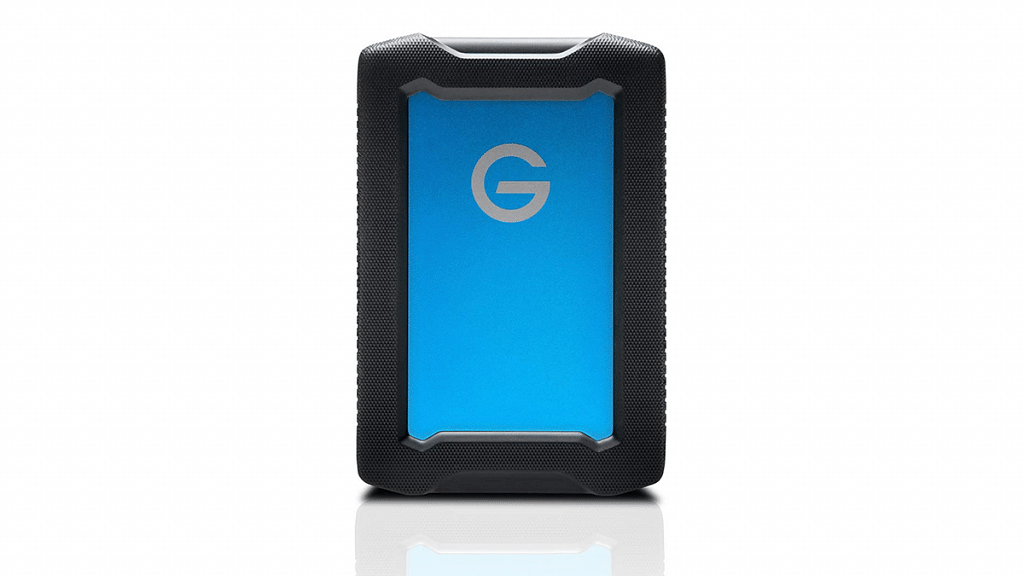
G-Technology 5TB ArmorATD All-Terrain Rugged Portable External Hard Drive

The G-Technology External Hard Drive has a sturdy appearance and a solid feel. It can withstand rain, dust, and pressures of up to 1,000 lbs. The USB port is secured by a substantial flap with a robust rubber plug when not in use and supports Type-A and USB-C connections through an included converter. This external hard drive will cost you Rs. 39,623 on Amazon.

Storage Capacity5TB
Special FeatureCompact
ConnectivityUSB
Compatible DevicesLaptop, Desktop, Television

Also Read | Need More Storage? Check Out The Best External Hard Drives You Can Buy