Categories
Featured How To Mobile

Apple iPhone 14 Series: Here’s How To Make Calls And Send Messages Without Cellular Network

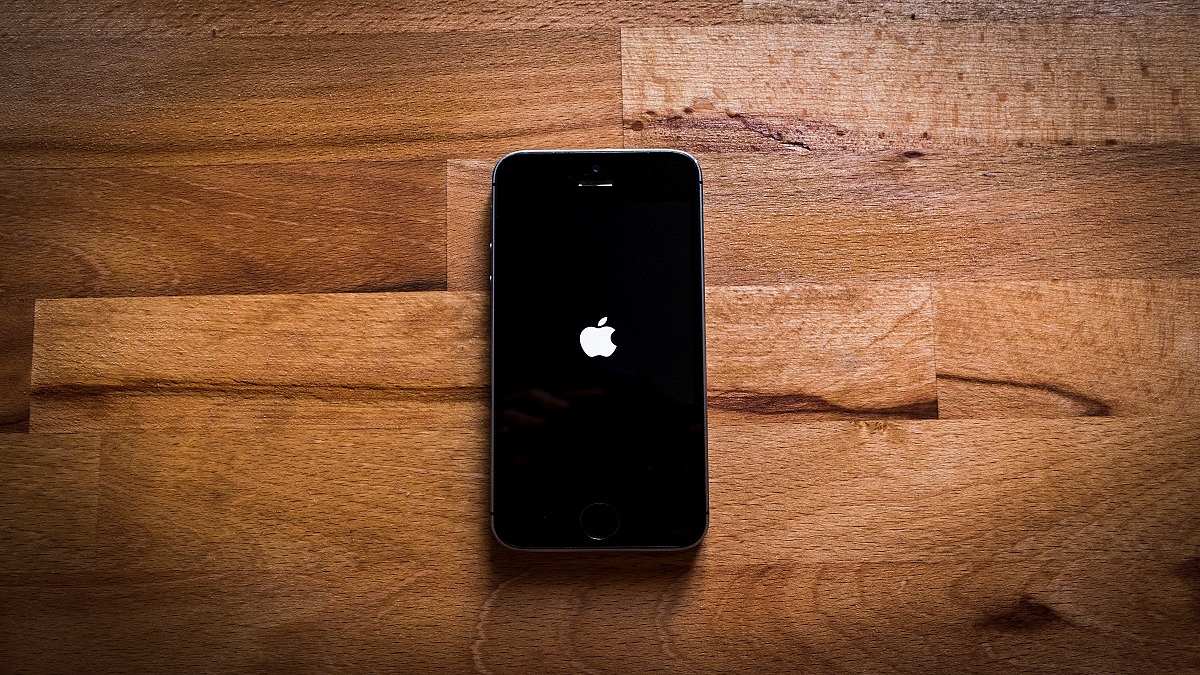
Apple is all set to introduce new smartphone series on September 7th, 2022. The iPhone 14 smartphone series is expected to have low earth orbit (LEO) satellite communication connectivity, which might allow users to make calls and send messages in all areas, including those not come without cellular coverage, as per a new report. 

The report claims that the Cupertino- based tech giant is likely to launch its satellite connectivity feature to provide satellite connectivity to the iPhone. Besides, the company might join hands with Globalstar, according to Tim Farrar, a satellite communications consultant. 

For the unaware, Globalstar has a constellation of LEO satellites and Apple is likely to launch a smartphone with the same feature.

Apple iPhone 14 Smartphone Lineup: Details

The smartphone lineup will have Leo satellites, which will allow users to make calls and send the message without 4G and 5G connectivity. For the unaware, the upcoming launch comes with a title called far out.

The company is expected to launch iPhone 14 series, including iPhone 14, iPhone 14 Max, iPhone 14 Pro, and the iPhone 14 Pro. Plus, Apple is likely to bring new Watch series. 

Apple iPhone 14 Smartphone: Expected Specifications

The iPhone 14 series is likely to come with some improvements. The smartphone is expected to have a new design, a better camera, and many more. Plus, the iPhone 14 Pro and the iPhone 14 Pro Max will have better camera modules along with new internals.

In addition, it is expected that both Pro models will have a triple camera at the back, including a 48MP wide, 12MP ultra-wide, and telephoto lens. Besides, the upcoming iPhone 14 smartphone will have 8K videos. 

Plus, the smartphone might support 8GB of RAM and a 120Hz refresh rate display. It is important to note that the iPhone 13 model comes with a storage option of 128GB; however, the iPhone 14 model has only a 64GB storage variant. 

Apple iPhone 14 Smartphone: Expected Key Specifications

Apple iPhone 14 Pro
13 MP + 13 MP + 13 MP Rear camera
13 MP Selfie camera
3945 mAh Battery
Apple A14 Bionic 
 6 GB Processor
6.1 inches Display
Categories
Featured How To Laptop

Gmail Useful Tricks: How To Add, Customize Digital Signatures On Gmail

Among Google’s wide range of online services for the masses is Gmail. The email service from the search giant is being used by professional as well as general users across the globe for online communication. Google has improved Gmail’s services to make it a mainstream emailing giant and rival up against Outlook and other prominent email services.

One of the recent features introduced by Gmail is offline mailing support. We have covered how you can use Gmail’s email services offline services in one of our tips and tricks articles. This is another step-by-step guide article where we will explain the method with which you can add your digital signature to Gmail.

For the unaware, you can add an email signature in Gmail just like on Outlook and other major email services. Google lets you add a text comprising your contact information or even a favorite quote as your digital signature that will be added automatically as a footer after every email. If you wish to know the steps, take a look below:

Steps To Add A Digital Signature In Gmail

Step 1: Go to the Gmail website or open the Gmail app on your respective smartphones.

Step 2: Tap on the Settings menu placed on the top right of the Gmail home page.

Step 3: Scroll down to the “Signature” tab.

Step 4: A new box will open where you can add the text you wish to set as your digital signature. You can also add an image along with the text and also customize the font as per requirements. Just for reference, the word limit set for a digital signature on Gmail is 10,000 characters.

Step 5: Once you have added the desired signature, click on Save Changes from the bottom.

That’s the easiest way with which you can add your signature on Gmail. But Google doesn’t stop here and has made the signature feature more advanced with Gmail. You don’t have to set one single signature for all emails, but you also get the provision to add a customized signature for different email addresses on Gmail.

For this, you would need to use the Send Mail feature. If you are already using the “Send mail as” feature on Gmail, you get the option to add a different signature for each address.

Step 1: Open Gmail and go to the Settings menu.

Step 2: Right above the signature box, you’ll see a drop-down menu to select an address.

Step 3: You can also open the Accounts and Import settings page if you don’t see the drop-down menu for the address.

Step 4: Just select the address from the “Send Mail as” section and add the signature.

Categories
Featured Gaming Mobile

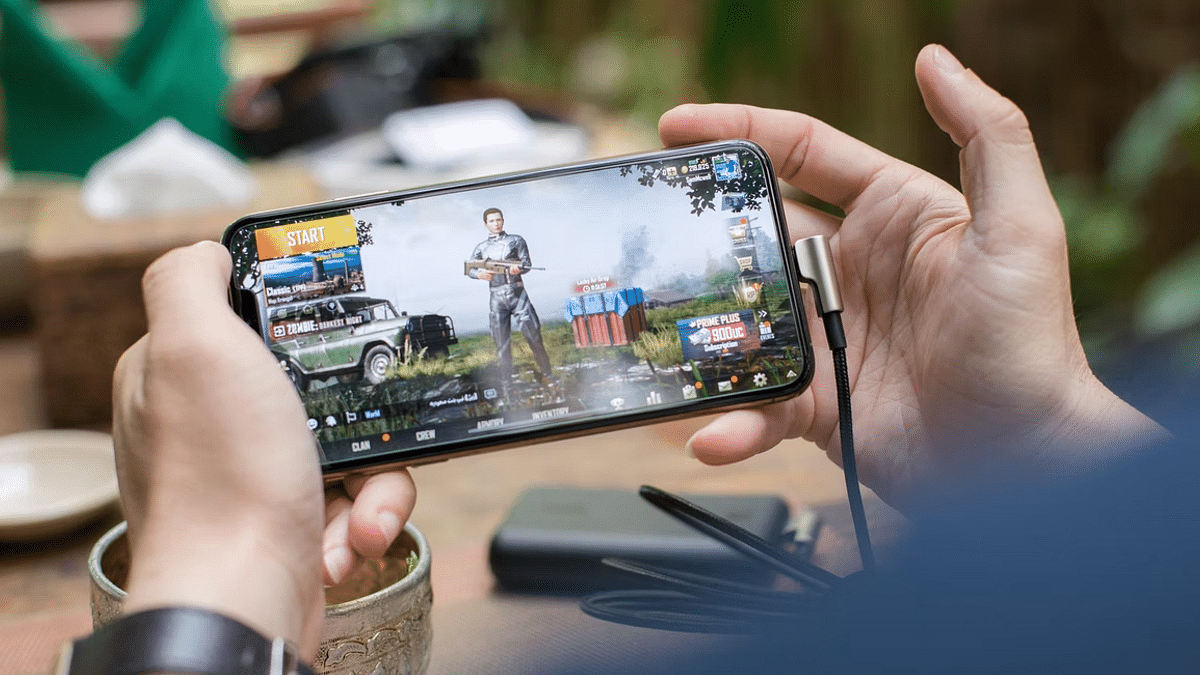
Best Gaming Phones To Buy In India Under Rs. 20,000

Typically, playing games on your smartphone is fun and interesting. Among the most played games by players are mobile games like Fortnite, FreeFire, and PUBG Mobile. These days, it’s all the rage for most people, and the main factor in that popularity is the fact that you no longer need the most expensive smartphones to enjoy gaming. The best gaming mobile phones under Rs. 20,000 are more than capable of providing a great gaming experience. Here is the list of best gaming phones you can opt for under Rs. 20,000.

Poco X3 Pro

The Poco X3 Pro is one of the top gaming smartphones under Rs. 20,000 thanks to its Qualcomm Snapdragon 860 processor. The chipset gives players a decent gaming experience. The smartphone has up to 256GB of internal storage and up to 8GB of RAM. Powered by a 5,020mAh battery, the handset runs Android 11 OS. The Poco X3 Pro can be purchased online for Rs. 16,999 in India.

Realme Narzo 30 Pro

The Realme Narzo 30 Pro sports a 6.5-inch Full HD+ resolution display. It supports a refresh rate of 120Hz and has a 20:9 aspect ratio. The device is powered by the MediaTek Dimensity 800U processor under the hood with 5G network support. It further has up to 8GB RAM and up to 128GB storage options to choose from. Besides, microSD cards of up to 256GB can also be used to increase the storage capacity. The Realme Narzo 30 Pro is available for sale for Rs. 16,990 in India.

iQOO Z3 5G

The iQOO Z3 5G features the Qualcomm Snapdragon 768G processor. This is coupled with up to 256GB of storage and 8GB of RAM. The handset is also rated IP52 dust and water-resistant. As for the display, the iQOO Z3 5G has a 6.58-inch IPS LCD screen with Full HD+ quality. It supports a refresh rate of 120Hz and a touch sampling rate of 180Hz. Funtouch OS 11.1 based on Android 1 powers the iQOO Z3 5G. The device will cost you Rs. 19,990 in India.

Categories
Apps Featured Info

India Vs Pakistan Asia Cup 2022: Here’s How To Watch At Rs. 99 On Disney+ Hotstar

The Asia Cup 2022 is all set to begin on August 27th, 2022, in the UAE and will be live streamed on the Disney+ Hotstar. Interestingly, the leading OTT application Disney+ Hotstar is providing a mobile subscription plan, which is priced at Rs. 99 in the country.

This plan is designed for users who consume content on a single device. In addition, the company offers other plans of Rs. 149, Rs. 499, Rs. 899, and Rs. 1,499. Notably, this discount has have been launched at the time of the Asia Cup 2022.

For the unaware, six teams will participate and will be divided into two groups that are battling for the trophy. So, let’s take a look at all details of the benefits you will get with the Disney+ Hotstar offers.

Disney+ Hotstar Rs. 99 Plan Details

It is worth noting that the Disney+ Hotstar plan starts from Rs. 149; however, this time company is providing Rs. 50 discount on the same. This means buyers will get a 33 percent discount, which means you have to pay Rs. 99. But, there is a catch. This offer is available for a few users and you have to verify before downloading the app on your smartphone.

India Vs Pakistan Asia Cup 2022 Match: Details 

India and Pakistan will go head-to-head on Sunday ( August 28th, 2022) in the Asia Cup. The match will start at 7:30 pm (IST) and will be telecasted on Star Sports and DD Free Dish. 

The live streaming will take place on Disney+ Hotstar and you can watch the entire Asia Cup at Rs. 99. 

In addition, Ten Sports and PTV will broadcast the match in Pakistan, while Arina TV in Afghanistan and Gazi TV in Bangladesh. In New Zealand you can watch the Asia Cup on Sky Sports and in Australia Fox Sports will broadcast the live match between India and Pakistan. 

Categories
Featured How To Smart Watch

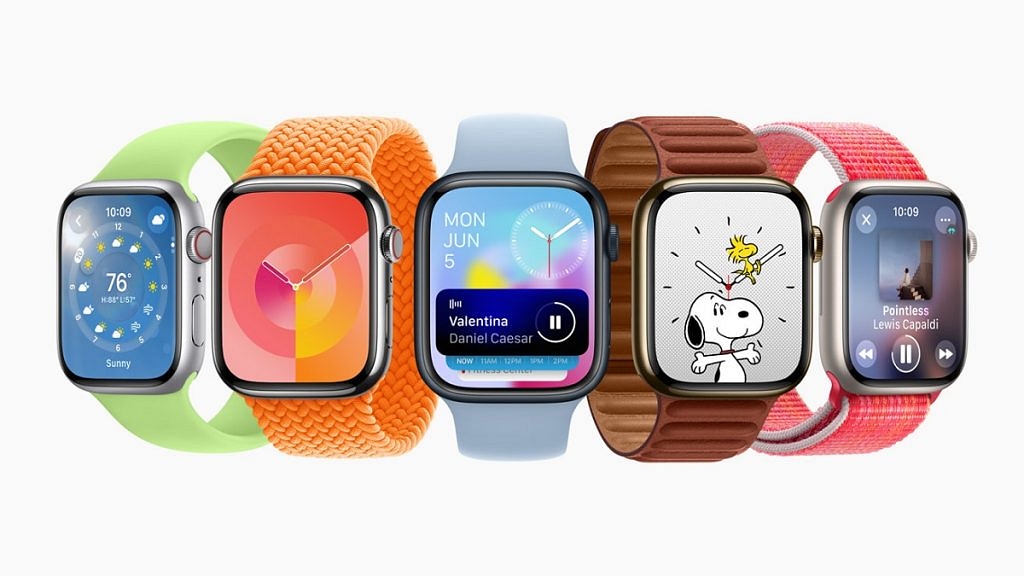
Apple Watch: Here’s How You Can Create And Share Watch Faces

Key Highlights

  • Apple Watch faces show time and info
  • You can share faces with others on watchOS 7 or later
  • Series 1 and 2 can’t receive shared faces

The Apple Watch’s backbone is its watch faces. Not only does it help you tell time, but you can also get all the important information you need at a glance by personalizing the faces and adding complications.

Additionally, you can share your Apple Watch face with anyone, including your loved ones and friends. The only prerequisite for sharing your preferred Apple Watch face is that the recipient must also have an Apple Watch running watchOS 7 or later. This implies that you are unable to exchange faces with someone still sporting an Apple Watch Series 1 or 2. In this article, we explain to you how to create and share your Apple Watch face with a friend or family. Let’s check it out.

Also Read | Want To Use Your Photos As Smartwatch Face? Here’s How To

How To Create A Custom Apple Watch Face?

Step 1: Touch and hold the screen, select the watch face you want to use, scroll through the options, or hit the ‘+’ icon to start again with a new watch face, then tap Edit.

Step 2: Swipe left to reach the finish if a watch face offers complications, which are displayed on the final screen. Some watch faces don’t have complications. And while some just provide one or two, others provide six or more.

Step 3: Toggle the Digital Crown to select a different complication if needed after tapping a particular complication to select it.

Step 4: Press the Digital Crown to save your selections once you’ve finished choosing any custom complications.

How To Share A Watch Face From Apple Watch?

Step 1: Ensure the watch face you wish to share is active.

Step 2: On your Apple Watch screen, long press the watch face.

Step 3: Click on the ‘Share’ button.

Step 4: Then, tap ‘Add Contact’.

Step 5: Now, click on the contact you want to send the watch face to.

Step 6: Tap the number you want for that contact.

Step 7: If you wish to add a message, click ‘Create Message’. Then, tap ‘Send’.

Also Read | OnePlus Watch 2R Alternatives: Top Three Picks For Your Next Smartwatch

How To Share A Watch Face From iPhone?

If you don’t want to share from your Apple Watch, you can always share your favorite watch faces from the Watch app on your iPhone. Here’s how to do it:

Step 1: From your Home screen, open the Watch app.

Step 2: Tap the watch face you wish to share.

Step 3: Click the ‘Share’ button.

Step 4: Tap the sharing method you wish to use. AirDrop, email, message, or other.

Step 5: Find the contact you want to send the watch face to and tap ‘Send’. That’s it.

Many watch faces require specific watch models. Specifically, some don’t work with Apple Watch Series 3 and require Apple Watch SE and Apple Watch Series 4 or later.

For the tech geeks, stay updated with the latest cutting-edge gadgets in the market, exclusive tech updates, gadget reviews, and more right on your phone’s screen. Join Giznext’s WhatsApp channel and receive the industry-first tech updates.

Categories
Chipset Comparison Featured

Qualcomm Snapdragon 8+ Gen 1 SoC Vs Samsung Exynos 2100: Which Is Better?

Qualcomm is one of the biggest names in the mobile chipset industry with MediaTek and Exynos as its prime rivals in the Android mobile race. Qualcomm has a wide range of mobile chipsets for all price ranges of smartphones. Samsung’s proprietary Exynos processor also powers different segments of the brand’s Android phones. The Exynos 2100 is Samsung’s bet in the premium mobile chipset segment, whereas Qualcomm has several of them in this league including the most recent Snapdragon 8+ Gen 1 SoC. We are comparing both Exynos 2100 with Qualcomm’s most premium Snapdragon chipset. Read on the differences below:

Qualcomm Snapdragon 8+ Gen 1 Vs Samsung Exynos 2100: CPU Comparison

Qualcomm has fabricated the Snapdragon 8+ Gen 1 processor on a 4nm process and has built it using the ARMv9-A Instruction set. The processor has a 3200MHz frequency range and octa-cores including one Cortex-X2 core clocked at 3.2GHz, three Cortex A710 cores clocked at 1.75GHz, and four Cortex-A510 cores clocked at 2GHz.

The Samsung Exynos 2100 processor also has octa-cores with one Cortex-X1 core clocked at 2.9GHz, three Cortex A78 cores clocked at 2.8GHz, and four Cortex-A55 cores clocked at 2.2 GHz. This chipset is built using ARMv8.4-A architecture and has a frequency range of 2900Mhz. The CPU performance is good with both these flagship chipsets, but the Snapdragon 8+ Gen 1 is slightly better compared to the Exynos 2100.

Snapdragon 8+ Gen 1 Vs Samsung Exynos 2100: GPU Differences

The Qualcomm Snapdragon 8+ Gen 1 chipset employs Adreno 730 GPU for graphics based on Adreno 700 architecture. The Samsung Exynos 2100 has the Mali-G78 MP14 GPU support which is based on Vallhall 2 architecture. The Qualcomm Snapdragon processor here has a GPU frequency of 900MHz, whereas, the Samsung Exynos chipset has 760MHz. The Vulkan version on both chipsets is 1.1, while the OpenCL and DirectX version is 2.0 and 12 respectively.

Snapdragon 8+ Gen 1 Vs Samsung Exynos 2100: Memory, Multimedia (ISP)

In terms of memory support, the Snapdragon 8+ Gen 1 and the Exynos 2100 chipset have the same LPDDR5 memory support, each offering a 3200MHz memory frequency. However, the max memory allocation size is 24GB with the Snapdragon 8+ Gen 1 and 16GB with the Exynos 2100. The storage type supported by both Snapdragon 8+ Gen 1 and the Exynos 2100 is UFS 3.1.

As for the multimedia aspects, the SD 8+ Gen 1 chipset offers a max display resolution of 2160 x 3840. The Samsung processor also has the same max display resolution. The maximum camera resolution compatibility with both these processors is 1X200MP

. The Exynos 2100 additionally supports 2X32MP max camera resolution. Similarly, the video recording capability of both these flagship mobile processors is 8K@30fps and 4K@120fps. The Samsung chipset only supports the former. Speaking of the audio and video codecs, the SD 8+ Gen 1 and the Exynos 2100 get H.264, H.265, VP8, and VP9 video codecs and AAC, AIFF, CAF, MP3, MP4, and WAV audio codecs.

Categories
Featured Info Mobile

Apple iPhone 14 Smartphone Series: Here’s How To Get It Cheaper

Apple is all set to iPhone 14 smartphone series and new products on September 7th, 2022. The Cupertino tech giant is planning to manufacture iPhone 14 in India after two months as the initial rollout will take place from China. However, this does not mean that Indian buyers will be benefitted.

It’s good to see Apple bringing its latest model to India for manufacturing that not only reinforces Apple’s India commitment but also adds a star to Make in India. This will also argue well with the exports story, especially after the implementation of PLIs. For consumers, however, it may not mean getting cheaper iPhone than those imported,” Faisal Kawoosa, TechArc founder was quoted by BGR.

However, if you still looking for ways to buy iPhone 14 at a lesser price, then you should explore countries like Canada, China, the UK, Dubai, the US, and Hong Kong. The prices of the iPhone 14 series are unknown, but still, iPhone 14 Pro might cost you $1,099, which is close to Rs. 87,838.12 and the iPhone 14 Pro Max is likely to be priced at $1,199, which is close to Rs. 95,830.67).

The iPhone 14 smartphone series will be available for pre-booking from September 9th, 2022; however, the sale will start on September 16th, 2022.

Apple iPhone 13 And 12 Prices Ae Expected Decrease: Details

It is important to note that the 128GB of the iPhone 13 that was launched last year was priced at Rs. 79,900. The same storage of the iPhone 13 mini started from Rs. 69,900. Notably, the iPhone 12 was launched at the same price in 2020.

How To Get iPhone 13 At Best Discount Offer

The iPhone 13 is expected to get at a huge discounted price as the company will launch iPhone 14 on September 7. The iPhone 13 smartphone series is available on Flipkart, Amazon, and the Apple India store. So, let’s take a look at the price of the smartphone series on all platforms.

iPhone 13 On Apple India e-Store: Details

The base model of the iPhone 13 is available at Rs. 79,900, while the 512GB variant will cost you Rs. 89,900 and the 512GB variant will cost you Rs. Rs 1,09,900. In addition, you will get EMI options on the devices.

iPhone 13 On Amazon India: Details

The Apple iPhone 13 will cost you Rs. 70,900, which is less than Rs. 9,000 from the MRP. In addition, you will get an exchange offer which is close to Rs. 12,750.

iPhone 13 On Flipkart: Details

The base model of the Apple iPhone 13 is priced at Rs. 65,999 on Flipkart.

Categories
Featured Info Mobile

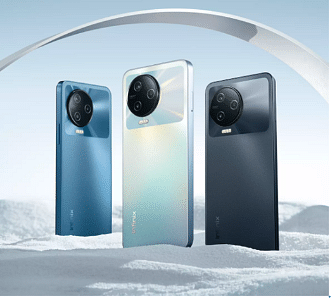
Infinix Note 12 Pro Smartphone Launched With MediaTek Helio G99, 108MP Triple Cameras: See Here Specifications, Price, And Sale Date In India

Infinix has launched its new smartphone in India. The Infinix Note 12 Pro comes with a MediaTek Helio G99 chip, which makes it the first smartphone that has been launched on the same processor. Notably, this is the first smartphone in the Note 12 series.

For the unaware, the Note 12 smartphone series, includes Note 12, Infinix Note 12 Turbo, an Infinix Note 12 Pro 5G, and an Infinix Note 12 5G variant. So, let’s talk about the Infinix Note 12 Pro specifications, sale date, and price in India.

Infinix Note 12 Pro Smartphone: Specifications

The Infinix Note 12 Pro smartphone comes with a MediaTek Helio G99 processor and has a 6.7-inch Full HD+ display. It has an AMOLED panel that supports 1000 nits of brightness and Gorilla Glass protection.

The smartphone gets its power from a 5,000mAh battery along with 33W fast charging support. The smartphone packs 256GB UFS 2.2 storage, and 8GB LPDDR4X RAM, which can be expandable up to 13GB via 5GB virtual RAM.

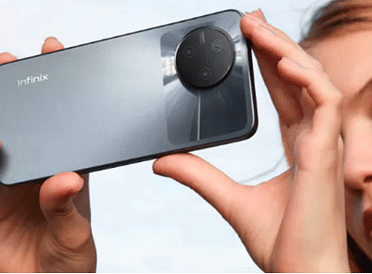
In addition, the smartphone comes with 2TB MicroSD card support on the same smartphone. On the optics front, the device will have a triple camera setup, including 108MP primary sensor, 2MP depth, and AI lens.

Infinix Note 12 pro

Moreover, the front camera is equipped with 16MP for selfies and video calls. The smartphone runs Android 12 OS-based XOS 10.6. Besides, the smartphone has dual speakers along with DTS surround sound. In fact, the device ships come with a charger inside the box.

Infinix Note 12 Pro Smartphone: Price And Sale Details

The Infinix Note 12 Pro has been launched with 8GB of RAM and 256GB of storage option that is priced at Rs. 16,999. The smartphone has been launched in Volcanic grey, Alpine White, and Tuscany Blue.

The buyers can purchase the device through Flipkart from September 1st, 2022. The smartphone is also available at Rs. 1,500 discount via Infinix Note 12 Pro through Credit and Debit cards. You will also get an extra Rs. 500 discount via Flipkart super coins.

Infinix Note 12 Pro Smartphone: Specifications

108MP triple rear camera
16MP selfie camera
Android 12-based XOS 10.6
6.7-inch FHD+ AMOLED panel
MediaTek Helio G99 chipset
8GB RAM + 5GB Virtual RAM And 256GB storage
5,000mAh battery, 33W charging

Categories
Chipset Comparison Featured

Apple A15 Bionic Vs Qualcomm Snapdragon 888 Chipset Comparison: How Do These Flagship Mobile Processors Compare?

The smartphone industry is rapidly evolving with two major mobile ecosystems available for the audience including Android and Apple iOS. For the former, most of the OEMs rely on chipsets from Qualcomm and MediaTek, while the latter manufactures in-house Bionic chipsets for its iPhones. Apple has been using an A15 Bionic processor for the current generation of iPhones (iPhone 13 series).

This premium Apple processor competes head-on with Qualcomm’s top-tier Snapdragon 888 processor. We already have compared the A15 Bionic with Qualcomm’s most powerful Snapdragon 8+ Gen 1 processor. This article is a quick comparison between the Snapdragon 888 and the Apple A15 Bionic. Here’s how both these processors compare in terms of CPU, GPU, memory, and multimedia (ISP) services.

Apple A15 Bionic Vs Qualcomm Snapdragon 888: CPU Differences

Both Apple A15 Bionic and the Qualcomm Snapdragon 888 are fabricated using a 5nm process. The Apple A15 Bionic is a Hexa-core chipset contrary to the Snapdragon 888 SoC’s octa-cores. Apple has constructed the A15 Bionic on ARMv8.5-A Instruction set. The premium Apple chipset offers a frequency of 3240MHz. The hexa-cores comprise two Avalanche cores clocked at  3.24GHz and four Blizzard cores at 1.82GHz.

The Qualcomm Snapdragon 888 chipset’s octa-cores include one Kyro 680 Prime Cortex-X1 core with a 2.84GHz clock speed, three Kyro 680 Gold Cortex A-78 cores clocked at 2.42 GHz, and four Kyro 690 Silver Cortex-A55 cores clocked at 1.8GHz.

Apple A15 Bionic Vs Snapdragon 888: GPU Comparison

The GPU used by Apple A15 Bionic is an in-house Apple GPU that has a frequency range of 1200MHz. This flagship-grade Apple mobile chipset has a total of five execution units which is more than that of the Snapdragon 888 SoC. Speaking of which, the Qualcomm Snapdragon 888 has the Adreno 660 GPU support which has a frequency range of 840MHz and only two execution units. The GPU performance with both chipsets is good, with each of them capable of rendering rich graphics smoothly.

Apple A15 Bionic Vs Snapdragon 888: Memory, Multimedia (ISP) Comparison

The Apple A15 Bionic comes with LPDDR4X RAM compatibility with a memory frequency response range of 4266MHz. Its max memory allocation size is 8GB. The Qualcomm Snapdragon 888 ships with LPDDR5 RAM capacity and has a frequency response range of 3200MHz. However, the max memory allocation is higher with this chipset at 24GB.

The storage type supported by the Apple A15 Bionic is NVMe, whereas, the Snapdragon 888 ships with UFS 3.0 and UFS 3.1 storage type support. The A15 Bionic ships deliver a max display resolution of 2048 x 2732 which is slightly lower than the Qualcomm processor.

The Snapdragon 888 chipset offers a max display resolution of 2160 x 3840 pixels, max camera resolution of 1x 200MP, 2X25MP. While the A15 Bionic is capable of recording 4K@60fps videos, the Snapdragon 888 can capture 8K@30fps and 4K@120fps videos.

Moving on to the codecs, the Apple A15 Bionic has H.264, H.265, VP8, VP9, Motion JPEG video codecs, and AAC, AIFF, MP3, MP4, WAV, AC-3, E-AC-3, AAX, AAX+ audio codecs. On the other hand, the SD 888 offers H.264, H.265, VP8, and VP9 video codecs, and AAC, AIFF, CAF, MP3, MP4, and WAV audio codecs.

Categories
Chipset Comparison Featured

Qualcomm Snapdragon 888 Vs MediaTek Dimensity 9000 Processor: Flagship Mobile Chipset Comparison

Qualcomm is one the largest players in the mobile chipset market with MediaTek as its biggest rival. The former is offering Snapdragon series chipsets for all categories of smartphones, while the latter is competing in this space with its Helio and Dimensity lineup of processors. We already have done multiple chipset comparisons from both these brands.

In this article, we are again bringing two of the prominent mobile chipsets from both of these brands that are driving the modern-day flagship Android smartphones. We are comparing the CPU and GPU performance of the Snapdragon 888 and the Dimensity 9000 processor. Read on the differences below:

Qualcomm Snapdragon 888 Vs MediaTek Dimensity 9000: CPU Comparison

Qualcomm has designed the premium Snapdragon 888 processor using the ARMv8.4-A Instruction set. This is an octa-core processor with a 2840MHz base frequency with one Cortex-X1 core clocked at 2.84GHz, three Cortex-A78 cores clocked at 2.42GHz, and four 1.8GHz Cortex-A55 cores.

The MediaTek Dimensity 9000 is also an octa-core processor that is built using 5nm fabrication technology and is based on the ARMv8.2A Instruction set. The Dimensity 9000 offers a 2850Mhz frequency and has four Cortex A-78 cores clocked at 2.85GHz and four Cortex-A55 Cores clocked at 2GHz.

Snapdragon 888 Vs Dimensity 9000: GPU Comparison

The Qualcomm Snapdragon 888 chipset gets Adreno 660 GPU support which is based on Adreno 600 Architecture and has two execution units. On the contrary, the MediaTek Dimensity comes with Mali-G610 MC6 GPU support to render extensive graphics with ease.

The GPU frequency of the Snapdragon chipset is 840MHz, whereas the Dimensity 9000 chipset has a 600MHz GPU frequency with six execution units. Both chipsets have a 1.1 Vulkan version, 2.0 OpenCL version, and 12 DirectX version. These flagship-grade processors are easily capable of rendering intensive graphics for immersive gaming visuals.

Snapdragon 888 Vs Dimensity 9000: Memory, Multimedia (ISP)

Speaking of the memory and multimedia (ISP) connectivity, the Snapdragon 888 chipset has UFS 3.0 and UFS 3.1 storage support. It offers a maximum display resolution of 2160 x 3840, a max camera resolution of 1X200MP, 2X25MP, and a video capture/recording capability of 8K@30fps.

The MediaTek Dimensity 9000 only comes with UFS 3.1 storage support. The maximum display resolution is slightly lower than the Snapdragon 888 at 1440 x 2960 pixels. The camera resolution is 1X200MP and video capture/playback support is 4K@60fps.

Moving on to the video and audio codecs, the Snapdragon 888 has H.264x H.265, VP8, VP9 video codec support and AAC, AIFF, CAF, MP3, MP4, and WAV audio codecs. The video codecs are the same on the MediaTek Dimensity 9000, so are the audio codecs; except for the additional HE-AACv1, HE-AACv2, and FLAC codecs.