Categories
Featured Reviews Smart Watch

Mivi Model E Budget Smartwatch Review: Worth A Buy In 2023?

Pros

  • Budget-friendly pricing
  • Modern design with sturdy built
  • Good battery backup

Cons

  • Limited health and safety features
  • Bit bulky

The year 2022 has been eventful for consumer electronics brands globally. In India too, tech OEMs released numerous new gadgets and products to help the masses with an improved lifestyle. Specifically, the smart wearables market has been flourishing rapidly in the country with international as well as homegrown brands contributing equally in this market.

Mivi, which is a popular Indian digital accessories brand has added a new product to its portfolio right before the beginning of 2023. The Mivi Model E got introduced to Indian audiences as a budget smartwatch integrated with a bunch of health metrics sensors including Hear Rate monitor and SpO2.

At an asking price of Rs. 1,799, the Mivi Model E has tagged itself a pocket-friendly smartwatch in India. But is it worth a buy? That could be a major concern for users who are wary of cheaper products. For interested users, we have done a review of the Mivi Model E smartwatch and shared our opinion if it makes for a good buy in 2023. Also Read | Inbase Urban Fit S Smartwatch Review: An Overall Decent Package

Mivi Model E Smartwatch Review: Design And Wearing Comfort

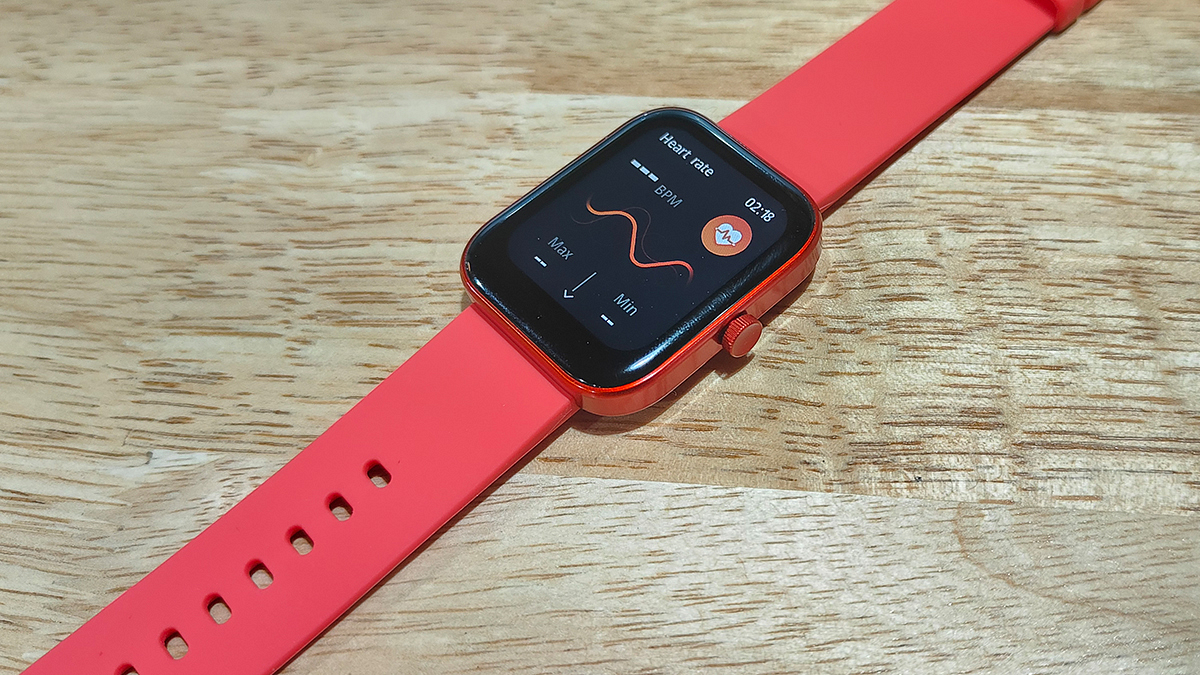
The Mivi Model E brings a standard design comprising a large rectangular dial combined with a soft silicon material used as straps. Despite the cheaper price tag, the company has made sure the quality used is good and the design falls in line with the modern trend. The curved rectangular dial along with the digital crown on the right adds to the looks, while the soft strap material adds to the premium comfort.

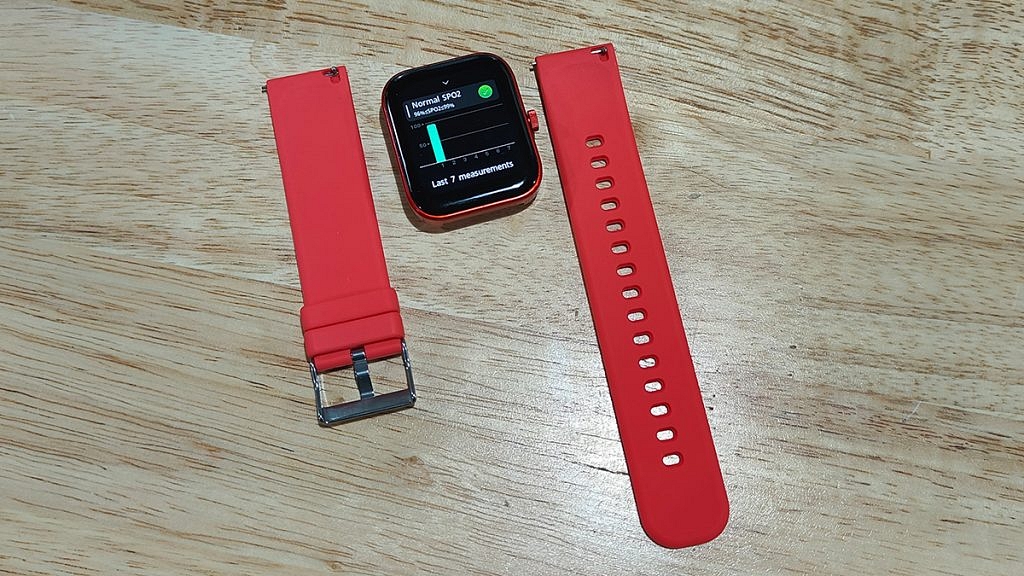
However, you don’t get an entirely sweat-resistant strap material which could hamper the wearing experience on hot summer days. Thanks to the IP68 certification it gets a decent level of protection from natural elements such as dust and water. Also, the straps are detachable allowing you to use different aftermarket 22mm straps.

So, you get to fiddle with different colored straps with the Model E smartwatch. The metallic frame used for the dial makes the Model E smartwatch all durable. This is better than the standard plastic material used for smartwatches in the budget segment. Overall, the Mivi Model E smartwatch has all the elements present that make the design trendy and also practical for daily use.

Mivi Model E Smartwatch Review: Display Performance, Available Features

The Mivi Model E is a budget smartwatch which is why expecting an AMOLED screen would be criminal. However, the panel used by the Model E smartwatch isn’t disappointing either. Under Rs. 2,000, you get a 1.69-inch HD display inside this budget smartwatch.

The Model E’s smartwatch gets a color screen with touch-sensitive control. The feedback with scrolling is decent. You might need to use firm gestures to scroll through this watch’s screen. Using the digital crown, you can easily go back to the previous screen on the watch and access the remaining menu and features.

The large screen size makes the texts and notifications clearly visible and helps with smooth navigation too. With 500 nits peak brightness, you don’t really struggle outdoors using the Mivi Model E smartwatch.

Mivi Model E Smartwatch: Features, Battery And Pairing Experience

Speaking of the available features, Mivi has packed the Model E smartwatch with a Heart rate monitor, SpO2 (blood oxygen monitor), and activity trackers including a steps counter and sleep monitor. You can pair the Mivi Model E smartwatch with your smartphone using Bluetooth for the functioning of the health sensors and record the relevant metrics.
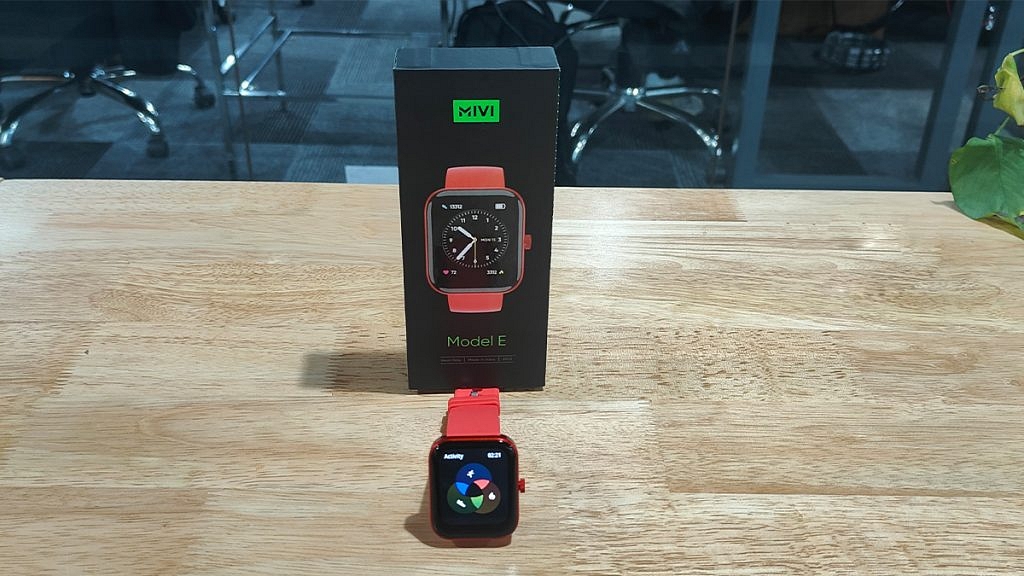
Furthermore, you can also download the Mivi Health app from Google Play Store and Apple App Store if you wish to access all the health metrics and change the watch’s settings directly from the paired smartphone.

The Mivi Model E smartwatch offers over 50 watch faces and 120 sports modes and also a couple of built-in games. The pairing process and easy and you would hardly come across any difficulties while connecting it with Android or iOS phones.

Mivi didn’t specify the exact battery capacity tucked inside the Model E budget smartwatch but claimed around seven days of backup on a single charge. During our testing period, the watch’s battery lasted for over five days which is close to the figures that the company claimed. You can use the magnetic charger cable that ships with the retail box to refuel this smartwatch.

Mivi Model E Smartwatch Final Verdict: Good Buy In 2023?

The Mivi Model E smartwatch under Rs. 2,000 can be a good option for you if you are looking for a modern smartwatch with basic health features. The large color display with touch controls and premium wearing comfort is the added benefits of making this purchase. But if you are expecting some advanced feature such as voice calling support, then you will have to increase your budget and consider other options in the market.

Also Read | OPPO Watch Free Review: Is It A Value For Money Deal?
Categories
Accessories Featured Reviews

VingaJoy VB-SX10 Portable Wireless Powerbank Review: Practical And Affordable

Pros

  • Affordable powerbank under Rs. 3,000
  • 10,000 mAh battery capacity
  • Dedicated charging protection features such as short circuit and overheating protection

Cons

  • Average plastic body material
  • Not super fast charging

Mobile phones have gradually paved their way into the daily lifestyle of the general public. Our reliance on these handheld gadgets has been exponential, specifically in the last decade the demand has been high with fully loaded Android/ iOS smartphones. Tech brands are also bringing in new smartphone accessories that are useful in daily life scenarios.  We not only have major smartphone OEMs competing in the digital accessories space but also some emerging homegrown brands that are creating a niece in this segment with new products.

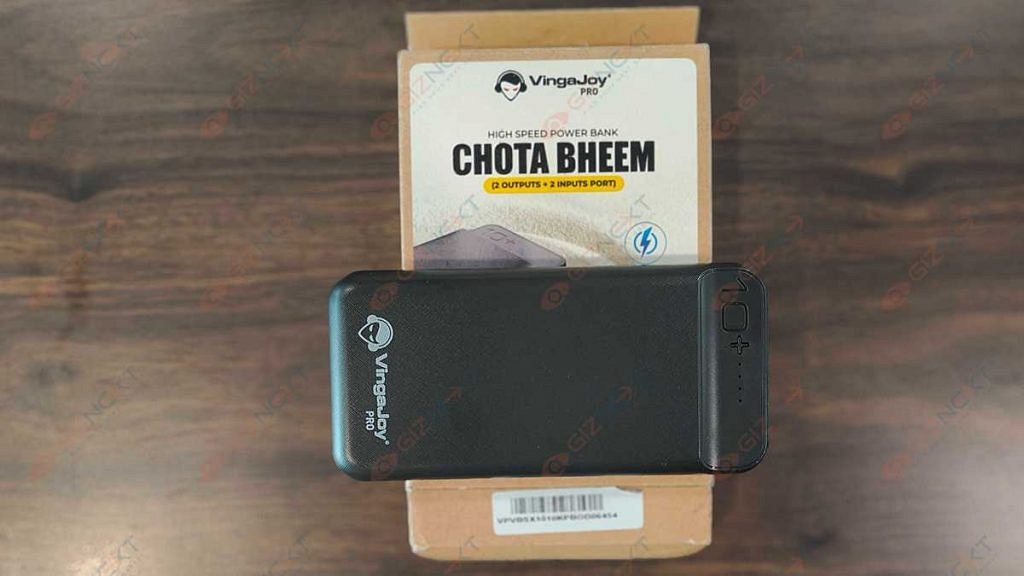
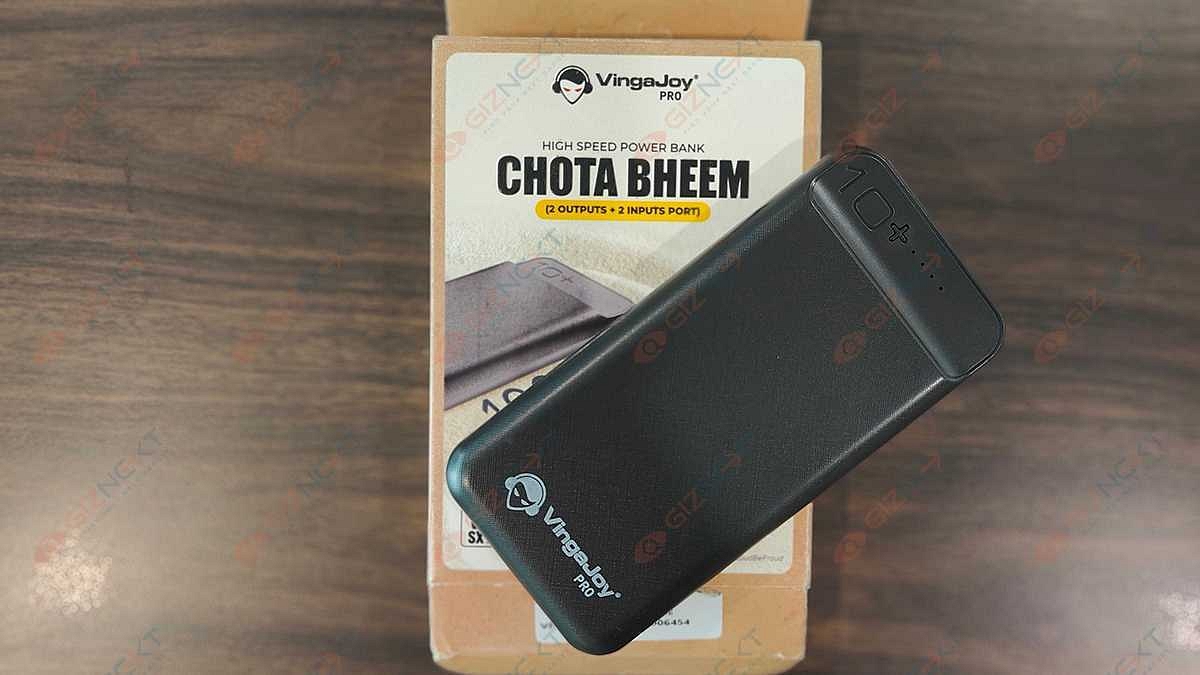
One such brand is VingaJoy which is rather new in the digital accessories segment and has introduced multiple products such as wireless neckbands and power banks. The VingaJoy Chota Bheem VB-SX10 is the latest edition to the brand’s power bank product lineup featuring a sleek design and large battery capacity for multiple device refuels.

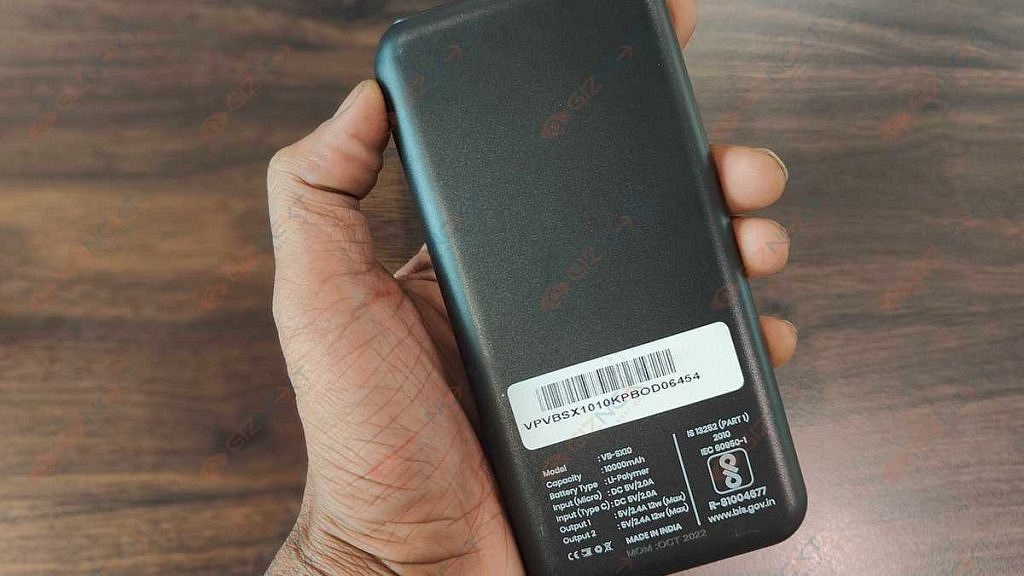
The VingaJoy VB-SX10 is a portable power bank that is Made in India and offers a 10,000 mAh battery capacity to charge a standard phone more than once. At Rs. 2,790, this is one of the cheapest 10,000 mAh powerbank available in the Indian market. But is it worth buying? We have done a quick review of this affordable powerbank that will help you decide if it’s worth buying.

Also Read: Lenovo Tab P11 Pro (2nd Gen) Tablet Hands On Review: A Fully Loaded Package

What’s Inside The Retail Box

  1. Main powerbank unit
  2. USB Type-C cable
  3. Small pouch to carry the powerbank

VingaJoy Chota Bheem VB-SX10 Wireless Powerbank Review: Design

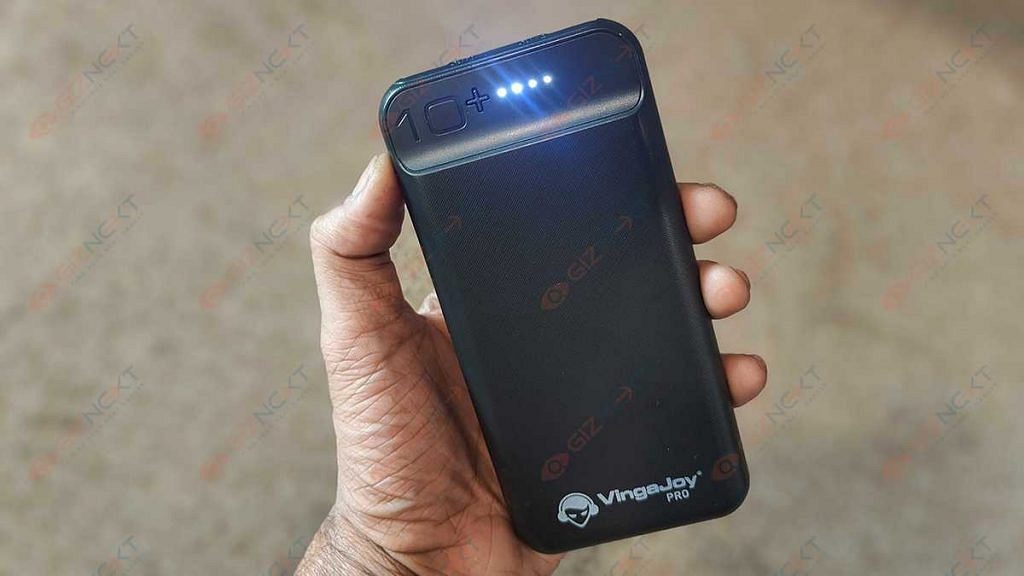
As you would expect with a budget power bank, the built material used by the VingaJoy Chota Bheem VB-SX10 is plastic. The material quality is decent and doesn’t feel all cheap. In fact, the lightweight design is an added benefit. It makes this power bank an ideal gadget for users who are frequently traveling or run out of smartphone battery rapidly due to extensive usage.

Not just smartphones, the VingaJoy VB-SX10 power bank can charge a whole range of other gadgets such as tablets, cameras, and headphones. There are LED’s on the top along with the power key that keeps users notified of the battery status and if the powerbank needs a replug.

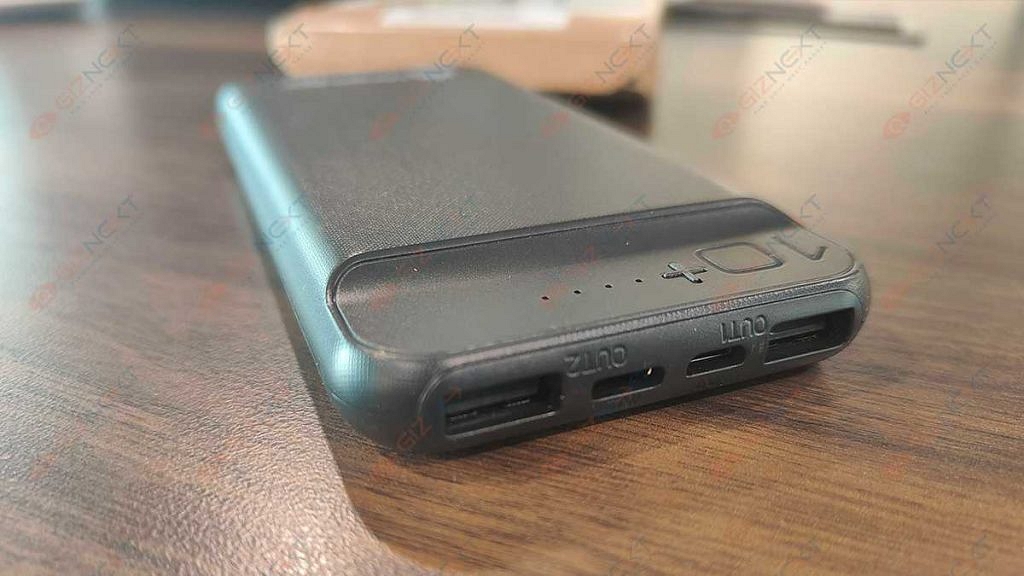
The ports are placed at the bottom. There are two input (Type-C/ V8) and two output charging points each with 2.0A power capacity. With this users get the option to charge two devices simultaneously. Overall design language of the VingaJoy VB-SX10 powerbank is practical for daily usage.

Also Read: OPPO Enco Buds2 Budget TWS Earbuds Review: Is It The Perfect Buy?

VingaJoy VB-SX10 Powerbank Review: Charging Features

The VingaJoy VB-SX10 power bank has some useful charging features that ensure safe and effective charging of smartphones and other gadgets. The brand has added multiple features such as overheating and short-circuit protection.

In addition to this, this powerbank is also equipped with overcharge protection which is a must to keep unwanted damages and accidents at bay. The powerbank doesn’t heat up when you keep it plugged in for hours.

These aforementioned charging features add to the overall security with the usage of this powerbank. All these features offers protection to both the connected gadgets as well as the powerbank itself. It’s good to see that the brand is offering these additional security layers at an affordable price.

Also Read: Tecno Camon 19 Pro Mondrian Edition Full Review: Unique Color Changing Design, Powerful Cameras Steal The Show

VingaJoy VB-SX10 Powerbank Review: Battery Backup And Charging Speeds

The VingaJoy VB-SX10 powerbank has a total battery capacity of 10,000 mAh. Now, this is ample for smartphones, tablets, and other digital accessories such as smart wearables, and wireless audio accessories. The wireless portable design makes it easy to plug in any of the aforementioned gadgets.

Besides, the availability of dual output ports aids with multiple products charging at once. The charging speeds offered by the VingaJoy VB-SX10 is average. It isn’t a super fast but takes over an hour on average to refuel a smartphone battery (4,000 to 5,000 mAh).

You can easily use this powerbank twice to charge your smartphone with a battery capacity range of 4,000 to 5,000 mAh. If you are wondering how much time will it take to recharge this powerbank itself entirely, then its close to two hours. You can use both standard or fast charging power bricks to charge this powerbank.

Also Review: Realme Pad X 5G Android Tablet Review: An All-Rounder Mid-Range 5G Tablet

VingaJoy VB-SX10 Powerbank Final Verdict: Should You Buy?

With numerous options available for audiences demanding a budget portable powerbank with high battery capacity, it might be difficult to select the best available option. The VingaJoy Chota Bheem VB-SX10 is an ideal pick that not only fits your budget but also handles all your charging requirements.

The travel-friendly design makes it practical for daily usage. If you have budget constraints and still don’t wish to compromise on quality, the VB-SX10 powerbank makes for a good buy.

Also Read: Vivo V25 Pro Review: Stylish Smartphone For Selfie Lovers

Categories
Accessories Featured Reviews

Qubo MagZap Z3 Wireless Charger Review: Functional And Affordable

Pros

  • Easy-to-carry
  • Built-in safe charging mechanisms
  • Can charge three Apple devices simultaneously

Cons

  • Charges devices slowly

Although wireless charging has been available for a while, it has only just begun to gain popularity. The global Qi wireless charging standard has been adopted by an increasing number of manufacturers and it is currently present in almost all flagship phones.

Companies are removing charging bricks from their packaging, forcing users to hunt for alternative or more suitable solutions. A recent line of wireless chargers from Qubo can help you swiftly refuel your Apple gadgets. Here is a review of the Qubo MagZap Z3, one of such options which costs Rs. 4,990. Also Read | Oppo Reno 10 5G Review: A Stylish And Feature-Packed Smartphone

What’s Inside The Box?

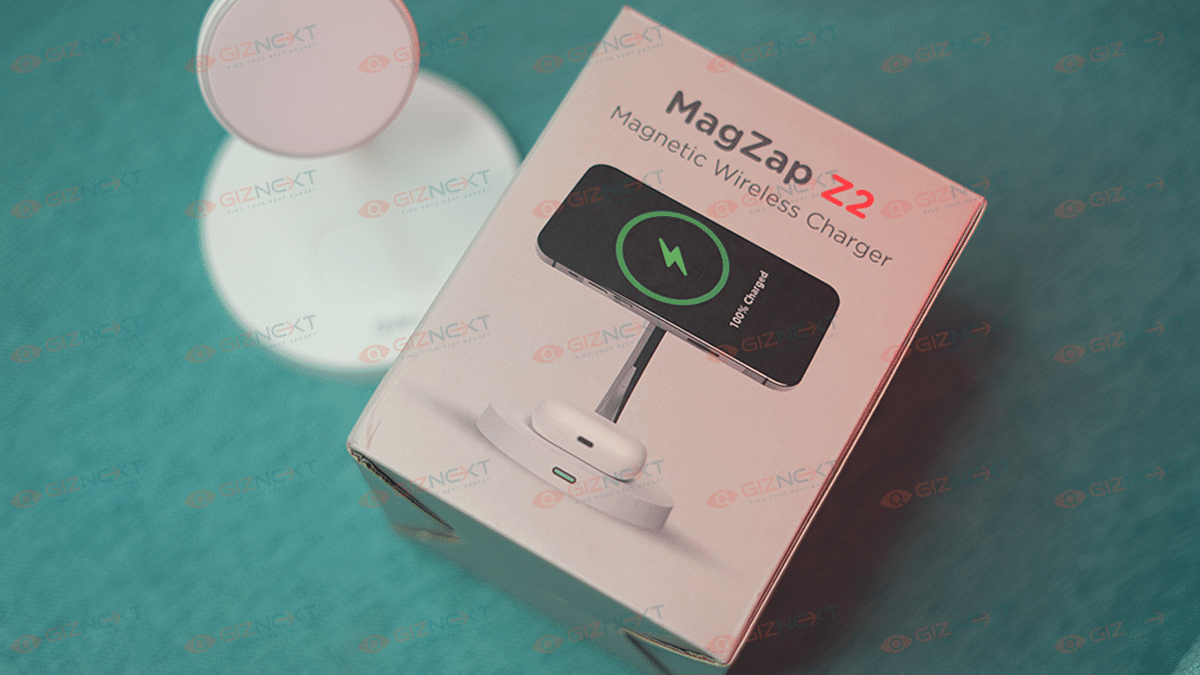
  • MagZap Z2 Wireless Charger
  • USB Type-C cable
  • A circular ring that you can stick on the back of your phone
  • Warranty Card

Design

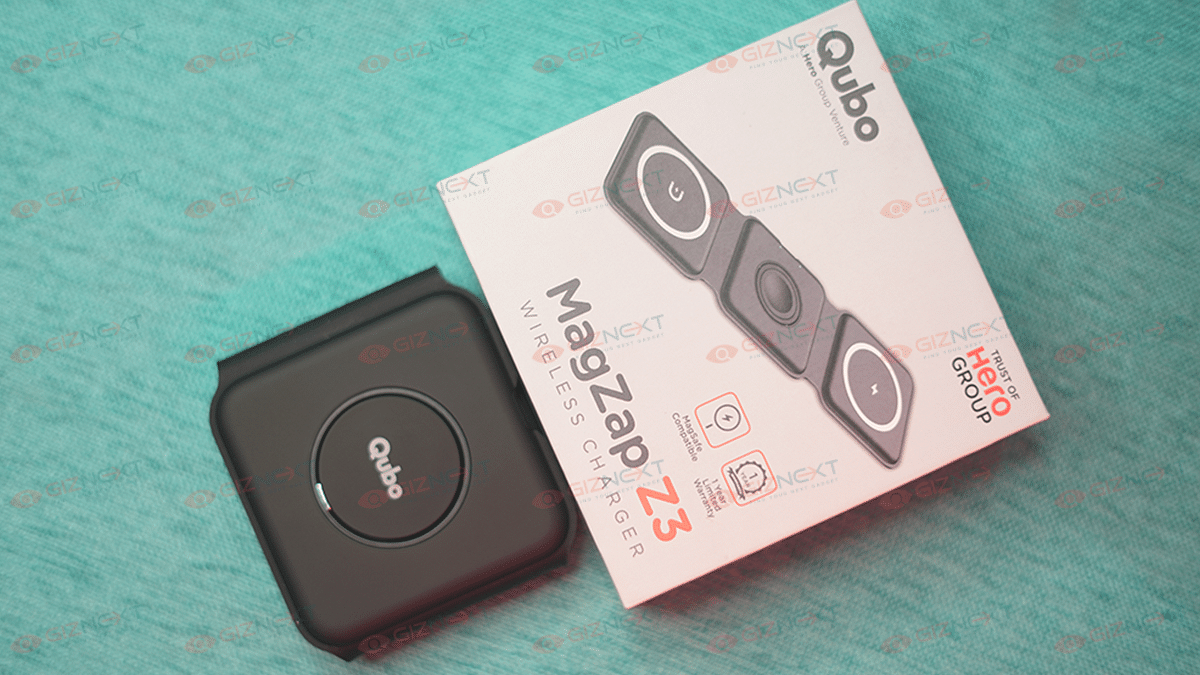
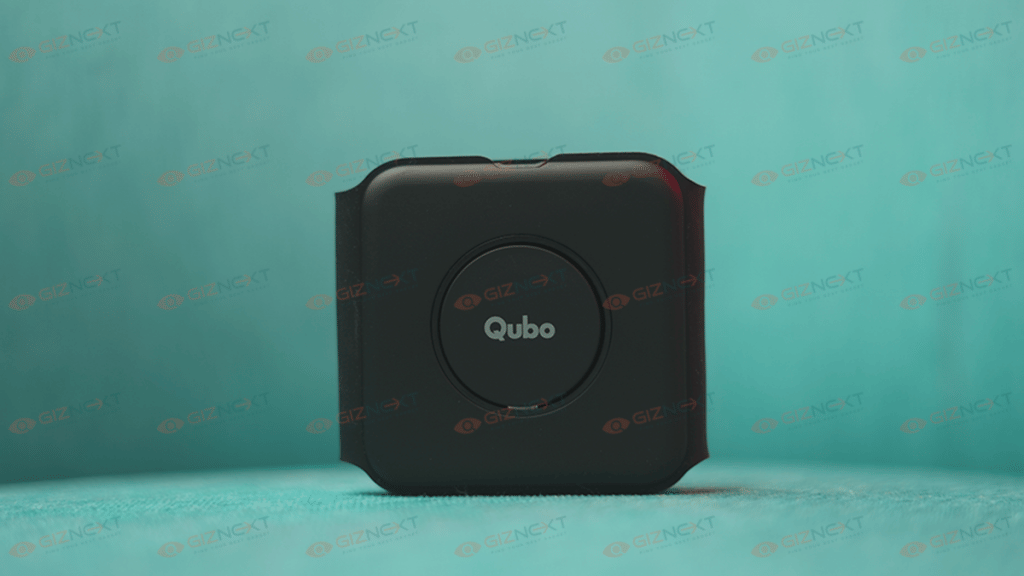
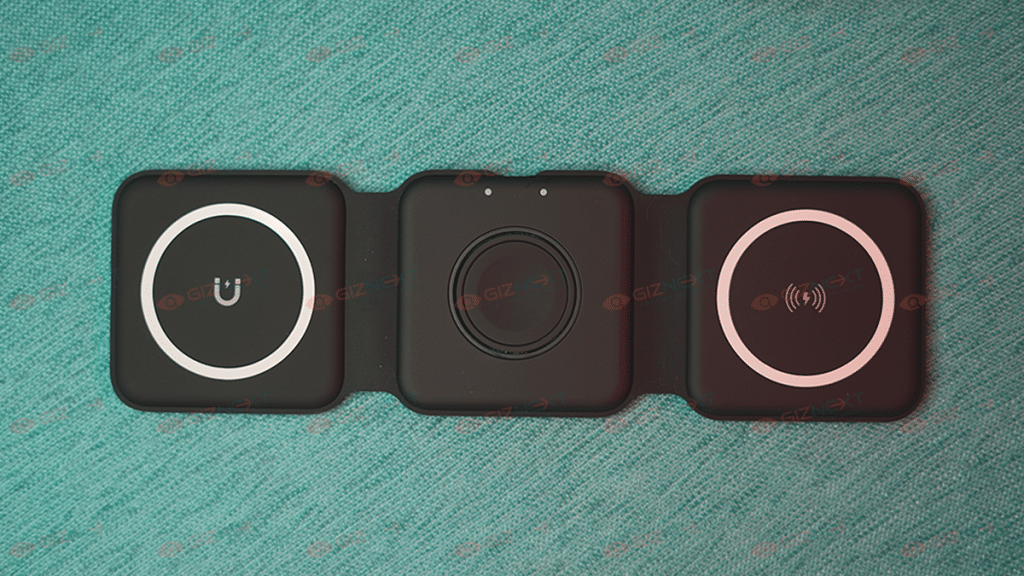
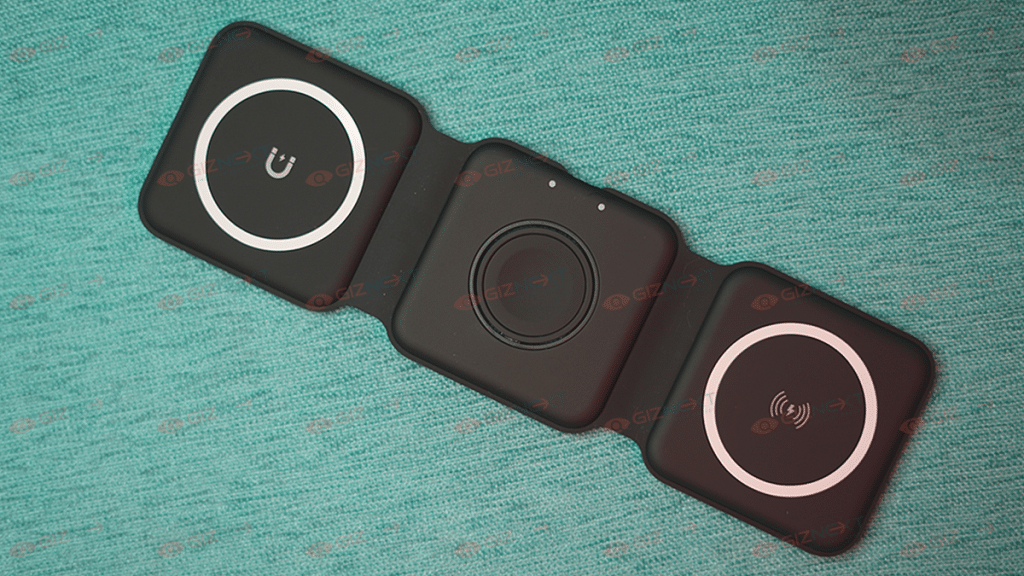
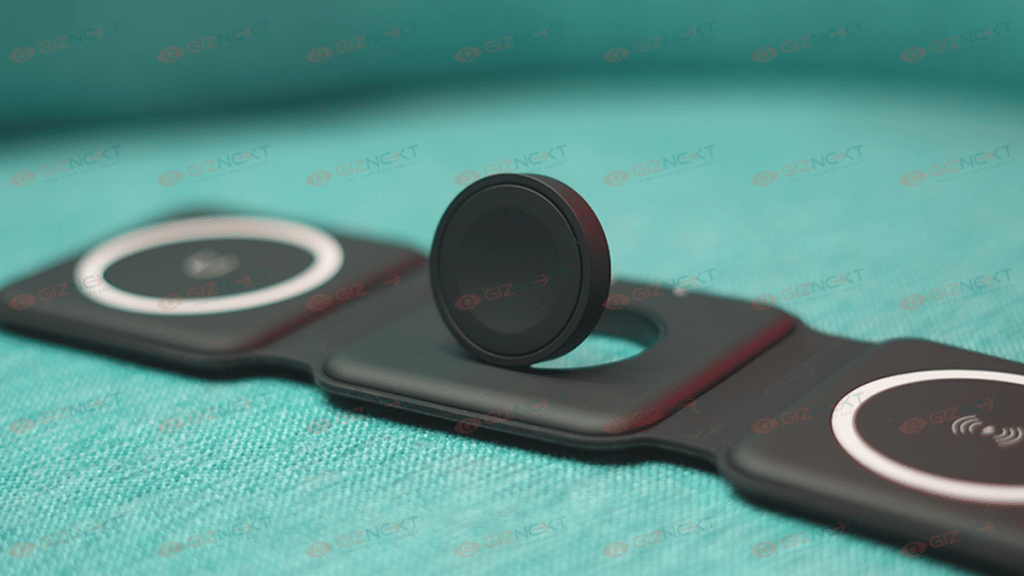
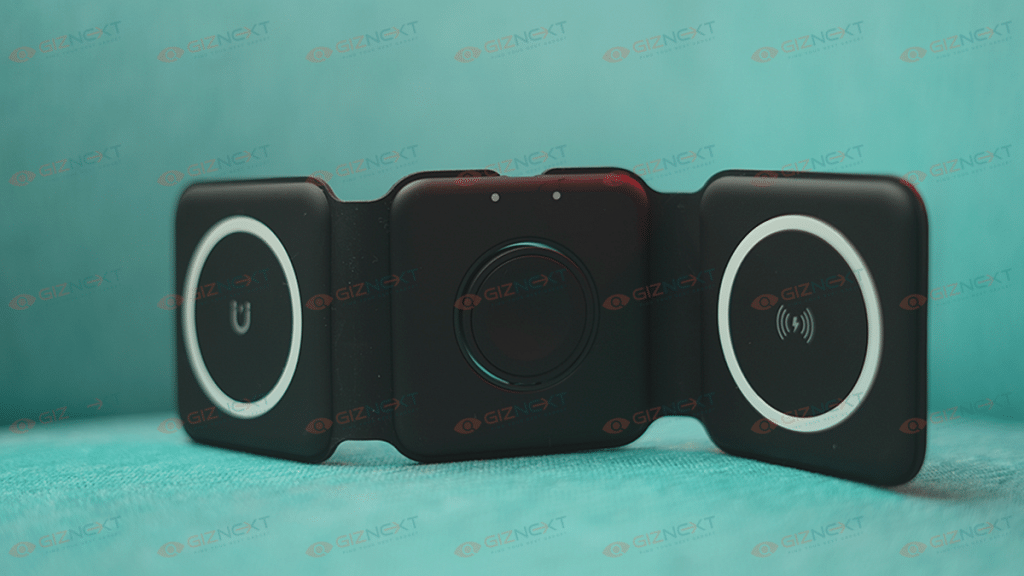
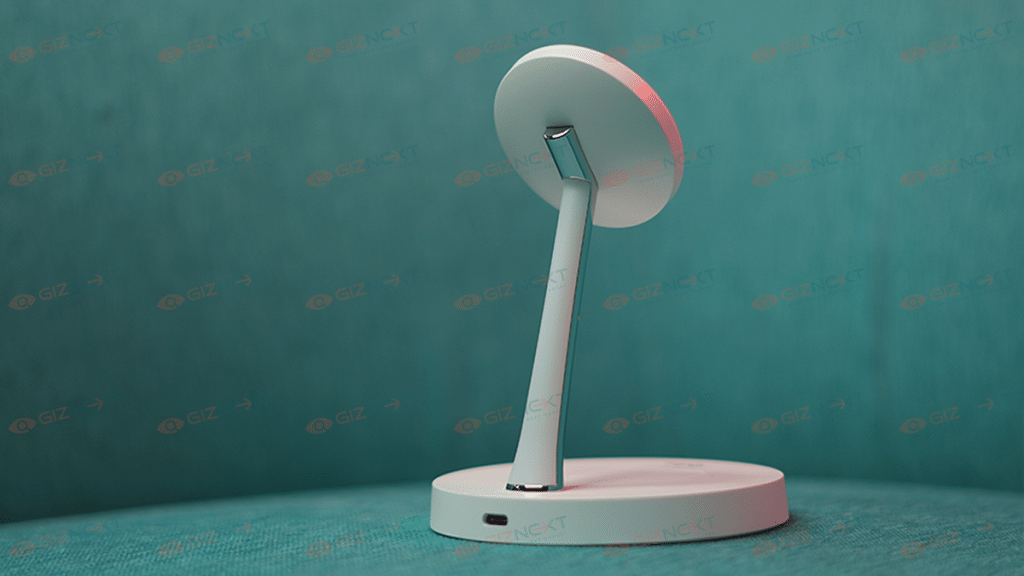
The Qubo MagZap Z3 gets a foldable 3-in-1 magnetic design. It can simultaneously charge an iPhone, Apple Watch, and your AirPods at the same time. The magnets enable the devices to sit securely in a place. I kind of like the stack design where the charging pads attach and sit on top of one another with the help of magnets.

Performance

The Qubo MagZap Z3 wireless charger is compatible with Apple’s Magsafe technology. The charging pad can charge three devices at a time. The devices will start charging the moment the MagSafe magnets are latched to the iPhone’s back panel.

You can charge your iPhone with a MagSafe charger with a 15W capacity. Using the MagZap Z3, it takes about an hour to charge your iPhone to 50 percent battery capacity. This is slow considering that a 20W adapter plugged into a Lightning cable can charge an iPhone to 50 percent in about 30 minutes. Thus, I still choose the Lightning cable when I need to fast charge my iPhone.

Also Read | Crossbeats Armour Dive Smartwatch Review: An Ideal Pick Under Rs. 4,000?

Charging And Connectivity

The Qubo MagZap Z3 wireless charger is MagSafe and Qi-compatible. It provides 15W of charging. The company says that it provides protection against overvoltage, overcurrent, and overheating. Besides, the setup process is quite simple. You just got to connect the cable to the charging pad and place your iPhone, Airpods, and your Apple watch to charge them.

Final Verdict

Honestly, I think the charger is worth buying for people who have a lot of devices that need to be charged wirelessly, especially for Apple users who have more than two units. However, it is not recommended to buy Qubo MagZap Z3 wireless charger if you are looking for fast charging.

Also Read | Qubo MagZap Z2 Magnetic Wireless Charger Review: A Cool Accessory For Your Apple Devices

Categories
Accessories Featured Reviews

Qubo MagZap Z2 Magnetic Wireless Charger Review: A Cool Accessory For Your Apple Devices

Pros

  • Easy and convenient
  • Snaps into the perfect charging position
  • Can charge an iPhone and a pair of Airpods simultaneously

Cons

  • May fall off while using iPhone
  • Charges slower than the lighting cable

Nowadays, wireless chargers are a simple way to charge your phone without having to plug it in. And the best chargers are stand-style ones because you can use your phone while charging, unlike horizontal pads.

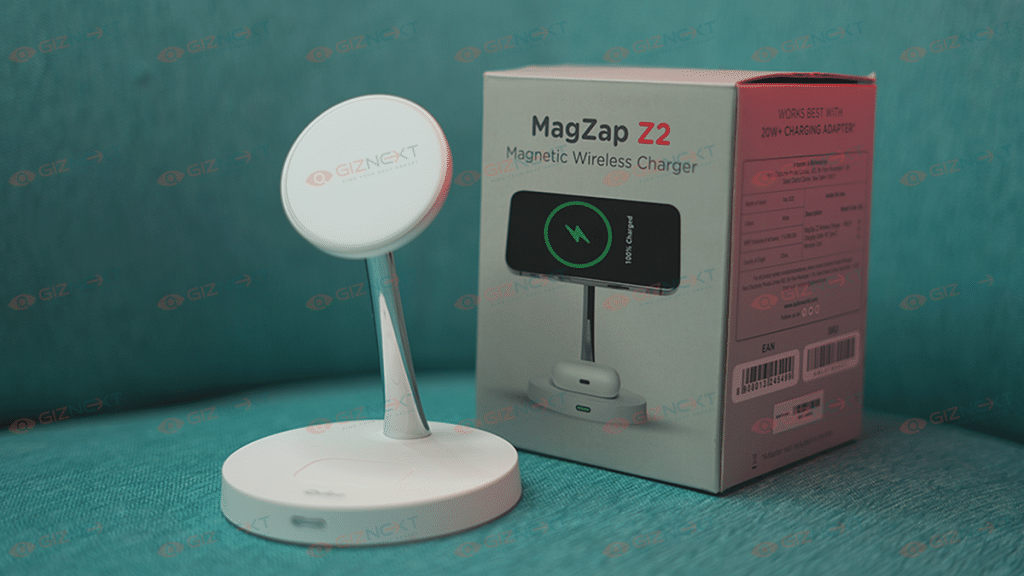
The latest technological developments were recently made available to Indian customers by Hero Group’s Qubo, giving them an advantage and an additional level of ease. The Qubo MagZap Z2 Magnetic wireless charger for Apple devices is the latest product the company is offering. It can charge an iPhone and a pair of AirPods simultaneously. In this review, I am going to tell you how it works and whether or not it’s a wise investment. Let’s dive in. Also Read | Qubo MagZap Z3 Wireless Charger Review: Functional And Affordable

What’s Inside The Box?

  • MagZap Z2 Wireless Charger
  • Charging Cable 1M Type C
  • Warranty Card

Design

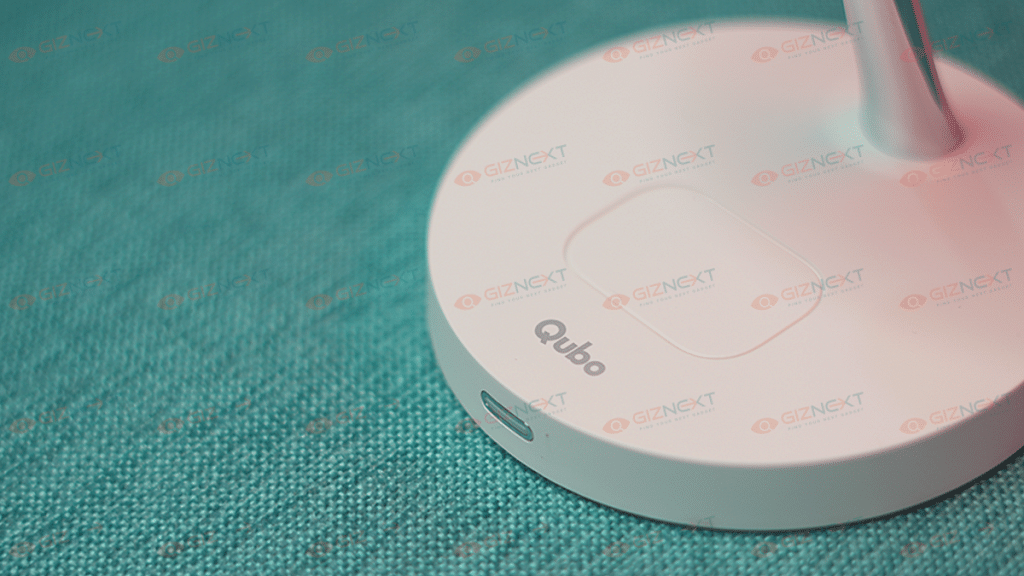
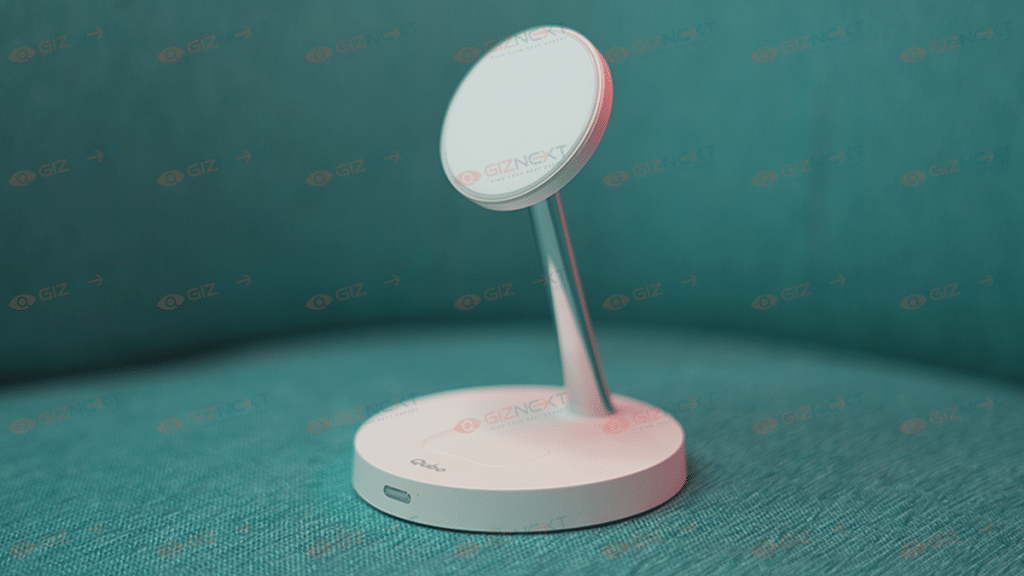
Like most wireless charger designs, the MagZap Z2 is minimal, simple, and easy to use. Designed with care for Apple users, Qubo MagZap chargers have a built-in safe charging mechanism to safeguard your Apple devices. Qubo has designed this range with the highest quality standards followed by multiple levels of reliability testing. It features a stand-form factor with two circular magnetic holders that supports more than one Apple product simultaneously.  

Also Read | Mivi Duopods K7 True Wireless Earphones Review: Balanced Sound On A Budget

Performance

I enjoyed the convenience of using the Qubo MagZap Z2 wireless charger. All you have to do is stick it onto the back of any iPhone, and it will automatically snap into the correct position. The iPhone will start charging the moment the MagSafe magnets are latched to the iPhone’s back panel. I don’t have to wonder if it’s positioned properly for the best charging.

One thing I would highlight is that the MagSafe Charger charges significantly slower than a lightning connection. It doesn’t quite charge as quickly as expected because of the magnetic alignment but does its job well. The iPhone can be charged with 15W capacity using the MagSafe Charger. It takes an hour to charge an iPhone to 50 percent battery capacity using the MagZap Z2. That’s slower when considering a lightning-connected 20W adapter can charge an iPhone to 50 percent in just 28 minutes. When I work from home, this is not a big concern, but if I need to charge my iPhone quickly, I still choose the lightning cord.

Additionally, this magnetic wireless charger has multiple protection features including overheating, overcurrent, over-voltage, and short circuit protection.

Final Verdict

The Qubo MagZap Z2 Magnetic Wireless Charger offers the convenience of charging two Apple devices at once. This eliminates the mess created with multiple wires required to charge iPhone, iWatch, or Airpods separately.  

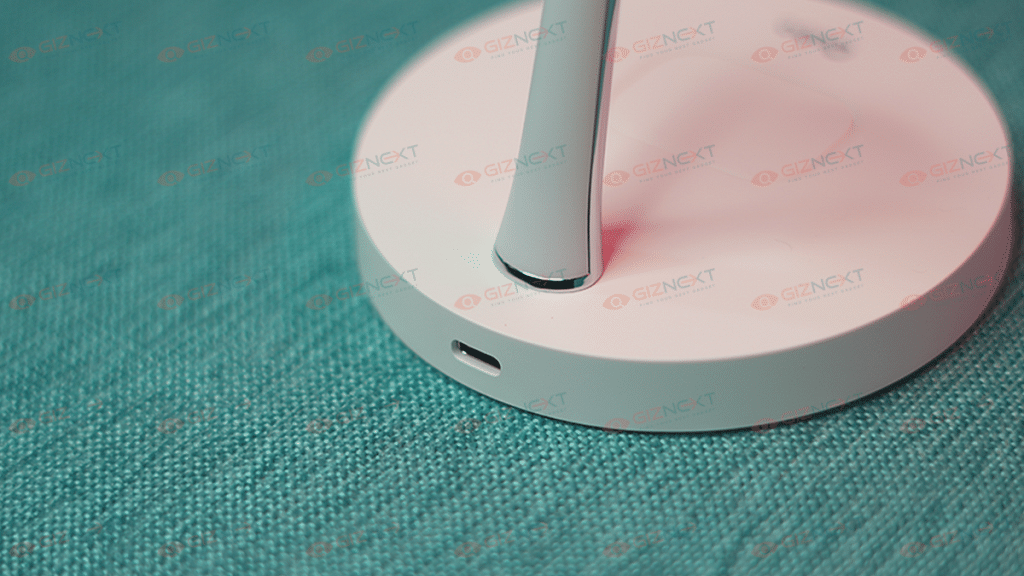
There are a few things that I truly wish it offers to improve the user experience. A slightly stickier base is one of them. It simply has four rubber feet on the bottom that could have offered better gripping. It moves about rather freely, which is nice, but the stationery form factor would have been appreciated. There is already a significant amount of weight in the base. It’s not just empty plastic, but to actually hold it in place, it may be a little heavier. As per my experience, I’ve found that it is a decent device that works efficiently. It is definitely a good wireless charger.

Also Read | Wings Phantom 345 TWS Gaming Earbuds Review: Trendy And Affordable

Categories
Featured Mobile Reviews

Tecno Camon 19 Pro Mondrian Edition Full Review: Unique Color Changing Design, Powerful Cameras Steal The Show

Pros

  • Unique color changing back panel with Polychromatic Photoisomer technology
  • 64MP triple rear cameras capture clear shots
  • 32MP massive selfie snapper
  • 5,000 mAh battery with 33W fast charging technology

Cons

  • Average low light cameras
  • Pre-installed bloatware

India is one of the biggest markets for budget smartphones. Entry-level and mid-range Android phones have the largest user base in the country. The brands that are ruling this segment, specifically the sub Rs. 20,000 price category include Xiaomi, OPPO, Vivo, and others. But lately, Tecno has emerged as a powerful contender in the mid-range smartphone market in India and global regions with its value-for-money products.

Tecno is bringing in some unique models for a budget price point. The recently introduced Tecno Camon 19 Pro Mondrian is the best example of the same. This affordable Android handset sets itself apart from the crowd with its color-changing design and mid-range gaming chipset. The Tecno Camon 19 Pro Mondarian edition can be purchased at Rs. 17,999 in India with 8GB RAM and 128GB storage configuration. Is the unique style statement enough to recommend this handset? Let’s find out in this review:

Tecno Camon 19 Pro Mondrian Edition Review

Design

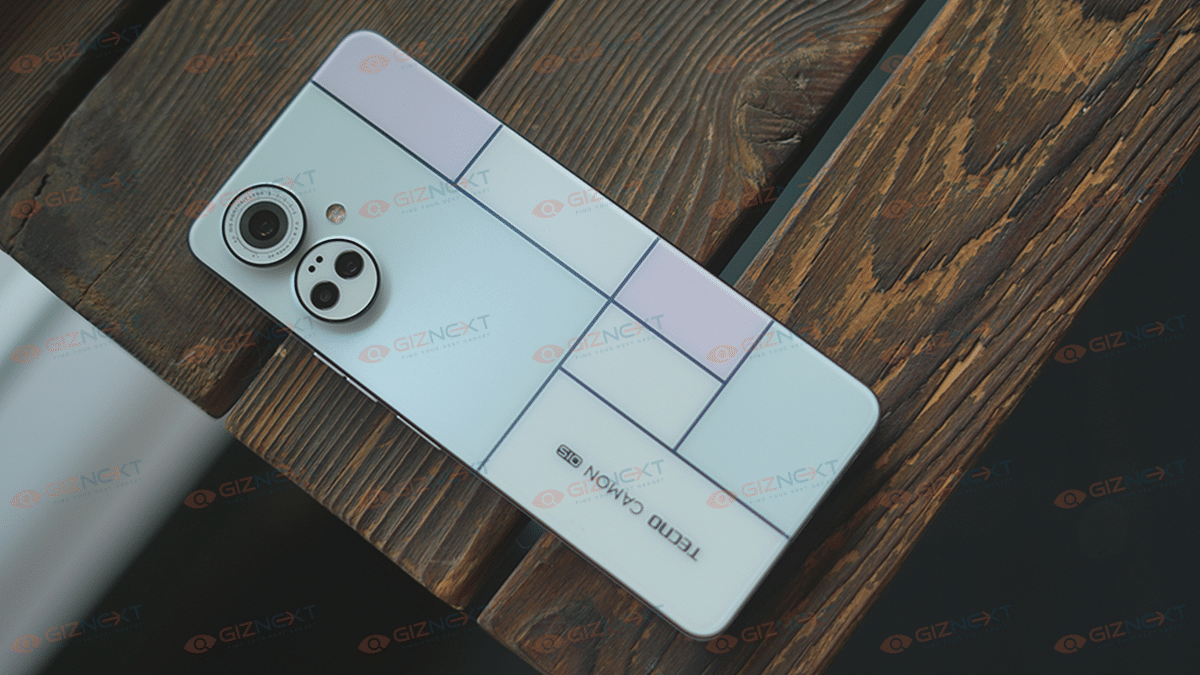
The Tecno Camon 19 Pro Mondrian isn’t any standard-looking mid-range handset. Tecno has brought in a color-changing design which is the most unique design aspect that you can find in the mid-range segment. Until now, the Vivo V25 series took center stage with a color-changing back panel. However, Tecno has taken this design approach a step ahead and has improved the overall theme that is based on Mondrian art.

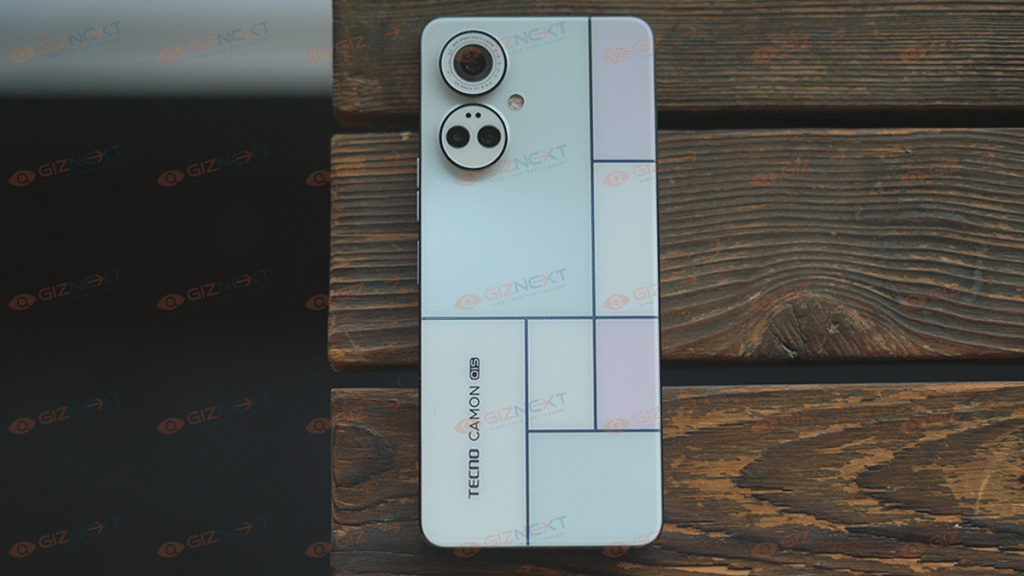
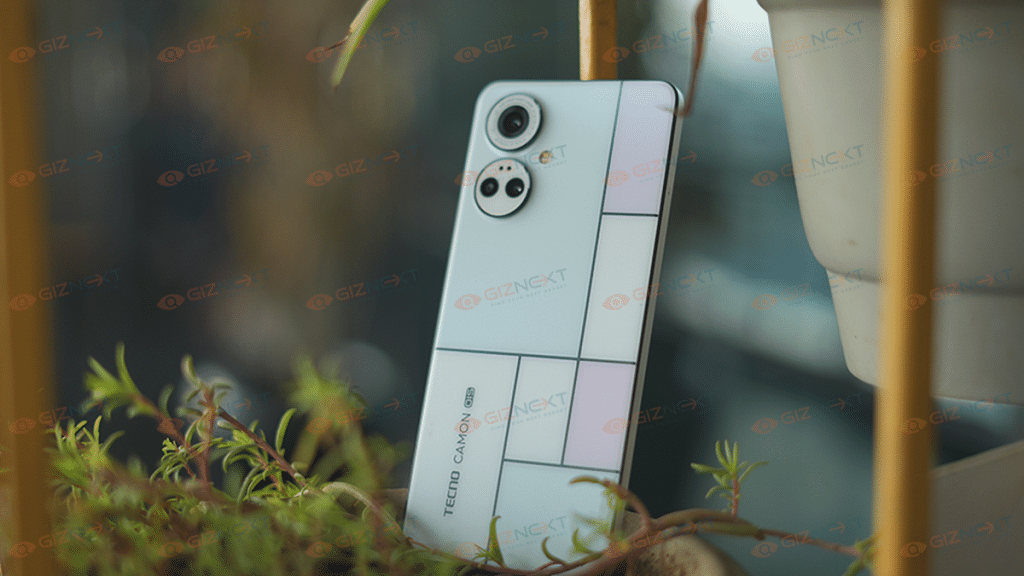
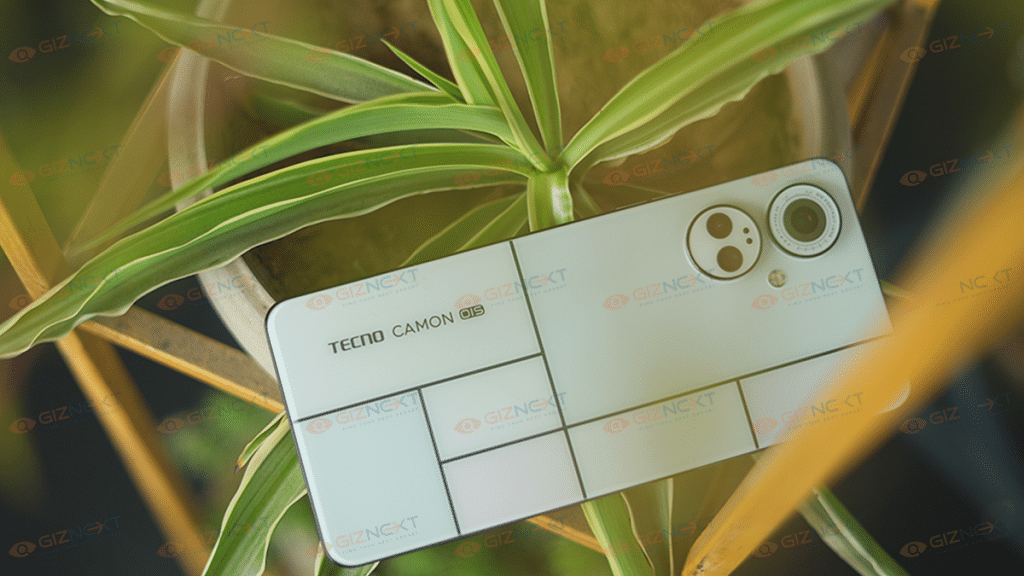
The Camon 19 Pro Mondrian edition’s back panel is painted in white and you will see a blocked pattern (square blocks) that itself makes the design unique. You don’t see the colors changing right away, the trick is to see the back panel in sunlight.

As soon as you expose the Camon 19 Pro in direct sunlight, you will see the white blocks changing to pink and purple shades. It’s for the first time we have seen a brand using Polychromatic Photoisomer technology to design a mid-range phone. This is what aids with the color change in the back panel when directly exposed to sunlight.

Not just the color changing theme, the Tecno Camon 19 Pro Mondrian Edition’s white matte surface and a flat frame thin profile add all the necessary pointers to the design. The rear panel is protected from dust and dirt and also isn’t a fingerprint or smudge magnet, unlike the other phones in this segment. Its 200 grams body weight makes it easily portable and you don’t feel any extra bulk inside your pockets while carrying it around.

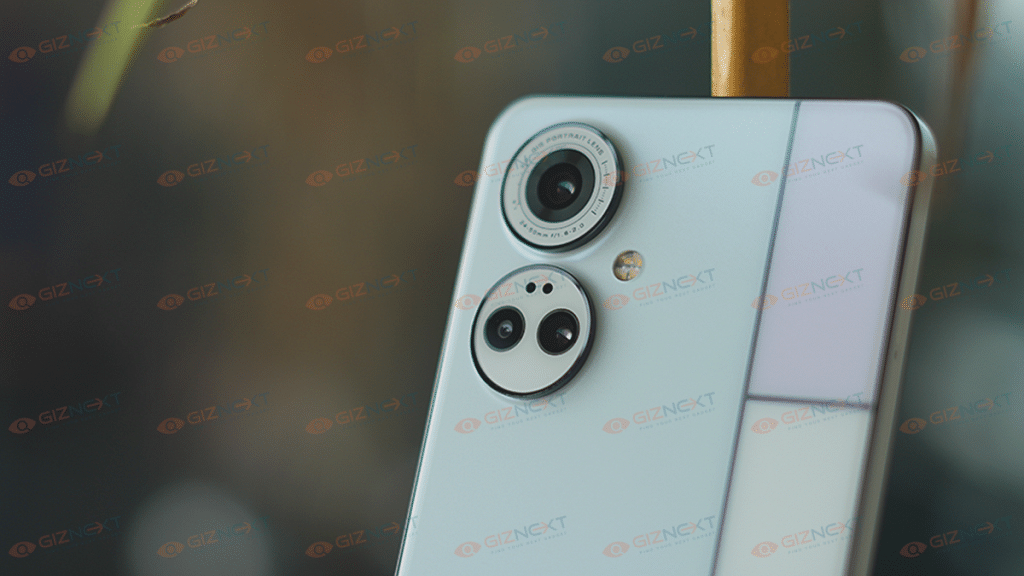
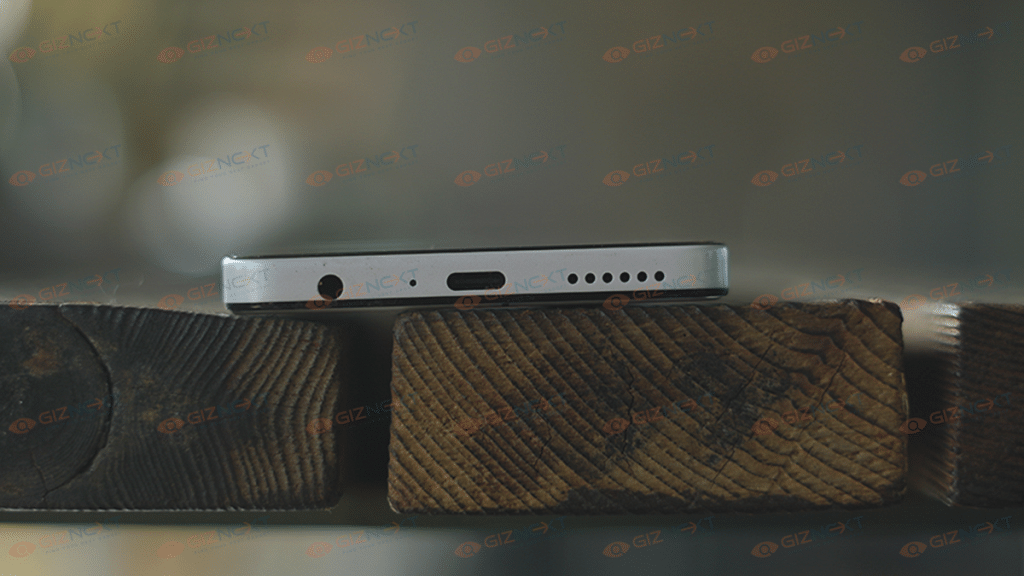
Even the rear camera module featuring two massive camera rings protruding from the body enhances the appeal of this handset. The remaining design aspects include the volume and power keys on the right spine and a dedicated microSD card slot on the left. At the bottom, it stores the USB Type-C port, a 3.5mm headphone jack, and the speaker grille.

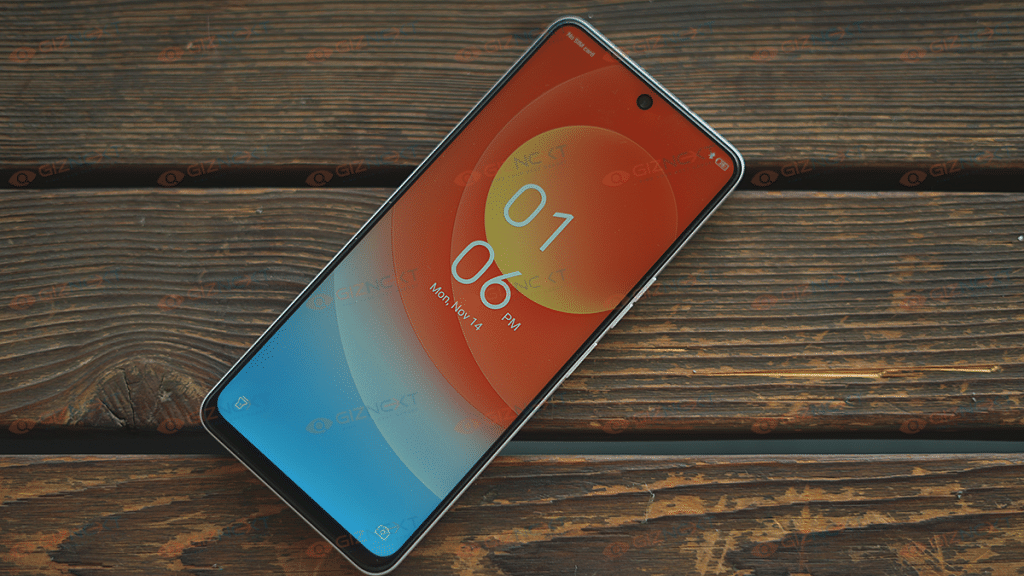
Overall usability factor is good with the flat frame design and the large yet reasonably sized screen that makes it slightly easy to operate with a single hand. Of course, extensive tasks require both your hands, but the majority of the basic tasks such as web page scrolling and messaging is easy.

Display

Tecno has added a tall 6.8-inch display on the Camon 19 Pro Mondrian Edition. The panel used is IPS LCD which is a common panel type for affordable and mid-range Android phones. The screen resolution offered is 1080 x 2460 pixels FHD+ and the pixel density is 395 PPI. While the panel type is standard LCD, a higher 120Hz refresh rate enhances the user experience with this screen. We experienced no issues with video playback.

The Tecno Camon 19 Pro Mondrian Edition has a responsive display that shows high levels of clarity despite it being an LCD screen. While the blacks aren’t as deeper as an AMOLED panel, it does a good job overall with displaying colors. The tiny punch-hole camera cutout further hampers the least with visuals.  

The brightness levels are average. That’s one of the only drawbacks we could find with the screen. The visibility is good when you are indoors, however, with the outdoor settings you will experience slight issue with viewing content; specifically, under direct sunlight. The display performance has been apt with both video playback and gaming and also streaming content via OTT platforms.

Camera Performance

Tecno is amongst those brands that integrate a high-end camera setup even in its mid-range offerings. The Camon 19 Pro Mondrian Edition is a good example of the same with a triple rear camera module. The device is equipped with a 64MP main camera that has an f/1.65 aperture and a 50MP secondary lens that has an f/1.9 aperture.

This wide-angle sensor is further clubbed with a 2MP lens with an f/2.4 aperture for depth mapping. If you look at the spec sheet, it’s quite powerful for a mid-range Android handset that retails below Rs. 20,000. And when we speak of the camera performance, you aren’t left disappointed with the overall image quality.

The clarity levels aren’t compromised anyhow when the shots are captured in areas with good lighting conditions. The 64MP main camera is capable of capturing minute details. Thanks to the additional OIS (Optical Image Stabilization) and laser autofocus, the scene detections are improved and overall imaging quality also enhances.

The combined triple lens setup offers great accuracy with color production with the captured images. The quality doesn’t deteriorate when you try to capture some complex backgrounds or with moving shots. The fast shutter speeds handle the latter.

The bokeh shots are also well-defined with the dedicated 2MP sensors. The background blur intensity can be adjusted manually and the blur effects don’t seem artificial. The camera app integrates a dedicated Super Night mode if you wish to click detailed images in low light. The quality of the night shots aren’t bad either. There are slight distortion and background noise that gets captured with low light photos but they can be ignored.

Tecno has designed the Camon 19 Pro to please the shutterbugs; specifically, the selfie fanatics will be happy with the massive 32MP selfie camera. The selfie snapper captures brilliant self-portraits with high-clarity levels and balanced color production.

Hardware, Software, Battery Backup

At its core, the Tecno Camon 19 Pro Mondrian Edition integrates the MediaTek Helio G96 chipset as its brain of operations. This is a standard 4G chipset with an octa-core CPU cluster designed for a premium gaming experience. Now, the Camon 19 Pro Mondrian Edition is a well-equipped handset overall, but the 4G chipset is a shortfall. We wouldn’t say it’s an entirely wrong pick as a processor, but a 5G processor would definitely have given it an edge against the competition.

The processing speeds are decent and you aren’t made to experience delays or lags with app loading or usage. Even with multiple apps launched at once, the phone’s speeds are hardly hampered which is impressive. You can easily play games in HD settings with no stutters or lags in sight.

But the slight warm-up issues are noticeable when the handset is being used extensively while gaming. With its sole 8GB RAM configuration, the Camon 19 Pro Mondrian Edition easily takes on multitasking as well. Whereas, the 128GB onboard storage space is ample to store files and documents in addition to videos and photos.

But if you are amongst those users who are frequently with downloading large apps and games, adding up an external microSD card would make sense. The expandable storage support is up to 512GB which should suffice all the storage requirements.

Tecno has installed the Android 12 OS as the firmware on the Camon 19 Pro Mondrian Edition. The UI pre-loaded on top is HiOS which is customized specifically for Tecno phones. The device has a bunch of pre-installed bloatware which clutters the UI. But thankfully, Tecno has improved multiple aspects of the UI for a premium user experience.

Lastly, the battery capacity packed inside the Tecno Camon 19 Pro Mondrian Edition is a 5,000 mAh unit. The large battery capacity along with mid-tier hardware is suitable for a long-lasting backup. The maximum backup on a single charge is over eight hours on a single charge. This is when you use the device for basic tasks including web browsing. But if the usage is extensive such as gaming, the backup reduces significantly. The battery refuel time with the 33W fast charging is around an hour.

Tecno Camon 19 Pro Mondrian Edition: Final Verdict

For buyers with a budget under Rs. 20,000, the Tecno Camon 19 Pro Mondrian Edition makes for a decent buying option. And if in case you are okay with a non-5G phone that offers a unique design language, a powerful camera setup, and a responsive display, this color-changing Camon series model is a good fit.

This is one of those phones that you can flaunt easily out in the crowd and at the same time, there is least of compromises with the overall performance. The Tecno Camon 19 Pro Mondrian Edition gets our recommendation for its out-of-the-box design and feature-rich camera module.

Categories
Featured Reviews Tablet

Lenovo Tab P11 Pro (2nd Gen) Tablet Hands On Review: A Fully Loaded Package

Pros

High-res OLED display with 120Hz refresh rate

Latest MediaTek Kompino 1300T chipset with 8GB RAM

Shi[ps with Precision Pen 3 stylus and Thinkpad-inspired detachable keyboard

Cons

Low light camera performance is average

No fast charging

Lenovo just introduced the second-generation Tab P11 tablet in the country. With the Lenovo Tab P11 Pro (2nd Gen), the brand has made several upgrades and improvements over the previous-gen model. The first-gen Tab P11 Pro is already a premium end tablet and the latest model Lenovo has definitely raised the standards in the tablet market.

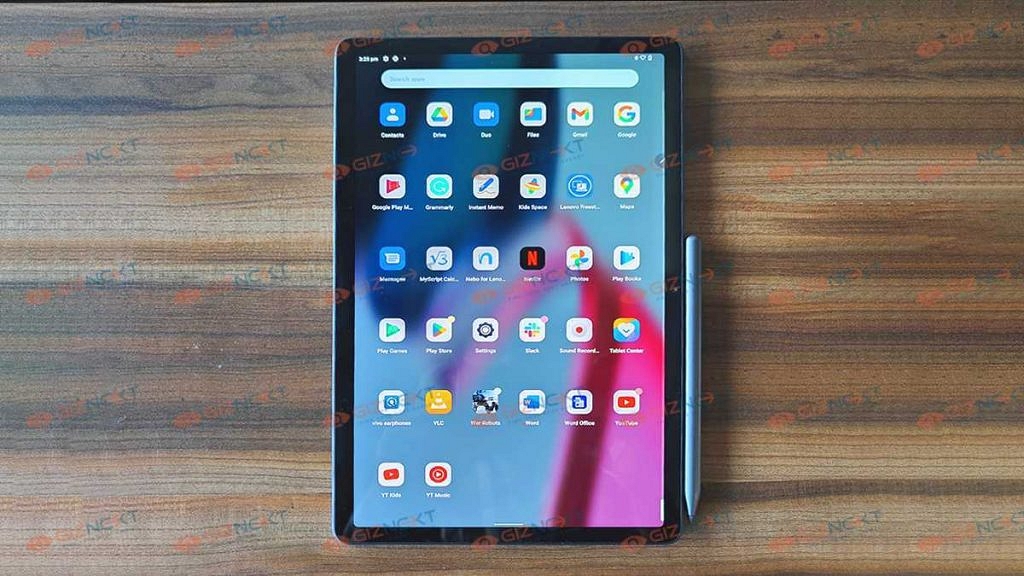
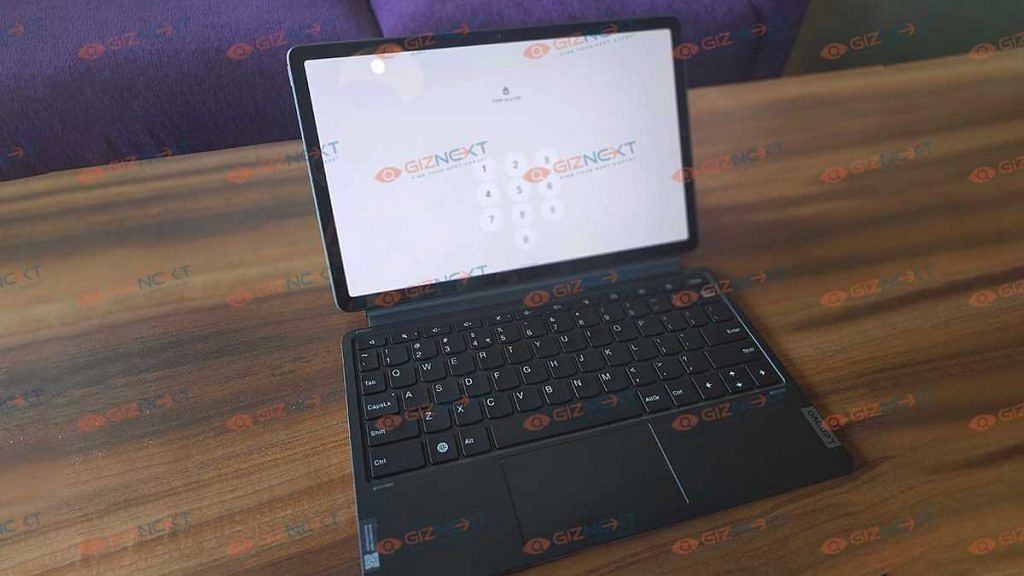
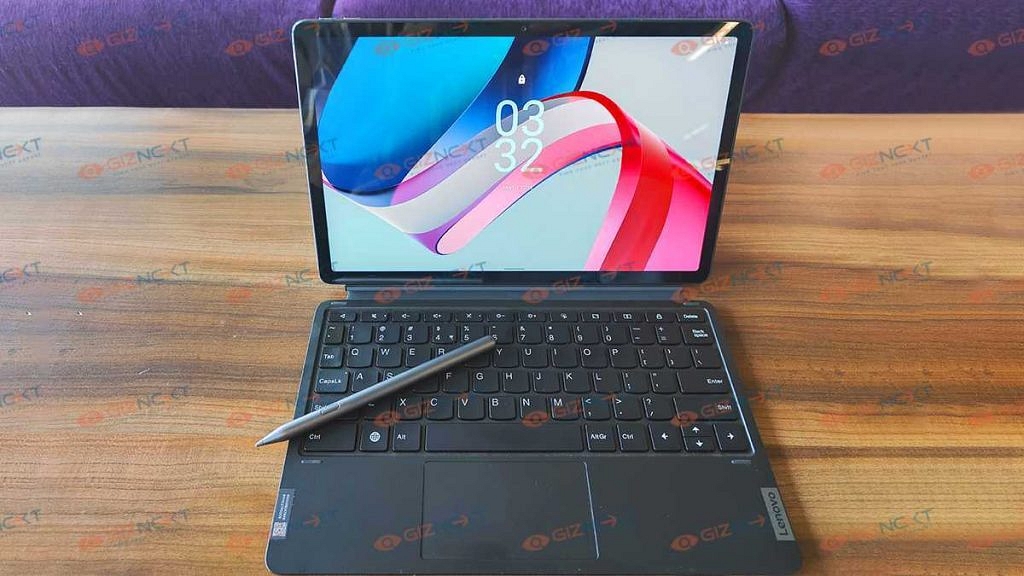
The Lenovo Tab P11 Pro (2nd Gen) Android tablet brings along the necessary hardware to make it a potent device that can easily replace laptops to a larger extent. The retail box ships with the Precision Pen 3 and a keyboard that helps you get done with tasks for which you would essentially need to open a laptop.

With an asking price of Rs. 39,999, the Lenovo Tab P11 Pro (2nd Gen) is available for sale via Amazon and the company’s official India website in India. But before making a purchase, you should be aware of its performance delivery. We have broken down all of its user aspects in this review: Here’s what we think of the latest Lenovo Tab P11 Pro tablet:

Lenovo Tab P11 Pro (2nd Gen) Review

Design And Display

The Lenovo Tab P11 Pro (2nd Gen) wears a subtle yet premium-looking design with a dual-tone finish adding to the visual appeal. Lenovo has used a glass-like material to craft the P11 Pro which is what enhances the overall looks and feel of the tablet. And just 480 grams of weight makes it an ideal travel companion. The lightweight design despite the large form factor is definitely the positive design aspect that gives it an edge over the competition.

Of course, the weight adds up when you use both the magnetic keyboard and the cover. But that doesn’t make it super bulky either. You still would be easily able to carry it around even if it’s a small backpack. The tablet is only available in the Storm Grey color option which looks elegant.

The display is one of the most powerful aspects offered by the Lenovo Tab P11 Pro (2nd Gen). While a number of smartphone OEMs are still limiting themselves to using an IPS LCD screen, the Lenovo Tab P11 Pro (2nd Gen) is equipped with an OLED screen. The large 11.2-inch screen size perfectly complements the high-res OLED panel. The screen resolution is 1536 x 2560 pixels which help with clear content production under all scenarios.

The display does justice to the video playback session and lets you get on with binge-watching sessions; be it movies or TV shows. You will be impressed with the visual clarity that this tablet offers. Thanks to the additional display features such as HDR 10+ and Dolby Vision certification, the content quality is never compromised on the Tab P11 Pro (2nd Gen).

You get the same high-quality visuals every time you play a video on its screen. It offers an immersive visual experience with videos streamed on OTT platforms and YouTube. The same goes for the downloaded video files as well. Brightness levels are also good. You will have no difficulties reading the display under harsh sunlight.

Another highlight feature of the display is the 120Hz refresh rate which further enhances feedback with frame transitions. This further boosts the display performance with gaming. Also, it makes the panel’s feedback better with both touch and stylus pen. Lenovo has done an excellent job with the Tab P11 Pro (2nd Gen) tablet.

Hardware And Software Performance

The Lenovo Tab P11 Pro employs the octa-core MediaTek Kompanio 1300T chipset for power delivery with all the given tasks. The new-generation MediaTek processor churns out ample power to handle basic as well as extensive tasks without any noticeable lags. The tablet didn’t flinch with multitasking as well. It is possible with 8GB RAM memory. You can launch and use multiple apps and toggle between them instantly without any hiccups.

We also were able to play games with ease and least warm-up or device heating issues. If you need a productive device that can somewhat replace a high-end laptop, the Lenovo Tab P11 Pro (2nd Gen) will surely handle all your requirements.

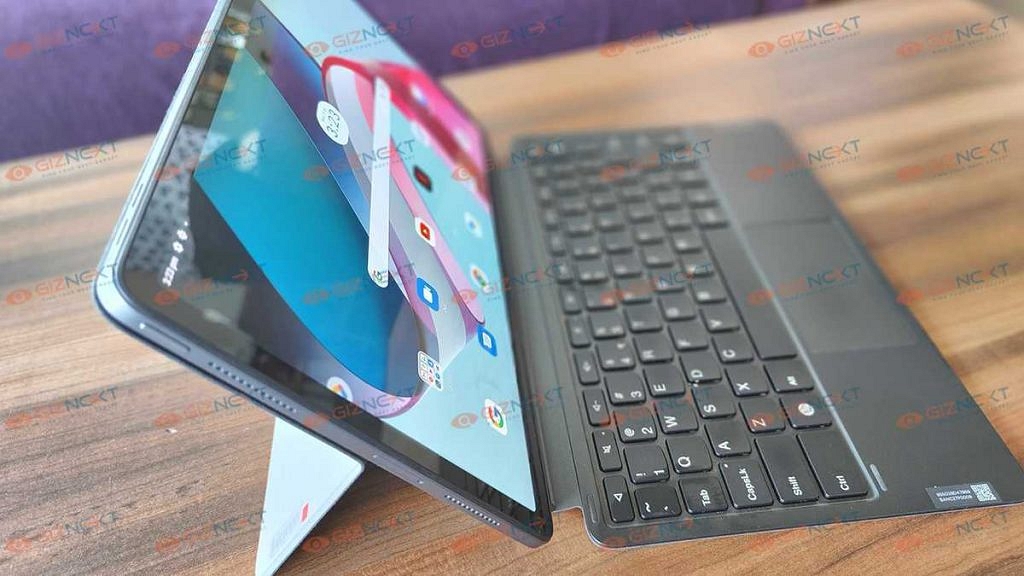
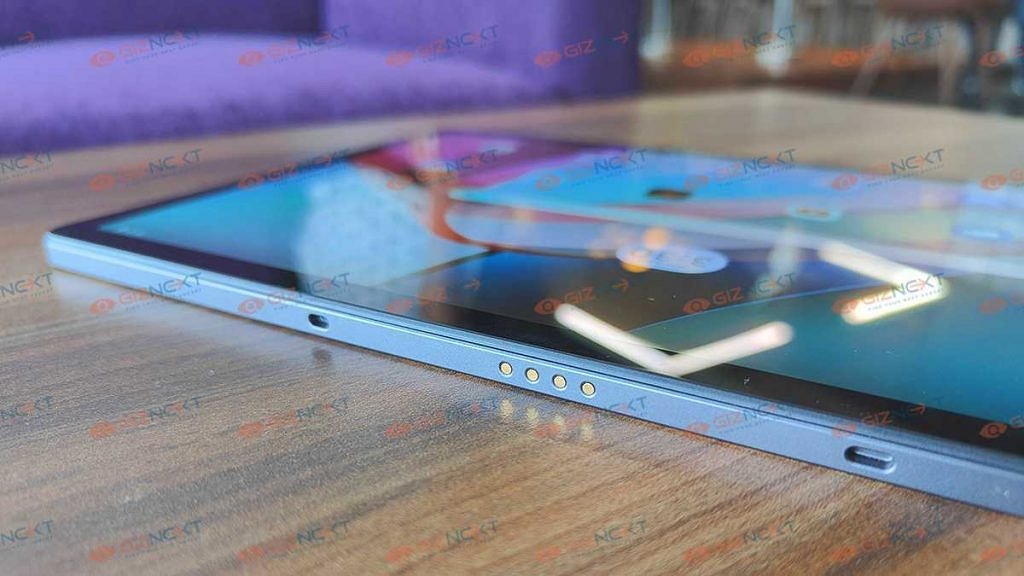
You can use the ThinkPad-inspired detachable keyboard with a built-in trackpad for your extensive typing requirements. The large key size helps with faster and more accurate typing. You wouldn’t be struggling at all with typing large documents. In fact, the entire experience is laptop-like which is definitely a bonus point for students and professional users. And we can’t forget the Precision Pen 3 stylus that magnetically latches on the tablet’s body.

You can doodle or draw using the Precision Pen 3 with great accuracy. This makes the tablet more productive for both general as well as extensive users. The ease of usage is one of the factors that add extra brownie points for this tablet. The Bluetooth-enabled stylus pen also lets you remotely control some of the on-screen operations with images and recording.

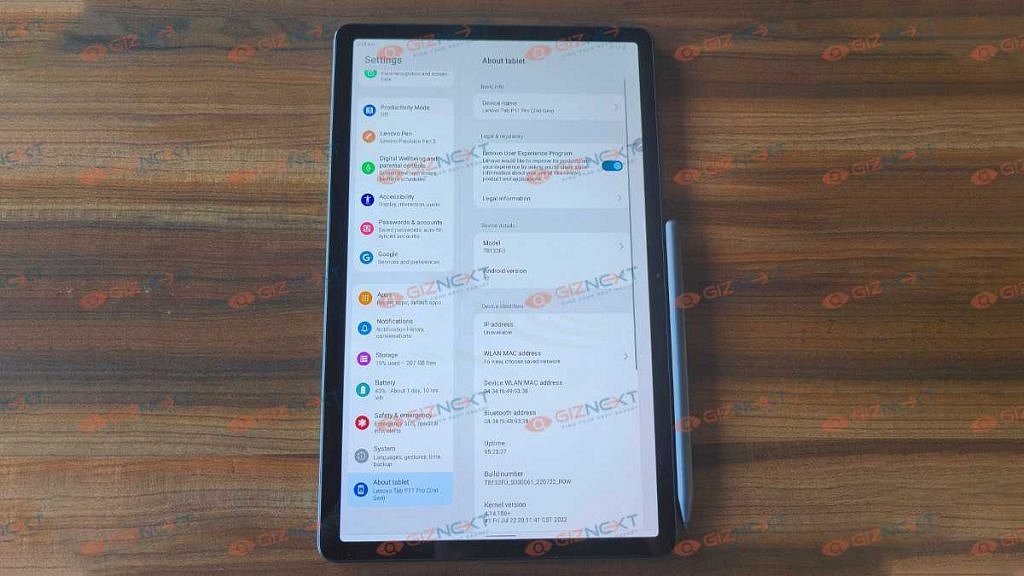
And you don’t need to perform any additional tricky steps to pair the stylus pen with the tablet. Just switch on the Bluetooth from the Settings menu and the Precision Pen 3 will be automatically paired with the tablet. Start using it at your convenience.

The Lenovo Tab P11 Pro (2nd Gen) comes pre-loaded with Android 12 OS with tablet-oriented customizations that makes it easy to operate when you have the keyboard attached. You don’t see the app drawer crowded with third-party apps or bloatware.

This is a respite for all those transitioning from a smartphone to a tablet since the former (most of the available models) have a custom UI with multiple bloatware installed. The cleaner UI definitely enhances the overall user experience. We enjoyed using this tablet for all kinds of tasks.

The premium range MediaTek Kompino 1300T chipset along with the integrated Mali-G77 MC9 GPU ensures a superior gaming experience on this tablet. Of course, the 120Hz refresh rate is an added benefit here if we consider extensive gameplay sessions. Audio delivery us handled by a quad JBL speaker system combined with Dolby Atmos. The audio delivery is loud and if you are in a mid or small-sized room, you wouldn’t need to pair an external speaker. Expect a rich cinematic audio-video experience with this tablet on the go.

Camera Quality

The Lenovo Tab P11 Pro (2nd Gen) has been packed with a 13MP RGB main camera at the back. The imaging setup is decent for a tablet that retails for under Rs. 40,000. The imaging quality is decent. Don’t expect a full-fledged photography experience as you would get on a smartphone packed with multiple cameras.

The single 13MP lens does a fine job with details and colors; specifically, if the images are being shot in broad daylight. The imaging quality is decent with low light. However, the images might have noticeable grains distortions with poor lighting conditions. You would need to use the LED flash in that case.

Upfront, the camera snapper used is an 8MP lens that doubles up for selfies and video calling. You can carry on with online conferencing using this tablet and will get a good experience with online calls.

Battery Backup

The Lenovo Tab P11 Pro (2nd Gen) tablet uses an 8,200 mAh battery unit. However, the charger that ships with this tablet are a standard 10W which could be a bummer for the audience that is now used to fast charging technology offered by smartphones and even tablets.

We have several Android tablets in this price bracket that offer faster-charging speeds. The backup is more than half a day on a single charge. But the slower charging speeds (over three hours) are a slight mismatch.

Final Verdict

The Lenovo Tab P11 Pro (2nd Gen) tablet is one solid package that you can buy for under Rs. 40,000 in India. The Android tablet packs a potent set of internals that ensures user experience isn’t compromised in any scenario. You can expect a flawless experience with all tasks while using this tablet.

The only drawback in our opinion is the slow charging speeds. Lenovo could have used at least 20W or above faster charging speeds. Rest, the Lenovo Tab P11 Pro (2nd Gen) has all the hardware aspects on point which allows for a premium user experience throughout.

Categories
Accessories Featured Reviews

OPPO Enco Buds2 Budget TWS Earbuds Review: Is It The Perfect Buy?

Pros

Affordable price tag

Refreshed premium-looking design

Good sound stage

Cons

No ANC support

No Fast charging

India is one of the biggest markets for tech brands; specifically Chinese OEMs that have been targeting the budget audience with smartphones, digital accessories, and other IoT-enabled consumer durables. OPPO is one of the country’s most popular tech brands with one of the biggest product catalogs. While OPPO is ruling the Android phone industry with multiple of its smartphone lineups, it also has been showing its expertise with audio accessories.

OPPO has been filling in for the audio enthusiasts with its Enco series of TWS earbuds and neckbands. OPPO recently launched new options in both budgets as well as the premium TWS earbuds segment. The OPPO Enco Buds2and the Enco X2 have been announced in the aforementioned category respectively. Giznext has got its hand on both the latest TWS earbuds from OPPO.

In one of our previous articles, we shared a detailed review of the OPPO Enco X2 premium ANC TWs earbuds. In this one, we are doing a comprehensive review of the budget variant, i.e., the Enco Buds 2. With a reasonable price tag of Rs. 1,799, the OPPO Enco Buds2delivers the promise of a practical design and good audio listening experience. But does it really lives up to the expectations? We have shared our feedback here:

OPPO Enco Buds2 Design Overview: Modern And Practical

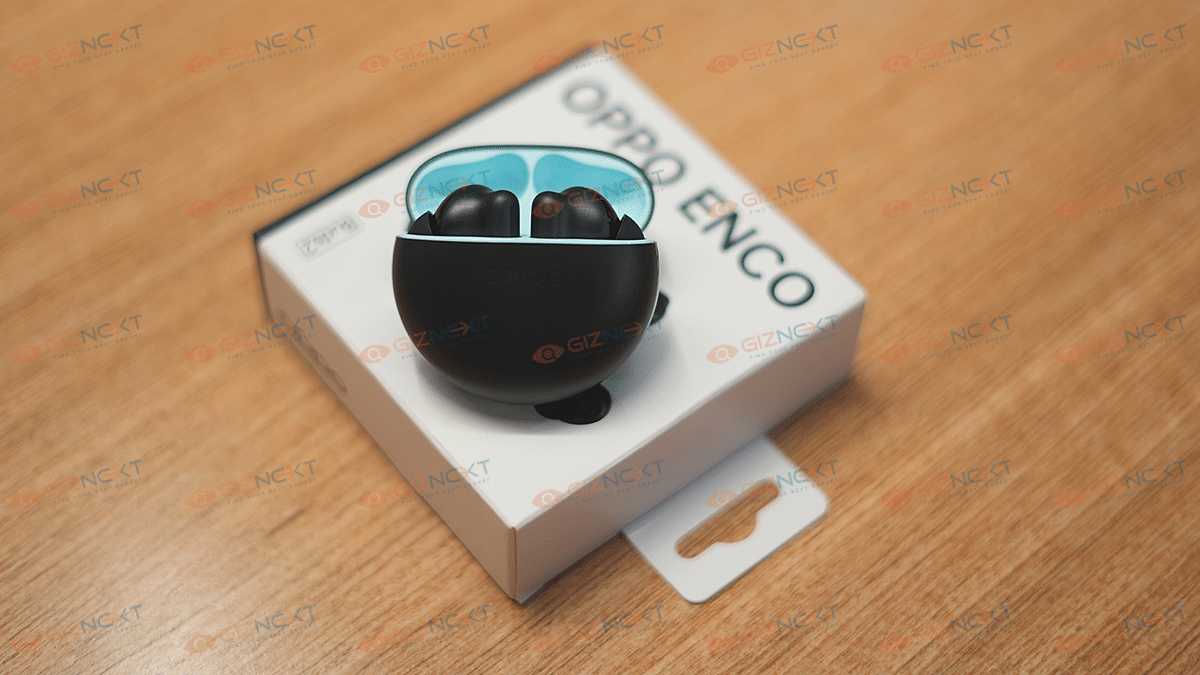
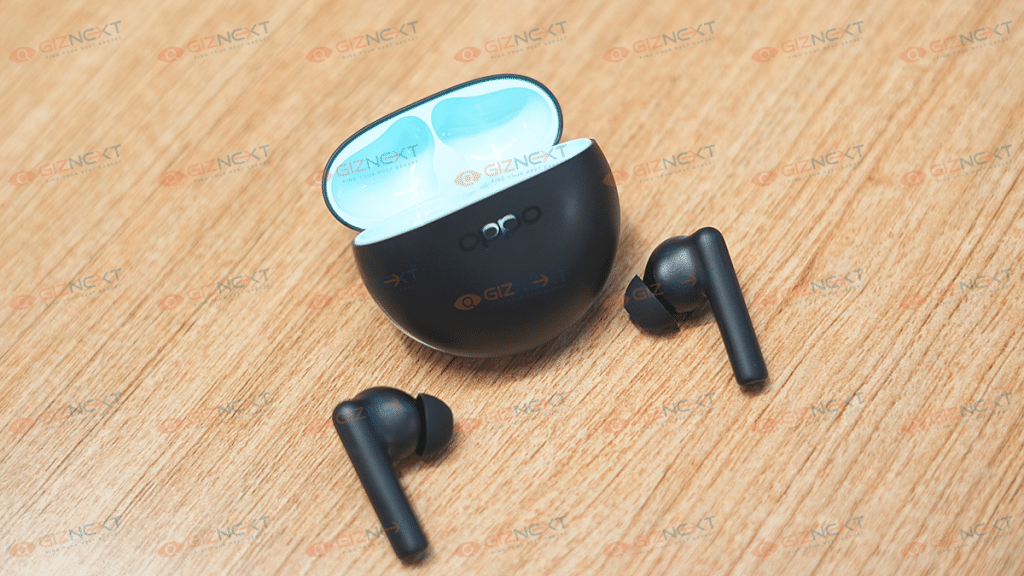
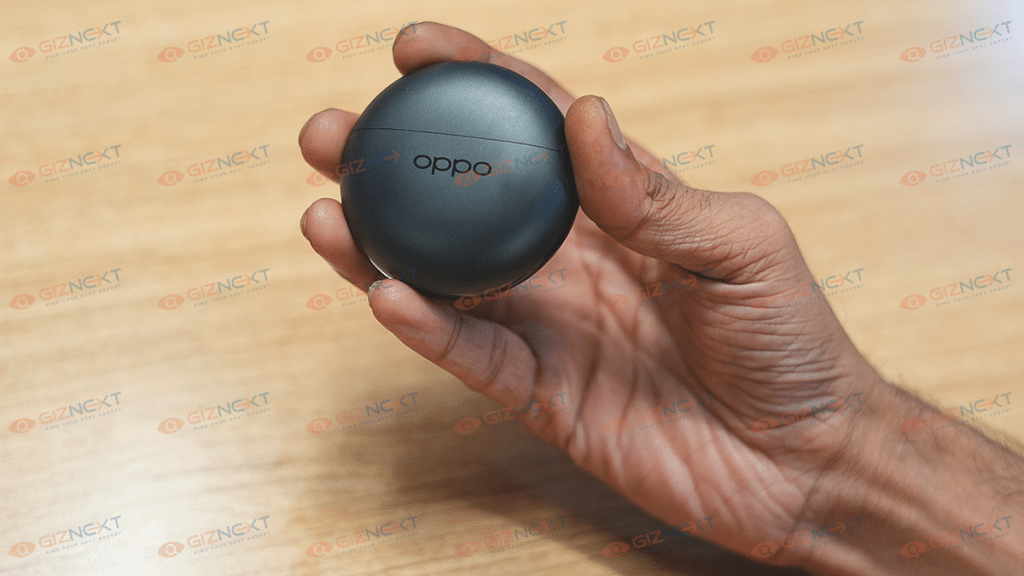
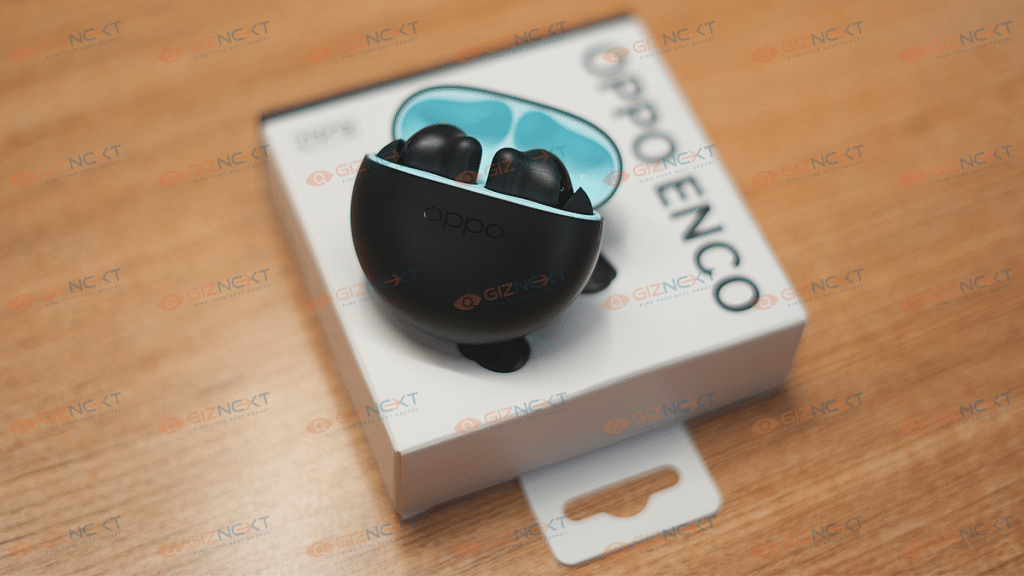
OPPO has redesigned the Enco Buds2. Unlike the previous-generation Enco Buds TWS that offered a pill-shaped design, the latest model has a circular charging case. OPPO hasn’t used any cheap material to design the Enco Buds2 rather has opted for a good quality plastic. The matte texture of the case along with the glossy strip wrapping the sides makes the TWS earbuds all appealing.

OPPO has launched the Enco Buds2 in a single black color option with the inner compartment painted in light blue. Now, this dual-tone finish when you open the charging case adds to the visual appeal of this pair. This updated design language would be a respite for users who avoid shimmering or gradient-designed gadgets as dust and fingerprint accumulation is higher and keeping the clean is a task. With the Enco Buds2, you wouldn’t face any such cleaning issues.

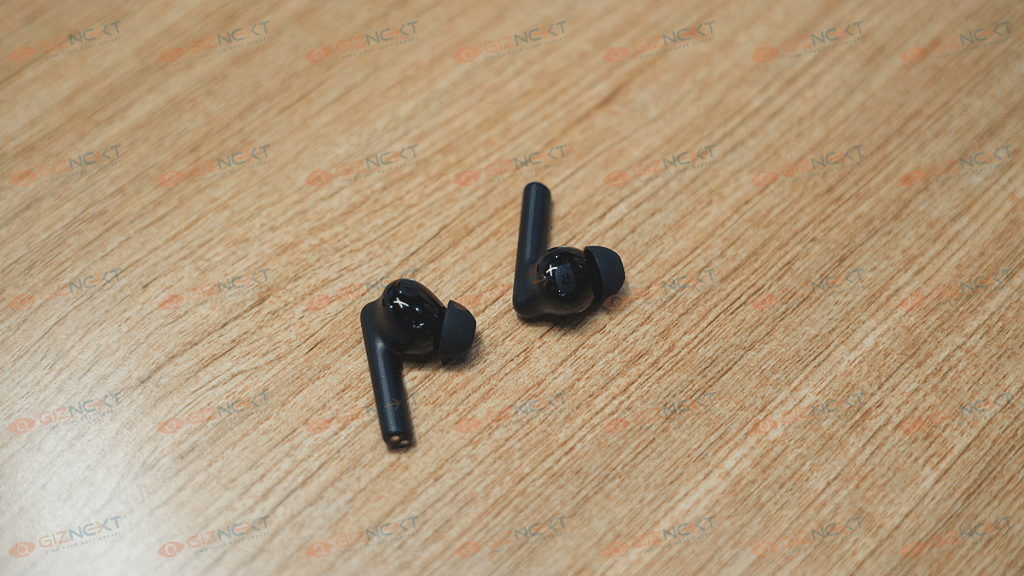
The earbuds are also re-designed. The Enco Buds2 earbuds feature a long stem design that offers a comfortable and snug fit. The default eartips fit well, however, you can change them depending on your requirements. Thankfully, you can control volume levels and media playback using the earbuds itself.

OPPO has added touch controls on the Enco Buds2 which offer a swift and nimble experience with audio playback controls. You can double tap or triple tap to play the next or previous song respectively. A single tap and hold on either earbud lets you control the audio levels. The earbuds and the charging case are lightweight, so you don’t have to worry about the portability factor.

As for the fit, the earbuds are comfortable to wear for prolonged usage. The design is a snug fit and you wouldn’t have any difficulties using them for outdoor activities. The earbuds also have an IPX4 certification that adds dust and water resistance.  

Better And Soundstage

The OPPO Enco Buds2 delivers a powerful sound output for a budget price point. These tiny earbuds employ 10mm dynamic drivers that have a 101db of driver sensitivity and 20Hz- 20KHz frequency range. The output is loud; specifically, if you turn up the volume levels to the max. The pair passively blocks surrounding noises with the loud audio levels and a snug-fit in-ear design. You wouldn’t majorly miss the presence of ANC if you are listening to the audio at the highest levels.

The OPPO Enco Buds2 audio delivery is at par with the competition. In fact, we would say it’s better than what its counterparts offer. The audio clarity is high with the music and the pair produces balanced lows, mids, and highs. No audio muffling or distortion is noticed even with the peak audio levels. Now, this is a big respite for audio enthusiasts. The vocals and instruments don’t overlap and you rather can hear all the aspects clearly.

Coming on to bass performance for which most of you must have been waiting; the bass performance. The Enco Buds2 will live up to our expectations with the hefty bass. These budget earbuds pack ample thump to get you grooving to your favorite electronic or dubstep track. The bass doesn’t get muddy when you play the audio at the highest settings which is impressive for a TWS earbud under Rs. 2,000. It wouldn’t be wrong to say the OPPO Buds2 offers a better soundstage which is wide and rich compared to the competition in the budget segment.

Pairing And Calling Experience, Battery Backup

The OPPO Enco Buds2 ships with the Bluetooth v5.2 wireless connectivity option with which you can easily pair smartphones, tablets, laptops, and PCs. You can also connect this Enco Buds2 with compatible smart TVs. You don’t need to perform any special steps to pair this earbud with smartphones and compatibility.

Just take out the earbuds from the charging case and open the Bluetooth settings on your respective devices and complete the connection process. These budget TWS earbuds come with dual Bluetooth codecs including AAC and SBC for improved lossless transmission.

The connectivity range is standard at 10m. There isn’t any audio breakage issue if the earbuds and the connected device are within 10 meters of range. Connection issues arise if the distance increases. Calling experience is also good with this pair with us being able to hear the caller’s voice clearly.

The OPPO Buds2 TWS earbuds feature a 40mah battery (the earbuds), while the charging case has a 460mAh battery unit. The earbuds last for around five to six hours with moderate audio levels. The charging case holds additional 28 hours of fuel. However, you might get a lower battery backup if the audio is being played at the maximum levels.     


OPPO Enco Buds2 Final Verdict: Worth An Upgrade?

Well, OPPO has never failed to impress the audience with its affordable product lineups. The Enco Buds series can be termed a true delight for audiophiles. Specifically for the audiences who are on a tight budget yet don’t wish to compromise anyhow with the audio and the build quality.

You get a good response with both these aspects. The OPPO Enco Buds TWS earbuds is definitely worth an upgrade from your old and cheap TWS earbuds if you want a premium listening experience without burning a hole in your pockets.

Categories
Featured Mobile Reviews

Redmi K50i Review: An Impressive Mid-Range Smartphone

Pros

  • MediaTek Dimensity 8100 Powerful SoC
  • 144Hz Smooth Display
  • 3.5mm Audio Jack
  • 67W fast charging

Cons

  • LCD Panel
  • Plastic Build
  • Side-Mounted Fingerprint

With the release of the Redmi K50i, the competition for India’s top smartphones under Rs. 25,000 has intensified. Nearly three years after the Redmi K20 series was, the company has marked the resurgence of the K-series in India with the launch of the Redmi K50i. The phone claims to give all of that without significantly draining customers’ wallets. The phone is aggressively priced at Rs. 25,999.

Like its competitors, can the Redmi K50i justify its performance? We’ve used the smartphone for a while to see whether it can outperform other mid-range smartphones, and here are the results for you.

Also Read | Xiaomi Redmi Note 11 Pro Long-Term Review: Justifies The Price Tag?

What’s Inside The Box?

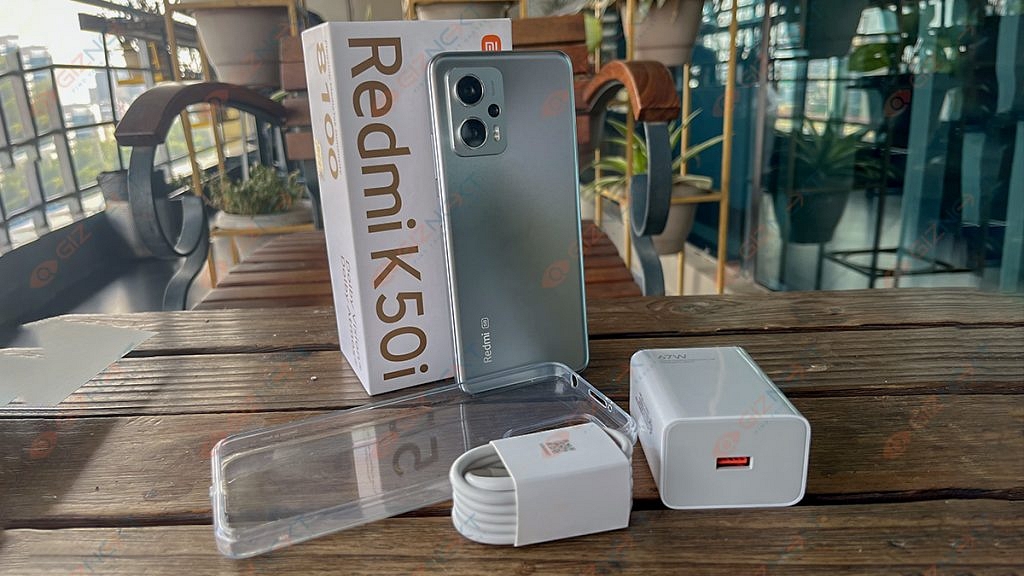
  • Redmi K50i handset (main unit)
  • USB Type C Charging cable
  • 67W Charging Brick
  • SIM eject tool
  • Quick start guide
  • Warranty card
  • Phone case

Design

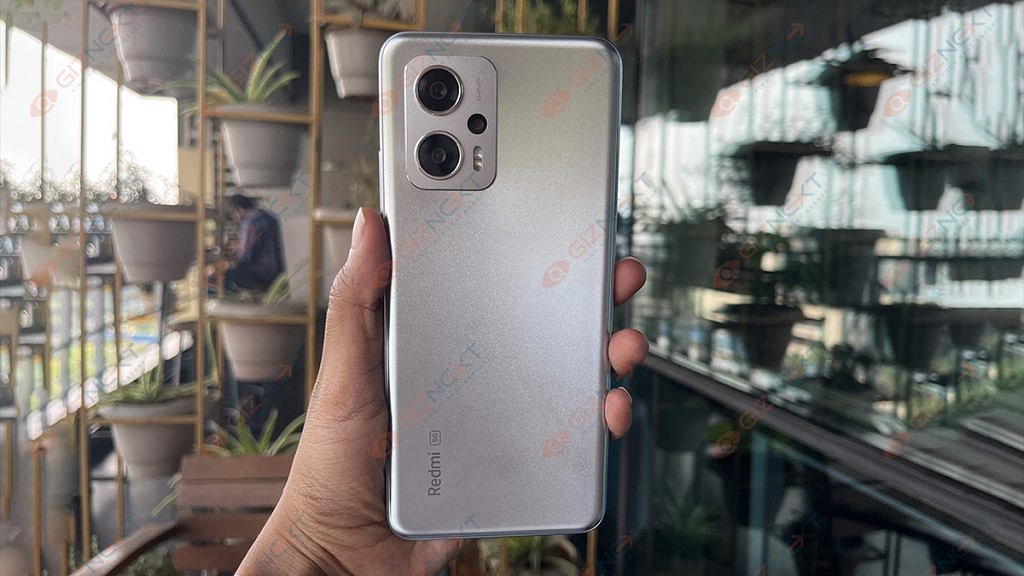
The Redmi K50i is a decent-looking smartphone. With a somewhat textured back and a prominent rectangular camera housing on the back, it looks distinctive. We have the Quick Silver color option with us which brings sparkly silver color traces that change depending on the light. Its rear panel and frame are made of plastic which easily resists dust and smudges despite all the shimmers.

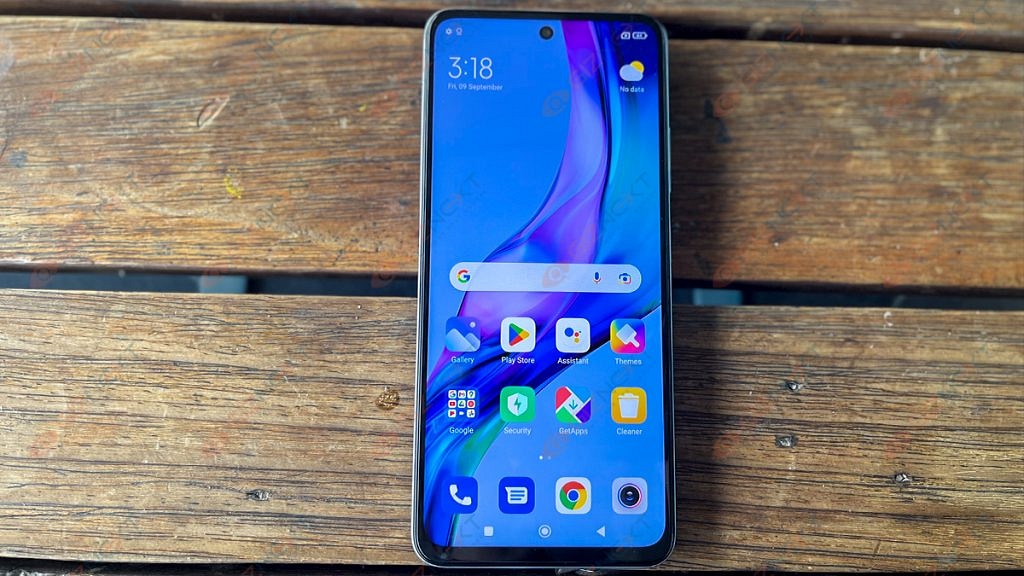
The top center at the front has a punch-hole cutout. The chin of the phone is reasonably thick, while the remaining bezels are thin. With Gorilla Glass 5 on the front and an IP53 rating which is only seen in a few smartphones at this price point, Xiaomi has made sure that the smartphone is adequately protected.

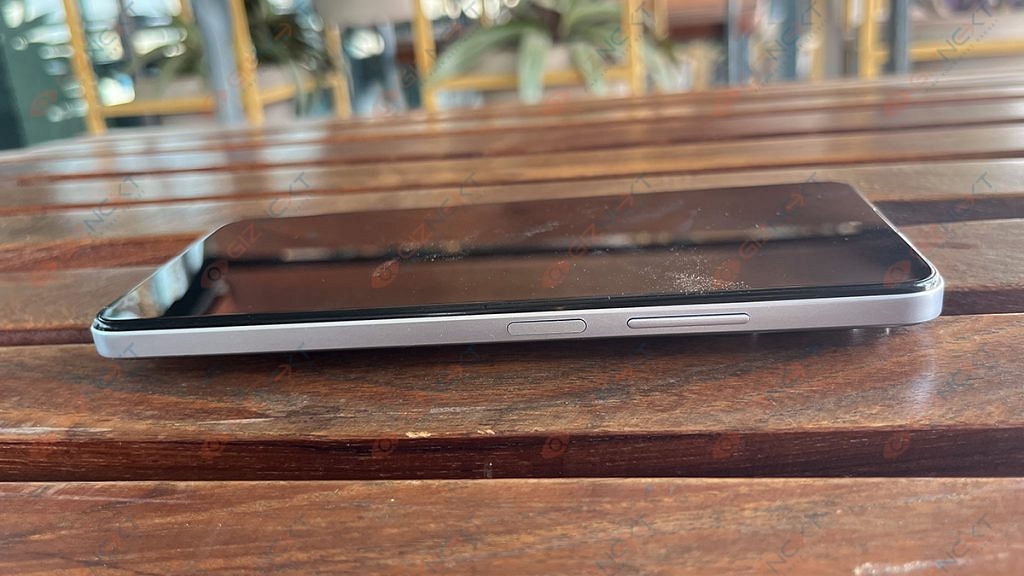
On the right side, there are buttons for power and the volume rocker. The power toggle has a fingerprint sensor built in. However, the majority of smartphones in this price range come with an in-display fingerprint reader. At the top, it also contains the IR blaster. There is also the headphone jack which many modern phones come sans with.

Overall, design preferences are purely subjective, so we’ll let you make the final decision. What you should know is that the phone feels solid in hand and provides a secure hold. Although the frame is flat, the back panel is somewhat curved which makes it easier to hold onto.

Also Read | Tecno Camon 19 Pro Mondrian Edition Full Review: Unique Color Changing Design, Powerful Cameras Steal The Show

Display

The Redmi K50i has a 6.67-inch FHD+ LCD screen. It has a 144Hz refresh rate. The smartphone also has adaptive refresh rate technology which automatically changes the screen’s refresh rate (from 30Hz to 144Hz) depending on the content the user is viewing.

The IPS LCD screen performs admirably in terms of color reproduction, clarity, and sharpness. The degrees of brightness is also good. Simply put, the viewing angles could have been more favorable. While tilting the phone to the side, we picked up on the slight color and brightness difference.  The screen supports HDR10 and Dolby Vision which helps stream FHD videos and shows on Netflix.

Typically, there are 500 nits of brightness which is more than enough for everyday indoor use. Even with the brightness set to maximum, the display feels a bit dim when you are outside in the sun.

The Redmi doesn’t have an AMOLED screen which many will complain about. However, we must say that the display is incredibly smooth. When using the phone, there is no lag or stutter and everything feels quick.

Also Read | Vivo V25 Pro Review: Stylish Smartphone For Selfie Lovers

Processor

The Redmi K50i excels in terms of performance. It has a MediaTek Dimensity 8100 chipset which effortlessly handles both multitasking and daily tasks. You can easily enjoy high-end games with no complaints. There are two variants of the Xiaomi Redmi K50i, i.e., 6GB / 128GB and 8GB / 256GB.

In its segment, the Redmi K50i is one of the fastest smartphones. When using your routine apps, you won’t experience any lag. The joy in this category is the lag-free, buttery-smooth scrolling.

Coming to the software side of things, the MIUI 13 based on the Android 12 software experience is just like the other Xiaomi phones. You can play with customization options, wallpapers, adding widgets, and a lot more. There are several pre-installed apps, some of which can be removed, while others remain resistant.

The phone also has dual speakers with Dolby Atmos support which bring out clear and well-tuned sound even at maximum volume levels. The Redmi K50i’s main speaker is located at the bottom edge and the other one is at the top.

The Redmi K50i still has a 3.5mm headphone jack in an age where most smartphones do not. Gamers will love this because they often prefer corded earphones or headphones to cordless ones when playing mobile games.

Also Read | OnePlus 10T Review: Speed Performance And Reliability At Its Best

Camera

The Redmi K50i has a single camera arrangement up front and a triple rear camera setup at the back. The 64MP primary sensor, an 8MP ultra-wide sensor, and a 2MP depth sensor are all part of the rear configuration. A 16MP camera is located on the front for selfies.

Xiaomi has stuck using a 64MP sensor when the rest of the world is gradually moving toward the 50MP primary sensor and we are not complaining about it.

Shots from the primary camera are clear and have a nice dynamic range and color. Most of the time, the colors were enhanced but not overly saturated so that they appeared more pleasing to the eye.

The camera increases the exposure in low-light situations to provide brighter photographs while reducing noise and grain. When you begin looking for details, especially in the darker areas, photos appear a little hazy.

Images taken with the 8MP ultrawide camera have a slightly cooler color temperature, giving them a faint blue tint. Although the 2MP macro camera lacks autofocus, it performs well when it does.

A 16MP front-facing camera does a decent job capturing details. With regard to edge detection, portrait mode is quite good.

Also Read | Infinix Smart 6 Review: Long Lasting Battery With Decent Looks

Battery

Under the hood, the Redmi K50i packs a 5,080mAh battery. When we used the phone, the battery easily lasted a day with the refresh rate set to “Default” and the use case was fairly mediocre. When we say mediocre, we mean basic calling and messaging, scrolling on social media apps, watching a few YouTube videos or shows on Netflix, etc. The phone packs a 67W fast charger in the box which refills the battery and charges the phone quickly.

Final Verdict

Some crucial areas are where the Redmi K50i shines. This smartphone can play mobile games at high frame rates and simply doesn’t sacrifice performance. The primary sensor is trustworthy for taking images on a daily basis and the battery backup is good.

The K50i’s two drawbacks are that Xiaomi went with an LCD panel rather than an OLED and that the design is extremely bland and fails to differentiate itself from the competition. Overall, the Redmi K50i is a competent smartphone that makes a nice pick for anyone seeking a device with strong performance, battery life, and camera capabilities.

Also Read | Tecno Camon 19 Review: A Well-Rounded Mid-Range With A Stylish Design

Categories
Featured Reviews Tablet

Realme Pad X 5G Android Tablet Review: An All-Rounder Mid-Range 5G Tablet

We have seen a trend with smartphone OEMs targeting the tablet market and bringing advanced products for daily and extensive use. Realme is one of the brands which has started its innings in the mobile tablet industry with the launch of the Realme Pad series tablets. Until now, the company has launched three tablets in India and the global markets including the Realme Pad Mini, vanilla Realme Pad, and the Realme Pad X.

The Realme Pad X is the brand’s latest tablet model and is the most advanced variant in the entire lot. Like the smartphone industry, Realme is also showing its expertise in the tablet space by launching pocket-friendly yet powerful devices for daily and extensive usage.

The Realme Pad X is taking the crown for being the most budget-friendly 5G Android tablet in the markets including India. Features such as a 2K LCD display, a premium mid-range Snapdragon 600 series 5G chipset, and fast charging enabled battery. You can buy the Realme Pad X in India starting at Rs. 19,999.

Now, this sub Rs. 20,000 starting price tag might sound worth spending on a full-fledged Android tablet that can easily handle any given task. But should you? It’s always better to invest in any such gadget if you are sure of its performance delivery. If you have been eyeing this Realme tablet as your next upgrade, you must read this review article to clear all confusion related to its daily life performance.

Realme Pad X 5G Tablet Review

Design, Display User Experience

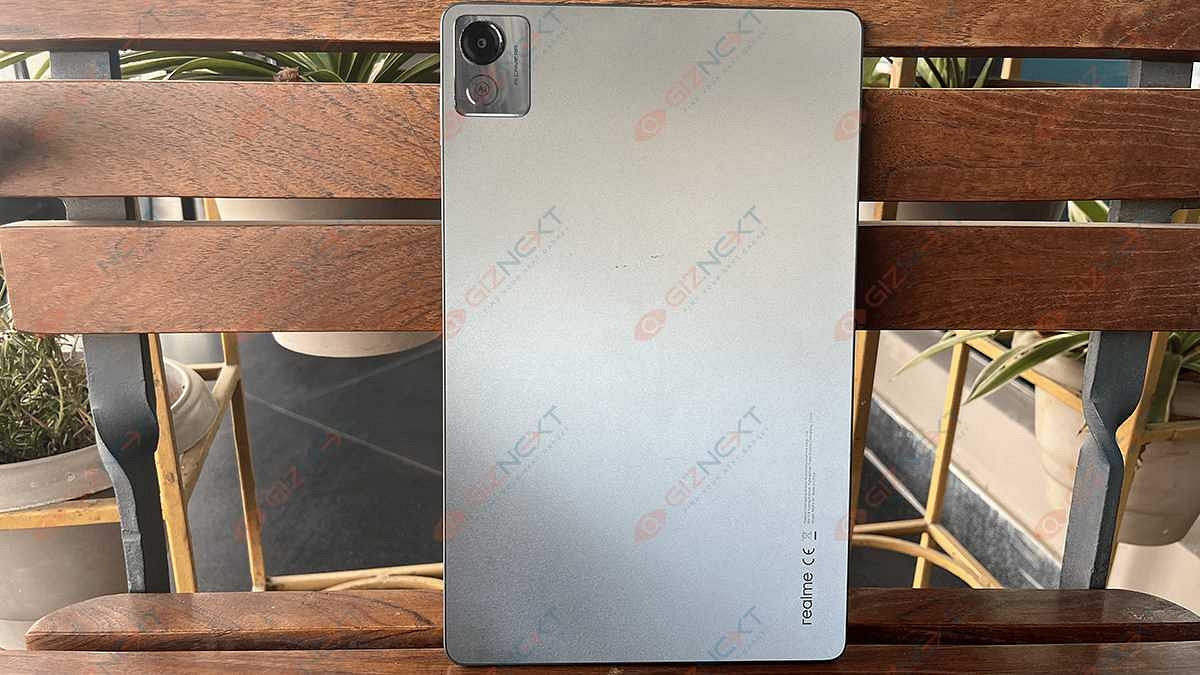
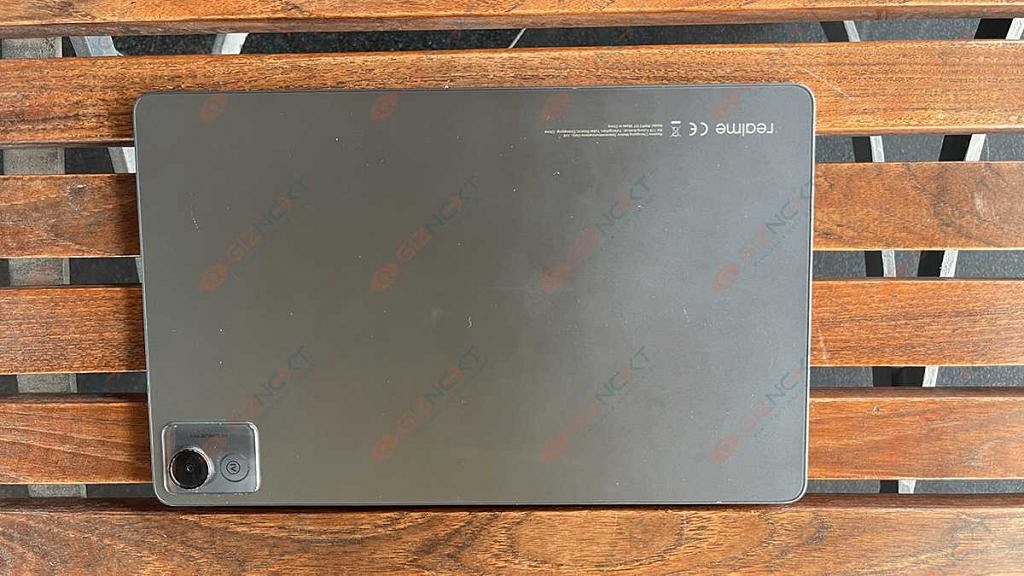
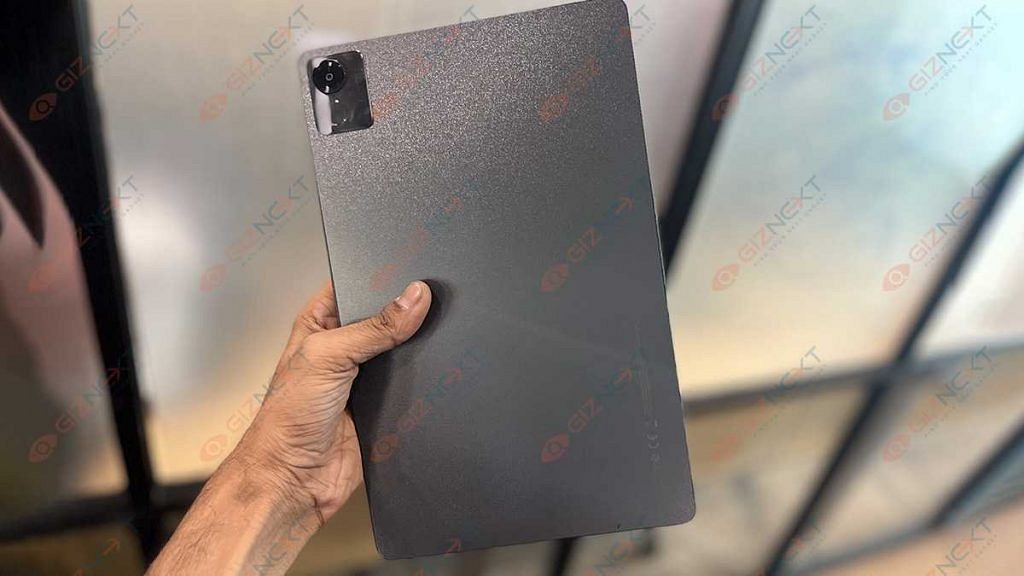
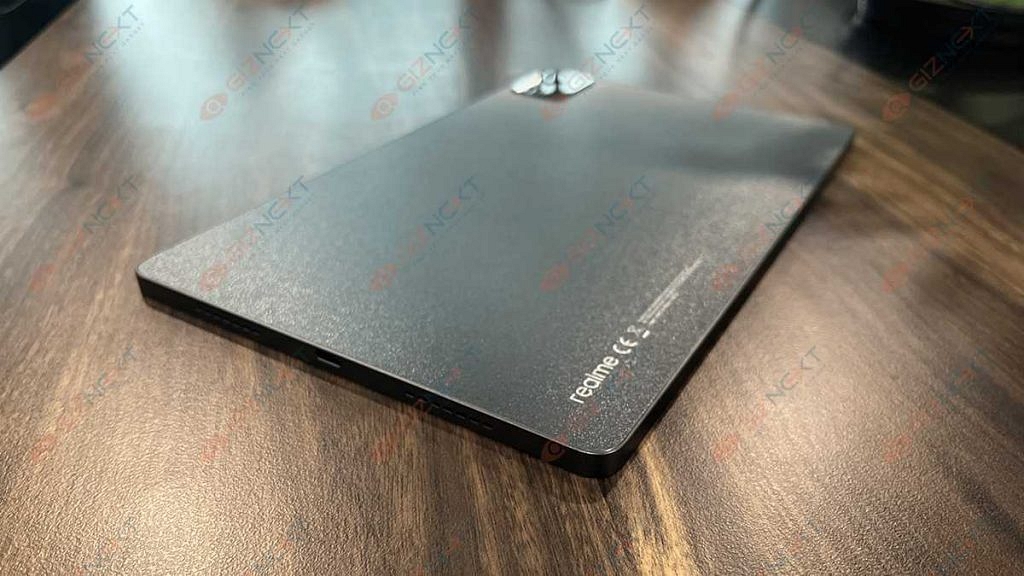
We would say the Realme Pad X is a stunner in terms of looks. This tablet gives a robust feel when you take it out of the retail box. The tablet flaunts a Glowing Light design which is a mix of sparking sand texturing along with concave lens UV texturing that allows for a glittering astral effect.

We are impressed with the Realme Pad X’s design language. It isn’t just appealing but also practical for daily usage. Realme has used a plastic back material for the Pad X 5G. The quality is good and doesn’t feel cheap anyhow. A squarish transparent camera module is neatly placed on the top-left corner housing a single snapper with the AI badging.

With a 7.1mm ultra-slim profile and just 499 grams of weight, the Realme Pad X offers a comfortable grip during operations. You will have no complaints with its usage be it for general tasks or gaming. Of course, you can’t compare the single-hand user experience of tablets with smartphones. But you get the added benefit of using a keyboard for a laptop-like user experience.

In addition to the keyboard, you can also use the Realme pencil (stylus pen) with the Pad X 5G. The stylus pen can be magnetically latched on the top. Do note that this is an additional accessory that you would need to buy separately. The ports and key placement is neat. The power key is on the right edge of the top panel, while the volume keys are placed on the right spine.

At the bottom, the Realme Pad X has a USB Type-C port and speaker grilles. Just for reference, this tablet has a quad-speaker system for audio delivery out of which two are bottom-firing and two are top-firing speakers. The tablet has Dolby Atmos certification that allows for loud and clear audio output.

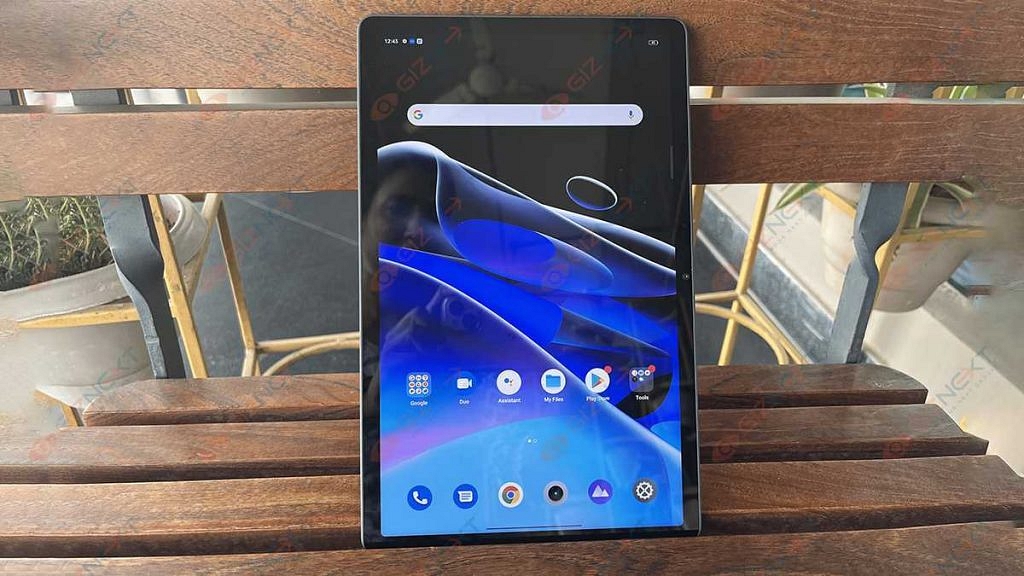
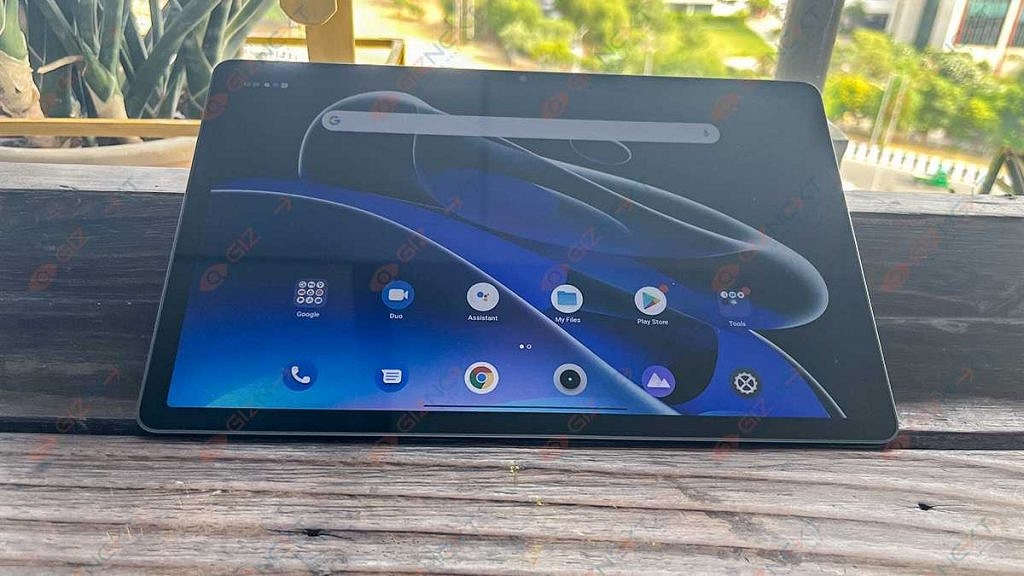
Quickly moving over the display, the Realme Pad X 5G tablet sports an IPS LCD screen that is surrounded by comparatively narrow bezels as you see on the old-generation Android tablets. The screen size is 10.95 inches and the resolution is WUXGA+, i.e., 1200 x 2000 pixels. The full view display on the Realme Pad X 5G has an 84.6 percent screen-to-body ratio and 450 nits peak brightness levels.

The display visibility is decent under direct sunlight. We had the least struggles while using the Pad X 5G tablet outdoors. Since the panel is a standard LCD, don’t expect a super crisp output and deeper blacks as you would get on an AMOLED panel.

Now, this is one of those areas where we believe Realme could have made a perfect device by using an upgraded AMOLED or Super AMOLED. However, that would have significantly increased the rates of this tablet. Using an LCD panel is one of the brand’s strategies to effectively reduce pricing.

But this doesn’t mean the quality deteriorates with video playback or gaming. You still get to enjoy your favorite TV shows and movies at high quality. We have been streaming videos via OTT platforms and have also played videos from the offline directory. Our viewing experience has been good overall.

Realme Pad X 5G Hardware Performance

The Realme Pad X 5G has the Snapdragon 695 chipset packed under its hood for power delivery. Realme has made sure that consumers get a premium user experience while operating the Pad X 5G tablet. The octa-core Qualcomm processor with 5G network support ensures the same. The Snapdragon 695 5G processor gets Adreno 619 GPU support for graphics.

You can opt for dual configurations including 4GB RAM+ 64 GB storage and 6GB RAM+ 128GB storage options. The Wi-Fi+ LTE variant that we have received ships with a dedicated SIM card slot which lets you use two SIM cards and one microSD card (up to 512GB). We have been using this tablet for all kinds of tasks; majorly for media playback.

During its entire usage, the tablet has delivered an overall good performance with general as well as extensive tasks. We have received the 6GB RAM variant which offered a swift multitasking experience. We could easily switch between multiple apps and also perform different tasks simultaneously with this processor.

The premium mid-range chipset along with the high RAM capacity makes sure the performance delivery isn’t hampered in any scenario. You can expect a similar performance delivery with gaming as well. The tablet is capable of rendering graphic-extensive games with ease.

In terms of the software, the Realme Pad X 5G ships with the Android 12 OS out-of-the-box. The user interface on top of the Android build is RealmeUI 3.0. The UI is tweaked for the tablet. The usage gets convenient with this UI.

Thankfully, the Pad X 5G’s UI is neat and you don’t get multiple pre-installed bloatware which allows for a cleaner UI. Realme has added multiple features with which the user experience is elevated while using the Pad X 5G. You get to use Split screen, a Flexible Window, and Smart Sidebar with the Realme UI 3.0 on the Pad X 5G.

How Is The Camera Performance?

The Realme Pad X 5G is packed with a bigger 13MP main camera at the back. The primary camera of this tablet comes with an f/2.2 aperture and has multiple shooting modes as you would get on the Realme-labelled smartphones. The Realme Pad X 5G’s back camera supports AI scene recognition, HDR, AI Filter, and other modes.

The camera on this tablet can also shoot slow-motion videos. The standard video recording capabilities include 720p@30fps, 720p@60fps, and 1080p@30fps/60fps video recording. The cameras are good at capturing details if you are clicking pictures in broad daylight or specifically in areas with ample lighting conditions.

The 8MP selfie snapper with an f/2.0 aperture is suitable for video calling. Specifically, if you plan to join an official video conferencing call on this tablet, you wouldn’t be disappointed. The selfie camera performs well with all the popular video conferencing apps such as Zoom, Google Meet, or Microsoft Teams.

Battery Backup And Charging Speeds

The Realme Pad X is equipped with a massive 8,340 mAh battery unit and has both fast as well as reverse charging technologies. The Realme Pad X 5G’s is enabled with 33W Dart Charge. Talking of the backup and charging speeds, the mid-rage 5G Realme tablet offers over six hours of backup if the usage is moderate or light.

The backup reduces slightly if you are using this tablet extensively. As far as the charging speeds are concerned, expect around three hours of a plug-in for a full recharge (zero to 100 percent).

Realme Pad X 5G: Worth A Buy?

The Realme Pad X 5G has impressed us with its performance delivery and practical yet appealing design. This tablet makes for the perfect upgrade to a bigger screen for smartphone users who still don’t wish to buy a new laptop considering the portability factor. The Realme Pad X 5G with a starting Rs. 19,999 price tag is definitely a value-for-money deal if your want a full-fledged Android tablet for creative tasks, gaming, or media playback. Not to forget the support for additional accessories such as a keyboard and stylus pen (Realme Pencil).

Categories
Accessories Reviews

Mivi Fort S24 Soundbar Review: Portable And Affordable

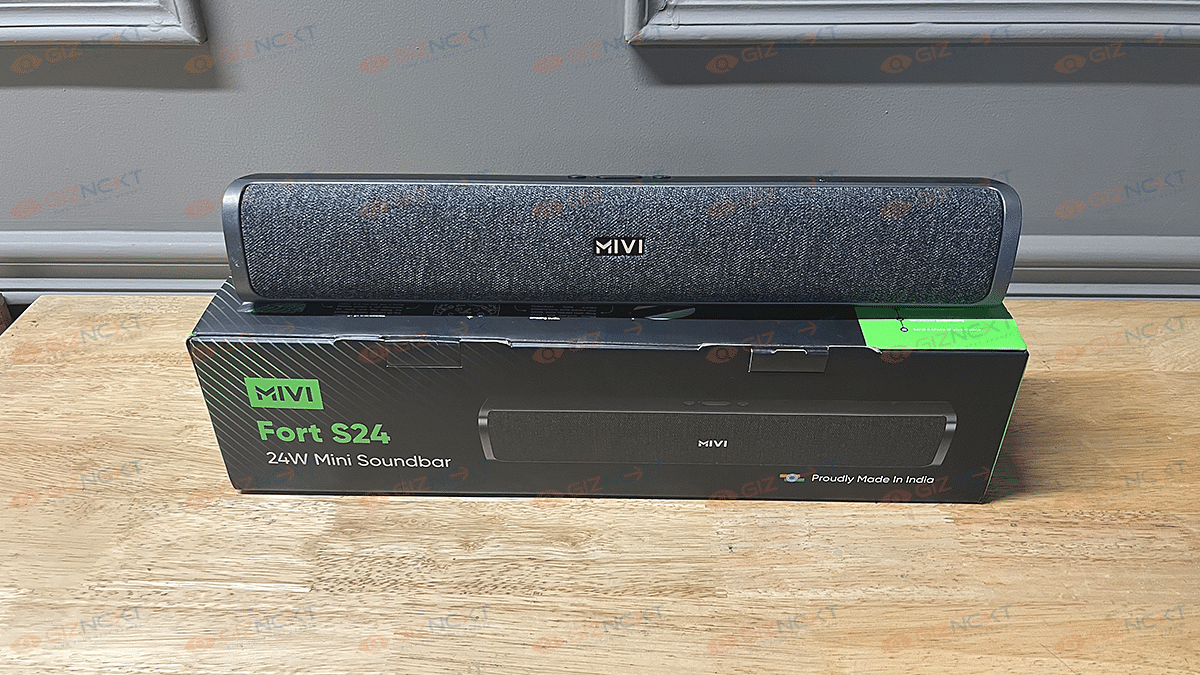
Mivi is an emerging homegrown brand that is creating a strong product base with consumer electronics and digital accessories in India. The brand has released a bunch of soundbars and wireless speakers for the budget-conscious masses in the country. The Mivi Fort S24 is one of the latest soundbars by the brand that brings some modern features such as wireless connectivity, studio-quality bass, and support for voice-based digital assistants such as Siri and Google

We at Giznext have received the Mivi Fort S24 review unit and have been testing its performance since the last few weeks. Priced at Rs. 1,999, the Mivi Fort S24 can be purchased online via Flipkart and Mivi’s official India website. But is it only the cheaper price tag that makes it worth buying or the audio performance as well? We have shared our feedback below. Take a look:
Mivi Fort S24 Review: Design

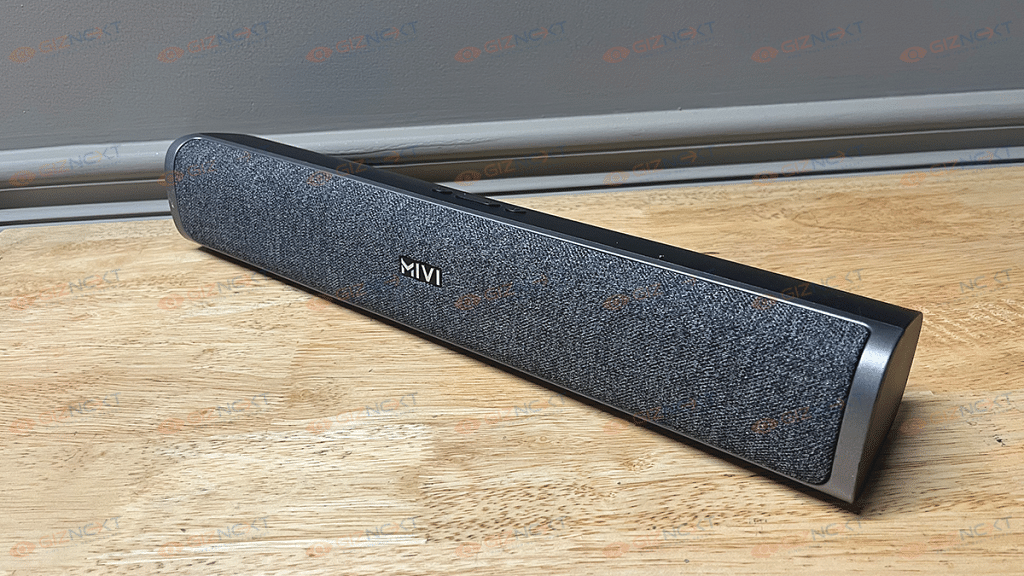
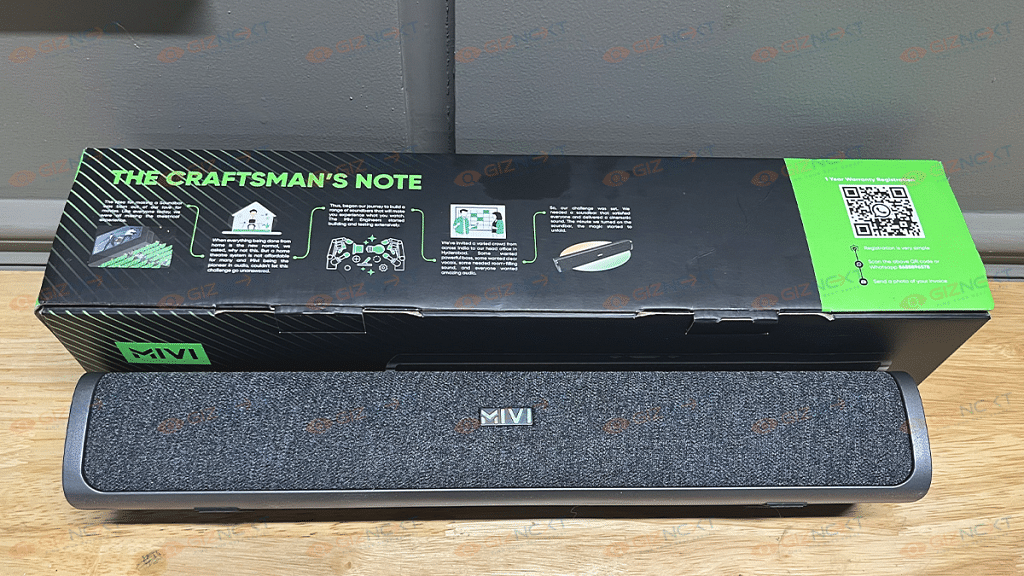
The Mivi Fort S24 isn’t like any other bulky or big soundbar that would require a large space to fit. Its portable design lets you place it easily on any tabletop beside your TV. It features a standard bar design that isn’t too large. The soundbar is entirely made of plastic with fabric mesh up front covering the speaker area. The dual tone effect with the fabric and the plastic body gives it a premium appeal.

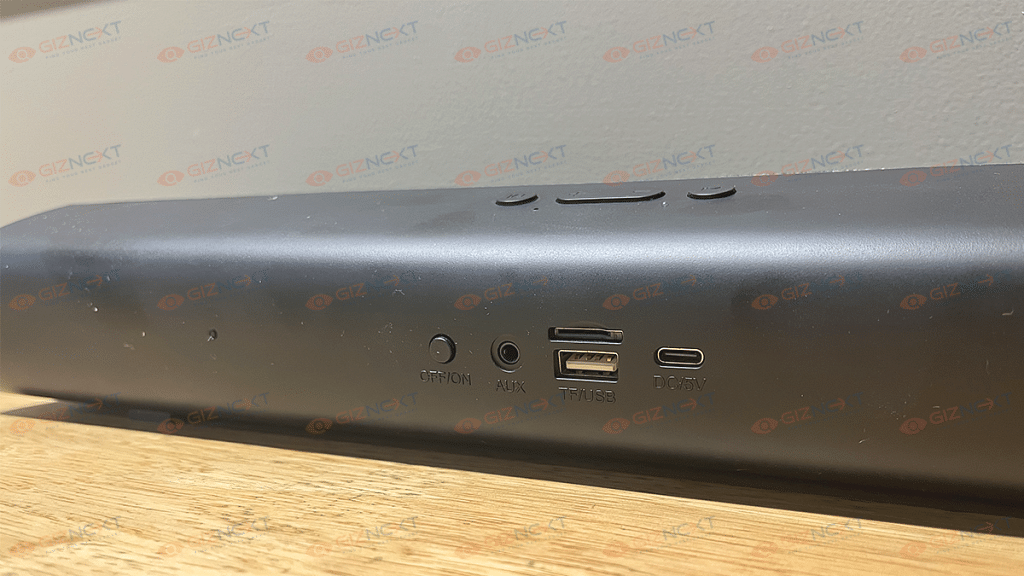
The lightweight form factor is another positive aspect of the Fort S24’s design. You can easily lift it up with a single hand and would hardly feel any heft. The control keys are placed on the top of the speaker from where you can control the volume, play/pause, and mute the audio. The connectivity ports are at the back of the speaker.

It has the power on/ off key, AUX in port, a TF/ USB card reader, and the DC 5V USB Type-C port. The keys are swift with functionality and the clicks aren’t stiff which we liked. Overall, the Mivi Fort S24’s design is decent and falls in line with modern-day requirements.

Mivi Fort S24: Audio Performance

The Mivi Fort S24 are equipped with dual passive radiators that collectively fire a 24W output. The loudness levels are decent for a small to mid-sized room. Mivi hasn’t revealed the frequency response range offered by the Fort S24.

 However, the output is good overall if you keep the volume levels medium with this soundbar. We have paired this soundbar with one of the smart TVs and the performance has been up to the mark. While you wouldn’t have any issues with the audio quality and lower and mid-levels, pumping it up to the max could hamper the listening experience.

That’s because the audio seems muddy and muffled when the volume levels are loudest. You’ll be satisfied with the output at around 70 to 80 percent. The soundbar’s bass levels are also decent. It isn’t super punchy but does its job fine. The output is slightly better when you use an AUX cable rather than the wireless. But you’ll be able to notice that only if you are a hardcore audiophile.

Mivi Fort S24: Pairing And Other Features

The Mivi Fort S24 comes with Bluetooth 5.1 wireless technology. You can connect this soundbar wirelessly with not just smart TVs but also smartphones, tablets, and laptops/ PCs. The pairing process isn’t tricky, you just need to switch it on and look for the device name in the Bluetooth settings.

The connectivity range is standard of up to 10 meters. If you keep the soundbar too far from the TV or any other connected device, you’ll experience intermittence in the audio.  Besides wireless connectivity, the soundbar also offers a wired connectivity option using an AUX cable.

Additionally, you can also connect a USB drive or a microSD card to play music offline without connecting it to any other source. The soundbar also comes with digital assistant support. You can use both Google Assistant and Siri to give voice commands.

Mivi Fort S24: Battery Backup

The Fort S24’s battery capacity Is also not specified by the company. However, the brand claims a backup of around six hours on a single charge. The claims are somewhat accurate if you play this soundbar at around 70 to 80 percent volume. If you have paired it wirelessly with the TV or any other compatible device and are playing volume at maximum levels, the backup is around four to five hours.

Mivi Fort S24: Verdict

The Mivi Fort S24 is amongst the cheapest soundbars available in India. The company has not just focused on affordable pricing but also on features. It is one of the few soundbars in India that retails at Rs. 2,000 and offers multiple connectivity options and digital assistant support. The sound performance is decent and so is the battery backup. If you are on a budget constraint, the Fort S24 makes for a decent pick in its segment.