OPPO has a strong portfolio in the mobile space, but gradually, the Chinese tech giant has shown its expertise with other consumer electronics goods as well. The brand has also forayed into the smart wearables segment and is presenting the audience with feature-rich fitness devices. The OPPO Watch Free is one of the recent fitness-oriented products by the company for the Indian masses that you can buy at around Rs. 5,999.
The OPPO Watch Free is a budget alternative for fitness enthusiasts. It is more of a fitness tracker than a full-fledged smartwatch. But it offers modern features that make it a top-notch fitness tracker in its segment. A big color touch screen along with dedicated fitness features such as a sleep monitor, SPo2, heart rate monitor, and multiple watch faces makes the Watch Free a feature-rich smart tracker.
But how useful is it for daily usage? Should you invest in the OPPO Watch Free for the long run? Or should you consider in some other affordable fitness tracker? We help you decide in this review article:
OPPO Watch Free Design And Display
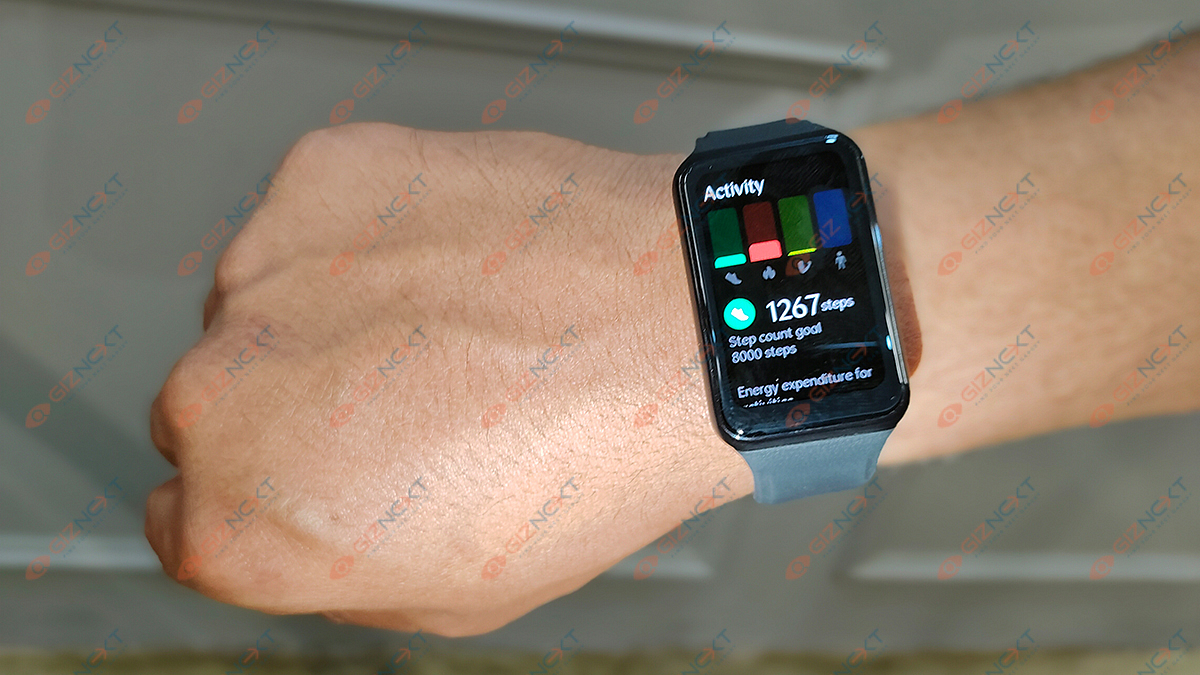
The OPPO Watch Free doesn’t look like a standard fitness tracker. With its big rectangular dial and leather-textured silicone strap, the Oppo Watch Free looks like a mainstream smartwatch that you’ll love to flaunt. What impresses about the design more is the wearing comfort. Despite the soaring temperatures and a silicone strap, the OPPO Watch Free has been comfortable to wear all day long.
The strap lock is also of good quality and keeps the watch safe while you wear it. The lightweight design is what adds to the overall wearing comfort. No sweats in warmer conditions which is definitely a respite. Even if you wear the OPPO Watch Free while sleeping, you’ll hardly get a feel of it throughout the night.
Moving on to the display, the OPPO Watch Free sports a 1.4-inch display. This big-sized panel with touch support and color panel makes will definitely grab your attention. The touch response is super smooth which enhances the user experience throughout. You can easily access all the features using touch gestures and also read the data from the watch itself. Overall, we found the OPPO Watch Free is designed practically and looks premium at a budget price point.
OPPO Watch Free Features And Performance
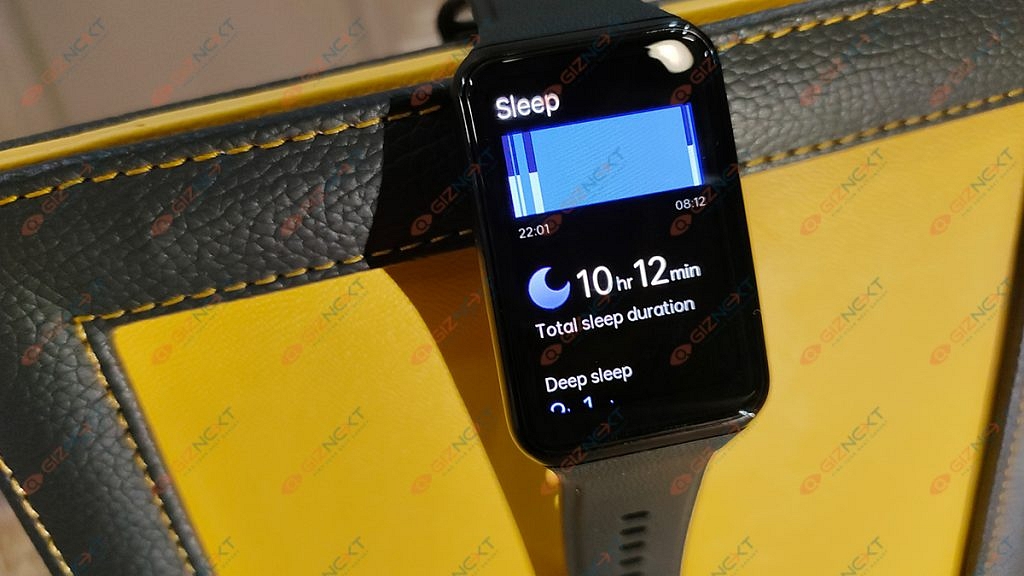
The OPPO Watch Free offers multiple features and tools for daily health tracking. If you swipe left from the watch screen, you’ll get multiple tabs including “Exercise”, “Exercise log”, Sleep, and Blood oxygen. If you swipe right from the main watch screen, you get the remaining health-oriented features such as heart rate, sleep monitor, and also Spo2 to monitor blood oxygen levels.
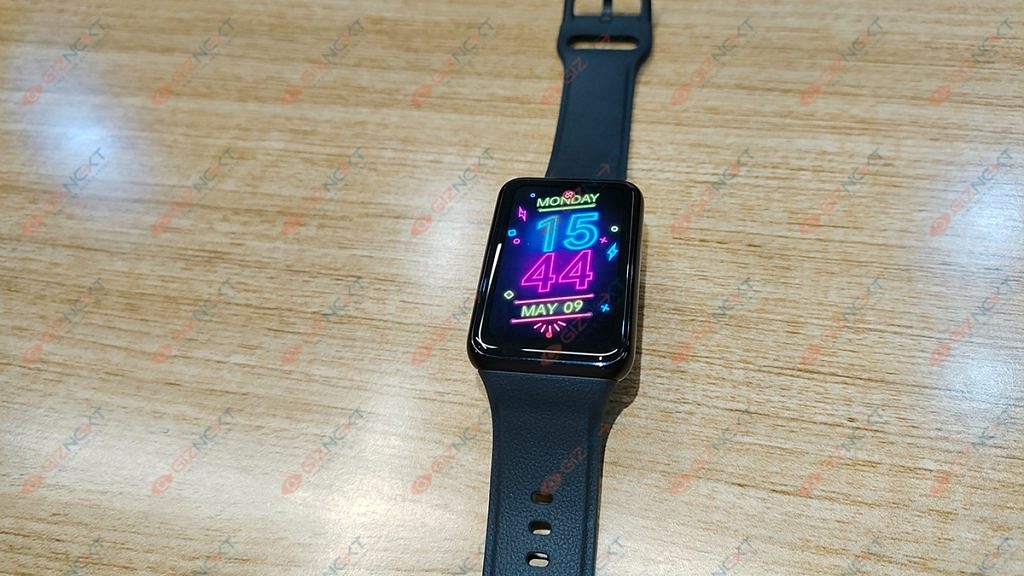
To access all the features, you will need to download and pair the watch with the OPPO HyeTap Health app from Google Play Store or Apple App store. The pairing process is easy, you need to make sure your phone’s Bluetooth is toggled on during the pairing process. Once the watch is paired, you can select from over 100+ watch faces and get all the fitness data on your screens.
The fitness tracker is accurate with health data and helps with easy monitoring of blood oxygen levels, sleep cycle, steps, and heart rate. For those wondering if the OPPO Watch Free comes with calling support? Well, this is a budget smart wearable that is fitness-oriented and is capable of displaying calls and message notifications. The calling feature is currently not supported on the OPPO Watch Free.
OPPO Watch Free Battery Backup
The OPPO Watch Free deliver high on battery backup. This fitness watch can last easily over a week on a single charge. The retail box ships with a supported charging cable (with magnetic plug) that you can use with a regular power brick.
If we speak of the charging time, it takes less than two hours for the OPPO Watch to get a full refuel. This longer battery backup is another factor that makes the OPPO Watch Free one practical fitness watch for daily usage.
OPPO Watch Free Verdict: Should You Buy Or Not?
The OPPO Watch Free is a complete package in terms of a fitness tracker. All the health-specific features including SpO2, heart rate, and sleep cycle makes it a necessity in our fast-paced lifestyle. It is a practical fitness watch that is targeted at a health-conscious audience. However, this is definitely is one of the must-have gadgets for health tracking if you have budget constraints but yet wouldn’t want to compromise on the features and quality.
Price: Affordable, can be found for as low as Rs. 999
Battery Life: Up to 25 hours of playtime on a single charge
Audio: Strong bass and loud audio performance
Connectivity: Bluetooth v5 for easy pairing with Android and iOS devices
Comfort: Lightweight and ergonomically designed for long-term wear
Neckbands are ideal for masses using earphones for long hours to receive calls or listen to music. These wireless accessories have become popular, especially among fitness enthusiasts. And VingaJoy’s lightweight and sporty design neckband – CL-6320 (Rock Series) – is an ideal workout companion. It costs Rs. 2,999 and has a number of features for a good user experience. However, you can buy this wireless neckband for as low as Rs. 999 via online retail stores.The VigaJoy’s CL-6320 neckband is compatible with both Android and iOS devices. So let’s see how the neckband performs in day to day scenarios.
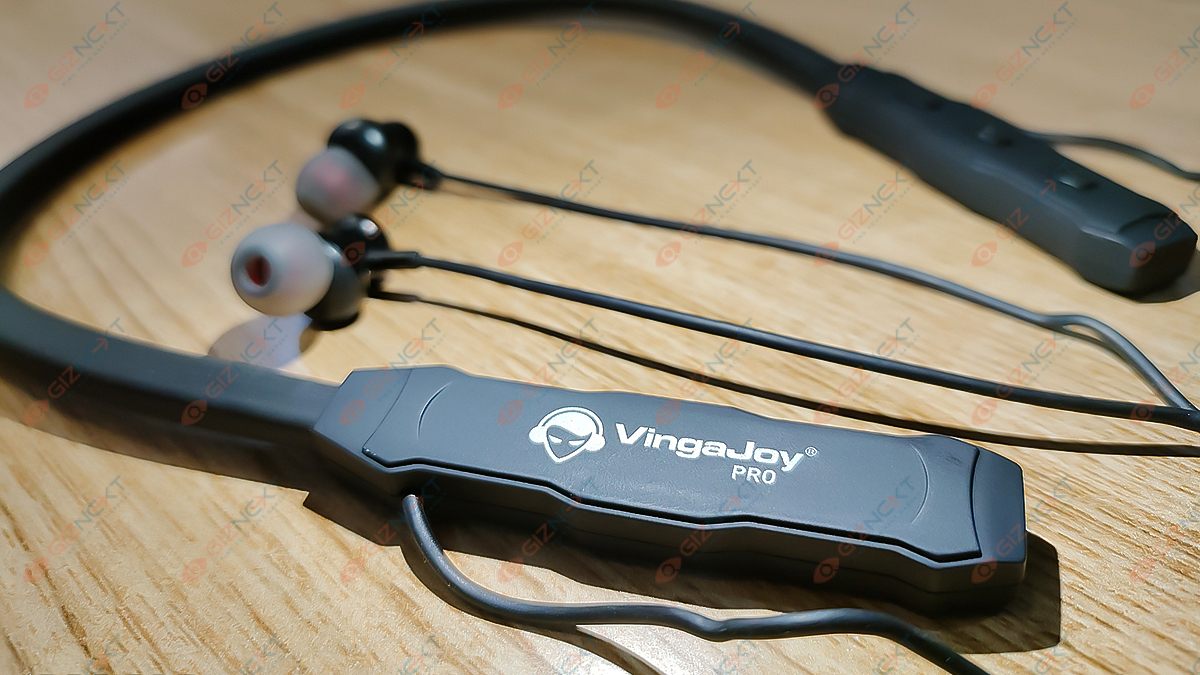
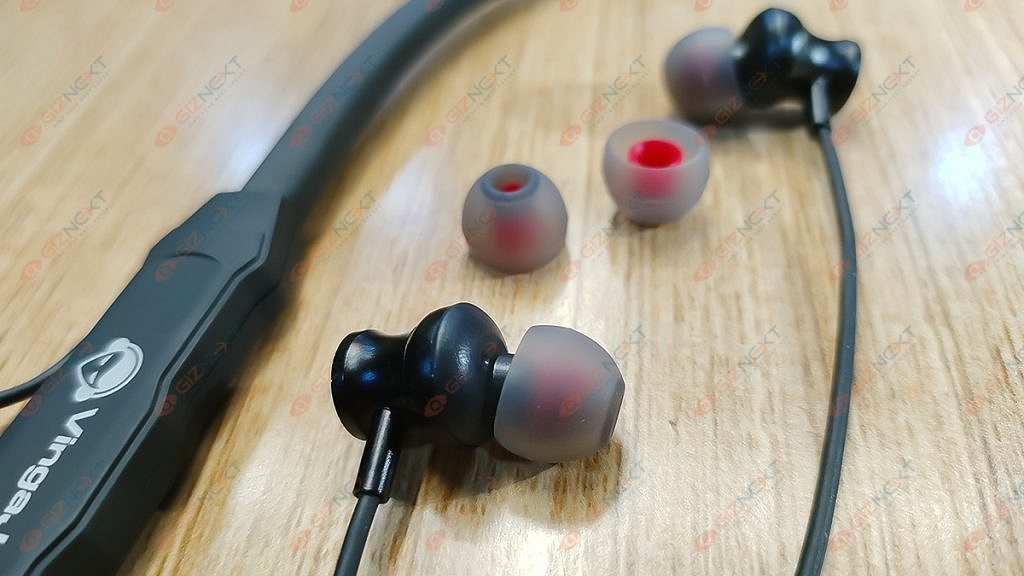
The VingaJoy CL-6320 comes in protective retail packaging. Inside the box, you will find the basic accessories – a neckband, two extra pairs of ear tips, a USB cable, and a warranty card. This is all that you can expect in this kit.
Design
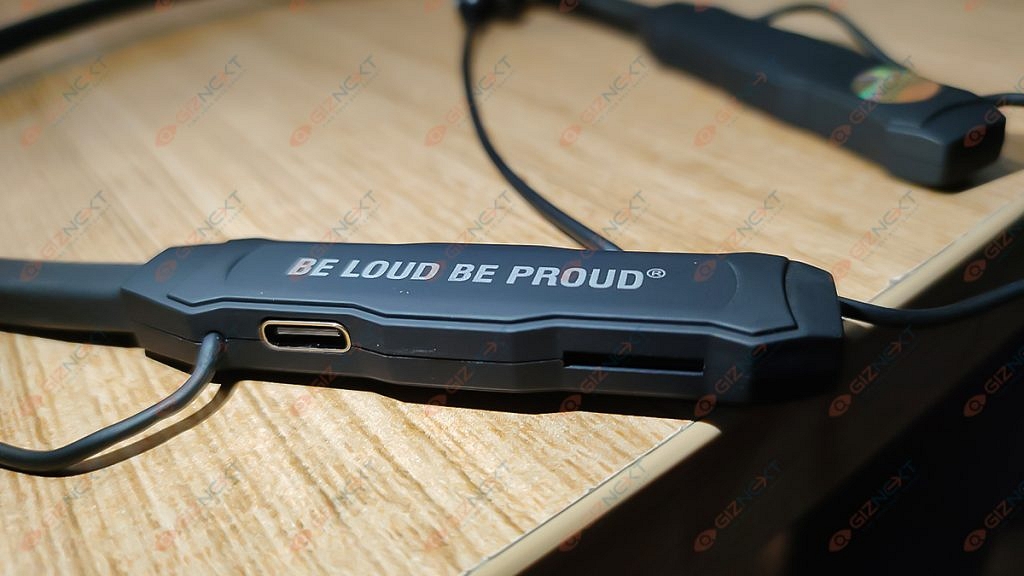
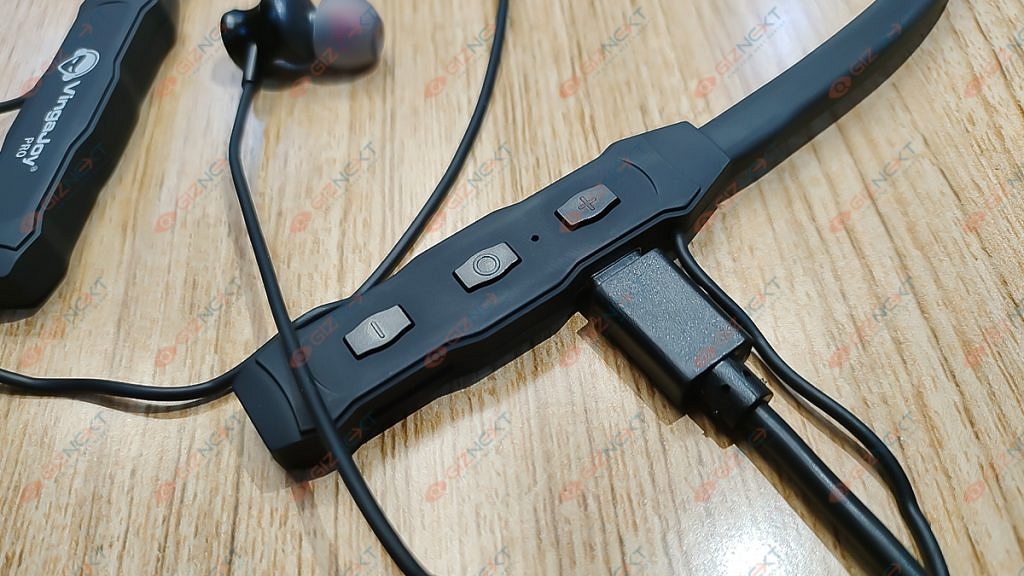
The neckband is lightweight and easy to fit. We got the Black color option of the VingaJoy Neckband for review, and it looks good. The right side of the neckband packs a USB-Type C charging port. The left edge of the neckband has the volume rockers, power key, and a small LED light.
Talking about its comfort and fit, the VingaJoy CL-6320 didn’t let me down. Its wearing comfort is at par with the competition. Its soft plastic material allows you to wear the neckband for longer hours. The neckband itself is ergonomically designed for a comfortable fit around the neck.
Audio Performance
The VingaJoy’s budget-friendly CL-6320 neckband is one of the most decent pairs in its segment. It allows users to enjoy rich and dynamic music experience. That’s with the snug fit earbuds design that blocks the surrounding noises passively. The VingaJoy CL-6320 neckband is loud and has a strong bass response. So if that’s what you are looking for, you won’t be let down.
The earphones are so loud that we preferred listening to them at a low volume. As for the calling experience, the earphones have clear sound quality. The overall audio output is decent.
Connectivity and Calling
The VingaJoy CL-6320 neckband can be switched-on by long-pressing the power button. The neckband then enters into pairing mode. It also has LEDs to show the pairing and connectivity status. When the neckband is powered on, a voice prompt confirms the pairing process and the battery level (high, medium, or low). The earphones operate on Bluetooth v5 and I had no trouble pairing them. The pairing process is standard as other wireless neckbands and speakers.
I also had a great experience in calling and receiving the calls from the CL-6320 neckband earphones. It smoothly pick-up the caller’s sound and convey it audibly. However, you need to be a bit loud to communicate with your caller which is a little disappointing.
Battery Backup
VingaJoy claims the CL-6320 neckband can deliver up to 25 hours of playtime on a single charge and 300 hours of standby time. While using the neckband, I found the backup to be approximately the same as the company claims. But that’s when you play music/audio at around 50- 60 percent volume levels.
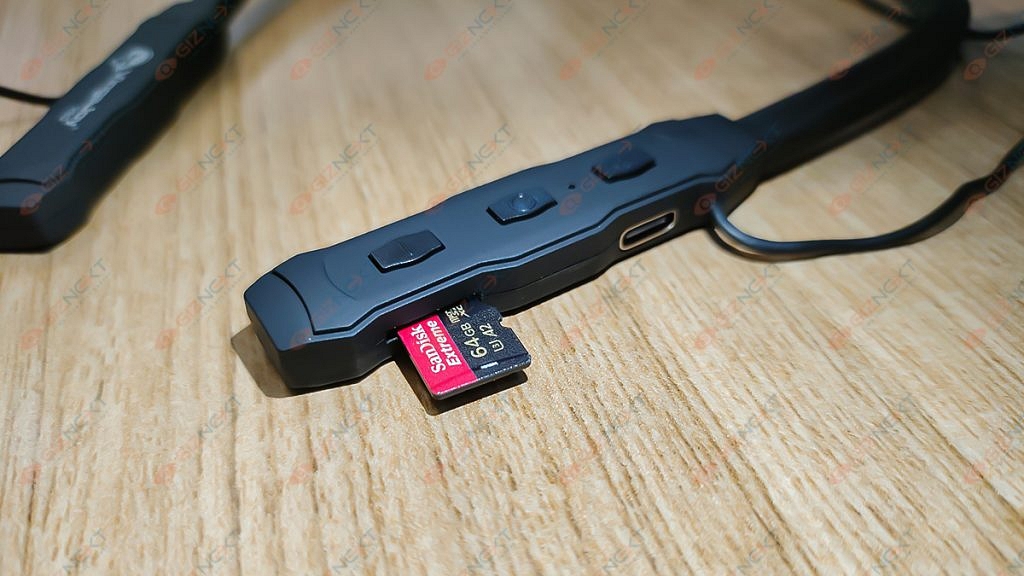
A USB Type-C charging port is also provided on the neckband for charging. Below the USB Type-C point, you will also get a dedicated microSD card slot which is a welcome feature and is missing from modern days neckbands.
All things considered, the VingaJoy CL-6320 neckband is an decent pair of Bluetooth earphones in its price range. Its good sound quality, strong wireless connectivity, and good battery backup make it a worth buy.
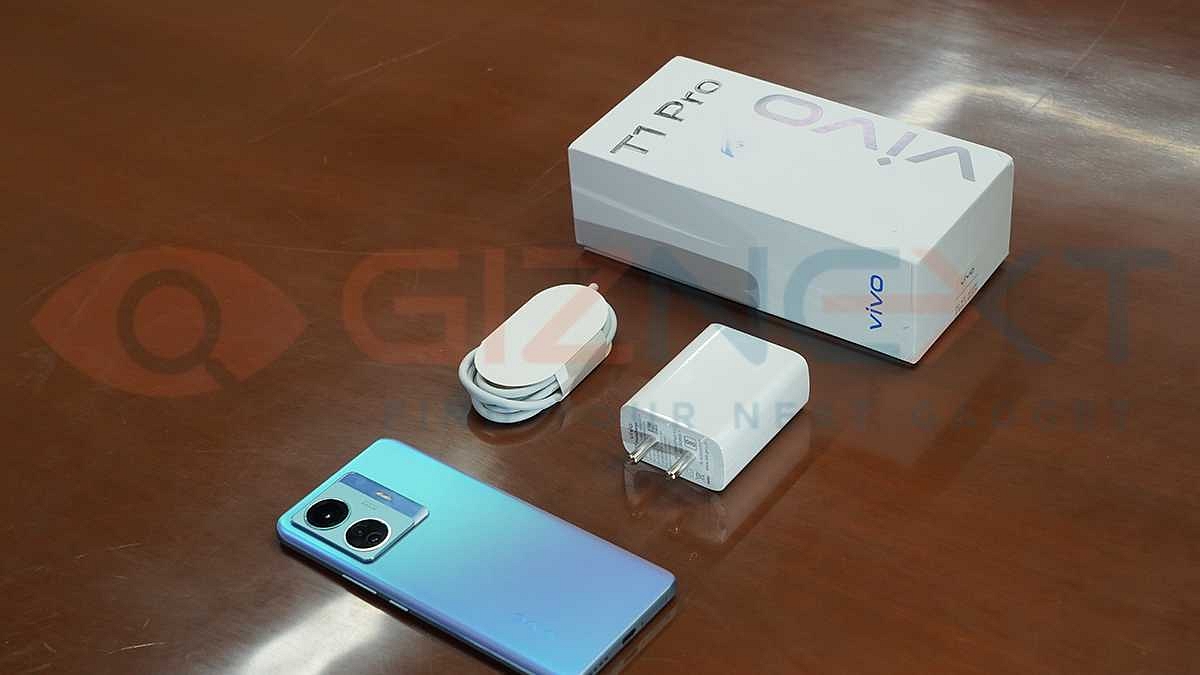
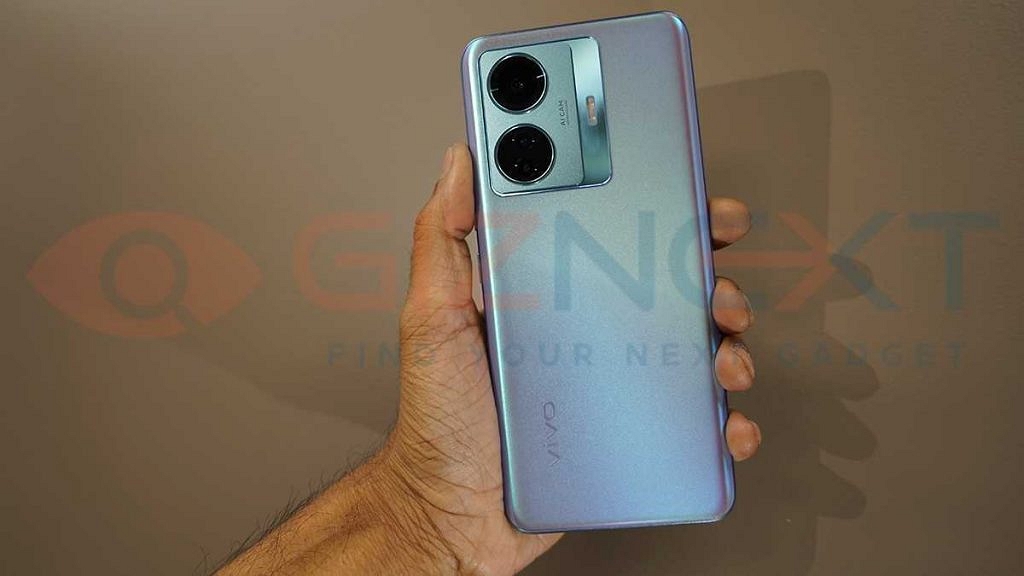
Vivo T1 Pro has finally made it to the Indian shores after all the hype. The latest Vivo T series phone has arrived as yet premium mid-tier Android phone with 5G connectivity and a sub Rs. 25,000 price tag. Vivo will be selling the T1 Pro 5G via Flipkart in India at an asking price of Rs. 23,999 for the base model with 6GB RAM and 128GB storage configuration, while the 8GB RAM T1 Pro 5G model is launched at Rs. 24,999 in the country.
The Vivo T1 Pro 5G has been introduced in the Indian market when the competition is already at its peak in the sub Rs. 25,000 price bracket. As always, Vivo has tucked in some high-end features in its latest mid-tier Android phone. Besides the 5G connectivity, a refreshed design language along with the 66W Turbo Flash charge tech and a 64MP triple camera are the major highlights of the T1 Pro 5G.
If we talk of the remaining features, the Vivo T1 Pro 5G is a fully loaded 5G smartphone. It ships with a 6.4-inch AMOLED display that supports 1080p FHD+ screen resolution and 90Hz refresh rate. The high-resolution display packed inside the T1 Pro 5G also has HDR10+ certification and 1300 nits peak brightness levels. Driving the T1 Pro 5G is the octa-core Snapdragon 778G processor which is combined with up to 8GB RAM and 128GB onboard storage. Rounding off the spec sheet is a 4,700 mAh battery here.
Vivo had received a fairly good response for the first T series phone, i.e, the T1 5G. Will it be the case with the T1 Pro 5G as well? Does the latest Vivo T series phone pack ample punch to dethrone the existing players that are popular with the masses under Rs. 25,000 price bracket? We at Giznext have just received the T1 Pro 5G’s review unit and in this article, we are doing a first impression of the latest Vivo premium mid-tier Vivo 5G phone. Is it a hit or a miss? Let’s find out:
Vivo T1 Pro 5G First Look Review
Crisp And Vivid Display
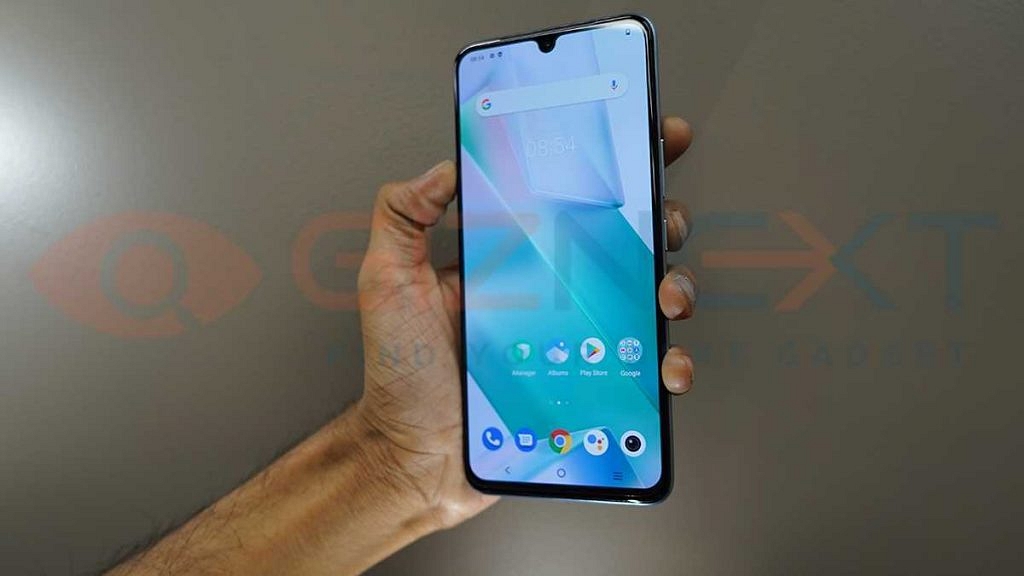
Vivo has packed the T1 Pro 5G with a 6.44-inch display. The company has used an upgraded AMOLED panel this time instead of the standard IPS LCD. If we speak of the display specifications then the T1 Pro 5G’s AMOLED panel supports 1080 x 2404 pixels screen resolution and 90Hz refresh rate. If you are one of those users who spend most of your time glancing at your phone’s display then the T1 Pro 5G will be a visual treat for you.
During our initial testing phase, the panel seems impressive with general content viewing. The panel also has HDR10+ certification which makes it suitable to consume videos via OTT platforms such as Netflix, Amazon Prime, and others. The display color temperature, as well as color production, is balanced.
You don’t find the content getting overly saturated. Besides, the slim bezels along with the tiny waterdrop notch hamper least with the visibility. With a peak brightness level of 1300 nits, the T1 Pro 5G’s display offers good sunlight visibility.
The panel also integrates a fingerprint scanner which we found to be fast and accurate with device unlocking. We also tested the panel’s performance with gaming which has been decent until now. But we will be testing the T1 Pro 5G’s display thoroughly to give detailed feedback on the same.
Vivo T1 Pro 5G Quick Performance Feedback
The Vivo T1 Pro 5G uses Qualcomm’s premium mid-tier Snapdragon 778G processor. This is an octa-core chipset by Qualcomm which is designed specifically for gaming Android phones. Our initial user experience with the Vivo T1 Pro 5G has been great. The handset is capable of completing all the basic and extensive tasks without any difficulties.
It didn’t flinch even with multiple apps running in the background and while switching between the pre-loaded apps. The T1 Pro 5G’s SD 778G processor employs Adreno 642L GPU to render extensive graphics smoothly.
This Vivo T series phone comes with up to 8GB RAM. This RAM capacity is ample for swift multitasking. The storage option offered by the T1 Pro 5G is up to 128GB which can be further expanded using an external microSD card. Storage crunch isn’t an issue with the device, neither is the overall performance.
The unit is pre-installed with Android 12 OS and features a custom FunTouch OS on top. The UI experience is decent. There are a bunch of pre-installed third-party apps and bloatware. You can uninstall a few of them manually for a cleaner UI.
Vivo T1 Pro 5G Camera First Impressions
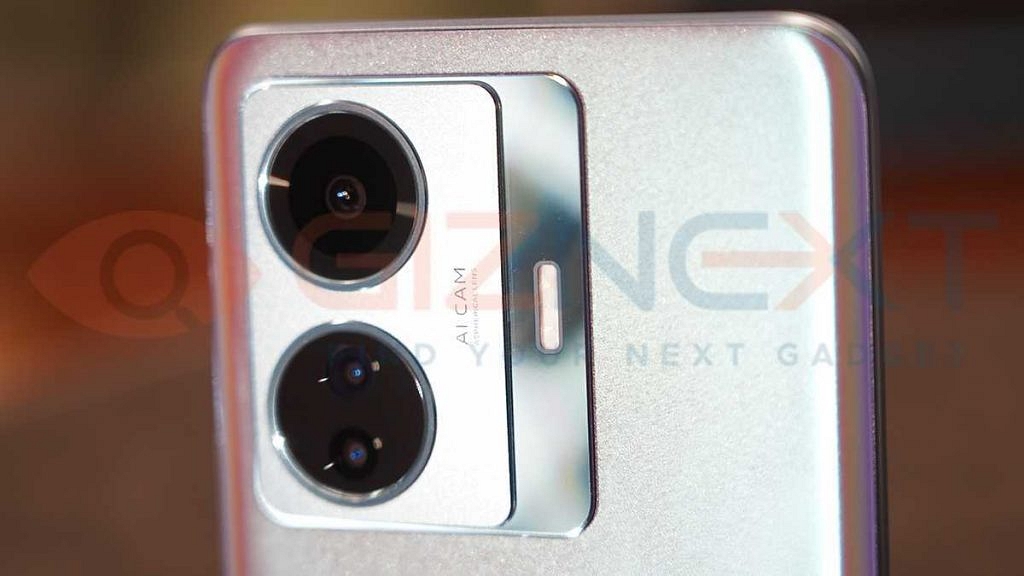
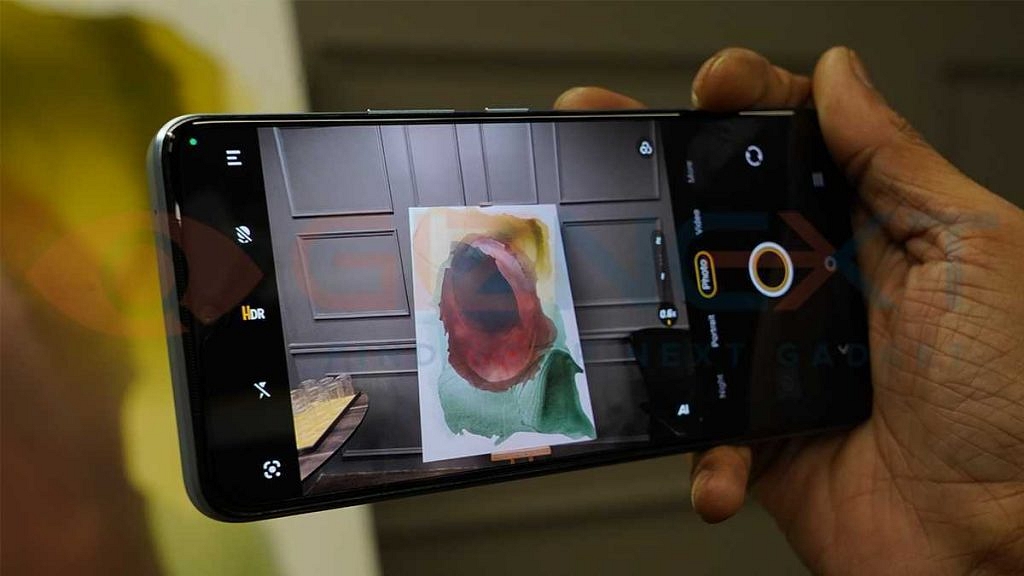
Vivo has good expertise with mobile camera hardware. The T1 Pro 5G is one of the best examples of a mid-range Vivo phone that can be purchased for under Rs. 25,000 with some potent camera hardware. It ships with a 64MP main camera which has an f/1.79 aperture. Accompanying the primary sensor is an 8MP ultrawide angle lens that has an f/2.2 aperture and another 2MP sensor for macro shots.
The T1 Pro 5G’s camera has performed well during our initial testing. You will have no complaints with the daylight shots as the primary camera can capture a high level of clarity. There are multiple in-app camera modes that you can use to improve the imaging quality as well as the overall optics experience. Amongst the several camera models are Portrait, Panorama, and Live Photo.
The camera app also has a dedicated Night mode which will help with low-light photography. The images we captured with low-lit backgrounds were decent. Edge detection and dynamic range are good overall. Notably, the T1 Pro 5G rear cameras are also capable of recording dual view videos, slow-motion and time-lapse videos as well.
As for the selfie snapper, the Vivo T1 Pro 5G uses a 16MP lens which is housed within the waterdrop notch upfront. The selfies captured by the T1 Pro 5G are good. You get high-resolution self-portraits that you can easily flaunt on social media portals.
The overall photography experience with the T1 Pro 5G has been good. But we are yet to test the camera performance extensively in all scenarios. Stay tuned with us for detailed camera performance feedback on the T1 Pro 5G.
Big Battery, Super Fast 66W Turbo Flash Charge
The Vivo T1 Pro 5G is packed with a beefy 4,700 mAh battery unit. This large capacity battery packs enough juice to drive the handset close to an entire day if you are using it moderately. The biggest highlight of the T1 Pro 5G is the 66W Turbo Flash charge.
As per the claims, it refuels the device from zero to 50 percent in 18 minutes. We haven’t got to test the battery capacity and the fast-charging speeds to their full potential yet. But will do the same in the coming days.
Is Vivo T1 Pro 5G A Hit Or A Miss?
The Vivo T1 Pro 5G is one complete package that you can buy under Rs. 25,000 in India. This premium range phone has a power game-centric 5G processor which along with up to 8GB RAM offers a powerful performance delivery.
The T1 Pro 5G also caters to photography enthusiasts with its capable 64MP triple rear camera module and a big 16MP selfie snapper. The star attraction is definitely the 66W Turbo Flash charge technology that can refuel the device in under an hour.
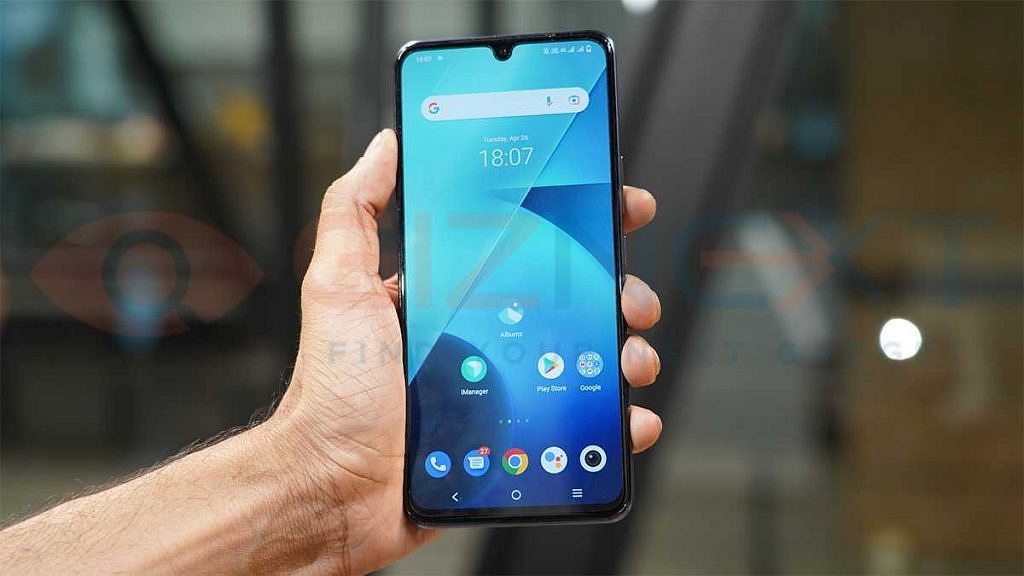
iQOO has launched another new Z6 series phone in India. The iQOO Z6 Pro 5G has arrived as the brand’s newest premium mid-tier Android phone for the gaming audience in India. iQOO has launched three different variants of the Z6 Pro 5G in India including 6GB+ 128GB, 8GB+128GB, and 12GB+ 256GB priced at Rs. 23,999, Rs. 24,999, and Rs. 28,999 respectively.
Several smartphone OEMs including the major players such as Xiaomi, OnePlus, OPPO, and Vivo have introduced numerous handsets under Rs. 30,000 price bracket backed by 5G connectivity. With multiple options available in this price segment, does the iQOO Z6 Pro 5G adds to the crowd? Or does the latest iQOO Z series phone pack enough punch to crawl up the ladder? We at Giznext have managed to get out hands on the iQOO Z6 Pro 5G and in this article, we are doing the first impressions/ quick review of the latest iQOO gaming phone.
iQOO Z6 Pro 5G First Impressions: Display And Design Overview
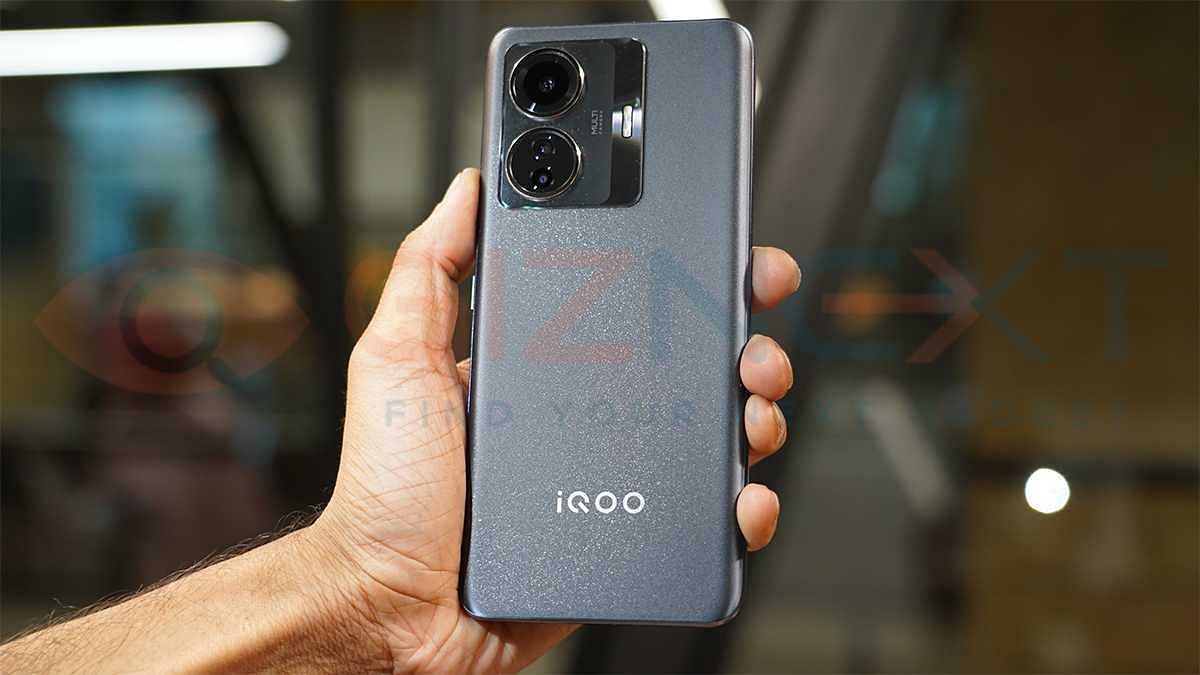
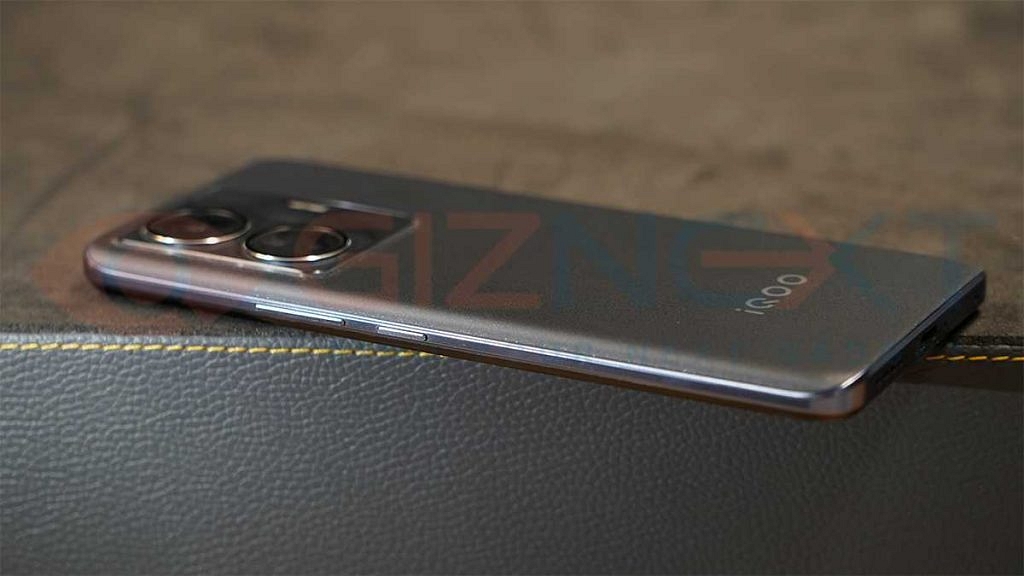
iQOO has managed to keep a premium design language for its mid-tier and affordable phones. The iQOO Z6 Pro 5G with a subtle yet premium appeal makes for a good example of the same. The Z6 Pro 5G has a slim profile which along with the matte-gradient mix textured back panel feels premium to hold. iQOO has redesigned the camera module which adds to the overall appeal.
It is a big square module that houses two large camera rings with metallic layering. This protruding camera module is the x-factor in terms of design. It is worth mentioning that the iQOO Z6 Pro 5G comes in Phantom Dusk and Legion Sky shades. We have received the former for review.
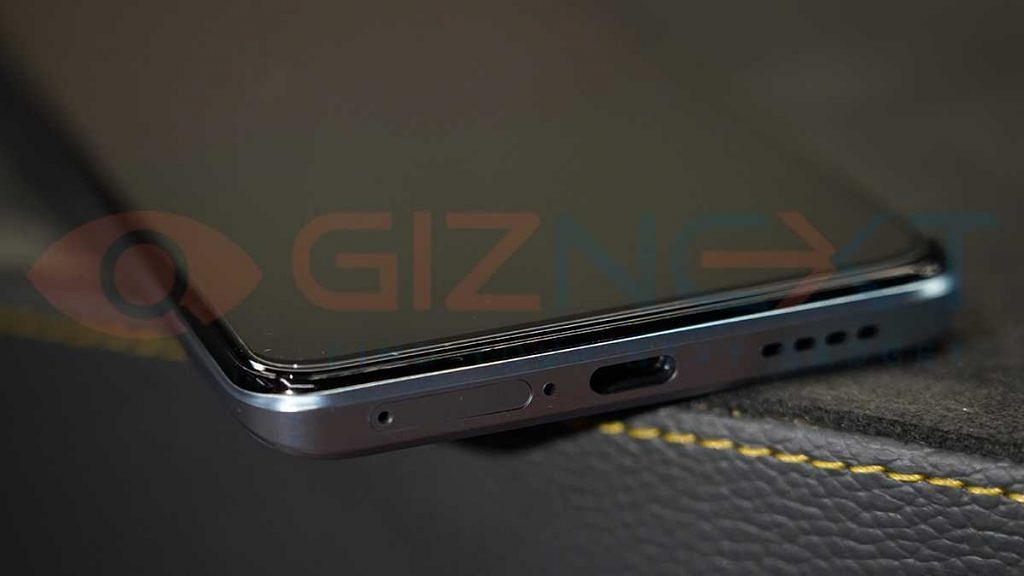
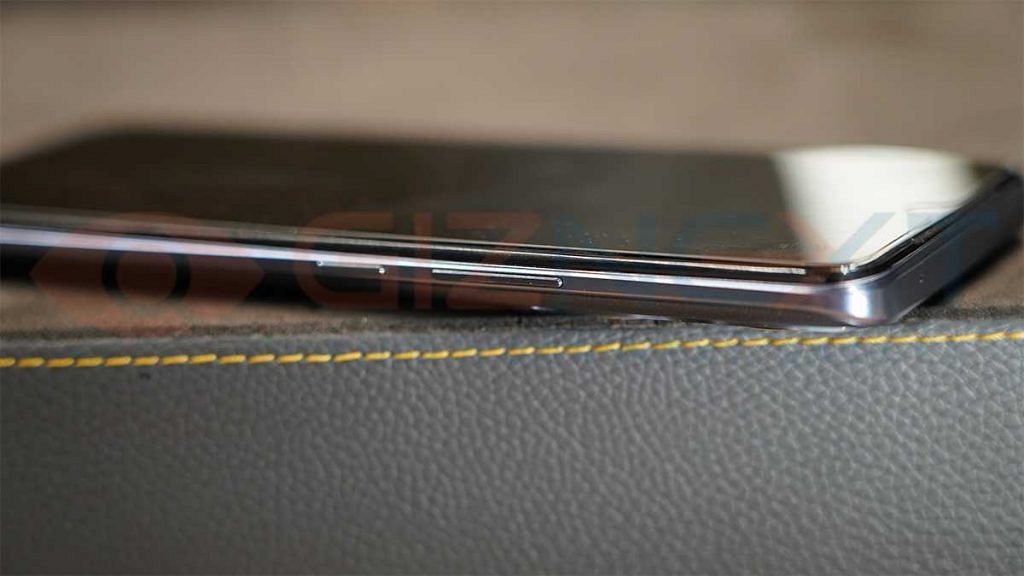
The front panel isn’t entirely re-worked. The company has used a tiny punch-hole camera cutout at the center top for the selfie camera. Both volume and the power keys are placed on the right panel, while the left panel is kept barren. At the bottom, the iQOO Z6 Pro 5G has the hybrid SIM slot along with the USB Type-C port and the speaker grille. We had a decent experience with single-hand usability. Despite being a tall handset, operating the Z6 Pro 5G with one hand isn’t a big task.
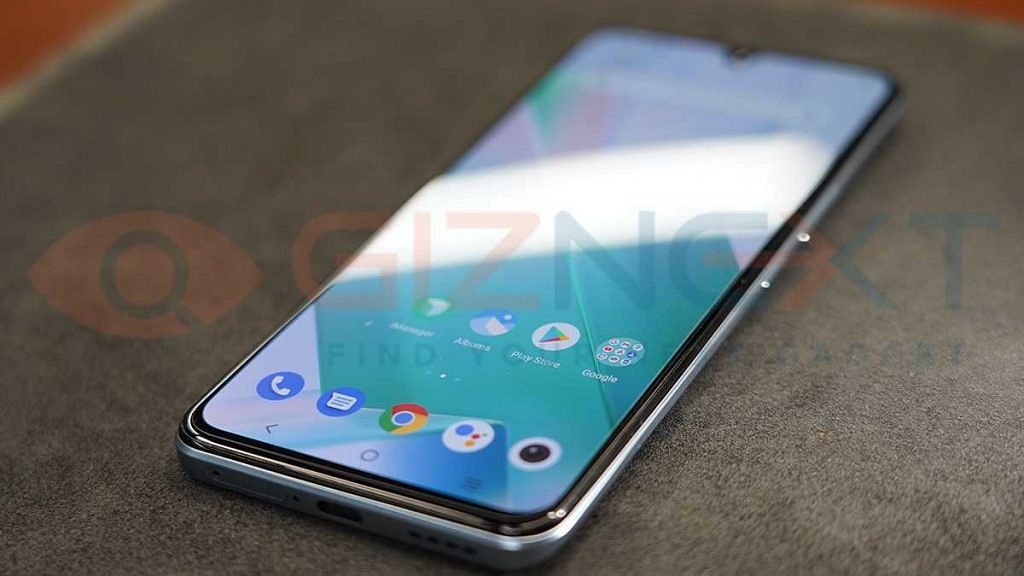
As for the display, the iQOO Z6 Pro 5G features a 6.44-inch AMOLED panel. This time iQOO has selected an upgraded panel that helps with improved gaming visuals. The Z6 Pro 5G’s AMOLED display supports 1080 x 2404 pixels FHD+ resolution and 409 PPI pixel density. Upon using the Z6 Pro 5G’s panel for a fee days, we found it to be apt for high-resolution video playback. The display by default has a warmer color temperature.
So, it doesn’t strain your eyes despite being hooked to the screen for long. With a high 90Hz refresh rate, the Z6 Pro 5G’s panel delivers good gaming feedback as well. The sunlight legibility seems decent as of now. We will be testing the panel extensively and give you detailed feedback in the comprehensive review of the Z6 Pro 5G.
iQOO Z6 Pro 5G Quick Review: How’s The Hardware Performance?
While we are yet to test the iQOO Z6 Pro 5G’s power performance, our initial experience with different tasks has been good. The Z6 Pro 5G is a game-centric phone that is powered by the octa-core Snapdragon 778G processor under the hood. This premium mid-tier chipset by Qualcomm has been driving some other recent popular mid-range Android phones and is well known for its power delivery.
During our brief usage period, the iQOO Z6 5G kept lags and stutters at bay. We were able to open and use multiple tasks without any noticeable change in the performance. We have tested its performance with a handful of games such as Shadow Fight IV and Asphalt 9.
The Z6 Pro 5G’s gaming chipset with Adreno 642L GPU support did not let us down. We haven’t experienced any heat-up issues yet. But we will be testing the handset’s performance with extreme gaming going forward. As for the configurations, you can select the Z6 Pro 5G with up to 12GB RAM and 256GB storage. Our suggestion would be to go for the top-end model so that you get the maximum performance without any compromises on speed.
Mivi has established its name in the affordable digital accessories segment across India. The homegrown brand is rapidly expanding its audio product portfolio in the country with the launch of new speakers, wireless neckbands, and also soundbar. We recently covered the Mivi Octave 3 portable speaker review and now are sharing our feedback on two of Mivi’s recently launched wireless neckbands.
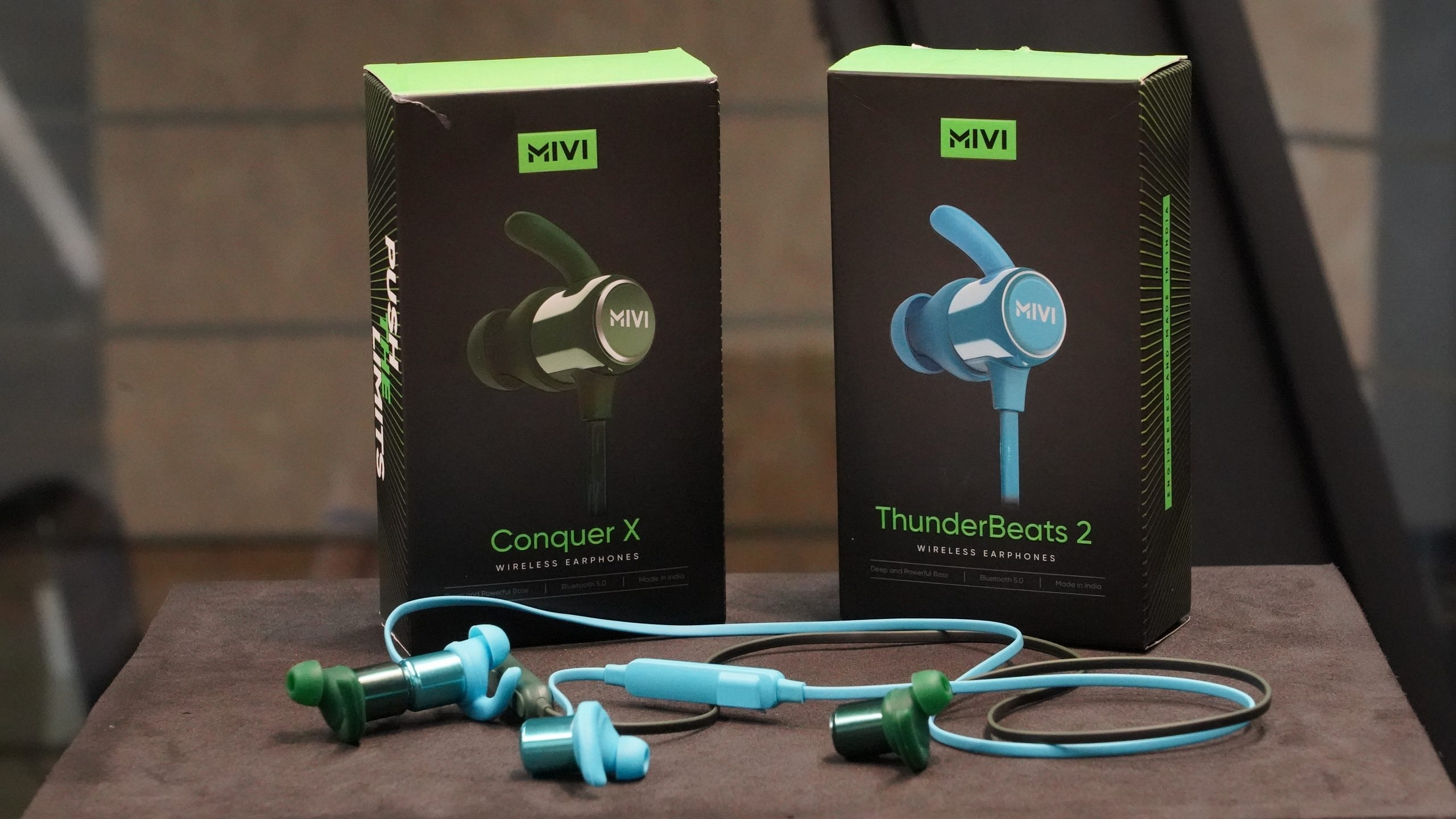
Mivi has introduced the ConquerX and Thunderbeats 2 wireless neckbands for the Indian audience. Both these neckbands have been announced for the budget audience in the country. Both Mivi ConquerX and the Thunderbeats 2 wireless neckband can be purchased at around Rs. 999 in the country via online retail stores. These latest budget neckbands by Mivi feature a basic design with hook-style earbuds. But is this wireless neckband suitable for daily usage or should you buy some other wireless neckband under Rs. 1500.
Pros and Cons
Pros:
Cheap price tag
Good battery backup
Hefty bass at budget price
Cons:
Dated microUSB port for charging
Bulky earbuds
Not comfortable for prolonged usage
Mivi Conquer X, Thunderbeats 2 Review: Design And Wearing Comfort
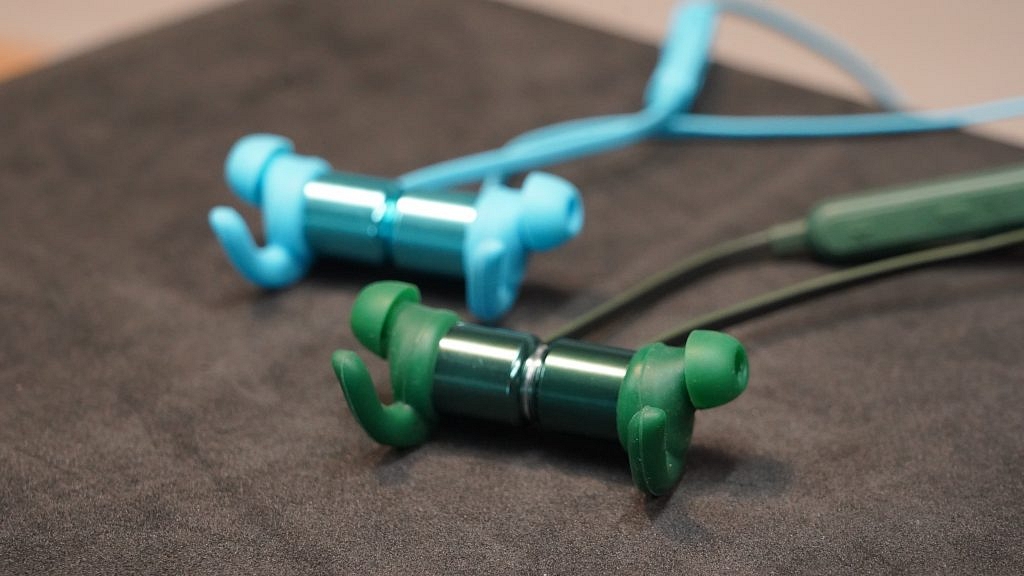
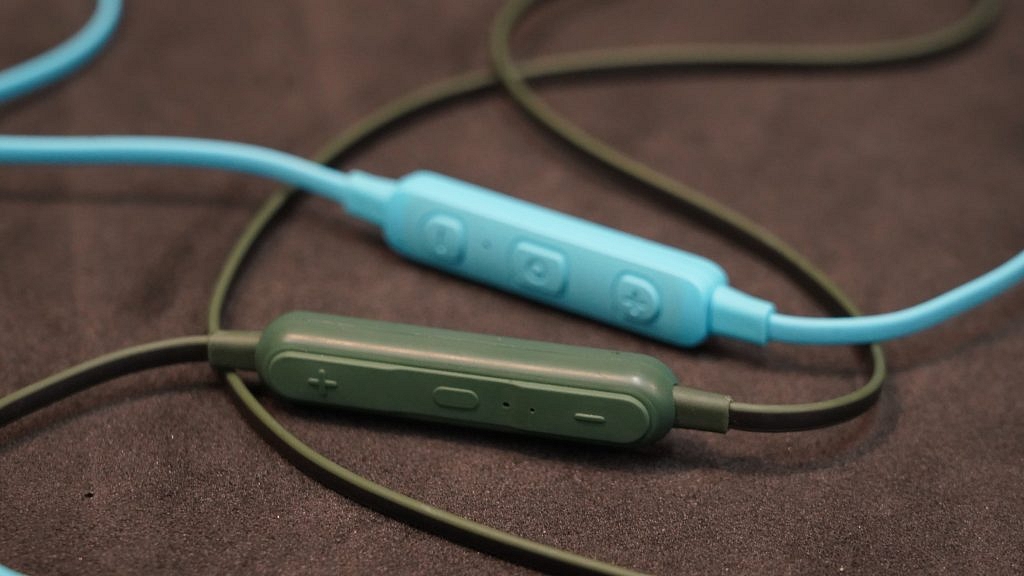
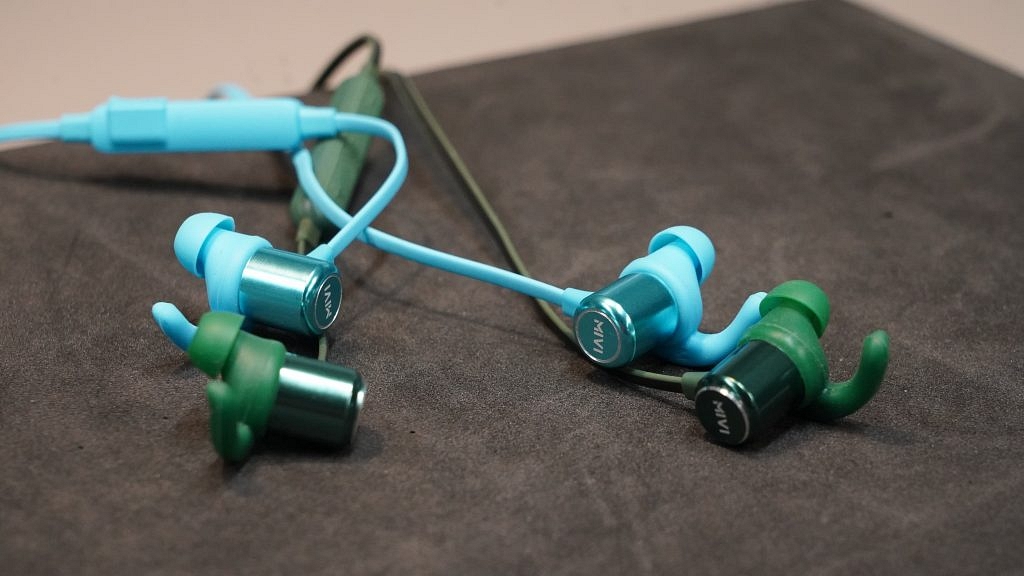
Mivi has launched the Conquer X and Thunderbearts 2 wireless earbuds with almost an identical design factor. Unlike most of the budget wireless neckbands where you get a thick neckband design, both Mivi Conquer X and Thunderbeats 2 feature a single wire design. It’s the control unit that is different on both neckbands. Even the earbuds are identical on both Mivi Conquer X and Thunderbeats 2 wireless neckband.
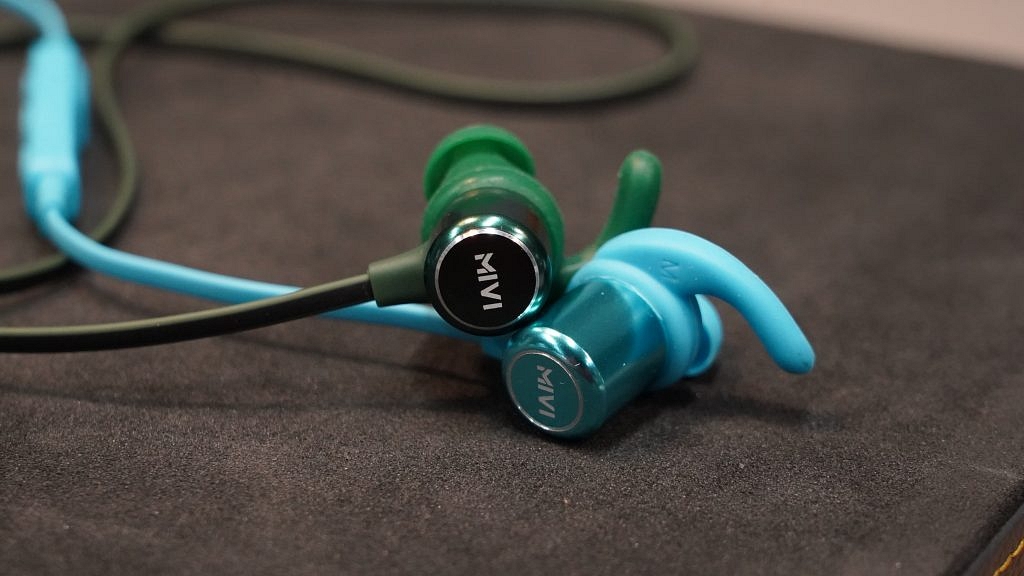
Both feature a large earbud with hook-style eartips for a snug fit design. Also, the earbuds offer a magnetic latch feature that saves them from accidentally falling off when not in use. The magnets aren’t super strong, but do a decent job in holding the earbuds together. It is worth mentioning that both new Mivi wireless neckband comes void of automatic power on/off or music play/pause feature with the magnetic latch. This is one of the useful options that is being offered by most of the affordable wireless neckbands in the market.
While both Conquer X and Thunderbeats 2 wireless neckbands offer a snug fit design with their hook-shaped ear tips, they are super comfortable to wear for a longer duration. The wearing comfort goes for a toss if you wear this pair for more than a few hours. Both Mivi Conquer X and Thunderbeats 2 come with IPX4 certification for dust and sweat resistivity.
Both wireless neckbands come with a bunch of physical keys for power on/off and volume adjustments. Using these control keys, you’ll also be able to answer calls and control music playback. The quality of the keys is not up to the mark. They are stiff to press and have an average built quality. Mivi has used the dated microUSB port on both Conquer X and Thunderbeats 2 wireless neckband. Only the Thunderbeats 2 ships with a supported data cable. However, you get an extra set of eartips with both Conquer X and Thunderbeats 2 wireless neckbands that you can use later if you lose the default pair.
Coming to the audio delivery, the Mivi Conquer X and the Thunderbeats 2 wireless neckband are equipped with a 6mm electro-dynamic drivers. Both neckbands come with HD Stereo sound support that helps with loud output. The bass offered by both Mivi wireless neckbands is on the hefty side. While the loud and heavy bass should have been in favor of the Mivi Conquer X and Thunderbeats 2, it somehow compromises the audio quality at the highest levels.
You will listen to the bass overpowering the remaining audio aspects such as treble and mids. Also, at the peak audio levels, the audio tends to muffle rather than maintain the clarity levels. Since both these Mivi wireless neckbands is entry-level devices, they come sans ANC (Active Noise Cancellation) feature. The audio leak issue is prevalent at peak volumes. Overall, the Mivi Conquer X and the Thunderbeats 2 are delivers loud audio with a hefty bass. Only if the audio clarity were on a higher level, then they would have made for the best pair under Rs. 1,000 in the country.
Both Mivi Conquer X and Thunderbeats 2 ship with Bluetooth v5.0 technology for wireless connectivity with smartphones and other compatible devices including tablets, laptops, and PCs. The connectivity range offered by both Mivi Conquer X and Thunderbeats 2 wireless neckbands is 10 meters. You won’t experience any issues with the connectivity or pairing.
Also, if the connected device is within the 10m range, you will experience no issues with audio playback. To pair the Mivi Conquer X and the Thunderbeats 2 earbuds with any smartphone or other compatible device, you’ll have to press and hold the power key until the LED blinks. Head to the settings menu on your smartphones and select the Mivi Conquer X or Thunderbeats 2 earbuds to complete the pairing process.
Coming to the battery backup, both Mivi Conquer X and Thunderbeats 2 wireless neckband are said to deliver a 14 hours backup on a single charge. That’s what the company claims. However, this battery backup is when the audio or music is being played at around 50 percent volume levels. The battery backup on both Mivi Conquer X and Thunderbeats 2 wireless neckband significantly drops when you increase the audio levels beyond 60 percent.
It is worth mentioning that both Mivi wireless neckband uses a standard microUSB port for charging. It takes more than an hour for both Mivi Conquer X and Thunderbeats 2 to get a full charge (from zero to 100 percent). You can use any standard Android charger to refuel the Mivi wireless neckbands.
Mivi Conquer X, Thunderbeats 2 Neckband Final Verdict: Worth Buying?
The Mivi Conquer X and Thunderbeats 2 wireless neckband have been targeted at entry-segment consumers in India. Both these neckbands are amongst the cheapest wireless earphones that you can buy in the country.
At an asking price of Rs. 999, you get a fully functional wireless audio wireless neckband that can be your occasional gaming or music companion, rather than being a daily driver. The wearing comfort isn’t super great and also the audio output is average; except for the bass which is on the hefty side and is the only impressive factor besides the powerful battery backup.
India has seen a radical growth in the audio product market in the last decade. We have seen numerous audio tech brands and even smartphone OEMs introducing new wired and wireless headphones, speakers, and TWS earbuds. Of course, the market is all hype with the fully wireless earbuds or TWS products. Lava, the homegrown tech brand has been fairly active from the beginning of this year and has launched a new range of smartphones as well as TWS earbuds.
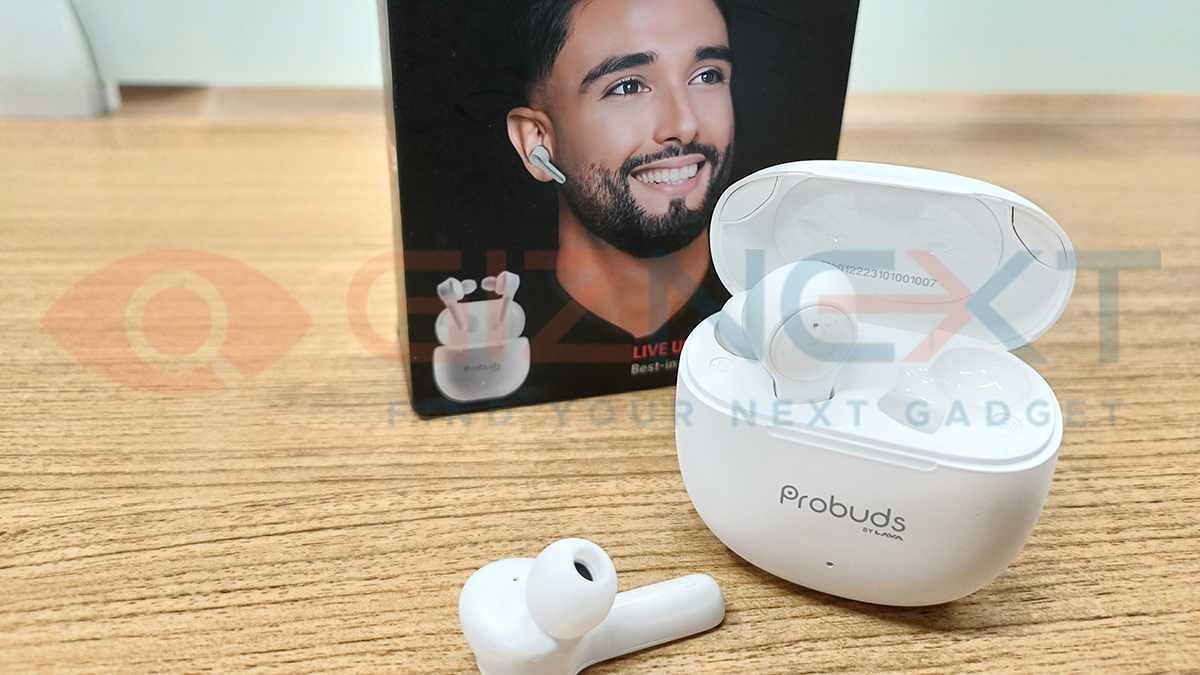
For the audience demanding quality TWS earbuds at budget prices, Lava had released the Probuds TWS earbuds series earlier. The Probuds 21 has been introduced as the latest wireless earbuds in this lineup with modern features such as Google Assistant support, sound isolation, and noise reduction technology.
The Lava Probuds 21 comes in India at an asking price of around Rs. 1,399. You can buy this budget wireless TWS earbuds via major online and offline retail stores in the country. But should you be investing in this budget TWS earbud? How good is its audio performance and battery backup? This review article will clear all your doubts and help you select the next best budget buy in the TWS segment.
Pros And Cons
Pros:
Budget price point
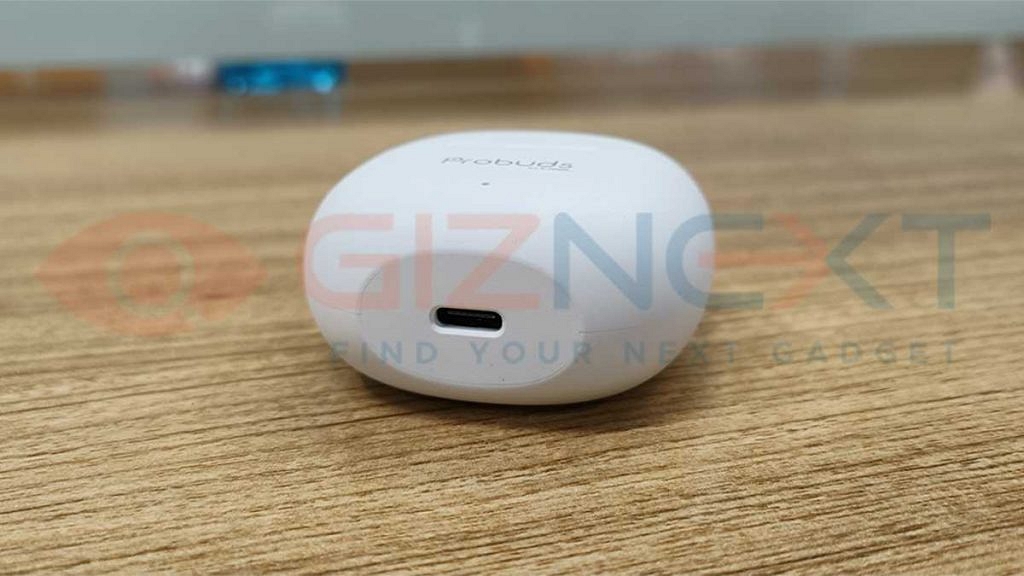
USB Type-C port and fast charging support
Decent audio feedback
Cons:
Bit bulky earbuds
Audio not clear at peak levels
Lava Probuds 21 Review: How Well Is It Designed?
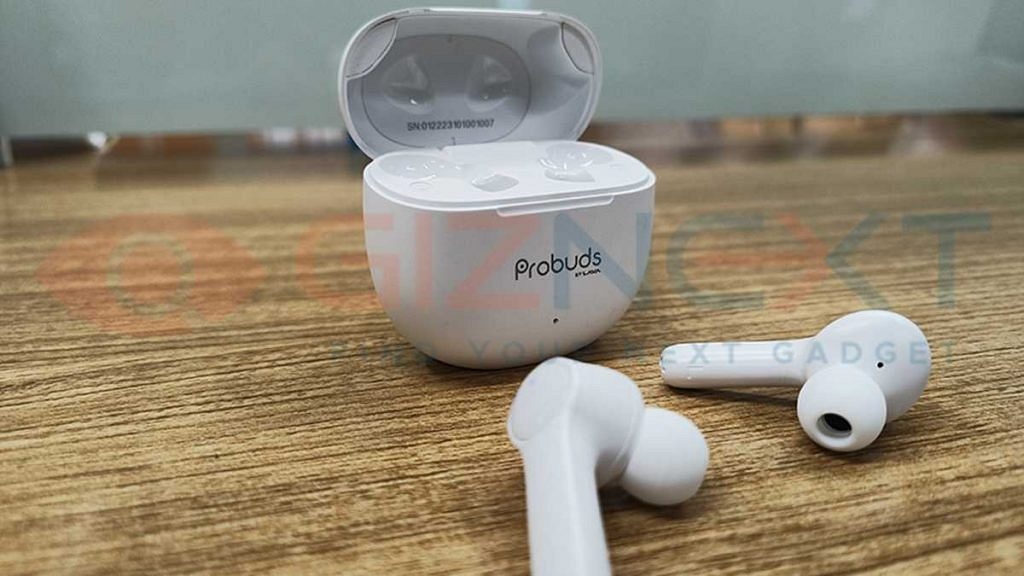
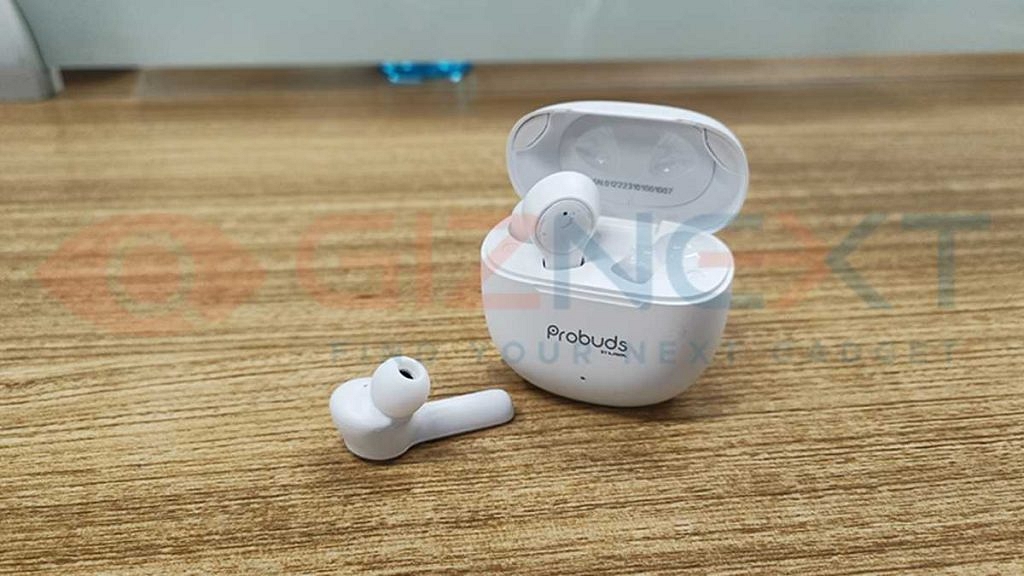
The Lava Probuds 21 TWS earbuds have a slightly bigger case and earbuds compared to the last year’s ProBuds 2 wireless earbuds. The oval-shaped case with a flat edge bottom adds to the classic appeal and also helps with its placement on the tabletop or any flat surface. You don’t have to worry about the case rolling down. Besides, the matte surface of the case feels premium to touch.
Flip open the case to see the large earbuds Contrary to a tiny or compact design, the earbuds are bulky with a big stem. Now, if you are a fan of audio accessories that aren’t prominently visible while using them then the Lava Probuds 21 might not be appealing to you. But if you are okay with a large-sized earbud and find them easy to wear then this could be a decent pair to consider.
The earbuds do offer a snug-fit form factor, but you’ll feel the heft while wearing them. That’s with the default eartips size. The Probuds 21 TWS earbuds retail box ships with additional ear tips and a USB Type-C cable. This budget TWS earbud also offers touch controls for power on/off, volume, and audio playback control.
It might take a while to get a hang of all the gestures, but the touch controls are not gimmicky. We found the Lava Probuds 21 TWS earbuds design to be practical for daily usage. However, the wearing comfort isn’t super great for prolonged usage. Lastly, the Probuds 21 TWS earbuds feature IPX7 certification that protects it from splash and dust.
Lava Probuds 21 Review: Audio Performance
Lava has packed the Probuds 21 TWS earbuds with 12mm dynamic drivers that produces ample punch in the audio. We have tested several budget TWS earbuds and the Probuds 21 seems to be a decent pair out of all. The audio delivery is fairly well here. While it’s not the most balanced sounding earbuds, the audio aspects doesn’t mismatch either.
You wouldn’t be disappointed if you are planning to buy the Probuds 21 solely for your daily music playback. The loud audio levels make it a perfect pair for the commute. But you might not be impressed with the clarity levels when you play audio at the loudest volumes. We found the sound output to be optimum at 60 – 70 percent.
The Lava Probuds 21 doesn’t come with ANC (Active Noise Cancellation). However, this budget TWS earbud is integrated with in-house sound isolation and noise reduction technology that aids with passive noise cancellation. Besides, the snug fit rubber eartips also play a vital role in blocking the outside noises during music or audio playback.
What else impressed us? Well, that’s the minimum audio leak at peak levels. You can turn up the volume to the max without thinking twice if the person next to you might also jam along. That said for the music playback. Our experience using the Lava Probuds 21 TWS with gaming has been good. The Probuds 21 offers 75ms ultra-low latency for better audio feedback with gaming.
Lava Probuds 21 TWS Review: Pairing, Battery, Other Features
The Lava Probuds 21 TWS earbuds is equipped with Bluetooth v5.1 technology. This allows the earbuds to pair wirelessly with smartphones and other compatible devices such as laptops, tablets, PCs, and also smart TVs. The connectivity and pairing experience has been good. The pairing process is hassle-free. You don’t need to press any pairing key separately to initiate the connectivity processor.
Just take out the earbuds and you will see the LEDs blinking. That’s the indication that earbuds are in pairing mode. We experienced no issues while pairing the budget Lava earbuds with smartphones. The Bluetooth playback experience is also good. No intermittent audio while media playback.
Lava has used a 60mAh battery unit to drive the Probuds 21 TWS earbuds. The company claims an approx backup of up to 9 hours on a single charge. That’s with the extra juice offered by the charging case. Thankfully, the Lava Probuds TWS comes with fast charging support that refills the battery quickly. The Lava Probuds TWS earbuds also come with Google Assistant support which you can summon using the touch gesture on the earbuds.
Lava Probuds 21 TWS Final Verdict: Hit Or A Miss?
The Lava Probuds 21 TWS earbuds justify its budget price tag with their modern features such as Google Assistant support, fast charging, and touch-sensitive earbuds. This budget earbuds can easily beat the competition with its practical approach. It is designed practically in all aspects that will fit all your requirements at a budget price point.
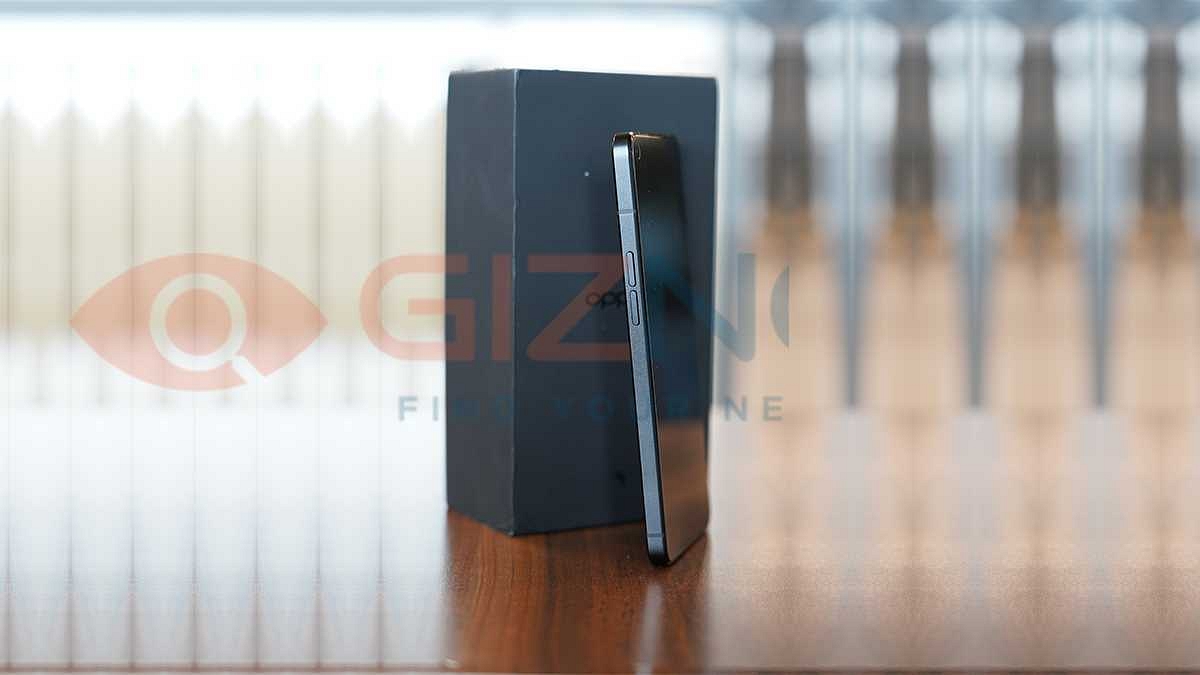
OPPO is a well-known player in the budget Android industry across the globe. The Chinese tech giant is catering to the Indian as well as the global audience with multiple smartphone lineups. OPPO has a stronghold in the affordable and the mid-range smartphone space; specifically, it’s Reno smartphone lineup which has been setting up new standards every time with mobile photography experience. This year, the brand launched the Reno7 series with the Reno7 Pro being the top-end variant.
The OPPO Reno series has radically evolved over the last few years. The Reno7 Pro is one of the newest members in this lineup that brings some refined hardware and design to the table. With a maximum retail price of around Rs. 39,999 for the 12GB RAM and 256GB storage configuration, the Reno7 Pro is amongst the best options that you can get in the premium mid-tier Android segment.
But the Indian market has numerous new Android smartphones under Rs. 40,000 in India backed by 5G network support and some high-end features. Does the Reno7 Pro has it all to take on some of the popular sub Rs. 40,000 segment phones in India? How well is the Reno7 Pro 5G for long-term usage? Is this OPPO Reno phone worth an investment? We at Giznext have been using the Reno7 Pro 5G for the past few months and are sharing our feedback on whether it’s a good long-term investment or not?
Pros And Cons
Pros:
Premium looking sturdy design
Up to 12GB RAM for lag-free multitasking
Flagship-grade Dimensity 1200 Max 5G chipset
Fast and reliable in-display fingerprint scanner
Cons:
Older Android 11 OS firmware
Refresh rate could have been 120Hz instead of 90Hz
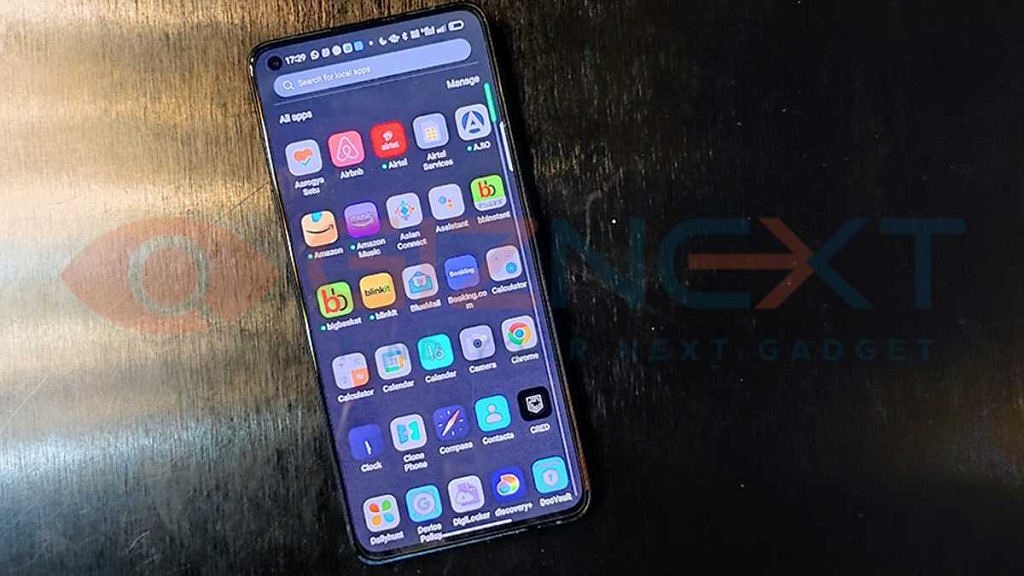
Cluttered user interface with pre-installed bloatware
OPPO Reno7 Pro 5G Review: Practical Design Approach For Daily Use?
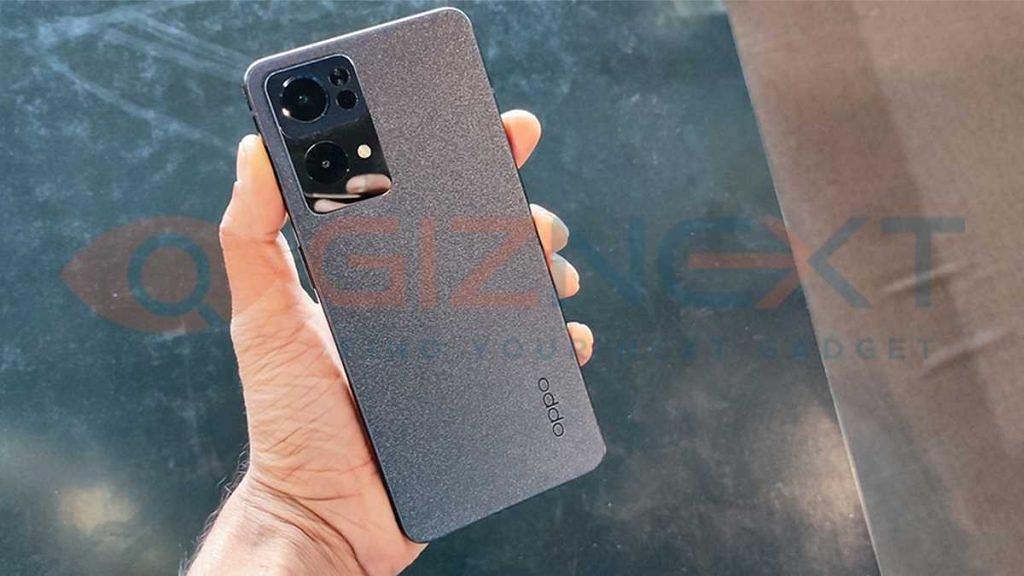
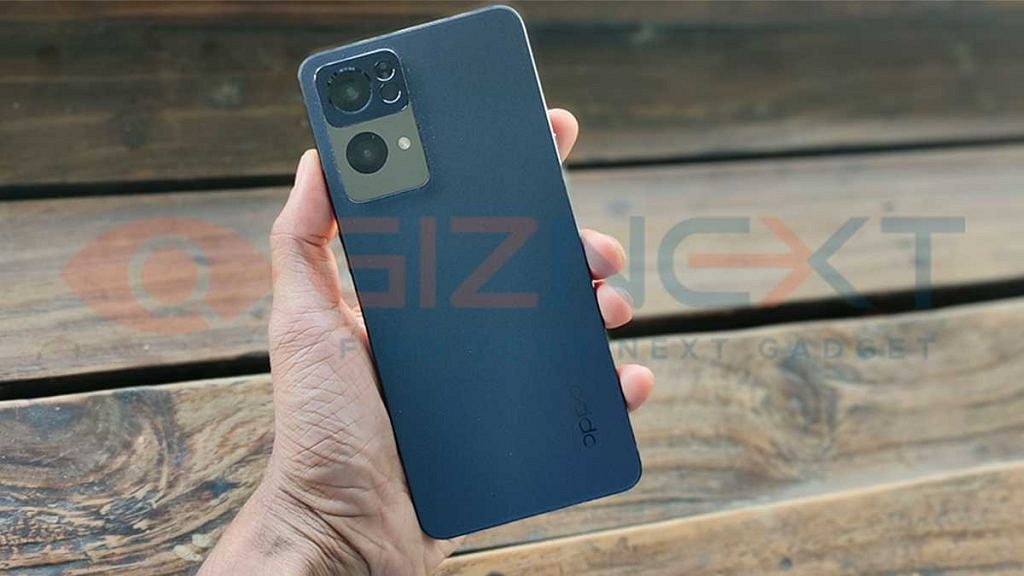
The OPPO Reno7 Pro 5G ditches the hefty and tall form factor and rather opts for a compact design with flat edges. It is a practical design approach that helps with easy usage in every scenario. But it’s not just the flat-edged compact form factor that makes it all premium, but the iconic Reno Glow design which grabs the attention. We are speaking of the glowing camera module. Yes, you read that right.
The vertical camera module on the upper left of the Reno7 Pro 5G lights up when you plug the device to a charger. The Reno7 Pro 5G’s remaining design aspect is practical for daily usage. Take for instance the volume and the power keys that are placed on either side of the handset. It’s easier to adjust the volume or lock the device without giving a glance at the side panels.
What impressed us further is the smudge-resistant design. The back panel is a mix of gradient and matte texture that is visually appealing. Thanks to the compact form factor it’s easy to use the Reno7 Pro 5G with a single hand. Of course, that’s for general tasks as completing extensive tasks such as gaming would require both your hands for comfortable usage.
The Reno7 Pro 5G’s remaining design aspects are standard. You get a USB Type-C port at the bottom along with the speaker grille. It doesn’t have a 3.5mm headphone jack. Therefore, if in case you wish to connect any wired headphones, make sure it has a USB Type-C port or you have a connector for the same. In our opinion, the Reno7 Pro has a classic design that will impress the modern masses with its practical approach.
OPPO Reno7 Pro 5G Display Review: Good For High-Resolution Video Playback
OPPO has been packing its Reno and other premium mid-tier Android smartphones with a high-resolution panel. The Reno7 Pro 5G is one of the best examples of an OPPO smartphone with a powerful display panel that gives good video playback feedback overall. We have used the Reno7 Pro 5G to watch our favorite TV shows and movies on OTT Platforms as well as via the local directory.
It’s a 6.5-inch AMOLED panel with 1080 x 2400 pixels FHD+ screen resolution makes for a perfect fit if you prefer watching content on the go. The Reno7 Pro 5G’s display further supports HDR10+ certification that allows for an immersive video playback experience. The brightness levels are decent. We didn’t struggle to view content under direct sunlight. That’s possible with the peak brightness levels of 920 nits.
The OPPO Reno7 Pro 5G’s display offers vivid color production and has decent viewing angles. The default color temperature of the Reno7 Pro 5G’s panel is slightly on the cooler side. With this, the display becomes less straining on the eyes. You can make adjust the screen color temperature as per requirements that suit your visibility.
The panel features a tiny punch-hole that is positioned in the upper left corner and hampers least the overall visibility. The Reno7 Pro 5G’s display offers a 90Hz screen refresh rate. Now, this isn’t standard for flagship and premium mid-tier phones. But it is sufficient for graphics-intensive gaming. You’ll experience minimum frame drops despite the highest settings with graphic-hungry games.
OPPO Reno7 Pro 5G: Long Term Hardware Performance And Software Experience
OPPO has used the Dimensity 1200 Max 5G chipset to power the Reno7 Pro 5G. This is a flagship range MediaTek 5G processor with octa-cores has a clock speed of 3.0 GHz and is combined with ARM G77 MC9 GPU to handle extensive graphics without any stutters or lags. The Reno7 Pro 5G also has an integrated X-Axis linear motor that helps with improved haptic feedback during gaming.
The Reno7 Pro 5G’s capable chipset along with up to 12GB RAM helps with an overall lag-free user experience. Notably, the Reno7 Pro 5G also features virtual RAM support. This allows the handset to supplement an additional 3GB/ 5GB/ 7GB RAM capacity. We didn’t experience any issues with the speed performance in the longer run.
But one thing we would like to highlight is the device warm-up issue. You will see the device heating up if you are using it extensively. We experienced this issue while commuting where the device was connected to the car charger and location services and mobile data were being used simultaneously. Besides this, you wouldn’t experience any major issues with the Reno7 Pro 5G’s performance in day-to-day scenarios.
As for the firmware, the Reno7 Pro 5G has the Android 11 OS which is layered with a custom ColorOS interface. The software is dated. This is one of the drawbacks that we found in the Reno7 Pro 5G. That’s considering it is a new-generation smartphone and it has been a while since the new-generation Android 12 OS has been released. It would have made sense for the brand to launch the Reno7 Pro 5G with the latest Android OS. The UI is also cluttered which might be a bummer for multiple users. It would have been a respite if OPPO offered a cleaner UI that has the least or zero bloatware installed.
OPPO Reno7 Pro 5G Review: Camera Performance
OPPO’s Reno series has been known for its potent camera hardware. The Reno7 Pro 5G can yield high-resolution images with its triple rear camera module. The main camera at the back of the Reno7 Pro 5G is a 50MP wide-angle lens with an f/1.8 aperture which is accompanied by an 8MP ultrawide sensor with 119-degree FoV, and a 2MP macro sensor with an f/2.4 aperture.
The main camera on the Reno7 Pro 5G has been capturing a high level of detailing with each click. However, you will find the colors overtly saturated at some points. There is no direct way to tone down the high saturation levels. You probably would want to switch off the HDR model and the AI Scene detection if you want to avoid oversaturated color production. Take the image below for reference.
The left shot was clicked without the HDR and auto scene detection, while for the right pic we had toggled on the Auto HDR and AI scene detection. The background had lower lighting conditions yet, the camera managed to capture good clarity levels in both modes. However, the colors are more natural on the former.
The Reno7 Pro 5G definitely pleases you with the bokeh shots. OPPO has improved the portrait imaging experience massively with the Reno7 Pro 5G. Its camera is equipped with a Bokeh Flare video technology that aides with recording videos with blurr effects. The bokeh videography experience and the stabilization while recording videos is good here.
Another useful camera mode is the Extra HD that uses AI to capture 108MP UHD shots. Now, this feature has been handy to click images with high level of detailing. The Reno7 Pro 5G performance is decent when it comes to night or low-light photography. The camera app features a Night mode which uses Ultra-nitht AI algorithm for better low-light output. The night scenes are captured well on the Reno7 Pro 5G. The above example shows the clarity levels during low light condition. Overall, the camera performance is satisfactory on the Reno7 Pro 5G.
OPPO Reno7 Pro 5G Review: Battery Backup
The OPPO Reno7 Pro has a 4,500 mAh battery unit under the hood. This a decent sized unit for a premium mid-tier phone allowing for more than half a day of battery backup. Well, that’s if you aren’t an extensive smartphone user and generally drain your phone’s battery with extensive gaming or media playback.
If that’s the case, you might need to re-plug the device more than once to the charger. Nevertheless, the 65W SuperVOOC flash charge comes to rescue in such situations. The entire battery refuels under an hour (zero to 100 percent).
OPPO Reno7 Pro 5G Verdict: Worth Buing For Long Run?
In our opinion the OPPO Reno7 Pro is a decent investment. Specifically if you plan on buying a premium mid-tier phone that is good looking, sturdy, and powerful in all aspects. It has a good camera with multiple shooting modes and AI to improve the photography experience and a super fast 65W fasr charging support as well. The Reno7 Pro 5G can be your go to handset in the sub Rs. 40,000 price bracket (specifically the 12GB RAM variant).
Audio accessories are all hype in the Indian market specifically wireless audio devices such as speakers and headphones. And when you step out to buy a new wireless speaker you are flooded with options to choose from. We have seen a rising trend amongst the homegrown brands debuting into the audio market. Mivi is one of the Indian digital accessories brands that gradually expanded the lineup of its audio products. The company has marked a strong presence across the budget audio market.
One of the recent offerings by Mivi for the Indian audience is the Octave 3 wireless speaker. This latest Octave-series Bluetooth speaker is launched at Rs. 1,999 in India. You get several varieties of speakers under Rs. 2,000 price bracket in India but what gives the Octave 3 an edge over the others? Well, we have tested the latest MiVi Octave Bluetooth speaker’s performance and are breaking down all the pointers in this review article.
Pros And Cons
Pros
Sturdy form factor
Good bass output
Powerful battery backup
Cons
A bit hefty to hold
Audio clarity is not good at higher volumes
Mivi Octave 3 Bluetooth Speaker: Practical Design?
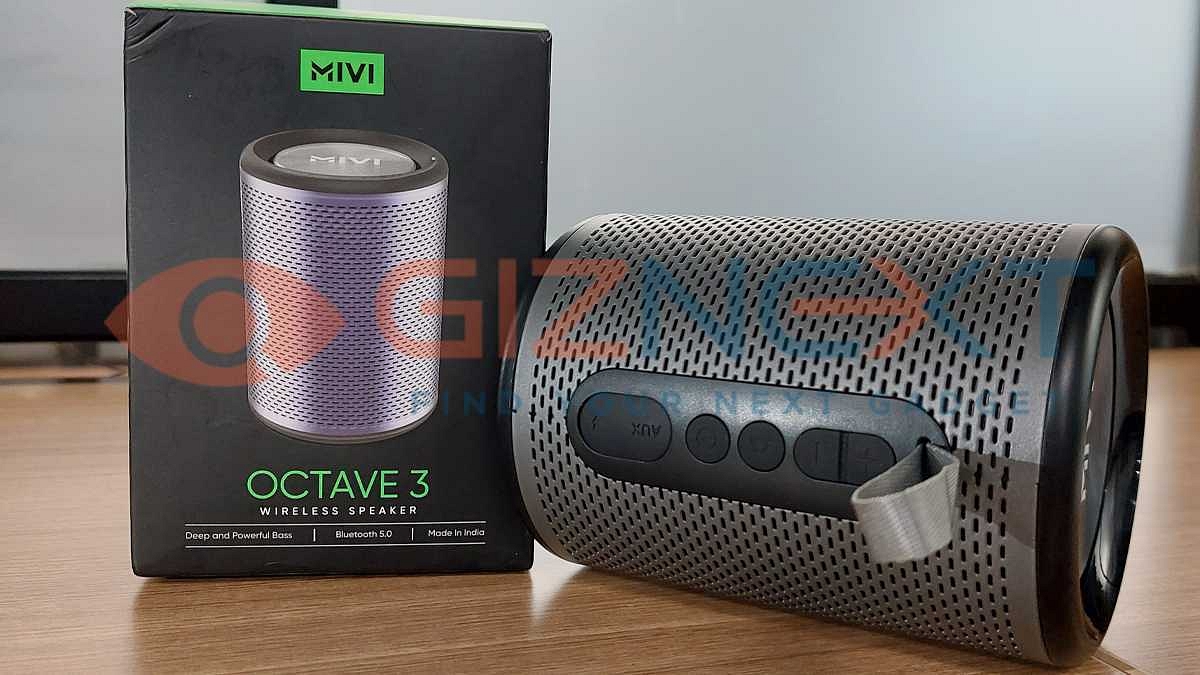
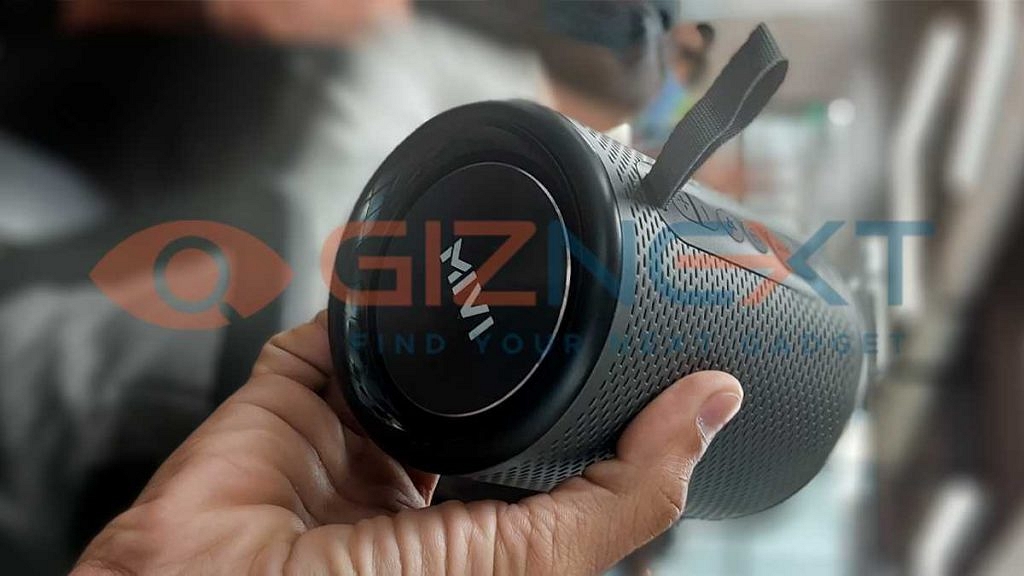
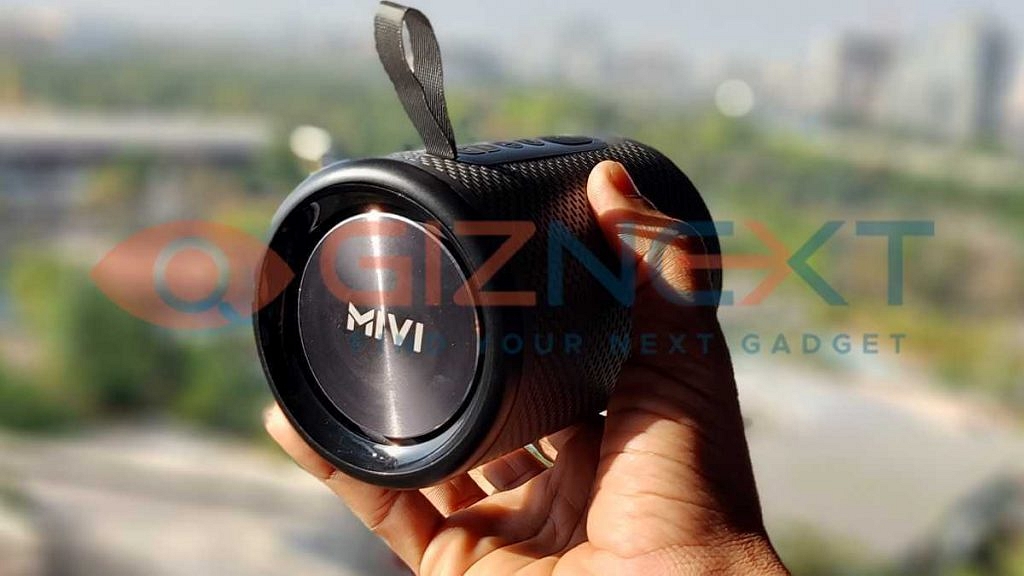
The Mivi Octave 3 is launched as a portable Bluetooth speaker which from the first look highlights its outdoor-favored design. The Octave 3 wireless speaker has a cylindrical form factor. But it’s not a bland look that you get. A metallic speaker grill wrapping throughout the length and rubber padding on the top and bottom is what gives the sturdy feel. It might feel a bit bulky to hold, so a table placement would be apt. The passive bass radiators on both ends of the speaker will definitely grab your eye.
Specifically; when any audio is playing and you see the radiators vibrating with each beat or thump. Before we dive into the Mivi Octave 3’s audio performance, let’s quickly discuss the remaining design aspect. A small rubber strip is placed on the speaker body that houses all the control keys and also the slot for AUX and USB Type-C port.
The slot has a rubber seal protection against water. Speaking of which, the Mivi Octave 3 Bluetooth speaker features a dust and splashproof design making it apt for outdoor ventures. The non-removable strap on the top of the keys makes it easy to carry around. A tiny LED is placed at the bottom that notifies when the speaker is paired with any device.
Mivi Octave 3 Speaker Audio Performance: Small Package Yet Powerful
The MiVi Octave 3 is a portable Bluetooth speaker but is packed with big 16W drivers. I had a decent experience with its audio delivery. You definitely get the urge to turn up the volume to the max just to see the passive radiators thumping with every drop in the song. While the bass levels are good, you might be disappointed with the audio distortion at the highest levels.
The clarity isn’t as good as you get with 50- 70 percent volume levels. The loudness level is decent for a small or medium-sized room. When outdoors or in open spaces, you would have to keep the speaker at closer proximities to enjoy your favorite tracks. The MiVi Octave 3 also has 360-degree stereo surround support.
Now, there is no dedicated key or mode that you can switch to for this feature. It’s rather is a built-in feature that starts functioning as soon as you hit the play tab. We couldn’t figure out if it made any marginal changes to the audio delivery. It would have been easier for us to compare the audio output if there were an option to toggle between the standard and 360-degree audio profiles.
Mivi Octave 3: Connectivity, Battery Backup
The Mivi Octave 3 is equipped with both wireless as well wired connectivity support. It uses Bluetooth technology and a standard pairing process for wireless connectivity with smartphones, tablets, laptops, and PCs. It also has an AUX port for wired connections.
You can use standard AUX cables for the same. As for the battery, Mivi hasn’t specified the size. However, the claims are around 8 hours on a single charge. If you are playing this speaker at 50 percent volumes, the backup is close to what the company claims. It drops to 6- 7 hours if the volume levels are highest.
Mivi Octave 3 Final Verdict: Worth A Buy?
The MiVi Octave 3 is an intuitively designed Bluetooth speaker. The bass-emphasis design is one of the biggest highlights. But audio is not entirely the strongest forte of the Octave 3. The audio muffle at higher levels is where it misses out on being the perfect buy under Rs. 2,000. But we believe is room for improvements which we will get to see with the next generation Octave speakers.
The remote working module picked up its pace within the last two years. The work-from-home culture was adopted due to the deadly COVID 19 pandemic situation. This also led to a sudden rise in demand for technology products that make online conferencing easier for the industries. The tech brands even brought in dedicated online conferencing tools, while others enhanced their existing platforms to enhance the video and audio conference experience. Maxhub is one of those brands which is catering to a wide range of audiences with its technologically advanced products.
One of the most useful products by Maxhub for organizations that are frequent with online conferencing is the BM21 Bluetooth Speakerphone. This compact tabletop speaker is an all-in-one solution for audio/video conferencing. The wireless portable speaker integrates 6-Element Microphone Array and high-dynamic speakers for clear audio in a large meeting room.
The Maxhub BM21 Bluetooth speakerphone is priced at around Rs. 29,999 in India. But how good is this speakerphone for daily conferencing? Will it be replacing traditional speakers used for online conferencing or meetings? Is this product worth an investment? We have used the Maxhub BM21 Bluetooth speaker for a while and in this article, we are giving feedback on whether it’s a necessary product for online conferencing or it can be skipped. Read on to Know:\
Pros And Cons
Pros
A Dedicated Six-microphone array improves the audio conference experience
Support for both wireless and wired connecticity
Decent battery backup
Cons
Slightly hefty
Music listening experience not as good as conference
Maxhub BM21 Bluetooth Speakerphone Design: Compact And Practical
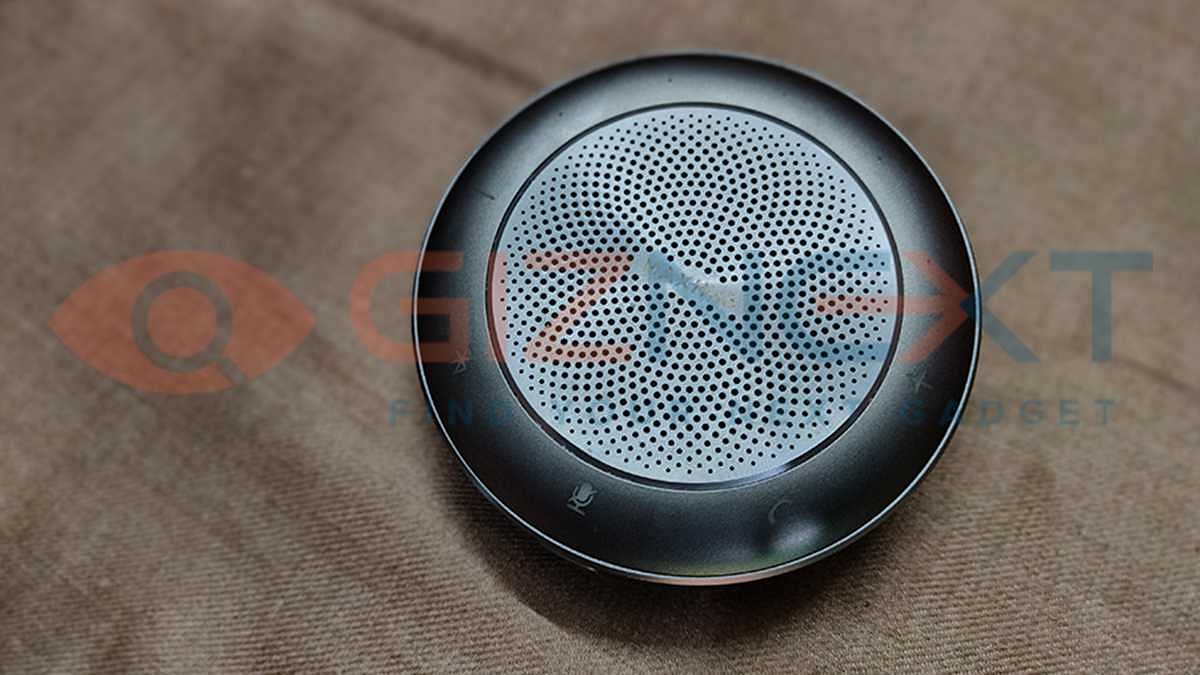
The Maxhub BM21 features a circular tabletop design. The speakerphone is compact in size and can be placed on any desktop or conference table. It doesn’t take up much space and isn’t bulky either. This is one welcome design approach that the Maxhub BM21 Bluetooth speakerphone brings to the table. It features a metallic design with minimal plastic use.
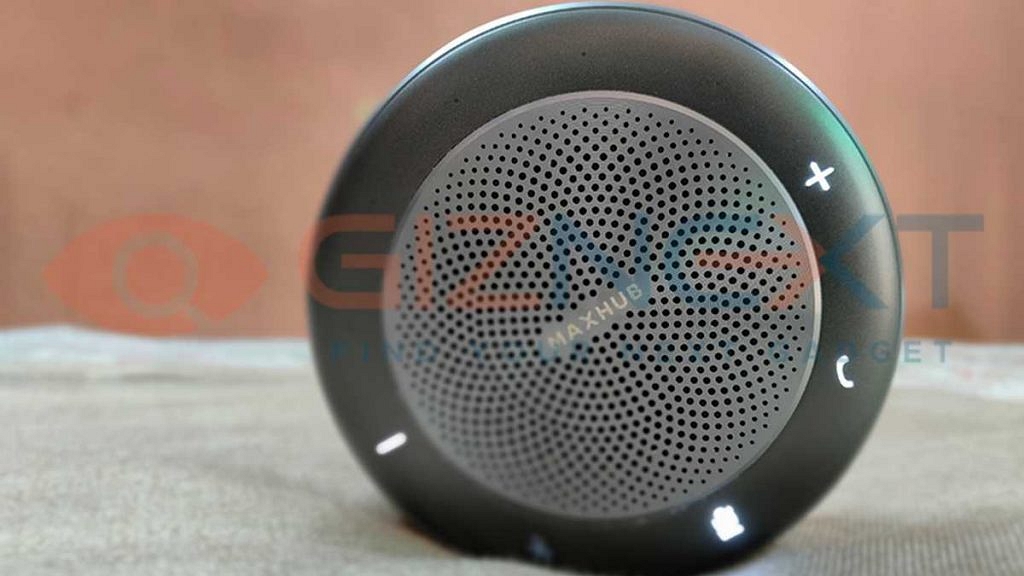
However, it is bulky compared to similar-sized counterparts. The speakerphone has a bunch of physical keys that help with audio control and also pair with supported devices. Speaking of the set of keys, the speakerphone has the volume down key on the top left followed by the Bluetooth pairing, mic off/mute, call, and the volume key. All the keys are LED enabled and they glow up as soon as you power up the speakerphone. Overall, the Maxhub BM21 speakerphone has an apt design for small to medium-sized meeting rooms.
Maxhub BM21 Bluetooth Speakerphone: Features And Audio Performance
What makes the Maxhub BM21 useful for conference calls is the six-microphone array that allows 360-degree audio pickup, high-range dynamic speakers, and hardware-level Zoom certification. The speakerphone has dual sound modes, i.e, music, and call. The speakerphone has independent sound pickup technology and a dual audio amplification system that helps with better audio reception.
The speakerphone does a good job with audio amplification during any meeting. You get to hear the caller’s audio clearly. Increasing the volume level helps if it’s a large conference table or a meeting room. The speaker supports high-fidelity sound transmission that allows for refined audio transmission of every member speaking in the meeting room. At no point, did we find the audio getting muffled even at higher levels. We have tested the speakerphone’s experience with Zoom, Skype, and Google Meet and had a good experience overall.
Maxhub BM21 Bluetooth Speakerphone: Connectivity and Battery Backup
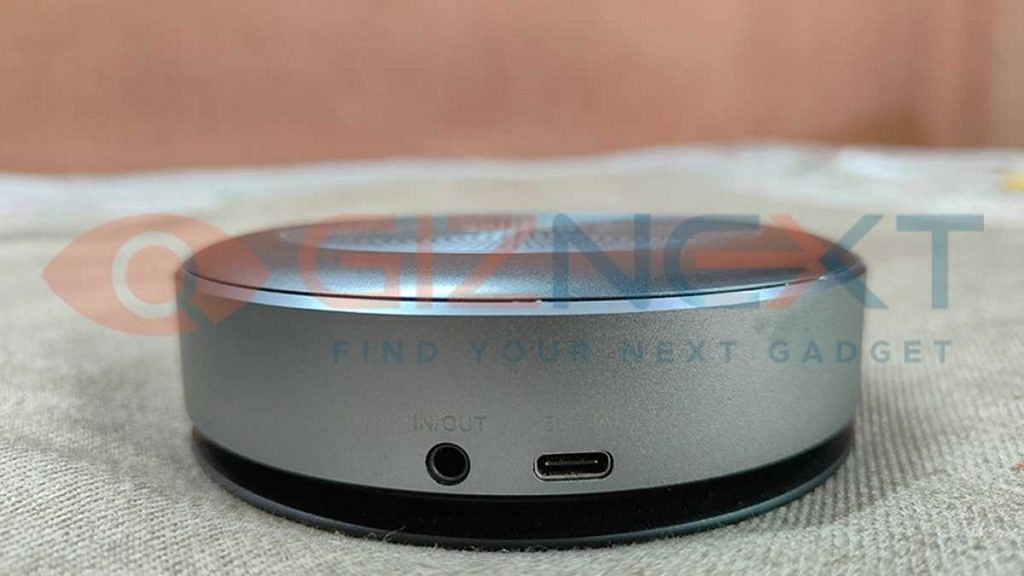
The Maxhub BM21 Bluetooth speakerphone supports both wireless and wired connectivity. It has a 3.5mm headphone jack that lets you pair it with any laptop or computer. The battery capacity isn’t specified, but the company has claimed up to 8 hours of battery life on a single charge. During our testing we found the speakerphone to last around 5 to 6 hours. But you can always plug in the charger if the speakerphone is running out of fuel.
Infinix has gradually crawled up the ladder in the smartphone industry with its budget devices. But the Transsion-holdings-backed brand is following the lead of prominent Chinese players by gradually venturing into other markets as well. The brand recently forayed into the laptop industry with the InBook X1 series notebooks. The first-generation Infinix laptops come with up to Core i7 intel chipsets and are well-loaded in terms of features.
With the InBook X1 laptop series, Infinix has tried to set up new standards in the affordable laptop market. This isn’t the first time any smartphone brand is trying to grab a hold of the laptop market with a pocket-friendly option. Xiaomi and Realme are among such popular brands which already are giving a tough time to the existing players in the laptop market. The Infinix InBook X1 series comes as one of the strongest competitors of the Realme Book Slim and the RedmiBook laptop series with an asking price of Rs. 35,999. That’s for the Core i3 variant with 8GB RAM and 256GB SSD. Also Read | Lenovo Yoga Slim 7i Carbon Laptop Review: Modern And Practical Solution For Premium Users
Infinix has also launched the InBook X1 laptop series with a Core i5 processor for which you will need to shell out Rs. 45,999 (8GB RAM+ 512GB SSD) and a Core i7 model that will cost you Rs. 55,999 (16GB RAM+ 512GB storage configuration). Not just the chipset, other features offered by the InBook X1 series laptops are at par with the competition. But has Infinix figured out the right recipe for its laptop portfolio? Or does the company still has a long way to go in this segment? We have been using the InBook X1 laptops for a while now and below is how our experience has been so far.
Infinix InBook X1 Key Specifications
Operating System
Windows 11 OS Home Edition
Chipset/CPU
Intel Core i7-1065G7 10nm Quad-Core processor
GPU
Intel IRIS Plus up to 64EU
RAM Capacity
16GB LPDDR4X RAM (3200MBPS)
Onboard Storage Capacity (SSD)
512GB NVME PCI-E 3.0
Biometrics
Physical fingerprint scanner
Display
14-inch IPS FHD+ panel with 60Hz refresh rate
Camera
720p HD
Weight
1.48 KGs
Battery Capacity
55Wh
Infinix InBook X1 Pro Review: Bold Design But Hefty
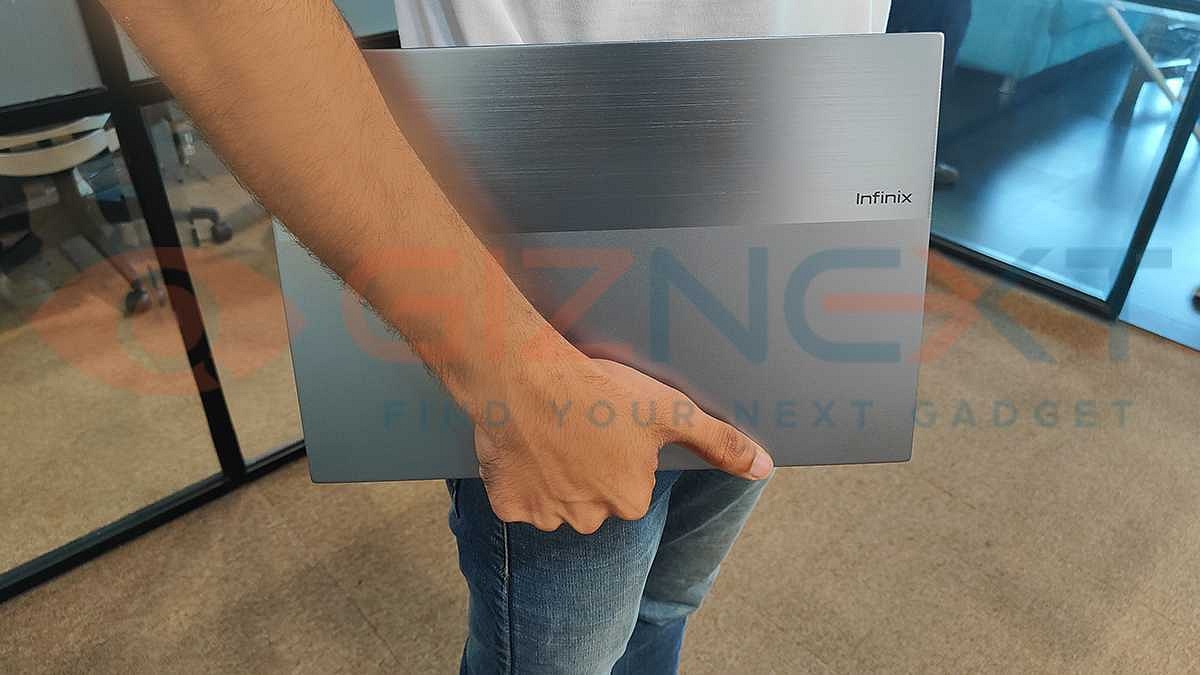
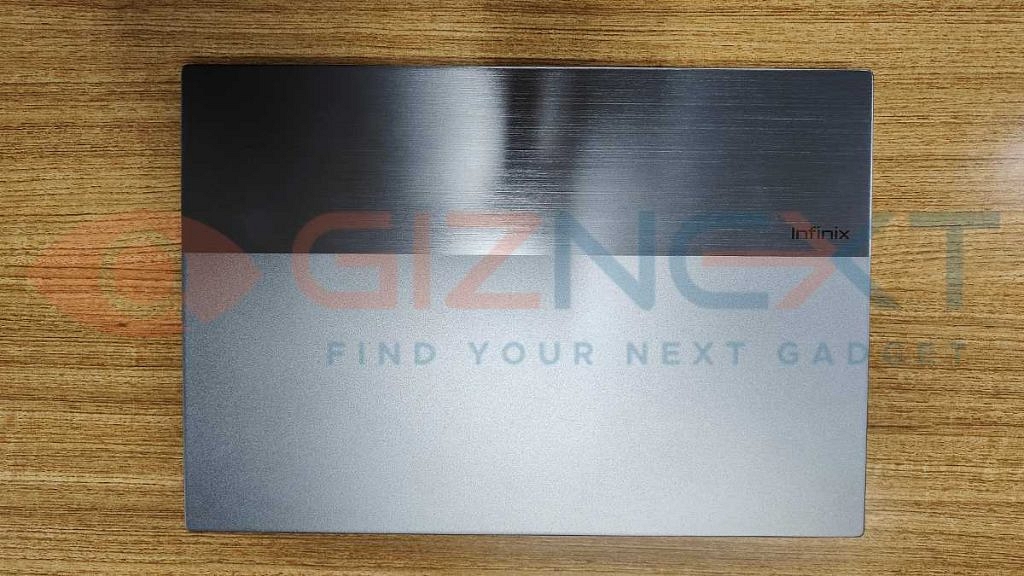
The Infinix InBook X1 Pro like the remaining InBook series laptops wears a bold skin that will instantly get heads to turn with its looks. The InBook X1 Pro features a metal body which makes it durable. The company has used aircraft-grade aluminum alloy to design its first laptop series. What enhances the appeal is the brushed metal finish on top that gives a mix of matte and glossy appeal.
This dual-texture skin on top gives the InBook X1 series a distinctive appeal allowing them to stand out from the crowd. While the laptop features a slim form factor (16mm thickness), it is slightly hefty. The laptop weighs around 1.48 Kg which makes it heavier than the competition. That’s the only drawback you might find in terms of design.
We would like to highlight that the laptop lid isn’t entirely smudge-proof. You will notice fingerprints and dust getting accumulated on the top. Thankfully, it has some levels of resistivity from picking up fingerprints and you can easily wipe off the marks using any cloth or tissue. The lid has a bulging protruding frame that helps with making the panel lifting easy.
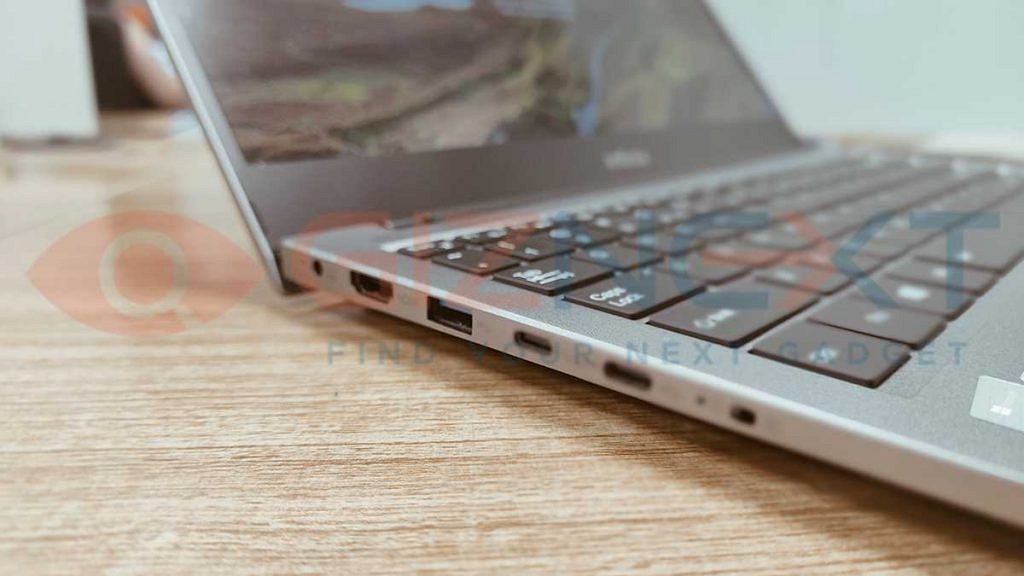
The hinge quality is decent and offers a fluid experience while opening and closing the lid. All the connectivity ports are positioned tactically on the laptop’s side frame. We will be speaking of all the ports and keypads in a while. It is worth highlighting that the InBook X1 Pro has a 180-degree flat screen design.
How’s The Trackpad And Typing Experience?
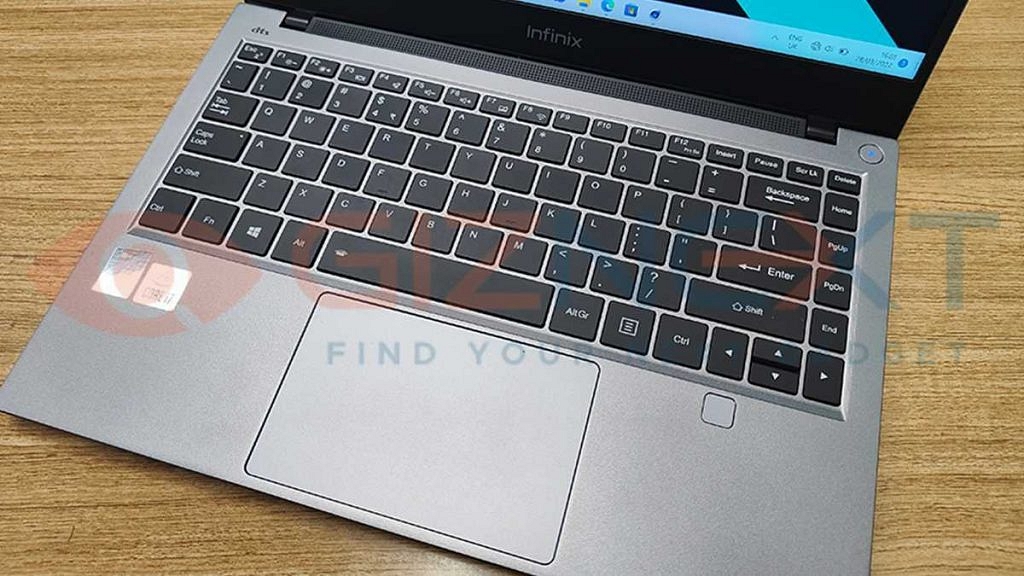
The Infinix InBook X1 Pro surely has a rugged build, but the quality of the trackpad is a mismatch here. The large-sized keypad offers a good typing experience overall. However, the feedback with the numeric keys and the space bar isn’t as good as the alphabetical keys. Specifically, the space bar might give false click feedback when pressed once.
That said, the InBook X1 laptop series doesn’t have a backlit keyboard. This might be a bummer for some of the users. Nevertheless, the overall typing experience has been decent with the large keypad that has keys placed at an apt distance. The Infinix InBook X1 Pro’s trackpad doesn’t live up to the expectations. This is another of those factors that we found isn’t up to the mark and could have been better.
It seems Infinix has used a slightly cheaper build material to design the InBook X1 laptop’s trackpad. It feels like the trackpad has delayed response with scrolling and the clicks aren’t as smooth as expected. The power key on the top right also has hard-click feedback.
Overall, the trackpad and keypad experience with the InBook series could let you down solely based on the fact that cheaper build quality is being used for the same, and also the clicks are stiff at times rather than smooth throughout. As for the physical fingerprint scanner, you will get the option to add a fingerprint while setting up the laptop itself.
However, if in case you have skipped this security option while the device setup, you can manually add one or more fingerprints later from the settings menu. The scanner has been quick with unlocking the laptop and is accurate with reading fingerprints most of the time. No complaints here as such.
Infinix InBook X1 Pro Review: Display, Overall Hardware Performance
Infinix has scored some good points in terms of design, but is that the case with the display and hardware performance? Well, the InBook X1 Pro laptop does steal the limelight with its powerful performance. Of course, you don’t have to burn a hole in your pocket to get a premium user experience here. We’ll start off with the display performance.
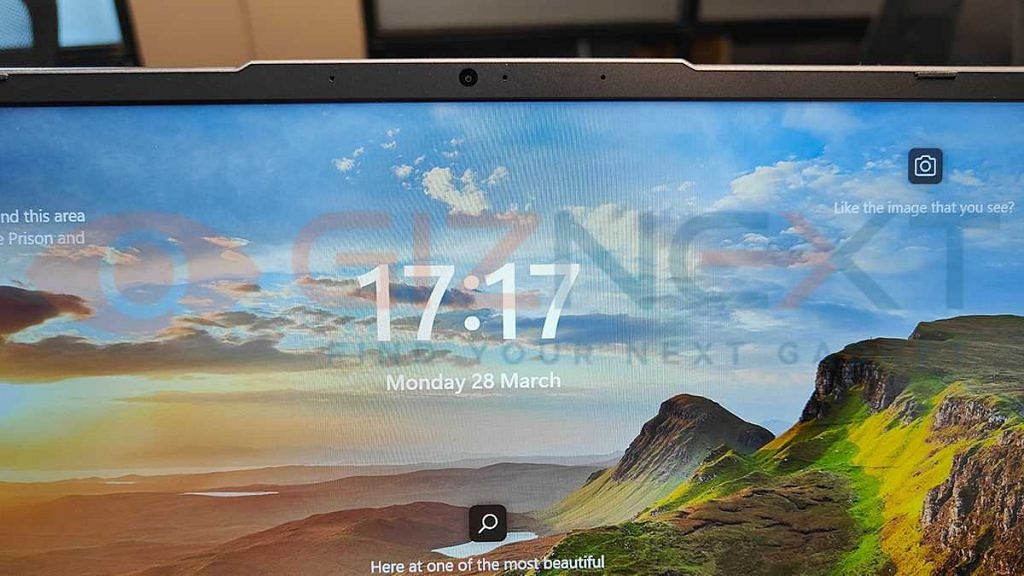
The company has packed the InBook X1 Pro laptop with a compact 14-inch display. The panel used for the Infinix laptop is IPS which supports 1080 x 1920 pixels FHD+ screen resolution. This laptop‘s panel is decent for media playback and gaming. We found it to be apt for videos rather than graphic-rich games.
While there aren’t any lags or frame drops while gaming, the picture quality isn’t as vivid as you get on the Realme and Xiaomi notebooks. It isn’t super bad as well. It’s rather a decent display experience you get with gaming. The InBook X1 laptop supports a 72 percent NTSC color gamut and a standard 60Hz refresh rate.
Another area where the InBook X1 Pro’s display fails to impress is the brightness levels. The InBook X1 laptop has 300 nits of peak brightness levels. While this is sufficient for indoors, using the panel outside or under direct sunlight hampers the viewing experience. We would have appreciated higher brightness levels and screen resolution similar to what the InBook X1’s rivals offer.
Moving on to the InBook X1 laptop’s hardware performance, you can expect a good user experience overall. The InBook X1 Pro runs on the Intel Core i7 processor which is based on a 10nm process. The quad-core i7 chipset is further combined with Intel Iris Plus GPU to render all high-end graphics smoothly. We are impressed with how this Infinix laptop handles every task thrown at it.
The laptop doesn’t flinch with general tasks and also it can handle high-end multitasking with ease. There were no stutters or hiccups with the overall performance. The high-capacity 16GB LPDDR4 RAM makes sure there are no performance glitches in any scenario. The laptop didn’t heat up or slowed down with the performance even when you use multiple software of apps.
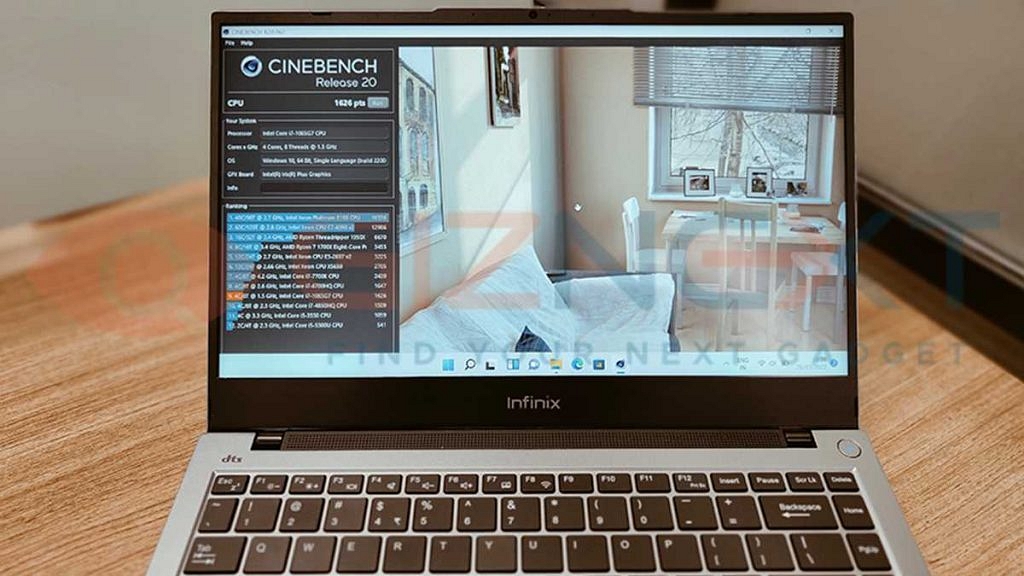
This makes it suitable for working professionals. Just for reference, we also ran a few benchmark tests to judge the performance feedback. This Infinix laptop faired well with the scores. We ran PCMark and Cinebench R20 benchmark tests. Speaking of the scores, the InBook X1 Pro laptop logged 1626 points in the Cinebench R20 benchmark test which is a decent score when compared to its rivals.
The Infinix InBook X1 Pro offers multiple connectivity options and ports. The laptop features two USB 3.0 ports, two USB Type-C ports, and one HDMI 1.4 port. Additionally, the laptop offers one microSD card slot, one 3.5m headphone jack, and one DC power charging port. One of the unique features offered by the InBook X1 laptop is a dedicated camera and mic lock key on the right panel. This dedicated privacy feature is definitely a respite for all users as it simplifies the process of keeping privacy intact.
The InBook X1 series laptop uses a 55Wh battery capacity for power delivery. The laptop ships with a 65W fast USB Type-C port charger. As per Infinix, the InBook X1 Pro’s laptop can deliver a total backup of up to 13 hours with a single charge. During our usage, the backup delivered by the laptop was close to what the company claimed. You easily get over 8 to 10 hours of backup with the Infinix laptop despite using it extensively. As for the charging speeds, the laptop gets up to 70 percent of refuel in under an hour.
Infinix InBook X1 Pro Laptop Review: Final Verdict
The Infinix InBook X1 Pro is one complete package for the budget-conscious audience in India. It is a premium-looking laptop that packs enough punch to make it a strong contender in the affordable laptop category. The slim profile combined with high-end features is what makes it a strong deal in the budget laptop market in India.
The Infinix InBook X1 Pro laptop has multiple strong but only a few weak points. In our opinion, the InBook X1 laptop series is rather a good option for the general audience. But if you aren’t ready to compromise anyhow on the quality, specifically the trackpad, you can consider other options in this segment. Go for it if you need a machine for basic usage.