Categories
Featured Info Mobile Smart Watch

Google Pixel Launch Event: Pixel 7 Series, Pixel Watch To Launch On October 6

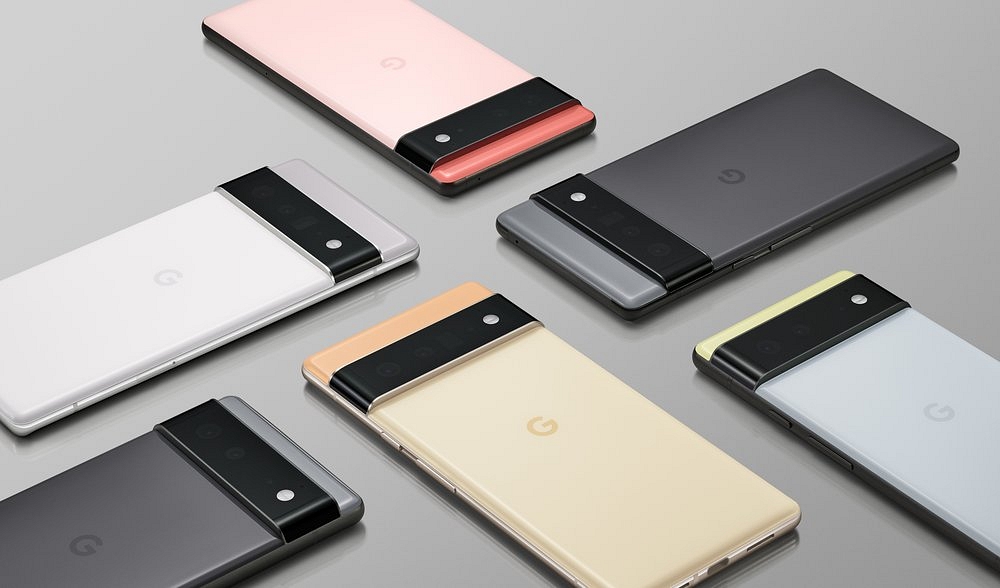
Google is all set to introduce the Pixel 7 and Pixel 7 Pro as well as the first-ever Pixel Watch on October 6. At the event, the tech giant confirmed that along with the Pixel 7 series, the Pixel Watch would also be released. Google also announced that its new Nest smart home portfolio will debut on the same day. Here’s all you need to know about the upcoming launches:

Google Pixel Watch Specifications

Google has unveiled a brand-new video teaser that highlights the Pixel Watch and makes a hint that it will soon compete with the Apple Watch. The most recent marketing clip for the Pixel Watch indicates that it will be a premium wearable with a style that undoubtedly appears modern and enticing.

The Pixel Watch’s specifications and features, including real-time heart rate monitoring, support for smart home automation, workout modes, emergency dialing, 5ATM water resistance, Fast Pair for Pixel Buds, and Corning Gorilla Glass protection on the display, have been made public by Amazon’s listing for the device.

The pricing of the upcoming Google Pixel Watch on Amazon is EUR 356.79, or around Rs. 29,000 at current exchange rates. On the other hand, a prior leak indicated that the Pixel Watch’s US price will be $349, which is also about Rs. 29,000.

Pixel 7 And Pixel 7 Pro Specifications

Even if the Pixel Watch seems interesting, there’s little doubt that the Pixel 7 and Pixel 7 Pro will be the event’s main attractions.

A 6.3-inch flat-screen display with Full-HD+ resolution and a refresh rate of 90Hz will be available on the Pixel 7. Contrarily, the Pixel 7 Pro will have a massive 6.7-inch display with a Quad-HD+ resolution and 12Hz refresh rate. Both will include a selfie camera punch-hole design.

A 50MP primary lens and a 12MP ultra-wide lens will make up the dual camera system on the Pixel 7. A 48MP telephoto lens with support for 5x optical zoom and LDAF will be included in the Pixel 7 Pro’s triple camera system, along with a 50MP main lens, a 12MP ultra-wide lens, and a 12MP wide-angle lens. Up to 8GB of RAM will be available, and the Tensor G2 chipset will power it.

The Pixel 7’s battery capacity is 4,700mAh, while the Pixel 7 Pro’s battery capacity is 5,000mAh. The Google Pixel 7 will start at $599 (about Rs. 48,800), and the 128GB storage model could cost $599, according to an online listing.

Categories
Featured Info Smart Watch

YouTuber Tests The Durability Of Apple Watch Ultra With Hammer: Details Inside

Key Highlights

  • YouTuber performs durability test on Apple Watch Ultra
  • The hammer test is performed by TechRax
  • Apple Watch Ultra is the most rugged watch

Since its release, the Apple Watch Ultra has generated significant buzz. Apple presented three new smartwatches at the launch event for the iPhone 14 series: the Apple Watch Series 8, the second-generation Apple Watch SE, which is reasonably priced, and the Apple Watch Ultra, which is the most durable Apple Watch ever. It is claimed that the Apple Watch Ultra is so durable that it can withstand the most demanding activities that athletes engage in, such as swimming, hiking, running, and everything else.

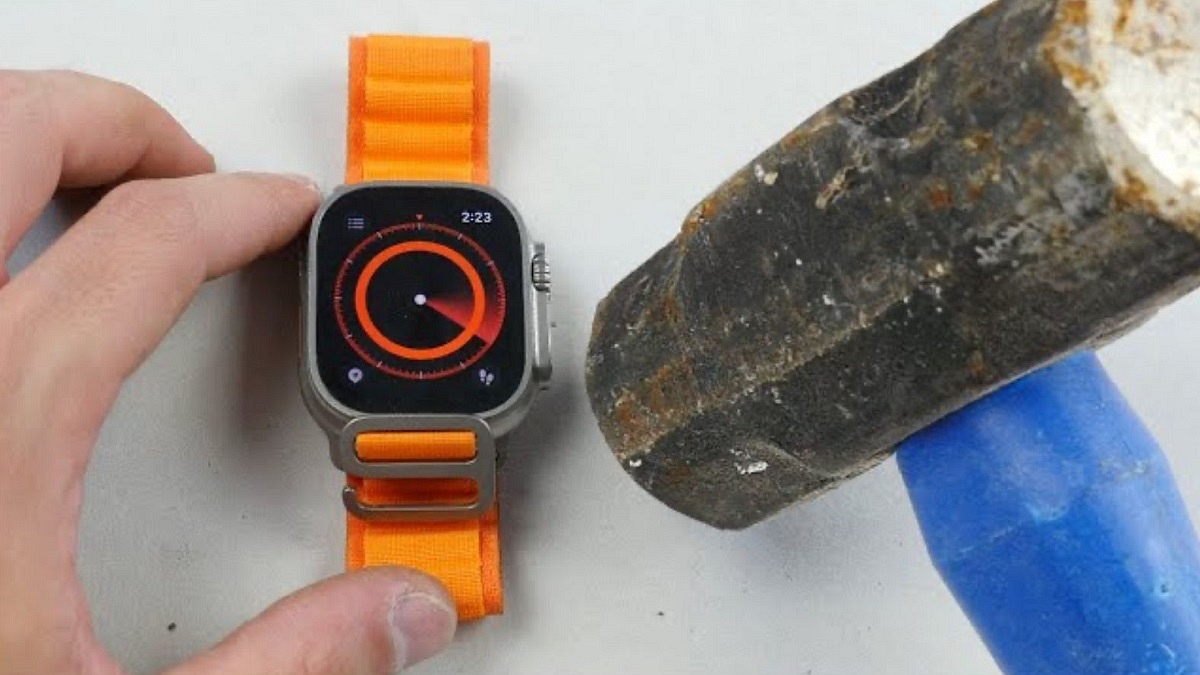
Now, a YouTuber has put the Apple smartwatch‘s durability to the test. Surprisingly, throughout the test, the Watch Ultra was able to withstand many blows from a hammer.

Apple Watch Ultra: Durability Test

YouTuber TechRax performed the test in three steps, starting with dropping the watch from a height of four meters. It didn’t leave any obvious dings or scratches on the sapphire crystal glass or the watch’s case.

He next attempted to boost the ante by shaking the Watch Ultra ferociously in a box of nails, but to no avail. The Apple Watch Ultra was unharmed in the process.

In the third and last test, TechRax repeatedly pounded the watch with a hammer. The Watch Ultra ultimately broke after several blows. However, before the smart wearable’s screen cracked, the table on which TechRax was conducting these testing collapsed.

Despite receiving repeated hits from a hammer, the Watch Ultra’s screen didn’t break; it just failed to turn on. It is therefore safe to assume that the hardware sustained some damage during the durability test. The Watch Ultra has proven to be the most durable Apple Watch to date by withstanding substantial damage before breaking.

Currently, the Apple Watch Ultra costs $799 in the US and Rs. 89,900 in India. It offers first-in-industry features like emergency Satellite SOS, EN13319 diving certification, and dive computer replacement. However, similar to the iPhone 14 Pro, the Apple Watch Ultra is now being offered in India at a so-called “premium” above MRP because there is a limited supply of stocks from Apple.

Categories
Info Smart Watch

OnePlus Nord Watch Key Specification Officially Confirmed: What’s New?

OnePlus has established its name in the smartphone industry with its premium range of devices. Following the massive success of its flagship phones, the brand released a new dedicated lineup for the budget-conscious masses in the form of the Nord series. The OnePlus Nord smartphone lineup has been performing well in the mid-range segment. Now, the company is all set to launch the first smartwatch in the Nord lineup. After several leaks and rumors, the company itself has confirmed some crucial details related to the Nord Watch features and specs.

OnePlus Nord Watch Features: Here’s What All To Expect

The OnePlus Nord Watch specifications have been listed on the OnePlus official India website. As per the listing, OnePlus will pack high-end features for a premium experience on the first ever Nord series smartwatch. The listing has shared all the primary details including the display and health features that OnePlus has integrated into the Nord Watch.

The OnePlus Nord Watch will be launched with a 1.78-inch AMOLED display panel. The smartwatch will flaunt a square dial along with the digital crown. It’s good to see the company has opted for a different dial design compared to the standard OnePlus Watch. OnePlus will be using a color AMOLED display on the Nord Watch that will support a resolution of 368 x 448.

The OnePlus Nord Watch’s display will also feature a 500 nits peak brightness that will offer a good outdoor visibility. Also, the panel will have a pixel density of 326 PPI. The Nord Watch will be compatible with both Android and iOS devices and can be paired using the N Health app. Furthermore, the Nord Watch will have Bluetooth v5.2 wireless technology for wireless pairing with compatible smartphones.

The Nord Watch will also feature over 100 watch faces that will be customizable. In terms of health-oriented features, the OnePlus Nord Watch will come with around 105 fitness modes and multiple other health tracking modes such as heart rate monitor, stress monitor, SPO2, and others.  The OnePlus Nord Watch is said to deliver around 10 days of battery backup along with around 30 days of standby time on a single charge.

OnePlus Nord Watch Expected India Price And Launch Timeline

OnePlus is yet to reveal the official launch date for the Nord Watch. However, the brand will be revealing one of the key features on September 28. Rumors are rife that it could go official by the end of September 2022 in India. The exact pricing details are also kept a mystery. However, we are expecting an affordable price tag considering it will be launched under the Nord lineup.

Categories
Comparison Featured Smart Watch

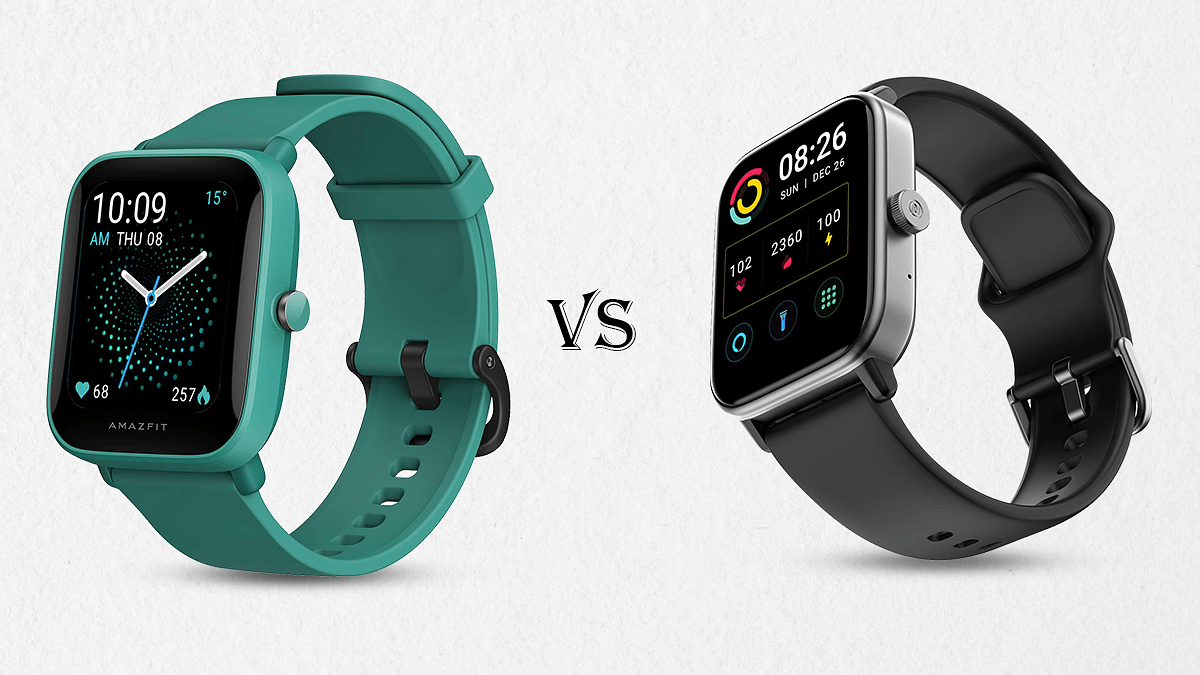
Amazfit Bip U Pro Vs Noise ColorFit Pro 4 Max Smartwatch: Best Pocket-Friendly Smartwatch To Buy In India

Smartwatches are the modern day’s consumer gadgets that have redefined how we keep a track of time. Besides monitoring time, these tech-advanced watches also help us keep a track of our health by monitoring different aspects such as heart rate, blood oxygen, sleep, steps, and other physical activities. In India, we have numerous brands that offer budget as well as a premium range of smartwatches enabled with health features. Some of the advanced watches are also capable of voice calling. We have compared two of the most popular feature-rich budget smartwatches in this article. Take a look:

Display 

The Amazfit Bit U Pro features a 1.43-inches screen which is an IPS LCD panel. It is a color display that operates on a resolution of 302 x 320 pixels. On the other hand, the Noise ColorFit Pro 4 Max offers a bigger 1.80-inches TFT display. This smartwatch’s display operates on a resolution of 240 x 285 pixels which is lower compared to the AmazFit Bit U Pro.

Overall, the Amazfit Bip U Pro offers a higher resolution display panel but the Noise ColorFit Pro 4 Max has a wider screen, which makes it easier to operate on. However, if the Noise ColorFIt Pro 4 Max offered a higher screen resolution, it would easily have taken a lead in the display race.

OS, Features

The Amazfit Bit U Pro operates on real-time operating software (RTOS) and is compatible with both Android and iOS devices. It supports Android  v5+ and above, while the iOS version supported is iOS10.0 and above. The same is applicable for Noise ColorFit Pro 4 Max, which is compatible with Android 6 + and iOS 9 and above.

The Amazfit Bip U Pro has multiple sensors including a PPG Biological Optical sensor, an acceleration sensor, a gyroscope sensor, and a geomagnetic sensor as well. It can also keep a track of your blood saturation level, stress level, sleep quality, and menstrual cycle.

The Noise ColorFit Pro 4 Max is also equipped with a SpO2 sensor, accelerometer, and an optical heart rate sensor and gives you various insights into your body, which includes a sleep monitor, stress monitor, female health tracker, and respiratory rate tracker. 

The Amazfit Bit U Pro offers 60 plus sports modes with high-precision GPS. On the other hand, the Noise ColorFit Pro 4 Max is equipped with a whopping 100 sports modes and has the capability to track multiple sports through the AI running partner. 

Both the watches have fairly the same features to give you regular insights of your health.

Overall, the Noise ColorFit Pro 4 Max offers a holistic tracking experience through the multiple sports modes that it offers. 

Battery Specs Comparison

The Amazfit Bip U Pro is equipped with a 230mAh lithium-ion polymer battery, which can be charged completely in just 2 hours. It can last up to 9 days with typical usage.

The Noise ColorFit Pro 4 Max offers a 300mAh battery, which can be charged completely within just 2 hours and can last up to 7 days with typical usage. 

Overall, the Amazfit Bip U Pro has a longer battery life and both the watches get charged within just two hours. 

Connectivity Aspects

The Amazfit Bip U Pro has GPS-enabled software. However, the ColorFit Pro 4 Max does not come with the GPS feature. The Amazfit Bip U Pro offers support for Bluetooth v5.0 and the Noise ColorFit Pro 4 Max offers support for Bluetooth v5.1, which supports Bluetooth calling as well. 

Which One Should You Choose?

Both the smartwatches offer a similar set of features, however, the Amazfit Bip U Pro operates on a higher screen resolution, has a bigger battery, and is GPS enabled. But, it just has 60 plus sports modes and a bit smaller screen, when compared to Noise ColorFit Pro 4 Max. Overall, the Amazfit Bip Pro is a high-end smartwatch that has slightly better hardware for daily usage.  

Categories
Featured How To Smart Watch

Lost Your Smartwatch? Here’s How You Can Find Your Lost Wear OS Watch

Key Highlights

  • Find My Device can help you find your lost Wear OS watch
  • The app is on by default when you set up your watch

What can you do if your watch is lost and the battery is slowly dying while the clock is symbolically and somewhat literally ticking away? Fortunately, Google’s Find My Device app allows you to find Android Wear devices if you ever find yourself in that situation. It only functions with Android Wear 2.0 devices, and its usefulness is constrained in the absence of a speaker. You will, however, be prepared the next time your couch swallows your watch.

It turns out that if you know where to look, it’s not that tough, and Google may have only implemented the capability. However, you can miss it if you don’t already know where to look. We are here to help you learn how you can find your lost wear OS Watch.

Also Read: Amazfit GTR Mini Smartwatch With Massive 20 Days Battery Backup Announced: Price, India Availability

How To Find Your Lost Smartwatch?

These techniques are only effective if your watch’s location feature is enabled. You can use features on your phone to locate your watch because your phone and watch are always connected via Bluetooth. This is how you can find your lost or misplaced smartwatch by following these simple steps:

Step 1: Verify your mobile phone is turned on.

Step 2: Make sure your phone’s Bluetooth is turned on and connected to your watch.

Step 3: Make sure your watch and phone are both signed into the same Google account.

Also Read: Working Trick To Use WhatsApp On Smartwatch: Steps To Install WhatsApp On Your Smartwatch

Step 4: Open a browser on your phone, such as Chrome, type android.com/find into the address bar, and then press the enter key.

Step 5: Sign in to the same Google account you use on your watch.

Step 6: If more than one device appears, choose your watch at the top of the screen.

Also Read: Best Smartwatches You Can Buy Under Rs. 500

Where To Get The Find My Device App?

To be able to use your Android phone or tablet to find your Wear OS watch, you can also install the Find My Device app on your Android device from Google Play Store.

Also Read: Smartwatches Under Rs. 2,000: See List Here

Categories
Featured How To Smart Watch

Need To Track Your Medications On Apple Watch? Here’s How To Do It

Key Highlights

  • You can track medications on Apple Watch
  • It lets you input a medication list you take and set a specific reminder schedule for each drug
  • Here’s how the feature works

Unfortunately, it’s all too easy to forget to take your supplements, prescriptions, and vitamins, particularly on days when your regular schedule is entirely ignored. Fortunately, you can help yourself remember to take your medication on time by setting a simple reminder on your iPhone or Apple Watch.

Apple has given the Apple Watch a much-needed capability. Users can keep track of their meds and set up reminders with the new Medications app in WatchOS 9. You can keep track of your pills and log them with reminders in the Medications app on your Apple Watch. Here’s how to configure an Apple Watch medicine schedule.

WatchOS 9 Compatibility

The listed Apple Watch models can download WatchOS 9:

  • Apple Watch SE (2020)
  • Apple Watch Series 4
  • Apple Watch Series 5
  • Apple Watch Series 6
  • Apple Watch SE (2022)
  • Apple Watch Series 7
  • Apple Watch Series 8
  • Apple Watch Ultra

How You Can Track Your Medications On Apple Watch?

According to Apple, based on the schedule you’ve set up in the Health app on your iPhone, your Apple Watch will automatically remind you when it’s time to take your meds. Follow these steps to record your prescriptions:

Step 1: Tap the notification if you have received one asking you to log your prescriptions. If not, launch the Medication app on your Apple Watch.

Step 2: Tap the current medications schedule – the medications you take in the morning, for example.

Step 3: Press ‘Log All as Taken.’ The dosage, the number of units consumed, and the moment you took the medication are all recorded by Apple Watch.

Step 4: Scroll down, select a drug under ‘Your Medications,’ and then select ‘Log’ to record each medication. Under Logged, the name of the drug and the time logged are shown.

Step 5: In order to change the status of a logged medication, you have to tap it, and click on ‘Taken’ or ‘Skipped.’

Step 6: Now, tap on ‘Done.’ That’s all.

Categories
Featured How To Smart Watch

Working Trick To Use WhatsApp On Smartwatch: Steps To Install WhatsApp On Your Smartwatch

Key Highlights

  • Users are looking for ways to install WhatsApp on their smartwatches
  • There are various third-party apps and workarounds that can be used
  • Note that the functionality of WhatsApp on a smartwatch may be limited

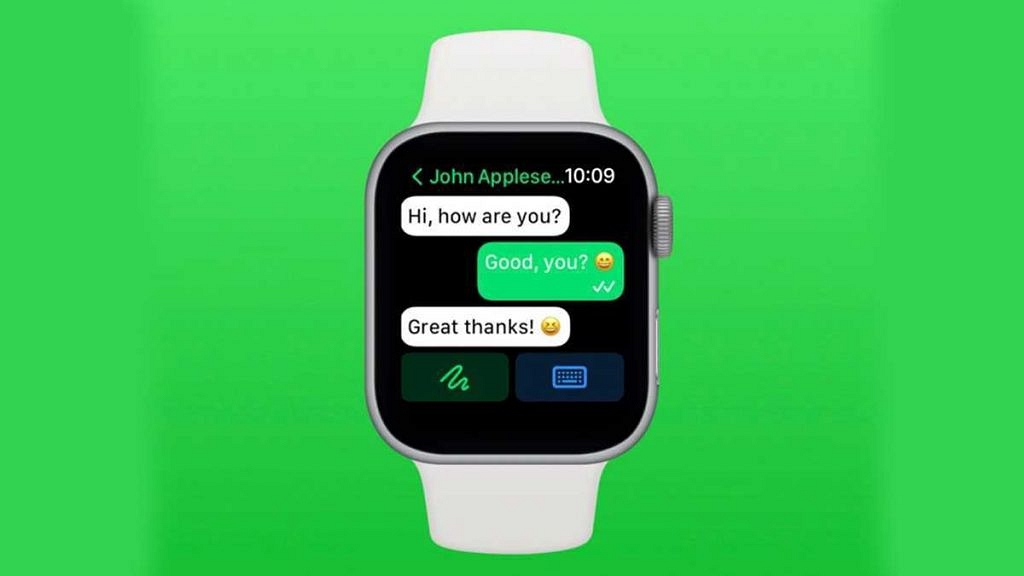
There’s a strong possibility you’ll want your Wear OS smartwatch to be able to receive WhatsApp messages if you use it as a second screen for your phone. With 1.5 billion users and an estimated 60 billion messages sent daily, WhatsApp is one of the most used messaging services, thus it makes sense to question how to get WhatsApp messages to operate on your Google-powered smartwatch.

For Wear OS smartwatches, there isn’t an official WhatsApp app like there is for the Apple Watch. That means users of devices like the Samsung Galaxy Watch 4, Skagen Falster Gen 6, or Fossil Gen 6 won’t find an app in the Google Play Store. However, there are still a couple of methods to use your Wear OS smartwatch to access WhatsApp. How? We’ll find out in this article.

Also Read: Now Hide Your WhatsApp Online Status: Here’s How

How To Get WhatsApp On An Android Smartwatch?

At the moment, WhatsApp does not offer this option. However, it is sufficient to pair the smartwatch with the phone in your possession (on which you must have previously configured WhatsApp) in order to view the alerts received as well as the element of the messages.

You must first pair your new smartwatch with your current smartphone. To match, you must access the wearable app directly by downloading it from the Play Store. Follow these steps after successfully pairing both devices.

When you eventually reach the home screen, scrolling to the left will see any incoming messages.

Step 1: Navigate to the ‘Setting’ option and select ‘Manage notification’.

Step 2: Now you must ensure and activate the WhatsApp notification.

Step 3: After that, you must go with your watch and connect your WhatsApp account to watch directly.

Also Read | Best Fitness Apps To Download For Your Smartwatch To Stay Fit

Step 4: When you eventually reach the home screen, scrolling to the left will see any incoming messages.

Step 5: Finally, you can access WhatsApp and read all incoming messages effectively.

Now smartwatch users can obtain additional features such the sending, editing, reading, and deleting their chat in a protected manner. It allows receiving and sending massage along with emojis. In addition, you can send a voice message which is more comfortable for the user.

For the tech geeks, stay updated with the latest cutting-edge gadgets in the market, exclusive tech updates, gadget reviews, and more right on your phone’s screen. Join Giznext’s WhatsApp channel and receive the industry-first tech updates.

Categories
Featured Smart Watch

Apple Welcomes Watch Series 8: Check Out Features, Price, And More Details

Key Highlight

  • Apple Watch Series 8 launched
  • It features car detection, menstrual tracking features
  • It comes at a starting price of Rs. 31, 806

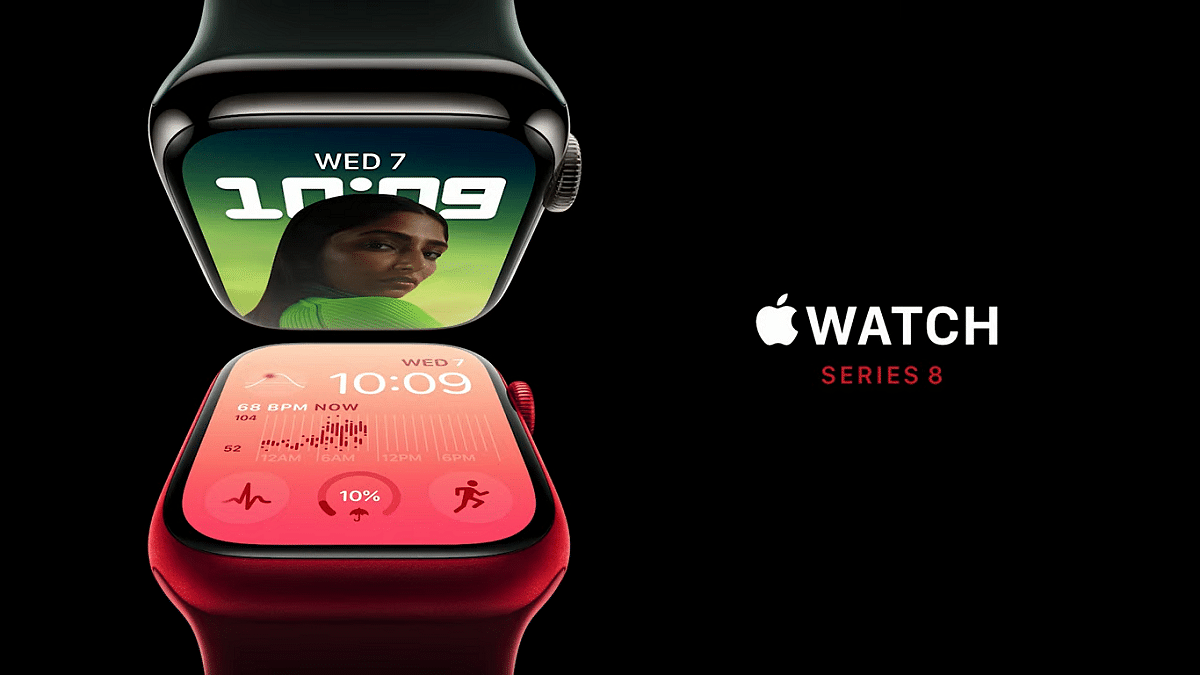
Apple unveiled the Watch Series 8 at its ‘Far Out’ event on September 7. The event was broadcast live across all of the top social media platforms. CEO Tim Cook and other Apple executives presented the new line of gadgets at the event. With the Apple Watch Series 8, Apple also unveiled the iPhone 14 series and AirPods Pro 2.

Apple Watch Series 8 Specifications

Apple says that the Watch Series 8 is built to maintain data privacy and security, and health information will only be shared with the user’s express consent.

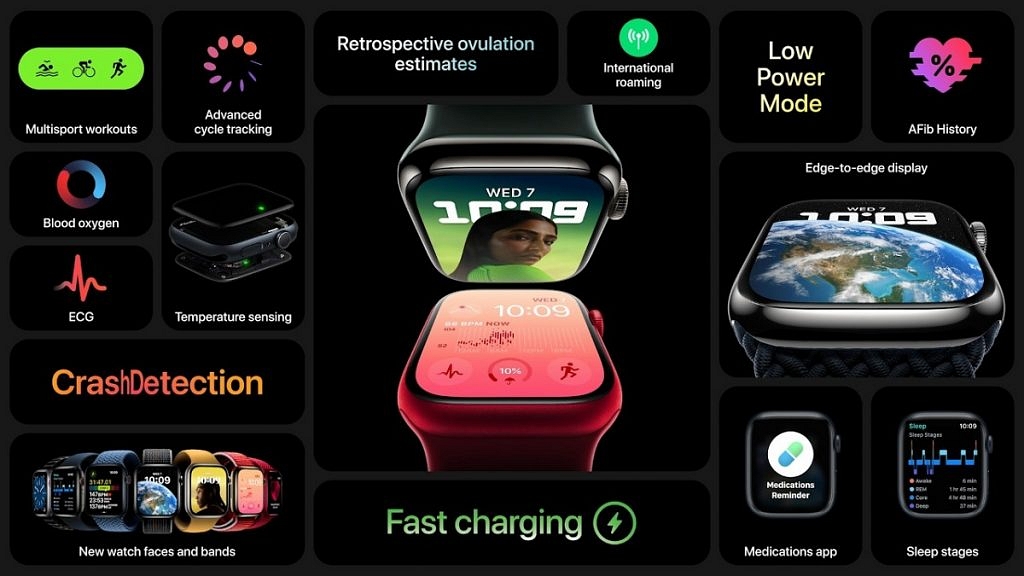
Ovulation tracking is among the functions of the Apple Watch Series 8 that are geared toward women’s health. It boasts new watch faces, an always-on display, and improved durability. It is resistant to cracks, dust, and swimming.

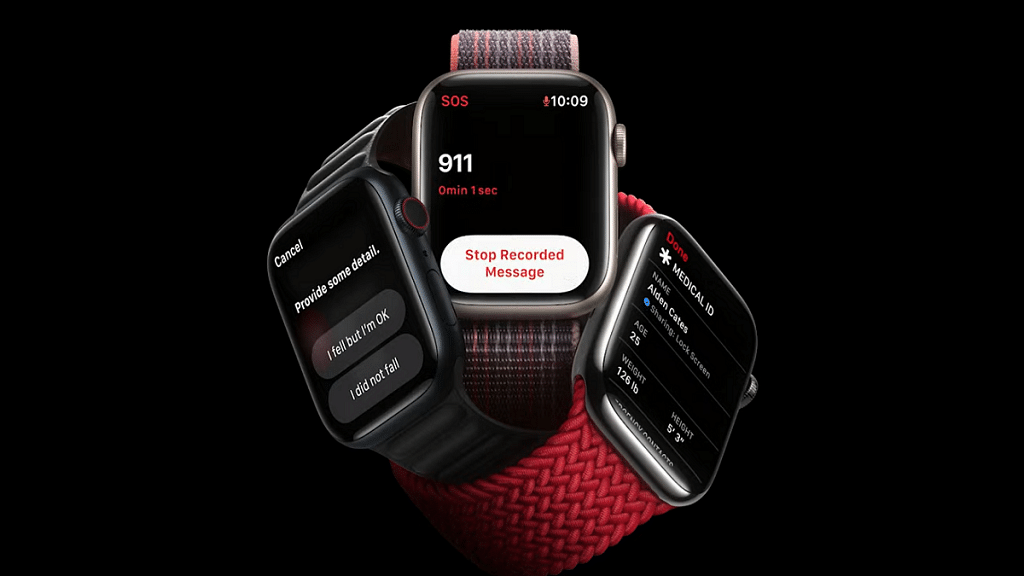
Additionally, Apple implemented additional security features that use two motion sensors. The new car crash detector can determine whether you were involved in a serious collision and will immediately contact emergency services.

Apple Watches now have a new mode that temporarily disables the always-on display and workout alerts, extending battery life from 18 hours to 36 hours.

It will be offered in three shades of stainless steel and four colors of aluminum, including black, gold, red, and aluminum. For an aluminum model, it costs at least $399 (approx. Rs. 31,000), and for one with cellular connectivity, will cost $499 (approx. Rs. 39,000).

Apple Watch SE Specifications

Apple has unveiled a new Apple Watch SE, a more affordable variation of its flagship Series 8. The model for this year has a larger screen, a new underneath plastic design, heart rate notifications, fall detection, and other features.

Starting on September 16, the Apple Watch SE will retail at $249 (Rs. 19,832) or $299 (approx. 23,815). It is being marketed by Apple as a device for children who might not require an iPhone of their own.

Apple Watch Ultra Specifications

Apple announced the Apple Watch Ultra, a new high-end watch with a fresh design, a larger screen, and a titanium case. Outdoor athletes are the target market for the product. It has a redesigned watch face with greater details and a compass. Additionally, it sports a brand-new “action” button for speedy use when exercising or donning gloves.

According to Apple, the watch can get as many as 60 hours of battery life with a software upgrade this fall. The Apple Watch Ultra will cost $799 (approx. Rs. 63,639) and will hit store shelves on September 23.

Categories
Accessories Featured Smart Watch

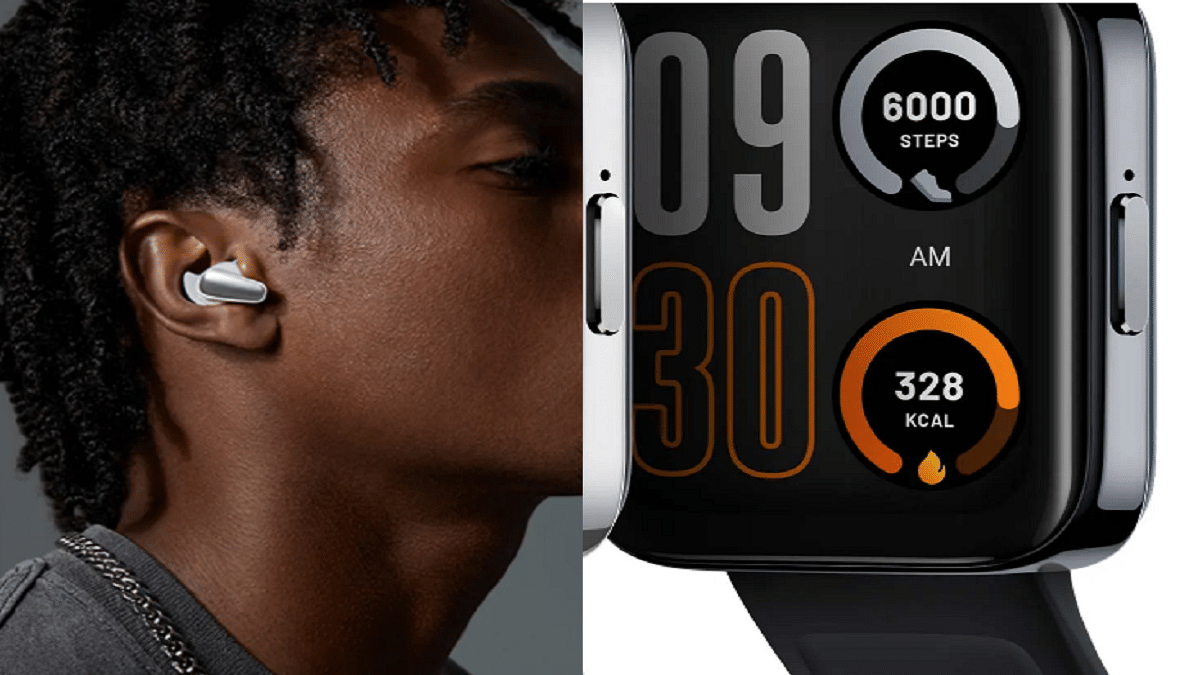
Realme Buds Air 3S, Watch 3 Pro Launched In India: Check Features And Price

Key Highlights

  • Realme Buds Air 3S, Watch 3 Pro unveiled in India
  • Realme Watch 3 Pro is priced at Rs. 4,999
  • Realme Buds Air 3S is priced at Rs. 2,499

The Chinese tech giant Realme has launched the latest wearable and audio devices in India. The brand unveiled its latest TWS Realme Buds Air 3S and smartwatch Realme Watch 3 Pro today along with the launch of the Realme C33 budget phone at a virtual launch event. Here’s all you need to know about the newly launched devices:

Realme Buds Air 3S Features

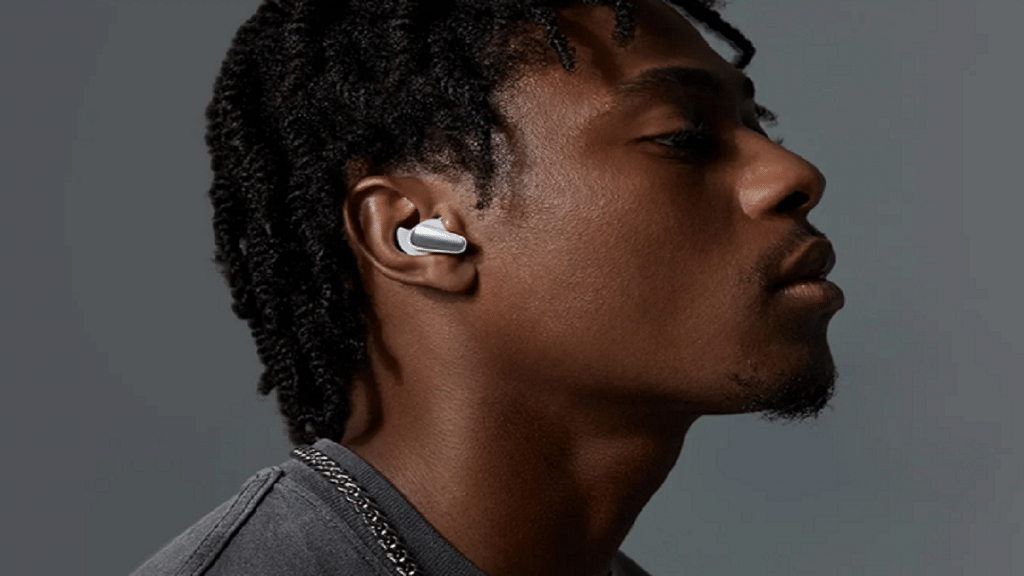
The new TWS from Realme boasts a trendy and comfortable music box-inspired design, and the silicone used to make the earbuds is skin-friendly. For a compact appearance, it has a novel short earbud design, and the silicon ear wing tip ensures a secure fit.

It provides the deep sound quality possible and enables users to enjoy high-end stereo surround sound thanks to its 11mm Triple Titanium Bass Drive and Dolby Atmos compatibility.

The Realme Buds Air 3S is equipped with Bluetooth 5.3, a new generation technology that offers better communication efficiency and extremely low latency of just 69ms.

The 4-Mic AI ENC noise canceling algorithm helps its effective noise reduction technology. Besides this, the buds come with 30 hours of playback time with a large battery capacity of 43mAh for a single earbud. It further supports 10 minutes of fast charging lasting up to 5 hours in a normal mode.

The new Buds Air 3S also has smart features like dual device connectivity which lets you select the device based on your needs. Its Open up auto connection feature connects the device automatically as soon as the user opens the charging case, and google fast pairs assists with connection setup when pairing for the first time.

Price & Availability

Bass Black and Bass White are the two colors in which the Realme Buds Air 3S will be sold. It will be available on September 14, 2022, from 12 PM on realme.com, Amazon, and mainstream outlets. The device is priced at Rs. 2,499.

Realme Watch 3 Pro Features

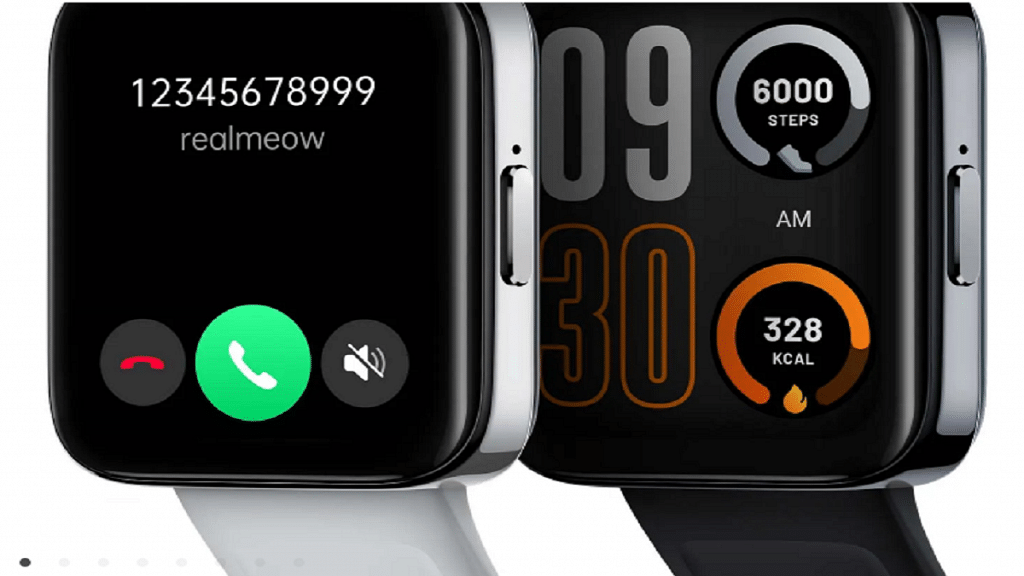
The 1.78-inch AMOLED HD curved display on the Realme Watch 3 Pro has a slimmer chassis and fewer bezels. It has the first multi-system standalone GPS in its class and Cywee’s expert GPS positioning technology to accurately record bodily movements. Additionally, it can run continuously for up to 20 hours with GPS.

It offers an efficient Bluetooth calling feature and an integrated smart power amplifier. With a 345mAh battery capacity and a 10-day battery life, the Watch supports magnetic charging.

The Realme Watch 3 Pro includes an extensive collection of over 100 Stylish Watch Faces. Additionally, it is IP68 water resistant and offers 110+ Sports Modes for the athlete in you. Users can also count on the device for accurate health monitoring such as SpO2, heart rate, stress levels, and sleep quality.

Price & Availability

The Realme Watch 3 Pro will be available in two colors, i.e., Black and Grey. It is priced at Rs. 4,999 and will be on sale on realme.com, Flipkart, and mainstream channels on September 9 at 12 noon.

Categories
Featured How To Smart Watch

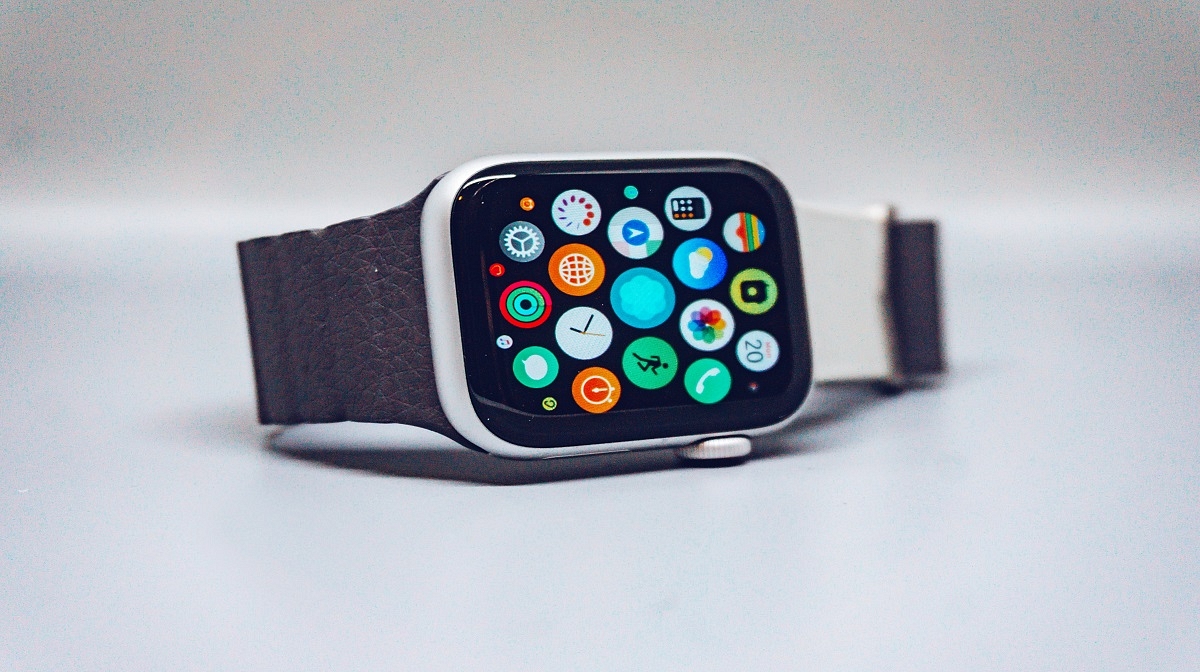
Apple Watch: Here’s How You Can Create And Share Watch Faces

Key Highlights

  • Apple Watch faces show time and info
  • You can share faces with others on watchOS 7 or later
  • Series 1 and 2 can’t receive shared faces

The Apple Watch’s backbone is its watch faces. Not only does it help you tell time, but you can also get all the important information you need at a glance by personalizing the faces and adding complications.

Additionally, you can share your Apple Watch face with anyone, including your loved ones and friends. The only prerequisite for sharing your preferred Apple Watch face is that the recipient must also have an Apple Watch running watchOS 7 or later. This implies that you are unable to exchange faces with someone still sporting an Apple Watch Series 1 or 2. In this article, we explain to you how to create and share your Apple Watch face with a friend or family. Let’s check it out.

Also Read | Want To Use Your Photos As Smartwatch Face? Here’s How To

How To Create A Custom Apple Watch Face?

Step 1: Touch and hold the screen, select the watch face you want to use, scroll through the options, or hit the ‘+’ icon to start again with a new watch face, then tap Edit.

Step 2: Swipe left to reach the finish if a watch face offers complications, which are displayed on the final screen. Some watch faces don’t have complications. And while some just provide one or two, others provide six or more.

Step 3: Toggle the Digital Crown to select a different complication if needed after tapping a particular complication to select it.

Step 4: Press the Digital Crown to save your selections once you’ve finished choosing any custom complications.

How To Share A Watch Face From Apple Watch?

Step 1: Ensure the watch face you wish to share is active.

Step 2: On your Apple Watch screen, long press the watch face.

Step 3: Click on the ‘Share’ button.

Step 4: Then, tap ‘Add Contact’.

Step 5: Now, click on the contact you want to send the watch face to.

Step 6: Tap the number you want for that contact.

Step 7: If you wish to add a message, click ‘Create Message’. Then, tap ‘Send’.

Also Read | OnePlus Watch 2R Alternatives: Top Three Picks For Your Next Smartwatch

How To Share A Watch Face From iPhone?

If you don’t want to share from your Apple Watch, you can always share your favorite watch faces from the Watch app on your iPhone. Here’s how to do it:

Step 1: From your Home screen, open the Watch app.

Step 2: Tap the watch face you wish to share.

Step 3: Click the ‘Share’ button.

Step 4: Tap the sharing method you wish to use. AirDrop, email, message, or other.

Step 5: Find the contact you want to send the watch face to and tap ‘Send’. That’s it.

Many watch faces require specific watch models. Specifically, some don’t work with Apple Watch Series 3 and require Apple Watch SE and Apple Watch Series 4 or later.

For the tech geeks, stay updated with the latest cutting-edge gadgets in the market, exclusive tech updates, gadget reviews, and more right on your phone’s screen. Join Giznext’s WhatsApp channel and receive the industry-first tech updates.