Categories
Featured Info Mobile

Xiaomi 14 Global Launch Date Announced: February 25th at MWC 2024

Key Highlights

  • Global Launch Date: February 25th, 2024, at MWC 2024
  • Confirmed Models: Xiaomi 14 and Xiaomi 14 Pro
  • Possible Debut: Xiaomi 14 Ultra (rumored)

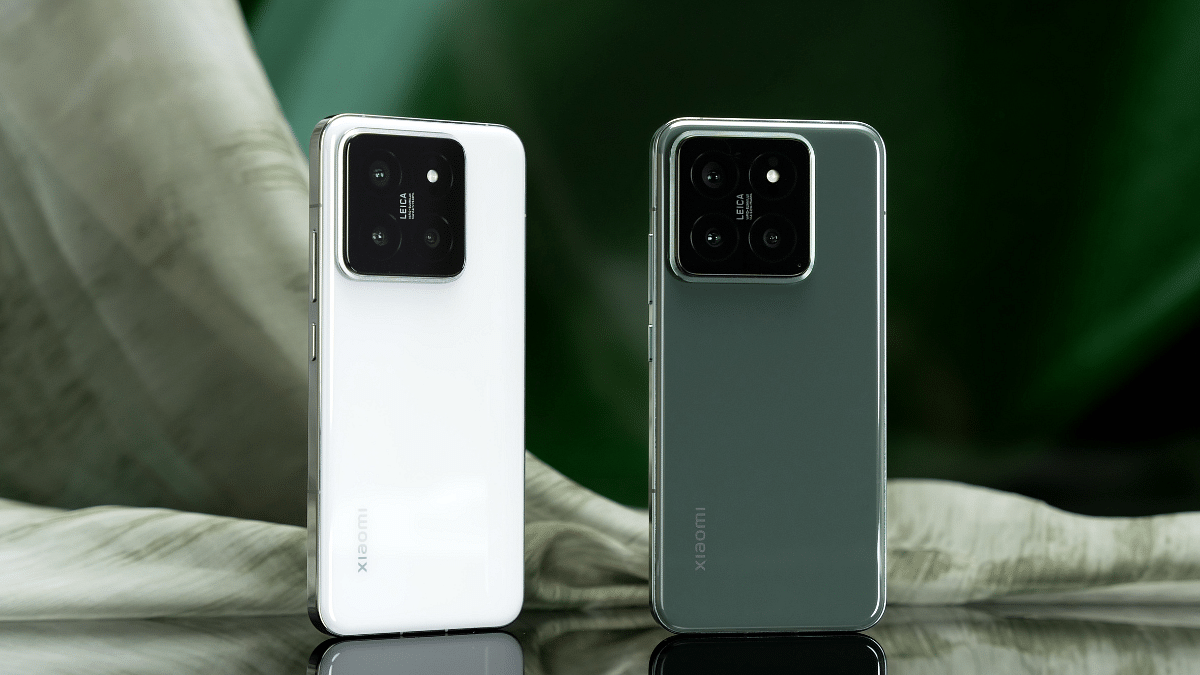
Xiaomi has officially announced the global launch date for its highly anticipated flagship series, the Xiaomi 14. Scheduled for February 25th, 2024, the unveiling will take place just ahead of the Mobile World Congress (MWC) 2024, generating significant excitement within the tech community.

Also Read: Xiaomi 14 Ultra Set To Make Its Debut In India? Here’s What We Know So Far

Xiaomi 14 Ultra: Rumored
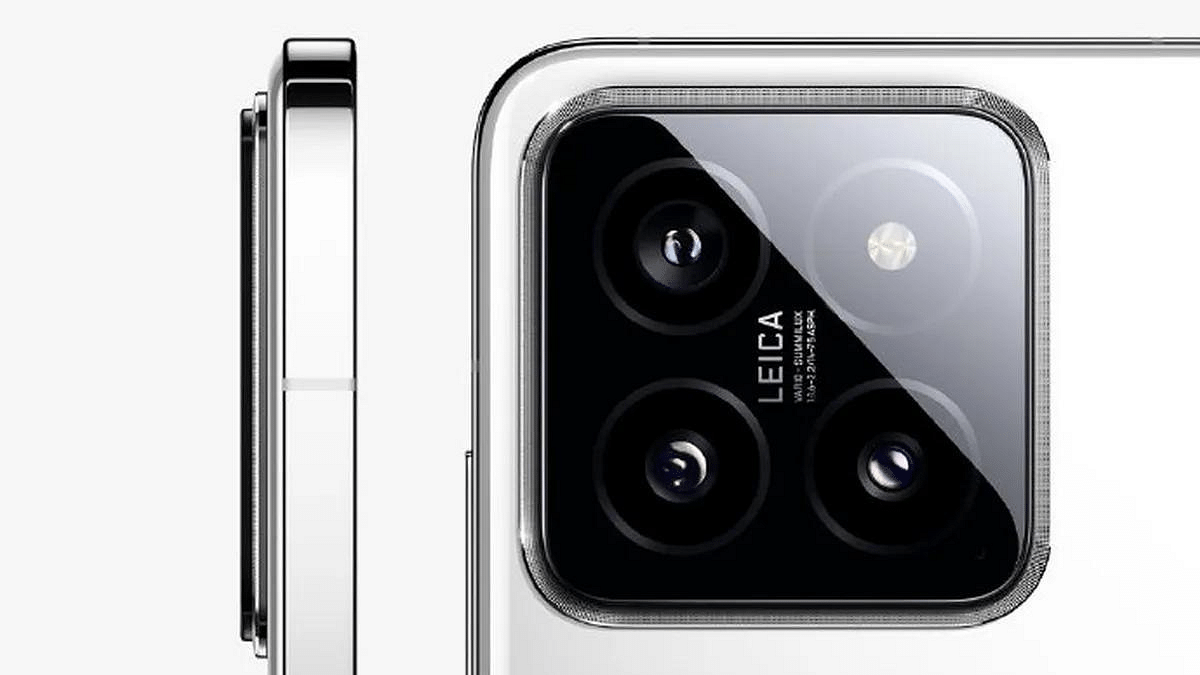
While the Xiaomi 14 and 14 Pro are confirmed to launch, all eyes are on the rumored Xiaomi 14 Ultra. This potential flagship is expected to boast cutting-edge specifications, including:

  • Powerful Performance: Snapdragon 8 Gen 3 SoC, Adreno 750 GPU, up to 16GB RAM
  • Seamless User Experience: Android 14-based HyperOS
  • Stunning Display: 6.7-inch 2K AMOLED display with 120Hz refresh rate
  • Advanced Security: Ultrasonic in-display fingerprint sensor
  • Premium Photography: Quad rear camera setup with 50MP Sony LYT-900 primary sensor
  • Long-lasting Battery: 5,180mAh battery with 90W wired and 50W wireless charging

Also Read: Redmi Note 13 Pro+ Vs OnePlus Nord 3 5G: Mid-Range Smartphone Comparison

Xiaomi 14 and 14 Pro: Expected Global Variants
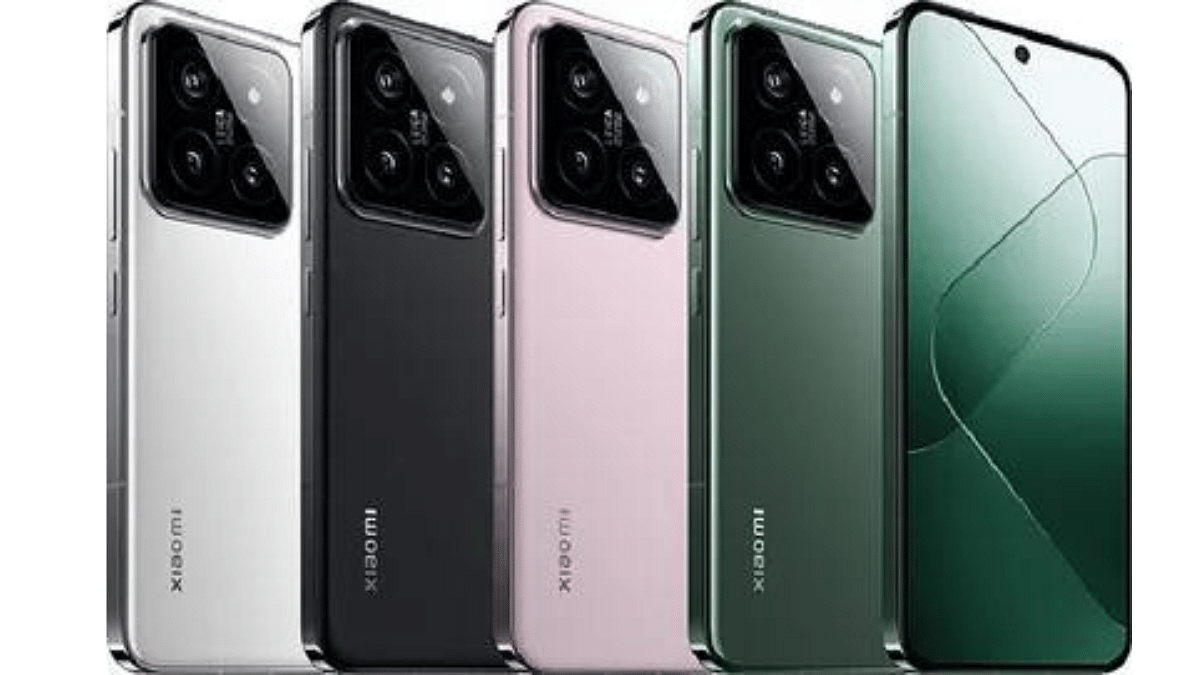
The global variants of the Xiaomi 14 and 14 Pro are likely to mirror their Chinese counterparts in terms of specifications. Here’s a quick overview:

  • Xiaomi 14 Pro:
    • 6.73-inch 2K LTPO display
    • Snapdragon 8 Gen 3 chipset
    • Up to 16GB RAM and 1TB storage
    • Leica-branded triple rear camera (50MP primary, 50MP telephoto, 50MP ultra-wide)
    • 32MP front camera
  • Xiaomi 14 (expected):
    • Similar specifications to Xiaomi 14 Pro, with potential variations in camera and storage options

Also Read: Poco X6 Pro 5G Vs Xiaomi Redmi Note 13 Pro 5G: Android Smartphone Comparison

What to Expect at the Launch
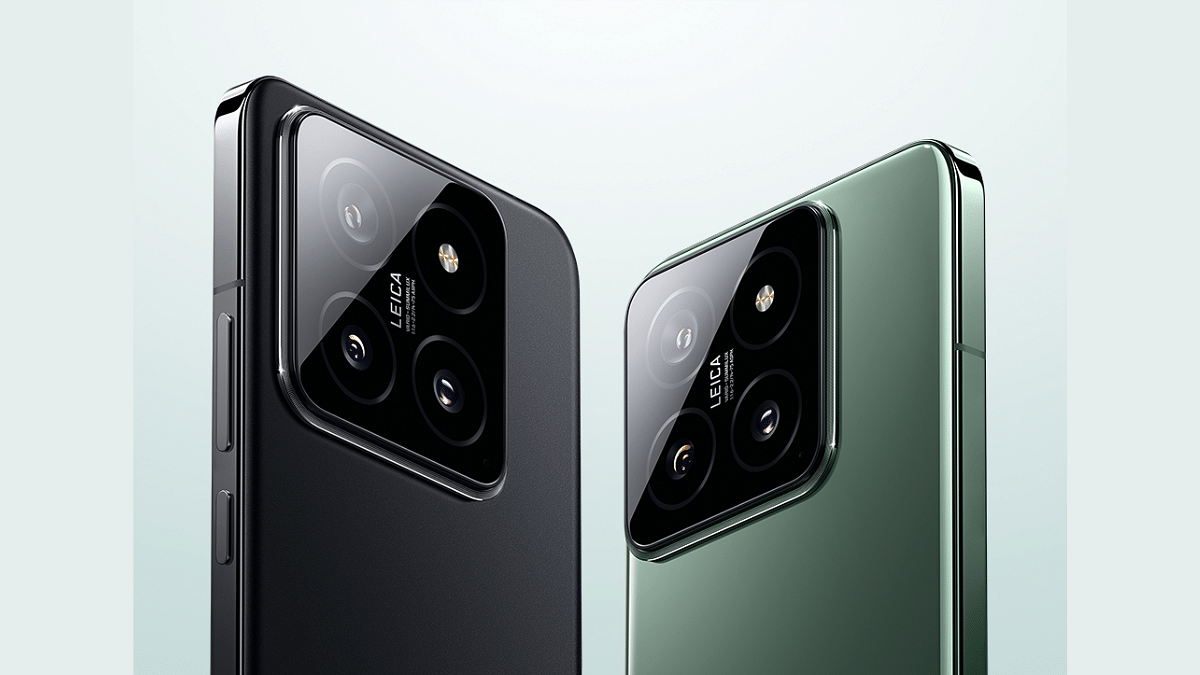
The official unveiling on February 25th promises to be a major event for Xiaomi and the tech industry as a whole. We can expect to see detailed presentations of the Xiaomi 14 series, including confirmation (or denial) of the Xiaomi 14 Ultra’s existence. Pricing information, regional availability, and pre-order details are also likely to be revealed.

Stay tuned for further updates as we approach the launch date!

Categories
Accessories Apps Featured Info

Apple Vision Pro: 7 Must-Try Apps For Work, Entertainment & More

The Apple Vision Pro, with its innovative blend of digital content and real-world interactions, has opened doors to exciting new experiences. But to truly unlock its potential, you need the right apps. We’ve compiled a list of seven essential apps that will showcase the true potential of your Vision Pro:

Also Read: Is Apple Vision Pro Ready? Viral Videos Prompt Safety Discussions

1. Keynote

Take your presentations to the next level with Keynote. Imagine delivering your slides within a stunning, digital recreation of the Steve Jobs Theater. Customize your presentation, engage your audience, and leave a lasting impression.

2. JigSpace

Users can now interact with intricate 3D models and animations right in their living room. Explore historical landmarks, dissect complex molecules, or even witness the inner workings of an engine – all in the comfort of your home.

Also Read: Apple’s Next Big Update: iOS 17.4 New Features, Release Date, and More

3. Disney+

Experience Disney+ in a whole new way with the Vision Pro’s immersive 3D capabilities. Become part of the story, explore vibrant landscapes, and rediscover the magic of Disney like never before.

4. Microsoft 365

Stay productive and collaborate seamlessly with your team using Microsoft 365. Access familiar Office apps like Word, Excel, and PowerPoint, optimized for the Vision Pro’s unique interface and features. Work side-by-side with colleagues in virtual spaces, share documents effortlessly, and boost your productivity.

Also Read: Are You EV-Ready? Top Apps Every Electric Car Owner Should Have

5. AmazeVR

Step into exclusive virtual concerts from your favorite artists and experience live performances with breathtaking intimacy. Feel the energy of the crowd, sing along, and create unforgettable memories – all from the comfort of your living room.

6. Zoom

Users can now effortlessly conduct video calls and virtual meetings using the advanced features of their Vision Pro headset. Enjoy crystal-clear audio and video, collaborate seamlessly with colleagues, and stay connected with loved ones, no matter where they are in the world.

Also Read: Apple Vision Pro Missing Key Apps: Spotify & Youtube Not Included

7. Apple Music

Enjoy stunning visuals and immersive audio as you listen to your favorite songs or explore new music videos. Let the music wash over you and discover new depths in your favorite tunes.

These are just a taste of the incredible experiences waiting for you in the world of Apple Vision Pro. So, put on your headset, explore these apps, and discover the magic of immersive computing!

Categories
Apps Featured Info

Google’s AI: Bard or Gemini? What You Need To Know About The Rebranding

Key Highlights

  • Bard to Gemini: Google’s AI chatbot rebrands for wider access.
  • Gemini brings AI to your Android/iOS.
  • Gemini Advanced” tackles complex tasks with a paid model.

Remember Bard, Google’s AI-powered chatbot launched last year to compete with OpenAI’s ChatGPT? Well, get ready for a name change and exciting new features! Google is reportedly rebranding Bard as Gemini, alongside a dedicated app, a paid subscription tier, and access to its most powerful language model yet.

Also Read: Google Bard’s ImageFX AI Image Generator Launched: No More DeepFake Mishaps!

From Bard to Gemini

Leaked information revealed Google’s plans to rename Bard to Gemini, reflecting a broader commitment to provide “direct access to Google AI” for everyone. This signifies a shift towards a more inclusive and accessible AI experience.

Also Read: Have You Tried Google’s ImageFX Yet? Learn How To Use This New AI Image Generator

Gemini App: AI on the Go

With the rebranding comes a dedicated Gemini app, initially available on Android in select regions. iOS users will have access through the Google app. Soon, expect wider language and device support, as Google strives to deliver the “world’s most helpful AI assistant.”

The Gemini Advanced is powered by the game-changing Gemini Ultra 1.0 language model. Many believe Gemini Ultra is Google’s response to OpenAI’s powerful GPT-4, currently driving ChatGPT. The leaked changelog suggests Ultra 1.0 might even “outperform human experts” in specific tasks, hinting at a potential AI race heating up. Access to this powerhouse will be offered through a paid subscription, but pricing details remain under wraps.

Also Read: Chatgpt Vs Microsoft Copilot: Which One Is A Better AI Tool?

What We Know So Far:

  • Bard becomes Gemini, reflecting wider AI access goals.
  • The dedicated Gemini app launches on Android, with iOS access through the Google app.
  • The paid “Gemini Advanced” tier unlocks the powerful Gemini Ultra 1.0 language model.
  • Official announcement and pricing details awaited.

Also Read: Google Launches Gemini: Most Advanced AI Model Yet

What’s Next

With the rebranding and new features on the horizon, Google seems poised to push the boundaries of AI-powered interaction. While we wait for the official announcement, stay tuned for exciting updates on Gemini and its potential to revolutionize the way we interact with AI.

Categories
Accessories Featured Info

Is Apple Vision Pro Ready? Viral Videos Prompt Safety Discussions

Key Highlights

  • Apple’s Vision Pro raises safety concerns as drivers wear it with Tesla autopilot.
  • Videos show users walking, on dogs, trains, raising questions about responsible use.
  • Balancing advancement with clear warnings, regulations, and public awareness is crucial.

The recent release of Apple’s Vision Pro headset has been met with excitement and anticipation, but also with growing concerns about its potential impact on safety. Viral videos circulating online show Tesla drivers wearing the headset while using their car’s autopilot feature, raising alarms in the US government and prompting discussions about distracted driving.

Also Read: Apple Vision Pro Missing Key Apps: Spotify & Youtube Not Included

Distracted Driving Concerns

One video, garnering over 24 million views, depicts a Tesla driver seemingly manipulating a virtual reality field with hand gestures. This, and other similar videos, caught the attention of US Transportation Secretary Pete Buttigieg, who issued a warning on X (formerly Twitter) emphasizing that “distracted driving is never acceptable.” He reiterated that regardless of advanced features, all driver-assistance systems require the driver to be fully engaged and in control at all times.

Also Read: Here’s How To Use The Viral AI Chatbot ChatGPT: A Step-By-Step Guide

Viral Reels On Instagram

Reels on Instagram showcase people using the Vision Pro headset while walking in malls, walking their dogs, and even riding trains in the US and UK. This raises questions about potential risks associated with using the headset in public spaces, such as collisions with pedestrians or obstacles, or disruptions to daily activities.

Also Read: Apple CarPlay Not Working? Here’s How to Fix It

Safety Measures and Regulations:

Apple has yet to address these concerns directly, but experts believe the company should implement robust safety measures and clear guidelines for using the Vision Pro headset. This could include features that prevent its use while driving, geofencing to restrict its use in sensitive areas, and educational campaigns highlighting potential risks.

Regulatory bodies are also likely to scrutinize the Vision Pro headset and may introduce regulations to ensure its safe use. This could involve setting standards for distraction levels, requiring safety features, or even restricting its use in certain situations.

Also Read: Apple’s Next Big Update: iOS 17.4 New Features, Release Date, and More

The Future of VR

The Apple Vision Pro is just one example of the growing advancements in virtual reality technology. While VR offers immense potential for entertainment, education, and communication, it’s crucial to prioritize safety and develop responsible practices to ensure its positive impact on society.

Categories
Apps Featured Info

WhatsApp’s New Feature Lets You Call Your Favourites Instantly: What It Is? Availability

Key Highlights

  • “Favourite Contacts” shortcut in WhatsApp for iOS.
  • One Tap to Connect: Priority list for quick calls, no more scrolling.
  • Coming Soon: Update expected, enjoy easier connections soon!

WhatsApp, a Meta-owned instant messaging platform, is on the brink of launching a new feature that facilitates swift calling to favourite contacts. This feature, known as ‘favourite contacts,’ enables users to designate certain contacts as favourites, allowing for quick calls directly from the calls tab on iOS devices.

Also Read: How to Report Spam on Instagram: Step-by-Step Guide

What is the “Favourite Contacts” feature?

Imagine a dedicated section at the top of your WhatsApp calls tab, showcasing your most cherished contacts. That’s precisely what “Favourite Contacts” offers. By designating specific contacts as favourites, you’ll ensure they’re readily accessible, requiring just a single tap to initiate a call. This intuitive shortcut eliminates the need to scroll through your entire contact list, saving you precious time and effort.

Also Read: WhatsApp Channels Get Updated With Voice Notes, Multiple Admins And More: How To Use

Benefits of “Favourite Contacts”:

  • Enhanced Accessibility: No more searching for your favourite contacts – they’ll be right at your fingertips, accessible with a single tap.
  • Personalized Communication: Prioritize the contacts that matter most, ensuring you stay connected with them effortlessly.
  • Streamlined Calling Experience: Say goodbye to time-consuming scrolling and hello to quick and convenient calling.

Also Read: How To Remove An Image Background On Windows 11

Availability and Future Updates:

While currently unavailable for beta testers, “Favourite Contacts” is expected to be integrated into an upcoming WhatsApp iOS app update. Additionally, WhatsApp continues to expand its features with:

  • Sticker Creation and Sharing: Personalize your communication with custom stickers created from your photos.
  • Pinned Events: Easily access important event information within community groups with a single tap.
  • Passkey Integration (iOS): iPhone users can enjoy a secure and streamlined login experience with Touch ID or device passcode, eliminating the need for passwords or PINs.

Also Read: New WhatsApp Trick: Share Channel Posts As Status In Seconds (2024 Guide)

Stay Connected with Ease:

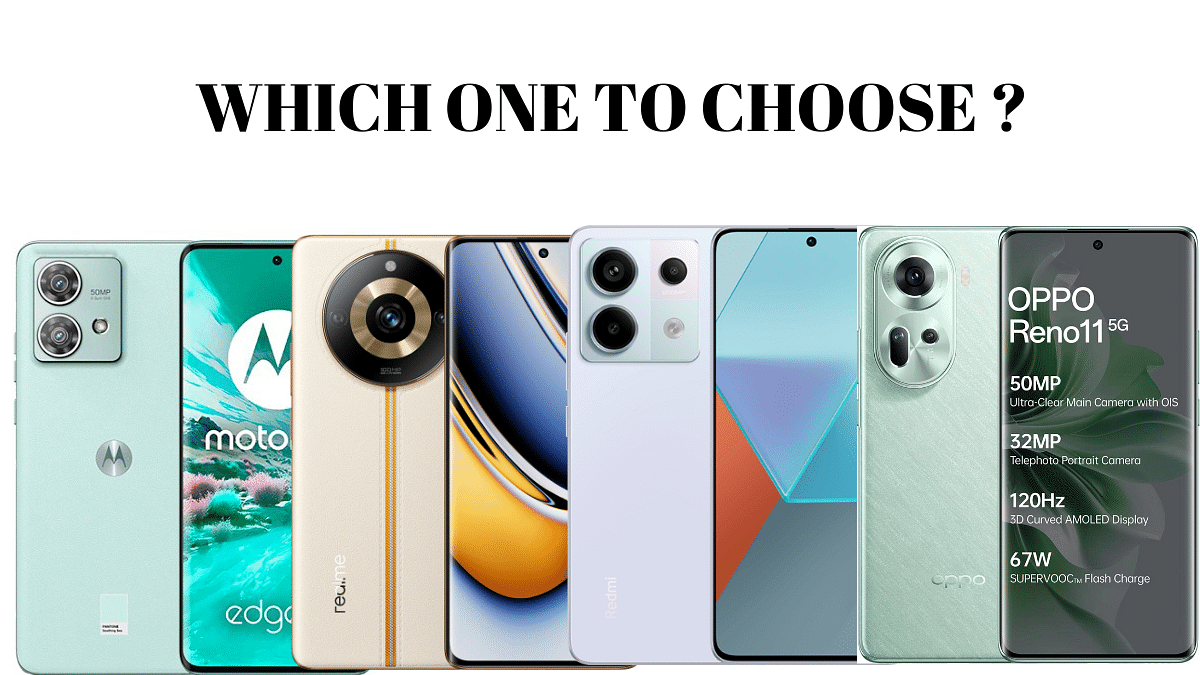
The “Favourite Contacts” feature is a welcome addition for anyone who values quick and convenient communication on WhatsApp. With this innovation, staying connected with your loved ones becomes a breeze, fostering closer relationships and seamless communication. Keep an eye out for the upcoming update and get ready to experience the ease and efficiency of this exciting feature!
Categories
Accessories Featured Info

Valentine’s Day 2024 Gift Ideas: Top 5 Earbuds With ANC Under Rs.3000

As Valentine’s Day approaches, finding the perfect gift can be a challenge. This year, consider the gift of sound with a pair of top-rated earbuds offering Active Noise Cancellation (ANC). Surprise your loved one with the joy of uninterrupted music, podcasts, or calls, creating a truly immersive listening experience.

Here are 5 exceptional earbuds with ANC, all under Rs.3000, to make their Valentine’s Day truly unforgettable.

Also Read: 5 Top Rated Wireless Headphones Of 2023 With Noise Cancellation: From Sony, JBL, and more

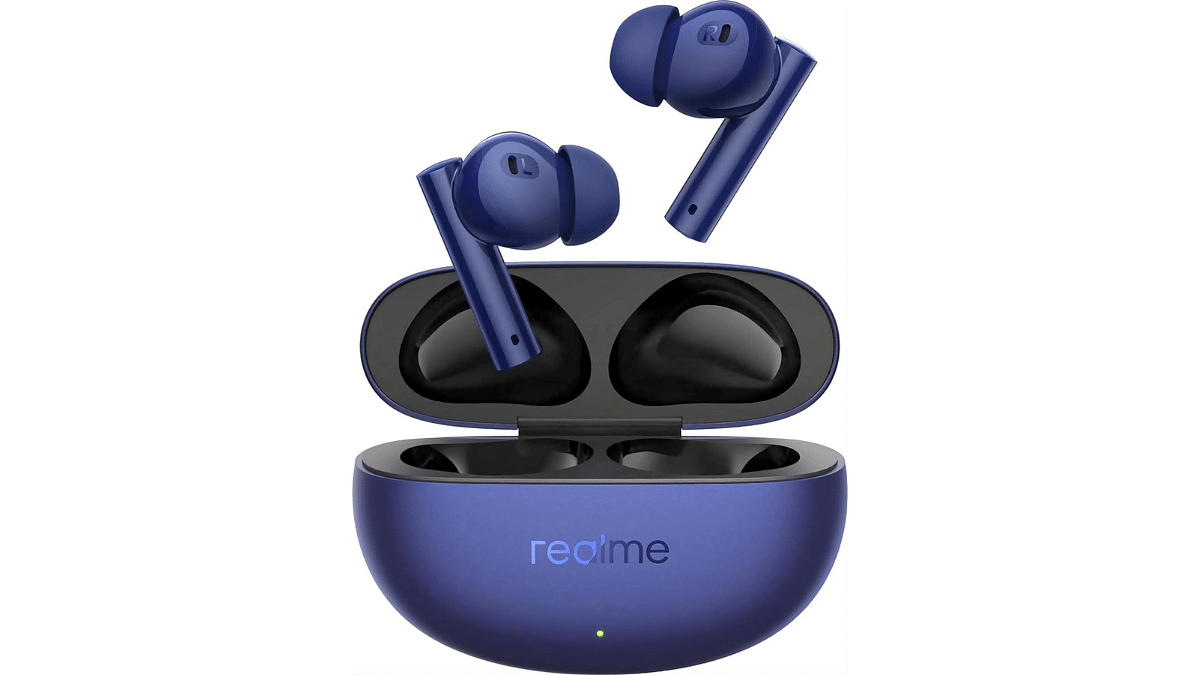
1. realme Buds Air 5 Truly Wireless in-Ear Earbuds

  • realme Buds Air 5: Dynamic sound, active noise cancellation.
  • 12.4mm Mega Bass Driver for immersive audio.
  • 38Hrs Battery Life, Fast Charging, Gaming Latency.
  • Deep Sea Blue color for stylish appeal.
  • Rated 4.0 out of 5 stars.
  • Special offer: ₹3,399.00 with 43% savings.

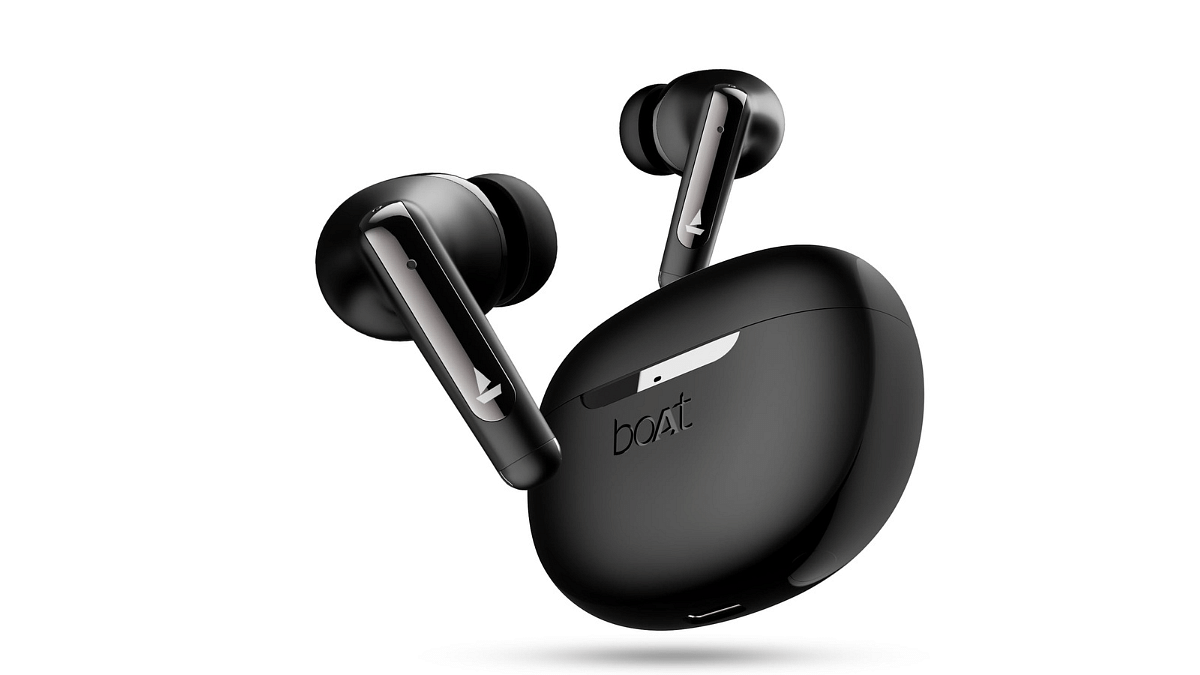
2. boAt Airdopes 141 ANC TWS Earbuds

  • boAt Airdopes 141: Advanced ANC, 32dB, 42H Playback
  • 50ms Low Latency Beast Mode, IWP Tech
  • Quad Mics with ENx, ASAP™ Charge
  • USB Type-C Port & IPX5 (Gunmetal Black)
  • Deal of the Day: ₹1,599 with 73% savings

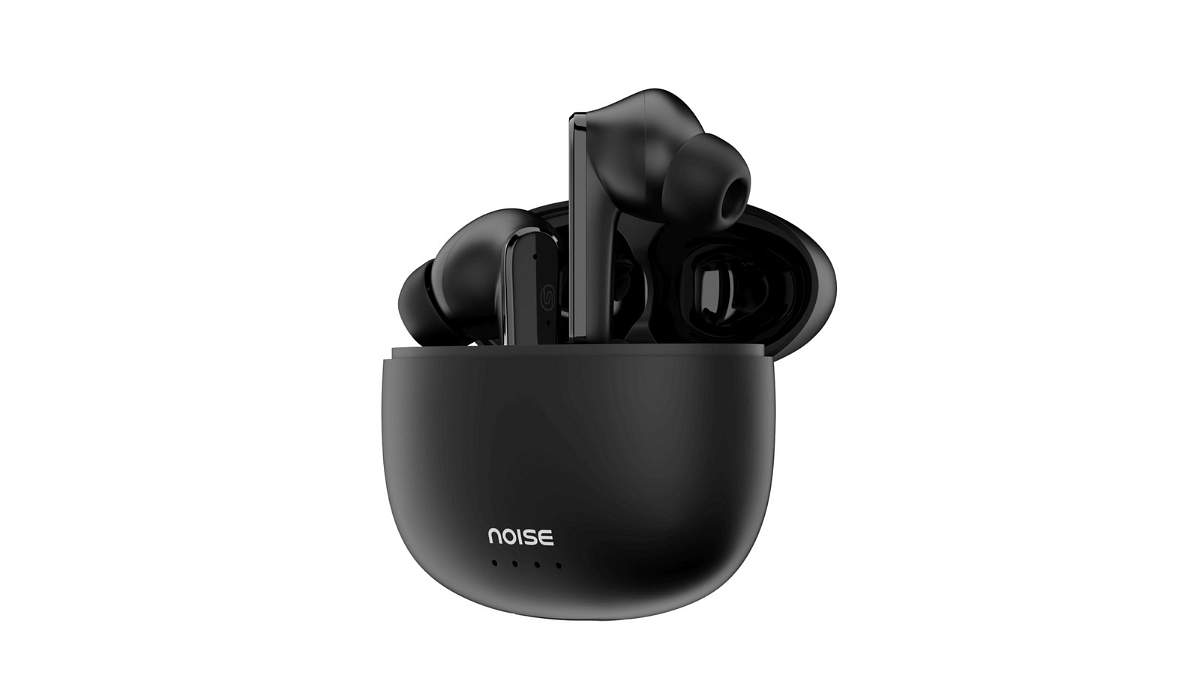
3. Noise Buds VS104 Max Truly Wireless in-Ear Earbuds

  • Advanced ANC blocks up to 25dB of noise.
  • Extended playtime: up to 45 hours.
  • Four microphones with ENC for clear calls.
  • Quick charge: 10 minutes = 180 minutes.
  • Immersive sound with 13mm dynamic drivers.
  • Special offer: ₹1,299.00 with 74% savings.

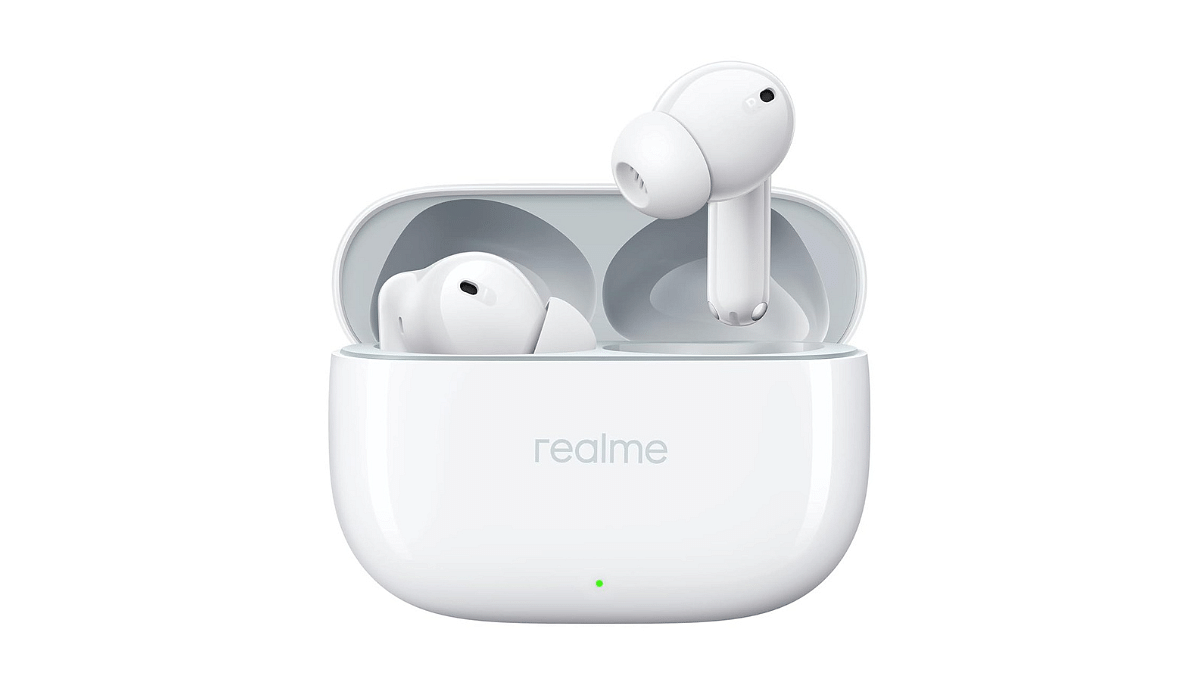
4. realme Buds T300 Truly Wireless in-Ear Earbuds

  • Realme Buds T300: True Wireless, ANC, 360° Audio
  • 12.4mm Dynamic Driver: Enhanced Bass, Dolby Atmos
  • Up to 40Hrs Battery: Fast Charging Supported
  • Youth White Design: Sleek and Stylish Look
  • ₹2,099 Price: 48% Discount, M.R.P.: ₹3,999

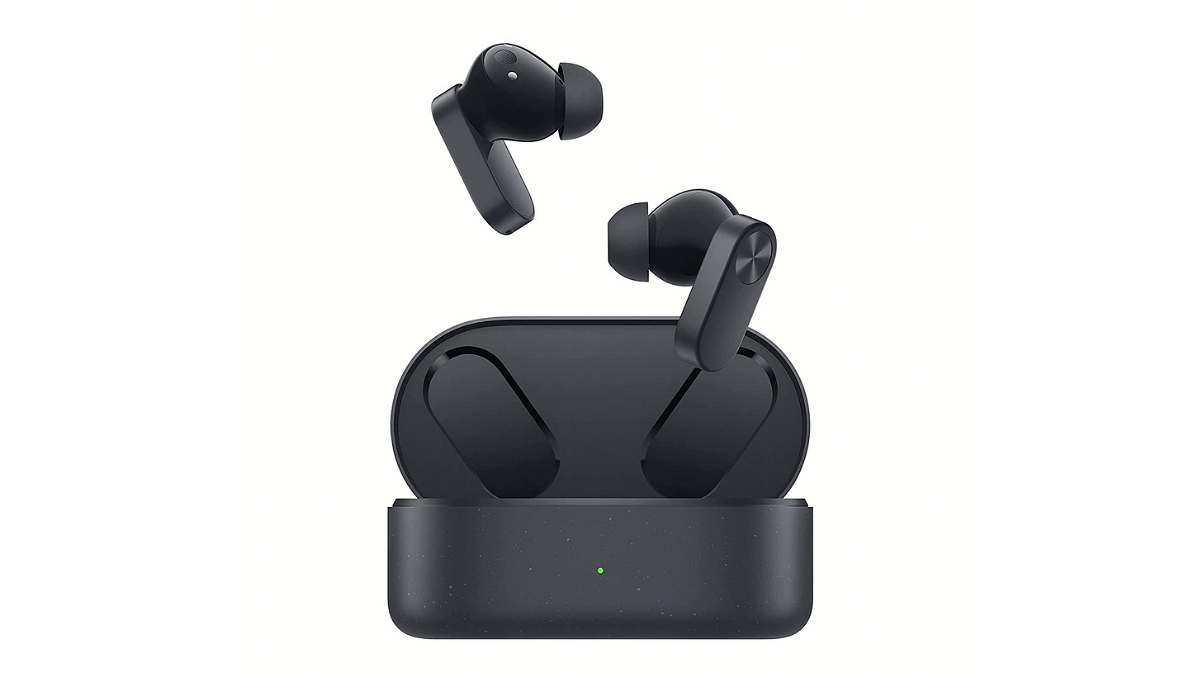
5. OnePlus Nord Buds 2 TWS in Ear Earbuds 

  • OnePlus Nord Buds 2: Dynamic ANC, 12.4mm Drivers
  • Up to 36hr Playback, Fast Charging, IP55 Rated
  • 4-Mic Design, Titanium Drivers, Thunder Gray Color
  • Amazon’s Choice for “earbuds with ANC”
  • ₹2,999.00 with 9% savings

Also Read: OnePlus Buds 3 vs OnePlus Buds Z2: True Wireless Earbuds Compared

Categories
Featured Info Mobile

Realme 12 Pro Plus Alternatives: Upgrade Your Pick In 2024

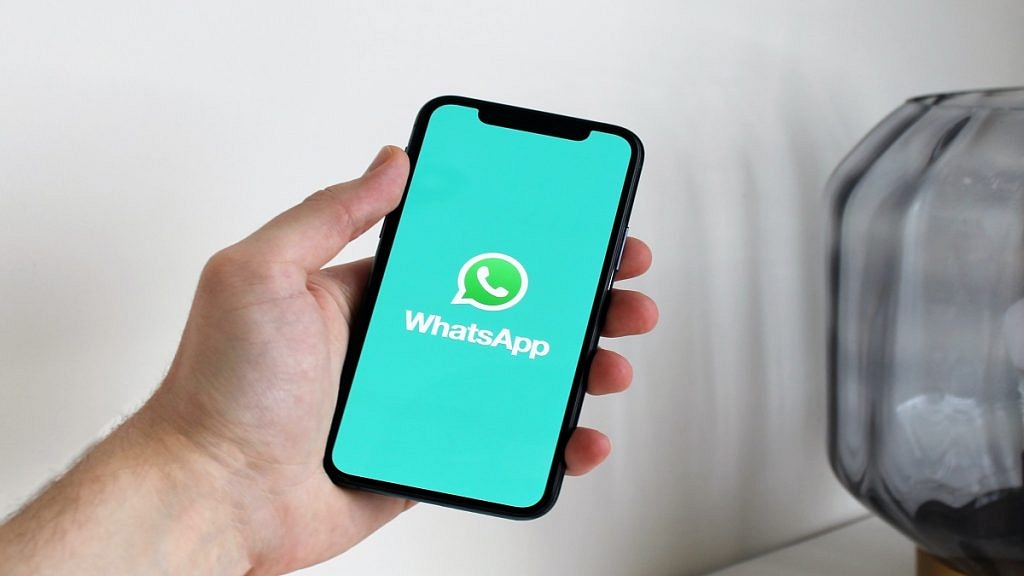
The Realme 12 Pro Plus is a powerful mid-range smartphone with a 50MP triple camera, 120Hz AMOLED display, and 5000mAh battery. But if you’re looking for something different, there are several compelling alternatives available in 2024. Here are five top contenders to consider:

Also Read: OnePlus 12 Top Alternatives In India: Vivo, Samsung & More

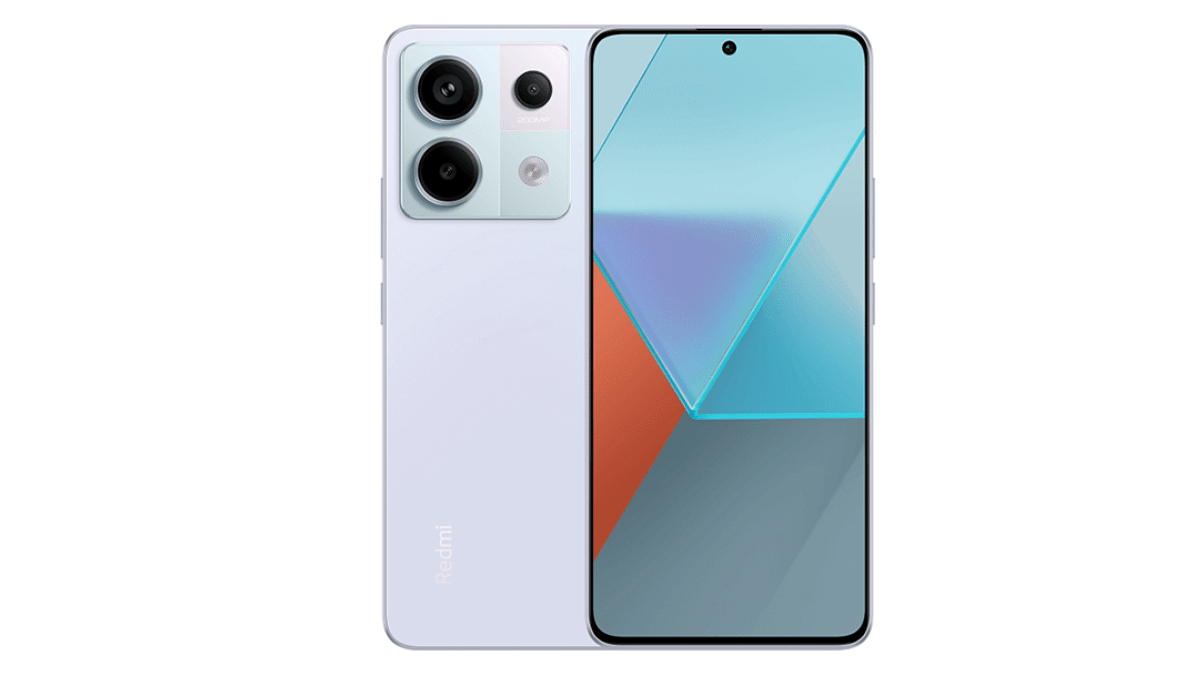
1. Xiaomi Redmi Note 13 Pro

  • Price: Rs.25,950 (more affordable than Realme 12 Pro Plus)
  • Key Highlights: Powerful Snapdragon 7S Gen 2 processor, massive 200MP primary camera, long-lasting 5100mAh battery.

This phone packs a punch with its top-tier processor and incredible camera resolution, making it perfect for photography enthusiasts and gamers alike. Additionally, the larger battery ensures you can stay powered up all day long.

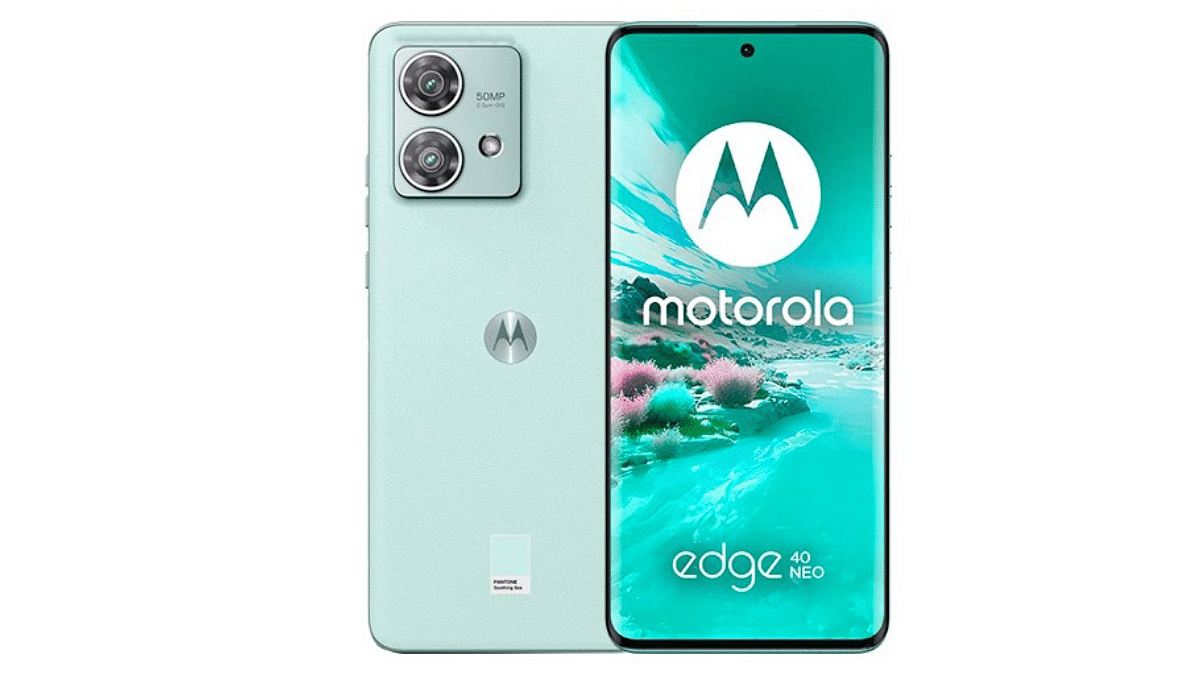
2. Motorola Edge 40 Neo

  • Price: Rs.24,140 (even more budget-friendly)
  • Key Highlights: Super smooth 144Hz refresh rate display, rapid Turbo Power charging, versatile dual-camera system.

If you prioritize a smooth viewing experience and quick charging, the Motorola Edge 40 Neo is a great choice. Its dual-camera setup might not boast the highest megapixels, but it still delivers quality photos.

Also Read: Motorola G24 Power With 50MP Dual Camera Launched At Rs. 8,999: Top Highlights

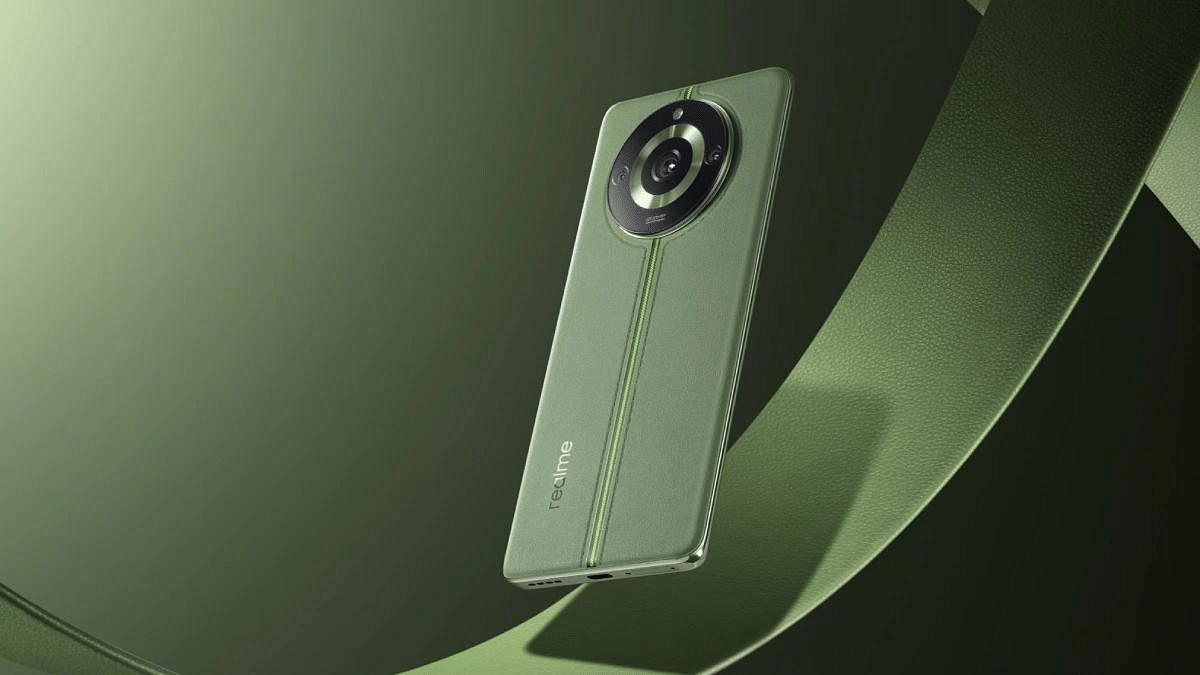
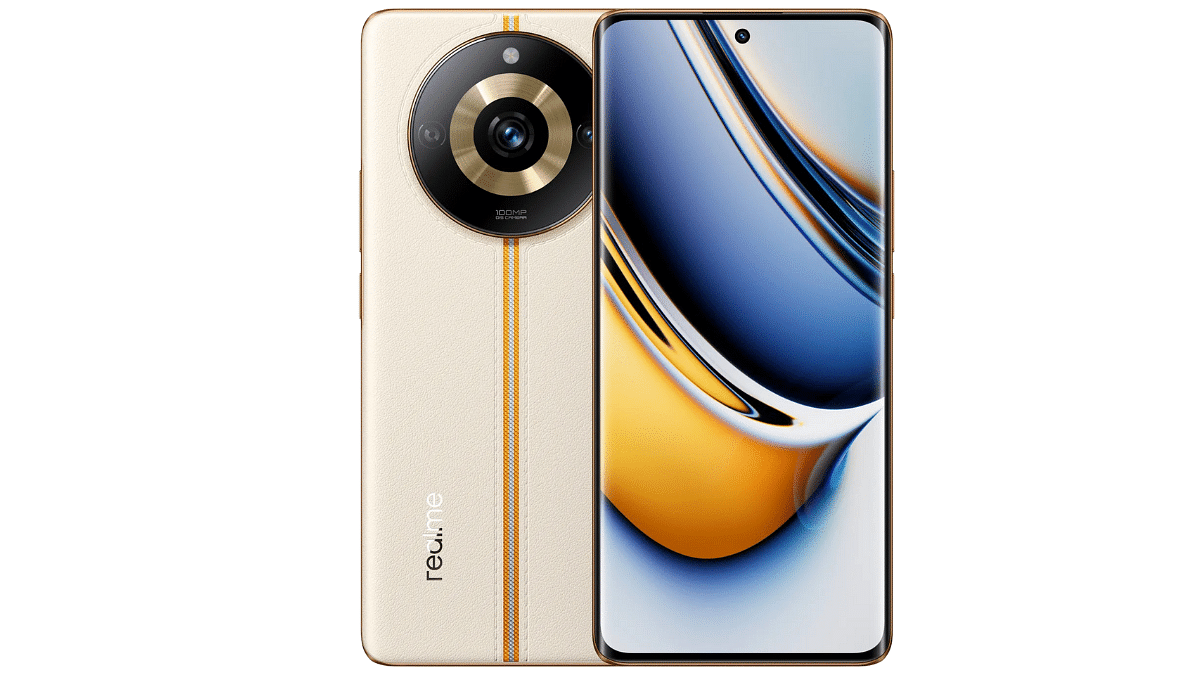
3. Realme 11 Pro

  • Price: Rs.23,999 (most affordable option)
  • Key Highlights: User-friendly Realme UI interface, impressive 100MP primary camera, reliable 5000mAh battery.

This option from Realme offers a familiar experience with its latest UI and a powerful camera at a lower price point. It’s a solid choice for those who value affordability and brand familiarity.

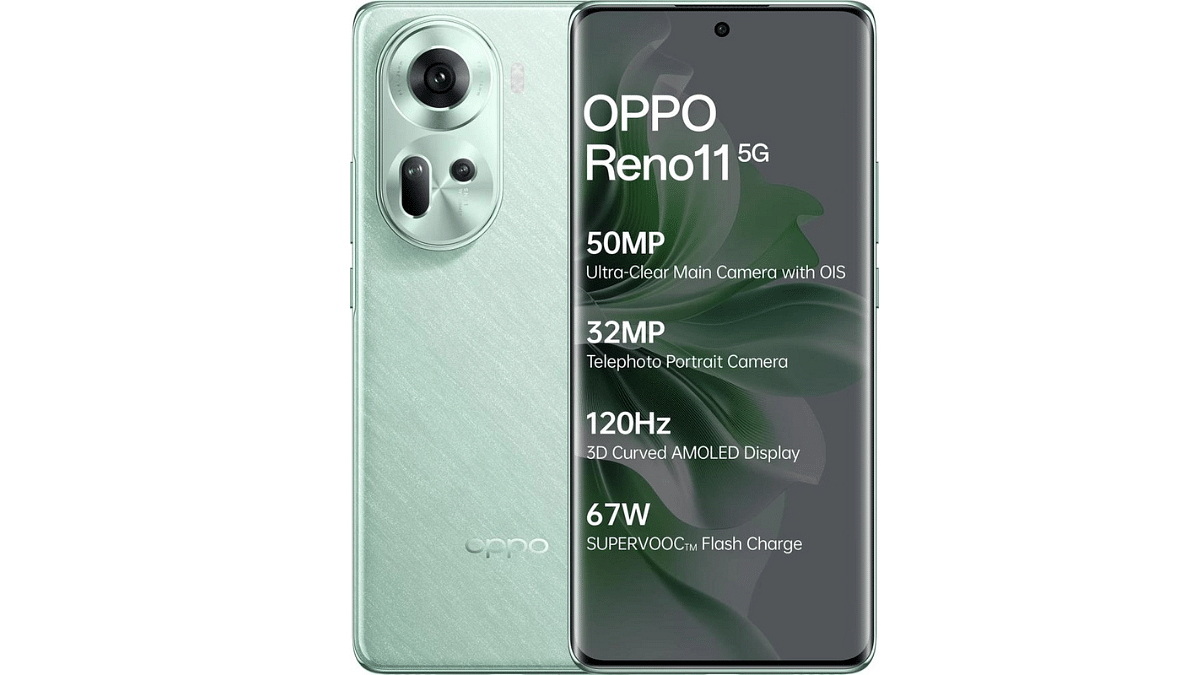
4. OPPO Reno11

  • Price: Rs.26,999 (comparable to Realme 12 Pro Plus)
  • Key Highlights: Stunning flexible AMOLED display, versatile triple-camera system with 50MP main sensor, fast Super VOOC charging.

This phone stands out with its beautiful design and well-rounded camera system that caters to various photography needs. The fast charging ensures you’re never caught with a low battery.

Also Read: Redmi Note 13 Pro 5G Vs Oppo Reno 11 5G: Android Phone Comparison

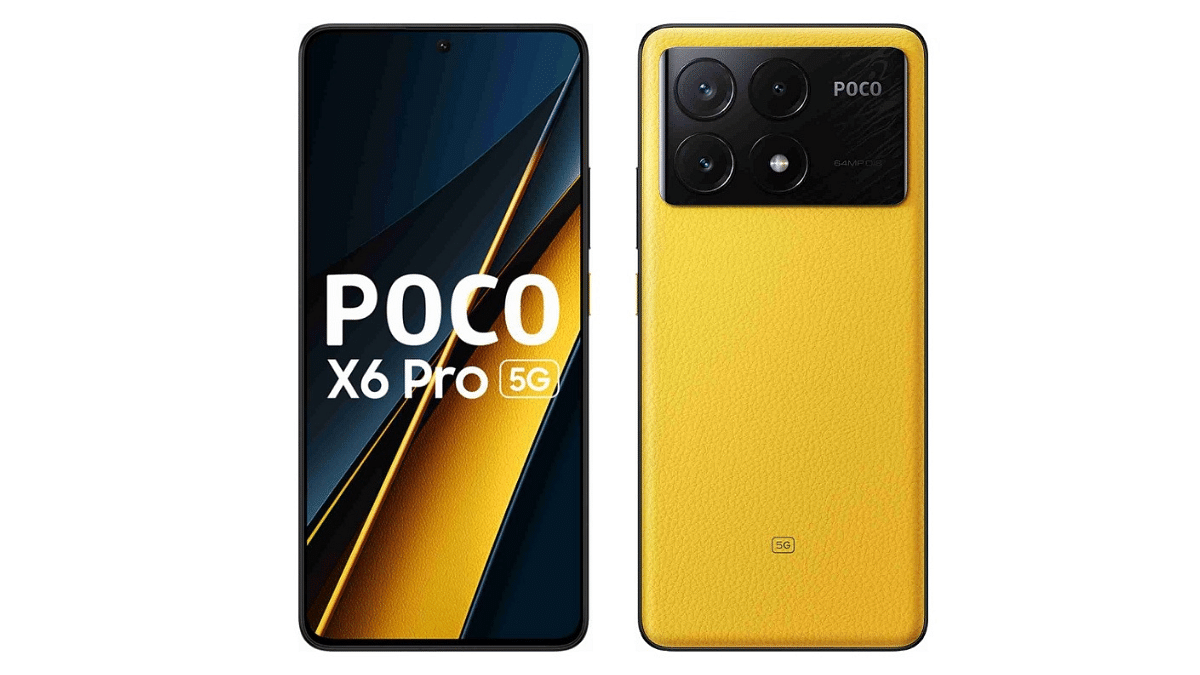
5. POCO X6 Pro

  • Price: Rs.26,999 (matches Realme 12 Pro Plus)
  • Key Highlights: Powerful MediaTek Dimensity 8300 Ultra processor for smooth gaming, large 64MP primary camera, 5000mAh battery with Turbo Charging.

Gamers will appreciate the POCO X6 Pro’s powerful processor and fast refresh rate display. It also offers a capable camera and fast charging at a competitive price.

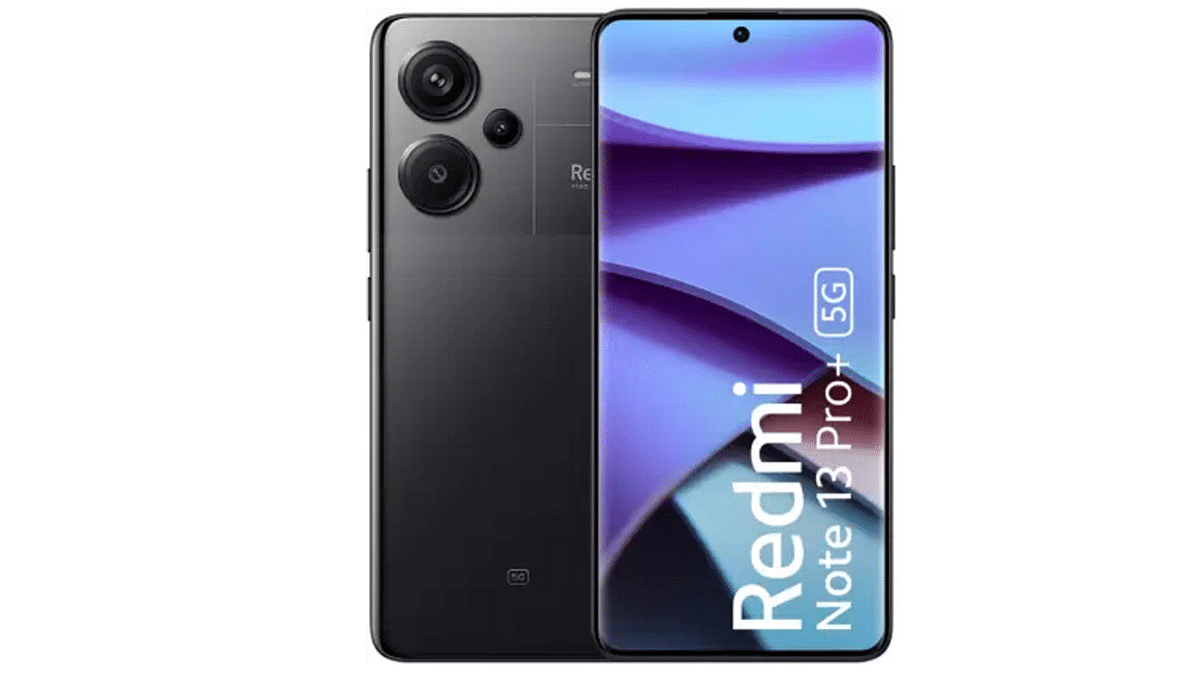
6. Xiaomi Redmi Note 13 Pro Plus 5G

  • Price: Rs.30,787 (slightly more expensive than Realme 12 Pro Plus)
  • Key Highlights: 5G connectivity for future-proofing, the same impressive camera as Redmi Note 13 Pro, and a powerful MediaTek Dimensity 7200 Ultra processor.

If you prioritize having the latest 5G technology and don’t mind spending a little extra, the Redmi Note 13 Pro Plus 5G is a great option to prepare you for the future.

Also Read: Top 5 Alternatives To Blinkit For 10-Min Delivery In India 2024

The Verdict

Ultimately, the best alternative depends on your individual needs and preferences. Consider your budget, camera priorities, display preferences, and desired performance level before making your choice. With these top contenders, you’re sure to find an upgrade that surpasses the Realme 12 Pro Plus in one way or another!
Categories
Apps Featured How To Info

New WhatsApp Trick: Share Channel Posts As Status In Seconds (2024 Guide)

Key Highlights

  • You can now share Channel posts to your WhatsApp Status.
  • Users can share Text, links, pics, GIFs, and videos.
  • Follow the below-mentioned simple steps.

WhatsApp recently rolled out a new feature that allows you to share posts from channels directly to your status. This is a game-changer for anyone who wants to amplify their favourite channel content or boost engagement with their channel.

Also Read: Considering ChatGPT Plus? Here’s Why And How To Subscribe

Before we dive in, here’s a quick heads-up:

  • This feature is currently available on both Android and iOS apps.
  • You can only share text, links, photos, GIFs, and videos from channels to your status.
  • The feature is not yet available on the WhatsApp web platform but might roll out soon.

Also Read: Track Your WhatsApp Channels: Automatic Reports Coming Soon!

How to Share Channel Updates on WhatsApp

Now, let’s learn how to share channel posts as status in 3 simple steps:

1. Find the perfect post: Browse your favorite channels and find a post you want to share.

2. Forward the post: Tap and hold the post, then tap the forward arrow icon. If you want to share multiple posts, select them all first.

3. Share to your status: In the forward menu, choose “My Status” and tap the send/forward button. You’re done!

Bonus tip: You can also share a channel link directly to your status. Just go to the channel’s info page, tap “Forward,” and choose “My Status.”

Also Read: How To Remove An Image Background On Windows 11

Important Notes:

  • Only specific content types can be shared as Status: text, links, photos, GIFs, and videos.
  • The feature is currently not available on WhatsApp Web, but a future rollout is possible.

Also Read: WhatsApp Hack for Busy Groups: “Pinned Events” Feature Revealed!

Why share channel posts to your status?

  • Boost your channel’s reach: Get your channel content seen by a wider audience through your network.
  • Increase engagement: Encourage friends and family to join your channel or discover new channels you love.
  • Share valuable content: Easily spread informative, funny, or entertaining posts from your favorite channels.
Categories
Featured Info

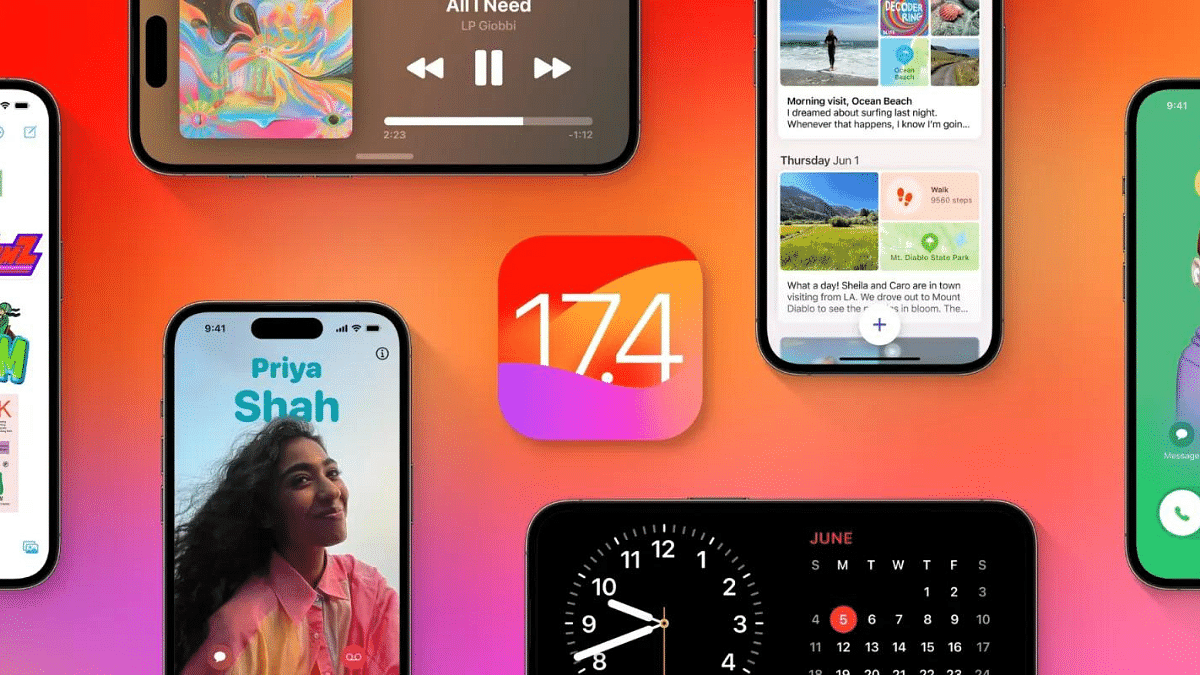
Apple’s Next Big Update: iOS 17.4 New Features, Release Date, and More

Key Highlights

  • App freedom in Europe: Download apps & games beyond App Store!
  • Say goodbye to fees: Developers offer their payment options!

Apple’s next major software update, iOS 17.4, is packed with exciting changes that will shake things up for iPhone users, especially in Europe. Get ready for more freedom, enhanced security, and some fun new features!

Also Read: What’s Coming In iOS 18? Check Out The Top Five Most Anticipated Features

Here’s a sneak peek at what awaits you:

1. App Freedom in Europe (Finally!):

  • Say goodbye to limitations: No more relying solely on the App Store! iOS 17.4 lets European users download apps from third-party app stores. This opens doors to a wider selection and potentially lower prices.
  • Pay your way: Tired of App Store fees? Developers can now offer their payment gateways. This could mean cheaper subscriptions to services like Spotify and Netflix.

2. Browsing Beyond Apple:

  • Break free from WebKit: Developers can now create custom web browsers for iPhones, offering more choices and potentially innovative features. Opera is already cooking up an AI-powered browser!

3. Keeping Your iPhone Safe:

  • Double the security: Stolen device protection gets a boost. You’ll need both your PIN and Face ID/Touch ID to remove your Apple ID or reset the device, making it harder for thieves.

4. Express Yourself with New Emojis:

  • 100 new emojis are here to spice up your texts! From a majestic phoenix to a refreshing lime slice, you’ll have more ways to express yourself.

Also Read: iOS 17.3 Update: Stolen Device Protection, AirPlay to Hotel TVs, More

5. Podcasts Get Smarter:

  • Effortless transcripts: Apple will automatically generate transcripts for podcasts, making it easier to follow along or revisit key points. Creators can even upload their own transcripts for improved accuracy.

6. Dynamic Island Gets More Dynamic:

  • Stopwatch on the go: iPhone 14 Pro and 15 users can now access the stopwatch directly from the live activity feature within Dynamic Island. Super convenient for quick timing!

7. Siri Speaks More Languages:

  • Multilingual messaging: Siri can now send messages in multiple languages through the “Message with Siri” service. Talk in different languages and your message will be sent seamlessly.

8. Music App Makeover:

  • Fresh look and feel: The Music app gets a UI refresh. The “Listen Now” button is replaced by a “Home” button, leading you to personalized recommendations and recently played music.

Also Read: Considering ChatGPT Plus? Here’s Why And How To Subscribe

iOS 17.4: Release Date

The official release date for iOS 17.4 is still under wraps, but the public beta is already available for eligible iPhones. Keep an eye out for announcements from Apple!

Also Read: Apple CarPlay Not Working? Here’s How to Fix It

Remember

Some features, like third-party app stores and payment gateways, are currently limited to the European region.

So, are you excited for iOS 17.4? Which feature are you looking forward to the most? Share your thoughts in the comments below!

Categories
Chipset Featured Info

Snapdragon 8 Gen 3 vs Apple A17 Pro: Flagship Chipset Comparison

Choosing between the latest iPhone and Android flagship often boils down to chip performance. This year, Qualcomm’s Snapdragon 8 Gen 3 and Apple’s A17 Pro battle it out for the crown. Let’s delve into their specs, benchmarks, and strengths to help you decide.

FeatureSnapdragon 8 Gen 3Apple A17 Pro
CPU1x 3.3GHz Cortex-X4, 3x 3.2GHz Cortex-A720, 2x 3GHz Cortex-A720, 2x 2.3GHz Cortex-A520 Refresh2x 3.78GHz, 4x 2.11GHz (Apple-designed)
GPUAdreno (Qualcomm-designed)6-core (Apple-designed)
AIHexagon DSP16-core Apple Neural Engine
RAMLPDDR5XLPDDR5
VideoHEVC, AV1 decode, 4K60 captureHEVC, AV1 decode, 4K60, 8K30 capture
ModemX70 LTE/5G (10,000Mbps down, 3,500Mbps up)X70 LTE/5G (10,000Mbps down, 3,500Mbps up)
Other NetworkingBluetooth 5.4, Wi-Fi 7 ReadyBluetooth 5.3, Wi-Fi 6E
ProcessTSMC 4nm (N4P)TSMC 3nm (N3B)

Also Read: Exynos 2400 vs Snapdragon 8 Gen 3: A Detailed Chipset Comparison

Snapdragon 8 Gen 3 vs Apple A17 Pro: Specs and Benchmarks

  • CPU: Apple uses custom cores built on a newer 3nm process, while Qualcomm opts for Arm’s latest Cortex-X4 core and a 4nm process.
  • Single-core: Apple takes the lead with a 26% advantage in Geekbench 6.
  • Multi-core: Qualcomm wins with a higher score thanks to its octa-core configuration.
  • Thermal throttling: Qualcomm’s reference device showed performance drops during sustained workloads,raising concerns for real-world performance.

Also Read: Mediatek Dimesnity 8300 Vs Snapdragon 7 Gen 3: Chipset Comparison

Snapdragon 8 Gen 3 vs Apple A17 Pro: Gaming and GPU

  • Graphics: Snapdragon 8 Gen 3 shines in benchmarks, outperforming Apple’s A16 Bionic (not A17 Pro) by 32% in 3DMark’s Wildlife Extreme test.
  • Ray tracing: Both chips support hardware ray tracing, but the gap in performance narrows under heavy load.
  • Gaming focus: Apple courts AAA console game developers, making the A17 Pro an attractive option for serious mobile gamers. Qualcomm offers impressive graphics muscle, but the Android game library lacks similar high-profile titles.

Also Read: List Of Upcoming Flagship Android Smartphones Powered By Qualcomm Snapdragon 8 Gen 3 Chipset

AI and Other Features: Different Paths, Uncertain Impact

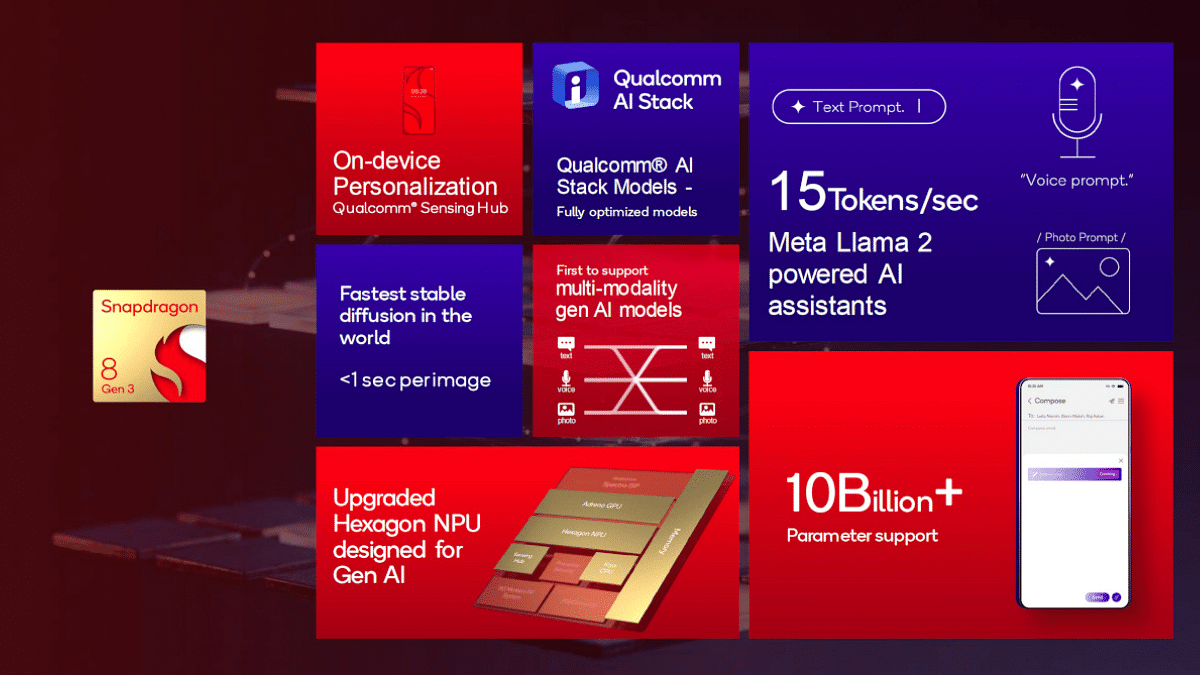
  • Qualcomm: Prioritizes AI capabilities, showcasing generative AI applications like image generators and video object removal.
  • Apple: Integrates AI subtly, highlighting improved features like autocorrect and object detection.
  • Adoption: Qualcomm’s flashy AI features may not translate to everyday use unless phone makers actively implement them.

Also Read: Samsung Galaxy S24 Ultra Powered By Galaxy AI, Tweaked Snapdragon 8 Gen Launched: Top Highlights

Snapdragon 8 Gen 3 vs Apple A17 Pro: The Verdict

Neither chip is a clear winner. Choose the Snapdragon 8 Gen 3 if:

  • You prioritize raw graphics power and a lower price point.
  • You’re open to exploring the potential of on-device AI features, waiting for developers to catch up.

Choose the Apple A17 Pro if:

  • You’re a serious mobile gamer seeking AAA console experiences.
  • You value seamless integration within the Apple ecosystem and prefer established AI features.

Ultimately, the “better” chip depends on your individual needs and priorities. Consider all aspects beyond raw performance before making your choice.