As the Assistant Editor, Sandeep is generating tech-oriented content and also monitoring the content published on the website. He has over six years of experience in tech journalism and has expertise in product reviews, news articles, listicles, and media campaigns.
Samsung is gradually getting aggressive with budget Android smartphone launches across the global markets. The Galaxy A, Galaxy M, and the Galaxy F series are frequently getting updated with new models. Maintaining this consistency, the South Korean tech giant has launched a new Galaxy F series phone in the country called the Galaxy F13. The device has arrived as an entry-level phone powered by the in-house Exynos series processor, an FHD+ display, and a triple rear camera module. How much do you need to pay for the latest Samsung Galaxy F13 5G in India? What all are the features offered? Find out in this article:
Samsung Galaxy F13 Price In India, Sale, Availability
Samsung has launched two different variants of the Galaxy F13 in India. Its base model comes with 4GB RAM and 64GB internal storage and is priced at Rs 11,999 in the country. The Samsung Galaxy F13 also comes with a 4GB RAM and 128GB storage option which will be selling for Rs. 12,999. Both Galaxy F13 variants will be going up for sale starting June 29, 2022, in India.
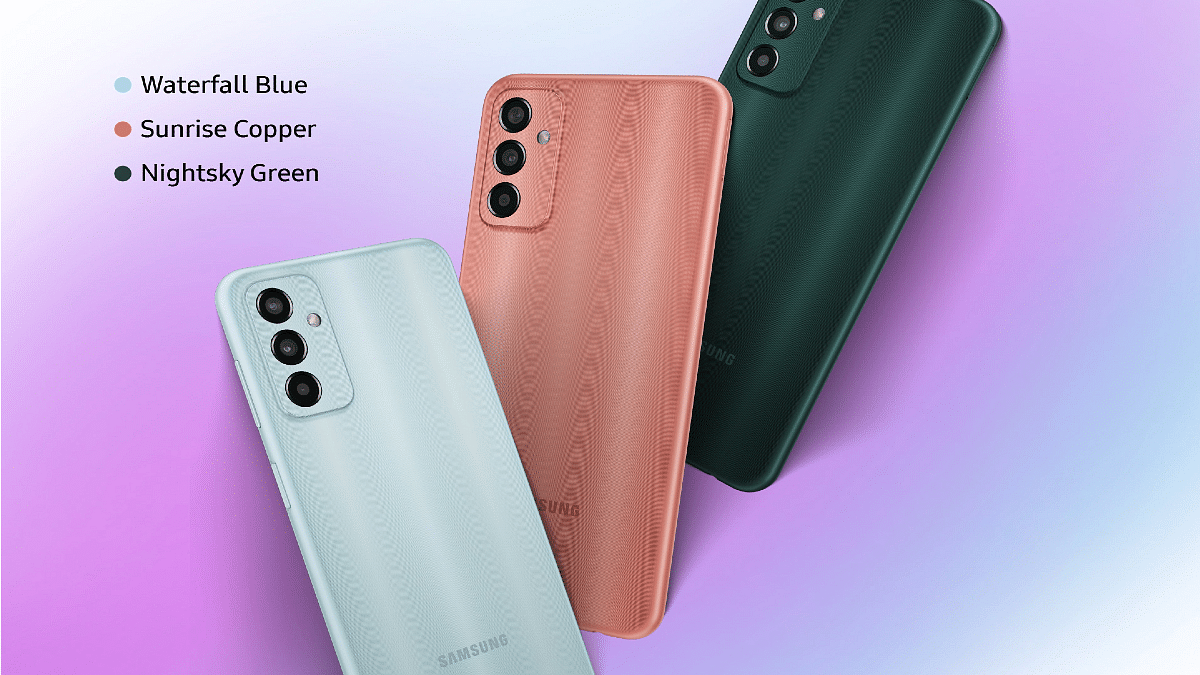
The handset will be available for purchase online via e-commerce giant Flipkart and the company’s official website. The Galaxy F13 will also be sold via selected brick and mortar stores in the country. The color options for the Galaxy F13 are Nightsky Green, Sunrise Copper, and Waterfall Blue
Samsung Galaxy F13 Full Specifications In India
The Samsung Galaxy F13 is a budget segment Android phone that is packed with a tall 6.5-inch screen. The display on the latest Galaxy F series phone delivers 1080p FHD+ screen resolution along with a standard 60Hz refresh rate. The front panel has a waterdrop notch which stores an 8MP camera for selfies and video chats.
The primary optics hardware at the Galaxy F13’s rear has three sensors. The main camera is a 50MP lens. Samsung has not specified the exact sensor size for the remaining two lenses. However, they both are confirmed to be ultra-wide-angle lens and depth sensor. Under the hood, the Samsung Galaxy F13 employs the in-house Exynos 850 processor.
The octa-core chipset gets clubbed with 4GB RAM for multitasking and up to 128GB internal storage capacity. The Galaxy F13 also comes with 4GB RAM virtual RAM support. The storage expansion support via an external microSD card is also present on the latest Galaxy F series phone.
The firmware pre-installed is Android 12 topped with a custom OneUI interface. Samsung has used a massive 6,000 mAh battery unit to power the Galaxy F13 which is accompanied by 15W fast charging.
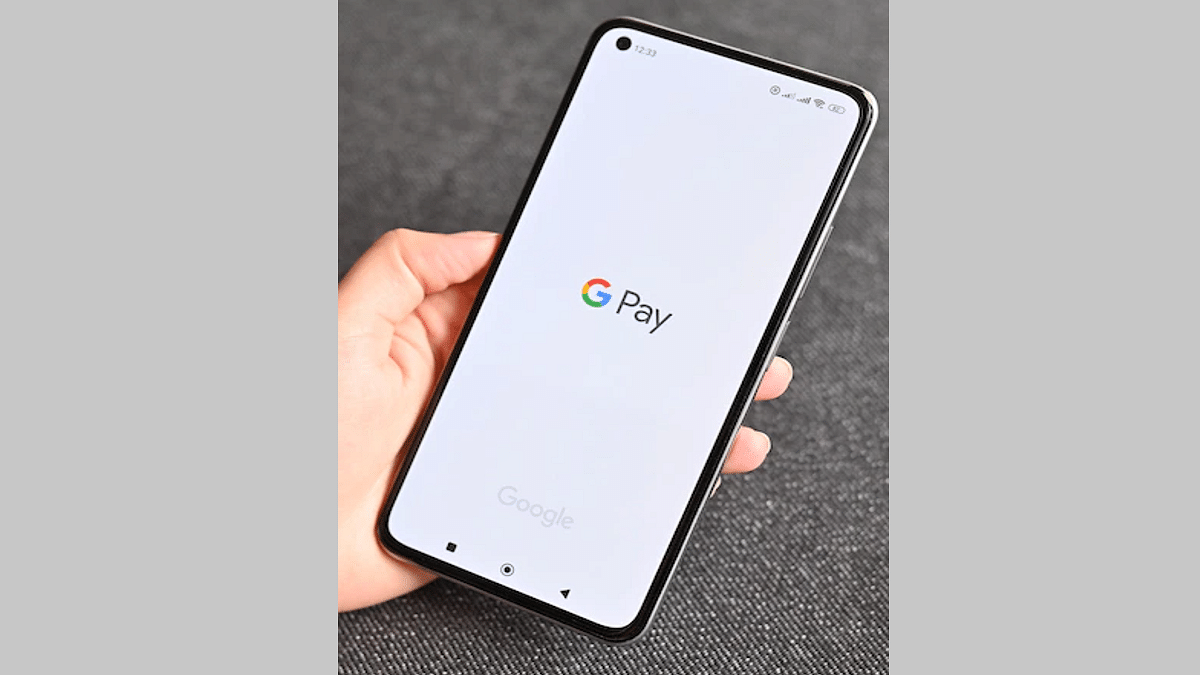
UPI and digital wallet apps have been making our lifestyles easier. With the availability of apps such as Paytm, Google Pay, PhonePe, and other online payments at merchants and other digital transactions are now the least complicated. The search giant Google is also assisting the masses in this segment with its own wallet service called Google Pay. The mobile wallet app is getting frequent updates that help with a smoother UPI user experience. Earlier this month, Google released a new GPay update specifically for the Indian market.
This new language option was initially announced back in 2021. However, a stable version of has been released earlier this month itself. With the latest language support, Google Pay users will get the option to read English notifications and other messages from Google Pay in Hindi. It is worth mentioning that the entire transcript in this language will be written in English but it will be read in Hindi (Hinglish). What are the steps to change the GPay language settings from English or any other language to Hinglish? We have listed the steps in this article. Take a look:
How To Set Hinglish A Default Language In GPay on Android, iOS Devices?
The Hinglish language support is made available on GPay for both Android and iOS users. The method is identical on both platforms wherein you would need to perform the standard language change settings on the app itself. But before you proceed with the steps make sure you have the application downloaded and installed on your respective devices and the profile registration is complete.
Step 1: Launch Google Pay on your respective Android and iOS smartphones.
Step 2: From the app’s home screen, click on the profile option that you will be able to locate in the top right corner.
Step 3: You will now get a bunch of options from where you need to select the “Settings” menu.
Step 4: From the next set of options click on the “Personal Info” tab.
Step 5: Select the “Language” option.
Step 6: Change your language preference to “Hinglish” and confirm the changes.
Step 7: Go back to the app’s main screen and you will be able to see the new language changes.
It is worth adding that not just Hinglish, Google has also released support for additional Indian regional languages including Hindi, Bengali, Gujrati, Kannada, Marathi, Tamil, and Telegu. You can select the preferred language settings and make the changes exactly as above.
Microsoft officially announced the Windows 11 OS last year with a slew of new features for improved user experience with laptops and PCs. Wireless and mobile internet connectivity with Windows-powered laptops and PCs have also seen major advancements with the newer versions. It is now a hassle-free task to get connected to the internet wirelessly if you are using any laptop or PC.
With the Windows 11 OS, Microsoft has made it easier for users to access forgotten passwords. This comes in handy when you are connecting to your home network and don’t remember the Wi-Fi password. What can be done in such scenarios? Would you need to reset your network password? Or can you check the details via your Windows 11 laptop or PC? Let’s find out:
Steps To Find Wi-Fi Password Using Windows 11 Laptops And PCs?
Step 4: From the control panel select the “Network and Internet” option.
Step 5: You will see the “Network and Sharing Center” option. Tap on it.
Step 6: From the available wireless connections, select the Wi-Fi network name whose password you wish to identify and click on the Wi-Fi Status.
Step 7: Tap on the “Wireless Properties” and then the “Security Tab” option.
Step 8: Now, you need to select the “Show Characters” options and the saved Wi-Fi password will be displayed on the screen.
It is worth adding that the process to check the saved Wi-Fi passwords hasn’t been changed majorly compared to the previous version of the Windows OS. The steps are almost identical to the Windows 10 OS.
If in case you are still using the older versions of the Windows OS; specifically, the Windows 10 OS, you can check the Wi-Fi password from the Network and Internet option from the control panel. And you don’t necessarily have to perform these steps on laptops.
The PCs running on the Windows 11 or the Windows 10 OS can also be used to check the Wi-Fi password in case you have misplaced it or don’t remember the exact credentials. Checking the stored Wi-Fi password is less of a hassle compared to the entire password reset process.
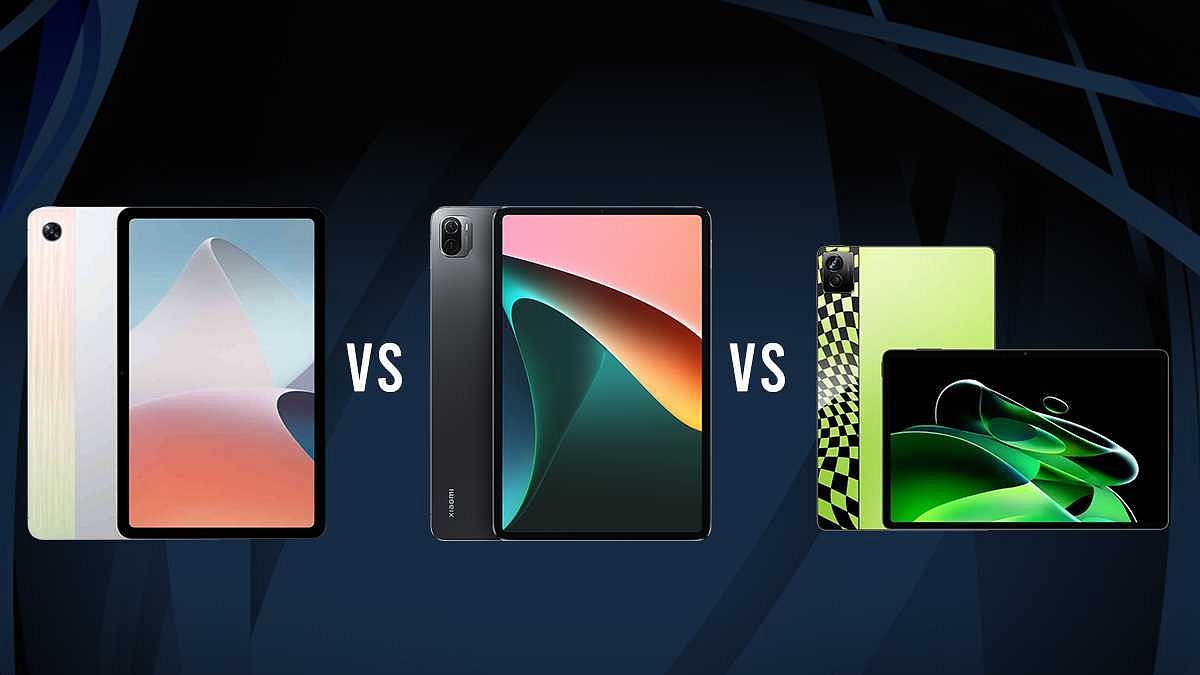
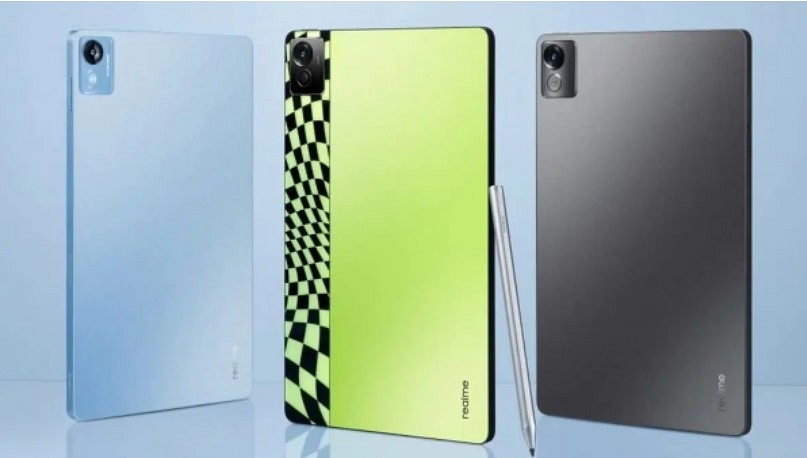
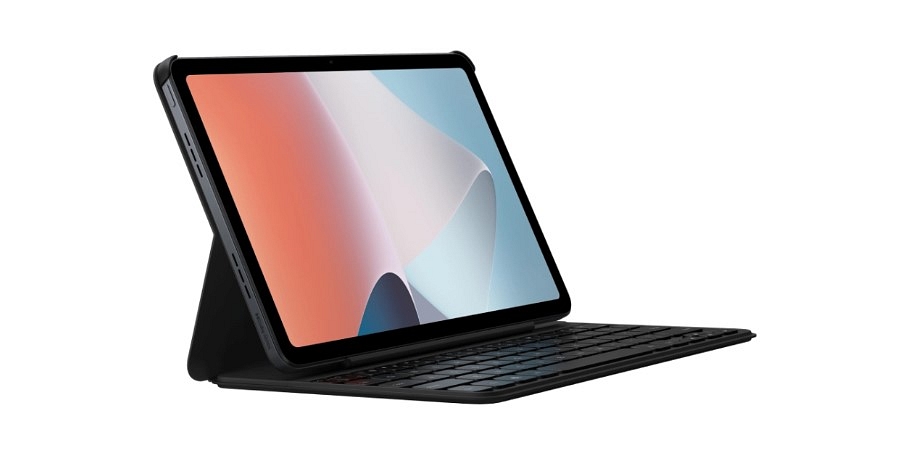
OPPO is all set to launch a new Android tablet in India called the OPPO Pad Air. The upcoming tablet will be coming as a slightly trimmed-down version of the standard OPPO Pad model. OPPO might launch the Pad Air tablet alongside the Reno8 series in the country as per the rumors. It will be going up against the likes of the Xiaomi Pad 5 and the Realme Pad X in India.
If you are planning to buy a new Android tablet that has capable hardware features and also a lower price range, you might have checked several options including the ones from Xiaomi, Realme, and OPPO. Notably, the Pad Air is an upcoming tablet in the country and if it is on your buying list, this comparison article will give you an insight. We have pit down the OPPO Pad Air against the Xiaomi Pad 5 and the Realme Pad X. Here’s which one will make for the best buy depending on your requirements and budget:
OPPO Pad Air Vs Xiaomi Pad 5 Vs Realme Pad X 5G: Display Specification Comparison
Starting with the OPPO Pad Air, the premium mid-range tablet is packed with a big 10.36-inch display. It is an IPS LCD screen that comes with a 2K resolution of 1200 x 2000 pixels and has a standard 60Hz refresh rate. The OPPO tablet’s display further supports 360 nits peak brightness levels and has a screen-to-body ratio of 80.5 percent.
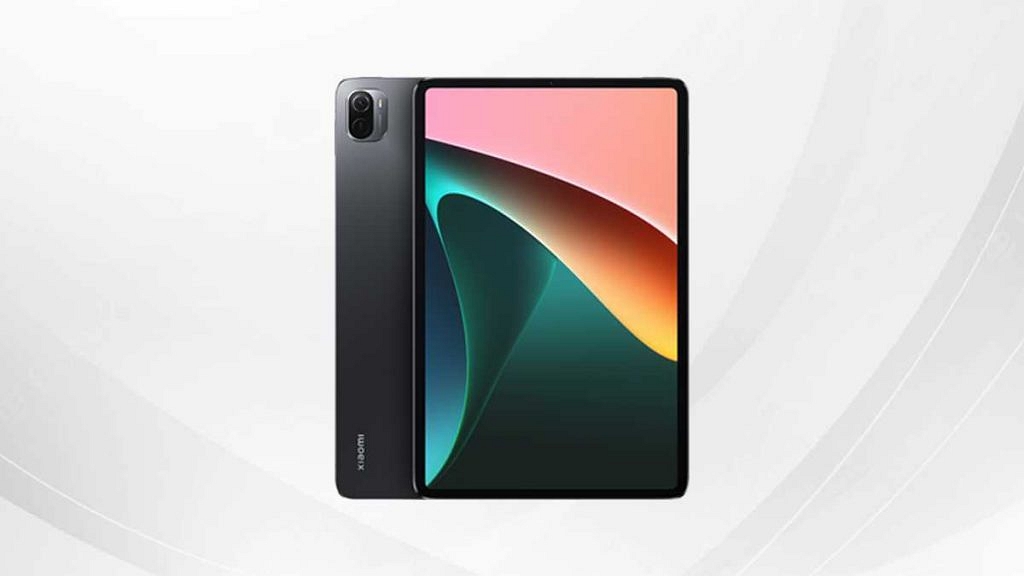
The Xiaomi Pad packs a slightly bigger 11-inch display. The panel used by the premium mid-range Xiaomi tablet is also IPS LCD. However, the specifications are slightly better compared to the OPPO Pad Air. The Xiaomi Pad 5 LCD display supports 1600 x 2560 pixels screen resolution and has a higher 120Hz refresh rate and 450 nits peak brightness levels. The panel is also HDR 10 certified which makes it suitable for OTT platforms such as Netflix and Amazon Prime videos.
The Reame Pad X 5G also sports a large 10.6-inch display which is an IPS LCD screen with 1200 x 1200 pixels screen resolution. The display on the Realme Pad X 5G comes with an aspect ratio of 5:3 which is the same as the remaining two tablet models in this list. Out of all three tablet models, the Xiaomi Pad 5 packs the best display with a higher resolution and refresh rate.
OPPO Pad Air Vs Xiaomi Pad 5 Vs Realme Pad X 5G: Camera Hardware Comparison
All these three tablets compete massively in the camera department as well. The OPPO Pad Air’s imaging setup comprises a single rear and front camera. At the back, the OPPO Pad Air comprises an 8MP sensor with an f/2.0 aperture. The primary camera is capable of recording 1080p@30fps videos. This setup is suitable to click clean and crisp shots in daylight.
The Xiaomi Pad 5 is equipped with a larger 13MP snapper at the back that has an f/2.0 aperture. The main sensor is single here as well and is capable of recording 1080p@30fps videos. The Xiaomi Pad 5’s camera comes with auto HDR and other shooting modes as well. In addition to 1080p videos, this Xiaomi Pad tablet’s rear camera can also shoot 4K videos at 30fps.
Moving on to the Realme Pad X 5G, you get a single-lens camera module here as well. The camera sensor used at the back is a 13MP lens with an f/2.2 aperture. The Xiaomi Pad 5 tablet also supports the standard 1080p@30fps videos.
In the selfie camera department, only the OPPO Pad Air has a smaller 5MP front camera. The remaining two models (Xiaomi Pad 5 and the Realme Pad X 5G) feature an 8MP sensor for self-portraits. If good camera hardware is your requirement, both Xiaomi Pad 5 and the Realme Pad X 5G are the tablet models you should consider. The OPPO Pad Air also has decent camera hardware but the remaining two models offer better specs.
OPPO Pad Air Vs Xiaomi Pad 5 Vs Realme Pad X 5G: Chipset And UI Differences
All three tablets mentioned in this list are for premium mid-tier consumers. The OPPO Pad Air is the only 4G tablet model in this list that is driven by the Snapdragon 680 processor. The octa-core Qualcomm processor is based on a 6nm fabrication and has Adreno 610 GPU support. The OPPO Pad Air comes has been announced with 4GB/6GB RAM and 64GB/128GB storage configuration.
The Xiaomi Pad 5 uses a slightly powerful chipset compared to the OPPO Pad Air and the Realme Pad X 5G. It uses the octa-core Snapdragon 860 chipset which is built on 7nm fabrication and gets Adreno 640 GPU support to render all rich graphics with ease. The configuration options for the Xiaomi Pad 5 are 6GB RAM and up to 256GB onboard storage space.
Coming to The Realme Pad X, this is also a 5G Android tablet similar to the Xiaomi Pad 5 but uses a Qualcomm 6XX series chipset instead of the Snapdragon 8XX processor. This latest Realme tablet uses the Snapdragon 695 5G processor which is also built on 6nm fabrication process and has Adreno 619 GPU support.
The performance delivery will be good on all these Android tablets. You will get a decent working experience on all. However, the Xiaomi Pad 5 will be better overall with multitasking and gaming with its high-range Snapdragon 860 processor.
Only the Xiaomi Pad 5 in this list ships with Android 11 OS. You will find a custom MIUI skin on top. Whereas, the remaining two options including the Realme Pad X 5G and the OPPO Pad Air have the Android 12 OS layered with the in-house user interface.
OPPO Pad Air Vs Xiaomi Pad 5 Vs Realme Pad X 5G: Battery And Fast Charging Speeds
The OPPO Pad Air’s lights are kept on via a 7100 mAh battery unit which is a non-removable module. This large battery size is complemented by an 18W fast charging support. On the other hand, the Xiaomi Pad 5 is packed with a bigger battery setup compared to the OPPO Pad Air.
The battery capacity on this model is 8,720 mAh which is accompanied by 33W fast charging. The Realme Pad X 5G isn’t too far behind the Xiaomi Pad 5 in terms of battery capacity. This tablet uses an 8,340 mAh battery unit which also supports a high 33W charging speed.
All three tablet models have a capacious battery that can last almost a day with a single charge and with moderate usage. But if you need faster-charging speeds and larger battery capacity, you need to consider the Xiaomi Pad 5 followed by the Realme Pad X 5G and the OPPO Pad Air.
OPPO Pad Air Vs Xiaomi Pad 5 Vs Realme Pad x 5G: Price, Which One To Buy?
The OPPO Pad Air is unannounced in the Indian market and so is the Realme Pad X 5G. However, both these tablets are expected to launch under Rs. 20,000 price mark in the country. The Xiaomi Pad 5 tablet costs a bit higher at around Rs. 26,999 in the Indian market.
If your preference is a 5G-supported tablet, the Xiaomi Pad 5 and the Realme Pad X 5G make the best options for you. However, if you need a tablet with 4G network connectivity, the OPPO Pad Air at a cheaper price point will be the best buy in this list.
Might launch alongside Reno 8 series in the coming months
OPPO Pad Air could debut under Rs. 20,000 in India
OPPO marked its entry into the Android tablet space with the OPPO Pad tablet. The first tablet by the Chinese tech brand was introduced for premium mid-range consumers. Now, the company has taken another tablet to the production bay which as per the leaks will be debuting with the OPPO Pad Air moniker. The second OPPO Android tablet has made a few sightings online. This time a fresh listing at one of the certification platforms confirms its imminent India launch. What we can expect from the OPPO Pad Air in terms of hardware and when it is expected go official in the country? Read on for the details:
OPPO Pad Air India Launch Soon; Expected Price
The OPPO Pad Air is coming soon to India as it has bagged its certification via BIS (Bureau Of Indian Standards In India). The upcoming OPPO tablet’s official website listing at the certification website has been initially spotted by tipster Mukul Sharma with the OPD2102A model number. Notably, the BIS database has only mentioned the build number of the upcoming OPPO tablet and not the exact name.
Since the OPPO Pad Air tablet has already gone official in the company’s home country, i.e, China, we know this model number belongs to the same product. Currently, OPPO is yet to start teasing the arrival and other details including pricing related to the Pad Air tablet in India. However, going by the online reports, the OPPO Pad Air could be priced under Rs. 20,000 in the country.
The launch timeline for the OPPO Pad Air is also unannounced. The rumor mill has also not given any clear insight on the same. But it is speculated that OPPO might release the Pad Air in the country along with the Reno8 series. This means we might see the new OPPO tablet sometime in July this year.
The pricing details are based on speculation and the exact cost could vary. We are not sure how many variants of the upcoming OPPO tablet will be announced in India, but the prices could vary accordingly. Nevertheless, the OPPO Pad Air’s specification would likely be identical to the Chinese variant in India.
OPPO Pad Air Specifications And Features In India
The OPPO Pad Air is a premium mid-range Android tablet that is powered by the octa-core Snapdragon 680 chipset. The Chinese variant comes with 4GB/6GB RAM and 64GB/128GB storage option. It runs on android 12 OS with a custom UI on top. The tablet will also come with external microSD card support for additional storage space.
The OPPO Pad Air has a massive 10.36-inch display which supports 2K screen resolution and a standard 60Hz refresh rate. The OPPO Pad Air Android tablet’s imaging setup comprises a single 8MP camera at the back and a 5MP selfie snapper. It will be powered by a massive 7,100 mAh battery unit which is accompanied by 18W fast charging technology.
At the WWDC 2022, Apple unveiled the new-generation iOS 16 for iPhones. The latest firmware for the Apple iPhones brings some major overhaul over its predecessor, i.e, the iOS 15, and also brings a horde of new useful features for the users. Apple has already released the iOS 16 beta version for general users as well as developers and the stable version will likely be shipped first with the iPhone 14 series. Amongst the several new features released with the iOS 16 is the Automatic Verification on websites to skip CAPTACHAS.
What Is Automatic Verification Feature On iOS To Bypass Captchas?
With the iOS 16, Apple iPhone users will no longer need to verify captchas or puzzles on any random website. For the unaware, the CAPTCHAs are one of the ways for the websites to distinguish between a human and machine input. In simple terms, it allows websites to keep data phishing attacks and spam at bay.
The Automatic Verification feature introduced with the iOS 16 will allow iPhone users to bypass CAPTCHAs automatically. And there wouldn’t be any requirement of adding any third-party tool for the same. Apple has reportedly collaborated with Cloudfare and Fastly in a bid to develop the private access tokens that essentially helps with bypassing captchas on websites.
The iOS 16 beta version is also said to have this bypass CAPTCHA option. In the stable version, this Automatic Verification Feature will be toggled on by default. However, users can also turn on this setting manually. We have listed down the steps with which you can toggle on the Automatic Verification feature on iOS 16 devices. Take a look:
How To Use Automatic Verification Feature On iOS 16 To Bypass Captchas?
Step 1: On your respective iPhones running on iOS 16 go to the “Settings” menu.
Step 2: Select the Apple ID option from the top of the screen.
Step 3: You will see several options including “Password & Security”. Click on it.
Step 4: Now, scroll down to the bottom of the screen where you will locate the “Automatic Verification” option. Toggle it on to activate this feature. Reboot your handset once so that all the changes can be implemented.
After you perform all the aforementioned steps, your Apple iPhone running on the iOS 16 firmware will automatically start bypassing CAPTCHAs on random websites. You can browse the web to check if this feature is working fine after the settings are modified.
Smartphones and tablets are the current generation’s go-to gadgets, but laptops and Pcs are irreplaceable when it comes to high-level professional tasks. And it’s the Windows operating system that is the driving force behind the majority of the laptops or PCs in the market today. Microsoft has released the Windows 11 OS as the newest operating system for supported computing machines.
Screen recording is one of those features which most commonly used across smartphones and even laptops and PCs. But the process is easier for the former, while for the latter the task could be slightly complicated. Microsoft has been simplifying the screen recording process with the newer versions of the Windows OS.
The newly introduced Windows 11 OS also brings along the improved screen grab feature. But how exactly can you record the screen on Windows 11 OS? Do you need any third-party application for the same or is it possible with the built-in tools? Here in this article, we have shared the step-by-step guide that will help you with Windows 11 screen recording.
How To Record Screen Using Windows 11 OS On Laptops And PCs?
Microsoft has added built-in tools that help with screen recording in Windows-powered laptops and PCs. The Redmond giant had released the Xbox Game Bar which you can access on Windows 10 OS as well. However, with Windows 11 there are certain improvements. There are a bunch of widgets that you can find in the Windows game bar. Below are the steps to access it and also use it to record screen on any laptop and PC (running on Windows 11).
Step 1: Open your Windows 11 laptop or PC and go to the screen you wish to record.
Step 2: Press Windows Key+ G to open the Xbox game bar.
Step 3: A new toolbar will pop up on the top of your laptop/ PC’s screen. You’ll see several options. Click on the camera icon to start with the screen recording. Notably, this is the built-in screen capture option.
Step 4: Make sure you have checked all the screen recording settings including the audio. If in case the mic is off you can turn it on manually. The key shortcut for the same is Windows key+ Alt+ M.
Step 5: Once everything is set, you can click on the “Record” option. This will start recording the screen of your laptop or PC.
Step 6: Once you are done with the screen recording, you can click on the “Stop” recording option. The file will be saved on the device memory that you can access later via the “Show all captures” option from the Xbox game bar itself.
UPI and digital wallet apps have seen a major boom in the Indian market ever since the government demonetized old Rs. 1,000 and Rs. 500 currency notes. It has become one of the essential payment modes in the country with more users subscribing to digital wallets each month. Paytm is one of the first UPI apps introduced in India which now has several other competitors such as GPay and PhonePe.
Despite the availability of other popular UPI apps, Paytm is one the most used services, Paytm is still the first choice for many users for its user-friendly UI and advanced set of features that makes digital wallet transactions secure and hassle-free. One of the most useful and common features offered by Paytm is the Paytm Wallet.
This feature essentially allows users to add money to their UPI wallets so that they can make online payments at merchants, receive money via other accounts, and also send money directly to bank accounts. Adding money to Paytm wallets doesn’t cost you any extra charges; neither does sending money via Paytm wallet.
Notably, Paytm users can register their bank accounts with which they can add money to their wallets. Also, if some other contacts are sending you money via Paytm, it will be either received in your wallet or bank account (via UPI). If in case you have some extra amount in your Paytm wallet, you also have the provision to send it to your personal bank account. But what are the steps with which you can send or transfer money from your Paytm wallet to a bank account? Well, we have listed down the steps for the same:
How To Transfer Paytm Wallet Money To Your Personal or Any Other Bank Account
Step 1: Open the Paytm app on your respective Android and iOS smartphones.
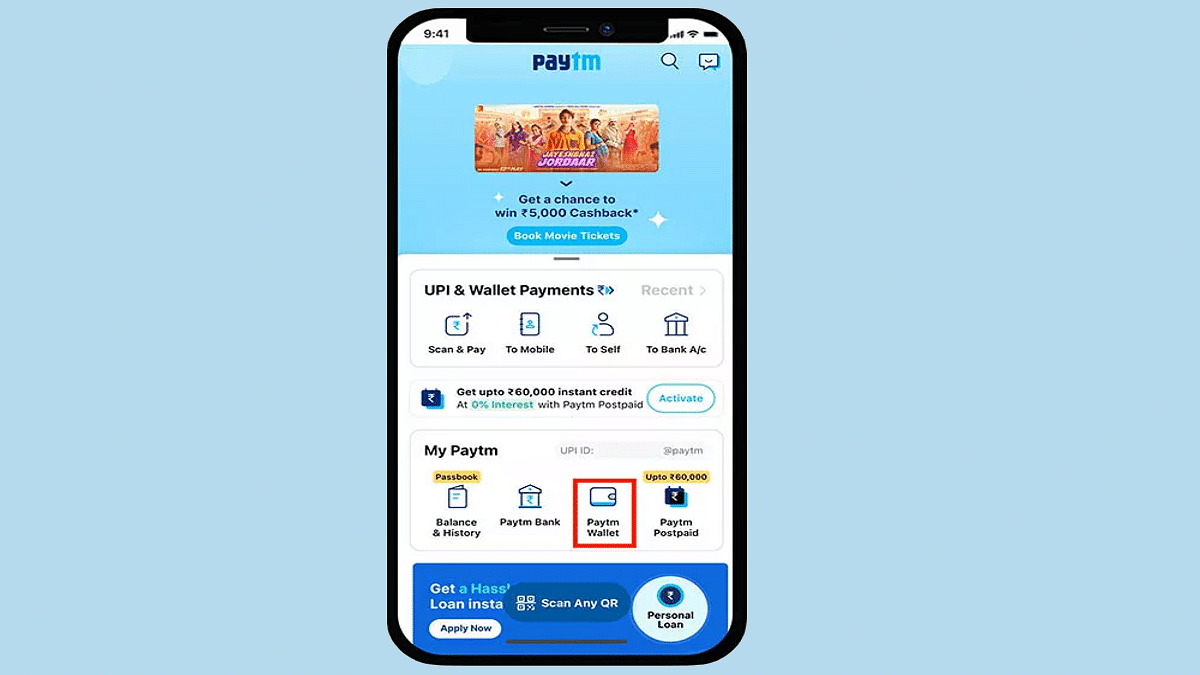
Step 2: Tap on the “Passbook” option from the app’s homepage.
Step 3: Now, select the “Paytm Wallet” option.
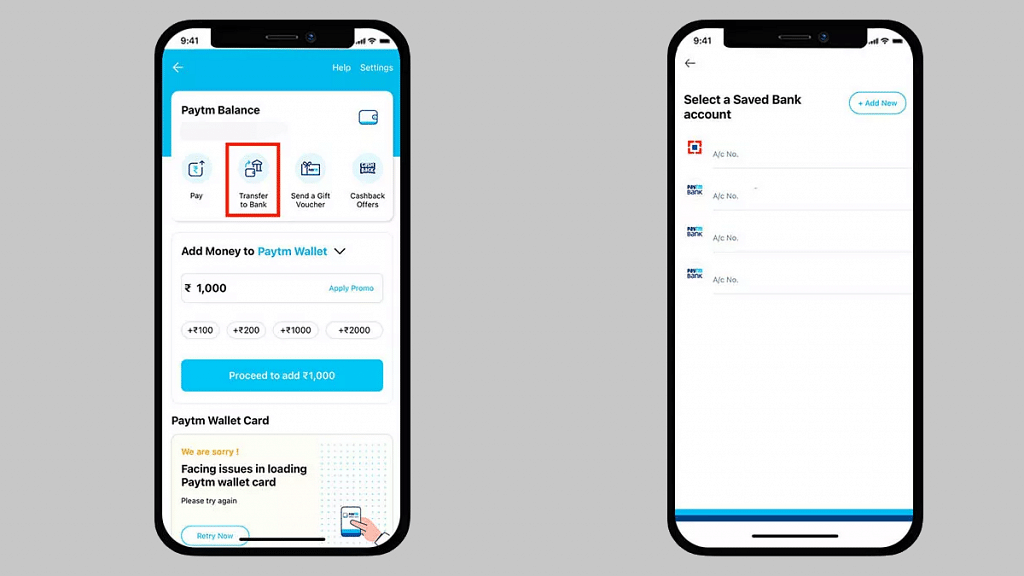
Step 4: After completing the above steps, you will need to select “Send Money to bank” option followed by “Transfer”.
Step 5: Enter the amount that you need to transfer from your Paytm wallet to your bank account. Do make sure you have a sufficient balance in your account before you go ahead with the transfer process.
Step 6: You will now need to enter the banking details such as account number and IFSC code. If you already have the banking credentials added select the account.
Step 7: Now, all you need to do is click on “Confirm” to complete the money transfer process from Paytm wallet to your bank account. It is worth adding the same steps can be performed to send money from Paytm wallet to any other bank account using any Android or iOS smartphone running the latest version of Paytm app.
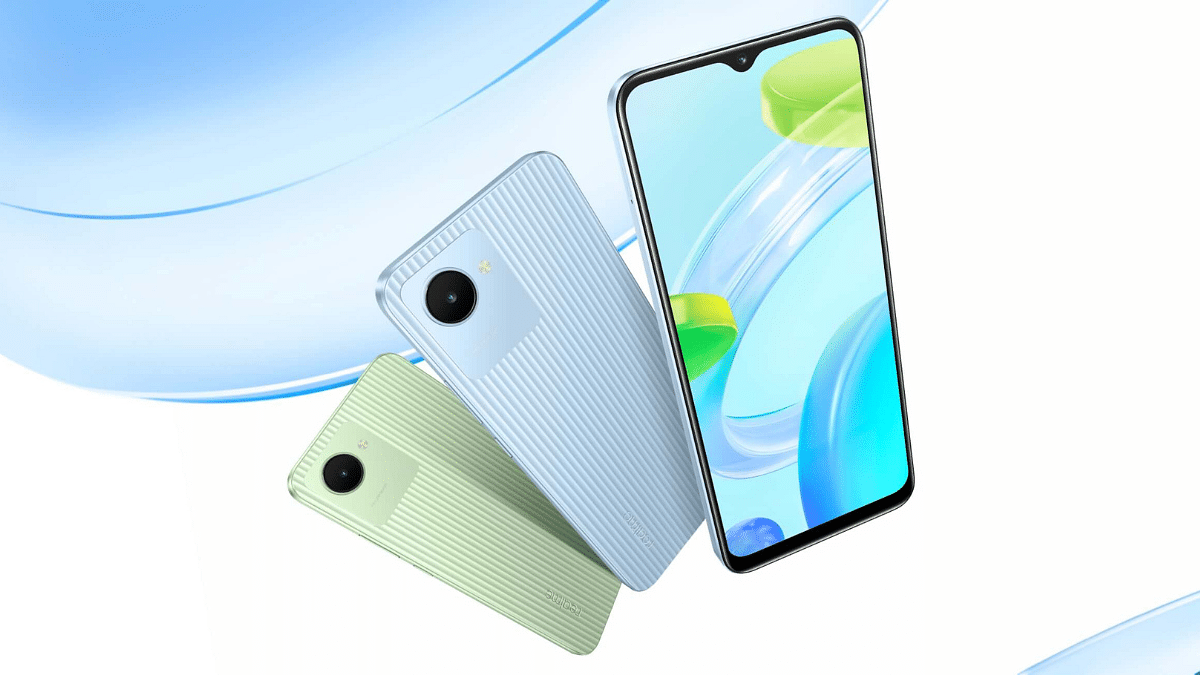
Realme C30 is the cheapest Realme phone with an asking price of Rs, 7,499
Realme C30 first sale starts June 27, 2022, in India
Realme today announced yet another budget Android phone for the Indian audience called the Realme C30. The latest Realme phone comes as an entry-level offering for buyers looking for a device priced under Rs. 10,000. Realme has introduced the C30 in India with a Unisoc chipset, a single rear camera, and a massive 5,000 mAh battery unit. How many Realme C30 variants are available in the country and how much would you need to shell out for each variant? Details are below:
Realme C30 India Price, Buying Details
The Realme C30 is one of the cheapest Android phones by the Chinese OEM. The C30’s base model packs 2GB RAM and 32GB storage and can be purchased at Rs. 7,499 in the country. Realme has also launched the C30 with a 3GB RAM+ 32GB storage option. This high-end variant will cost you Rs. 8,299.
Realme will be hosting the C30’s first sale starting June 27, 2022, in India. The budget Android phone will be available for sale online via Flipkart and also offline stores in the country. The color options that you can select are Bamboo Green and Lake Blue shades.
Realme C30 Full Specifications And Features
The entry-level Realme C30 uses the Unisoc T612 octa-core processor under the hood as its bran of operations. The chipset is designed using a 12nm fabrication process specifically for low-end Android phones. The handset comes in dual configurations of 2GB+ 32GB and 3GB+ 32GB. The handset also gets dedicated microSD card support for storage expansion and dual SIM card support simultaneously.
The Realme C30 is packed with a 6.5-inch display which is a standard LCD screen with an HD+ resolution of 720p. The Realme C30’s panel has a 60Hz refresh rate and a waterdrop style notch that houses the selfie camera. A 5MP lens for video calls and self-portraits is neatly tucked inside the dewdrop notch on the Realme C30. The rear camera setup employs a single 8MP lens for imaging.
The Realme C30 has basic connectivity and privacy features. It comes with Face Unlock, PIN, and Password security options. In terms of connectivity, it offers 4G LTE, single-band Wi-Fi, Bluetooth, and GPS. It also features a 3.5mm headphone jack and a dated microUSB port for charging and data transfers. The massive 5,000 mAh battery unit along with 10W standard charging speeds completes the spec sheet.
Digitization is at its peak in the Indian subcontinent. With the Indian government’s emphasis on improving the online services in the country, tech brands are also using all the possible leverages to help with the developments. Amongst such brands shaping up SaaS business structure in India is Shoptimize.
A subscription-based startup with an aim to help the modern-day one-stop D2C e-commerce businesses to boost sales and scale business. In an exclusive interview with Giznext, Mangesh Panditrao, CEO and Co-Founder, Shoptimize, shared some clear insight into the brand’s operation, vision, and future aspects.
What exactly is Shoptimize? A brief overview of the services you offer.
Shoptimize is a subscription-based SaaS (software as a service) startup that assists businesses in managing their digital growth. The company offers online services to the D2C e-commerce brands to manage and boost their businesses in the online space.
The company founder said, “We’re a one-stop-shop for all D2C e-commerce requirements. Through our Shoptimize growth platform and accelerator program, we help brands scale their businesses. We enable brands to grow their e-commerce sales across the full life cycle – from attracting, converting to retaining customers.”
How did the idea to design such a service strike?
As per Shoptimize’s CEO, the company’s vision to cater to D2C e-commerce businesses blossomed with the boom in the online marketplace. The brand was able to recognize the unchartered opportunities that could be leveraged using AI (artificial intelligence) technology.
Mr. Panditrao quoted, “We spotted potential in the D2C eCommerce market and realized that technology and AI could be leveraged to create a better online shopping experience. Our investors supported this concept, and thus, our journey began.”
Data analysis has been one of the biggest tasks that the brand had to master to improve its services in the initial phase. The brand has looped in the strategies to improve its skill set with data analysis and help manage D2C brands’ businesses hassle-free.
Adding on the company founder said, “During this journey, we learned that data-driven decision-making is the key to success in the face of increasing competition in the D2C industry. Even though there is a lot of data available, analyzing it and finding meaningful actions to promote growth requires a highly specialized skill set and cutting-edge technology. Understanding this, we launched the Shoptimize Growth Platform to assist brands in identifying hundreds of these opportunities and executing them at scale.
What all challenges have you overcome in the development phase? What has helped the brand?
We asked the brand what all challenges they experienced during the initial days. In response, brand awareness along with targeting the right individual or business has been one of the major tasks besides data analysis.
“When we first started, our initial challenge was creating brand awareness about the importance of having their own D2C channel. The more significant challenge for these brands later lies in scaling it and ensuring sustained growth in the face of fierce competition.”
Finding the right individuals and brands (investors included) has been another challenging factor during Shoptimize’s initial days of operation. “Since the D2C industry is relatively new in India, we had a hard time finding experienced talent, but given the growth now, we have an excellent pool of talent”.
The pandemic has also played a vital role in the brand’s success. That’s due to the fact online marketplace saw a major hike in its user base during the pandemic. “It is here that Shoptimize has invested significantly and created a repeatable growth model for brands using its growth platform. While this industry was already gathering up steam, the pandemic expedited this shift and significantly boosted our business.”
What is the Shoptimize Accelerator Program, and how is it helping brands grow?
The Shoptimize Accelerator Program is an exclusive, invite-only program that aims to assist consumer brands in achieving exponential revenue growth. This is the major driving force behind Shoptimize. This program operates on a revenue-sharing partnership model. The backbone of this program rests on the Growth Platform.
Shoptimize additionally provides digital marketing assistance, covering the entire cost of ad spending. This helps reduce the strain on working capital for the brands further allowing brands to invest in stock, inventory, and customer satisfaction.
The brands in this program saw a 300% growth month over month. Moreover, during the last festive season, the brand logged around a 55% increase in website conversion ratios. Shoptimze currently has over 100 merchants on the platform.
How has your growth been since its inception?
Shoptimize was introduced back in 2012 to help brands boost their digital presence and growth. Shoptimize has grown and evolved since its inception. The Growth Platform and Accelerator Program have augmented the brand’s services to help industries act upon the right opportunities and scale their D2C businesses.
Mr. Panditrao stated, “We started Shoptimize with two highly motivated individuals and have grown to over 100 team members and several hundred active merchants on the platform.” Overall, the nine-year journey has been excellent, with plenty of opportunities for growth and learning. Additionally, we intend to expand on all fronts in the coming year” he added.
What are your future aspirations? Are you planning to expand your services to the international markets going forward?
Shoptimize is headquartered in Pune and is offering services in three other major Indian cities including Mumbai, Delhi & Bengaluru. Speaking of the growth plans, Shoptimize revealed its plans to expand services in Southeast Asia going forward. Post the initial success in India, the brand is focusing on growing 400 to 500% in the Indian market. We can expect Shoptimize’s services to be available in other Indian cities as well.
What is Shoptimize’s revenue model?
Shoptimize, a SaaS company, charges a one-time setup/integration cost, a recurring monthly subscription fee, and, in addition, a revenue share component as a part of its subscription-based commercial model.
The Shoptimize revenue share business model is unique in its own way. It aligns with the goals and achievements of the customers and is effective for both the brands and the company.
What is your target audience? How do you plan to cater to the Indian audience?
Currently, Shoptimize’s prime target audience in the Indian market is D2C e-commerce brands. The brand will continue serving the same sector in the future as well.
Can we expect some new ventures from Shoptimize soon?
The technology landscape is changing very fast and there is a lot of innovation, be it in user experience, social commerce, conversational commerce, or ad tech. That’s why we asked the company founder what all future endeavors we can expect from Shoptimize.
In response, Mr. Paditrao said, “We are constantly evolving and upgrading our growth platform to meet the changing needs of our customers.” He further added that the brands can optimize the conversion journey with the new attribution model. By reading the date they get better clarity on how each of their acquisition channels is performing.