Categories
Apps Featured How To

WhatsApp Allows Individual Users Mute, Message Other Participants In A Group Call: Here Are The Steps

Highlights

  • WhatsApp new udpate allows individual users mute and message other users in a group chat
  • Feature available for both Android and iOS users

WhatsApp has gradually transitioned into one of the essential models of modern-day communication. WhatsApp has evolved its platform for not just personal but also group conversations. The brand has added a slew of features to both its Android and iOS mobile application in the last few weeks. The company seems to be majorly improving the group chat feature with the new updates. Earlier, the company released manual request approval for the new users in any group chat. Now, the company is making it easy for individual group users to mute other participants. What is this new feature and how can you use it? The steps are mentioned below:

WhatsApp New Update For Group Chats

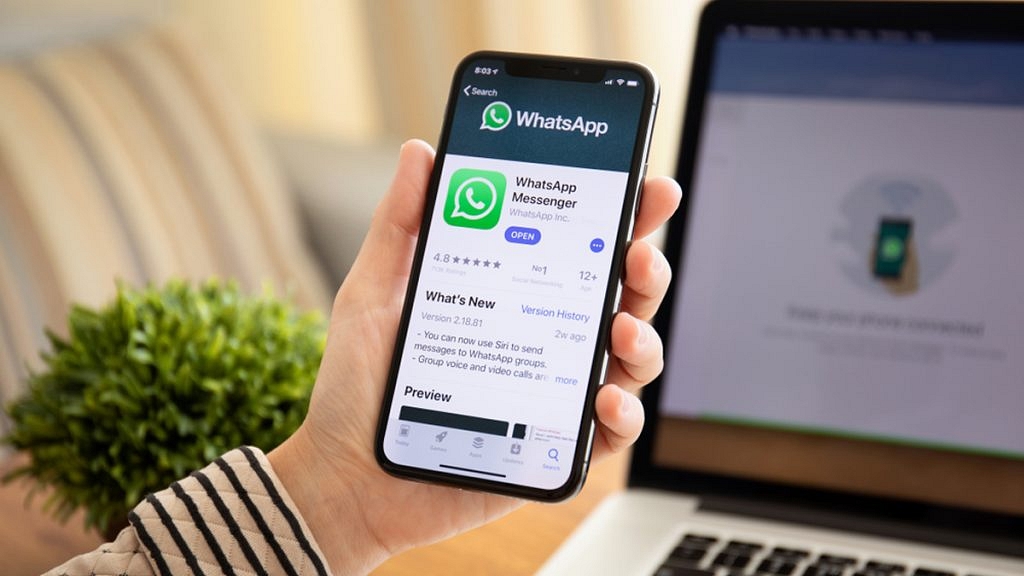
WhatsApp Android and iOS app is now getting a new feature that will allow users to mute other participants in the group and also text them if they have forgotten to mute their mic. This new option’s availability has been revealed by WhatsApp Chief, Will Cathcart via Twitter.

We have seen multiple scenarios in group calls or meetings conducted via WhatsApp group chat where one or the other member have to continue with their personal chores without muting the mic. A personal phone call or message at times is required to make such users aware of the situation.

In other scenarios, such unmuted accounts can also create an echo during the ongoing calls. But to improve the overall group calling experience, WhatsApp has introduced this new feature wherein individual users will get the right to mute different participants individually. WhatsApp is eventually giving more dynamic control to the individual users in the group.

How To Mute Users Individually In A WhatsApp Group Chat?

Step 1: Open the WhatsApp app on any Android or iOS device. If in case you already are in a group call, follow the steps below.

Step 2: From the user profile tiles in the group, press and hold the user badge whom you want to mute or message.

Step 3: Select the “Mute” option if in case you want to mute the user.

Step 4: If you wish to text the user, select the “Message” option.

That’s all the steps you need to perform to mute or message any group user individually if they somehow have forgotten to mute themselves.

Categories
Gaming Info

Garena Free Fire Max Daily Free Codes June 19: How To Redeem Free Fire Free Codes?

Garena Free Fire is one of the most exciting battle royale games to play available on Android and iOS. The FPS shooting game has multiple versions including the Free Fore Max. This mobile game has gained a lot of popularity in India post the PUBG ban imposed by the Indian government.

The Garena Free Fire fan base is consistently surging with new users joining the battle royale game on a regular basis. While playing Free Fire Max, players can create their own strategies, acquire weapons and supplies, and engage in combat with the enemy.

The Free Fire Redeem codes have been one of the most demanded supplements of the game. There are several ways with which you can earn or get access to the free supply of Free Fire Max Redeem codes. One of them is using the official website.

But we have been updating this section daily where you can check the latest Garena Free Fire Codes for free. We curate the section with working Free Fire updates. However, it is still worth adding that there is a daily cap on the free Garena FF Max redeem codes.

Steps To Use Or Redeem Garena Garena Free Fire Codes For Free

Step 1: Visit the Garena official website for Free Fire redeem code redemption.

Step 2: Log in to your Garena account via Facebook, Google, Twitter, or Apple IDs.

Step 3: Copy and paste any of the below-mentioned free Free Fire Max redeem codes into the text box.

Step 4: Now, click on the confirm button and you are all set.

Notably, it could take approximately 24 hours for the free rewards to be visible in-game mail section of your profile.

All Working Garena Free Fire Max Redeem Codes June 19, 2022

  • 3GF3851KB8H4JE2A
  • 8JKN XUB9 6C9P 
  • 8F9U QJXP DKA7 
  • 8F8U Q5XP DKA7 
  • 88KN XUB9 6C9P 
  • 9EHDK5GDEW6DRDM5 
  • DWF3F71VE2D708EK 
  • FF46 0C2II VYU 
  • FX8V BNMK DSXC
  • FFA0 E811 YL2D 
  • FF7W SM7C N44Z 
  • FF8Q T5IR MCNX 
  • FX8V BNMK DSXC 
  • FF12 NYW9 4A00 
  • F0KM JNLV CXSD 
  • FFA9 UVHX 4H7D
  • FFA9 UV8X 4H7D 
  • FXCV BNNK DSXC
  • FFTQ T5PR MCNX 
  • FF7W 7M0C N44Z
  • FFX6 0C4II VYU 
  • JIJY L8T4 6V2Z 
  • JIMY LVT4 6V2Z 
  • MV9C Q27L QJOL 
  • MV9C Q27L QJOL 
Categories
Comparison Featured Smart Watch

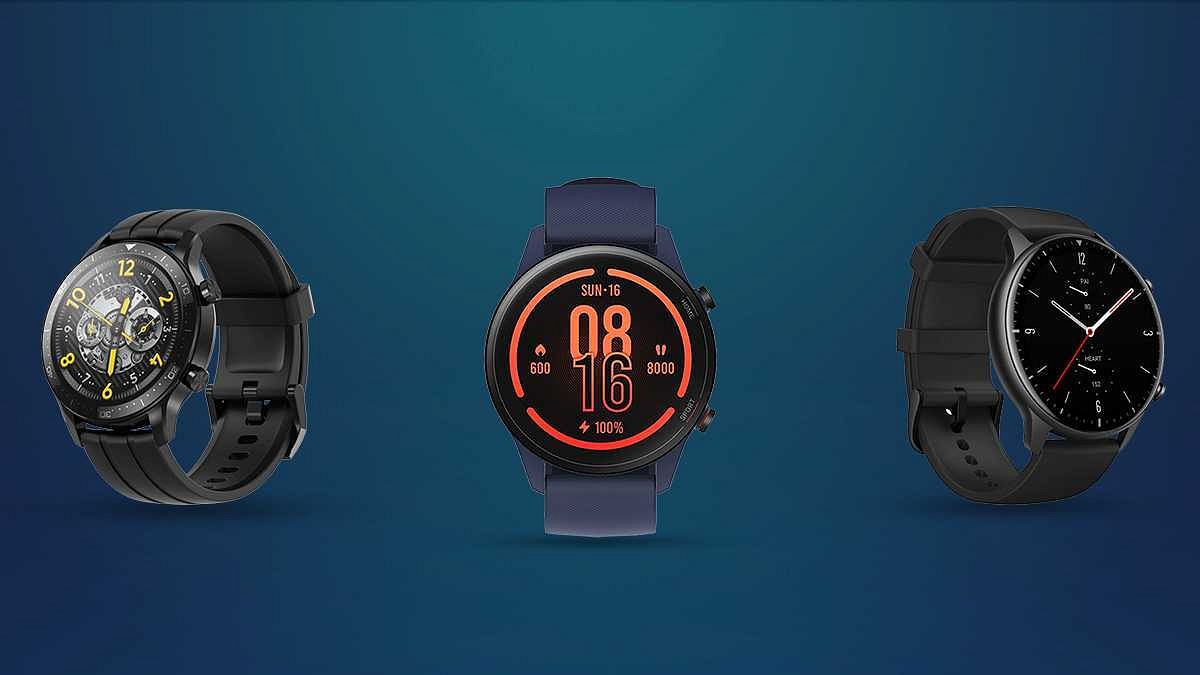
Xiaomi Mi Watch Revolve Active Vs Realme Watch S Pro Vs Amazefit Watch GTR: Best Smartwatch Under Rs. 10,000 In India

The smart wearables industry is rapidly evolving in the Indian market with several budgets and premium range options. If you are a fitness enthusiast, you get numerous options in different price segments. The sub Rs. 10,000 price categories for smartwatches have some premium range options from popular tech brands such as Xiaomi, OPPO, Realme, and others. Besides smartphone OEMs, other digital accessories brands have gained popularity in the smart wearable segment such as AmazeFit.

Now, if you are out to buy a new smartwatch that has all the high-end features but still can be purchased below Rs. 10,000, you have some of the best options such as the Xiaomi Revolve Active, Realme Watch S Pro, and the AmazeFit GTR. In this article, we are doing a quick specification comparison between all these popular smartwatches. Which will be the best smartwatch to buy in India under Rs.10,000? Read on to find out:

Xiaomi Watch Revolve Active Vs Realme Watch S Pro Vs AmazeFit GTR: Display And Design

The Xiaomi Revolve Active, Realme Watch S Pro, and the AmazeFit GTR feature a round dial design. All these smartwatches look premium with the circular dial and broad straps for comfortable wearing. The Xiaomi Watch Revolve Active packs a top-notch display. The Xiaomi smartwatch features a 1.39-inch AMOLED display with Always-on technology.

The touchscreen color display on the Xiaomi Watch Revolve Active supports 454 x 454 pixels screen resolution and a pixel density of 326 PPI. The Realme Watch S Pro’s dial also measures 1.39-inches in size but it is a Super AMOLED panel that has a 454 x 454 pixels screen resolution.

The Realme smartwatch’s display has the same 326 ppi pixel density and a Corning Gorilla Glass protection. The Amazefit Watch GTR display specifications are identical to the remaining two models.

The panel used by the Amazefit smartwatch is AMOLED which has a 454 x 454 pixels screen resolution. However, the pixel density is higher on the Amazefit smartwatch compared to the Xiaomi and Realme smartwatch. All three smartwatches are waterproof to up to 5 ATM.

Xiaomi Watch Revolve Active Vs Realme Watch S Pro Vs Amazefit Watch GTR: Operating System, Battery

The Xiaomi Watch Revolve Active, Realme Watch S Pro, and the Amazefit Watch GTR come with a plethora of activity and health tracking features. These smartwatches can also monitor blood oxygen via the SpO2 reader. These smartwatches are compatible with both Android and iOS devices. They use Bluetooth technology for wireless connectivity with supported Android and iOS phones.

Categories
Featured Leaks Mobile

OPPO A57 4G 2022 India Launch Next Week; Price, Expected Specs Leaked

Highlights

  • OPPO A57 4G 2022 model India launch might take place on June 21
  • OPPO A57 4G 2022 will feature Helio G35 processor and 4GB RAM
  • Color options could be Glowing Green and Glowing Black

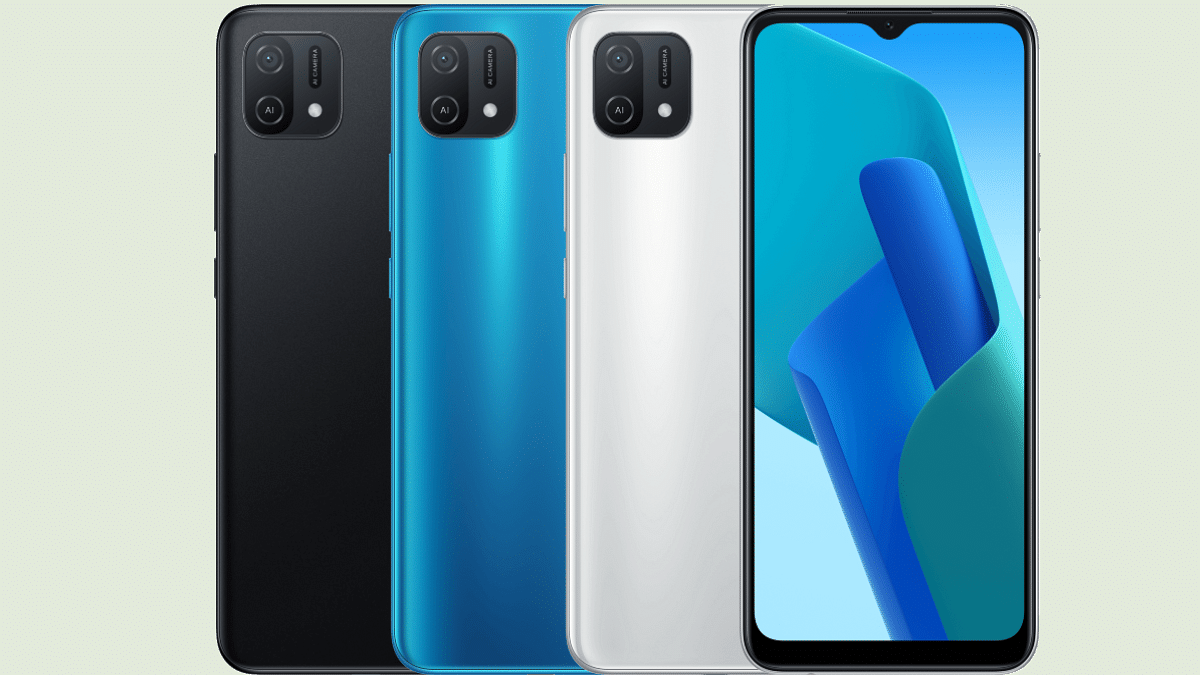
OPPO has been proactive with budget Android phone launches in the market right from the beginning of this year. We have seen multiple new OPPO A series phones including the A57 4G 2022 model. The entry-level phone with the MediaTek Helio G series gaming processor was announced in Thailand last month and is now heading to the Indian market this month itself. A new report has given insight related to its India launch details, pricing, and availability details along with the key specifications and features.

OPPO A57 4G 2022 India Launch, Availability Details

The OPPO A57 4G 2022 model is tipped to launch next week in India. Rootmygalaxy in association with tipster Paras Guglani reveals the upcoming launch A57 4G India launch on 21 June 2022. Notably, two more pocket-friendly Android phones are confirmed to launch just a day before in the country including Realme C30 and the Tecno Pova 3 (on June 20).

As per the report, the OPPO A57 4G 2022 will be priced somewhere around Rs. 13,500 in India. The device will shortly be made available for pre-orders in the country. The upcoming budget OPPO A series phone will also be available for purchase via brick-and-mortar stores and could be exclusive the offline stores. The A57 4G is said to be available in dual shades including Glowing Green and Glowing Black.

OPPO A57 4G 2022 Expected Specifications In India

The OPPO A57 4G 2022 will be available with the entry-level gaming octa-core processor, i.e, the MediaTek Helio G35 processor. The report hints at 4GB RAM and 64GB storage configuration. The device will come with 4GB virtual RAM capacity. We can expect this budget phone to feature a dedicated microSD card slot for additional storage space and dual SIM card support simultaneously.

The OPPO A57 4G 2022 model is also rumored to be announced with a 6.5-inch LCD screen that will support a 720p HD+ screen resolution. The panel will feature a dewdrop style notch for the selfie camera. The camera specifications tipped for the OPPO A57 4G includes a dual camera setup on the back featuring a 13MP main sensor and a 2MP depth lens.

There will be an 8MP selfie snapper tucked inside the waterdrop notch on the A57 4G 2022. A side-mounted fingerprint scanner will handle the privacy aspects. The affordable OPPO phone will boot on Android 12 OS and will be powered by a 5,000 mAh battery unit.

Categories
Leaks Mobile

Realme Narzo 50i Prime Massive Leak; Price In India, Design, Specifications Revealed

Highlights

  • Realme Narzo 50i Prime India launch on June 22, 2022
  • Realme Narzo 50i Prime to be priced under Rs. 8,000 in India
  • 5,000 mAh battery capacity tipped

Realme will soon launch a new Narzo 50 series phone in India. The suggested model is the Realme Narzo 50i Prime which will be announced soon after the Realme C30. The latter is slated for June 20 launch in the country, while the former’s availability has now been tipped by a new leak. Read on for the details:

Realme Narso 50i Prime India Launch, Price Leak

The Narzo 50i Prime will be the next entry-level phone in India which will be announced soon after the Realme C30. Publication 91Mobiles in collaboration with tipster Steve Hemmerstoffer (@Onleaks), Realme will officially launch the Narzo 50i Prime on June 22, 2022. That’s just two days after the Realme C30’s launch in the country.

As per the report, the Narzo 50i would be one of the cheapest Realme offerings in India. The budget Realme phone is said to launch with an approximate price of USD 100 which is under Rs. 8,000 in Indian currency. The Realme Narzo 50i other key details such as design and specifications have also been shared by the report.

Realme Narzo 50i Prime Specifications, Design (Leaked Details)

The upcoming entry-level Realme Narzo series phone leaked renders hint at a flat-frame design mixed with tall aesthetics. The device will feature a waterdrop notch display that will have a narrow side and thick chin bezel. The back panel of the Narzo 50i Prime will feature a vertical stripe-textured design and a square-shaped camera module with a single camera lens and an LED flash.

Speaking of the side panels, the SIM card tray is placed on the left, while the volume rockers are positioned on the right spine. There is no direct sight of a physical fingerprint scanner (neither on the side panel nor on the back). This suggests that the Narzo 50i Prime will offer a standard set of privacy features such as Face Unlock, Pin, and Password protection.

Coming to the specifications, the Realme Narzo 50i Prime is said to ship with a 5,000 mAh battery unit. That’s the only detail that the report has revealed. However, we expect the upcoming Realme entry-level phone to come with a standard HD+ display. A single lens camera setup is already confirmed by the leaked images. The chipset could be a Unisoc series SoC, but the exact name of the processor will only be confirmed in the coming days.

Categories
Apps Featured How To Tech Gadgets

WhatsApp New Update: How To Hide Last Seen, Profile Photo, Status From Select Contacts

WhatsApp is the most downloaded instant messaging application that is available for download on Android and iOS smartphones and also for laptop and PC users. Privacy is one of the most crucial aspects of its popularity amongst consumers. Specifically, the end-to-end encryption service is what makes it reliable for personal and professional conversations. WhatsApp has released several new features in recent times and has also been testing on several others simultaneously. One of such security features that the company has been working on and has finally released after all the wait is the Status and Last Seen hide option from select contacts. Here are the steps to hide WhatsApp Status from select contacts:

WhatsApp New Update Improves Status, Last Seen Privacy

WhatsApp had introduced the Status option a long back and has improved the security aspects over the last few years. Until now the app only had the provision to hide status uploads from “My Contacts”, “Everyone”, and “Nobody”. However, users have been asking for the option to hide status as well as last seen from individual users.

WhatsApp took to its official Twitter handle to announce the availability of this long-awaited privacy feature. Following the latest update, a new option will be visible in the privacy section when you restrict someone from viewing your Status uploads of last seen.

Once you try to modify the privacy settings, you will be able to the new option, i.e., “My Contacts except”. It is worth adding that not just the Status or Last Seen, this privacy option is also made available for profile photos. Below is the step-by-step guide to hide WhatsApp last seen, profile photo, and Status uploads from select unwanted friends or contacts:

How Can We Hide WhatsApp Last Seen, Profile Photo, Status From Select Users?

Step 1: Open WhatsApp mobile application.

Step 2: Click on the three dots from the top right of the app’s homepage.

Step 3: Select Settings.

Step 4: Click on the Accounts option on the next page and then select Privacy.

Step 5: Now, select the option that you wish to hide from the unwanted friends, i.e., “Last Seen”, Profile Photo”, “Status”, and “About”.

Step 6: You will now need to tap on the “My Contacts Except” option to hide your WhatsApp last seen, profile photo, and status from selective users.

Categories
Apps Featured How To Tech Gadgets

Social Media App Hacks: How To Mute Annoying/Unwanted Messages On Instagram, WhatsApp, Facebook Messenger

Key Highlights

  • Facebook has its in-house messaging application called Facebook Messenger
  • Users can now stop unwanted messages without blocking or notifying the end-user
  • The app offers a provision to mute messages from unwanted or annoying contacts

Social media apps are seeing an all-time high in terms of the consumer base. Countless users join social media platforms such as Instagram and Facebook on a daily basis. The modern masses rely on these apps and websites not just for entertainment but also for communication. That’s despite the availability of dedicated instant messaging applications such as WhatsApp on both Android and iOS mobile ecosystems.

Facebook, now called Meta also has its in-house messaging application called Facebook Messenger, while Instagram has a DM section on the app itself that helps the audience with conversations with their contacts and other users. However, there are situations when flooded with texts and messages from a specific contact that you might have avoided in general case scenarios.

These unwanted messages frequently popping up on your respective messaging app could be a hassle that you would wish to stop without blocking or notifying the end-user. Thankfully, most of the new-age social media apps or instant messaging applications provide a provision to mute messages from unwanted or annoying contacts. Also Read | How To Upload WhatsApp Status In High Quality (Images, Videos) On Android, iOS?

You can also mute messages and notifications from groups on WhatsApp and other social media apps. If you are unaware of the procedure to mute contacts on Facebook Messenger, Instagram, and WhatsApp then you can follow the steps mentioned below:

Steps To Mute Annoying Unwanted Messages On Instagram

Step 1: Open the Instagram app on your respective Android or iOS smartphones.

Step 2: From the homepage go to the DM (direct message) section.

Step 3: Now, go to the contact that you want to mute. Press and hold the contact until you get a certain set of options.

Step 4: You will see “Delete”, “Mute messages”, and “Mute call notifications”. You can select the last two options to mute messages and calls (voice/video) notifications from the selected contact on Instagram.

Do note that there is no time limit that you can set for the message notifications to unmute automatically on Instagram. You will have to perform the manual steps for the same.

How Can You Mute/ Stop Message, Call Notification On Facebook Messenger?

Step 1: Open the Facebook Messenger app and log in to your profile in case you haven’t done so.

Step 2: Similar to Instagram, press and hold any conversation thread that you wish to mute.

Step 3: Select “Mute” and set the time until when you don’t wish to receive notifications from the selected contact.

Step 4: You can also use the “Ignore” option for the same.

Steps To Mute Messages On WhatsApp

Step 1: Open WhatsApp on your respective phones.

Step 2: From the chat window or the contacts section, select the profile whose notifications (messages and calls) you want to mute.

Step 3: You will see a bunch of options on the top of the screen from where you need to click on the mute option.

Step 4: You will get the option to mute the selected contact for 8 hours, a week, and always. Click on the appropriate option. That’s it. You have successfully muted annoying and unwanted messages on WhatsApp.

Also Read | Best WhatsApp Status Apps To Download And Use On Android, iOS

Categories
Featured Leaks Mobile

Poco F4 5G, Poco X4 GT Official Renders, Full Specifications Out Ahead Of June 23 Launch: Report

Highlights

  • Poco F4 5G and Poco X4 GT launch slated for June 23
  • Both Poco F4 5G and Poco X4 GT’s official renders and key specs have been leaked
  • Poco F4 5G to ship with Snapdragon 870 chipset
  • Poco X4 GT to be powered by Dimensity 8100 chipset

Poco will soon introduce two new Android phones for the masses in India and in the global markets. The Chinese smartphone OEM will be expanding both its “F” and “X” smartphone lineup this month itself. The Poco F4 5G and the Poco X4 GT are the next mid-range phone from Poco’s lot slated for June 23 global launch. Multiple leaks have surfaced in recent times hinting at the upcoming Poco phone specifications and features. Now, right ahead of the official launch, the Poco F4 5G and the Poco X4 GT’s official renders and the full spec sheet are out.

Poco F4 5G, Poco X4 GT Official Renders, Key Specifications Listed Online

The latest leak detailing the official renders as well as the key specifications of both Poco F4 5G and the Poco X4 GT comes via winfutre.de. Starting with the Poco X4 GT, the official renders confirm a tall punch-hole display surrounded by slim bezels on the sides. The back panel of the X4 GT features a single-tone paint job that isn’t gradient.

A vertical camera module is placed on the upper left of the Poco X4 GT’s back panel comprising three sensors and an LED flash. Both volume rockers and the power key is placed on the left panel. Speaking of the Poco X4 GT hardware, the device will be powered by the octa-core Dimensity 8100 chipset clubbed with up to 8GB RAM and 256GB internal memory.

The Poco X4 GT is said to ship with a 6.6-inch display. The LCD screen will come with 1080p FHD+ screen resolution and a 120Hz refresh rate. For optics, Poco is rumored to pack the X4 GT with a 64MP main camera at the back paired with an 8MP ultrawide sensor and a 2MP macro lens.

The unit is said to employ a 20MP front camera for selfies and video calling. Lastly, a 5,080 mAh battery unit clubbed with 67W fast charging technology is said to fuel the Poco X4 GT.

Moving on to the Poco F4 5G, this handset is also confirmed to break covers the Poco X4 GT in the global markets including India. It will also arrive as a premium mid-range Android phone powered by the Snapdragon 870 flagship processor aided by up to 8GB RAM and 256GB native storage space.

The Poco F4 5G is rumored to flaunt a 6.67-inch AMOLED display that will support 120Hz refresh rate and an FHD+ screen resolution.  The leaked official renders have also revealed a punch-hole design. The back panel is also different on this Poco F series phone compared to the X4 GT; specifically the camera module with a circular array.

The Poco F4 5G render images also show a flat-edge frame design and the positioning of the volume and power key on the right panel. The leaked spec-sheet also suggests a 64MP main camera at the back clubbed with a secondary 8MP ultrawide snapper and a 2MP macro lens.

Notably, the camera hardware is the same on both Poco X4 GT and the F4 5G. The selfie snapper tipped is also the same as the X4 GT, i,e, a 20MP lens. The battery capacity tipped is smaller at 4,500 mAh which is also combined with 67W fast charging. Both smartphones will ship with Android 12 OS topped with a custom user interface.

Categories
Apps Featured How To

WhatsApp Hacks: How To Forward Images With Caption To Contacts On Android, iOS

Highlights

  • WhatsApp now allows users to forward messages with caption
  • Feature available for both Android and iOS devices

WhatsApp is being one of the most downloaded instant messaging applications that you can find on almost every other available Android or Apple iPhone available in the market. The Meta-owned instant messaging application is known for getting frequent updates for a redefined messaging experience. Sending images and videos is one of the important features that is offered by WhatsApp. Users also have the provision to edit images and add highlights or texts while sending any image to their contacts.

WhatsApp also lets users add captions to any media being sent to their contacts. If you are a frequent WhatsApp user, you must have shared photos with your friends and other contacts and also forwarded the received media. But WhatsApp only allowed forwarding images and not the caption.

That’s not the case anymore. WhatsApp has already released an update that will let users forward images without losing the caption. Both Android and iOS smartphone users can use the latest feature that lets users forward photos along with captions. Are there any specific steps that you need to perform to share WhatsApp images with captions? Or the method is the same as the general media forwarding? Read on to know:

How Can We Forward WhatsApp Images To Other Contacts With Captions Intact?

Step 1: Open WhatsApp on your respective Android or iOS smartphones.

Step 2: Go to the chat window from where you wish to forward the image to another contact.

Step 3: Tap and hold the image to select it. As soon as you do it, you will see the option to react to the message. However, if you wish to forward the selected image along with the caption, follow the next few steps.

Step 4: After the image is selected, you need to locate the share option which will show up on the top alongside the forward option on top. It is worth adding that you would need to select the “Share” and not the “Forward option” if you want to keep the caption intact before forwarding it to any other contact.

Step 5: Once you perform the aforementioned steps, the image will be forwarded to the desired contacts with the caption. Do not that the “forward” message tag would still be present even if you use the share message feature.

Categories
Featured Leaks Mobile

[Giznext Exclusive]: Tecno Pova 3 Official India Launch On June 20, 2022; Know Price, Full Specifications

Highlights

  • Tecno Pova 3 official India launch confirmed for June 20
  • Pova 3 will be powered by Helio G88 chipset
  • 50MP triple rear cameras, 8MP selfie camera
  • Massive 7,000 mAh battery

Tecno is coming up with a new Pova series Android phone in India. The Pova 3 is the upcoming Tecno mid-range phone in the Indian market which has been doing rounds for the last few weeks. The device has already got listed at the e-commerce platform Amazon where the dedicated microsite revealed the key features. The launch date has been kept a mystery since then. However, Giznext has managed to get exclusive details related to the Tecno Pova 3 India launch. We can now confirm the device will be breaking covers next week in the country.

Here Is Tecno Pova 3 India Launch Date

The Tecno Pova 3 India launch is scheduled for June 20, 2022. Giznext has received this information from the company sources. The dedicated microsite for the Pova 3 in India was made live a few days back which confirmed an imminent launch timeline. Now, we know when Tecno is planning to refresh its mid-range Pova series in India with the Pova 3.

We are expecting the Pova 3 to release by noon (post 12 pm) via Amazon in India. It is worth adding the Amazon microsite has the “Notify me” tab that you can click to stay updated with the Pova 3’s pricing and sale details. Our source has not given any clues on the Pova 3’s pricing. However, we are expecting the company to launch the latest Pova series phone in the country under Rs. 20,000 price range.

Tecno Pova 3 Full Specifications And Features

The Tecno Pova 3 design and specifications for the Indian market are known; thanks to the Amazon listing. The mid-range Tecno phone will be employing an octa-core Helio G88 chipset which is an octa-core gaming chipset by MediaTek. As per the recent reports, the Pova 3 will be available with 4GB/ 6GB RAM and 64GB/128GB storage option.

The device is also confirmed to come with 5GB Fusion Ram (virtual RAM) technology that will allow for a total 11GB RAM capacity. The Tecno Pova 3 will ship with a 6.9-inch-display with 1080p FHD+ resolution. The LCD screen will come with 90Hz refresh rate and a punch-hole cutout that will store an 8MP selfie camera.

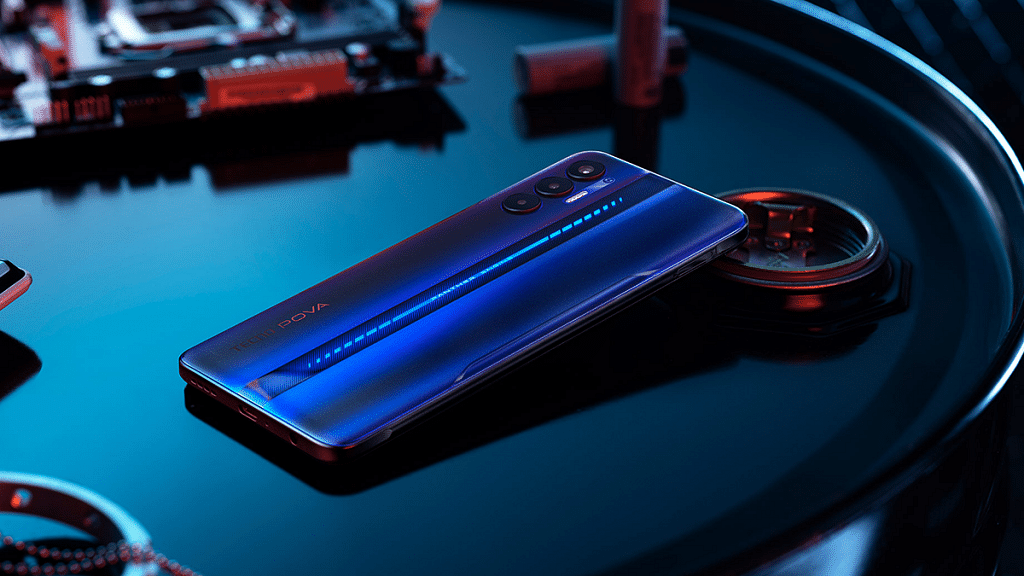
The rear camera setup on Tecno Pova 3 will have three cameras comprising a 50MP main camera. Tecno will ship the Pova 3 Android 12 OS topped with a custom XOS interface.  The Pova 3 will pack a beefy 7,000 mAh battery that will get 33W charging support.