Categories
Featured Mobile Reviews

Vivo X80 Long Term User Review: Worth A Buy Under Rs. 60,000?

Smartphone OEMs are betting high on premium league nowadays. We are now seeing a high surge in the demand for high-end phones that compromises least on the price-to-specs ratio. And when we speak of premium Android phones, Samsung, Apple, and Google are among the preferred brands by a majority of the buyers. However, Chinese mobile OEMs such as Vivo have been setting up new standards in the flagship smartphone segment. One of the most premium offerings introduced by Vivo is the X80 series which replaces the last year’s X70 lineup.

The X series is Vivo’s most promising Android smartphone lineup for the masses. It is a performance-oriented lineup that delivers big on speed and has best-in-class camera hardware as well. This year Vivo has introduced the vanilla X80 and the X80 Pro in India. The standard X80 comes as a true successor to the Vivo X70 Pro with the Dimensity 9000 chipset and Zeiss branding cameras.

Curved FHD+ display and 80W fast charging are the highlight features of the latest Vivo X series phone. With an asking price of Rs. 54,999 (8GB RAM+128GB storage), the X80 is one of the most expensive handsets by Vivo. There is another variant that packs 12GB RAM and 256GB onboard storage that can be purchased at Rs. 59,999 in the country.

Now, you might be wondering if paying over Rs. 50,000 for a Vivo Android phone is worth? Specifically, when the market has several other options in this price segment with similar or better hardware features. We have been using the X80 as our daily driver and have tested the performance with general and extensive tasks. Does it live up to the expectations and justify the premium price tag? We are breaking down all the factors for our readers in this review:

Vivo X80 Full Review

Design Practicality On Point

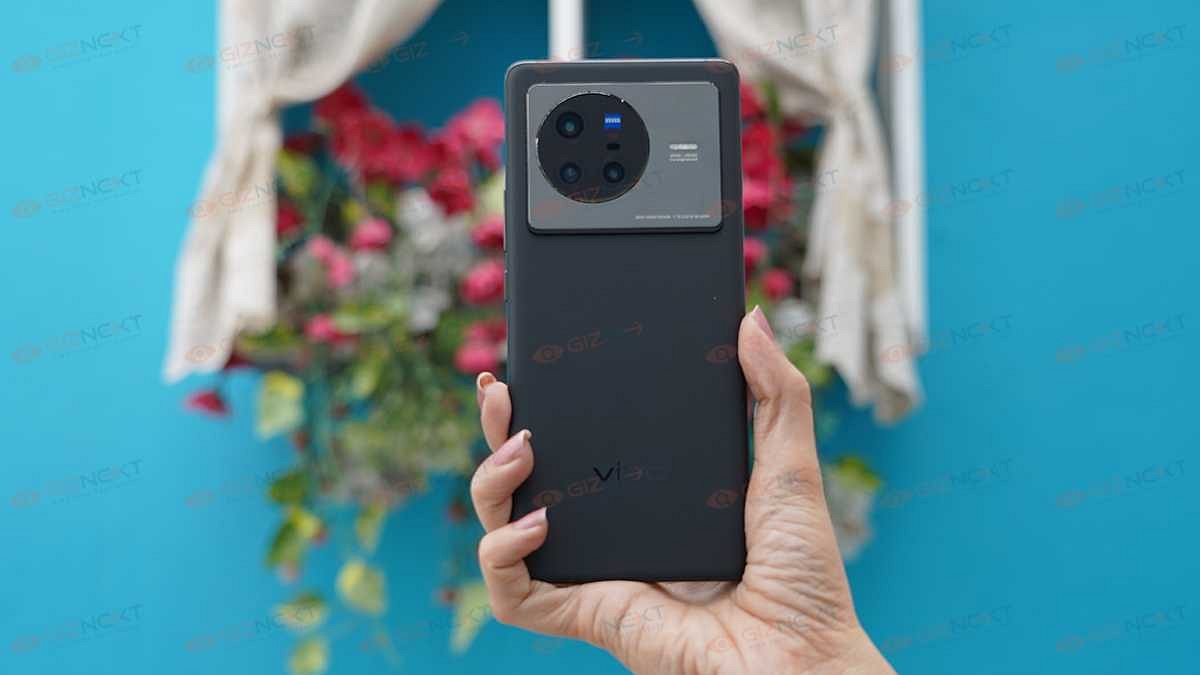
If you are in the market for a big-screen phone that is all premium yet practical for daily usage, the Vivo X80 is the phone you can place a bet on. In the first look itself, the Vivo X80 steals all the glances. From the curved edges to the fluorite AG glass back panel, the X80 is crafted using premium material. The large protruding camera module painted in black covers almost one-third of the back panel and gives a distinctive feel to this device.

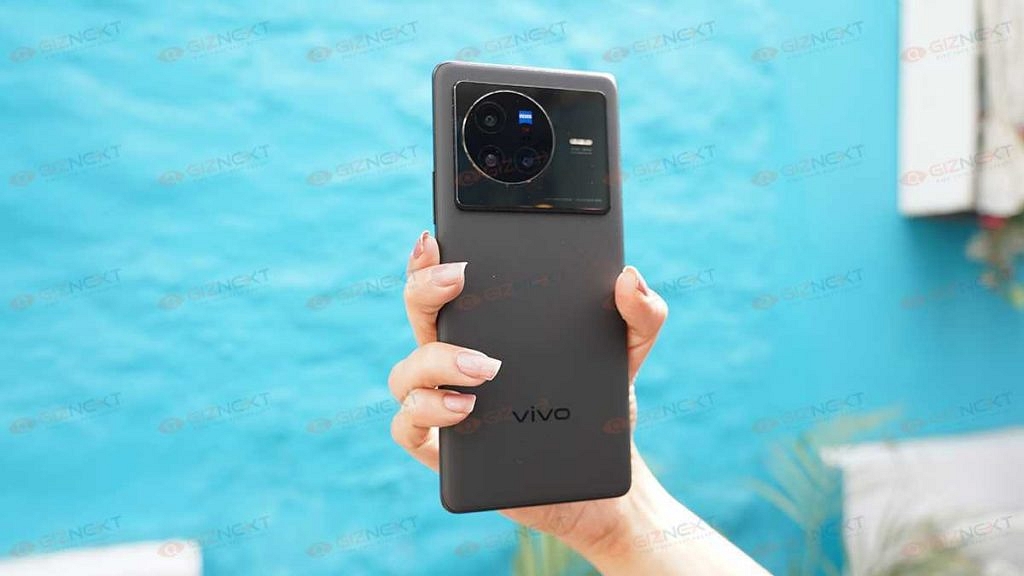
Thanks to the anti-glare matte finish (mix of gradient and matte texture), the back panel isn’t a complete smudge/ fingerprint magnet. This will allow you to flaunt the handset without adding any extra layer of case or cover. But we always advise our readers to use a case to safeguard their devices from accidental drops and scratches from keys or coins.

Thankfully, Vivo ships a leatherette hard case with the X80’s retail box which enhances the appeal at the same time adds an extra layer of protection from external damages. But do note that with the case, you might feel the handset is a bit bulky. But you’ll get a hang of it in a short while. The Vivo X80’s curved edges not only enhance the appeal but also helps with easy single-hand operations.

You’ll find both the power and the volume keys on the right panel. The clicks are a bit stiff, but thankfully, no missing feedback with the key presses. The left edge is kept barren, while the USB Type-C port along with the speaker grille and the hybrid SIM slot is positioned at the bottom.

Curved Display Isn’t Just A Style Statement

The Vivo X80’s one of the major design highlight is the curved-edged display. But it’s not all looks that the X80’s display gets all ticks for but the top-notch specs as well. The Vivo X80 employs an AMOLED screen that is 6.78-inches in size. Now, if you are a fan of big smartphone displays, the massive screen size along with the curved edges would definitely grab your attention.
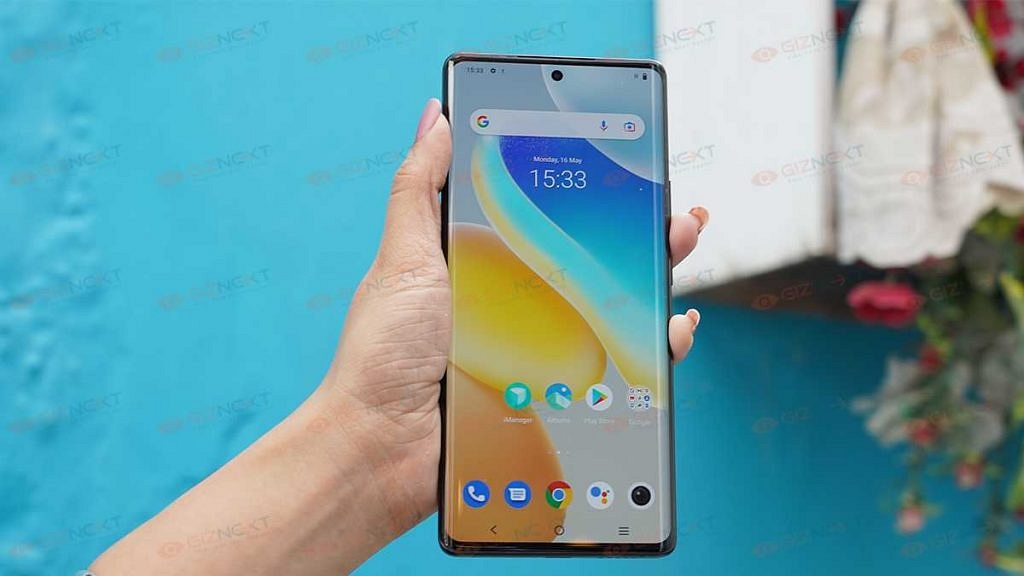
Besides, the 1080p FHD+ screen resolution along 120Hz refresh rate complements the large screen size. You will have a good time watching shows and movies on the large screen. Since the panel is AMOLED the color production is good. The output is vibrant throughout; even with the OTT platforms.

The Vivo X80’s AMOLED panel is HDR10 certified which allows it to play HD videos on Netflix, Amazon Prime videos, and other popular OTT platforms such as Disney plus, Hotstar, Zee5, and others. We experienced the least pixelation with darker backgrounds in any movie or TV show.

Thanks to the high-resolution AMOLED panel the blacks are deeper and pop out of the screen enhancing the visuals. If we speak of the sunlight legibility, the 1500 nits peak brightess levels is what comes to the rescue. With such high brightness levels, you have no difficulties reading texts or watching videos under direct sunlight.

The only drawback in our opinion is the FHD+ screen resolution. That’s considering you can get a QHD or 2K screen resolution under Rs. 60,000 price mark in the market. But, the Vivo X80’s overall display performance is good.

Dimensity 9000 Octa-Core Chipset Delivers Speedy Performance

The Vivo X80 is among the first lot of Android mobile phones that uses the Dimensity 9000 chipset. For reference, this is the newest flagship processor by MediaTek that has octa-cores and is built on a 6nm fabrication processor, and has Mali-G70 MC10 GPU support. This allows the unit to render extensive graphics without any flinches.
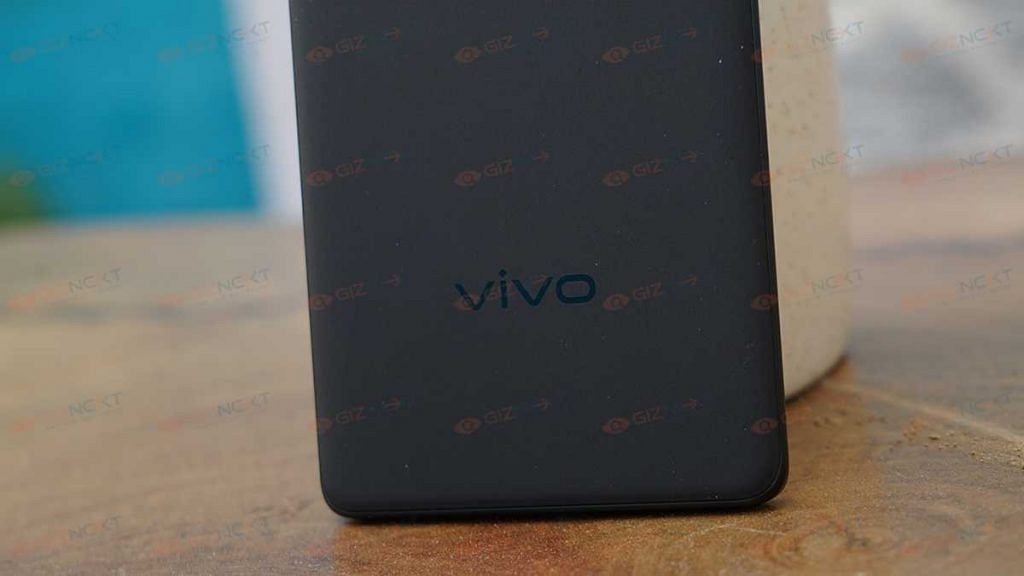
The handset also has an in-house V1+ chip which is a dedicated imaging and display chip for high-end Vivo phones such as the Vivo X series. The Vivo X80 doesn’t compromise anyhow on the power delivery. Throw any task at this device and it will get done without any hiccups. Speedy performance is what we have got throughout while using the Vivo X80 for both basic as well as extensive tasks.

The web browsing experience on this flagship Vivo phone is flawless; so is the multitasking experience. We were able to load, use and toggle between several apps (heavy in size) simultaneously. The device is instant with app launches which can be expected from a flagship-grade smartphone.

The same is the case with media playback as well as gaming. There are no lags or delays when you are consuming high-resolution videos or are playing graphic-hungry game titles. We would like to add that we have been using the X80 for over a month and have got no complaints related to the performance. If device heat-up is one of your concerns, you can be at respite with the X80.

The warm-up issues are minimum. Specifically, the temperatures don’t fluctuate if you are playing games extensively or are hooked to the screen for hours at a stretch. You might feel the device heating up if its plugged into a charger and multiple tasks are being performed simultaneously.

The multitasking experience has also been swift with the higher RAM capacity that this device offers. Of course, you can select the top-end 12GB RAM model if you wish to get the same speedy performance in the longer run.  The X80 definitely ticks all the boxes when we speak of power performance.

Best-In-Class Camera Performance

The Vivo X80 has potent camera hardware that will definitely please you if you are a shutterbug. The primary photography setup on the X80 comprises a 50MP main lens. It is a Sony IMX886 lens that has an OIS (optical image stabilization) support and an f/1.75 aperture. Aiding the main camera is a large 12MP ultra-wide-angle lens (Sony IMX663) which has an f/2.0 aperture and is further paired up with another 12MP Sony IMX663 lens for depth mapping.

The Vivo X80 camera performance is best when you click images in broad daylight. You will get high-definition output that is unmatched in terms of clarity. The HDR captured shots by the Vivo X80 have punchy and vibrant colors. You won’t find the cameras oversaturating the images in any situation. T

The edge detection and dynamic range are also to the point. No hazy or grainy output by the X80’s cameras when the background has ample lighting. There is a Zeiss mode as well that you can switch to from the camera app to get slightly more natural colors with every click. This mode is best if you are capturing human subjects as it highlights natural skin tones.


Categories
Apps Featured How To

Instagram Hacks: How To Increase Post Reach By Using Trending Hashtags? How To Pin/ Unpin Posts?

Instagram is a go-to platform nowadays for not just the general public but also social media influencers. The photo-sharing app has evolved gradually in the last few years; specifically, post its acquisition by Meta. Instagram has been improving its interface and is making it easier for users to share content. Be it photos or videos, Instagram Android and the iOS app let you edit and even add text/media before uploading. Instagram has been following the hashtag trend for a post’s reach. Users can add a relevant hashtag to increase the reach of their posts.

There are several other ways with which you can highlight a specific post on your Instagram profile. In the latest update, the company announced a new Pin post feature that highlights your favorite posts. All the pinned posts will be shown first when you use this feature.

If you are one of the influencers, this feature will be handy when you wish to highlight any post. Combined with the right hashtags the pinned posts might get a wider audience reach. So, how do you Pin or unpin posts on Instagram? And is there a way to check the trending hashtags? In this article, we are helping you with the steps:

Steps To Pin Instagram Posts Using Android/ iOS App:

Step 1: Open the Instagram app on your respective smartphones and log into your profile.

Step 2: Go to your profile and select the post that you wish to pin first on your account. It is worth adding that currently, Instagram allows up to three Pinned posts on any profile.

Step 3: Click on the menu (three vertical dots) from the top right. Select the “Pin to your profile” option from here.

Step 4: Go back to your profile’s homepage and you’ll see the pinned post first on your profile.

How Can You Unpin Any Instagram Post From Your Account?

Step 1: Open your Instagram profile and go to the pinned post that you now wish to unpin.

Step 2: From the menu option (three dots), select the “Unpin from your profile” option.

The aforementioned method will allow you to pin or unpin any post from your profile on Instagram. This is totally different from checking and adding the trending hashtag to further increase the reach of your posts. You can add the hashtags before uploading the posts (images of reels) on your profile.

If in case you have missed out on adding the hashtags during upload, you have the provision to edit it later. The option to check the trending hashtag can be used in the later stages as well. Take a look at the steps:

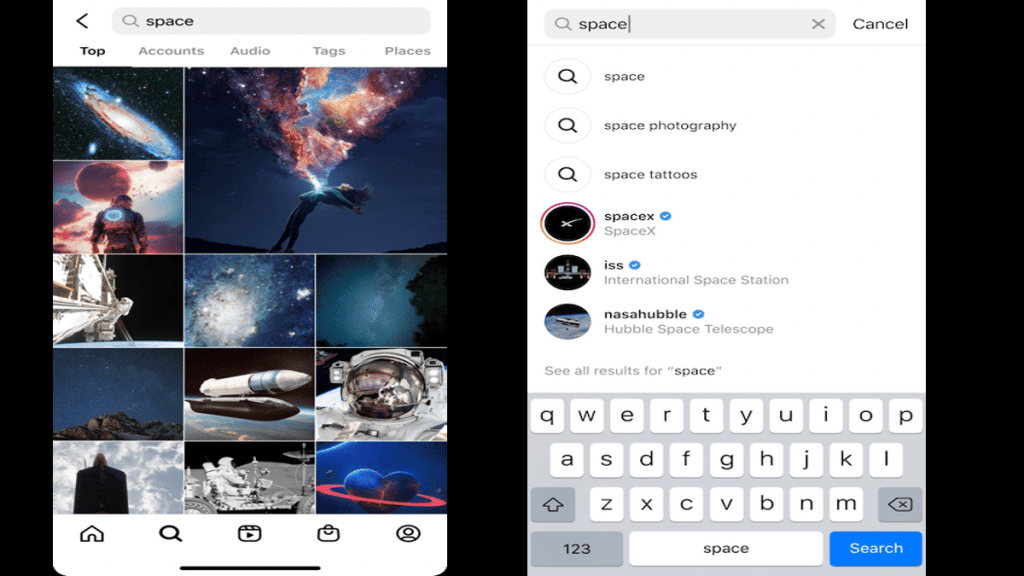
Step 1: Open the Instagram app and go to the search option.

Step 2: In the search section, type in the keyword for your hashtag. It should be relevant to the post being uploaded or edited.

Step 3: You will see a bunch of trending hashtags on the top. Click on the “See more results” option.

Step 4: The next home page will show all the information related to the keyword you searched including the top, Accounts, Audio, Tags, and Places. Select “Tags”.
Step 5: You will get a list of all the trending hashtags related to your search or post. Use the required ones.

Categories
Featured Leaks Mobile

Realme GT 2 Master Edition Listed At TENAA; Full Speciations, Design Revealed

Highlights

  • Realme GT 2 Master Edition clears TENAA certification
  • Full design and specifications revealed
  • Realme GT 2 Master Edition to feature Snapdragon 8+ Gen 1 processor, up to 12GB RAM

Realme is bringing another flagship-grade GT series Android phone for the masses. The upcoming smartphone will be the special edition variant of the GT 2 which was announced this year in India and other regions. The Realme GT 2 Master Edition is the next model by the brand which will be launching sometime soon. The rumor mill has started sharing details related to the specifications. Now, the GT 2 Master Edition’s entire spec sheet along with the design has been confirmed by the mobile authentication website TENAA. Take a look at the details:

Realme GT 2 Master Edition Gets TENAA Certified: Full Specifications, Design Leaked

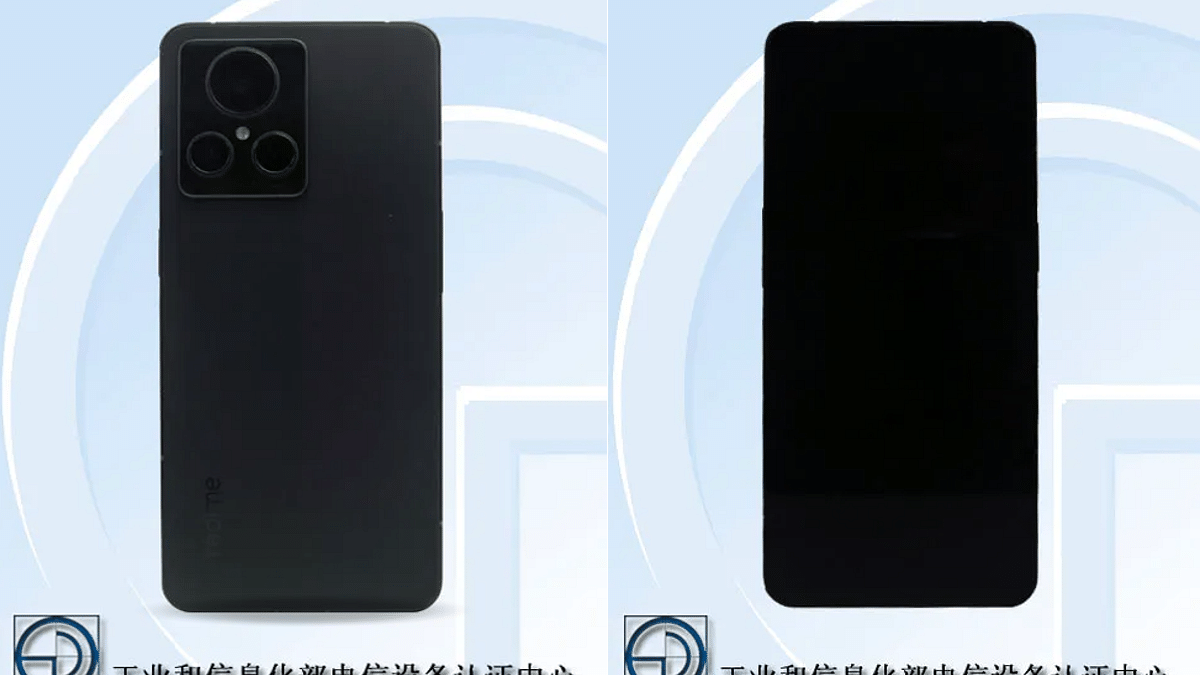
The Realme GT 2 Master Edition has been spotted at TENAA mobile authentication platform with the RMX3551 model number. The render images shared on the Chinese mobile regulatory show the Realme GT Master Edition flaunting a tall frame upfront surrounded by narrow bezels on the sides. The display panel can also be seen sporting a punch-hole camera cutout for selfies and video calling.

The exact changes on the back panel aren’t clear by the render images leaked on TENAA. However, a vertical camera module with three sensors aligned in a triangular array (with one large and two small lenses). The camera module has a protruding design that gives the handset a premium appeal.

The placement of the power and the volume keys is on either side for easy access. You will find the volume keys on the left spine, while the power key on the right panel. The Realme GT 2 Master Edition’s leaked images on TENAA also show a flat-edge frame design.

It appears that the handset will come with metallic frames making it sturdy. The USB Type-C port is not visible in the leaked images. But we can expect a standard positioning at the bottom panel. Also, there is no direct sight of a physical fingerprint scanner. This means we might see an in-display fingerprint scanner for biometrics.

Moving on to the leaked specification, the TENAA listing confirms the Snapdragon 8+ Gen 1 processor under the GT 2 Master Edition’s hood. This confirms it to be the first Realme GT series phone with Qualcomm’s most premium chipset. The configuration tipped for this flagship Android phone is 6GB/8GB/12GB RAM configuration, while the storage capacity leaked is 128GB/256GB/512GB.  

The TENNA listing has also revealed Android 12 OS which will be topped with a custom Realme UI 3.0 interface. The camera specifications offered by the GT 2 Master Edition will be a 50MP main sensor combined with another 50MP lens (ultrawide) and a 2MP (tertiary) sensor.

For selfies and video calling, the Realme GT 2 Master Edition will be packed with a 16MP snapper inside the in-display camera cutout. According to TENAA, the Realme GT 2 Master Edition will feature a 6.7-inch 10-bit AMOLED display with 1080p FHD+ screen resolution and 120Hz refresh rate. The battery capacity tipped is a 2,400 mAh dual-cell battery (4,500 total capacity). A 150W fast charging support is also tipped for the upcoming special edition GT 2 model.

Categories
Featured Leaks Mobile

Nothing Phone (1) Promo Video Reveals Full Design; Transparent Back, Flat-Edge Aluminium Frame Confirmed

Highlights

  • Nothing Phone (1) new promo video out
  • Nothing Phone (1) full design with transparent design leaked
  • Nothing Phone (1) official India launch July 12

Nothing is making rattles online with its first-ever Android phone that will be marking its debut in India and the global markets. The London-based brand has scheduled the launch event for the Nothing Phone (1) on July 12. The company has been teasing the design and features consistently now via its official social media handles. Just a few days ago, the Nothing Phone (1)’s official teaser poster gave us a sneak peek into the design. There’s already a lot of hype about the transparent design that the Nothing Phone (1) will offer. But the newest teaser has left a little to imagine how the Nothing Phone (1) will look like in real life.

Nothing Phone (1) Complete Official Look Revealed

Nothing via a new promo video has showcased the entire design language of the Nothing Phone (1). There have been several rumors and leaks that hinted at a transparent back design which later was confirmed by the brand itself. The latest Nothing Phone (1) teaser video has showcased the entire design; specifically, the transparent back panel which is creating all the hype in the Android mobile market.

The circuitry inside the handset is clearly visible at the back which gives this handset a distinctive appeal amongst other available premium smartphones in the market today. Upon a closer look, you can also see the wireless charging coil along with some additional circuitry or metal plates intact.

Besides, it also appears that the brand has added a glowing LED strip starting from the wireless charging coil and going down till the bottom. We are currently unaware of its functionalities and are waiting to see its performance in real-life scenarios. The Nothing Phone (1)’s back panel will also mount the camera module on the upper left corner. The handset is seen with a dual-lens setup that is stacked vertically with the AI branding.

In addition to the transparent back design, Nothing has also revealed a flat edge design. The Nothing Phone (1) will be wrapped with a metallic frame painted in silver. There are rumors that Nothing is likely using recycled aluminum material to manufacture the Nothing Phone (1).

This means we can expect a durable Android phone despite a transparent back design. Thanks to the teaser poster, we also know the positioning of the keys and ports. The volume keys on the Nothing Phone (1) is placed on the left panel, while the right spine can be seen housing the power key. The bottom panel will have a USB Type-C port.

Categories
Featured Leaks Tablet

10th Gen Apple iPad Will Be An Entry-Level Tablet With Affordable Price; A14 Bionic Chipset, USB Type-C Port Tipped

Highlights

  • Apple 10th Gen iPad to be an entry-level tablet with budget pricing
  • 10th Gen iPad will be powered by the A14 Bionic processor
  • Apple will also include the USB Type-C port on the 10th-Gen iPad

Apple has a slew of upcoming products for the masses this year for the masses. The iPad Pro series is also getting refreshed sometime later this year with as many as three different models. The Apple iPad Pro M2 is one of the models which could be accompanied by the iPad Pro 11-inch and 12.9-inch models. But Apple might also have some good news for budget-conscious users. An affordable iPad model (iPad 10th-gen) is rumored to break covers this year itself packed with high-end features. Below are the details:

Most Affordable Apple iPad Launching Soon: Is It The iPad 10th Gen?

A fresh report via 9to5Mac has revealed that Apple is all set to launch the 10th Gen iPad this year. The report has not announced the exact launch date for the cheapest Apple iPad. But it suggests the expected timeline towards the end of 2022. Furthermore, the 10th Gen iPad is said to be equipped with the best-in-class hardware.

Going by the rumors, the 10th Gen iPad will be getting some major upgrades over the previous-generation models including the 8th and 9th Gen iPads. While the exact details are yet to be confirmed by Apple, the report suggests the 10th Gen Apple iPad will have the J272 model number and it will be driven by the A14 Bionic chipset.

Apple has used this flagship-grade processor on the iPhone 12 series and we are well aware of how powerful this chipset is. The pricing for the 10th Gen iPad in India could be under Rs. 30,000. But this is based on speculations and the actual pricing might differ.

Budget iPad 10th Gen Key Specifications And Features

The 10th Gen Apple iPad tablet series will also be the first to get a 5G network support. But that would probably be limited to the cellular version and not the Wi-Fi model. It is also being said the affordable 10th-gen iPad will support Wi-Fi 6 which will help with better wireless network reception.

According to the report, the 10th Gen iPad will also feature a USB Type-C port for charging and data transfers. It could be the last standard iPad tablet that will come with the Type-C USB for charging and data transfers. Besides, the presence of the Type-C USB will also make it easier for the audience to connect the iPad with an external monitor to use it as a computer. This would be possible with the powerful hardware inside.

There are possibilities the A14 Bionic chipset on the Apple iPad 10th Gen will be clubbed with at least 4GB RAM and 64GB internal storage (base model). There could be other high-end configurations as well which will be clear going forward. Currently, the camera and display details are not confirmed, but we might see a 10.5-inch Retina display with an FHD+ screen resolution.

Categories
Featured How To Tablet

iPadOS 16 Update: How To Download And Install iOS16 Beta Update On Eleigible iPads

Apple at its annual developer conference WWDC announced the new-generation iOS 16 and iPadOS 16 for iPhones and iPads respectively. The Cupertino giant also unveiled the new watchOS 9 and macOS 13 along with the latest MacBook laptops with the M2 chipset. While Apple is yet to release the stable iOS 16 and iPadOS 16 firmware to the supported iPhones and iPads, the beta version has already been rolled out.

Apple has also revealed the list of iPhones and iPads that will be compatible with the latest iOS 16 and iPadOS 16 firmware. We already have covered the highlight features offered by the iOS 16. But in this article, we will be talking about the iPadOS 16. Specifically, the steps to download and use the iPadOS 16 beta version.

Just for reference, Apple has announced the list of compatible iPads with iPad16 OS. If you are using the iPad (fifth-gen and above), iPad mini 5, iPad mini 6, iPad Air (third generation and above), and iPad Pro (all variants).

Since we are speaking of the procedure to download the iPadOS 16, we would like to reiterate the steps mentioned for the beta version and you would need a compatible iPad model for the same. And also the beta update can be downloaded by both general users as well as developers. Apple is still making improvements to the iPadOS 16 beta build.

It is also worth highlighting that the iPadOS beta build might not function as swiftly as the stable version. But it will give you the taste of what the latest firmware brings. So, it will be better if you test the new OS on a spare device. But how do we download and use the iPadOS 16 on your old and recently bought iPads. Here are the steps:

Steps To Download Apple iPadOS 16 Beta Build On iPads

Step 1: Unlock your iPad and go to the Safari browser.

Step 2: Go to developer.apple.com.

Step 3: Join the developer program on the official website if you aren’t a member.

Step 4: Now, locate the download option (two horizontal lines) on the top left of the webpage.

Step 5: Select the “Install Profile” segment placed right next to the iPadOS 16 tab.

Step 6: Click on allow and you will be shown the terms and conditions. Once you have read through all, you would need to hit “Install” twice.

Step 7: You will now need to restart your iPad and then when it’s up and running head to the General tab and click on “Settings”.

Step 8: Now, you would need to select the “Software Update” section and select “Download & Install” to finish the setup process.

Categories
Comparison Featured Tablet

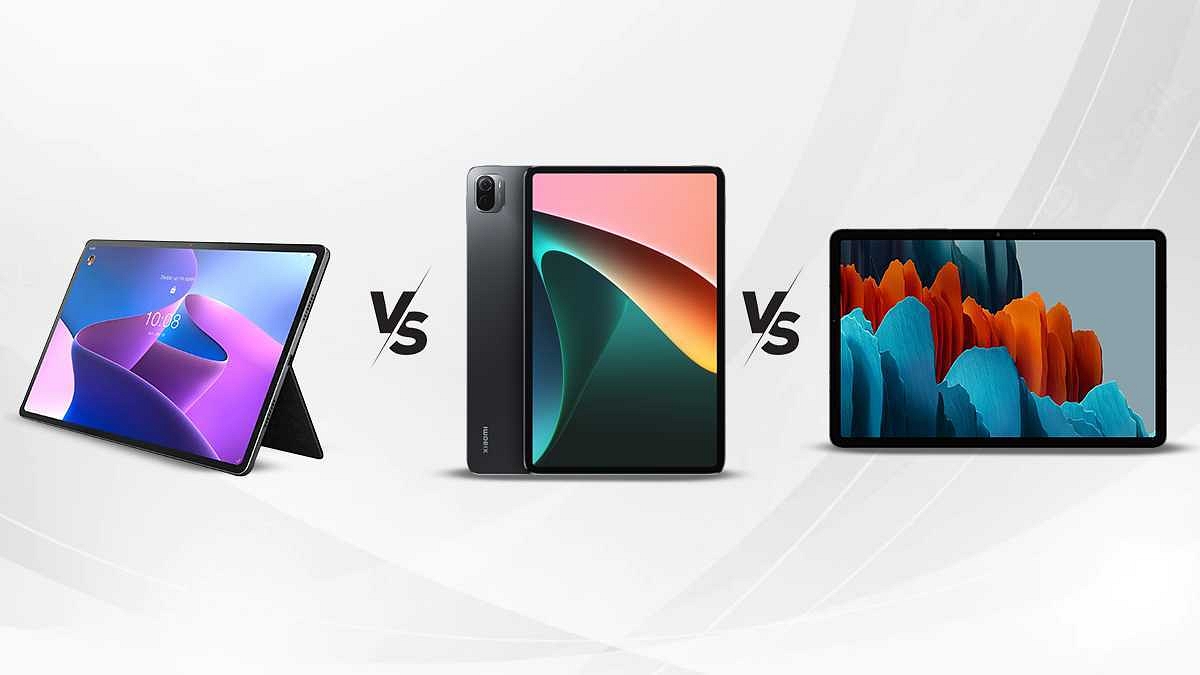
Lenovo Tab P12 Pro Vs Xiaomi Pad 5 Vs Samsung Galaxy Tab S7 Full Specs Comparison: Best Premium Android Tablet In India

The Android tablet market is constantly getting upgraded across the global markets. We not only have options from established players in the tablet space but also smartphone OEMs. We have seen several new tablets debuting in the Indian market in recent times. The most recent tablet that has been added to the shelves in the Indian market is the Tab P12 Pro from Lenovo. It is a premium mid-tier Android tablet that is packed with the Snapdragon 870 processor, dual rear camera module, and fast charging support.

The Lenovo Tab P12 Pro is a high-end tablet that wouldn’t burn a hole in your pockets. But it isn’t the only premium tablet in the Indian market. Several other options offer a premium range chipset, multiple cameras, and fast charging battery capacity. Amongst the top rivals of the Lenovo Tab P12 Pro in India are the Xiaomi Pad 5 and the Samsung Galaxy Tab S7. What are the primary differences in terms of hardware and pricing between the Lenovo Pad P12 Pro, Xiaomi Pad 5, and the Samsung Galaxy Tab S FE? Read this comparison article to know:

Lenovo Tab P12 Pro Vs Xiaomi Pad 5 Vs Galaxy Tab S7 FE: Display Specifications

The Lenovo Tab P12 Pro is one of the biggest Android tablets you can buy in India with its 12.6-inch display. The latest Lenovo Tab P series Android tablet uses an AMOLED screen that supports a 120Hz refresh rate and has a 1600 x 2560 pixels resolution. The big AMOLED screen on the Lenovo Tab P12 Pro also supports HDR10+ certification and Dolby Vision.

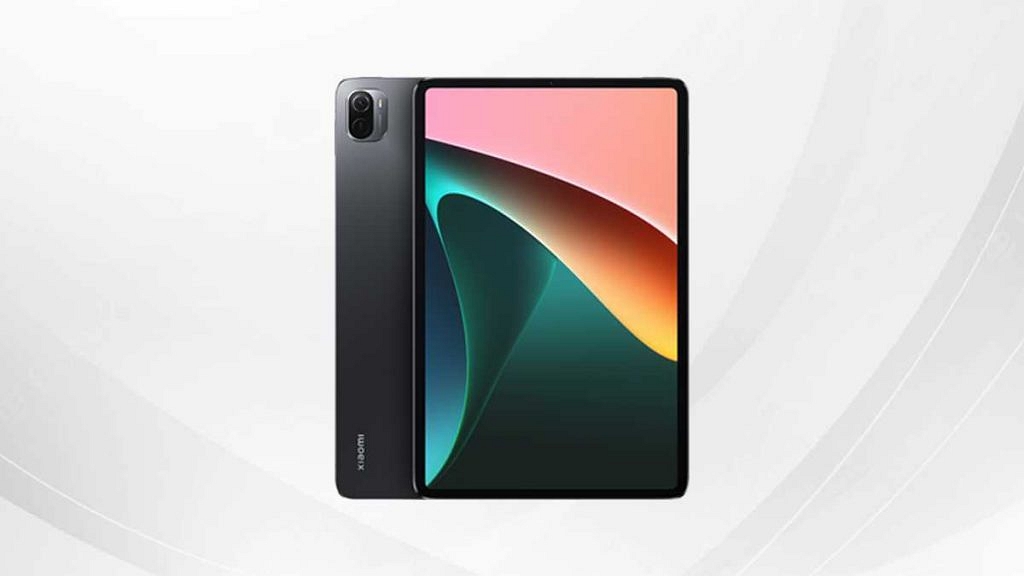
The Xiaomi Pad 5 competes against the Lenovo Tab P12 Pro with an LCD panel. The screen size is slightly smaller on the Xiaomi tablet, i.e, 11-inches. The display on Xiaomi’s premium mid-range tablet also supports a 120Hz refresh rate and 2K screen resolution of 1600 x 2560 pixels. The Xiaomi tablet also supports HDR10 and Dolby Vision for enhanced visuals.

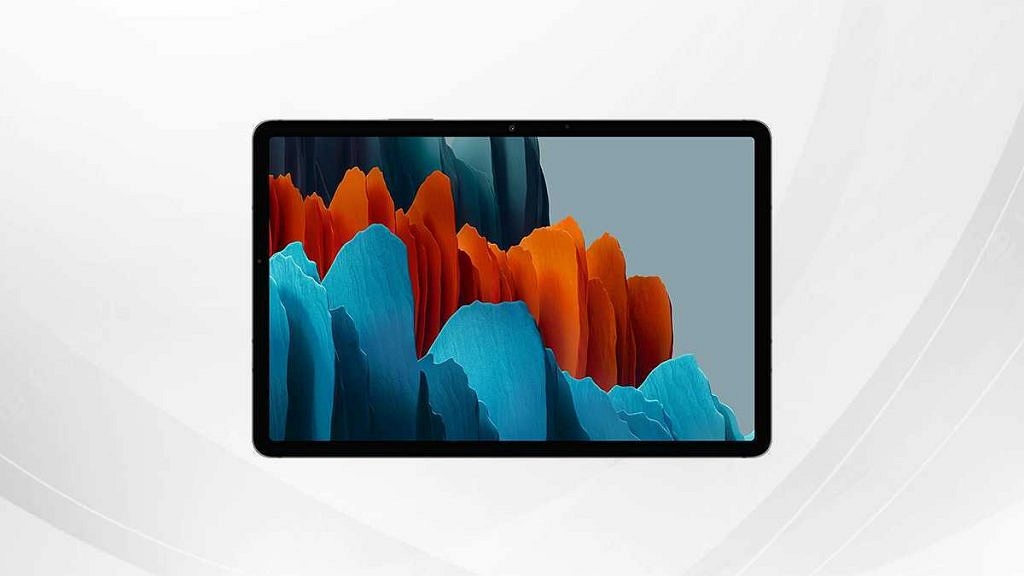
The Samsung Galaxy Tab S7 has a TFT LCD screen that supports the same 2K screen resolution of 1600 x 2560 pixels. The display panel on the Samsung Galaxy Tab S7 FE is massive as the Lenovo tablet. It measures 11-inches and is suitable for watching videos on the go.  Out of all three tablet models, the Lenovo Tab P12 Pro has the best display specifications and features followed by the Xiaomi Pad 5 and the Galaxy Tab S7.

Lenovo Tab P12 Pro Vs Xiaomi Pad 5 Vs Galaxy Tab S7 FE: Camera Specs Comparison

For imaging, the Lenovo Tab P12 Pro employs a dual-lens rear camera setup. It is amongst the handful of Android tablets that are packed with a multiple-camera setup at the back. The primary camera on the Lenovo Tab P12 Pro is a 13MP wide-angle lens which is aided by a 5MP sensor (ultrawide). The premium Lenovo tablet is capable of shooting 4K@30fps and 1080p@30fps videos. The large main camera at the Tab P12 Pro’s back panel will be able to capture a good amount of clarity with each click.

The Xiaomi Pad 5’s optical setup also comprises a large 13MP main camera at the back with an f/2.0 aperture. However, unlike the Lenovo tablet, the Xiaomi Pad 5 has a single camera sensor at the rear as well as the front. The Tab P12 Pro’s back camera is also capable of recording 1080p@30fps and 4K@30fps videos. The camera output offered by the Xiaomi Pad series tablet will be decent if you are capturing images in broad daylight.

The Samsung Galaxy Tab S7 goes up against the remaining two tablets in this list with a dual rear camera module. The specifications are identical to the Lenovo Tab P12 Pro where the main sensor is a 13MP lens with an f/2.0 aperture. The primary camera on the Galaxy Tab S7 is combined with a 5MP secondary ultrawide-angle sensor with an f/2.2 aperture. If the camera is one of your preferences when buying a new tablet, both Lenovo Tab P12 Pro and the Samsung Galaxy Tab S7 will make the best fit for you.

Lenovo Tab P12 Pro Vs Xiaomi Pad 5 Vs Galaxy Tab S7: Chipset, Configuration, UI Comparison

Starting with the Lenovo Tab P12 Pro, the premium range tablet is packed the Qualcomm’s premium Snapdragon 870 5G processor. The octa-core chipset is accompanied by Adreno 650 GPU and 6GB/8GB RAM configuration to take care of all the multitasking. The storage option offered by the Lenovo tablet is also dual including 128GB and 256GB. The Lenovo Tab P12 Pro is fully capable of handling all kinds of tasks without any hassle.

The Xiaomi Pad 5 doesn’t compromise on the chipset and configuration department despite the affordable price tag. This Android tablet is packed with the octa-core Snapdragon 860 chipset which is built on a 7nm fabrication process and has 5G network connectivity. This premium range Qualcomm processor has Adreno 640 GPU support and is further clubbed with 6GB RAM and 128GB/ 256GB storage configuration.

As for the Galaxy Tab S7, Samsung has also used a flagship-grade Qualcomm chipset. This high-end Samsung Android tablet is packed with the Snapdragon 865 chipset which is built using the 7nm+ fabrication and has Adreno 650 GPU support. The configuration for this tablet is 6GB and 8GB RAM combined with 128GB/ 256GB/ 512GB storage option. All three tablets come with expandable microSD card support.

As for the firmware, the Lenovo Tab P12 Pro and the Xiaomi Pad 5 are pre-installed with Android 11 OS topped with a custom user interface on top. On the other hand, the Galaxy Tab S7 has the dated Android 10 OS pre-loaded.

Lenovo Tab P12 Pro Vs Xiaomi Pad 5 Vs Galaxy Tab S7: Battery And Fast Charging Capacity

The Lenovo Tab P12 Pro packs a beefy 10,200 mAh battery that gets 45W fast charging technology. The large battery capacity on the Lenovo Tab P12 Pro takes around three hours for a full recharge. On the other hand, the Xiaomi Pad 5 tablet has a smaller 8,720 mAh battery unit that gets 33W fast charging support. Lastly, the Samsung Galaxy Tab S7 uses an 8,000 mAh battery unit which gets 45W fast charging technology.

Categories
Apps Featured How To

Google Maps Now Shows Toll Fares On National Highways: How To Check Toll Charges Using Maps

Google is offering a plethora of services to Android mobile users globally. The search giant has developed dedicated apps and tools for media/ video playback, digital wallet, and for navigation as well. In fact, the modern-day masses rely on Google Maps for directions to reach any unknown destination. Google has integrated tonnes of features into the Maps and besides a design overhaul, the functionality has also improved in the last few years. Google is now making it possible for users to be aware of the toll fare being collected on the national highways in the country. Here’s how Google Map’s new feature will work:

Google Maps Toll Features Now Shows Total Fare

Google Maps is one of the most commonly used services on both Android and iOS smartphones nowadays. The company has been improving the toll data system on the Maps to help the users plan their trip’s costs well in advance. If you are one of the active Google Maps users, you must have seen the “Tolls ahead” option if you are traveling through national highways. Users can check for the tolls while searching the destination.

With the new update, Google Maps will now show the estimated toll fare that you will have to pay while traveling to your destination. Google via its community support forums has now confirmed the availability of this new toll feature with price calculation. It is worth mentioning that this new feature will only show the estimated toll fare of all booths collectively. It will not show which toll will charge or how much amount during the journey.

To get the correct fare details, Google has collaborated with trustful sources from local tolling authorities. The brand has also taken several factors such as toll pass, day of the week, etc., to show the estimated toll charges while crossing any booth at a specific period of time.

Google has also clarified that users will still have the option to “Avoid Tolls” and select routes accordingly. The procedure remains the same if you wish to use this feature. But how do you check the toll fare on Google Maps before starting any journey? The steps are mentioned below:

How To Check Toll Amount In Google Maps?

As mentioned above, the estimated toll fare for the entire journey is calculated and shown on Google Maps and not just for the individual toll booths.

Step 1: Open Google Maps on your respective Android and iOS smartphones.

Step 2: Enter your destination.

Step 3: Click on “Directions”.

Step 4: At the bottom of the homepage, you’ll see the ETA for the destination along with the distance and number of tolls on the entire stretch of the road. Pull up the tab and you’ll be able to see the toll fare (total amount). That’s all you need to do to check the toll fare on Google Maps.

Categories
Featured Info Mobile

Xiaomi, Redmi Smartphone Battery Replacement Costs Just Rs. 499: Know Offer Details

Xiaomi is one of the most popular brands for smartphone brands in India. The Redmi and Xiaomi labeled Android mobiles have been grabbing the major share of the market in the country. The brand’s popularity can be credited to affordable pricing and powerful features.

Xiaomi also has strong customer service support in the country that makes it easy for the buyers to get issues fixed (both firmware and hardware-based). Keeping in line with the same, Xiaomi has now announced a new offer that users can grab at Mi Service Centre to replace batteries of their older phones at cheaper rates. What’s the deal? Is it a limited period or long term? Find out the details below:

Xiaomi Battery Replacement Under Rs.500: What’s The Deal? How To Grab?

If you are one of Xiaomi or Redmi smartphone users and need to get the battery of your smartphone replaced, then this is the offer you need to check. Xiaomi users can head to their nearest Mi Care service centers for battery repairs and that too for as low as Rs. 499. Xiaomi itself has announced this new affordable service repair option for its consumers in the Indian market.

All Xiaomi and Redmi smartphone users can visit the nearby authorized service centers and get their respective handsets batteries. If required the batteries could be replaced with a minimum Rs. 499 service charge.

It is worth mentioning that this is the lowest price range for the battery replacement of older Xiaomi or Redmi smartphones. However, the cost of the battery replacement could vary as per the variants. High-end devices will likely have a slightly higher service charge for battery replacement.

Also, this offer will benefit users whose devices are out of warranty. For users, whose devices are still under warranty, the battery replacement would be free of charge. This also applies if in case there is no external damage to the battery unit.

Xiaomi and Redmi smartphone users can also reserve an appointment for the same at the Mi Service care centers. This offer will definitely help consumers with fast battery-draining issues. If somehow the battery health has been affected due to extreme usage an affordable cost for repair is definitely a respite.

Categories
Featured Leaks Mobile

Vivo V25 Series Price In India To Start At Rs. 30,000; Key Specifications Leaked

Vivo V23 is the company’s last premium Android smartphone lineup in the “V” series. The company is now expected to refresh this lineup with the launch of its successor. The upcoming lineup will be called the Vivo V25 series whose development details have started flowing online. A new leak has just surfaced that shares some insights into the Vivo V25 series India launch, price, and specifications details.

Vivo V25 Upcoming Launch Timeline, Price In India

The Vivo V25 5 is likely to hit shelves in India and other global markets in the coming months. As per a new leak by TechYorker, Vivo will be soon launching both vanilla Vivo V25 and the V25 Pro in the country. Both upcoming Vivo V25 series smartphones are said to debut sometime in July 2022. Going by the report, Vivo will be pricing the V25 lineup in India between Rs. 30,000 to Rs. 40,000 price range.

This is the same price segment in which the previous-generation Vivo V23 series debuted in the Indian market. The standard Vivo V25 could come with the starting price label of Rs. 30,000, whereas the high-end Vivo V20 Pro will have around Rs. 40,000 asking price label. This is amongst the first set of leaks anticipating the V25 series pricing in India. Therefore, this information should be taken with a grain of salt. Now, let’s take a look at the Vivo V25 series key specifications leaked online.

Vivo V25 Series Leaked Spec-Sheet

The latest leak surrounding the Vivo V25 suggests a 6.56-inch AMOLED display panel on the upcoming Vivo V25 series. However, it is not confirmed if it’s the screen size of the standard V25 or the V25 Pro. Furthermore, the V25’s display is said to support a 120Hz refresh rate and 1080p FHD+ screen resolution.

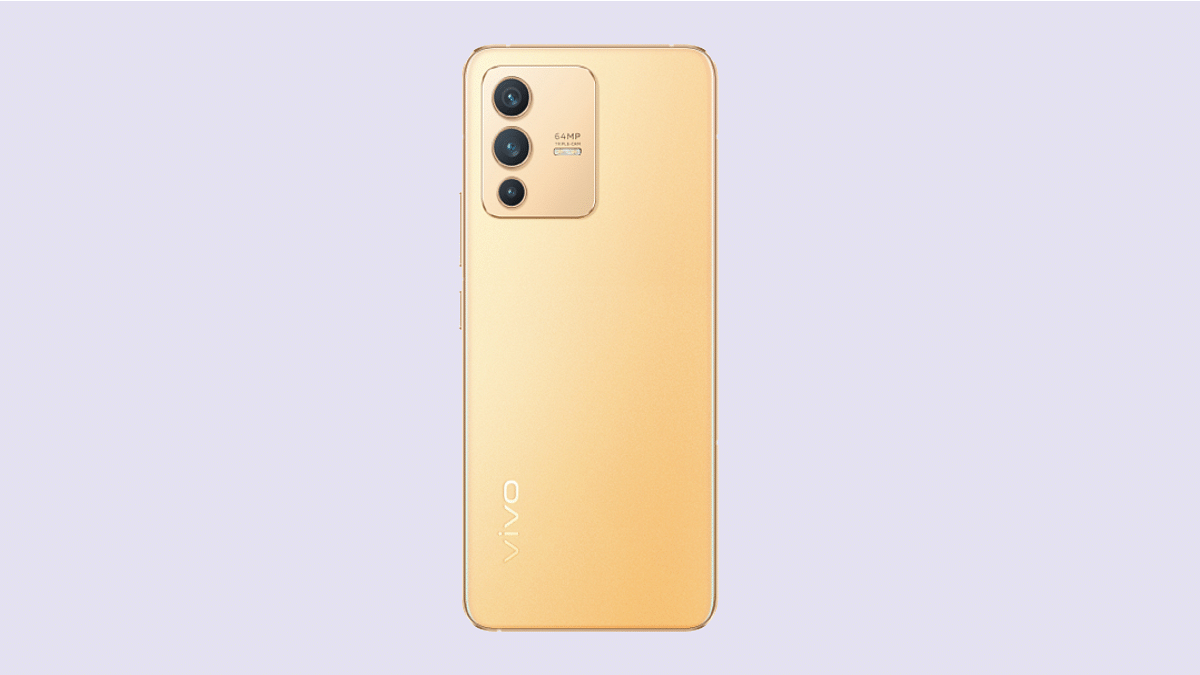
The Vivo V25 will be packed with a triple rear camera setup where the primary lens would be a 50MP Sony IMX766 main lens combined with a 12MP ultrawide angle sensor, and a 2MP portrait lens. The report also hints at triple RAM and storage configurations including 8GB/128GB, 8GB/256GB, and 12GB/256GB storage models.  

The upcoming V25 series is expected to ship with Android 12 OS which will be topped with a custom FunTouch OS interface. The report also suggests the vanilla Vivo V25 will be packed with either the octa-core Dimensity 1200 chipset or the Qualcomm Snapdragon 778G processor. A 44W fast charging technology is also likely to be present on the Vivo V25 lineup.